Aspire 5515 Laptop Service Guide Manual -PDF DOWNLOAD

Page 20

TouchPad Basics (with fingerprint reader) The following items show you how to use the TouchPad with Acer Bio-Protection fingerprint reader:

Move your finger across the TouchPad (1) to move the cursor.

Press the left (2) and right (3) buttons located beneath the TouchPad to perform selection and execution functions. These two buttons are similar to the left and right buttons on a mouse. Tapping on the TouchPad is the same as clicking the left button.

Function

Left Button (2)

Right Button (3)

Main TouchPad (2)

Execute

Quickly click twice.

Tap twice (at the same speed as double-clicking a mouse button).

Select

Click once.

Tap once.

Drag

Click and hold, then use finger on the TouchPad to drag the cursor.

Tap twice (at the same speed as double-clicking a mouse button); rest your finger on the TouchPad on the second tap and drag the cursor.

Access context menu

Click once.

NOTE: When using the TouchPad, keep it - and your fingers - dry and clean. The TouchPad is sensitive to finger movement; hence, the lighter the touch, the better the response. Tapping too hard will not increase the TouchPad’s responsiveness.

10

Chapter 1


Turn static files into dynamic content formats.

Create a flipbook

Articles inside

BIOS Recovery by Crisis Disk

2min
pages 153-156

Bottom View

1min
page 151

Top View

1min
page 150

Other Failures

1min
page 144

HDD Not Operating Correctly

1min
page 138

ODD Failure

5min
pages 139-141

Random Loss of BIOS Settings

2min
page 133

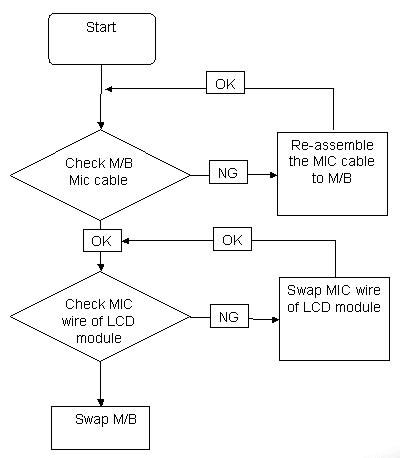
Internal Microphone Failure

1min
page 137

No Display Issue

1min
page 132

Power On Issue

1min
page 131

Common Problems

1min
page 130

Replacing the Battery

1min
pages 128-129

Replacing the ODD Module

1min
page 126

Replacing the Camera

1min
pages 101-104

Replacing the Speaker Modules

1min
page 109

Replacing the LCD Module

1min
pages 117-119

Replacing the Keyboard

1min
page 120

Replacing the LCD Panel

1min
page 105

Replacing the Lower Covers

1min
page 127

Removing the Antennas

1min
pages 98-99

Removing the LCD Brackets and FPC Cable

1min
page 93

Removing the LCD Bezel

1min
page 89

Removing the CPU

1min
page 87

Removing the Mainboard

1min
pages 82-83

Removing the Speaker Module

1min
pages 85-86

Removing the TouchPad Mylar Cover

1min
page 78

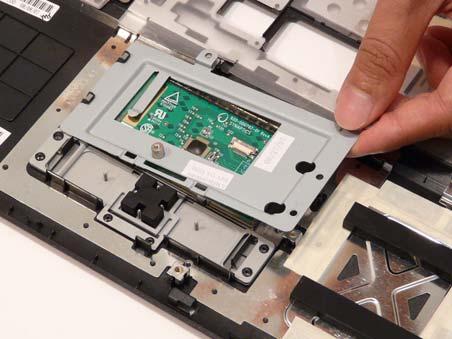
Removing the TouchPad

1min
page 80

Removing the Switch Board

1min
page 81

Removing the Switch Cover

1min
page 68

Removing the Thermal Module

1min
page 66

Removing the WLAN Module

1min
pages 61-62

Disassembly Requirements

1min
page 52

Removing the Hard Disk Drive Module

1min
pages 63-64

Remove HDD/BIOS Password Utilities

2min
pages 47-51

WinFlash Utility

1min
page 46

DOS Flash Utility

1min
pages 44-45

Exit

1min
page 42

BIOS Flash Utilities

1min
page 43

Boot

1min
page 41

Power

1min
page 40

Main

1min
page 34

Security

3min
pages 37-39

Advanced

2min
pages 35-36

Information

1min
page 33

Hardware Specifications and Configurations

3min
pages 27-31

Special Key

1min
page 25

Left View

1min
page 17

Right View

1min
page 18

Windows Keys

1min
page 23

TouchPad Basics (with fingerprint reader

1min
page 21

Hot Keys

1min
page 24

Indicators

1min
page 20

System Block Diagram

1min
page 14
Issuu converts static files into: digital portfolios, online yearbooks, online catalogs, digital photo albums and more. Sign up and create your flipbook.
Aspire 5515 Laptop Service Guide Manual -PDF DOWNLOAD by www.heydownloads.com - Issuu