Remove HDD/BIOS Password Utility This section provide you with removing HDD/BIOS method: Remove HDD Password: •
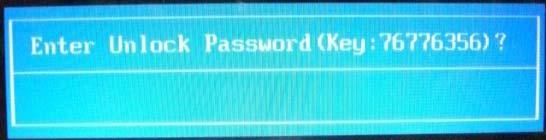
If you key in wrong HDD password three times, Hdd password error code displays. See the image below.
To reset the HDD password, perform the following steps: 1. Run UNLOCKHD.EXE from a DOS prompt 2. Enter the code supplied by the system (76776356 in the example). 3. Press <Enter>. 4. The unlock program displays an unlock code (69654998 in the example).
5. Reboot system and key in the displayed string to unlock the HDD.
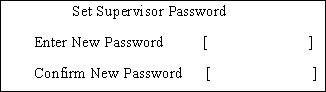
Remove BIOS Password: If you key in the wrong Supervisor Password three times, System Disabled displays on the screen. To reset the BIOS password, perform the following steps: 1. Enter unlockpw from a DOS prompt.
The system displays the following screen.
2. Reboot the system and enter BIOS as normal.
Chapter 2
29