1 minute read
Removing the LCD Module


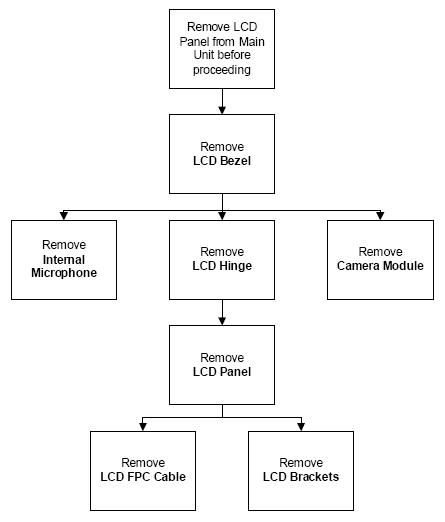
LCD Module Disassembly Flowchart
Screw List Step Screw Quantity Color Part No. LCD Bezel M2*5 (NL) 6 Black 86.TG607.004 LCD Module M2*5 (NL) 4 Black 86.TG607.004 LCD Panel M2*4 (NL) 5 Black 86.W0107.003 LCD Brackets M2*3 (NL) 4 Black 86.TG607.004
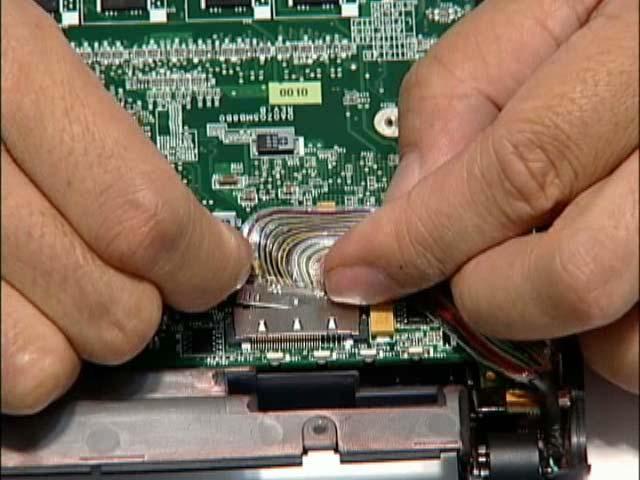
1. Remove the Upper Cover. See “Removing the Upper and Lower Covers” on page 38. 2. Disconnect the LCD cable from its connector
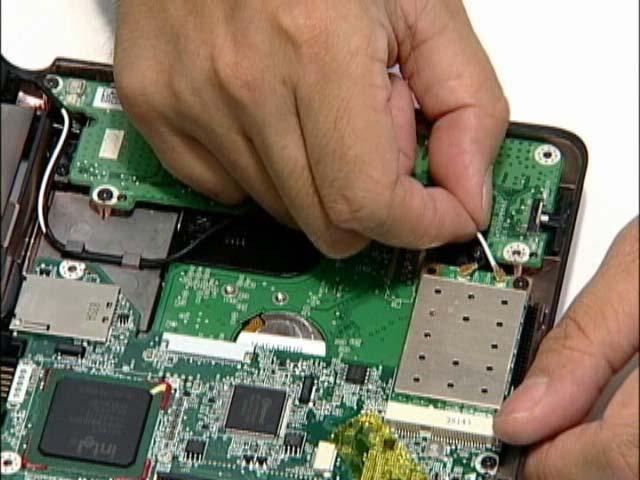
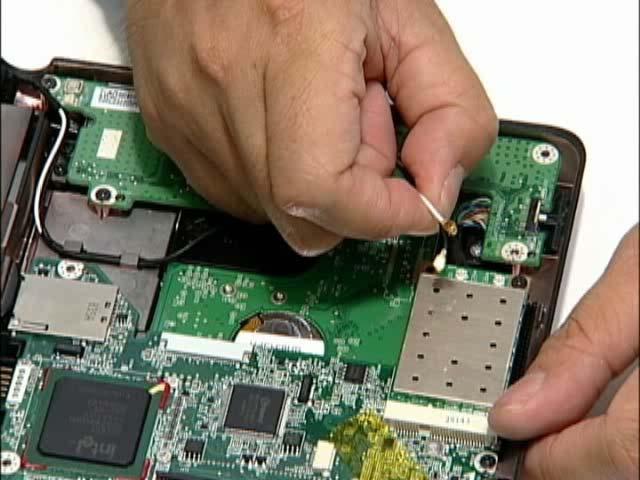
3. Disconnect and remove the antenna cables from the housing well.
NOTE: Main cable is black. The Auxiliary cable is white.