1 minute read
Removing the 3G Cover


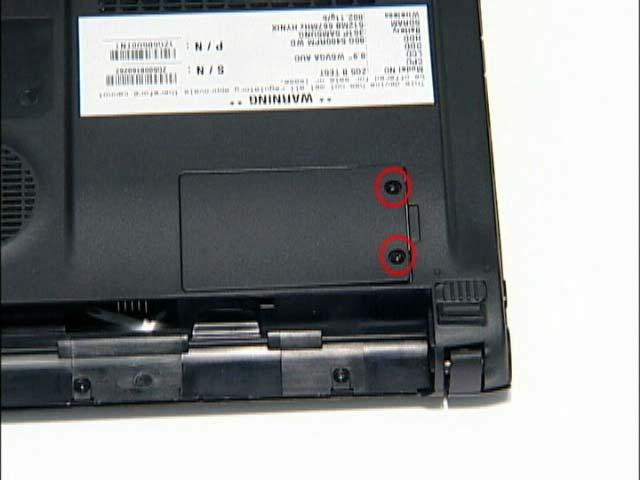
1. Remove the Battery Pack. See “Removing the Battery Pack” on page 34. 2. Loosen the ten captive screws from the Memory, HDD1, and HDD2 Covers. 3. Remove the two captive screws.
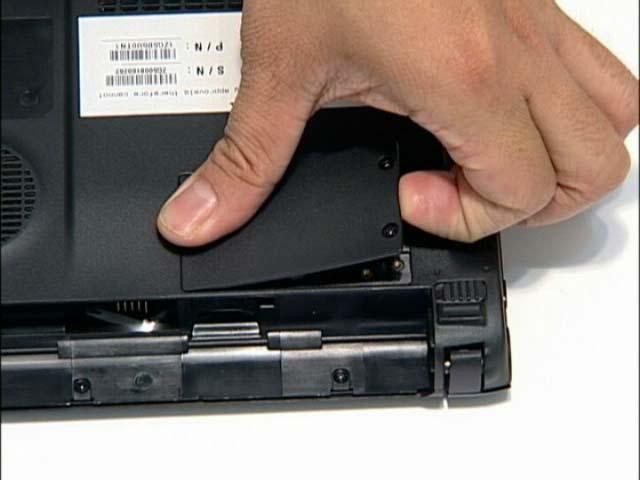
4. Lift the 3G cover up to remove.
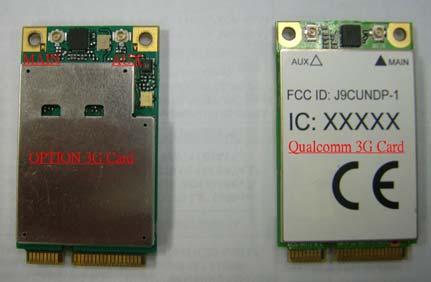
IMPORTANT:We have two 3G card suppliers (Option and Qualcomm). However the 3G card cable connecting way is subject to different suppliers. Please read the instruction carefully when you need to insert the 3G card to the notebook for the customers.
1. Indentify if the 3G card is Option or Qualcomm from its appearance. As you can see, the 3G card on the left is
Option. And the other on the right is Qualcomm.