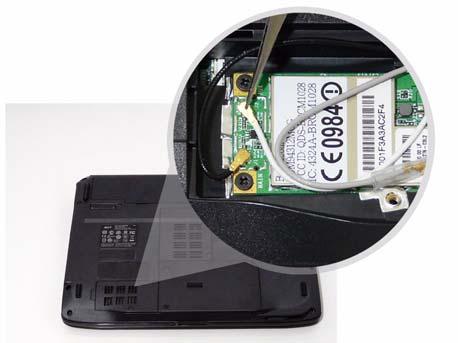
3. Connect the two antenna cables to the module.
Replacing the Hard Disk Drive Module 1. Place the HDD in the HDD carrier.
2. Replace the four screws to secure the carrier.
3. Insert the HDD, interface side first, until HDD firmly 4. Push the HDD down to secure in place. slides in place.
Chapter 3
123