Functions of and How to Use User Mode (GR-600-1/ GR-800-1) Selecting Jib Mounted Condition
Selecting Winch Condition WARNING
WARNING
Select the correct winch according to the actual crane condition; otherwise the AML will show a wrong moment ratio, and damage to or overturn the crane can be caused.
If the jib mounting/dismounting state is set improperly, the AML can not detect the actual load precisely. The crane operation in this condition could create hazard. The jib can be dismounted from the crane body
[NOTICE]
when it is not used. The reduced mass of the crane body after jib removal will influence the precision of the AML. Use this switch to set the jib mounting /dismounting state to the AML.
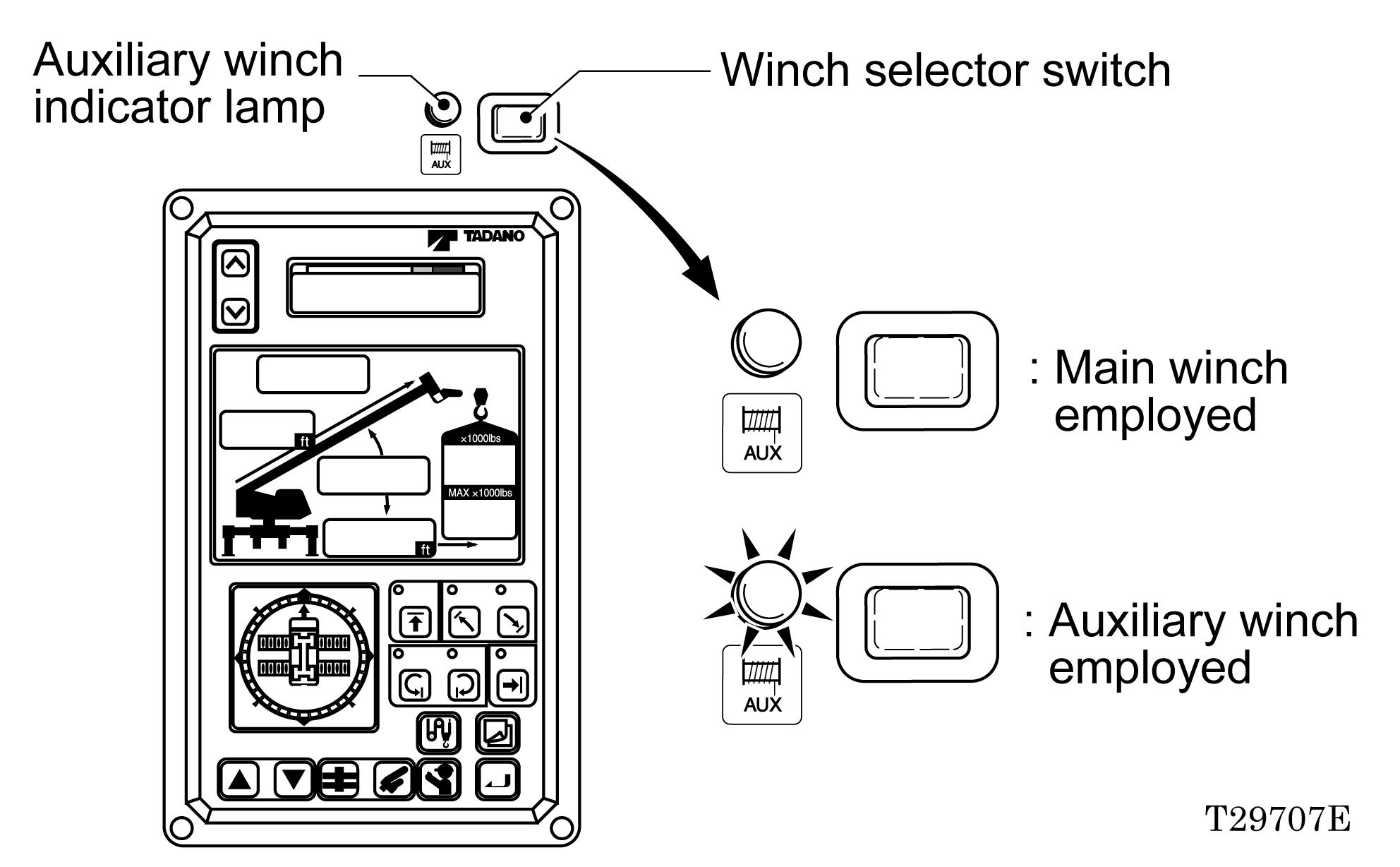
For boom lift, always employ the main winch. The winch selection alternates between main winch and auxiliary winch each time the winch selector switch is pressed. When auxiliary winch is selected, the auxiliary winch indicator lamp lights up.
[NOTICE]
The lifting capacities vary depending on the operating condition. Register the winch selection using the winch selector switch so that the auxiliary winch indicator lamp is as shown in the figure below according to the operating condition.
(1) “REMOVED” Select this position when the jib is dismounted. The jib removed indicator lamp will light up.
The key can be inserted in/removed from either “REMOVED” or “EQUIPPED” position.
(2) “EQUIPPED” Select this position when the jib is mounted. The jib removed indicator lamp will go off. Jib removed indicator lamp
2B
D E F
COOL
HO
MODE 3B-
Jib state switch
131
W301-0139E
IW301-0231E17