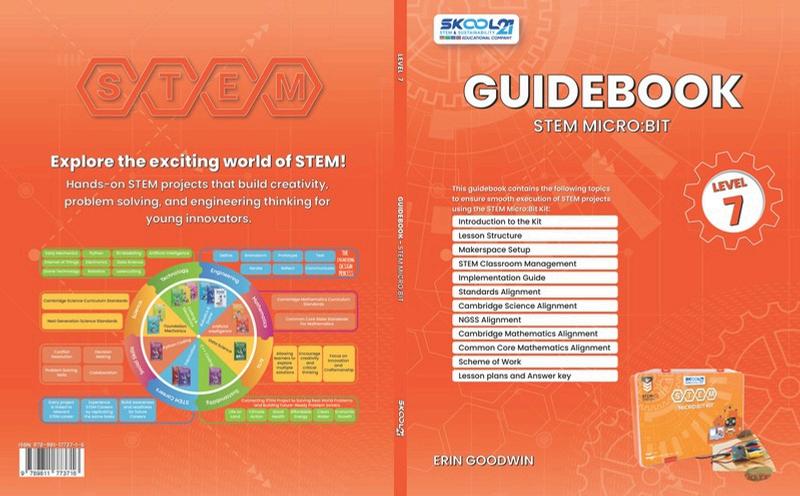
Guidebook - Level 7

Page 1


TeacherGuide-STEMMicrobitLevel7

Copyright©2026

Author:NatashaKarampela

Editors:ErinGoodwinandLindseyOwn

ISBN:978-981-17737-1-6

Publishedby:

SKOOL21PTE.LTD.

71RobinsonRoad,#14-01,068895,Singapore

FirstEditionpublishedbySKOOL21PTELTD-Singapore,2024

SecondEditionpublishedbySKOOL21LLC-UnitedStates,2026

No part of this book may be reproduced, distributed, or transmitted in any form or by any means, including photocopying, recording, or other electronic or mechanical methods, without the prior written permission of the publisher, except in the case of brief quotations embodied in critical reviews and certain other non-commercial uses permittedbycopyrightlaw.

Forpermissionsorinquiries,pleasecontact:

Email:info@skool21org

Website:https://skool21.org

Address:600CaliforniaSt,#13-021,SanFrancisco,CA94108,UnitedStates

Preface

WelcometotheFutureofTeachingandLearning!

Thankyouforjoiningusonthisexcitingjourney!TheSKOOL21STEMInnovatorsseriesis designednotonlytoignitecuriosityinstudentsbutalsotoempowerteacherstolead meaningful, hands-on STEM learning experiences. Through this series, you will guide young innovators as they explore, design, and solve real-world challenges using science,technology,engineering,andmathematics(STEM).

BuildingonaStrongFoundation

EachleveloftheSKOOL21STEMseriesbuildsuponthepreviousone,creatingastrong continuum of learning — from simple machines to advanced 3D modeling. Students travel through key technological eras, from the Industrial Revolution to the innovations shaping our future. No matter their starting point, every learner will discovernewskillsanddeeperunderstandingalongtheway.

LearningbyDoing

At SKOOL21, we believe students learn best by doing. Each book comes with a comprehensive STEM kit, enabling students to build, test, and explore concepts through hands-on challenges. As a teacher, you will facilitate engaging projects where students actively create, problem-solve, and apply critical thinking skills — all whilehavingfun.

MakingaReal-WorldImpact

Every project is designed to connect learning to real-world issues, inspired by the SustainableDevelopmentGoals(SDGs).Throughthesechallenges,studentsseehow their ideas can contribute to solving problems like clean water access, renewable energy, and environmental conservation empowering them to envision a better world.

TeachingLikeaPro

The SKOOL21 STEM program aligns with international standards and best practices, ensuring that both teachers and students are developing the collaboration, innovation, and design thinking skills valued in today’s world. You’re not just supporting schoolwork — you’re preparing the next generation of thinkers, leaders, andchangemakers.

IntroductiontotheKit

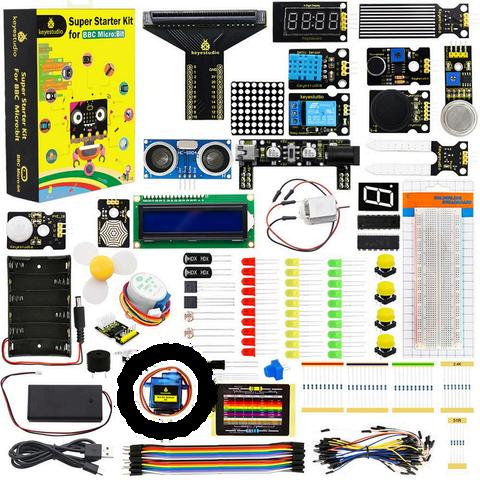
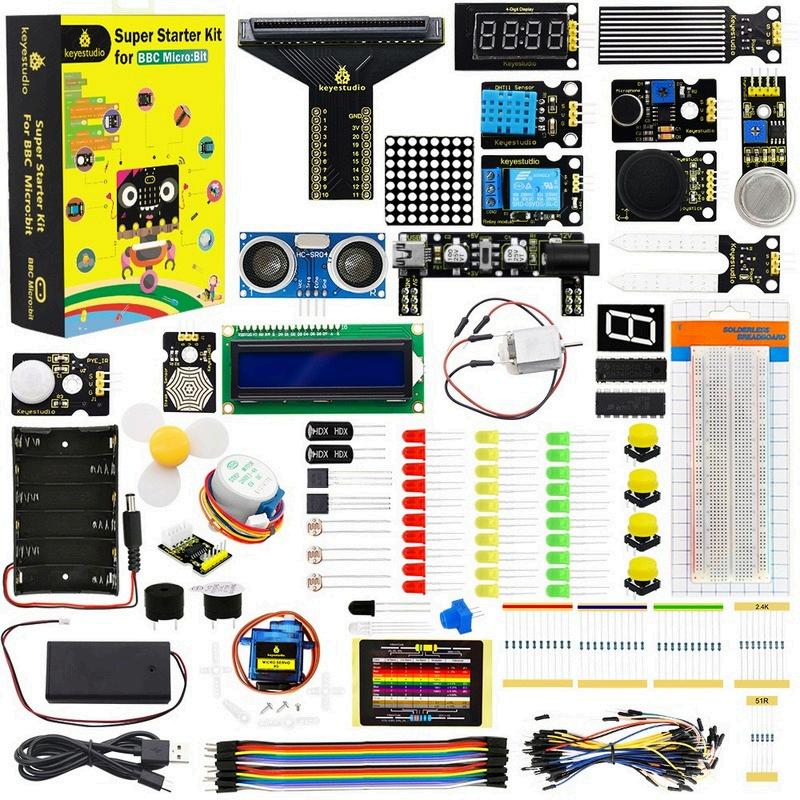
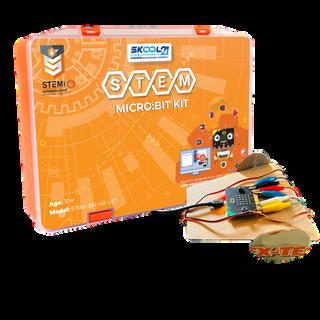
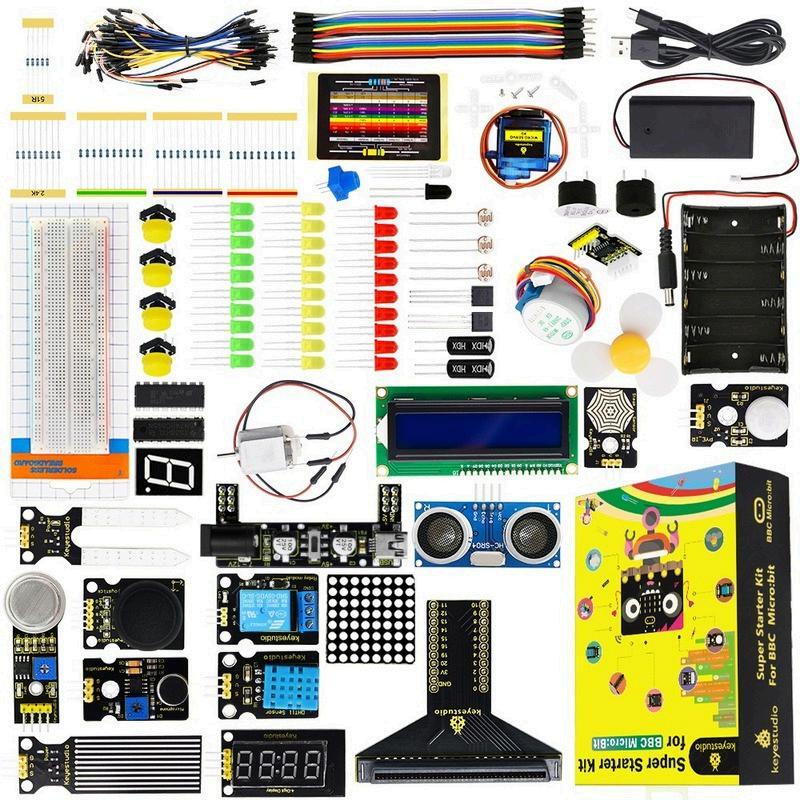
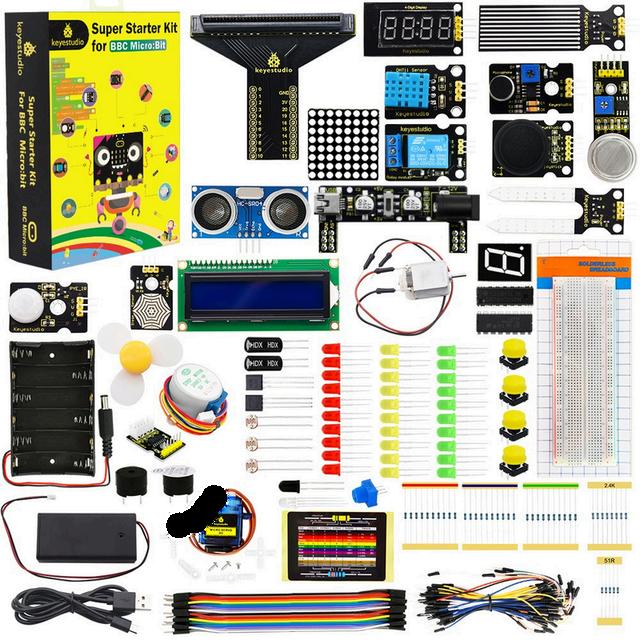
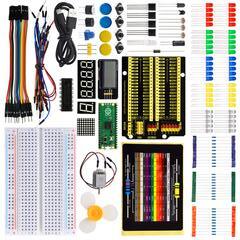
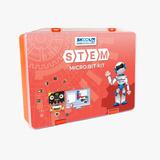
MeetYourSTEMMicro:bitKit!

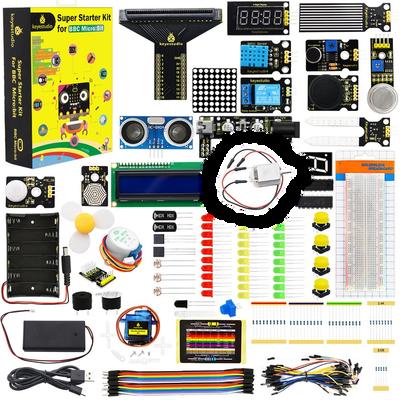
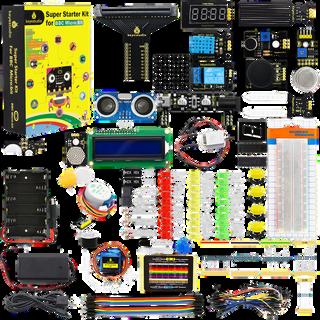
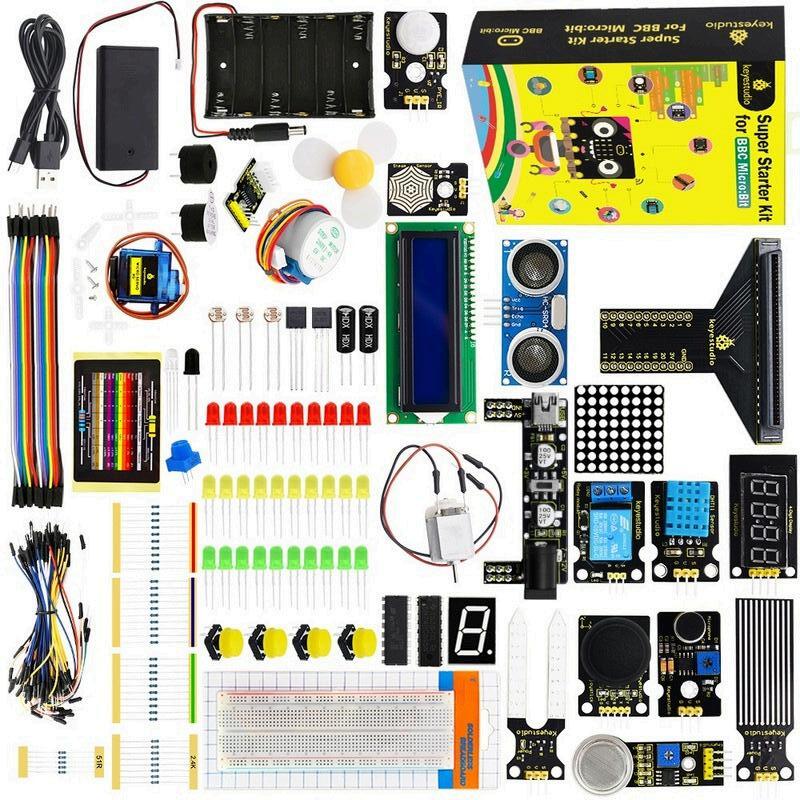
Openyourboxandseewhatisinside!Thiskithas everythingyouneedtobuildandplay.Useyour micro:bitwithprogrammingandsensors.Youcan turnyourbigideasintorealworkingsimulations. Let’sbuildtogether!

KITCOMPONENTS KITCOMPONENTS

LessonStructure

Each lesson in the handbook follows a structured format to ensure clarity and effective implementation. A sample solution is also found at the end of each lesson.Thestructureincludes:

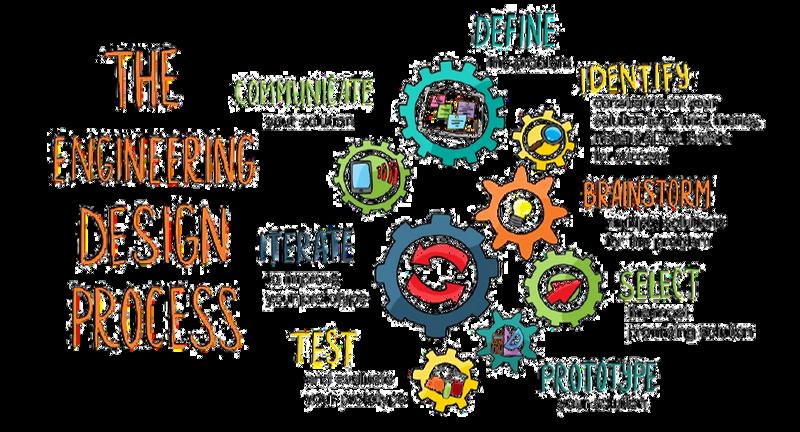
TheEngineeringDesignProcess

The Engineering Design Process (EDP) is a systematic approach used by engineers and designers to solve problems and create innovative solutions. It provides a structured framework for developing new products, processes, or systems by following a series of well-defined steps. This process is not only applicable in engineering, but is also widely used in various STEM disciplines to tacklechallengesanddevelopcreativesolutions.

For students in first grade and above, the typical Engineering Design Process follows multiple iterative steps, including identifying a problem, researching, brainstorming,designing,prototyping,testing,andrefiningsolutions.

This structured approach encourages creativity, critical thinking, and iteration, formingastrongfoundationforfutureSTEMlearning.

FosteringSocialSkills

STEM activities naturally build key social skills. Teachers can help students practice and strengthen these skills by guiding them during group work, discussions,andprojectchallenges

Keysocialskillsdevelopedinclude:

Collaboration

Encouragestudentstoshareideas andassignrolesduringgroup worktobuildteamworkand respectfordifferentperspectives

CriticalThinking

Promptstudentstoask"why"and "whatif"questionswhensolving problemsordesigningsolutions

EmpathyandRespect

Remindstudentstovalue everyone 'sideasandsupport peersbyusingkind,respectful language.

ConflictResolution

Coachstudentstotalkthrough disagreementscalmlyandfind solutionsthateveryonecan accept

Reflection

Buildreflectionintotheprocessby askingstudentswhatworkedwell, whatwaschallenging,andwhat theywoulddodifferentlynexttime

Communication

Modelclearcommunicationand askstudentstoexplaintheir thinkingandlistencarefullyto teammates

Problem-Solving

Challengestudentstotrydifferent strategieswhentheyface obstaclesandpraisepersistence.

TimeManagement

Helpteamssetmini-deadlines andguidethemtobreakprojects intosmaller,manageabletasks

PresentationSkills

Givestudentsregularchancesto presenttheirworktopeers,using clearspeakingandsupportive feedback

Teamworking

Celebratestrongteamworkby recognizingwhenstudentsshare leadership,encourageeachother, andsolveproblemstogether

Teaching STEM also teaches students how to think, work, and lead. By actively supporting social skills during projects, teachers prepare students not just for academicsuccess,butforfuturecareersandlifechallenges.

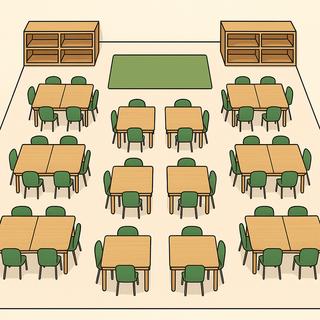
MakerspaceSetup

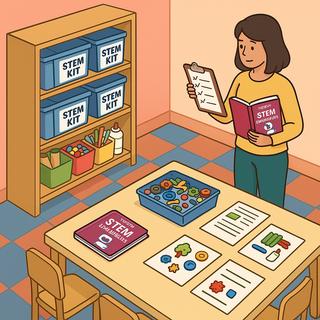
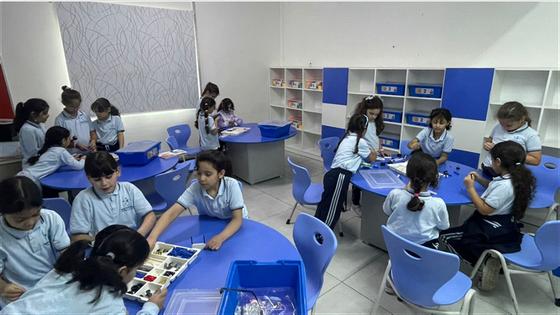
Amakerspaceisacreative,hands-onareawherestudentsexploreSTEM conceptsthroughbuilding,experimenting,andsolvingproblemstogether.This guideisdesignedforteacherswhoarenewtoSTEMandlookingforclearstepsto setupandmanageamakerspace.

MaterialsManagement:

STEMClassroomManagement

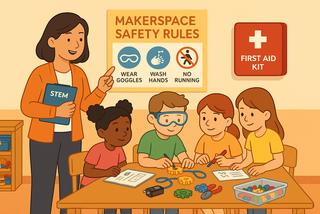
STEMclassesarehands-on,highlyengaging,andoftennoisy—that’sagood thing!Butwithoutclearroutinesandstructures,theycanquicklybecome chaotic.Awell-managedmakerspaceallowsstudentstoexploreandinnovate safely,responsibly,andcollaboratively.

STEMClassSessionRoutine

Setaclearandconsistentstructuretoeachsessionsostudentsknowwhatto expectandstayfocused:

ToolandMaterialsRules:

GroupManagementwithTeamRoles

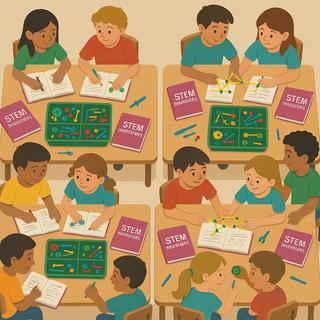
Groupworkcanbemessywithoutstructure.SKOOL21encouragesstudent collaboration,sorotatingroleshelpsbalanceresponsibilityandensure activeparticipation:

Leader

Material Manager

Reporter

Testing Supervisor

Collectskits/materialsfromtheteacher,ensuressupplies arereturnedpost-build.

Sharesoutcomes,challenges,andsolutionswiththeclass

Evaluatesthemodel,givesfeedback,suggestschanges.

ImplementationGuide

TheSKOOL21STEMInnovatorsHandbookoffersproject-basedSTEMlessonsfor Pre-KthroughGrade12 Teacherscanusethreemainmodelstoimplementthese projects:

A l i g n m e n t

S t a n d a r d s

CambridgeScienceAlignment

LearningObjective

ThinkingandWorkingScientifically

LearningObjective Project# ProjectName

MotionandStability:ForcesandInteractions

Ecosystems:Interactions,Energy,andDynamics

WavesandTheirApplicationsinTechnologiesforInformationTransfer EarthandHumanActivity

CambridgeMathematics Alignment

LearningObjective

Fractions,decimalsandpercentages

Project#

ProjectName

LessonPlans andAnswerkey

LearningObjectives

Project1:SunlightFinder

LessonPlan

Bytheendofthislesson,studentswillbeableto:

Duration: 90minutes

1. Understand how light intensity affects the energy production in plants through photosynthesis.

2.UsetheMicro:bit'slightsensortoidentifyareaswithhighsunlightexposure.

3. Design and test a light detection system that alerts users using pitch, volume, and frequencywhenlightlevelsareoptimalforplantgrowth.

Materials

Vocabulary

A part of a plant cell that captures sunlight to make food through photosynthesis.

The process where plants use sunlight, water, and carbon dioxide to makefoodandoxygen.

Adevicethatdetectsandmeasurestheamountoflight Partsofcellsthatgenerateenergybybreakingdownfood.

A small molecule that combines to form proteins, which are essential forthestructureandfunctionoflivingthings.

Preparation(TeacherTo-DoBeforeClass)

1. Open makecodemicrobitorg on all devices and ensure each group has access to a Micro:bitworkspace.

2.Prepareandorganizeallclassroommaterialsneededfortheactivity.

3. Build and demonstrate an example setup using the Micro:bit light sensor and a programmed alert system to provide students a visual reference of how light detection and audiosignalingworks.

LearningActivities(Session1)

1.Beginwithadiscussionabouthowplantsandanimalsgenerateenergy Askstudents:“What doesaplantneedtogrow?”and“Whyissunlightimportantforplants?”

2. Highlight the role of chloroplasts in capturing sunlight and the process of photosynthesis. Contrastthiswithhowanimalcellsusemitochondriatobreakdownfood.

3.Guide students to explore why some plants need full sunlight and how this is essential for photosynthesis.

4. Ask students to refer to the infographic and discuss how light intensity supports plant growthandsustainability.

1. Read the "Define the Problem" section together Ask students: “What challenge is the gardenerfacing?”and“Howcanwehelpthemsolveit?”

2.Emphasizethatthegoalistocreateasystemthatidentifiesareaswiththehighestsunlight forplacingfull-sunplantseffectively

3. Encourage students to think about how technology can support sustainable gardening practices.

1.Reviewthecriteriaandconstraintswiththeclass.Ask:“Whatshouldoursystembeableto do?”and“Howwillweknowifitworks?”

2.Highlightthattheprojectshouldmeasurelightintensityandalerttheuserthroughsoundif thelightlevelishigh

3.Emphasizethatthesolutionshouldbedesignedcollaborativelyanduseonlytheprovided materials.

1.Havestudentsformtheirteamsandassignprojectroles Reviewvocabularyaloudandask studentstoidentifyorprovideexamples.

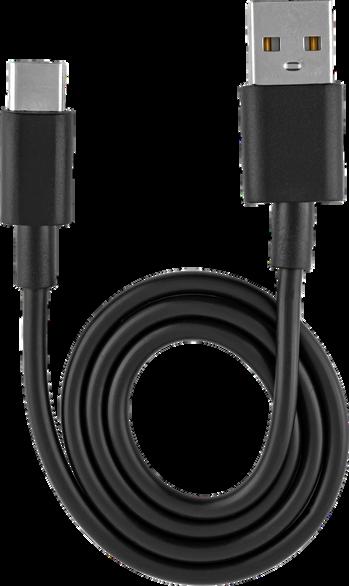
2.SupportstudentsastheyconnecttheMicro:bittotheircomputerusingaUSBcable.

1.Ensureeachgroupopensmakecode.microbit.organdcreatesabasicprogramtomeasure anddisplaylightlevelsusingthebuilt-inlightsensor

2.Demonstratehowtodisplaythelightvaluesontheserialmonitorandhowtousethedata viewtointerpretthelightreadings.

3. Guide students in enhancing their light measurement system with a sound alert. Explain that the goal is to create a program that triggers an audio signal when the light intensity surpassesadefinedthreshold.

LearningActivities(Session2)

1.BeginbyreviewingwhatstudentslearnedinSession1,particularlytheirobservationsoflight levelsandhowtheyrelatetoplantneeds

2.Revisit the infographic and re-emphasize the environmental impact of using natural light effectively.

3. Introduce today’s goal: building and testing the alert system that helps find the sunniest spots.

1.GuidestudentstobuildaportablesensorsystemusingtheMicro:bitandbatterypack. Supporttheminsettingupasystemthatwillalerttheuserwithasoundwhenthelightlevelis highenoughforfull-sunplants.

2. Encourage experimentation with pitch, frequency, and volume to signal higher light levels moreclearly

3.Ifstudentshaddifficultydevelopingtheiralertsystemduringthelesson,theycanadvisethe samplesolutionattheendofthelesson.

4.Have students carry their devices around the room or outside and record which locations producedthestrongestalerts

1.Askeachteamtosketchtheirsystembeforetheybeginbuilding.Thesketchshouldinclude the Micro:bit, the light sensor, the alert mechanism, and the locations where measurements willbetaken.

2.Prompt students to explain their design decisions, including how they determined the light thresholdandhowtheiralertsystemfunctions.

1. Allow students to test their alert systems in various locations Encourage them to observe and note the differences in light level response. Ask: “Did your system alert you correctly in high-light areas?” and “What changes can make the alerts more accurate or more noticeable?”

2.Haveeachteamrevisitthecriteriaandconstraintstoensuretheirsolutionmeetsthegoals oftheproject.

1.Readthe“ShareandImprove”sectionwithyourstudentsandexplainthatthey’llbesharing their projects to get feedback from peers Remind them that feedback helps improve ideas, notjustevaluatethem

2.Supportstudentsingivingandreceivingconstructivefeedback.Useguidingquestionssuch as“Whatworkedwellinthisdesign?”and“Whatimprovementscouldbemade?”.

3.Encourageteamstoreflectonthefeedbackandrevisetheirdesignsiftimeallows Remind them that innovation comes through testing and improving, and every voice in the group mattersduringthisphase.

MathandScienceConnection

Support students in working on the Math and Science Connection page Depending on your studentsneeds,youmayhavethemcompletethisindependently,intheirgroups,ortogether asawholeclass.

1. Review the Sustainable Development Goal (Affordable and Clean Energy), and brainstorm withstudentshowthisprojectmightrelatetothatSDG (Seeanswerkeyforsuggestions)

2. Discuss the final “reflection” questions with students, and have them record their own answersintheirworkbooks.

1. After sharing and reflecting, consider taking a photograph of each project for your own recordsand/ortosharewithparents!

2.Havestudentsdisassembletheirprojectsandreturnmaterialstotheappropriateplace.

EndofSession2

AnswerKey

MathandScienceConnectionAnswers

1.LightProblem:

Multiplytheincreaseratebythetime:

x4= =3lumens

Addthistothecurrentbrightness:

2+3=5lumens

1.WaterProblem: Multiplythewaterperplantperdaybythenumberofplants:

15x = =7.5cupsperday Answer:5lumens

Multiplythedailywateramountbythenumberofdays: 75cups/day×14days=105cups Answer:105cups

1. The device helps farmers grow crops more efficiently by identifying areas with optimal sunlight, reducing waste in resources like water and fertilizer. Engineers could adapt similar technologiesforoptimizingsolarpanelplacement

2.Agriculturalscientistscanuselightsensorstoenhancecropyields,whilerenewableenergy engineerscanoptimizesolarpanelinstallationanddevelopmoreefficientenergysystems.

Project2:AIFitnesstimer LessonPlan

LearningObjectives

Bytheendofthislesson,studentswillbeableto:

Duration: 90minutes

1.UnderstandhowsensorsandAIcandetectandclassifyphysicalactivity.

2.TrainanAImodeltodistinguishbetweenexerciseandrestusingmovementdata.

3.Buildandprogramawearablefitnesstimerthattrackstimespentexercisingandresting

Materials

Vocabulary

Preparation(TeacherTo-DoBeforeClass)

1. Ensure students have access to createai.microbit.org and makecode.microbit.org on their devices

2.Prepareandorganizeallmaterialsforbuildingasimplewriststrap.

3.TestasampleAImodelandconnectionbetweenBluetoothandMicro:bittoensuresmooth operation

LearningActivities(Session1)

1.Beginwithadiscussionaboutphysicalactivityanditsbenefitsforhealthandwellbeing.Ask students:“Whathappensinourbodywhenweexercise?”and“Howcanweusetechnologyto trackmovement?”

2. Introduce the concept of accelerometers in fitness trackers and how they help detect changesinmotion.

3.Explain how AI can classify patterns in movement data to tell when someone is exercising versusresting.

4.Askstudentstoconsiderhowthistypeofsystemcouldhelpolderadults,athletes,oranyone tryingtoimprovetheirfitness

1.Readthe"DefinetheProblem"sectiontogether Askstudents:“Whatistheelderlycarefacility askingustobuild?”

2.Emphasizethatthegoalistodesignawearablefitnesstimerthattrackshowlongsomeone isexercising

3.Discusswhereandhowthiskindofsolutioncouldbehelpfulindailylife

1.Review the project criteria. Ask: “What should this system do automatically?” and “How do weknowit’sworkingwell?”

2.Emphasizethatthedeviceshouldbewearable,functional,andaccurate.

3.Highlighttheimportanceofusingonlytheprovidedmaterialsandmakingsurethedesign issafeandcomfortable

1.Havestudentsformtheirteamsandassignprojectroles.Reviewthevocabularytermaloud andaskforexamples.

2.GuidestudentstoconnecttheMicro:bittotheirdeviceusingtheUSBcable

1. Ask students to open createaimicrobitorg and select "Get Started" followed by "New Session"

2. Support students as they connect the Micro:bit via Bluetooth and collect movement samplesforeachaction.

3.Remindteamstoremoveanyobviousoutliersamplesandrepeatifnecessarytoimprove modelquality.

1.After recording enough samples, ask students to click "Train Model" and begin the training process

2.Encourage students to test their model and review its accuracy. If the model misclassifies actions,studentsshouldaddnewtrainingsamplesandretrain.

3. Once satisfied with the results, students should click "Edit in MakeCode" to begin programming.

1.SupportstudentsastheyexplorethestartercodeblocksforMLactionrecognition

2. Guide students to use ML blocks to increase the variable count each time one of the actionsstops.

3. Demonstrate how to use the button press blocks to display the values on the Micro:bit screen

EndofFirstSession

LearningActivities(Session2)

1. Begin by reviewing what students learned about motion tracking and AI recognition in Session1

2. Ask students to share how accurate their models were and what challenges they encounteredwhiletraining.

3.Revisittheprojectgoals:designingandcodingawearablefitnesstimerforreal-worlduse

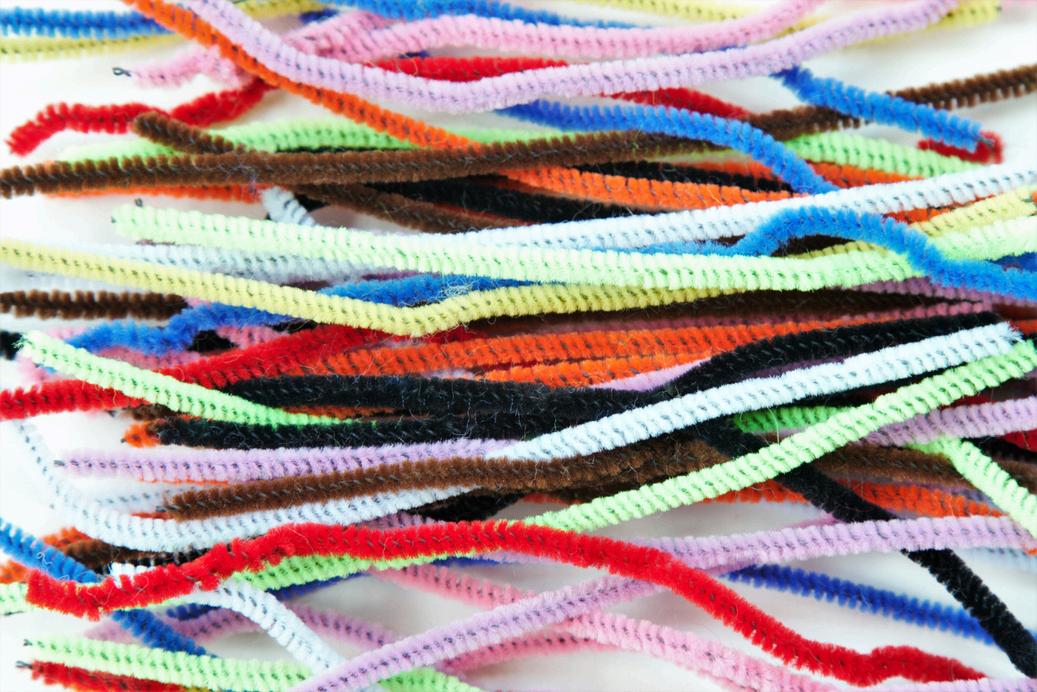
1.Guidestudentsastheydesignawearablestrapusingchenillestemsorelasticmaterialsto securetheMicro:bitandbatterypack.

2. Encourage students to personalize their design to make it secure, comfortable, and functional

3. Support students in choosing one additional challenge: adding sound or LED feedback, displayinga'?'whentheAIisunsure,ortrainingthemodeltodetectspecificexercises.

4. Allow teams to test their modifications and discuss how these enhance usability and feedback.

1.Ask students to sketch their wearable design and indicate where the Micro:bit and battery willbeplaced.

2.Studentsshouldalsooutlinehowtheirchosenchallengewillbeimplementedinthecodeor structure

3. Encourage students to explain how the design supports safety and accurate motion detection.

1. Allow students to test their wearable timer by simulating exercise and normal activity.Ask: “Doesyourmodelcorrectlyrecognizewhenyou'reexercising?”and“Doyourtimersdisplaythe correctvalues?”

2.Promptteamstomakeadjustmentsforanyerrorsorunexpectedresults.

1.Readthe“ShareandImprove”sectionwithyourstudentsandexplainthatthey’llbesharing their projects to get feedback from peers. Remind them that feedback helps improve ideas, notjustevaluatethem

2.Supportstudentsingivingandreceivingconstructivefeedback.Useguidingquestionssuch as“Whatworkedwellinthisdesign?”and“Whatimprovementscouldbemade?”.

3.Encourageteamstoreflectonthefeedbackandrevisetheirdesignsiftimeallows Remind them that innovation comes through testing and improving, and every voice in the group mattersduringthisphase.

MathandScienceConnection

Support students in working on the Math and Science Connection page Depending on your studentsneeds,youmayhavethemcompletethisindependently,intheirgroups,ortogether asawholeclass.

1. Review the Sustainable Development Goal (Good Health and Well-Being), and brainstorm withstudentshowthisprojectmightrelatetothatSDG.(Seeanswerkeyforsuggestions.)

2. Discuss the final “reflection” questions with students, and have them record their own answersintheirworkbooks

1. After sharing and reflecting, consider taking a photograph of each project for your own recordsand/ortosharewithparents!

2.Havestudentsdisassembletheirprojectsandreturnmaterialstotheappropriateplace.

EndofSession2

AnswerKey

MathandScienceConnectionAnswers

1.Itisimportanttolookfortrendsinthedataandidentifyoutlierstoremoveimagesthatmay confusemodelandcauseittogiveinaccurateresults.

2.Totalworkouttime=Segment1+Segment2+Segment3=2x+1.5+3x–0.5+x+2.25=2x +3x+x+15-05+225=6x+3.25

1. The fitness timer can help the elderly care facility provide essential healthcare services by tracking and motivating the resident’s activity. This relates to helping create quality health careservices.

2. Medical practitioners and nurses can recommend that their patients use the tracker to motivate the elderly to exercise. Fitness instructors can use the devices in their sessions to timeeveryone’stimespentdoingcertainactivities.
Turn static files into dynamic content formats.
Create a flipbook