No part of this book may be reproduced, distributed, or transmitted in any form or by any means, including photocopying, recording, or other electronic or mechanical methods, without the prior written permission of the publisher, except in the case of brief quotations embodied in critical reviews and certain other non-commercial uses permittedbycopyrightlaw.

Forpermissionsorinquiries,pleasecontact:
Email:info@skool21.org
Website:https://skool21org
Preface
WelcometotheFutureofTeachingandLearning!
Thankyouforjoiningusonthisexcitingjourney!TheSKOOL21STEMInnovatorsseriesis designednotonlytoignitecuriosityinstudentsbutalsotoempowerteacherstolead meaningful, hands-on STEM learning experiences. Through this series, you will guide young innovators as they explore, design, and solve real-world challenges using science,technology,engineering,andmathematics(STEM).

BuildingonaStrongFoundation
EachleveloftheSKOOL21STEMseriesbuildsuponthepreviousone,creatingastrong continuum of learning — from simple machines to advanced 3D modeling. Students travel through key technological eras, from the Industrial Revolution to the innovations shaping our future. No matter their starting point, every learner will discovernewskillsanddeeperunderstandingalongtheway.
LearningbyDoing
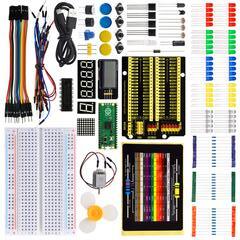
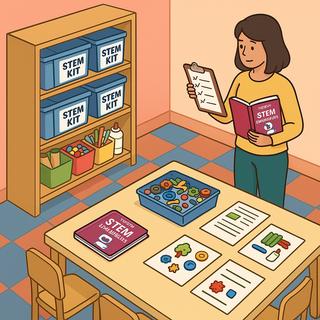
At SKOOL21, we believe students learn best by doing. Each book comes with a comprehensive STEM kit, enabling students to build, test, and explore concepts through hands-on challenges. As a teacher, you will facilitate engaging projects where students actively create, problem-solve, and apply critical thinking skills — all whilehavingfun.
MakingaReal-WorldImpact
Every project is designed to connect learning to real-world issues, inspired by the SustainableDevelopmentGoals(SDGs).Throughthesechallenges,studentsseehow their ideas can contribute to solving problems like clean water access, renewable energy, and environmental conservation empowering them to envision a better world.
TeachingLikeaPro
The SKOOL21 STEM program aligns with international standards and best practices, ensuring that both teachers and students are developing the collaboration, innovation, and design thinking skills valued in today’s world. You’re not just supporting schoolwork — you’re preparing the next generation of thinkers, leaders, andchangemakers.
Each lesson in the handbook follows a structured format to ensure clarity and effective implementation. A sample solution is also found at the end of each lesson.Thestructureincludes:
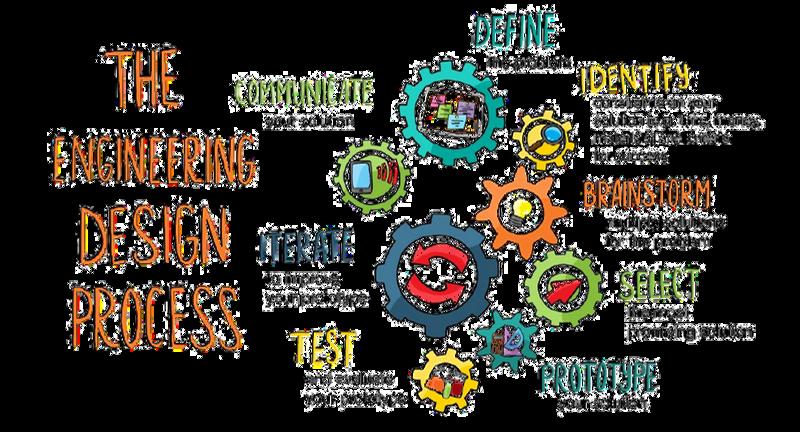
The Engineering Design Process (EDP) is a systematic approach used by engineers and designers to solve problems and create innovative solutions. It provides a structured framework for developing new products, processes, or systems by following a series of well-defined steps. This process is not only applicable in engineering, but is also widely used in various STEM disciplines to tacklechallengesanddevelopcreativesolutions.
For students in first grade and above, the typical Engineering Design Process follows multiple iterative steps, including identifying a problem, researching, brainstorming,designing,prototyping,testing,andrefiningsolutions.
This structured approach encourages creativity, critical thinking, and iteration, formingastrongfoundationforfutureSTEMlearning.
FosteringSocialSkills
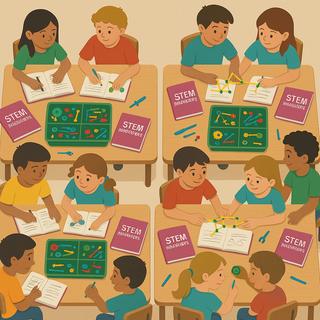
STEM activities naturally build key social skills. Teachers can help students practice and strengthen these skills by guiding them during group work, discussions,andprojectchallenges
Teaching STEM also teaches students how to think, work, and lead. By actively supporting social skills during projects, teachers prepare students not just for academicsuccess,butforfuturecareersandlifechallenges.
Embed STEM projects into existing science and math lessons. For example, a science unit on plants might include a hands-on engineering challenge from the handbook. This aligns STEM activities directly with curriculum standards andlearningobjectives.ResearchshowsthatteachingSTEMsubjectstogether (aswithintegratedlessons)deepensunderstandingandretentionandmakes learningmorerelevantandconnectedtotherealworld.
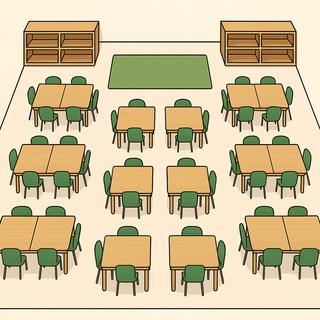
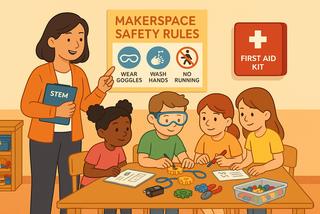
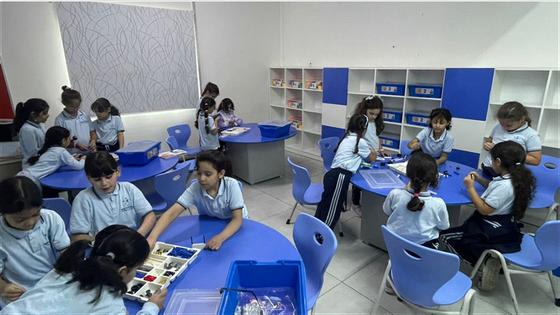
Schedule a dedicated STEM class or makerspace session (e.g. a weekly 90minute lab period or rotating STEM special). In this model, students work in a makerspaceorlabwithtoolsandmachines(likeroboticskits,3Dprinters,craft materials,etc.).Amakerspaceis“acollaborativeworkspaceinsideaschoolfor making, learning, and exploring”. Students in teams tackle SKOOL21 projects fromstarttofinish,usinghands-onmaterialsratherthanjusttextbooks.
Run STEM projects as after-school clubs, lunch-time activities, or summer camps. These are optional programs (STEM clubs, robotics teams, coding camps, etc.) where interested students can explore SKOOL21 challenges more freely After-school STEM “engages students in hands-on, real-world projects,” makingSTEMfeelexcitingandrelevant.
In practice, many schools use a mix of models. A hybrid approach might integrate simple STEM tasks into regular lessons and also offer a dedicated STEM lab plus an after-school club. This way, every student gets some STEM exposureandthosewholoveitcandivedeeper.
Using a hybrid plan ensures flexibility. Teachers can adapt: if a semester is heavy with testing, lean on after-school clubs for enrichment; when covering standards,weaveSTEMintolessons.Alwayscheckthatevenfree-formprojects stilltouchacademicgoals.
(Note: SKOOL21 projects are already aligned to NGSS and Common Core standards, Cambridge Mathematics and Cambridge Science, so whether integratedorstand-alone,theysupportlearningobjectives.)
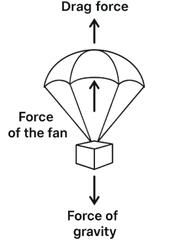
2. Read aloud the project introduction and ask students to refer to the infographic about freefall and plastic waste. Highlight how air resistance, or drag force, can counteract gravity, andhowparachutesusethisprinciple.
3.Discussreal-worldjobsandcareersrelatedtothissubject,suchasaerospaceengineering, skydiving safety testers, or military engineers who work with freefall simulations and parachutedesign.
DefinetheProblem
1. Read the "Define the Problem" section together. Ask students: “What are we trying to find out?”and“Whyisthisimportantforreal-lifedesignslikeparachutesordrones?”
2. Reinforce that their goal is to help an engineer understand aerodynamic design and balanceforcesusingasmall-scalewindtunnelsimulation.
MeasureYourSuccess
1.Reviewthesuccesscriteriaandconstraintstogether.
2. Ask: “What makes a good freefall simulator?” and “How do we know if our parachute is workingproperly?”
3. Emphasize that the parachute must float the object steadily above the fan, indicating balancedforces Displaythisinformationontheboard
GettingStarted
1. Have students form teams and assign their project roles. As a class, reviewthevocabularyandhavestudentsgiveexamplesofeachterm.
2.Thenguidestudentsstep-by-stepthroughthewiringprocess:a Attach the fan securely to the prong of the DC motor b Connect the black wire to the GND pin and the red wire to the 3V pin using alligator clips. c. Ensuresafety:keepfingersandwiresawayfromthespinningfan.
3. Ask students to draw a force diagram in their notebooks Have them label gravity, the upward force from the fan, and drag force. Explain that whentheseforcesarebalanced,theobjectwillfloatordescendslowly.
EndofFirstSession
LearningActivities(Session2)
Introduction
1. Begin by reviewing what students learned in Session 1, particularly their understanding of forcediagramsandhowairresistanceinteractswithgravity
2. Revisit the infographic to reinforce the impact of responsible material use on the environmentandintroducetoday'sgoal:buildingandtestingtheparachutemodels.
Challenge
1.Guidestudentstouseclassroommaterialstoconstructasmallcardboardstandtosupport the fan in an upright position. Then help them design a parachute using plastic bags, string, andtape.
2. Invite students to test their parachute by holding it over the fan and observing how far it movesovertime,notinghowsmoothlyorquicklyitfalls
3. Encourage students to refine their parachute design by adjusting the size, shape, or materialstoachieveaslower,morestabledescent,aimingtobalancetheforcesactingonit.
DesignandPlan
1. Ask students to work in their groups to create a detailed sketch of their parachute design beforebeginningthebuild.
2. Ensure the sketch clearly shows the dimensions and structure of the parachute, the placementandattachmentofthestrings,andhowtheobjectwillbesuspended
3. Have students illustrate how the fan and stand are incorporated into the setup and how theysupportthefunctionofthesimulator.
4. Prompt students to explain the reasoning behind their material choices and describe how eachpartofthedesignhelpsslowthedescentandmaintainbalancedforces.
Test
1.Allow students to test their designs by dropping them over the working fan and measuring thedescent.
2.Ask: “Does the object fall quickly or slowly?” and “What could you change to make it more balanced?”
3. Ensure each team revisits the success criteria and constraints and checks whether they havebeenmet.
Share&Improve
1.Readthe“ShareandImprove”sectionwithyourstudentsandexplainthatthey’llbesharing their projects to get feedback from peers. Remind them that feedback helps improve ideas, notjustevaluatethem.
3.Encourageteamstoreflectonthefeedbackandrevisetheirdesignsiftimeallows.Remind them that innovation comes through testing and improving, and every voice in the group mattersduringthisphas
MathandScienceConnection
Support students in working on the Math and Science Connection page. Depending on your studentsneeds,youmayhavethemcompletethisindependently,intheirgroups,ortogether asawholeclass
Reflection
1.Review the Sustainable Development Goal (responsible consumption and production), and brainstorm with students how this project might relate to that SDG. (See answer key for suggestions.)
2. Discuss the final “reflection” questions with students, and have them record their own answersintheirworkbooks.
Cleanup
1. After sharing and reflecting, consider taking a photograph of each project for your own recordsand/ortosharewithparents!
2. How might aerospace engineers, Air Force members, and product designers use freefall simulationstoimproveaviation,safety,andtechnology?
Answer:Freefallsimulationshelptesthowobjectsmovethroughair,improvingdesignsfor safetyandefficiency.AerospaceengineersandtheAirForceusethemtoenhanceaircraft and parachute systems Product designers apply them to create safer, more reliable technologies.
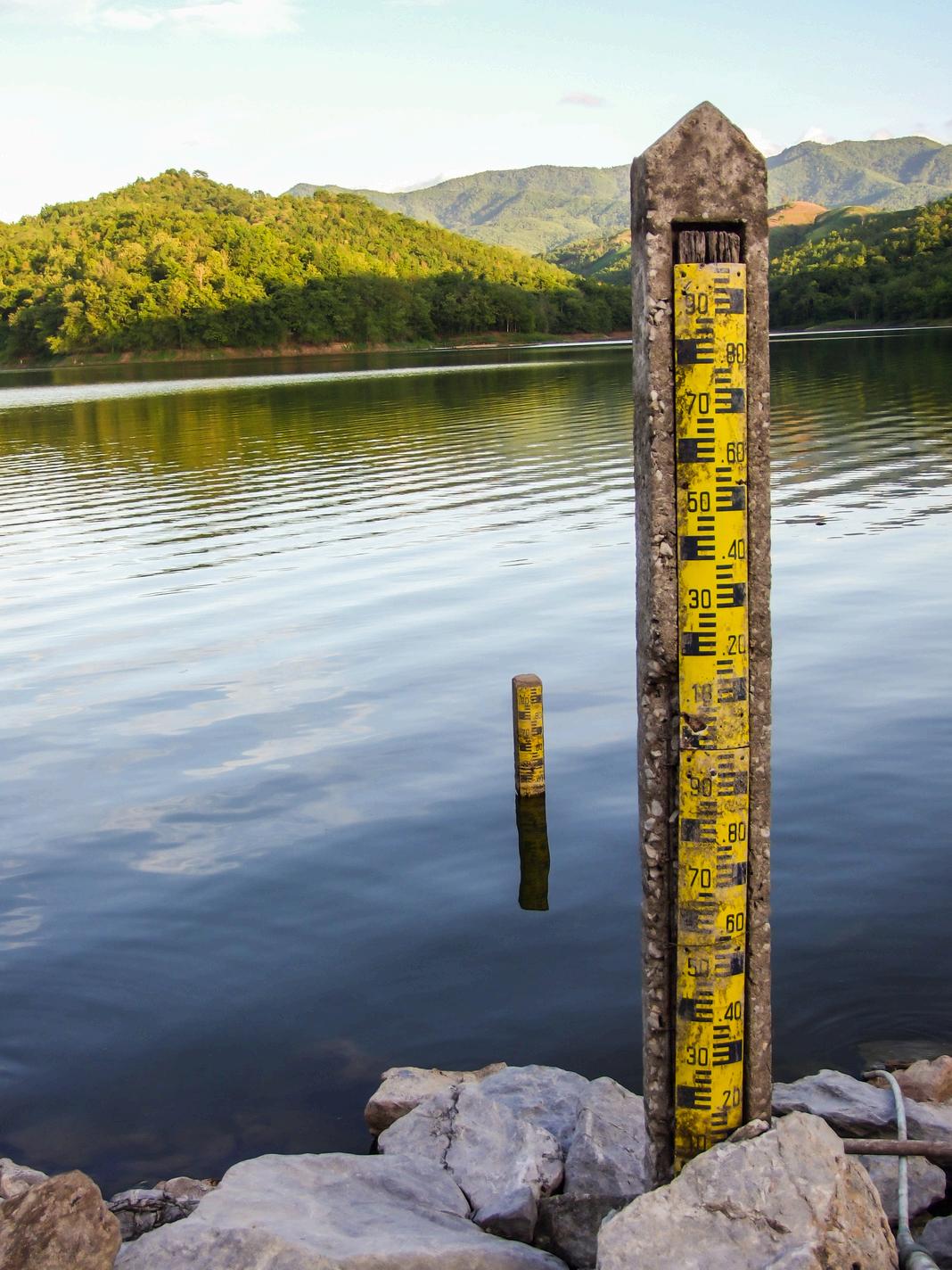
1.Begin with a class discussion on the importance of freshwater sources and how changing waterlevelsaffectecosystems.
2. Read the introduction section together and refer students to the infographic on shrinking waterecosystemsandbiodiversitythreats
3. OPTIONAL: Discuss careers in conservation, environmental engineering, and scientific field monitoring,wheretoolslikewaterleveldetectorsareusedtomakedata-drivendecisions.
1.Readthe"DefinetheProblem"sectionwiththeclass
2. Facilitate a discussion around how technology can help conservation efforts, and why monitoringwaterlevelsmattersforbothpeopleandanimals. DefinetheProblem
MeasureSuccess
1. Review the success criteria and constraints. Ask: “What is the role of the water level detector?”and“Howwillweknowit’sworkingwell?”
2. Guide students with wiring: a. Attach the T-shield and Micro:bit to the breadboard. b. Connect the water level sensor using jumper wires: S to P2, V to 5V, G to GND c Place the stripedendofthewatersensorintoacupofwater,ensuringotherpartsstaydry
Coding
1. Support students in writing code that displays the raw analog value from the water level sensor using both the “show number” and “serial write value” blocks Remind them to add a 1000mspausebetweenreadingstomaketheoutputeasiertoobserveandanalyze.
2.1.Instruct students to click “Show data Device” to view the graph of values being displayed ontheserialmonitor
4.Discuss: “What are the maximum and minimum readings?” and “How might these help us definelow,medium,andhigh?”
5.Promptstudentstoexplainhowthewaterlevelsensorcanhelppreventalakefromgetting too low. Encourage them to think about how monitoring and alerts can support water conservationandprotectthesurroundingecosystem.
1.Readthe“ShareandImprove”sectionwithyourstudentsandexplainthatthey’llbesharing their projects to get feedback from peers Remind them that feedback helps improve ideas, notjustevaluatethem
3.Encourageteamstoreflectonthefeedbackandrevisetheirdesignsiftimeallows Remind them that innovation comes through testing and improving, and every voice in the group mattersduringthisphase.
MathandScienceConnection
Support students in working on the Math and Science Connection page Depending on your studentsneeds,youmayhavethemcompletethisindependently,intheirgroups,ortogether asawholeclass.
Reflection
1. Review the Sustainable Development Goal (Sustainable Cities and Communities), and brainstorm with students how this project might relate to that SDG (See answer key for suggestions.)
2. Discuss the final “reflection” questions with students, and have them record their own answersintheirworkbooks
Cleanup
1. After sharing and reflecting, consider taking a photograph of each project for your own recordsand/ortosharewithparents!
2.Havestudentsdisassembletheirprojectsandreturnmaterialstotheappropriate Bin
EndofSession2
a.10mm=1cm
a.A=πr2
Radius(rrr)=100m
π≈3.14
A=3,14x(100)2
A=3,14x10.000
A=31.400m2
Answer:Theareaofthelakeis31400m²
b.inch=2,54centimeters
b.Calculatetheareaofthelakeafter5years
A=3,14x(98)2
A=3,14x9.604
A=30.156m2
Findthedifferenceinareas 31400-30156=1244m2
Calculatethepercentagedecrease
Answer: The area of the lake decreased by approximately396%
Answer: A water level detector supports SDG 11 by ensuring sustainable water management, preventing shortages, and protecting aquatic ecosystems It helps maintain biodiversity and resilience in communities by providing early warnings and promotingefficientwateruse.
2. How might marine biologists, ecologists, and conservationists use water level detection technologytoprotectecosystemsandmarinelife?
Answer: Marine biologists use water level detectors to monitor changing habitats, like coralreefsormangroveswamps,wherewaterdepthaffectsbiodiversity.
Ecologists track seasonal patterns in wetlands and rivers to understand species migration andreproduction
Conservationistsusereal-timedatatoidentifydroughtrisksandprotectendangeredaquatic life.
1.Readthe“ShareandImprove”sectionwithyourstudentsandexplainthatthey’llbesharing their projects to get feedback from peers. Remind them that feedback helps improve ideas, notjustevaluatethem.
2. 1Support students in giving and receiving constructive feedback Use guiding questions suchas“Whatworkedwellinthisdesign?”and“Whatimprovementscouldbemade?”.
3.Encourageteamstoreflectonthefeedbackandrevisetheirdesignsiftimeallows.Remind them that innovation comes through testing and improving, and every voice in the group mattersduringthisphase
MathandScienceConnection
Support students in working on the Math and Science Connection page. Depending on your studentsneeds,youmayhavethemcompletethisindependently,intheirgroups,ortogether asawholeclass
Reflection
1. Review the Sustainable Development Goal (Good Health and Well-Being), and brainstorm withstudentshowthisprojectmightrelatetothatSDG.(Seeanswerkeyforsuggestions.)
2. Discuss the final “reflection” questions with students, and have them record their own answersintheirworkbooks
Cleanup
1. After sharing and reflecting, consider taking a photograph of each project for your own recordsand/ortosharewithparents!
2.Havestudentsdisassembletheirprojectsandreturnmaterialstotheappropriate. Bin
EndofSession2
AnswerKey
MathandScienceConnectionAnswers
1. If the user wants a one-second pause between each reading, how should the code change?
1. How could an ultrasonic scanner educational tool help ensure universal access to reproductivecareandeducation?
Answer: The tool can improve public understanding of safe and non-invasive medical technologies, reducing fears about their use. By offering an interactive demonstration, it canmakemedicaleducationmoreaccessible,empoweringindividualstomakeinformed decisionsaboutreproductivehealthcare.
Answer: Obstetricians and fertility specialists use ultrasonic scanners to safely monitor fetal development and identify potential complications early. They measure fetal growth, heartbeat,andpositioningthroughoutpregnancy.Scanshelpguidefertilitytreatmentsby tracking ovulation and implantation This technology improves decision-making and supportshealthieroutcomesforbothparentandchild.
1. Assign teams and project roles Review vocabulary aloud and discuss each term with examples.
2. 1.Guide students to follow the diagram carefully, using the correct row and color code to wiretheredandyellowLEDsaccurately Ensuretheydouble-checkconnectionstomatchthe placementshown.
2.Instruct them to create code that: a. Lights up red LEDs when button A is pressed. b. Lights up yellow LEDs when button B is pressed. c. Turns all LEDs off when both buttons A+B are pressed
2. Remind students that in this session, they will be finalizing their circulatory system and ensuringitworksasintended. Introduction
Challenge
1. Guide students to create a flow effect by programming the LEDs to turn on and off in sequence
2. Explain how this simulates the movement of blood through arteries and veins Encourage studentstouseadditionalpinsandmodifydelaystocontrolthespeedof"bloodflow."
1.Readthe“ShareandImprove”sectionwithyourstudentsandexplainthatthey’llbesharing their projects to get feedback from peers. Remind them that feedback helps improve ideas, notjustevaluatethem
3.Encourageteamstoreflectonthefeedbackandrevisetheirdesignsiftimeallows Remind them that innovation comes through testing and improving, and every voice in the group mattersduringthisphase.
MathandScienceConnection
Support students in working on the Math and Science Connection page Depending on your studentsneeds,youmayhavethemcompletethisindependently,intheirgroups,ortogether asawholeclass.
Reflection
1. Review the Sustainable Development Goal (Good Health and Well-Being), and brainstorm withstudentshowthisprojectmightrelatetothatSDG.(Seeanswerkeyforsuggestions.)
2. Discuss the final “reflection” questions with students, and have them record their own answersintheirworkbooks.
Cleanup
1. After sharing and reflecting, consider taking a photograph of each project for your own recordsand/ortosharewithparents!
2.Havestudentsdisassembletheirprojectsandreturnmaterialstotheappropriate. Bin
EndofSession2
AnswerKey
MathandScienceConnectionAnswers
1.Ratioofdiametersofthearterytothevein:
The artery's diameter is typically double that of the vein. Therefore, the ratio of the artery's diametertothevein'sdiameteris:
1. How could a circulatory system model help support research, development, and universal accesstoaffordablevaccinesandmedicines?(SDGTarget3.B)
Answer: A circulatory system model can support research, development, and universal access to affordable vaccines and medicines by providing a visual and functional representation of how these substances are transported throughout the body. By simulating the flow of oxygenated and deoxygenated blood, the model can help researchersandhealthcareprofessionalsbetterunderstandhowvaccinesandmedicines are distributed via the bloodstream, enhancing the design and efficiency of drug delivery systems.
2. How might cardiologists and electrical engineers contribute to the development and improvementofcirculatorysystemmodelsandrelatedmedicaltechnologies?
Answer: Cardiologists use circulatory models and imaging tools to understand heart conditionsandbloodflowmoreaccurately,improvingdiagnosisandtreatment. Electrical engineers contribute by designing more efficient circuits, wearable monitors, and responsivemedicaldevices. Together,theyinnovatetoolslikepacemakers,smartstents,andreal-timebloodflowsensors.
2.Instruct them to write code that reads the joystick's X and Y values and prints them to the serialmonitorwithlabels"horizontal-predator"and"vertical-prey"
3. Guide students to click "Show data Device" to open the graph tool and observe values changingastheymovethejoystick.
EndofFirstSession
LearningActivities(Session2)
Introduction
1.Begin by reviewing the concept of predator-prey dynamics and what students discovered inthegraphs.
2. Remind students that in this session, they will be finalizing their predator – prey graph simulationandensuringitworksasintended.
1.Readthe“ShareandImprove”sectionwithyourstudentsandexplainthatthey’llbesharing their projects to get feedback from peers Remind them that feedback helps improve ideas, notjustevaluatethem
3.Encourageteamstoreflectonthefeedbackandrevisetheirdesignsiftimeallows Remind them that innovation comes through testing and improving, and every voice in the group mattersduringthisPhase.
MathandScienceConnection
Support students in working on the Math and Science Connection page. Depending on your studentsneeds,youmayhavethemcompletethisindependently,intheirgroups,ortogether asawholeclass
1. How could a joystick-controlled predator-prey graphing system help ensure the conservationofterrestrialecosystems?
Answer: The system allows students to simulate and visualize how predator and prey populationsinteractovertime.Byadjustinginputswiththejoystick,userscanexplorehow changes affect ecosystem balance This helps build understanding of population dynamicsandbiodiversityrisks
Informed decisions can then be made to support species conservation and ecosystem stability.
2. How might ecologists and data analysts use predator-prey models to study and predict ecosystemdynamics?
Answer:Ecologists use these models to track species interactions and population trends overtime
2. Clarify that the bee blower should simulate a gentle fan effect and remain stable in an outdoorsetting
3.. Support students in identifying success indicators, such as the ability to direct airflow to targetflowersandasteadystructurethatcanoperateindependentlywiththebatterypack.
1.Readthe“ShareandImprove”sectionwithyourstudentsandexplainthatthey’llbesharing their projects to get feedback from peers. Remind them that feedback helps improve ideas, notjustevaluatethem
3.Encourageteamstoreflectonthefeedbackandrevisetheirdesignsiftimeallows.Remind them that innovation comes through testing and improving, and every voice in the group mattersduringthisPhase.
MathandScienceConnection
Support students in working on the Math and Science Connection page Depending on your studentsneeds,youmayhavethemcompletethisindependently,intheirgroups,ortogether asawholeclass.
Reflection
1. Review the Sustainable Development Goal (Climate Action), and brainstorm with students howthisprojectmightrelatetothatSDG (Seeanswerkeyforsuggestions)
2. Discuss the final “reflection” questions with students, and have them record their own answersintheirworkbooks.
Cleanup
1. After sharing and reflecting, consider taking a photograph of each project for your own recordsand/ortosharewithparents!
Answer: By improving pollination efficiency, the bee blower supports sustainable agricultural practices, reduces the need for artificial fertilizers, and enhances carbon sequestrationinplants
2. How might botanists, ecologists, beekeepers, gardeners, and plant breeders contribute to supportingbeepopulationsandimprovingpollination?
Answer: Botanists and plant breeders develop pollinator-friendly plants. Ecologists and gardeners create habitats that support bee health Beekeepers manage hives and promotesustainablepollinationpractices.
2. Help them observe the feedback when changing posture and ensure the alarm triggers consistently
3. Ask: “Does your system respond correctly to slouching and sitting up straight?” and help themrefinetheirproject.
Share&Improve
1.Readthe“ShareandImprove”sectionwithyourstudentsandexplainthatthey’llbesharing their projects to get feedback from peers Remind them that feedback helps improve ideas, notjustevaluatethem.
3.Encourageteamstoreflectonthefeedbackandrevisetheirdesignsiftimeallows.Remind them that innovation comes through testing and improving, and every voice in the group mattersduringthisPhase
MathandScienceConnection
Support students in working on the Math and Science Connection page. Depending on your studentsneeds,youmayhavethemcompletethisindependently,intheirgroups,ortogether asawholeclass
Reflection
1. Review the Sustainable Development Goal (Good Health and Well-Being), and brainstorm withstudentshowthisprojectmightrelatetothatSDG.(Seeanswerkeyforsuggestions.)
2. Discuss the final “reflection” questions with students, and have them record their own answersintheirworkbooks
Cleanup
1. After sharing and reflecting, consider taking a photograph of each project for your own recordsand/ortosharewithparents!
2.Havestudentsdisassembletheirprojectsandreturnmaterialstotheappropriate. Bin
EndofSession2
AnswerKey
a. If the acceleration threshold sensed by the micro:bit is 1024 mg and the units are convertedtog:
Answer: A posture alarm can help by promoting healthier habits and preventing longterm physical issues caused by poor posture. By providing real-time feedback, it encourages users to maintain a correct posture, reducing the risk of back and neck pain, spinal misalignment, and associated health problems Additionally, such a device raises awareness about the importance of ergonomic practices, contributing to preventive healthcareandreducingtheburdenonhealthcaresystems.
2. How might physical therapists and biomedical engineers contribute to the development andeffectivenessofposturealarms?
Answer: Physical therapists provide expert knowledge on body alignment and recommendoptimalposturethresholdsfordetectingslouching.
Biomedical engineers design and refine wearable devices to accurately monitor movement anddeliverfeedback.
1.Readthe“ShareandImprove”sectionwithyourstudentsandexplainthatthey’llbesharing their projects to get feedback from peers Remind them that feedback helps improve ideas, notjustevaluatethem
3.Encourageteamstoreflectonthefeedbackandrevisetheirdesignsiftimeallows Remind them that innovation comes through testing and improving, and every voice in the group mattersduringthisPhase.
MathandScienceConnection
Support students in working on the Math and Science Connection page Depending on your studentsneeds,youmayhavethemcompletethisindependently,intheirgroups,ortogether asawholeclass.
Reflection
1. Review the Sustainable Development Goal (Affordable and Clean Energy), and brainstorm withstudentshowthisprojectmightrelatetothatSDG.(Seeanswerkeyforsuggestions.)
2. Discuss the final “reflection” questions with students, and have them record their own answersintheirworkbooks
Cleanup
1. After sharing and reflecting, consider taking a photograph of each project for your own recordsand/ortosharewithparents!
4.Inthisdatatest,whatwastheunitofmeasurement,andwhatdiditrepresent? The unit was centimeters (cm), and it represented the distance the car traveled, which helpedusmeasurehowmuchfrictioneachsurfaceproduced
Reflection
1. How can testing the friction of different surfaces help promote safe transportation developmentincitiesandcommunities?
Answer:Testingsurfacefrictionallowsdesignerstoselectappropriatematerialsforroads, ensuring safety for vehicles and pedestrians By understanding friction, cities can reduce accidents,improveefficiency,andpromotesustainabletransportationsystems.
2.How might automotive engineers and materials scientists use friction principles to design saferandmoreefficientvehicles?
Answer: Automotive engineers use friction principles to design tires with better grip and safer braking systems. Materials scientists select surfaces that balance traction and durability. They reduce unwanted friction in engines to improve fuel efficiency. Together, theyenhancevehiclesafety,performance,andenergyuse
3.Guide students to connect the RGB LED to the Micro:bit using alligator clips, ensuring each lead(red,green,andblue)isconnectedtoadifferentinputandthefourthcliptoGND.
Code
1. Help them understand how code blocks can control both communication and feedback deviceslikeLEDs
2.Support students in understanding how to set a common radio group for communication anddisplayreceivedmessagesandtriggerresponses(e.g.,LEDchanges).
3. Help them troubleshoot common mistakes such as typos in fish names, incorrect pin connections,ormismatchedcolorresponses
2.Remind students that in this session, they will finalize their toxic checker, ensuring it meets alldesigncriteriaandisreadyfortesting.
Challenge
1.Guide students in forming pairs: one fisher, one land contact Support them in creating the tableofsafevs.unsafefish(e.g.,salmon=safe,swordfish=toxic).
1. Help students test radio messaging and LED color changes with different fish names Ask: “DidtheLEDshowthecorrectcolorbasedonthefish'stoxicity?”
2. Guide students to refine their design and test edge cases (e.g., unknown fish or misspellings).
Share&Improve
1.Readthe“ShareandImprove”sectionwithyourstudentsandexplainthatthey’llbesharing their projects to get feedback from peers. Remind them that feedback helps improve ideas, notjustevaluatethem
3.Encourageteamstoreflectonthefeedbackandrevisetheirdesignsiftimeallows Remind them that innovation comes through testing and improving, and every voice in the group mattersduringthisPhase.
MathandScienceConnection
Support students in working on the Math and Science Connection page. Depending on your studentsneeds,youmayhavethemcompletethisindependently,intheirgroups,ortogether asawholeclass
Answer: Radio communication enables fishers to quickly and reliably verify whether their catch is safe to eat. By sending and receiving messages regarding the safety of different fishspecies,fisherscanavoidconsumingorsellingfishwithhighmercurylevels Thishelps protecthumanhealthwhilepromotingsustainablefishingpractices,aligningwithSDG2.1 to"ensuresafe,nutrispotious,andsufficientfood."
Answer: Wildlife biologists and public health experts use sensors and data loggers to monitorair,water,andsoilfortoxicsubstances. Theyanalyzebioindicatorspeciestodetectearlysignsofcontaminationinecosystems Drones and satellite imaging help map pollution sources and track environmental changes overtime.
1. Encourage students to try writing the gas sensor code themselves by recalling how they usedthewaterlevelsensor.
2. Show how to blow gently on the gas sensor to detect a change in value Explain that the sensordetectsvariousgases,includingCO₂andalcoholvapor.
3. Ask students to brainstorm safe and creative ways to test the gas sensor beyond just blowing on it Facilitate a group discussion and record their suggestions on the board Examplesyoucanofferinclude:
1. Read the challenge section aloud with your students. Then ask: “How might you communicate a warning using a visual signal, a sound, or both?” Encourage open brainstormingandrecordtheirideas
2.Guidestudentsastheyrefinetheirprojectstoeffectivelyalertresidentswhenpollutionlevels become unhealthy. Help them think through how the alert should work, who it’s for, and how noticeableorurgentitneedstobe.
1.Readthe“ShareandImprove”sectionwithyourstudentsandexplainthatthey’llbesharing their projects to get feedback from peers. Remind them that feedback helps improve ideas, notjustevaluatethem
3.Encourageteamstoreflectonthefeedbackandrevisetheirdesignsiftimeallows Remind them that innovation comes through testing and improving, and every voice in the group mattersduringthisPhase.
MathandScienceConnection
Support students in working on the Math and Science Connection page Depending on your studentsneeds,youmayhavethemcompletethisindependently,intheirgroups,ortogether asawholeclass.
Reflection
1. Review the Sustainable Development Goal (Industry, Innovation and Infrastructure), and brainstorm with students how this project might relate to that SDG (See answer key for suggestions.)
2. Discuss the final “reflection” questions with students, and have them record their own answersintheirworkbooks
Cleanup
1. After sharing and reflecting, consider taking a photograph of each project for your own recordsand/ortosharewithparents!
2.Havestudentsdisassembletheirprojectsandreturnmaterialstotheappropriate. Bin EndofSession2
Answer: Gas sensors enhance safety in industrial and residential areas by monitoring harmful emissions. This fosters innovation in sustainable technologies and infrastructure thatprioritizehealthandenvironmentalprotection.
Answer:Air quality control officers and environmental engineers use pollution monitoring to identify areas with unsafe air conditions They analyze data to detect harmful gas concentrations and implement strategies to reduce emissions This helps protect public healthandpreventenvironmentaldamage.
1.Help students understand how the values are calculated Explain that the "Scaled G" value representsasimplifiedversionofgravitationalpullbasedonplanetmassandradius.
2. Ask students to input values for different planets (mass and radius), run the code, and record the scaled gravitational values Guide them in comparing results to identify which planethastheleastgravity Examples:
Earth
Mass:5.97×10²⁴kg
Radius:6,371,000m
Radius:58,232,000m Code
Saturn
Mass:5.68×10²⁶kg
Mars
Mass:6.42×10²³kg
Radius:3,390,000m
3. Remind students that their goal is to help a science museum design an interactive calculator. Ask them to reflect on how well their solution communicates gravity differences acrossplanetsandwhetherit'sengagingandeasytouseformuseumvisitors.
EndofFirstSession
LearningActivities(Session2)
Introduction
1. Begin by reviewing key gravity concepts and how students translated the gravitational equationintotheircodeduringtheprevioussession.
After the loop finishes, the code compares the values stored in Scaled G and identifies the maximum gravity using a max of block This maximum value is printed to the serial monitor, showingwhichplanethasthestrongestgravity.
DesignandPlan
1.Guide students in sketching a diagram that shows how data flows in the program (arrays, loop,gravityformula)
1.Readthe“ShareandImprove”sectionwithyourstudentsandexplainthatthey’llbesharing their projects to get feedback from peers. Remind them that feedback helps improve ideas, notjustevaluatethem
3.Encourageteamstoreflectonthefeedbackandrevisetheirdesignsiftimeallows Remind them that innovation comes through testing and improving, and every voice in the group mattersduringthisPhase.
MathandScienceConnection
Support students in working on the Math and Science Connection page Depending on your studentsneeds,youmayhavethemcompletethisindependently,intheirgroups,ortogether asawholeclass.
Reflection
Review the Sustainable Development Goal (Responsible Consumption and Production), and brainstorm with students how this project might relate to that SDG (See answer key for suggestions.)
2. Guide students to meet the project criteria by sensing temperature and light in the environment, using that data to determine if the selected microorganism can survive, and printingtheresulttotheserialmonitor..
2. No additional wiring is needed since the Micro:bit has built-in light and temperature sensors.
Code
1.Remind students that the temperature and light level blocks are located in the "Input" tab Helpthemaddtheseblocksanduseserialwritevaluetodisplaythereadings
1.Beginthesessionbyreadingthechallengesectionaloudwiththeclass.Promptstudentsto reflect on the question:“How can we use sensors to help scientists monitor environmental conditionsforlife?”Discusshowtoolslikethemicro:bitcansimulatereal-worldenvironmental monitoringsystems.
2. Ask students to use an AI search engine (ChatGPT) or trusted source to find the survival conditions(temperatureandlightrange)foraspecificmicroorganismsuchasalgae,mold,or bacteria.
3. Instruct students to use comparative (if-then) statements in their code to check whether thecurrentsensorreadingsfallwithinthesafesurvivalrangefortheirmicroorganism
1.Readthe“ShareandImprove”sectionwithyourstudentsandexplainthatthey’llbesharing their projects to get feedback from peers Remind them that feedback helps improve ideas, notjustevaluatethem
3.Encourageteamstoreflectonthefeedbackandrevisetheirdesignsiftimeallows Remind them that innovation comes through testing and improving, and every voice in the group mattersduringthisPhase.
MathandScienceConnection
Support students in working on the Math and Science Connection page Depending on your studentsneeds,youmayhavethemcompletethisindependently,intheirgroups,ortogether asawholeclass.
Reflection
1. Review the Sustainable Development Goal (Affordable and Clean Energy), and brainstorm withstudentshowthisprojectmightrelatetothatSDG.(Seeanswerkeyforsuggestions.)
2. Discuss the final “reflection” questions with students, and have them record their own answersintheirworkbooks
Cleanup
1. After sharing and reflecting, consider taking a photograph of each project for your own recordsand/ortosharewithparents!
2.Havestudentsdisassembletheirprojectsandreturnmaterialstotheappropriate Bin
Answer: A temperature and light sensor can monitor optimal conditions for microorganisms like algae, which are used in biofuel production. By ensuring the environment stays within survival ranges, energy producers can maximize growth and efficiency This reduces waste and improves sustainability Such monitoring supports scalable,cleanenergysolutions
2. How might public health professionals and chemical engineers contribute to monitoring andcontrollingmicroorganismstoprotectpublichealth?
Answer: Public health professionals can identify harmful microorganisms and set safety guidelines for environments like water systems or food production. Chemical engineers design sensors and systems to detect and control microbial growth. Together, they monitor conditions to prevent outbreaks and contamination Their collaboration ensures saferpublicspacesandproducts
1. Read the introduction aloud and ask: “How can heat be converted into motion?”. Discuss examplesfromreallifelikesolarpanels,steamturbines,orautomaticfans.
2.Invite students to share the equations they used and how they modified them Facilitate a class discussion about which formulas worked best and why. Ask: “What value range makes yourservotooslowortoofast?”
DesignandPlan
1. Have students sketch how temperature affects servo speed and annotate expected outcomes.
1.Readthe“ShareandImprove”sectionwithyourstudentsandexplainthatthey’llbesharing their projects to get feedback from peers Remind them that feedback helps improve ideas, notjustevaluatethem.
3.Encourageteamstoreflectonthefeedbackandrevisetheirdesignsiftimeallows.Remind them that innovation comes through testing and improving, and every voice in the group mattersduringthisPhase
MathandScienceConnection
Support students in working on the Math and Science Connection page Depending on your studentsneeds,youmayhavethemcompletethisindependently,intheirgroups,ortogether asawholeclass.
1. How can a servo whose speed is controlled by temperature help promote quality education?
Answer: Such systems allow students to engage with real-world physics principles, fostering hands-on learning and critical thinking They also model scalable renewable energysystemsliketurbines,promotinginnovationineducation.
2. How might mechanical engineers and environmental engineers use thermal servo technologytoimproveenergyefficiencyandsustainability?
Answer: Mechanical and environmental engineers can use thermal servo technology to create systems that respond automatically to temperature changes, such as adjusting vents or controlling insulation. This helps regulate energy use in buildings and machines. Byoptimizingtemperature-basedmovement,theyreducewasteandimproveefficiency
2.Show how to use the on radio received block to display or log messages. Encourage them toexpandtheircodewithconditionalstatementstohandledifferenttypesofreceivedtext
3.Ask students to think about what other messages might be useful in an emergency. Invite them to add a custom message to the A+B button and consider how their communication systemcouldsupportsafetyandcoordination
4. Encourage them to test their devices thoroughly do the messages send and receive correctly? Are they clear and useful? Prompt them to consider: “Would this communication systemworkinarealemergency?”andsuggestimprovementsifneeded.
EndofFirstSession
LearningActivities(Session2)
Introduction
1.ReviewstudentprogramsfromSession1
2. Remind students that today they will finalize their project Ask: “How could your program helppeopleduringanaturaldisasteroroutage?”
1.Readthe“ShareandImprove”sectionwithyourstudentsandexplainthatthey’llbesharing their projects to get feedback from peers. Remind them that feedback helps improve ideas, notjustevaluatethem.
3.Encourageteamstoreflectonthefeedbackandrevisetheirdesignsiftimeallows.Remind them that innovation comes through testing and improving, and every voice in the group mattersduringthisPhase
MathandScienceConnection
Support students in working on the Math and Science Connection page Depending on your studentsneeds,youmayhavethemcompletethisindependently,intheirgroups,ortogether asawholeclass.
Reflection
1. Review the Sustainable Development Goal (Peace, Justice and Strong Institutions), and brainstorm with students how this project might relate to that SDG. (See answer key for suggestions.)
2. Discuss the final “reflection” questions with students, and have them record their own answersintheirworkbooks
Cleanup
1. After sharing and reflecting, consider taking a photograph of each project for your own recordsand/ortosharewithparents!
2.Havestudentsdisassembletheirprojectsandreturnmaterialstotheappropriate. Bin
Answer:Yes,itshouldstillbeplannedfor Evenwithalowprobability(03%),theimpactof such an event would be extremely high, potentially affecting communication, healthcare, safetysystems,andemergencyresponse.Indisasterpreparednessandriskmanagement, we often plan for low-probability, high-impact events to ensure resilience and reduce harmwhentheyoccur
Answer: A backup radio communication system ensures people stay connected when traditional networks fail, especially during emergencies. It allows first responders and communities to coordinate quickly and transparently This builds trust in institutions and promotes safety and inclusion Reliable communication fosters peace and protects vulnerablepopulations.
2.How might people in the career fields listed for this project also help contribute to the SDG GoalofPeace,JusticeAndStrongInstitutions?
Answer:People in emergency response, telecommunications, and disaster management helpensuretimely,reliablecommunicationduringcrises.Theirworkprotectscommunities, promotes safety, and prevents misinformation By building resilient systems, they strengthenpublictrustininstitutions
2. Guide students to meet the project criteria by using light level input to control the LED display adjusting brightness or shape and by modeling both solar and lunar eclipse phasesontheMicro:bitscreen.
GettingStarted
1. Assign project roles and review vocabulary aloud. Ask: “What clues do light levels give us duringaneclipse?”
1.Guide them to explore the "Input" tab and use light sensor blocks to trigger changes in the LEDdisplaybasedonbrightnesslevels.
2.Help students create different LED patterns to represent stages of a solar or lunar eclipse, suchasfulllight,partialshadow,andtotaldarkness.
3. Ask: “What kind of light level might represent a total eclipse?” and “How can you show a partialeclipsevisually?”Encourageexperimentationandcreativesolutions
EndofFirstSession
LearningActivities(Session2)
1. Review the eclipse types and what students created in Session 1. Ask: “How could we improveourmodeltoshowtimingoreclipsetypesmoreclearly?”
1. Read the ‘’Challenge’’ aloud with the class. Make sure students understand the difference betweensolarandlunareclipsesandthegoalofmodelingbothusingthemicro:bit
1.Readthe“ShareandImprove”sectionwithyourstudentsandexplainthatthey’llbesharing their projects to get feedback from peers. Remind them that feedback helps improve ideas, notjustevaluatethem
3.Encourageteamstoreflectonthefeedbackandrevisetheirdesignsiftimeallows.Remind them that innovation comes through testing and improving, and every voice in the group mattersduringthisPhase.
MathandScienceConnection
Support students in working on the Math and Science Connection page Depending on your studentsneeds,youmayhavethemcompletethisindependently,intheirgroups,ortogether asawholeclass.
Answer: Models make abstract phenomena tangible, helping students visualize and understand complex processes They also spark curiosity and enhance STEM learning by combiningscientificconceptswithhands-onexperimentation.
Answer: Astronomers and Earth scientists use light tracking technology to observe how sunlight dims during eclipses and analyze the movement of celestial bodies. This data helps them study orbital patterns, eclipse timing, and shadow paths. It also reveals how eclipsesaffectEarth’stemperatureandatmosphere
AssessmentGuide
At SKOOL21, assessments are a tool for learning and growth not just grading. From Pre-K to Grade 12, we use assessments to guide students in building skills, confidence, and a love of STEM learning. We focus on feedback, reflection, and continuousimprovementtohelpeverystudentreachtheirfullpotential.