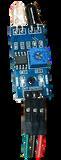
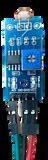
Teacher Guide - Level 3

Page 1


TeacherGuide-CodingFunkeyLevel3

Copyright©2024

Author:LindseyOwn

Editors:KaylynLee

ISBN:978-981-17736-7-9

Publishedby:

SKOOL21PTE.LTD.-Singapore

DUOTower,Level8#831

3FraserStreet,189352,Singapore

Allrightsreserved,firstedition2024.

No part of this book may be reproduced, distributed, or transmitted in any form or by any means, including photocopying, recording, or other electronic or mechanical methods, without the prior written permission of the publisher, except in the case of brief quotations embodied in critical reviews and certain other non-commercial uses permittedbycopyrightlaw.

Forpermissionsorinquiries,pleasecontact:

Email:info@skool21org

Website:https://skool21.org

Preface

WelcometotheFutureofTeachingandLearning!

Thankyouforjoiningusonthisexcitingjourney!TheSKOOL21STEMInnovatorsseriesis designednotonlytoignitecuriosityinstudentsbutalsotoempowerteacherstolead meaningful, hands-on STEM learning experiences. Through this series, you will guide young innovators as they explore, design, and solve real-world challenges using science,technology,engineering,andmathematics(STEM).

BuildingonaStrongFoundation

EachleveloftheSKOOL21STEMseriesbuildsuponthepreviousone,creatingastrong continuum of learning from simple machines to advanced 3D modeling. Students travel through key technological eras, from the Industrial Revolution to the innovations shaping our future. No matter their starting point, every learner will discovernewskillsanddeeperunderstandingalongtheway.

LearningbyDoing

At SKOOL21, we believe students learn best by doing. Each book comes with a comprehensive STEM kit, enabling students to build, test, and explore concepts through hands-on challenges. As a teacher, you will facilitate engaging projects where students actively create, problem-solve, and apply critical thinking skills all whilehavingfun.

MakingaReal-WorldImpact

Every project is designed to connect learning to real-world issues, inspired by the SustainableDevelopmentGoals(SDGs).Throughthesechallenges,studentsseehow their ideas can contribute to solving problems like clean water access, renewable energy, and environmental conservation — empowering them to envision a better world.

TeachingLikeaPro

The SKOOL21 STEM program aligns with international standards and best practices, ensuring that both teachers and students are developing the collaboration, innovation, and design thinking skills valued in today’s world. You’re not just supporting schoolwork you’re preparing the next generation of thinkers, leaders, andchangemakers.

IntroductiontotheKit

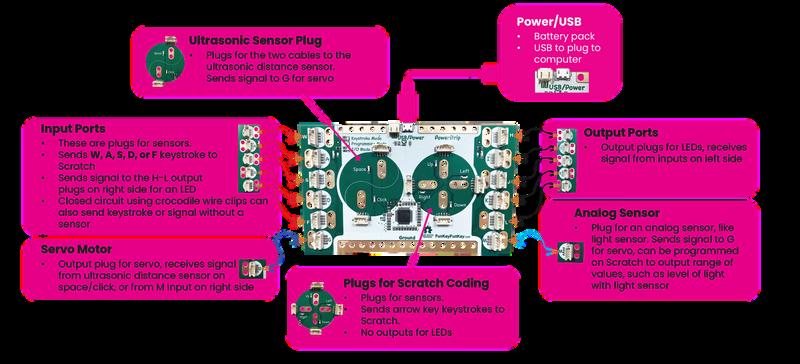
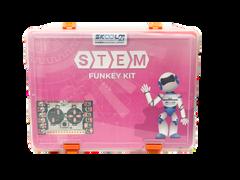
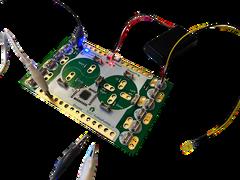
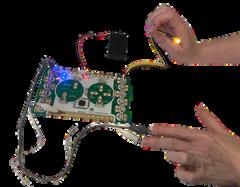
FunKey can be programmed with Scratch to operate with keystroke inputs (WASDFG,space,andarrowkeys),orcanbeusedwithoutanyprogrammingby using sensor inputs to control outputs like LEDs or servos without any programming

LessonStructure

Each lesson in the handbook follows a structured format to ensure clarity and effective implementation. A sample solution is also found at the end of each lesson Thestructureincludes:

TheEngineeringDesignProcess

The Engineering Design Process (EDP) is a systematic approach used by engineers and designers to solve problems and create innovative solutions. It provides a structured framework for developing new products, processes, or systems by following a series of well-defined steps. This process is not only applicable in engineering, but is also widely used in various STEM disciplines to tacklechallengesanddevelopcreativesolutions.

For students in first grade and above, the typical Engineering Design Process follows multiple iterative steps, including identifying a problem, researching, brainstorming,designing,prototyping,testing,andrefiningsolutions

This structured approach encourages creativity, critical thinking, and iteration, formingastrongfoundationforfutureSTEMlearning

FosteringSocialSkills

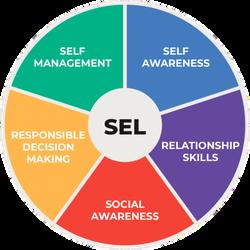
STEM activities naturally build key social skills Teachers can help students practice and strengthen these skills by guiding them during group work, discussions,andprojectchallenges.

Keysocialskillsdevelopedinclude:

Collaboration

Encouragestudentstoshareideas andassignrolesduringgroup worktobuildteamworkand respectfordifferentperspectives

CriticalThinking

Promptstudentstoask"why"and "whatif"questionswhensolving problemsordesigningsolutions

EmpathyandRespect

Remindstudentstovalue everyone 'sideasandsupport peersbyusingkind,respectful language.

ConflictResolution

Coachstudentstotalkthrough disagreementscalmlyandfind solutionsthateveryonecan accept.

Reflection

Buildreflectionintotheprocessby askingstudentswhatworkedwell, whatwaschallenging,andwhat theywoulddodifferentlynexttime.

Communication

Modelclearcommunicationand askstudentstoexplaintheir thinkingandlistencarefullyto teammates

Problem-Solving

Challengestudentstotrydifferent strategieswhentheyface obstaclesandpraisepersistence

TimeManagement

Helpteamssetmini-deadlines andguidethemtobreakprojects intosmaller,manageabletasks

PresentationSkills

Givestudentsregularchancesto presenttheirworktopeers,using clearspeakingandsupportive feedback.

Teamworking

Celebratestrongteamworkby recognizingwhenstudentsshare leadership,encourageeachother, andsolveproblemstogether

Teaching STEM also teaches students how to think, work, and lead. By actively supporting social skills during projects, teachers prepare students not just for academicsuccess,butforfuturecareersandlifechallenges.

MakerspaceSetup

Amakerspaceisacreative,hands-onareawherestudentsexploreSTEM conceptsthroughbuilding,experimenting,andsolvingproblemstogether.This guideisdesignedforteacherswhoarenewtoSTEMandlookingforclearstepsto setupandmanageamakerspace.

STEMClassroomManagement

STEMclassesarehands-on,highlyengaging,andoftennoisy that’sagood thing!Butwithoutclearroutinesandstructures,theycanquicklybecome chaotic.Awell-managedmakerspaceallowsstudentstoexploreandinnovate safely,responsibly,andcollaboratively.

EffectiveTeamwork

AnimportantaspectofthesocialskillsdevelopedthroughSTEMlearningis effectiveteamwork.Teacherscansupportstudentsindevelopingtheseskills throughpurposefulstructuringofstudentteamssothattheycanpractice effectiveteamwork.

Havinganassignedrolewithinateamgiveseach studentspecificresponsibilities,sothatthereisno questionofwhoshoulddowhat.Assigningrolesensures thatnostudenttakestoomuchcontrolofthegroup,and nostudentremovesthemselffromthegroup’sefforts.

Lessonsareintendedtobecompletedingroupsof3or4students,andeach lessonhasaplacetorecordwhowillperformeachroleforthatlesson.Whether youassigngroupsandrolesorallowstudentstoself-select,ensurethatstudents rotaterolesregularly!

Leader

Material Manager Reporter

Testing Supervisor

Notethatnoonerolehasthefullresponsibilityofbuildingprototypes-all studentsinthegroupshouldbeinvolvedinbuilding!

Ifyourstudentsareworkingingroupsof3,youmightcombinetheProject Communicator/ReporterandProjectTester/TestingSupervisorroles.

Ifyourstudentsareworkingingroupsof5ormore,youmightconsiderthe followingadditionalroles:

Documentarian-takesphotosormakessketchesofeachprototypealong thewaytobeabletosharethefullstoryofhowthegroupdevelopedtheir solutionidea

Timekeeper-paysattentiontohowmuchtimeisavailableforeachstepof theproject,andencouragestheteamtokeepeachstepwithinitsallotted time

LevelsAandBdonothavedesignatedroleswithinthestudentworkbooks.Ensure thatyourstudentsaresharingmaterialsandcommunicatingwitheachother!

ImplementationGuide

TheSKOOL21STEMInnovatorsHandbookoffersproject-basedSTEMlessonsfor Pre-KthroughGrade12.Teacherscanusethreemainmodelstoimplementthese projects:

HybridApproach (BlendingAllModels)

S t a n d a r d s A l i g n m e n t

N G S S C a m b r i d g e S c i e n c e I S T E C C S SM a t h C a m b r i d g e M a t h

L e s s o n # T o p i c D u r a t i o n S D G

1 D r a w i n g B l u e p r i n t s 9 0 m i n u t e s ( 9 ) I n d u s t r y I n n o v a t i o n a n d 35E T S 11 3 T W S m . 0 2 , 3 T W S m 0 3 1 . 1 . c , 1 . 4 . d , 1 . 5 . b 3 . G . A . 1 3 G g . 0 1 , 3 G g . 0 3 , 3 G g 0 4

9 0 m i n u t e s ( 1 5 ) L i f e o n L a n d 3L S 43 , 3L S 44 3 B e 0 1 1 4 d , 1 6 a 3 M D B 3 3 G p 0 1

2 F o o d M a z e G a m e

3 T r i c k i e s t M u l t i p l i c a t i o n 9 0 m i n u t e s ( 4 ) Q u a l i t y E d u c a t i o n 35E T S 11 3 T W S m . 0 2 1 . 1 . c , 1 . 4 . d , 1 . 5 . b 3 . N B T . A . 3 , 3 M D A 1 , 3 O A B 5 3 N n . 0 5 , 4 N n . 0 4

4 F l o w e r i n g P l a n t s 9 0 m i n u t e s ( 1 5 ) L i f e o n L a n d 3P S 23 3 B s 0 1 , 3 T W S m . 0 1 1 4 d , 1 5 b 3 N f A 1 3 G g 0 9 , 3 N f 0 1

5 I d e n t i f y i n g A n i m a l s 9 0 m i n u t e s ( 1 5 ) L i f e o n L a n d 3L S 42 3

6 T r a v e l A r o u n d t h e L a n d m a r k 9 0 m i n u t e s ( 1 6 ) P e a c e , J u s t i c e a n d S t r o n g 3P S 23 3 P e 0 1 , 3 P e 0 2 ,

7 S u n l i g h t a n d S h a d o w s 9 0 m i n u t e s ( 1 1 ) S u s t a i n a b l e C i t i e s a n d 3P S 22 , 3P S 42 3 P s 0 2 , 3 P s 0 3 , 3 T W S m . 0 2 , 1 4 d , 1 5 b 3

8 O r g a n M a t c h 9 0 m i n u t e s ( 3 ) G o o d H e a l t h a n d W e l l b e i n g 3L S 11 , 3 P S 23 3 B s . 0 3 , 3 T W S m 0 2 1 . 4 . d , 1 . 5 . b 3 . G . A . 1 3 G m . 0 2

9 R e d i r e c t i n g a f l o o d 9 0 m i n u t e s ( 1 1 ) S u s t a i n a b l e C i t i e s a n d 3E S S 31 3 T W S c 0 2 1 4 d , 1 5 b 3 M D B 3 3 S s 0 2 , 3 S s 0 3

1 0 L i q u i d & S o l i d S i m u l a t o r 9 0 m i n u t e s ( 1 3 ) C l i m a t e A c t i o n 3L S 11 3 C m . 0 1 , 3 C p . 0 1 , 3 C C 0 1 1 . 4 . d , 1 . 5 . b 3 . G . A . 1 3 G p . 0 1

1 1 M i n iG o l fG r a v i t y 9 0 m i n u t e s ( 9 ) I n d u s t r y I n n o v a t i o n a n d I n f r a s t r u c t u r e 3P S 21 , 3P S 22 3 P f 0 2 1 4 d , 1 5 b 3 N F A 1 , 3 N F A 3 3 S s 0 2 , 3 N f 0 1

F o s s i l E v i d e n c e 9 0 m i n u t e s ( 9 ) I n d u s t r y I n n o v a t i o n a n d 3L S 41 3 E s p 0 1 , 3 E S p 0 2 , 3 T W S m . 0 3 1 4 d , 1 5 b 3 M D B 4 3 G g 0 2

1 2

1 3 P r o b i l i t y M a c h i n eD r o p B a l l 9 0 m i n u t e s ( 9 ) I n d u s t r y I n n o v a t i o n a n d 3P S 21 3 P f . 0 1 , 3 P f . 0 2 1 . 4 . d , 1 . 5 . b 3 . N F . A . 1 3 S p . 0 2

S h a d o w P u p p e t S h o wP a r t 1 9 0 m i n u t e s ( 4 ) Q u a l i t y E d u c a t i o n 35E T S 12 3 P s .

1 4

1 5 S h a d o w P u p p e t S h o wP a r t 2 9 0 m i n u t e s ( 4 ) Q u a l i t y E d u c a t i o n 35E T S 13 3 P s . 0

1 6 C a p s t o n e P r o j e c t 9 0 m i n u t e s ( 1 1 ) S u s t a i n a b l e C i t i e s a n d 3E S S 21 , 3E S S 22 , 3 T W S c . 0 2 , 3 S I C 0 3 , 1 4 c -

CambridgePrimaryScience (0097)

3TWSm.01Knowthattherearedifferenttypesofmodelsinscience, includingdiagramsandphysicalmodelsthatwecantouch

3TWSm.03Drawadiagramtorepresentarealworldsituationand/or scientificidea.

3TWSc.03Takemeasurementsinstandardunits,describingthe advantageofstandardunitsovernon-standardunits

3Bs.01Describethefunctionofthemajorpartsoffloweringplants (limitedtoroots,leaves,stemsandflowers)

3Bs.02Identifythedistinguishingfeaturesofdifferentgroupsof animals,includingfish,reptiles,mammals,birds,amphibiansand insects.

3Bs.03Identifysomeoftheimportantorgansinhumans(limitedto brain,heart,stomach,intestineandlungs)anddescribetheir functions

CambridgePrimaryScience (0097)

3Be01Identifyanddescribesimplefoodchains,whereplantsare producersandanimalsareconsumersofplantsand/orother animals

3Cm.01Knowthatmaterialscanbesolids,liquidsorgases.

3Cp.01Describedifferencesinthepropertiesofsolidsandliquids

3Cc.01Knowthatwhenasoliddissolvesinaliquidthesolidisstill present,andthisisanexampleofmixing

3Pf.01Knowthatforcescanbemeasuredwithaforcemeter

3Pf.02KnowthatgravityonEarthisaforcethatpullstowardsthe centreoftheEarth

3SIC.03Knowthateveryoneusesscienceandidentifypeoplewho usescienceprofessionally

CambridgePrimaryScience (0097)

3Ps01Investigatehowlightcanpassthroughsomematerialsandis blockedbyothers,andusethetermstransparent,translucentand opaque.

3Ps.02Knowthatshadowsareformedwhenlightfromasourceis blockedbyanobject

3Ps.03Investigatehowthesizeofashadowisaffectedbythe positionoftheobjectandthepositionofthelightsource

3Pe.01Describemagnetsashavinganorthpoleandasouthpole

3Pe.02Describehowmagnetsinteractwhenneareachother,using thetermsrepelandattract.

3Pe.03Investigatehowsomematerialsaremagneticbutmanyare not

3Esp.01KnowthatplanetEarthisthesourceofallmaterialsweuse andthatmanyusefulmaterials,includingoil,naturalgas,andmetals, comefromorarefoundinrocks.

3ESp.02Knowthatfossilsareimpressions,orremains,ofthingsthat wereoncealive

NGSSAlignment

3-5-ETS1-1Defineasimpledesignproblemreflectinganeedora wantthatincludesspecifiedcriteriaforsuccessandconstraintson materials,time,orcost

3-5-ETS1-2Generateandcomparemultiplepossiblesolutionstoa problembasedonhowwelleachislikelytomeetthecriteriaand constraintsoftheproblem

3-5-ETS1-3Planandcarryoutfairtestsinwhichvariablesare controlledandfailurepointsareconsideredtoidentifyaspectsofa modelorprototypethatcanbeimproved

3-LS1-1Developmodelstodescribethatorganismshaveuniqueand diverselifecyclesbutallhavecommoncharacteristicsofbirth, growth,reproduction,anddeath

3-LS4-1Interpretdatafromfossilstoinferpastenvironments

3-LS4-2Useevidencetoconstructanexplanationforhowvariations amongindividualsprovideadvantages

3-LS4-3Survivalinparticularenvironments

3-LS4-4Environmentalchangesandorganismsolutions

3-ESS2-1Representdataintablesandgraphicaldisplaystodescribe typicalweatherconditionsexpectedduringaparticularseason.

3-ESS2-2Obtainandcombineinformationtodescribeclimatesin differentregionsoftheworld

CambridgePrimary Mathematics(0096)

3Ni.05Understandandexplaintherelationshipbetween multiplicationanddivision.

3Np04Understandtherelativesizeofquantitiestocompareand order3-digitpositivenumbers,usingthesymbols=,>and<

3Np.05Round3-digitnumberstothenearest10or100

3Nf.01Understandandexplainthatfractionsareseveralequal partsofanobjectandallthepartstogetherequalonewhole.

3Gt.01Choosetheappropriateunitoftimeforfamiliaractivities.

3Gt.02Readandrecordtimeaccuratelyindigitalnotation(12hour)andonanalogueclocks

3Gp01Interpretandcreatedescriptionsofposition,directionand movement,includingreferencetocardinalpoints

CambridgePrimary Mathematics(0096)

3Gg.01Identify,describe,classify,nameandsketch2Dshapesby theirproperties Differentiatebetweenregular&irregularpolygons

3Gg.02 Estimateandmeasurelengthsincentimetres(cm),metres (m)andkilometres(km)

3Gg.03Understandthatperimeteristhetotaldistancearounda 2Dshapeandcanbecalculatedbyaddinglengths,andareais howmuchspacea2Dshapeoccupieswithinitsboundary.

3Gg.04Drawlines,rectanglesandsquares Estimate,measureand calculatetheperimeterofashape,usingappropriatemetricunits, andareaonasquaregrid

3Gg.09Identifybothhorizontalandverticallinesofsymmetryon 2Dshapesandpatterns

3Gp.01Interpretandcreatedescriptionsofposition,directionand movement,includingreferencetocardinalpoints.

3Gt.01Choosetheappropriateunitoftimeforfamiliaractivities

3Gt.02Readandrecordtimeaccuratelyindigitalnotation(12 hour)andonanalogueclocks

3Nm.01Interpretmoneynotationforcurrenciesthatuseadecimal point

3Nm.02Addandsubtractamountsofmoneytogivechange

CambridgePrimary Mathematics(0096)

3Nf.01Understandandexplainthatfractionsareseveralequalparts ofanobjectorshapeandalltheparts,takentogether,equalone whole

3Nf04Understandthatafractioncanberepresentedasadivisionof thenumeratorbythedenominator(half,quarterandthreequarters)

3Nf.05Understandthatfractions(half,quarter,three-quarters,third andtenth)canactasoperators

3Nc.05Recognisetwoandthreedigitmultiplesof2x,3x,5xand10x tables

3Ss.02Record,organiseandrepresentcategoricalanddiscrete data Chooseandexplainwhichrepresentationtouseinagiven situation.

3Ss.03Interpretdata,identifyingsimilaritiesandvariations,within datasets.

3Sp.02Conductchanceexperiments,andpresentanddescribe theresults

3.NBT.A.1Useplacevalueunderstandingtoroundwholenumbers tothenearest10or100

3.NBT.A.3Multiplyone-digitwholenumbersbymultiplesof10in therange10–90(eg,9×80,5×60)usingstrategiesbasedon placevalueandpropertiesofoperations.

3.NF.A.1Understandafraction1/basthequantityformedby1part whenawholeispartitionedintobequalparts;understanda fractiona/basthequantityformedbyapartsofsize1/b

3.NF.A.3Explainequivalenceoffractionsinspecialcases,and comparefractionsbyreasoningabouttheirsize

3.MD.A.1Tellandwritetimetothenearestminuteandmeasure timeintervalsinminutes Solvewordproblemsinvolvingaddition andsubtractionoftimeintervalsinminutes,eg,byrepresenting theproblemonanumberlinediagram.

3.MD.B.3Drawascaledpicturegraphandascaledbargraphto representadatasetwithseveralcategories Solveone-andtwostep“howmanymore”and“howmanyless”problemsusing informationpresentedinscaledbargraphs Forexample,drawa bargraphinwhicheachsquareinthebargraphmightrepresent5 pets

3.MD.B.4Generatemeasurementdatabymeasuringlengthsusing rulersmarkedwithhalvesandfourthsofaninch.Showthedataby makingalineplot,wherethehorizontalscaleismarkedoffin appropriateunits wholenumbers,halves,orquarters

3.MD.C.6Measureareasbycountingunitsquares(squarecm, squarem,squarein,squareft,andimprovisedunits)

CCSSMathematicsAlignment

3.G.A.2Partitionshapesintopartswithequalareas Expressthe areaofeachpartasaunitfractionofthewhole.Forexample, partitionashapeinto4partswithequalarea,anddescribethe areaofeachpartas1/4oftheareaoftheshape

3.OA.B.5

SchemeofWork

Session Objectives

1 (45mins)

2 (45mins)

Defineteamroles, learnbasicScratch programming,draw polygons

IdentifyFunKeyparts, basicsensor input/outputcircuits.

Computers/tablets withScratch, projector

Engineering Design,Shapes andStructures

Thinkingand Working Mathematically

FunKeykits, alligatorclips,LEDs, sensors

ElectricalCircuits

Thinkingand Working Mathematically

3 (45mins)

4 (45mins)

IntegrateFunKeywith Scratchforinputdrivencoding.

FunKeykits, Scratch-enabled computers

Exploredistance sensors,servos, sensorreadinglogic.

FunKeykits, ultrasonicsensors, servos

Computing Systems

Thinkingand Working Mathematically

Engineering Design

Measurement, Data

5 (45mins)

6 (45mins)

7 (45mins)

8 (45mins)

Defineproblemand planpolygondrawing system

Test,iterateand finalizeshape drawing

Planafoodchain maze;design movementcontrols

Test,debug,and presentthefood maze

FunKeykits Computer Cardboard

ArtSupplies (tape,markers)

Batteries

FunKeykits

Computer

Cardboard

ArtSupplies (tape,markers)

Batteries

Engineering Design

Geometryand Measure

Ecology(Food Chains)

Statisticsand Probability

9 (45mins)

10 (45mins)

11 (45mins)

12 (45mins)

Designmultiplication factpracticetool

Buildandrefine multiplicationtool withsensors

Planinteractiveplant model;identifyparts.

Buildplantmodel andinteractive labels

13 (45mins)

14 (45mins)

15 (45mins)

16 (45mins)

Plananimal classificationgame

Implement,test animalgrouping game

Plannavigationmap project.

Buildandtest landmarknavigation system

17 (45mins)

18 (45mins)

FunKeykits

Computer

Cardboard

ArtSupplies (tape,markers)

Batteries

FunKeykits

Computer

Cardboard

ArtSupplies (tape,markers)

Batteries

FunKeykits

Computer

Cardboard

ArtSupplies (tape,markers)

Batteries

FunKeykits

Computer

Cardboard

ArtSupplies (tape,markers)

Batteries

Planshadow/light experiment;sensor setup

Collectlight/shadow dataandanalyze results

19 (45mins)

20 (45mins)

Planorganmatching activity/game

Implementandtest organmatchmodel

FunKeykits

Computer

Cardboard

ArtSupplies (tape,markers)

Batteries

FunKeykits

Computer

Cardboard

ArtSupplies (tape,markers)

Batteries

Engineering Design

Number Operations

Structureand function (PlantBiology)

Geometry (fractions)

Structureand function(Animal Biology)

PlaceValue, Ordering,and Rounding

Motionand Stability (Magnetism)

Geometryand Measure (mapping)

Lightand Shadows

Measurement

Structureand Function (Human Anatomy)

Geometryand Measure

21 (45mins)

22 (45mins)

Planflood management system

Build/testemergency floodgateprototype.

FunKeykits

Computer

Cardboard

ArtSupplies (tape,markers)

Batteries

Earth'sSystems &Environmental Impacts

Geometryand Measure

23 (45mins)

24 (45mins)

25 (45mins)

26 (45mins)

Understandstatesof matter;plan simulation

Buildsolid-liquid simulation;testand explain

Planmini-golfgame (gravityinaction).

Build/testmini-golf simulationusing sensors

27 (45mins)

28 (45mins)

29 (45mins)

30 (45mins)

Planfossil stratification simulation

Build/testfossil discoverymodel

Planprobability machinesetup

Build/testmodel; collectandanalyze data

FunKeykits

Computer

Cardboard

ArtSupplies Conductive Tape

FunKeykits

Computer

Cardboard

Propertiesof Matter

Geometryand Measure

ArtSupplies Conductive Tape Forcesand Interactions Geometryand Measure

FunKeykits

Computer Cardboard

ArtSupplies Conductive Tape

FunKeykits

Computer Cardboard

FossilsandEarth History Geometryand Measure

ArtSupplies Conductive Tape Forcesand Motion Statisticsand Probability

31 (45mins)

32 (45mins)

33 (45mins)

34 (45mins)

Planpuppetplay demonstrating shadows

Createpuppetshow usingopaqueand translucentmaterials

Planimprovedshow usingtransparency

Performimproved showsandreview lightproperties

FunKeykits

Computer

Cardboard

ArtSupplies Conductive Tape WavesandTheir Applications Measurement andData

FunKeykits

Computer Cardboard

ArtSupplies Conductive Tape WavesandTheir Applications Measurement andData

35 (45mins)

36 (45mins)

Plancapstone weatherhazard project

Build/test/present finalweatherhazard solution

FunKeykits

Computer Cardboard

ArtSupplies Conductive Tape

LivingThingsin Their Environment Measurement andData

LessonPlans andAnswerkey

LearningObjectives

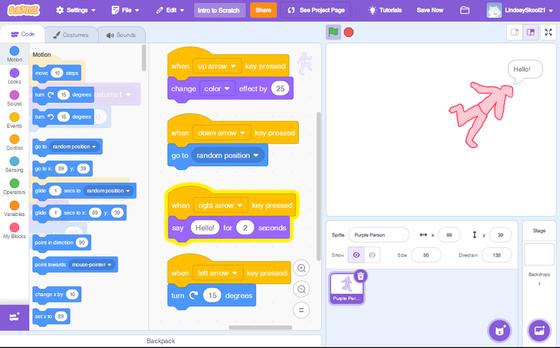
Lesson1:Scratch

LessonPlan

Duration: 45minutes

Attheendofthelesson,thelearnerswill: Identifyandusesprites(charactersyoucanprogram). Changeasprite’scostumes(differentlooksforthesamecharacter). Usebasiccodingblockstomakeyourspritemoveandchangeappearance Extensionobjective:Exploreadditionalblockstoenhanceyoursprite'sactions!

Materials

Vocabulary

Preparation(TeacherTo-DoBeforeClass)

Mostimportantly!Completethislessonyourselfbeforeintroducingittostudentssothat youbecomefamiliarwiththetools.

Logintothelaptops,openscratchmitedu,andlogintoeachlaptoponadifferentgroup account.Leavetheinternetbrowseronthemainscratchscreen. Ifyouhaveenoughdevices,youcanchoosetohaveeverystudentdothislesson independently,whichmayhelpbuildtheirconfidencemorequickly! NoFunKeyorotherphysicalmaterialsneededforthislesson

LearningActivities

1.ThismaybeyourveryfirsttimeintroducingtheSTEMInnovatorsHandbooktoyour students!Ifso,explainthattheywillbelearningtobeengineersandsolvingproblems usinganengineeringdesignprocess Thefirstfourshortlessonswillintroducethemto thetoolstheywillusetosolveproblemsandinnovate,andafterthoselessonstheywill jumpintotheirfirstchallenge!

2Readthevocabularyandintroductionwithyourstudents Tellthemtobeginpracticing usingtheScratchvocabularywhiletheywork,andrefertosprites,costumes,andblocks bytheircorrectnames!

1Directstudentstostartfollowingthestepsinthe“GettingStarted”section Encourage themtobecreativeandmakeafuncharacter!

2.Ifstudentsareworkingingroups,ensurethattheyaretakingturnsdirectlycontrollingthe computer Considerhavingthemswitchateachnewsectionoftheinstructions

3.Supportyourstudentsastheyproceedthroughthelesson!Iftheyareunsurewhattodo, encouragethemtogobackandreadtheinstructionsagain.

1.Asstudentsreachthe“TryItYourself!”and“Extension”sections,encouragethemto continueusingtheircreativitytotrynewwaysofmakingtheircharactermove!

2.Iftimepermits,supportstudentsinsharingtheirextensionswitheachotherand explainingwhatdifferentthingstheydiscoveredthedifferentblockscando!

3Attheendofthelesson,returntothe“LearningObjectives”atthebeginningofthelesson andaskstudentstodescribewhattheydidtomeeteachofthoselearningobjectives.

TIP

Dragblocksbacktotheblockpalettetodeletethem. Selectthetopblocktomoveanentiregroupofblocks. Rightclickortapandholdtoduplicateblocks

LearningObjectives

Lesson2:FunKey LessonPlan

Attheendofthelesson,thelearnerswill:

Understandwhataninputandanoutputare. Usesensorslikelight,tilt,andIRdistancesensors. UseLEDlightsandservomotorsasoutputs Tryusingmorethanonesensoratatimetodofunthings!

Materials

Vocabulary

Duration: 45minutes

Preparation(TeacherTo-DoBeforeClass)

Mostimportantly!Completethislessonyourselfbeforeintroducingittostudentssothat youbecomefamiliarwiththetools.

Nolaptoporotherdigitaldeviceisneededforthislesson

Preparethematerialsfortheclass.Ensurethebatteriesinthebatterypacksarefresh. SetupasampleworkingFunKeysystemfordemonstration.

LearningActivities

1.RemindstudentsthattheyhavelearnedaboutaprogrammingtoolcalledScratch.Tell themthattheywilllearnhowtouseaphysicalcomputingtoolcalledaFunKeytoday!

2Readthevocabularyandintroductionwithyourstudents Askthemiftheycanthinkof inputsthattheyhaveusedwithcomputersbefore Theymightlistthingslikeakeyboard ormouse,whichsendsasignaltothecomputer!

3Togetherasawholeclass,unpackthekitsandfindeachoftheitemslistedinthe“Let’s LookAtWhat’sInYourKit”section HavestudentsfindthedifferentplugsontheFunKey andidentifyeachoftheseparatecomponentslikethesensorsandLEDs.

1Directstudentstostartfollowingthestepsinthe“GettingStarted”section Encourage themtobepatientastheyusethisnewtoolforthefirsttime!!

2.EnsurethattheyaretakingturnspluggingincomponentsandmanipulatingtheFunKey.

3Supportyourstudentsastheyproceedthroughthelesson!Iftheyareunsurewhattodo, encouragethemtogobackandreadtheinstructionsagain.

1.Asstudentsreachthe“TryItYourself!”and“Extension”sections,encouragethemtouse theircreativitytotrynewwaysofcombiningdifferentinputsandoutputs!

2.Iftimepermits,supportstudentsinsharingtheirextensionswitheachotherand explainingwhatdifferentthingstheydiscoveredthedifferentsensorscando!

3Attheendofthelesson,returntothe“LearningObjectives”atthebeginningofthelesson andaskstudentstodescribewhattheydidtomeeteachofthoselearningobjectives.

TIP

Eachinputontheleftcansenda signaldirectlytotheoutputonthe right–nocomputerneeded!

AnswerKey

1.TheLEDshouldturnoff.

2.TheLEDshouldturnon.

Lesson3:ScratchwithFunKey LessonPlan

LearningObjectives

Attheendofthelesson,thelearnerswill:

Duration: 45minutes

Useasensor(input)tomakesomethinghappenonthecomputer(output). Usedifferentsensorslikealightsensor,tiltsensor,andIRdistancesensor. MakeyourScratchcharactermoveusingtheFunKey,notthekeyboard!

Materials

Vocabulary

Preparation(TeacherTo-DoBeforeClass)

Mostimportantly!Completethislessonyourselfbeforeintroducingittostudentssothat youbecomefamiliarwiththetools.

Logintothelaptops,openscratch.mit.edu,andlogintoeachlaptoponadifferentgroup account.Leavetheinternetbrowseronthemainscratchscreen.

Preparethematerialsfortheclass

SetupasampleworkingFunKeysystemfordemonstration

LearningActivities

1.RemindstudentsthattheyhavelearnedaboutaprogrammingtoolcalledScratch,anda physicalcomputingtoolcalledFunKey Tellthemthattheywilllearnhowtocombing thosetwotoolstogethertoday!

2.Readthevocabularyandintroductionwithyourstudents.

1Directstudentstostartfollowingthestepsinthe“GettingStarted”section Encourage themtobepatientastheytrytocombingthesetwotoolsforthefirsttime!!

2.EnsurethattheyaretakingturnspluggingincomponentsandmanipulatingtheFunKey, ANDdirectlysettinguptheircodeinScratch

3.Supportyourstudentsastheyproceedthroughthelesson!Iftheyareunsurewhattodo, encouragethemtogobackandreadtheinstructionsagain.

1.Asstudentsreachthe“Extension”section,encouragethemtousetheircreativitytotry newwaysofcombiningdifferentinputsandoutputs!

2.Iftimepermits,supportstudentsinsharingtheirextensionswitheachotherand explainingwhatdifferentwaystheycombinedthesensorsandScratchactions!

3Attheendofthelesson,returntothe“LearningObjectives”atthebeginningofthelesson andaskstudentstodescribewhattheydidtomeeteachofthoselearningobjectives.

LightSensor:

Shineaflashlightonthesensortomakeyourcharactergo, andturntheflashlightofftomakeyourcharacterstop.Likea trafficlight!

TiltSensor:

Attachthesensortoarulerorcardboardstrip.Tiltitleftor righttomakeyourcharacterwalkorjump!t’slikeamagic wand!

Lesson4:MoreFunKeyComponents

LessonPlan

LearningObjectives

Attheendofthelesson,thelearnerswill:

Duration: 90minutes

Learnaboutanaloginputs(theydon’tjustsay“yes”or“no”–theygivemore information!).

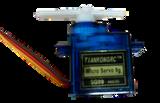
Useasensortomakeaservomotormoveslowlyorquickly,alittleoralot TrydifferentcombinationsofinputsandoutputsonyourFunKeyboard.

Materials

Vocabulary

Preparation(TeacherTo-DoBeforeClass)

Mostimportantly!Completethislessonyourselfbeforeintroducingittostudentssothat youbecomefamiliarwiththetools.

Nolaptoporotherdigitaldeviceisneededforthislesson. Preparethematerialsfortheclass.Ensurethebatteriesinthebatterypacksarefresh. SetupasampleworkingFunKeysystemfordemonstration

LearningActivities

1.RemindstudentsthattheyhavelearnedaboutaprogrammingtoolcalledScratch,anda physicalcomputingtoolcalledFunKey Tellthemthattheywilllearnanewtypeofinput andoutputfortheFunKeytoday!!

2.Readthevocabularywithyourstudents.Notethatthisisashortlessonbecausetheyare onlyaddingonenewtool,butitisaquiteuniquetoolthatmaybeveryhelpfulinsolving certaintypesofproblems!

1.Directstudentstostartfollowingthestepsinthe“GettingStarted”section.Encourage themtobepatientastheytrytothisnewtoolforthefirsttime!!

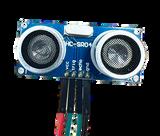
2.EnsurethattheyaretakingturnspluggingincomponentsandmanipulatingtheFunKey. Everystudentshouldhavetheopportunitytotesttheultrasonicsensor.

3Supportyourstudentsastheyproceedthroughthelesson!Iftheyareunsurewhattodo, encouragethemtogobackandreadtheinstructionsagain

1.Asstudentsreachthe“Extension”section,encouragethemtobeginbrainstormingwhyit mightbeusefultohaveaservothatcanturndifferentamountsdependingontheinput itreceives Theymightthinkofautomaticbarrierarmsthatraiseandlower,oran antennathatrotatestofindasignal.

2.Iftimepermits,supportstudentsinsharingtheirideasforhowsomeonemightusea servotosolveaproblem

3.Attheendofthelesson,returntothe“LearningObjectives”atthebeginningofthelesson andaskstudentstodescribewhattheydidtomeeteachofthoselearningobjectives.

4Remindstudentsthattheyhavebeenlearningandpracticingthesenewtoolssothat theycanusethemtosolveengineeringproblems!Youmightgivethemapreviewofthe firstproblemthattheywillsolve(drawingtheshapeofabuildinginScratch,andusing FunKeytocontrolthedrawing),andaskforafewinitialideasforwaystopossiblysolve thatproblem!

Project1:DrawingBlueprints LessonPlan

LearningObjectives

Attheendofthelesson,thelearnerswill:

Duration: 90minutes

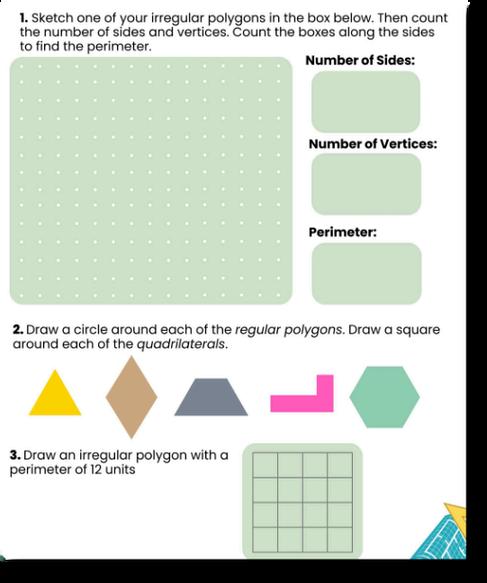
Identifyanddescribe2Dshapesbytheirproperties Understandthatperimeteristhe totaldistancearounda2Dshape. DevelopnewunderstandingofthepentoolwithinScratch.

Materials(Note:FunKeykitincludessensorsandUSBcabletolaptop)

Vocabulary

Preparation(TeacherTo-DoBeforeClass)

Logintothelaptops,openscratch.mit.edu,andlogintoeachlaptoponadifferentgroup account.Leavetheinternetbrowseronthemainscratchscreen. Preparethematerialsfortheclass SetupasampleworkingFunKeysystemfordemonstration

LearningActivities(Session1)

1.Askstudentstonamethetwo-dimensionalshapesthattheyknow.

2Readtheprojectintroductionanddiscusstheinfographics

3Optional:Discussthecareerconnections Askstudentswhattheyknowaboutthecareers listedandwhatthepeopleinthosecareersmightneedtoknowaboutthetopic.For example,inthisproject,architectsneedtoknowhowtodesignbuildingsandneedtobe abletomeasurethelengthsandanglesofwalls,floors,andceilings!

1.Readthe“DefinetheProblem”withyourstudents.Facilitatesomeshortpreliminary brainstormingaboutwhatsolutionstotheproblemmightlooklike 2Allowstudentstosuggestsomepossiblecriteriaforwhatwouldmakeasuccessful controlsystemtocreatetheshapeofahouse.

1 Readthe“MeasureYourSuccess”withyourstudents

2.AskstudentstorecallwhatblocksinScratchmightbeusefulfordrawingapolygon.Ask studentstosuggestwhatmightalsobeneededwithinScratchtodrawapolygonthat theymightnothaveusedyet TheymightsuggestsomethingliketheScratchpentool, thatallowsaspritetodrawalinealongthepaththatitmoves.

3.AskstudentswhatFunKeyfeaturesmightbeusefulforcreatingadrawingtoolthatworks withScratch Theymightsuggestanythingthatcansignalakeyonthekeyboard,like usingthetiltsensorfortheWkey,ortouchingtwoalligatorclipwiresfortheWkey.

1Formteamsandeitherassignrolesorhavestudentsagreeuponroleswithinthegroup Remindstudentsoftheresponsibilitiesforeachrolewithinthegroup.

2.Reviewtherequiredmaterials.Showstudentswhatartsuppliesandotherassorted materialsyouhaveavailableinyourmakerspace

3.Readtheprojectvocabularyaloudwithstudents.Youmighthavestudentscometothe frontoftheroomtodrawexamplesofregularandirregularpolygons.

4InvitestudentstobeginmakingonlytheScratchportionoftheirdrawingtool Direct studentstofollowtheguidanceinthe“GettingStarted”sectionoftheirworkbooks, includingfindingthepenblockswithinScratch,andexperimentingwiththedifferent blocksandhowtheycanmakethepenmove

1.Readthe“Challenge”sectionwithyourstudents.

2.InviteyourstudentstoBrainstormandsketchtheirownideaforhowtocontinuewhat theybeganinthe“GettingStarted”sectiontocompletetheircontrolsystem

3.Directstudentstosharetheirideaswithintheirgroups,andidentifycomponentsofeach groupmember’sideastoincludeinthegroupprototype.Recordtheirplansintheir workbooksinthe“ShareYourIdeas”sectionandsavetheirideasforthenextsession!

--EndofSession1--

LearningActivities(Session2)

1Invitestudentstorecallthedifferentideasfromtheirgroupmembersanddiscusstheir planforcontinuingtobuildtheircontrolsystem.

2.Remindstudentsthattheyarecreatingadrawingtoolthatalsohasaphysicalcontroller component,sotheywillusetheFunKeytocontroltheirdrawingprograminScratch

3.Directstudentstolookbackattheirbrainstormedideaandconsiderwhatmaterialsthey needtobuildtheirdrawingtool.

1. Invitestudentstocontinuebuildingtheirdrawingtool,thistimeincorporatingtheFunKey tophysicallycontroltheScratchportionoftheirdrawingtool.

2Oncegroupshavebegunfindingwaystomakethependrawashape,encouragethem toalsofindawaytoclearandresettheboard.Theymightchooseanotherkeythatwill “eraseall”andmovethespritetoastartinglocation.

3Whileworking,guidestudentstoensurethattheirphysicalcontrollerscanmovebothleft andright,orbothupanddown.Thiswillrequireseparatesensors,suchasonetiltsensor thatsignalsthe“uparrow”keystroke,andthe“uparrow”keystrokewithinScratchsignals thespritetomove10stepsintheYdirection(up) Anothertiltsensormaydoallthesame, butfordown(-10stepsintheYdirection).

4.Promptstudentstotestandevaluatetheirdrawingtoolbasedonthedesigncriteria.

5TheTestingSupervisormayleadthegrouponhowtotestthedrawingtool,butall studentsshouldgettheopportunitytotrythedrawingtool.

1Readthe“Share&Improve”sectionintheworkbookalongwithyourstudents,andinvite groupstosharetheircontrollerswitheachother.

2.Youmighthaveeachgrouponlysharewithoneothergroup,oriftimepermitshaveeach groupsharewiththewholeclass

3.Supportstudentsinsharingconfidently,andingivinghelpfulfeedback.Youmight considermodelingidentifyingdesignstrengthsandsuggestedimprovementsforan examplegroup

4.Iftimeisavailable,invitestudentstoimprovetheircontrollersbasedontheirclassmates’ suggestedimprovements.

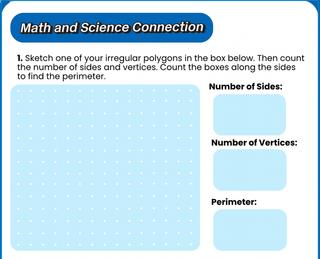
1. SupportstudentsinworkingontheMathandScienceConnectionpage.Dependingon yourstudentsneeds,youmayhavethemcompletethisindependently,intheirgroups,or togetherasawholeclass

1.ReviewtheSustainableDevelopmentGoal(CreatingStrong,ResilientStructures),and brainstormwithstudentshowthisprojectmightrelatetothatSDG (Seeanswerkeyfor suggestions.)

2.Discussthefinal“reflection”questionwithstudents,andhavethemrecordtheirown answersintheirworkbooks

LearningActivities(Session2)

1 Aftersharingandreflecting,considertakingaphotographofeachprojectforyourown recordsand/ortosharewithparents!

2.Instructstudentstofullydisassembletheircontrolsystems,savematerialslike cardboardthatmightbereused,andneatlystoreallFunKeymaterialsbackinthekit

AnswerKey

StudentRecordSheet

Answers will vary depending on students’ own drawing tools Example correct answers are givenhere

Reflection

Project2-FoodMazeGame

LessonPlan

LearningObjectives

Attheendofthelesson,thelearnerswill:

Duration: 90minutes

Identifyanddescribesimplefoodchains,whereplantsareproducersandanimalsare consumersofplantsand/orotheranimals Useif/thenblockswithinScratchprogramming.

Materials(Note:FunKeykitincludessensorsandUSBcabletolaptop)

Vocabulary

Preparation(TeacherTo-DoBeforeClass)

Logintothelaptops,openscratchmitedu,andlogintoeachlaptoponadifferentgroup account.Leavetheinternetbrowseronthemainscratchscreen. Preparethematerialsfortheclass.

Setupasampleofthe“GettingStarted”stepsfordemonstration

LearningActivities(Session1)

1Askstudentstodescribesomeexamplesoffoodchainsinyourregion’slocal ecosystem Theymightidentifyanherbivorethateatsaspecificplant(likearabbiteats clover),oracarnivorethateatsspecificpreyanimals(likeanowleatsmice).

2.Readtheprojectintroductionanddiscusstheinfographics.

3Optional:Discussthecareerconnections Askstudentswhyazoologist,forestranger,or marinebiologistwouldneedtoknowaboutfoodchains.Forexample,forestrangers needtounderstandfoodchainstobesurethereisenoughfoodforallthedifferent livingthingsintheforest,andpreventdamagethatcouldhurtthoselivingthings

1.Readthe“DefinetheProblem”withyourstudents.Facilitatesomeshortpreliminary brainstormingaboutwhatsolutionstotheproblemmightlooklike

2.AllowstudentstosuggestsomewaystheymightuseScratchtoshowfoodchains.

1.Readthe“MeasureYourSuccess”withyourstudents.

2.AskstudentstoconsiderwhatfeaturesofScratchtheyknowofthatmightbeusefulfor creatingamaze AskstudentstosuggestwhatmightalsobeneededwithinScratchto movethroughamazethattheymightnothaveusedyet.Theymightsuggest somethinglikebeingabletopreventyourspritefromwalkingthroughamazewall.

3AskstudentswhatFunKeysensorsmightbeusefulforcreatingacontrollertomove throughaScratchmaze.Encouragethemtobrainstormsolutionsthataredifferentfrom theirdrawingtoolsinthepreviousproject!

1.Formteamsandeitherassignrolesorhavestudentsagreeuponroleswithinthegroup. Remindstudentsoftheresponsibilitiesforeachrolewithinthegroup

2.Reviewtherequiredmaterials.Showstudentswhatartsuppliesandotherassorted materialsyouhaveavailableinyourmakerspace.

3Readtheprojectvocabularyaloudwithstudents Youmighthavestudentscometothe frontoftheroomtodrawsamplefoodchainsofanimalsinyourlocalecosystem.

4.Invitestudentstofollowtheguidanceinthe“GettingStarted”sectionoftheirworkbooks, includingusingarrowkeystomoveasprite,testingthetiltsensorsontheFunKey,and usingthe“touchingcolor”blocktoaffectwherethespritecanmove.

1Readthe“Challenge”withyourstudents

2InviteyourstudentstoBrainstormandsketchtheirownideaforhowtocontinuewhat theybeganinthe“GettingStarted”sectiontocompletetheirfoodmazegame.

3Directstudentstosharetheirideaswithintheirgroups,andidentifycomponentsofeach groupmember’sideastoincludeinthegroupprototype Recordtheirplansinthe workbooksinthe“ShareYourIdeas”sectionandsavetheirideasforthenextsession!

LearningActivities(Session2)

1.Invitestudentstorecallthedifferentideasfromtheirgroupmembersanddiscusstheir planforcontinuingtobuildtheircontrolsystem.

2Remindstudentsthattheirmazealsoneedsaphysicalcontroller,sotheywillusethe FunKeytolettheplayermoveananimalSpritethroughthemazeinScratch

3.Directstudentstolookbackatthebrainstormedideaandconsiderwhatmaterialsthey needtobuildtheircontroller

1.Invitestudentstocontinuebuildingtheirmazeandcontroller.

2.Oncegroupshavebegunfindingwaystoensurethattheirspritecannotpassthrough themazewalls,encouragethemtoalsofindwaysfortheirphysicalcontrollerstoallow theplayertomovetheiranimalinanydirection.

3.Promptstudentstotestandevaluatetheirmazesbasedonthedesigncriteria.

4TheTestingSupervisormayleadthegrouponhowtotestthemazeandcontroller,butall studentsshouldgettheopportunitytotrythemaze.

1. Readthe“Share&Improve”sectionintheworkbookalongwithyourstudents,andinvite groupstosharetheircontrollerswitheachother.

2Youmighthaveeachgrouponlysharewithoneothergroup,oriftimepermitshaveeach groupsharewiththewholeclass.

3.Supportstudentsinsharingconfidently,andingivinghelpfulfeedback.Youmight considermodelingidentifyingareasofsuccess,areasofchallenge,andsuggested improvementsforanexamplegroup.

4. Iftimeisavailable,invitestudentstoimprovetheircontrollersbasedontheirclassmates’ suggestedimprovements

1. SupportstudentsinworkingontheMathandScienceConnectionpage.Dependingon yourstudentsneeds,youmayhavethemcompletethisindependently,intheirgroups,or togetherasawholeclass

1ReviewtheSustainableDevelopmentGoal(LifeonLand),andbrainstormwithstudents howthisprojectmightrelatetothatSDG.(Seeanswerkeyforsuggestions.)

2.Discussthefinal“reflection”questionwithstudents,andhavethemrecordtheirown answersintheirworkbooks

LearningActivities(Session2)

1 Aftersharingandreflecting,consid recordsand/ortosharewithparen

2.Instructstudentstofullydisassemb mightbereused,andneatlystorea

AnswerKey

StudentRecordSheet

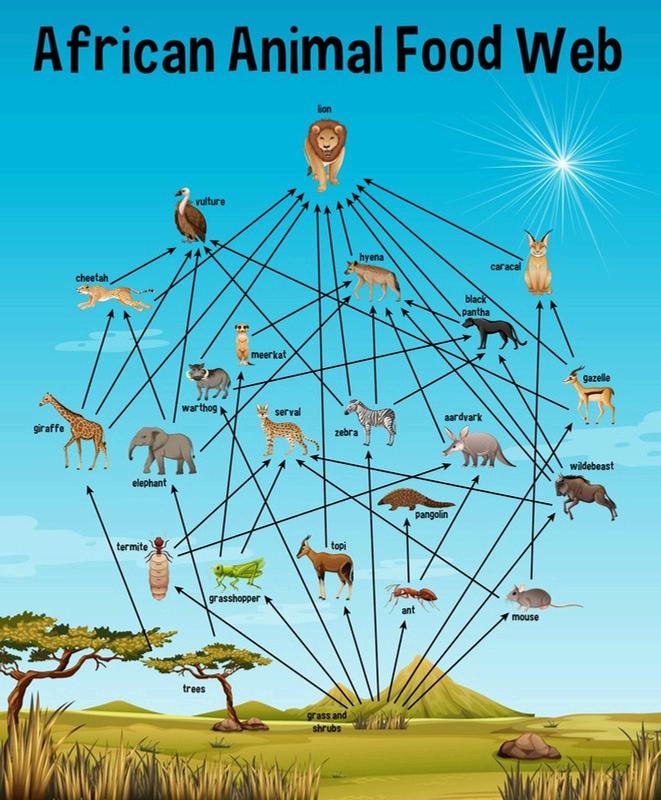
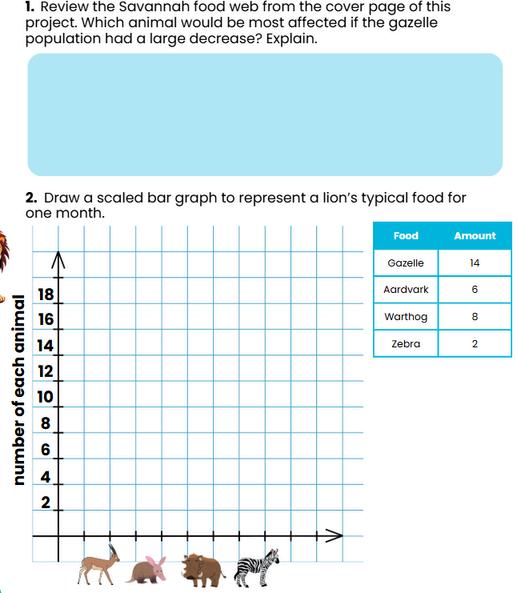
1. Answerswillvary.Studentsmight suggestthatantsandtermiteswill beaffected-therewillbemoreof them-becauseoneoftheirmain predatorsisdecreasing.Hyenas mightnotbeveryaffectedbecause theyeatmanythingsbesides aardvarks.

3.Basedonthetableaccompanying thegraph,lionseat6moregazelles permonththanwarthogs.

4.Answerswillvary.Studentsmightsuggestmakingtheirmazesmorechallengingbyincluding twodifferentpredatoranimalsthatarebothtryingtoreachdifferentprey,orbyhavingone playerdirectthepredatoranimalandanotherplayerdirectthepreyanimaltotrytoescape

Reflection

Project3-TrickiestMultiplication LessonPlan

LearningObjectives

Duration: 90minutes

Attheendofthelesson,thelearnerswill: Multiplyone-digitwholenumbers,andfocusonfluencyandaccuracy Tellandwritetimetothenearestminute DevelopandapplyfurtherskillsusinginputsandoutputswiththeFunKey.

Materials(Note:FunKeykitincludessensorsandbatterypack)

Vocabulary

Preparation(TeacherTo-DoBeforeClass)

ThisprojectrequirestheFunKeybatterypack,notthelaptopandUSBcable.Checkthat thebatterypackhasfreshbatteriesandpowerstheFunKey.Whenpluggedintothe batterypack,theFunKeylightsshouldturnon Preparethematerialsfortheclass. TheFunKeyhasenoughplugsforstudentstoincludeupto5multiplicationproblemson theirmultiplicationpracticeboards Youcandecidewhetheryouwanttoofferfor studentstouseall5plugs! Setupasampleofthe“GettingStarted”stepsfordemonstration.

LearningActivities(Session1)

1.Askstudentstooffertwoexamplesofmultiplicationfactsthattheyalwaysremember easily(suchas2x2=4),andthenatleastoneexampleofamultiplicationfactthat theysometimesforget(suchas8x8=64)

2.Readtheprojectintroductionanddiscusstheinfographics.

3.Optional:Discussthecareerconnections.Askstudentswhyanengineer,doctor,ordata scientistwouldneedtoknowmultiplication Forexample,doctorsneedtobeableto quicklygivemedicationtoseveraldifferentpeopleandusemultiplicationtocalculate theamountofmedicationneeded.

1Readthe“DefinetheProblem”withyourstudents Facilitatesomeshortpreliminary brainstormingaboutwhatsolutionstotheproblemmightlooklike.

2.AllowstudentstosuggestsomewaystheymightusetheFunKeykeytoshowcorrector incorrectanswerstopracticemultiplicationproblems

1Readthe“MeasureYourSuccess”withyourstudents Notethatthesuccesscriteriacalls foratleast3multiplicationproblems Ifbestforyourstudents,youmightofferforthem toincludeupto5!

2.AskstudentstoconsiderwhatfeaturesoftheFunKeykittheyknowofthatmightbe usefulforshowingcorrectorincorrectanswerstomultiplicationproblems Theymight suggestusingsensorstoturnonoroffLEDsnexttocorrectanswers.

1Formteamsandeitherassignrolesorhavestudentsagreeuponroleswithinthegroup Remindstudentsoftheresponsibilitiesforeachrolewithinthegroup.

2.Reviewtherequiredmaterials.Showstudentswhatartsuppliesandotherassorted materialsyouhaveavailableinyourmakerspace

3.Readtheprojectvocabularyaloudwithstudents.Youmighthavestudentspractice recitingtheirmultiplicationfactsetstogether,andnoticewhichsetsareharderthan others!

4Invitestudentstofollowtheguidanceinthe“GettingStarted”sectionoftheirworkbooks, includingusingtheFunKeywithoutaLaptoptopairinputsensorsandoutputLEDs.

1.Readthe“Challenge”withyourstudents.

2.InviteyourstudentstoBrainstormandsketchtheirownideaforhowtocontinuewhat theybeganinthe“GettingStarted”sectiontocompletetheirmultiplicationpractice

3.Directstudentstosharetheirideaswithintheirgroups,andidentifycomponentsof eachgroupmember’sideastoincludeinthegroupprototype.Recordtheirplansinthe workbooksinthe“ShareYourIdeas”sectionandsavetheirideasforthenextsession!

LearningActivities(Session2)

1Invitestudentstorecallthedifferentideasfromtheirgroupmembersanddiscusstheir planforcontinuingtobuildtheirmultiplicationpracticeboard.

2.Remindstudentsthattheirmultiplicationpracticeboardneedstoletausertrytofindthe correctanswertoamultiplicationproblem,andthencheckwhethertheiranswerwas correct.

3.Directstudentstolookbackatthebrainstormedideaandconsiderwhatmaterialsthey needtobuildtheirmultiplicationpracticeboard

1.Invitestudentstocontinuebuildingtheirmultiplicationfactspracticeboard.

2.Oncegroupshavebegunbuilding,encouragethemtoensurethatthecorrectanswers totheirselectedmultiplicationproblemsare“hidden”untiltheuserisreadytocheck theiranswer.Thismightbeassimpleashavingagroupofpossiblecorrectanswers, andanLEDlightsupnexttotherealcorrectanswerwiththeuserselectsaspecific multiplicationproblem

3.Promptstudentstotestandevaluatetheirmultiplicationpracticeboardbasedonthe designcriteria.

4TheTestingSupervisormayleadthegrouponhowtotestthepracticeboard,butall studentsshouldgettheopportunitytotrythepracticeboard.

1 Readthe“Share&Improve”sectionintheworkbookalongwithyourstudents,and invitegroupstosharetheirmultiplicationpracticeboardswitheachother.

2.Youmighthaveeachgrouponlysharewithoneothergroup,oriftimepermitshave eachgroupsharewiththewholeclass

3Supportstudentsinsharingconfidently,andingivinghelpfulfeedback Youmight considermodelingidentifyingareasofsuccess,areasofchallenge,andsuggested improvementsforanexamplegroup

4 Iftimeisavailable,invitestudentstoimprovetheirprojectsbasedontheirclassmates’ suggestedimprovements.

1 SupportstudentsinworkingontheMathandScienceConnectionpage Dependingon yourstudentsneeds,youmayhavethemcompletethisindependently,intheirgroups, ortogetherasawholeclass.

LearningActivities(Session2)

1ReviewtheSustainableDevelopmentGoal(EquityinEducation),andbrainstormwith studentshowthisprojectmightrelatetothatSDG.(Seeanswerkeyforsuggestions.)

2.Discussthefinal“reflection”questionwithstudents,andhavethemrecordtheirown answersintheirworkbooks

1. Aftersharingandreflecting,considertakingaphotographofeachprojectforyourown recordsand/ortosharewithparents!

2Instructstudentstofullydisassembletheirprojects,savematerialslikecardboardthat mightbereused,andneatlystoreallFunKeymaterialsbackinthekit.

AnswerKey

StudentRecordSheet

1.Answers will vary. If possible, give students stopwatches or watches that can countsecondstotimethemselves

2Answers will vary If possible, give students stopwatches or watches that can countsecondstotimethemselves.

3 11minutestotal

4. 20times3is60pencils. 5 7times4is28mangoes

Reflection

Project4-AFloweringPlant LessonPlan

LearningObjectives

Duration: 90minutes

Attheendofthelesson,thelearnerswill: Describethefunctionofthemajorpartsoffloweringplants(roots,leaves,stems,and flowers)

Identifybothhorizonalandverticallinesofsymmetryon2Dshapes,anddemonstrate thatfractionsareseveralequalpartsofanobject applycause-and-effectrelationshipsofelectricinteractionsbyusingtheclosed-circuit functionalityoftheFunKeyincoordinationwithScratch.

Materials(Note:FunKeykitincludessensorsandUSBcabletolaptop)

Vocabulary

Preparation(TeacherTo-DoBeforeClass)

Logintothelaptops,openscratchmitedu,andlogintoeachlaptoponadifferent groupaccount.Leavetheinternetbrowseronthemainscratchscreen. Preparethematerialsfortheclass.

Setupasampleofthe“GettingStarted”stepsfordemonstration

LearningActivities(Session1)

1.Askstudentstonameexamplesoffloweringplantsthattheyknow. 2Readtheprojectintroductionanddiscusstheinfographics

3.Optional:Discussthecareerconnections:Askstudentswhyanagriculturalscientist wouldneedtounderstandthepartsofplants.Forexample,agriculturalscientistsneed tounderstandwhatdifferentplantsneed,andhowhealthyleavesandrootsonone plantmightlookdifferentfromhealthyleavesandrootsonanotherplant.

1.Readthe“DefinetheProblem”withyourstudents.Facilitatesomeshortpreliminary brainstormingaboutwhatsolutionstotheproblemmightlooklike 2AllowstudentstosuggestsomewaystheymightusetheFunKeykeytocreateamodel ofaflower,andconnectthatmodeltoaScratchprogramtoteachaboutthepartsof thatflower.

1Readthe“MeasureYourSuccess”withyourstudents

2.AskstudentstoconsiderwhatfeaturesoftheFunKeykittheyknowofthatmightbe usefulforlettingamodelofsomethinglikeaflowerbecomeinteractive.Theymight suggestusingsensorsondifferentpartsofthemodeltoshowdifferentinformation abouteachpartinScratch.

1.Formteamsandeitherassignrolesorhavestudentsagreeuponroleswithinthegroup. Remindstudentsoftheresponsibilitiesforeachrolewithinthegroup.

2Reviewtherequiredmaterials Showstudentswhatartsuppliesandotherassorted materialsyouhaveavailableinyourmakerspace.

3.Readtheprojectvocabularyaloudwithstudents.Ifyouhavetime,youmightgofora walkaroundtheschooloroutsidespacetofindexamplesofflowersandidentifythe parts.

4.Invitestudentstofollowtheguidanceinthe“GettingStarted”sectionoftheirworkbooks, includingchangingacostumeinScratchtoshowdifferentinformationdependingon whatbuttonisclicked..

1.Readthe“Challenge”withyourstudents.

2InviteyourstudentstoBrainstormandsketchtheirownideaforhowtocontinuewhat theybeganinthe“GettingStarted”sectiontocompletetheirinteractiveflowermodel.

3.Directstudentstosharetheirideaswithintheirgroups,andidentifycomponentsof eachgroupmember’sideastoincludeinthegroupprototype Recordtheirplansinthe workbooksinthe“ShareYourIdeas”sectionandsavetheirideasforthenextsession!

LearningActivities(Session2)

1.Invitestudentstorecallthedifferentideasfromtheirgroupmembersanddiscusstheir planforcontinuingtobuildtheirinteractiveflowermodel.

2Remindstudentsthattheyarecreatinganinteractivedisplaytoteachauseraboutthe partsofafloweringplant.

3.Directstudentstolookbackatthebrainstormedideaandconsiderwhatmaterialsthey needtobuildtheirinteractivedisplay

1.Invitestudentstocontinuebuildingtheirinteractivedisplay.

2Oncethegroupshavebegunbuilding,encouragestudentstoensurethateachpartof thefloweringplantcanbeactivatedseparately,andthattheinformationpresentedon theScratchscreenmatchesthepartthatisbeingactivated.

3Promptstudentstotestandevaluatetheirinteractiveflowermodelsbasedonthedesign criteria.

4.TheTestingSupervisormayleadthegrouponhowtotesttheinteractiveflowermodel, butallstudentsshouldgettheopportunitytotrythemodel

1. Readthe“Share&Improve”sectionintheworkbookalongwithyourstudents,and invitegroupstosharetheirinteractiveflowerdisplayswitheachother

2.Youmighthaveeachgrouponlysharewithoneothergroup,oriftimepermitshave eachgroupsharewiththewholeclass.

3Supportstudentsinsharingconfidently,andingivinghelpfulfeedback Youmight considermodelingidentifyingareasofsuccess,areasofchallenge,andsuggested improvementsforanexamplegroup.

4 Iftimeisavailable,invitestudentstoimprovetheirmodelsbasedontheirclassmates’ suggestedimprovements.

1. SupportstudentsinworkingontheMathandScienceConnectionpage.Dependingon yourstudentsneeds,youmayhavethemcompletethisindependently,intheirgroups, ortogetherasawholeclass.

1.ReviewtheSustainableDevelopmentGoal(LifeonLand),andbrainstormwithstudents howthisprojectmightrelatetothatSDG (Seeanswerkeyforsuggestions)

2.Discussthefinal“reflection”questionwithstudents,andhavethemrecordtheirown answersintheirworkbooks.

1 Aftersharingandreflecting,considertakingaphotographofeachprojectforyourown recordsand/ortosharewithparents!

2.Instructstudentstofullydisassembletheirprojects,savematerialslikecardboardthat mightbereused,andneatlystoreallFunKeymaterialsbackinthekit

AnswerKey

StudentRecordSheet

1.Answerswillvary.The rootshelptheflowering plantgrowbybringin waterandnutrients.The leaveshelptheflowering plantgrowbycollecting thesunlighttomakefood fortheplant Thestem helpsthefloweringplant growbycarryingthings throughtheplant’sbody Theflowerhelpsthe floweringplantreproduce bycreatingtheseeds thatwillgrowintoanew floweringplant.

Reflection

Project5-IdentifyingAnimals LessonPlan

LearningObjectives

Attheendofthelesson,thelearnerswill:

Duration: 90minutes

Explainhowanimalscanbegroupedaccordingtoobservablefeaturesandthatdifferent groupshavedifferentcharacteristics

Understandtherelativesizequantitiestocompareandorder3-digitpositivenumbers usingthesymbols=,>,and<.

Applythe“pickrandom”blocksinScratchtoaddrandomnessintoafast-pacedgame

Materials(Note:FunKeykitincludessensorsandUSBcabletolaptop)

Vocabulary

Preparation(TeacherTo-DoBeforeClass)

Logintothelaptops,openscratch.mit.edu,andlogintoeachlaptoponadifferent groupaccount.Leavetheinternetbrowseronthemainscratchscreen.

Decidewhethertheassignedanimalgroupingsmatchyourclass’sneeds Theworkbook assignsreptiles,amphibians,birds,fish,mammals,andinsects,butyoumightchooseto addfurthersubgroupingslikemarsupialsorarachnidsifyourstudentshaveparticular interests

Dependingonyourstudents’comfortwithScratch,youmightchoosetohavethis projectbeScratch-onlywithnophysicalFunKeycomponent.Thiswouldgivethemmore timetofocusontheirScratchdevelopment,andtheirgameswouldbeplayedwithkeys onthekeyboardinsteadofaFunKeycontroller

LearningActivities(Session1)

1Askstudentstonameexamplesofeachofthegroupingsofanimals Forexample,they mightlistdifferentmammalslikecatsandelephants,thenlistdifferentreptileslike snakesandtortoises.

2Readtheprojectintroductionanddiscusstheinfographics Askstudentstolist examplesofwhichfeaturesmatchwhichclassificationsofanimals.Forexample,only mammalsgivebirthtolivebabies,andonlybirdshavefeathers.Manytypesofanimals havelegs,though,sothatisnotadefiningcharacteristic!

3.Optional:Discussthecareerconnections:Askstudentswhyaveterinarianwouldneed toknowabouttheclassificationsofanimals.Forexample,knowingaboutdifferent classificationsofanimalsmighthelpaveterinariantreatananimalitisunfamiliarwith, ifitknowsthatitisareptileandsohascommoncharacteristicswithotherreptiles.

1.Readthe“DefinetheProblem”withyourstudents.Facilitatesomeshortpreliminary brainstormingaboutwhatsolutionstotheproblemmightlooklike

2.AllowstudentstosuggestsomewaystheymightuseScratchtodisplayanimalsfrom differentcategory,andcreateagamewhereplayersneedtocorrectlyidentifyeach animal’sclassification

1.Readthe“MeasureYourSuccess”withyourstudents.

2.AskstudentstoconsiderwhatfeaturesofScratchtheyknowofthatmightbeusefulfor makinganimalsfromdifferentclassificationsappear Theymightsuggestcreatingone spriteforeachclassification,andhavingadifferentcostumeforeachexampleof animalsinthatclassification.

1.Formteamsandeitherassignrolesorhavestudentsagreeuponroleswithinthegroup. Remindstudentsoftheresponsibilitiesforeachrolewithinthegroup.

2Reviewtherequiredmaterials Showstudentswhatartsuppliesandotherassorted materialsyouhaveavailableinyourmakerspace.

3.Readtheprojectvocabularyaloudwithstudents.

4Invitestudentstofollowtheguidanceinthe“GettingStarted”sectionoftheirworkbooks,

1Readthe“Challenge”withyourstudents

2.InviteyourstudentstoBrainstormandsketchtheirownideaforhowtocontinuewhat theybeganinthe“GettingStarted”sectiontocompletetheiridentifyinganimalsgame

3Directstudentstosharetheirideaswithintheirgroups,andidentifycomponentsof eachgroupmember’sideastoincludeinthegroupprototype.Recordtheirplansinthe workbooksinthe“ShareYourIdeas”sectionandsavetheirideasforthenextsession!

LearningActivities(Session2)

1Invitestudentstorecallthedifferentideasfromtheirgroupmembersanddiscusstheir planforcontinuingtobuildtheiranimalgroupingsgame

2.Remindstudentsthattheyarecreatingagamethatallowsplayerstopracticematching specificanimalstotheiranimalgrouping,suchasidentifyingacatasamammalora houseflyasaninsect

3.Directstudentstolookbackatthebrainstormedideaandconsiderwhattheystillneed todotocreatetheiranimalgroupingsgame.

1.Invitestudentstocontinuebuildingtheirinteractivedisplay.

2Ifyou’vedecidedtohavetheprojectbeScratch-only,directstudentsbacktoScratch

3.Ifyou’vedecidedtohavetheprojectincorporatebothScratchandFunKey,direct studentstobeginbuildingthephysicalcontrollersfortheirgame.

4Asneeded,guidestudentstoexperimentwiththevariablesblockstokeepscore,suchas byaddingapointtoa“fish”variablewhenevertheplayercorrectlyidentifiesananimal asbelongingtothefishanimalgrouping.

5Promptstudentstotestandevaluatetheirgamesbasedonthedesigncriteria

6TheTestingSupervisormayleadthegrouponhowtotestthegame,butallstudents shouldgettheopportunitytotrythegame.

1 Readthe“Share&Improve”sectionintheworkbookalongwithyourstudents,and invitegroupstosharetheiranimalgroupingsgameswitheachother

2.Youmighthaveeachgrouponlysharewithoneothergroup,oriftimepermitshave eachgroupsharewiththewholeclass

3Supportstudentsinsharingconfidently,andingivinghelpfulfeedback Youmight considermodelingidentifyingareasofsuccess,areasofchallenge,andsuggested improvementsforanexamplegroup.

4 Iftimeisavailable,invitestudentstoimprovetheirgamesbasedontheirclassmates’ suggestedimprovements.

1. SupportstudentsinworkingontheMathandScienceConnectionpage.Dependingon yourstudentsneeds,youmayhavethemcompletethisindependently,intheirgroups, ortogetherasawholeclass.

1ReviewtheSustainableDevelopmentGoal(LifeonLand),andbrainstormwithstudents howthisprojectmightrelatetothatSDG.(Seeanswerkeyforsuggestions.)

2.Discussthefinal“reflection”questionwithstudents,andhavethemrecordtheirown answersintheirworkbooks

1. Aftersharingandreflecting,considertakingascreenshot(andphoto,ifrelevant)of eachprojectforyourownrecordsand/ortosharewithparents!

2Ifapplicable,Instructstudentstofullydisassembletheirphysicalprojects,savematerials likecardboardthatmightbereused,andneatlystoreallFunKeymaterialsbackinthekit.

AnswerKey

StudentRecordSheet

1.6,500<8,900 11,000<12,200

2. No Reasoning will vary Students should identify that animals in many different classifications can have legs, including mammals, reptiles, birds, and others. Additionally,notallanimalsinthoseclassificationshavelegs.Forexamples,neither snakesnordolphinshavelegs,butothersintheirclassificationsdo

3. 7

4in7times,or4timesinevery7changes

3in7times,or3timesinevery7changes

Reflection

Project6-TravelingAroundTheLandmarkMap

LearningObjectives

Duration: 90minutes

Attheendofthelesson,thelearnerswill: Investigatehowsomematerialsaremagneticbutmanymorearenot. Applytheirknowledgeofcause-and-effectrelationshipsofmagneticinteractions betweentwoobjectsnotincontactwitheachother

Materials(Note:FunKeykitincludessensorsandUSBcabletolaptop)

Vocabulary

Preparation(TeacherTo-DoBeforeClass)

Logintothelaptops,openscratch.mit.edu,andlogintoeachlaptoponadifferent groupaccount.Leavetheinternetbrowseronthemainscratchscreen. Considersomelandmarksthatareimportanttoyourclass,suchaslocallandmarksor famouslandmarksofyourcountry,tosuggesttostudentsifdesired

LearningActivities(Session1)

1Askstudentstonamesomeimportantorfamouslandmarks Ifyouhaveamap available,havethemtrytopinpointthelandmarks’locationsonthemap

2.Readtheprojectintroductionanddiscusstheinfographics.

3.Optional:Discussthecareerconnections.Askstudentswhatacartographerdoes.A cartographercreatesmaps,andchangestheinformationshownonamapdepending onwhatthemapisneededfor.Ifacartographerismakingamaptohelptravelers,she mightincludemoredetailsaboutroadsonthemap.Ifthemapistoshowdifferent ecosystems,shemightleaveoutroadsandusecolorstorepresenteachecosystem

1.Readthe“DefinetheProblem”withyourstudents.Facilitatesomeshortpreliminary brainstormingaboutwhatsolutionstotheproblemmightlooklike.

2AllowstudentstosuggestsomewaystheymightusetheFunKeytocreateatoyvehicle thatcanbemovedbyamagnet.Theymightsuggestthatasmallmetalobjectlikea paperclipcanbemovedbyamagnet.

1.Readthe“MeasureYourSuccess”withyourstudents.

2.Askstudentstoconsiderwhatmightbesomedestinationsthattheywouldliketovisit, eitherlocallyorglobally

1Formteamsandeitherassignrolesorhavestudentsagreeuponroleswithinthegroup Remindstudentsoftheresponsibilitiesforeachrolewithinthegroup.

2Reviewtherequiredmaterials Showstudentswhatartsuppliesandotherassorted materialsyouhaveavailableinyourmakerspace

3.Readtheprojectvocabularyaloudwithstudents.

4.Invitestudentstofollowtheguidanceinthe“GettingStarted”sectionoftheirworkbooks, includingsettingupaninitiallandmarkinScratch,andexperimentingwithusinga magnettomoveapaperclipandcloseacircuitbuiltontoapieceofcardboard..

1Readthe“Challenge”withyourstudents

2InviteyourstudentstoBrainstormandsketchtheirownideaforhowtocontinuewhat theybeganinthe“GettingStarted”sectiontocompletetheirlandmarkmap.

3.Directstudentstosharetheirideaswithintheirgroups,andidentifycomponentsof eachgroupmember’sideastoincludeinthegroupprototype Recordtheirplansinthe workbooksinthe“ShareYourIdeas”sectionandsavetheirideasforthenextsession!

--EndofSession1--

LearningActivities(Session2)

1Invitestudentstorecallthedifferentideasfromtheirgroupmembersanddiscusstheir planforcontinuingtobuildtheirlandmarkmap

2.RemindstudentsthattheirmapalsoneedstobeconnectedtoaScratchprogramthat willprovidefurtherinformationabouteachlandmark.

3Directstudentstolookbackatthebrainstormedideaandconsiderwhatmaterialsthey needtoconnecttheirmaptoaScratchprogram.

1Invitestudentstocontinuebuildingtheirlandmarkmap

2.Oncethegroupshavebegunbuilding,encouragestudentstoensurethattheirvehicle canstillmoveusingamagnetfromunderneaththebaseofthemap,andthatthe vehiclecanactivatetheFunKeytoshowmoreinformationabouteachlandmarkinthe Scratchscreen.

3.Promptstudentstotestandevaluatetheirlandmarkmapsbasedonthedesigncriteria.

4TheTestingSupervisormayleadthegrouponhowtotesttravelingaroundthelandmark map,butallstudentsshouldgettheopportunitytotrythemap

1. Readthe“Share&Improve”sectionintheworkbookalongwithyourstudents,and invitegroupstosharetheirlandmarkmapswitheachother.

2Youmighthaveeachgrouponlysharewithoneothergroup,oriftimepermitshave eachgroupsharewiththewholeclass.

3.Supportstudentsinsharingconfidently,andingivinghelpfulfeedback.Youmight considermodelingidentifyingareasofsuccess,areasofchallenge,andsuggested improvementsforanexamplegroup.

4. Iftimeisavailable,invitestudentstoimprovetheirmapsbasedontheirclassmates’ suggestedimprovements

1. SupportstudentsinworkingontheMathandScienceConnectionpage.Dependingon yourstudentsneeds,youmayhavethemcompletethisindependently,intheirgroups, ortogetherasawholeclass

1ReviewtheSustainableDevelopmentGoal(Peace,Justice,andStrongInstitutions),and brainstormwithstudentshowthisprojectmightrelatetothatSDG.(Seeanswerkeyfor suggestions.)

2Discussthefinal“reflection”questionwithstudents,andhavethemrecordtheirown answersintheirworkbooks.

1 Aftersharingandreflecting,considertakingaphotographofeachprojectforyourown recordsand/ortosharewithparents!

2.Instructstudentstofullydisassembletheirprojects,savematerialslikecardboardthat mightbereused,andneatlystoreallFunKeymaterialsbackinthekit

AnswerKey

StudentRecordSheet

1. Answers will vary Students should point out that the magnet’s magnetic field extends through the cardboard, so it can still attract the paperclip and make it move even with the cardboardinbetween.

3.35km+60km+45km=140km

Reflection

Project7-SunlightandShadows

LearningObjectives

LessonPlan

Attheendofthelesson,thelearnerswill:

Duration: 90minutes

Knowthatshadowsareformedwhenlightfromasourceisblockedbyanobject. Investigatehowthesizeofashadowisaffectedbythepositionoftheobjectandthe positionofthelightsource.

Readandrecordtimeaccuratelyindigitalnotationandonanalogueclocks. PracticeadditionalapplicationsofthelightsensorswiththeFunKeyandScratch

Materials(Note:FunKeykitincludessensorsandUSBcabletolaptop)

Vocabulary

Preparation(TeacherTo-DoBeforeClass)

Thisprojecthassometrickysteps.Followtheworkbookinstructionsyourselftoseewhich partsfeeleasyandwhichfeelhardforyou Checkthattheflashlightandshadow-makingobjectyouhavecollectedworkwell together,allowingtheobjecttocastaclearshadow.UsetheFunKeyandalightsensor toconfirmthattheshadowcastisenoughtostopactivatingthelightsensor,andthat whenthelightsensorisoutoftheshadow,thereisenoughlighttoactivatethelight sensor Ifthelightsensoristoosensitivetoambientlightintheroom,youcanuseatiny screwdrivertoadjusttheblueandgrayscrewonthesensortoadjustthesensititivity. Logintothelaptops,openscratch.mit.edu,andlogintoeachlaptoponadifferent groupaccount Leavetheinternetbrowseronthemainscratchscreen

LearningActivities(Session1)

1Askstudentstodescribesomeplacesaroundschoolwherethereareshadows, especiallyoutside-suchasplaceswherethereisshade Considerbringingyourclass outsidebrieflytofindshadowsthemselves..

2Readtheprojectintroductionanddiscusstheinfographics

3 Optional:Discussthecareerconnections:Askstudentswhyacityplannerwouldneed toknowabouthowlightandshadows.Forexample,acityplannerwouldnotwantto planalargebuildingthatwouldcastashadowonaparkwithmanyplantsthatneed sunlight

1Readthe“DefinetheProblem”withyourstudents Facilitatesomeshortpreliminary brainstormingaboutwhatsolutionstotheproblemmightlooklike.

1.Readthe“MeasureYourSuccess”withyourstudents.

2AskstudentstosuggestsomewaystheymightusetheFunKeyanditssensorsto identifyareaswherethereismoreorlesssunlight.Theymightsuggestusingmultiple lightsensorstoseewhichsensorisinthelightforthelongestamountoftime,and whichisinthelightfortheshortestamountoftime

1.Formteamsandeitherassignrolesorhavestudentsagreeuponroleswithinthegroup. Remindstudentsoftheresponsibilitiesforeachrolewithinthegroup.

2Reviewtherequiredmaterials Showstudentswhatartsuppliesandotherassorted materialsyouhaveavailableinyourmakerspace.

3.Readtheprojectvocabularyaloudwithstudents.

4Invitestudentstofollowtheguidanceinthe“GettingStarted”sectionoftheirworkbooks, includingexperimentingwithusingaflashlightandaboxtocreateshadowstocast ontomultiplelightsensors.

1.Readthe“Challenge”withyourstudents.

2.InviteyourstudentstoBrainstormandsketchtheirownideaforhowtocontinuewhat theybeganinthe“GettingStarted”sectiontocompletetheircityplanningtool

3Directstudentstosharetheirideaswithintheirgroups,andidentifycomponentsof eachgroupmember’sideastoincludeinthegroupprototype.Recordtheirplansinthe workbooksinthe“ShareYourIdeas”sectionandsavetheirideasforthenextsession!

LearningActivities(Session2)

1.Invitestudentstorecallthedifferentideasfromtheirgroupmembersanddiscusstheir planforcontinuingtobuildtheircityplanningtool

2RemindstudentsthattheirshadowdisplayalsoneedstosignalScratchtodisplaythe sizeandshapeoftheshadowcreated,sotheywillneedtocreateaScratchprogram andconnectittothesensorsontheirFunKey

3Directstudentstolookbackatthebrainstormedideaandconsiderwhatmaterialsthey needtobuildtheirshadowdisplayandconnectittoScratch.

1Invitestudentstocontinuebuildingtheircityplanningtool

2.Oncethegroupshavebegunbuilding,encouragestudentstothinkaboutwhatthey wanttheirScratchprogramtoshowabouttheshadow.Shouldthescreenchangeto showhowlongorshorttheshadowis,dependingonhowyoumovetheflashlight? Shouldthescreenchangetoshowhowwideornarrowtheshadowis?

3.Promptstudentstotestandevaluatetheircityplanningtoolbasedonthedesigncriteria.

4TheTestingSupervisormayleadthegrouponhowtotestthetool,butallstudentsshould gettheopportunitytotrycastingshadowsandmeasuringthelight

1. Readthe“Share&Improve”sectionintheworkbookalongwithyourstudents,and invitegroupstosharetheircityplanswitheachother.

2Youmighthaveeachgrouponlysharewithoneothergroup,oriftimepermitshave eachgroupsharewiththewholeclass

3.Supportstudentsinsharingconfidently,andingivinghelpfulfeedback.Youmight considermodelingidentifyingareasofsuccess,areasofchallenge,andsuggested improvementsforanexamplegroup

4. Iftimeisavailable,invitestudentstoimprovetheirplansbasedontheirclassmates’ suggestedimprovements.

1. SupportstudentsinworkingontheMathandScienceConnectionpage.Dependingon yourstudentsneeds,youmayhavethemcompletethisindependently,intheirgroups, ortogetherasawholeclass

1ReviewtheSustainableDevelopmentGoal(SustainableCitiesandCommunities),and brainstormwithstudentshowthisprojectmightrelatetothatSDG.(Seeanswerkeyfor suggestions.)

2Discussthefinal“reflection”questionwithstudents,andhavethemrecordtheirown answersintheirworkbooks.

1. Aftersharingandreflecting,considertakingaphotographofeachprojectforyourown recordsand/ortosharewithparents!

2Instructstudentstofullydisassembletheirprojects,savematerialslikecardboardthat mightbereused,andneatlystoreallFunKeymaterialsbackinthekit.

AnswerKey

StudentRecordSheet

1.Answers will vary depending on how students set up the boxes and flashlights they use to createshadows.

Reflection

Project8-OrgansMatch-Part1

LearningObjectives

LessonPlan

Attheendofthelesson,thelearnerswill:

Duration: 90minutes

Identifysomeoftheimportantorgansinhumans(brain,heart,stomach,intestine,and lungs)

Understandandanalyzeshapestocreatemodels

Furtherdevelopskillswithusingsensorsorclosed-circuitswiththeFunKey

Materials(Note:FunKeykitincludessensorsandUSBcabletolaptop)

Vocabulary

Preparation(TeacherTo-DoBeforeClass)

Ensuresufficientcardboardandothercraftingmaterialsforgroupstomaketheirbody models

Decidewhetheryouwillhavestudentsdrawpartofthemodelbyhandorprintimages theyfindonline Besuretoprovidethenecessarymaterialsfortheoptionyouchoose

LearningActivities(Session1)

1.Askstudentstopointtoeachofthefiveorgansontheirownbodies-brain,lungs,heart, stomach,andintestines..

2Readtheprojectintroductionanddiscusstheinfographics

3.Optional:Discussthecareerconnections:Askstudentswhyanutritionistwouldneedto knowaboutthedifferentorgansofthebody.Forexample,anutritionistwillneedtogo whetherdifferentorgansofthebodyneeddifferentnutrientsfromfood Forexample, theheartuseslotsofproteinfromfoodtokeepitselfstrongandtheintestineneeds fiberfromfoodtokeepitselfclean.

1Readthe“MeasureYourSuccess”withyourstudents

2Askstudentstolookbackatthediagramofahumanbodyontheintroductionpage andpointtoeachofthoseorgansontheirownbodies.Pointouttheirmodelswillneed toshowthoseorgansinthecorrectlocations!

1Formteamsandeitherassignrolesorhavestudentsagreeuponroleswithinthegroup Remindstudentsoftheresponsibilitiesforeachrolewithinthegroup.

2.Reviewtherequiredmaterials.Showstudentswhatartsuppliesandotherassorted materialsyouhaveavailableinyourmakerspace

3.Readtheprojectvocabularyaloudwithstudents.

4.Invitestudentstofollowtheguidanceinthe“GettingStarted”sectionoftheirworkbooks, includingcreatingapaperslipthatwillconnectcoppertapetabsinoneorientation,but notconnectdifferentcoppertapetabsinadifferentorientation.

1Readthe“Challenge”withyourstudents

2.InviteyourstudentstoBrainstormandsketchtheirownideaforhowtocontinuewhat theybeganinthe“GettingStarted”sectiontocompletetheirhumanbodymodel.

3Directstudentstosharetheirideaswithintheirgroups,andidentifycomponentsof eachgroupmember’sideastoincludeinthegroupprototype.Recordtheirplansinthe workbooksinthe“ShareYourIdeas”sectionandsavetheirideasforthenextsession!

1Readthe“DefinetheProblem”withyourstudents Facilitatesomeshortpreliminary brainstormingaboutwhatsolutionstotheproblemmightlooklike. --EndofSession1--

LearningActivities(Session2)

1.Invitestudentstorecallthedifferentideasfromtheirgroupmembersanddiscusstheir plansforcontinuingtheirhumanbodymodels

2Remindstudentsthattheyarecreatingamodelforlearningaboutthehumanbodyand fiveofitsmainorgans,andtheystillneedtomaketheorgansthemselvesthatwillbe placedinthebody.

3Directstudentstolookbackatthebrainstormedideaandconsiderwhatmaterialsthey needtocompletetheirhumanbodymodel.

1.Invitestudentstocontinuebuildingtheirhumanbodymodel.

2Oncethegroupshavebegunbuilding,encouragestudentsensurethattheorgansthey arecreatingcanactivateonlywhenplacedinthecorrectlocationsinthemainhuman bodypartofthemodel.

3Promptstudentstotestandevaluatetheirhumanbodymodelbasedonthedesign criteria.

4.TheTestingSupervisormayleadthegrouponhowtotestthemodel,butallstudents shouldgettheopportunitytotryplacingtheorgansinthecorrectlocations

1. Readthe“Share&Improve”sectionintheworkbookalongwithyourstudents,and invitegroupstosharetheirhumanbodymodelswitheachother.

2Youmighthaveeachgrouponlysharewithoneothergroup,oriftimepermitshave eachgroupsharewiththewholeclass.

3.Supportstudentsinsharingconfidently,andingivinghelpfulfeedback.Youmight considermodelingidentifyingareasofsuccess,areasofchallenge,andsuggested improvementsforanexamplegroup.

4. Iftimeisavailable,invitestudentstoimprovetheirmodelsbasedontheirclassmates’ suggestedimprovements

1 SupportstudentsinworkingontheMathandScienceConnectionpage Dependingon yourstudentsneeds,youmayhavethemcompletethisindependently,intheirgroups, ortogetherasawholeclass.

1ReviewtheSustainableDevelopmentGoal(GoodHealthandWell-Being),and brainstormwithstudentshowthisprojectmightrelatetothatSDG.(Seeanswerkeyfor suggestions.)

2Discussthefinal“reflection”questionwithstudents,andhavethemrecordtheirown answersintheirworkbooks.

1. Aftersharingandreflecting,considertakingaphotographofeachprojectforyourown recordsand/ortosharewithparents!

2.Instructstudentstofullydisassembletheirprojects,savematerialslikecardboardthat mightbereused,andneatlystoreallFunKeymaterialsbackinthekit.

AnswerKey

StudentRecordSheet

Reflection

AssessmentGuide

At SKOOL21, assessments are a tool for learning and growth not just grading. From Pre-K to Grade 12, we use assessments to guide students in building skills, confidence, and a love of STEM learning. We focus on feedback, reflection, and continuousimprovementtohelpeverystudentreachtheirfullpotential.


StudentsembarkontheSTEMLearningJourney,consisting ofanIntroductoryLessonfollowedby15hands-onSTEM projectsalignedwithcurriculumobjectives

Getasnapshotof students’starting knowledgebefore onboardinginSTEM

Helpstudentsconnectmath andscienceconceptsthrough real-worldSTEMchallenges

Encouragestudentstoreflect, takeownershipoftheirlearning, andsetpersonalgoals

Celebratestudents' learningthroughrealworldprojectsthatapply keyskills

I can brainstorm andsketchideasto solveaproblem Icancreateandtest codetodowhatwe want

Icanbeasupportive teammember

Turn static files into dynamic content formats.

Create a flipbook
Issuu converts static files into: digital portfolios, online yearbooks, online catalogs, digital photo albums and more. Sign up and create your flipbook.