Education has always existed since the inception of the human race. However, it was informal in the beginning but took a more formal and structured shape later. The objective remained the same: to prepare the inquisitive learners of today for the challenges of tomorrow. Now, we are in the 21st century, where dynamic curriculum, engaging pedagogy, and performance-based assessments are the essential elements for an impactful education system, where integration of technology is indispensable and inseparable due to the extensive exposure of learners to media and information. These circumstances make the establishment of engaging and relevant education a true challenge for educators.
It is an open fact that the challenges of the 4th industrial revolution cannot be encountered through conventional educational approaches. Our STEM education model, based on STEM Resource books and makerspace, is developed according to the Science, Technology, Engineering, Mathematics (STEM) approach, inter-disciplinary and integrated learning that engages learners in learning, inculcates skills development and enhances problem-solving abilities.
STEM challenges in this book are developed by STEM-certified educators, based on Next Generation Science Standards, The National Curriculum of England and the Common Core for Mathematics. These challenges were then reviewed by international STEM experts & organizations, including STEM.org, an eminent research & accrediting body in the United States. These challenges and pedagogy were put to the test in a long & robust process of prototyping on students & their teachers for their feedback on learning attainment and experience.
Expert teachers appreciate and endorse the systematic initiative of STEM programs in schools, through which learners are challenged to solve problems of real-world situations and emerge as innovators and inventors. Apart from developing collaboration and communication skills, students choose their career paths and achieve their goals in life.
Introduction to the Kit
Introduction to Coding
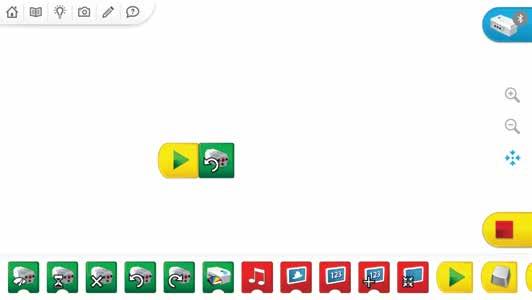
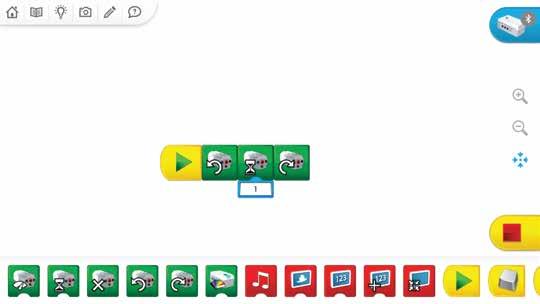
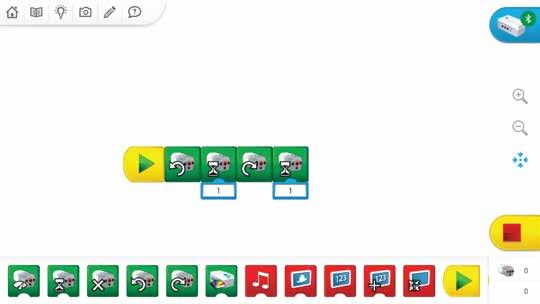
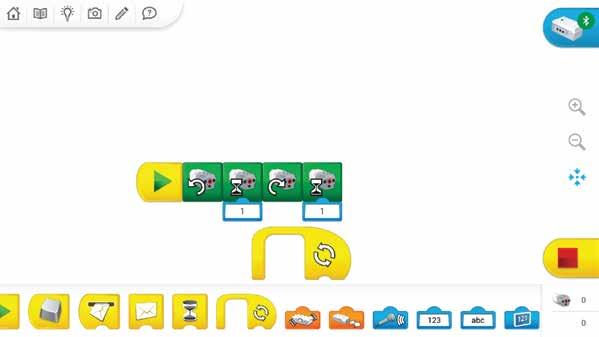
Description of Flow Blocks
Pseudocode:
Pseudocode:
Pseudocode:
Pseudocode:
Description of Output Motor Blocks
Description of Output Display Blocks
Description of Sensor Change Inputs
Description of Numeric and Text Inputs
Description of Light and Sound Blocks
Understanding the Structure of the Lesson
Requirements for the project
Team Roles in the Team
Alignment with the Sustainable Development Goals
NGSS Curriculum Linkage
Cambridge Science Curriculum Linkage
Technology Connection
Engineering Connection
Common Core for Mathematics Curriculum Linkage
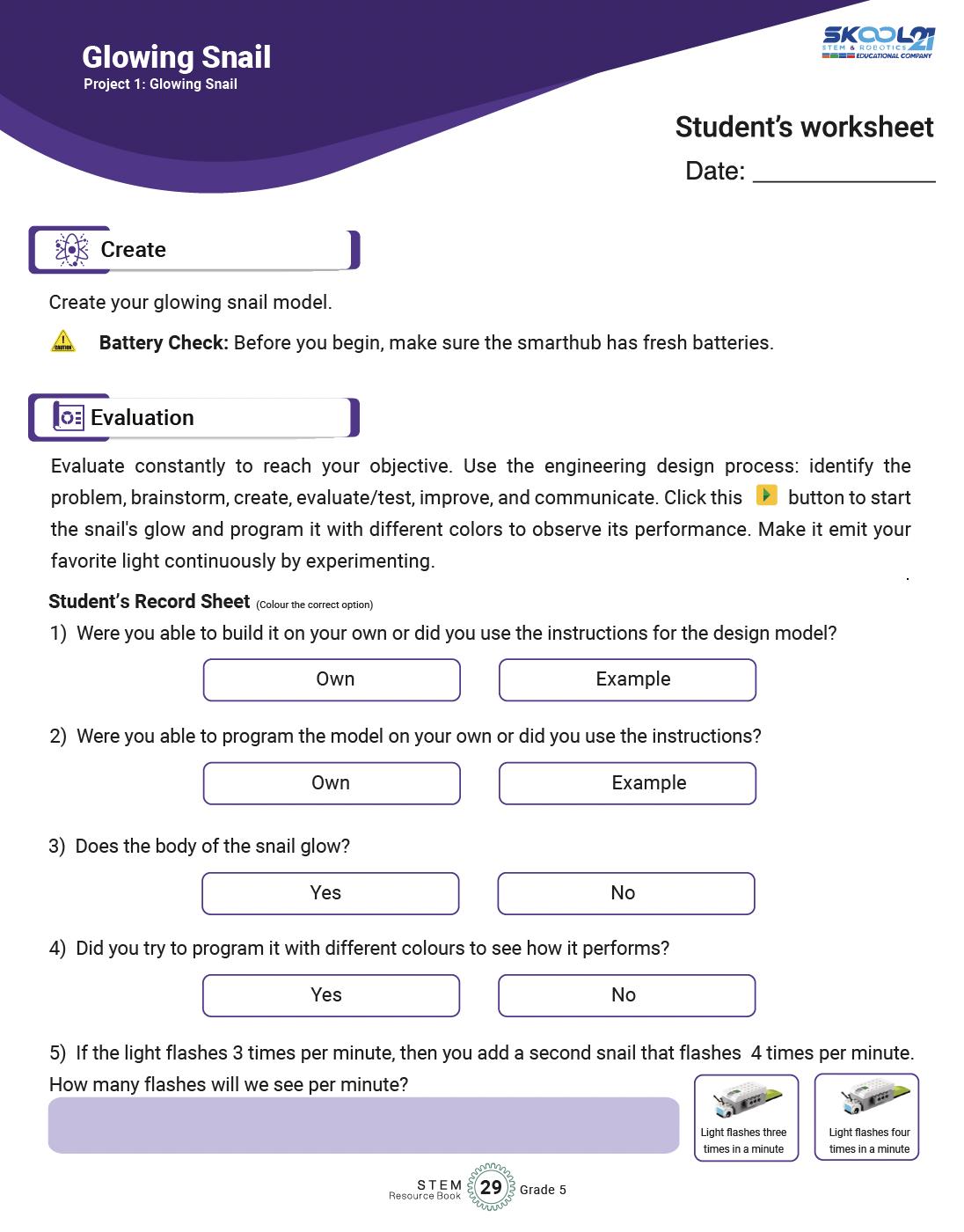
After brainstorming Learners create their model.
Evaluation is the phase where learners reflect on the performance of their model and link it to their classroom learning.
Learners write about the project they are building
Learners sketch their model and label as many parts for clarity in execution.
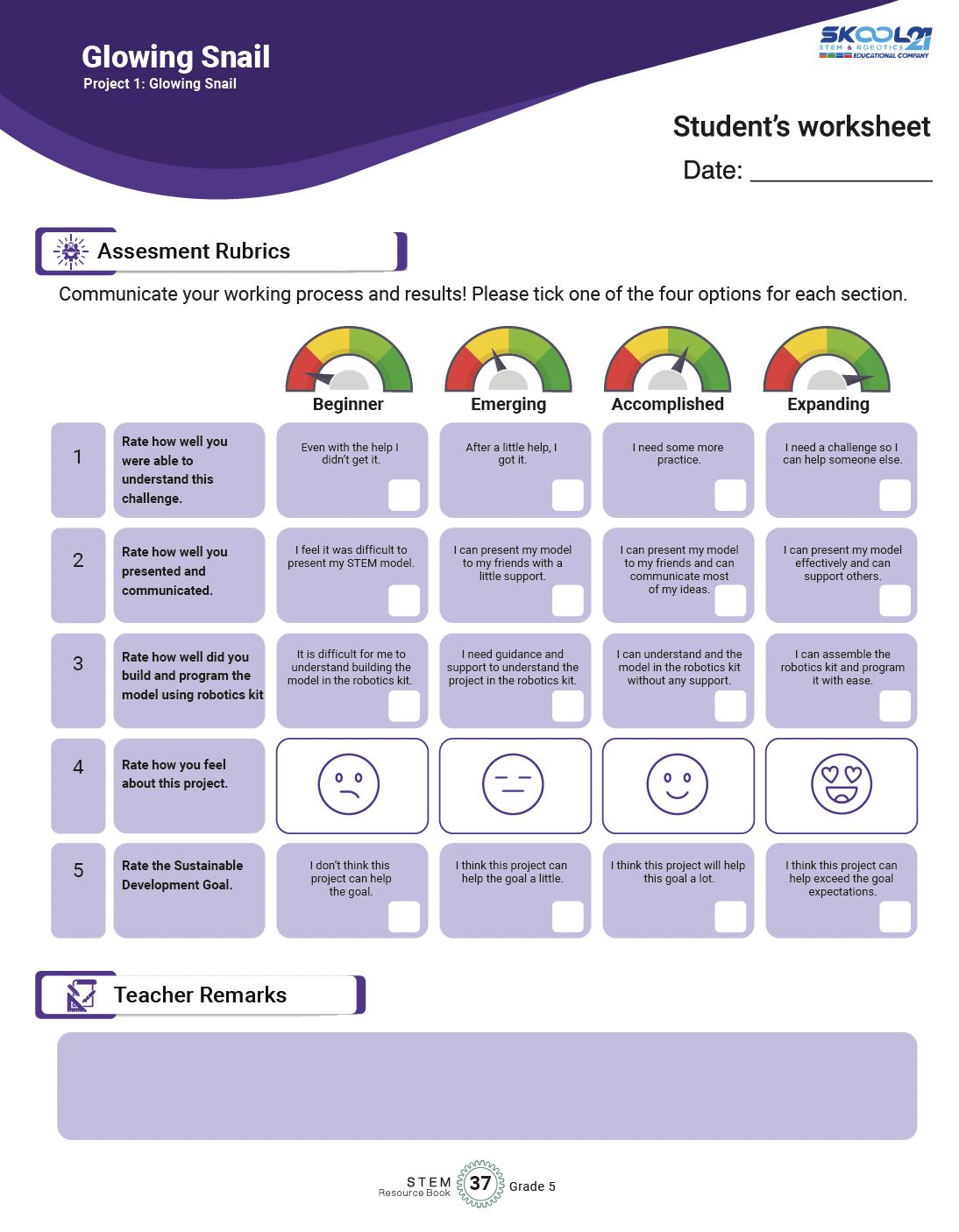
Assessment rubrics is a grid for teachers and learners to reflect on their progress in each of the project.
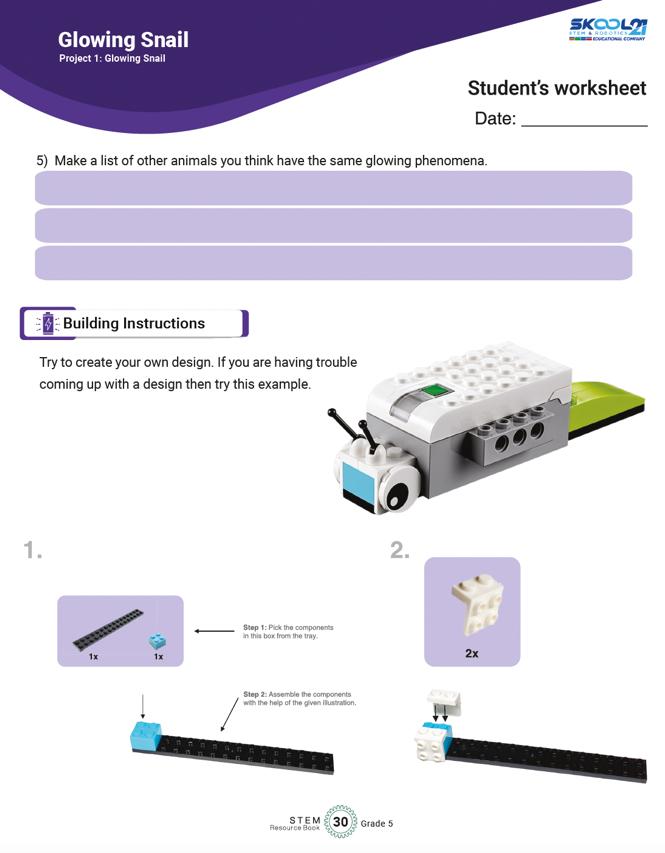
Building instructions are also provided to help learners get started, If they struggling in the first phase.
This space is for teachers to provide any remarks if needed on the participation of the learner in each of the project.
Alignment with the Sustainable Development Goals
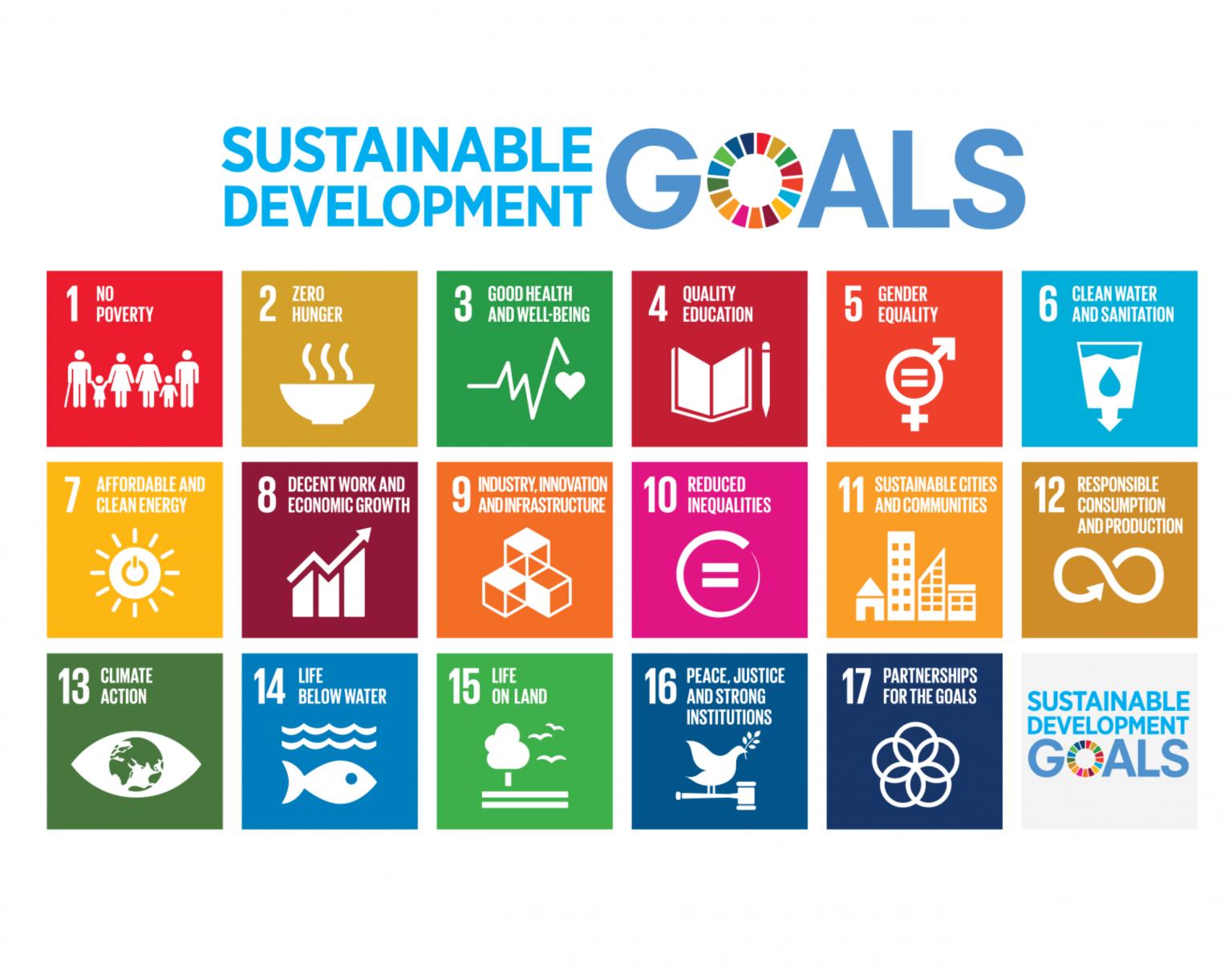
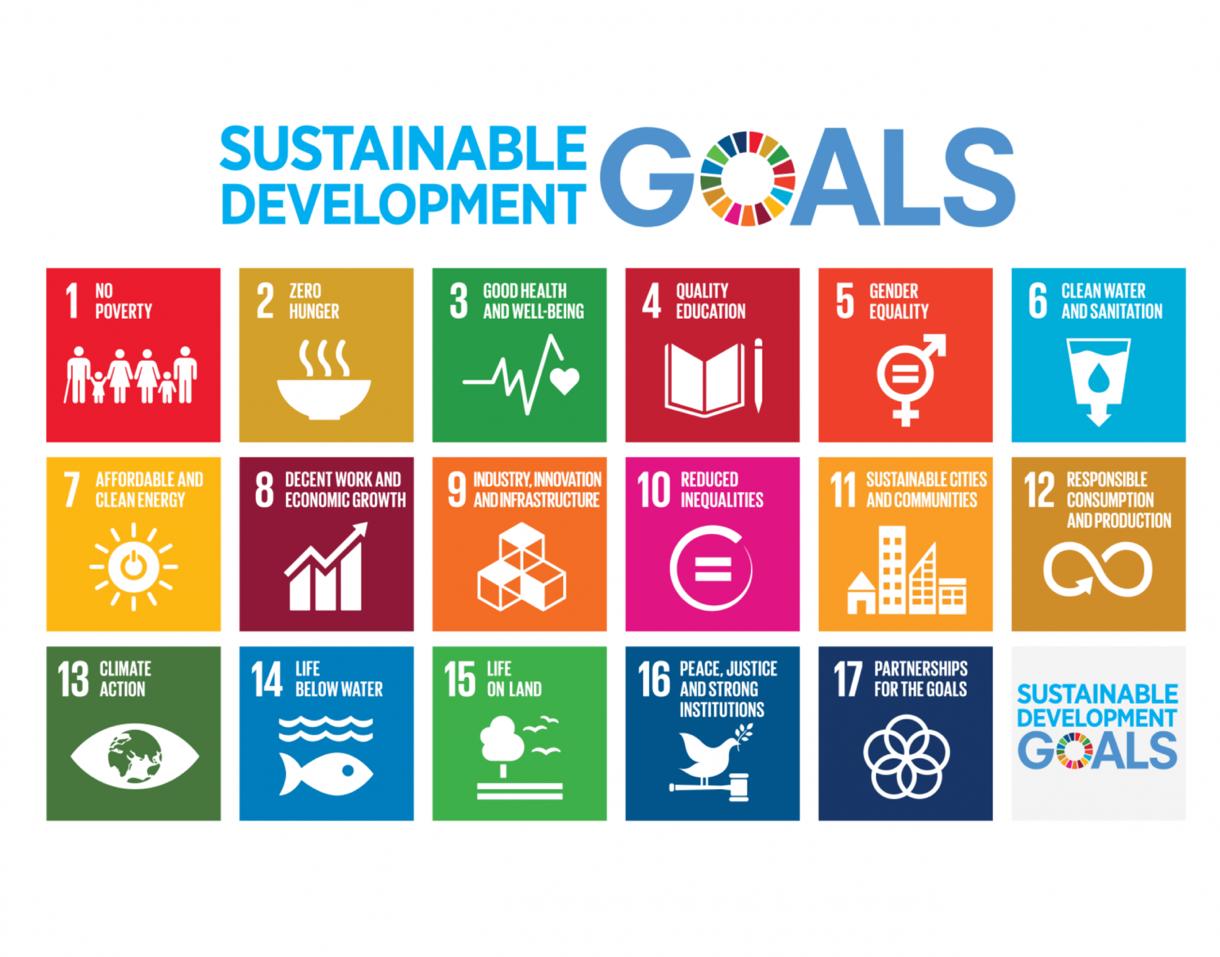
Sustainable Development Goals (SDGs) are a set of 17 global goals adopted by all United be achieved by being for all at
Ensure inclusive and equitable quality education and promote lifelong learning opportunities for all. l women and
Ensure access to affordable, reliable, sustainable, and
Promote sustained, inclusive, and sustainable economic growth, full and productive employment,
Build resilient infrastructure, promote inclusive and ndustrialization, and foster innovation.
Take urgent action to combat climate change and its stainable development.
Protect, restore, and promote sustainable use of terrestrial ecosystems, halt deforestation, and combat desertification and biodiversity loss.
inclusive societies for sustainable development, provide access to justice for all, and build effective, accountable, and inclusive institutions at all levels.
Partnerships for Strengthen the means of implementation and revitalize the Global Partnership for Sustainable Development.
Now, let's see how the students' projects can be linked to these SDGs:
When students design projects using STEM Resource Book and Wedo 2.0 Kit, they can focus on creating solutions that tackle real-world problems related to sustainable development. For example, they could create smart home systems that conserve energy (SDG 7Affordable and Clean Energy) or design a production (SDG 12
Linking their projects to specific SDGs requires critical thinking and understanding of the global challenges we face today. Students can also focus on projects that address local community needs and align them with relevant SDGs.
Encouraging students to consider the SDGs when designing their projects will help them understand the broader context of their work and how their technological and scientific skills can empowers them to become responsible global citizens who actively engage with the challenges facing our planet.
The project tackles marine pollution, relating to SDG 12's aim of promoting responsible consumption, waste reduction, and sustainable
reflect on how their model highlights the importance of taining balanced terrestrial ecosystems.
Discuss with students the role of their invention in addressing marine pollution and promoting sustainable
Help students recognize the significance of their contributing to responsible waste management.
Guide students in understanding how their project contributes to technological advancement and enhancement.
students to think about how their model relates to maintaining land-
stability as emphasized in SDG based ecosystems and safety.
learning and exploration. This
Discuss with students how their project contributes to educational experiences and lifelong learning.
Help students understand how their project maintaining security and order communities.
Discuss with students how their concept for a contributes to technological progress and transportation
The Engineering Design Process
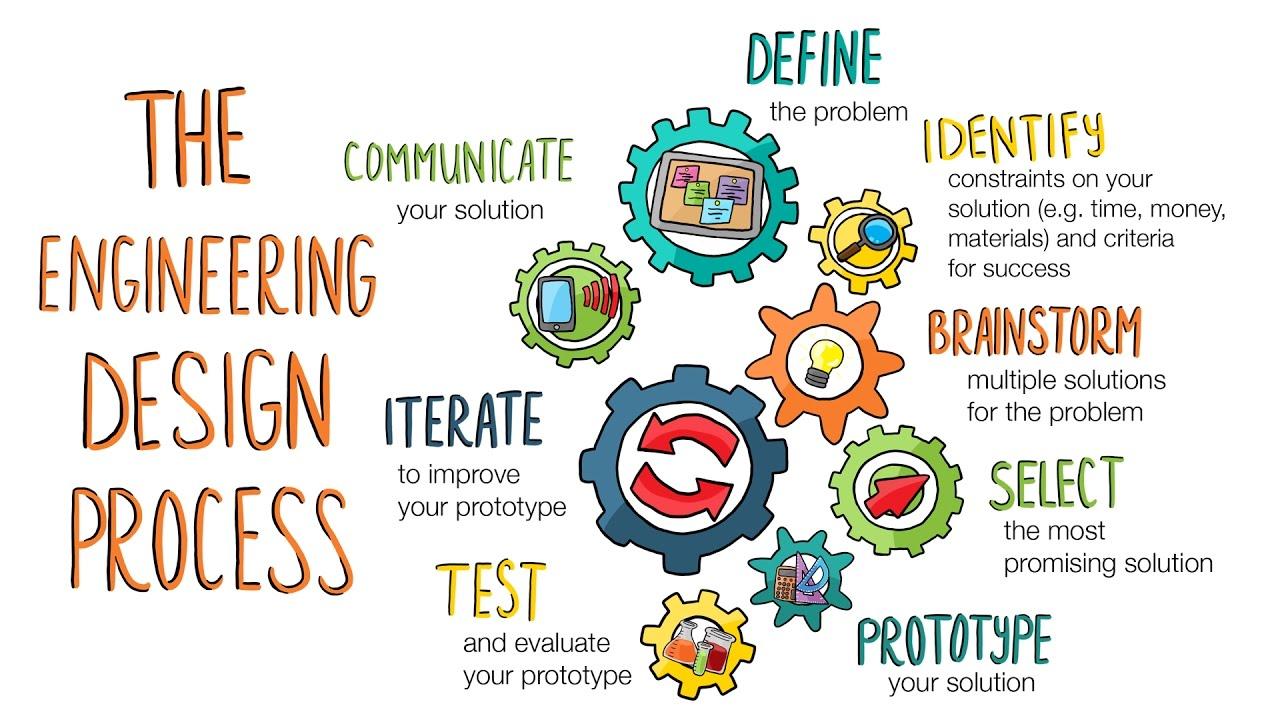
The Engineering Design Process is a systematic approach used by engineers and designers to solve problems and create innovative solutions. It provides a structured framework for developing new products, processes, or systems by following a series of well-defined steps. This process is not only applicable in engineering but is also widely used in various STEM disciplines to tackle challenges and develop creative solutions.
The typical steps of the Engineering Design Process are: Icons Phases
Define the Problem
Brainstorm Ideas
Design and Plan
Details
• Present the project's objectives and requirements to students, such as building a model, attaching it to the smarthub, and programming it.
• Encourage students to understand the purpose of the project, its context, and what they need to achieve.
• Engage students in brainstorming sessions where they envision and sketch possible solutions.
• Encourage creativity and diverse ideas, allowing students to explore various design options.
• Guide students to describe their chosen model's structure and function in detail.
• Help them plan how to use STEM Kit components effectively to build their models.
Build and Create
Test and Evaluate
Iterate and Improve
Communicate and Share
• Facilitate discussions on how they intend to program the model to perform specific actions.
• Provide assistance as needed while students assemble their models.
• Encourage hands-on exploration, experimentation, and iteration as they build and refine their designs.
• Support students in testing their models and programming, providing guidance for troubleshooting.
• Ask questions to help them critically assess whether the model meets the specified requirements.
• Encourage students to identify areas for improvement based on testing outcomes.
• Guide them in making iterative changes to their designs to enhance performance and functionality.
• Organize opportunities for students to present their projects to peers or the class.
• Encourage them to explain their design choices, programming logic, and problemsolving strategies.
Fostering Social Skills
The STEM projects outlined in the "STEM Resource Book" provide opportunities for students to develop important social skills alongside their technical knowledge. These social skills are crucial for effective collaboration, communication, and engagement in real-world scenarios. Here's a brief introduction to some of the key social skills covered in these projects:
S# Social Skills
1 Collaboration
Details
Working together is a fundamental skill across all projects. Students learn to cooperate, share ideas, delegate tasks, and contribute collectively to achieve project goals. They experience the benefits of pooling strengths and perspectives to create more comprehensive and innovative solutions.
2 Communication Effective communication is vital in sharing ideas, presenting findings, and troubleshooting challenges. Through the projects, students practice articulating their thoughts clearly, listening actively to peers, and engaging in meaningful discussions that promote understanding.
3 ProblemSolving
4 Empathy and Respect
Engaging in the engineering design process exposes students to various challenges. They learn to approach problems analytically, brainstorm solutions, evaluate alternatives, and make decisions collaboratively. These skills are applicable beyond STEM and are valuable in everyday decision-making.
Encouraging students to appreciate different viewpoints, respect diverse ideas, and consider the feelings of their peers fosters a positive and inclusive learning environment. These skills promote effective teamwork and strengthen relationships within the group.
5 Critical Thinking
6 Time Management
As students work on designing, building, testing, and refining their projects, they enhance their critical thinking abilities. They learn to analyze situations, make informed judgments, and consider implications and consequences of their choices.
Working on projects requires efficient time management. Students develop skills in setting priorities, allocating time to tasks, meeting deadlines, and juggling multiple responsibilities –all of which are valuable in academic and professional contexts.
7 Conflict Resolution Collaboration can sometimes lead to disagreements or conflicts. Through open discussions and respectful negotiations, students learn how to address conflicts, find common ground, and work towards mutually satisfactory solutions.
8 Presentation Skills
9 Reflection
Sharing their projects with peers and instructors hones students' presentation skills. They practice structuring their thoughts, speaking confidently, and using visuals effectively to convey complex information.
After completing each project, students reflect on their experiences, successes, challenges, and lessons learned. This
practice encourages self-awareness, self-assessment, and the ability to apply insights from one project to others.
By incorporating these social skills into STEM projects, educators prepare students not only for academic success but also for success in their future careers and personal lives. These skills empower students to collaborate effectively, contribute meaningfully to teams, and navigate the complexities of a rapidly changing world
S# Project
1 Project 1: Glowing Snail
2 Project 2: Frog Metamorphosis
3 Project 3: Plants and Pollinators
4 Project 4: Cleaning the Ocean
Social Skills
• Collaboration: Students collaborate in pairs to build the glowing snail model, share ideas, and allocate tasks.
• Communication: They communicate their design plans, programming choices, and troubleshooting strategies.
• Problem-Solving: Collaboratively troubleshoot issues that arise during construction and programming.
• Empathy and Respect: Appreciate each other's input and respect diverse perspectives on how the snail should look and function.
• Collaboration: Students work together to design and build the frog model, dividing responsibilities and tasks.
• Communication: Explain how the frog's movement should represent metamorphosis stages.
• Problem-Solving: Address design challenges and make decisions on how to demonstrate the transformation effectively.
• Empathy and Respect: Understand and incorporate each other's ideas for presenting the frog's life cycle.
• Collaboration: Collaborate on designing and building the flower-pollinator model.
• Communication: Explain the symbiotic relationship between plants and pollinators in the model.
• Problem-Solving: Discuss ways to accurately represent the pollination process in the model.
• Empathy and Respect: Respect the significance of the interaction between plants and pollinators in ecosystems.
• Collaboration: Collaboratively design and build the ocean-cleaning machine model.
• Communication: Explain the roles of the reel, sweep, and grab mechanisms in the machine.
• Problem-Solving: Brainstorm how to optimize the machine's cleaning efficiency.
• Empathy and Respect: Appreciate the importance of marine environments and the need for responsible actions.
5
Project 5: Sort to Recycle
6 Project 6: Spy Robot
7 Project 7: Volcano Alert
8 Project 8: Milo Motion Sensor
9 Project 9: Automatic Checkpost
10 Project 10: Van
• Collaboration: Work together to design the sorting device for recyclables.
• Communication: Explain how the device sorts based on size and why this is crucial for recycling.
• Problem-Solving: Collaboratively address challenges in designing a functional sorting mechanism.
• Empathy and Respect: Understand the environmental significance of recycling and the need for sustainable practices.
• Collaboration: Students collaborate to design and build the spy robot model.
• Communication: Discuss and explain how the motion detection and signaling mechanisms work.
• Problem-Solving: Collaboratively address challenges related to motion detection and signaling accuracy.
• Empathy and Respect: Consider various security scenarios where the spy robot can be helpful.
• Collaboration: Work together to design and build the volcano alert model.
• Communication: Explain how the model detects volcanic activity and signals it.
• Problem-Solving: Brainstorm ways to improve the accuracy of the alert system.
• Empathy and Respect: Understand the importance of monitoring and mitigating volcanic activity for safety.
• Collaboration: Collaborate to design and build the motion sensor model.
• Communication: Explain the mechanism for detecting motion and emitting a signal.
• Problem-Solving: Address challenges related to motion detection accuracy.
• Empathy and Respect: Consider security scenarios where the motion sensor can be applied.
• Collaboration: Work collaboratively to design and build the automatic checkpost model.
• Communication: Explain how the model functions to automate the checkpost gate.
• Problem-Solving: Address challenges related to gate automation and signal mechanisms.
• Empathy and Respect: Understand the significance of efficient security measures for communities.
• Collaboration: Collaborate on designing and building the unique van model.
• Communication: Explain the features that make the van model stand out.
• Problem-Solving: Discuss challenges faced in designing an innovative van.
• Empathy and Respect: Appreciate the value of innovative design in the automotive industry.
By guiding students through these projects, educators can help them develop a diverse range of social skills that are essential for effective collaboration, communication, problemsolving, empathy, critical thinking, time management, conflict resolution, presentation skills, and reflection. These skills equip students with the ability to work effectively in teams, adapt to various challenges, and navigate complex scenarios, preparing them for success in both academic and real-world contexts.
Makerspace
What is a Makerspace?
A makerspace is a collaborative workspace inside a school, library, or public/private facility for making, learning, exploring, and sharing. Here, students have the tools and resources to design, experiment, build, and invent. Makerspaces typically include a variety of materials and equipment, ranging from high-tech to no-tech, all aimed at fostering creativity, problem-solving, and critical thinking.
Features of an Ideal Makerspace
1. Space: The ideal makerspace should be spacious enough to accommodate groups of students working on projects. It should be well-lit and have areas for both individual and group work.
2. Furniture:
• Flexible Seating: Chairs and tables that are easily movable and can be reconfigured for different tasks.
• Storage Units: Shelves and drawers for organizing tools, materials, and student projects.
• Workbenches: Sturdy surfaces for hands-on activities.
• Display Boards: Walls or boards to showcase projects, ideas, or instructions.
3. Equipment Needed:
• Lego WeDo 2.0 STEM Kits: A core tool for the Grade 5 makerspace, these kits integrate hardware and software to produce a comprehensive learning tool.
• Computers or Tablets: For programming and accessing digital resources.
• General STEM Tools: Rulers, protractors, magnifying glasses, and basic lab equipment.
• Safety Equipment: Safety goggles, first aid kit, gloves, etc.
4. STEM Resource Book: This will guide students and educators in carrying out projects aligned with NGSS, the National Curriculum of England, and the Common Core State Standards for Mathematics.
Importance of a Makerspace in Schools
1. Enhanced Learning: Makerspaces enable hands-on learning, making complex concepts more accessible.
2. Fosters Creativity: Provides an environment where students can freely express and test out their ideas.
3. Teamwork: Students learn to collaborate, delegate tasks, and work towards a common goal.
4. Problem-solving: Tackling real-world challenges makes students more adept at thinking critically.
5. Prepares for the Future: Engaging with technology and tools prepares students for future job roles and challenges.
Executing STEM Activities in the Makerspace
1. Planning: Begin with the end in mind. Identify the learning outcomes you aim to achieve from the activity.
2. Group Formation: Divide students into small groups to encourage collaboration.
3. Introduction: Introduce the Lego WeDo 2.0 STEM Kit and how it can be used. Brief students on the activity using the STEM Resource Book.
4. Hands-on Activity: Allow students to build, experiment, and iterate using the kits. Ensure that they refer to the STEM Resource Book for guidance.
5. Reflection: Post-activity, allow students to discuss their findings, challenges faced, and what they learned.
6. Showcase: Encourage students to display their projects, explaining the science and math concepts they applied.
7. Safety: Always stress the importance of following safety guidelines, especially when using tools and equipment.
Standard Operating Procedure (SOP) for a Makerspace
1. Objective:
Provide a safe, organized, and productive environment for students to explore, invent, and learn using various tools and materials available in the makerspace.
2. Scope:
This SOP applies to all students, educators, and visitors within the makerspace area.
3. Responsibilities:
• Educators/Staff: Supervise activities, ensure the safety and proper use of tools/equipment, provide necessary training, and maintain equipment.
• Students: Comply with all guidelines, work safely, and respect all equipment and fellow makers.
4. Access:
• Makerspace access should be limited to authorized personnel and students during scheduled times.
• All users must sign in and out of the makerspace, noting their purpose of visit.
5. Safety:
• Before using any tool or equipment, students must receive proper training.
• Safety equipment like goggles, gloves, and aprons should be worn as required.
• No food or drink is allowed in the makerspace.
• First aid kits and fire extinguishers should be easily accessible.
6. Equipment Usage:
• All equipment should have clear, written instructions posted nearby.
• Users must report any damage or malfunction immediately.
• After use, equipment must be returned to its designated place and left in a clean and usable state for the next user.
7. Materials:
• All materials must be stored in their designated areas.
• Users must log materials used for inventory and restocking purposes.
• Waste should be disposed of properly in the provided bins.
8. Conduct:
• Respect fellow makers; do not interrupt or hinder someone else’s project.
• Clean up after completing a project or task.
• Notify staff of any issues, concerns, or suggestions.
• Always ask if unsure about equipment use or any makerspace procedure.
9. Training:
• Regular workshops should be held to train students on the use of new equipment or software.
• New users should undergo an orientation session before accessing the makerspace.
10. Maintenance:
• A routine check of all tools and equipment should be carried out to ensure they are in good working condition.
• Expired or worn-out materials should be discarded and replaced.
• Cleaning routines must be established to maintain the hygiene and tidiness of the makerspace.
11. Project Storage:
• Designate a space where students can store ongoing projects.
• All projects should be labeled with the student's name, class, and date.
12. Showcase:
• A dedicated space should be available for showcasing exemplary projects.
• Educators can rotate the showcased projects based on relevance, innovation, and educational value.
13. Continuous Improvement:
• Collect feedback regularly from users to understand what can be improved.
• Explore new tools, materials, and technologies to keep the makerspace updated.
14. Emergency Procedures:
• Clearly display emergency procedures, including evacuation routes.
• Train staff and students on how to respond to emergencies like fires, electrical failures, or injuries.
15. Periodic Review:
• This SOP should be reviewed at least annually to ensure its relevance and effectiveness.
In conclusion, a well-structured SOP ensures that the makerspace remains a hub of creativity while being safe and organized. Adhering to these procedures ensures that the makerspace is beneficial for all and remains a vital resource for students for years to come.
frog model and programming it.
Test the frog model, evaluate its performance, and reflect on the project.
Familiarize students with WeDo 2.0 Kit components.
Week 2: Building and Programming
Students build a model of a frog using the WeDo 2.0 Kit.
Introduction to programming concepts using the WeDo software.
Programming the frog model's movements.
Week 3: Testing and Reflection
Students test the frog model's movements and interactions.
its performance, and reflect on the project.
Evaluate the success of programming based on
Reflect on project
Week 1: Introduction
Introduction to plant pollination and NGSS LS2.A.
objectives and their
Development Goal 15. Familiarize students with WeDo 2.0 Kit
Week 2: Building and
Students build a model of a flower using the
programming concepts using the WeDo software.
Programming the flower model's interactions.
Week 3: Testing and Reflection
Students test the flower model's interactions and functions.
Evaluate the success of building and programming based on criteria.
Reflect on the project's objectives and connections to sustainable development.
Week 1:
Understanding Ocean Pollution and Designing the Cleaning Machine
Introduction to ocean pollution and its impacts (SDG 12).
Brainstorm and discuss design ideas for the cleaning machine.
Begin building the robotic cleaning machine using the
Week 2: Programming the Robotic Cleaning
components of the cleaning machine model and their programming actions and movements.
Program the model to perform the tasks of reeling, sweeping, and
Week 3: Testing,
Test the programmed robotic cleaning machine's cleaning actions.
Evaluate the model's performance in simulating cleaning actions.
Answer evaluation questions related to
Learn about recycling, design and build a sorting machine model.
Program the model to sort recyclable materials based on size.
Test the sorting machine model, evaluate its sorting efficiency, and reflect on learning.
STEM Resource Book, WeDo 2.0 Kit, pencils, and computers with WeDo software.
building, programming, and functionality.
Reflect on the importance of addressing ocean pollution (SDG 12).
Week 1: Introduction to Recycling and Designing the Sorting Machine
Introduction to recycling and its significance (SDG 12). Brainstorm and discuss design ideas for the sorting machine model.
Begin building the sorting machine model using the WeDo 2.0 Kit.
Week 2: Programming the Sorting Machine Model
Review the components of the sorting machine model and their functions. Introduction to programming sorting actions and size detection.
Program the model to sort materials based on their physical characteristics.
Week 3: Testing, Evaluation, and Reflection
Test the programmed sorting machine's sorting actions.
Evaluate the model's performance in sorting materials by size.
Answer evaluation questions related to building, programming, and functionality.
Reflect on the importance of proper waste management (SDG 12).
Week 1: Introduction to Security and Designing the Spy Robot
Introduction to security and surveillance applications (SDG 9).
Brainstorm and discuss design ideas for the spy robot model. Begin building the spy robot model using the
Week 2: Programming the Spy Robot Model
components of the spy robot model and their programming motion
Program the model to detect motion and emit light or sound.
Week 3: Testing, Evaluation, and programmed spy robot's motion
Evaluate the model's detecting and signaling
Answer evaluation questions related to programming, and
Reflect on the various applications of security ems (SDG 9).
Week 1: Introduction to Volcanic Activity and Designing the volcanic activity and monitoring methods
Program the model to simulate volcanic alerts based on sensor readings.
Test the volcano alert model, evaluate its alert simulation, and reflect on learning.
Brainstorm and discuss design ideas for the volcano alert model. Begin building the volcano alert model using the WeDo 2.0 Kit. 20
Week 2: Programming the Volcano Alert Model
Review the components of the volcano alert model and their functions. Introduction to programming sensor readings and alerts. Program the model to simulate different alert levels based on sensor data.
Week 3: Testing, Evaluation, and Reflection
Test the programmed volcano alert model's response to sensor data.
Evaluate the model's performance in simulating volcanic alerts. Answer evaluation questions related to programming, and significance of volcanic monitoring for safety
Week 1: Introduction to Vehicle Design and Designing the Van
Introduction to vehicle functions (SDG 9).
Brainstorm and discuss design ideas for the
Begin building the van model using the WeDo
Week 2: Programming
functionalities, and reflect on learning.
model, evaluate its automation, and reflect on learning.
Review the components of the van model and their functions.
Introduction to programming vehicle functionalities.
Program the model to simulate van movements and actions.
Week 3: Testing, Evaluation, and Reflection
Test the programmed van model's movements and actions.
Evaluate the model's performance in simulating various van functionalities.
Answer evaluation questions related to building, programming, and functionality.
Reflect on the importance of innovative vehicle designs (SDG 9).
Week 1: Introduction to Security and Designing the Checkpost Model
Introduction to security and access control (SDG 16).
Brainstorm and discuss design ideas for the automatic checkpost model.
Begin building the checkpost model using the WeDo 2.0 Kit.
Week 2: Programming the Checkpost Model
Review the components of the checkpost model and their functions.
Introduction to programming gate mechanisms and automation.
Program the model to simulate gate opening and closing based on detection.
Week 3: Testing, Evaluation, and Reflection Test the programmed checkpost model's gate automation. Evaluate the model's performance in simulating automatic gate control. Answer evaluation questions related to building, programming, and functionality. Reflect on the importance of access control systems (SDG 16).
Week 1: Introduction to Vehicle Innovation and Designing a New
innovative vehicle esigns and their
Brainstorm and discuss design ideas for the new vehicle model. Begin building the vehicle model using the WeDo 2.0 Kit.
Week 2: Programming the New Vehicle
components of the new vehicle model and
innovative vehicle
Program the model to simulate the unique actions and features of the new vehicle.
Week 3: Testing, Evaluation, and Reflection
Test the programmed new vehicle model's unique actions and features.
Evaluate the model's performance in simulating the innovative vehicle design. Answer evaluation questions related to building, programming, and functionality. Reflect on the potential impact of innovative vehicle designs (SDG 9).
Curriculum Mapping
1 Project 1: Glowing Snail
Students will explore the phenomenon of bioluminescen ce in snails and apply STEM skills to design and create a model of a glowing snail, while also understanding the importance of marine conservation.
5-LS2.A (Interdependen t Relationships in Ecosystems) Understand the relationships between organisms and their environments.
Living things and their habitats Study the characteristi cs of living organisms and their habitats.
5.OA.A.1 (Use parentheses , brackets, or braces in numerical expressions) Utilize parentheses and other symbols to solve numerical expressions.
Sustainable Development Goal (SDG): 14 (Life Below Water)
Connect the study of glowing snails to the importance of marine life conservation.
Introduce careers such as Malacologist , Snail Farmer, and Wildlife Conservatio n Officer.
2 Project 2: Frog Metamorpho sis
Students will study the life cycle of amphibians, specifically focusing on metamorphosi s, and use STEM concepts to construct a model of a frog undergoing metamorphosi s, connecting their learning to aquatic ecosystems and environmental stewardship.
5-LS2.A (Interdependen t Relationships in Ecosystems) Explore the connections between organisms and their environments.
Living things and their habitats Investigate the life cycles and habitats of organisms.
5.OA.A.1 (Use parentheses , brackets, or braces in numerical expressions) Apply parentheses and symbols to numerical expressions.
Sustainable Development Goal (SDG): 14 (Life Below Water)
Relate the metamorpho sis of amphibians to aquatic ecosystems and their conservation.
Introduce careers like Herpetologis t, Environment al Lawyer, and Aquatic Surveyor.
3 Project 3: Plants and Pollinators
Students will investigate the relationship between plants and pollinators, using STEM principles to build a robotic model of a flower and pollinator, while also gaining insights into the
5-LS2.A (Interdependen t Relationships in Ecosystems)
Study the interdependenc ies between organisms and their environments.
Living things and their habitats Learn about plant biology and interactions with pollinators.
5.NBT.3
(Read, write, and compare decimals to thousandths ) Practice working with decimals in mathematic al contexts.
Sustainable Development Goal (SDG): 15 (Life on Land)
Connect the study of plants and pollinators to terrestrial ecosystems and biodiversity.
Introduce careers like Botanical Scientist, Plant Biologist, and Ethnobotani st.
4 Project 4: Cleaning the Ocean
ecosystem health.
Students will address the issue of ocean pollution by designing and constructing a robotic solution to clean water surfaces, applying STEM knowledge to tackle realworld environmental challenges and promote sustainable consumption.
5-ESS3-1 (Earth and Human Activity)
Explore human impact on the environment and potential solutions.
Properties and changes of materials Investigate properties and behaviors of materials, especially those affecting the environmen t.
5.NBT.B.5 (Fluently multiply multi-digit whole numbers using the standard algorithm) Develop fluency in multi-digit multiplicatio n.
Sustainable Development Goal (SDG): 12 (Responsible Consumption and Production) Address ocean pollution and waste management through responsible consumption.
Introduce careers like Marine Pollution Ecologist, Marine Biologist, and Marine Environment Economist.
5 Project 5: Sort to Recycle
Students will explore recycling and waste reduction through the design and creation of a machine that sorts recyclable materials based on size, applying STEM skills to encourage responsible consumption and waste management.
5-ESS3-1 (Earth and Human Activity)
Study the human impact on Earth's systems and potential solutions. Properties and changes of materials Examine material properties and their implications for recycling.
5.MD.3 (Recognize volume as an attribute of solid figures) Understand and apply concepts of volume measureme nt.
Sustainable Development Goal (SDG): 12 (Responsible Consumption and Production) Promote waste reduction and recycling practices through innovative technology.
Introduce careers like Material Recovery Facility Managers, Engineering Project ManagerSolid Waste, and Recycling Engineer.
6 Project 6: Spy Robot
Students will develop a motionsensing robot to enhance security, utilizing STEM concepts to create innovative technology solutions for surveillance and protection.
3-5-ETS1 (Engineering Design)
Engage in engineering design and problem-solving processes. Working Scientifically Develop scientific inquiry and investigative skills.
5.MD.1 (Convert among differentsized standard measureme nt units within a given measureme nt system) Practice converting units of measureme nt.
Sustainable Development Goal (SDG): 9 (Industry, Innovation, and Infrastructur e) Apply technology to security and surveillance challenges.
Introduce careers like Cyber Security Engineer, Police Officer, Computer Programmer , or Surveillance Officer.
7
Project 7: Volcano Alert
Students will engage with volcanic activity monitoring by designing and constructing a model that alerts to volcanic events, applying STEM principles to understand geological phenomena and disaster preparedness.
3-5-ETS1-1 (Engineering Design)
Engage in the engineering design process to solve realworld problems.
Working Scientifically Develop skills in working scientifically and problemsolving.
5.MD.1 (Convert among differentsized standard measureme nt units within a given measureme nt system) Apply measureme nt conversions to realworld situations.
5.MD.1
Sustainable Development Goal (SDG): 15 (Life on Land) Understand volcanic activity and its impact on terrestrial ecosystems.
Introduce careers like Structural Geologists, Physical Volcanologis ts, Geochemists , and Geological Astronomist s.
8 Project 8: Milo Motion Sensor
Students will create a motion sensor device to promote education and innovation, utilizing STEM knowledge to develop technology that supports learning and exploration.
3-5-ETS1-1 (Engineering Design)
Participate in the engineering design process to solve problems.
Working Scientifically Develop skills in scientific inquiry and investigatio n.
(Convert among differentsized standard measureme nt units within a given measureme nt system) Apply measureme nt conversions to solve real-world problems.
Sustainable Development Goal (SDG): 4 (Quality Education) Utilize technology for innovative education solutions.
Introduce careers like Astronaut, Aerospace Engineer, Mechanical Engineer, and Space Biologist.
9 Project 9: Automatic Checkpost
Students will design an automated checkpost system for efficient security, applying STEM skills to enhance infrastructure and contribute to peaceful and secure communities.
3-5-ETS1-1 (Engineering Design)
Engage in the engineering design process to address challenges. Working Scientifically Develop skills in scientific inquiry and problemsolving.
5.NBT.A.1 (Recognize that in a multi-digit number, a digit in one place represents 10 times as much as it represents in the place to its right) Understand the base-10 system and place value.
Sustainable Development Goal (SDG): 16 (Peace, Justice, and Strong Institutions) Use technology for security and efficient operations.
Introduce careers like Police Officer, and Chief Security Officer.
1 0 Project 10: Van
Students will apply STEM principles to design an innovative model van, fostering creativity in
3-5-ETS1-1 (Engineering Design)
Engage in the engineering design process to find solutions. Working Scientifically Develop skills in scientific inquiry and problemsolving.
5.OA.B.3 (Generate two numerical patterns using two given rules)
Sustainable Development Goal (SDG): 9 (Industry, Innovation, and Infrastructur e)
Introduce careers like Industrial Design Engineer, Automotive Executive, and
the automotive industry and promoting an understanding of engineering and innovation in transportation
Create and analyze numerical patterns. Encourage innovation and design in the automotive industry. Automotive Engineer.
Project-wise Lesson Plan and Answer Key
Glowing Snail
Project 1: Glowing Snail
Introduction
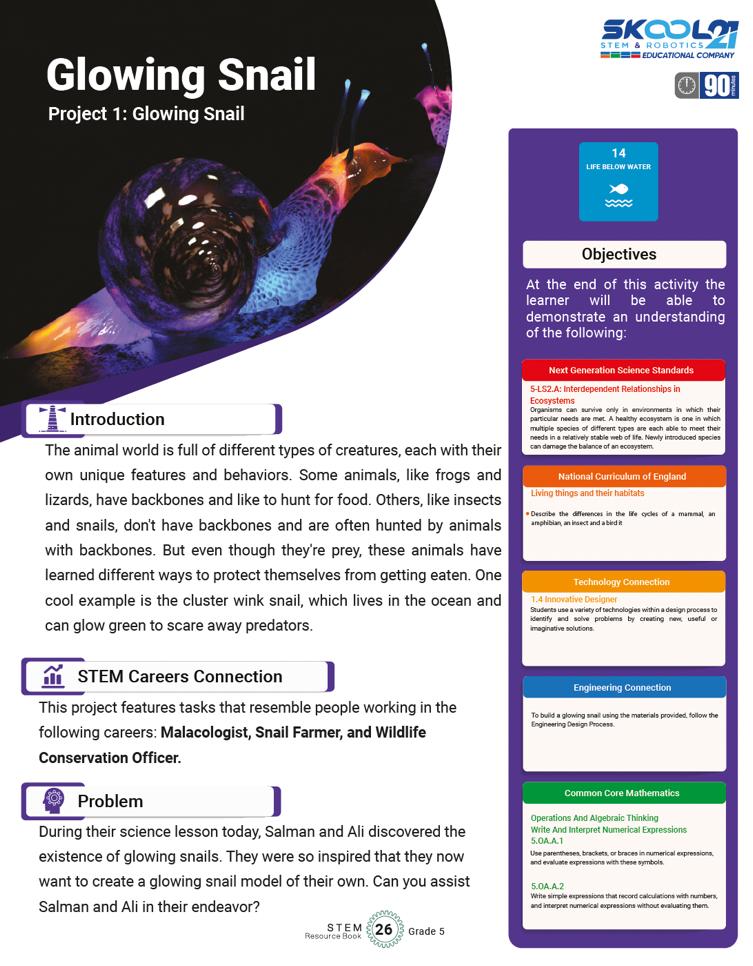
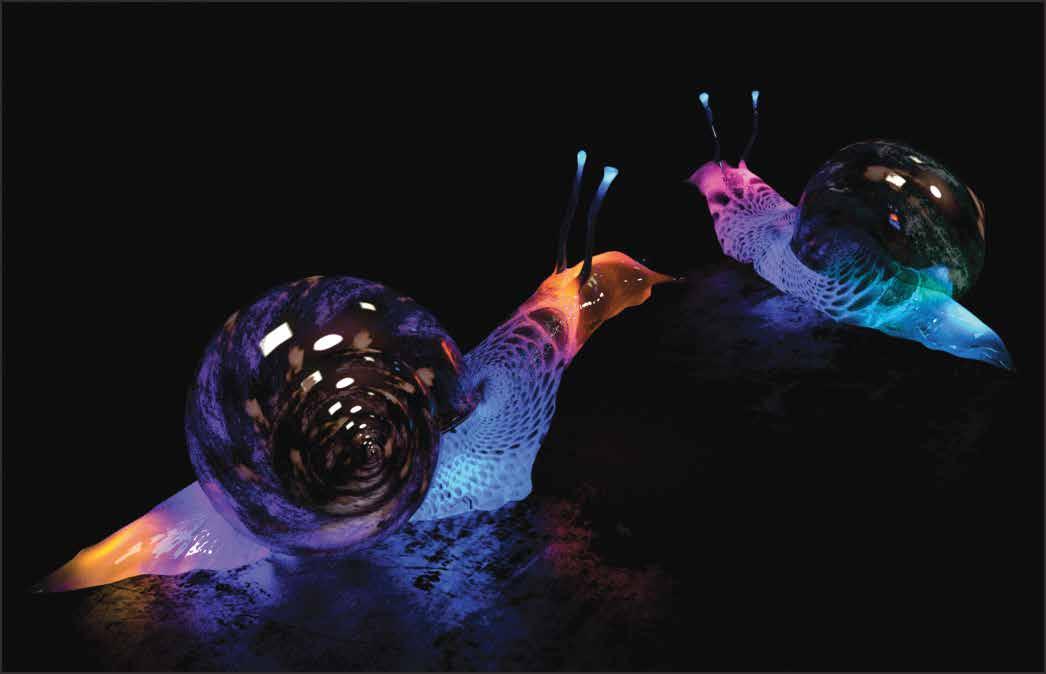
The animal world is full of different types of creatures, each with their own unique features and behaviors. Some animals, like frogs and lizards, have backbones and like to hunt for food. Others, like insects and snails, don't have backbones and are often hunted by animals with backbones. But even though they're prey, these animals have learned different ways to protect themselves from getting eaten. One cool example is the cluster wink snail, which lives in the ocean and can glow green to scare away predators. At the end of this activity the learner will be able to demonstrate an understanding of the following:
STEM Careers Connection
This project features tasks that resemble people working in the following careers: Malacologist, Snail Farmer, and Wildlife Conservation Officer.
Problem
During their science lesson today, Salman and Ali discovered the existence of glowing snails. They were so inspired that they now want to create a glowing snail model of their own. Can you assist Salman and Ali in their endeavor?
Objective:
Lesson Plan: Glowing Snail (Project 1)
Week 1: Introduction & Brainstorming
Introduce the project and its objectives. Begin brainstorming the glowing snail model.
Duration: 45 minutes
S# Phase Duration Details
1 Introduction 15 minutes
2 Brainstorming 25 minutes
3 Closing 5 minutes
• Discuss the existence of glowing snails and their importance in nature.
• Introduce the sustainable development goal (SDG) 14 and its relevance.
• Discuss the STEM careers related to the study of snails.
• Pose the question about visualizing a snail’s body as blocks and encourage individual thinking.
• Students draw preliminary sketches of their glowing snail made from blocks.
• Share some sketches aloud and discuss the variations.
• Homework: Ask students to finalize their glowing snail sketches.
Week 2: Building & Programming the Glowing Snail
Objective:
Build the glowing snail using WeDo 2.0.
Begin programming the snail’s light functions.
Duration: 45 minutes
S# Phase Duration Details
1 Building the Snail 20 minutes
2 Programming Session 1 20 minutes
3 Closing 5 minutes
• Students use their sketches and the WeDo 2.0 Kit to build their glowing snail models.
• Encourage peer-to-peer assistance if someone struggles.
• Introduction to the programming software for WeDo 2.0.
• Students program their snail to flash the light once.
• Students then program their snail to flash the light continuously.
• Check-in with the students, assessing their progress and addressing any challenges.
Week 3: Evaluation & Reflection
Objective:
Evaluate the success of their models and its programming.
Reflect on the broader implications of the project and its connection to sustainable development.
Duration: 45 minutes
S# Phase Duration Details
1 Testing Models 15 minutes
2 Mathematics Application 10 minutes
3 Broadening the Scope 10 minutes
• Students test their snails and evaluate them based on the given criteria.
• Encourage students to try different colors to see how the snail performs.
• Posing the problem: If one snail flashes 3 times per minute and another 4 times per minute, how many total flashes occur in a minute?
• Discuss the solution.
• Students list other animals they know that have glowing phenomena.
• Discuss the bio-luminescence phenomenon and its natural occurrence.
4 Reflection & Closing 10 minutes • Discuss the importance of conserving oceans, seas, and marine resources.
• Students share their insights on how humans can contribute to sustainable marine conservation.
Answer Key
Q# Answer
1 This will vary per student: (Own / Example)
2 This will vary per student: (Own / Example)
3 Yes 4 Yes
5 7 flashes per minute (3 from the first snail + 4 from the second snail).
6 List may include: jellyfish, certain species of fish, fungi, etc.
7 Reflection answers will vary, but might include ideas like reducing plastic waste, supporting marine reserves, being mindful of the seafood they consume, etc.
Frog Metamorphosis
Project 2: Frog Metamorphosis
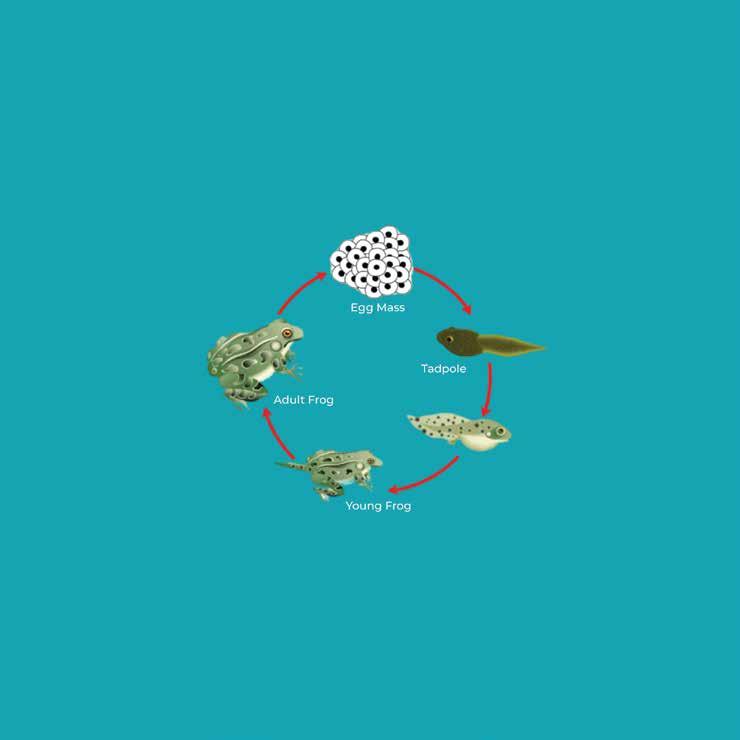
process involves several stages, including Egg, Tadpole, Hind Legs, Front Legs, Lungs, and Adult Frog. It's worth noting that the timing of each stage may vary depending on the frog species and environmental conditions. However, on average, this transformation takes several weeks to several months.
STEM Careers Connection
This project features tasks that resemble people working in the following careers: Herpetologist, Environmental Lawyer, and Aquatic Surveyor.
Problem
Hassan and Arif are preparing for a class presentation on the characteristics of amphibians. They plan to create a model of a frog for their demonstration and are enthusiastic about the project. However, they require your assistance to finish it.
At the end of this activity the learner will be able to demonstrate an understanding of the following: Objectives
Objective:
Lesson Plan: Frog Metamorphosis (Project 2)
Week 1: Introduction to Frogs and Metamorphosis
Introduce students to the life cycle of a frog, emphasizing the metamorphosis process and the role of frogs in aquatic habitats.
Duration: 45 minutes
S# Phase Duration Details
1 Warm-up 10 minutes
2 Discussion 15 minutes
3 Activity 15 minutes
• Begin with a brief discussion on amphibians. Ask students what they know about frogs.
• Introduce Hassan and Arif's project to the students. Explain that they will be assisting in building a model for their presentation.
• Highlight the stages of frog metamorphosis: egg, tadpole, tadpole with legs, and adult frog.
• Discuss the NGSS objective (5-LS2.A) and how it relates to amphibians.
• Distribute the WeDo 2.0 Kits.
• Ask students to begin exploring pieces they might use to design their frog model next week.
• Students can sketch preliminary ideas using the pencil.
4 •
Week 2: Building & Programming the Glowing Snail
Objective:
Build the glowing snail using WeDo 2.0. Begin programming the snail’s light functions.
Duration: 45 minutes
S# Phase Duration Details
1 Building the Snail 20 minutes
2 Programming Session 1 20 minutes
3 Closing 5 minutes
• Students use their sketches and the WeDo 2.0 Kit to build their glowing snail models.
• Encourage peer-to-peer assistance if someone struggles.
• Introduction to the programming software for WeDo 2.0.
• Students program their snail to flash the light once.
• Students then program their snail to flash the light continuously.
• Check-in with the students, assessing their progress and addressing any challenges.
Week 3: Evaluation & Reflection
Objective:
Evaluate the success of their models and its programming. Reflect on the broader implications of the project and its connection to sustainable development.
Duration: 45 minutes
S# Phase Duration Details
1 Testing Models 15 minutes
2 Mathematics Application 10 minutes
3 Broadening the Scope 10 minutes
4 Reflection & Closing 10 minutes
• Students test their snails and evaluate them based on the given criteria.
• Encourage students to try different colors to see how the snail performs.
• Posing the problem: If one snail flashes 3 times per minute and another 4 times per minute, how many total flashes occur in a minute?
• Discuss the solution.
• Students list other animals they know that have glowing phenomena.
• Discuss the bio-luminescence phenomenon and its natural occurrence.
• Discuss the importance of conserving oceans, seas, and marine resources.
• Students share their insights on how humans can contribute to sustainable marine conservation.
Answer Key
Q# Answer
1 Based on individual or group responses.
2 Based on individual or group responses.
3 Based on individual or group responses.
4 10 insects.
5 Butterflies, beetles, moths, dragonflies, etc.
6 Reflection: Varied answers but should focus on protecting aquatic habitats, reducing pollution, conserving water, etc.
Plants and Pollinators
Project 3: Plants and Pollinators
plant is designed to attract animals. The colour, size, smell, and nectar are designed to grab an animal's attention and attract them to the plant.
STEM Careers Connection
This project features tasks that resemble people working in the following careers: Botanical Scientist, Plant Biologist, and Ethnobotanist.
Problem
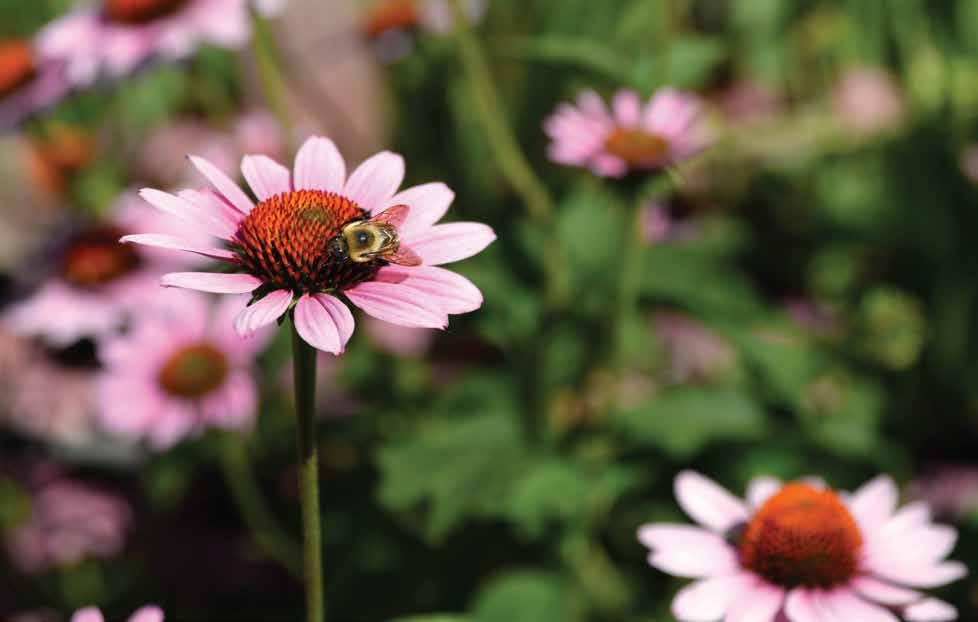
Raj was gifted a new camera and decided to take photos of his mother's flower garden. While taking pictures, he noticed bees collecting nectar from the flowers which sparked his interest in studying pollination. Raj plans to build a robotic model to gain a better understanding of the process of plants and pollination.
At the end of this activity the learner will be able to demonstrate an understanding of the following:
Ecosystems: Interactions, Energy, and Dynamics 5-LS2.A: Interdependent Relationships in Ecosystems
Objective:
Lesson Plan: Plants and Pollinators (Project 3)
Week 1: Introduction and Brainstorming
Introduce the concept of pollination and begin to think about how to design the model. Duration: 45 minutes
S# Phase Duration Details
1 Introduction 5 minutes
2 Discussion 10 minutes
3 Demonstration 10 minutes
4 Brainstorming 15 minutes
5 Wrap Up 5 minutes
6 Homework
• Briefly explain the importance of plants and their role in pollination.
• Introduce Raj's story and how curiosity led him to want to understand the pollination process.
• What do students know about pollination?
• Why is it important?
• What creatures play a role in pollination?
• Show a real-life flower and a bee (or a video/picture if the real thing isn't available) to demonstrate the process.
• Discuss the structure of the flowering plant and how it connects with pollinators.
• Ask students to sketch their ideas about how to design a robotic model of the flower and pollinator.
• Encourage students to think about their design before the next class. Remind them of the project requirements and the need to connect it to the WeDo 2.0 kit.
• Sketch your flower model and think about how you want to demonstrate the pollination process.
Week 2: Building and Programming
Objective:
Get students to start building and programming their design models.
Duration: 45 minutes
S# Phase Duration Details
1 Recap 5 minutes
2 Building Session 20 minutes
3 Programming Session 15 minutes
• Review what was learned in the previous session.
• Students begin building their flower models using the WeDo 2.0 kit.
• Encourage creativity but remind them of the design requirements.
• Introduce students to basic programming concepts they'll need to animate their flower model.
• Allow students to program their models.
4 Evaluation Discussion 5 minutes
5 Homework
• Check-in with each student or group about their progress.
• Remind them of the evaluation criteria.
• Finalize your flower and pollinator model. Think about how it demonstrates the pollination process.
Week 3: Presenting and Reflecting
Objective:
Allow students to demonstrate their designs and reflect on their learning.
Duration: 45 minutes
S# Phase Duration Details
1 Presentation 20 minutes
2 Evaluation 10 minutes
3 Discussion 10 minutes
4 Reflection 5 minutes
5 Homework
• Students demonstrate their flower and pollinator models.
• Encourage them to explain their design choices.
• Go over the evaluation criteria as a class.
• Check if students can answer the mathematical question about the pollen count.
• Discuss other animals that can pollinate flowers.
• Talk about the Sustainable Development Goal 15 and its importance.
• Allow students some quiet time to fill in the reflection question.
• Ask a few students to share their thoughts.
• Write a short paragraph on how you can apply what you've learned to help terrestrial ecosystems in your community.
Answer Key
4 Today had a higher pollen count at 87.071 PPM.
5 Possible answers include birds, butterflies, moths, bats, and wind.
6 Reflection: Varies by student, but answers should link back to the sustainable use and preservation of ecosystems, possibly mentioning the protection of pollinators, planting more flowers/trees, reducing the use of pesticides, etc.
Cleaning the Ocean
Project 4: Cleaning the Ocean
Introduction
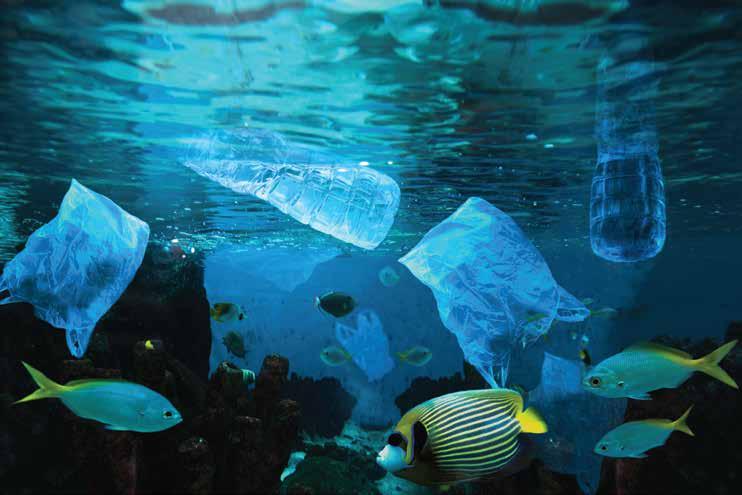
In recent decades, the oceans have been inundated with millions of tons of plastic. To ensure the safety of sea animals, fish, and their habitats, it is crucial that plastic bags, bottles, containers, and other debris are removed from the oceans.
STEM Careers Connection
This project features tasks that resemble people working in the following careers: Marine Pollution Ecologist, Marine Biologist, and Marine Environment Economist.
Problem
Abigail's dream career is to become a marine biologist. For a school project, she was tasked with creating an invention of her choice. She chose to develop a solution that would aid in eliminating water pollution from the oceans.
At the end of this activity the learner will be able to demonstrate an understanding of the following:
Objective:
Lesson Plan: Cleaning the Ocean (Project 4)
Week 1: Introduction and Design Phase
Understand the challenge and begin to design the model. Duration: 45 minutes
S# Phase Duration Details
1 Introduction 10 minutes
2 Brainstorm Session 20 minutes
3 Begin Building 10 minutes
4 Wrap-up and Homework 5 minutes
• Introduce the project objectives, and Abigail’s challenge.
• Discuss the importance of cleaning oceans and touch on the careers connected to the project.
• Show a real-world example of an ocean cleaning device.
• Group discussion: Discuss the three tasks –Reel, Sweep, and Grab. What does each one mean? What might it look like?
• Individual work: Students sketch their ideas on paper.
• With the remaining time, students can start building their models using the WeDo 2.0 Kit.
• Students should think about sustainable consumption and prepare some ideas for the reflection session in the coming weeks.
Week 2: Building and Testing Phase
Objective:
Complete the model and begin programming and testing.
S#
1 Building Session 15 minutes
2 Programming Introduction 10 minutes
3 Testing Session 15 minutes
Duration: 45 minutes
• Students continue to build their models. The teacher walks around assisting and guiding.
• Introduce students to programming the WeDo 2.0 models. Discuss how programming can control the Reel, Sweep, and Grab functions.
• Students test their models’ functionality. They adjust and program their models to see if they can make the Reel, Sweep, and Grab functions work.
• Have students fill in the evaluation form during testing.
4 Math Connection 5 minutes
• Introduce the problem: If 71 people threw just one bottle in the ocean every month,
how many bottles would be in the ocean from those people in 1 year? Let them solve.
Week 3: Evaluation and Reflection Phase
Objective:
Final testing, discussion on results, and reflections on sustainable consumption. Duration: 45 minutes
S# Phase Duration Details
1 Final Testing 10 minutes
2 Class Discussion 15 minutes
3 Reflection 15 minutes
4 Wrap-up and Homework 5 minutes
• Students test their models for the final time and ensure they have filled out the evaluation forms.
• Discuss the results as a class. What worked? What didn’t?
• Talk about real-world implications of such inventions and how they can help achieve Sustainable Development Goal 12.
• Discuss the importance of sustainable consumption. How can they implement this in their lives? What did they learn from the project?
• Students can jot down their reflections in their books or on a separate sheet.
• Congratulate the students on their hard work.
• For homework, students can research more on marine pollution and write a short essay or prepare a poster on what they learned and how they can make a difference.
Answer Key
Q# Answer
1 The model description will be individualized per student design.
Own/Example
71×12=852 bottles
6 This question seems unrelated to the context. (However, possible answers include bees, butterflies, birds, bats, wind, and even some mammals like lemurs.)
7 Reel, Sweep, Grab:
The responses will vary based on the student's model and programming. Ensure that the students have tested different parameters and noted their observations.
8 Reflection will be individualized per student but should touch on reducing waste, reusing, and recycling.
Sort to Recycle
Project 5: Sort to Recycle
Introduction
Pollution is a big problem. Trash can hurt people and animals. Recycling is the only way to fix it. We need to throw away less and put things in the right places. Then machines can sort the trash by size, shape, and weight. Recycling helps things get used again and is important for our planet's future.
STEM Careers Connection
This project features tasks that resemble people working in the following careers: Material Recovery Facility Managers, Engineering Project Manager - Solid Waste, Sustainability and Recycling Engineer.
Problem
Kiara and Joaquin reside in a town that holds an annual clean-up day for the community to tidy up all litter on the streets and public spaces. They are thinking about the possibility of creating a device that could sort various recyclable materials based on their physical characteristics, such as their size.
At the end of this activity the learner will be able to demonstrate an understanding of the following: Objectives
Objective:
Lesson Plan: Sort to Recycle (Project 5)
Week 1: Introduction & Understanding
Familiarize students with the project context and the importance of recycling. Begin the brainstorming process for their recycling machine.
Duration: 45 minutes
S# Phase Duration Details
1 Introduction 10 minutes
2 Briefing on Requirements 5 minutes
3 Brainstorming 20 minutes
4 Discussion 10 minutes
5 Homework
• Discuss the problems of waste and litter.
• Introduce Kiara and Joaquin's challenge.
• Go through the list of materials and requirements.
• Ensure all students have access to a WeDo 2.0 kit and a pencil.
• Discuss the concept of sorting by physical characteristics.
• Begin brainstorming designs for their model.
• Allow students to sketch their initial designs on paper.
• Allow a few students to share their designs.
• Discuss how different designs can address the problem differently.
• Complete a detailed sketch of their recycling machine. Consider how it will sort materials based on size.
Week 2: Building & Programming
Objective:
Guide students through the building and programming phase of their models.
Duration: 45 minutes
S# Phase Duration Details
1 Recap 5 minutes
2 Model Construction 20 minutes
3 Introduction to Programming 10 minutes
4 Testing and adjusting 10 minutes
5 Homework
• Briefly go over last week’s brainstorming and the importance of the project.
• Allow students to start building their machines using the WeDo 2.0 Kit.
• Circulate to assist with questions and provide guidance.
• Briefly introduce how to program the models to sort based on size.
• Encourage students to experiment with the programming.
• Allow students time to test their machines and make any necessary adjustments.
• Write a brief paragraph explaining the programming choices they made and why.
Objective:
Week 3: Evaluation & Reflection
Evaluate students' models and reflect on the implications for sustainability.
Duration: 45 minutes
S# Phase Duration Details
1 Model Demonstrations 20 minutes
2 Volume Activity 10 minutes
3 Reflection & Discussion 10 minutes
4 Wrap Up 5 minutes
• Allow several students to demonstrate their models in front of the class.
• Discuss what works well and potential improvements.
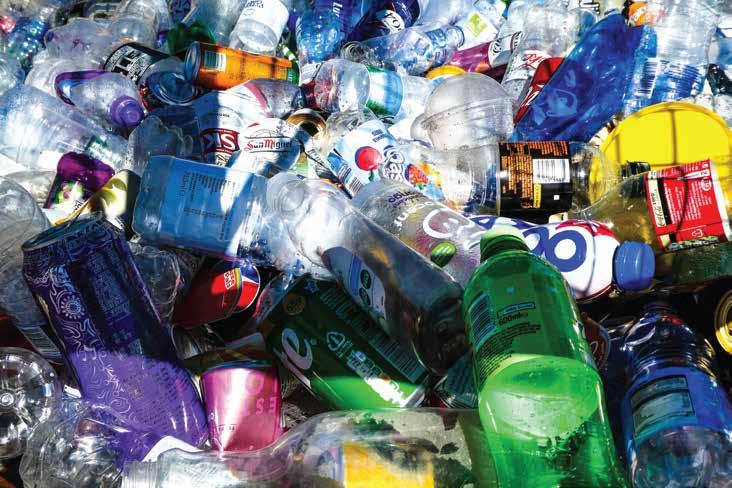
• Display a picture of recycled materials.
• Using the knowledge of cubed units, have students decide which has the greater volume.
• How can we practice sustainable consumption in our daily lives?
• Discuss the STEM career connections: Material Recovery Facility Managers, Engineering Project Manager - Solid Waste, Sustainability, and Recycling Engineer.
• Encourage students to continue exploring the world of STEM and the importance of sustainable development.
Answer Key
Q# Answer
1 Answers will vary depending on individual student designs and their ability to follow or deviate from instructions.
2 Reflection: Answers will vary. However, students should highlight aspects such as recycling, reusing items, reducing consumption, and being more conscious of the waste they produce.
Spy Robot
Project 6: Spy Robot
Introduction
Security systems, also known as burglar alarms, can be used in various settings such as homes, vehicles, schools, airports, and public buildings. These systems are designed to detect the presence of a person and trigger an alarm, which can either be silent with flashing lights or loud with sirens and bells. In addition, companies utilize security systems to safeguard the information they have on the internet, which is referred to as cyber security.
STEM Careers Connection
This project features tasks that resemble people working in the following careers: Cyber Security Engineer, Police Officer, Computer Programmer, or Surveillance Officer.
Problem
Sheraz and Luqman are planning a surprise party for their friend Rehan, but they're unsure of when he'll arrive. They require a device in their house that can alert them when he does. They're hoping to create a spy robot that can emit a light or sound signal upon detecting their friend's arrival.
At the end of this activity the learner will be able to demonstrate an understanding of the following: Objectives
Objective:
Lesson Plan: Spy Robot (Project 6)
Week 1: Introduction and Brainstorming
Understand the project's objective, its alignment with the curriculum, and brainstorm the design.
Duration: 45 minutes
S# Phase Duration Details
1 Introduction 5 minutes
2 What is a Spy Robot? 10 minutes
3 Brainstorming Design 25 minutes
4 Group Sharing 5 minutes
5 Closing 5 minutes
• Introduce the project scenario: Sheraz and Luqman's surprise party.
• Emphasize the importance of STEM and link the project to the specified objectives and goals.
• Discuss the general concept of a spy robot.
• Highlight the importance of a spy robot in real-world scenarios and link to the STEM careers: Cyber Security Engineer, Police Officer, Computer Programmer, or Surveillance Officer.
• Students discuss the type of model they want to build.
• Encourage students to sketch their initial ideas on paper.
• Discuss signal methods (light and sound) for motion detection.
• Allow groups or individuals to share their brainstormed ideas.
• Reiterate the importance of designing and innovation in the real world.
• Assignment: Ask students to refine their designs at home if needed.
Week 2: Building and Initial Testing
Objective:
Begin construction of the spy robot and test its functionality.
Duration: 45 minutes
S# Phase Duration Details
1 Building the Model 25 minutes
• Students use their designs and the WeDo 2.0 Kit to start building their spy robots.
• As they build, students should document any changes they make to their original designs.
2 Introduction to Programming 10 minutes
• Introduce basic programming concepts necessary to operate the robot.
• Discuss how the robot will detect motion and emit signals.
3
Initial Testing 5 minutes
4 Closing 5 minutes
• Test the spy robot's basic functionality: Does it emit a signal when motion is detected?
• Students document their results.
• Discuss the importance of testing and iteration.
• Assignment: Think about further improvements or modifications for the next session.
Week 3: Evaluation and Reflection
Objective:
Finalize the project, evaluate its effectiveness, and reflect on the learning process.
Duration: 45 minutes
S# Phase Duration Details
1 Finalizing the Model 15 minutes
2 Final Testing and Evaluation 20 minutes
3 Group Reflection and Discussion 5 minutes
4 Closing 5 minutes
• Students make final modifications to their spy robots based on the initial testing.
• Ensure the smarthub is correctly attached.
• Students test their robots according to the evaluation criteria.
• Measure the distance for motion detection.
• Convert measurements to meters.
• Brainstorm other security scenarios.
• Document all findings.
• Students share their experiences, challenges, and learning.
• Discuss community steps to promote innovation.
• Reiterate the importance of STEM in solving real-world problems.
• Encourage students to explore more STEM projects and consider STEM careers.
Answer Key
Q# Answer
1 4. Measurement will vary by student design.
2 To convert cm to meters, divide by 100. For instance, if a student measures 250cm, the conversion is 2.50 meters.
3 Sample answers: 1) Monitoring entrances in offices, 2) Notifying shop owners of customers entering, 3) Detecting trespassers in restricted areas.
4 Reflection:
Sample answer: By investing in STEM education and providing platforms for young innovators to share their ideas, the community can foster a culture of innovation. Encouraging real-world problem-solving competitions can also inspire students to think creatively.
Volcano Alert
Project 7: Volcano Alert
Introduction
Technology is extremely useful for working in areas where humans can't go. For example, in volcanoes (openings in the earth's crust through which lava, volcanic ash, and gases escape). Scientists around the world monitor the activity of various volcanoes.
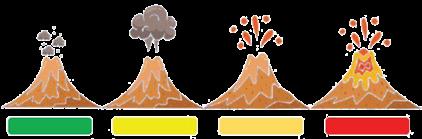
For an active volcano, scientists have assigned different colours for different stages of activeness, which are:
Green: The volcano is not showing any signs of activity.
Yellow: The volcano is showing some signs of activity.
Orange: The volcano is active with some minor emissions.
Red: The volcano is active and will erupt imminently.
At the end of this activity the learner will be able to demonstrate an understanding of the following: Objectives
Objective:
Lesson Plan: Volcano Alert (Project 7)
Week 1: Introduction and Conceptualization
Introduction to volcanoes, their importance, and how scientists track volcanic activity. Duration: 45 minutes
• Quick discussion: What do students know about volcanoes?
• Introduce the STEM career connection with a brief explanation of roles.
• Overview of NGSS, The national curriculum of England, and the Common Core Mathematics objectives related to the project.
• Explanation of Sustainable Development Goal 15.
• Students to brainstorm and describe the model they are planning to build using the WeDo 2.0 Kit.
• They should think about the structure, appearance, and how it might be used to signal volcanic activity.
• Students illustrate their ideas on paper.
• Recap what they've learned.
• Homework: Research on ways scientists track volcanic activities.
Week 2: Building and Programming
To create a model representing the machine that can detect volcanic activity.
Duration: 45 minutes
S# Phase Duration Details
1 Building Session 20 minutes
2 Programming Session 15 minutes
3 Evaluation Activity 5 minutes
4 Math Activity 5 minutes
• Students start building their models based on their brainstorm from Week 1 using the WeDo 2.0 Kit.
• Encourage creativity and experimentation.
• Once the model is built, students program it to detect and signal potential volcanic activity.
• This could be a simple sound alert or movement.
• Students answer questions 1-3 from the evaluation section.
• Students tackle question 4 from the evaluation section.
Objective:
Week 3: Presentation and Reflection
To present their models and reflect upon the importance of sustainable use of terrestrial ecosystems.
Duration: 45 minutes
S# Phase Duration Details
1 Model Presentation 20 minutes
2 Reflection on Signals 10 minutes
3 Reflection on Sustainable Ecosystems 10 minutes
4 Wrap-up and Conclusion 5 minutes
Q# Answer
• Students present their models, explain their functionality, and how they represent methods used by scientists.
• Discuss the relevance of these models to the real world.
• Students address question 5 from the evaluation section.
• Group discussion on these ideas.
• Open-ended reflection question.
• How does monitoring volcanoes and understanding their patterns help in promoting a sustainable ecosystem?
• Recap the entire project, emphasizing the real-world connections and the importance of the STEM careers related to volcanoes.
Answer Key
1 Own/Example - Subjective based on student response.
2 Own/Example - Subjective based on student response.
3 Yes/No - Subjective based on student response.
4 37−34=3 (3 more new erupting volcanoes in 2018 than in 2022).
5 Ideas can include: Sound alarms, flashing lights, vibration alerts, etc. (Subjective and open to creativity).
6 Reflection: Answers will vary. The focus should be on the importance of monitoring natural phenomena to ensure safety, preserving the environment, and understanding nature to support sustainable living.
Milo Motion Sensor
Project 8: Milo Motion Sensor
Introduction
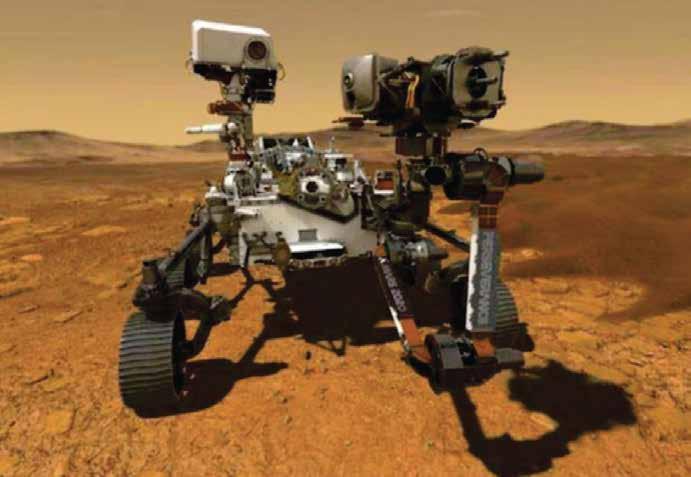
When a rover is in a remote place such as on the moon or Mars (space), it needs to have sensors to help it make decisions about where to go and where to stop. The rover needs to have sensors so it can achieve a task without constant human control imminently.
STEM Careers Connection
This project features tasks that resemble people working in the following careers: Astronaut, Aerospace Engineer, Mechanical Engineer, and Space Biologist.
Problem
A space biologist came to talk to Sita’s science class. Sita was fascinated by all the different plant specimens she talked about. Some of the specimens can be poisonous, so Sita is wondering if a robotic model could be created to determine the plant species to see if they are safe to be examined by humans.
At the end of this activity the learner will be able to demonstrate an understanding of the following:
Objective:
Lesson Plan: Milo Motion Sensor (Project 8)
Week 1: Introduction & Initial Brainstorm
Introduce students to the project and its objectives.
Discuss the role of a space biologist and the importance of safety in their work. Brainstorm ideas for designing a machine to detect plant species.
Duration: 45 minutes
S# Phase Duration Details
1 Introduction 10 minutes
2 Project Presentation 10 minutes
3 Brainstorming 20 minutes
4 Wrap up 5 minutes
• Begin by explaining the role of space biologists and the importance of their work.
• Highlight the dangers of some space plants and the need for safe examination methods.
• Present the Milo Motion Sensor project to the students.
• Discuss the objectives, requirements, and design needs.
• Students will work in small groups to brainstorm how they will build their model.
• Encourage students to sketch their ideas, discuss the potential mechanisms that could detect plant species, and think about ways to adjust the distance of detection.
• Let students share some of their ideas with the class.
• Assign homework: Have students finalize their sketches and think more about the mechanism they want to implement.
Week 2: Building & Initial Testing
Objective:
Assist students in building their models using the WeDo 2.0 Kit.
Test the built models for functionality.
Duration: 45 minutes
S# Phase Duration Details
1 Building Session 25 minutes
2 Programming Introduction 10 minutes
• Students will start building their models based on their brainstormed ideas and sketches.
• Assist students as needed and ensure they are attaching their model to the smarthub properly.
• Briefly introduce students to the basics of programming their models using the WeDo 2.0 Kit.
3 Initial Testing 5 minutes
4 Evaluation Discussion 5 minutes
Objective:
• Guide them on how to make the model detect specific plant species.
• Let students test their models.
• Encourage peer feedback.
• Discuss the evaluation criteria for the next session.
Week 3: Programming, Final Testing, Evaluation & Reflection
Guide students in programming their models.
Evaluate students' models based on the criteria.
Engage students in reflection about their learning experiences. Duration: 45 minutes
S# Phase Duration Details
1 Programming Session 20 minutes
2 Final Testing 10 minutes
3 Evaluation 5 minutes
4 Reflection 10 minutes
• Students will program their models using the WeDo 2.0 Kit.
• Offer guidance and support as needed.
• Students will test their programmed models to see if they work as intended.
• Encourage students to test each other’s models and provide feedback.
• Students answer the evaluation questions:
• Were you able to build it on your own or did you use the instructions for the design model?
• Were you able to program the model on your own or did you use the instructions?
• Does your model work?
• If your machine checks 145 plants and 29 of them are unsafe. What fraction of the plants are unsafe? Write the fraction in the lowest terms. Answer Key: 29/145=1/5
• Facilitate a class discussion based on the reflection question. Allow students to share their personal experiences and insights.
Answer Key
Q# Answer
1 Were you able to build it on your own or did you use the instructions for the design model?
This is subjective and will vary from student to student. Accept both "Own" and "Example" as answers, but encourage students to explain their choices in the reflection.
2 Were you able to program the model on your own or did you use the instructions?
Again, this will vary based on the student's experience and familiarity with programming. Accept both "Own" and "Example" as answers, with an emphasis on reflection.
3 Does your model work?
This will be either "Yes" or "No". If students answer "No", ask them during reflection to discuss what challenges they faced and how they might approach the problem differently next time.
4 If your machine checks 145 plants and 29 of them are unsafe. What fraction of the plants are unsafe? Write the fraction in the lowest terms.
Answer: 29/145=1/5
5 Reflection:
Based on your learning experience, how did this challenge promote lifelong learning opportunities for you?
The reflection section is subjective, and there's no right or wrong answer. Here are some potential insights teachers might look for in students' answers:
• Recognizing the importance of safety and the application of technology in ensuring safety.
• Understanding the interdisciplinary nature of STEM - how science, technology, engineering, and math can come together to solve real-world problems.
• Gaining an appreciation for the complexity of space biology and the challenges space professionals might face.
• Realizing the value of collaboration, feedback, and iterative design.
• Recognizing the significance of technological literacy in the 21st century. Encourage students to articulate their thoughts and relate their experiences in the project to broader themes or lessons. It's also beneficial if they can connect their learning to potential future scenarios or careers.
Automatic Checkpost
Project 9: Automatic Checkpost
Introduction
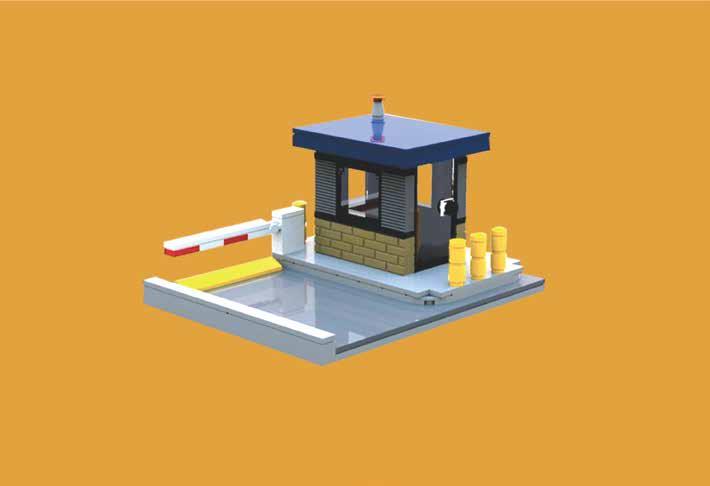
Barrier posts, also known as Automatic Check Posts, are essential for maintaining the safety and smooth flow of traffic in areas such as security checkpoints, parking lots, and garages. These posts ensure that every individual entering or exiting the area can be screened. The gates can be operated manually or via an automated system.
STEM Careers Connection
This project features tasks that resemble people working in the following careers: Police Officer, and Chief Security Officer.
Problem
Salim's father works as a police officer and his duty involves carrying out security checks on vehicles. He manually opens and closes the gate at the checkpost, allowing only cleared vehicles to pass through. This task is quite arduous and Salim is interested in installing an automated gate at the checkpost to make the process easier.
At the end of this activity the learner will be able to demonstrate an understanding of the following: Objectives
Objective:
Lesson Plan: Automatic Checkpost (Project 9)
Week 1: Introduction and Understanding the Problem
To grasp the real-world problem and conceptualize the solution. Duration: 45 minutes
S# Phase Duration Details
1 Introduction 10 minutes
2 Review Learning Objectives 10 minutes
3 Brainstorming Session 20 minutes
4 Homework Assignment 5 minutes
• Discuss Salim's story and the challenges his father faces.
• Highlight the importance of security checks in society.
• Briefly introduce the core curriculum objectives (NGSS, National Curriculum of England, and Common Core for Mathematics).
• Discuss the relevance of Sustainable Development Goal 16.
• Introduce STEM career connections (Police Officer, and Chief Security Officer).
• What is automation? Why is it useful?
• Think about how an automatic gate works.
• Encourage students to sketch their ideas on paper with a pencil.
• Discuss different ideas with the class.
• Ask students to conduct a short interview with a family member about automation in daily life and come prepared to share in the next session.
Week 2: Design and Model Building
Objective:
To design and build an automatic checkpost using the WeDo 2.0 Kit. Duration: 45 minutes
S# Phase Duration Details
1 Review 5 minutes
2 Design Phase 10 minutes
3 Building Phase 5 minutes
• Recap the previous session.
• Allow 2-3 students to share insights from their homework interviews.
• Using their brainstormed ideas and sketches, ask students to finalize a design for the automatic gate.
• Remind students to consider how the gate will detect a cleared vehicle and open automatically.
• Using the WeDo 2.0 Kit, guide students to build their model.
4 Testing 5 minutes
• Encourage team collaboration and problemsolving.
• Allow each group to briefly showcase their working model.
• Note any challenges or issues they faced.
Week 3: Evaluation and Reflection
Objective:
To evaluate the effectiveness of the model and reflect on the learning process.
Duration: 45 minutes
S# Phase Duration Details
1 Model Evaluation 10 minutes
2 Mathematics Integration 10 minutes
3 Reflection Session 20 minutes
4 Closure 5 minutes
• Ask students: "Does your model work?" and let them showcase their functioning gates.
• Pose the question: "In a year, this is how many cars go through the checkpost."
• Allow students to fill in the missing numbers in the boxes. Four thousand five hundred eighty-seven = ____.
• Discuss place value (linking to Common Core 5.NBT.A.1).
• Based on your new learning, how can you promote peaceful and inclusive societies for sustainable development?
• Encourage open discussion about the importance of security, automation, and technology in building peaceful societies.
• Discuss potential challenges and benefits.
• Congratulate students on completing the project.
• Encourage them to think about how STEM can be used in other real-world problems.
1
Answers will vary. Ideal answers will include an automatic mechanism (like a sensor) to detect cleared vehicles and a mechanism for the gate to open and close.
2 Evaluation: Does your model work? – Students should respond with "Yes" or "No". Ideally, most groups will have a working model. In a year, this is how many cars go through the checkpost. Four thousand five hundred eighty-seven = 4,587.
3 Reflection:
Answers will vary. Ideal answers will emphasize the role of technology in simplifying tasks, ensuring security without compromising efficiency, and fostering peaceful societies by minimizing human error and bias.
Project 10: Van
Introduction
The process of creating the look and functionality of motor vehicles, such as cars, motorcycles, trucks, buses, coaches, and vans, is known as automotive design. This task is usually carried out by a team consisting of engineers, artists, and ergonomics experts.
STEM Careers Connection
This project features tasks that resemble people working in the following careers: Industrial Design Engineer, Automotive Executive, and Automotive Engineer.
Problem
Ahmad's father holds a prominent position as the chief executive in the automotive industry. With the fierce competition in this sector, there is a high demand for ingenious and savvy vans. To stay ahead of the competition, Ahmad's father is contemplating the creation of a new model van. Ahmad is eager to assist his father in conceptualizing the new design.
the end of this activity the learner will be able to demonstrate an understanding of the following: Objectives
Objective:
Lesson Plan: Van (Project 10)
Week 1: Introduction and Brainstorming
Understand the purpose of the project and start brainstorming for ideas.
Duration: 45 minutes
S# Phase Duration Details
1 Introduction 10 minutes
• Share the story of Ahmad and his father.
• Highlight the relevance of the automotive industry and the importance of innovation.
• Introduce the objectives and connections (NGSS, National Curriculum of England, etc.)
2 Discussion 15 minutes
3 Brainstorming 15 minutes
4 Assignment 5 minutes
• Discuss the meaning of the objectives and the relevance of the sustainable development goal.
• Introduce the careers related to this project (Industrial Design Engineer, Automotive Executive, and Automotive Engineer).
• Students break into small groups and discuss their ideas for designing a unique van.
• Encourage creativity and thinking outside the box.
• Share group ideas briefly with the class.
• Instruct students to sketch their initial design ideas at home, emphasizing the need to think about the unique features they want to include in their van model.
Week 2: Design and Construction
Objective:
Design the van and begin building the model using the WeDo 2.0 Kit.
Duration: 45 minutes
S# Phase Duration Details
1 Review 5 minutes
2 Design Discussion 15 minutes
3 Hands-on Building 20 minutes
• Recap what was covered in the previous session.
• Allow students to share their sketches and ideas with the class.
• Facilitate feedback and discussion to refine the designs.
• Distribute WeDo 2.0 Kits.
• Guide students to start building their van models, referring to their sketches.
4 Wrap-up 5 minutes
• As they build, prompt them to think about how they can integrate the smarthub into their design.
• Instruct students to carefully store their work-in-progress models.
• Prepare them for the evaluation phase next week.
Week 3: Evaluation, Reflection, and Mathematics
Objective:
Complete the construction of the model, evaluate it, reflect on the learning, and solve the given math problem.
Duration: 45 minutes
S# Phase Duration Details
1 Finalize Model
10 minutes
2 Evaluation 10 minutes
3 Mathematics Connection 20 minutes
4 Reflection 10 minutes
5 Wrap-up 5 minutes
• Allow students to complete their van models.
• Test if the models work.
• Discuss the sales pattern of the vans. Write the sales numbers on the board for visual reference.
• Engage the students in identifying the sales pattern. (It's an increment of 8 vans each month.)
• Ask students to calculate the projected sales for May.
o Answer: 47 vans (April’s sales + 8)
• Facilitate a discussion on fostering innovation. What does innovation mean to the students?
• Discuss how the community can support new ideas and innovation in various industries, not just automotive.
• Emphasize the importance of sustainable development, innovation, and how STEM careers can make an impact in real-world industries.
• Encourage students to consider how the skills they're learning now could apply in future careers.
Answer Key
Q# Answer
1 The pattern of van sales is an increment of 8 vans each month. (January to February increased by 8, February to March increased by 8, and March to April increased by 8.)
2 Based on this pattern, for May, the projected sales would be 47 vans (39 in April + 8).
3 Reflection: Reflection answers will vary based on individual student understanding and opinions.
Cambridge Curriculum Alignment:
Exploring Ecosystems: In Grade 5 of the Cambridge curriculum, students typically study ecosystems, including marine ecosystems. The "Glowing Snail" project, which focuses on marine life and conservation, aligns with the curriculum's objectives related to understanding different ecosystems, including marine habitats.
1 Project 1: Glowing Snail
Life Sciences: Within the Cambridge curriculum, there is a strong emphasis on life sciences, including the study of living organisms. The project's exploration of bioluminescence in snails and the understanding of relationships between organisms and their environments align with the curriculum's life science objectives.
Conservation and Sustainability: Many Cambridge curriculum frameworks emphasize environmental conservation and sustainability. The "Glowing Snail" project, with its focus on marine conservation and the importance of protecting natural habitats, can align with these sustainability objectives.
Scientific Inquiry: Cambridge curricula often promote scientific inquiry and hands-on experimentation. This project, which involves designing and creating a model of a glowing snail, aligns with the curriculum's objectives related to practical scientific skills and experimentation.
Scientific Enquiry:
Ask questions, make predictions, and test ideas through practical investigations.
Collect and record data accurately. Interpret and evaluate data, recognizing patterns and identifying simple scientific relationships.
2 Project 2: Frog
Life Processes and Living Things:
Describe the life cycle of amphibians, with a focus on metamorphosis.
Explain how environmental factors and aquatic ecosystems impact the development of amphibians. Recognize the interdependence of organisms and their environments, with a specific focus on amphibians as part of aquatic ecosystems.
Habitats and Adaptations:
Metamorphosis
3 Project 3: Plants and Pollinators
Investigate and compare the habitats of amphibians at different stages of their life cycle.
Explore how amphibians adapt to changes in their habitat during metamorphosis.
Environmental Stewardship:
Discuss the importance of preserving aquatic ecosystems and the role of amphibians in these ecosystems. Identify ways in which individuals and communities can contribute to environmental stewardship and the conservation of amphibian species.
Scientific Enquiry:
Ask questions, plan and conduct investigations, and collect and record data.
Make observations and measurements accurately. Interpret data, recognize patterns, and communicate findings.
Life Processes and Living Things:
Investigate and understand the relationship between plants and pollinators.
Explore the role of pollinators (e.g., bees, butterflies) in the pollination process.
Build a robotic model of a flower and pollinator to simulate pollination.
Biodiversity and Ecosystems:
Explain the significance of biodiversity in maintaining healthy ecosystems.
Discuss how plants and pollinators are integral to ecosystem health.
Understand the impact of environmental changes on pollinator populations and plant life.
Environmental Stewardship:
Recognize the importance of conserving pollinator species and their habitats.
Explore ways in which individuals and communities can contribute to the conservation of pollinators and the promotion of ecosystem health.
Scientific Enquiry:
4 Project 4: Cleaning the Ocean
Develop and apply creative thinking to design and construct a robotic solution for cleaning water surfaces. Test and evaluate the effectiveness of the robotic solution in addressing ocean pollution.
Earth Science and Environmental Impact:
5
6
Investigate the issue of ocean pollution and its impact on the environment.
Explore the concept of sustainable consumption and its importance in reducing environmental pollution.
Materials and Properties:
Study the properties and behaviors of materials used in the robotic solution, especially those affecting the environment (e.g., materials that are safe for aquatic life).
Discuss how the choice of materials can have an impact on environmental conservation.
Environmental Stewardship:
Recognize the human impact on the environment, particularly in the context of ocean pollution. Promote the idea of responsible consumption and innovative solutions to address environmental challenges.
Scientific Enquiry:
Plan and carry out investigations related to recycling and waste reduction.
Collect and record data on the types and sizes of recyclable materials.
Analyze and interpret data to identify trends in recycling and waste management.
Earth and Human Activity:
Explore the human impact on Earth's systems, specifically focusing on waste generation and its effects on the environment.
Design and create a machine that sorts recyclable materials based on size, emphasizing responsible consumption and waste management as potential solutions.
Properties and Changes of Materials:
Examine material properties, particularly those relevant to recycling (e.g., size, composition), and discuss their implications for recycling and waste reduction efforts. Explore the role of sorting mechanisms in recycling processes and their impact on material properties.
Environmental Stewardship:
Foster an understanding of responsible consumption, waste reduction, and recycling practices. Encourage students to think critically about how their actions can positively impact the environment and reduce waste.
Scientific Enquiry:
Project 5: Sort to Recycle
Project 6:
7
Robot
8
Engage in scientific inquiry and problem-solving processes to develop a motion-sensing robot.
Plan and conduct investigations related to the design and functionality of the robot.
Collect, analyze, and interpret data generated during the project.
Engineering Design and Technology:
Apply STEM concepts and engineering principles to design and construct a motion-sensing robot for enhancing security.
Demonstrate creativity and innovation in developing technological solutions for surveillance and protection.
Working Scientifically:
Develop scientific inquiry and investigative skills while working on the project.
Explore various scientific and engineering methods for creating a functional and effective spy robot.
Scientific Enquiry:
Engage in the engineering design process to solve realworld problems related to geological phenomena. Apply STEM principles to design and construct a model for monitoring volcanic activity.
Engineering Design and Problem-Solving:
Explore the engineering design process, emphasizing problem-solving and innovation.
Design and build a model that serves as a volcano alert system, contributing to disaster preparedness.
Natural Hazards and Disaster Preparedness: Understand geological phenomena related to volcanic activity.
Investigate methods for monitoring and alerting to volcanic events, promoting disaster preparedness.
Working Scientifically:
Develop skills in working scientifically, with a focus on engineering and problem-solving.
Apply scientific principles to design, construct, and test the volcano alert model.
Scientific Enquiry:
Apply the scientific inquiry process to investigate and solve problems.
Develop skills in inquiry and investigation, including data collection and analysis.
Project 7: Volcano Alert
Project 8: Milo Motion Sensor
9
10 Project 10: Van
Engineering and Technology:
Participate in the engineering design process to solve realworld problems.
Create a motion sensor device as part of the engineering design process, utilizing STEM knowledge and skills.
Innovation and Technology in Learning:
Promote education and innovation by utilizing technology to support learning and exploration. Understand the impact of technology on education and explore ways in which technology can enhance learning experiences.
Working Scientifically:
Develop and refine skills in scientific inquiry and investigation, including problem-solving and experimentation.
Engineering Design and Scientific Inquiry:
Engage in the engineering design process to address realworld challenges, such as designing an automated checkpost system for security. Apply STEM skills to plan, create, and evaluate the efficiency and effectiveness of the checkpost system.
Technology and Infrastructure:
Explore how technology and engineering can enhance infrastructure and contribute to the safety and security of communities.
Investigate the role of automation and technology in improving security measures.
Problem-Solving and Innovation:
Develop problem-solving skills by designing and implementing an automated checkpost system. Foster innovation and creativity in finding solutions to security challenges.
Community and Safety:
Recognize the importance of security and safety in communities.
Understand how the automated checkpost system contributes to maintaining peace and security in the community.
Scientific Enquiry:
Engage students in the engineering design process, promoting creativity and innovation.
Project 9: Automatic Checkpost
Encourage students to identify a problem related to transportation and apply engineering principles to design an innovative model van.
Engineering and Innovation:
Foster an understanding of engineering and innovation in the context of transportation. Challenge students to think critically and creatively as they design a model van.
Practical Skills:
Develop practical skills related to scientific inquiry, problem-solving, and the application of STEM principles. Encourage students to document their design process, consider constraints, and evaluate the effectiveness of their model van.