detection on outdoor cameras can help alerts when compared to typical motion
can also be used to monitor safety by when people are detected in dangerous heavy machinery at a factory.
can also reduce the time it takes to event or streamline live monitoring by footage without people.
Security Analytics & Intelligent Alerts Explained
Visual data, video analytics and intelligent alerts can streamline security and improve operational efficiency. There are a variety of powerful tools available on the marketplace, so we have put together a quick and easy guide to help you decide how to run smarter operations.
Object Removed
This solution is used to alert staff when an object has been removed from an area. From worksites sites to car dealership parking lots, the potential use cases for Object Removed is only limited by the imagination. Set alerts and send notifications to security the moment a monitored object is removed.
Heat maps
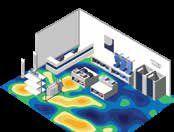
Heat maps are a visual display in the form of a color map, showing the areas and frequencies of motion captured by a security camera. Motion analytics and heat map reports illustrate visual data to show how people move through your buildings.
In retail environments this data is used to understand customer behavior and make adjustments to drive revenue. In factories and warehouse operations this information can be used to find bottlenecks and increase operational efficiency.
Face Mask Detection
Take a proactive approach to ensure employees and customers adhere to mandated health policies. Increase situational awareness and response times with automatic alerts for No Mask events.
Enter, Exit and Queue Management
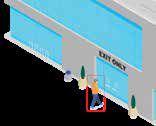
Enter and exit alerts can set when motion is detected moving in a specific direction. This often used to alert staff if a person is entering or exiting through the wrong door or if a vehicle is traveling in the wrong direction.
Queue management is often used in retail to monitor POS stations and other areas. This data can trigger alerts that notify internal teams of longer than usual wait times to allow for better customer service. There are many different industry specific use cases for this application.
Skin Temperature Screening
Help keep employees, patients and clients healthy. Thermal cameras placed at main entry points send skin temperature alerts when someone with an elevated temperature enters the building.
Linger and Dwell
The role of analytics is to identify certain behaviors and make the job of the system operator easier. Loitering, lingering or dwelling is often a precursor to a more significant event.
This solution can be used as an early warning to alert staff of suspicious activity and assist in the prevention and/or investigation of an incident.
Crowd Formation
Crowd Detection is a video analytic that estimates the number of people within a given area or a specified percentage of people. Crowd Detection is ideal for public surveillance applications where the volume of people needs to be monitored for public safety or quality of service.
Learn how visual data, video analytics and intelligent alerts are used across different industries. Click here and select your industry.
www.cloudvue.io/smarter-operations
Security Analytics & Intelligent Alerts Explained
Visual data, video analytics and intelligent alerts can streamline security and improve operational efficiency. There are a variety of powerful tools available on the marketplace, so we have put together a quick and easy guide to help you decide how to run smarter operations.
Object left behind
This feature analyzes images to look for abandoned objects. It is often used to alert staff in public transit terminals, subway trains, outside government buildings, and public areas.
This feature serves a wide variety of other industry-specific applications including runway debris detection at airports and much more. Object left behind alerts are used both for security and safety.
Detection
Using people detection on outdoor cameras can help reduce false alerts when compared to typical motion detection. It can also be used to monitor safety by sending alerts when people are detected in dangerous areas, like heavy machinery at a factory.
This solution can also reduce the time it takes to investigate an event or streamline live monitoring by filtering-off footage without people.
Vehicle Detection
This is commonly used at gates, loading areas, and parking lots. Alerts at gates are usually set every time a vehicle is present. Alerts in parking lots or loading areas are often set on schedules and trigger alerts after typical work hours.
This solution can be used as an early warning to alert staff of suspicious activity.
People
SO FAR, SO GOOD
Remote service options have become more popular in an era shaped by the COVID-19 pandemic
By Alanna Fairey
In a year of social distancing, the COVID-19 pandemic has kickstarted the need for remote troubleshooting for dealers and integrators.
Patrice Samuels, senior analyst, consumer technology, Parks Associates, says that remote integration and troubleshooting services were starting to take off prior to the pandemic, but a lot more
“There are a lot of things that we can remotely fix to save the client money.”
— David Koziel, Northern Alarm Protection
providers have started to embrace them as a strategy going forward, given the strict guidelines about physical distancing.
“The technology has been here for some time but, of course, it takes a lot of
time for a business to embrace a whole new technology because they have to integrate it in their back-end systems,” Samuels says.
“What the video remote solutions are facilitating is the ability for the customer to
“Customers do not have to pay a two-hour minimum service call, they do not have to pay a truck charge.”
—Peter Soet,Axis Systems Group
show [dealers or integrators] the physical product in the home and the dealers are then able to make recommendations about what’s wrong and how to resolve the issue.”
Adds Samuels, “COVID-19 really drove the need for this [remote troubleshooting] service.”
Ahead of the trend
While the pandemic may have given some vendors and dealers the push they needed to make the switch to remote troubleshooting, there have been many who were way ahead of the trend.
Richmond Hill, Ont.-based Northern Alarm Protection Co. Ltd. was offering remote integration and troubleshooting services for their clients before the pandemic hit. David Koziel, Northern Alarm Protection president and CEO, says that this remote troubleshooting feature was a value-added service for their clients.
“Our clients have always found the need or the value added in regards for us to remotely access their systems,” Koziel explains. “There are a lot of things that we can remotely fix to save the client money, and especially in our industry, security can’t wait.”
Koziel says that when COVID-19 was declared a pandemic and the lockdown was first announced back in March 2020, it was business as usual for Northern Alarm Protection.
“Different sections of our disciplines like access control, alarm systems, and CCTV have been able to go online, and we’ve been able to automatically start offering this to our clients,” Koziel says. “We’re not getting individual calls asking, ‘Do you do this?’ We already do this.”
Similarly, Burnaby, B.C.-based Axis Systems Group has seen that there is an expectation to be able to access systems through remote support.
“Clients did not want us to come to the site and they were more motivated to look at this is as a solution because they prefer to not have us come to their property,” says Axis Systems Group business development manager Peter Soet. “It made them wake up to the possibility of remov-
ing it from being on-site and allowing us to make these improvements for them to host their servers for them.”
Soet shares that his technicians are able to remotely service their customers using applications such as TeamViewer. Soet also stresses the importance of having a strong network connection that would also protect the privacy of their clients.
“We can do [remote troubleshooting] with a Virtual Private Network (VPN) connection through the internet, which has a secure connection to ensure that the customer’s data is protected,” Soet says.
On-site essentials
Although dealers and integrators have quickly adjusted to remote troubleshooting for their clients, there are situations that still require on-site inspection and it is not possible to handle the situation remotely.
“There’s still obviously going to be door strikes and card readers that will fail and cameras that will fail and they need to be physically changed,” Soet describes. “There’s definitely a fair bit of service — physically installing for new systems and pulling wire require on-site inspections.”
Koziel says that in order to be compliant with ULC standards for fire and intrusion detection, technicians must complete mandatory inspections on-site. This includes checking sprinklers, fire alarms and burglar alarms.
“These inspections absolutely are still mandatory. You still have to go do our test as per code in regards to the other gamut of services related that we cannot do remotely,” says Koziel.
Other tasks that cannot be done remotely often have to do with fixing faulty equipment and physical labour.
“You’ll always have equipment that does eventually go down, whether it’s a power surge, whether just longevity of equipment, and it cannot be reset remotely,” Koziel explains, “There will always be in our industry the need for us to attend, just with all of the remote connectivity.”
However, Koziel says that it is up to the client if they wish to have a technician come on-site to fix the problem.
“There’s a lot of things that we can diagnose and advise remotely, so it is totally client’s choice,” Koziel reiterates. “There always will be the need to go on-site, but with the remote diagnostics, we can always advise on the situation.”
Cost savings
While the COVID-19 pandemic will not last forever, the remote troubleshooting trend may continue to serve a purpose for dealers and integrators.
Samuels predicts that remote troubleshooting will still be offered as a service, as it reaps benefits not just for customers, but for dealers and integrators as well.
“It’s really costly for a company to drive out to a home and sometimes they might get there and discover they don’t have the proper equipment or everything they need but eventually have to make an appointment and work out the logistics to go again,” Samuels says. “The COVID-19 pandemic has really accelerated companies’ interest in these and pulled the trigger for them to adopt these solutions.
“I do think many of them will be leveraging them going forward because of just simply how [much it] can save them.”
Soet agrees that remote troubleshooting will continue through 2021, as time and money are the two of the biggest factors in decision-making for any business. Soet points out that “customers do not have to pay a two-hour minimum service call, they do not have to pay a truck charge — they’re just paying a 15-minute remote tech support charge.”
Service flexibility
Koziel shares that Northern Alarm Protection has received a number of requests from their customers for live remote system diagnostics.
The biggest takeaway of offering remote troubleshooting during COVID-19 for Koziel is the willingness to adapt and being flexible in finding ways to serve their clients.
“Our industry is extremely unique and is built on trust,” Koziel concludes. “With trust comes relationships, and automatically showing that we care for our clients by being able to diagnose remotely, and explain to them why we do have to go to the site and being prepared, certainly gives them the peace of mind that we do legitimately care for them.”
Don’t let your security system be an entry point for Cyber Attacks
The cybersecurity of IoT devices continues to be a hot topic as we become more reliant on the data these devices provide and share. Since IP-based cameras, the VMS, NVRs and supporting infrastructure all communicate over the network, they should be thought of as part of the larger IoT world. Any IoT device that is poorly protected represents an opportunity for a hacker to exploit the device and potentially gain access to an organization’s internal protected network. Once inside, they will try to find any valuable information they can. Since some attacks can cripple a business, it’s important to not let the security system be the way they gain access.
What makes a device vulnerable?
It’s vital to have confidence in the security of each device on the network. With cameras, it is important to know as much as possible about the manufacturing process and the supply chain regarding the sourcing of internal components. What chipset is used, where was it made and who made it? Is it an OEM or white label product versus an actual manufacturer developed and designed product? These are important factors that can impact the underlying security of a device. You can do your best to secure the network, but, if you don’t know what’s going on inside the device, those efforts could be wasted. California took a good first step with the California IoT security law (SB 327) regarding not having default passwords on IoT devices, but it takes time to implement and is difficult to enforce. Despite these efforts, we’re still going to see low-cost, cheap products that don’t conform. Installing a low-cost solution might solve a need initially, but will the product receive support or updates for vulnerabilities going forward?
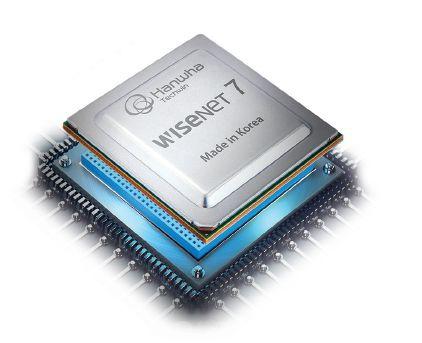
Hanwha Techwin released its latest Wisenet 7 SoC (system on chip) across
much of its camera line. One of the key design features for this chip was robust cybersecurity. Wisenet 7 includes an OTP (One Time Program) feature which burns certain unique pieces of information like decryption keys into the Wisenet chip during manufacturing. When firmware is installed and a certificate is verified, it references these keys to guarantee the data comes from a trusted source. A manufacturer that’s not building its own chip typically doesn’t have that capability. This creates a trusted platform module that separates the end user facing sides of the camera application from the network (Linux) side. If a malicious user gets access to certain pieces, it makes it one step harder because there is type of firewall physically isolating them. Secure Boot is another type of cybersecurity feature for a device. When a Wisenet 7-based camera is booted up, it verifies signatures in the boot image in its secure operating system and then runs Linux on top of that for the network interface. This is another way to isolate Linux from the chipset and decryption keys.
Cybersecurity is Everyone’s Responsibility
A security camera manufacturer is responsible for designing a camera that can protect itself from threats. A ‘secure by design’ approach must happen during development of the technology and carry through to manufacturing and distribution. A systems integrator that installs and maintains a system should have been trained in implementing best practices when configuring the system. The end user or IT manager for the system is responsible for hardening the network infrastructure from outside threats. If any of these stakeholders becomes a weak link in the chain, it can compromise the rest, regardless of how responsibly they’ve tried to build their part of the solution. Everyone has a part to play to make systems cybersecure. It’s important to allocate time to stay informed about emerging threats and ensure that all systems have the latest security updates since cybersecurity is always a moving target.
Cybersecurity
At the heart of Hanwha Techwin’s new product development is the Wisenet 7 System on Chip (SoC). Designed in-house and built in Korea, Wisenet 7 is our most technology-intensive and feature-rich chipset. From its enhanced image quality and total cybersecurity to unprecedented user convenience and operational efficiency, Wisenet 7 delivers end-to-end intelligent video surveillance capabilities today…and tomorrow.
Nine key video management system (VMS) features: A checklist for resellers and end users
AUSTIN, Texas—The most successful resellers are those who are trusted advisors to their end user customers. And end user customers’ challenges are as varied as the businesses out there. Regardless of whether they’re operating a quick service restaurant, clothing boutique, gym franchise, jewelry store, or “fill in the blank,” all end users have a few commonalities. Primarily, they want to provide staff and visitors with the safest environment possible, plus continuously improve efficiencies and generate more revenue.
A reseller can help their end user customers accomplish all the above with a cloud-based commercial security system. And, in the decision process, a checklist can be invaluable to a reseller who wants to be a trusted advisor.
Below is an overview of nine key video management system (VMS) features that are necessary for end users to secure and grow their unique businesses, and some questions for end users—and resellers—to consider when evaluating VMS providers.
1. Cloud
A true cloud system offers a multitude of benefits to businesses, including lower cost and maintenance, cybersecurity, scalability, and anywhere access.
2. Camera Flexibility
Your VMS vendor should offer you flexibility to choose either their proprietary cameras, or to use the cameras you already have in place.
3. Ease of Use
Business owners need a security system that’s easy to install and configure; with single sign-on, attractive and intuitive interface, storage retention flexibility, and on-the-fly camera sharing; plus, multisite viewing and central management capabilities.
4. Cybersecurity
Make sure your security camera system vendor offers constant monitoring against cyber threats, and your system has strong
encryptions, no open ports or onsite firewalls, triple-redundant storage, and two-factor authentication.
5. Total Cost of Ownership
Moving your computing and video storage infrastructure to the cloud results in a total cost of ownership considerably below a typical onsite system. The savings generally range between 20 and 50 percent compared to costs for hosting the VMS applications in a corporate data center (whether inhouse or third-party operated).
6.
Bandwidth Management
Your video surveillance system vendor should build tools into the system to help you deal with the reality of bandwidth limitations and unpredictability.
7. More than Just Security
Artificial Intelligence (AI) for video surveillance uses software applications to analyze the audio and video from cameras to recognize humans, objects, vehicles, events, and more. In other words, AI can turn your video security system into a powerful tool for business optimization.
8. Service and Support
Avoid partnering with a video surveillance provider that’s all about the sale and not the service. Instead, you want to align with a vendor that will actively monitor your cameras and system to verify continuous operation and cybersecurity.
9. Innovation and Future-Proof Development
You want to ensure your system is future-ready; one that gives you the power to innovate at scale and keep pace with continuous feature and AI enhancements delivered in the cloud.
For resellers who want to gain a better understanding of these nine key video security system elements, and much more, download Eagle Eye Networks Best Practices Guide: Video Security Primer.
QA &
Leo Levit, chairman, ONVIF Steering Committee
By Neil Sutton
Leo Levit was recently appointed as chairman of ONVIF’s steering committee, taking over from Per Björkdahl, who served in the role for nine years.
ONVIF was established in 2008 by founding members Axis Communications, Bosch Security Systems and Sony. It has since expanded to more than 500 members, including 22 full members (the original founding members, as well as others including Hikvision, Canon, Honeywell and ASSA ABLOY), 19 affiliate, 15 contributing, 42 observers and more than 400 user members.
According to ONVIF, its mission “is to provide and promote standardized interfaces for effective interoperability of IPbased physical security products.”
In April, ONVIF announced that more than 20,000 security products are now conformant to its profiles.
In addition to his ONVIF appointment, Levit serves as director of system integration at Axis Communications. Prior to that he was global product manager of analytics solutions for the company. His previous industry experience also includes Sony Mobile Communications and Ericsson Mobile Platforms. SP&T News reached out to Levit to ask him about his goals for the organization and what might be on the horizon. He responded to questions via email.
SP&T News: What are your aims for the organization and what words of advice did your predecessor offer?
Leo Levit: My focus for ONVIF is simple — it is on how ONVIF can continue being relevant for its members and to the industry. In the words of my predecessor, and I am sure of his predecessor also, my aims are to drive ONVIF in a direction that meets the needs of the industry, as directed by the member companies, who ultimately decide the specific profiles and initiatives of ONVIF. For now, we are focusing on how the strategy of ONVIF will continue to adapt to the overall changing landscape of the security industry and global demands.
SP&T: Is there an opportunity for ONVIF to branch out into other areas of security technology beyond surveillance and access control?
LL: This is a great question, especially giving the aforementioned changing security landscape and the attention that security technology is gaining in mainstream markets.
Right now, ONVIF isn’t “branching out,” so to speak, but in general there are opportunities here for the security industry to look at different ways and different uses for deploying systems in various ways. For example, our Release Candidate for Profile M opens up the possibility to extract data that isn’t just valuable for security and safety applications but can be used for other business intelligence purposes as well.
We have the opportunity to explore a more vertical interoperability approach, allowing this multi-purpose usage. It’s something I look forward to exploring further with ONVIF.
SP&T: What is ONVIF’s role in terms of AI/machine learning and IoT in current and future security technology?
LL: To expand upon my answer above, interoperability is more necessary now than ever because of this shifting landscape.
The use of AI-based algorithms is dependent on the sensor’s ability to provide data and metadata — and that requires interoperability beyond just the camera. It’s important that we encourage and enable the adoption and growth of different applications within AI and within security devices. This will open up a great potential for the devices and clients in surveillance systems to provide increasing value beyond simple surveillance.
SP&T: How does open source factor into ONVIF’s plans?
LL: The opening of the GitHub platform last year was an important step forward for ONVIF, primarily because it has enabled organizational processes to function more easily and shortened the turnaround time for specification proposals.
It also allows not only ONVIF member
companies but developers from other companies and industries to provide input to the development of ONVIF specifications based on their diverse perspectives and experiences. As technology continues to evolve at a faster pace, this open source methodology will help keep the work of ONVIF more relevant to the industry at large.
SP&T: How is ONVIF communicating with integrators and end users to make sure their interoperability needs/requests are heard?
LL: Our manufacturer members are the largest conduit for ONVIF to receive information about the needs of integrators and end users, as they are also trying to solve integrator and end-user pain points through their product development efforts.
Another part of our communications efforts with those stakeholders takes place at the various industry events that would typically be held throughout the year, and also through opportunities such as this interview to communicate what ONVIF is doing and open the door for feedback on what they have read.
I should also mention that membership in ONVIF is open also to integrators and end users who wish to have more of a participatory role in the organization and specification development.
SP&T: The COVID-19 pandemic has been a factor in the security industry in terms of business practices and the growth of technologies like touchless access control and temperature monitoring, but what has been the impact on ONVIF specifically?
LL: Technologically speaking, it hasn’t impacted ONVIF greatly as we’re a global community used to working in a remote fashion. That being said, we do rely on those important interactions and collaborations that take place at in-person events and meetings.
We do see, however, that the pandemic has only highlighted the need for interoperability and we believe that makes our work even more important.
While ONVIF isn’t the whole solution, interoperability offers possibilities and opportunities for the integrator community to more easily tackle those issues brought on by COVID-19, such as integrating technologies for pandemic response into existing systems more easily as well as deploying systems that can solve new use cases triggered by the pandemic.
CAMERA CORNER
RBy Colin Bodbyl
Eyes and ears in security
Surveillance coupled with audio technology has advantages, but is anyone listening?
emote audio has become a critical part of everyday life.
From car radios to cell phone conversations, our lives would be very different without the ability to transmit and record audio from remote locations. But the technology has never gained popularity in the video surveillance industry. Some end users may not even realize their video surveillance system has the ability to support audio technology. Yet leveraging the functionality can add great value to the complete solution. There are three different methods in which audio can be deployed in combination with video surveillance.
“The lack of clear or consistent regulation creates hesitancy.”
One-way inbound audio is what most people imagine when we talk about video surveillance with audio. This is done using a microphone to record the audio from the area surrounding the camera. The microphone required to offer this service can be very small and is often built into the camera. Recording audio without the consent of those being recorded is illegal in some areas. The variety of laws that differ by region, along with the fact that many of them are unclear, has prevented audio recording from ever becoming a standard feature. Where laws permit, audio recording in combination with video surveillance is most commonly deployed in courts, police stations and prisons.
One-way outbound audio is the opposite solution. With outbound audio, the camera is used to project audio that can be heard in the area the camera is located.
This typically requires an external speaker that is not supplied or built into the camera, although the camera itself will need to have an audio output to support the speaker. Outbound audio can be particularly useful as a tool for deterring criminals. It can also be used as an operational tool, for transmitting messages from a remote location. Some examples include warning workers of potential safety violations or alerting tenants of a building to vacate a particular area that is closing for the night. The risks and liabilities associated with outbound audio are minimal, though operators could find themselves the target of noise complaints if the technology is not used responsibly.
Two-way audio is of course the combination of the above two solutions. This is often better accomplished through an intercom, but is technically possible through a camera. For effective two-way communication, installers will likely need to use both an external microphone and speaker strategically positioned for best performance. Another challenge for twoway audio can be routing these conversations through the video management software. This can be especially difficult in situations where multiple two-way audio locations exist, or multiple operators are using the same software. This complexity is partially what has prevented video systems from becoming a tool for managing
two-way audio, since purpose-built intercom systems are far superior at scale.
Audio solutions deployed using any of these three methods remains rare in the video surveillance industry. Manufacturers have removed many of the technical and cost barriers that once existed by including free audio support on cameras and in video management software. Unfortunately, the lack of clear or consistent regulation creates hesitancy amongst integrators who choose not to promote the technology. In the consumer market, big box manufacturers have been far less careful, with video doorbells being a clear example of a product that both records and transmits audio with little concern for legal barriers. This could either open doors for the security industry to leverage audio more frequently in similar applications or could drive regulators to clarify the laws with more specific terminology.
Either way it brings attention to a widely available, though severely underutilized, security product. The surveillance industry will be watching closely what happens with consumer products, but for the near future it is likely that audio on video surveillance systems will remain a niche product.
Colin Bodbyl is the chief technology officer of Stealth Monitoring (www. stealthmonitoring.com).