Intrusion Detection




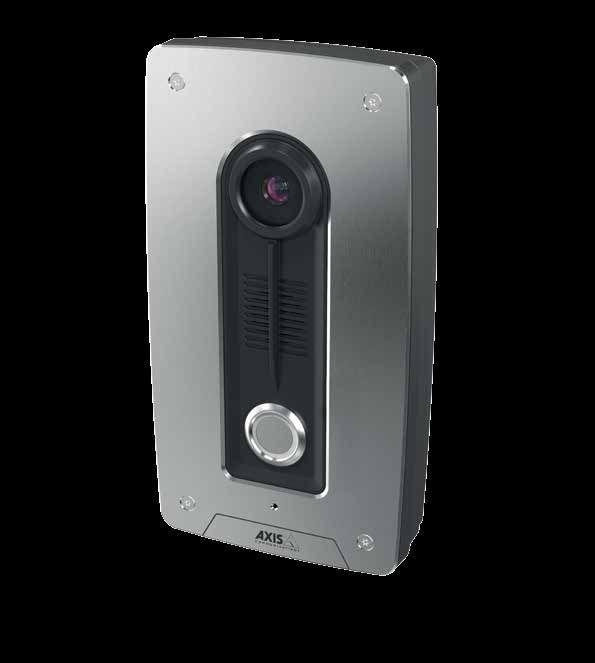
Axis Communications is bringing new functionality to the physical access control industry with the AXIS A8004-VE Network Video Door Station. It is a perfect complement to any surveillance installation and offers new possibilities to effectively control entry to any premise.
The AXIS A8004-VE is an open, nonproprietary IP-based door station built for two-way communications, video identification and physical access control. Meaning, you get reliable audio and visual entry control all in one product. Since the AXIS A8004-VE is based on open IP standards and interfaces, it ensures easy installation and integration – providing you with new and innovative possibilities to secure new business and not to mention, a long term ROI.
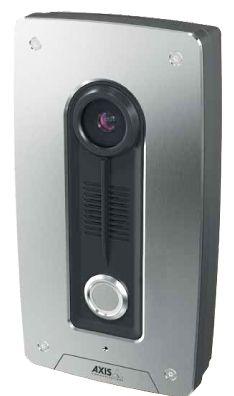
can monitor and record what happens at any door and simplify every day operations. The audio capabilities include a built in mic and speaker with advanced processing for echo cancellation and noise reduction facilitating clear, legible two-way audio whether you are conversing over HTTP or via the built in SIP client. More importantly, its LED illuminated call button provides sufficient light to identify a visitor in complete darkness.
As with all Axis cameras, full support for Axis and 3rd party applications allow for a variety of analytics to be uploaded to the camera to meet even the most stringent requirements. These applications reside at the edge, so they do not require a server and you can expect lower bandwidth reductions.
We know it’s impossible to be in two places at once –
With the AXIS A8004-VE Network Video Door Station, your customers will be able to talk to visitors and allow access without having to leave their locations. Additionally, they
With these advantages and our partner network, you have the possibility to integrate with a large variety of the newest technologies on the market today.
Our aim is simple. We’re committed to helping you build a simpler, smarter physical access control system to meet your customers’ needs today and into the future.



Wireless security systems offer a practical solution for new and existing homes and business, requiring less time and complication to install. However, many conventional wireless products on the market have some shocking vulnerabilities, as revealed in recent news reports. These products use decades-old communication methods, leaving the system susceptible to hacking and jamming attacks that could render them completely ineffective. These security risks, combined with unreliable operation, leave many installers uneasy about wireless installations. In addition, requiring 8 repetitious transmissions for each event greatly reduces battery life.
Fortunately, a better wireless solution is available. Utilizing advanced technology, ELK’s Two-Way Wireless automatically scans and hops across 25 frequency channels making it virtually impossible for an outsider to scan or lock on to the operating frequency. Elk’s Two-Way Wireless is also encrypted. In addition, ELK’s two-way wireless has obtained the Underwriter Laboratory (UL) listing requiring detection and reporting of outside jamming attempts.
Simplify installation and save setup time. With bi-directional communication, every signal from each sensor is acknowledged at the sensor increasing reliability and eliminating the time it takes to check the event log. LEDs on each device provide visual confirmation of transmission receipt. Once the receipt is acknowledged, the sensor stops transmitting saving battery life! Conventional wireless motions and glass break detectors require “walk test mode”
to be physically set on the individual unit in addition to being enabled/disabled at the keypad. ELK’s Two-Way wireless technology eliminates those extra trips up the ladder by simply enabling/disabling walk test mode at the keypad only.
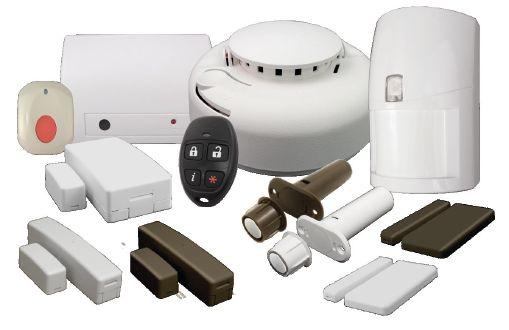
Innovative features provide enhanced life safety. With ELK’s Sound All™ Smoke Detectors, installers can now meet new fire codes without hardwired sounders. When a fire alarm is activated, the built-in sounders of all enrolled smoke detectors are activated wirelessly. ELK’s convenient keyfobs can provide system status at the push of a button, allowing users to see if an alarm has been activated before entering the home or business. Thus ELK keyfobs provide more than convenience; they promote life safety.
The right fit today and in the future.
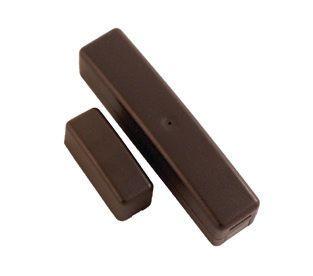
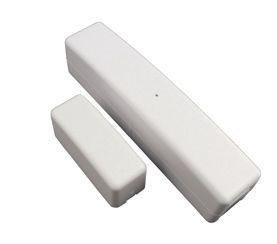
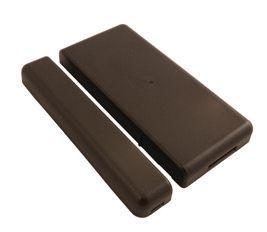
ELK’s full line of two-way wireless sensors include a variety of door/window sensors, motion detectors, glass break sensors, smoke/heat detectors, panic buttons and keyfobs. Door and window sensors are available in brown and white to be more esthetically pleasing. This wireless product line is compatible with ELK’s M1 Security & Automation Controls. M1 combines security, fire, energy management, lighting, and access control to provide total control of the home or business. With support for up to 144 wireless devices (208 inputs total), M1 offers the flexibility to easily meet the needs of installations big and small.
So much more than just security.
Easily integrating with products of industry partner manufacturers, M1 controls offer a truly customized solution with the most flexible options. With remote access capabilities and simple, user-friendly interfaces, M1 keeps users informed and in control, anytime, anywhere! Remote control options are also flexible as there are solutions available with or without monthly fees. Worried about learning a new control system? If you understand English, can type in a descriptive name, select from a multiple choice list, and check a block you have it mastered!
Choose the wireless solution that is more secure, more reliable, AND more innovative - ELK’s Two-Way Wireless! Learn more at www.elkproducts.com/two-way-wireless.

800-797-9355 www.elkproducts.com


Offer a truly secure wireless solution that uses cutting-edge techniques to defend against interference, hacking and jamming. ELK’s encrypted Two-Way Wireless products incorporate advanced features to ensure reliability, extend battery life, simplify installation, and provide innovative security enhancements.
ELK-6050 Smoke Detectors
Wirelessly activates the built-in sounders of all enrolled smoke detectors in the event of a fire alarm
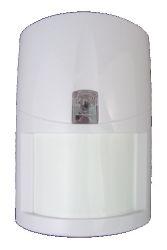
ELK-6030(P) Motion Sensors
Momentary activation by motion during walk test mode, flashing during audible alarm activation, and programmable activation through M1 Rules
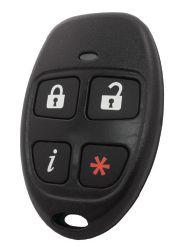
ELK-6010 Four Button Keyfobs
Status inquiry button & LED indicator provide arm, disarm, and active alarm status


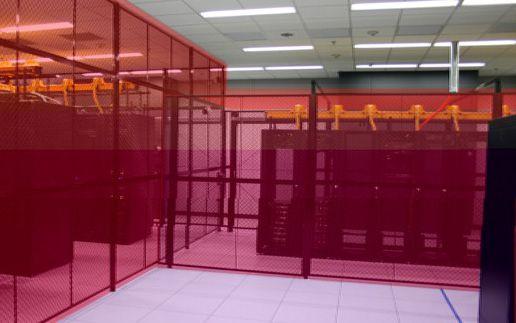
Detecting unauthorized access to defined critical areas where general access is allowed; such as caged inventory, ceilings, overhead or side entries and tall objects which can be scaled.
Interior ceiling / wall protection that drives a camera, captures critical detection information or creates an immediate alarm for data centers, commercial large warehouses, pharmaceutical facilities and distribution centers.
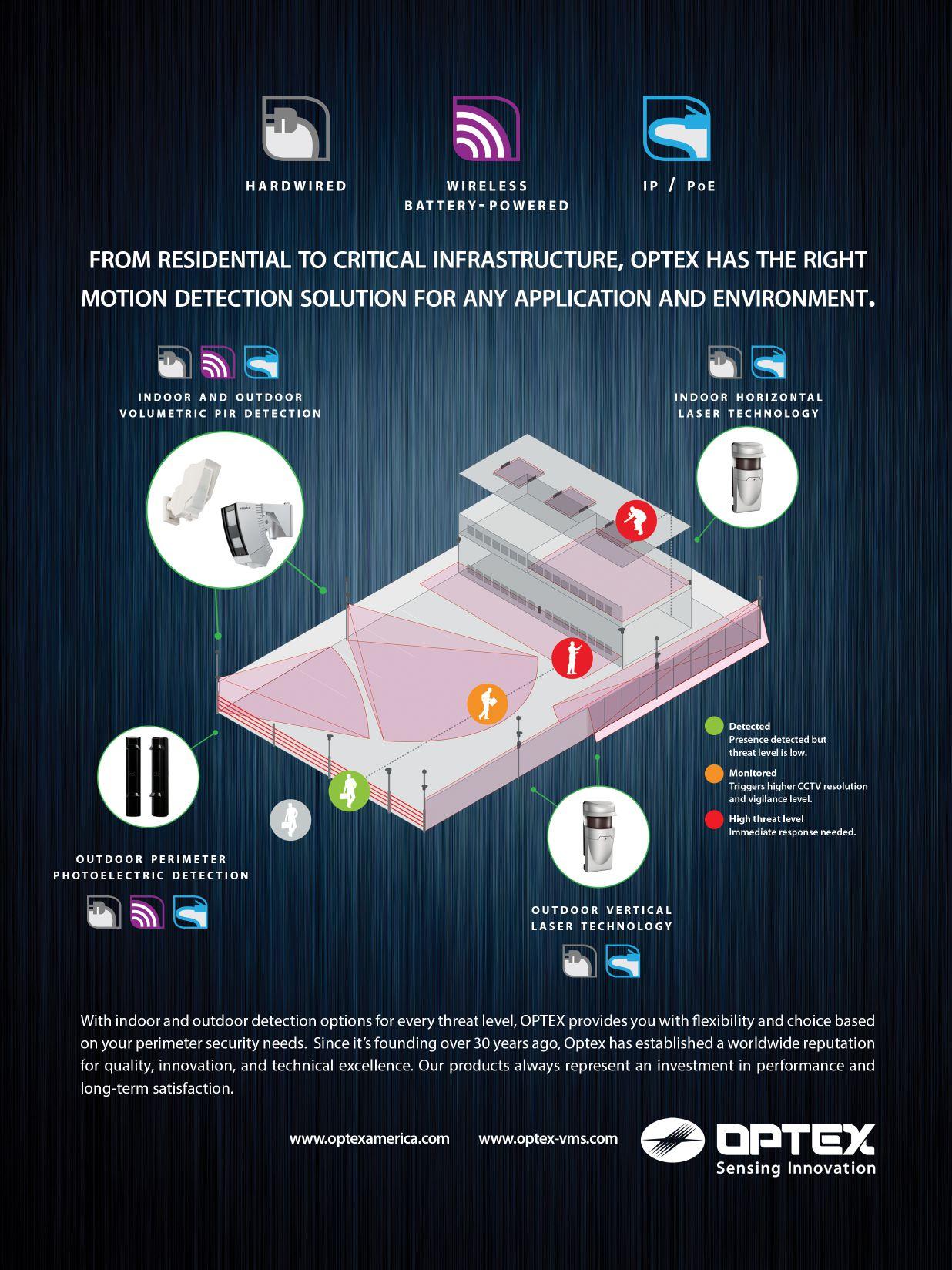
There are many security challenges and significant inventory loss issues that occur due to unauthorized access to high security areas of a facility or access onto a property. In the past, defining critical areas within a facility that allows some personnel and/or movement has been very difficult. The accuracy needed for critical areas require precise detection that traditional types of detectors like passive infrared simply cannot accomplish without bleed over. This can result in false and missed alarms that are unacceptable in these high security applications. In addition, many times the amount of labor required to mimic a virtual wall or ceiling is very labor intensive and could require twenty or more detectors.
The OPTEX Redscan Laser Detector is integrated with leading Video Management Software (VMS). This allows you to integrate detection data from a Redscan motion event for an immediate security action. You can create unique alarm conditions for full camera control by pre-setting network cameras to Redscan alarm events resulting in true visual verification and response.
Installing the OPTEX Redscan Laser Detector allows you to create a vertical detection area or virtual wall. This installation provides up to 200 feet wide and between 13-50 feet high detection area. You can create up to 8 alarm zones with
4 outputs to preset a PTZ camera or connect other security responses. The Redscan Laser Detector coverage area is completely defined by the customer via software, taking the guesswork out of masking. You can easily define or redefine as the space changes.
Installing the OPTEX Redscan Laser Detector allows you to create false ceilings and floors when mounted horizontally. This installation provides a detection area up to 100 feet radius. You can create up to 8 alarm zones with 4 outputs to preset a PTZ camera or connect other security responses. Like the vertical mode, the Redscan Laser Detector horizontal coverage area is completely defined by the customer via software, taking the guesswork out of masking. You can easily define or redefine as the space changes.
The Redscan Laser Detector provides Virtual Walls up to 50’ high and Virtual Ceilings of coverage. This allows the customer to protect and monitor inventory and critical assets within a facility where there is access and movement of all types. The coverage area is precise with no “bleed over” into authorized areas and is defined by the customer via software. In addition, the coverage areas can easily be redefined as the space or configuration changes. With this advanced technology, The Redscan virtually eliminates any false alarms and allows you to significantly reduce any inventory loss and regain valuable production time. With Redscan, you can operate analog or IP and it can connect to VMS or Access software for additional benefits in managing your facility.





By Linda Johnson

























With connected systems becoming so complex, users, dealers, vendors and installers need to be aware of potential security gaps
rom the start, smart home devices have promised a whole new level of security. In fact, it is often said, they provide total peace of mind.
Several recent studies, however, suggest the security of the devices themselves may be falling short. According to these reports, some smart
products have security flaws that make home systems vulnerable to hacking attacks.
Besides insecure design, the consumer’s desire for devices that are quick and easy to use also plays a part. And perhaps, too, the sheer complexity of smart systems offers too many ways to access the smart home.
“There are just a lot of different moving parts,” says Ryan Maley, director
of strategic marketing at San Ramon, Calif.-based ZigBee Alliance.
“If you think about what it takes to make a smart home — so many individual devices, and perhaps coming from different manufacturers. You have your set-top box or Wi-Fi router. Is that secure? You have the app on your phone. Is that secure? You have the Cloud storage and service. Is that secure? There are a lot of different pieces that need to

“So, if you knew the IP address of one of these controllers, you could easily pull it up, start turning lights on and off, manipulating things inside the environment,” he says.
Moreover, Bryan adds, the use of the smart phone app to remotely control systems has obscured this lack of encryption. Originally, he says, a person going to an Internet banking site would see a lock on the browser, indicating the communication was encrypted and providing some assurance the information wouldn’t be compromised.
“There’s nothing that says ‘this app is using encryption.’”
— David Bryan,Trustwave
“With the smart phone app, which talks to these devices on the backend, all of that has been hidden behind the scenes. There’s nothing that says ‘this app is using encryption’ or ‘there’s a password that’s stored in this app that talks to the smart home device.’ All of that is obfuscated to the user to the point where they can’t make a good decision about security,” he says.
A study by Mountain View, Calif,based Symantec, “Insecurity in the Internet of Things (IoT),” analyzed 50 smart home devices and found they contained many vulnerabilities common in the logical security industry, says Candid Wueest, principal threat researcher.
automated tool to go through all the possible combinations. Then, they will have control over your heating system, smoke alarm or your lights.”
Wueest contends that some protocols, such as ZigBee or Z-Wave, are not as good at protecting themselves as, for example, Wi-Fi.
“Wi-Fi is designed to be more resilient against attacks. And Z-Wave and ZigBee are designed to be a mesh grade, so you can add sensors ad hoc and remove them without any disturbances,” he says. “But I’d be more concerned about settings, configuration issues (weak passwords or the transmission of passwords in clear text) or about whether the vendor has thought about security at all. A lot of vendors — not just the small ones, or those that have a Kickstarter program and are just creating one device, but even a few of the big ones — seem to create the device and then, at the end, sprinkle a little bit of security on top. We all know that’s not going to make a big difference.”
Maley says the ZigBee protocol includes a lot of mechanisms that make communication more secure. A set of link keys acts as passwords, securing communication between individual devices and the network. And a network key is required for a user to get on the network.
Generally, Maley says, he believes smart home devices are secure. He agrees a major issue in IoT security is passwords. Along with devices that don’t enforce strong passwords, he says, consumers are not vigilant enough about changing passwords.
be secure to ensure security of an entire smart home.”
David Bryan, principal security consultant at Chicago Ill.-based Trustwave, says their analysis of home automation devices has shown a common problem is lack of encryption. In fact, during his first test of one product, before the manufacturer released a second version, no user name or password was required to access the device.
In addition to unencrypted communication, many devices had very poor authentication requirements. Problems included: lack of mutual authentication between client and server; no enforcement (and often no possibility) of strong passwords; IoT Cloud interfaces that did not support two-factor authentication (2FA); and absence of lock-out or delaying measures to protect users’ accounts against bruteforce attacks.
One system they tested, Wueest says, allows the user to choose only a fourdigit pin code consisting of numbers. “In today’s world, that’s obviously not enough. It’s very easy to have an
“On your computer, you are reminded every 30, 60, 90 days to change your password. That doesn’t necessarily happen with a device,” he says.
Maley advises people to choose products that talk about security. “And not just explain it on the outside of the package, but in the manual: ‘This is how I make my product secure; this is how to ensure a safe experience in your smart home.’ ”
Colby Moore, security research engineer at Redwood City Calif.-based Synack, which recently conducted an analysis of 16 products, says many manufacturers “are blatantly skipping best security practices in the design.”
These devices often come from start-ups, he adds, which may lack either the know-how or the resources to build in proper security. “These guys in the Silicon Valley, there’s the pressure of time. “It’s: ‘Get it out, and we’ll fix it later.’ And that is a problem for security,” he says, adding that many IoT devices are built on outdated software. Thus, the security of IoT devices is comparable to computer security in the early 2000s. “Security vulnerabilities really lag in the IoT world, so you find vulnerabilities that were out five or 10 years ago.”
Moore urges consumers to use wired devices wherever possible. With wireless products, ensure they send a notification when they go offline. One particular error the Synack study revealed, he adds, was that many smart devices don’t do automatic firmware updates. Some newer devices, such as Nest and Dropcam, are an exception, he says. “That’s really important because firmware updates often contain security hotfixes.”
Chris Boross, president of San Ramon, Calif.-based Thread Group, says Thread’s security is built into the technology, making it an unavoidable part of the product’s development and its networking. “All Thread-certified products will have to pass rigorous security testing, and the process is a nonnegotiable requirement for any device to be awarded Thread certification. Additional security measures can be added on top of Thread’s networking layer, but that is at the discretion of the product manufacturers.”
Boross says he believes many smart home systems are secure today, but there’s room for improvement. To ensure products are secure, people must take care at all layers of the communications stack.
“Flaws in current home automation systems exist when security isn’t addressed at every level of the product’s implementation. Security should be addressed across the board, from network protocol, to the application layer via the product manufacturers and service providers,” he says.
It is important first, Boross says, that product manufacturers not assume the networks that consumers are connecting to are secure. Moreover, service providers should build additional security features
on top of the network protocol.
“Looking ahead, installers and dealers should look for products that are Threadcertified, as they will have the industry’s highest security built in. They should also look at the product’s choice of application protocol or the ecosystem brand to ensure there is also suitable security at that layer. Installers and dealers should be wellpositioned to understand product security and inform the customers,” he says.
“On your computer, you are reminded every 30, 60, 90 days to change your password. That doesn’t necessarily happen with a device.”
— Ryan Maley, ZigBeeAlliance
In a statement supplied to SP&T News, Honeywell Security Group says the company has designed connected home products with security in mind. “Our security and home comfort systems are designed to only communicate with certain Honeywell servers. We use a variety of security technologies and procedures to help protect customer personal information and data from unauthorized access, use or disclosure.”
The statement adds: “Note that homeowners play a critical role in cyber security by adopting strong home network security protocols with appropriate security configurations and using strong passwords.”
Pete Marino, director of marketing, at Mississauga, Ont.-based D-Link Networks Canada, says D-Link uses SSL encryption when accessing cameras to ensure that mydlink account credentials are protected.
“Since all cameras require a password during setup, they will not be accessible to scripts that look for unprotected connections on the Internet,” he says in an email interview.
While he can’t assess smart devices in general, Marino says he is confident the
D-Link products he has installed at home provide good security.
“I have D-Link Wi-Fi cameras, Wi-Fi smart plugs, a Wi-Fi Baby Camera and Wi-Fi motion sensors at home, and I’m comfortable with how secure they are. I believe the best way to keep your smart devices secure is to keep your network secure. If you don’t use good security practices with your network, then you open yourself up to security issues,” he says, adding, “I also tend to stick to brands that I know and trust.”
To ensure better security of smart devices, Bryan says, consumers should first look for reviews. Is there information about a flaw existing in the hardware or the software? If there is, have they fixed it? Consumers could also have a company conduct a penetration (PEN) test against their systems. “A PEN test will identify weaknesses: static user names or passwords or no encryption,” he says.
“Part of the onus is on the manufacturer to make things secure, and the other part is in the implementation: you need to understand, when it’s deployed to the network, did they change the password? Did they leave anything open that I can leverage to gain access to the data or the network?”
Wueest says users should, above all, be aware of security and the possible risks of poor security. They should also find out if the vendor has a record of issuing hotfixes and updates. He advises them to use strong passwords for these devices, change default passwords and, where possible, enable security and encryption. “This includes strong encryption for your home Wi-Fi. If it’s using Wi-Fi, you should use the WPA2 standard.”
Maley believes there is growing awareness about the security of home automation systems. He notes that, recently, the California Association of Realtors updated their standard homebuyers’ agreement to include a discussion of home automation devices and their security.
“So it’s really becoming a mainstream issue,” he says. “That is going to help raise consumer awareness and drive companies to make sure they’re delivering secure products.”
Linda Johnson is a freelance writer based in
Toronto.