























September ushers in the flurry and fast pace of the Fall trade show season. New products and services are a welcome distraction among the challenges popping up within and outside of the industry. That being said, it’s an exciting time to witness growth in many segments covered in Digital Output
September ushers in the flurry and fast pace of the Fall trade show season.
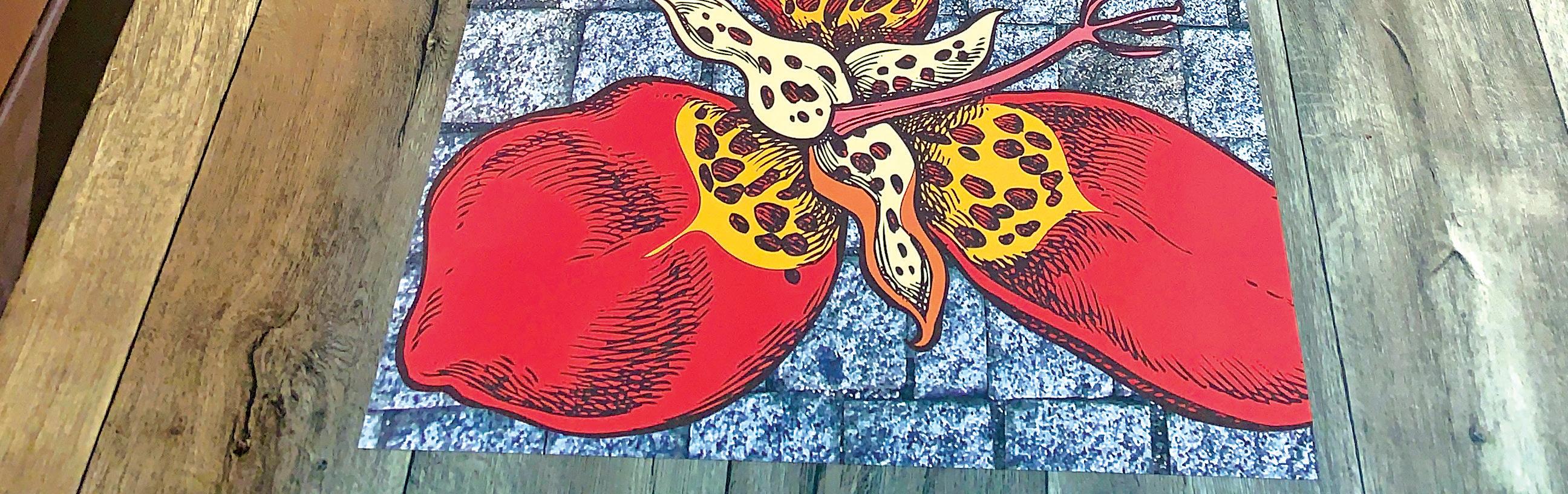
Our cover story, Opportunity at Your Feet, dives into the importance of choosing the right printer/ink set when working on floor graphics. While we frequently talk about how determining the correct media for the job at hand is pivotal to the final result, it is equally important to choose the correct inks and consequently printer. Ink must cure well and hold up under traffic.
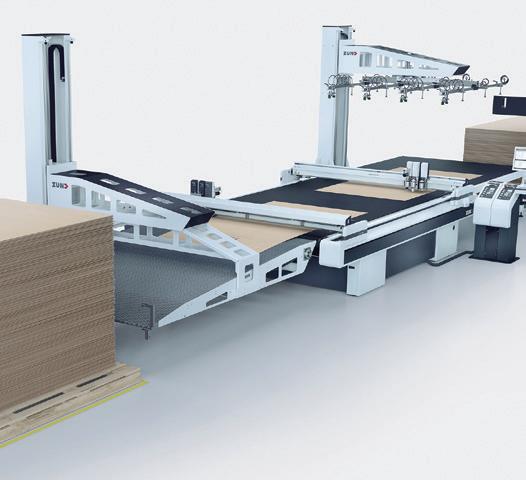
The need for automated finishing continues to grow, especially as materials beyond traditional corrugated become popular like honeycomb boards. They are lighter weight, printable, and recyclable in many cases. With an increase in demand, it makes sense that print providers working with these materials look for automated finishing techniques. Read more in Modern Corrugated Print Operations.
This issue also includes our first look at the PRINTING United Expo held in October in Orlando, FL. Visit digitaloutput.net to follow our continued coverage of the event.
EDITOR IN CHIEF
Thomas Tetreault ttetreault@rockportpubs.com
EDITOR
Melissa Donovan mdonovan@rockportpubs.com
ASSOCIATE EDITOR
Cassandra Balentine cbalentine@rockportpubs.com
WEB EDITOR
Melissa Mueller
ART DIRECTOR
Sarah M. White swhite@rockportpubs.com
CONTRIBUTORS
Olivia Cahoon, Tim Greene, Marco Boer, Melinda Tetreault, Amber Watson
ADVERTISING SALES
PUBLISHER
Thomas Tetreault
NATIONAL ACCOUNT EXECUTIVES
Amanda Doyon adoyon@rockportpubs.com 978-921-7850, Ext. 170
Subscribe online at digitaloutput.net
CORPORATE & PUBLISHING OFFICE
300 Newburyport Turnpike, Ste. 11 Rowley, Massachusetts 01969
ROCKPORT CUSTOM PUBLISHING, LLC CHAIRMAN
Jeffrey Jensen
PRESIDENT & CEO
Thomas Tetreault
Digital Output is published monthly by Rockport Custom Publishing LLC. ©Rockport Custom Publishing, LLC 2025. Reproduction by any means of the whole or part of Digital Output without written permission from the publisher is prohibited. Views expressed in the editorial pages do not imply our endorsement.

Cheers, Melissa Donovan, editor mdonovan@rockportpubs.com
Vendors: We welcome your product news. Include prices, slides, photos, and digital files with your press release. Please forward product samples and media kits to Reviews Editor, Digital Output, 300 Newburyport Turnpike, Ste. 11, Rowley, MA 01969. We cannot be responsible for unsolicited product samples.
SUBSCRIPTION RATES
U.S.: $82.95 per year; $165 for 2 years; single copies: $6.95; Canada and Mexico: $99.50 per year (U.S.D.); Other international subscriptions: $275 per year (U.S.D.)
POSTMASTER
Please send address changes and form No. 3579 to: Digital Output, 300 Newburyport Turnpike, Ste. 11, Rowley, MA 01969. Periodical Class postage rates paid at Rowley, Massachusetts and additional mailing offices.
CHANGE OF ADDRESS NOTICE
Six to eight weeks prior to moving, please clip the mailing label from the most recent issue and send it along with your new address (including zip code) to: Digital Output magazine, change of address notice, 300 Newburyport Turnpike, Ste. 11, Rowley, MA, 01969. Attention: Circulation Department.
by Digital Output Sta
PRINTING United Expo heads back to Orlando, FL this October, with the PRINTING United Alliance’s marque event taking place at the Orange County Convention Center from October 22 to 24. Billed as where to “see the entire printing industry in one place” the show combines every printing segment to cater to print providers looking for a one-stop shop when it comes to hardware, media, software, and services.
We rounded up what to expect on the wide format digital printing side of things. With input from various exhibitors included here.
Aeoon Technologies, booth 1576, exhibits its newest printer. This new single-step solution incorporates a new process and chemistry that offers unmatched flexibility across multiples substrates from 100 percent cotton to 100 percent polyester and all blend combinations in between. The printer takes direct to garment to the next level in terms of speed, flexibility, and innovation while still offering the exceptional print quality and ease of use that Aeoon is known for. INFO#280
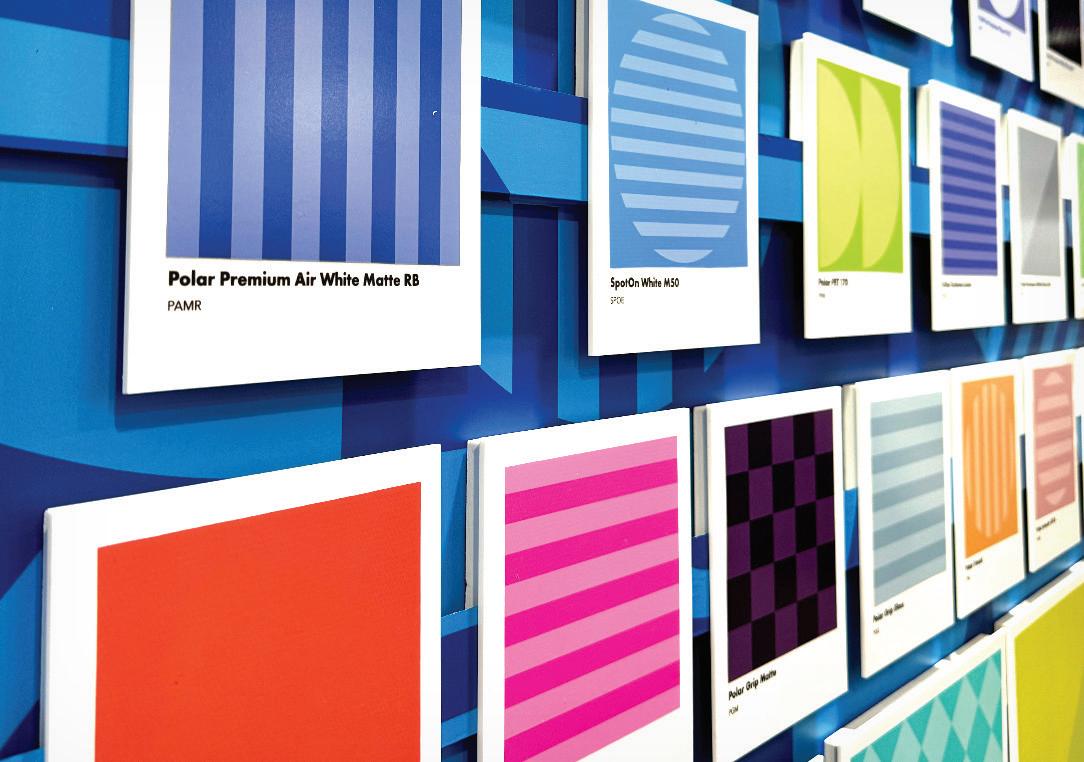
Agfa, booth 3166, displays its multi-pass inkjet, Jeti Tauro H3300 XUHS, which is built to tackle any job, printing up to 13,778 square feet per hour, with intelligent automation and unmatched versatility. Agfa’s fastest hybrid engine, the Tauro XUHS, delivers productivity with minimal maintenance in 24/7 multi-shift operation. With multiple automation options including robots and motorized media feeding guides, the Tauro XUHS can be optimized for rigid, sheet, or roll media, from self adhesives and backlit films to wood and glass. With Agfa’s UV LED curable inks and advanced color management, the Tauro XUHS delivers a wide color gamut, deep solid colors, and a perfectly neutral gray balance. INFO#281
Aleyant, booth 2632, showcases the latest advancements in its suite of print automation solutions—Pressero, PrintJobManager, tFlow, and the new PDF2Press Core & Pro. PDF2Press, a next-generation prepress workflow automation software, eliminates the need for scripting or JavaScript, empowering users to create robust, customized workflows through an intuitive interface. Whether sourcing files from web to print systems like Pressero, cloud drives, email inboxes, or
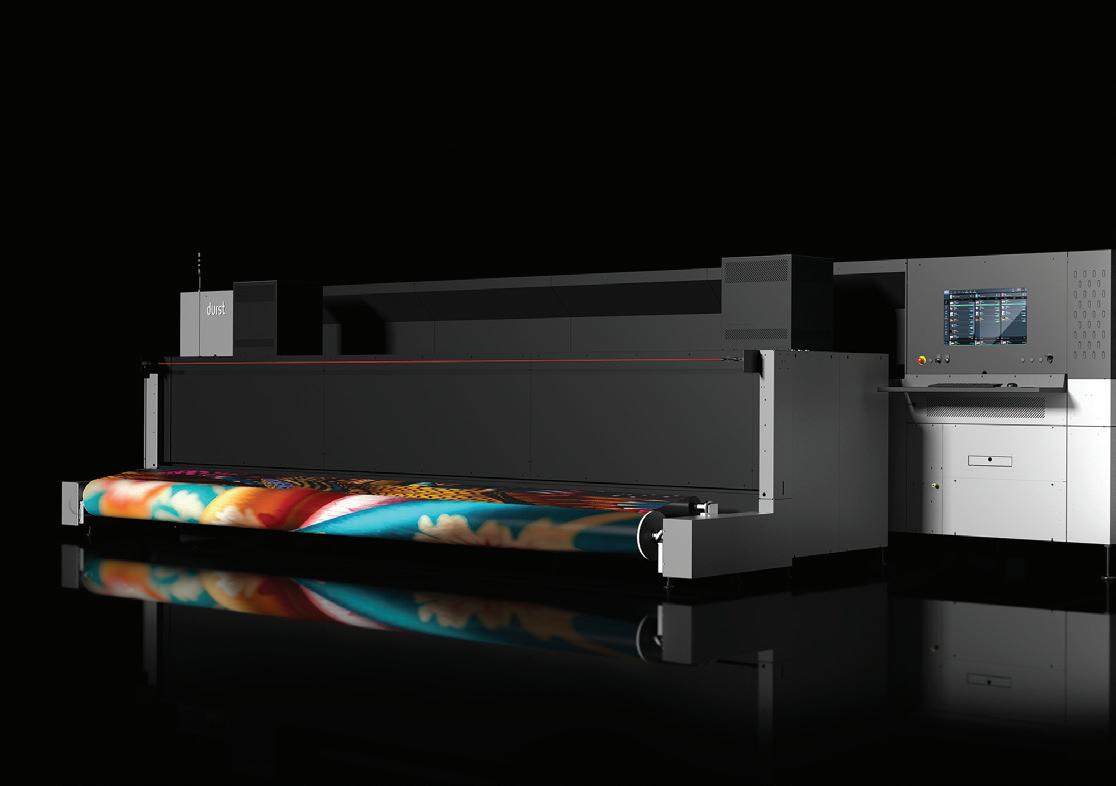
1) Drytac, booth 1224, returns to the event with an lineup of selfadhesive print media, laminating films, and mounting adhesives engineered for windows, walls, floors, and outdoor applications. 2) Durst North America, booth 3156, brings the P5 500 TEX iSUB superwide dye-sublimation printer.

APIs, PDF2Press handles it all. It automatically preflights and corrects common file issues, generates proofs at checkout, or sends email proofs—streamlining the entire production process. With integrated pricing logic and rulebased automation, PDF2Press intelligently routes jobs based on customer selections. INFO#282
American Print Consultants (APC), booth 5461, highlights its full range of products and services. Explore the four pillars of APC’s foundation—service and education, business solutions that include equipment and order fulfillment, color management, and RIP software, as well as dyesublimation. Experience live demonstrations of spot color calibration and color profiling. A team of experts is available to answer your toughest production and support questions and help troubleshoot workflow challenges. It also plans to debut cutting-edge technology, including the high-performance DGI dye-sublimation production line, the industrial-grade Polyprint
production direct to film system, and the fast, high-quality Aeoon direct to garment printer. INFO#283
Banner Ups/Budnick Converting Inc., booth 1218, encourages attendees to create durable banners effortlessly with Banner Ups adhesive tabs. Installation is a breeze—peel and stick onto banner corners. Also, Clear PowerTape offers superior strength compared to standard banner hem tape. With Clear PowerTape you do not need to hem banner edges, saving even more time. Maximize banner profits by trying Banner Ups adhesive tabs and Clear PowerTape. Experience the benefits firsthand with a discounted Banner Ups Starter Kit available at the booth. INFO#284
BannerBug USA, booth 5019, manufactures the BannerBug banner stand in the U.S. This American-made product is assembled in Birmingham, AL from 100 percent U.S.-made parts. Backed by an unconditional lifetime warranty, if one fails, regardless of the reason, the company repairs or replaces it for free. This makes BannerBug a sustainable product that never
needs to enter a landfill. Banners attach with genuine velcro-brand hook and loop, making banners easy to load and change. INFO#285
Cutworx USA, booth 848, exhibits a spectrum of new and flagship technologies. Debuting innovations include the COMAGRAV Notus Plus 3000 for industrial routing, Neolt Factory’s fully automated XY cutter system, and FASTSEWN’s high-speed textile finishing solution. Attendees can explore the company’s core lineup—the CWT Worktools Flatbed Applicator Table and 1700 Series, the magnetic drive Apex M Series flatbed cutter, and advanced Vision Scan Systems designed for roll-to-roll textile processing. INFO#286
Display Source, Inc., booth 5238, shows the Meevo Event SEAS 6C automated sewing device, which features a new longer alignment area—ideal for handling oversized textiles with precision and ease. Using the extended working length of up to 5.7 meters combined with the patented Clamp&Go System, anyone can achieve professional results without being a sewing specialist—all while boosting productivity up to 25 percent on super-sized panels. The machine is equipped with a flat keder insertion detection sensor, a flat keder meter counting sensor, thread meter counting sensor, thread break detection sensor, remote control, multi-reel drawer, and extension table. INFO#287
Drytac, booth 1224, returns to the event with an lineup of selfadhesive print media, laminating films, and mounting adhesives engineered for windows, walls, floors, and outdoor applications. Drytac previews new products designed to expand creative possibilities and simplify installation across a range of print environments. Live demonstrations showcase materials in action, providing an up-close look at performance and ease of use. INFO#288
Durst North America, booth 3156, brings the latest innovations and pioneering technologies. For the first time in North America, the P5 500 TEX iSUB superwide dye-sublimation printer is shown. Alongside it, the P5 X true flatbed and roll-to-roll printer. Rounding out the wide format lineup is the Durst P5 530 HS D4. Durst also brings a Tau 340 RSC E label printer. INFO#289
Epson, booth 3970, showcases a range of professional print solutions, as well as new products being introduced at the show, ideal for a variety of applications—indoor and outdoor signage, photography, graphics, and textile. One new product on display is the SureColor S7170 64-inch entry-level solvent printer. It touts a new, wider 1.33-inch PrecisionCore Micro TFP printhead with Nozzle Verification Technology, UltraChrome GS3 four-color solvent ink, and a precise media handling system to deliver renowned detail and color performance on a wide spectrum of media, ideal for indoor and outdoor signs, banners, stickers, and vehicle wraps. INFO#290
FASTENation, booth 1313, invites attendees to explore innovative adhesive solutions designed to simplify signage and display applications. It showcases its SilverTape High Bond Tapes, ideal for permanent mounting of rigid signs and nameplates—offering strength, durability, and a clean aesthetic without hardware. Also featured are FASTENfoam Adhesive Backed Foam Tapes, ideal for temporary or semipermanent signage with excellent holding power and clean removability. These foam tapes conform easily to irregular surfaces and are compatible with a range of materials, making them a go-to choice for installers and printers alike. INFO#291
Fluid Color, booth 2042, exhibits its UV LED inkjet technology, offering a little bit of everything from its versatile portfolio. Attendees can expect to see the ZR126, a ten-foot wide roll-toroll printer built for high-speed, high-volume production with stunning image quality. Also featured is the ZH126, a ten-foot wide hybrid printer running live during the show—demonstrating its flexibility across both rigid and flexible substrates. Rounding out the lineup is the RF84, a high gantry flatbed printer designed for oversized and heavy materials, with a true 4x8-foot bed and an impressive print height of up to 19.68 inches. INFO#292
GBC and SEAL, booth 5673, unveils an exciting game changer— don’t miss it. In addition, see live demonstrations of the new GBC LamPrix 100 pages per minute
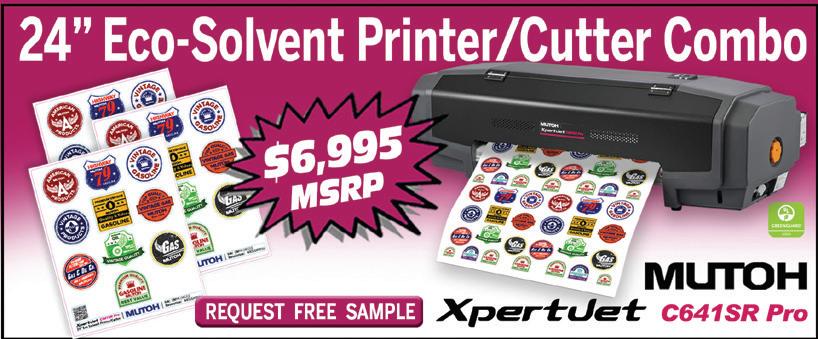
The new Mutoh XpertJet (XPJ) C641SR Pro 24-inch Eco-Solvent Printer and Cutter Combo is perfect for a range of applications such as stickers, t-shirt transfers, vehicle decals, wall decals, posters, and banners. Print and cut a 24-inch roll of media and operate at speeds more than twice as fast as its closest competitors. The All-In-One XPJ-C641SR Pro benefits from Mutoh’s renowned reliability and made in Japan quality, making it the perfect choice for anyone looking to get into the print game. Enhance your printing capabilities with the award-winning Mutoh VerteLith RIP software and a complimentary one-year subscription to SAi Flexi DESIGN MUTOH Edition, a combined value of $1,600. Unlock limitless design potential and embrace the future of printing today. For more information visit mutoh.com/product/xpertjet-c641sr-pro. INFO# 15
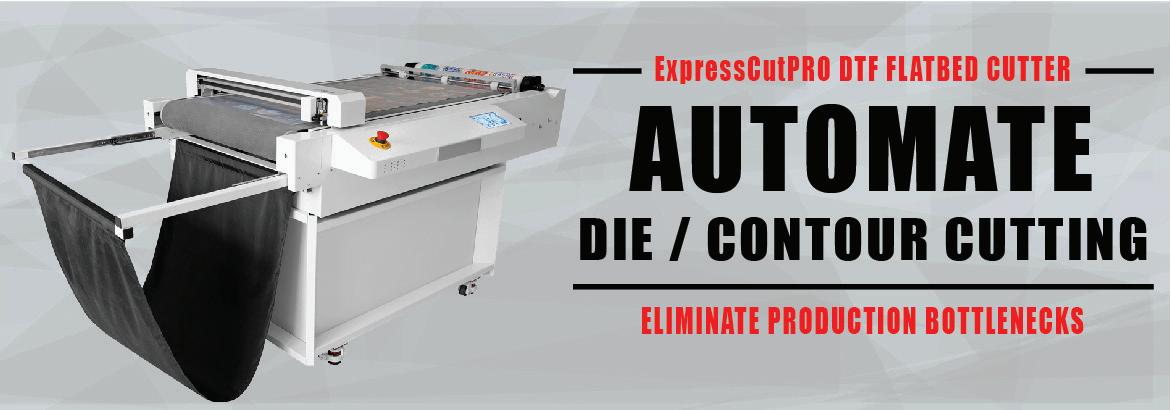
Engineered and manufactured by Saga, the ExpressCutPRO reduces labor and increases profits by eliminating the time-consuming task of manually cutting direct to film (DTF) or UV DTF transfers. Featuring an integrated conveyor belt and quick response workflow, this allows for a fully unattended workflow experience. Increase your output while reducing operation costs with ExpressCutPRO DTF Cutters. For more information visit supply55.com, call 734-668-0755, or email sales@supply55.com. Simplify your cutting operation today with ExpressCutPRO. INFO# 17
Newlife Magnetics is the world’s largest manufacturer of flexible magnetic materials. Our company’s focus on science and engineering has led to our success in leading the magnet industry through research and development of exciting new products that solve customer problems, increase efficiency, and improve our customers’ lives without harming our environment. We currently offer the thinnest, widest, lightest, and strongest magnetic materials on the market. We offer a wide variety of products, but we are known for our printable magnet media up to 60 inches wide. Our flexible magnetic print media is a great way to display any graphic in a store, classroom, or car. The magnet application is easy and reusable. Learn more at newlifemagnetics.com. INFO# 16

In a continuous endeavor to serve partners the best, VJ LED, house of LED modules, with over 20 years of rich experience in the signs industry, presents the high-end LED Moulde - 190 lm/W. 190 lm/w translates to superior brightness, energy efficiency, and cost effectiveness. Keeping up with the promise to transform your brand into high-impact, top-quality signage, this new module gives you bright light consuming less power, while increasing the LEDs’ lifespan. For further details please connect with us at 848–350-2833 or email info@vjsignsupplies.com. INFO# 18

automated laminator, MagnaPunch Elite Modular Punch Machine, and SEAL 62 Base laminator. Remember to ask about show specials and giveaways. INFO#293
The Gilman Brothers Company, booth 1926, showcases innovative display board solutions designed for wide format print professionals and photographic imaging. Featured products include Resilient Soft Touch Foam, a velvety-smooth, fine-cell foamboard with a rich black edge— ideal for gallery-quality photo output without edge banding. Also on display is Adhere Fasteners, a clean, tool-free mounting solution; EAGLECELL, an allpaper honeycomb board offering strength and sustainability; and INFINITY PSA, with air egress technology for fast, bubble-free application INFO#294
Graphic Finishing Partners (Gfp), booth 4876, features the 663-TH Production Top Heat Laminator with Smart Finishing
Technology. The company’s most advanced laminator includes a digital microcontroller system, touchscreen user interface, swing-out supply film shafts, inline rotary slitters, rear take up for roll-to-roll operation, and a roll label printer to help manage supply inventory. Gfp also features the 220-C Cold Tabletop Laminator, the 363-TH Top Heat Laminator with integrated rear rewind, and the 255-C Cold Laminator. In addition, the second generation of self-wound overlaminate from the Gfp Film Products portfolio is processed through each machine. INFO#295
Inkcups, booth 1530, manufactures high-quality industrial machines for a range of industries, including apparel, drinkware, promotional, electronic, medical, sporting goods, and automotive markets. The Inkcups direct to object UV inkjet portfolio includes the Helix range of cylindrical inkjet printers and UV inkjet flatbed printers including the XJET Switch direct to bag printer and the X5-T High Throw, pretreatment systems, pad printing machines, as well as inks. INFO#296
Kavalan, booth 3968, is a PVC-free banner materials brand for the large format printing industry. The Kavalan range includes a lightweight coated banner material suitable for indoor and outdoor applications, a brilliant white banner material ideal for light boxes and other backlit applications, a doublesided blockout textile material, a mesh banner material, and a coated wallcovering material. Kavalan offers a way to quantify the eco savings of its range with its proprietary Eco Calculator, a cutting-edge tool based on Life Cycle Analysis, making it simpler for businesses to evaluate the eco savings of Kavalan PVC-free banners and textiles. INFO#297
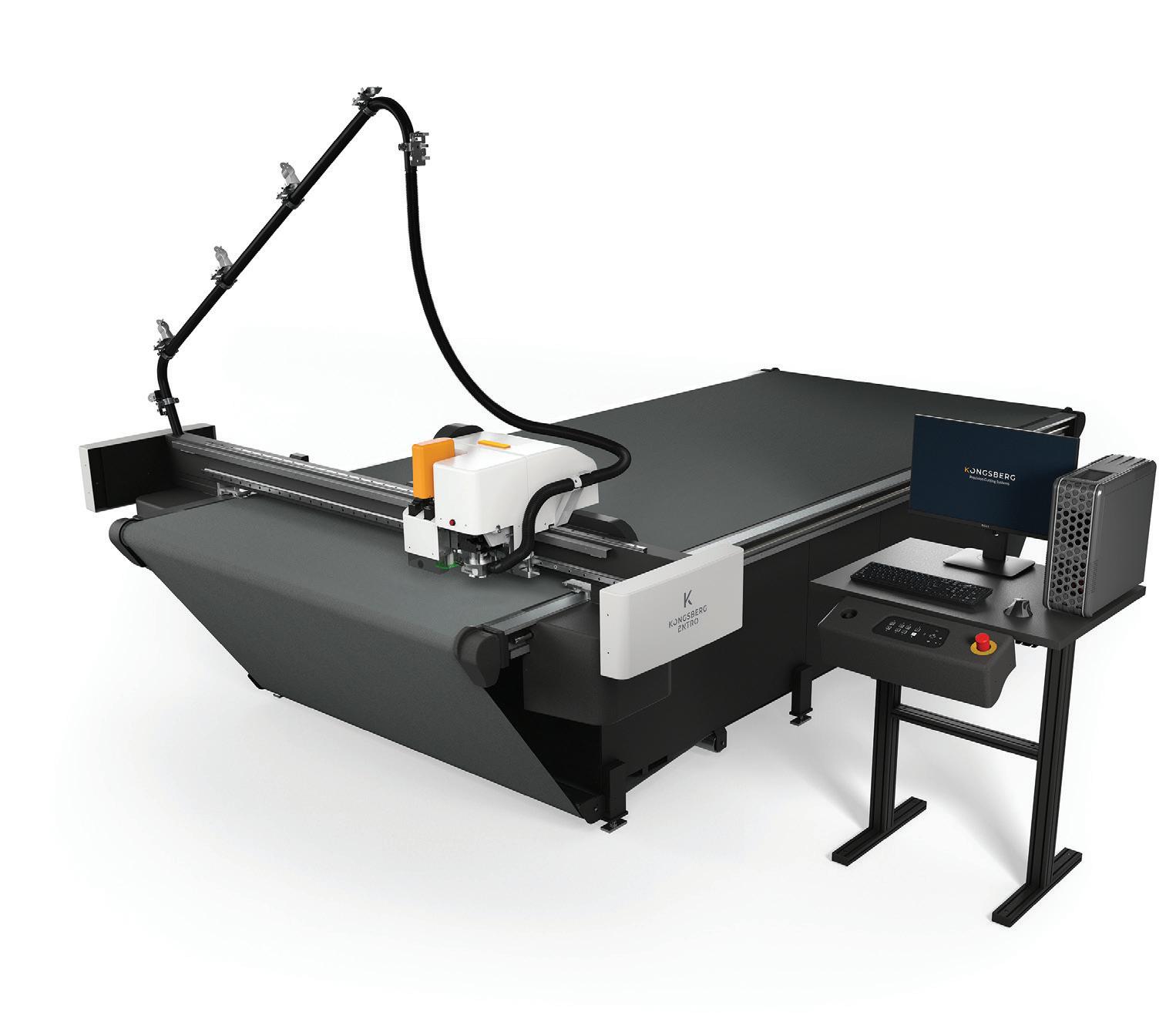
Kongsberg Precision Cutting Systems (PCS), booth 2200, demonstrates its “Shaping Your Future Together” campaign. The campaign highlights how its industry leading products, customer support, and materials expertise combine to empower businesses to push creative boundaries while improving overall efficiency and productivity. Kongsberg PCS showcases three of its advanced cutting solutions for print and signage, including the new Entro 24 entry-level cutting and milling solution, the Ultimate 64 digital cutting table, and the MultiCam Apex3R Evo CNC router. Visitors can also discover the C24 table paired with Digitech’s X3 printer with IMC stacker in the Digitech booth 3016. INFO#298
PLASTGrommet, booth 2866, offers banner and textile finishing solutions designed to streamline
and automate the banner finishing process from start to finish, from media roll lifters and media racks to welding, grommeting, cutting, and sewing. Making the U.S. show debut is a range of automation products including the entry-level All In One Edge integrated banner finishing machine and the TexWiz sewing module, enabling hybrid finishing of both banners and textiles on the All In One. In demonstrating textile finishing automation, PLASTGrommet also shows how textile finishing can be fully recyclable when paired with its proprietary clear plastic eyelets. INFO#299
PrintFactory, booth 2864, demonstrates how its cloud-based RIP workflow software is transforming print operations around the world. Visit the booth to see how it helps print shops streamline production, improve color consistency, and reduce media and ink waste, all from a single platform. Cloud job management, automated color management tools, and easy device calibration are demonstrated across wide format, textile, and industrial print environments. INFO#300
Sihl, booth 4460, exhibits a curated selection of innovative media solutions that represent a full scope of what it offers. From wide format graphics to durable films, labels, and tags, the products are designed for high performance and sustainability. Attendees have the opportunity to learn and get hands-on with product samples that highlight premium coatings and application versatility. The team is available to answer questions, demonstrate applications,
and help attendees find the right media for their needs. INFO#301
Summa, booth 4336, displays a range of cutting solutions, including its S series of vinyl cutters, the V and F series of flatbed cutters, and the L series of laser cutters; the new 5x8-foot flatbed cutter F1625 takes center stage at the show. Summa’s F1625 flatbed cutter is engineered for professionals in signage, display, and packaging who want a 5x8foot working area. It handles both rigid and flexible media, with no additional feeding for 4x8-foot boards. INFO#302
Techkon, booth 4817, educates attendees on SpectroDens, a combined color spectrophotometer and densitometer to help control process, spot, Pantone, or other brand colors. SpectroDrive is a press-side, automated, scanning solution for offset presses. SpectroPlate is a high-resolution, multi-functional digital microscope used to inspect and measure printing plates. This device can measure dot percentage; screen angles; lines per inch per centimeter; dot gain; and AM, FM, or hybrid screens of traditional offset or process-less, chemistryfree printing plates. ChromaQA 6 with SmartInk is a comprehensive color quality software platform designed to simplify workflows. Colibri ink formulation software is the most sophisticated ink formulation platform available. INFO#303
Vanguard Digital Printing Systems – A Durst Group Company, booth 3162, showcases its Radnor hybrid printer and the
VK3220T-HS ultra-productive flatbed printer with a new, automated offloading option. It also debuts its next evolution of a trusted Vanguard solution, which is a testament to the company’s commitment to offering the best equipment available to all print service providers. INFO#304
Vision, booth 2410, displays its 25 Series Router, 1624 Pro Engraver, and VE 810 Engraver. Vision’s 25 Series offers a 25x25or 25x50-inch work area and has multiple options, including an Auto Braille Inserter, Oscillating Knife, New Drag Knife, New Creasing Wheel, Print-To-Cut, and more. The 1624 Pro Engraver has a 16x24-inch T-slot table and is ideal for light to heavy duty sign applications. The VE810 has a compact space-
saving form factor, allowing it to fit on most desktops. Make a variety of signage with Vision’s machines, including dimensional letters, print-to-cut, and braille. Work with dibond, coroplast, metal, wood, plastic, and other materials. Vision software is graphically advanced, with many tools found in professional-grade graphics software. INFO#305
From automated finishing hardware launches to wide format
printing debuts and everything in between, the PRINTING United Expo promises to bring some of the most innovative products to the convention center floor.
The October issue of Digital Output includes information on additional vendors exhibiting at the event, so be sure to flip through that edition when it is available at the beginning of next month. D
by Melissa Donovan
When you happen upon a vehicle wrap, for someone with no knowledge of the graphic arts industry, it can be easy to appreciate the graphic and walk away. On the other hand, if you have even a basic understanding of what goes into the process of creating a wrap, you fully respect the effort that went into designing, printing, and installing the graphic.
A combination of talent between the install team and printing/production crew, as well as the designers, yields a stunning result. Add in the materials used and there is a lot of behind-the-scenes action associated with vehicle wraps that the average passerby wouldn’t consider.
Redline Design of Tampa, FL produces wraps on a weekly basis that are appreciated by many wrap aficionados.
The origins of Redline Design begin in 2000, where many wrap shops have their beginnings—in a basement. Justin Good was a one-man show, designing, printing, and wrapping. He credits those early years as educational in more ways then one.
“I was completing a lot of sign vinyl applications like wrapping roofs—using materials in a way they weren’t intended for, but that made for a better understanding of today’s air release films, for example how they stretch,” explains Good.
Customer service is important, and General Formulations cares. When we have questions, we get answers almost immediately from them.
— Justin Good, owner, Redline Design

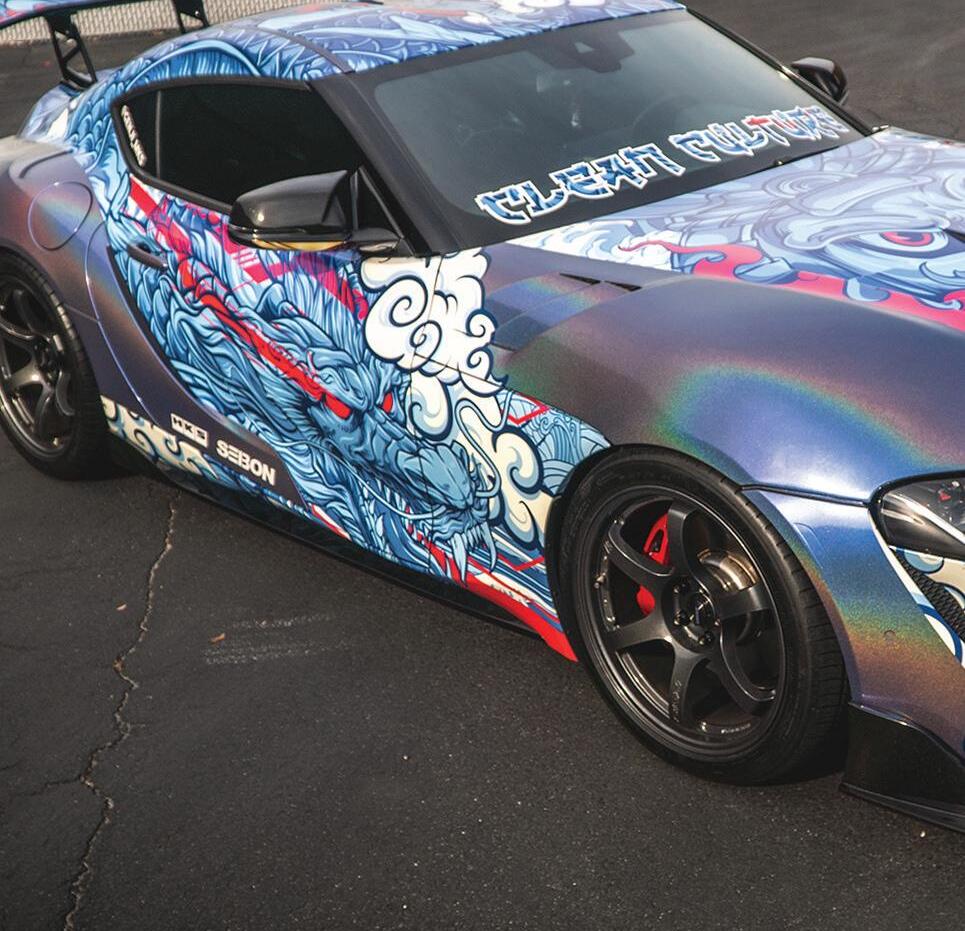
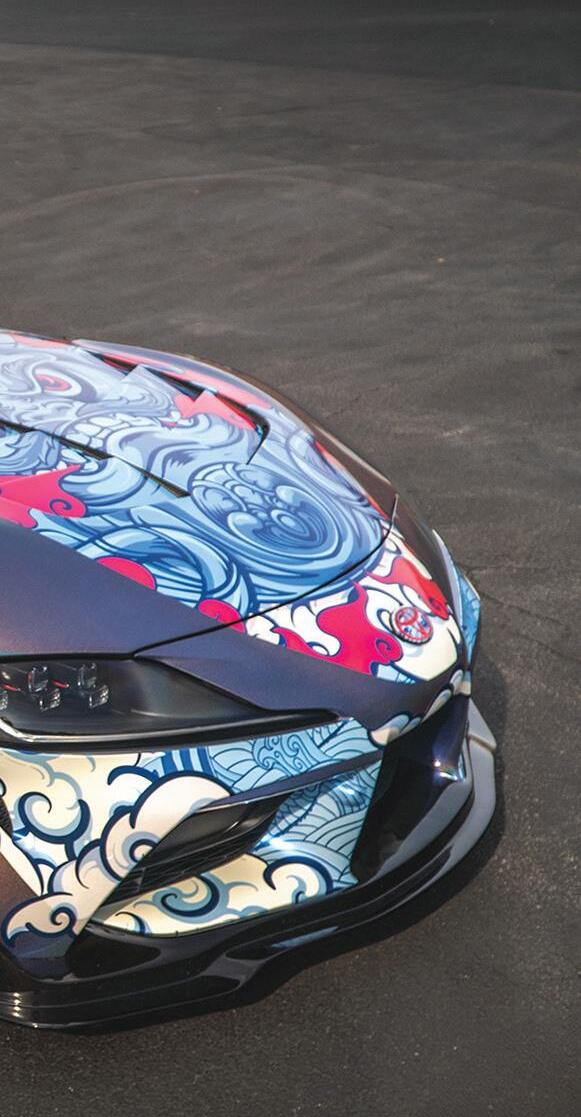
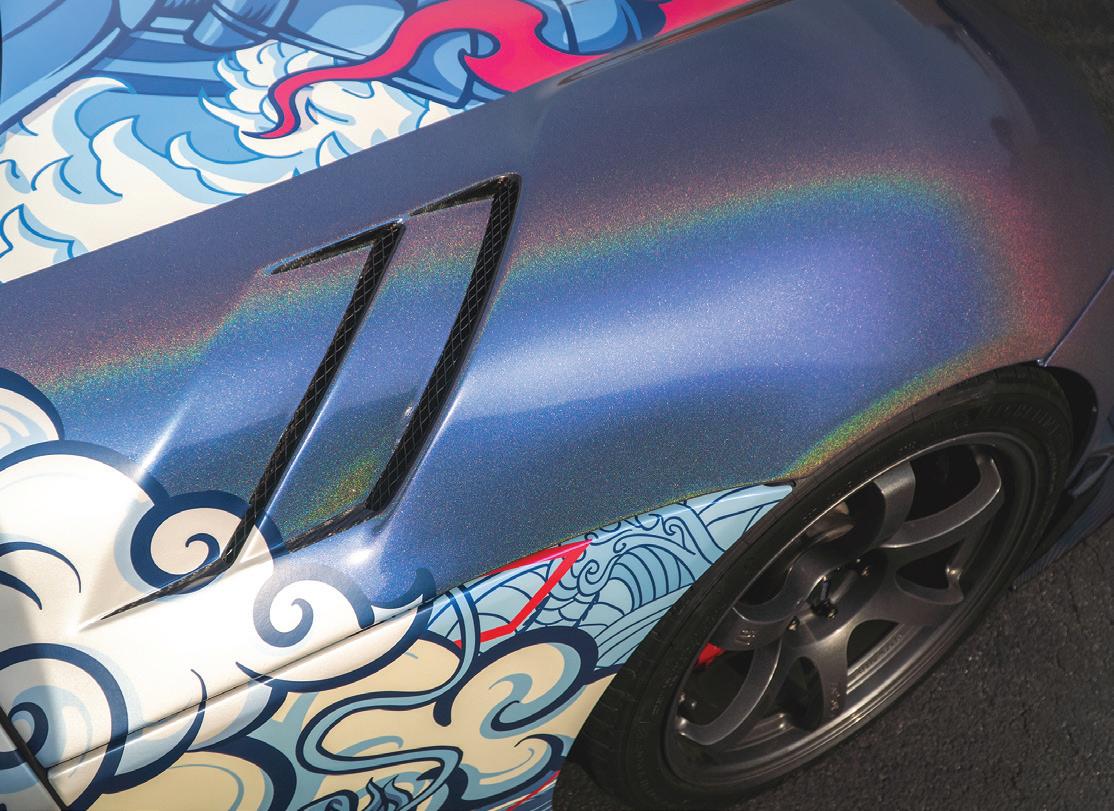
1 & 2) The most recent installation of Morgan Kochanowski’s Toyota Supra involved General Formulations’ GF 830 AutoMark Cast printed on a HP Latex 560 and protected with KPMF Gloss Blue Pearlescent Overlaminate. The car was accented with color change film Oracal 970RA Premium Special Effect Cast in Gloss Intergalactic Blue from ORAFOL.
Fast forward to 2010, a move to Tampa, FL and the company’s first location outside of Good’s basement. He started offering wide format printing, but outsourced to a wholesale
provider. After realizing he sent $20,000 worth of print work out to the wholesaler in a year, Good began researching buying his own printer. The process led to the purchase of an Epson SureColor in 2012.
In 2020 Redline Design moved into the facility it finds itself in today. The building encompasses 12,000 square feet and houses a staff of seven. The print provider offers designing, printing, and installing of commercial wraps, color change wraps, decals and stickers, as well as paint corrections on vehicles. 99 percent of its customer base is in the Tampa area.
As the business moved locations, Good simultaneously made the transition from his Epson SureColor to an HP Latex 560. “Epson stopped making parts for the SureColor and I was interested in HP’s latex technology,” he explains.
The 64-inch HP Latex 560 printer was the right choice in 2020 and continues to be a positive investment into 2025. In the five years Good has owned the device he says there has only been one warranty issue. He appreciates how easy it is to switch out the printheads and how well the latex ink works for car wraps.
In addition to the HP wide format device, a Graphic Finishing Partners, LLC (Gfp) laminator and two cutters from Graphtec America, Inc. round out the shop’s hardware list.
Reflecting back on the early days of Redline Design and Good’s
personal experience with wrap films, he says he’s really played with and installed the majority of media that’s out there. While it’s so important that the media in question performs adequately—if not above and beyond what is required—the customer service from the company it is sourced from is equally important.
This is why Redline Design uses media from General Formulations for a majority of its work.
“Customer service is important, and General Formulations cares. When we have questions, we get answers almost immediately from them,” says Good.
It’s used the company’s films for the past two years, on everything from flat trailers to McLarens and box trucks; cars that are so clean they look brand new to others that are very abused and used. The material holds up no matter what or where.
Some recent jobs undertaken by the Redline Design team underscore the range and depth of the projects it encounters as well as the vast capabilities of General Formulations’ media.
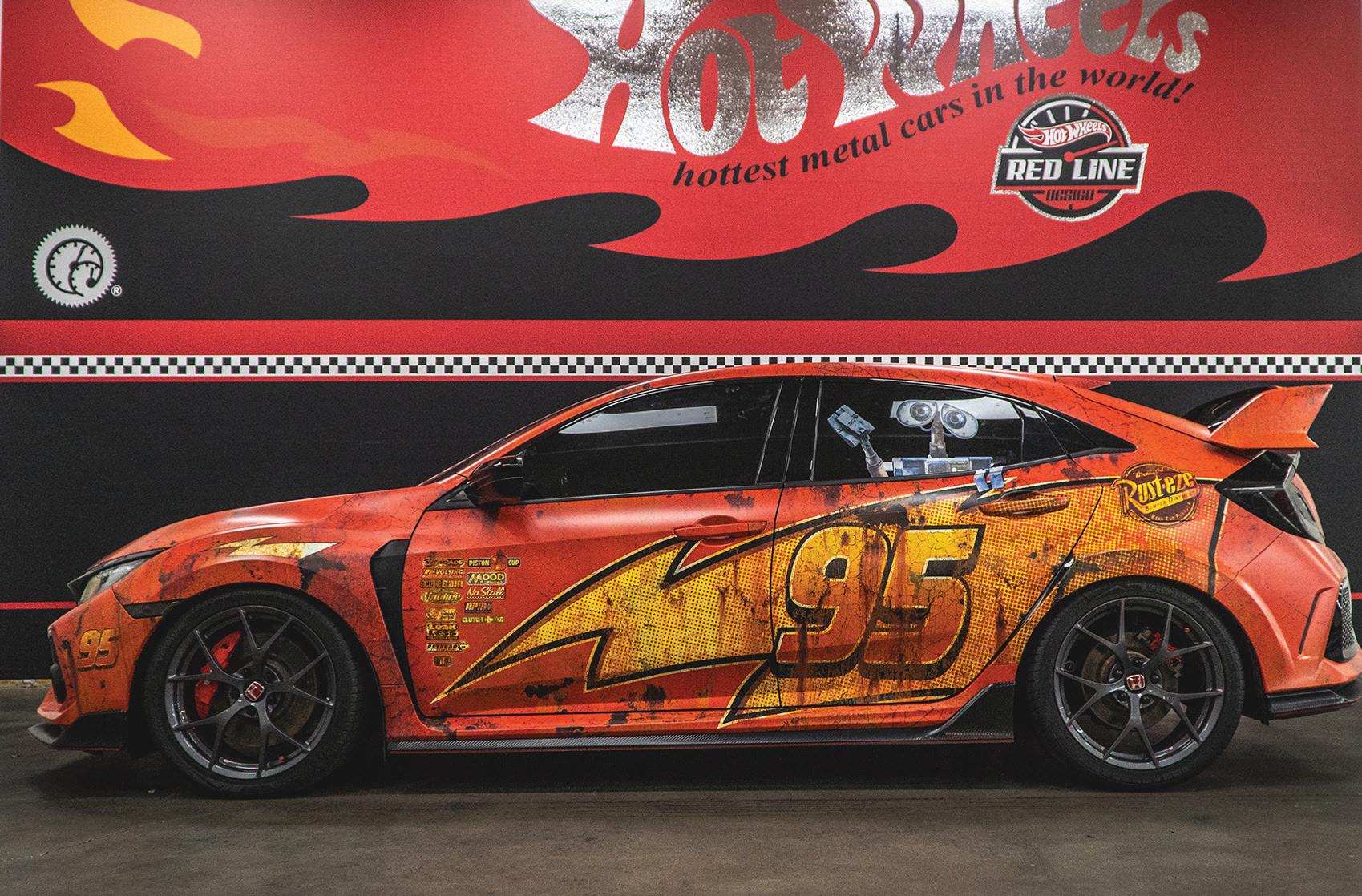
For example, General Formulations’ GF 830 AutoMark Cast with DRIFT Technology, a 2-mil high gloss white cast film with a slideable and repositionable gray adhesive system, is commonly used. It was printed to with the HP Latex 560 and laminated using the Gfp laminator with GF 840 AutoMark Clear Laminate to create a wrap on a Honda Civic Type R.
Owner David Beaton asked for a wrap that resembled Disney Pixar’s Lightning McQueen from the Cars franchise. “We are all big kids at heart and what better way to enjoy it than driving around in a Lightning McQueen livery,” notes Good.
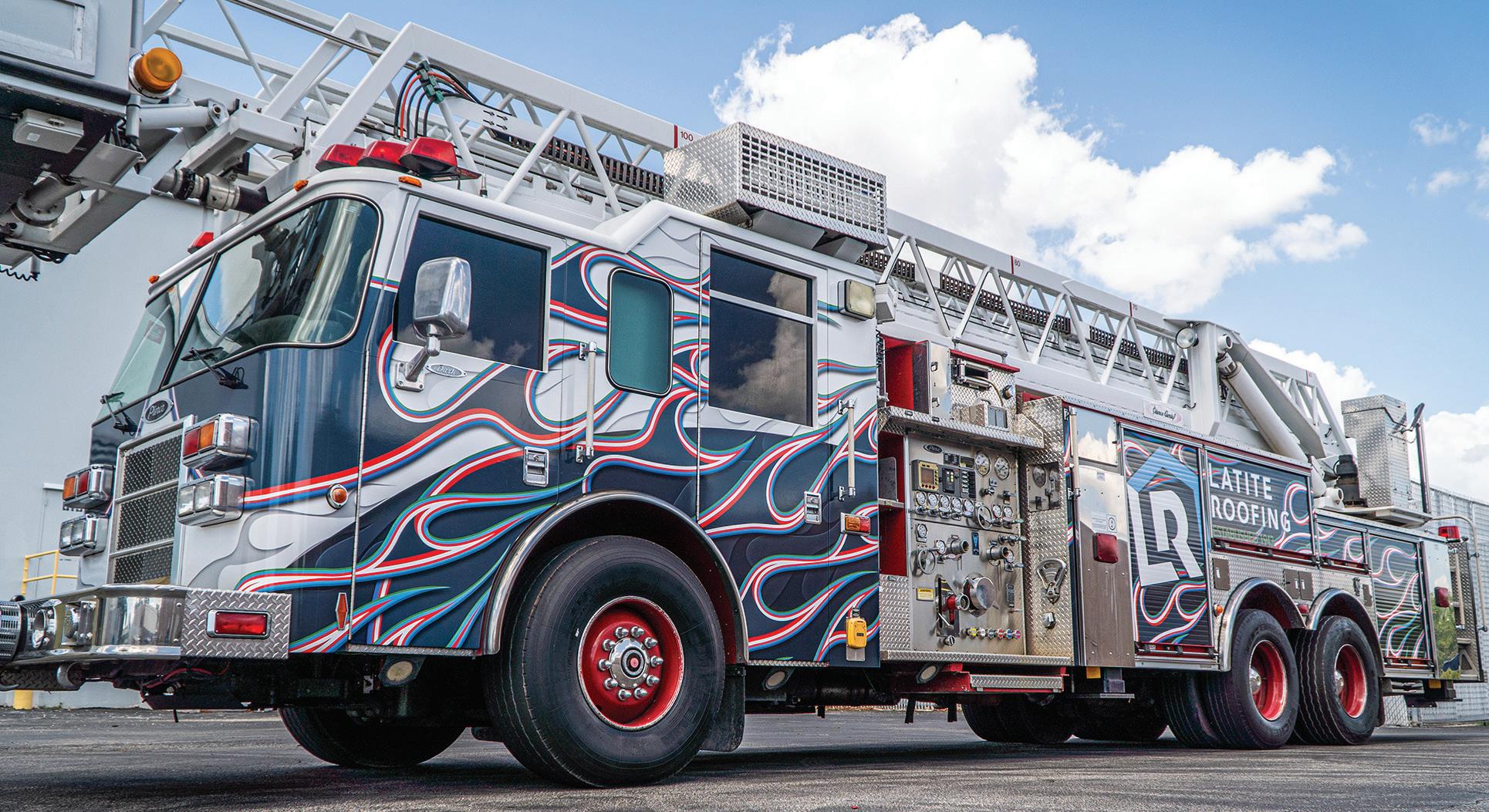
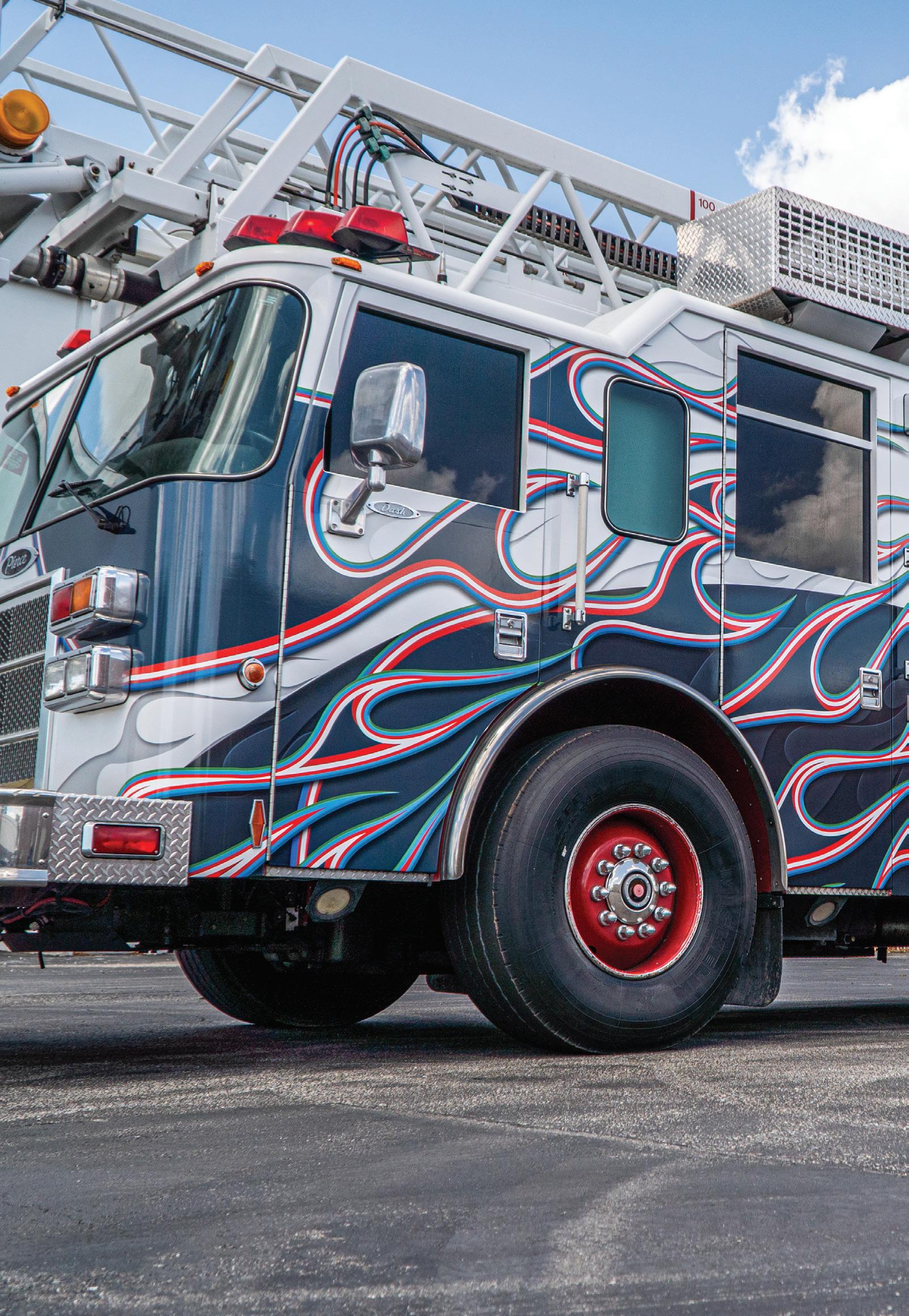
3) General Formulations’ GF 830 AutoMark Cast was printed to with a HP Latex 560 and laminated using a Gfp laminator with GF 840 AutoMark Clear Laminate to create a wrap on a Honda Civic Type R that resembles Lightning McQueen. 4) General Formulations’ GF 830 AutoMark Cast was used and complemented by General Formulations’ GF 242 Optimark Cast overlaminate on this firetruck for Latite Roofing.
Another example, a vehicle wrap for customer Morgan Kochanowski who owns a Toyota Supra. As of press time, Redline Design had wrapped the vehicle three times. “He allows us to run with our ideas to create for him whatever we want, as long as the design incorporates a dragon,” explains Good.
The most recent installation involved General Formulations’ GF 830 AutoMark Cast printed on the HP Latex 560 device and protected with KPMF Gloss Blue Pearlescent Overlaminate. The car was accented with color change film Oracal 970RA Premium Special Effect Cast in Gloss Intergalactic Blue from ORAFOL Americas, Inc.
A final example, Latite Roofing reached out to Redline Design for an eye-catching wrap on a firetruck. The roofing company utilizes a firetruck for its work and Good says it wanted to “bring the fire with them when they show up for a job.”
Again, General Formulations’ GF 830 AutoMark Cast was used and complemented by General Formulations’ GF 242 Optimark Cast overlaminate.
The three jobs discussed here are a good representation of General Formulations’ media capabilities. From firetrucks to race cars, the material succeeds. Credit must be given to Good and his installer team, as well as the hardware used in house. Combined the results equal success for Redline Design. D
by Cassandra Balentine
No matter where you look, the role of artificial intelligence (AI) is expanding. While still in its early stages, the technology has unlimited potential. However, its current and future role in workflow and automation within the wide format print industry is worth watching.
“AI is everywhere nowadays and the printing space is no exception. It pushes back the boundaries of what was once thought impossible,” comments Loïc Aigon, PitStop product manager, Enfocus, an Esko Company.
Sacha-Vittorio Paolucci, head of sales, EMEA, OneVision Software AG, believes that AI technology is making a clear and positive impact in wide format. “It enhances productivity, consistency, and accuracy across the workflow.”
It is important to note that AI isn’t about replacing humans, it’s about augmenting human decision making with real-time, data-driven insights, stresses Debra Hobden, global marketing director, PrintFactory.
While Nick Benkovich, chief product officer, Print ePS, admits that it’s currently the early days of AI in the wide format space, there are great gains in estimating, planning, and back office functions like purchasing and payments.
AI can be a powerful and impactful tool to help understand the buyer, identify prospects, drive e cient go to market, and enable faster more accurate estimates.
— Nick Benkovich, chief product o cer, Print ePS
“AI is starting to make a real difference in print production—but only when it’s used the right way. It’s a not a magic fix, and it doesn’t replace the solid workflow systems that print shops have relied on for years. Instead, it works best when it’s layered on top of the logic and automation



you already trust,” suggests Matt Crawford, president and CEO, Onyx Graphics, Inc.
AI analyzes factors like job specifications, printer capabilities, and deadlines to create optimal production schedules that minimize downtime. “AI algorithms automatically check for errors in print files and help ensure consistent color accuracy across different print jobs and media types. AI suggests the best layouts and settings, reducing costly waste and maximizing material usage,” adds Marc Raad, president, Significans Automation.
“A key area is automatic quality control, where AI and computer vision technologies verify object placement and overlay compliance based on the original design intent. This is useful in signage, vehicle
wraps, or architectural graphics, where precision is critical. AI reduces waste, prevents rework, and helps operators detect issues that might otherwise go unnoticed. It supports staff rather than replacing, streamlining production while improving quality,” says Paolucci.
Hobden points out that AI enables smarter decisions, faster turnaround, and consistent color, “especially in wide format, where media and job types vary. From intelligent nesting and job batching to predictive maintenance and color profiling, AI reduces human error and maximizes efficiency.”
AI is also useful for image upscaling, enabling printers to offer increased image resolution for their customers during file submission, according to Aigon.
AI supports flexible production models and reduces dependence on manual checkpoints. “One example is the use of AI-based mobile job identification. With a simple photo taken via an Android or iOS device at key production stations, the system can automatically identify the job and match it with correct specifications. This simplifies job handling, improves traceability, and reduces the risk of human error,” concludes Paolucci.
Raad insists that when AI workflow software is deployed properly with an experienced integrator to yield maximum results—depending on the wide format shop’s specific production environment—it can automate tasks, optimize processes, and boost overall efficiency to unprecedented new levels. “This
includes automated job scheduling, preflighting checks, and even suggestions for design and layout based on analysis of client data.”
The key to AI working is for print providers to choose tools that complement existing workflows rather than disrupt them, cautions Gudron Bonte, chief product officer, SAi.
When properly implemented, AI help grow a print business.
“AI can be a powerful and impactful tool to help understand the buyer, identify prospects, drive efficient go to market, and enable faster more accurate estimates,” says Benkovich.
Aigon agrees, noting that the potential for AI is huge and every days brings new possibilities. “We constantly look at how we can introduce innovation into our products for the benefit of our users.”
“By freeing up time and expanding capabilities, AI empowers sign businesses to focus on growth, innovation, and customer service,” adds Bonte. Tools include predictive analyics to help identify trends and customer preferences, variable data printing powered by AI to personalize campaigns at scale, and generative design tools that allow customers to create signage with minimal design experience.
Depending on the use case, AI can be easy to implement and utilize.
Many of today’s AI tools are accessible, especially when integrated
into modular workflow platforms. “Still, a successful rollout requires planning. Providers should assess their infrastructure, data workflows, and production needs. AI should not be added for its own sake, but to solve specific bottlenecks,” cautions Paolucci.
Planning and good data habits are a solid place to start. “If your team is still routing jobs by memory or guessing at ink usage, AI probably won’t help much yet. It needs clean, consistent inputs to work well. Start by identifying where your bottlenecks are and where better feedback would help. That is where AI can make a real difference,” says Crawford.
Aigon points out that AI is not an island and will not be successful in isolation. “It must be aligned to the wider goals of a print business and successfully integrated into its activities and operations.”
Take image upscaling as an example. “How useful is it to send an image to an upscaling engine if your PDF file is made of hundreds of them? And how many PDFs are you getting on a daily basis?” asks Aigon. “The good news is that it’s generally easy to connect AI to a workflow by automation.”
Raad cautions that most printers, even those with experienced IT staffers, do not have the inhouse expertise to seamlessly and cost efficiently choose which AI workflow solutions are best for their specific production environment. “They should partner with experienced integrators and together, set realistic, affordable goals.”
When it comes to AI, Benkovich urges print providers to find the right opportunity and don’t reach for the stars on day one.
Paolucci believes print providers should prioritize AI tools that validate layout and object placement reliably, integrate seamlessly with their existing production stack, enable visual recognition and job tracking via mobile devices, provide explainable, actionable results rather than black box automation, and offer clear return on investment and vendor support for deployment and training.
“AI should always be viewed as a helpful tool. It is never a substitute for a highly skilled prepress employee, press operator, or salesperson,” warns Raad.
Aigon cautions that while AI might sound like a magic bullet, it’s good to keep in mind that it is not always right. “Trying to get 100 percent efficiency can be illusive. AI models often require a prompt or a series of instructions to make the results better. Getting consistent results requires effort upfront and even then, some close follow up.”
“Avoid black box solutions that offer little insight into how they work. Don’t chase trends—focus on tools that solve real problems in your shop,” recommends Bonte.
AI helps print providers process more jobs with greater speed and confidence, but the technology is still in the beginning stages. D





USA Inc. heytex.com
hplfmedia.com
koroseal.com/korographics
lexjet.com
digitalwindowgraphics.com





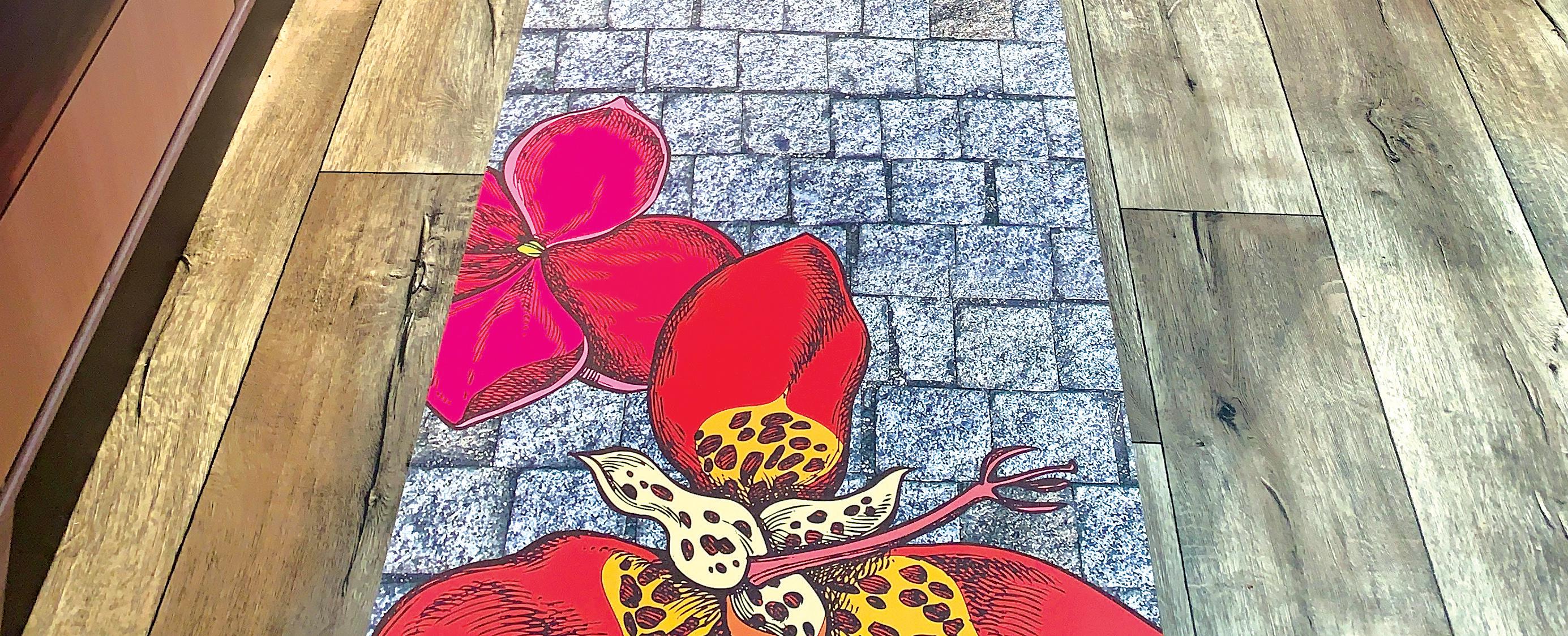
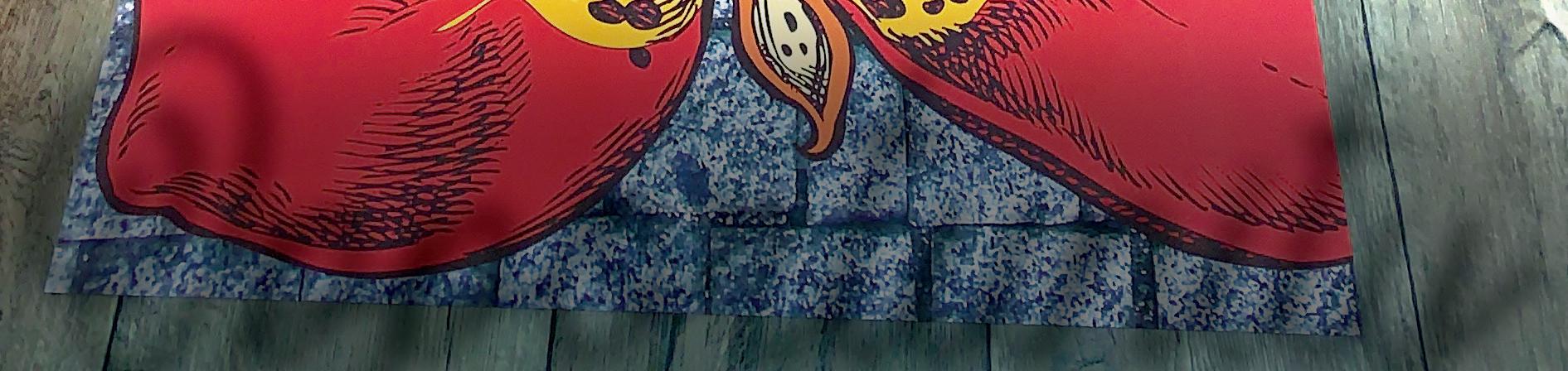












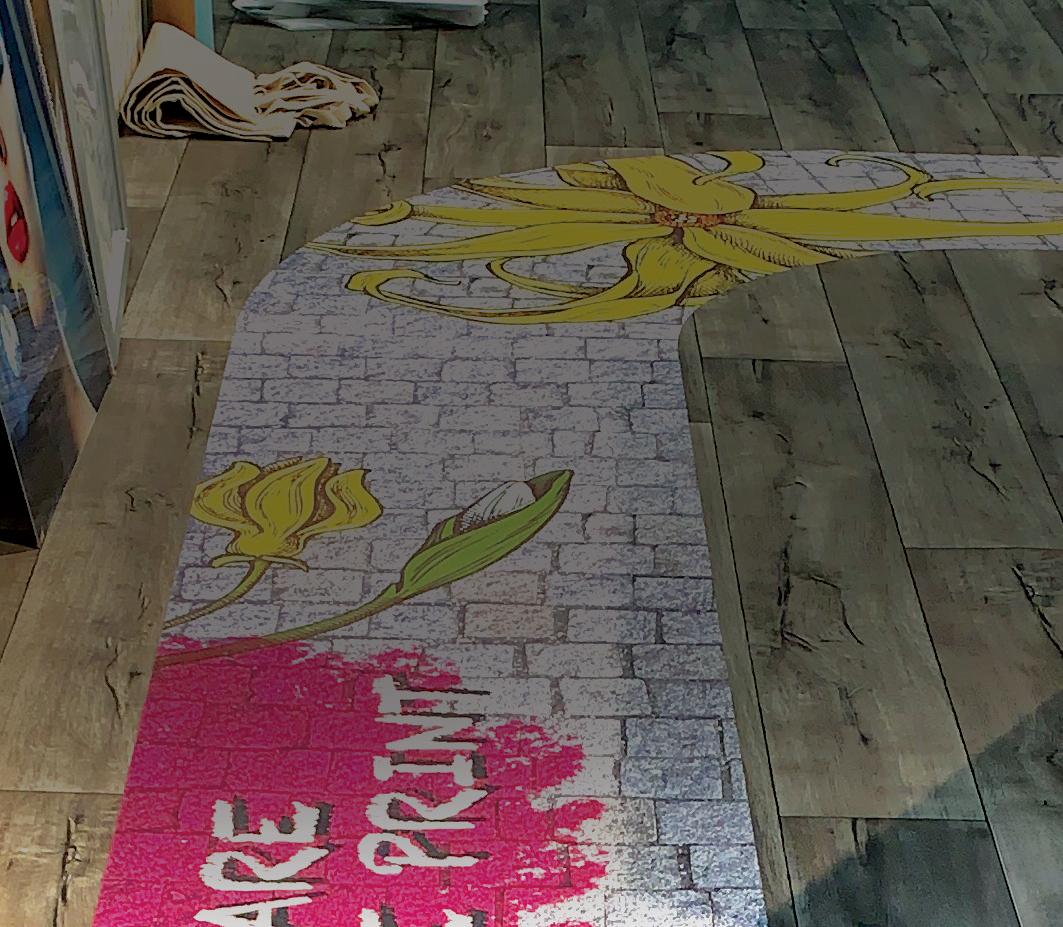
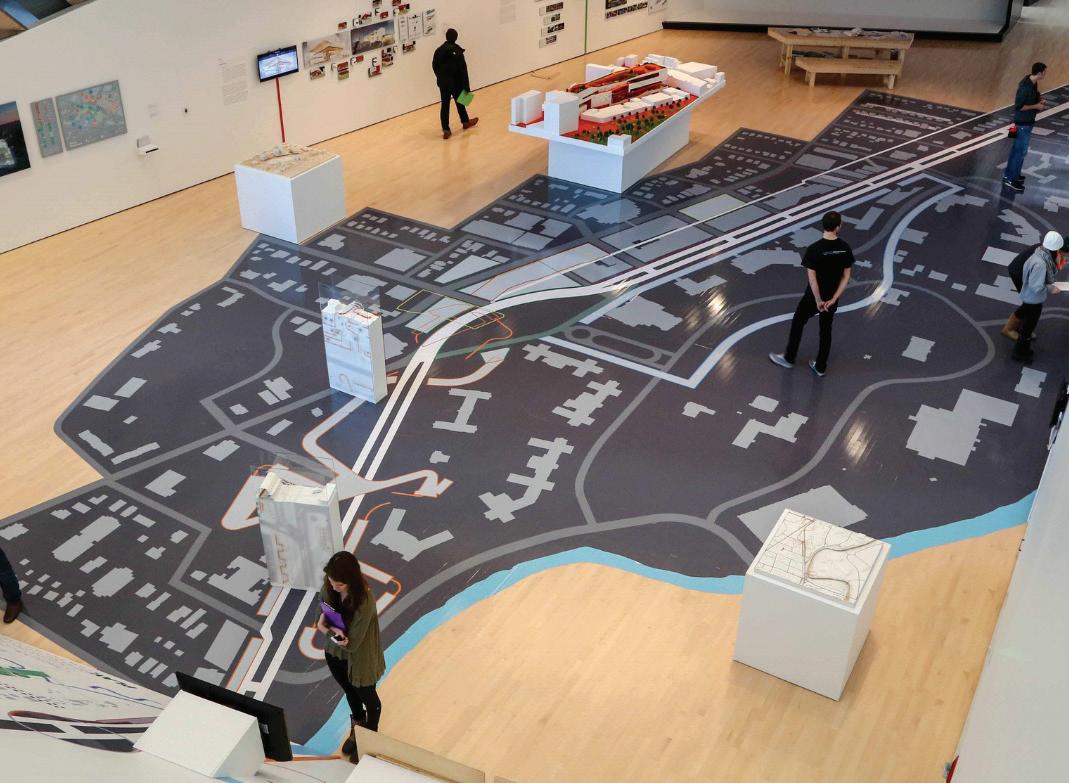
oll-to-roll wide format printers are the go-to solution for printing floor graphics. Many factors must be considered to ensure a successful application, from the design to surface, ink, media, and lamination requirements.
Floor graphic media is engineered to withstand heavy foot traffic, which means it tends to be thicker, more textured, and coated with slip-resistant surfaces. “These textures—ranging from matte grit to embossed vinyl—can influence ink lay down and adhesion. Printers must handle these materials without


















by Cassandra Balentine
causing printhead strikes or uneven ink coverage, which is why adjustable printhead height and media feed accuracy are so important with floor graphics,” says Adam Tourville, channel manager, Fluid Color, LLC.
“Floor graphics take a beating—foot traffic, cleaning, the works—so they’re built tougher and should be textured for slip resistance,” adds Roy Ritchie, president, DreamScape. “That added texture and thickness means you have to be a little more intentional with setup. But when done right, the results are visually striking and physically durable.”















Compared to banner or wall vinyl, Tourville explains that floor graphic media can also have additional topcoats that affect how ink sits and cures. Some are more absorbent, while others repel ink if not properly matched with the right chemistry. These unique characteristics mean printers must be calibrated for optimal temperature, ink volume, and curing speed to ensure proper bonding and visual clarity.
Typically, floor graphic media is a thicker calendared vinyl product. “Media
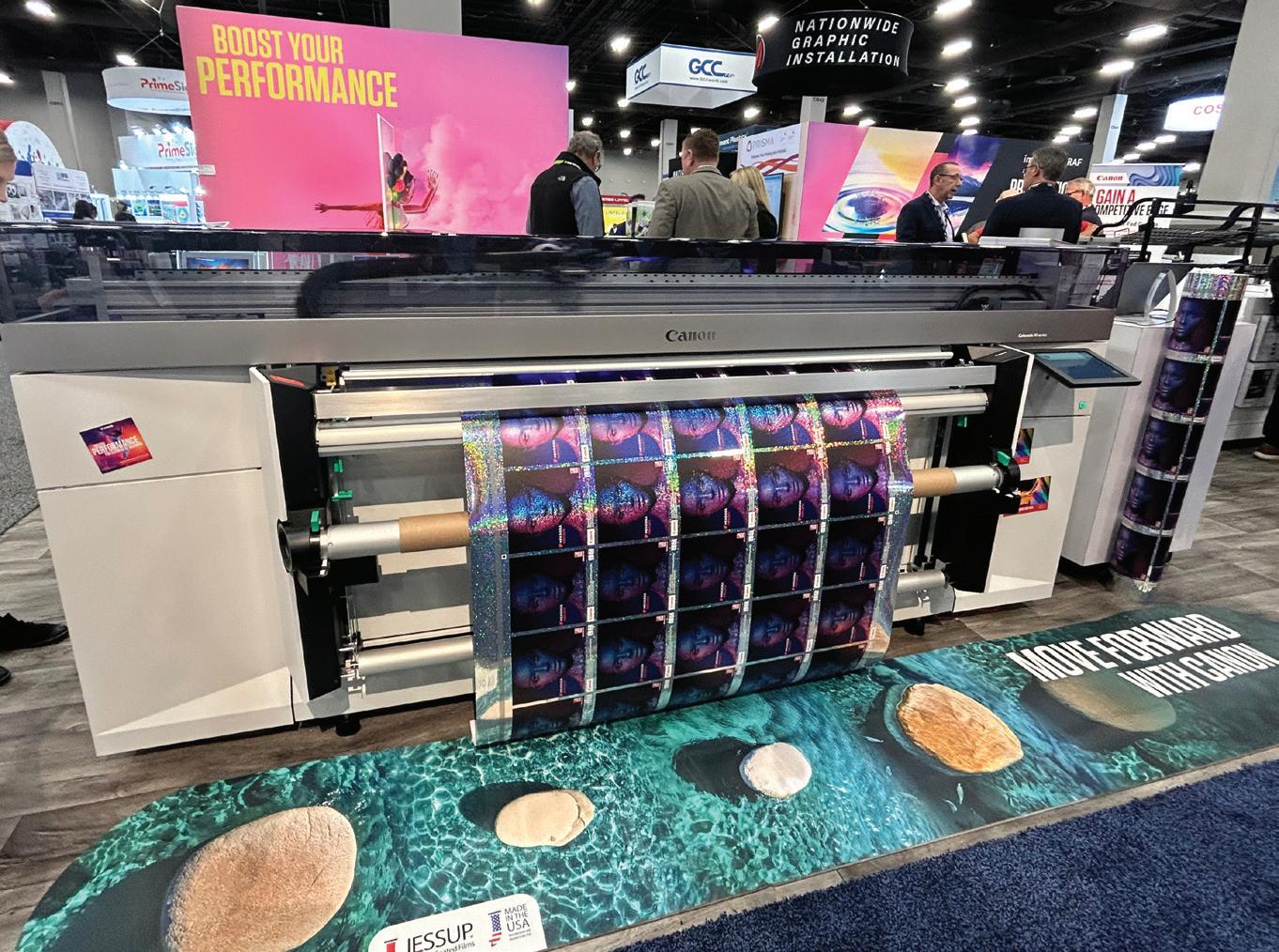
Above) Output printed using a Canon Colorado M-series


manufacturers generally add texture to the laminate and not the print material to prevent slips and falls. This gives print operators very little learning curve and requires less calibration to get a great print result,” offers Tony Simmering, product manager, Mutoh America, Inc.
While many materials are “universally” compatible with solvent, eco-solvent, UV, UV gel, and latex inks, Michelle Kempf, VP, sales and marketing, Continental Grafix USA, Inc., cautions that there remain uncoated options that may not be suitable for all printers. “It’s best to do your homework before you have an expensive roll that won’t work with your printer.”
Ritchie agrees, noting that latex and UV inks tend to be the top choice because they cure fast, hold up well under traffic, and pair nicely with slip-resistant coatings. “Dry time matters more than usual here, especially when you’re skipping laminate. Whatever combination you choose, durability and safety come first.”
There are nuances that are helpful to understand when selecting the best media selection for the job at hand. “For example, solvent/ eco-solvent inks provide strong adhesion with great durability and wear resistance, especially for one-step floor graphic material, provided the film has the proper receptive coating,” says Kempf.
Eco-solvent inks are known for longevity and durability, which allows for high-traffic interior and exterior graphics. The biggest
limitation is production time as there is usually an outgas period. Simmering recommends paying attention to this to ensure the best quality when post-laminating and applying to the floor.
Applications requiring more flexibility or for graphics applied to uneven or soft surfaces may benefit from a longer curing time but softer hand feel and better elongation properties. “Solvent and ecosolvent inks also work well with PVC films, offering good durability and color, but may need extended dry times and careful ventilation,” shares Tourville.
Latex inks are a more environmentally friendly option, but offer a bit less durability on one-step floor graphics as compared to other solutions. “In some cases, the high heat required for curing may not work well with certain
media types. Ink is dry/cured immediately so no time is needed if laminating for a two-step solution is required,” offers Kempf.
Kempf feels latex is ideal when laminating floor graphics because the dry time is instant since no outgassing is required, which allows for an uninterrupted workflow from printer to laminator, however the higher heat may negatively effect some thinner substrates. Solvent/eco-solvent inks provide excellent adhesion, but require 24 to 48 hours to outgas prior to laminating, which may elongate production time.
UV LED inks paired with calendared vinyl or textured PET films are among the best combinations for floor graphics due to their instant curing and excellent adhesion, shares Tourville. “This is ideal for short run or on demand jobs where speed matters. UV LED also performs well on synthetic textiles and some non-PVC films, provided the surface has been treated or coated for ink receptivity.”
Simmering says UV inks can provide very quick job completion but have limited durability due to the nature of the ink as well as the ink being a surface adhesion. “UV inks are becoming popular for printing floor and wall graphics and do not require any significant curing or outgassing period before lamination; this method is usually limited to indoor and lower traffic jobs.”
“UV-curable inks offer excellent adhesion on a variety of floor graphic material, and are also durable and wear resistant without lamination,” agrees Kempf.
Angel Georgiou, senior product marketing specialist, large format, Canon U.S.A., Inc., adds that UV and UVgel inks dry instantly and are very durable for print-and-go floor graphics. “UV inks can also be used on aluminum products, which are suitable for asphalt or high-traffic outdoor areas.”
UV LED inks cure instantly, which reduces the risk of smudging and eliminates the wait time associated with solvent or latex drying. “UV inks also build a slightly raised surface that pairs well with overlaminates to enhance slip resistance and tactile performance,” says Tourville.
According to Simmering, it is important for the ink to maintain some level of flexibility so it can be laminated; a completely rigid ink will likely crack.
Floor graphic media is available in one- and two-step configurations, which determines whether or not they require lamination. One-step
floor graphic media solutions are designed to apply on a floor without additional protection, while two-step options involve two materials layered together for the desired outcome.
Mike Aldrich, product manager of digital print solutions, General Formulations, says the texture of the laminate, or in one-step applications the film, provides a unique finish mixed with functionality for non-slip and non-skid applications.
Ritchie stresses that for standard vinyl or smooth film, a certified overlaminate is required to meet safety standards. “Be sure that your products offer both the ANSI A137.1 and pendulum DCOF slip certifications to ensure you are protected legally from any potential claims before skipping the topcoat.”
Slip resistance is critical. “Always test the combination of media, ink, and laminate to confirm slip resistance meets safety standards like UL 410 or ASTM D2047. No need to get sued,” stresses Tourville.
Tourville feels that laminated graphics offer more flexibility in choosing print media since the laminate provides the slip resistance, abrasion protection, and in some cases, UV stability. “In this case, the focus shifts to ensuring ink compatibility with the laminate adhesive and that the print is fully dry or cured to avoid tunneling or delamination.”
“The advantage of using a two-part floor graphic system with print film and laminate is not just the versatility of choosing the right
adhesive for the job, but also that the print is encapsulated under the laminate layer and protected from cleaners and contact, so your graphic stays vibrant through the life of the campaign,” adds Aldrich.
Aldrich points out that with a base-plus-laminate system, the smooth base layer runs as any other print media would and doesn’t require any modification of the printer or cutting equipment to handle the media. “By changing out the laminate layer, the versatile base film then becomes a solution that can be used on floors, counters, tables, and beyond.”
Outgassing inks can compromise the integrity of how the laminate layer bonds to the base film and potentially cause issues with bubbles or distortion, or a complete delamination of the job. “While the extra step of laminating comes with this concern, the overall durability of the image is protected by the additional layer, leading to a better looking and longer lasting graphic. Just give yourself the extra processing time to mitigate those risks,” advises Aldrich.
Unlaminated floor graphics rely on the media’s surface coating for durability and slip resistance, making the choice of media and ink combination critical. “UV LED inks are especially effective here due to their abrasion resistance and ability to build a lightly textured surface that contributes to slip safety,” says Tourville.
Ritchie points out that if the media is engineered for slip resistance—like DreamScape’s Wall+Floor Wrap line, you can
skip lamination. A few benefits he lists include lower material/ production costs, fewer materials to inventory, and an overall faster delivery for installation.
Georgiou finds that using a print-and-go—or no lamination necessary—product is the easiest option for floor graphics. However, she admits it’s not always the best choice depending on the installation location. “In some areas, laminated materials with a safety texture are a better choice. Also, using rounded corners instead of square ones helps the edges stay flat under foot traffic.”
The success of a floor graphic involves several parts, including design, media, laminate, and printing and finishing equipment.
When considering the vast array of floor graphic material on the market, Kempf points out that it’s important to be mindful of material thickness to ensure that your printer is able to handle the media properly without causing printhead strikes, which can result in expensive damage.
“There are so many great floor graphic solutions available, however not every solution is physically compatible with every printer,” cautions Kempf. “It’s vital to ensure that your printer of choice can accommodate the material thickness or texture. It’s frustrating and expensive for everyone involved when material arrives and production is ready to go, only to discover that the printhead can’t be adjusted. Proper adjustment puts the printhead
high enough to avoid printhead strikes, but close enough to avoid banding and poor print quality.”
Simmering admits these medias tend to run on the thicker side, so it is important the printer is properly calibrated to the correct material and printhead height is engaged to stay out of the way.
“The printhead and carriage mechanism must handle varying media thicknesses without sacrificing accuracy. Printheads with variable droplet sizes and precision firing help maintain crisp output even on textured or absorbent substrates. Adjustable carriage heights are essential when printing thicker media with raised or structured surfaces,” explains Tourville.
Ritchie suggests always manually confirming printhead height. “Many printers automatically sense printhead height. If you are printing an unfamiliar material take a moment to verify that the recommended height is sensed. Keep in mind that any change requires a conformation of bidirectional alignment.”
A robust pinch roller or feed system is necessary to maintain consistent media tension and alignment. “Anti-static bars reduce dust and debris attraction, which is critical since surface imperfections show prominently. Smooth media advances from linear motors and precision-driven encoder systems ensure proper registration,” adds Tourville.
Tourville points out that take-up systems with adjustable tension help avoid skewing, particularly on longer runs.
It is important to ensure the media is tracking squarely through the print system and that the print leader is fully attached to the take-up reel before beginning production. “Even a slight variance in tracking can result in a mismatched pattern and potential job rejection,” adds Ritchie.
Using media with an anti-curl treatment or a structured liner helps maintain flatness and smooth feeding through the printer. “Before printing, it’s important to run a nozzle check and ensure proper printhead height settings to avoid smudging, especially with thicker calendered vinyl or textured films,” attests Tourville.
Floor graphics can be extremely high square footage jobs, therefore Simmering feels that having print systems where the print operator can utilize a take-up unit to automatically roll the material is critical.
Print speed also plays a role. Tourville recommends using print modes that balance quality with throughput. He explains that typically a medium pass mode ensures even ink lay down without pooling or banding.
Higher speed modes typically sacrifice resolution and ink density, which can lead to poor adhesion
or muted colors on textured surfaces. “For floor graphics, especially those viewed close up or under foot traffic, we recommend medium- to high-quality modes that use slower carriage passes and denser ink lay down to ensure rich color and durability,” comments Tourville.
Additionally, slower print modes allow for more controlled curing in UV systems or better drying in solvent and latex systems. This reduces the risk of ink bleed, edge curl, or post-print defects like delamination, offers Tourville.
Most modern print systems are designed to handle applications like floor graphics at very high speeds, without special consideration. Once properly calibrated, Simmering says it’s up to the operator on what level of quality is best suited for that particular job.
Since one-step floor graphic solutions often have a texture, Kempf suggests running at a slower carriage speed and a higher pass count to improve the print quality and final output. On the other hand, she says with two-step solutions the printing is done on a smooth substrate and a textured laminate added can typically run faster and with less passes, depending on desired image quality.
Floor graphics present opportunity in terms of marketing and wayfinding. However, proper preparation, production, media selection, finishing, and installation are important to the success and safety of this application. D


190





















































































by Melissa Donovan
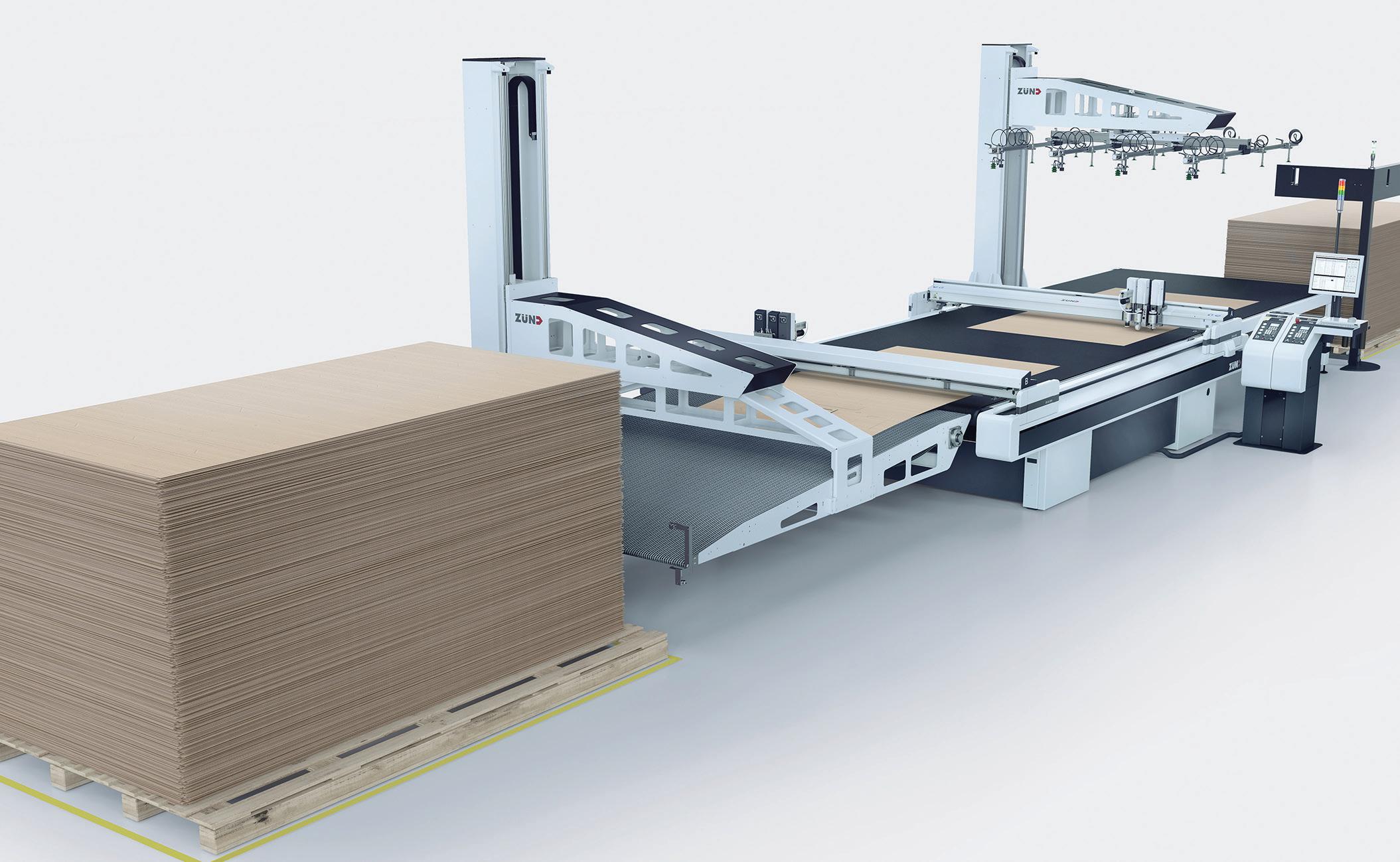
Print service providers (PSPs) working with corrugated board benefit from automated finishing techniques, whether they are placed inline, near line, or offline. Space constraints determine which configuration is ideal, as does the type of jobs normally printed. For shops where corrugated isn’t their only material used in house, a finishing device capable of handling multiple types of media is preferred.

Automated finishing presents efficiencies in a print shop no matter the material being finished. Corrugated board in particular is a prime candidate for automation—on both the front and back end of the finishing process.

“Automation in finishing isn’t just a productivity booster—it’s a strategic necessity for modern corrugated print operations looking to meet faster deadlines, tighter margins, and growing demand for customization,” attests Chris Manley, president, Graphco.

Automation is critical in both the front and back end of the corrugated print process, according to Keith Verkem, national sales manager/ senior product manager, Colex Finishing Solutions Inc.
“For PSPs, automating the back end reduces labor demands and increases consistency and speed. At the front end, automation streamlines job preparation and reduces setup times and errors, which is essential for handling short runs. Automating front-end file preparation through to backend cutting is key to meeting customer expectations,” agrees David Preskett, VP EMEA & APAC, Kongsberg Precision Cutting Systems.
Corrugated materials feature unique characteristics, mainly due to their size and structural integrity. As such, “they require precise handling to prevent damage during production. Automated material handling is designed to manage these complexities, allowing efficient feeding and stacking without the need for manual intervention or risk of human error. Therefore, automation is an ideal way for PSPs to improve efficiency and stay competitive in the corrugated market,” suggests Preskett.
According to Scott Nelson, manufacturing operations manager, Infinite Motion Control, an often overlooked benefit of automation is the reduction of human touch. “This reduces damage and increases productivity as the automation is keeping up with the hardware, not a human setting the pace.”
Martin Thornton, executive sales manager, Zund America, Inc. says
that “consequently, automated processes help ensure precise registration and consistent output quality all while improving productivity. Automation also allows for better material utilizing through optimized prepress functions—nesting, as well as precision cutting, reducing waste, and improving sustainability.”
“Corrugated is often used in highvolume applications. Automating finishing—cutting, creasing, stacking—not only reduces manual labor but also ensures consistency and speed. This means faster turnaround times, fewer errors, and the ability to scale operations efficiently. Corrugated’s rigidity and repetitive formats make it ideal for automation, especially when integrated with digital workflows,” continues Verkem.
Working with corrugated board can be awkward, the material itself is bulky and unwieldy. PSPs need space and a flexible production process.
“Corrugated production generally requires considerable quantities of larger sheets that are bulky and have a tendency to get crushed or warped, which necessitates suitable storage space as well as staging areas for material loading/unloading and pre/postproduction handling. Especially for smaller print shops, space is likely to become a prime consideration,” notes Thornton.
In many print shops, especially those that don’t handle corrugated, space is a premium, points out Verkem. Here a modular or hybrid
system might be the best choice. “It provides flexibility to switch between substrates—corrugated, foamboard, or acrylic—without dedicating floor space to a singleuse machine. For PSPs with diverse jobs, a multi-material cutter with quick-change tooling is more cost effective and space conscious.”
“A hybrid system reduces the need for multiple machines, saving floor space and cutting overhead costs. With one table, you can complete jobs faster and expand into new areas like event displays, branded packaging, and interior graphics— using the same team and equipment,” advises Manley.
Preskett stresses versatility. “Ultimately, opting for a system capable of handling a range of media helps PSPs stay agile, ready
to handle corrugated jobs when needed, without limiting their broader production capabilities.”
A dedicated solution isn’t a bad idea if the demand is there, but modular solutions allow for scalability. “A versatile, easily adaptable digital cutting system with tooling suitable for any number of different graphics substrates dramatically improves return on investment—short and long term—in addition to saving space,” explains Thornton.
Inline, near line, offline—where to insert finishing in the production process is a careful consideration of pros and cons. When it comes to corrugated finishing, the stakes are a bit higher due to the nature of material.
Inline finishing is when the finishing device is directly connected to the printer.
According to Manley, “inline systems offer the most automation, reduce labor, and improve consistency by minimizing manual handling. They’re ideal for long runs and high-volume signage, often requiring less floor space.”
Nelson finds automation designed inline to be the most efficient way for workflow.
The advantage is a seamless workflow, notes Thornton—with no need for manual intervention between printing and finishing.
“Inline finishing is ideal for highvolume, standardized jobs. It
minimizes handling and speeds up production but requires significant investment and space,” cautions Verkem.
While inline finishing offers high efficiencies by keeping everything in a single workflow, Preskett notes it is not only more expensive but also offers less flexibility when adapting to different job types or materials.
Another disadvantage is speed mismatch. “More often than not, digital printing and finishing differs in speed, which leads to inevitable slowdowns in one or the other,” suggests Thornton.
Near-line finishing is when the finishing device is separate but close to the printer. It may be connected via conveyors or automated mechanisms.
“Near line offers a balance—machines are connected but not physically integrated. This allows for flexibility in job scheduling and easier maintenance,” says Verkem.
Flexibility is the main theme. As Preskett explains, a near line setup decouples the finishing process from the printer. “This setup also reduces downtime because if one system requires maintenance, the other can continue operating independently, maintaining overall productivity.”
Thornton says near-line finishing is ideal for “medium- to highvolume production with varied job complexity, where automation is a priority, but inline is not practical.”
Offline is when finishing is completely separate from the printer. Jobs may be stacked and move manually between two stations.
For maximum flexibility, turn to offline. “Different finishing equipment can be used depending on job complexity. Each system operates at its maximum speed, avoiding slowdowns of one or the other,” shares Thornton.
“Offline finishing reduces the risk of system-wide disruption, as issues in one stage won’t impact others, and supports modular upgrades for future scalability. However, it does involve manual media handling, which can slow throughput, and may require more floor space,” notes Preskett.
For corrugated signage, near line is often the sweet spot—efficient yet adaptable, suggests Verkem.
“For corrugated packaging and signage applications, there is a shift to near-line systems, featuring automatic load and unload but are not connected to the printer,” explains Preskett.
Flexibility in finishing is one of the axioms every PSP should strive to achieve. Working with a hybrid finishing device that is positioned near line provides one of the most efficient corrugated processes. D