DOS Flash SOP
50
1.
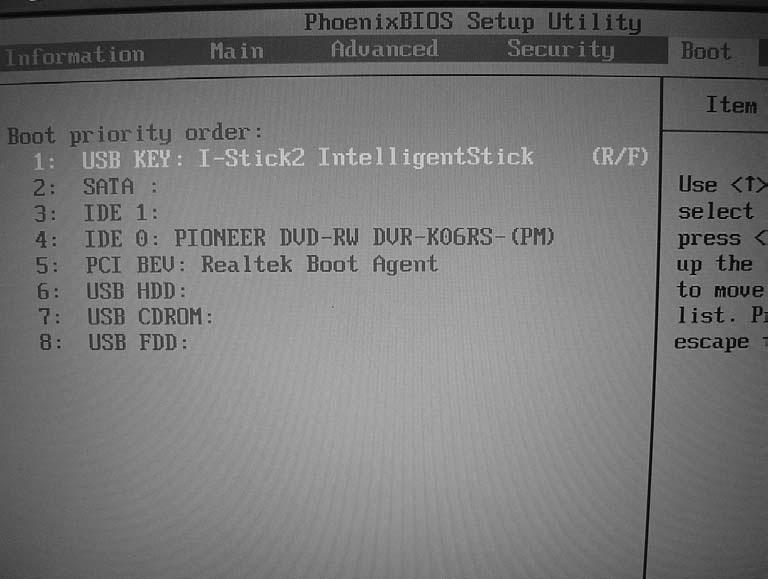
Press <F2> to enter Setup Menu, select Boot page to change boot device priority order. Use USB as an example.
2.
Execute the BIOS.BAT or FLASH.BAT batch file to update BIOS.
Chapter 2

DOS Flash SOP
50
1.
Press <F2> to enter Setup Menu, select Boot page to change boot device priority order. Use USB as an example.
2.
Execute the BIOS.BAT or FLASH.BAT batch file to update BIOS.
Chapter 2