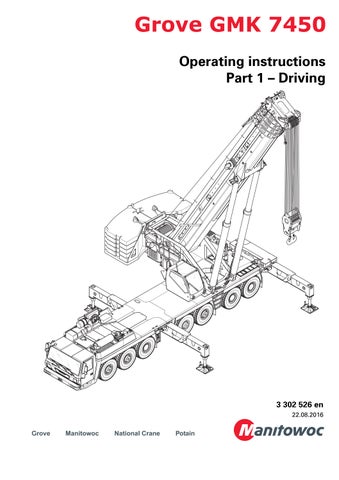
Operating instructions Part 1 – Driving 3 302 526 en 22.08.2016
• Thank you very much for reading the preview of the manual.
• You can download the complete manual from: www.heydownloads.com by clicking the link below
• Please note: If there is no response to CLICKING the link, please download this PDF first and then click on it.

CLICK HERE TO DOWNLOAD THE COMPLETE MANUAL
CLICK HERE TO DOWNLOAD THE COMPLETE MANUAL
Important note
Any type of duplication or excerpt from this document, also in electronic form, is not subject to the revision service of Manitowoc Crane Group Germany GmbH
© Copyright reserved by Manitowoc Crane Group Germany GmbH
Industriegelände West
D-26389 Wilhelmshaven, Germany
Tel: [+49] (0)44 21 294-0
Fax: +[49] (0) 44 21 294-301
The passing on or duplication of this document as well as the utilisation and disclosure of its contents are prohibited unless expressly permitted. Infringement will incur liability for compensation. All rights pertaining to registration of patent or utility model are reserved. The original language of this document is German.
22.08.2016 3 302 526 enOperating instructions GMK 7450
Additional pages
SLI override
These additional pages only apply to truck cranes with additional operating elements:
Additional operating elements:
1 Status display
2 Key-operated SLI override switch
3 Raise switch
These change the following:
–Cancelling automatic mode for rigging the counterweight and
–The procedure for the SLI override
Cancelling automatic mode
When the counterweight menu (2) is displayed, turn the key-operated switch (1) anticlockwise, regardless of whether symbol (A) or (B) is displayed.
Additional pages 3 112 695 en1 20.05.2010
SLI override – symbol (A)
Use the key-operated switch (3) to override the SLI as described in the operating manual. The operating elements (1), (2) and (4)have not been assigned functions.
If additional equipment is used, the status display (1) indicates this in the same way as the SLI display in the crane cab:
Green: 0 - 90%
Yellow: Approx. 90 - 100%
Red: Greater than 100%
SLI override – symbol (B)
The status display (1) is active.
The following operating elements can be used to override the SLI:
2 Key-operated SLI override switch
3 Key-operated rigging switch
4 Raise switch
Carry out the SLI override only as it is described in these additional pages.
20.05.2010 23 112 695 enAdditional pages
Status display
The status display informs people in the danger area of the truck crane: –about the current degree of utilisation, –in case of an SLI shutdown or early warning, –when the SLI has been overridden.
The warning is made optically and, in part, acoustically.
1 Loudspeaker (warning signal)
2 Lamp, green
3 Lamp, yellow
4 Lamp, red
Additional pages 3 112 695 en3 20.05.2010
The lamps of the status display light up or blink depending on the SLI degree of utilisation and operation of the switches.
20.05.2010 43 112 695 enAdditional pages
Switch operated Degree of utilisation 0 - 90%Approx. 90 - 100% Greater than 100% No switch (normal operation) Display (4) green Display (5) yellow Display (6) red Key-operated rigging switch (1) Display (4) green Display (5) yellow Display (5) yellow, blinking Raise switch (2) Display (4) green Display (5) yellow Display (4) green, blinking Key-operated override switch (3) Display (6) red, blinking Display (6) red, blinking Display (6) red, blinking
SLI shutdown
There are different types of SLI shutdowns:
–Shutdown due to overload, approx. 100% of the maximum permissible load is exceeded,
–Shutdown due to an error.
If the SLI has shut down the crane movements, then:
–depending on the version, the lamp (1) lights up, –a continuous buzzer tone sounds.
–the status display lights up red.
Now you can:
à Raising after SLI shutdown, S.6
à Overriding SLI or lifting limit switch for rigging work, S.7
à Overriding the SLI in an emergency, S.9
Additional pages 3 112 695 en5 20.05.2010
s
Raising after SLI shutdown
You can re-enable raising with the switch (1) in order to leave the shutdown range.
The speed is then reduced to 50%.
Prerequisite
–The engine for crane operation is running.
Raise main boom
• Press the button (1) up once.
–Raising is enabled. The SLI shows an information code; à S.11.
–The status display blinks green.
• Raise the main boom with the control lever until the degree of utilisation is less than 100%.
The crane movements are enabled again.
HThe raising of the main boom is shut down if the main boom angle is too great. Then all you can do is set the load down.
If the degree of utilisation is over 100%, you can cancel the function by: –pressing switch (1) up again or –switching off the ignition.
20.05.2010 63 112 695 enAdditional pages
Overriding SLI or lifting limit switch for rigging work
For rigging work, you can: –Override the lifting limit switch or –Override the SLI and thus enable a degree of utilisation of up to 110%.
HFor both overrides the speed of the movements which increase the load moment is reduced to 15%.
The speed of the movements which increase the load moment is not reduced.
Prerequisite
–The engine for crane operation is running.
Lifting limit switch shutdown
• Turn the key-operated switch (1) to the left once.
Once the lifting limit switch has been activated, the crane movement is now stopped only once and then no longer monitored.
Overriding the SLI
• Turn the key-operated switch (1) to the right once.
Now a degree of utilisation of up to 110% is enabled.
After overriding
–The status display lights up red.
–The SLI shows an information code; à S.11.
If you do not trigger a control lever movement within 10 seconds, you must press the key-operated switch again.
Additional pages 3 112 695 en7 20.05.2010
Cancelling the override
The override is cancelled when you: –press the key-operated switch again or –do not activate the control lever for 10 seconds or –switch off the ignition.
SRisk of accidents due to accidental override!
The key must not remain in the key-operated switch during the crane operation!
In this way, you avoid overriding the SLI unintentionally.
20.05.2010 83 112 695 enAdditional pages
Overriding the SLI in an emergency
GRisk of accidents due to overridden or faulty SLI
It is not permitted to work with an overridden or faulty SLI!
Set down the load immediately and stop operating the crane if the SLI is faulty!
You may only override the SLI if it becomes absolutely necessary in the event of an emergency. This is to put the truck crane into a safe condition in the event of a malfunction. In this case, do not perform any movements that would increase the load moment.
If the SLI has shut down all crane movements, you can cancel the shutdown with the keyoperated switch (1).
Once the shutdown is cancelled, the crane operation is no longer monitored and the switched off crane movements are enabled again.
The power unit speeds are reduced to 15%.
Prerequisite
–The engine for crane operation is running.
Cancelling a shutdown
• Turn the key-operated switch (1) to the left or right once.
–Now all crane movements are enabled for 30 minutes. The crane movements are no longer monitored by the SLI.
–The SLI shows an information code; à S.11.
The status display blinks red
At a degree of utilisation over 110% the warning signal sounds; à S.4.
Additional pages 3 112 695 en9 20.05.2010
Cancelling the override
The override is cancelled when you: –switch off the ignition or –press the key-operated switch again.
The override is automatically cancelled 30 minutes after the key-operated switch has been pressed.
SRisk of accidents due to accidental override!
The key must not remain in the key-operated switch during the crane operation!
In this way, you avoid overriding the SLI unintentionally.
20.05.2010 103 112 695 enAdditional pages
Table – Error codes
The following table contains error codes, their causes and possible remedies.
Representation of error codes; à Operating instructions
Error codeCauseRemedy
8044
Key-operated rigging switch pressed, no override effective
8054 Raise switch pressed, no override effective
8064
Key-operated SLI override switch pressed, no override effective
8045Information code: Key-operated rigging switch pressed, override effective
8055Information code: Raise switch pressed, override effective
8065Information code: Key-operated SLI override switch pressed, override effective
–Start the engine;
–Reduce degree of utilisation to less than 110%
–Move the control lever within 10seconds after operation
–Start the engine; –Press switch again
–Start the engine; –Press switch again
No measures required.
Additional pages 3 112 695 en11 20.05.2010
• Thank you very much for reading the preview of the manual.
• You can download the complete manual from: www.heydownloads.com by clicking the link below
• Please note: If there is no response to CLICKING the link, please download this PDF first and then click on it.
CLICK HERE TO DOWNLOAD THE COMPLETE MANUAL
CLICK HERE TO DOWNLOAD THE COMPLETE MANUAL