

September 2025

✹ Provide an overview of submitting ad and patrons on the Zenobia’s Promise Foundation (ZPF) website
✹ Address FAQs about the ad and patron submission process
✹ Training sessions to be held via Zoom for additional assistance

✹ Ad & Patron Pricing:
▪ Full Page - $100
▪ Half Page- $80
▪ Quarter Page- $60
▪ Patron (One or two names)- $25
✹ All ads and patrons are submitted via the ZPF Website
▪ A receipt is emailed upon payment and submission
▪ Payment options include Google Pay, Credit Card and Check
✹ Each deb must secure a minimum of $1,000 in ads and patrons
▪ A sample Deb solicitation letter and ad package is included in the Deb Handbook
▪ DO NOT WAIT UNTIL THE LAST MINUTE!
✹ All Ad and Patron Funds AND File Submissions are due Monday, November 17
▪ We will receive funds for ads and patrons after Nov 17, but they may NOT be included in the journal
▪ All funds will be reconciled by Friday, Nov 21
▪ Settlement payment due Monday, November 24

• Do review the Deb Souvenir Journal Style Guide
• Do develop and submit ads in ‘Portrait’ layout
• Do check, double-check and triple check ads for spelling, grammar and punctuation errors
• Do submit ads ads as .PDF, .PNG or MS PowerPoint files
• Do correctly use AKA symbolsSorority members are indicated by the use of an asterisk (*) following their name

Don’t!
• Don’t use low quality or blurry photos
• Don’t use the AKA Sorority crest or ‘Soror’ in ads
• Don’t submit ads with spelling, grammatical or punctuation errors
• Don’t submit ads past the November 17 due date
• Don’t WAIT UNTIL THE LAST MINUTE!
✹ All Debs will receive a individual website link where their ads and patrons will be submitted
▪ All purchases on the Deb’s website link will be credited to the Deb
▪ All ads and patrons must be submitted via the deb’s webpage
• No paper or other submissions are permitted
✹ Purchasers have the option to ‘Support’ or ‘Donate’ to the Deb
▪ ‘Support’ will give the option to purchase ads and patrons
▪ ‘Donate’ will permit donations of any amount to be made on the Deb’s behalf
✹ Select ‘Ad’ or ‘Patron’ options for purchase
▪ Enter ‘Patron Name’ for patron purchases
▪ For Ad purchase, will receive an email link to upload the electronic Ad file to DropBox
✹ Payment options are credit card and manual pay (check)
✹ A receipt is provided after ad payment
▪ Receive an email receipt after credit card payment for ads
▪ For check payments, receive a order confirmation
▪ Bring the order confirmation and check to the next deb activity and a receipt will be emailed
✹ After purchasing ads, will receive an email to upload the ad file to ‘Dropbox’
▪ Click the ‘Dropbox’ link to drag and drop the file
✹ The receipt is provided to the purchaser listed in the order
▪ If purchasing on behalf of another person, be sure to list their information as the purchaser
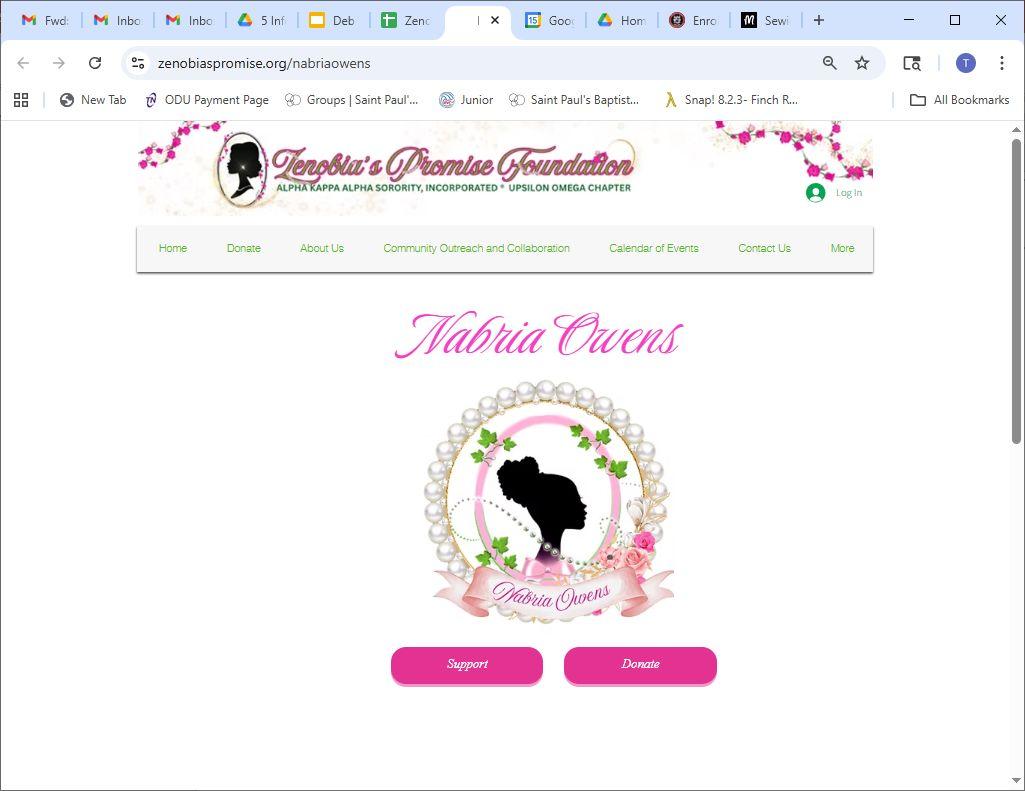
Visit the deb’s personalized website:
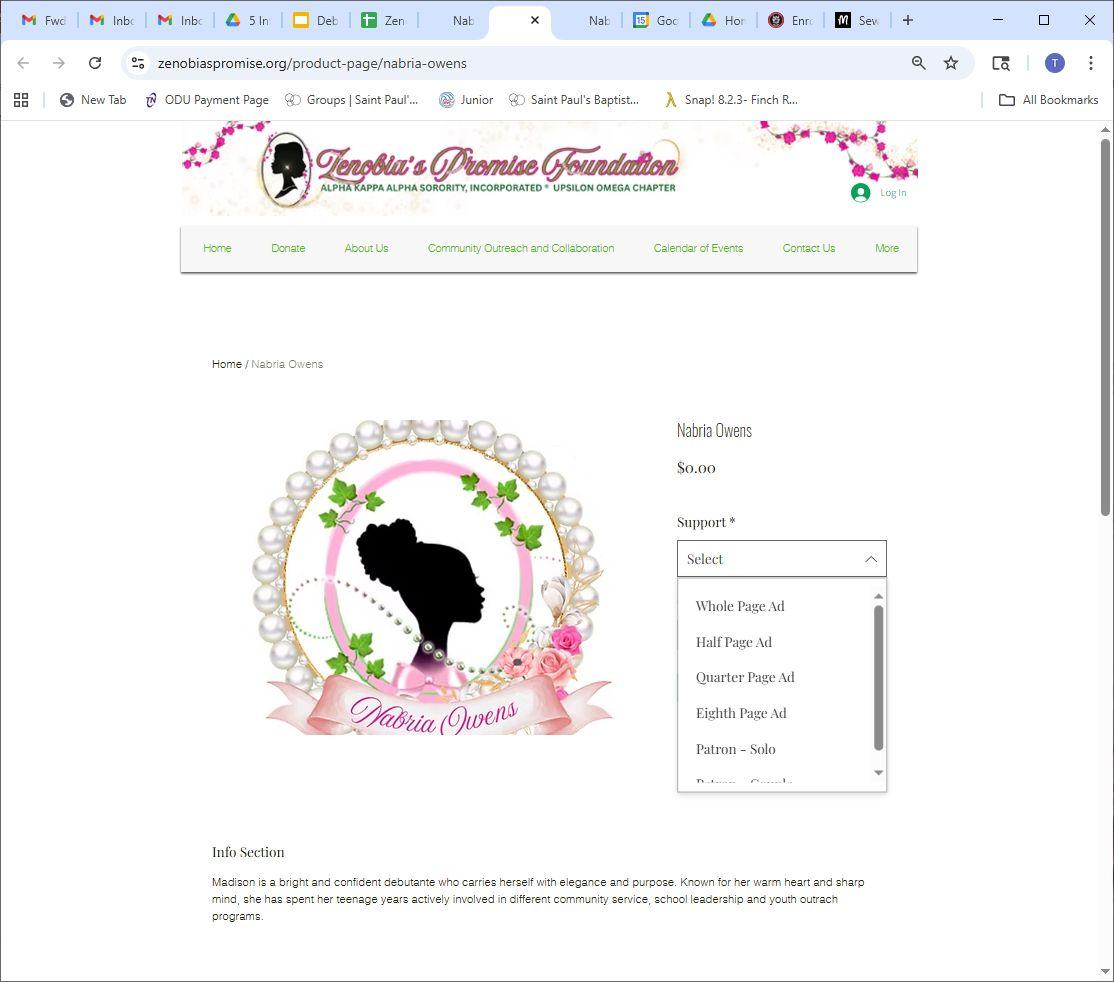
Click on the ‘Support’ button
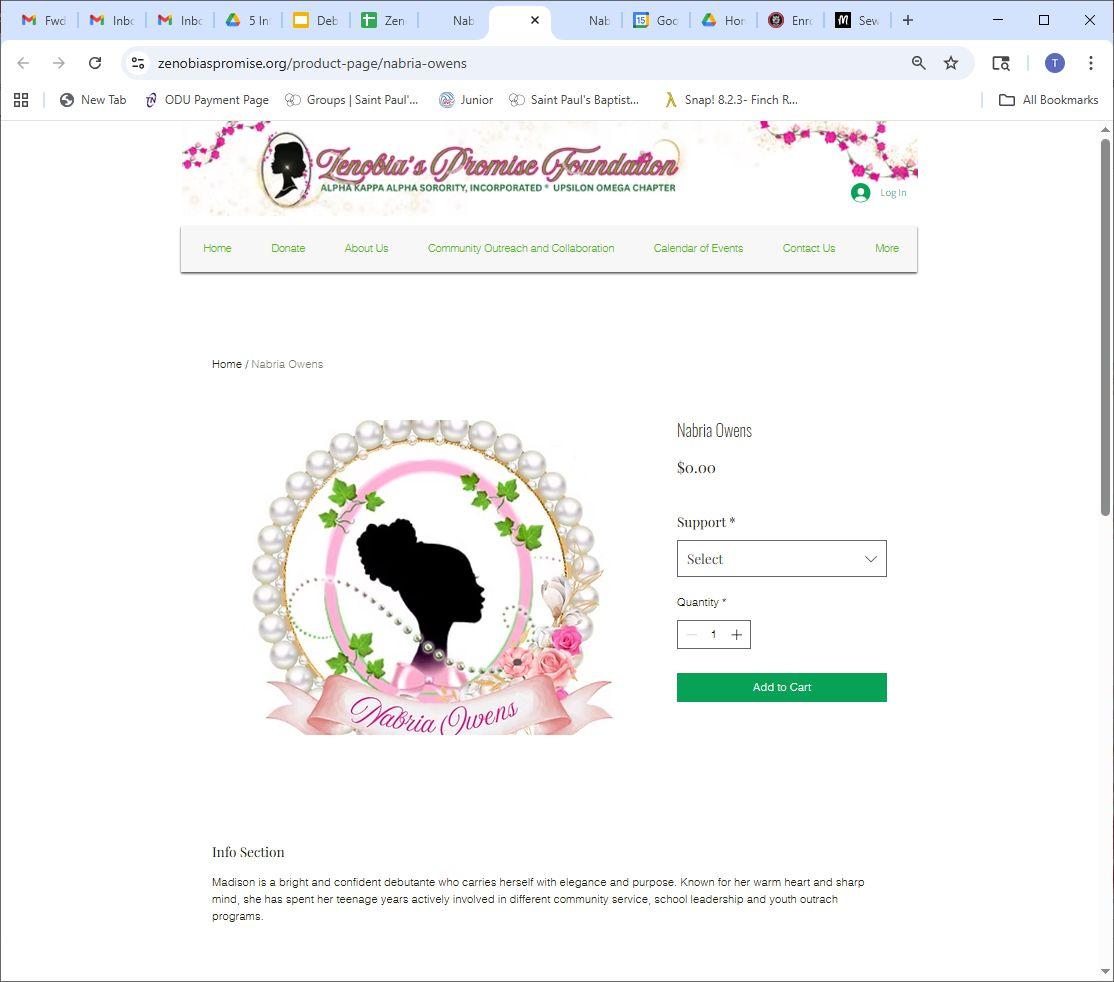
SelectAditemstopurchase
Select the ad item that you would like to purchase and ‘Add to Cart’
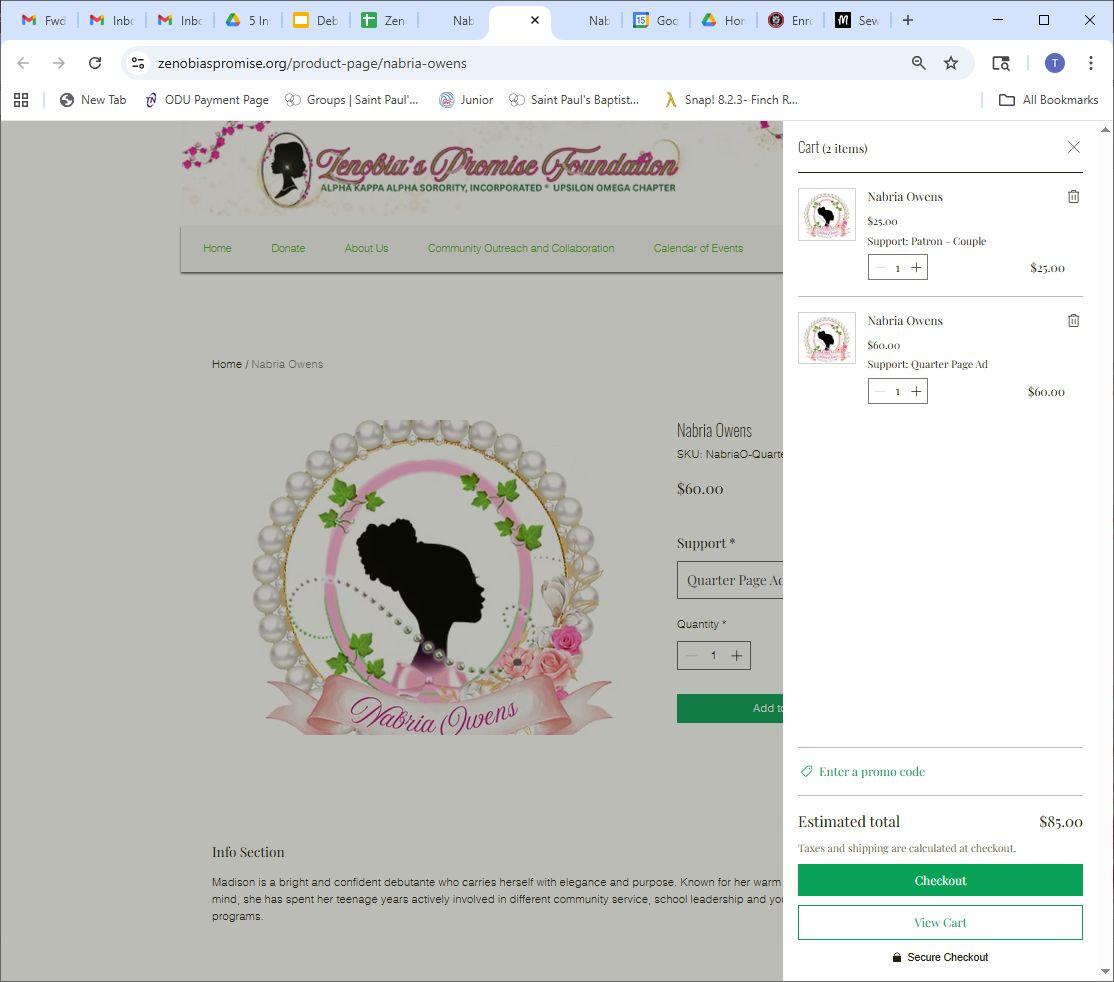
• The purchase is added to your cart
• You may add multiple ad purchases to your cart
• ‘Checkout’ when ready!
• Enter required information
○ First & Last Name
○ Phone #
○ Address
• For patrons, enter
‘Patron Name(s)’ as to be printed in the souvenir journal
• Can use express checkout with ‘Google Pay’ on this screen
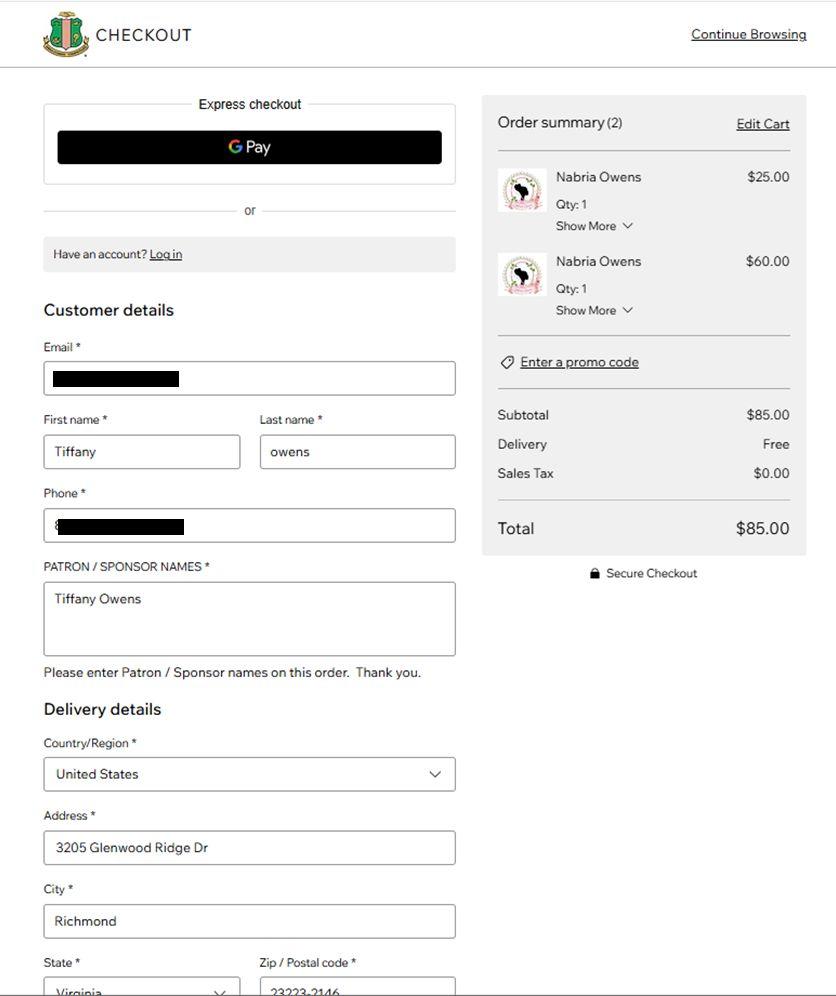
** Note: Only the name and email entered in the customer details will receive an email receipt.
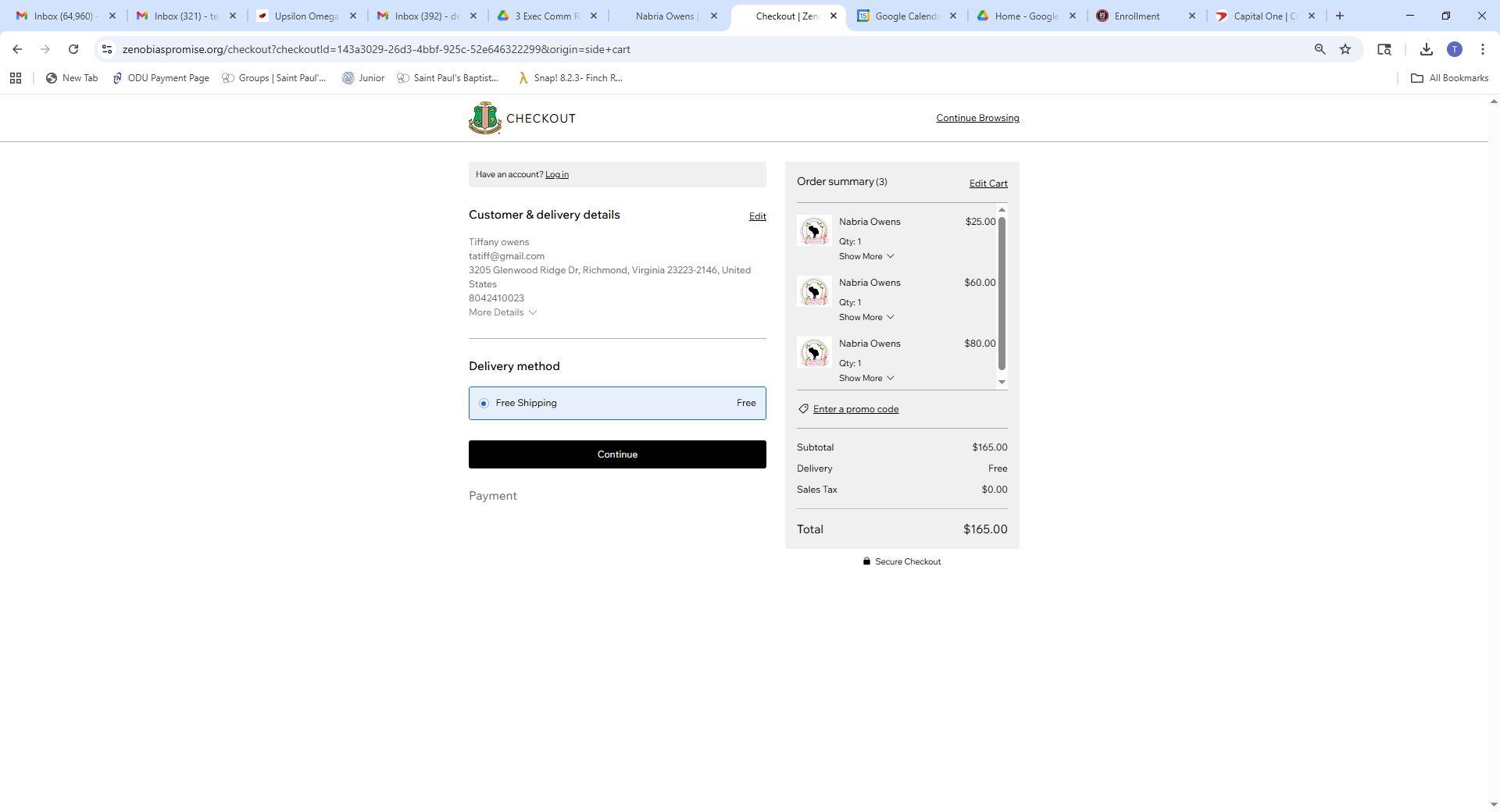
• Select ‘Free Shipping’ and continue
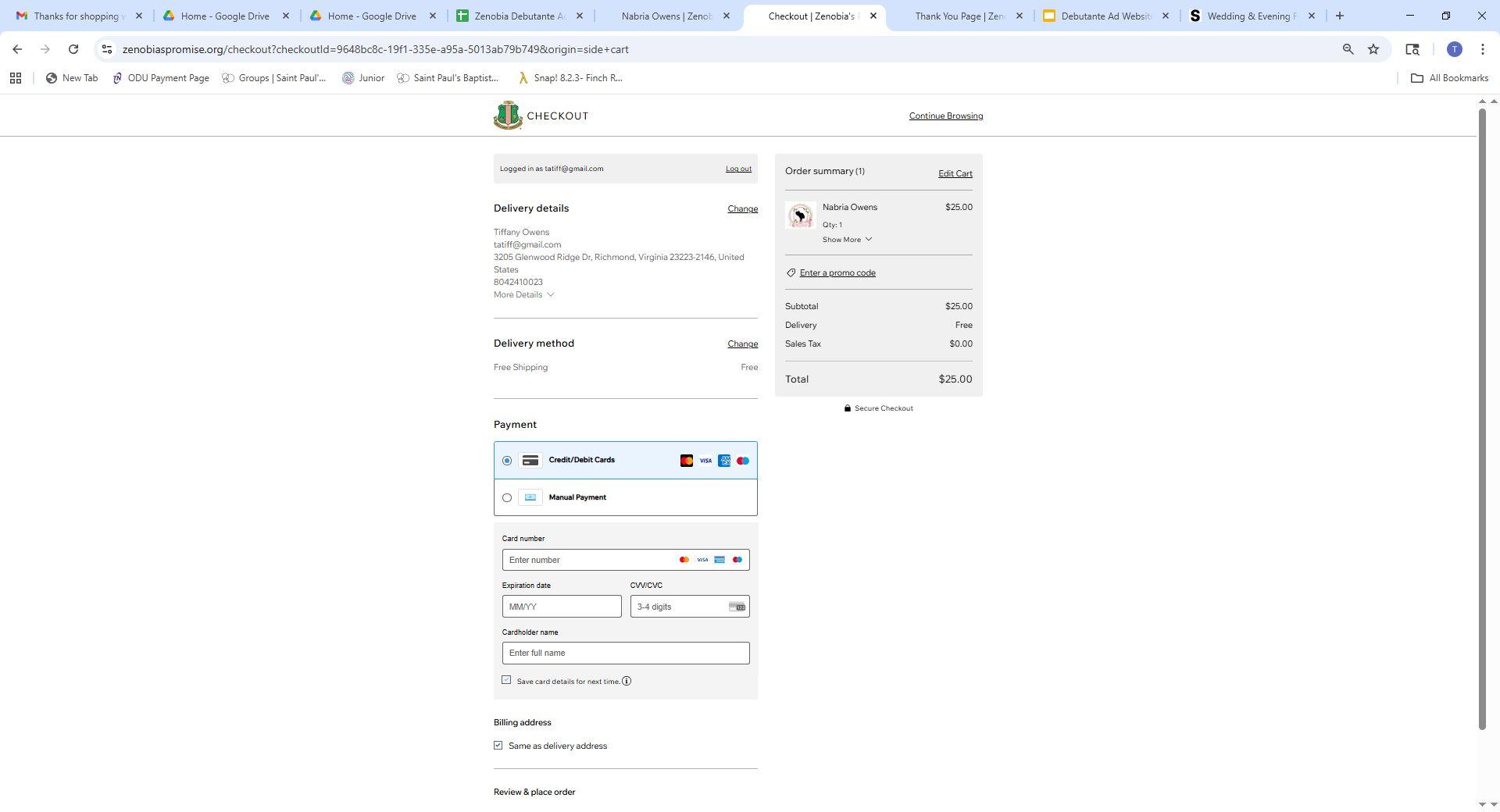
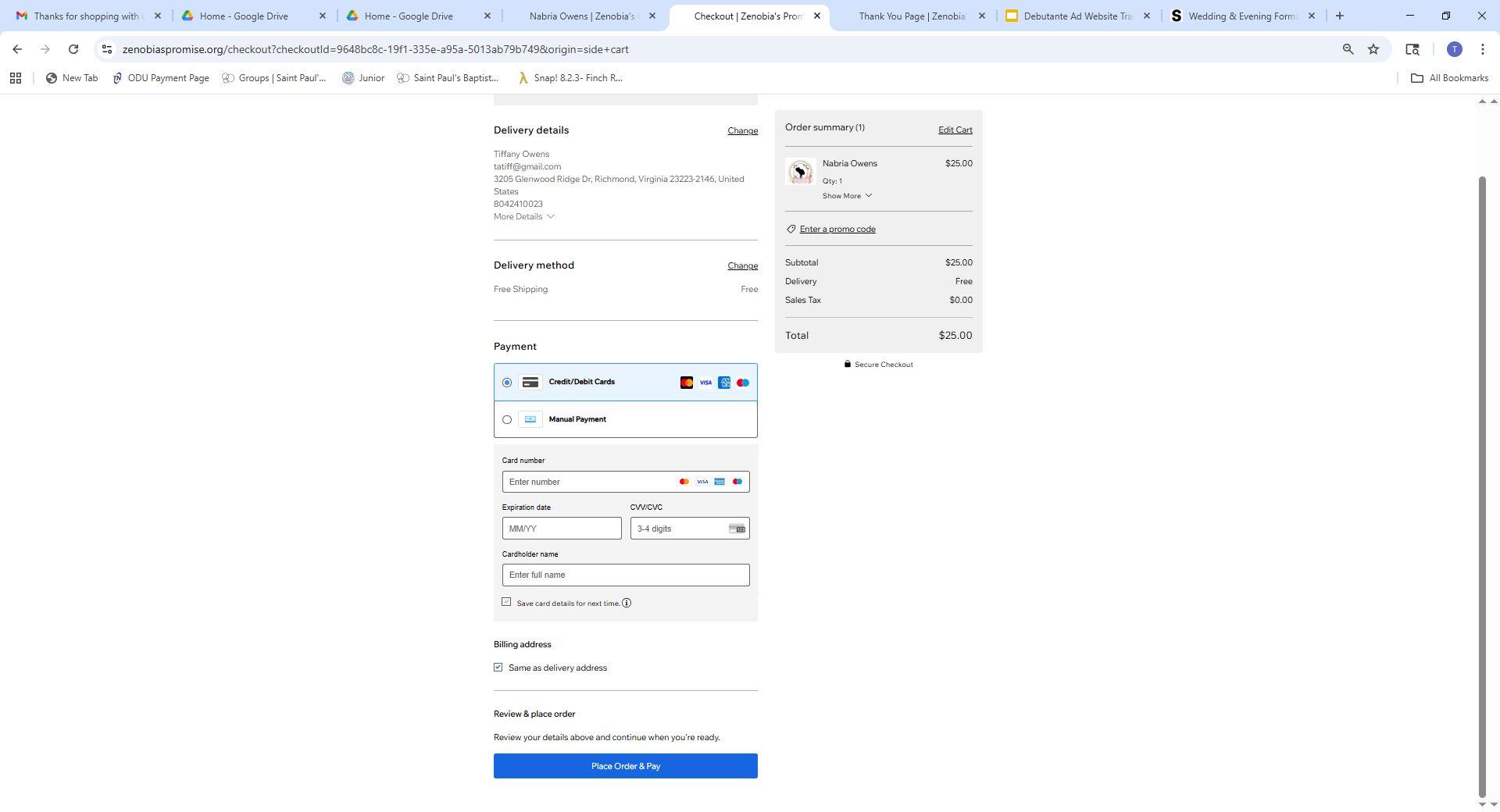
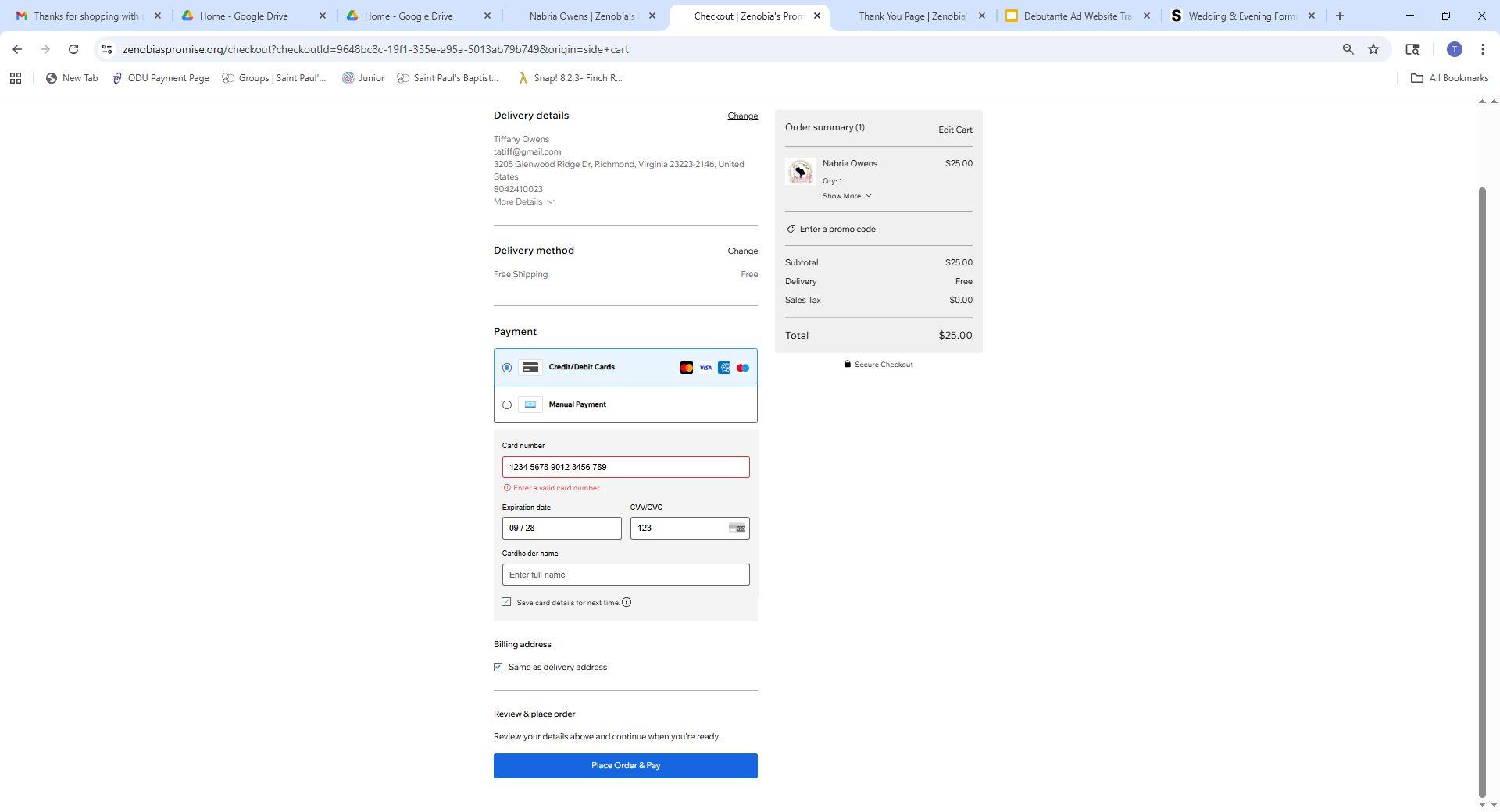
• Select ‘
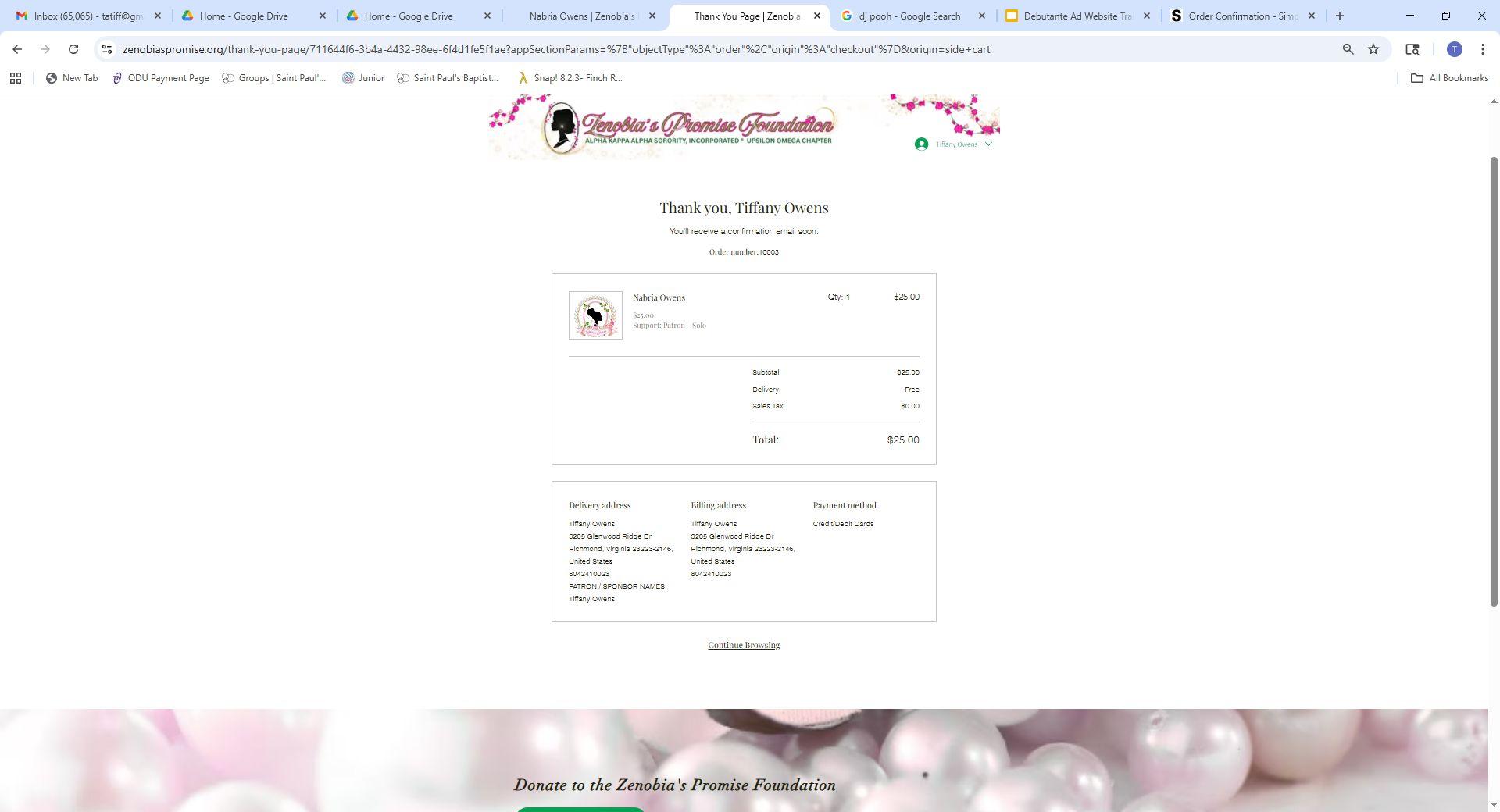
• Select ‘
• When select Manual Payment, receive confirmation screen with purchase and order number
• Will also receive email confirmation
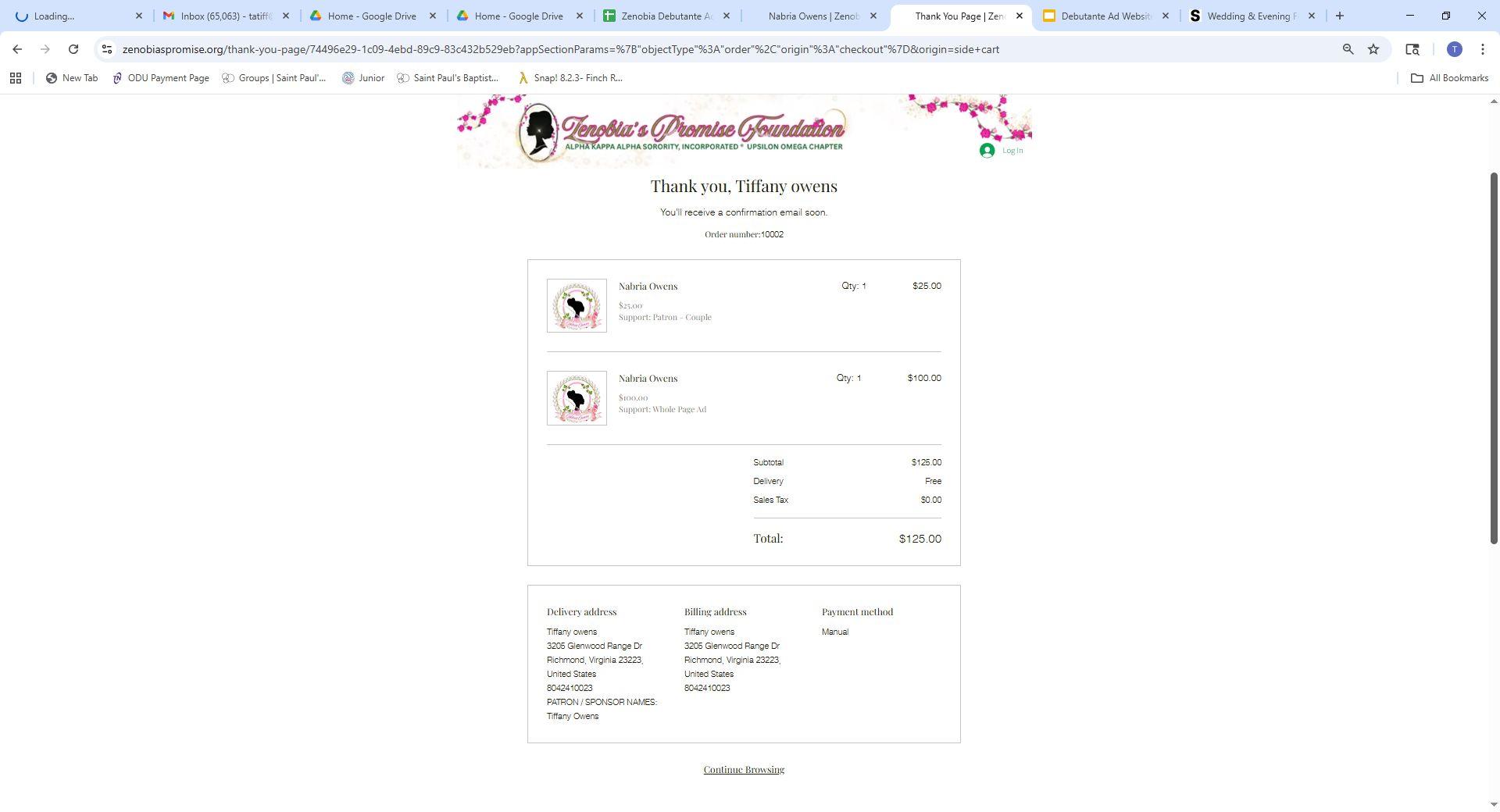
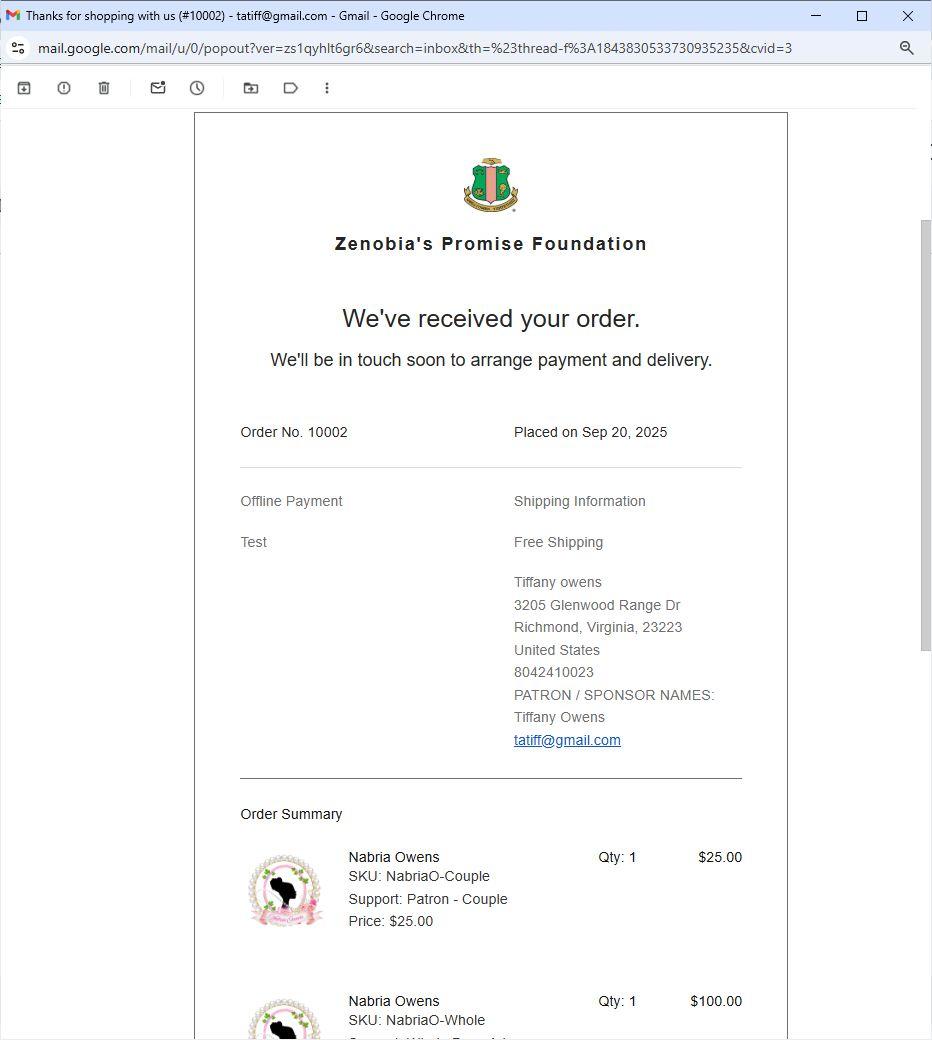
• ‘Manual Payment’ confirmation sent via email
• States received order, and will be in touch to arrange payment and delivery
• Bring email confirmation with order number, and check payment to deb activity
• The check amount should match the amount on confirmation email!
• Once check is received, a final email receipt is sent
• Proceed to the next step to upload the ad file to Dropbox
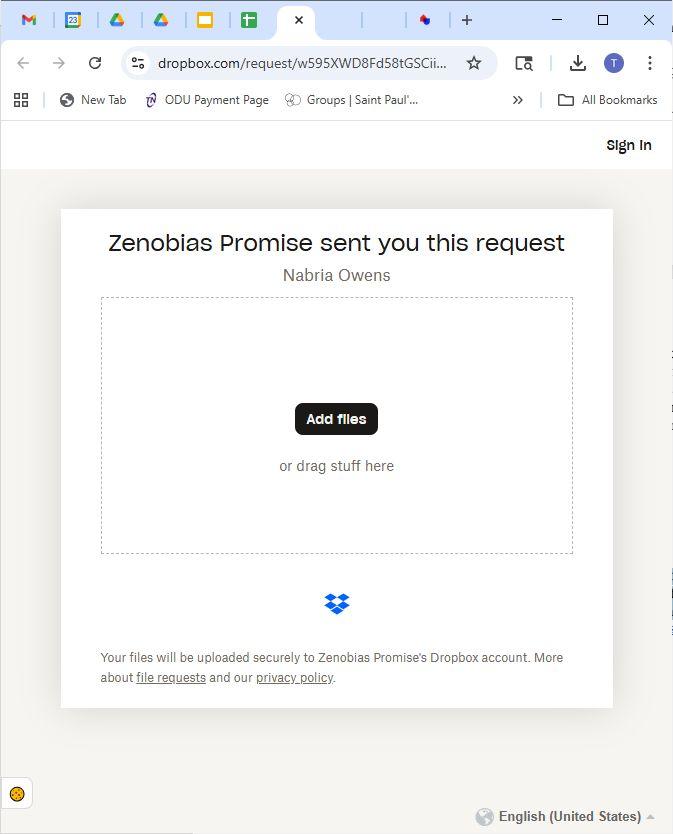
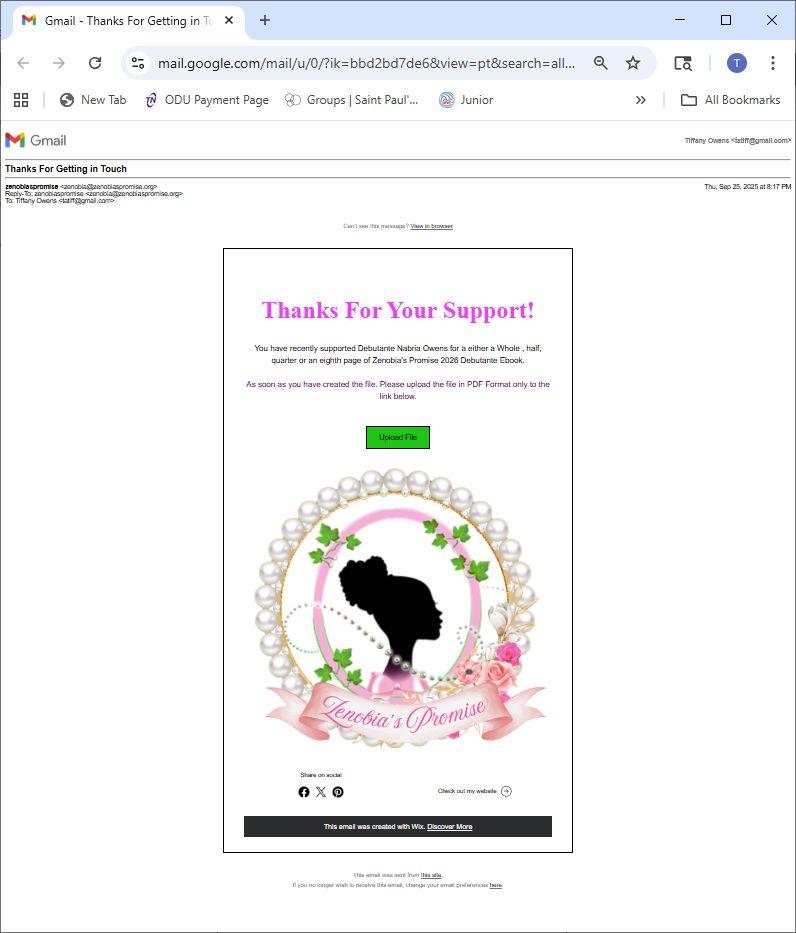
• After submitting the payment, the ad file(s) must be submitted to ‘Dropbox’ file storage portal
• Look for an email after purchase to upload the ad file OR
• Select the Deb’s ‘Dropbox’ webpage link
• Select the ‘Add Files’ button or drag & drop files into the folder to complete the ad file submission process!
Select Credit Card or Manual Payment (check) option
Make Credit Card payment online OR
Print ‘Manual Payment’ email confirmation and bring with check to the next deb activity
Locate the ad upload email, or go to the Deb’s unique Dropbox link and upload the ad file(s) to DropBox
Journaltobeprovidedin2026 aftertheDebutanteBall!

Contact the Upsilon Omega Chapter Debutante Committee with any questions at debutanteprojectuo@gmail.com.
1. Can I submit paper copies of my ads and patrons?
▪ No, all ads must be submitted electronically and uploaded into the deb’s DropBox folder.
2. Can I submit ads and patrons after Nov 17?
▪ Yes, but they may not appear in the journal.
3. Can I pay for ads via cash?
▪ No, only credit card and check payments are accepted via the website.
4. Can I pay for ads via check?
▪ Yes, will need to select the ’Manual Pay’ option. The purchaser should complete all information for the purchases. A transaction number will be provided.
▪ The purchaser should bring a printed copy of the transaction invoice and check to the next deb activity for submission.
▪ Once received, a receipt will be e-mailed to the purchaser listed on the transaction invoice.
5. How do I receive a receipt for my payment?
▪ When submitting ads and patrons via the website a receipt is emailed automatically after Credit Card or Google Pay purchases.
▪ If purchasing via check, the receipt is emailed after receipt of your check payment.
6. Can I submit ads and patrons for multiple people?
▪ Yes. If individual receipts are needed, the ads should be submitted as individual transactions.
7. I am submitting ads on behalf of someone else. After submitting payment and the ad, can I update the name on the receipt?
▪ No, must specify the customer name if not yours, on the payment information page. Once submitted, a new receipt cannot be generated or updated.
8. How do I submit the ad file after submitting payment?
▪ Look for the ad file request email or link. Drag and drop the file, or upload file using the link in the email.
9. Can I update an ad file after submission?
▪ Yes, the updated ad file can be re-submitted via the ad file request link.
10. Can patrons submit a donation without purchasing an ad?
▪ Yes! Select the ‘Donate’ button on the deb’s main page.
11. Are patron and ad purchases tax deductible?
▪ Zenobia’s Promise Foundation is a 501(c)3 charitable foundation and the philanthropic arm of Upsilon Omega Chapter. Ad and patron donations may be tax deductible.
▪ A receipt is provided upon submission of the ad/patron payment on the website.