New features and enhancements
Revit 2026
Core Features
Accelerated Revit Graphics | Tech Preview
o Redefines graphics for improved performance
Annotation Improvements
o Instance-Based Reference Label Parameter
o Shared Parameters in View Reference Family Labels
o Title Block Scale Override
Coordination Model Improvements
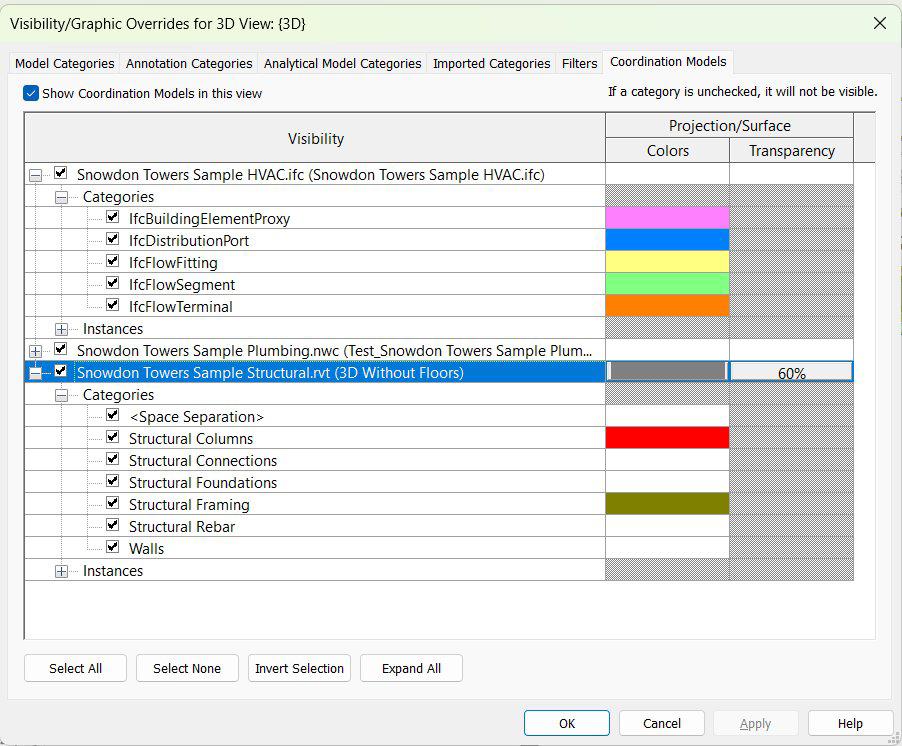
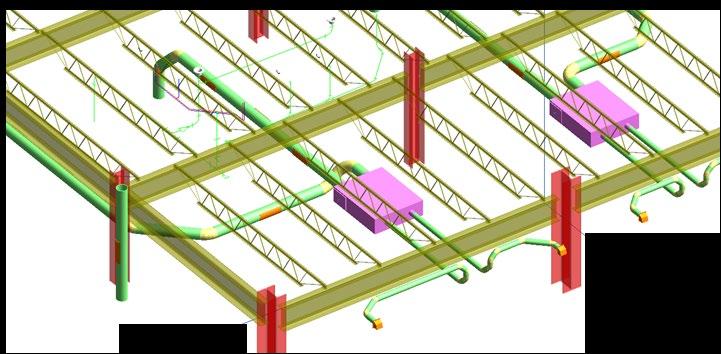
o Coordination Model Graphical Appearance Control
o Coordination Model Objects Visibility Control
o Show Option for Coordination Models Enabled
Link Improvements
o Show Imported CAD Files in the Manage Links Dialog - NV Cad Tracker
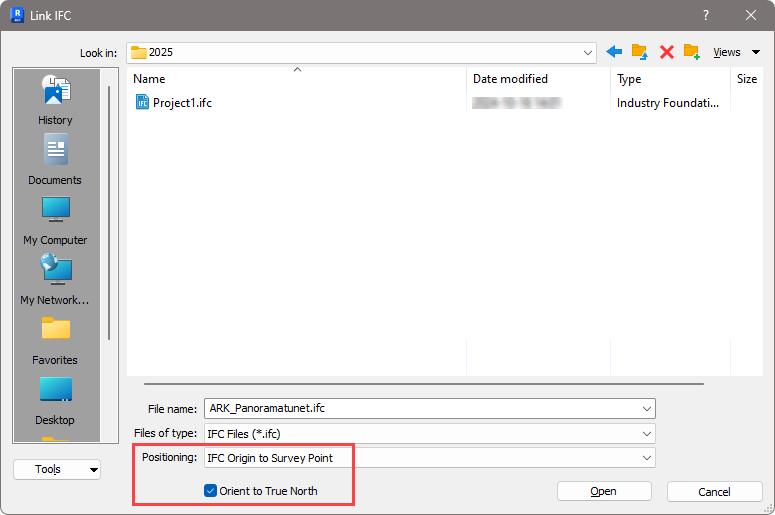
o Link IFC Performance Improvements
o IFC Link Orientation
o Reload Configuration Performance Improvements
o Reload Config Performance Improvements can open CAD-file / path
New features and enhancements
Revit 2026
Architecture / Structure
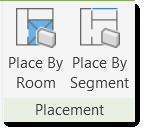
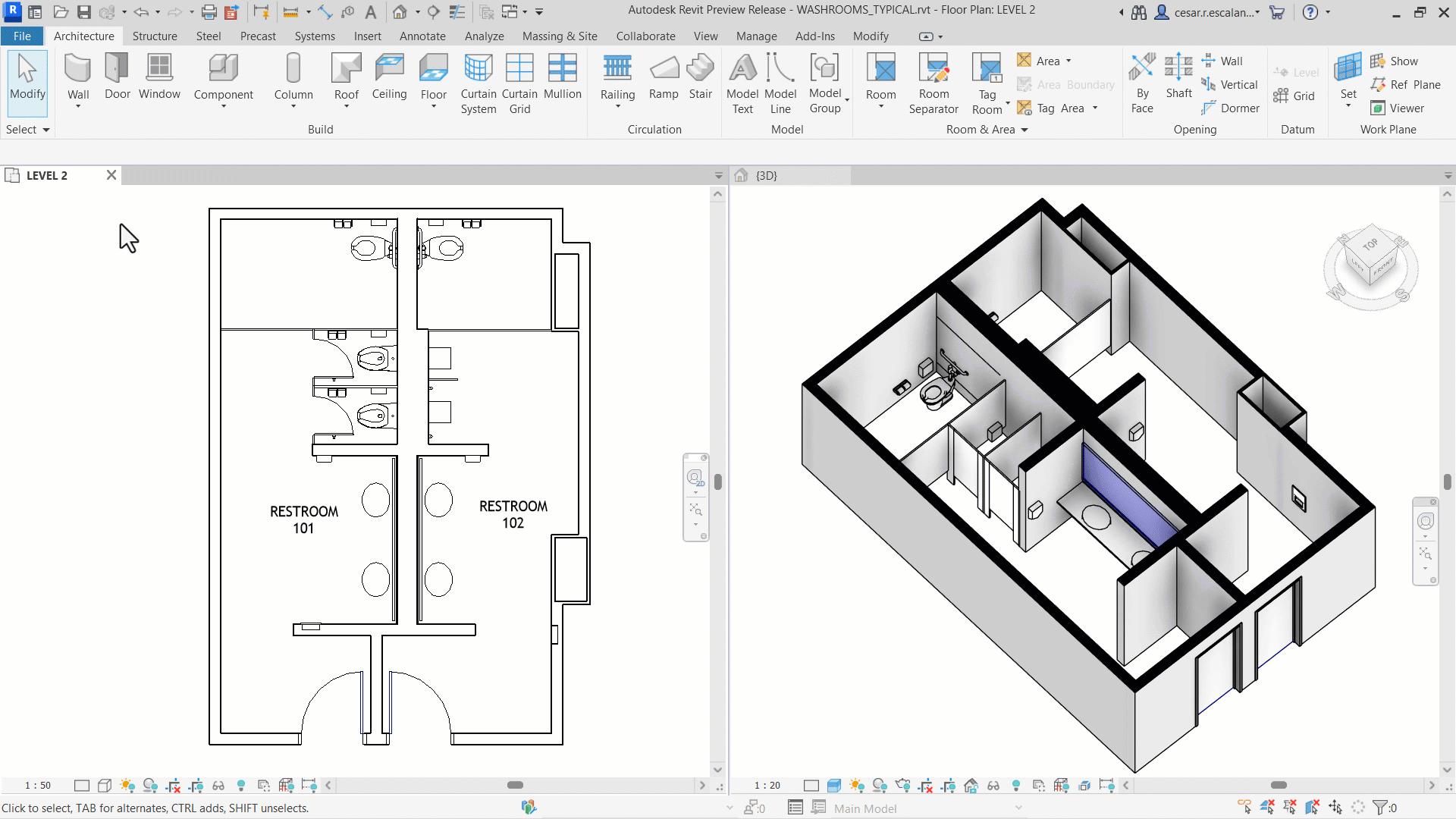
Create Walls by Room and Segment
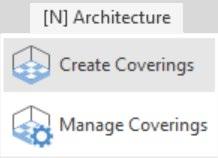
o Create Walls by closed area or existing segments - NV Create Coverings has more
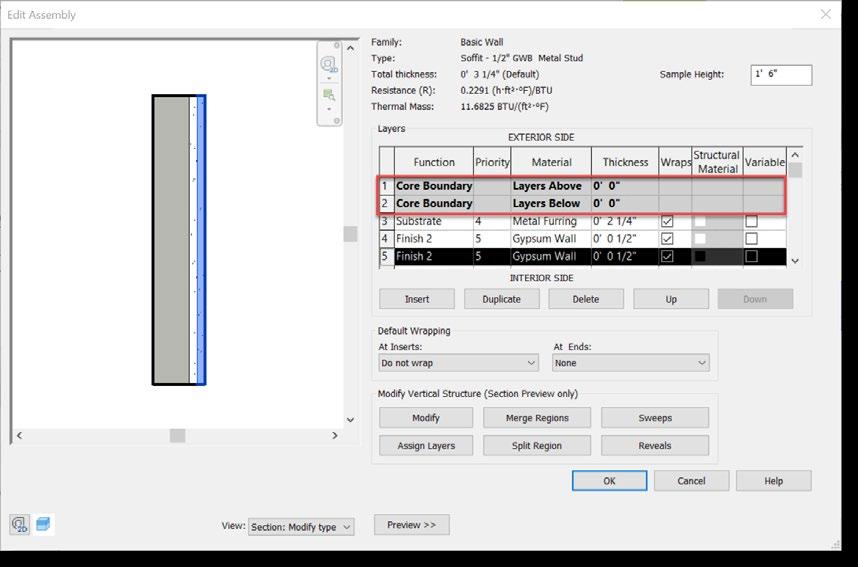
o Allow Compound Structure without Core Layers
Twinmotion
o Enhanced Family Substitution for Twinmotion for Revit
Structural Features
Parametric Rebar Cranking Custom Steel Connections Enhancements
Point to Point Steel Modeling
Steel Plate Default Material
Show Start and End of Bar
New features and enhancements
Revit 2026
Multi Discipline Features
Toposolid Improvements
o Sub-Division Enhancements
o Subdivision as Toposolid Subcategory
o Graded Region Volume Accuracy
o Improved Accuracy with Linked Topography
o Topography Cut Void Stability
o Copy Paste Shape Edit Points
o Toposolid Point Threshold Compound Layers Improvements
o Allow Compound Structure without Core Layers
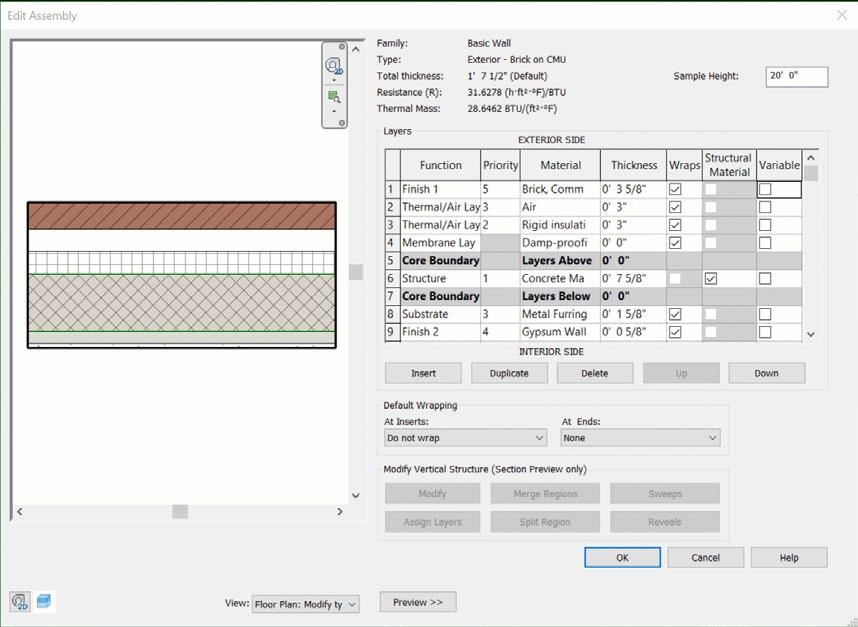
o Customize Layer Priority in a Compound Structure
Sheet Improvements
o Sheet Collections Custom Parameters and Schedules
o Sheet List Schedule Enhancements - NV can show multiple scales
o View to Sheet Positioning and Automated Placement - NV has Number & Naming
Optimizing UI - Options Bar Removal
o Relocated Controls from Options Bar to Ribbon for Tags and Modify tools
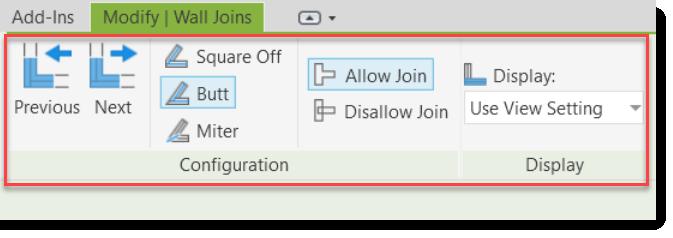
o Relocated Options and Properties from Wall-Related Functionalities
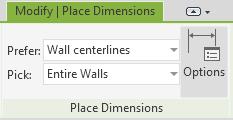
o Relocated Options and Properties from Dimension Functionalities
Core Features
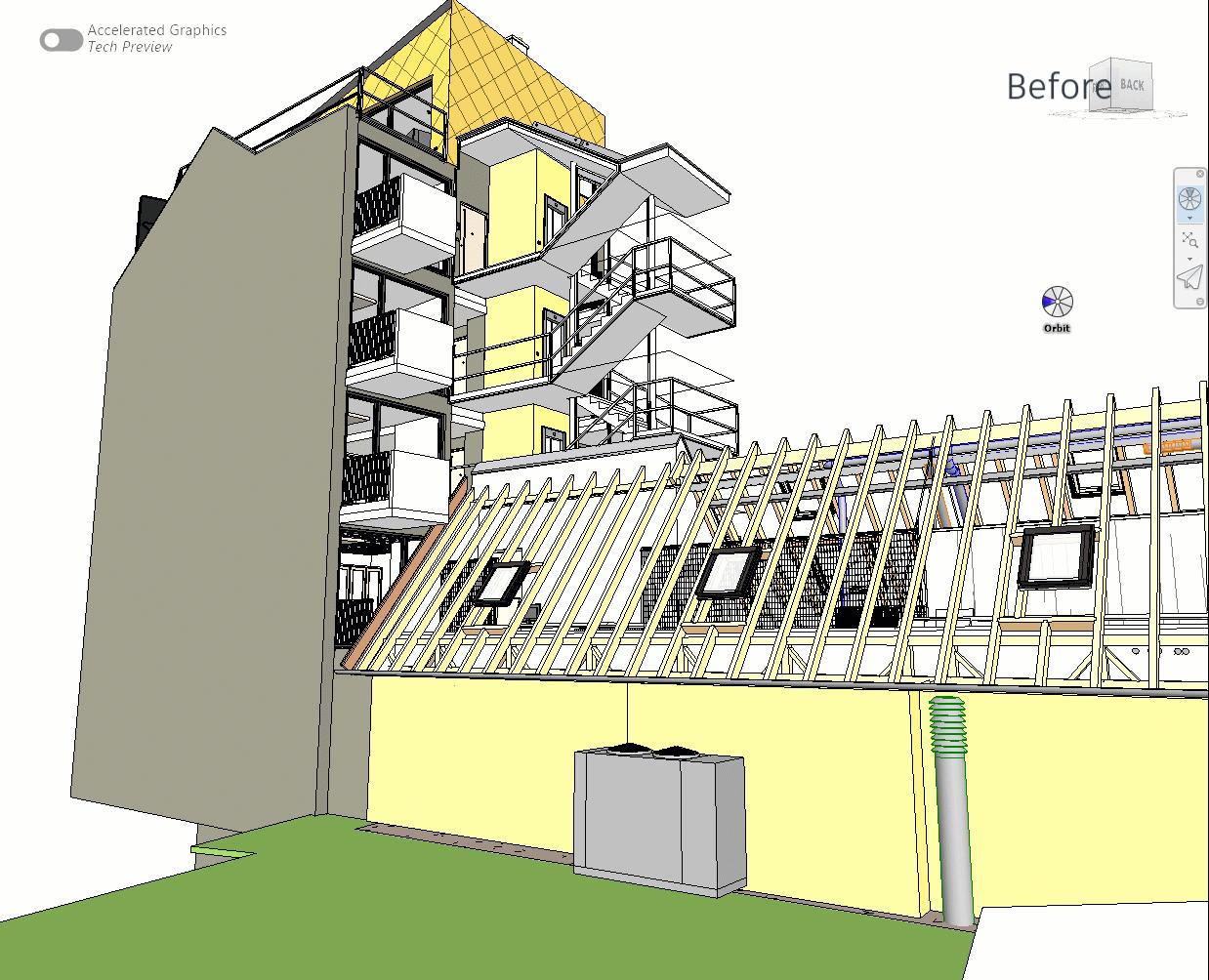
Accelerated Revit Graphics | Tech Preview
Revit 2026
Redefines graphics for improved performance
Modern graphics tech on open-source components
Faster model navigation & optimized GPU usage
Consistent appearance with non-accelerated view
Per-view setting
Annotation Improvements
Revit 2026
View Reference Enhancements
Instance-Based View Reference Labels
o Reference Label: Instance
o Default Reference Label: Type
Shared Parameters in View Reference Family Labels
o Callout Heads
o Elevation Marks
o Section Marks
o View References
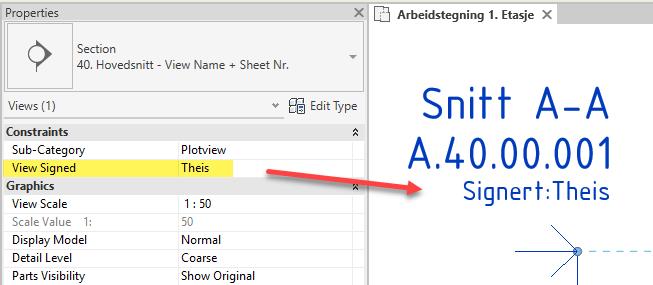
Obs! Naviate can update multiple Scales

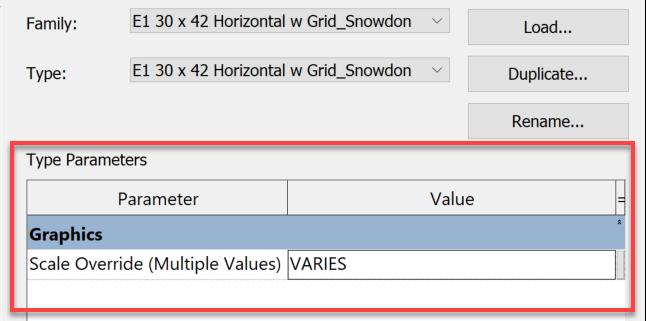
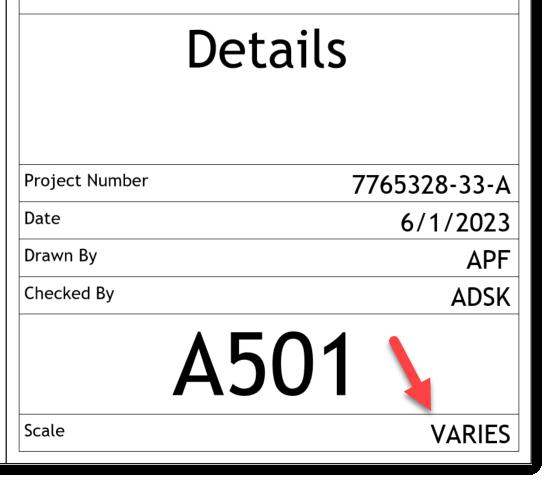
Title Block Scale Override
Custom text for sheet with multiple scales New Parameter: Scale Override Overrides As indicated value used before
Only supports text values
Coordination Model Enhancements
Revit 2026
Show differences with Colors for each model and object categories
Hide, Reveal and Color Categories
Find a linked Coordination Model in views
Link Improvements
Revit 2026
Show Imported CAD
Imported CAD files
Remove and Show options
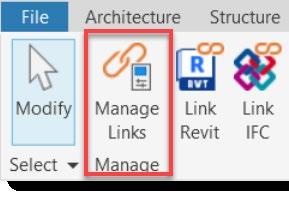
Manage Links (under Insert Tab) relocated
Not supported: SAT, OBJ, 3DM, STEP, STL
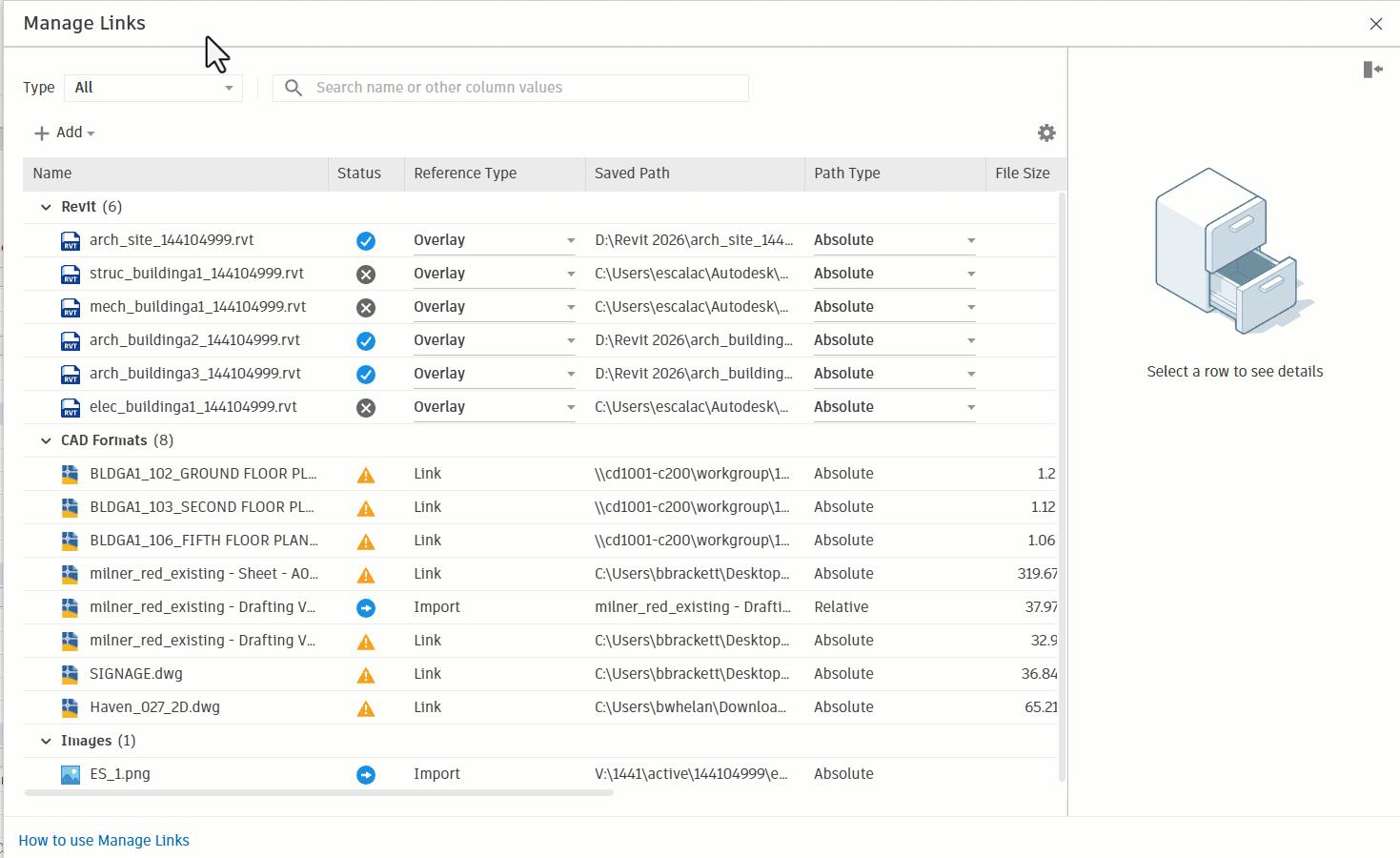
Naviate CAD Tracker can open CAD-file / location
IFC Enhancements

Linking IFC is now 50% faster
New positioning controls when linking IFC models
Default location is Revit’s Internal Origin

Reload Configuration Performance Improvements
Revit 2026
Previously disconnections during reload configuration have been resolved
Reload configuration process achieves an average time reduction of 72%
Enhanced project stability
Architecture
Compound Layers Improvements
Revit 2026
Allow Compound Structures without Core Layers
Create without Core layers
Improves default joins
Customize Layer Priority in Compound Structures
Customize the priority
Priority number independent of function
Values must grow from the core to finish
Customize presentation of wall joins
Create Walls by Room and Segment
Revit 2026
New wall creation methods:
o Pick a closed area formed by room bounding walls
o Pick existing segments of a wall to create new walls
TAB select to include/exclude column
Works with linked walls
Exclusions: Curtain, Ellipse, Face and InPlace Walls cannot be used.
Obs! Naviate Creates & Manage
Walls, Floors & Ceilings


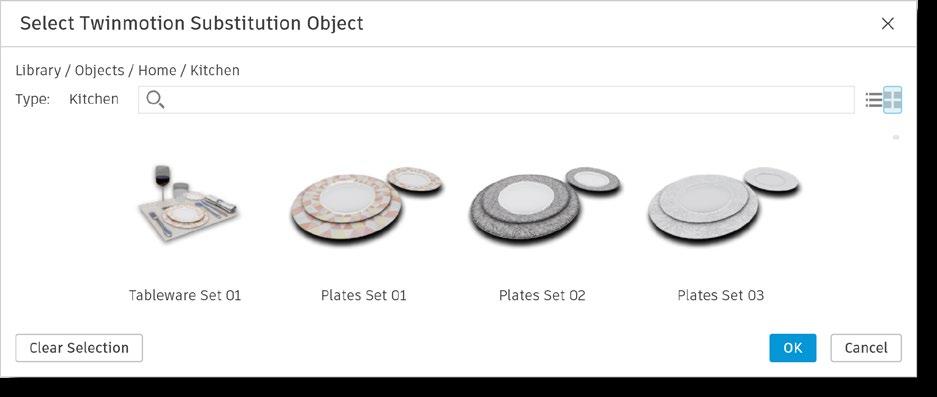
Enhanced Family Substitution - Twinmotion
Introducing Twinmotion 2025.2
Enable All Model Categories for Twinmotion substitutions
Improved workflow stability
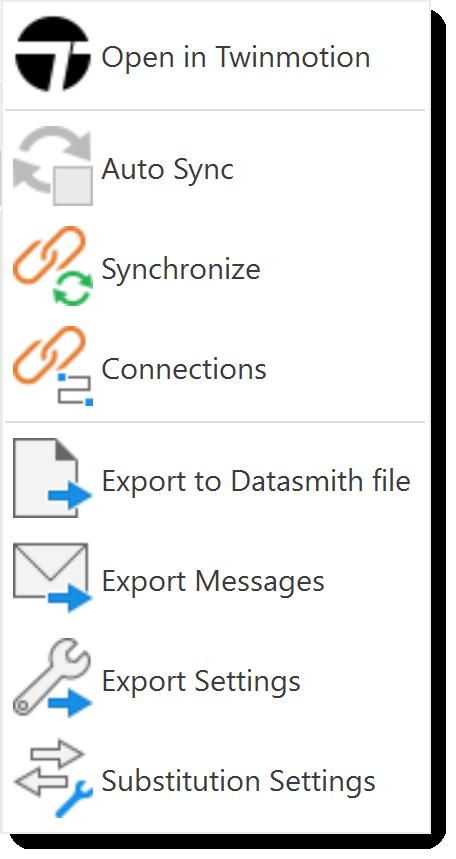
Editable dynamic substitution path for storing downloaded assets
Enhanced Twinmotion integration for high-end visualizations


Structure
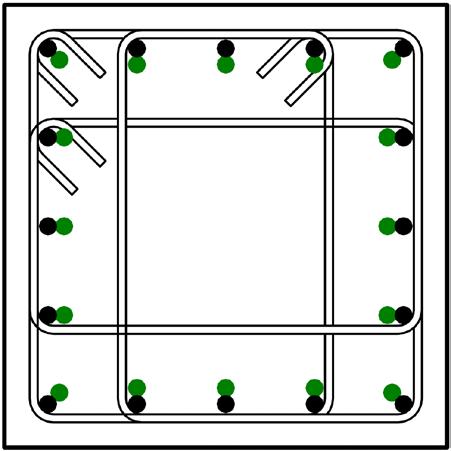
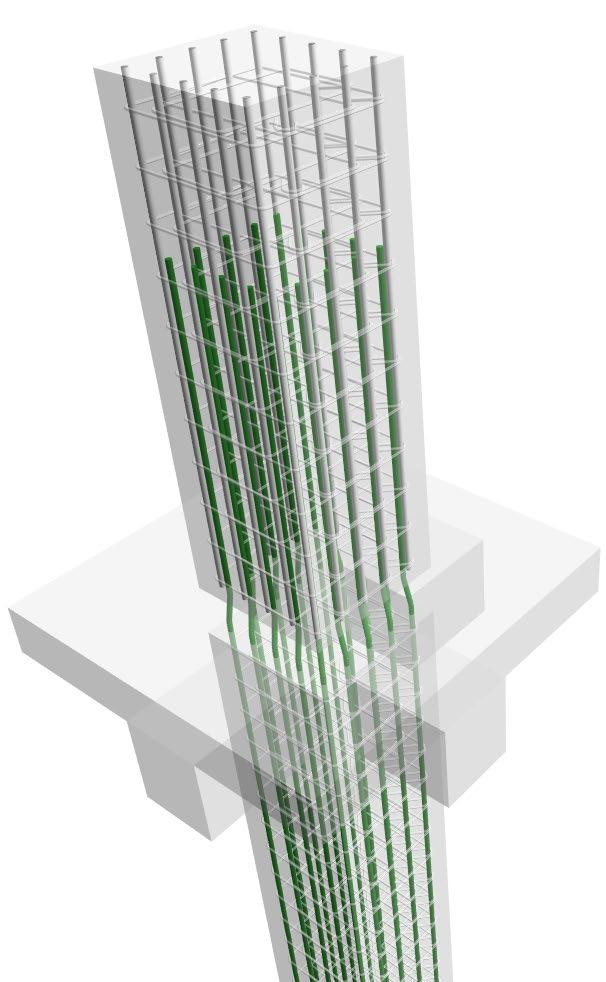
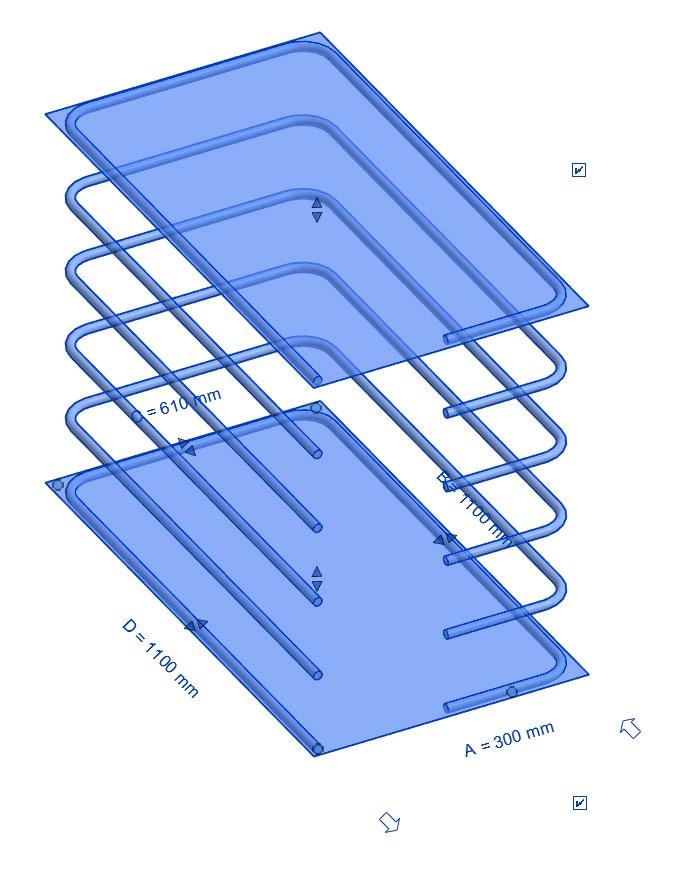
Parametric Rebar Cranking
Revit 2026
Easily model cranked rebar in congested areas to avoid clashes
Fully parametric, type-based solution
Supports both shape-driven and free-form rebar
Propagate cranked rebar across similar concrete elements
Crank lengths can be overridden per rebar instance
Avoid clashes effortlessly with enhanced parametric control over detailed rebar modeling
Custom Steel Connections Enhancements
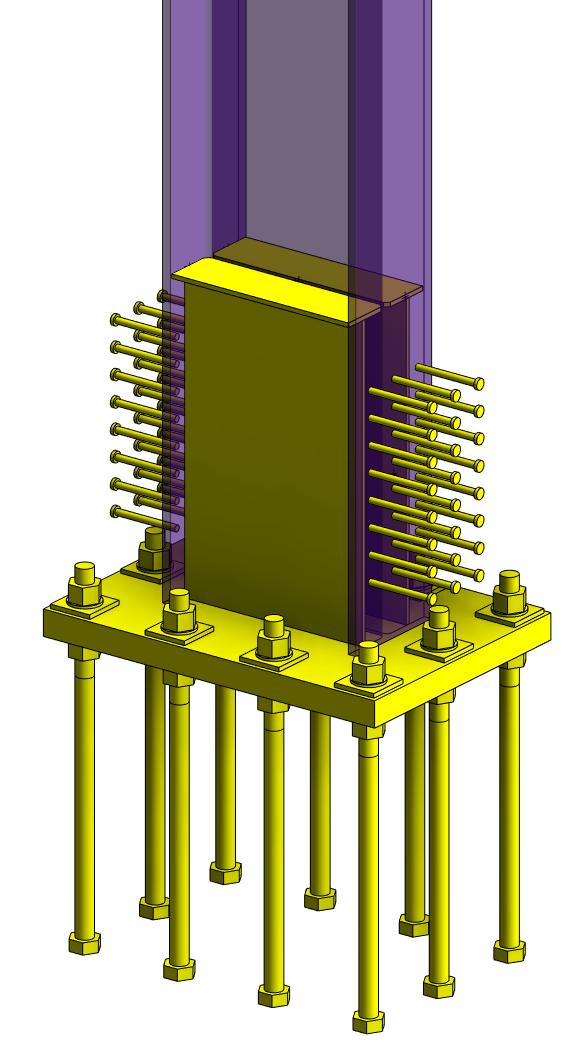
Revit 2026
Custom connections in edit mode allow:
o Moving standalone elements
o Using the sketch editor for plates and bolt/hole/anchor/shear stud patterns
o Modifying element properties
Removing elements from a custom connection will no longer delete them from the model
Editing custom connections is clearer and more intuitive Faster and easier workflow with custom connections
Point-to-Point Steel Modeling
Revit 2026
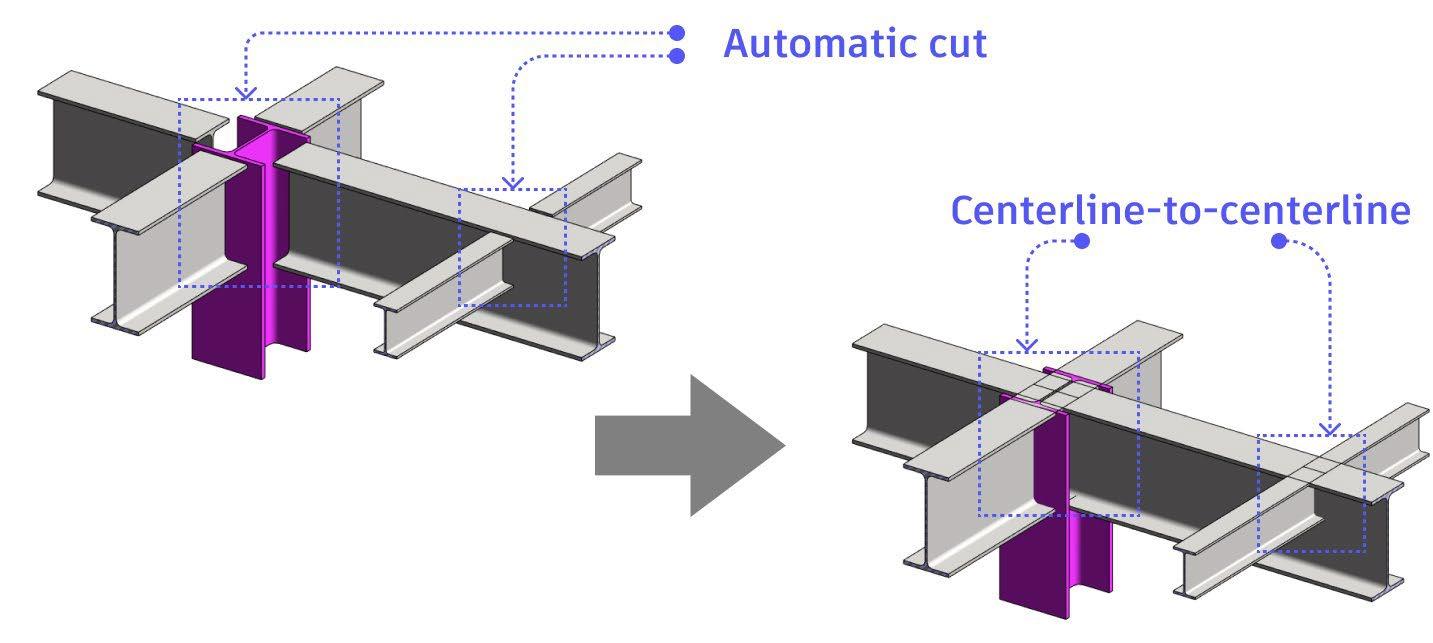
Defining precise geometry allowing users to visually check the correctness of steel elements and create accurate Advance Bill of Materials
Enable/disable point to point modelling of structural steel framings
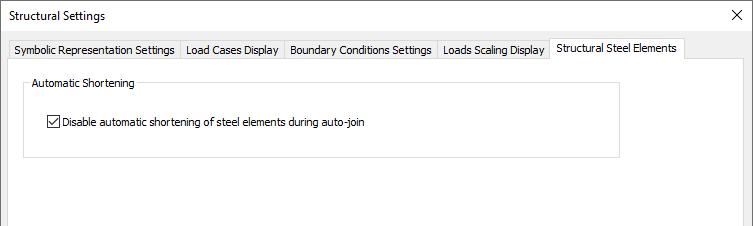
Point-to-point modeling maintains auto-join behavior
Accurate modeling for better estimation and validation of steel elements
Steel Plate Default Material
Revit 2026
Newly created steel plates have a default material that is in accordance with materials used in the construction
The default material is set depending on the Length project units
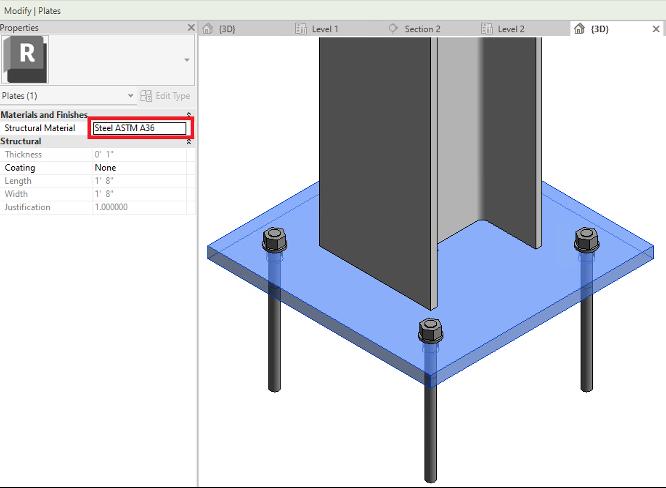
Consistent and project-based default materials for steel plates
Show Start and End of Bar
Revit 2026
Add hooks, end treatments or cranks to bar ends more intuitively
Start and end orientation is shown in 2D and 3D views
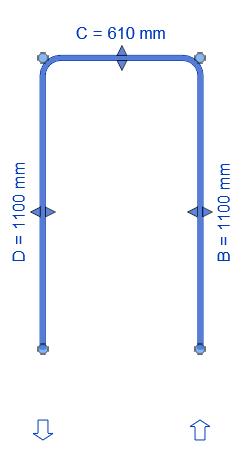
Enhanced productivity for rebar detailing
Multi Discipline
Toposolid Enhancements
Sheet Collection & List
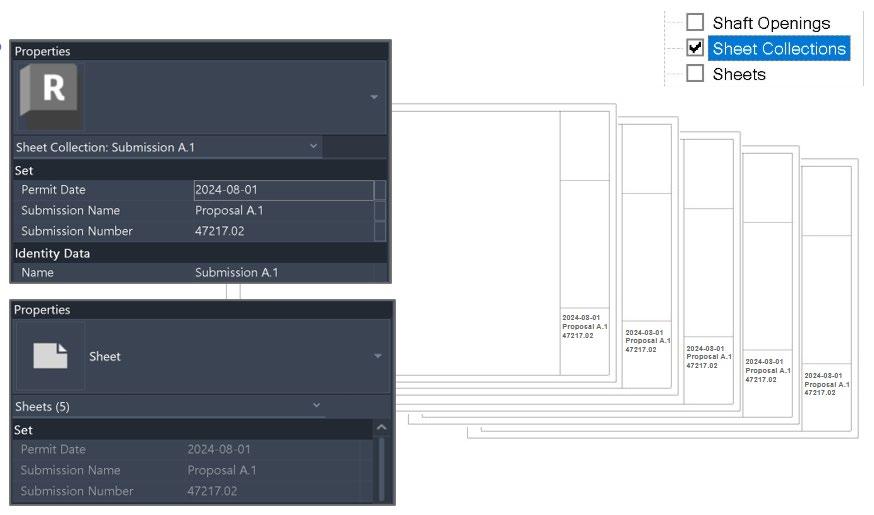
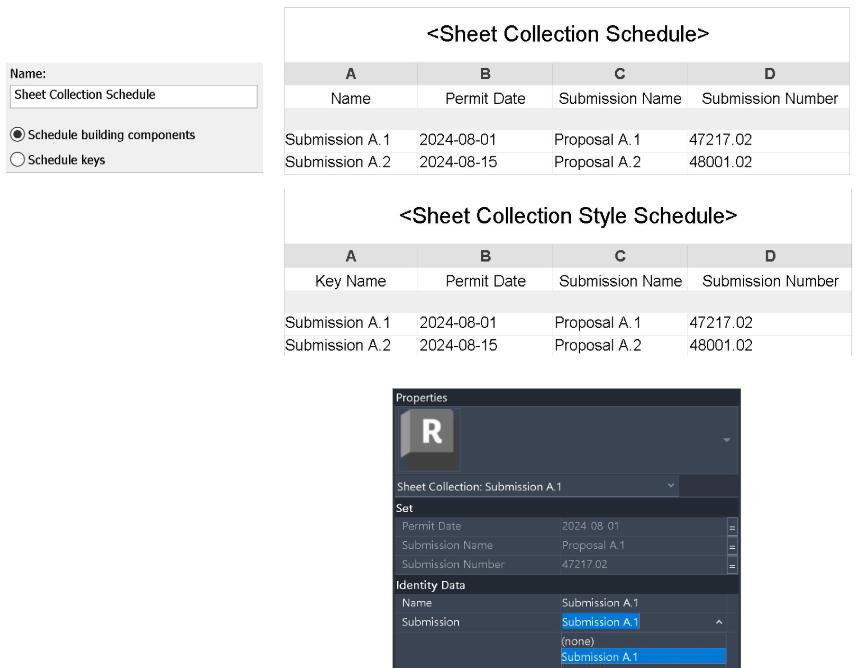
Sheet Collections Custom Parameters & Schedules
Custom parameters to the Sheet Collection category
Values display & sync on all sheet of a Collection
Key Schedules are supported
Support Global Parameters
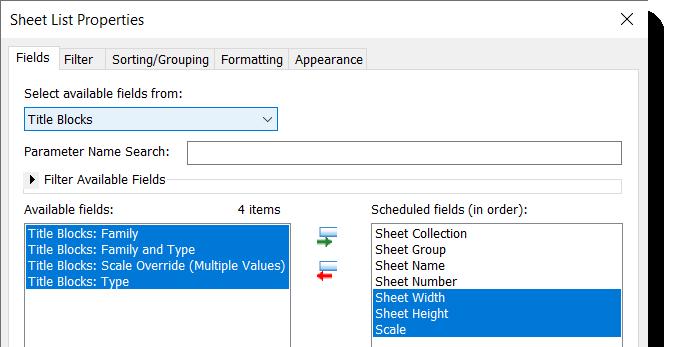
Sheet List Schedule Enhancements
New available parameters:
o Scale, Sheet Width and Height

o Built-in & shared Title Block parameters (family & project)
Primary Title Block parameter
o Available on all TB instances
o Read-only when sheet has a single TB
o Modifiable for multi-TB sheets; only one can be primary Obs!
View to Sheet Positioning and Auto Placement
Revit 2026
View to Sheet Positioning and Auto Placement
Edit Position for real-time updates
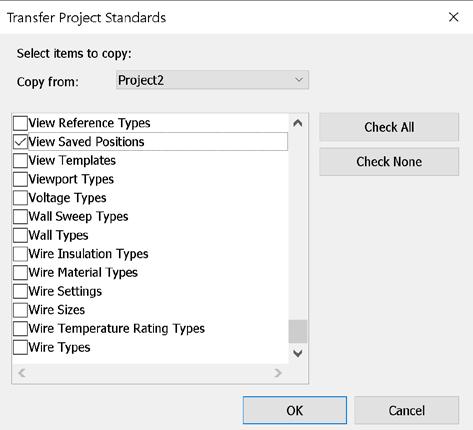
Share Saved Positions via Transfer Project Standards
Preserve Title Position adjusting view title positions
Manage all Saved Positions centrally through the Manage Positions dialog, enabling renaming and deletion.
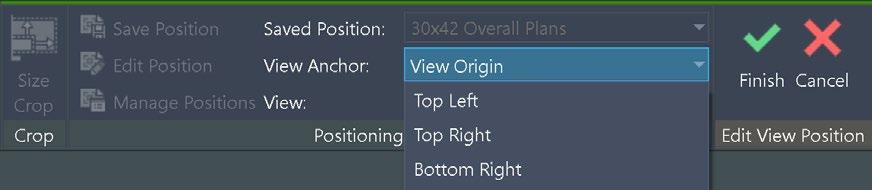

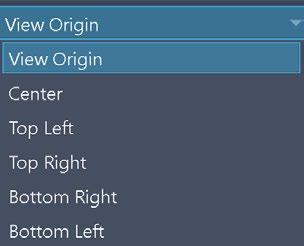

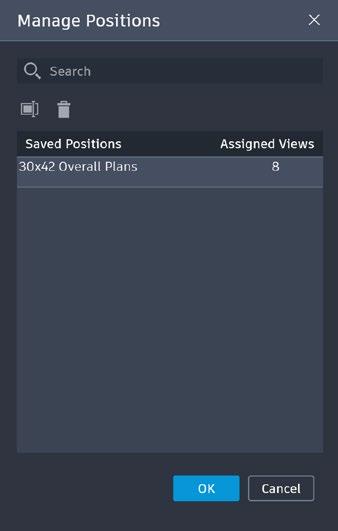

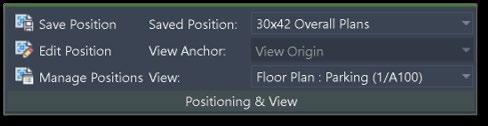
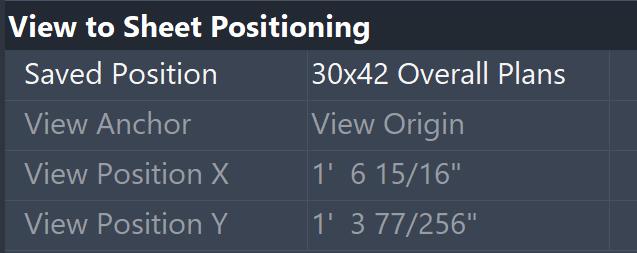
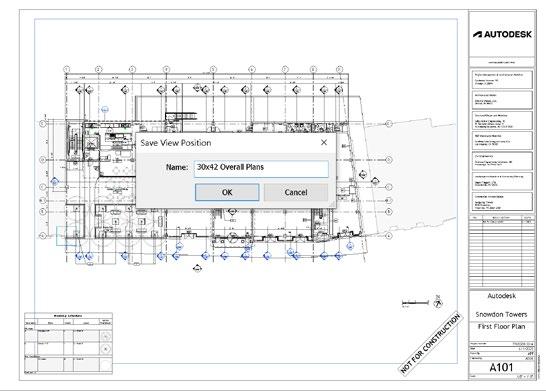
Save, edit, and manage view positions on sheets
Align views across sheets with View Anchor options
Auto position views assigned to a Saved Position
Integrated Swap View on Sheet
Reset Title Block Position restores title block instances to default origins




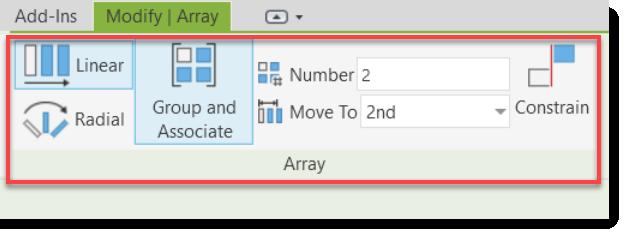
Relocated Controls from Options Bar to Ribbon Tags and Modify Tools



TAKK FOR OPPMERKSOMHETEN!