1 Partners Apply for Associating Accounts (Applicable:
Partners' users and administrator)
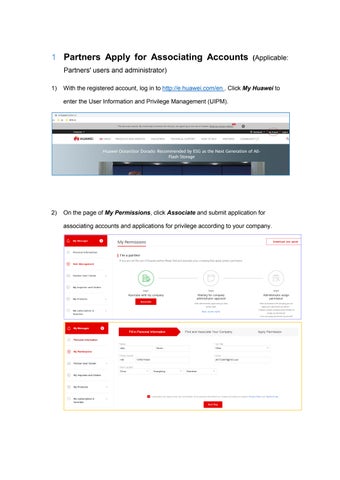
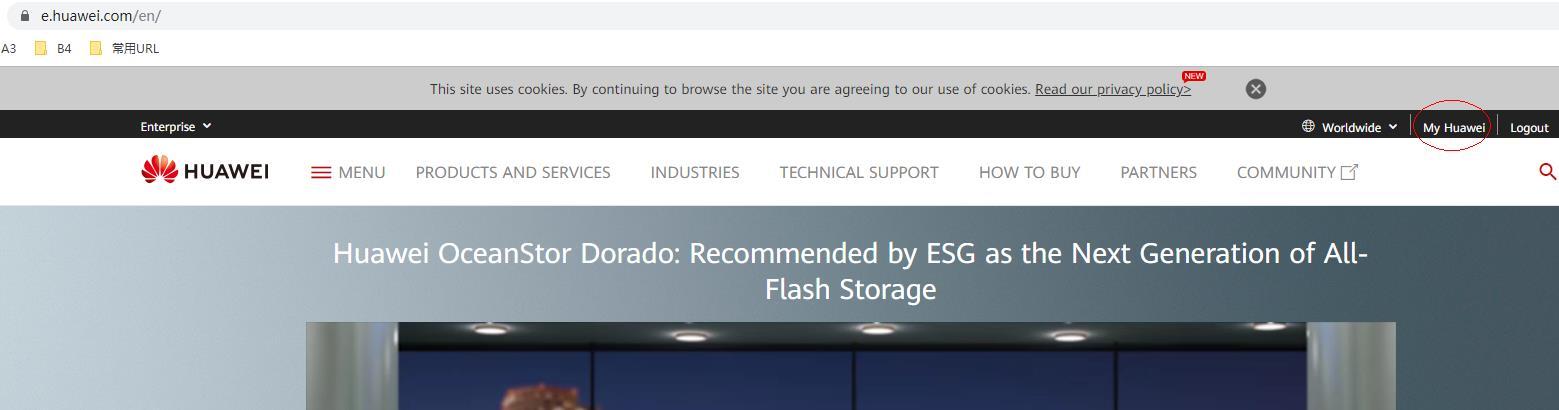
1) With the registered account, log in to http://e.huawei.com/en . Click My Huawei to enter the User Information and Privilege Management (UIPM).
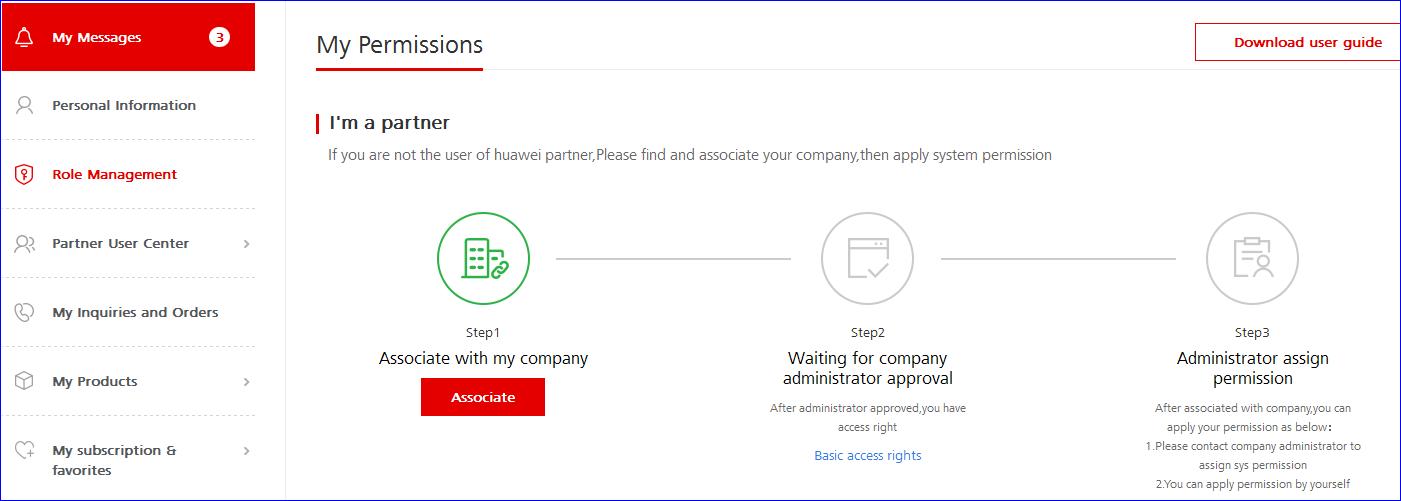
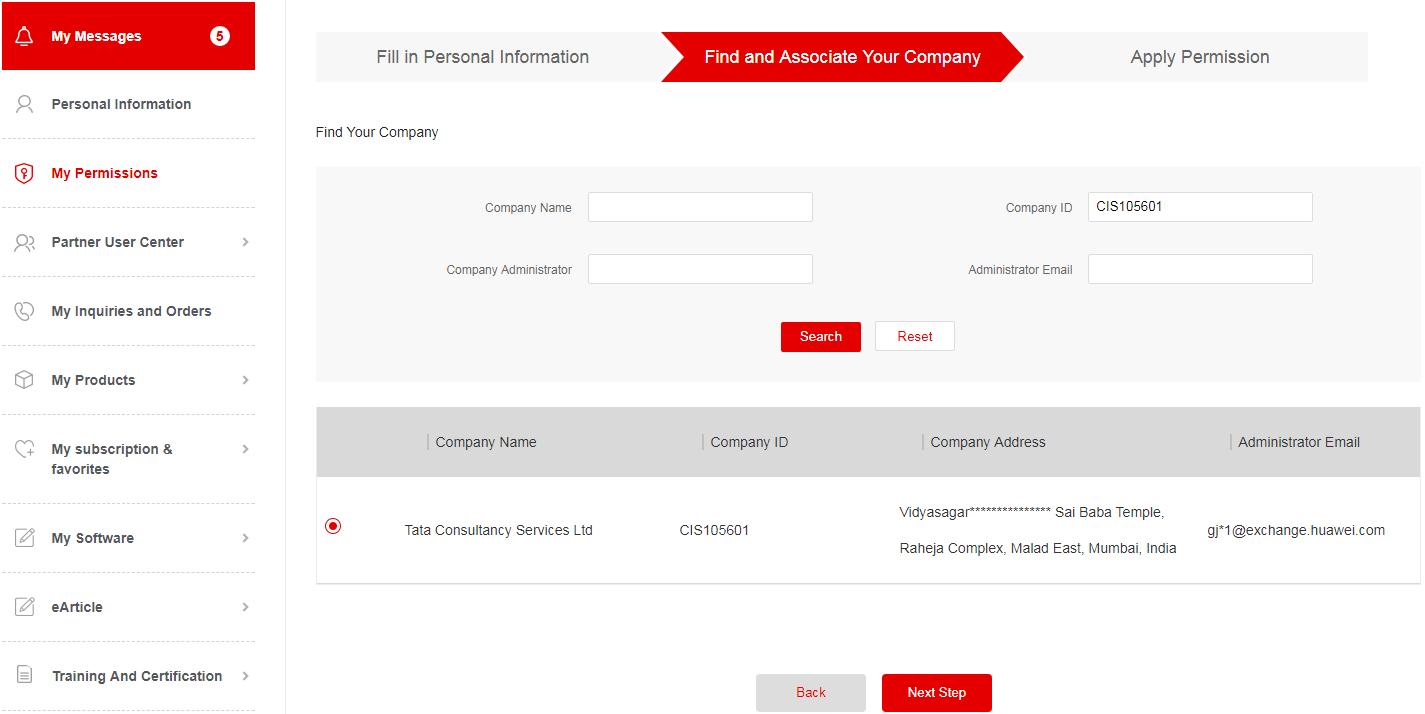
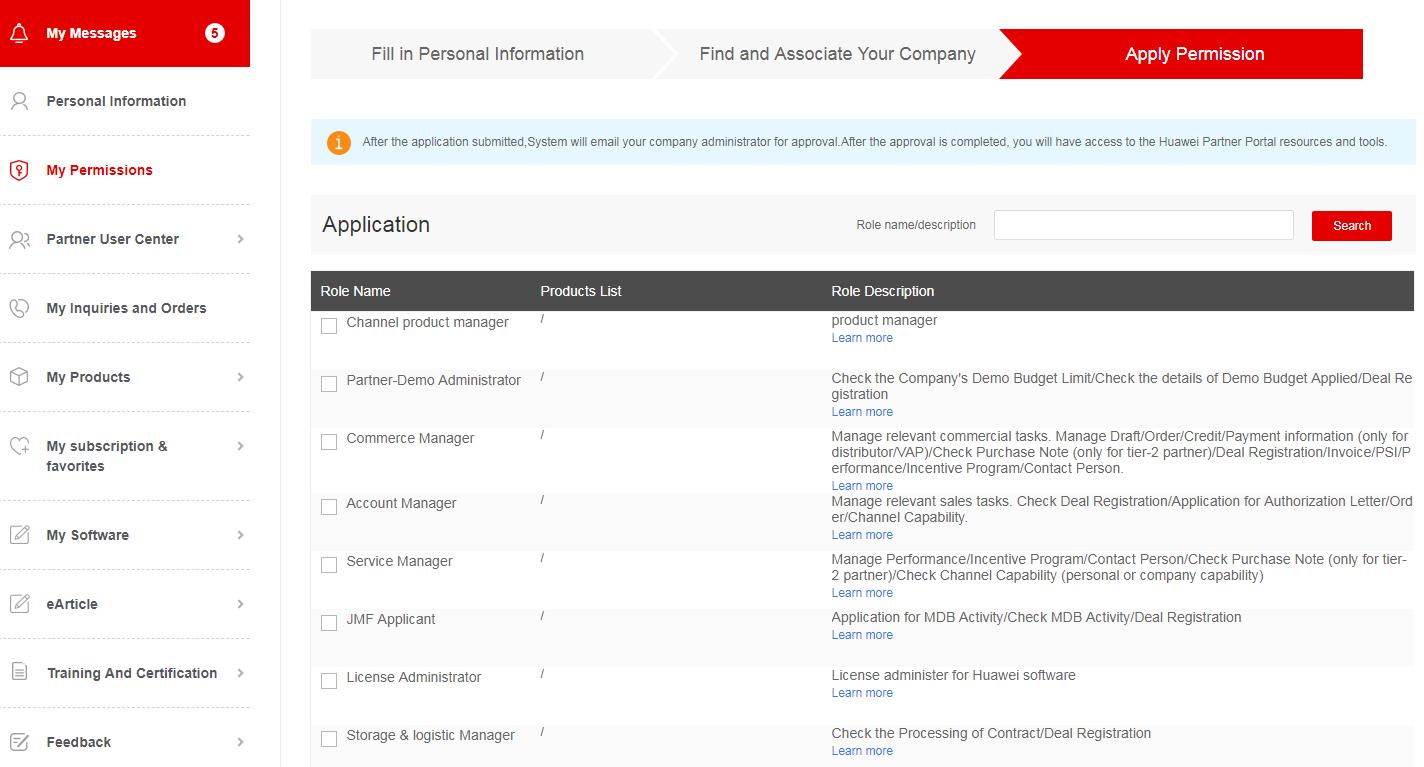
2) On the page of My Permissions, click Associate and submit application for associating accounts and applications for privilege according to your company.
Note:
a) You can search for a single condition or multiple conditions.
b) When you search for the company name, enter the full name of the company. It is accurate search for other conditions. Please confirm that you have entered the right search data
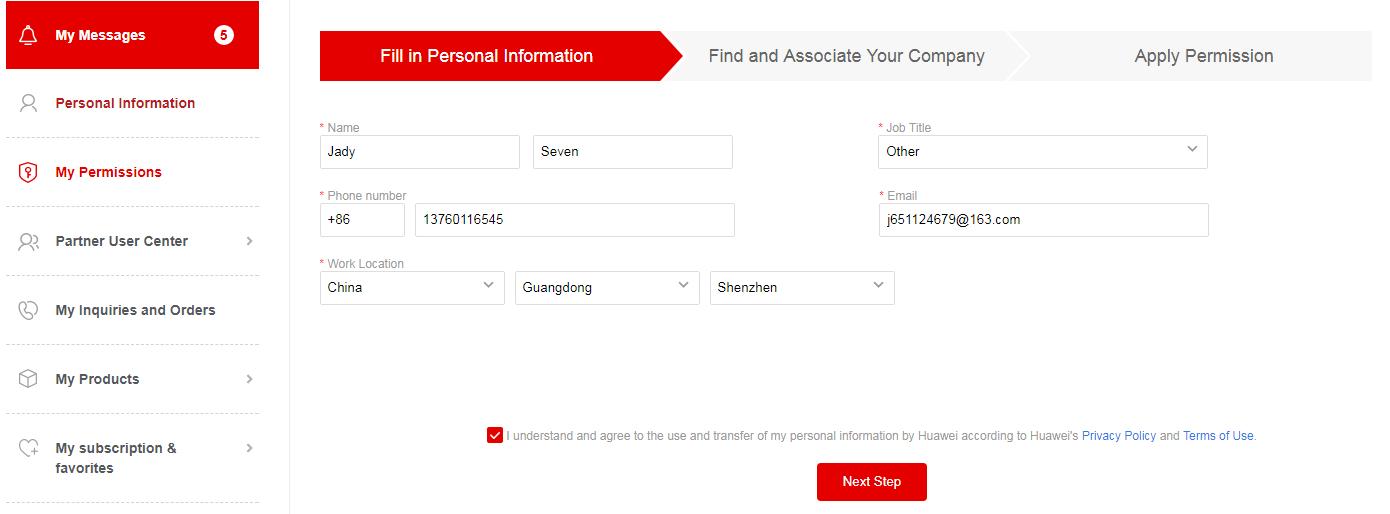
c) Step 1: Fill in personal information. Step 2: Select the company you will associate with. Step 3: select the system permission you apply for.
d) Click Submit After you submit the application for associating accounts, wait for Channel Administrator or Channel Manager to review.