
EDITOR
Greg Adams
027 255 1301
Greg.Adams@interfacemagazine.co.nz
ADVERTISING
09 575 2454
A dvertising@interfacemagazine.co.nz
DISTRIBUTION MANAGER
Michelle Durbin 09 575 2454
Michelle.Durbin@interfacemagazine.co.nz
DESIGN
Design@interfacemagazine.co.nz
EVENT MANAGER INTERFACE Xpo
Paul Colgrave
Paul.Colgrave@interfacexpo.co.nz
FOLLOW US


instagram.com/interfacemagnz/
facebook.com/interfacemagazine
x.com/Interfacemag
youtube.com/interfacemagazine
SIGN UP TO INTERFACE NEWS
For details go to interfaceonline.co.nz/signup
NEW ZEALAND INTERFACE™
(ISSN 1177-973X) is published four times a year by G MEDIA PUBLISHING LIMITED
© G MEDIA PUBLISHING LIMITED 2025. Editorial opinions are not necessarily those of the publisher. We do not endorse or accept responsibility for any third party featured in this publication, unless stated otherwise.
While every effort has been made to ensure accuracy of information in this magazine, the publisher does not accept liability for inaccuracies, omissions or misinterpretations that may occur, and urges readers to always check online resources before using them in class.
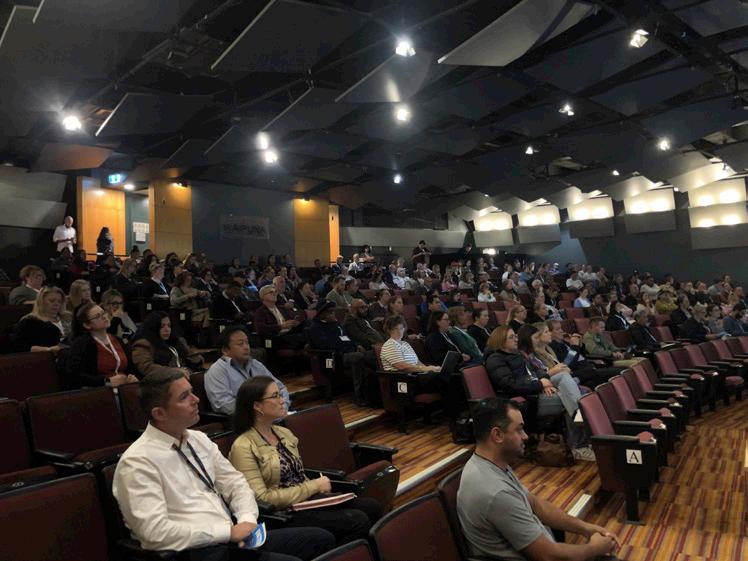
We’re busy planning and preparing for INTERFACEXpo 2026. As always, there’s a lot to do. But we know you also like to plan ahead. So that you have plenty of time to make your arrangements to attend, we can reveal that the dates and locations for next year are:
Lincoln, Thursday 7 May
Rotorua, Tuesday 12 May
Auckland, Thursday 14 May
Check the Xpo website and keep an eye on our e-newsletters and social channels for the latest event news and updates. Registrations will open in January next year.
More at interfacexpo.nz
26 26
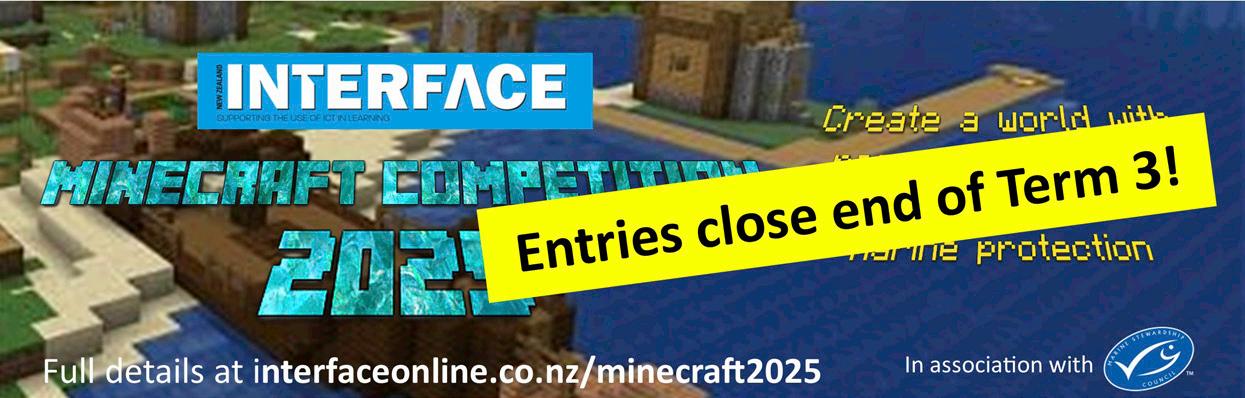
Interest is hotting up and entries are already coming in for this year’s Student Minecraft Competition. Once again, we’ve teamed up with the Marine Stewardship Council for ‘Sustainable Seas Minecraft 2025’. And there’s still time to take part.
The challenge is to build an environment that keeps fishing sustainable and ensures clean oceans. Come up with the design, construct it in Minecraft and record a short video tour. There are some great prizes and bragging rights as the best Minecrafters in the land!
Don’t miss out! Entries close Friday 19 September (the last day of Term 3). Go to interfaceonline.co.nz/minecraft2025/
Congratulations to the winners of our latest competitions. Going old-school will be Margaret Gillies, Ngaruawahia School, Waikato, with a Retro-Style Landline Phone Attachment. The Dual Alarm Digital Clock with Temperature and Humidity Display is on its way to Jeremy Meadows, Ruakaka School, Whangarei, and the Kiwifruit Multi-Port USB Hub to Stephen Ludwig, Geraldine High School, South Canterbury. Lastly, keeping everything neat and tidy with a Cable and Charger Organiser Bag will be Verena Waitoa (pink), Havelock North Intermediate, Hawke’s Bay, and Andrew Cooper (black), Christchurch Boys’ High School, Canterbury.
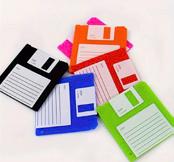
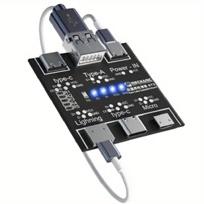
In this issue, we’re giving away more great prizes: Floppy Disk Coasters, Portable Magnetic Phone Stand for Laptop, Compact USB Cable Tester Board, and Vintage Computer Sticky Notes Pads. Be in to win at interfaceonline.co.nz/competitions/


Winner Announcement ��
Presented by

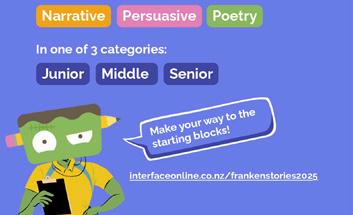
From urban legends about monsters that eat library books, to persuading readers that their Island is better, and poetry about the cost of living—we loved reading all the entries from our inaugural Frankenstories writing triathlon!
Congratulations to our winners:
Kaikorai Primary (Rūma Whā), Dunedin
Senior Middle Years
Junior Burnside High School (10WANH), Christchurch Rāwhiti School, Christchurch
We also happily awarded a Wild Card prize to a couple of impressive students from Auckland who entered off their own backs!

Special thanks to all the teachers that joined us, and for keeping writing fun
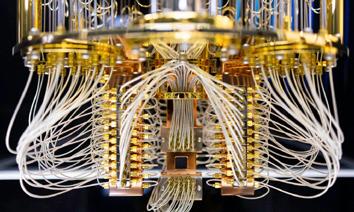
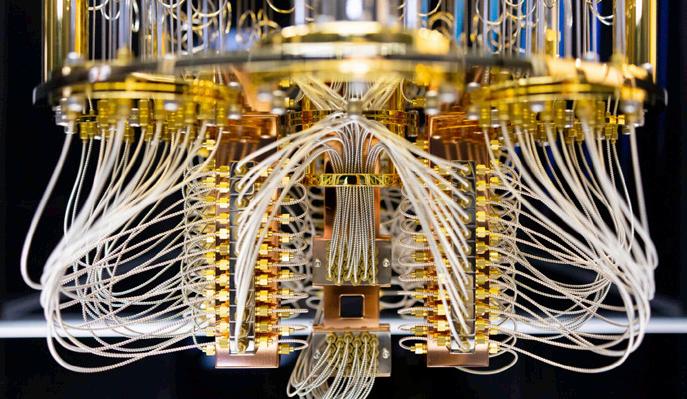
Quantum computing is groundbreaking and could be the next big technological leap. But what exactly is it? Should schools be thinking about it? How could it impact education? Here are a few of the things teachers need to consider.
Quantum computing is a new way of doing computation that uses the principles of quantum mechanics – the physics of very small particles like atoms and electrons.
Normal Computers use bits, which can be either 0 or 1. Think of these like a light switch – it can be off (0) or on (1). By combining lots of bits, computers do calculations, play games or run apps.
Quantum Computers, on the other hand, use qubits (short for ‘quantum bits’), which instead of being just 0 or 1, can be 0, 1, or a mix of both at the same time. This is called superposition. This time think of a coin. A normal bit is like a coin that’s either heads or tails. A qubit is like a coin spinning in the air – it’s kind of both until it lands. Qubits can also be linked together (entangled). If you change one, the other changes instantly, even if they’re far apart. This makes them work together in powerful ways (if a little mysteriously, too).
Why is this Important?
What this means is that quantum computers can try out many, many, many calculations at once. For certain problems (like factoring huge numbers, searching unsorted data, or simulating molecules), they are hugely faster than traditional computers. They could help us discover new medicines, make better materials and solve really tricky puzzles, as well as improve AI and other future technology.
What could this mean for the classroom?
Although still in its early stages, it’s already clear that quantum computing has the potential to reshape education and could have a big effect on schools and learning in a number of ways:
New subjects to learn – Just like coding became part of school studies, quantum basics might be taught, too. It also blends physics, maths, computer science, and engineering. Schools might design new courses or modules combining these
fields. As with artificial intelligence, quantum technology will require learners to think about not just ‘how it works’ but ‘what it means’ for society.
Simulations – Quantum computers excel at modelling complex systems. In education, this could mean simulating chemical reactions, physics experiments, or even economic models – allowing students to explore ideas that are impossible to run on standard computers.
Smarter and personalised learning
– Quantum-powered AI could analyse huge datasets of student performance and adapt lessons more intelligently than today’s tools.
Future jobs – Many new careers (like quantum software developers or scientists) will appear, so learning the basics now will help prepare for the future.
Cryptography and security – Teachers and students may need to learn how quantum computing could break current encryption systems – and what that means for privacy and digital citizenship.
While being super powerful for certain things, quantum computers are still being developed and have a long way to go
before becoming mainstream. They are small and fragile, and require extreme conditions (like near absolute zero temperatures). Qubits lose their quantum state quickly, anything from a few seconds to a fraction of a millisecond. This means the computer cannot perform long or complex calculations reliably. Improving qubit stability is one of the biggest challenges in building practical quantum computers.
Quantum computing is not just a faster version of today’s computers, it’s a completely different model of computation that could solve certain problems current computers simply can’t.
This quantum computing-powered technology could supercharge learning and open new subjects. It will likely start as an advanced topic, then gradually filter into general science curricula. It could provide powerful new teaching tools, but it also raises challenges around access, equity, and teacher training. Whether or not it’s a quantum leap for education, it certainly promises fascinating and speedy times ahead.
Article by Greg Adams, Editor, INTERFACE Magazine.

eBooks and Audiobooks are perfect for supporting all students including neurodiverse learners, EAL students, and reluctant readers.

With 24/7 access on any device, at school or home, ePlatform helps build a strong, schoolwide reading culture. It’s already trusted by hundreds of schools across Aotearoa.
Specialising in local content for the markets it serves, ePlatform offers professionally curated Shared Collections for schools, as well as access to its shop featuring over 1,000,000+ eBook and Audiobook titles from the best local and international authors, and the inventory grows every day.
Find out how to build an inspiring digital library at eplatform.co/nz
Network for Learning (N4L) has completed nearly a third of Managed Network Upgrades. So far, 750 schools have access to next-generation internet infrastructure.
The upgrade involves replacing school firewalls before they reach end-of-life and switching to a new internet connection. All schools are scheduled to complete the upgrade before mid-2026.
Wellington’s Island Bay School, a primary school with 340 students on its roll, is one of the schools to have been upgraded.
“The upgrade happened in a single afternoon,” said Principal Deborah Fenton. “N4L knew the times of day we needed to do important things, so they were able to flex to our needs and choose the most insignificant time of the school day to do it.”
Read more about the upgrade at n4l.co.nz/connect/ managed-network-upgrade/

Calling all esports enthusiasts. In November, Manurewa Intermediate School is hosting its 4th South Auckland Esport Tournament on 12 November. You’re invited to enter teams for Rocket League matches.
“We use this day to build friendships, give the students a chance to compete against different students, practise what they have been training for at home/school and to embrace this new era of opportunities for them,” said organiser Tanya White. “We may also have students live-streaming or commentating if we can manage to get some support in this area! It’s a fun time for students, but also a great competition day! Come and join us!”
More at bit.ly/misesport
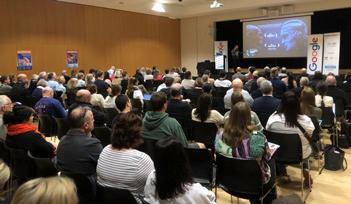
In October, join the ImpactEd team at ‘AI in Education’ in Timaru. This one-day conference exploring the transformative role of artificial intelligence and providing practical insights into integrating it into education. Join experts and other educators to discuss how AI is reshaping teaching, learning.
Book your ticket at events.humanitix.com/timaru-aieducation

The most successful esports squads may be built on past rivalries, according to researchers at the University of Auckland. The results of their study finds that teammates who’ve competed against one another in the past, gaining what they call ‘competitive familiarity’, perform significantly better than those who haven’t.
“When those same individuals become teammates, those insights can be used to improve coordination and decisionmaking,” said co-author Dr Kenny Ching. “Competing against a person builds familiarity. Things that might be overlooked when on the same team might be more clearly noticed and remembered during competition.”
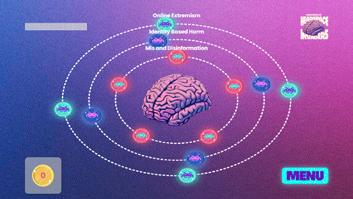
Netsafe and Youthline have launched Headspace Invaders, an interactive platform that helps young people aged 12 to 16 build confidence and critical thinking skills when navigating online content. Invaders are grouped into three topic areas: Mis & Disinformation, Identity-Based Harm, and Online Extremism. Each invader shows participants what they might run into online, along with tips to help figure out what’s going on and options for what to do next.
Select an Invader, complete 2-3 interactive parts, then read through a few short information screens to reinforce what’s been learned.
More at netsafe.org.nz/headspace-invaders
With Microsoft ending support for Windows 10 on 14 October, 2025, the Ministry recommends schools to update devices to Windows 11 as soon as possible. They should also inform families about the upcoming changes for students who use ‘bring your own devices’ (BYOD) that may be affected. If devices that can’t be upgraded, consider repurposing them with lightweight operating systems like ChromeOS Flex. Or Microsoft is offering Extended Security Updates (ESU) for a limited time.
More at microsoft.com/en-nz/windows/end-of-support

‘Time’ is one resource that always seems in short supply for teachers. Turning to technology can help – but it does depend on how you use it. Here we explore ways digital solutions can significantly save you time, especially with the arrival of new AI-powered teaching tools.
Everyone loves a time-saver, right?
Sometimes there just aren’t enough hours in the day to get everything done. While it can’t turn back time (not yet, anyway), technology can help. Significantly so, as well, if used in appropriate ways through automation of tasks, streamlining admin, personalised learning, and improved communication – all freeing up educators for more impactful interactions with students.
Some of these types of time-saving tools have been with us for a while. Learning Management Systems (LMS), like Google Classroom, can streamline communication, assignment distribution, grading, and feedback – all in one place. Digital assessment tools, like Kahoot!, can be used to create tests and quizzes that automatically grade themselves. These platforms also offer immediate feedback for students and instant analytics for teachers, which saves time on both assessment and data tracking.
Others include:
• Content curation and sharing tools mean teachers don’t have to build every lesson from scratch. Platforms like Khan Academy have ready-made instructional videos.
• Communication tools make it easier to reach parents, students and colleagues via secure, controlled channels. Features can include scheduled messages, automated alerts and language translation.
• Collaboration platforms like Padlet, Google Docs, and Flip support collaborative work among students and allow teachers to observe and monitor progress in real time.
• Video recording and flipped learning tools let teachers record lessons, tutorials, or feedback once and reuse them as needed – and saving repeating the same instruction multiple times.
Where things have changed – quickly and quite significantly – is with the arrival of artificial intelligence-enabled, generative tools in the last couple of years. These offer the potential savings of hours per week. And what’s being called an ‘AI dividend’ is allowing teachers to focus on more instruction, providing better feedback, and having more time for other aspects of their jobs.
How can AI save time?
The technology is transforming many industries, and education is no exception. From administrative tasks to grading and lesson planning, AI tools are helping streamline the workload so teachers can focus more on what matters most: engaging with students.
1. Automated grading and assessment
Grading is one of the most timeconsuming aspects of teaching. AI-

powered tools can now assess multiplechoice tests, short answers, and even some types of essays. They use AI to assist teachers in evaluating student work efficiently and fairly, as well as reduce time spent on repetitive tasks and give more time for providing meaningful feedback or identifying students who need extra support.
2. Personalised learning support
AI can also save time by helping teachers personalise learning. Instead of designing individual lesson plans for students with different needs, teachers can use AI platforms that adapt in real time. This frees up teachers from constantly adjusting lessons manually and allows them to focus their energy on facilitating deeper learning experiences or smallgroup instruction.
3. Streamlining administrative tasks
Administrative duties such as attendance tracking, scheduling, and emailing parents can eat into a teacher’s planning and instructional time. AI can automate many of these tasks.
For example, AI chatbots can answer frequently asked questions from parents or students, while attendance can be taken automatically through facial recognition or mobile devices. Scheduling tools can help coordinate meetings and reminders, significantly reducing the time teachers spend organising their calendars.
4. Data analysis for student progress
Tracking student performance and identifying trends is essential for effective teaching, but analysing data can be complex and time intensive. AI-driven learning management systems can collect and interpret student data to highlight patterns and alert teachers to students who may be struggling or excelling. This proactive insight helps teachers intervene early and tailor their instruction without spending hours poring over spreadsheets.
This is the category of AI that are designed to create new content, such as text, images, audio, and videos, as well as summarise complex data and generate code, in response to user prompts.
Unlike traditional AI applications, which primarily perform specific, predefined tasks using pre-programmed rules and algorithms (like data analysis), generative AI focuses on generating content that resemble the data it was trained on. Popular tools that use the technology include OpenAI’s ChatGPT, Google’s Gemini, and Microsoft’s Copilot, as well
as Claude, Grammarly, Meta AI, Grok, Midjourney, and DALL-E.
Planning effective lessons takes time, particularly when teachers want to incorporate fresh and engaging content. Generative AI tools can help generate lesson outlines, quiz questions, and even full presentations based on learning objectives or standards. These tools act like creative assistants, allowing teachers to draft and refine content much faster than starting from scratch.
Recent research by NZCER offers a glimpse into the perception and use of generative artificial intelligence (AI) by teachers and students in primary school classrooms (Years 5–8). The results have
now been published in the report ‘Generative artificial intelligence in Aotearoa New Zealand primary schools –Teacher and student survey findings’. (Read more about it page 9.)
Teachers can streamline repetitive, administrative tasks, simplify communication, automate grading, and organise and create classroom content using digital tools. As AI continues to evolve, its time-saving potential will only grow, freeing up time to focus more on instruction, creativity, and student connection.
Educators don’t have to know how to use every new tool, but they should be intentional about the technology they do use and determine what will most impact them, their class and their students.
Article compiled by the INTERFACE Team
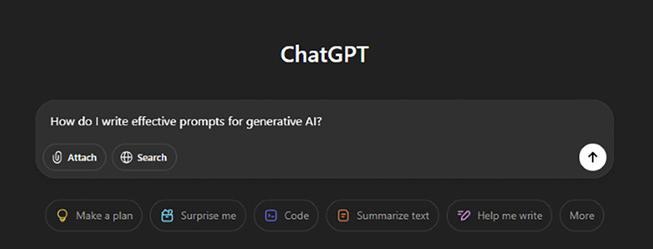
A ‘prompt’ is the term used for the question you ask a generative AI tool. Well-crafted prompts help make the answers more effective and useful. ‘Prompt Engineering’ is the process of crafting a specific, detailed, and instructive prompt to produce a useful response from a large language model. Ways you can improve your prompts are:
• Be specific. Don’t be too brief or too general.
• Break down complex requests into steps.
• Set clear goals. Tell the AI what output you’re hoping to see. If you want an answer to be less than 100 words or be an eight-week course of lesson plans, say that.
• Consider the audience, tone and style. Tell the AI who you’re talking to, how you’re communicating and what tone you want to take with them.
• Include keywords or phrases you want the AI to incorporate.
• Eliminate ambiguity.
• Say how you want the content presented. The AI can format your output as paragraphs, a numbered list, a table with content, an email, an essay, and so on.
• Provide source material or use examples. A prompt that includes a content source can help the AI understand what you want it to use.
• Revise and experiment. If you don’t get what you want, try again. Build on prompts by offering feedback, saying what you liked and correcting mistakes.
• Don’t be afraid to start again. If things aren’t working, stop and try again.


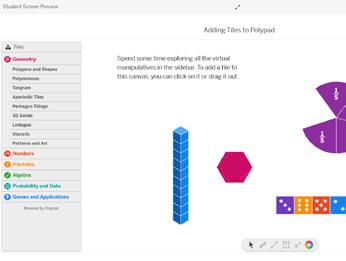
Polypad (polypad.amplify.com) is a mathematical playground filled with a comprehensive and intuitive collection of lessons, activities and virtual manipulatives. Part of Desmos Classroom and Amplify, categories to choose from include geometry, numbers, fractions, algebra, and probability.
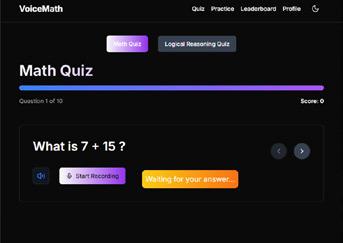
Learn and practise mathematics through interactive voice-based exercises at Voice Math (voicemath. vercel.app). Start a Math or Logical Reasoning quiz and read or listen to the questions. Speak the answer (you’ll need to give microphone access). The site keeps score as it goes through a series of questions.
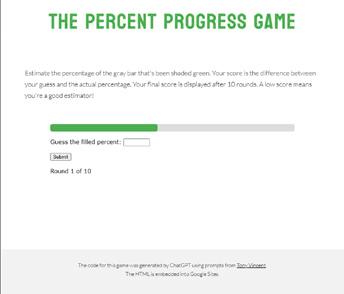
Test students’ skills of estimation (and use of percentages) with The Percent Progress Game (sites.google.com/view/ tppgame). Estimate how much of the grey bar is shaded green. The score is the difference between the guess and the actual percentage. A low score means you’re a good estimator!

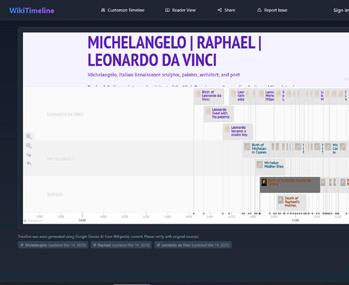
Convert any Wikipedia article into an interactive timeline with WikiTimeline (wiki-timeline.com). Search or paste Wikipedia urls and click ‘Generate Timeline’. The site also has curated collections of historical timelines, from ancient civilisations to modern events.
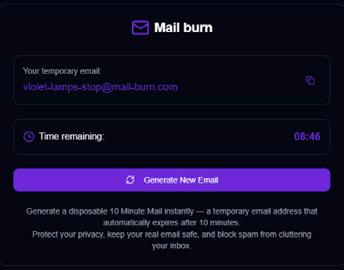
Protect your privacy, keep your real email safe, and block spam from cluttering your inbox with a temporary email from Mail Burn (mail-burn.com). Simply press generate and the site provides you with a temporary, disposable email address that automatically expires after 10 minutes.
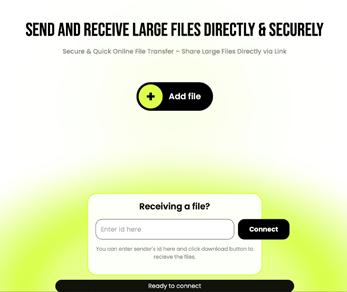
Send and receive large files with File Drop Share (filedropshare.com) – or send between your devices. Select the file, upload it and share the link. Files move directly from one device to another without involving any server. There is no file size limit and files can be shared between different platforms.

CityWalki (citywalki.com) lets you walk, drive and fly in different cities around the world. From Paris to Perth, Wellington to Warsaw, simply choose your travel mode and start typing a destination in the search box. Choose from more than 200 locations. Music is optional. The original video link is also available.

From terrain to tectonic plates, GDP to population, energy consumption to weather, explore different aspects of our planet at 3D Interactive Earth Globe (bit.ly/echalk3D). Choose from 15 globes, each with a colour key, basic data and viewing options, which allow tilt and rotation. Select one and get started.
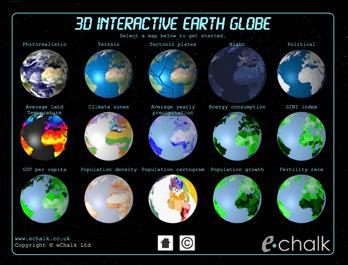
From National Geographic, Earthquake (education.nationalgeographic.org/ resource/resource-library-earthquake/) is a library of resources for teaching about earthquakes, from explanations and causes, to their impact and effects. The site offers articles, maps, videos, and related activities.

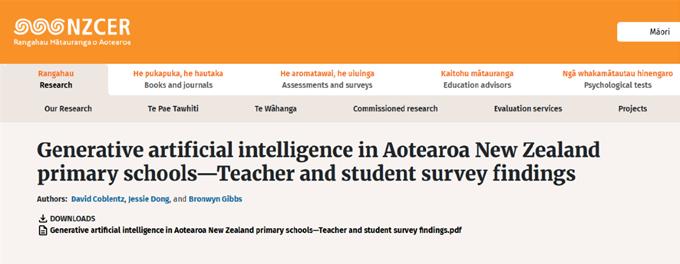
Recent research by NZCER offers a glimpse into the perception and use of generative artificial intelligence (AI) primary classrooms (Years 5–8). Survey responses were received from 266 primary school teachers, who were interested in the area, and 147 students spread across four case study schools.
Earlier this year, NZCER invited Kiwi teachers to participate in a survey to help build a picture of current perceptions and uses of AI in teaching and learning. Research objectives included:
• To what extent are AI tools being used in New Zealand’s primary schools?
• How do teachers and students perceive AI?
• How are these tools shaping teaching and learning experiences?
• What opportunities and challenges are teachers and students encountering?
In addition to examining the current state of AI adoption, the project also considered its implications for effectiveness, equity, inclusivity, and ethical use in the classroom.
And the survey says …
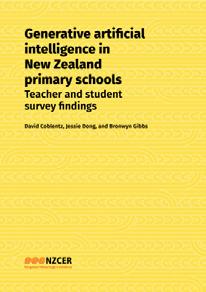
The results have now been published in the report ‘Generative artificial intelligence in Aotearoa New Zealand primary schools – Teacher and student survey findings’ (see link at end to download your copy).
“Taken together,” said the report, “the surveys suggest that generative AI is in use in New Zealand primary schools by both teachers and students, as well as pointing to gaps in policy, resourcing, and professional learning.”
• Surveyed primary teachers were experimenting widely with generative AI tools, chiefly for lesson planning, assessment design, and personalising learning materials.
• Most teachers relied on free chatbots, especially ChatGPT and Google Gemini, supplemented by AI-enabled content platforms, such as Twinkl.
• Three-quarters of responding teachers have no school-funded premium AI tool access, and a similar proportion do not pay for their own tools, leaving
most teachers using older, less capable large language models (LLMs) that are often more prone to error or bias.
• Even among the survey’s group of disproportionately interested teachers, fewer than half felt confident teaching responsible AI use, and most (85 per cent) wanted more training in the use of generative AI tools.
• Teachers seemed unsure about what environmental impact generative AI might have and whether the educational benefits outweigh environmental costs.
• Roughly nine in 10 a-konga had heard of AI and more than half reported using generative AI tools, though regular (at least weekly) users were still in the minority.
• Self-reported student use was higher outside school than inside, with activities ranging from drawing images and chatting with AI tools ‘like a friend’ to fixing writing or getting homework ideas.
• Many viewed AI as helpful yet also ‘a bit like cheating’ and most were unsure of the rules at their schools.
• Most students did not recall adult guidance on when or how to use AI.
“This report suggests a need for centrally supported professional learning, better privacy-protected access to premium LLMs, culturally supportive school and
national policies, and iterative integration of ageappropriate AI critical literacy in the curriculum,” said NZCER. “Aotearoa New Zealand could potentially draw on emerging frameworks in countries such as Australia, Canada, and the UK, tailoring these to honour Te Tiriti o Waitangi and other aspirations for the education of tamariki.”
Download the report at nzcer.org.nz/ research/publications/generativeartificial-intelligence-aotearoa-newzealand-primary-schools

This is category of AI that are designed to create new content, such as text, images, audio, and videos, as well as summarise complex data and generate code, in response to user prompts. Unlike traditional AI, which primarily analyses data, Generative AI focuses on generating content that resemble the data it was trained on. Popular tools that use the technology include ChatGPT, Gemini, Claude, Copilot, Grammarly, Meta AI, Midjourney, and DALL-E.
10 ways to write an effective prompt. See page 7.