Aspire 5940G Series Laptop Service Guide Manual- PDF DOWNLOAD

Page 147

No Display Issue If the Display doesn’t work, perform the following actions one at a time to correct the problem. Do not replace a non-defective FRUs:

No POST or Video If the POST or video doesn’t display, perform the following actions one at a time to correct the problem. 1.

Make sure that the internal display is selected. On this notebook model, switching between the internal display and the external display is done by pressing Fn+F5. Reference Product pages for specific model procedures.

2.

Make sure the computer has power by checking at least one of the following occurs: •

Fans start up

Status LEDs light up

If there is no power, see “Power On Issue” on page 136. 3.

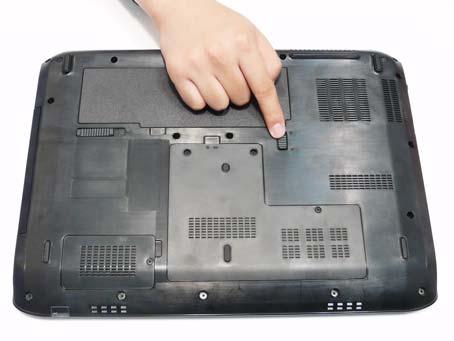
Drain any stored power by removing the power cable and battery and holding down the power button for 10 seconds. Reconnect the power and reboot the computer.

4.

Connect an external monitor to the computer and switch between the internal display and the external display is by pressing Fn+F5 (on this model). If the POST or video appears on the external display, see “LCD Failure” on page 139.

5.

Disconnect power and all external devices including port replicators or docking stations. Remove any memory cards and CD/DVD discs. Restart the computer. If the computer boots correctly, add the devices one by one until the failure point is discovered.

6.

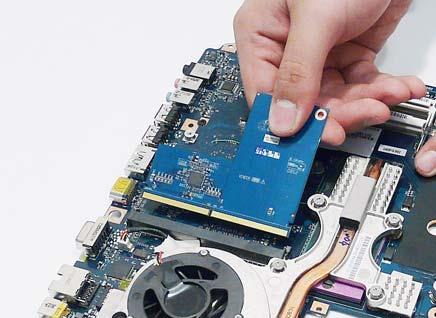
Reseat the memory modules.

7.

Remove the drives (see “Disassembly Process” on page 46).

8.

If the Issue is still not resolved, see “Online Support Information” on page 219.

Chapter 4

137


Turn static files into dynamic content formats.

Create a flipbook

Articles inside

BIOS Recovery by Crisis Disk

2min
pages 179-181

LS-5017P IO Board

1min
page 175

Bottom View

1min
page 168

LS-5013P Media Board

1min
page 171

Top View

1min
page 167

Other Failures

1min
page 159

ODD Failure

5min
pages 154-156

Random Loss of BIOS Settings

2min
page 148

Internal Microphone Failure

1min
page 152

HDD Not Operating Correctly

1min
page 153

Power On Issue

1min
page 146

No Display Issue

1min
page 147

Common Problems

1min
page 145

Replacing the WLAN Module

1min
pages 139-140

Replacing the ODD Module

1min
page 142

Replacing the Launch Board

1min
pages 131-132

Replacing the MIC Board

1min
page 125

Replacing the Media Board

1min
page 133

Replacing the LCD Module

1min
page 119

Replacing the TouchPad Bracket

1min
pages 120-121

Replacing the Bluetooth Module

1min
page 116

Replacing the Mainboard

1min
page 114

Replacing the VGA/MXM Card

1min
page 113

Removing the VGA/MXM Card

1min
page 107

Removing the CPU

1min
page 110

Removing the USB Board

1min
page 99

Removing the RTC Battery

1min
page 106

Removing the Mainboard

1min
page 105

Removing the Saddles

1min
pages 97-98

Removing the LCD Module

2min
pages 91-96

Removing the TouchPad Bracket

1min
pages 89-90

Removing the Speaker Module

1min
pages 80-81

Removing the MIC Board

1min
page 85

Removing the Launch Board

1min
pages 78-79

Removing the Media Board

1min
pages 76-77

Removing the Hard Disk Drive Module

1min
pages 64-65

Removing the Optical Drive Module

1min
pages 62-63

Removing the Battery Pack

1min
page 58

Disassembly Requirements

1min
page 55

WinFlash Utility

1min
page 48

Remove HDD/BIOS Password Utilities

3min
pages 49-54

DOS Flash Utility

1min
pages 46-47

Boot

1min
page 43

Exit

1min
page 44

BIOS Flash Utilities

1min
page 45

Security

3min
pages 38-40

Bottom View

1min
page 19

Advanced

2min
pages 36-37

Hardware Specifications and Configurations

6min
pages 26-32

TouchPad Basics (with fingerprint reader

1min
page 20

Special Key

1min
page 24

Main

1min
page 35

Windows Keys

1min
page 22

Features

2min
pages 11-13
Issuu converts static files into: digital portfolios, online yearbooks, online catalogs, digital photo albums and more. Sign up and create your flipbook.
Aspire 5940G Series Laptop Service Guide Manual- PDF DOWNLOAD by www.heydownloads.com - Issuu