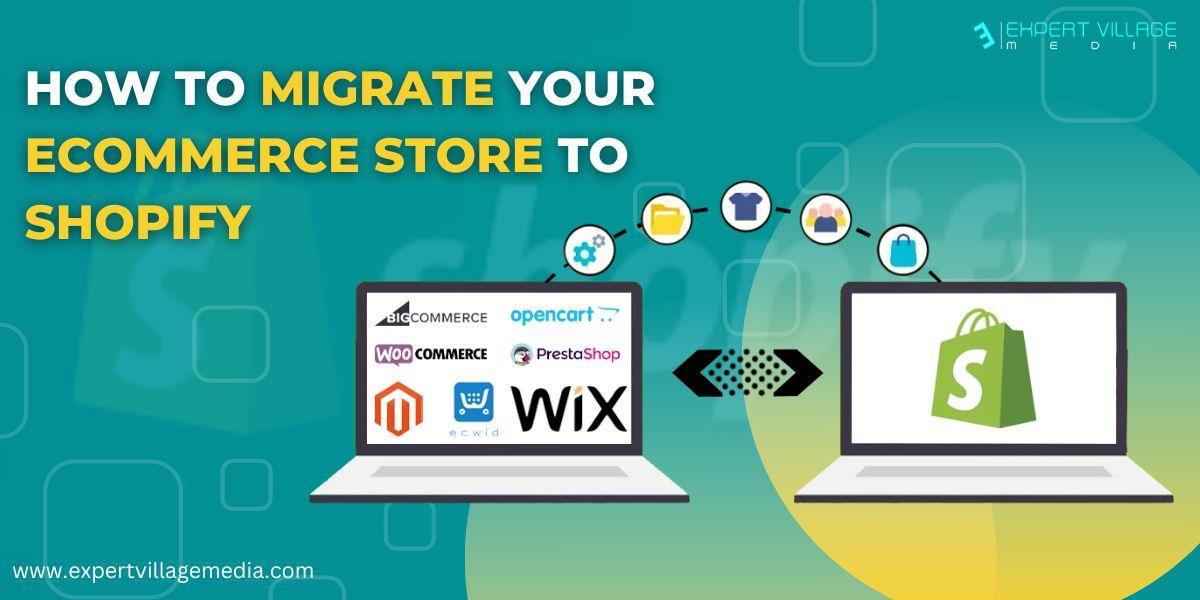

HowToMigrateYourEcommerceStoreToShopify ExpertVillageMediaTechnologies MovingyoureCommercebusinesstoShopifyisabigstep.Itprovidesyouaccesstoa wholeneweraofShopifyintegrations,fastshippingtags,andmoremobileconversions. Butfirst,you'llneedtodosomeworktogetyourexistingwebsiteandShopifystore readyforasmoothmigration TherearetwowaystomoveyourShopifystoreOnewayistouseShopifyapps,and theotheristomovebyhand.TheTransporterappandtheCommandLineToolcanbe usedbyShopifyPlususers.TheStoreImporterappcanbeusedbyShopifyusers.
●Reviewthethingsthatneedtobethoughtaboutwhilemigratingwebsiteto Shopifytomakesuretheprocessgoessmoothly.
●Finishsettinguptheinitialprocesses,soeverythingisuptodate.
●Findtheoptionthatletsyouaccessyourbillinginformationandmanageyour
●Addstaffmemberswhoeachhavetheirownlogininformationtokeepall sensitiveinformationsafe
Rememberthatallofyourdataandinformationaboutyourproductshavebeensaved orcopied.TheShopifymigrationprocesstakessometime,andifyourstorehasalot ofdata,itmighttakeevenlongertoprocessthedata. Step#1SignUpandConfigureYourBasicSettings Therearesomethingsyoushouldstrictlytakecareofbeforeyouaddproductsandset upyourpaymentmethods.
account.
Step#2ImportYourStore'sDatatoShopify WhenyouswitchtoShopify,youhavetomoveeverythingfromyouroldplatform, includingyourproducts,blogs,andcustomertransactions.Theprocessofmigrating websitetoShopifyislong,somakeplansforeachstep. MakealistoftheinformationyouwanttotransferfromyouroldplatformtoShopify. Onceyouhavethelist,youcandecidehowandinwhatorderyouwillmovethedata YoucantakeafewstepsasmentionedbelowtoswitchtoShopify: Copyandpastethecontentfromyouroldwebsitetoyournewsite. UsecertainappsforShopifymigration
GethelpfromaShopifyexpert TransferdatamanuallyusingCSVfiles(thisoptioncanonlymovecustomersand products,notcustomerpasswords) Ifyouareimportinginformationaboutyourproducts,customers,andpastorders,the orderisimportantFollowtheorderbelowwhenyouimport: 1Products 2.Customer 3.Historicalorders IfyoudothingsinthisorderinShopify,you'llbeabletoseeyourcustomers'full transactionhistoryAlso,theordersthatweremovedwillbelinkedtotheproductsand customersthatgowiththem Step#3OrganiseYourProducts IfyouusedaShopifyapptoimportyourdata,checktomakesureeverythingwasdone right.NomatterwhichShopifymigrationprocessyouchoose,it'sagoodideatoget yourdataandservicesreadyforthemovebeforeyoumakeit. Amongtheseare: ●TakeHTTP:andHTTPS:outoftheURLsofyourthemefiles,stylesheets,and imagestogetridofcertainprotocols ●Makesurealldataisuptodateandfreeofmistakes ●Runningandsavingafullcopyofallofyourdata ●Gettingyourserviceproviderstoagreeonadatefortheswitch ●LettingrelevantthirdpartiesuseyourShopifyaccount
AssoonasonesignsupforaShopifyaccount,youwillalreadyhaveatheme.Youcan alsomakeyourwebsitelookgreatbyaddingfreeorpaidthemesfromtheShopify
Therearetwoways,eitheryoucanbuyanewdomainormovethedomainfromyour oldShopifyaccounttoyournewone.However,itisalwaysrecommendedtousethe samedomain.
Beforeyoulaunchyourwebsite,youshouldsettheshippingratesandmethods.One thingtorememberisthatifyou'resellingdigitalgoods,youneedtoturnofftheshipping
Taxesisoneofthecrucialpartsofrunningabusinessand
Step#4AddaTheme
themestore Step#5SetupYourDomain
Step#6SetupYourShippingDetails
optionbecauseyourcustomerswon'tbegettinganythingphysical. Step#7ConfigureYourTaxDetails
migratingwebsiteto ShopifyDependingonwhereyouliveandrunyourbusiness,therearedifferentrules aboutsalestaxSpendsometimelearninghowthetaxprocessworksinyourareaand settinguptaxesinShopifyFindouthowyouwillkeeptrackofyourtaxesallyearwhile yousetupyourtaxsettings Step#8SetupPaymentGateway Everybusinessneedspaymentsbecausegettingpaidisoneofthemaingoalsof makingasale.Settinguppaymentgatewaysthatworkwellisimportantforbothyou
andyourcustomersifyouhaveanonlinestore.It'salsopivotaltomakesurethatyour customershaveagreatshoppingexperiencethatisaseasyaspossibletouse.
HerearesomefactorsyoumightshouldthinkaboutwhenchoosingaShopifyPayment Gateway:
Visionandtypeofbusiness:Thisincludesthingslikewhereyouwillsellyourgoods andwhatcurrencyyouwillacceptOnceyou'vedecidedonthese,you'llbeableto choosethepaymentgatewaythatwillworkbestforyourbusiness.
Cardsthatcanbeusedtopay:Whenyouchooseapaymentgateway,youneedto thinkaboutthecardsthatcanbeusedtopay.
TargetMarket:Whenchoosingyourpaymentgatewayoptions,thinkabouthowyou wanttogrowyourecommercestoreandifthatpaymentgatewayoptionisacceptedin thatcountry.
Concernsaboutsecurity:It'sbettertobesafethansorry,sowhenchoosinga paymentgateway,makesureit'ssafeandhasgoodfeaturesforspottingfraud.
ShoppingExperience:Ifyouwanttokeepcustomerscomingback,youneedtomake suretheyhaveagoodshoppingexperienceThepaymentgatewayoptionyouchoose shouldhelpmakethathappen. Step#9PlaceTestOrders
Afteraddingyourpaymentgateway,tryplacingafewtransactionstomakesure everythingisworkingcorrectly.Runatestorderandgothroughallthestepsyour customerswillgothroughwhentheybuysomethingfromyourstore.
Step#10SetupURLRedirects
SettingupredirectsfromyouroldplatformtoyournewShopifystoreisalsoagoodidea. Thismakessurethatpeoplewhouseoldbookmarksorlinksbyaccidentcanstillfind theirwaytoyourstoreandproducts Logintoyouroldplatform,gotoyouraccountsettings,findtheURLredirectssection, enteryouroldURLandyournewURL,andthenrunatest.
Conclusion
Beforeyousitbackandenjoyyourhardwork,takeamomenttothinkabouthowyou canmakeyournewShopifystoreevenbetterthanyouroldwebsite.Youcannowusea wholenewsetofapps,integrations,partners,andothertools
