• We removed The Command-Line Interface, the Fourth Edition’s Chapter 9, and moved appropriate content into the Windows and OS X chapters.
• We added a new chapter, Chapter 6: Windows 10. This required renumbering the Fourth Edition Chapters 6, 7, and 8 to 7, 8, and 9. Because we also removed the Fourth Edition’s Chapter 9, the next two chapters, 10 and 11, still have the same numbers and titles, although we updated them.
• In addition to reviewing and updating the content from the Fourth Edition, we worked to tighten the text throughout, improve the flow, and remove topics that are no longer relevant.
• Finally, you will find updated exercises, figures, and illustrations to support learning.
Chapter 1 Introduction to Operating Systems
• We added a short description of the Internet of Things (IoT) and systemon-a-chip (SoC).
• We updated content and images in the section titled Today’s Desktop Operating Systems to include Windows 10.
• We updated text and images under Mobile Operating System Features.
Chapter 2 Computer Security Basics
• We updated chapter content and images, as appropriate.
Chapter 3 Desktop Virtualization
• We updated chapter content and images, and removed out-of-date content concerning Microsoft Virtual PC 2007.
Chapter 4 Windows 7
• This is now a leaner, more targeted chapter. In the Fourth Edition this chapter included some coverage of Windows Vista, which we removed in this Fifth Edition. We updated the text and appropriate images.
Chapter 5 Windows 8.1
• Because Windows 8 is no longer a new operating system, we removed, moved, updated, and scaled down content about the features of Windows 8 and Windows 8.1, and focused on the latter version. This reduced the Learning Outcomes from five to four, making the chapter more digestible.
Chapter
6 Windows 10 (New Chapter)
• This chapter introduces the latest version of Windows, beginning with selecting an edition, installing or updating it, and using the new desktop, universal apps, and other features.
Chapter 7 Under the Windows Desktop: Supporting and Troubleshooting Windows
• This chapter is an update to the Fourth Edition’s Chapter 6, with coverage of Windows 10 added where appropriate. We moved the Windows Command Prompt, PowerShell, Safe Mode with Command Prompt, and System Recovery Command Prompt discussions into this chapter from the former Command-Line Interface chapter.
Chapter 8 Apple OS X on the Desktop
• This chapter is an update to the Fourth Edition’s Chapter 7. The content and images in this chapter now include coverage of new features in the latest version of OS X: El Capitan (10.11).
Chapter 9 Linux on the Desktop
• This chapter is an update to the Fourth Edition’s Chapter 8. After doing a major revision for the Fourth Edition, we only needed to update the content in this chapter.
Chapter 10 Connecting Desktops and Laptops to Networks
• This is an update to the Fourth Edition’s Chapter 10. We updated content and images, where appropriate.
Chapter 11 Mobile Operating Systems
• This is a revision of the Fourth Edition’s Chapter 11. We updated content and images to include new mobile OS features in Android, Apple iOS, and Windows.
Appendix: Windows Mouse and Keyboard Shortcuts
• We updated this revision of the Fourth Edition’s Appendix B to include Windows 10.
Chapter 12 File Management in the Cloud (found at www .mhhe.com/holcombe5)
• This bonus chapter is an introduction to file management of personal data in the cloud.
ABOUT THE AUTHORS III
ABOUT THE CONTRIBUTORS III
ACKNOWLEDGMENTS IV
ABOUT THIS BOOK V
NEW TO SURVEY OF OPERATING SYSTEMS, FIFTH EDITION VII
INTRODUCTION XIII
1 Introduction to Operating Systems 1
An Overview of Microcomputer Operating Systems 2
About Microcomputers 2
Functions of Microcomputer Operating Systems 5
Yesterday’s Operating Systems 11
UNIX—The Operating System for All Platforms 12
The Evolution of Desktop Operating Systems 13
Today’s Desktop Operating Systems 26
Today ’s Windows for the Desktop 26
Apple OS X 29
Linux 30
Today’s Mobile Operating Systems 30
Mobile Devices 31
Connectivity 31
Mobile Operating System Features 32
CHAPTER 1 REVIEW 34
2 Computer Security Basics 39
Threats to Computers and Users 40
Malicious Tools and Methods 40
Accidents, Mistakes, and Disasters 52
Keeping Track of New Threats 52
The People Behind the Threats 53
Defense Against Threats 54
Education 54
Security Policies 55
Firewalls 56
Security Software 59
Authentication and Authorization 64
Passwords 66
Security Account Basics 66
Best Practices When Assigning Permissions 69
Best Practices with User Names and Passwords 70
Encryption 72
Data Wiping 73
Physical Security 74
Security for Mobile Computing 74
Troubleshooting Common Security Problems 74
Troubleshooting Log-On Problems 75
Using the Administrator Account in Troubleshooting 76
Troubleshooting a Suspected Malware Attack 76
CHAPTER 2 REVIEW 80
3 Desktop Virtualization 85
Virtualization Overview 86
Virtualization Is Everywhere 86
Your (Great?) Grandparent’s Virtual Machines 87
Today’s Virtual Desktops 87
Virtual Machines on Windows Desktops 90
Windows XP Mode and Windows
Virtual PC on Windows 7 90
Client Hyper-V on Windows 8. x and Windows 10 100
Oracle VirtualBox 102
Virtual Machines on OS X 103
Apple Boot Camp—A Dual-Boot Option 103
Oracle VirtualBox 104
CHAPTER 3 REVIEW 111
4 Windows 7 115
Installing Windows 7 115
The Windows 7 Lifecycle 116
Recommended System Requirements 116
Windows 7 Editions 116
Upgrade Paths 117
Preparing to Install Windows 7 118
The Installation 121
PostInstallation Tasks 125
Windows 7 Features 127
The Windows 7 Desktop 128
File System Support 133
Security 135
Program Compatibility 135
Recovery Tools 136
Customizing and Managing
Windows 7 137
Computer Management 137
Preparing the Desktop for Users 138
Installing and Removing Applications 143
Managing Windows Components 144
Simple File Management 144
Managing Local Security in Windows 7 150
Administering Local User Accounts 150
Local Security for Files and Folders 153
BitLocker Drive Encryption 155
Windows Defender 157
Microsoft Security Essentials 157
Windows Firewall 157
CHAPTER 4 REVIEW 158
5 Windows 8.1 163
Installing Windows 8.1 164
System Requirements 164
Windows 8 and 8.1 Editions 164
Upgrade Paths 165
Preparing to Install Windows 8.1 165
The Installation 173
Postinstallation Tasks 178
Installing Drivers 178
Installing Updates 179
Virtual Machine Guest Additions 182
Remove Unnecessary Software 182
Create a Backup Image 182
Turn on File History 183
Shutting Down Windows 8.1 183
Navigating and Configuring
Windows 8.1 185
A GUI Optimized for Touch Devices 185
Keyboard Shortcuts 187
The Lock Screen 187
The Start Screen 187
The Desktop 191
Managing Apps 195
Securing Windows 8.1 198
Windows Defender 198
Administering Local User Accounts 199
Windows SmartScreen 201
A Windows 8.1 Computer in a Kiosk 202
CHAPTER 5 REVIEW 203
6
Windows 10 207
Installing Windows 10 207
Windows 10 Editions 208
System Requirements 209
Upgrading to Windows 10 209
Preparing to Install Windows 10 214
The Installation 217
Postinstallation Tasks 224
Get Acquainted with the New GUI 224
Install and Troubleshoot Drivers 227
Personalize Windows 10 233
Configure Windows Update 236
Make Windows 10 Run Better in a Virtual Machine 239
Remove Unwanted Software 239
Migrate or Restore Data 239
Back Up Data and the System 240
Working with Windows 10 Features 241
Using the Start Menu 242
Getting Started with Cortana 248
Using Apps in Windows 10 249
Securing Windows 10 254
Privacy Settings 254
Windows Hello 254
Microsoft Passport 255
Windows Defender 255
Windows Firewall 256
CHAPTER 6 REVIEW 257
7 Supporting and Troubleshooting Windows 263
Understanding the Registry 264
The Registry Defined 264
Automatic Registry Changes 264
Registry Files 264
The Temporary Portion of the Registry 267
Viewing and Editing the Registry 267
Backing Up the Registry 268
Windows User and Power Options 272
User Options 272
Power Options 273
Windows 7 Startup Phases 274
Windows Secure Boot and Fast Boot 276
Modifying System Startup 277
Installing and Managing Device Drivers 281
Installing Device Drivers 281
Managing Installed Devices 282
Using Windows Troubleshooting and Recovery Tools 287
For Startup Failures: The Windows
Recovery Environment 287
Troubleshooting with Modified Startups 288
Troubleshooting Device Problems 298
CHAPTER 7 REVIEW 300
8 Apple OS X on the Desktop 305
OS X History and Versions 305
A Brief History of the Apple Operating Systems 305
OS X Versions 306
Installing and Upgrading OS X 309
Setting Up a New Mac 309
Preparing to Install OS X 309
The Installation 312
Postinstallation Tasks 315
Navigating and Managing the OS X Desktop 316
The Desktop Menu Bar 316
File Management in Finder 317
Changing Settings in OS X 324
Launching and Switching between Apps with the Dock 325
Using the Heads-Up Program Switcher 326
View and Manage All Programs in Launchpad 326
Declutter the Desktop with Mission Control 327
Notification Center 329
Menu Extras 329
Printing in OS X 329
AirPlay 330
Managing Local Security in OS X 330
Check Out the OS X Firewall 331
Gatekeeper 331
Kernel ASLR 332
Digitally Signed and Sandboxed Apps 332
FileVault 332
Secure Virtual Memory 332
Keychain 333
Managing Local User Accounts 334
Troubleshooting Common
Mac OS Problems 337
Where to Find Help 337
When to Quit 338
OS X Failure to Quit 338
Forgotten Password 338
Disappearing Sidebar Items 339
Useful System Utilities 339
Using Terminal in OS X 340
CHAPTER 8 REVIEW 344
9 Linux on the Desktop 349
Linux Overview 350
Why Learn Linux? 350
The Evolution of Linux 350
Linux Distributions 352
Benefits of Linux 352
Drawbacks of Linux 354
Linux on Your Desktop 356
Acquiring Linux for the Desktop 356
Installing Linux or Using a Live Image 359
Exploring a Linux GUI 359
Logging In to Ubuntu Linux 359
The Ubuntu Unity Desktop 360
System Settings 365
Modify the Desktop 365
Ending a Linux Session from the GUI 367
Linux Command-Line Interface 368
The Terminal Window in Linux 368
Using Linux Shell Commands 369
Securing a Linux Desktop 376
Managing Users 376
File and Folder Permissions 380
CHAPTER 9 REVIEW 382
10 Connecting Desktops and Laptops to Networks 387
Configuring a Network Connection 388
Understanding the TCP/IP Protocol Suite 388
Transmission Control Protocol 388
Internet Protocol 388
Connecting to the Internet 400
Internet Service Providers 400
Computer-to-Internet versus LAN-to-Internet 400
Wired Connectivity Technologies 401
Wireless Connectivity Technologies 403
Using a Virtual Private Network 406
Using Internet Clients 407
Web Browsers 407
Email Clients 416
FTP Clients 421
Sharing Files and Printers 421
The Server Side of File and Printer Sharing 422
The Client Side of File and Printer Sharing 422
Sharing Files and Printers with Windows
HomeGroups 422
Troubleshooting Common Network Client Problems 426
Built-In Network Diagnostics 426
Testing IP Configurations and Connectivity 426
Troubleshooting Connection Problems with tracert 430
Troubleshooting DNS Errors Using ping, netstat, and nslookup 430
CHAPTER 10 REVIEW 432
11 Mobile Operating Systems 437
From Luggable to BYOD 438
Mobile Computing Then and Now 438
Mobile Devices and BYOD 439
Configuring Accounts and Wireless Connections on Mobile Devices 441
Your Mobile Device Account 442
Connecting to Cellular Networks 444
Connecting to Wi-Fi Networks 444
Mobile Hotspots 446
Tethering 446
Connecting to Bluetooth Devices 446
Connecting with Near Field Communications 448
Airplane Mode 448
Email, Apps, and Synchronization 448
Configuring Email 448
Mobile Apps 451
Synchronization 452
Securing Mobile Devices 455
Security Software for Mobile Devices 455
Patching and OS Updates 455
Securing Lock Screens on Mobile Devices 456
Location Settings 457
Lost or Stolen Devices 458
CHAPTER 11 REVIEW 461
APPENDIX WINDOWS MOUSE AND KEYBOARD SHORTCUTS 465
GLOSSARY 469
PHOTO CREDITS 483
INDEX 485
Introduction
What Will You Learn?
The first four editions of this book were well received by instructors and students. This fifth edition updates the material and presents new information that is relevant to the topic of desktop operating systems, including Windows, Apple OS X, and Linux. In addition to these operating systems, this edition includes new information on mobile operating systems, as well as chapters on subjects peripheral to operating systems, such as computer security, desktop virtualization, and connecting computers and mobile devices to networks. We carefully revised every chapter as needed, with more illustrations and plenty of hands-on opportunities. We have added content throughout, while working to streamline the book in response to feedback we received from instructors.
How Will You Learn?
We don’t want to simply give you an encyclopedia of information because it can feel like you’re standing in front of an information fire hose, and we’ve been there ourselves many times in the past decades. Rather, keeping in mind that “less is more,” we present just the key points about operating systems, and guide you in your own exploration of the specifics of the technology. One book simply can’t give you everything you need to know about operating systems, but we do hope to empower you and to increase your ability to use widely available tools and resources to figure out the answers to your questions. Such tools as the Internet and the help program in your OS are aids you should turn to when you need to learn more about a topic, and when you want to enhance your skills in working with each of these operating systems—and with computers in general.
Each chapter uses many techniques to help you learn. We start by listing learning outcomes, follow that up with a lucid explanation of each topic, and support it with real-world experience and a liberal use of graphics and tables. To give you hands-on experience and to help you “walk the walk,” each chapter contains detailed Step-by-Step tutorials and short Try This! exercises to reinforce the concepts. To build vocabulary to help you “talk the talk,” each chapter contains computer term definitions, highlighted in a Key Terms List and compiled into a Glossary at the end of the book.
We’ve also included notes, which provide handy pieces of knowledge to use with your desktop OS. Warnings will help you prevent mishaps.
You can measure what you’ve learned with end-of-chapter Key Terms, Multiple-Choice, and Essay quizzes. In addition, Lab Projects challenge you to independently complete tasks related to what you’ve just learned.
Let’s Get Down to Work
OK, enough of this introductory stuff. This is the last time in this book that you’ll see so many words without illustrations. From now on it’s downright exciting. Learn a lot and have fun!
Supplements
For teachers using this book in the classroom, a powerful collection of teaching tools written by the authors is available online at www.mhhe.com/ holcombe5:
• An Instructor’s Manual that maps to the organization of the textbook and provides additional instructor tips and activities to use with the book.
• A test bank for each chapter available online in either Word or EZ Test format.
• Engaging PowerPoint slides on the lecture topics, including key points and illustrations from the chapters.
• A bonus chapter entitled “File Management in the Cloud” with an overview of cloud services as well as the basics of using cloud storage for personal data.
Jane Holcombe
Charles Holcombe
Introduction to Operating Systems chapter 1
Understanding operating systems (OSs) is critical to your future success in life. It is. Just believe us. You don’t? You say you drive a car just fine, but you don’t understand its engine, transmission, or other systems? So why can’t you just use your computer? Why do you have to even know it has an OS? If you can successfully operate a car, you actually know more about its internal workings than you realize. You turn on the ignition, shift to the correct gear, press the accelerator, and drive down the street without hitting anything. You stop it (in time, usually). You use your car to go somewhere, thus making the car your transportation tool. Having only superficial knowledge of the workings of your car is adequate if you never intend to repair your car or to explain to a mechanic the symptoms of a problem. And just as you can use a car without in-depth knowledge of how it works, you can use your computer to write a letter, send email, create a report, surf the Internet, participate in social networking, and much more without understanding operating systems. You only have to know how to turn it on, call up the application program you wish to use, perform tasks, and turn it off.
Learning Outcomes
In this chapter, you will learn how to:
LO 1.1 Describe the purpose and functions of operating systems.
LO 1.2 Describe major events in the evolution of operating systems.
LO 1.3 List and compare the common desktop operating systems in use today.
LO 1.4 List the most common mobile OSs, the devices associated with them, and the features found in most of these devices.
But if you ever want to understand how your car actually works, you need to spend time studying it. And if you want to get the most out of the computers you use in your work, school, and private life, you need to understand how the most critical software component, the computer’s operating system, works.
This chapter provides an overview of microcomputer operating systems—specifically, those commonly found on desktop and laptop computers and the personal mobile devices we use today. We’ll begin with a brief look at microcomputers—their components and their general types. Then we’ll explore the functions that operating systems perform, as well as describe the classic categories of operating systems Finally, we introduce you to the OSs in all types of microcomputers including those in home and office computers as well as tablets and smartphones.
LO 1.1 l An Overview of Microcomputer Operating Systems
Note: The OS is an interpretor between the user and the hardware.
An operating system (OS) is a collection of programs that controls all of the interactions among the various system components, freeing application programmers from needing to include such functions in their programs. An application is software that allows a user to perform useful functions, such as writing a report, picking up email, editing graphics, calculating a budget, and much more. Microsoft Word and Adobe Photoshop are applications. Applications send commands to the OS to interact with the hardware. This book explores the common operating systems used in microcomputers, but before we explore, let’s answer a few general questions you may have: What is a microcomputer? What microcomputers are you using today?
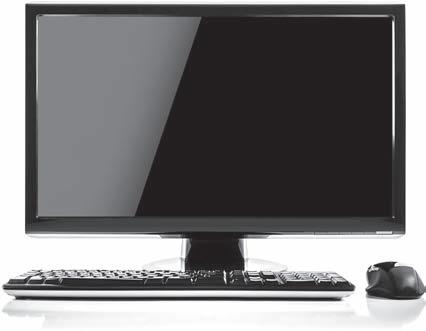
A typical PC with components.
About Microcomputers
Our friend Brianna uses a PC at work and an Apple iMac at home, and she always has her smartphone handy. She will soon take night classes in which she will use either a tablet or laptop that she will carry to and from school. She wants to learn more about the computers she uses each day, beginning with the hardware.
Hardware Components
To understand microcomputers, you need to learn a few technical terms. A computer is a device that performs calculations. Early computers had many mechanical components, but a typical modern computer is an electronic device that can perform a huge number of useful tasks for its owner. Any computer, small or large, has a central processing unit (CPU) that performs the calculations, or processing for the computer.
Note: Common slang for an integrated circuit is “chip.”
A microcomputer is a computer small enough and cheap enough for the use of one person. The CPU in a microcomputer is a microprocessor, although many still refer to it simply as a CPU or processor. This miniaturization of computer components became possible through the invention and development of many technologies. One of the most important of those inventions was the integrated circuit (IC), a small electronic component made up of transistors (tiny switches) and other miniaturized parts. These replaced the bulky vacuum tubes in early TVs and in mid-twentieth century mainframe computers. Each computer that Brianna uses consists of many components, some of which allow her to interact with it. In techie talk, we call interaction with a
computer input/output (I/O). When we send something into the computer we call it input. You are inputting through input devices when you type on the keyboard, tap on a touch screen, or talk to a computer through a microphone. Output is processed information of many types: sounds sent through the speakers, visual output to the display screen or printer and data files saved or sent over a network.
In a microcomputer the internal components include at least one microprocessor, random-access memory (RAM) that acts as the main memory for holding active programs and associated data, firmware (software resident in integrated circuits), and various other supporting circuitry, all installed onto a motherboard The typical microcomputer also has some form of storage, such as a hard drive, and it has at least one means each for input and output.
System firmware contains program code that informs the processor of the devices present and how to communicate with them. Firmware is an interface between the hardware and the operating system. The system firmware in PCs for most of the last three decades has been read only memory basic input output system (ROM BIOS), which has been replaced by a new standard for system firmware called Unified Extensible Firmware Interface (UEFI). UEFI supports modern computers, while ROM BIOS had many technical limits because it was designed to work with the original IBM PC. UEFI is faster and includes security features that protect the computer during that vulnerable time while an operating system is just starting up and not entirely in control.
Additionally, most components and peripheral devices that connect to a computer (such as the video and network adapters, USB ports, and digital cameras) have their own firmware, which is often limited to small programs for providing basic communication between the operating system and the component. Supplementing or replacing the firmware—even parts of the central system firmware—are device drivers. A device driver is a special program installed into an operating system. Each device driver contains code for controlling a component; it is an extension of the firmware, usually allowing much more control of a device than the device’s firmware.
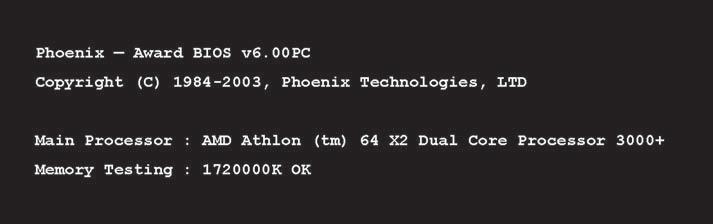
Although you may never be aware of the firmware on a mobile device, on an older PC or laptop you may see evidence of the system and other firmware as they perform tests of the hardware. The traditional system firmware test is known as the power on self-test (POST). Carefully watch the screen as you power up the computer, as shown in Figure 1–1. If status and error messages display in plain text on a black background during startup, they are the result of the POST and the tests of additional firmware on the computer’s components. More recent computers may show a message only if there is a serious problem with the computer.
Note: Random-access memory (RAM) is volatile: when you turn off the computer the contents in RAM disappear.
Note: Fortunately, you may never need to be concerned about device drivers because they install automatically in most operating systems.
FIGURE 1–1 An example of a firmware start-up message on an old PC.
In general, consumers encountered their first microcomputers in 1977 with the introduction of Apple’s Apple II, Radio Shack’s TRS-80, and Commodore’s PET. It was the Apple II that best combined the critical elements that defined a microcomputer at the time; these included a keyboard, a monitor, available peripherals, an operating system, desirable and useful applications, and a reasonable price tag.
Today ’s Microcomputers
What microcomputers do you use? The answer will include several, depending on your activities. The miniaturization of computers led to computers being built into all types of machinery, including vehicles, aircraft, and appliances. And that is just the short list. Computers touch our lives 24/7, and each has some form of operating system. For our purposes, we will concentrate on the operating systems in desktops, laptops, and mobile devices. We will limit the mobile device OSs to those in tablets and smartphones. Another type of computer that you use less directly is a server. Servers also use microcomputer technology, but on a larger scale. We describe these types of microcomputers next.
Desktops and Laptops. A desktop computer is a computer designed to spend its useful life in one location—on a desk. A laptop computer has a flat screen and a keyboard, each integrated into a panel with a hinge holding the two together and allowing you to close the laptop and slip it into a case for easy portability. There are many sizes and types of laptop computers. Laptops are often used as portable replacements for desktop PCs. The common operating systems for these computers are Microsoft Windows and Linux for PCs and laptops, and Apple’s OS X, which runs on Apple’ s Mac desktop and laptop computers. The same version of the Windows OS will run on a desktop, a compatible laptop computer, or a compatible tablet.
In the decades since the introduction of the IBM PC in 1981, the majority of desktop and laptop computers used in private and public organizations have used Microsoft operating systems, with computers running versions of Apple’s operating systems a distant second. In recent years however, Apple desktop and laptop computers have made great gains in market share, but Apple’s real advances have been in their mobile products.
Mobile Devices. Microcomputers today include a long list of devices that don’t have computer in their name, including mobile devices. A mobile device has all or most of its electronic circuitry, such as the microprocessor, controllers, and memory, on a single microchip. This is known as system-on-a-chip (SoC). Mobile devices use wireless technologies and include a wide variety of products ranging from single-purpose computers to multifunction mobile devices. Some mobile devices run proprietary OSs, while others run scaleddown versions of desktop OSs. A mobile device commonly stores its OS in firmware, as an embedded OS.
Note: In this book we use the term personal computer (PC) for a desktop computer running Windows or Linux and Mac for the Apple iMac desktop computers as well as the MacBook laptop computers. Both types of Apple computers run OS X.
The most popular mobile devices are smartphones. Worldwide use of smartphones continues to grow significantly. Market research firm GfK reported 309.7 million smartphones sold in the first quarter of 2015, an increase of 7 percent over the first quarter of 2014. A smartphone works as a cell phone, but also lets you connect to the Internet, view your email, and install and run a variety of apps for entertainment, education, and work. Modern smartphones have high-quality touch screens. Examples of smartphones are Apple’s iPhones and various models by Motorola, Nokia, HTC, Samsung, LG, and others. Examples of operating systems designed specifically for use on smartphones
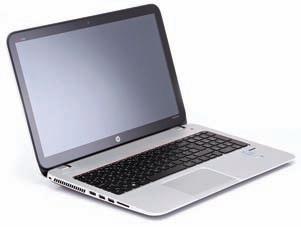
A PC laptop.
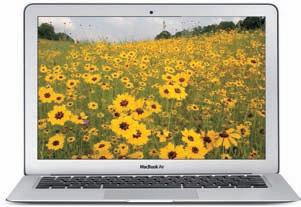
A MacBook laptop.
include Google’s Android, Apple iOS, Windows Phone (versions 7, 8, and 8.1), and Windows 10 Mobile.
Another very popular type of mobile device is a tablet. A tablet has a touch screen, no integrated keyboard (usually), is larger than a smartphone, and is much more portable than a laptop. There are many lines of tablet products, such as the Apple iPad, Microsoft Surface, Samsung Galaxy, Google Nexus Sony Xperia, and Kindle Fire. The tablet operating systems we will study in this book are Apple iOS, Google Android, Microsoft Windows 8.1, and Windows 10.
More About Tablets
The tablet market changes quickly. Check out what is happening with tablets. Try this:
1. Using your PC, laptop, tablet, or smartphone, open a browser and (using a search engine such as Google, Bing, or Yahoo) search on the key words “tablet reviews.”
2. Browse through the sites you find in the list of results, selecting recent reviews.
3. Read a few of the reviews to learn about the latest tablet features and comparative pricing.
4. Describe to a classmate how you would (or do) use a tablet at school or work.
Servers. A server is a computer that provides one or more services to other computers over a network. What services do servers provide? A file server stores data files for network-connected users. If a server has one or more printers connected to it that it shares with users on the network, it is a print server. We call a server doing both tasks a file and print server; even though it sounds like two services, they combine into one service.
Other services include messaging services (email and fax), Web services, and many others. It takes specialized software to provide each type of server service, and complementary client software to request each type of service over a network. A computer on the user end of these services is a client. Today’s client computers include the PCs, laptops, tablets, and smartphones discussed in this book. A server can offer multiple services at the same time while also being a client to other servers.
A desktop or laptop computer can act as a server for a few network clients. However, a server to which hundreds or thousands of clients must connect requires much more capable hardware to provide more storage, faster processing, and faster network access. It also requires specialized software, beginning with the operating systems. There are versions of Windows, Apple Mac OS X, Linux, and UNIX especially designed as servers. The hardware for a highquality server can run into the tens of thousands of dollars and upward, versus the much lower cost of a consumer-grade PC at a few hundred dollars.
Internet of Things. And lastly, microcomputers exist in devices belonging to the Internet of things (IoT). These are devices we don’t normally think of as computing devices. They include kitchen appliances, thermostats, utility meters, components in automobiles, light bulbs, and industrial control devices. They are not necessarily mobile, but they communicate on networks, often the Internet. IoT devices are increasingly used in industrial automation, connecting wirelessly, or via Ethernet, to automation networks.
Functions of Microcomputer Operating Systems
When using her PC at work or her Mac at home our friend Brianna spends much of her time in a specific application, such as a word processor, a graphical drawing program, or a Web browser. However, she must also perform tasks outside of these applications, beginning with the simple task of logging onto the computer, launching an application, and managing files. Since each type of computer requires different skills to complete tasks, she wants to gain
Note: In the spring of 2014 Microsoft purchased Nokia Corporation’s devices business, including the Lumia line of smartphones.
Note: The focus of this book is on using common desktop, laptop, and mobile operating systems. Therefore, it does not include details of server operating systems. Nor does it discuss the operating systems in the various devices included in the Internet of Things (IoT).
The functions of an operating system.
Note: Although Linux traditionally had a CLI, most current versions of Linux for the desktop come with both CLIs and GUIs.
a better understanding of the OSs to perform better on the job and be more comfortable working with the different computShe wants to learn what an OS is and what functions it performs, which we describe in the following sections.
When a computer is turned on an operating system starts up (or “ boots up,” a derivation of the expression “lifting yourself by your own bootstraps”). Its main component, the kernel, remains in memory while the computer is running, managing low-level (close-to-the-hardware) OS tasks.
When a programmer, also known as a “developer,” writes an application, he or she designs the application to interact with the operating system and to make requests for hardware services through the operating system.
To do this, a programmer must write the program to use the correct commands to request operating system services. The operating system, in turn, interacts with the hardware on behalf of the application and fulfills the requests the application made. An operating system performs several functions. We’ll study them next.
User Interface
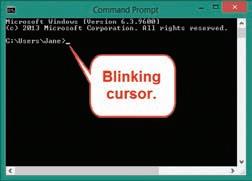
The user interface (UI) is the software layer, sometimes called the shell, through which the user interacts with the OS. The UI includes the command processor, which loads programs into memory, as well as the many visual components of the operating system (what you see when you look at the display). On a computer running Linux (without a graphical shell), this visual component consists of a character-based command line that requires text input. This is the command-line interface (CLI). Windows and OS X both also have an optional CLI that runs in a window. Figure 1–2 shows the Windows 10 Command Prompt for the user Jane: white characters against a black screen, with a blinking cursor waiting for you to type a command at the keyboard. A cursor in a CLI is merely a marker for the current position where what you type on the keyboard will appear Only a limited set of characters can display on the screen.
To become proficient at working in a CLI, you must memorize the commands and their modifiers and subcommands. On the other hand, Apple’s OS X, Microsoft’s Windows, and even mobile operating systems each provides an information-rich graphical user interface (GUI), fully integrated into the operating system. It is through this GUI that you communicate with the OS and the computer. The GUI offers menus and small graphical icons that allow you to use a pointing device to select programs to run and to perform many other tasks, such as opening a word processor file.
Although you do not have to memorize commands, working within a GUI does require learning the meaning of the various graphical pieces that make up the GUI and how to navigate among them to access your programs and data. In addition, you must learn how to activate a program (start it running) so that you can get your work or play done. Figure 1–3 shows the Apple OS X GUI. Notice the icons and other graphical components, such as the bar at the bottom containing icons for starting apps. Three windows are open on the desktop. In a GUI you move a graphical pointer around using a pointing device—usually a mouse, trackball, touch pad, or touch screen. The pointer allows you to select or manipulate objects in the GUI to accomplish tasks. For example, to delete an item in OS X, drag it into the Trash, shown on the
FIGURE 1–2 The Windows Command Prompt
Another random document with no related content on Scribd:
The Project Gutenberg eBook of Bodily changes in pain, hunger, fear, and rage
This ebook is for the use of anyone anywhere in the United States and most other parts of the world at no cost and with almost no restrictions whatsoever. You may copy it, give it away or re-use it under the terms of the Project Gutenberg License included with this ebook or online at www.gutenberg.org. If you are not located in the United States, you will have to check the laws of the country where you are located before using this eBook.
Title: Bodily changes in pain, hunger, fear, and rage an account of recent researches into the function of emotional excitement
Author: Walter B. Cannon
Release date: June 28, 2024 [eBook #73932]
Language: English
Original publication: New York: D. Appleton and Company, 1915
Credits: Peter Becker, Neil Mercer and the Online Distributed Proofreading Team at https://www.pgdp.net (This file was produced from images generously made available by The Internet Archive) *** START OF THE PROJECT GUTENBERG EBOOK BODILY CHANGES IN PAIN, HUNGER, FEAR, AND RAGE ***
Transcriber's Note
New original cover art included with this eBook is granted to the public domain.
The List of Illustrations following the "Contents" section has been added by the transcriber; the wording of captions in that List has in some cases been condensed from the captions in the body of the book.
BODILY CHANGES IN PAIN, HUNGER, FEAR AND RAGE
BODILY CHANGES IN PAIN, HUNGER, FEAR AND RAGE
AN ACCOUNT OF RECENT RESEARCHES INTO THE FUNCTION OF EMOTIONAL EXCITEMENT
BY WALTER B. CANNON
GEORGE HIGGINSON PROFESSOR OF PHYSIOLOGY IN HARVARD UNIVERSITY
NEW YORK AND LONDON
D. APPLETON
AND COMPANY
COPYRIGHT, 1915, BY
Printed in the United States of America
D. APPLETON AND COMPANY
TO MY COLLABORATORS IN THESE RESEARCHES
DANIEL DE LA PAZ
ALFRED T. SHOHL
WADE S. WRIGHT
ARTHUR L. WASHBURN
HENRY LYMAN
LEONARD B. NICE
CHARLES M. GRUBER
HOWARD OSGOOD
HORACE GRAY
WALTER L. MENDENHALL
WITH PLEASANT MEMORIES OF OUR WORK TOGETHER
PREFACE
Fear, rage and pain, and the pangs of hunger are all primitive experiences which human beings share with the lower animals. These experiences are properly classed as among the most powerful that determine the action of men and beasts. A knowledge of the conditions which attend these experiences, therefore, is of general and fundamental importance in the interpretation of behavior.
During the past four years there has been conducted, in the Harvard Physiological Laboratory, a series of investigations concerned with the bodily changes which occur in conjunction with pain, hunger and the major emotions. A group of remarkable alterations in the bodily economy have been discovered, all of which can reasonably be regarded as responses that are nicely adapted to the individual’s welfare and preservation. Because these physiological adaptations are interesting both in themselves and in their interpretation, not only to physiologists and psychologists, but to others as well, it has seemed worth while to gather together in convenient form the original accounts of the experiments, which have been published in various American medical and physiological journals. I have, however, attempted to arrange the results and discussions in an orderly and consecutive manner, and I have tried also to eliminate or incidentally to explain the technical terms, so that the exposition will be easily understood by any intelligent reader even though not trained in the medical sciences.
My first interest in the conditions attending pain, hunger and strong emotional states was stimulated during the course of a
previous series of researches on the motor activities of the alimentary canal. A summary of these researches appeared in 1911, under the title, “The Mechanical Factors of Digestion.” The studies recorded in the present volume may be regarded as a natural sequence of observations on the influence of emotional states on the digestive process, which were reported in that volume.
W. B. CANNON.
CONTENTS
CHAPTER I
THE EFFECT OF THE EMOTIONS ON DIGESTION
Emotions favorable to normal secretion of the digestive juices
Emotions unfavorable to normal secretion of the digestive juices
Emotions favorable and unfavorable to contractions of the stomach and intestines The disturbing effect of pain on digestion 1–21
CHAPTER II
THE GENERAL ORGANIZATION OF THE VISCERAL NERVES CONCERNED IN EMOTIONS
The outlying neurones The three divisions of the outlying neurones The extensive distribution of neurones of the “sympathetic” or thoracico-lumbar division and their arrangement for diffuse action
The arrangement of neurones of the cranial and sacral divisions for specific action The cranial division a conserver of bodily resources The sacral division a group of mechanisms for emptying The sympathetic division antagonistic to both the cranial and the sacral Neurones of the sympathetic division and adrenal secretion have the same action 22–39
CHAPTER III
METHODS OF DEMONSTRATING ADRENAL SECRETION AND ITS NERVOUS CONTROL
The evidence that splanchnic stimulation induces adrenal secretion The question of adrenal secretion in emotional excitement The method of securing blood from near the adrenal veins The method of testing the blood for adrenin 40–51
CHAPTER IV
ADRENAL SECRETION IN STRONG EMOTIONS AND PAIN
The evidence that adrenal secretion is increased in emotional excitement The evidence that adrenal secretion is increased by “painful” stimulation Confirmation of our results by other observers 52–65
CHAPTER V
THE INCREASE OF BLOOD SUGAR IN PAIN AND GREAT EMOTION
Glycosuria from pain Emotional glycosuria—The rôle of the adrenal glands in emotional glycosuria 66–80
CHAPTER VI
IMPROVED CONTRACTION OF FATIGUED MUSCLE AFTER SPLANCHNIC STIMULATION OF THE ADRENAL GLAND
The nerve-muscle preparation The splanchnic preparation The effects of splanchnic stimulation on the contraction of fatigued muscle—The first rise in the muscle record—The prolonged rise in the muscle record—The two factors: arterial pressure and adrenal secretion 81–94
CHAPTER VII
THE EFFECTS ON CONTRACTION OF FATIGUED MUSCLE OF VARYING THE ARTERIAL BLOOD PRESSURE
The effect of increasing arterial pressure The effect of decreasing arterial pressure An explanation of the effects of varying the arterial pressure The value of increased arterial pressure in pain and strong emotion 95–109
CHAPTER VIII
THE SPECIFIC RÔLE OF ADRENIN IN COUNTERACTING THE EFFECTS OF FATIGUE
Variations of the threshold stimulus as a measure of irritability The method of determining the threshold stimulus The lessening of neuro-muscular irritability by fatigue The slow restoration of fatigued muscle to normal irritability by rest The quick restoration of fatigued muscle to normal irritability by adrenin The evidence that the restorative action of adrenin is specific The point of action of adrenin in muscle
CHAPTER IX
THE HASTENING OF THE COAGULATION OF BLOOD BY ADRENIN
The graphic method of measuring the coagulation time—The effects of subcutaneous injections of adrenin—The effects of intravenous
110–134
135–160
injections The hastening of coagulation by adrenin not a direct effect on the blood
CHAPTER X
THE HASTENING OF COAGULATION OF BLOOD IN PAIN AND GREAT EMOTION
Coagulation hastened by splanchnic stimulation—Coagulation not hastened by splanchnic stimulation if the adrenal glands are absent Coagulation hastened by “painful” stimulation Coagulation hastened in emotional excitement 161–183
CHAPTER XI
THE UTILITY OF THE BODILY CHANGES IN PAIN AND GREAT EMOTION
The reflex nature of bodily responses in pain and the major emotions, and the useful character of reflexes—The utility of the increased blood sugar as a source of muscular energy—The utility of increased adrenin in the blood as an antidote to the effects of fatigue—The question whether adrenin normally secreted inhibits the use of sugar in the body—The vascular changes produced by adrenin favorable to supreme muscular exertion The changes in respiratory function also favorable to great effort The effects produced in asphyxia similar to those produced in pain and excitement The utility of rapid coagulation in preventing loss of blood 184–214
CHAPTER XII
THE ENERGIZING INFLUENCE OF EMOTIONAL EXCITEMENT
“Reservoirs of power”—The excitements and energies of competitive sports—Frenzy and endurance in ceremonial and other dances— The fierce emotions and struggles of battle—The stimulating influence of witnesses and of music—The feeling of power 215–231
CHAPTER XIII
THE NATURE OF HUNGER
Appetite and hunger The sensation of hunger The theory that hunger is a general sensation Weakness of the assumptions underlying the theory that hunger is a general sensation Body need may exist without hunger The theory that hunger is of general origin does not explain the quick onset and the periodicity of the sensation The theory that hunger is of general origin does not explain the local reference—Hunger not due to
232–266
emptiness of the stomach Hunger not due to hydrochloric acid in the empty stomach Hunger not due to turgescence of the gastric mucous membrane Hunger the result of contractions The “empty” stomach and intestines contract Observations suggesting that contractions cause hunger The concomitance of contractions and hunger in man
CHAPTER XIV
THE INTERRELATIONS OF EMOTIONS
Antagonism between emotions expressed in the sympathetic and in the cranial divisions of the autonomic system Antagonism between emotions expressed in the sympathetic and in the sacral divisions of the autonomic system The function of hunger The similarity of visceral effects in different strong emotions and suggestions as to its psychological significance
CHAPTER XV
ALTERNATIVE SATISFACTIONS FOR THE FIGHTING EMOTIONS
Support for the militarist estimate of the strength of the fighting emotions and instincts—Growing opposition to the fighting emotions and instincts as displayed in war The desirability of preserving the martial virtues Moral substitutes for warfare Physical
for warfare The
LIST OF ILLUSTRATIONS
1. Diagram of the more important distributions of the autonomic nervous system
2. Diagram of the arrangements for recording contractions of the intestinal muscle
3. Intestinal muscle beating in inactive blood
4. Alternate application of “excited” blood and “quiet” blood, from the same animal, to intestinal muscle initially beating in Ringer’s solution
5. The effect of prolonging the excitement
6. Failure of the cava blood to produce inhibition when excitement has occurred after removal of the adrenal glands
The shielded electrodes used in stimulating the splanchnic nerves
11. Contraction of the tibialis anticus and stimulation of the left splanchnic nerves
12. Arterial blood pressure with membrane manometer, contractions of tibialis anticus, and splanchnic stimulation
13–17. Effect of varying arterial blood pressure upon muscular contraction over time
19. Threshold stimulus of muscles during an experiment
Threshold stimulus of muscles during an experiment
21. Effect of adrenin injection upon blood pressure and contractions of the tibialis anticus muscle
22. Effect of amyl nitrite injection upon blood pressure and contractions of the tibialis anticus muscle 128
23. Effect of adrenin injection upon blood pressure and contractions of the tibialis anticus muscle when denervated 131
24. Diagram of the graphic coagulometer 139
25. Record of five successive tests of coagulation
26. Shortening of coagulation time after injection of adrenin 151
27. Differing effects upon the coagulation time of slow and rapid injections of adrenin
28. Persistent shortening of the coagulation time after injection of adrenin when brain and upper cord pithed 154
29. Shortening of coagulation time after stimulation of the left splanchnic nerves 163
30. Shortening of coagulation time after stimulation of the left splanchnic nerves 164
31. Results of stimulating the left splanchnic nerves after removal of the left adrenal gland; and of stimulating the right splanchnic nerves with right adrenal gland present 169
32. Three shortenings of coagulation time after stimulation of the left sciatic nerve 174
33. Shortening of coagulation time during an operation under light anesthesia 175
34. Record of rapid clotting after emotional excitement 180
35. Rapid clotting after emotional excitement, with slowing of the process when the splanchnic nerves were cut in the thorax 182
36. Adrenal secretion produced by asphyxia 208
37. Intragastric pressure, respiration and report of hunger pangs against time 257
38. The same conditions as in Fig. 37 259
39. Compression of thin rubber bag in the lower esophagus, and report of hunger pangs against time 260
BODILY CHANGES IN PAIN, HUNGER, FEAR AND RAGE
CHAPTER I
THE EFFECT OF THE EMOTIONS ON DIGESTION
The doctrine of human development from subhuman antecedents has done much to unravel the complex nature of man. As a means of interpretation this doctrine has been directed chiefly toward the solving of puzzles in the peculiarities of anatomical structure. Thus arrangements in the human body, which are without obvious utility, receive rational explanation as being vestiges of parts useful in or characteristic of remote ancestors—parts retained in man because of age-long racial inheritance. This mode of interpretation has proved applicable also in accounting for functional peculiarities. Expressive actions and gestures—the facial appearance in anger, for example— observed in children and in widely distinct races, are found to be innate, and are best explained as the retention in human beings of responses which are similar in character in lower animals.
From this point of view biology has contributed much to clarify our ideas regarding the motives of human behavior. The social philosophies which prevailed during the past century either assumed that conduct was determined by a calculated search for pleasure and avoidance of pain or they ascribed it to a vague and undefined faculty named the conscience or the moral sense. Comparative study of the behavior of men and of lower animals under various circumstances, however, especially with the purpose of learning the source of prevailing impulses, is revealing the inadequacy of the theories of the older psychologists. More and more it is appearing
that in men of all races and in most of the higher animals, the springs of action are to be found in the influence of certain emotions which express themselves in characteristic instinctive acts.
The rôle which these fundamental responses in the higher organisms play in the bodily economy has received little attention. As a realm for investigation the bodily changes in emotional excitement have been left by the physiologists to the philosophers and psychologists and to the students of natural history. These students, however, have usually had too slight experience in the detailed examination of bodily functions to permit them to follow the clues which superficial observation might present. In consequence our knowledge of emotional states has been meager.
There are, of course, many surface manifestations of excitement. The contraction of blood vessels with resulting pallor, the pouring out of “cold sweat,” the stopping of saliva-flow so that the “tongue cleaves to the roof of the mouth,” the dilation of the pupils, the rising of the hairs, the rapid beating of the heart, the hurried respiration, the trembling and twitching of the muscles, especially those about the lips—all these bodily changes are well recognized accompaniments of pain and great emotional disturbance, such as fear, horror and deep disgust. But these disturbances of the even routine of life, which have been commonly noted, are mainly superficial and therefore readily observable. Even the increased rapidity of the heart beat is noted at the surface in the pulsing of the arteries. There are, however, other organs, hidden deep in the body, which do not reveal so obviously as the structures near or in the skin, the disturbances of action which attend states of intense feeling. Special methods must be used to determine whether these deep-lying organs also are included in the complex of an emotional[*] agitation.
*In the use of the term “emotion” the meaning here is not restricted to violent affective states, but includes “feelings” and other affective experiences. At times, also, in order to avoid awkward expressions, the term is used in the popular manner, as if the “feeling” caused the bodily change.
Among the organs that are affected to an important degree by feelings are those concerned with digestion. And the relations of feelings to the activities of the alimentary canal are of particular interest, because recent investigations have shown that not only are the first stages of the digestive process normally started by the pleasurable taste and smell and sight of food, but also that pain and great emotional excitement can seriously interfere with the starting of the process or its continuation after it has been started. Thus there may be a conflict of feelings and of their bodily accompaniments—a conflict the interesting bearing of which we shall consider later.
EMOTIONS FAVORABLE TO NORMAL SECRETION OF THE DIGESTIVE JUICES
The feelings or affective states favorable to the digestive functions have been studied fruitfully by Pawlow,[1] of Petrograd, through ingenious experiments on dogs. By the use of careful surgical methods he was able to make a side pouch of a part of the stomach, the cavity of which was wholly separate from the main cavity in which the food was received. This pouch was supplied in a normal manner with nerves and blood vessels, and as it opened to the surface of the body, the amount and character of the gastric juice secreted by it under various conditions could be accurately determined. Secretion by that part of the stomach wall which was included in the pouch was representative of the secretory activities of the entire stomach. The arrangement was particularly advantageous in providing the gastric juice unmixed with food. In
some of the animals thus operated upon an opening was also made in the esophagus so that when the food was swallowed, it did not pass to the stomach but dropped out on the way. All the pleasures of eating were thus experienced, and there was no necessity of stopping because of a sense of fulness. This process was called “sham feeding.” The well-being of these animals was carefully attended to, they lived the normal life of dogs, and in the course of months and years became the pets of the laboratory.
By means of sham feeding Pawlow showed that the chewing and swallowing of food which the dogs relished resulted, after a delay of about five minutes, in a flow of natural gastric juice from the side pouch of the stomach—a flow which persisted as long as the dog chewed and swallowed the food, and continued for some time after eating ceased. Evidently the presence of food in the stomach is not a prime condition for gastric secretion. And since the flow occurred only when the dogs had an appetite, and the material presented to them was agreeable, the conclusion was justified that this was a true psychic secretion.
The mere sight or smell of a favorite food may start the pouring out of gastric juice, as was noted many years ago by Bidder and Schmidt[2] in a hungry dog which had a fistulous opening through the body wall into the stomach. This observation, reported in 1852, was confirmed later by Schiff and also still later by Pawlow. That the mouth “waters” with a flow of saliva when palatable food is seen or smelled has long been such common knowledge that the expression, “It makes my mouth water,” is at once recognized as the highest testimony to the attractiveness of an appetizing dish. That the stomach also “waters” in preparation for digesting the food which is to be taken is clearly proved by the above cited observations on the dog.
The importance of the initial psychic secretion of saliva for further digestion is indicated when, in estimating the function of taste for the pleasures of appetite, we realize that materials can be tasted only when dissolved in the mouth and thereby brought into relation with the taste organs. The saliva which “waters” the mouth assures the dissolving of dry but soluble food even when it is taken in large amount.
The importance of the initial psychic secretion of gastric juice is made clear by the fact that continuance of the flow of this juice during digestion is provided by the action of its acid or its digestive products on the mucous membrane of the pyloric end of the stomach, and that secretion of the pancreatic juice and bile are called forth by the action of this same acid on the mucous membrane of the duodenum. The proper starting of the digestive process, therefore, is conditioned by the satisfactions of the palate, and the consequent flow of the first digestive fluids.
The facts brought out experimentally in studies on lower animals are doubtless true also of man. Not very infrequently, because of the accidental swallowing of corrosive substances, the esophagus is so injured that, when it heals, the sides grow together and the tube is closed. Under these circumstances an opening has to be made into the stomach through the side of the body and then the individual chews his food in the usual manner, but ejects it from his mouth into a tube which is passed through the gastric opening. The food thus goes from mouth to stomach through a tube outside the chest instead of inside the chest. As long ago as 1878, Richet,[3] who had occasion to study a girl whose esophagus was closed and who was fed through a gastric fistula, reported that whenever the girl chewed or tasted a highly sapid substance, such as sugar or lemon juice, while the stomach was empty, there flowed from the fistula a considerable quantity of gastric juice. A number of later observers[4] have had similar cases in human beings, especially in children, and
have reported in detail results which correspond remarkably with those obtained in the laboratory. Hornborg[4] found that when the little boy whom he studied chewed agreeable food a more or less active secretion of gastric juice invariably started, whereas the chewing of an indifferent substance, as gutta-percha, was followed by no secretion. All these observations clearly demonstrate that the normal flow of the first digestive fluids, the saliva and the gastric juice, is favored by the pleasurable feelings which accompany the taste and smell of food during mastication, or which are roused in anticipation of eating when choice morsels are seen or smelled.
These facts are of fundamental importance in the serving of food, especially when, through illness, the appetite is fickle. The degree of daintiness with which nourishment is served, the little attentions to esthetic details—the arrangement of the dishes, the small portions of food, the flower beside the plate—all may help to render food pleasing to the eye and savory to the nostrils and may be the deciding factors in determining whether the restoration of strength is to begin or not.
The conditions favorable to proper digestion are wholly abolished when unpleasant feelings such as vexation and worry and anxiety, or great emotions such as anger and fear, are allowed to prevail. This fact, so far as the salivary secretion is concerned, has long been known. The dry mouth of the anxious person called upon to speak in public is a common instance; and the “ordeal of rice,” as employed in India, was a practical utilization of the knowledge that excitement is capable of inhibiting the salivary flow. When several persons were suspected of crime, the consecrated rice was given to them all to chew, and after a short time it was spit out upon the leaf of the sacred fig tree. If anyone ejected it dry, that was taken as proof that
fear of being discovered had stopped the secretion, and consequently he was adjudged guilty.[5]
What has long been recognized as true of the secretion of saliva has been proved true also of the secretion of gastric juice. For example, Hornborg was unable to confirm in his little patient with a gastric fistula the observation by Pawlow that when hunger is present the mere seeing of food results in a flow of gastric juice. Hornborg explained the difference between his and Pawlow’s results by the different ways in which the boy and the dogs faced the situation. When food was shown, but withheld, the hungry dogs were all eagerness to secure it, and the juice very soon began to flow. The boy, on the contrary, became vexed when he could not eat at once, and began to cry; then no secretion appeared. Bogen also has reported the instance of a child with closed esophagus and gastric fistula, who sometimes fell into such a passion in consequence of vain hoping for food that the giving of the food, after the child was calmed, was not followed by any flow of the secretion.
The inhibitory influence of excitement has also been seen in lower animals under laboratory conditions. Le Conte[6] declares that in studying gastric secretion it is necessary to avoid all circumstances likely to provoke emotional reactions. In the fear which dogs manifest when first brought into strange surroundings he found that activity of the gastric glands may be completely suppressed. The suppression occurred even if the dog had eaten freely and was then disturbed—as, for example, by being tied to a table. When the animals became accustomed to the experimental procedure, it no longer had an inhibitory effect. The studies of Bickel and Sasaki[7] confirm and define more precisely this inhibitory effect of strong emotion on gastric secretion. They observed the inhibition on a dog with an esophageal fistula, and with a side pouch of the stomach, which, as in Pawlow’s experiments, opened only to the exterior. In
this dog Bickel and Sasaki noted, as Pawlow had, that sham feeding was attended by a copious flow of gastric juice, a true psychic secretion, resulting from the pleasurable taste of the food. In a typical instance the sham feeding lasted five minutes, and the secretion continued for twenty minutes, during which time 66.7 cubic centimeters of pure gastric juice were produced.
On another day a cat was brought into the presence of the dog, whereupon the dog flew into a great fury. The cat was soon removed, and the dog pacified. Now the dog was again given the sham feeding for five minutes. In spite of the fact that the animal was hungry and ate eagerly, there was no secretion worthy of mention. During a period of twenty minutes, corresponding to the previous observation, only 9 cubic centimeters of acid fluid were produced, and this was rich in mucus. It is evident that in the dog, as in the boy observed by Bogen, strong emotions can so profoundly disarrange the mechanisms of secretion that the pleasurable excitation which accompanies the taking of food cannot cause the normal flow.
On another occasion Bickel and Sasaki started gastric secretion in the dog by sham feeding, and when the flow of gastric juice had reached a certain height, the dog was infuriated for five minutes by the presence of the cat. During the next fifteen minutes there appeared only a few drops of a very mucous secretion. Evidently in this instance a physiological process, started as an accompaniment of a psychic state quietly pleasurable in character, was almost entirely stopped after another psychic state violent in character.
It is noteworthy that in both the favorable and unfavorable results of the emotional excitement illustrated in Bickel and Sasaki’s dog the effects persisted long after the removal of the exciting condition. This fact, in its favorable aspect, Bickel[8] was able to confirm in a girl with esophageal and gastric fistulas; the gastric
secretion long outlasted the period of eating, although no food entered the stomach. The influences unfavorable to digestion, however, are stronger than those which promote it. And evidently, if the digestive process, because of emotional disturbance, is for some time inhibited, the swallowing of food which must lie stagnant in the stomach is a most irrational procedure. If a child has experienced an outburst of passion, it is well not to urge the taking of nourishment soon afterwards. Macbeth’s advice that “good digestion wait on appetite and health on both,” is now well-founded physiology.
Other digestive glands than the salivary and the gastric may be checked in emotional excitement. Recently Oechsler[9] has reported that in such psychic disturbances as were shown by Bickel and Sasaki to be accompanied by suppressed secretion of the gastric juice, the secretion of pancreatic juice may be stopped, and the flow of bile definitely checked. All the means of bringing about chemical changes in the food may be thus temporarily abolished.
EMOTIONS FAVORABLE AND UNFAVORABLE TO THE CONTRACTIONS OF THE STOMACH AND INTESTINES
The secretions of the digestive glands and the chemical changes wrought by them are of little worth unless the food is carried onward through the alimentary canal into fresh regions of digestion and is thoroughly exposed to the intestinal wall for absorption. In studying these mechanical aspects of digestion I was led to infer[10] that just as there is a psychic secretion, so likewise there is probably a “psychic tone” or “psychic contraction” of the gastro-intestinal muscles as a result of taking food. For if the vagus nerve supply to the stomach is cut immediately before an animal takes food, the usual contractions of the gastric wall, as seen by the Röntgen rays, do not occur; but if these nerves are cut afterfood has been eaten with relish, the contractions which have started continue without
cessation. The nerves in both conditions were severed under anesthesia, so that no element of pain entered into the experiments. In the absence of hunger, which in itself provides a contracted stomach,[11] the pleasurable taking of food may, therefore, be a primary condition for the appearance of natural contractions of the gastro-intestinal canal.
Again just as the secretory activities of the stomach are unfavorably influenced by strong emotions, so also are the movements of the stomach; and, indeed, the movements of almost the entire alimentary canal are wholly stopped during great excitement. In my earliest observations on the movements of the stomach[12] I had difficulty because in some animals the waves of contraction were perfectly evident, while in others there was no sign of activity. Several weeks passed before I discovered that this difference was associated with a difference of sex. In order to be observed with Röntgen rays the animals were restrained in a holder. Although the holder was comfortable, the male cats, particularly the young males, were restive and excited on being fastened to it, and under these circumstances gastric peristaltic waves were absent; the female cats, especially if elderly, usually submitted with calmness to the restraint, and in them the waves had their normal occurrence. Once a female with kittens turned from her state of quiet contentment to one of apparent restless anxiety. The movements of the stomach immediately stopped, the gastric wall became wholly relaxed, and only after the animal had been petted and began to purr did the moving waves start again on their course. By covering the cat’s mouth and nose with the fingers until a slight distress of breathing is produced, the stomach contractions can be stopped at will. In the cat, therefore, any sign of rage or fear, such as was seen in dogs by Le Conte and by Bickel and Sasaki, was accompanied by a total abolition of the movements of the stomach. Even indications of slight anxiety may be attended by complete absence of the