Task Management Software Made Simple: A Beginner’s Guide
Task Management Software Made Simple: A Beginner’s Guide
Managing tasks sounds simple. But in real life, it gets messy fast. People forget deadlines, teams lose track of responsibilities, and important work slips through the cracks As companies grow, even the most organised teams start facing confusion and delays
That’s where task management software comes in It helps individuals and teams track work, organise priorities, collaborate smoothly, and get things done on time In this guide, we break down everything you need to know in simple language. No technical jargon. No complex frameworks Just the basics explained clearly
Whether you’re new to task management tools or want to choose the right one for your team, this beginner-friendly guide will help you understand how these tools work and why they matter
1. What Is Task Management Software?
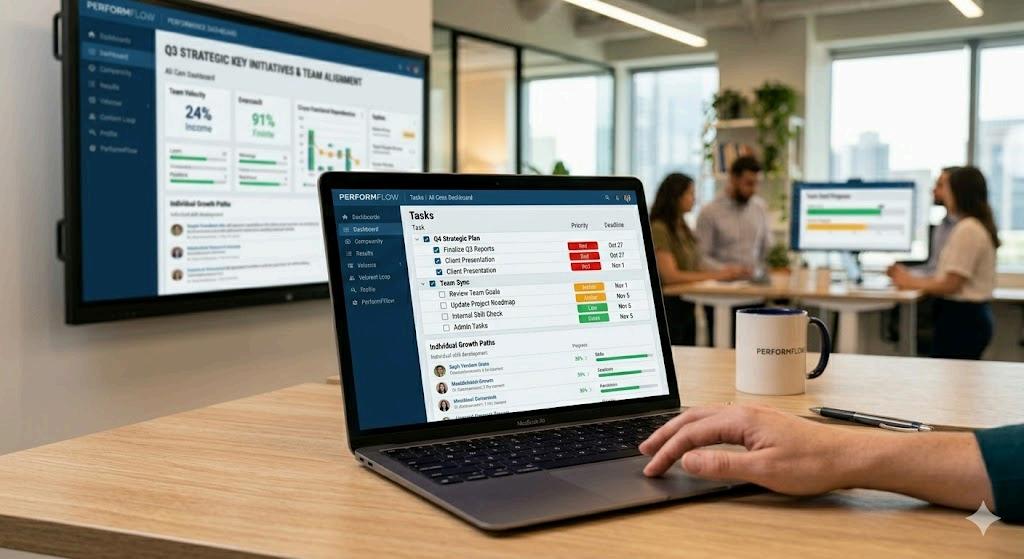
Task management software is a digital tool that helps you plan, organise, track, and complete tasks Think of it as a smarter version of your notebook or spreadsheet Instead of handwritten lists or scattered notes, you get a structured system where all your tasks live in one place.
These tools allow you to:
● Create and assign tasks
● Set deadlines
● Prioritise tasks
● Track progress
● Collaborate with others
● Share files and notes
● Automate reminders
The goal is simple: help you stay organised and ensure nothing gets missed
2. Why Your Team Needs Task Management Software
Every growing business eventually reaches a point where manual task tracking stops working. Emails get buried WhatsApp messages get lost Meetings pile up Work becomes reactive rather than planned.
Task management software solves these problems by offering:
✔ Clear visibility
Everyone knows who is doing what and by when
✔ Better accountability
Tasks are assigned to specific people, reducing confusion.
✔ Reduced delays
Automatic reminders make sure deadlines are not forgotten.
✔ Better team coordination
Teams collaborate in one space instead of multiple apps.
✔ Higher productivity
People focus on higher-priority tasks instead of managing chaos.
Task management tools essentially bring order to everyday work
3. Key Features to Look for as a Beginner
Choosing the right task management software can feel overwhelming because there are so many tools out there But beginners should focus on a few essential features
1. Task creation and assignment
You should be able to create tasks quickly and assign them to individuals or teams
2. Due dates and reminders
A good tool reminds you of upcoming deadlines
3. Priority settings
Not all tasks are equal The tool should let you mark tasks as high, medium, or low priority
4. Simple views
Beginners prefer:
● List view
● Board view (like Kanban boards)
● Calendar view
These make task tracking easier.
5. Collaboration options
Comments, chats, file sharing, and tags make teamwork smoother.
6. Progress tracking
Tools should allow you to see which tasks are pending, in progress, or completed.
7. Mobile access
You should be able to update tasks from anywhere
8. Integrations
A beginner-friendly tool should connect with email, calendars, and communication apps
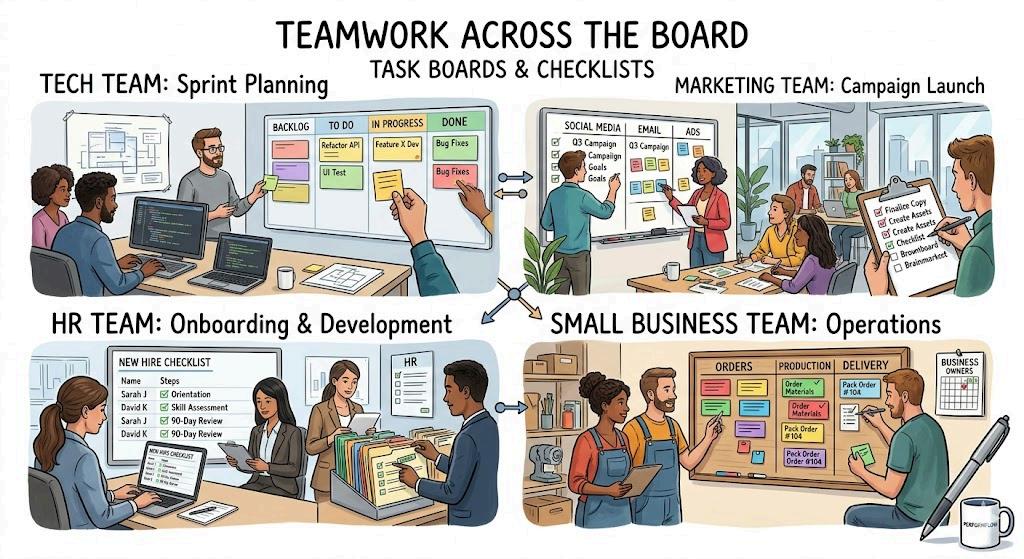
4. How Task Management Software Helps Different Teams
✔ For individuals
It helps you track personal goals, daily tasks, and habits
✔ For small businesses
It organises work, improves communication, and reduces manual follow-ups
✔ For agencies
It helps teams manage client work, deadlines, revisions, and approvals
✔ For product and tech teams
It tracks bugs, sprints, releases, and development cycles
✔ For HR teams
It simplifies onboarding tasks, hiring steps, and employee actions.
✔ For marketing teams
It helps plan social media calendars, campaigns, and content production.
Every team can use task management software differently, but the core value remains the same: clarity and organisation.
5. The Benefits of Using Task Management Software
Let’s break down the major benefits in simple terms
1. Better Time Management
When you know exactly what to do and when to do it, you save time You also avoid spending hours figuring out what you should work on next.
2. Less Stress
You don’t have to remember everything in your head. The software does it for you.
3. Better Collaboration
Instead of sending five emails for one small task, people communicate directly on the task card.
4. Faster Decision Making
Managers get real-time visibility, which helps them prioritise and assign resources quickly
5. Improved Accountability
No more “I didn’t know this was my task ” Everyone has clear responsibilities
6. Performance Tracking
You can see how much work happens each week, where delays occur, and who needs support
7. Scalability
As your business grows, the system grows with you Spreadsheets cannot do that
6. Common Mistakes Beginners Make
If you’re new to task management software, avoid these common mistakes:
❌ Creating too many tasks
Start small. Keep tasks simple and focused.
Ignoring task priorities
Not every task needs the same urgency
❌ Not updating progress
Tools only work when people update them
Overcomplicating structures
Avoid too many folders or categories
Staying on email
If tasks live in two places, you will stay confused Centralise everything in the software
These small mistakes can slow down your workflow, so keep your system clean and easy to use.
7. How to Implement Task Management Software Successfully
Introducing new software to your team requires a simple plan.
Step 1: Start with a basic structure
Create a few folders or boards based on your workflow.
Step 2: Add your key tasks
Move your current tasks into the system.
Step 3: Invite your team
Make sure each member understands their role.
Step 4: Set rules
For example:
● Update tasks daily
● Mark tasks done only when completed
● Use comments for communication
Step 5: Review progress
Hold weekly check-ins to review tasks and priorities
Step 6: Improve over time
Add automation or integrations once your team is comfortable
8.
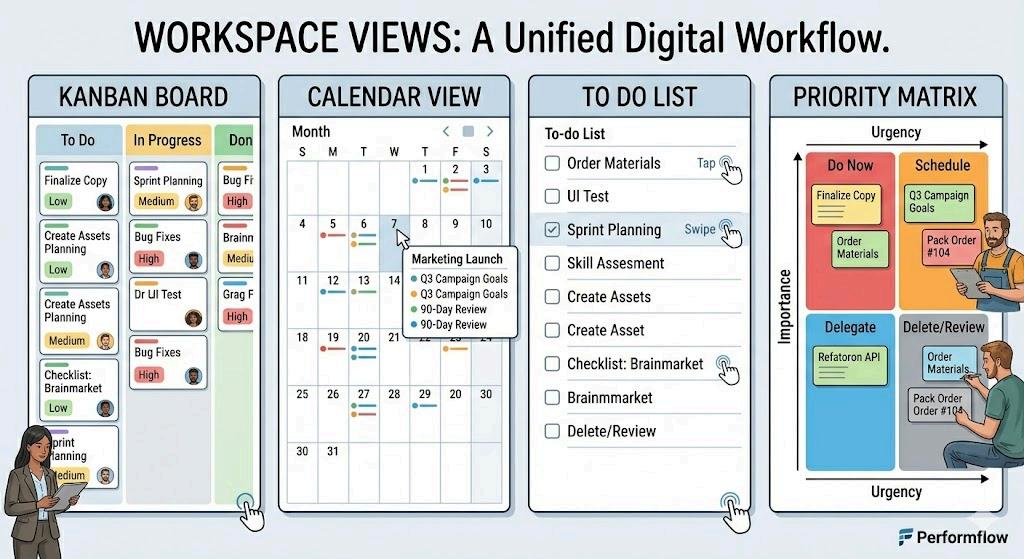
Task Management Methods Beginners Can Follow
✔ Kanban Method
Tasks move through columns like “To Do,” “In Progress,” and “Done.”
✔ To-Do Lists
Simple and effective for individuals
✔ Calendar Method
Helps with deadlines and planning
✔ Priority Matrix
Tasks are sorted by urgency and importance
Task management software supports all these methods so beginners can choose what suits them best.
9. How Task Management Software Helps Remote and Hybrid Teams
In 2026, remote and hybrid teams depend heavily on organised workflows. Without a central task system, collaboration becomes slow and confusing
Task management tools help by offering:
● Clear visibility
● Real-time updates
● Shared task boards
● Remote-friendly communication
● Time zone-based reminders
This keeps teams aligned no matter where they work
10. Example: How a Beginner Uses Task Management Software
Imagine you’re managing a small content team
Here’s a simple weekly workflow:
1 Create tasks for each article
2. Assign tasks to writers
3 Add deadlines
4 Add briefs or files
5. Writers update status
6 Editors review tasks
7 Final versions get uploaded
8. Tasks are marked as complete
All of this happens smoothly because the software keeps the entire process organised
11. Choosing the Right Task Management Software
Not every tool is designed for beginners You should choose a software that is simple, easy to learn, and has a clean interface
Look for tools that offer:
● Simple navigation
● Clear task views
● Easy collaboration features
● Mobile support
● File sharing
● Automation
● Integrations
Some platforms also combine project management, time tracking, and task management in one system These all-in-one tools work well for growing teams that want visibility across tasks, projects, and performance A good example is Zynwork, which combines task tracking with time data and delivery insights to help teams stay productive.
12. The Future of Task Management Software
Task management tools are evolving fast In the coming years, you can expect:
● AI-powered task suggestions
● Automated prioritisation
● Smart deadline adjustments
● Predictive productivity insights
● Deeper integrations with communication tools
● Voice-based task creation
These features will make task management even easier for beginners and advanced users alike.
Final Thoughts
Task management software may seem overwhelming at first, but once you start using it, everything becomes simpler. It helps you plan better, focus on important tasks, and work more efficiently For teams, it creates clarity, accountability, and smooth collaboration
If you’re a beginner, start small. Pick a tool that is easy to use, add a few tasks, and build your system step by step. Over time, you will notice a big improvement in productivity and organisation