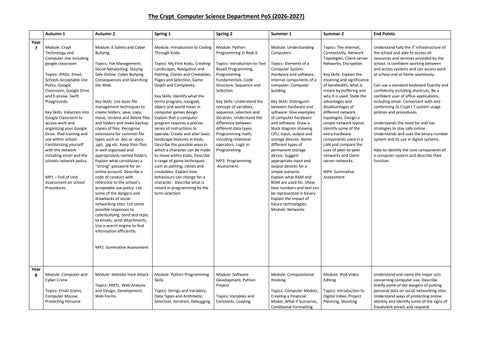
The Crypt Computer Science Department PoS (2026-2027) Autumn 1 Year Module: Crypt 7 Technology and Computer Use including google classroom Topics: IPADs, Email, Schools Acceptable Use Policy, Google Classroom, Google Drive and E-praise. Swift Playgrounds. Key Skills: Induction into Google Classroom to access work and organising your Google Drive. IPad training and use within school. Familiarising yourself with the network including email and the schools network policy.
MP1 – End of Unit Assessment on school Procedures
Autumn 2
Spring 1
Spring 2
Summer 1
Summer 2
End Points
Module: E-Safety and Cyber Bullying
Module: Introduction to Coding Through Kodu
Module: Python Programming in Repl.it
Module: Understanding Computers
Topics: File Management, Social Networking. Staying Safe Online. Cyber Bullying Consequences and Searching the Web.
Topics: My First Kodu, Creating Landscapes, Navigation and Pathing, Clones and Creatables, Pages and Selection, Game Depth and Complexity.
Topics: Introduction to Text Based Programming. Programming Fundamentals. Code Structure, Sequence and Selection.
Topics: Elements of a Computer System. Hardware and software, Internal components of a computer. Computer building
Topics: The Internet, Connectivity, Network Topologies, Client-server Networks, Encryption.
Understand fully the IT infrastructure of the school and able to access all resources and services provided by the school. Is confident working between and across systems and can access work at school and at home seamlessly.
Key Skills: Understand the concept of variables, sequence, selection and iteration. Understand the difference between different data types. Programming math, including relational operators. Logic in Programming.
Key Skills: Distinguish between hardware and software. Give examples of computer hardware and software. Draw a block diagram showing CPU, input, output and storage devices. Name different types of permanent storage device. Suggest appropriate input and output devices for a simple scenario. MP4: Summative Explain what RAM and Assessment ROM are used for. Show how numbers and text can be represented in binary. Explain the impact of future technologies. Module: Networks
Key Skills: Use basic file management techniques to create folders, save, copy, move, rename and delete files and folders and make backup copies of files. Recognise extensions for common file types such as .doc or .docx, .ppt, .jpg etc. Keep their files in well organised and appropriately named folders. Explain what constitutes a “strong” password for an online account. Describe a code of conduct with reference to the school’s acceptable use policy. List some of the dangers and drawbacks of social networking sites. List some possible responses to cyberbullying. Send and reply to emails, send attachments. Use a search engine to find information efficiently.
Key Skills: Identify what the terms program, navigate, object and world mean in computer games design. Explain that a computer program requires a precise series of instructions to operate. Create and alter basic landscape features in Kodu. Describe the possible ways in which a character can be made to move within Kodu, Describe a range of game techniques such as pathing, clones and creatables. Explain how behaviours can change for a character. Describe what is meant in programming by the term selection
MP3: Programming Assessment
Key Skills: Explain the meaning and significance of bandwidth, what is meant by buffering and why it is used. State the advantages and disadvantages of different network topologies. Design a simple network layout. Identify some of the extra hardware components used in a LAN and compare the uses of peer-to-peer networks and clientserver networks.
Can use a standard keyboard fluently and confidently including shortcuts. Be a confident user of office applications, including email. Conversant with and conforming to Crypt I.T system usage policies and procedures. Understands the need for and has strategies to stay safe online. Understands and uses the binary number system and its use in digital systems. Able to identify the core components of a computer system and describe their function.
MP2: Summative Assessment
Year Module: Computer and 8
Module: Website Hack Attack
Cyber Crime Topics: Email Scams, Computer Misuse, Protecting Personal
Topics: HMTL, Web Analysis and Design, Development, Web Forms.
Module: Python Programming Skills Topics: Strings and Variables, Data Types and Arithmetic, Selection, Iteration, Debugging.
Module: Software Development, Python Project Topics: Variables and Constants, Looping
Module: Computational thinking
Module: iPad Video Editing
Topics: Computer Models, Creating a Financial Model, What If Scenarios, Conditional Formatting
Topics: Introduction to Digital Video, Project Planning, Shooting
Understand and name the major acts concerning computer use. Describe briefly some of the dangers of putting personal data on social networking sites Understand ways of protecting online identity and identify some of the signs of fraudulent emails and respond
Data, Copyright and Health and Safety Key Skills: Legal safeguards regarding computer use, including overviews of the Computer Misuse Act, Data Protection Act and GDPR and Copyright Law and their implications for computer use. Phishing scams and other email frauds, hacking, “data harvesting” identity theft and safe use of social media are discussed together with ways of protecting online identity and privacy. Health and Safety Law and environmental issues such as the safe disposal of old computers are also discussed
Key Skills: Write HTML code to create a simple web page and display it in a browser. Write CSS to define the styles used in a web page. Create a simple navigation system using HTML. Use a design to create a template for a web page using HTML. Create their own multi-page website. Insert text, images and links on their web pages.
Key Skills: Run simple Python programs in Interactive and Script mode. Write pseudocode to outline the steps in an algorithm prior to coding. Write programs using different types of data (e.g. strings and integers). Correctly use different variable types (e.g. integer and floating point), assignment statements, and arithmetic operators. Distinguish between syntax and logic errors and be able to find and correct both types of error. Describe the purpose of pseudocode in designing algorithms. Use comments to document their programs and explain how they work. Write an error-free, well-documented program involving sequence, selection and iteration, but with some help given.
Conditions, Developing Solutions to Problems
and Validation, Charts and Analysis.
Scenes, Editing and Final Cut.
Key Skills: Understand the use of variables and constants and when to use one over the other. Using count controlled and conditional loops. Be able to develop a solution to a problem through design and development including pseudocode, data flow diagrams, creating a test plan and selecting appropriate test data.
Key Skills: Give examples of how computer models are used in the real world. Format a simple spreadsheet model. Use simple formulae and functions. Name cells in a spreadsheet model. Use a simple spreadsheet model to explore different “what if” scenarios. Create a basic pie chart to display results graphically. Explain what is meant by a financial model
Key Skills: Develop a video to raise awareness of cyber-crime and fraudulent activity. Work as part of a team to complete an appropriate advertisement or movie. Work collaboratively on editing and giving feedback on the work of others. Use of green screen. Show discrimination in selecting accompanying material such as still images, sound effects and background music. Use a range of digital devices. Use video transitions and video effects to improve their movie. Select appropriate material for a specific audience. Combine music and sound effects with moving and still images from different packages and sources into one end product. Add introductory and final pages with appropriate text.
MP3: End of Topic Assessment
MP4: Summative Assessment
MP2: Summative Assessment MP1: End of Unit Assessment
Year Module: Python Programming 9 Topics: Variables, sequence, selection and iteration Key Skills: Be able to write programs using a range of techniques to solve simple real world problems
Module: Data Representation.
Module: Programming Project
Topics: Boolean logic, operators and arithmetic operations. Computer science legislation and impacts on society
Topics: In this programming project, learners will be expected to plan, write, test and evaluate a simple coded program.
Key Skills: Understand the purpose of data in computer systems being represented in binary form. Understand simple Boolean logic.
Key Skills: Create a list of success criteria, develop flowchart solutions to the problem presented, use a
Module: Computer Hardware and Software. Moral, legal and environmental concerns Topics: Input, Output and storage devices. System software, utility software and drivers. Memory and Storage Key Skills: Classify the components of a computer
Module: App Development
Module: Bitmap Images Topics: Triptych
Topics: Creating a Quiz App Key Skills: Students will learn how to use App Lab to create a basic interactive quiz, including designing a user interface, using variables to store answers and scores, and
Key Skills: Using photo editing software design a triptych using a range of skills. Understand what a bitmap image is, with reference to pixels, scaling, image sizes and metadata.
appropriately. Reference Copyright Law when using written text, downloading music etc. List some of the Health and Safety hazards associated with computer use. Describe how to safely dispose of an old computer in order to minimise impact on the environment. Understand sequence, selection and iteration when constructing programs. Manipulate denary numbers into other number systems through conversions. Be familiar with encryption and the need to protect personal data.
Understand and apply the fundamental principles and concepts of Computer Science, including problem solving, logic, algorithms, and programming. Analyse problems in computational terms and have exposure to practical experience of writing computer programs in order to solve such problems. Understand the components that make up digital systems, and how they communicate with one another and with other systems. Understand the impacts of
Construct and interpret pseudocode and data flow diagrams. MP1: CTAP 1 Exam paper
range of programming techniques including sequence, selection and iteration. Test and make corrective actions and evaluate the project based on their success criteria
MP2: CTAP 2 Exam paper MP3: Project Submission
and the basic functions of internal components. State the purpose of different utility software and identify open source and proprietary software. Describe computer science technologies with consideration of moral, legal and environmental issues. Also the purpose of each of the following acts; Data Protection Act (1998), Computer Misuse Act (1990) and the Copyright, Design and Patents act (1998)
writing conditional statements to check responses. They will also develop problem-solving and debugging skills as they test and improve their quiz.
digital technology to the individual and to wider society.
MP6: Demonstration of App
MP4: CS1 Exam paper MP5: CS2 Exam paper
Year 10 Module: System Architecture. Memory and Storage Topics: The purpose of the CPU, Von Neumann architecture. Primary and Secondary Storage Key Skills: The ability to explain the process that a CPU goes through executing an instruction, the stored program concept and factors that affect CPU performance. Explain the difference between RAM and ROM, identify appropriate secondary storage from optical, magnetic and solid state. Explain virtual memory.
MP1: End of Unit Assessment
Module: Wired and Wireless Networks
Module: Network Topologies and Layers
Topics: Types of Networks, Client Server, Peer to Peer networks, Network hardware and the internet as a worldwide collection of computer networks
Topics: Star and Mesh Network Topologies, Protocols, Concept of Layers and Packet Switching
Key Skills: Factors that affect the performance of computers, the different roles of computers in a client server network and peer to peer networks. What hardware a network consists of and the concept of virtual networks.
Key Skills: Explain the difference between star and mesh network topologies, discuss encryption and frequencies. The uses of IP addressing, MAC addressing and protocols. Explain the process of layers when transmitting data including what packets of data consist of. MP4: Summative Assessment
MP2: End of Unit Assessment MP3: Programming Project
Module: System Security Topics: Identify Forms of Attack, Threats Posed to Networks, Identifying and Preventing Vulnerabilities Key Skills: Explain and identify threats posed to networks including malware, phishing, social engineering, brute force attacks, DDOS attacks, SQL injection and poor network policy. Identify and prevent vulnerabilities such as penetration testing, network forensics, network policies, anti-malware software, firewalls, user access levels, passwords and encryption. MP5: Summative Assessment
Module: Data Representation, Translators and Facilities of Languages (Terms 5/6) Topics: Units, Number Systems, Characters, Images, Sound and Compression Key Skills: How data needs to be converted into a binary format to be processed by a computer. Binary to denary conversion, deal with overflow errors and check digits. Explain the relationship between the bits per character in a character set, ASCII, extended ASCII and Unicode. How an image is represented as a series of pixels represented in binary. How sound can be sampled and stored in
Module: Programming Project (Terms 5/6) Topics: Analysis, Design, Development, Testing and Evaluation Key Skills: Analyse and identify the requirements for a solution to the problem. Set clear measurable objectives. Design suitable algorithms to represent the solution to a problem. Develop a solution using a suitable programming language. Test and evaluate their solution producing a report that covers all aspects of the solution. MP7: Coded Project Submission
Understand the purpose of the CPU and explain the role and operation of the following CPU registers used in Von Neumann architecture. Be able to describe how common characteristics of CPUs affect their performance: clock speed, cache size and number of cores. Understand the purpose RAM and ROM in a computer system. The ability to evaluate suitable storage devices and storage media for a given application using the following characteristics: capacity, speed, portability, durability, reliability, cost. Understand the advantages of networking stand-alone computers into a local area network, explain the difference between a client-server and a peer-to-peer network. Describe the differences between a local area network and a wide area network such as the Internet. List some of the threats posed to networks, including malware and phishing and precautions which can be taken to keep data safe from hackers. Be able to explain the functions of an
digital form. The need for lossy and lossless compression.
operating system. Understand the term ‘character set’, calculate file sizes and explain why all data needs to be converted to binary before the computer can process it, including the need for other number systems and their use in computer science. Follow through pseudocode solutions to simple problems involving sequence, selection and iteration
MP6: Summative Assessment
Year 11 Module: Algorithms Topics: Computational Thinking, Sorting and Searching Algorithms Key Skills: Explain the concepts of abstraction, decomposition and algorithmic thinking. Display standard sorting algorithms including a bubble sort, merge sort and an insertion sort. Perform on data sorting algorithms to include bubble sort and merge sort. MP4: Summative Assessment
Module: Pseudocode and Building Robust Programs
Module: Ethical, Legal, Cultural and Environmental Concerns
Topics: Pseudocode, Testing, Data Validation, Trace Tables, Logic Diagrams and Programming Techniques
Topics: Legislation Relevant to Computer Science. Implications of Computer Science in Society
Key Skills: Be able to construct Boolean expressions and draw logic diagrams, and complete truth tables. Analyse and identify the requirements for a solution to the problem. Set clear measurable objectives. Design suitable algorithms including pseudocode to represent the solution to a problem. Incorporate techniques to verify and validate data. Construct trace tables to test algorithms before coding the solution.
Key Skills: Investigate and discuss computer science technologies while considering ethical issues, legal issues, cultural issues, environmental issues and privacy issues. How stakeholders are affected by technologies. Environmental and cultural issues on society. Discuss legislation surrounding computer science including the Data protection act (1998), Computer Misuse Act (1990), Copyright Patent and Designs Act (1988) and the Freedom of Information Act (2000)
Module: Producing Robust Programs and Pseudocode Exam Technique and SQL
GCSE’s Begin Understand ethical, legal, cultural or environmental issues in relation to a given scenario. State what is meant by an algorithm taking into consideration abstraction and decomposition. Understand and be able to apply a linear and a binary search algorithm including the advantages of one over the other. Use a flowchart or pseudocode to define the steps in a simple algorithm Recognise standard symbols used to represent NOT, AND OR, NAND, NOR and XOR logic gates. Draw truth tables for the above logic gates. Be able to complete a trace table to trace through a simple algorithm.
Topics: Defensive Design, Maintainability, Purpose of Testing Key Skills: Anticipate computer misuse and techniques to prevent this, authentication, planning for contingencies and examples of input sanitisation/validation. Identify syntax and logic errors and choice of suitable test data for a given scenario. MP5: End of Unit Assessment
MP2: Project Submission MP1: End of Unit Assessment MP3: Summative Assessment
Year 12 Module: Fundamentals of computer systems
Topics: Number systems, binary number system, Logic gates and Boolean algebra. Internet
Module: Fundamentals of Programming and the CPU Architecture Topics: Programming basics, Internal hardware, stored
Module: Fundamentals of Communications and Networking Topics: Communication basics, Networks, The Internet,
Module: Systematic Approach and the Fundamentals of Databases Topics: Relational databases, SQL, big data
Module: Consequences of Computing and Introduction to the NEA Topics: Moral, legal and ethical issues. Software development and non
Module: Aspects of software development Topics: Analysis, Design, Implementation, Testing and Evaluation
Understand the basic internal components of a computer system. Be able to describe the concept of addressable memory and the stored program concept. Define the term ‘processor instruction set’. Be able to interpret simple assembly code
security, TCP/IP, client server model and networks Key Skills: Be familiar with the concept of a number base, in particular decimal, binary and hexadecimal. Know that the 2n different values can be represented with n bits. represent negative and positive integers in two’s complement, perform subtraction using two’s complement, calculate the range of a given number of bits, n. Know how numbers with a fractional part can be represented. Compare the advantages and disadvantages of fixed point and floating-point forms in terms of range, precision and speed of calculation. Construct truth tables, write Boolean expressions and trace the logic of circuits. Be familiar with the use of Boolean identities and De Morgan’s laws to manipulate and simplify Boolean expressions. MP1: End of Unit Assessment
program concept and the processor instruction set
Internet Security, TCP/IP, The Client Server Model
Key Skills: Define and use user-defined data types based on language-defined (built-in) data types. Use definite and indefinite iteration, Use nested selection and nested iteration structures. Use meaningful identifier names and know why it is important to use them. Be familiar with, and be able to use, random number generation. Know how to use exception handling in a programming language.
Key Skills: Define and compare synchronous and asynchronous data transmission. Differentiate between baud rate and bit rate. Understand the relationship between bit rate and bandwidth. Explain peerto-peer networking and clientserver networking. Be familiar with the components required for wireless networking. Explain the wireless protocol Carrier Sense Multiple Access with Collision Avoidance (CSMA/CA) with and without Request to Send/Clear to Send (RTS/CTS). Understand the structure of the Internet. Understand how a firewall works (packet filtering, proxy server, stateful inspection). Describe the role of the four layers of the TCP/IP stack (application, transport, network, link) and the protocols that apply. Know that networks can be divided into subnets. Distinguish between routable and nonroutable IP addresses.
Be able to describe the stored program concept. Explain the role and operation of a processor and its major components: arithmetic logic unit, control unit, clock, general-purpose registers and dedicated registers, including: • program counter • current instruction register • memory address register • memory buffer register • status register Know that instructions consist of an opcode and one or more operands (value, memory address or register) Understand and apply the basic machine-code operations. MP3: End of Unit Assessment
MP2: Programming Assessment
MP4: Programming Assessment
Key Skills: Produce a data model from given data requirements for a simple scenario involving multiple entities. Produce entity relationship diagrams. Explain the concept of a relational database. Normalise relations to third normal form. Be able to use SQL to retrieve, update, insert and delete data from multiple tables of a relational database. Be able to use SQL to define a database table. Know that a client server database system provides simultaneous access to the database for multiple clients. Know how concurrent access can be controlled to preserve the integrity of the database. Know that 'Big Data' is a catch-all term for data that won't fit the usual containers.
exam assessment introduction Key Skills: Show awareness of current individual (moral), social (ethical), legal and cultural opportunities and risks of computing. Understand that developments in computer science and the digital technologies have dramatically altered the shape of communications and information flows in societies, enabling massive transformations in the capacity to: monitor behaviour, amass and analyse personal information. Distribute, publish, communicate and disseminate personal information. Computer scientists and software engineers therefore have power, as well as the responsibilities that go with it, in the algorithms that they devise and the code that they deploy.
MP5: Summative Assessment MP6: Summative Assessment MP7: End of Unit Assessment
Key Skills: Be aware that before a problem can be solved, it must be defined, the requirements of the system that solves the problem must be established and a data model created. Requirements of system must be established by interaction with the intended users of the system. Be aware that before constructing a solution, the solution should be designed and specified, for example planning data structures for the data model, designing algorithms, designing an appropriate modular structure for the solution and designing the human user interface. Be aware that the models and algorithms need to be implemented in the form of data structures and code (instructions) that a computer can understand. Be aware that the implementation must be tested for the presence of errors, using selected test data covering normal (typical), boundary and erroneous data Know the criteria for evaluating a computer system
instructions with immediate and direct addressing modes and use given assembly language instruction formats to write instructions to perform simple tasks. Understand the structure of the Internet. Understand the purpose and function of the Domain Name Server (DNS) system and the role of packet switching and routers. Understand how a firewall works and explain symmetric and asymmetric encryption and key exchange. Be able to discuss worms, Trojans and viruses and the vulnerabilities that they exploit. Describe the roles of the four layers in the TCP/IP protocol stack, Be able to write an entity description for each entity in a database. define key terms such as attribute, primary key, composite primary key and foreign key. Produce simple entity relationship diagrams. Use SQL to retrieve, update, insert and delete data from a single table. State what is meant by a clientserver database and issues surrounding this software. The ability to give examples of some of the moral and ethical choices which arise when digital technology is used. Explain, with examples, how some software applications have resulted in great benefits but also caused great harm Give examples from the range of laws which relate to the use, and misuse, of digital technology to gather, store, process and distribute digital data.
Year 13 Module: Fundamentals of Programming Topics: Object oriented programming Key Skills: Be familiar with the use of recursive techniques in programming languages. Understand the characteristics of the procedural- and objectoriented programming paradigms and have experience of programming in each. Be aware of the following object-oriented design principles: encapsulate what varies, favour composition over inheritance, program to interfaces, not implementation. MP1: End of Unit Assessment MP2: Programming Assessment
Module: Computational Thinking and Data Structures Topics: Mealy machines, the Turing machine, regular and context free languages. Queues and stacks, hash tables and dictionaries Key Skills: Be able to distinguish between static and dynamic structures and compare their uses, as well as explaining the advantages and disadvantages of each. Be aware of a graph as a data structure used to represent more complex relationships. Know how an adjacency matrix and an adjacency list may be used to represent a graph. Be familiar with typical uses for rooted trees. Be familiar with the concept of a hash table and its uses. Be familiar with the concept of a vector and the specification notations. Be able to draw and interpret simple state transition diagrams and state transition tables for FSMs with no output and with output (Mealy machines only). MP3: End of Unit Assessment MP4: Summative Assessment
Module: Fundamentals of Algorithms Topics: Dijkstra’s shortest path algorithm, search algorithms, reverse polish notation and sorting algorithms Key Skills: Be able to trace breadth-first and depth-first search algorithms and describe typical applications of both. Be able to describe uses of treetraversal algorithms. Be able to convert simple expressions in infix form to Reverse Polish notation (RPN) form and vice versa. Know and be able to trace and analyse the complexity of the linear and binary search algorithms. Know and be able to trace and analyse the time complexity of the bubble and merge sort algorithms. Understand and be able to trace Dijkstra’s shortest path algorithm. MP5: Summative Assessment
Module: Fundamentals of Functional Programming Topics: Basics of functional programming, writing functional programs Key Skills: Know that a function is a first-class object in functional programming languages and in imperative programming languages that support such objects. Know that function application means a function applied to its arguments. Know what is meant by composition of functions. Construct simple programs in a functional programming language.
MP6: NEA Moderation
Revision Paper 1 and paper 2 topics. Exam techniques.
The ability to draw and interpret a class diagram. Explain what is meant by inheritance and polymorphism and be able to interpret and correct a simple object-oriented program. Give examples of first-class objects in a functional programming language. Write and interpret simple functions in Haskell and evaluate simple functions involving map, filter, reduce or fold. State the distinguishing features of Big Data including volume, velocity and variety. Understand and describe the concept and uses of a queue, stack, list, graph, tree, hash table, dictionary and vector. Define a rooted tree and a binary tree and be able to apply a simple hashing algorithm. Perform vector addition and scalar multiplication State the essential characteristics of a recursive algorithm. Explain and state the order in which nodes are visited in, addressing pre-order, in-order and postorder tree traversals. Give examples of linear, polynomial, exponential and logarithmic functions. Explain the principles of a linear and binary search. Explain what is meant by a tractable or intractable problem Interpret finite state machines with and without output. Define a set by listing its members and calculate a subset addressing membership, union, intersection, and difference of given sets. Form and use simple regular expressions for string manipulation. Explain the structure of a simple Turing machine. Read BNF production rules and validate input strings. Convert simple infix form to Reverse Polish Notation and vice versa
Note: Years 10, 11, 12 and 13 write and program solutions to real world problems through the entirety of the academic year to provide variety, and allow techniques required for the specifications to be taught. Due to the constant assessment of coding skills, there may be coding lessons taught throughout the course based on recent practical skills assessment.