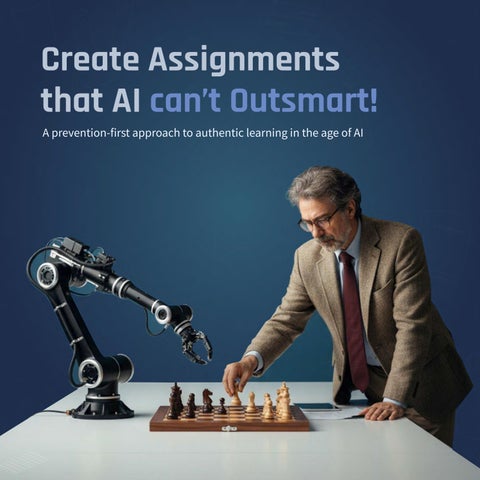

Create Assignments that AI can’t Outsmart!
A prevention-first approach to authentic learning in the age of AI

Abstract
TraceEd is a prevention-first educational tool designed to help college educators create AI-resilient assignments and sustain authentic student engagement in an era increasingly shaped by generative AI. Instead of relying on the detection of unauthorized AI use, TraceEd shifts the focus toward reducing opportunities for misuse altogether through intentional, well-structured assignment design.
The system evaluates the vulnerability of any assignment to AIgenerated responses and recommends alternative formats that maintain the same learning outcomes. Educators can also generate fully new assignments based on specific learning goals, ensuring that academic integrity, genuine understanding, and meaningful learning remain central to the instructional experience.

Overview

Overview

Introduction
The New Academic Environment
Generative AI has rapidly transformed how people create and communicate. Tools like ChatGPT, Gemini, and Claude can now produce high-quality text, summaries, and ideas within seconds, often at a level comparable to human work. Tasks that once required hours of thinking and drafting can now be completed instantly as these systems grow more context aware, sophisticated, and capable of generating convincing and well-reasoned content.
This shift has reshaped the education landscape. Colleges and universities are working to uphold academic integrity as AI becomes deeply integrated into students’ academic workflows. In the classroom, students commonly use AI to brainstorm, outline, refine, or even fully generate their submissions. Traditional assignments of many kinds such as essays, reflections, case analyses, and research summaries are now increasingly vulnerable to AI shortcuts. Educators are often left questioning whether a submission reflects genuine student understanding or the output of a model, which makes it more difficult to design fair assessments and accurately measure learning.
86%
College students worldwide reported using AI tools to complete their coursework.
Source: D.E.C 2024
The Problem
As generative AI misuse has grown in student work, universities have responded by placing much of the responsibility on professors to monitor, verify, and address potential misuse. Many institutions have issued broad AI policies, but the day-to-day interpretation and enforcement are often left to individual instructors. This shift has added significant pressure to their roles without providing clear guidance or reliable support.


Name: Chat GPT
Last Seen: Online, everywhere
Crime: Completes Assignments

In practice, professors are now expected to assess not only the quality of student work but also its authenticity. They must determine whether a submission reflects genuine understanding or AI assistance. This expectation adds substantial complexity to an already demanding workload, stretching instructors’ time, attention, and capacity to maintain fair and effective learning environments.
The Impossible

On top of this added workload, professors struggle to determine whether a submission is genuinely a student’s work. As AI tools become more sophisticated and closely mimic student writing, distinguishing authentic work from AI-generated content has become increasingly difficult.
Research underscores this uncertainty. A 2024 CDT study found that only 25 percent of educators feel confident in their ability to identify AI-generated work, showing how quickly AI capabilities are outpacing instructors’ ability to reliably detect misuse.

Impossible Chase

As a result, educators find themselves caught between the rapid rise of AI use in student work, the added effort required to watch for potential misuse, and their limited confidence in distinguishing genuine student submissions from AI-generated ones. This combination creates a tense and uncertain environment where professors must constantly question the authenticity of what they receive, making it harder to focus on teaching and supporting students.
My research examines these challenges from the professors’ perspective, with the goal of understanding their experiences, concerns, and needs. By studying how they navigate this new reality, the aim is to explore practical ways to ease this pressure and strengthen academic integrity through preventive, well-designed assignments that naturally encourage authentic student learning in the age of AI.
How Big is the Problem?
AI use in coursework has become the norm, with surveys showing widespread dependence and frequent copy-pasting of AI-generated material. In response, institutions are leaning heavily on detection technologies, and 98% of Turnitin’s institutional customers have activated AI detection. A huge amount of money is now being poured into strengthening these systems, yet the scale of the challenge continues to grow. With roughly 13 million professors worldwide, this issue spans every region and level of higher education.
Together, these trends make it clear that AI misuse is not an isolated or temporary concern. It is a broad, systemic problem that compromises assignment integrity, weakens learning outcomes, and makes it increasingly difficult for educators to confidently and fairly assess student work.
$483 M
Market value of AI detection tool in 2023, expected to hit $2.03B by 2031.


92%
College students report using AI tools for their coursework.
18%
Students admit to copy-pasting AI-content without edits.
0.4%
Students admitted to being caught for AI misuse in coursework.
Source: HEPL’25
Why this Matters?
When students bypass assignments using AI, they miss the actual learning the assignment is meant to build. Skills like critical thinking, analysis, writing, and problem-solving do not develop when AI completes the work for them.
For educators and institutions, this creates serious challenges in assessing progress, maintaining fairness, and ensuring that grades truly reflect student ability. Over time, this threatens the integrity and value of higher education.
Who It Affects?

Students
Students lose the chance to develop essential skills when AI replaces their own effort. This weakens long-term learning and leaves them unprepared for advanced courses, careers, and

Institutions
Universities risk a decline in academic credibility when assignments no longer reflect true student ability. This affects program reputation, accreditation standards, and the perceived value of earned degrees.

Educators
Educators struggle to evaluate authentic work, provide accurate feedback, and measure student growth. This uncertainty adds stress and makes their core responsibilities more difficult to perform

Employers
When students graduate without mastering foundational skills, employers face skill gaps in the workforce. This undermines confidence in academic qualifications and impacts job readiness across industries.
Discover & D
Discover Define
User Interviews
Key Themes Explored
Recruiting
As part of the user interview process, I began by understanding the problem from educators’ perspectives through one-on-one conversations with university faculty across the United States.
To find suitable participants, I created a screening survey that asked about their experiences with AI use, encounters with AI misuse, and overall concerns. This survey was shared with professors at institutions in the US and Canada by reaching out through the publicly available contact information on their university websites.
19
12
01
Professors’ perceptions of the accuracy and trustworthiness of AI detection tools and the frequency of false positives or false negatives.
05
Professors’ frustrations with existing detection tools, including issues of transparency, bias, bypassability, and inconsistent performance.
Explored During Interviews
02 03 04
Professors’ growing manual workload from reviewing assignments for potential AI misuse and the impact this has on their teaching time.
Professors’ views on how to distinguish acceptable forms of AI assistance from misuse within different types of student assignments
Professors’ concerns about whether students’ use of AI prevents them from fully achieving the intended learning objectives of a course.
Professors’ current approaches to managing AI in their classrooms, whether through bans, guided use, or conditional allowances.
Professors’ expectations for what evidence, clarity, and support a better tool must provide to confidently evaluate AI involvement.
Professors’ perspectives on how AI will shape future teaching practices and influence the design of assignments moving forward.
Findings & Synthesis
I interviewed 12 professors from universities across the United States and Canada, all teaching undergraduate or graduate courses within designfocused programs such as UX, Architecture, and Graphic Design. Focusing on design disciplines was intentional, as it allowed me to gather insights from a more cohesive academic context rather than mixing perspectives from unrelated fields. Each interview lasted between 30 and 50 minutes, averaging around 40 minutes, during which participants shared detailed experiences, concerns, and observations about AI use in their classrooms.
Immediately after each session, I created a debrief capturing key points, quotes, and emerging patterns. These debriefs became the foundation for the synthesis phase, where I analyzed themes across all interviews to identify common challenges, unmet needs, and opportunities for improving assignment design in the age of AI.
40 min 6

Among Interview Participants
92%
Participants found students misusing AI in coursework.
75%
Participants tested detectors on student work.
8%
Participants adopted AI detectors for student review. 11/12 9/12 1/12
88% 8/9
Participants who tested AI detection tools never adopted them.
Challenges in Adopting AI Detection Tools
The chart shows the top six reasons participants have not adopted AI detection tools.
Professors overwhelmingly expressed hesitation toward adopting AI-detection tools to review student assignments. Many described these systems as inaccurate and unreliable, with eight out of twelve participants noting that the AI Detection tools often misidentify genuine student work or produce inconsistent results. The same number also mentioned that AI-detectors frequently flag permissible or minor AI use even when students followed course guidelines, creating unnecessary confusion and extra work.
Several professors pointed out broader concerns as well. Some felt the tools lacked transparency, making it difficult to understand how decisions were made or why certain submissions were flagged. Others shared that AI detectors are easy for students to bypass, which reduces their usefulness and shifts attention away from teaching. A few also expressed discomfort with the idea of using AI to police AI, questioning whether that approach aligns with their values or supports meaningful learning.
Universities that Prohibited AI Detection Tools
University Name Policy Stance (AI Detectors)
Reason for Disabling AI Detection tools
Vanderbilt University Not Recommended Disabled Turnitin's AI detection feature due to Concerns about reliability and (potentially hundreds of incorrect flags) high false positive rate
Michigan State University Not Recommended Disabled Turnitin's AI detection feature leading to potential false accusations Concerns about accuracy
Northwestern University Not Recommended Disabled Turnitin's AI detection feature after testing due to accuracy concerns
University of Texas at Austin Not Recommended Concerns about accuracy and potential for false accusations, wary of sharing student data with thirdparty service
Vanderbilt University Not Recommended Concerns about the tool's accurac y and the negative impact of , decision made by faculty executive committee and Honor Council false positives
Montclair State University Not Recommended Concerns about leading to false accusations, bias against non-native English writers, and privacy concerns with third-party tools inaccuracy
Columbia University Warns Agaisnt
Warns against the use of detection software, noting that can occur with consequences in the classroom identification errors & 100s more
AI detection tools produce inaccurateresults
Professors & revert to manual review lose trust
AI detection tools flags permissible AI
Professors flagged work manually review
Manual review adds workload, lacks efficiency
Detection tools were meant to make things more efficient, but they’ve done the opposite.
Participant P8
Professors shared that inaccurate or unclear detection results often lead to “double work.”
When a tool raises a questionable flag, instructors must reread and manually verify the assignment themselves, adding time and cognitive load instead of reducing it. Many explained that this back-and-forth becomes more inefficient than simply reviewing the work from the start. Because the tools cannot reliably separate acceptable AI use from true misuse, educators end up spending valuable teaching time resolving false alarms. This recurring pattern erodes trust in detection systems and leaves professors feeling that technology is complicating their workflow rather than supporting it.
Manual review adds workload, lacks efficiency
Students continue cheating with AI
Students' learning objectives are not achieved
I'm here to teach. Not to police everyone’s actions, Like that’s not how I see my role as Participant P1
Manual review has become the fallback response, but it places a heavy burden on instructors who are already stretched thin. Several professors noted that they can sometimes identify clear signs of AI misuse, yet examining every assignment in detail is not realistic with their workload. This uneven process allows many cases of misuse to slip by, creating inconsistencies in how students are evaluated. Without reliable tools to assist them, educators must balance doubt, extra effort, and difficult student conversations, all while trying to maintain fairness across their courses.
This ongoing cycle has direct consequences for learning. When students continue relying on AI to complete assignments, they miss the deeper cognitive work needed to build skills like analysis, writing, and problem-solving. Professors observed that even motivated students may turn to AI during busy weeks because the likelihood of getting caught feels low. Over time, this weakens academic integrity, makes grades less meaningful as indicators of understanding, and leaves students underprepared for future coursework and professional expectations. The result is a growing gap between what students submit and what they actually learn.
Why are professors overwhelmed by AI misuse?
Because students can easily use AI to complete many existing assignments without genuinely engaging with the learning objectives.
Why can students complete assignments using AI so easily?
Because many assignments are not designed to be AI-resilient and can be answered with generic or surface-level responses.
Why aren’t assignments designed to be AI-resilient?t?
Because professors don’t tools or guidance that help identify vulnerabilities redesign tasks that require authentic thinking.
Root Cause Analaysis
The root cause of this problem is not just student behavior, it’s the structure support professors receive. Interviews revealed that most educators rely often without guidance on how AI can exploit them. At the same time, existing misuse after it happens, leaving professors without the tools to redesign authentic thinking. This creates a cycle where students can easily rely on and institutions remain reactive instead of preventive. Understanding these to designing a system that strengthens assignments from the start rather than
easily use existing genuinely learning
Why don’t professors have the support to redesign assignments?
Because most existing solutions focus on catching AI misuse after submission, rather than helping educators build stronger assignments from the start.
Why does this reactive approach fail
professors?
Because reactive methods increase manual workload, create uncertainty, and push professors into policing instead of teaching, leaving them without a scalable way to ensure authentic learning.
structure of assignments and the lack of on familiar assignment formats, existing solutions focus on catching redesign tasks in ways that promote AI, professors feel overwhelmed, these underlying causes is essential than policing them at the end.
Stakeholder Interview
Recruiting
To understand why AI-detection tools fail and how generative-AI models are built, I interviewed two stakeholders with deep technical and academic experience. One was an adjunct professor who also works as an AI manager, offering insight into both classroom needs and real-world system behavior. The second was a software developer at a generative-AI company who explained how modern models are trained and why detectors struggle to keep up.
These conversations helped reveal the technical limits of detection systems and the growing performance gap between generative AI and the tools meant to regulate it.
4
2
Key Themes Explored During Interviews
01 Understanding how generative AI models are built and continuously improved.
03 Identifying the core reasons detection systems are failing in real academic use.
05 Exploring alternative methods to validate authentic student work beyond detection.
Stakeholder Perspectives on AI and Detection
02 Learning how AI-detection tools work and what signals they rely on.
04 Evaluating whether detection tools can realistically keep up with generative AI in the future.
06 Discussing how assignments and education must evolve in an AI-driven era.
I took all of my research findings so far and walked the stakeholders through the challenges professors face, the limits of detection tools, and how generative AI is reshaping academic work. Their insights helped validate the technical side of the problem and clarified why current approaches break down when applied in real classrooms. Both experts explained that generative AI models evolve through enormous datasets and continuous training cycles, while detection systems rely on fragile linguistic signals that lose reliability as soon as models improve or students make simple edits.
Through these conversations, it became clear that detection will always operate a step behind, regardless of future advancements. The stakeholders highlighted that alternative strategies, such as workflow validation and stronger assignment design, offer more stable paths for supporting academic integrity. They also emphasized that education will need to evolve toward process-centered, context-rich assignments rather than relying on tools that attempt to spot AI after the fact. Together, their perspectives reinforced the need to rethink how assignments are designed and assessed in the AI era.
User Personas
UX Artefact #1
Drawing from insights across twelve faculty interviews, I synthesized the patterns, motivations, and challenges that consistently surfaced. These conversations helped me understand how different educators approach assignment design, manage limited time, interpret AI policies, and respond to the growing presence of generative AI in their classrooms. Through this process, I gained a clear picture of their goals, frustrations, and what truly matters to them.
Using these findings, I created personas that represent the core faculty groups using TraceEd. This included adjunct professors, full-time professors, and faculty who teach across multiple programs. Each persona captures the unique pressures they face, along with the shared concerns around workload, clarity, and maintaining academic integrity. The persona shown here is one example from the larger set developed to keep TraceEd grounded in real faculty needs.

Goals
Frustrations
Attributes
Pragmatic Time strapped Tech curious Integrity focused
User Journey Map
UX Artefact #2
As the pressure of growing AI misuse and unreliable of uncertainty and manual review. Interviews showed noticing suspicious work, experimenting with tools struggling to address misuse without clear evidence. educators go through and highlighting where current
Actions
Professors notice unusual writing patterns, rising AI use, and inconsistencies in assignments. They start questioning authenticity and look for ways to verify student work.
Opportunities
Create a clearer, more structured way for professors to validate their concerns early, giving them confidence without needing to rely solely on instinct or guesswork.
Emotions
Educators tried multiple AI detection tools and compared different platforms to see whether they could help identify misuse.
After testing submissions, these tools useless detect
Provide a single, reliable system that removes the need to compare multiple detection tools, reducing confusion and helping educators make decisions faster.
Introduce strengthens creation, design encourages thinking.
Curious but concerned Frustrated Skeptical



unreliable detection tools builds, professors move through a repeated cycle showed that this experience is not a one-time challenge but a pattern: tools they don’t trust, spending hours verifying submissions, and evidence. This journey map continues that story, outlining the key stages current systems break down and where better support is needed.
Assignment Creation
testing real student submissions, they realized tools were largely useless and couldn’t reliably AI-generated work.
Falling Back to Manual Review
Professors end up manually reviewing submissions, checking writing style, comparing work with past assignments, and re-reading anything that feels suspicious.
Heavy Workload & Limited Proof
Manual review added a heavy workload, and professors couldn’t rely on instinct alone, making it difficult to question students without concrete evidence.
LIntroduce guidance that strengthens assignments during creation, helping professors design work that naturally encourages deeper student thinking.
Simplify the verification process with transparent reasoning and quick evidence, reducing repetitive reading and the emotional burden of uncertain judgment.
Offer actionable, easy-to-use insights that lighten the workload while giving professors the clarity they need to confidently address concerns with students.
Overwhelmed


Exhausted




Competitor Analysis
Artefact #3




Direct competitors like Turnitin and GPTZero remain common in universities, with Turnitin leading the market. However, many institutions have reduced or discontinued their use because of accuracy issues and the extra manual review they create for faculty.
Indirect competitors include generative AI tools such as ChatGPT, Gemini, and Claude. While not officially adopted by universities, professors frequently use them to test assignment prompts, explore how easily AI can complete a task, and get ideas for redesigning assessments.
Claude Copilot
Detection vs Prevention vs Manual Review
Dimension
Approach
High Accuracy
Reduced Educator Workload
Student Acceptance
Fairness to Students
Focus on Teaching
Cost Efficient
Consistency Across Faculty
Adaptability to New AI Models
Privacy Concerns
Traced (Prevention-First) Detection
Prevention-first, AI-resilient assignment design
Avoids false positives by focusing on prevention/ context
Reduces manual review (goal: 50% cut)
Non-surveillance, promotes authentic engagement
Minimizes false accusations
Lets professors focus on teaching
Reduces hidden costs of manual review
Standardized prevention
Future-proof (assignment design)
Low non-intrusive monitoring
Reactive, flags after submission
High false rates (7–50%)
Increases workload (professors must check false flags)
Seen as policing and mistrusted
High risk of false accusations
Shifts role to policing AI misuse
Expensive licenses; questionable RO
Inconsistent detection results
Always playing catch-up
High requires student data to third parties
Reactive, only after submission
Depends on professor
Very high workload, unsustainable
Neutral, but inconsistent
Bias Possible
Shifts role to enforcement
Low direct cost, but high labor cost
Highly variable judgment
Dependent on professor awareness
High trust (handled by humans)
Problem Statement
Breakdown
Professors’ goals, needs, and challenges reveal a clear issue: they lack reliable support to verify authentic student work. This breakdown shows why current solutions fall short and why reducing manual checks is essential to improving teaching and learning.
solutions have failed?
As AI tools become increasingly integrated into student workflows, educators face a growing challenge: determining whether students are using AI in ways that compromise the intent of assignments. A 2024 report shows that 92 percent of college students use AI tools for coursework, while 84 percent of professors are open to its use provided it supports learning rather than replaces it. This shift toward permissive AI use creates ambiguity, requiring educators to evaluate AI involvement on a case-by-case basis.
This evaluation process is time-consuming and inconsistent, especially given that over 700,000 adjunct professors, more than 50 percent of the U.S. teaching workforce, often juggle multiple courses or jobs, leaving little room for manual review. There is a growing need for tools that reduce this burden, provide clear evidence for conversations with students, allow professors to control what types of AI use are flagged, and inspire trust in their accuracy.
However, existing AI detection tools fall short. Despite vendor claims of 1 to 2 percent false positives, independent studies show error rates ranging from 7 percent to 50 percent. These tools rely on binary flagging and lack contextual understanding, often flagging even permissible AI use such as grammar correction or brainstorming assistance. As a result, hundreds of universities in the United States have discontinued their use.
Without accurate, flexible, and trustworthy detection systems, professors are forced to manually police AI misuse, diverting time from teaching and making consistent enforcement of academic integrity nearly impossible. Goals Needs Challenges How Why Important
Final Problem Statement
UX Artefact #4
How might we by to determine if students’ use of AI compromises the learning objectives of assignments, so they can . reduce the need for manual checks college educators focus on teaching instead of policing AI misuse
What Why Who
Ideate
Ideate
Strategy
Strategy
As AI becomes more integrated into academic work, detection tools have emerged as a first line of defense for professors. However, real-world use shows that detection alone introduces new challenges. Tools often produce inconsistent results, flag legitimate work as suspicious, and miss AI-generated content entirely. This uncertainty forces professors to spend additional time verifying assignments manually, creating stress rather than confidence.
Beyond accuracy concerns, detection tools offer limited transparency. Many provide a single score without explaining how the conclusion was reached, leaving educators unsure about how much they can rely on it. Combined with the pressure of growing class sizes and limited time, these inconsistencies make detection an increasingly unreliable part of the teaching workflow.
Supporting Insights
Detection tools produce error rates as high as 50 percent.
Manual reviews create a significant workload for professors.
Generative AI is evolving to mimic human work more convincingly each day.
The Detection vs.
Research shows a consistent pattern: detection tools are always a step behind. As generative AI becomes more advanced, detectors struggle to match its speed or accuracy. This growing gap leaves professors without reliable support and makes detection-based approaches increasingly ineffective.

And even as detection improves, generative AI evolves faster. With nearly 120 times more investment, AI-generation tools advance at a pace detection systems cannot match. This imbalance guarantees that reactive detection will always fall behind.
vs. Generation Gap
How Should We Approach the Problem?
Reframing the Problem
Detection has kept professors stuck in a reactive loop, waiting until after a submission to determine whether AI was misused. With tools producing inconsistent results and generative models advancing faster every year, detection quickly becomes outdated. This leaves educators in a constant state of doubt, forcing them to manually verify work and making it difficult to trust any system that claims to identify AIgenerated content.
To break this cycle, the solution must focus on moving from reaction to prevention. Instead of trying to catch AI after the fact, the path forward is to reduce opportunities for misuse from the start. By shifting attention to the intentional design of assignments, professors can encourage deeper engagement, reflection, and synthesis - tasks that AI struggles to replicate authentically. This reframing allows them to return their focus to teaching rather than policing.
Introducing Prevention by Design
Prevention by Design transforms assignment creation into a proactive safeguard rather than a reactive checkpoint. Instead of depending on unstable detection tools or lengthy manual verification, this approach focuses on strengthening tasks at their foundation so authenticity becomes an inherent part of the assignment. When the structure of a task encourages original thinking, contextual interpretation, and deeper cognitive engagement, the learning process itself becomes harder for AI to imitate. This allows educators to shift away from constant monitoring and trust that the work students submit is rooted in their own understanding, not an AI-generated shortcut.
Prevention also means crafting assignments that naturally discourage superficial responses. Tasks that require personal insight, evolving drafts, layered reasoning, or real-world connections create friction for AI tools, which often struggle to mimic the nuance and individuality these prompts demand. Designing work in this way pushes students to analyze, reflect, and synthesize ideas rather than rely on generic outputs. As a result, assignments become more meaningful and the opportunities for AI misuse decrease, allowing professors to cultivate stronger learning experiences without added surveillance.
Understanding an Assignment’s AI Resilience
I don’t waste energy stressing about whether students cheated with AI. I just make the assignment AI-resilient from the start.
Participant P11
A key part of this approach is being able to understand how resilient an assignment truly is against AI misuse. Instead of leaving professors to guess which tasks are vulnerable, a system can evaluate the depth, structure, specificity, and type of reasoning required in a prompt to determine how easily AI could generate a convincing response. By making this resilience measurable, educators gain clearer insight into where a task may need strengthening and how to improve it. This turns prevention into a consistent, evidence-based practice, helping professors create assignments that uphold integrity and foster authentic learning without relying on detection tools to validate student work.
How Do We Evaluate the AI Resilience of an Assignment?
Before improving or redesigning assignments, professors need a clear way to understand how vulnerable or strong a task is against AI misuse. Since prevention relies on intentional design, it becomes essential to evaluate the cognitive depth, contextual richness, and type of reasoning an assignment demands. Without a structured method, assessing AI vulnerability becomes subjective, inconsistent, and dependent on guesswork.
To address this, assignments must be examined through an evidence-based lens. Evaluating AI resilience means looking at how much original thinking the prompt requires, how specific its context is, and whether a generic AI response would be sufficient to complete it. A clear rubric helps identify these strengths and weaknesses, showing where an assignment may unintentionally allow AI shortcuts and where it successfully encourages authentic student engagement.
Higher-order
Thinking Skills
Lower-order
Thinking Skills
Bloom’s Taxonomy
A reliable way to build this rubric is by grounding it in Bloom’s Taxonomy, which categorizes levels of thinking from simple recall to complex creation. Tasks at the lower levels remembering, understanding, describing are highly vulnerable because AI can complete them with ease. As we move up the hierarchy into applying, analyzing, evaluating, and creating, the responses become more personal, interpretive, and judgment-based. These higher-order tasks are significantly harder for AI to replicate convincingly.
By mapping an assignment’s requirements onto Bloom’s levels, we can clearly see which tasks are more likely to be solved by AI and which demand genuine cognitive effort from students. This application of Bloom’s Taxonomy provides a structured, objective way to measure AI resilience and highlights exactly where assignments can be strengthened to support authentic learning.

Professor Sharma feels overwhelmed by the manual effort of reviewing assignments for possible AI misuse.
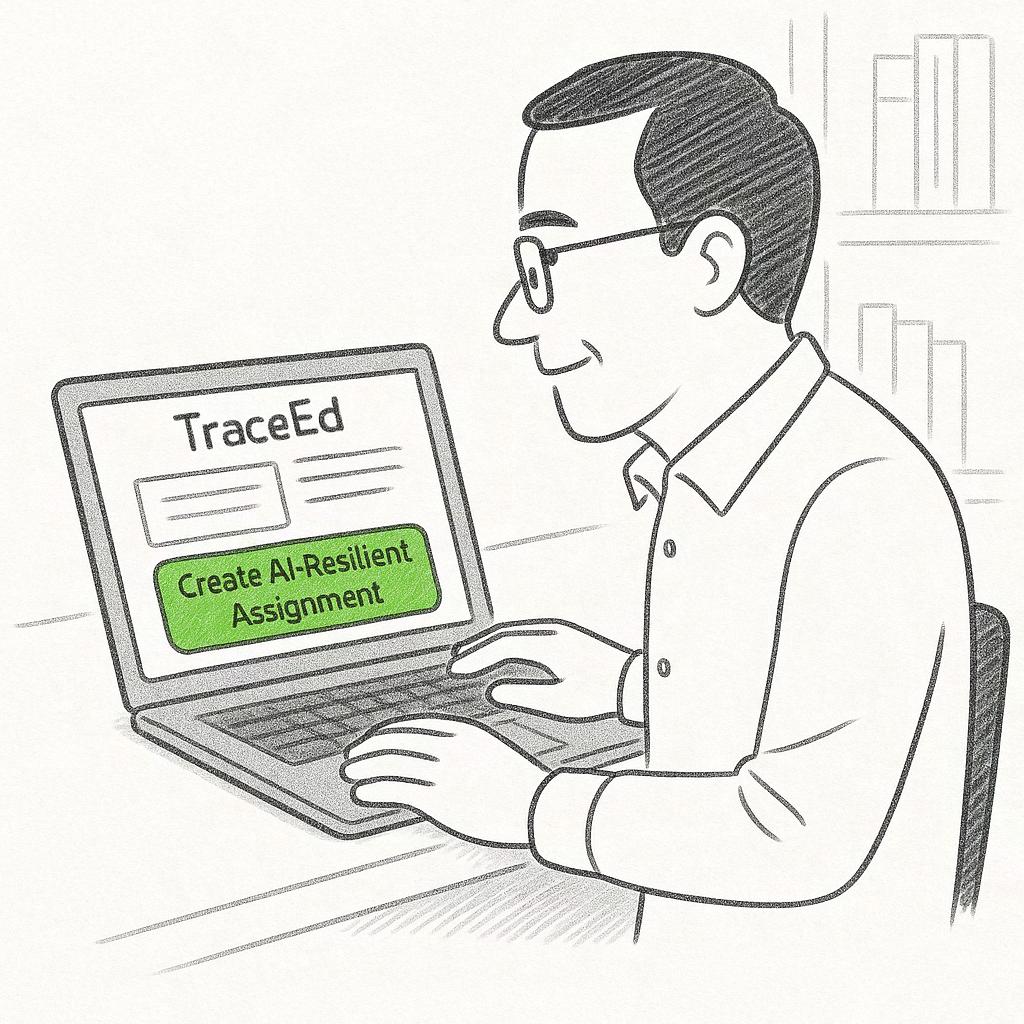
He learns about TraceEd, a tool that helps design AIresilient assignments.
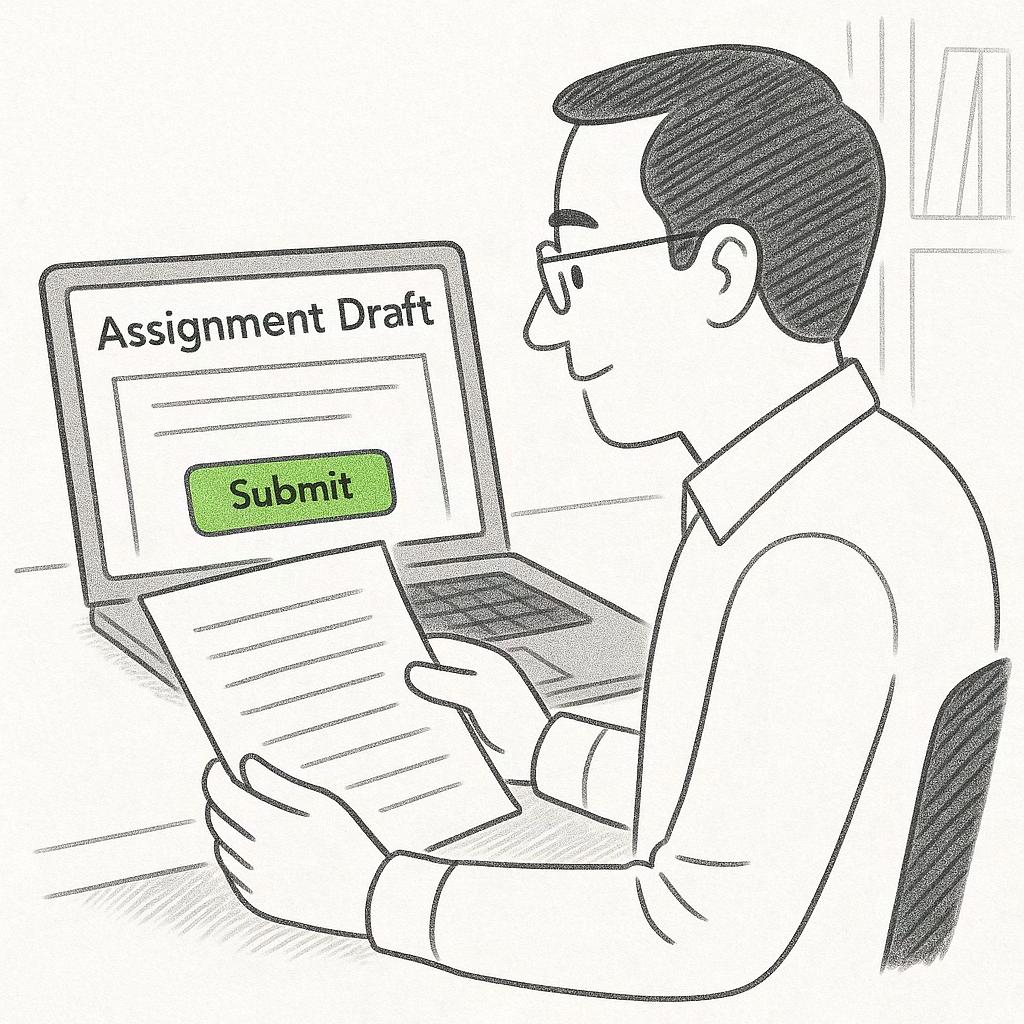
He uploads the assignment draft he usually gives to students.
Storyboard
As the need for AI-resilient assignment design becomes clear, the storyboard illustrates how TraceEd supports professors throughout this process. It follows the journey from recognizing the challenge, to evaluating an assignment’s vulnerability, to selecting and customizing a stronger, AI-resilient version. Each step shows how the tool reduces workload, builds confidence, and brings the focus back to authentic student learning.
TraceEd flags his draft as highly vulnerable to AIgenerated responses.

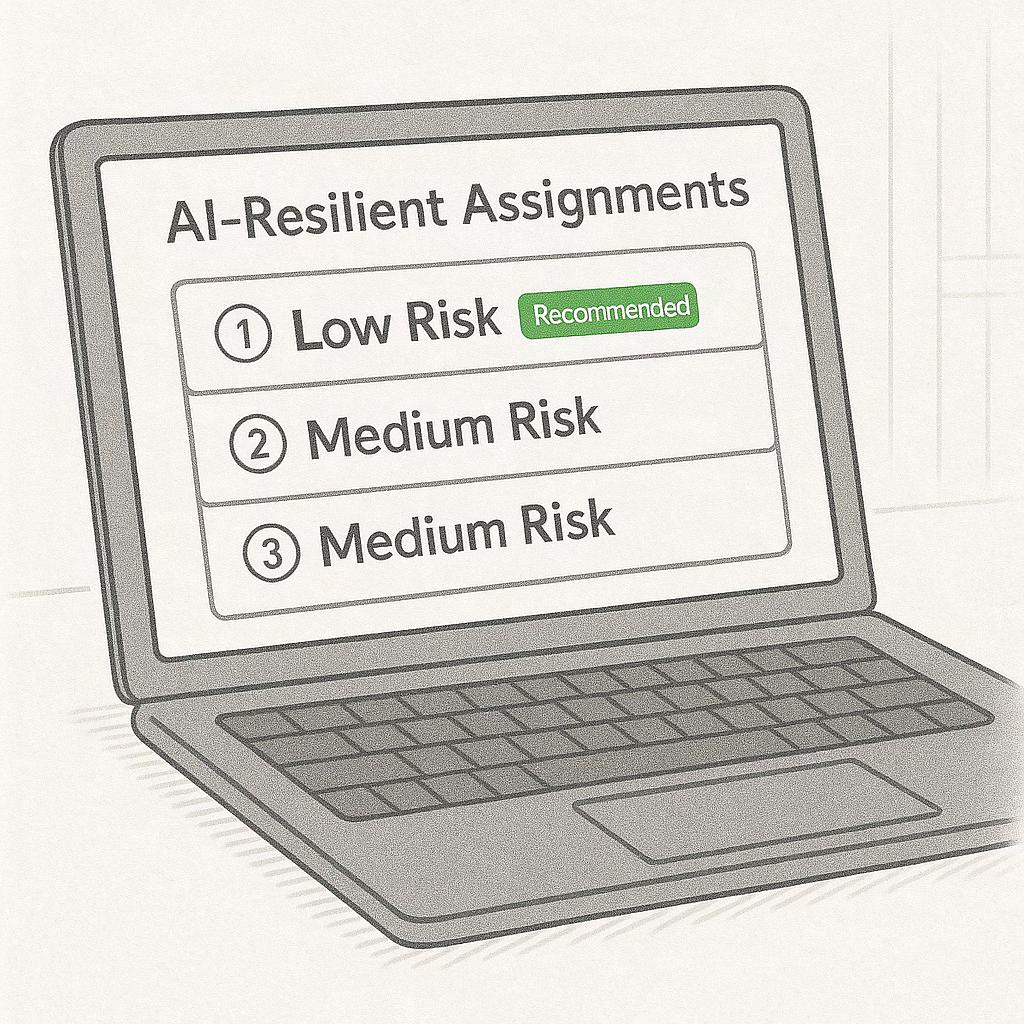
The tool suggests AI-resilient alternatives, each with risk scores and estimated time to complete.
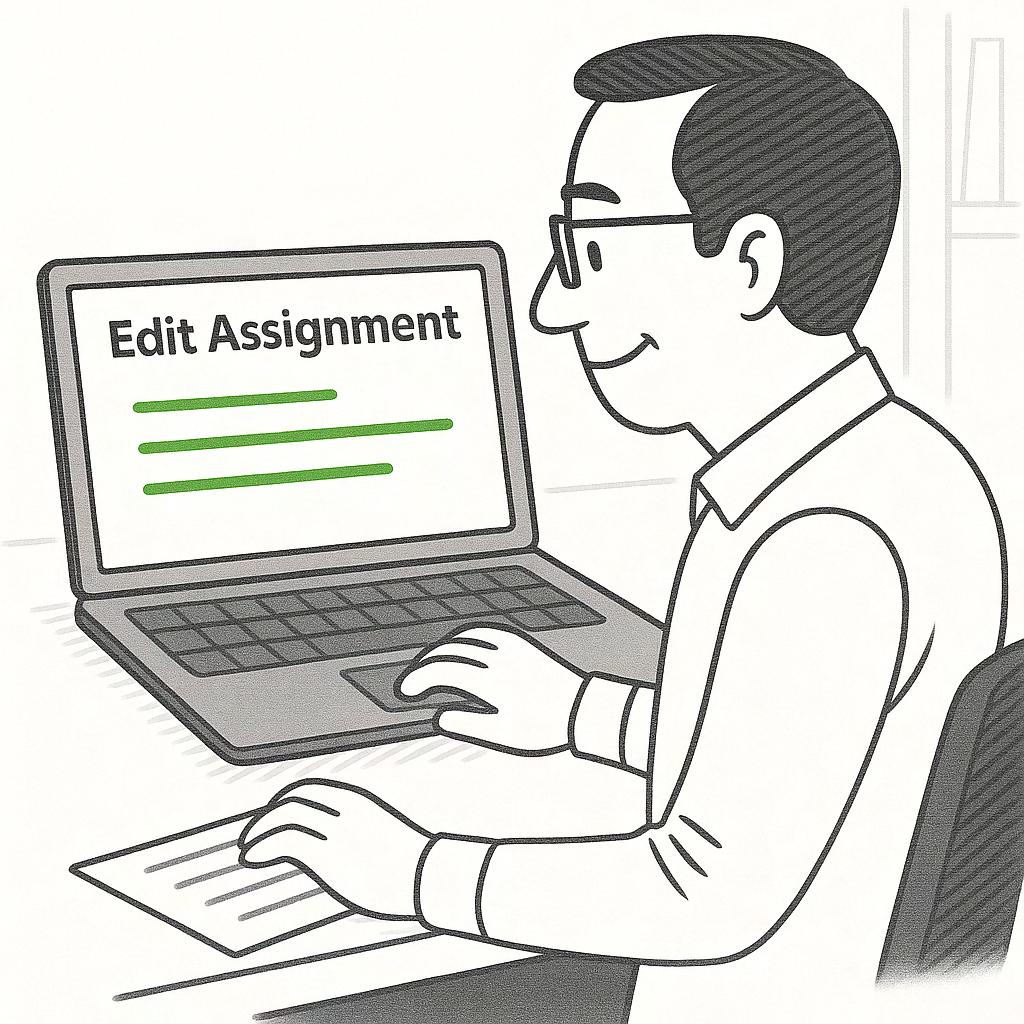
He selects the most appropriate assignment and customizes it to match his teaching style.
He posts the AI-resilient assignment directly to the platform his students use.
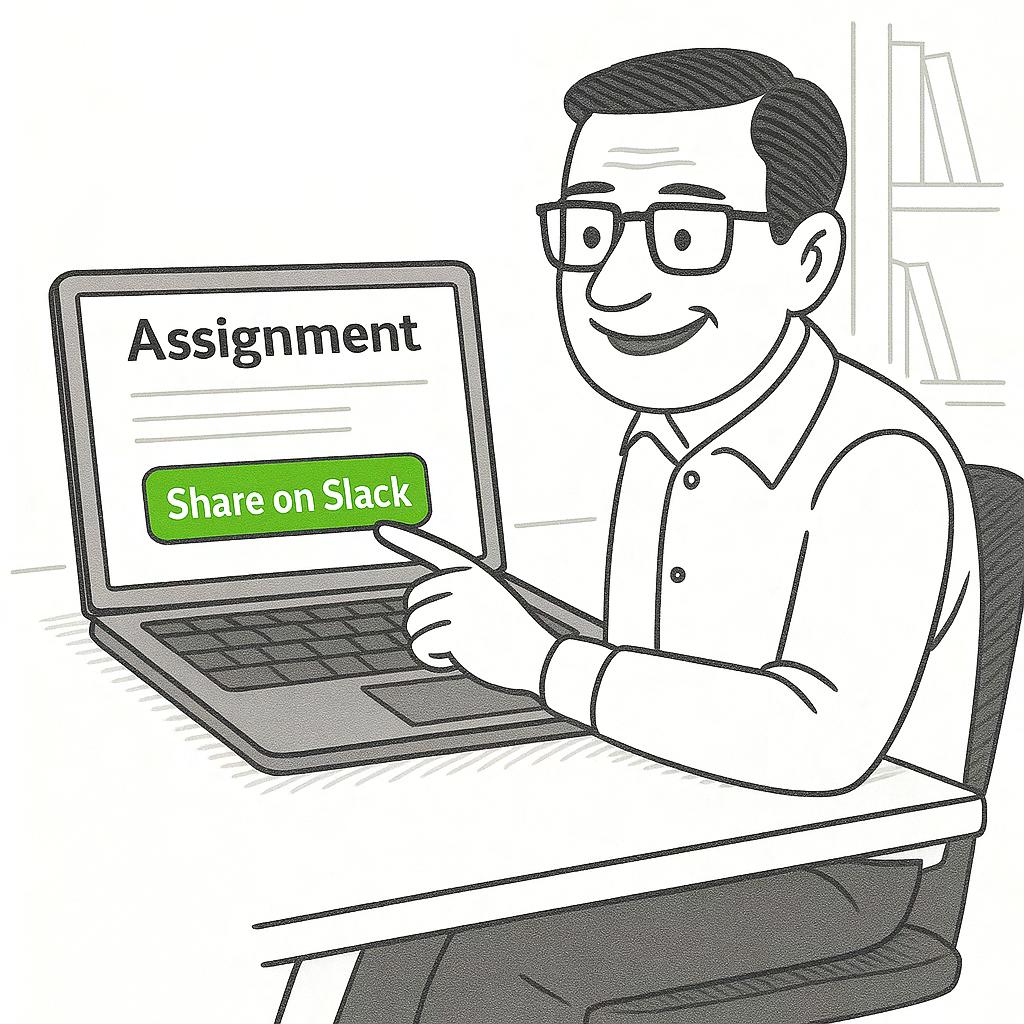

Professor Sharma is stressfree, assured his students are learning without the need to police AI use.

TraceEd gets smarter with every professor’s input, becoming more intelligent over time.
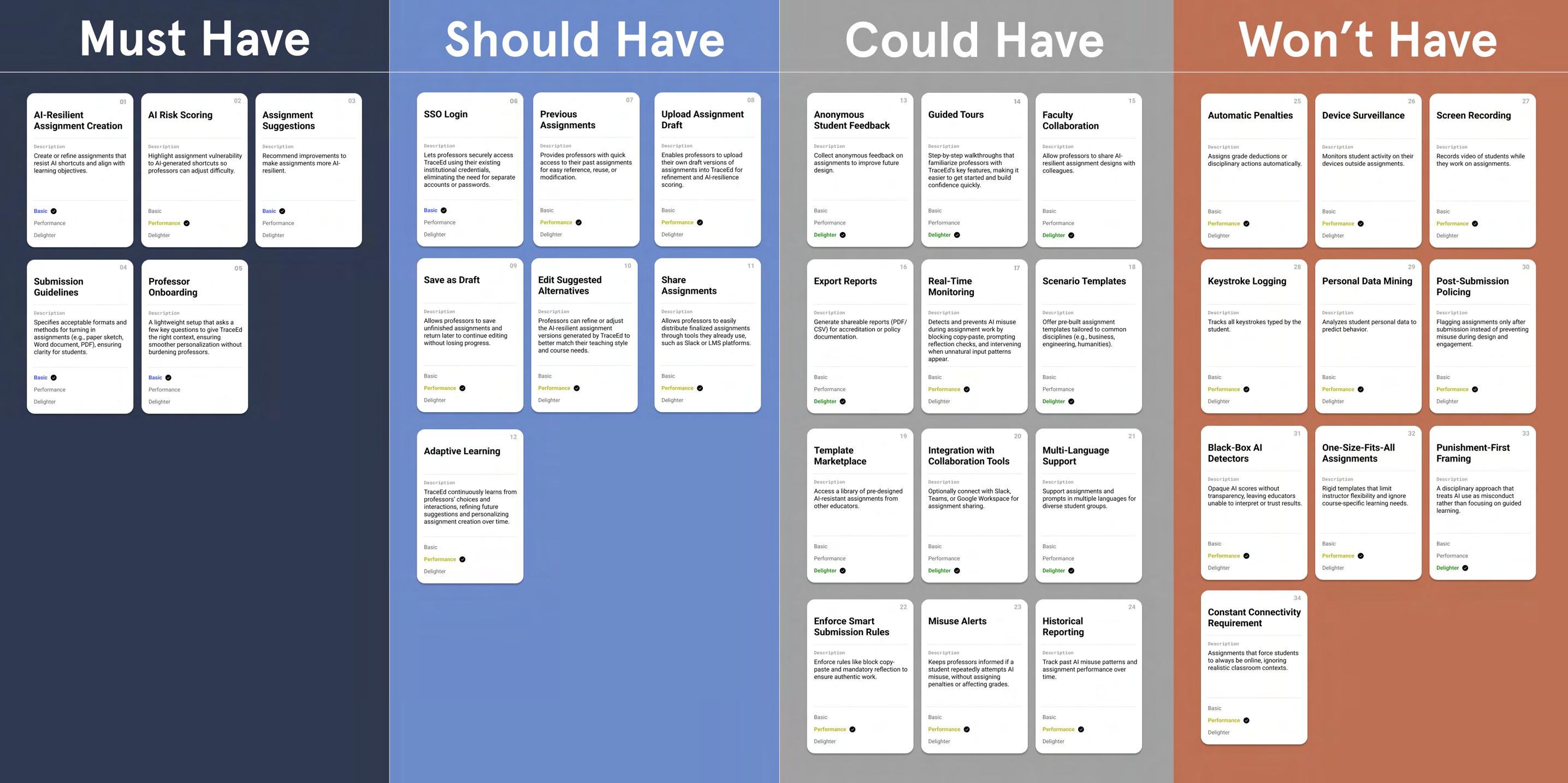
Feature Scoping: MoSCoW
UX Artefact #6
To determine which features were essential for the first version of TraceEd, I used the MoSCoW method to prioritize functionality based on user needs and feasibility. Insights from interviews and the storyboard made it clear that professors needed immediate support in creating AI-resilient assignments, understanding risk levels, and reducing manual workload.
These needs shaped the Must Have features, while enhancements that improved flexibility, automation, or long-term intelligence were placed into Should Have and Could Have categories. This framework ensured that the MVP remained focused, realistic, and aligned with the core problem TraceEd set out to solve.
Must Have Should Have

Description
Create or refine assignments that resist AI shortcuts and align with learning objectives.
Recommend improvements to make assignments more AI-resilient.
A lightweight setup that asks a few key questions to give TraceEd the right context, ensuring smoother personalization without burdening professors.
Highlight assignment vulnerability to AI-generated shortcuts so professors can adjust difficulty.
Specifies acceptable formats and methods for turning in assignments (e.g., paper sketch, Word document, PDF), ensuring clarity for students.
Lets professors securely access TraceEd using their existing institutional credentials, eliminating the need for separate accounts or passwords.
Enables professors to upload their own draft versions of assignments into TraceEd for refinement and AIresilience scoring.
TraceEd continuously learns from professors’ choices and interactions, refining future suggestions and personalizing assignment creation over time.
reuse, or modification.
User Flow
Account Creation
As TraceEd’s core features became defined, the onboarding flow was designed to help professors enter the tool quickly while still collecting the essential context needed for AI-resilient assignment suggestions. Offering multiple login options such as email, Gmail, and Outlook gives flexibility and reduces friction, allowing educators to start without creating new credentials or going through a lengthy registration process.
Once logged in, the system gathers a minimal set of teaching details, such as their role, course information, and the subjects they teach. This allows TraceEd to tailor recommendations, understand assignment requirements, and align outputs with the correct academic context. By keeping the setup lightweight but purposeful, the account creation experience supports the broader goal of helping professors move seamlessly into designing stronger, AI-resilient assignments.
Course (Course 1)
Landing Page for Course 1 Switch Course
User Flow
Evaluating an Assignment’s AI-Resilience
Create Assignment
After onboarding, professors move directly into creating educators to start with a new prompt or import an existing goals and the intended outcomes of the assignment, which
Once the draft and learning goals are submitted, TraceEd students might replace real thinking with AI shortcuts and reasons behind the risk score, and make edits or choose educators can strengthen their assignments while staying
Alternatives
Designing an AI-resilient assignment
creating or uploading an assignment draft. This step is designed to feel familiar and flexible, allowing existing one they already use in their course. TraceEd then asks for key information such as learning which helps the system understand the academic purpose behind the task.
TraceEd evaluates the assignment for potential AI vulnerabilities. The tool identifies areas where and highlights sections that may need refinement. Professors can review the feedback, explore the choose from AI-resilient alternatives suggested by the system. This creates an efficient loop where staying aligned with their teaching objectives.
Information Architecture
UX Artefact #8
The information architecture establishes the structural foundation of TraceEd, ensuring that every feature uncovered through research has a clear and intuitive place within the product. The system is organized around two primary states: before authentication and after authentication. This separation keeps onboarding simple for new users while giving returning professors direct access to the tools they rely on.
Before authentication, the experience focuses on helping educators understand TraceEd’s purpose. Pages such as Home, How It Works, and About Us introduce the value of AI-resilient assignment design and guide users toward creating an account. After authentication, the structure shifts to a task-oriented environment. Professors move into a dedicated workspace that includes assignment creation, AI resilience scoring, alternative suggestions, and access to resources. This organization ensures that users can quickly move from understanding the product to actively strengthening their assignments.
Authentication After Authentication
Image
CTA: Get Started
Secondary CTA: Join for Free
Overview of core features
explanation Screenshots / demo for educators statement story
Course Selector
Assignment Name Assignment workspace Test Cases
My Assignments
Drafts Assignments Published Assignments Insights Panel
Resources
Upload/ Delete AI policy Upload/ Delete Course Materials
Authentication
Free / Create Account
Sitemap
UX Artefact #8
The sitemap visualizes how these components come together and shows the relationships between key pages. At the top level, the Home page branches into introductory sections that support awareness and onboarding. Once educators create an account, navigation transitions into the dashboard, which becomes the central hub for all assignment-related tasks.
From the dashboard, users can create new assignments, access drafts, review published work, and manage their account settings. Supporting pages such as Resources, Profile, and Notifications extend the experience by providing additional context and customization options. This structure keeps the navigation lightweight while still accommodating the essential tools needed for designing AI-resilient assignments. By mapping the system in this way, the sitemap reinforces clarity and ensures that every pathway supports a smooth and predictable user journey.
About Us Sign In Join for Free
Dashboard Create Assignment Resources Assignments/ Home Before Authentication After Authentication
Educator Login (Email / SSO)
Educator Sign Up (Email / SSO) Onboarding
Prototype
Prototype
Moodboards
To kick off the design phase, I started with moodboards to explore the overall visual feel of the tool. This included colors, textures, and imagery that conveyed clarity, trust, and a sense of familiarity
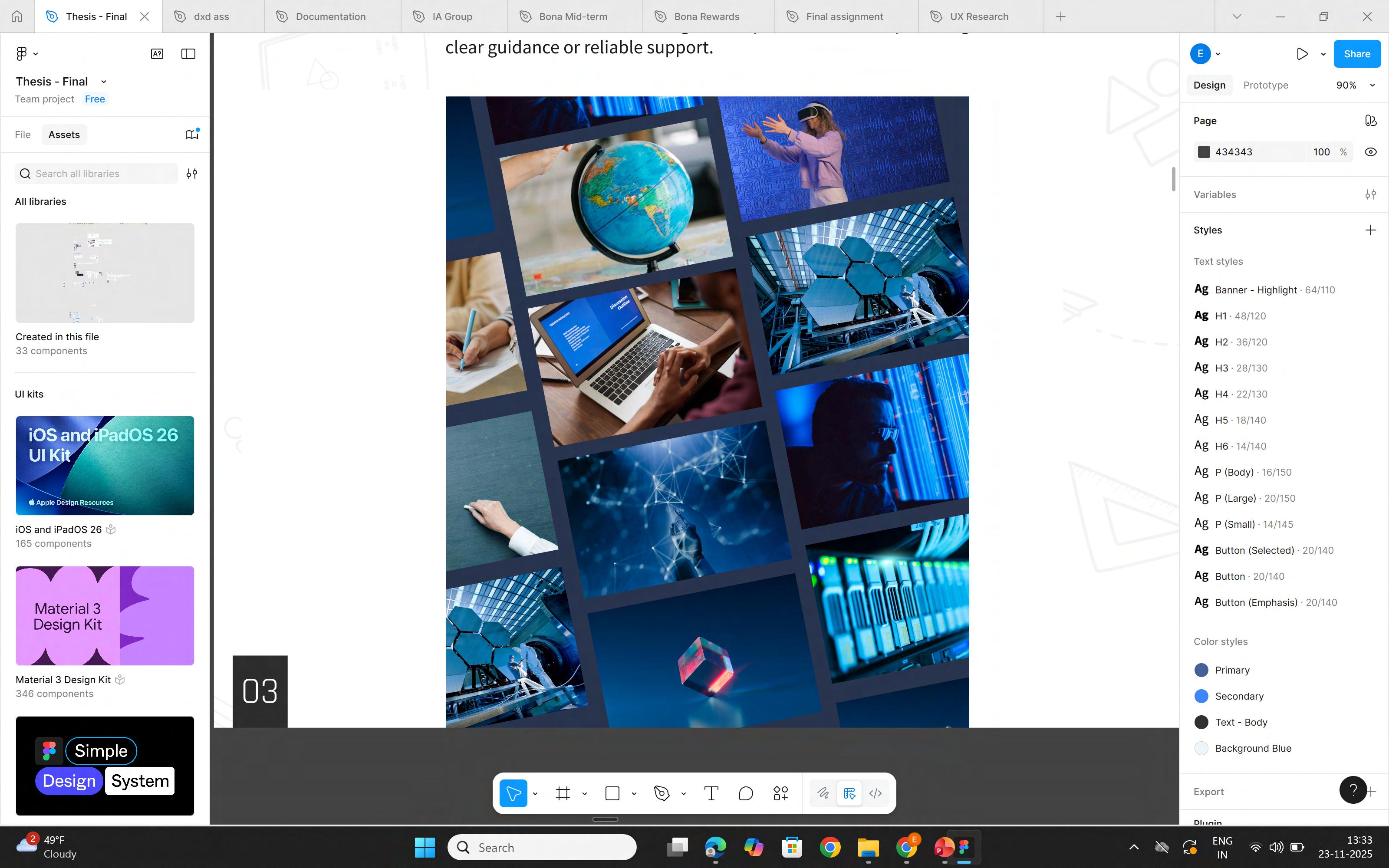
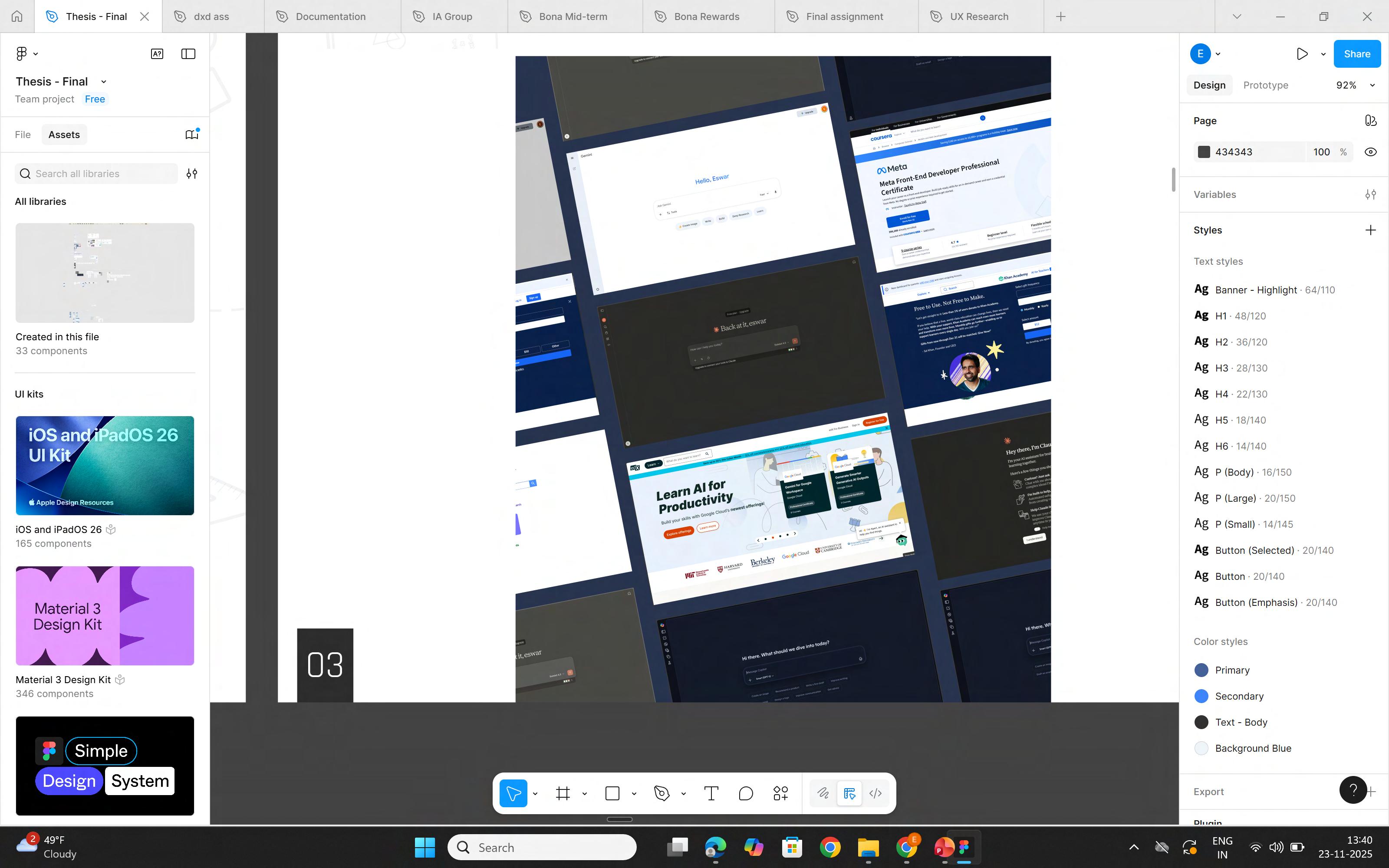
The second set examined external references, including competitor interfaces and educational platforms that solve similar problems. These examples helped identify patterns in layout, structure, and interaction that could inform TraceEd’s design. Pulling inspiration from proven educational and productivity tools ensured the final interface remained intuitive, credible, and grounded in real-world use.
Wireframes
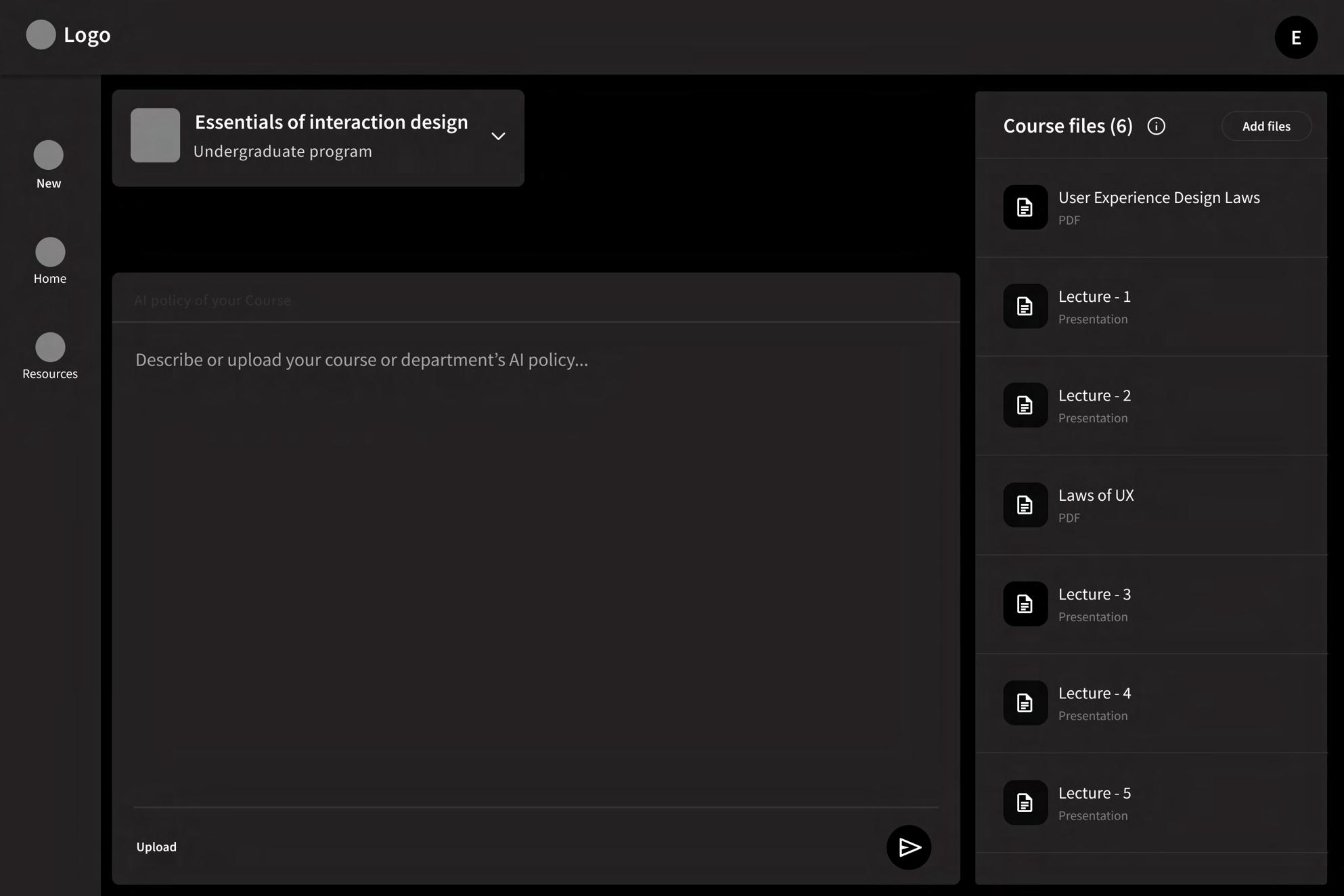
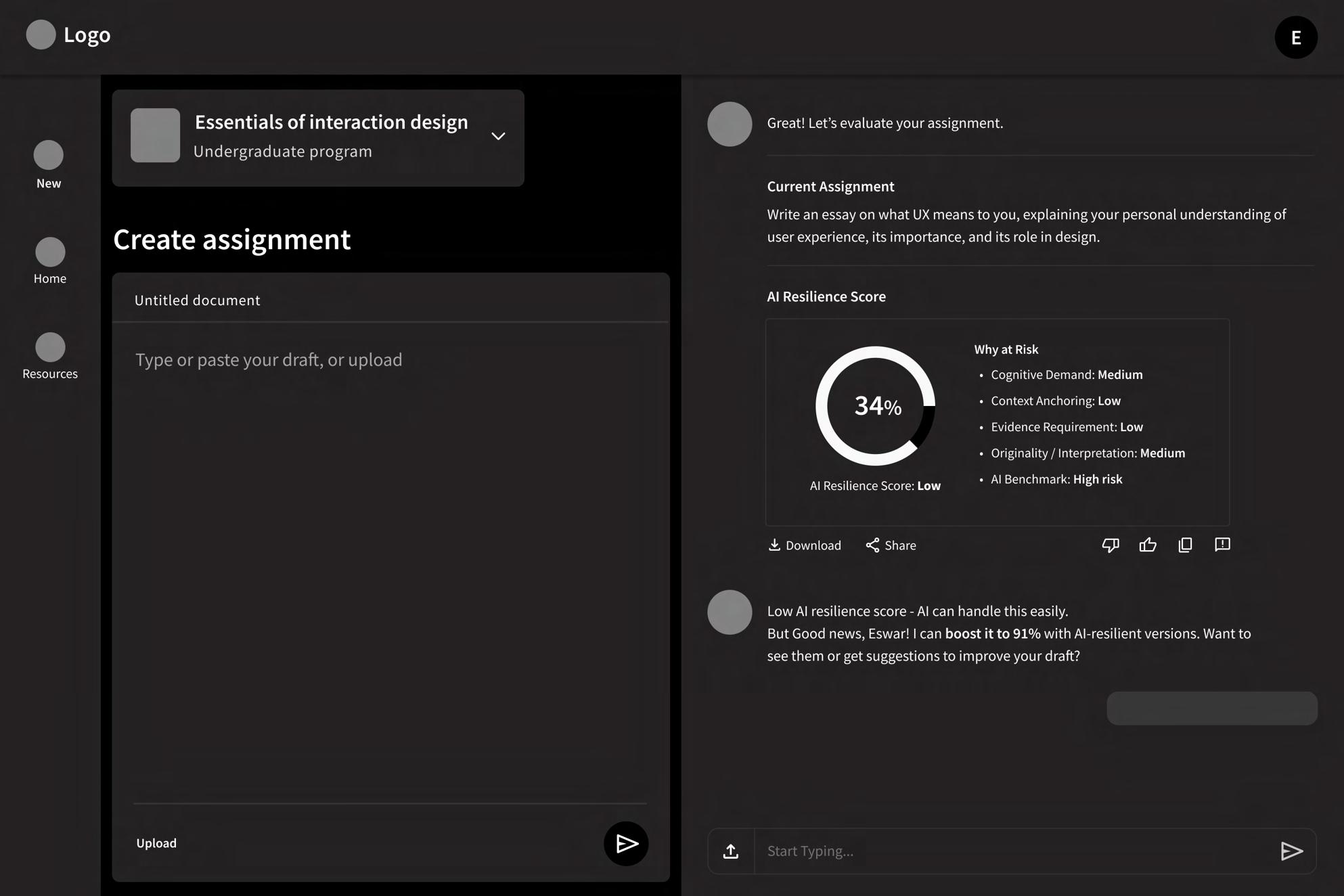
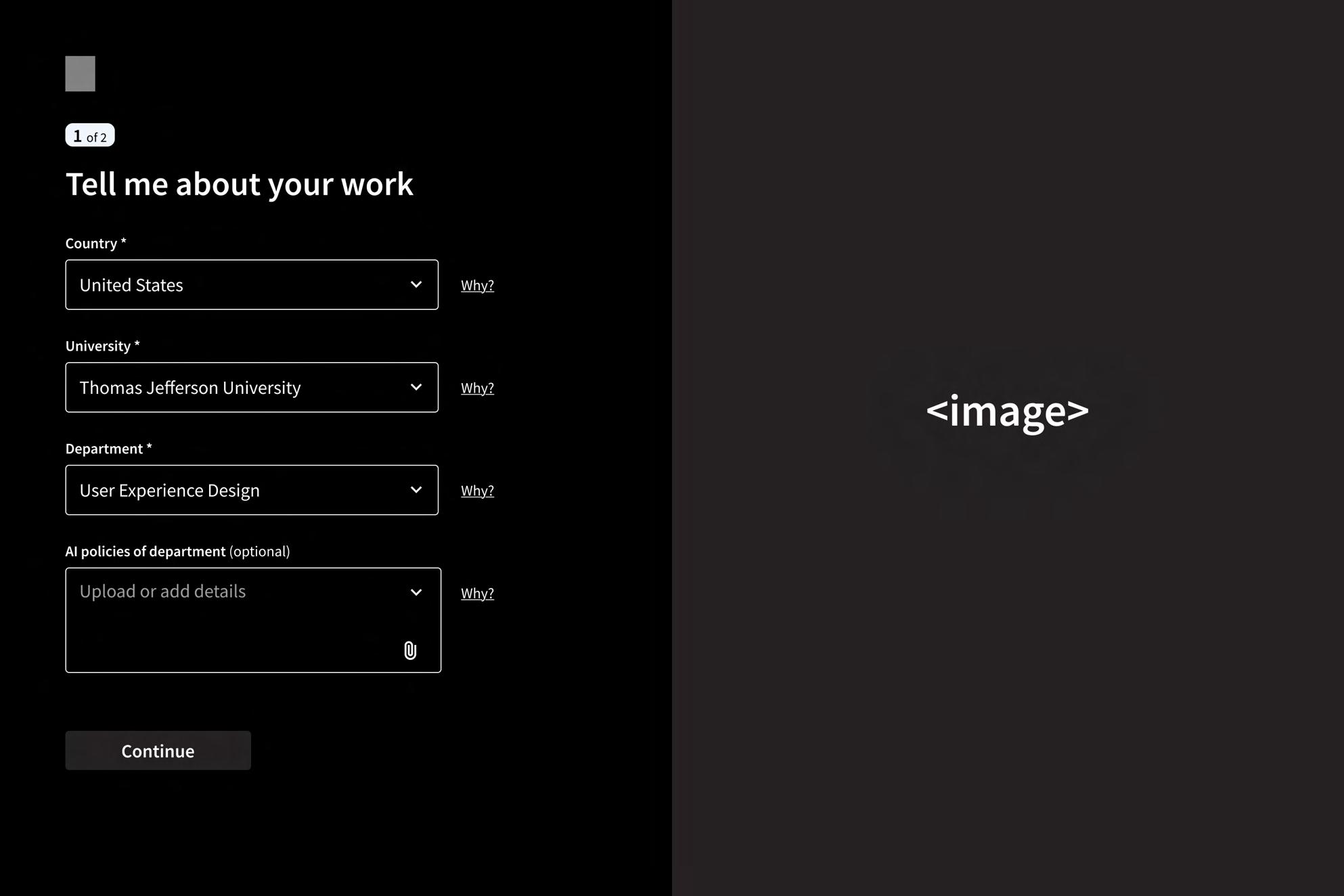
Translating Structure Into Screens
The wireframing stage translated early concepts and moodboard direction into functional layouts. At this point, the focus was on structure, clarity, and the professor’s workflow rather than visual polish. Each screen was designed to support the preventive approach at the heart of TraceEd, guiding educators from onboarding to assignment creation without unnecessary steps or friction.
These low-fidelity frames allowed me to map out key interactions, including drafting an assignment, reviewing AI resilience insights, exploring alternative prompts, and exporting final versions. By keeping the wireframes simple, I could test information flow, validate the sequence of actions, and ensure that the tool supported professors in a logical and intuitive way. This step established a strong foundation for moving into high-fidelity design with confidence.
Character
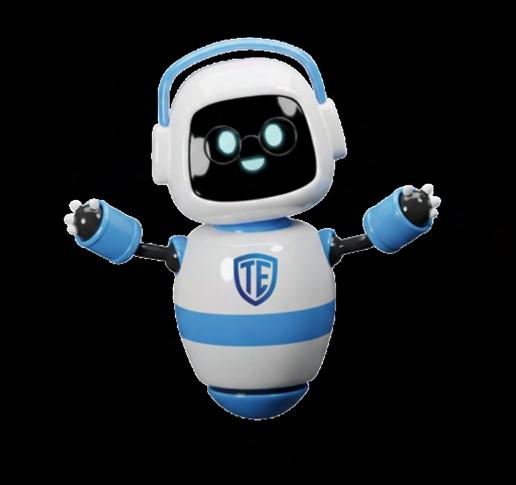


Edwin or Ed is TraceEd’s friendly AI professor, designed to feel like a supportive guide rather than a strict supervisor. He greets users by name, speaks in short, simple sentences, and keeps the tone encouraging and approachable.

TraceEd’s visual system is built to feel trustworthy, calm, and familiar for educators. Edwin’s character, the shield-based logo, and the cool blue palette work together to create a supportive, academic tone. These elements keep the interface consistent and approachable while guiding professors through the platform with clarity.
Style Guide
Typography
Heading 1
Heading 2
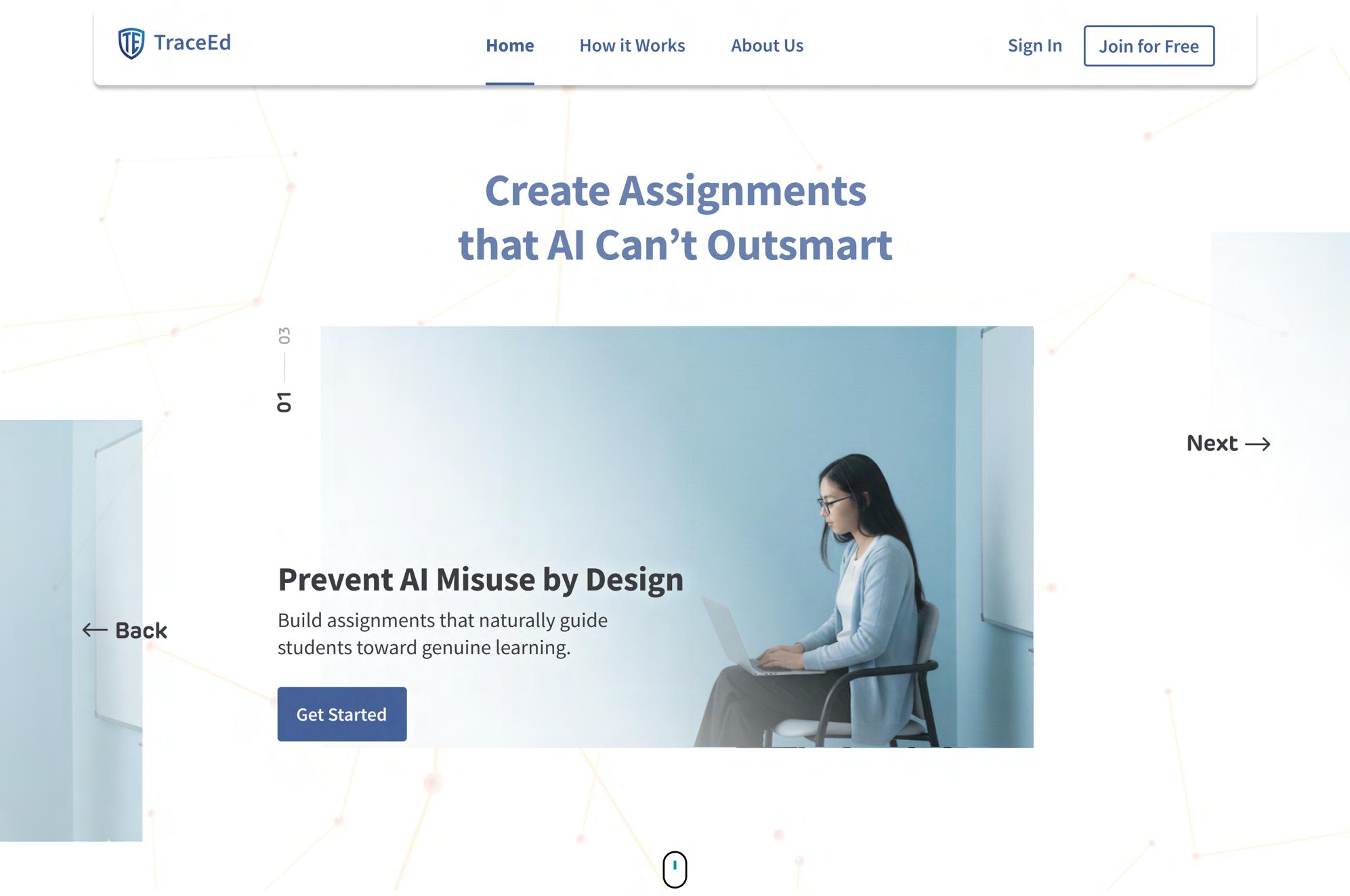
Landing page
Before Authentication
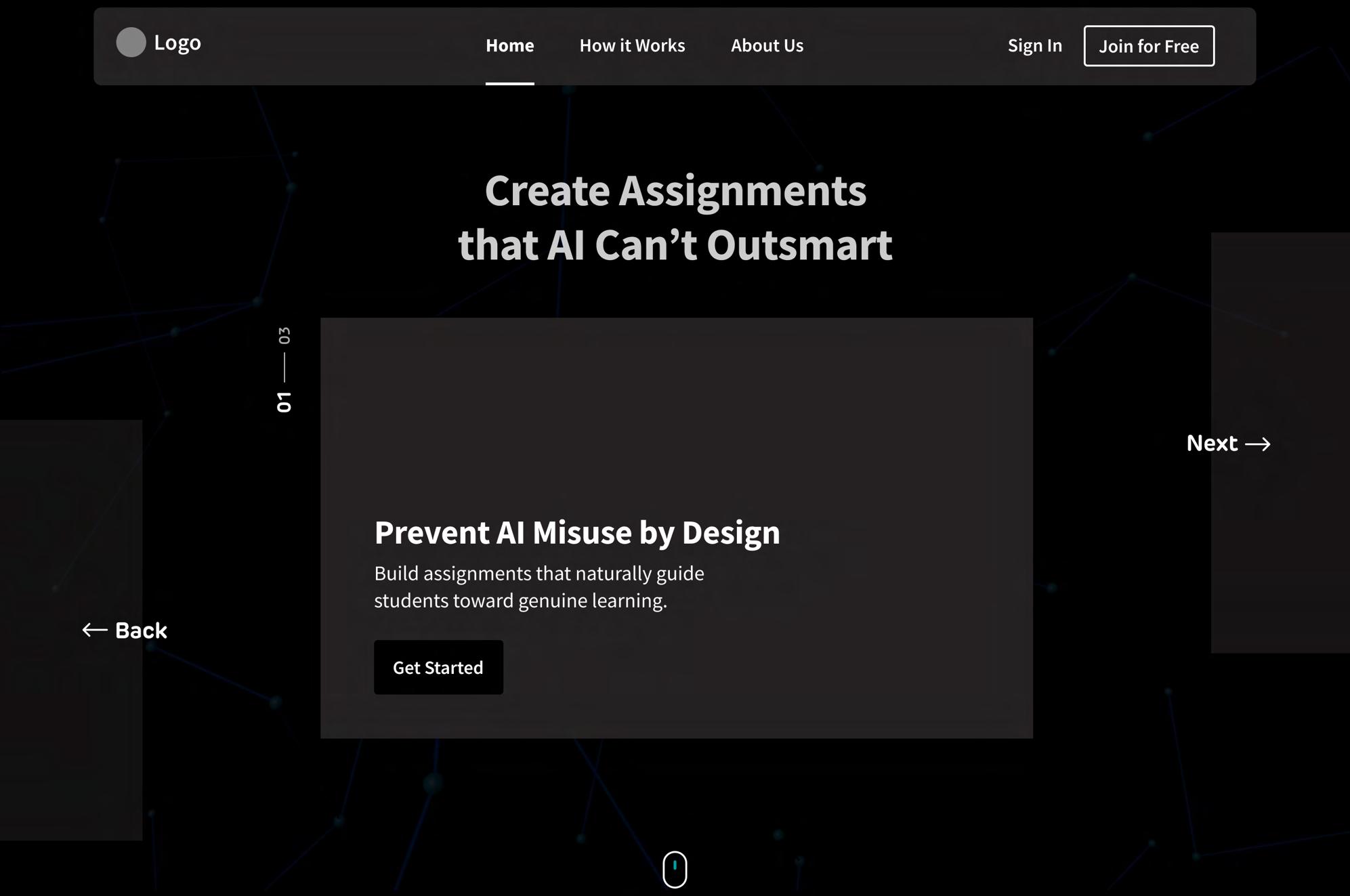
Communicates TraceEd’s core promise of prevention-first assignment design, setting immediate clarity for new visitors. Hero Banner
Provides a quick 3–4 step overview that helps new users understand TraceEd’s workflow from draft upload to assignment posting. How It Works
About Us
Introduces the purpose and mission of TraceEd, giving visitors immediate clarity about what the tool stands for.
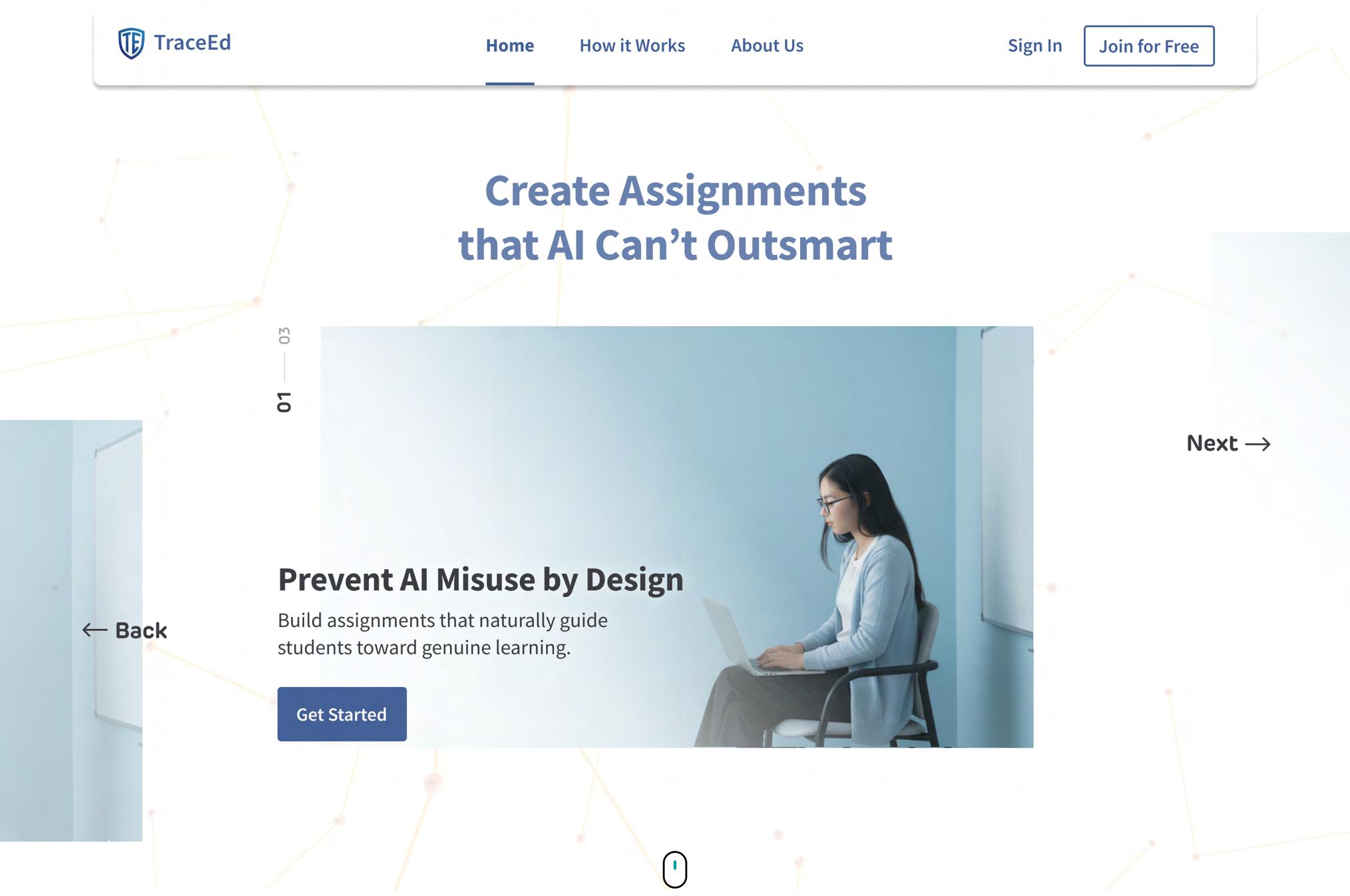
Primary CTA
Encourages educators to begin exploring the tool; leads to onboarding or sign-up flow.
Gives returning users an accessible entry point into their workspace. Sign In
Creates a clear, inviting invitation for educators to begin using TraceEd without payment barriers. Join For Free
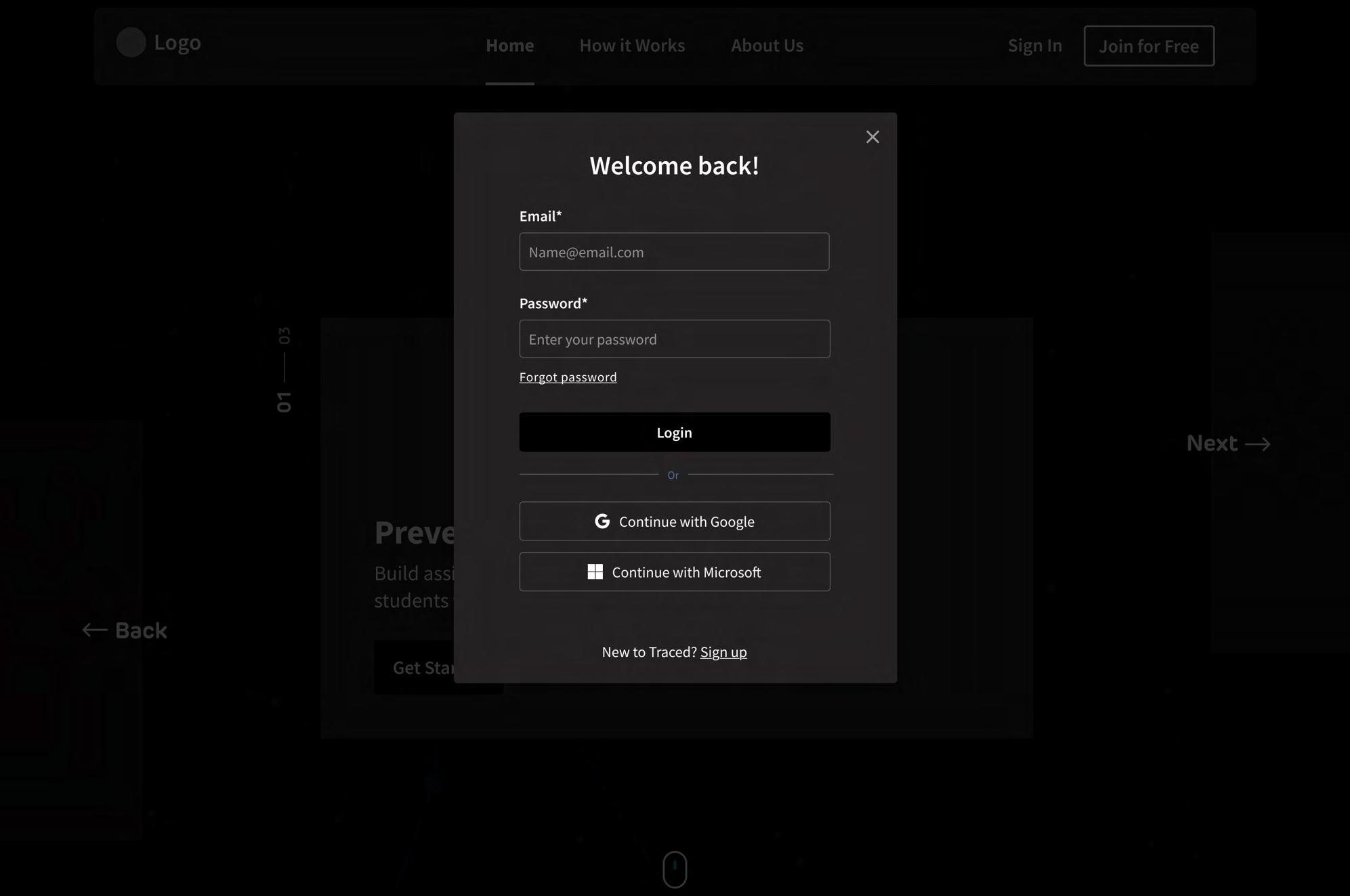
Users enter their registered email; placeholder text provides clarity on expected format. Email Input Field
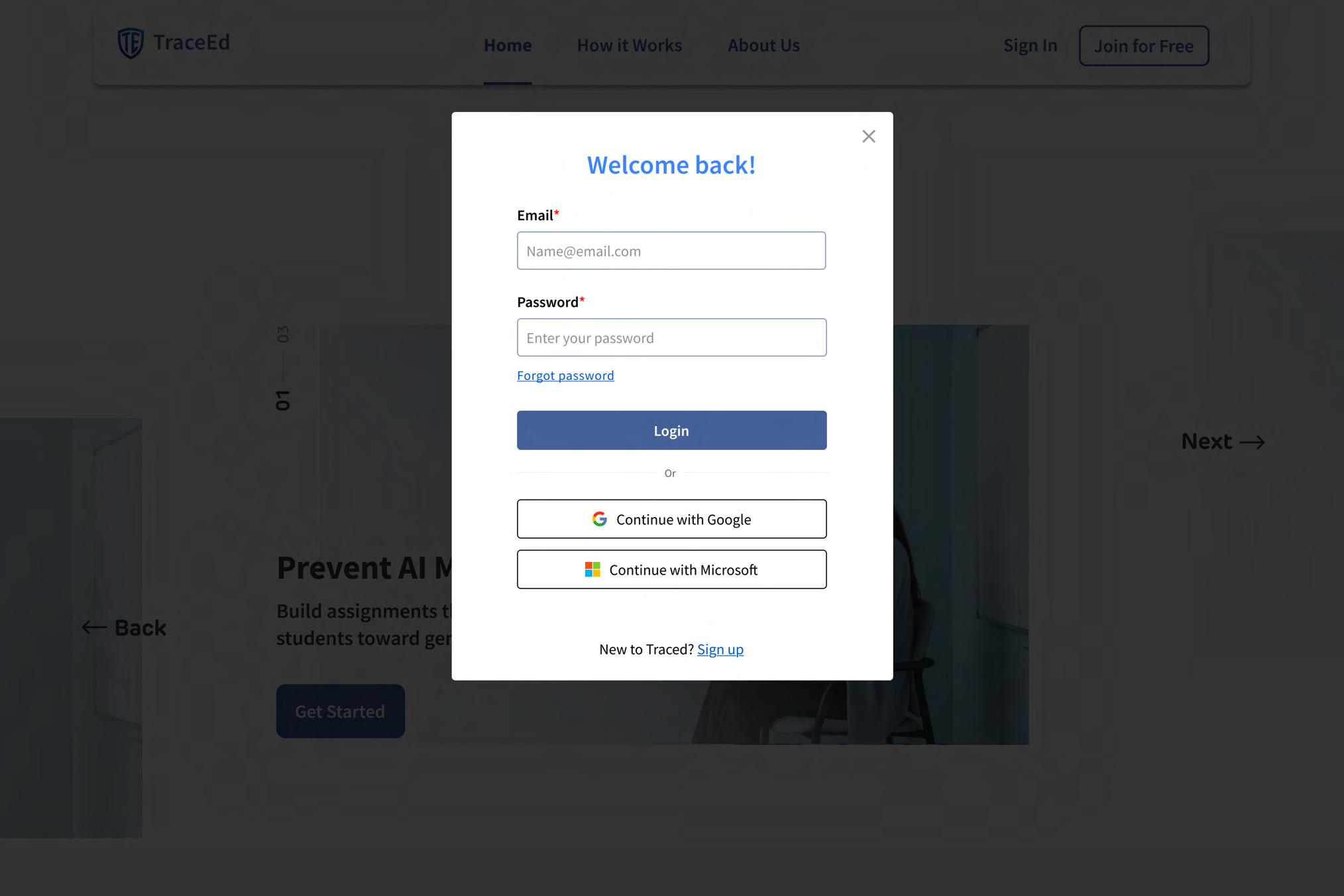
Continue with Google
Enables quick, one-click sign-in using Google accounts, reducing entry barriers for educators.
Continue with Microsoft
Allows users from institutions using Microsoft 365 to log in seamlessly through their organizational account.
Establishing Context and Motivating Sign-Up
The landing page is designed to immediately communicate TraceEd’s value to educators before they authenticate. The hero banner clearly highlights the promise of AI-resilient assignment design, helping professors understand why TraceEd exists and how it supports their teaching. Supporting sections like How It Works and About Us provide quick, high-level context, giving visitors confidence in the tool without overwhelming them with details.
To encourage account creation, the page includes multiple, strategically placed entry points: a primary CTA inviting new users to get started, a Join for Free button for frictionless onboarding, and a Sign In link for returning users. Instant-access options such as Continue with Google and Continue with Microsoft further reduce effort for educators using institutional accounts. These combined elements ensure that professors understand the purpose of TraceEd, trust its value, and have a smooth, low-barrier path to creating an account.
Secure input field for returning users to enter their password, with masking for privacy. Password Input Field
Onboarding
Character Illustration
Introduces the friendly AI guide who will assist professors through onboarding, making the experience more approachable and less technical.
Onboarding Context Message
Explains why the system is asking questions, how long it will take, and how it improves personalization - reducing hesitation and increasing completion rates.
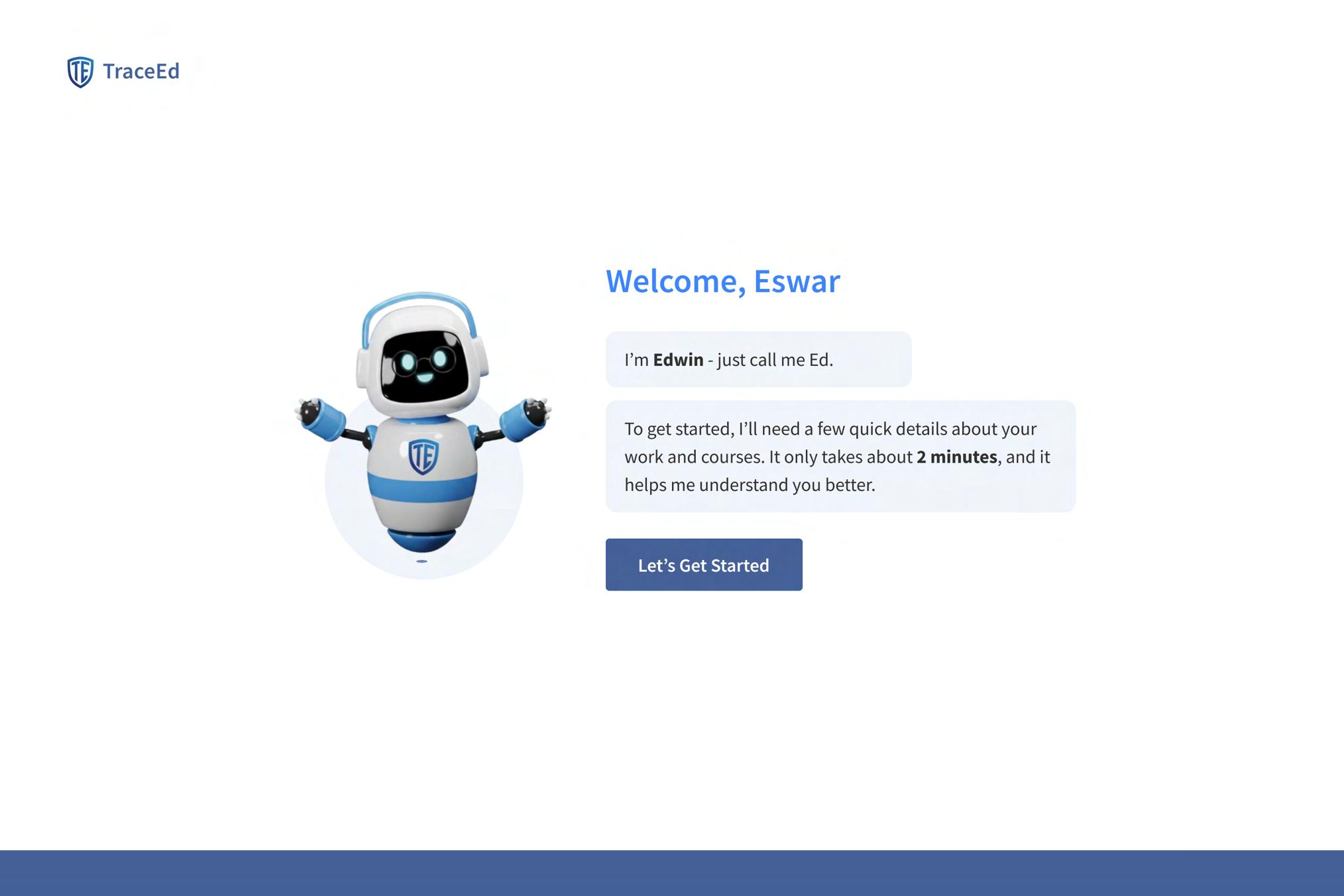
Let’s Get Started
Encourages users to begin onboarding immediately; designed as the main action on the page.
Trigger Link
A small, optional link placed beside fields that allows users to understand specific information is being requested, reducing hesitation and increasing “Why?”
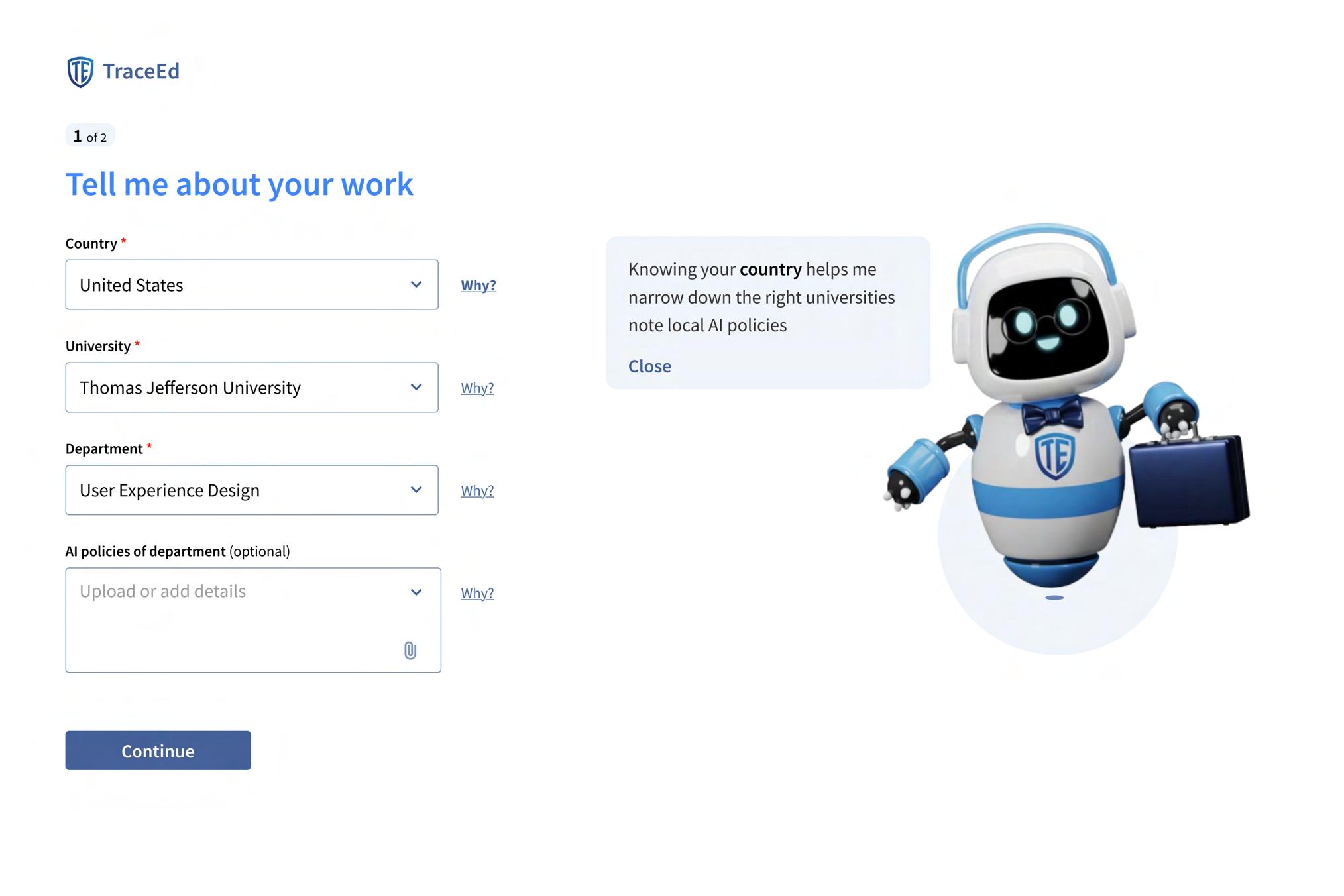
Optional Field Fields that are not subtle “Optional” flexibility and reducing onboarding.
Edwin Pop-Up Explanation
When
Field Indicator
Designing a Supportive and Low-Friction Onboarding Experience
The onboarding flow is intentionally crafted to make professors feel supported from the moment they sign up. Edwin, the AI guide, sets a welcoming tone by introducing himself and explaining the purpose of onboarding in simple, friendly language. This helps reduce hesitation and makes the process feel less like a technical setup and more like a guided conversation.
To further build trust, each form field includes a small “Why?” link that explains why specific information is being requested. These microexplanations reassure educators that the system values transparency while improving personalization. Optional fields are clearly labeled to reduce pressure, giving users flexibility to share only what they’re comfortable with. Clear call-to-action buttons like “Let’s Get Started” gently lead professors forward, ensuring the flow feels intuitive and stress-free.
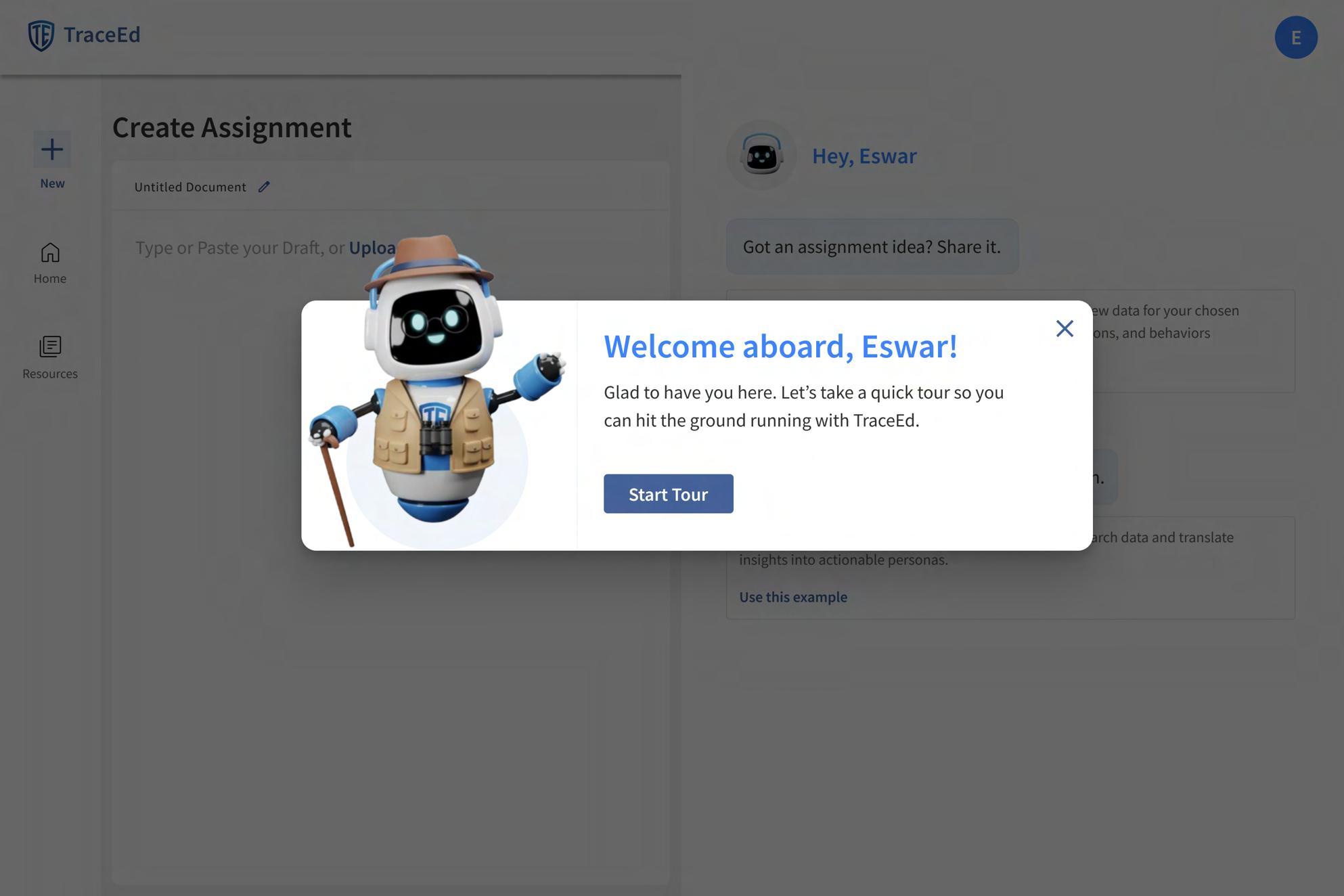
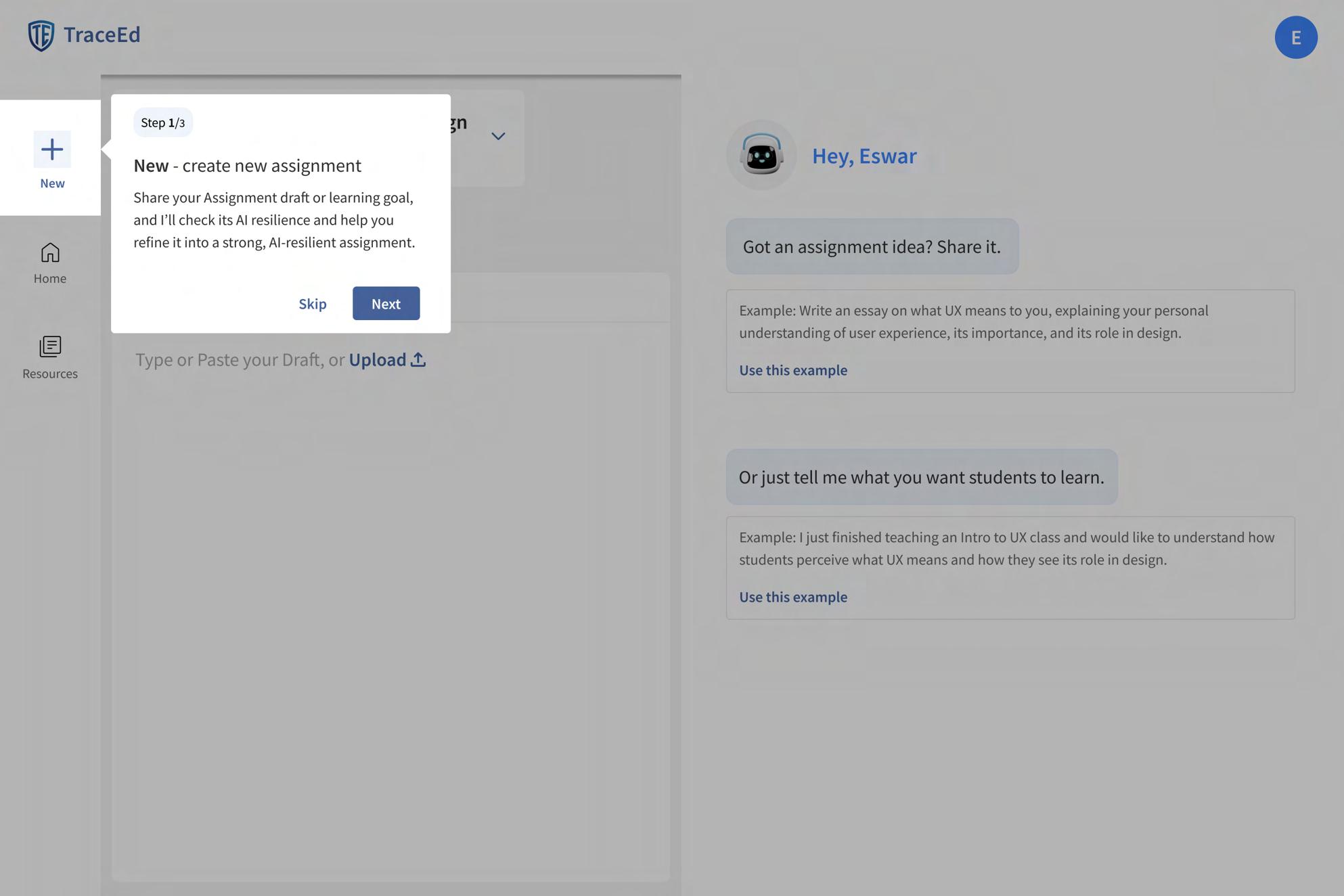
Guided Tour
Edwin (Explorer Outfit)
Edwin appears in an explorer outfit to signal the start of a guided tour. This visual metaphor sets a friendly, supportive tone and reduces user anxiety about learning a new tool.
Onboarding Message
A brief explanation that introduces the tour and outlines its purpose, helping the user get comfortable and productive quickly with TraceEd.
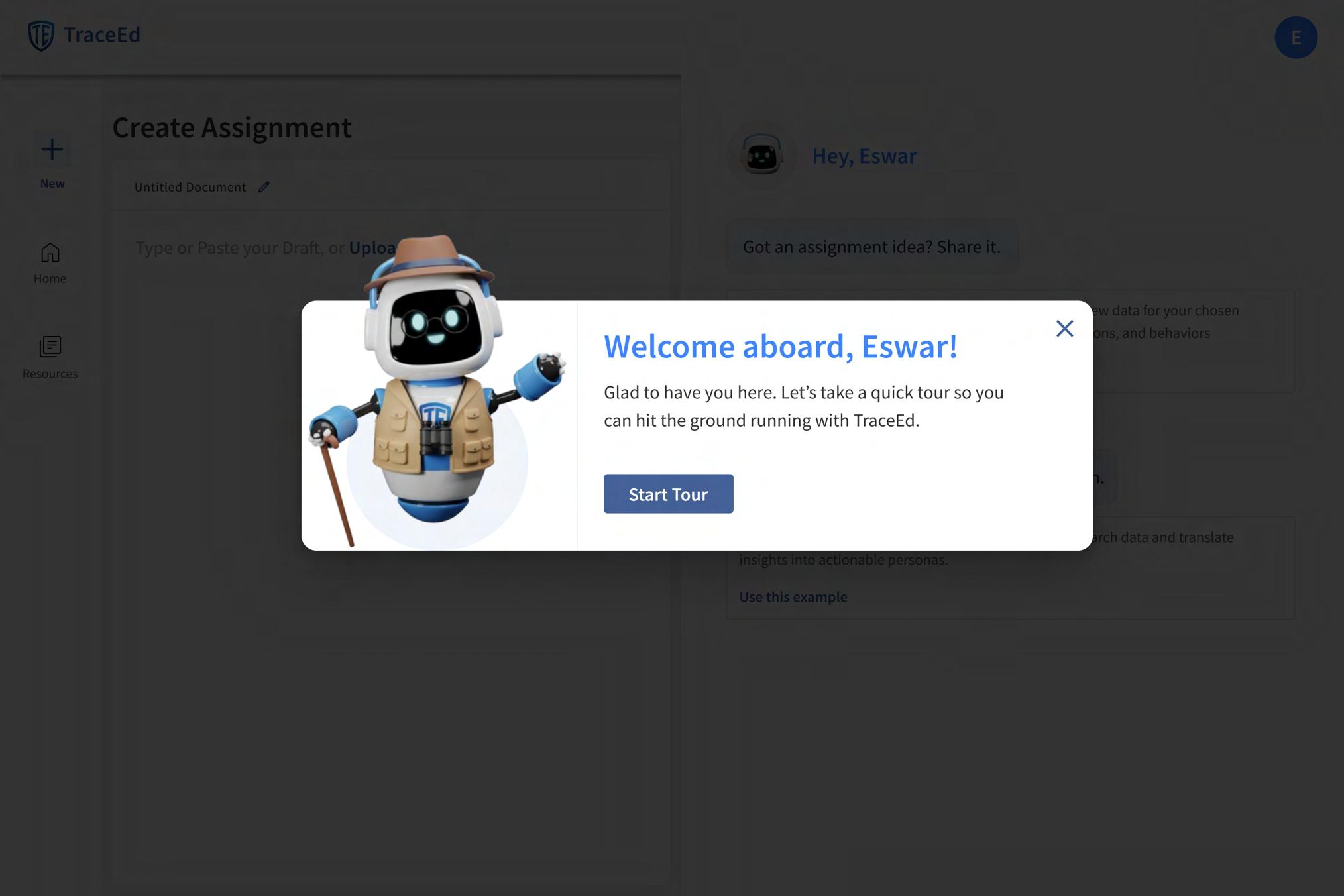
‘Start Tour’ CTA
A clear and prominent button that initiates the guided walkthrough of key features, ensuring users don’t miss core functionality.
Guided Highlight Box
Each feature being introduced is wrapped soft highlight or glow, drawing the to the exact element they should focus This reduces confusion and ensures step-by-step learning.
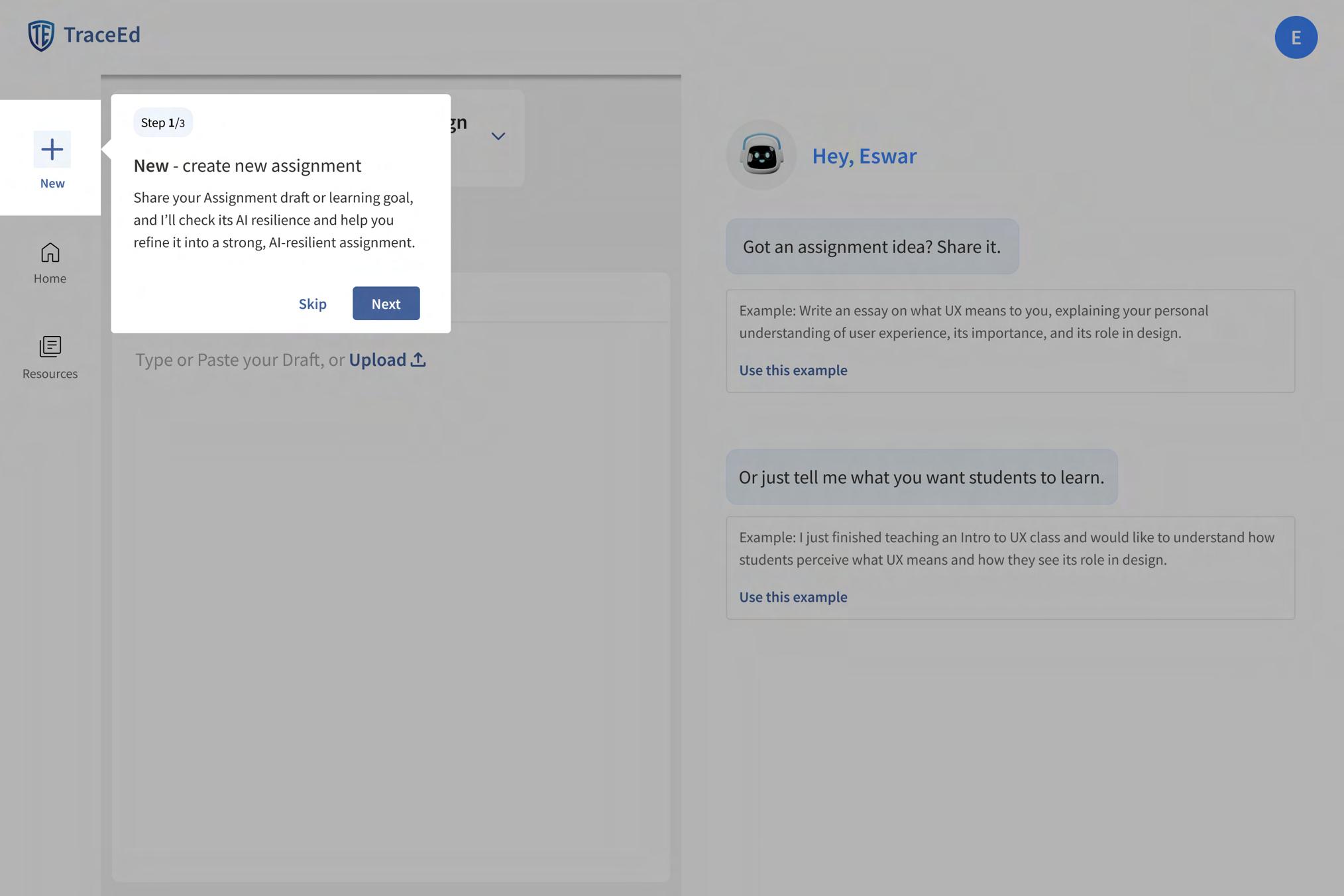
Secondary CTA - “Skip”
Gives educators the freedom to bypass the guided walkthrough and explore independently. This respects their autonomy and supports power users.
Step Counter
Primary CTA - “Next”
Prominent navigation button allowing users to move to the next feature highlight. Ensures
Helping Professors Quickly Understand Key Features
The guided tour is designed to help professors feel confident using TraceEd from the very first interaction. Edwin appears in an explorer outfit to signal discovery and learning, setting a friendly tone and easing the anxiety of navigating a new tool. The tour begins with a clear welcome message and a prominent “Start Tour” CTA, ensuring that educators don’t miss important features.
Each step in the tour uses a soft-highlighted box to direct attention to exactly where it’s needed, preventing confusion and reducing cognitive load. A step counter at the top manages expectations by showing how many steps remain, which helps minimize drop-offs. “Next” buttons appear in each tooltip, guiding users smoothly through the experience, while an optional secondary CTA allows confident users to skip ahead. Together, these elements create a structured, low-friction introduction that helps professors become productive with TraceEd quickly and comfortably.
A small progress indicator shows users how many steps are in the tour. This helps manage expectations and reduces drop-off during onboarding.
smooth, linear guidance.
in a user’s eyes focus on.
AI-Resilience Score
Side Navigation
“New” creates a fresh assignment, “Resources” lets professors manage course materials and AI policies, and “Home” opens the dashboard with all draft and published assignments.
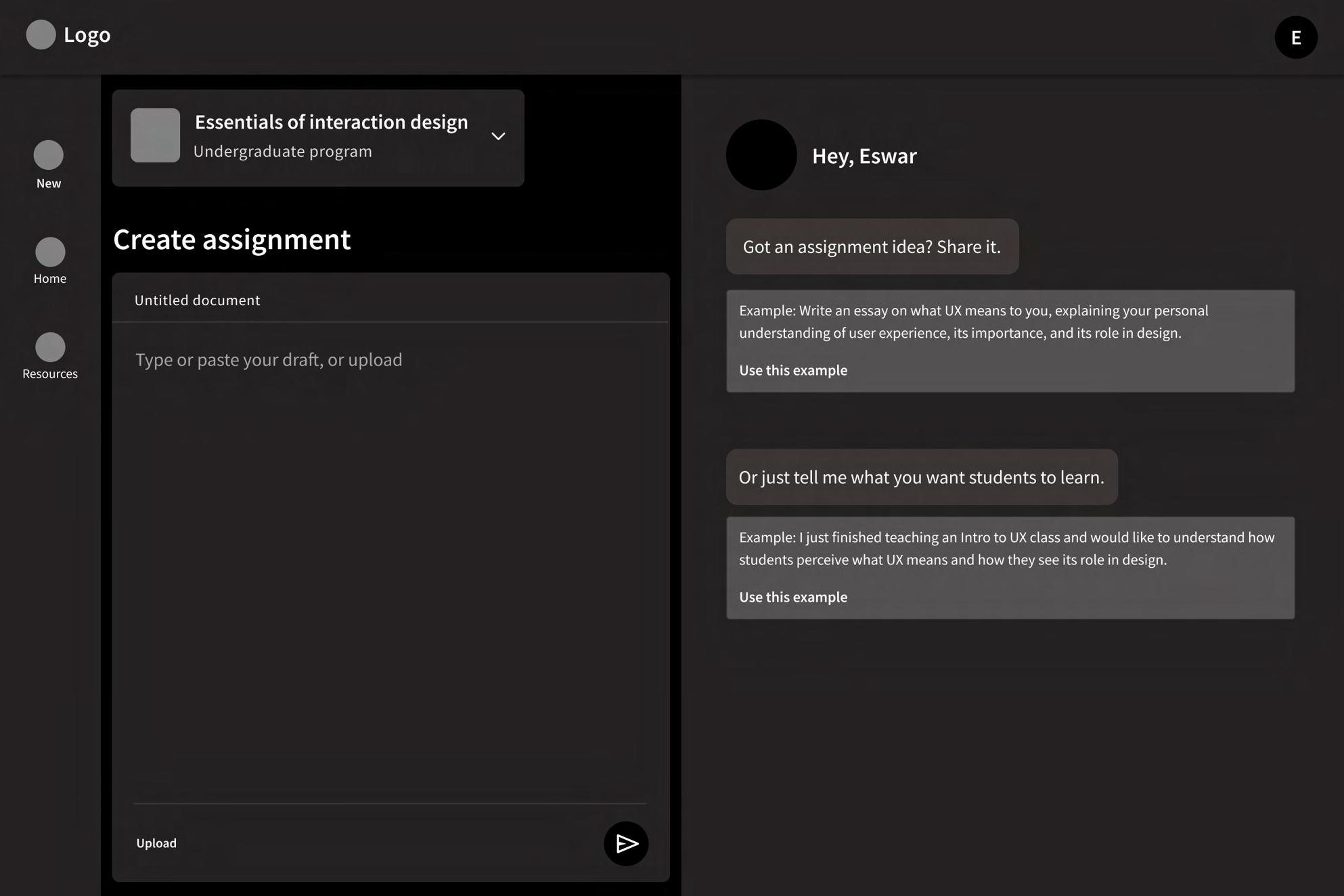
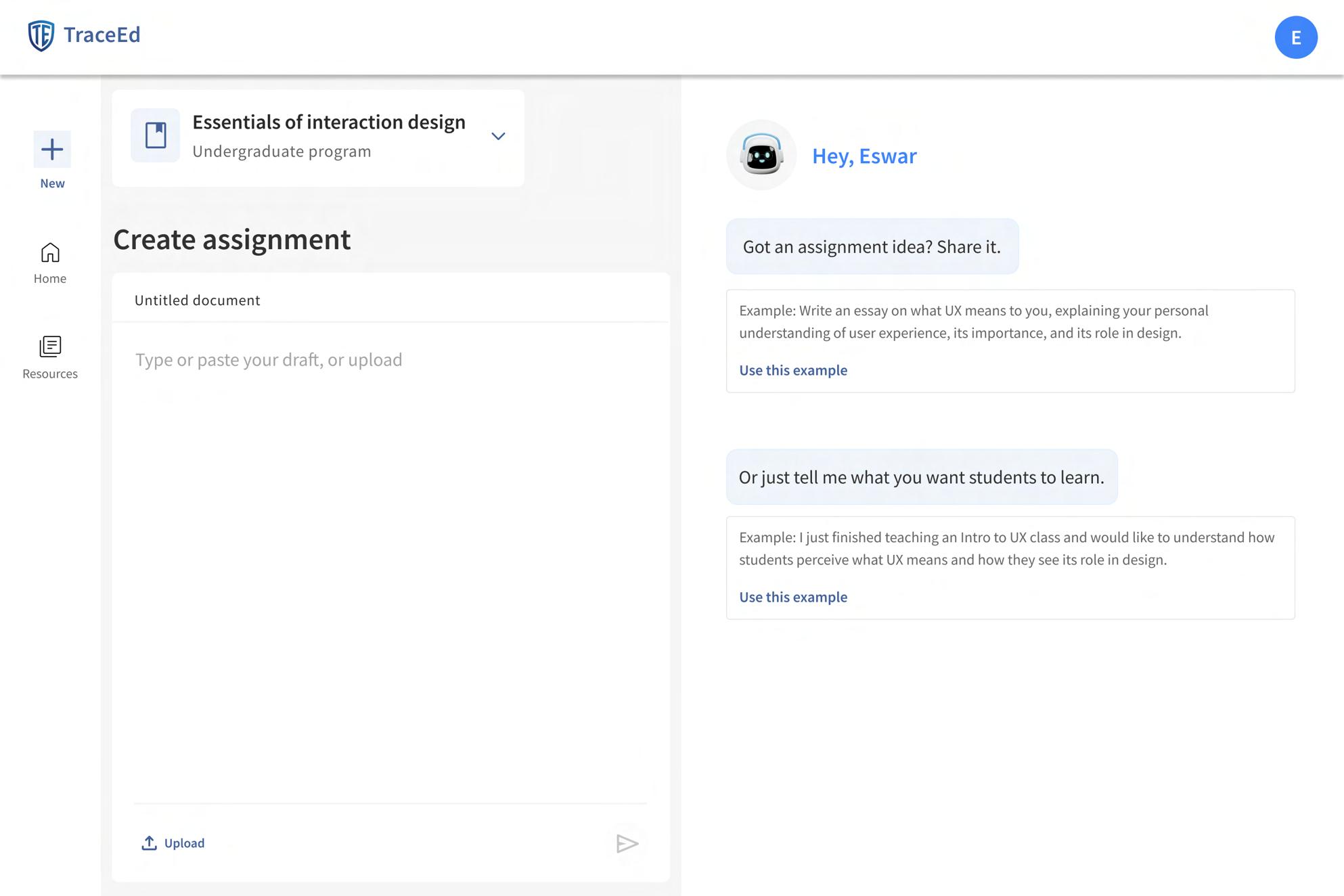
Course Selector Card
Displays the currently selected course. Professors can expand this section to switch courses, ensuring assignments are always tied to the correct class context.
Example Prompt Box
Shows the level of detail needed for a strong assignment description, with a “Use this example” option that fills it directly into the draft.

The upload option allows users to import an existing assignment file instead of typing manually. This speeds up the process for educators who already have a draft prepared. Upload Button
Split-Screen Layout
The page is divided into two functional areas. The left side is for writing or editing the main assignment content, while the right side provides examples and promptbased brainstorming to support idea generation.
Shows the professor’s submitted assignment draft so they can quickly confirm the text being evaluated.
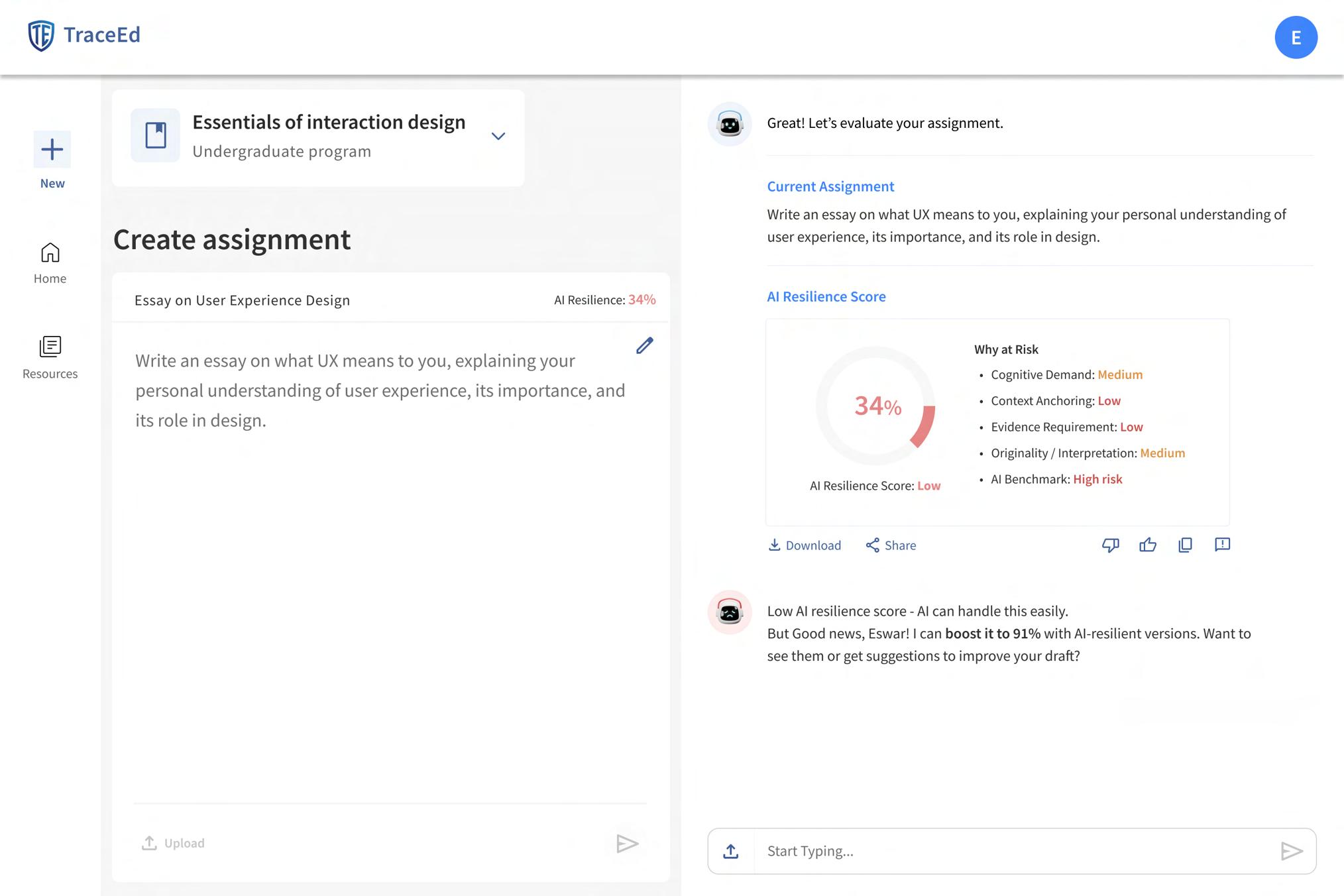
Download and Share
Allows professors to export or share the evaluation results for documentation or collaboration.
AI Resilience Score Card
Displays the assignment’s AI resilience percentage with a clear risk label, giving professors an immediate sense of vulnerability.
Explains the reasons behind the score across key dimensions Risk Breakdown
Chat Input Bar
Lets professors ask Edwin for suggestions, rewrites, clarifications, or improved versions directly from the evaluation screen.
Action Icons
Allow professors to like, dislike, copy, or give feedback on the results.
Understanding and Improving Assignment Vulnerability
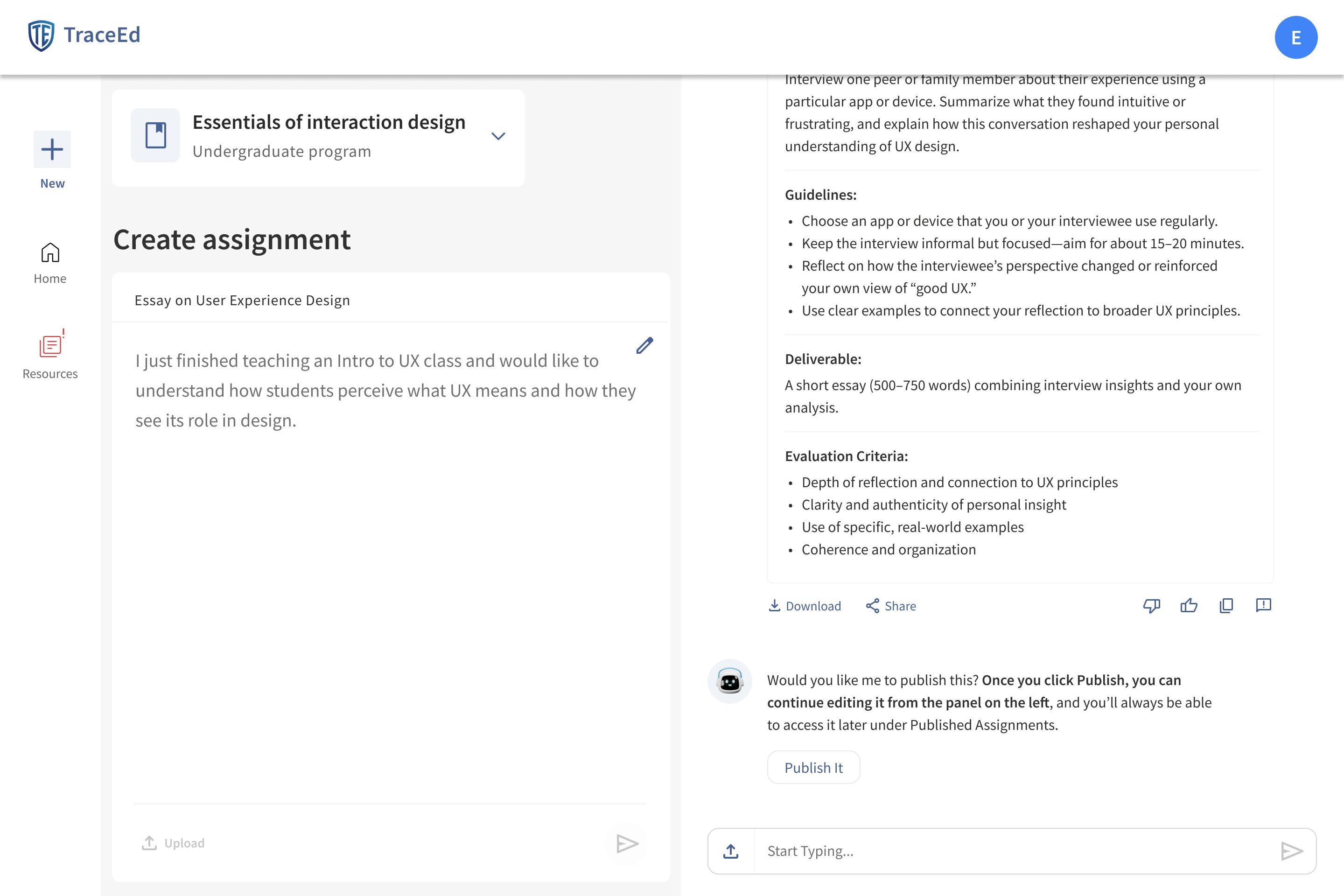
The AI-Resilience Score screen gives professors a clear, immediate view of how vulnerable their assignment is to AI-generated responses. The split-screen layout keeps the draft, examples, and evaluation results sideby-side, helping educators review and iterate without losing context.
The score card highlights the assignment’s risk level with a simple percentage and color label, while the breakdown explains the key cognitive areas that need strengthening. Supporting tools—like upload, prompt examples, chat suggestions, and share options —make it easy for professors to refine their drafts and improve resilience quickly. The entire flow is designed to offer transparent, actionable insights that guide better assignment design.
AI-Resilient Alternatives
AI-Resilient Suggestions List
Displays three stronger, AI-resilient versions of the assignment, each with a clear title and full rewritten prompt.
Improvement Indicator
Shows how much more AI-resilient each suggestion is compared to the professor’s original draft.
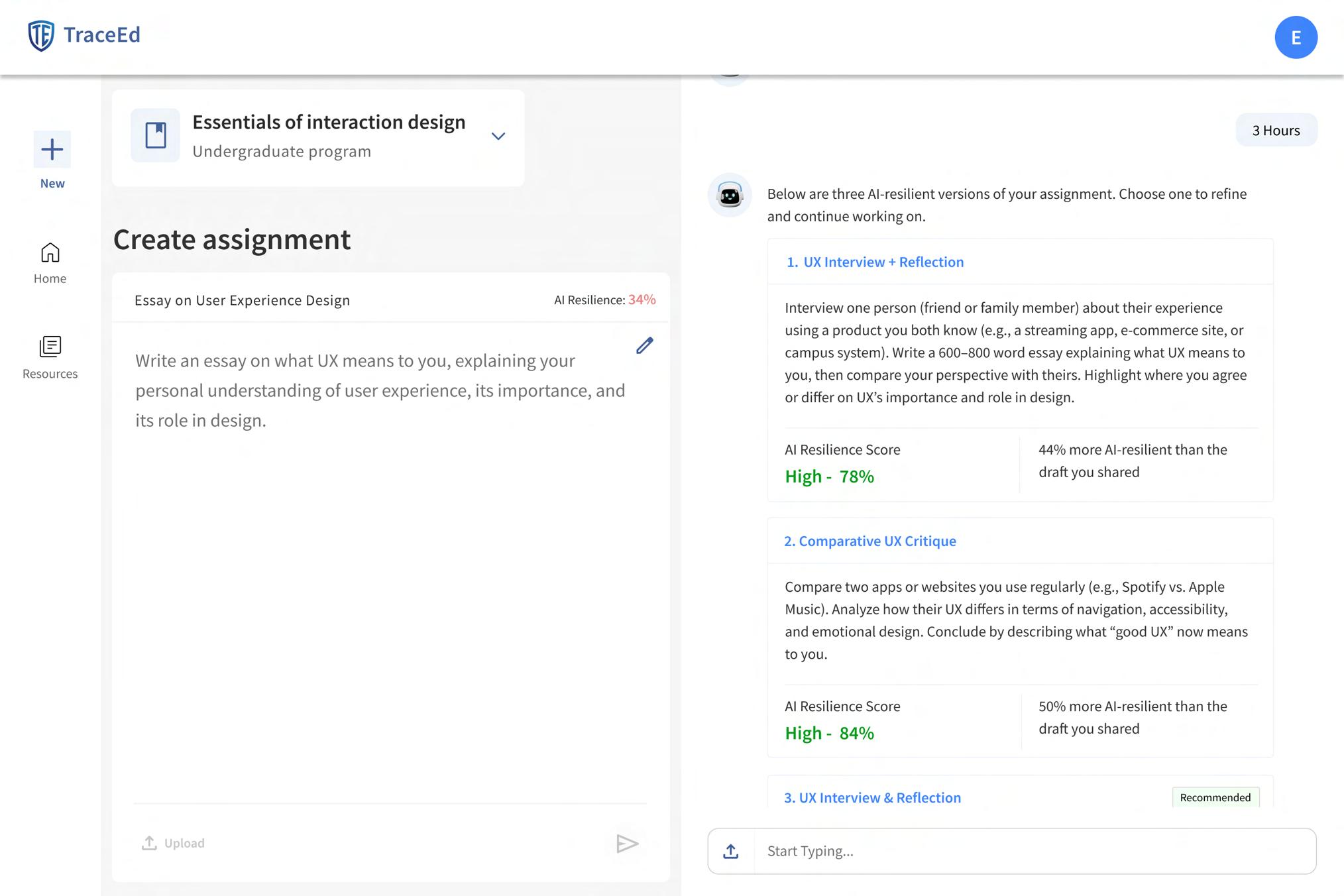
AI Resilience Score Tag
Highlights the strength of each version with a “High” score and percentage for quick evaluation.
Recommended Badge
Marks the suggestion TraceEd considers the best fit based on learning objectives and risk factors.
Shows the final AI-resilient a high resilience score review before publishing. Refined Assignment
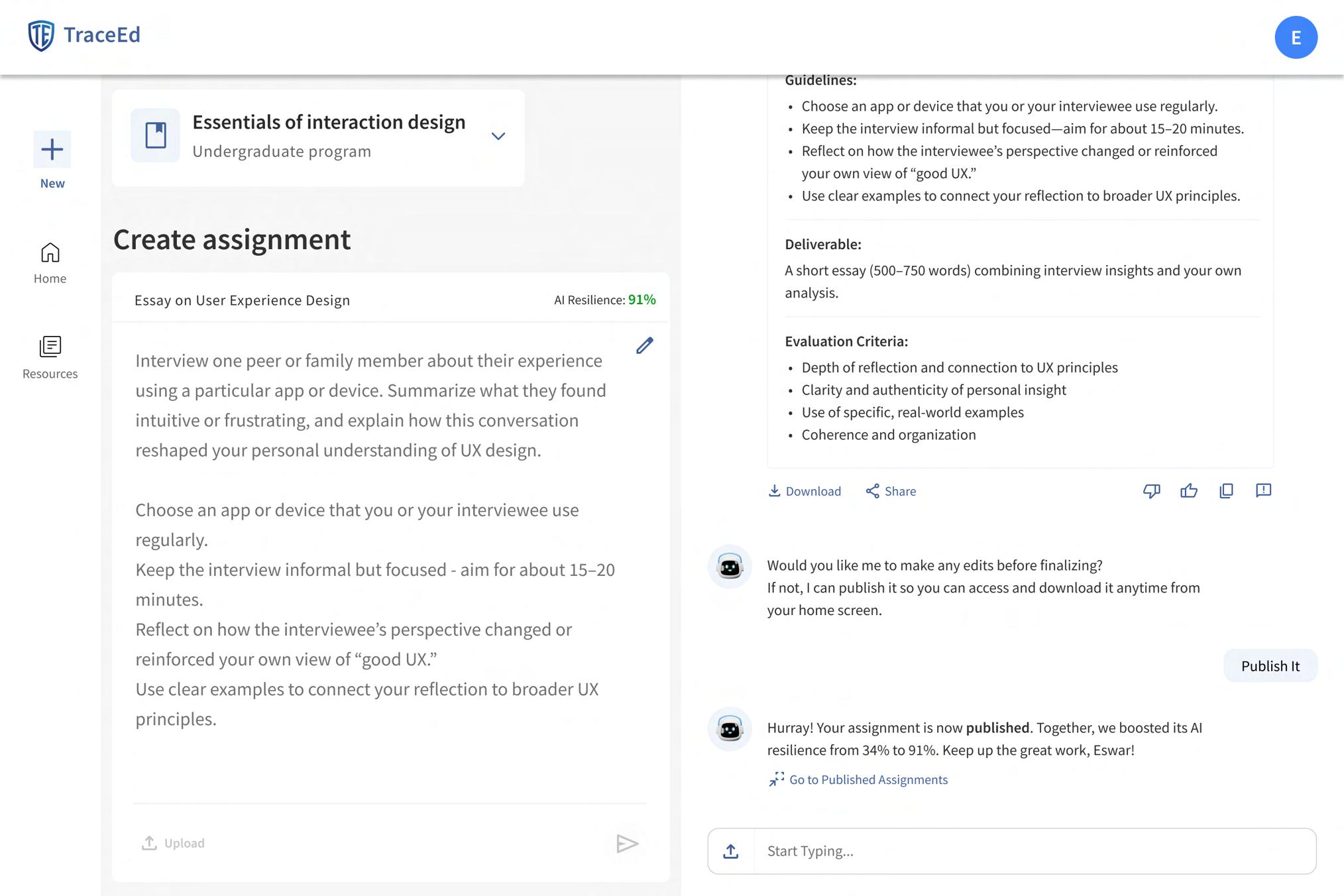
Success Message Confirms the assignment published and improvement in
Assignment View
AI-resilient assignment score for the before publishing.
Download and Share Options
Allow professors to export or share the finalized assignment immediately.
Message assignment is highlights the in AI-resilience.
Go to Published Assignments Link
Takes the professor directly to the published assignments list.
Strengthening Assignments with HighResilience Alternatives
The AI-Resilient Alternatives screen helps professors quickly refine weak or vulnerable assignments by offering stronger, highresilience versions generated from their original draft. Each alternative includes a rewritten prompt, a resilience score tag, and a recommended badge that highlights the bestfit option based on cognitive depth and learning objectives.
Professors can compare multiple suggestions side-by-side, using the improvement indicator to understand how each option increases AI resistance. Once a version is selected, the refined assignment appears in full detail, allowing final review before publishing. Clear download and share options support easy distribution, while success messages confirm completion and guide educators toward their published assignments. This flow ensures that professors move from vulnerable drafts to stronger, AI-resilient tasks with clarity and confidence.
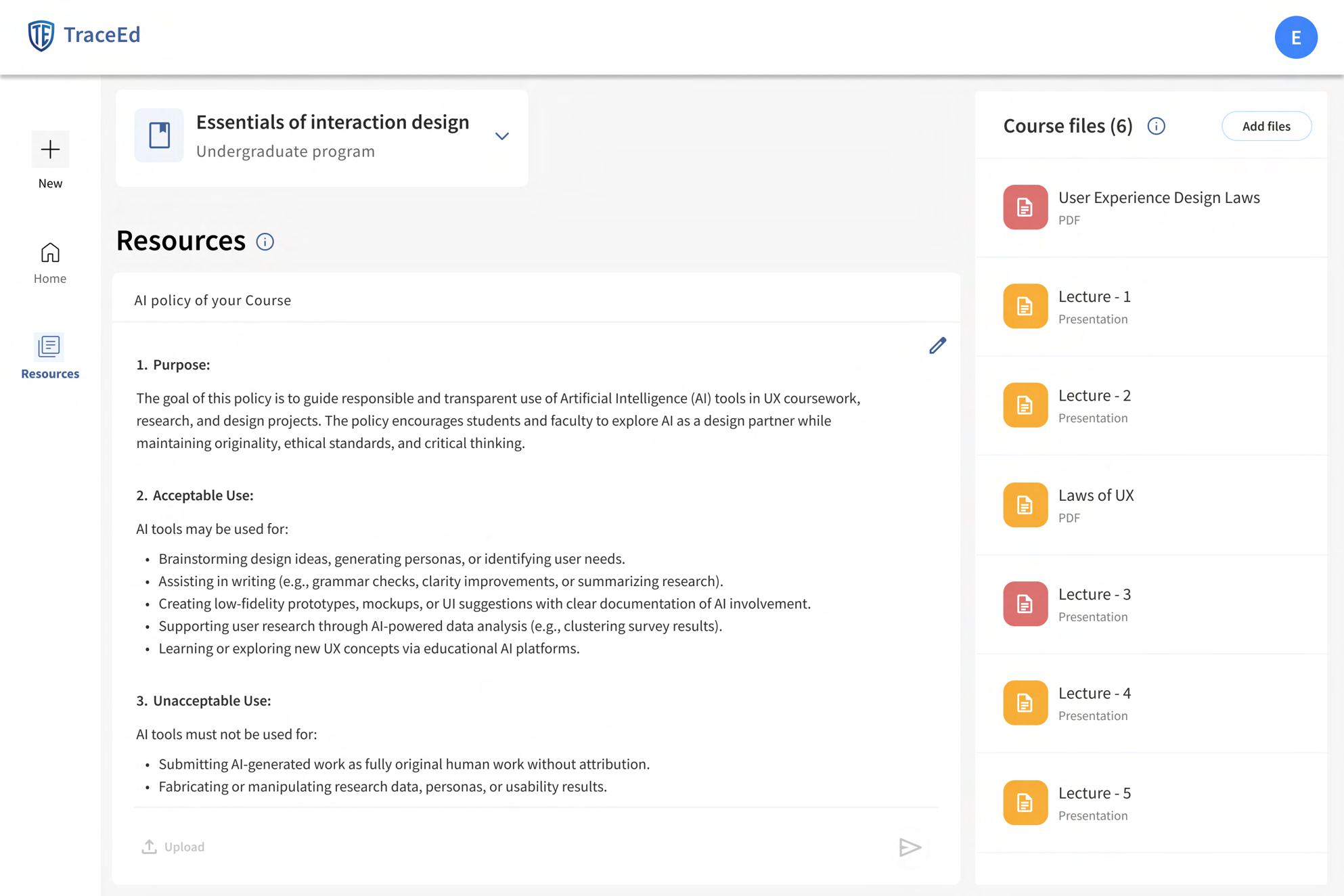
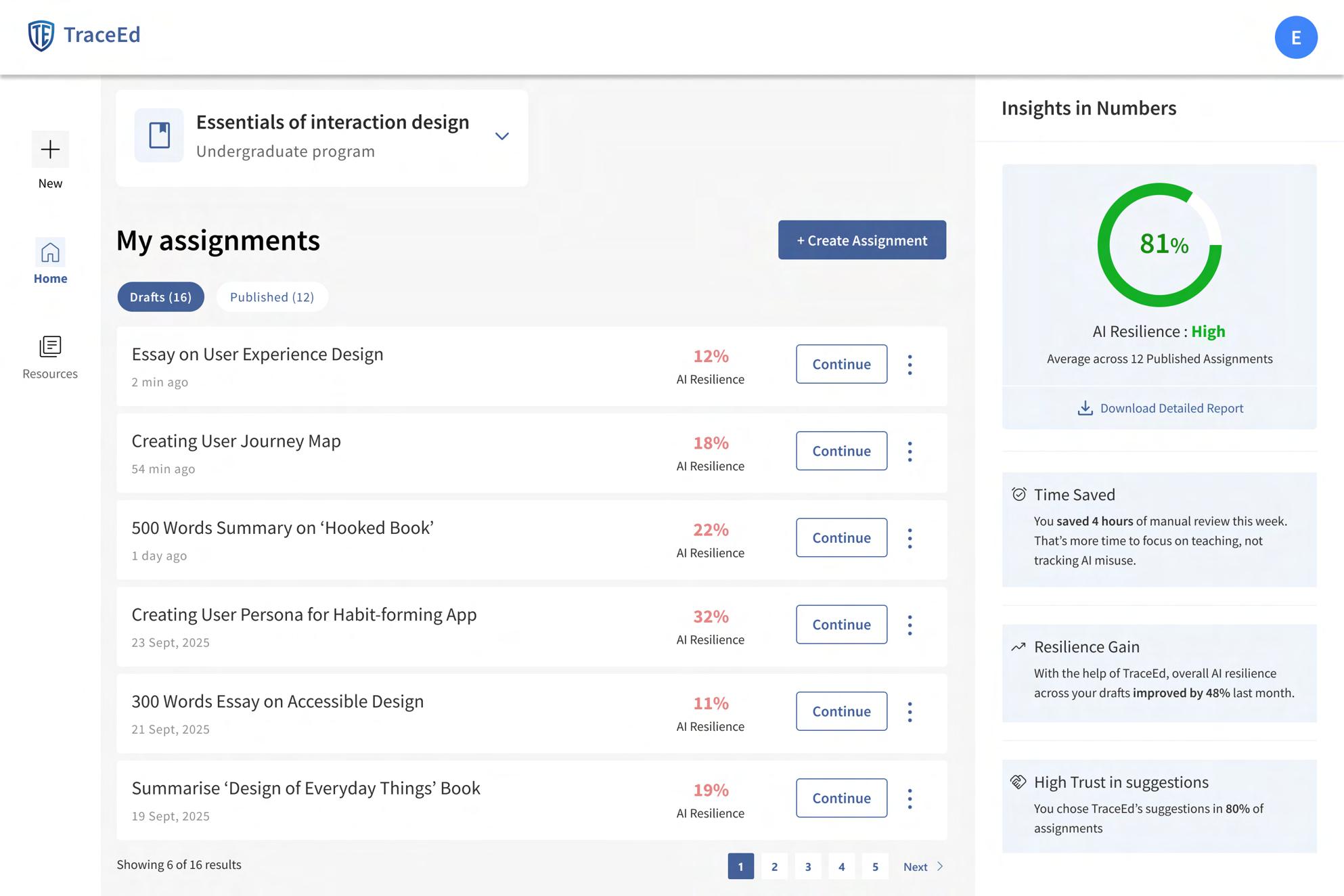
Home & Resources Pages
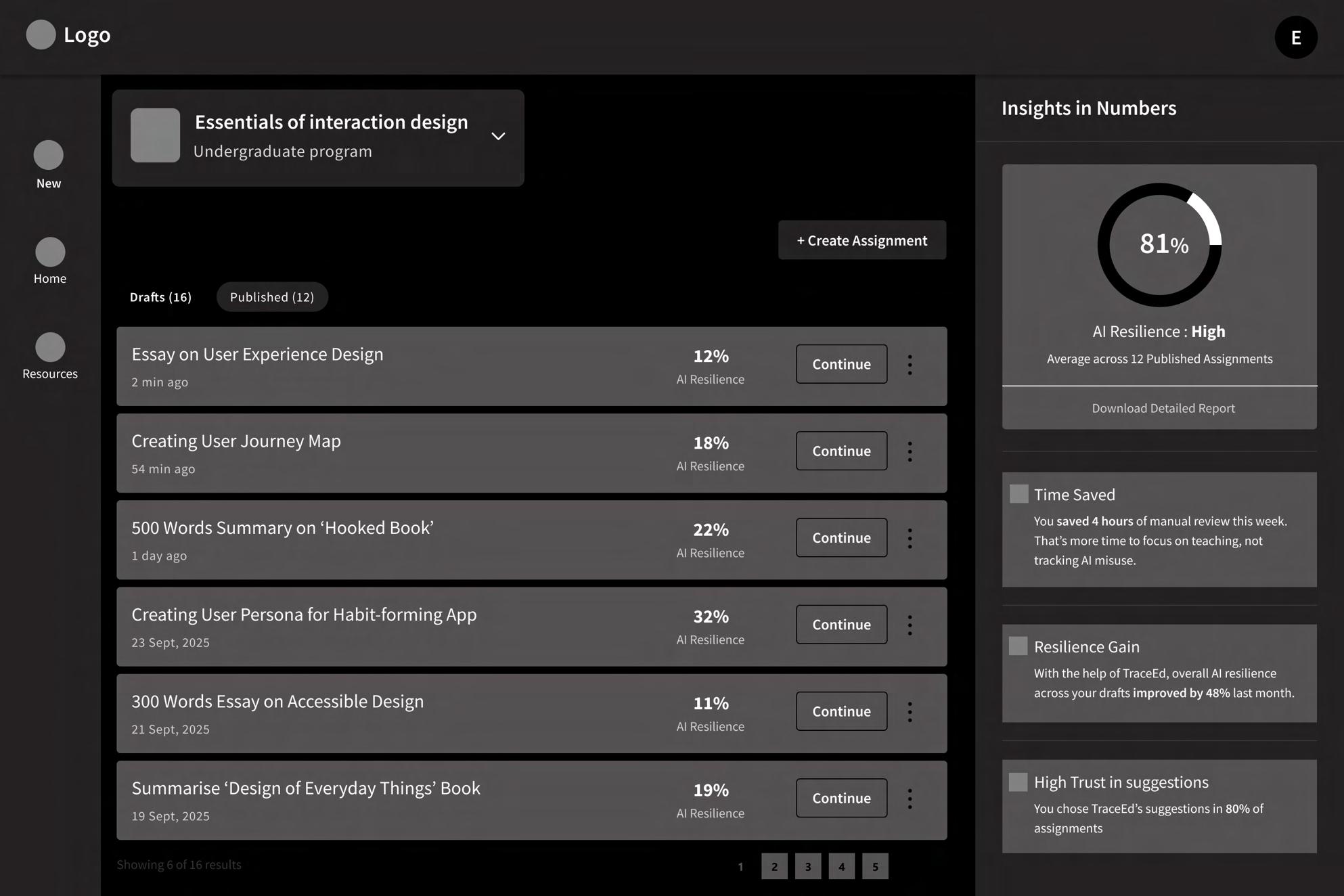
Drafts and Published Tabs
Displays all drafts with timestamps, AI-resilience scores, and a “Continue” button to resume editing. Assignment List
Allows professors to start a new assignment directly from the dashboard. Create Assignment
Let users quickly toggle between assignments still in progress and assignments already finalized. Insights Panel
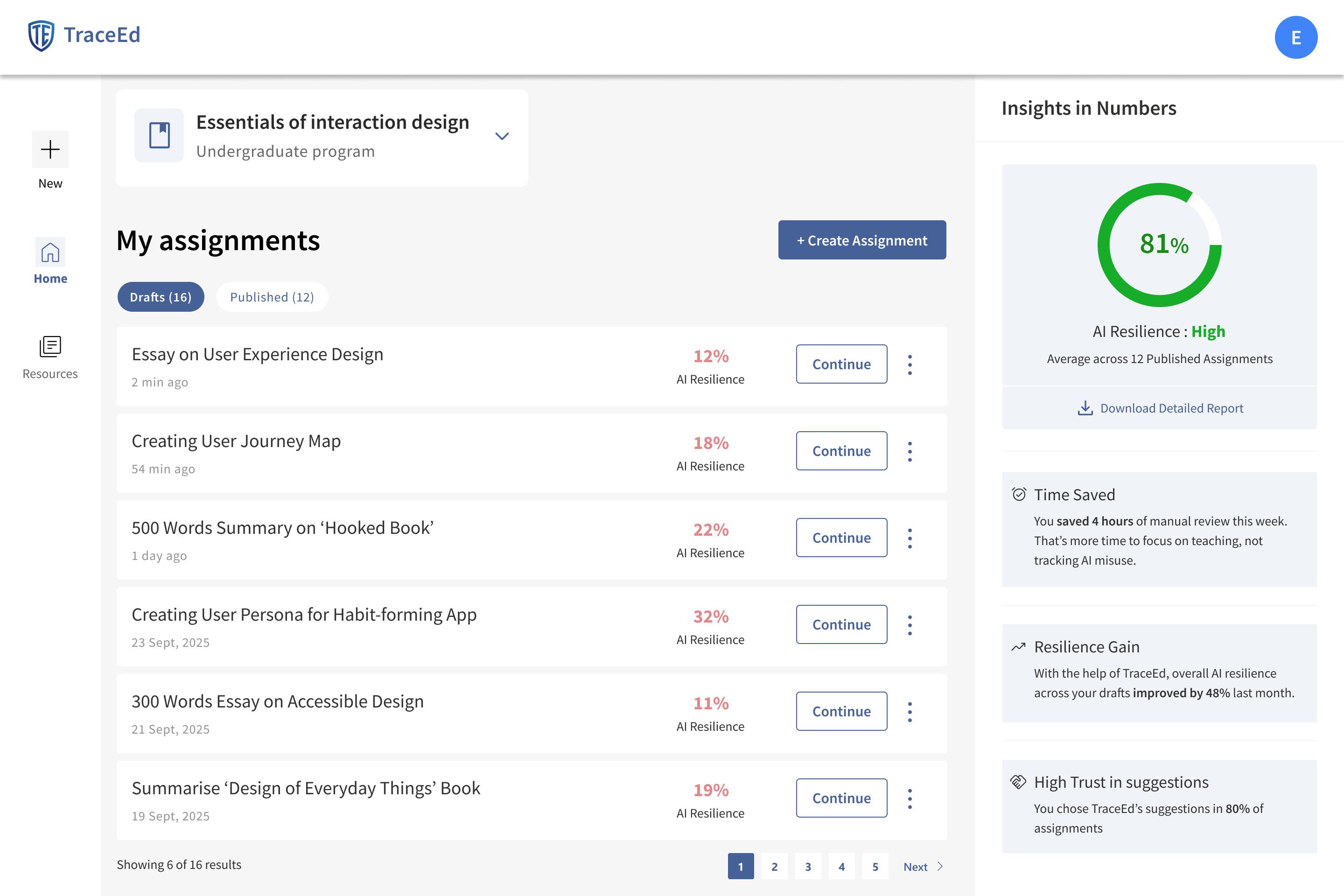
Provides extra options like rename, duplicate, delete, or move to published. Three-Dot Menu
Allow professors to browse through longer lists of assignments. Insights Panel Pagination Controls
Summarizes performance with metrics like overall AI-resilience score, time saved, resilience improvement, and trust in suggestions.
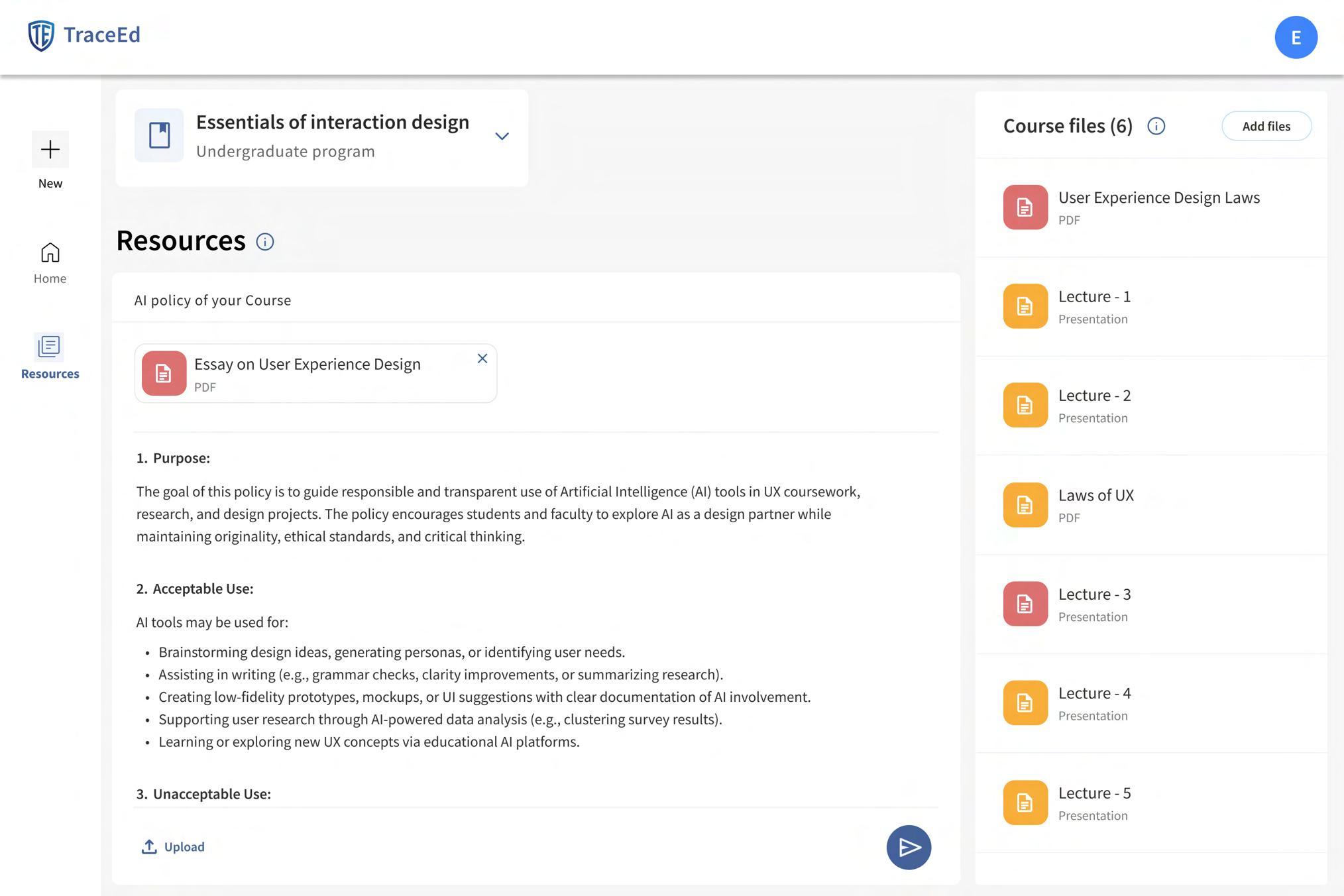
Lets professors upload an existing AI policy document (PDF, DOCX, or text) to attach it to the course.
Managing Assignments & Materials
The Home and Resources pages are designed to give professors a clear, organized overview of everything they manage inside TraceEd. The Home page brings all assignment activity into one place, separating drafts from published work so educators can quickly return to ongoing tasks or review completed ones. Each assignment card includes timestamps, AIresilience scores, and a “Continue” button, helping professors easily track progress and pick up where they left off.
The Resources page centralizes all courserelated materials, making policy management and file organization effortless. Professors can upload or edit their AI policy, manage course files, and store documents in structured file cards for quick recognition. Features like the three-dot menu, pagination tools, and the “Add Files” button streamline large-course management, reducing clutter and ensuring important materials are always accessible. Together, these pages create a dependable hub where professors can manage their teaching workload with clarity and efficiency.
Shows all uploaded course materials in one organized list. Course Files Panel
Allows professors to upload new PDFs, presentations, or documents relevant to the course. Add Files Button
Display each file with its name, format, and icon for quick recognition. File Cards
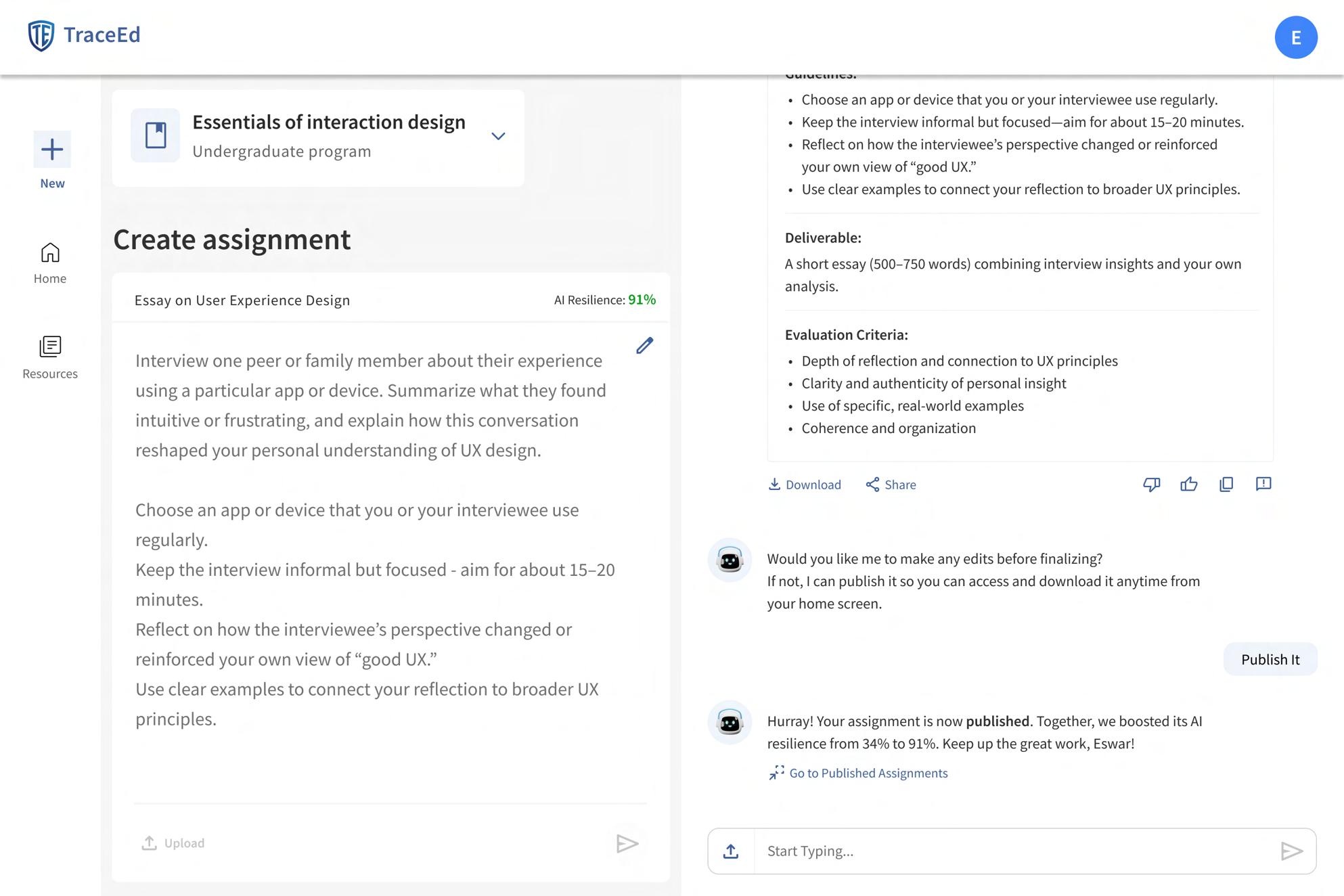
Visual Design: Prototype

Refining the Design Into a Working Prototype
The final stage of the process was bringing all design decisions together into a functional high-fidelity prototype. Every screen, from onboarding to assignment scoring, was refined to reflect the visual language, interaction patterns, and user experience established in earlier stages. This step allowed the full flow to be tested as a cohesive product, ensuring that educators could navigate the tool intuitively and experience the prevention-first approach firsthand.

The prototype captures the complete end-toend journey, including guided onboarding, AI resilience scoring, alternative suggestions, and resource management. Building it allowed me to validate layout choices, confirm screen to screen consistency, and prepare the product for usability testing. Scannable access makes it easy for reviewers to interact with TraceEd as a live experience rather than static screens.
Tes
Test
Usability Testing
Key Tasks Explored
Recruiting
To understand how educators interact with TraceEd, I conducted usability testing with five professors who were selected from eight interested respondents. Each participant completed a structured set of tasks that represented the core end-to-end workflow of the tool, from onboarding to publishing assignments. The goal was to observe real behaviors, uncover friction points, and validate whether key features were intuitive and valuable. 08
01
Launch TraceEd & Complete Onboarding
Participants began by creating an account and completing the onboarding flow.
05
Upload and Share Course
Materials
Participants added their course files to evaluate personalization accuracy.
Testing
02 03 04
Share an Assignment Idea to Check Its AI-Risk Score They explored the scoring system by submitting their own draft or idea.
Generate and Download AIResilient Assignment Versions Participants reviewed alternatives and downloaded the version they preferred.
Upload and Share Their University’s AI Policy They tested how easy it was to attach an existing policy.
06
Access a Draft Assignment and Continue Editing
They resumed a previously saved draft and made changes.
07
Access a Published Assignment and Download It Participants navigated to published work and exported it.
08
Reflection & Feedback Questions Participants shared overall impressions, rated the tool, and suggested improvements.
Usability Testing Canvas
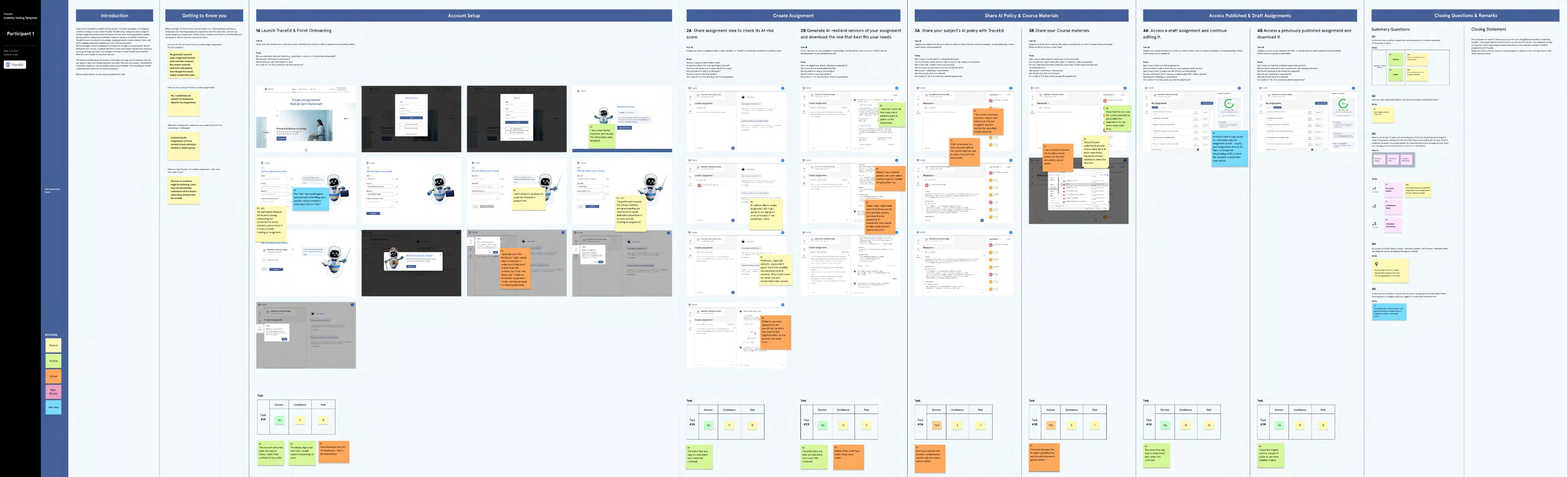
The Usability Testing Canvas brings all these task-by-task observations together in one place. Each participant’s journey is mapped visually, showing how they navigated the interface, where they hesitated, what confused them, and where the design supported them well. By organizing comments, errors, expectations, and emotional responses directly alongside the corresponding screens, the canvas makes it easy to identify patterns across participants. This structured view allowed me to compare insights, highlight recurring usability problems, and capture opportunities for refinement in a clear, actionable format.
Success Rate of Tasks
1A Launch App & Finish Onboarding
2A Check AI Resilience Score
Participants
2B Generate AI Resilient Assignments

3A Share Subject’s
Most core tasks, including launching TraceEd, completing onboarding, checking AIresilience scores, and accessing draft or published assignments, achieved a 100 percent success rate, showing these flows are clear and intuitive. Tasks related to generating AIresilient versions also performed strongly overall. The only areas that need attention are uploading AI policies and course materials, which showed slightly lower completion rates compared to the rest. These steps will be refined to ensure they feel just as smooth and straightforward as the other core actions.
3B Share your Course Materials 4A Access a Draft Assignment and Edit it 4B Access a Published Assignment and Download it.
Usability Testing Summary
The usability testing phase provided a clear understanding of how professors interact with TraceEd and where the experience succeeds or needs refinement. Across five sessions and seven core tasks, participants demonstrated strong confidence and ease, resulting in an overall success ratio of 88.5 percent. Several features, such as onboarding, assignment scoring, and draft access, consistently acted as delighters and reinforced the value of the product. Alongside these positive signals, participants also surfaced specific usability issues that helped guide the next round of improvements. These insights shaped clearer workflows, strengthened messaging, and ensured the tool better supports faculty needs in real teaching environments.
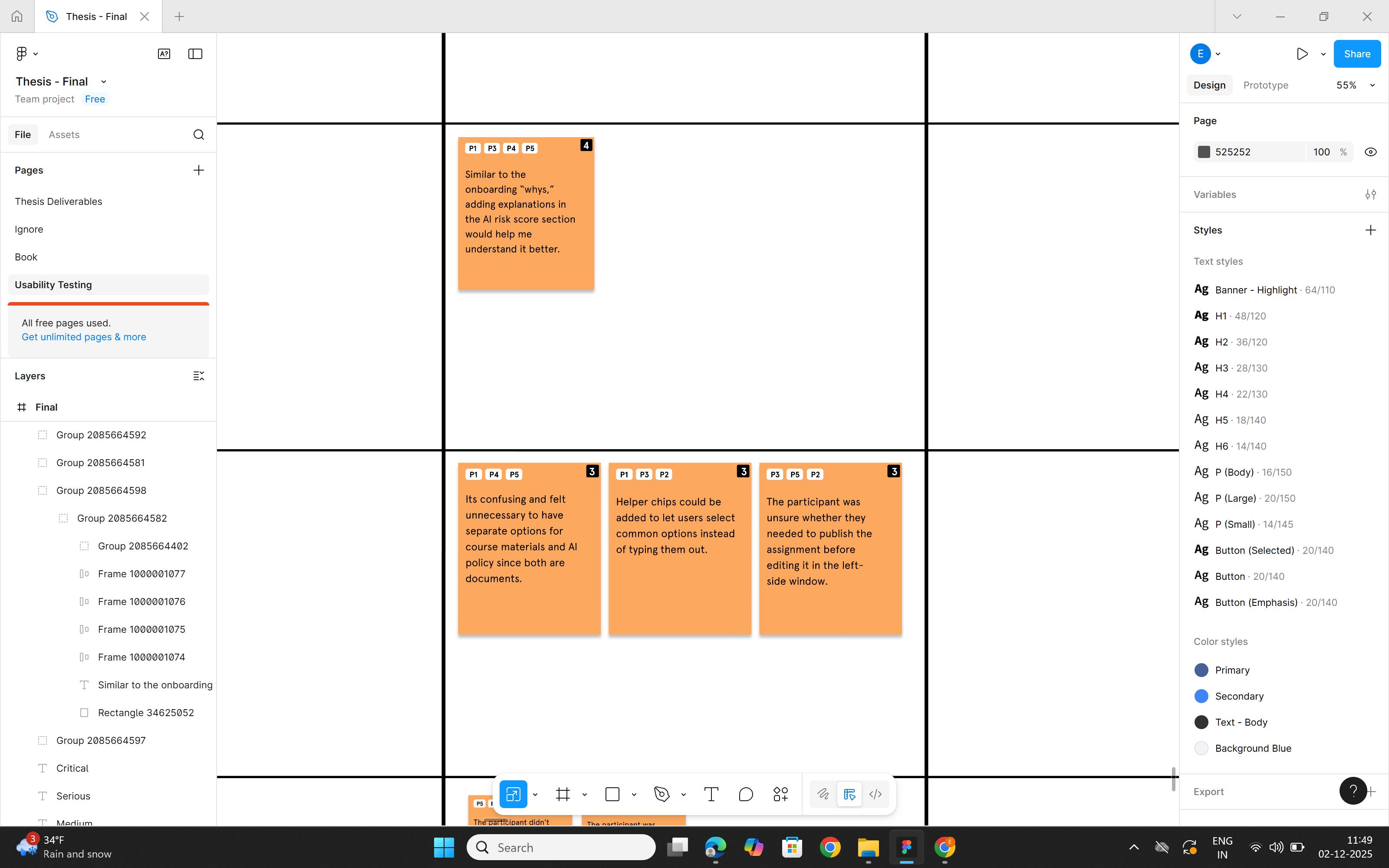
Frequency (Negative Feedback)
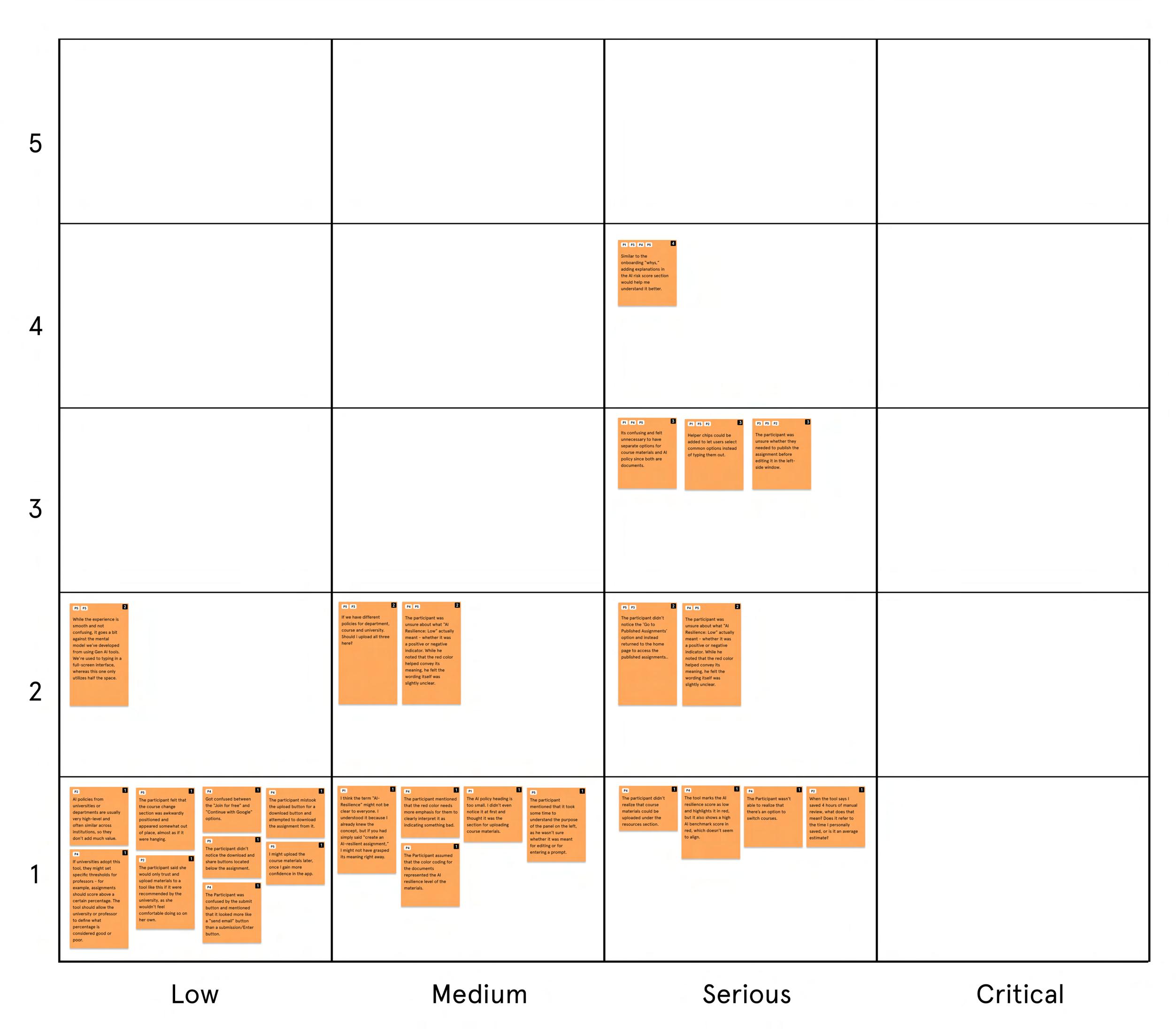
Usability Frequency Matrix
While participants surfaced many individual issues, the matrix helps identify which ones occurred repeatedly and which carried higher severity. This allowed me to pinpoint the problems that required immediate attention and prioritize fixes that would have the biggest impact on overall usability.
Finding & Fix #1

Issue
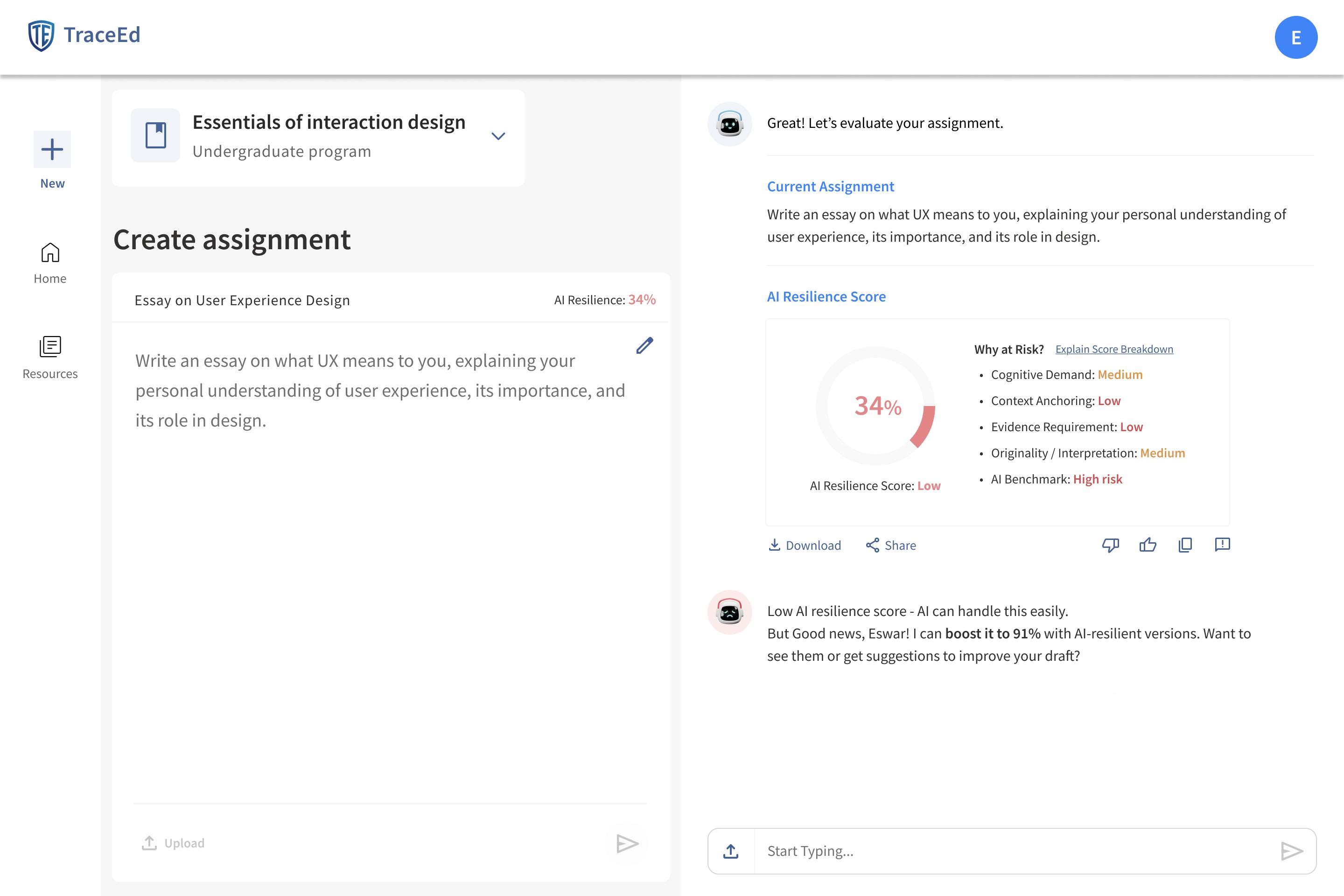
During testing, participants wanted a clearer explanation of how the AI-resilience score was calculated, especially for elements like cognitive demand, evidence requirement, and originality. Although the chat was designed to answer these questions when users typed their queries, most participants did not realize this. They expected a visible “Why?” or “Learn more” option beside each breakdown element and felt unsure about how the score was being interpreted.
Iteration
A dedicated “Explain Score Breakdown” option was added to the scoring panel. When professors click it, TraceEd opens a short conversational walkthrough that clarifies how each element contributed to the final score. This approach keeps the interface focused and gives users on-demand access to clear, contextual explanations without adding visual clutter.
Finding & Fix #2

Issue
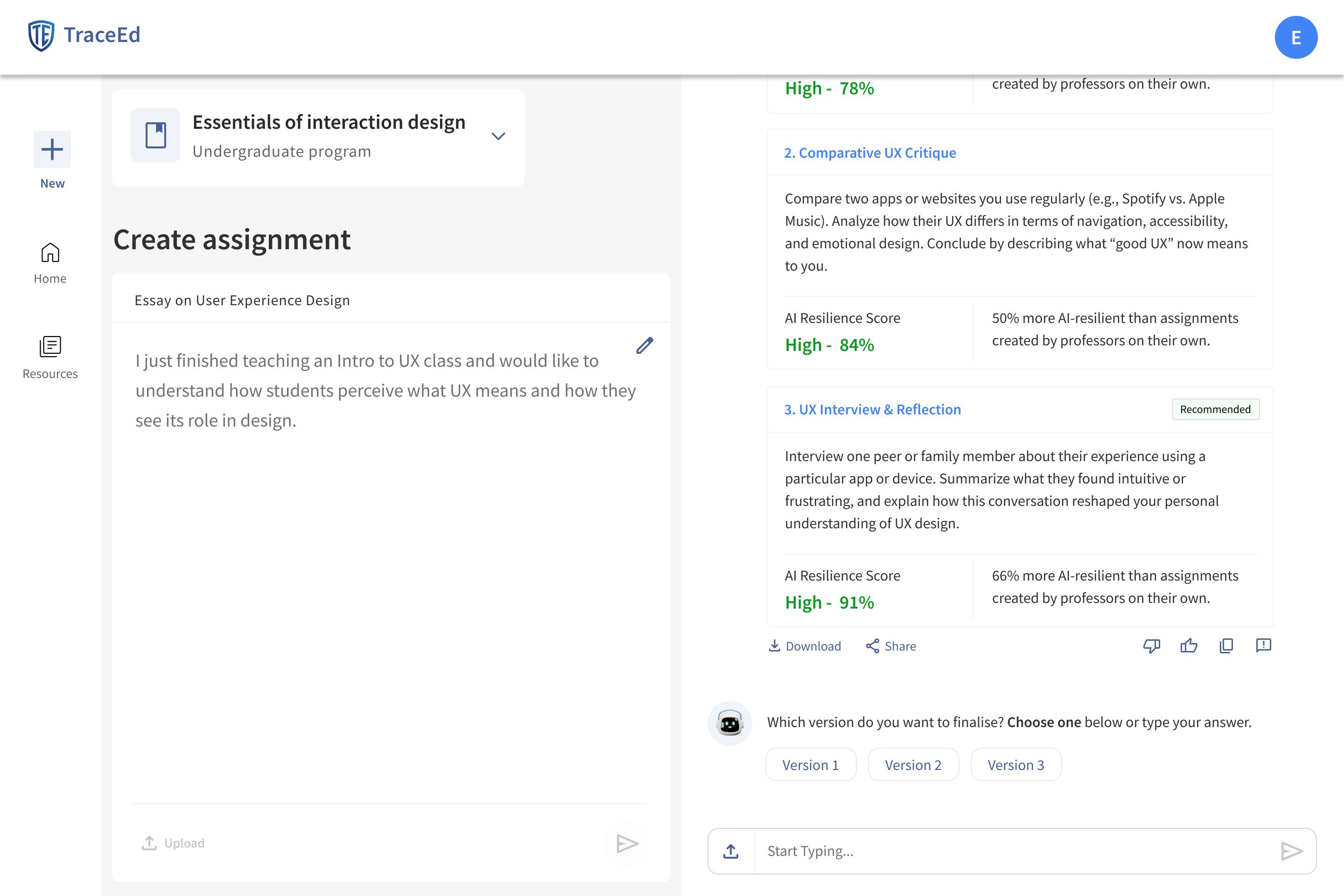
Several tasks in TraceEd required users to type simple responses such as “yes,” “no,”. Although the chat interface supported typed input, participants found it unnecessary and inconvenient for such straightforward choices. They expected quicker interaction patterns for binary or low-effort decisions and felt that typing every response slowed them down, especially during repetitive tasks.
Iteration
To streamline these micro-interactions, quickselect buttons were added for all binary and short-answer prompts. Users can now tap options like “Yes,” “No,” or directly choose a version with one click, reducing friction and speeding up task completion.
Finding & Fix #3

Resources Page
Issue
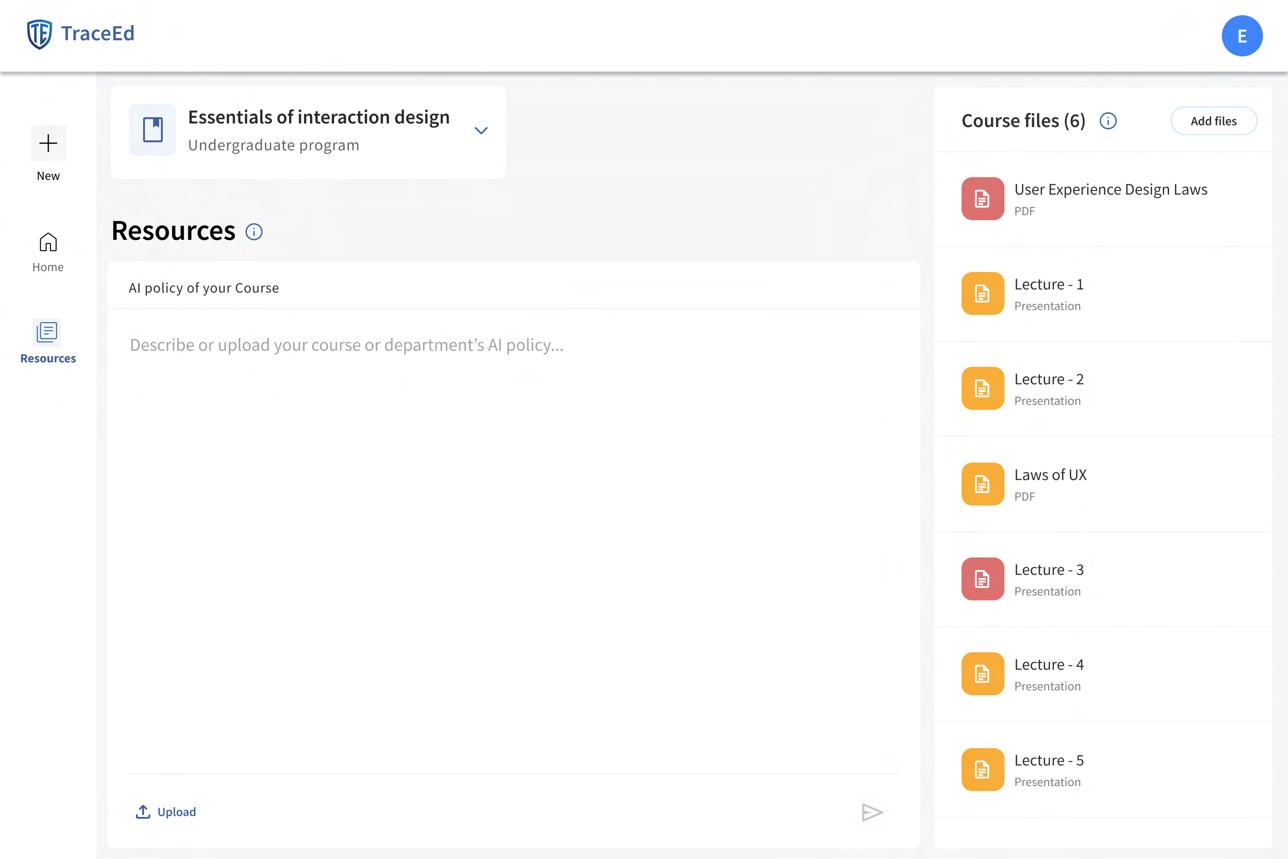
Participants were consistently confused between the “Upload AI Policy” option and the “Add Course Materials” option. Both actions involved uploading files, and users often clicked the wrong one because they appeared functionally similar. Many questioned why these were separated at all and felt the distinction was unnecessary, leading to hesitation and repeated backtracking during the task.
Iteration
To reduce confusion and streamline the workflow, both upload actions were combined into a single unified “Resources” area. Users can now upload AI policies and course materials in one place, without needing to interpret or choose between multiple upload paths. This simplification made the process more intuitive and eliminated the accidental mis-clicks observed during testing.
Finding & Fix #4
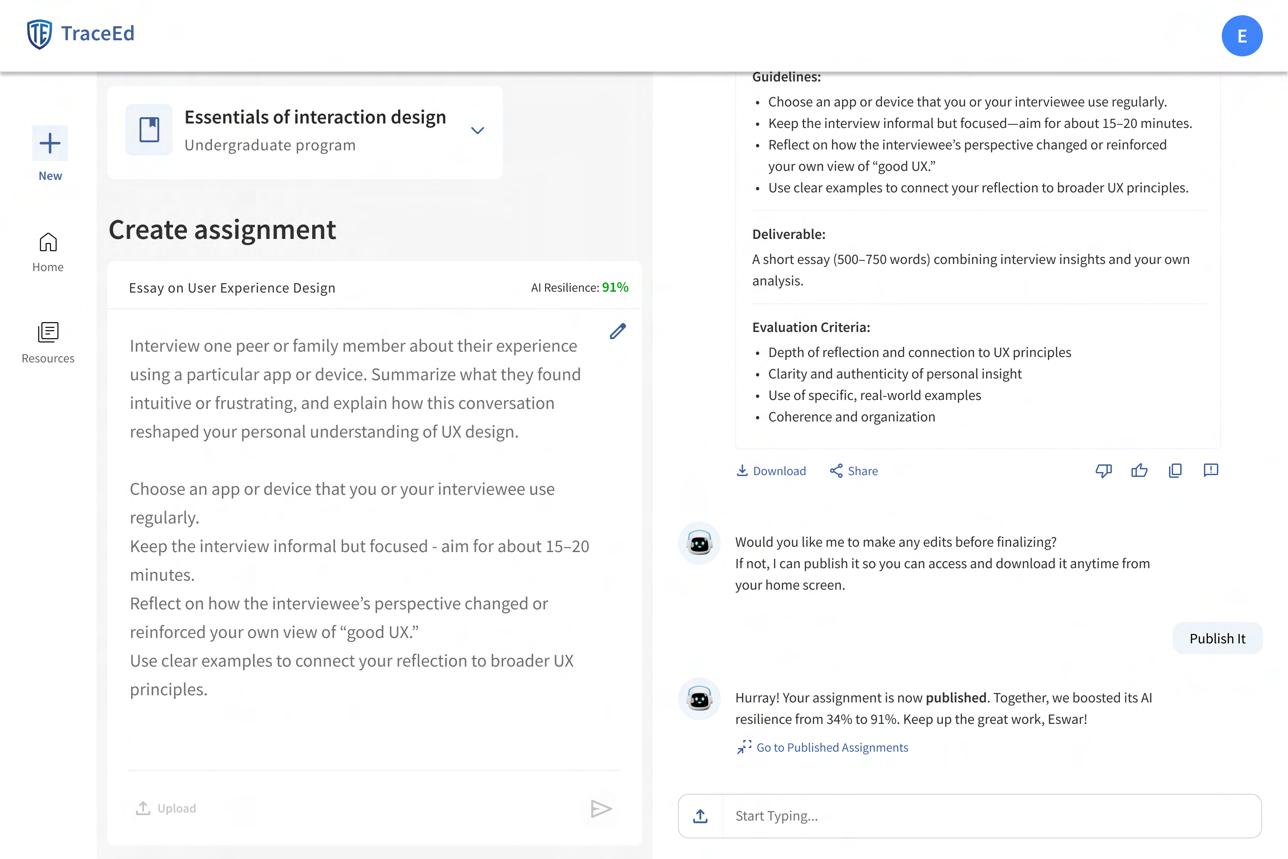
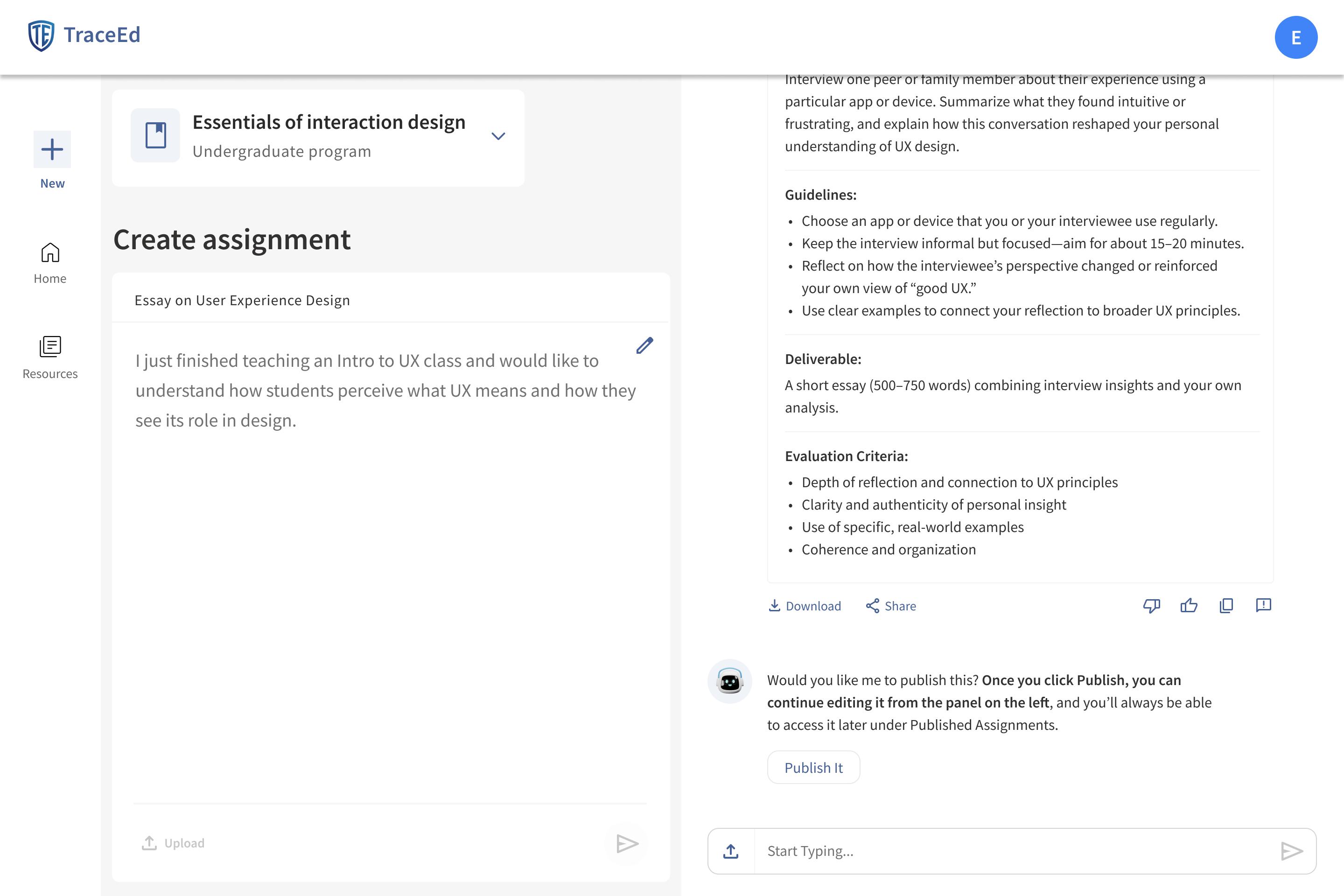
Split-pane Interface - Create Assignment
Issue
Some users were initially confused by the split-pane layout. While several found it helpful and more structured than their usual generative AI experiences, others felt it diverged from their mental model. The main challenge was that a few users did not realize that the finalized assignment appears on the left pane, causing uncertainty about whether their selection was published.
Iteration
A conversational cue was added in TraceEd’s chat flow, guiding users by clearly stating that the finalized assignment will appear on the left pane. This in-context message helped users understand where their published assignment shows up without adding extra visual clutter to the interface.
Bu
Business
Business Model Canvas

Universities
LMS platforms
Academic integrity groups
Educational researchers

Key Activities
Assignment generation AI risk (resilient) scoring

Key Resources
Prevention-first AI models
Suggestion engine
Academic research data Development teams
Educator feedback
Value Proposition
Creates AI-resilient assignments that promote authentic student learning
Reduces the need for manual review by preventing AI misuse from the start
Offers a trustworthy alternative to inaccurate AI detection tools

Product development and engineering
AI model training and infrastructure
University onboarding and support
Research and compliance
Marketing and Maintenance
Customer Key Partners
Guided Product
Data-driven


Institutional licensing
Department-level subscriptions
Premium add-ons such Custom integrations for
Overview
Customer Relationship
Guided Tours
Product support and
Data-driven personalization
Channels
Browser-based platform access integrations (Canvas, Blackboard, Moodle)
Customer Segments
Universities College professors Adjunct faculty
subscriptions such as analytics and reporting for enterprise clients
I created a Business Model Canvas to gain a clearer understanding of how TraceEd functions not only as a product but also as a sustainable business within the academic ecosystem. Mapping the key partners, resources, activities, and value propositions helped clarify what is required to deliver a prevention-first solution at scale. The canvas highlights TraceEd’s core value to institutions: reducing manual review workload, improving assignment integrity, and offering a credible alternative to inaccurate AI detection tools.
It also outlines how the product reaches universities, the relationships needed to support adoption, and the revenue structures that make the model viable. Institutional licensing, department subscriptions, and optional analytics addons create consistent and scalable revenue, while partnerships with universities, LMS platforms, and academic integrity groups strengthen TraceEd’s presence in the market. Together, these elements illustrate how TraceEd can grow into a long-term, widely adopted academic technology solution grounded in real business feasibility.
Risky Assumption Matrix
Mapping Assumptions
To understand where TraceEd might fail before investing in full development, I listed thirteen risky assumptions across the entire business model and mapped them on a matrix of certainty and impact. This helped visualize which beliefs could meaningfully affect the success of the product if proven wrong. Most assumptions fell into manageable areas, but a few revealed high levels of uncertainty combined with high potential risk, especially those tied to educator behavior, adoption patterns, and willingness to share course materials.
High Risk
Risky Assumption #1

Educators trust TraceEd’s AI-risk scoring.
Testing High-Risk Items
The matrix guided the next stage of validation. I selected the three assumptions in the high-risk, uncertain quadrant and tested them through fast pretotyping experiments that simulated key parts of TraceEd. These tests focused on real educator behavior, not stated intent, and provided early signals on what they would adopt, resist, or ignore. The findings shaped my product direction and clarified which ideas were strong enough to move into detailed prototyping.
Risky Assumption #2
Educators will adopt TraceEd for designing their assignments.

Risky Assumption #3

Educators will provide course details and materials to help TraceEd generate more relevant and tailored suggestions.
Educators will use TraceEd to design their course assignments. Risky Assumption

XYZ Statement

At least 10% of the professors who visit the TraceEd website will submit their email to join the waitlist, indicating genuine interest in trying the tool.
Fake Front Door
Preototype Test #1
The Fake Front Door test was chosen to quickly understand whether professors felt the need for a tool that helps them design AI-resilient assignments. Their willingness to visit a landing page and take action offered a clear signal of genuine interest.
This method also helped validate if the core message of TraceEd resonated with educators who are already managing increasing AI-related workload. If they still chose to join a waitlist, it indicated that the problem and value proposition were strong.
Execution
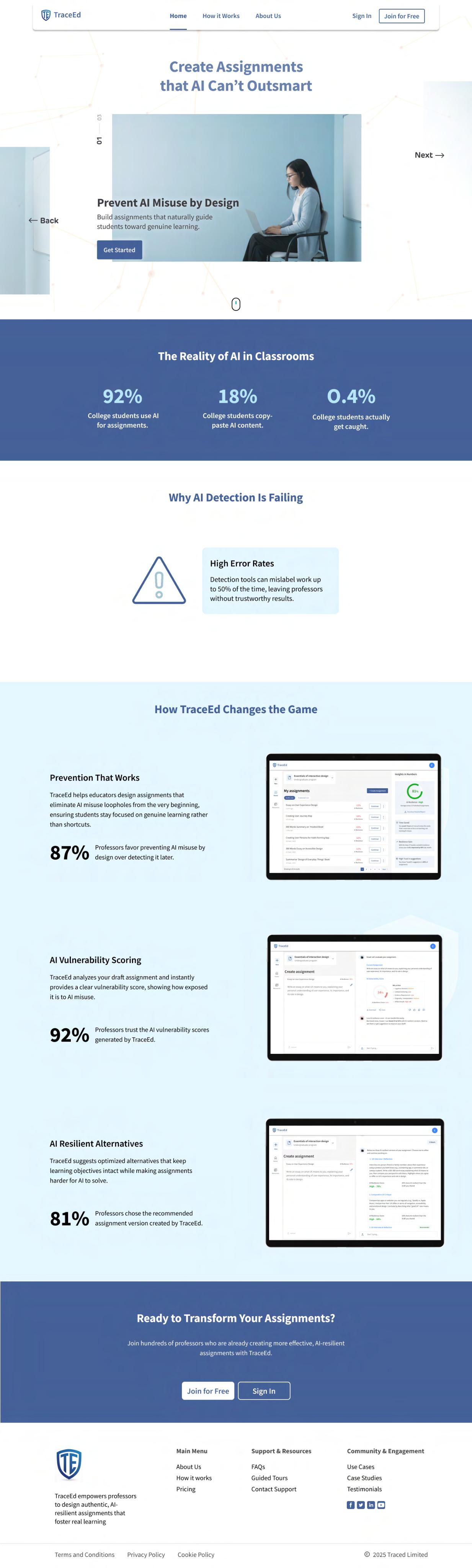
Results
The landing page received 51 unique visitors from higher-education faculty, confirming strong initial curiosity about the concept of AI-resilient assignment design. These were all targeted users, making the traffic dependable for evaluation.
Out of these visitors, 7 professors joined the waitlist, resulting in a 13% conversion rate, well above the 10% threshold. This validated early demand for TraceEd and showed that educators are open to exploring a solution that reduces manual AI-related review work.
51
13% (Success Threshold: 10%)
7
Educators trust TraceEd’s AI-risk assessment scoring. Risky Assumption

XYZ Statement

At least 4 out of 5 educators in the at Jefferson University who create assignments using TraceEd will trust the AI relience assessment scores it generates.
Wizard of OZ
Pretotype Test #2
The Wizard of Oz test was selected to understand whether educators would trust TraceEd’s AI-risk assessment scores before any real scoring model was built. Since trust is critical for adoption, this test made it possible to observe genuine reactions to the scoring logic without investing time in actual backend development.
It also allowed the scoring system to be tested in a realistic context. Educators could interact with what felt like a functioning version of TraceEd, enabling authentic feedback on whether the explanations, clarity, and reasoning behind each score felt reliable and aligned with their expectations.
Execution
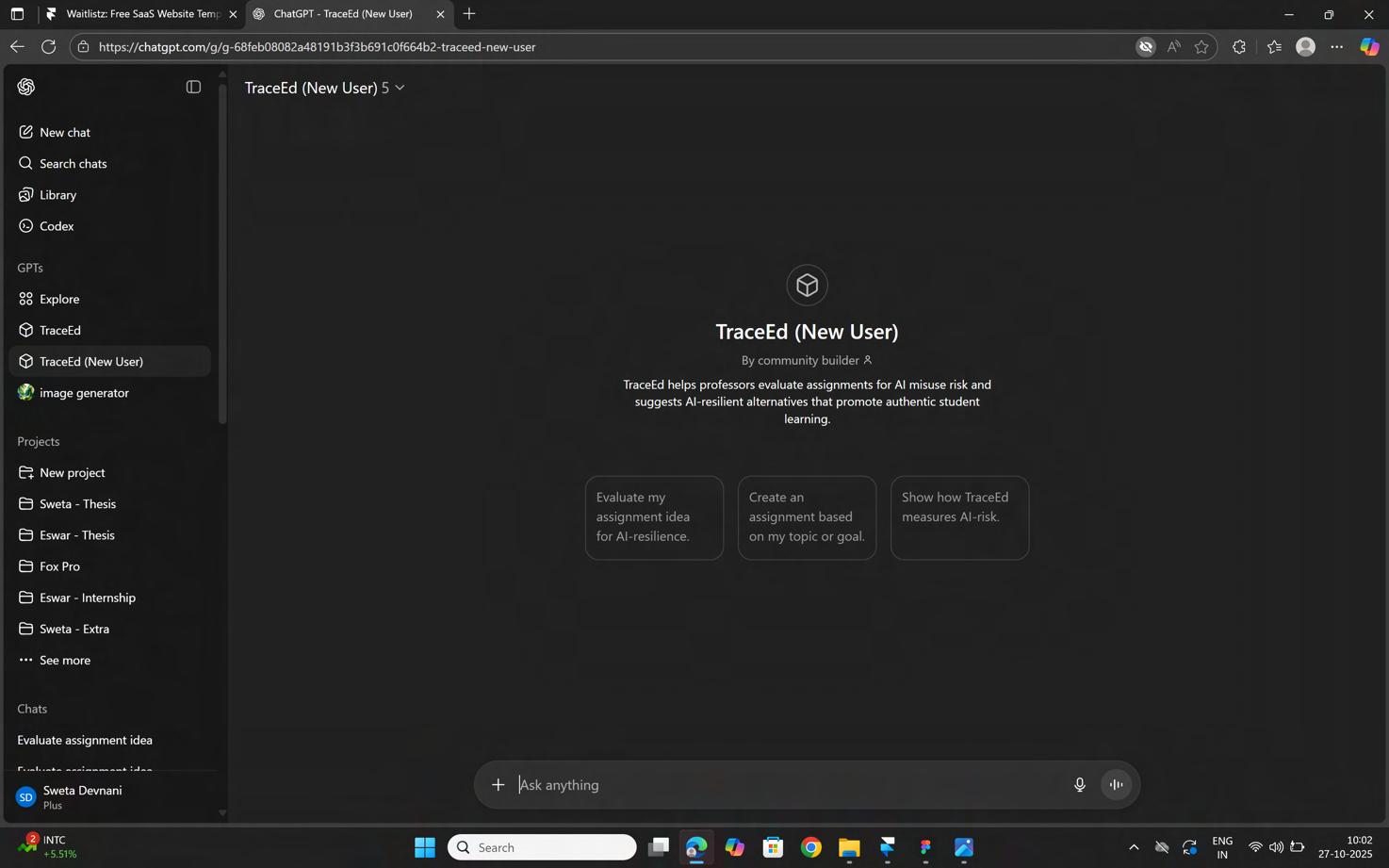
A custom GPT was set up to mimic the TraceEd experience and respond as if it were the real AI-resilience scoring engine. It was trained with instructional rules that shaped how it evaluated assignments, explained vulnerabilities, and justified risk scores. This made the interaction feel consistent and credible for educators.
Participants were asked to use it as if they were designing their actual assignments. They tested different prompts, explored the scoring logic, asked follow-up questions, and evaluated how confidently the tool explained its decisions. Their reactions and trust levels formed the core data for this test.
Results
All 5 out of 5 educators who participated stated that they trusted the AI-risk scores generated by the prototype. They engaged deeply, questioned the reasoning behind the scores, and examined whether the logic aligned with their understanding of assignment design and student behavior.
Whenever they raised doubts or asked for clarification, the tool responded with clear and detailed explanations, which further strengthened their confidence. The unanimous positive response exceeded the 4/5 threshold and validated that TraceEd’s scoring approach feels trustworthy and usable to educators.
5/5
(Success Threshold: 80%)
Custom GPT
Risky Assumption

Educators will share their course details, policies, and materials to enable TraceEd to deliver more accurate and personalized recommendations.
XYZ Statement

At least 3 out of 5 educators will share their course details and materials to help TraceEd generate more relevant and personalized assignment recommendations.
Pinnochio Pretotype Test #3
The Pinocchio test was chosen to understand whether educators would willingly share sensitive course details, AI policies, and assignment materials when TraceEd requests them. Since these inputs are essential for generating accurate and personalized assignment recommendations, this behavior needed to be tested before building a real onboarding system.
This method also helped reveal how educators respond when a tool requests deeper context. Their comfort levels, hesitation, and willingness to upload materials, especially when prompted again later, offered insight into how TraceEd should design its onboarding process and follow-up prompts.
Execution
A custom GPT was set up to simulate TraceEd’s onboarding flow. It asked educators to upload their course materials and AI policies, with the option to provide them immediately or skip them. This allowed observation of their natural decision-making in a low-pressure, realistic environment.
When participants explored other features of the simulated tool, the GPT prompted them again to upload materials whenever relevant. This helped evaluate whether educators would share the required information after seeing the value of the tool, rather than during the initial onboarding stage.
Results
During onboarding, 0 out of 5 educators uploaded course materials or AI policies. However, 3 out of 5 stated that they would share them, indicating that the hesitation was more about timing and familiarity than unwillingness. This highlighted that educators may need more context or trust building before providing documents.
After interacting further with the tool, 2 out of 5 educators eventually uploaded their AI policies or course materials when prompted again, and 4 out of 5 said they were willing to share them once they understood why the documents were needed. This shows that educators are open to sharing course information, but the request must come at the right moment and with a clear purpose.
0/5
(Success Threshold: 60%)
What Pretotyping Revealed?
The three pretotyping tests helped validate the core foundations of TraceEd. The Fake Front Door test confirmed strong early interest from educators, while the Wizard of Oz test showed that professors trust TraceEd’s scoring logic when it is explained clearly. Together, these tests demonstrated that the value proposition and preventive scoring model resonate with real users.
High Risk
Risky Assumption #1
Educators trust TraceEd’s AI-risk scoring.
Risky Assumption #3
Risky Assumption #2
Educators will adopt TraceEd for designing their assignments.

Educators will provide course details and materials to help TraceEd generate more relevant and tailored suggestions.
Uncertain
At the same time, the Pinocchio test highlighted an important boundary: educators are not immediately comfortable sharing sensitive course documents without trust, context, and the right moment in their workflow. While willingness increased later in the
Success Metrics
Educator Trust Score
80%
Metric Description: Measures the percentage of professors who trust TraceEd’s AIresilience scores to accurately distinguish acceptable and unacceptable AI use.
Target: 80% of educators rate TraceEd’s scoring as reliable or highly reliable.
Why It Matters: Trust is the foundation for adoption; without confidence in the scoring, professors will revert to manual checking.
Adoption Rate
60%
Metric Description: Tracks the proportion of educators who try TraceEd and continue using it across multiple assignments or courses.
Target: 60% adoption among professors after initial use.
Why It Matters: Sustained adoption shows that TraceEd delivers clear value, reduces workload, and integrates smoothly into existing teaching workflows.
Manual Review
Reduction
Metric Description: Evaluates how much TraceEd reduces professor time spent manually reviewing assignments for AI misuse and redesigning assignments to be AI-resilient.
Target: 50% reduction in manual review and assignment redesign time.
Why It Matters: Less time spent policing AI misuse and designing assignments allows professors to focus on teaching, feedback, and supporting student learning TraceEd’s core intention.
Measuring the Impact of Prevention-First Design
These success metrics illustrate how TraceEd creates measurable value for educators by shifting the focus from detection to prevention. Each metric represents a core outcome essential for long-term adoption. Educator Trust Score reflects how confidently professors can rely on TraceEd’s AI-resilience scoring when evaluating student work. Adoption Rate reveals whether the tool becomes a repeated part of their teaching workflow after initial use. Manual Review Reduction measures the tangible time saved when professors no longer need to police assignments for AI misuse.
Individually, these metrics highlight key aspects of TraceEd’s performance. Together, they form a complete picture of whether the prevention-first approach is improving academic integrity, reducing friction in assignment design, and easing the growing workload caused by AI. When these targets are met, they indicate that TraceEd is not only solving the immediate problem but is also supporting a sustainable, scalable shift in how educators design and evaluate assignments in the AI era.
Strength
Prevention-first assignment design Reduces manual workload through automation
Learns from professor behavior to improve suggestions
Browser-based and platform-agnostic
Future-ready as AI writing evolves
SWOT Analysis
Opportunities
Rising AI use in education Universities discontinuing detectors
Growing prevention-tool market Large global educator base Potential LMS/plagiarism tool integration Partnership potential with AI policy advocates
Weaknesses
No LMS integration yet Competes with well-known brands Scalability may vary across disciplines
Analysis
Threats
Fast-evolving AI models Competition from major vendors Policy shifts around AI use Institutional resistance to new tools Educator tech fatigue
Growth Strategy
Phase 1
Full Version + Student Portal
Add a student portal and key features based on feedback, allowing professors to design, assign, and enforce AI-resilient work in one place.
Phase 3
International Reach
Expand globally as educators from other countries join through website. Add language support and localized templates.
Free MVP for Professors
Release TraceEd free for professors to encourage quick adoption. The tool improves through real use, and updates are guided by professor feedback. University data collected during onboarding helps identify early adoption clusters.
Institutional Sales
When multiple professors from the same university adopt TraceEd, reach out to administrators with the full version. Focus first on U.S. universities.
Phase 2 Phase
Phase 5
Scalable Platform
Offer AI-resilience dashboards, shared templates, and licensing plans. Build research partnerships to strengthen credibility and long-term growth.
Building Sustainable Adoption Through a Phased Growth Plan
The growth strategy for TraceEd follows a phased approach that begins with real classroom use and gradually expands into institutional and global adoption. The first phase focuses on giving professors free access to the MVP so they can experience immediate value. Their usage patterns and feedback guide improvements and help identify clusters of early adopters.
As more professors within the same university begin using TraceEd, the platform moves into institutional sales, offering the full version to administrators who want consistent, AI resilient assignment design across courses. This foundation supports expansion into a complete ecosystem that includes a student portal, international reach, localized templates, and a scalable platform with dashboards and shared resources. Each phase builds on the momentum of the previous one, ensuring steady, credible, and sustainable growth.
Tech
Technical
Functional and Data Requirements
To define TraceEd’s Functional and Data Requirements, I began by breaking down every major interaction professors experience across the product journey, from onboarding and guided tours to assignment creation, analytics, and resource management. Each feature was analyzed through the lens of what the user is trying to accomplish and what the system must
deliver in response. This process allowed me to translate user goals into clear functional behaviors such as validation, navigation, model calls, and file handling. I ensured that every requirement connected directly to a specific interface component, making the system behavior predictable, testable, and aligned with the preventive design approach.
Page Feature Description Functional Requirement
Marketing Home Hero Section Displays TraceEd’s main value proposition and CTA. Show hero title, subtitle,
Marketing Home Carousel Slide Shows educational text like “Prevent AI Misuse by Design.” Auto-rotate; allow Next/Back.
Marketing Home Get Started Button Takes user into authentication flow. Redirect to sign-in/sign-up.
Login Email / Password Login Users enter credentials to access TraceEd. Validate + authenticate
Login Forgot Password Link for password recovery. Trigger reset flow.
Alongside functionality, I documented the data inputs and outputs required for each feature. This included user generated content such as assignment drafts and uploaded files, system generated elements such as AI resilience scores and suggestions, and external integrations such as Google or Microsoft authentication. Classifying these elements by source and type
helped clarify what is stored, what is computed, and what is dynamically fetched. Together, these requirements create a detailed blueprint that aligns user needs, system responsibilities, and AI capabilities, ensuring TraceEd is built, evaluated, and scaled with a strong technical foundation.
Page Feature Description Functional Requirement
Login Google SSO
Sign-in through Google. Trigger OAuth
Login Microsoft SSO
Sign-in through Microsoft. Trigger OAuth
Login Sign Up Link Navigates to sign-up modal. Redirect to registration.
Onboarding Country Dropdown Selects country of institution. Populate dropdown; store value.
Onboarding University Dropdown Search/select university for personalization Fetch list; store selection.
Onboarding Department Dropdown Select department for course context. Populate list; store selection
Onboarding AI Policy Upload Upload or add department AI policy. Accept file or text; store
Onboarding “Why?” Helper Text Explains why each field is needed. Show tooltip explanation.
Onboarding Continue Button Moves to next setup step. Validate fields; proceed.
Page Feature Description Functional Requirement
Guided Tour Welcome Modal Welcomes new user and starts tour Display modal; allow Start
Guided Tour Step Highlights Highlights key UI elements (New, Editor, Suggestions) Dim background; show
Guided Tour Next / Skip Buttons Navigate through tour steps. . Go to next step or exit.
Create Assignment Assignment Editor Displays draft being edited. Allow text editing and updates.
Create Assignment
Create Assignment
AI Suggestions List Shows alternative assignment versions generated by AI. Fetch and display suggestions.
AI Resilience Score Percentage score showing AI resistance strength. Compute + render score
Create Assignment Download Version Export finalized version. Generate downloadable
Create Assignment Share Version Share via link or LMS. Trigger share function.
Create Assignment Assistant Chat Panel Offers conversational guidance and refinement help. Display assistant messages
Requirement Content Source Content Type
Start or Skip. Modal System tooltip. Tooltip Overlay System Interactive System updates. Text Input User suggestions. Cards AI Model score per version Score AI Model downloadable file.. Export System Interactive System messages Interactive AI Model
Page Feature Description
Dashboard Assignment Tabs
Functional Requirement
Switch between Drafts and Published assignments. Filter assignments list.
Dashboard Assignment Cards Shows title, timestamp, and AI Resilience % Fetch assignments metadata.
Dashboard Continue Button Opens selected assignment for editing. Navigate to assignment
Dashboard Insights Panel
Shows metrics: AI Resilience, Time Saved, Resilience Gain, Trust % Fetch and calculate insights
Dashboard Download Detailed Report Exports insights to PDF. Generate downloadable
Resources
Add Resource Form
Resources
Resource Type Dropdown
Resources Describe or Upload File
Add new supporting files (AI policy, lecture notes).
Select file type (AI Policy, Course Material).
Capture type, description, save.
Populate dropdown; validate.
Allow text description or file upload. Accept and save input.
Resources Your Files List Shows uploaded files. Fetch and display resource
Requirement Content Source Content Type
Tabs
metadata. Cards
System
System + AI Model
editor. Button System
insights Metrics System downloadable report. Export System description, and file; Form
User
validate. Dropdown System Text/Upload
User resource items. Cards
User Content
Citations
Center for Digital Trust. (2024). Educator confidence in identifying AI-generated work. CDT Research Series.
– Up in the Air: Educators Juggling the Potential of Generative AI with Detection, Discipline, and Distrust
Higher Education Policy Institute. (2025). Student use of AI in UK universities: Findings from a 1,041-student survey.
Student Generative AI Survey 2025 - HEPI
DEC Global. (2024). Global AI Student Survey: Usage Statistics of AI Tools Among College Students. DEC Research.
What Students Want: Key Results from DEC Global AI Student Survey 2024
Turnitin. (2024). Institutional activation report for AI writing detection. Turnitin Insights -
Turnitin AI reviews 65 million papers for detection
The Times (UK). (2024). AI cheats slip under the radar as few university students are penalised.
https://
www.thetimes.com/uk/education/article/ai-cheats-slip-under-radar-as-few-university-studentspenalised-56kpcv6pp
Verified Market Research. (2024). AI Detection Tool Market – Global Industry Analysis and Forecast.
https://
www.verifiedmarketresearch.com/product/ai-detection-tool-market
The Times (UK). (2024). Teachers urged to scrutinise pupils’ work amid surge in AI-fuelled plagiarism.
https://
www.thetimes.com/uk/scotland/article/teachers-urged-to-scrutinise-pupils-work-amid-surge-in-ai-fuelled plagiarism-z6jsl9hh9
MIT Sloan Educational Technology Office. (2024). Why AI detectors don’t work: Understanding the limits of detection tools in education.
https://mitsloanedtech.mit.edu/ai/teach/ai-detectors-dont-work/
Inside Higher Ed. (2024). Professors proceed with caution when using AI detection tools.
https://
www.insidehighered.com/news/tech-innovation/artificial-intelligence/2024/02/09/professors-proceed-cautionusing-ai
University of Iowa – Office of Teaching, Learning & Technology. (2024). The case against AI detectors: Why detection tools fail in educational settings.
https://teach.its.uiowa.edu/news/2024/09/case-against-ai-detectors
Inside Higher Ed. (2024). Professors proceed with caution when using AI detection tools.
https://
www.insidehighered.com/news/tech-innovation/artificial-intelligence/2024/02/09/professors-proceed-cautionusing-ai
01 Visual Prototype (Before UT)
Link to Prototype
03 Custom GPT
Link to Custom GPT
02 Visual Prototype (After UT)
Link to Prototype
04 Fake Front Door Website Link to Website
Program Reflection
Coming from a computer science background with seven years of UX experience, I always valued continuous learning. Even during my career, when I completed my MBA in digital business, I felt that most of what I absorbed at work was training and not the kind of structured learning I hoped for. That is what brought me to the United States to pursue my master’s at Thomas Jefferson University.
This program changed how I think about design. My professional work focused heavily on visual design, wireframes, and delivering solutions. Here, the emphasis shifted toward research, understanding users deeply, and designing with intention. Every class encouraged me to focus on the reasons behind a problem, not just the solution itself. The rigor of the curriculum pushed me to grow beyond what I had learned in the industry.
What stood out to me the most was the interactive learning environment and the way the program centered user engagement. Speaking with users, analyzing insights, and refining ideas again and again helped me build a much stronger foundation. It encouraged me to slow down, think critically, and approach design from a more human and evidence-based perspective.
Overall, this program strengthened my skills and shaped my mindset in a meaningful way. I now see UX as more than screens or interfaces. It is a way of thinking that is grounded in empathy, curiosity, and thoughtful problem solving. This is the biggest value I am taking with me, and it is something I will carry forward in my career long after completing this degree.
Credits
Research Participants
Babs Hansen
Janine Rosado
Ben Swofford
Jared Gillespie
Timothy Bieniosek
Beth Shirrell
Kinza Kasher
Carter Ogunsola
Robert Smith
Rachel Diesel
Harnoor Singh
Boris Lapouga
Usability Testing Contributors
Robert Smith
Rachel Diesel
Babs Hansen
Ben Swofford
Jared Gillespie
Industry Professionals
Priyanka Patel
Steven Cohn
Sasha Demo
Academic Advisors
Niel Harner
Mike Begley
Prototyping Contributors
Robert Smith
Rachel Diesel
Babs Hansen
Ben Swofford
Jared Gillespie
Images & Illustrations
Nano Banana
Freepik
www.eswarvarma.com
Resume

Bio
Uppalapati
Product Designer with 7 years of experience shaping user-centric solutions across AI, Commerce, healthcare, esports, logistics, and telecom. I specialize in uncovering deep user insights, identifying patterns, and translating them into intuitive, high-impact interfaces. From internal enterprise tools to large-scale consumer platforms, I design with clarity, purpose, and measurable outcomes in mind.
Education
Masters, UX Design (Jan 24 - Dec 25)
Thomas Jefferson University
MBA, Digital Business (2021-2023)
BITS Pilani (Work Integrated)
BTech, Computer Science (2013-17)
SRM University
Skills
End-to-End Research Wireframing Rapid Prototyping Visual Design Design System Design Handoff UX & Accessibility Audit
End-to-End Research Wireframing
Rapid Prototyping Visual Design Design System Design Handoff UX & Accessibility Audit
Experience
Thomas Jefferson Univ (Thesis) AI/ML in EdTech Jan 2025 - Dec 2025
Interviewed 20+ US professors to quantify concerns with AI detection tools Analyzed Generative AI patterns and designed alternative detection strategies
Tested prototype, reducing manual AI-checks by 80%
Allcargo Gati (via Born Group) B2B Logistics May 2023 - Dec 2023
Led stakeholder discovery and ethnographic research across transit hubs Conducted 30+ user interviews and facilitated 6 UX workshops
Translated insights into actionable design requirements for BRDs
Saudi Esports Fed (via Born Group) Esports Jan 2023 - Apr 2023
Led UX for Gamers8 Website, collaborating with Riot, PUBG, and others Designed gamer-first visuals with LTR/RTL layouts for English & Arabic Redesign drove 3.8M visits (+40%) and cut drop-offs by 62%
Microsoft (via Born Group) Commerce Jan 2022 - Dec 2022
Redesigned Volume Licensing portal, replacing legacy systems Improved UX for Agreements, License Summary, and Notifications, cutting processing time 60%
Streamlined Notifications, reducing support emails 75%
MTN (via RUP) Telecom Oct 2020 - Dec 2021
Contributed to transforming a recharge app into a lifestyle platfor m
Designed UX for Airtime, Data Bundles, Referrals, and Family Module
Airtime/Data flows received 92% positive feedback in usability testing
BCCI (via RUP) Sports May 2019 - Sep 2020
Reimagined digital e xperiences for BCCI and IPL across web and mobile
Drove 180% increase in content engagement through personalization
Increased off-season fan activity by 60% through targeted UX changes
Apollo Hospitals (via RUP) Healthcare Jun 2017 - Apr 2019
Designed core modules for Apollo App V1; consults, labs, and orders
Improved booking UX, boosting online appointments by 40%
Revamped post-launch flows, cutting drop-offs by 15%
Thank You

by Eswar Uppalapati
M.S. User Experience & Interaction Design
Stakeholders & Advisers
Neil Harner, Program Director
Mike Begley, Assistant Program Director
Thesis