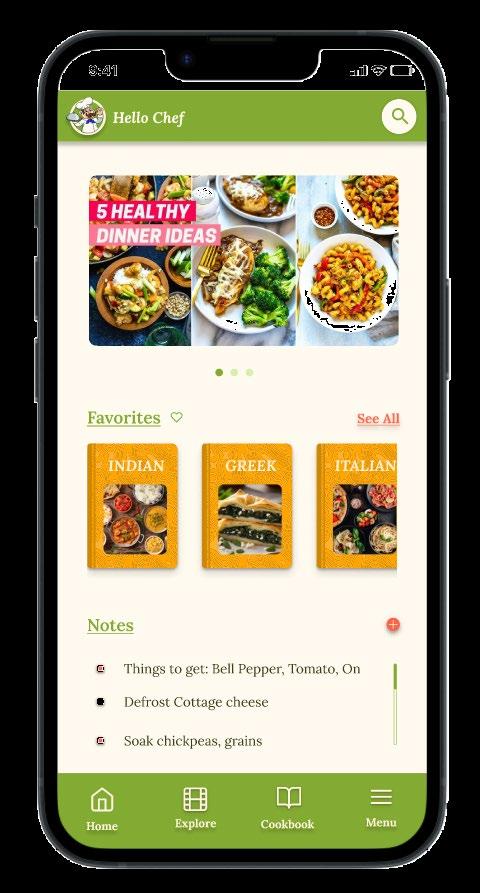
Recipe App
A better way to organize your recipe.
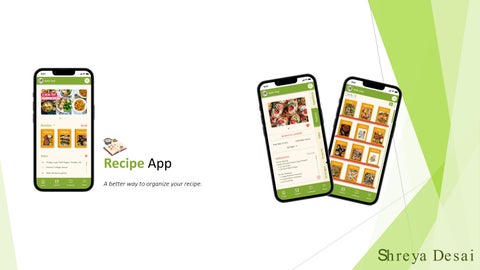
A better way to organize your recipe.
The product:
A recipe organiser that helps chefs refer recipes hassle free anywhere.
Project duration:
8 Week
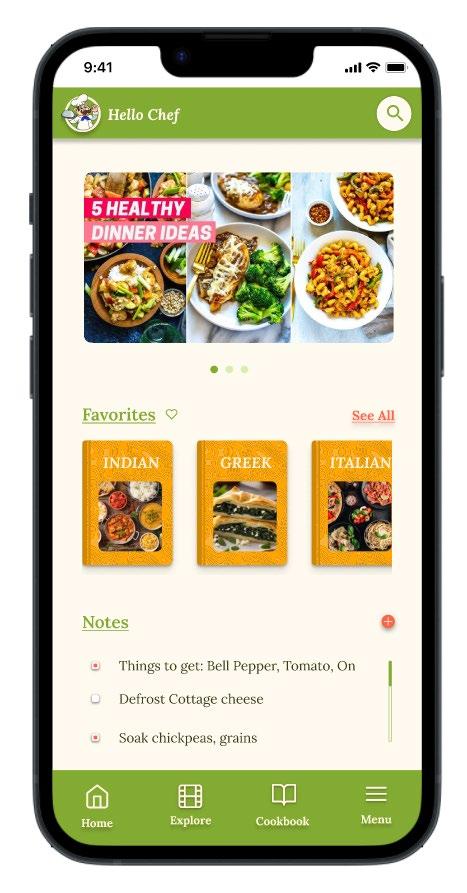

The problem : Maintaining recipe books can be cumbersome, especially in busy kitchens where pages often stick together, get damaged, or become difficult to navigate during peak cooking hours . Cooks are increasingly seeking a more efficient solution to manage recipes, one that eliminates these challenges and streamlines access to their favorite dishes .
The goal :
Develop a platform that seamlessly functions across various devices, offering chefs a convenient alternative to cumbersome recipe books . This online/offline solution would allow chefs to efficiently manage, organize, and refer to their recipes, ensuring quick and easy access even in busy kitchen environments, without the risk of physical wear and tear .
My role :
This is an individual project that allowed me to plan and direct each phase of the design thinking process as a UX strategic design student with mobile and web UI design experience .
Responsibilities :
• Conduct user research
• Define the problem and provide insights to inform the ideation phase
• Define personas, user journeys, empathy maps and user flows
• Visual design of low -fi and high -fi wireframes, prototypes and user testing .
● User research
● Personas
● Problem statements
● User journey maps

To identify user pain points, needs, and requirements, I conducted foundational research through interviews and user surveys for my project. My goal was to gain deep insights into the daily cooking journey of chefs. I specifically opted for qualitative research to better understand their experiences and challenges.
1
2
3
Chaotic Referencing Recipe
Recipes often get cluttered with scribbles when trying to edit or locate specific details . There’s a need for an easy way to search , mark favorites, and edit recipes without the hassle .
Recipe Book Management
Pages can get messy if food spills on them, making it difficult to use the recipe book during peak hours .
Limited Miscellaneous Tools
4
Written Data
Overload
Calculating and converting proportions, temperatures, and various presentation ideas can be exhausting . Transcribing and managing multiple recipe books by cuisine over the years can be challenging .
Problem statement :
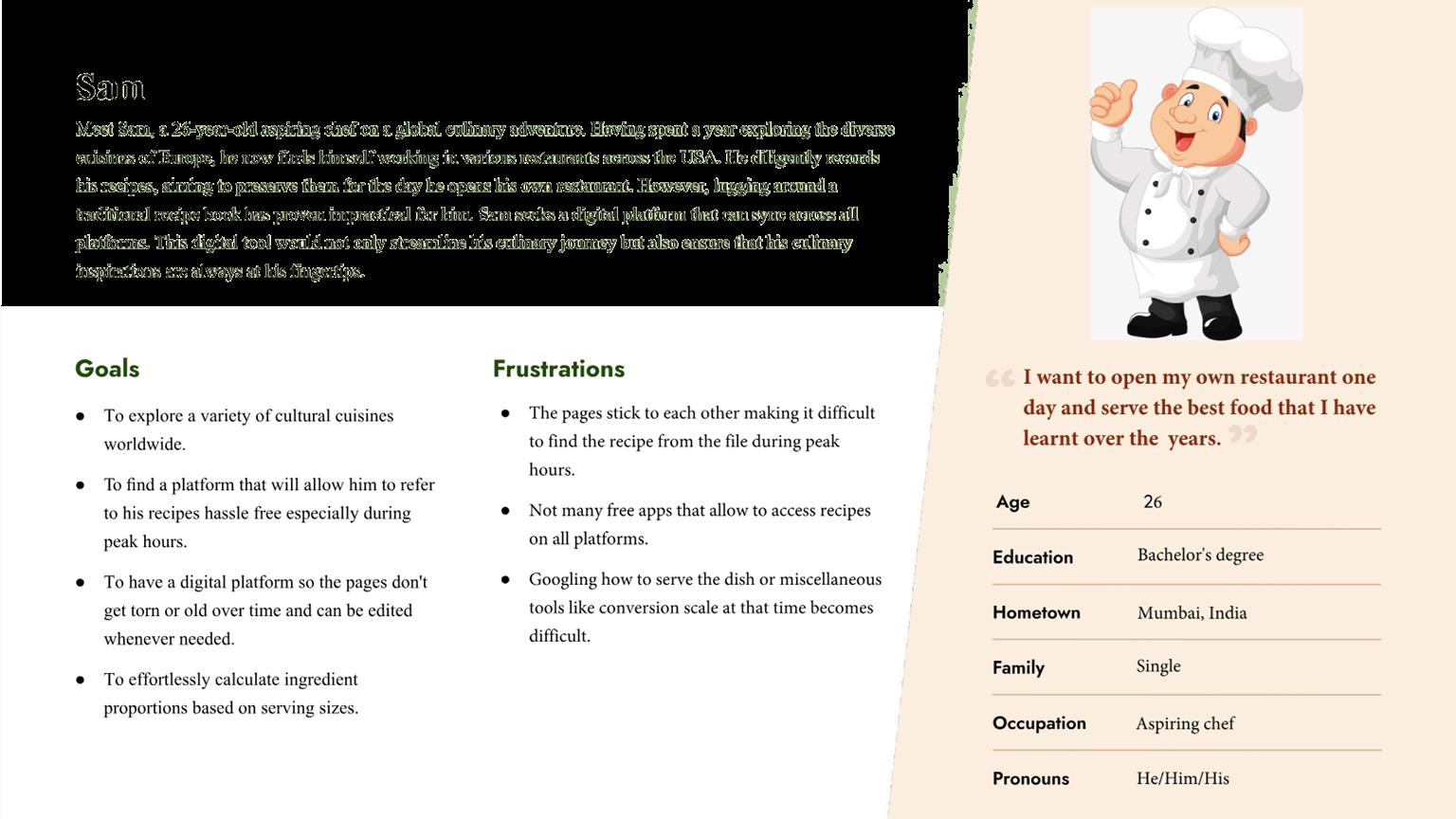
Sam is an aspiring chef, who needs an efficient way to organize and access recipes without hassle and preserve them longer so that he can be more efficient during peak hours .
● Paper wireframes
● Digital wireframes
● Low -fidelity prototype
● Usability studies
Sam is an aspiring chef who needs an efficient way to manage and access his collection of recipes because his current reliance on physical notes leads to clutter and slows him down during busy cooking times.
Focusing on the core features identified during user research, I sketched the first wireframes using pen and paper .
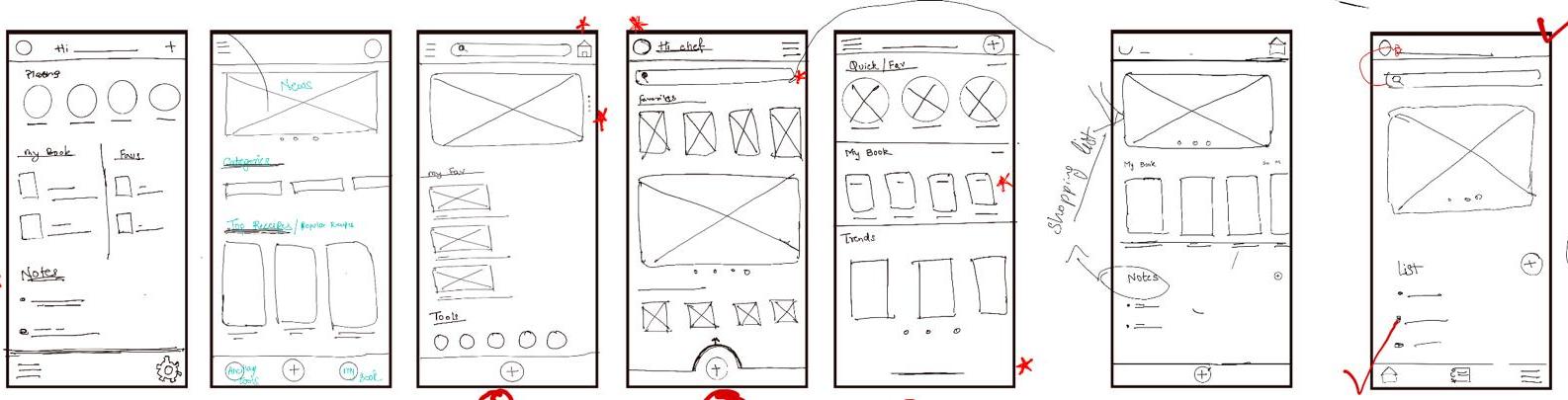
Emphasizing progressive disclosure and contextual design, I created a clear layout for easy navigation and access to tools . After several iterations based on user feedback, I refined the wireframes to effectively meet chefs' needs .
Plating Techniques with Culinary Context: Showcase diverse plating styles alongside brief cultural notes, helping chefs elevate presentation while understanding the dish’s background.
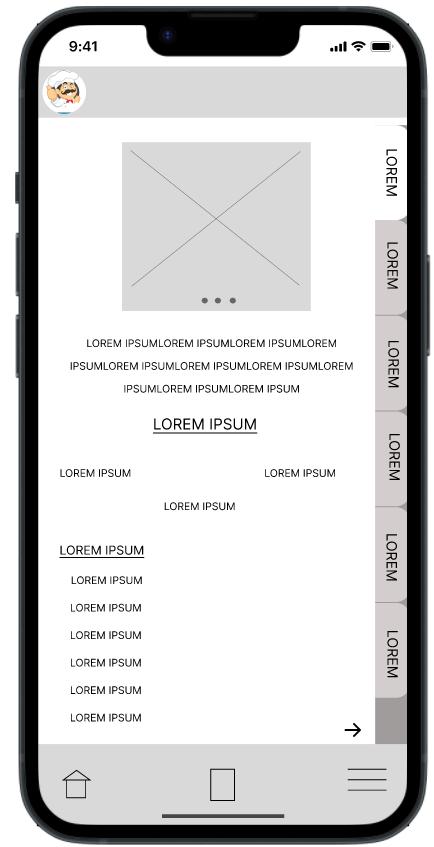
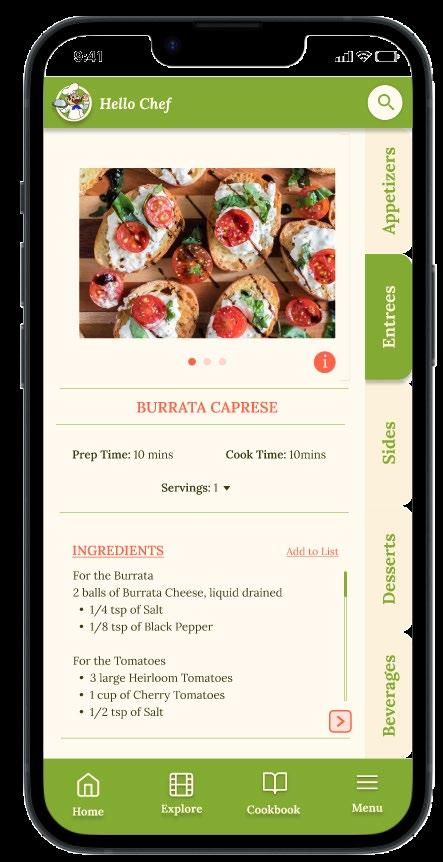
Structured Recipe Format for Smooth Navigation: Organize recipes in a clear, sequential layout to streamline the cooking process and enhance user experience.
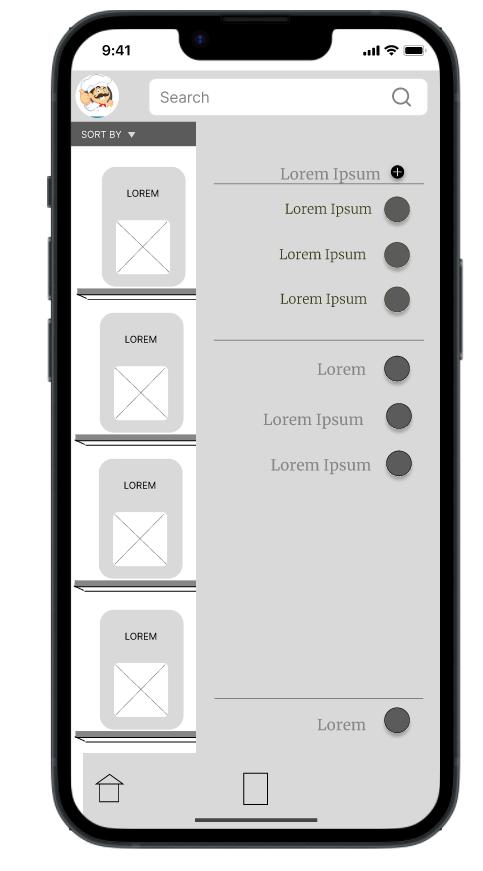
A centralized tool hub within the app, allowing chefs to effortlessly find and use essential cooking tools and resources, enhancing efficiency and workflow in the kitchen.
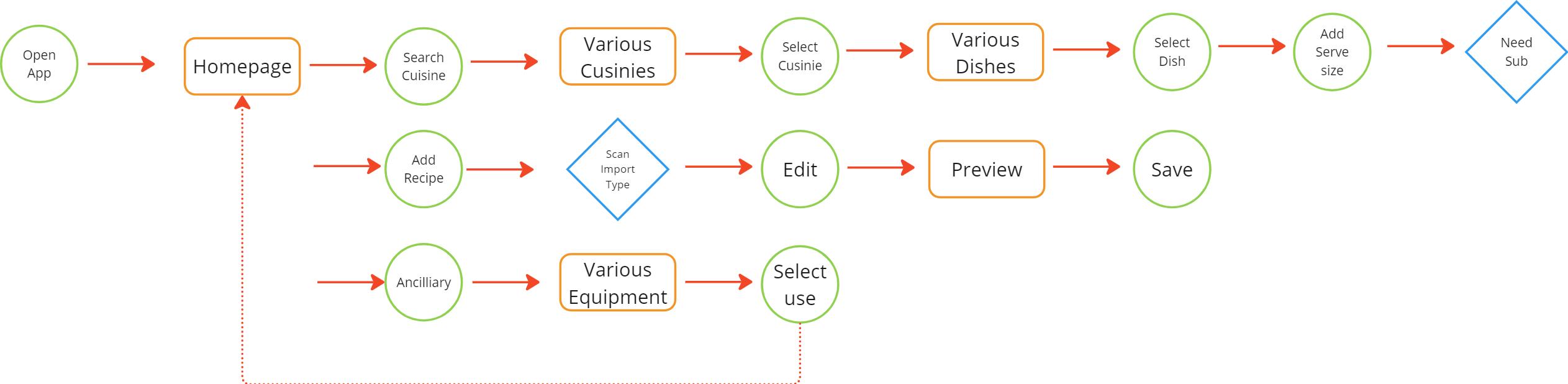
I created a low -fidelity prototype from the user flow diagram and wireframes to test functionality before incorporating it into the final design and to ensure accessibility for end -users .
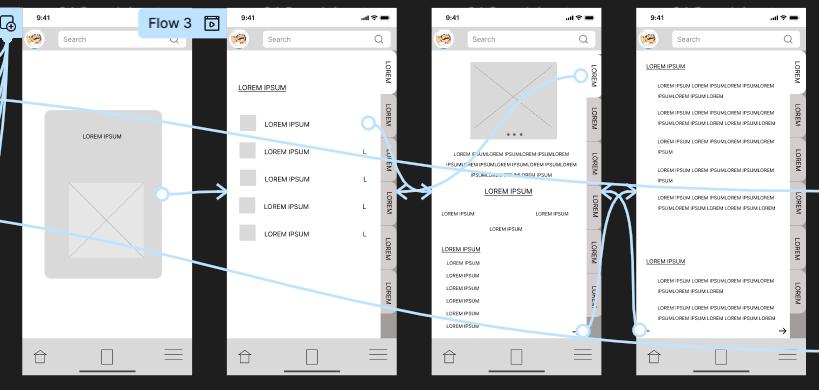
Unmoderated usability study with 3 participants, 20 – 30 minutes
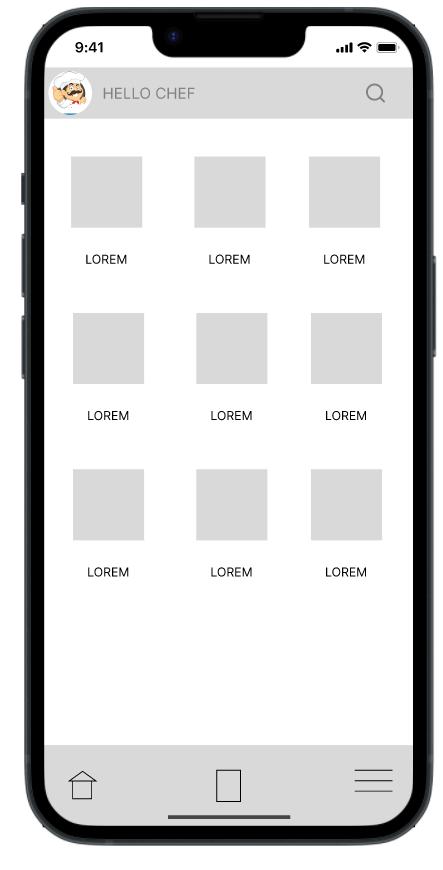
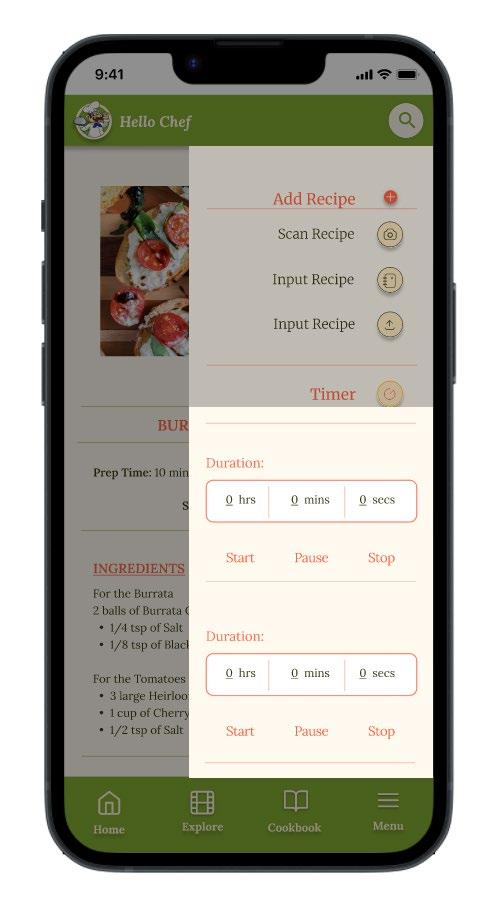
Keeping the tools on a separate page resulted in unnecessary steps for users to return to recipes or refer back . Implementing a hamburger menu that includes calculations streamlines the flow, making it easier for users to access tools without interrupting their cooking process .
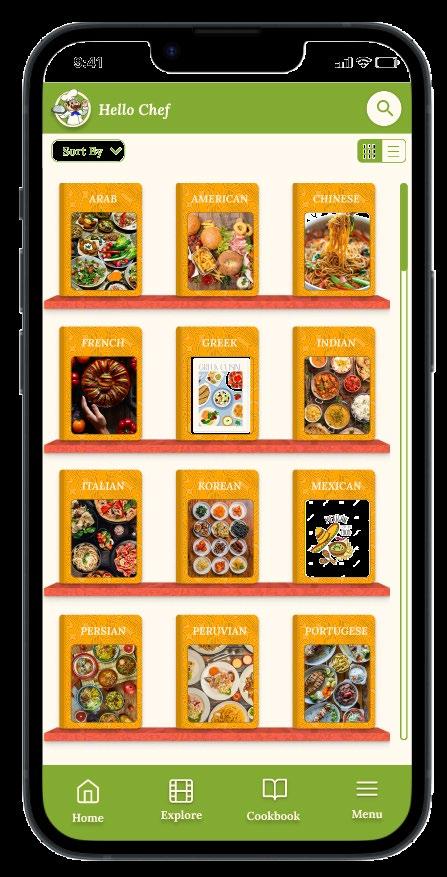
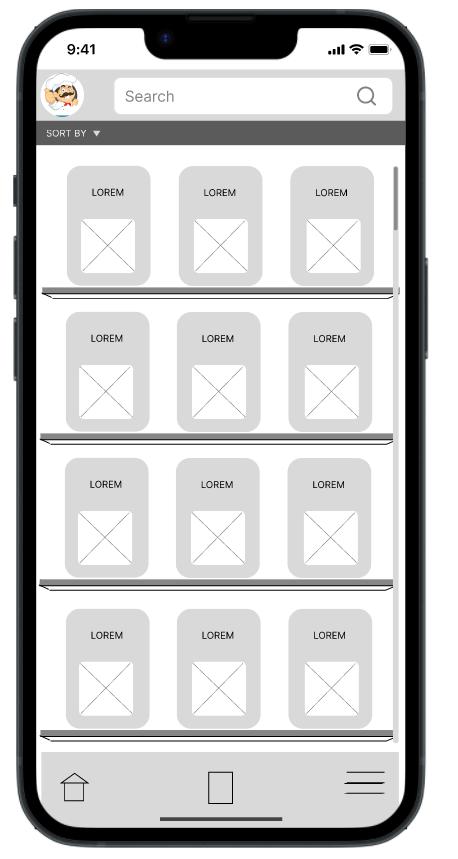
Some users expressed a preference for a list format over the grid pattern for displaying books . They found it easier to navigate and locate titles using a list view .
Some users found the plating technique images too small, and the accompanying text felt overwhelming visually. This affected their ability to engage with the content effectively.
Refining the design
● Mockups
● High -fidelity prototype
● Accessibility
Based on insights from the usability studies, I applied design changes . These include adding tools on the side on the same screen .
Before usability study
After usability study
To enhance visual clarity, the grid pattern can be accessed in a list format, providing users with a more straightforward and organized way to browse content .
Before usability study After usability study
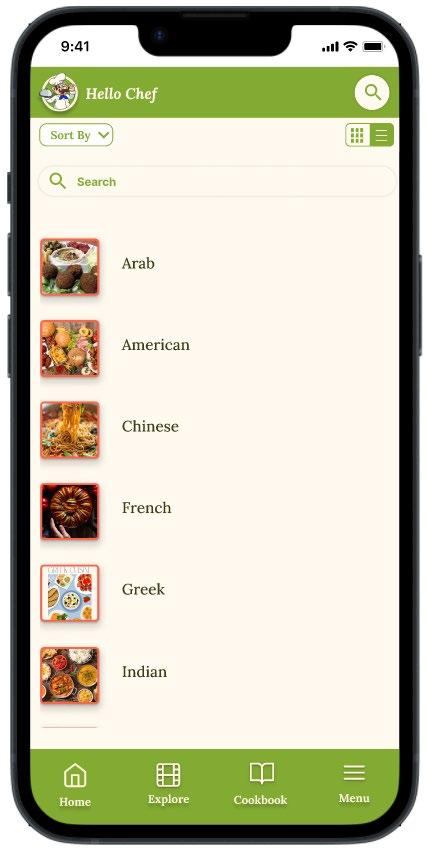
The main color theme I used was green to promote freshness and health, orange effectively drawing attention to call-to -action elements . To access full prototype: https://youtu.be/bRaa1GRcMjc
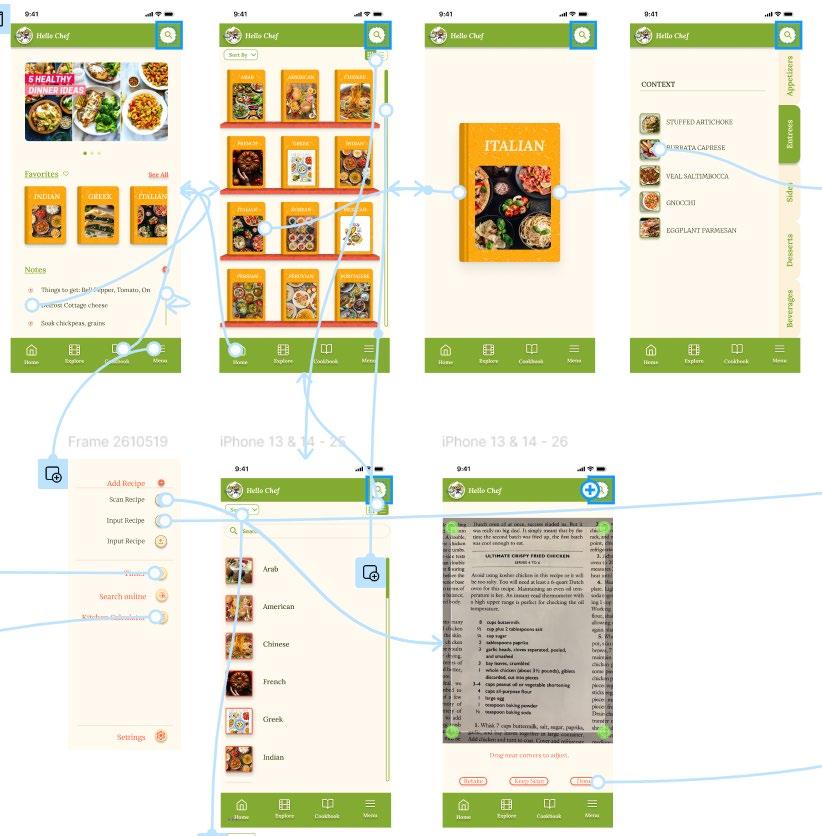
1 2 3
When choosing a color palette, I made sure my primary colors met WCAG AA Compliance before building out the UI for each screen .
I am using only one typefaces : Lora . It is a sans serif font so they are easy to read . Mixing too many different typefaces can make the app seem fragmented . It also makes it difficult for the user to know where to look .
I implemented a text hierarchy throughout the app . This helps users to distinguish the different sections and information on screen .
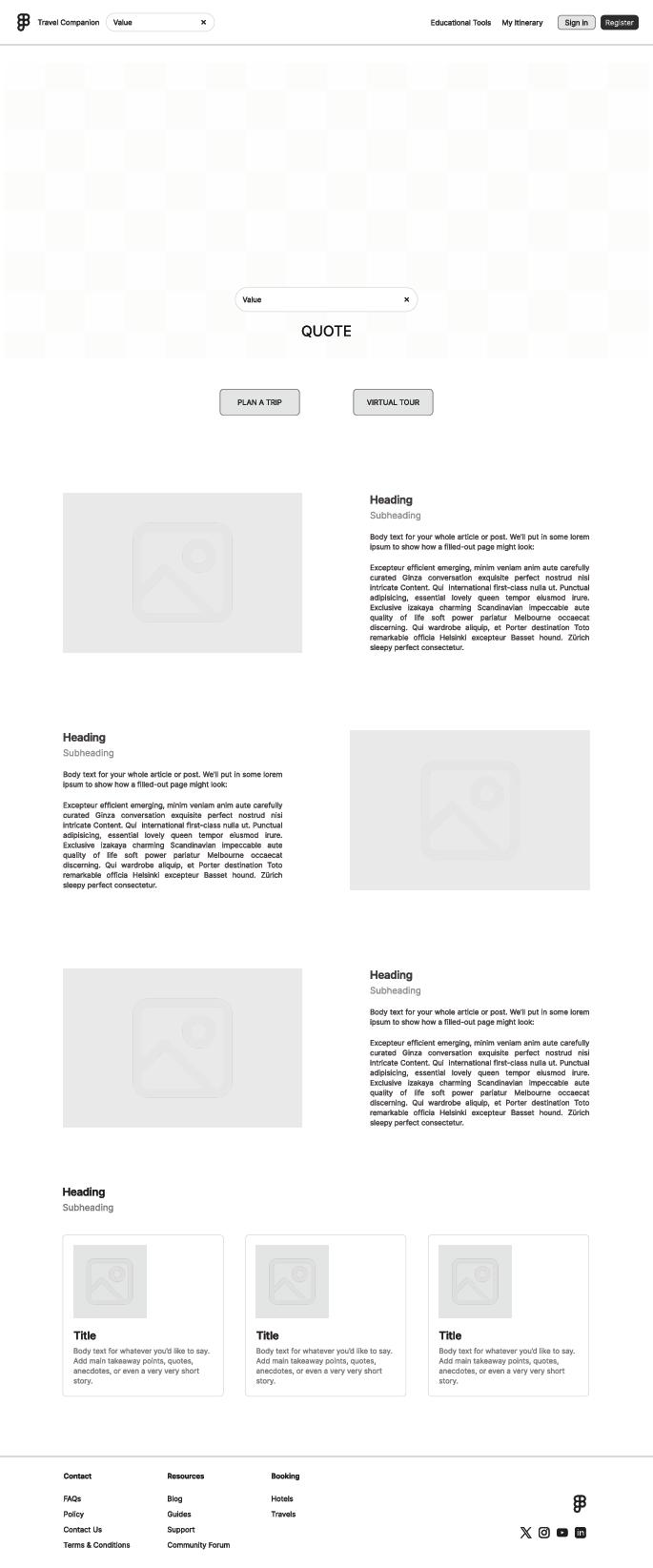
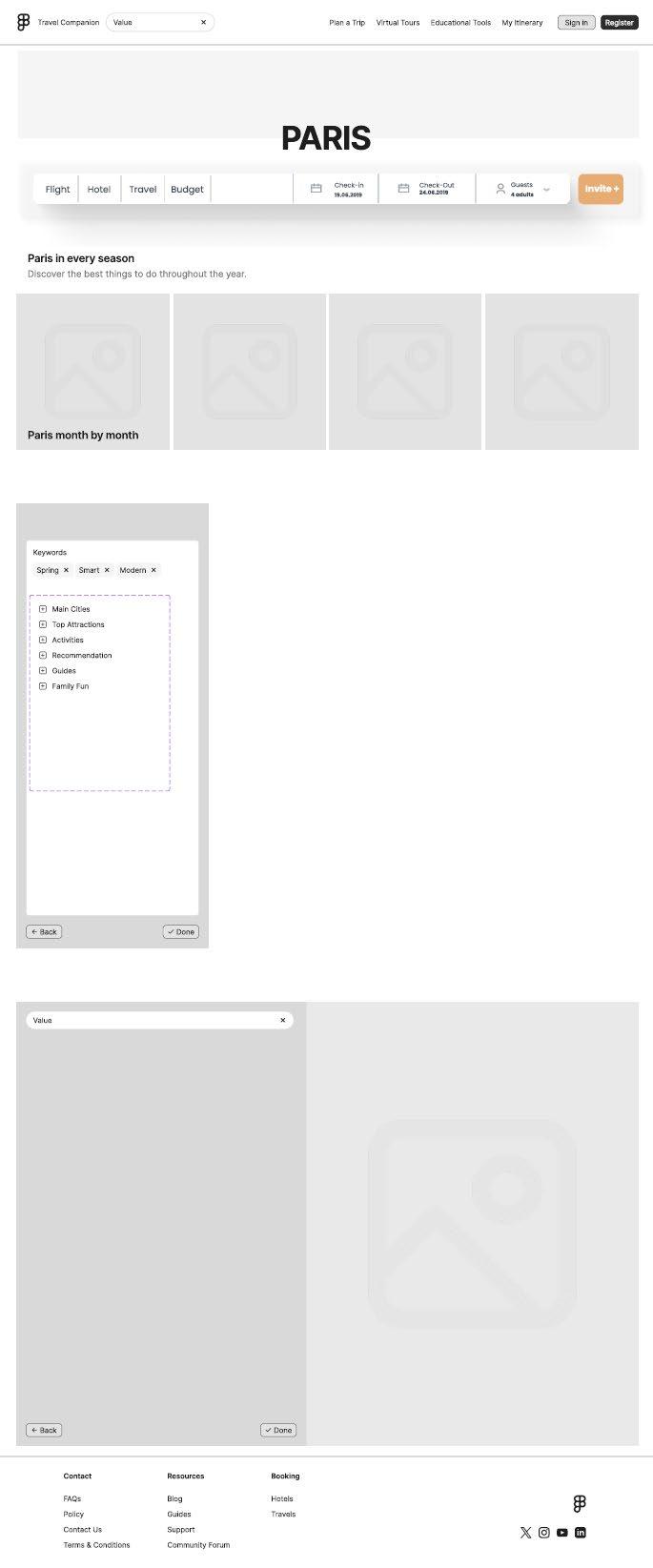
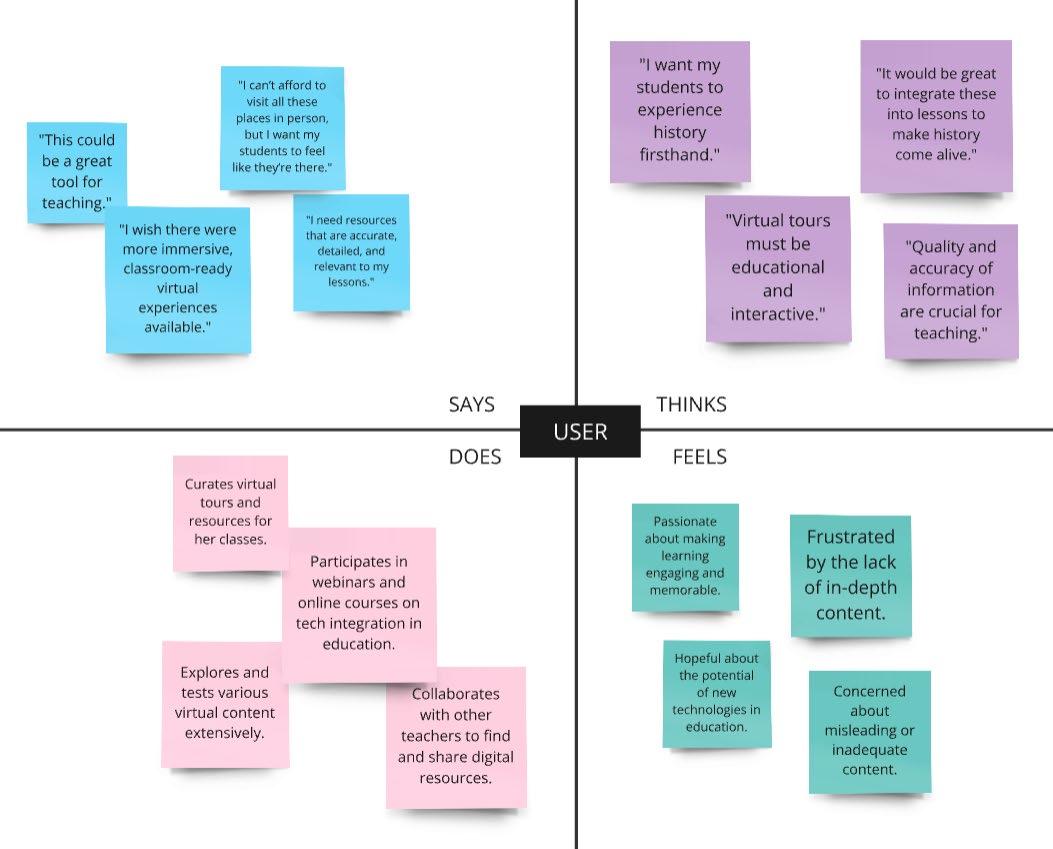
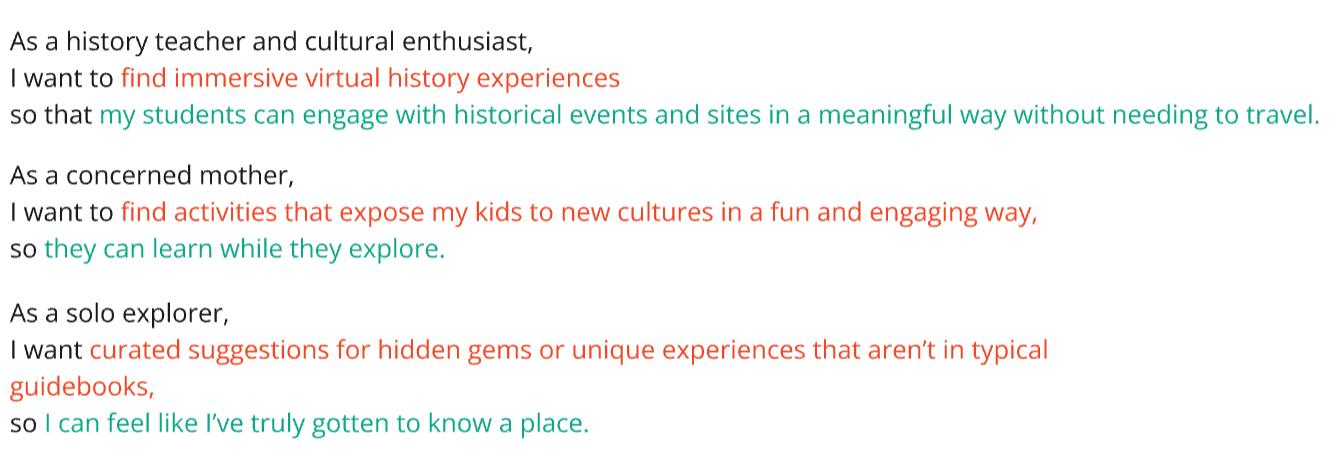
The Tailored Travel Companion app will let users create customizable travel itineraries and engage in immersive virtual tours, which will affect educators, families, and travelers by making travel planning more efficient, immersive, and accessible, even when physical travel is not possible .
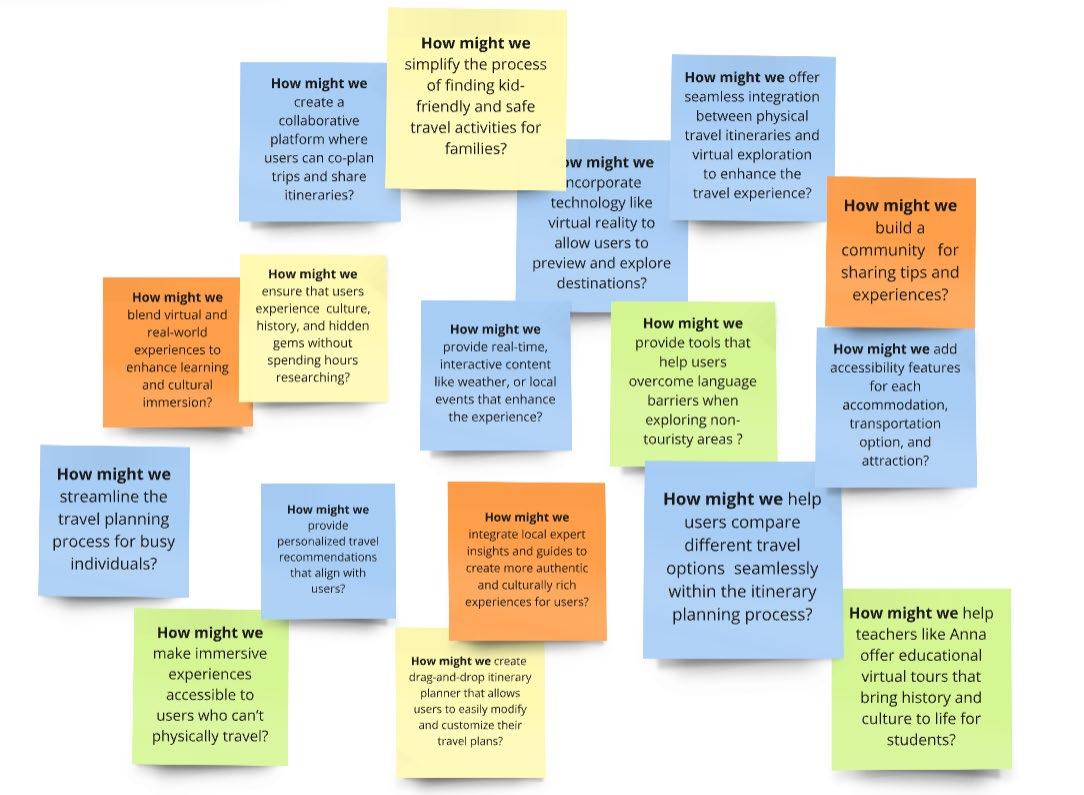
How Might We?
I would appreciate your thoughts and insights on this topic, as feedback is crucial to further enhancing the findings of this study.
To view full Prototype: https:// youtu.be/bRaa1GRcMjc