Product Design Portfolio
Hello! sharenelie23@gmail.com
Industrial Design, UI/UX Design, VR Design, UX Research
National Taiwan University of Science and Technology
Bachelor of Design - Industrial Design GPA : 3.8/4.3
June 2023
- Present
Internship
Conducted UX research to develop new gaming gear software for the upcoming release of gaming equipment
Designed user interface elements and user flow for the new version of Powercolor GPU software, gaming gear software
Proposed several designs of electronic products (PCIe capture card, Portable Graphic Processing Card, etc)
June 2023
- Present
GDT Asia
Internship
Collaborated with marketing team in executing marketing campaign materials for affiliated companies (web banner, social media posts, etc)
Email : sharenelie23@gmail.com
+886 970 308 029
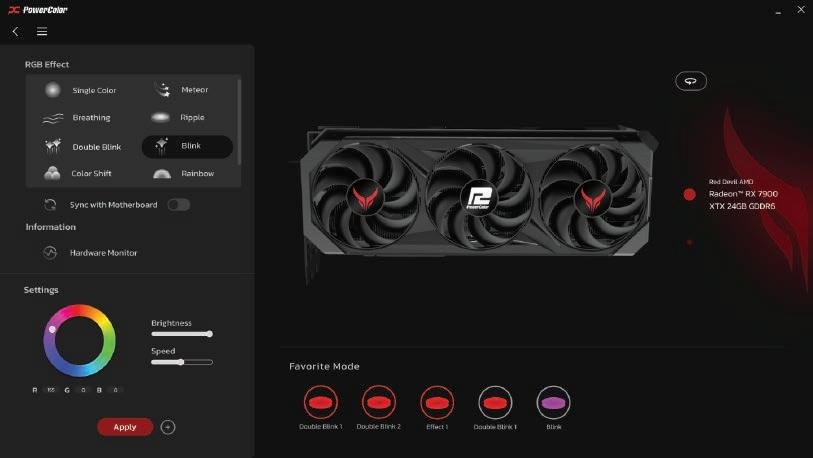
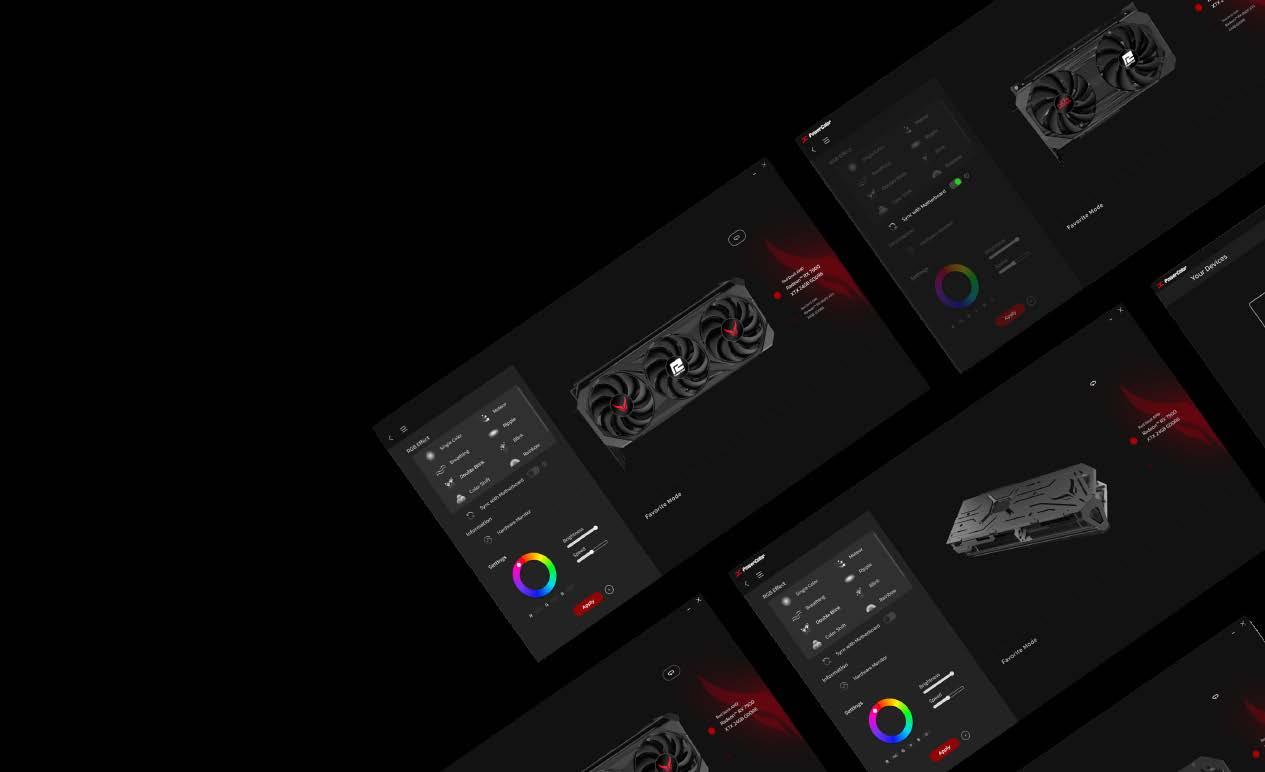
Users should be able to effectively manage their GPU, from RGB customization to monitoring, an efficient utility software is essential. It should strike a balance between simplicity and comprehensiveness, offering visual appeal while being resource-efficient in terms of memory usage.
Some inconvenice were found in the first version of the utility software
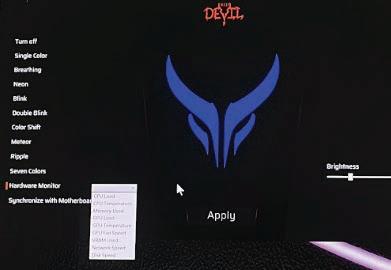
Lack of visual representation for RGB effects
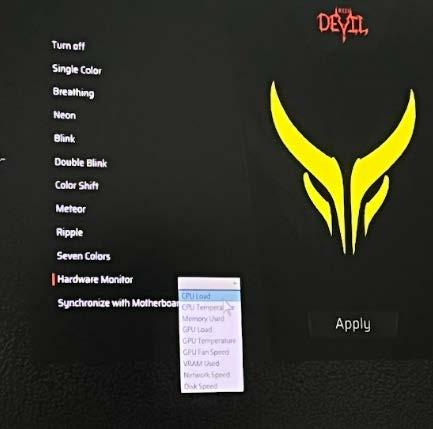
Unclear distinction between RGB effects and other control settings
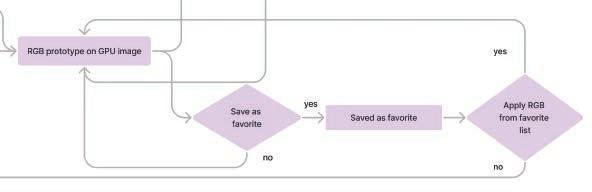
Lastly, we would like to add a personalized touch for users, which prompts the inclusion of a favorite mode feature.
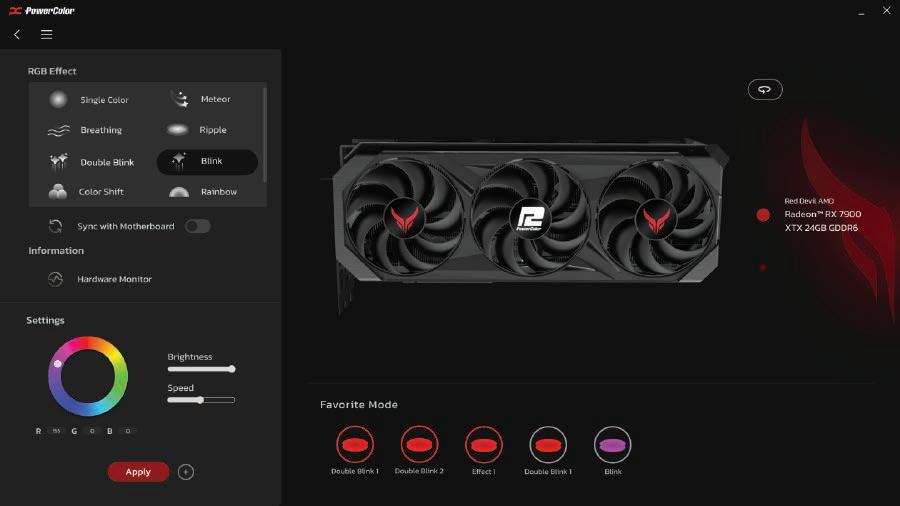
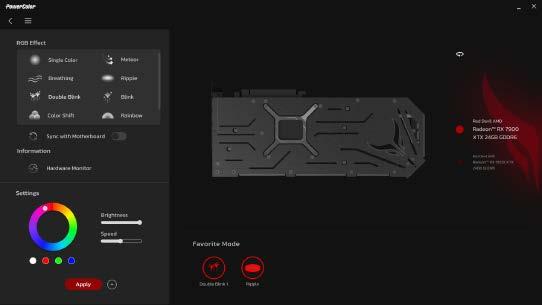
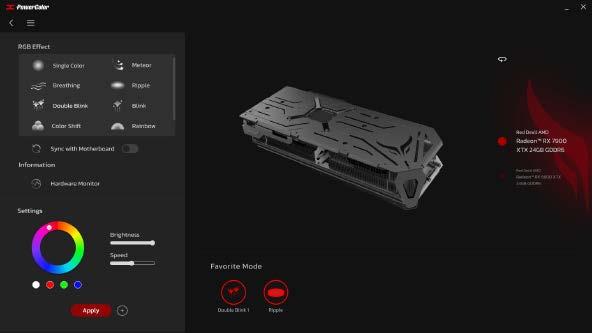
After undergoing several revisions, our main focus has been on enhancing the visual presentation for a better user experience. This includes adding icons for each RGB feature, offering options to change the GPU perspective view, establishing a clearer visual hierarchy by dividing areas for RGB effects and other settings, and incorporating a favorite mode to enhance personalization.
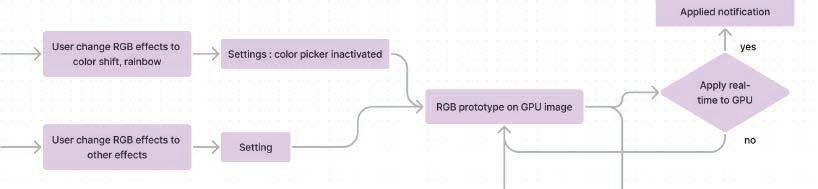
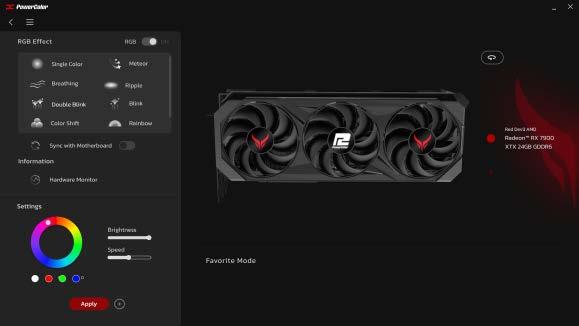
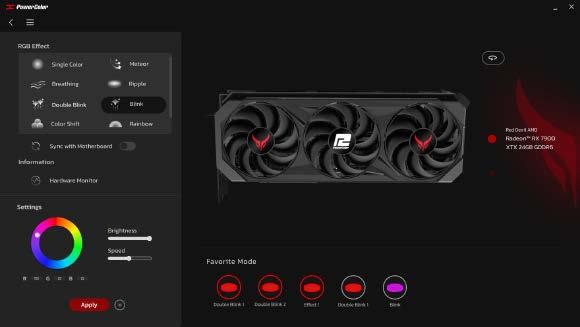
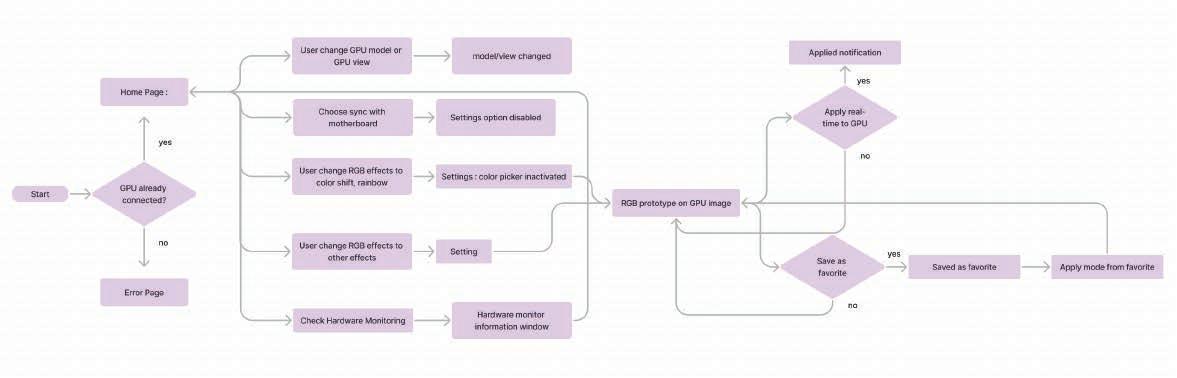
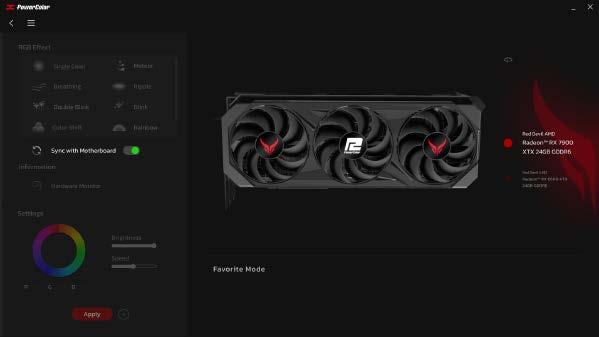
A simple on off toggle that will enable RGB sync with motherboard thus disabling aother RGB settings
Simple design paired with loading animations were chosen so user able to quickly recgonize the informations they’re looking for.
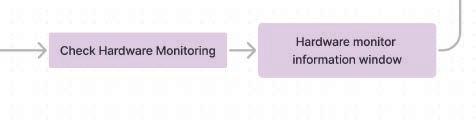
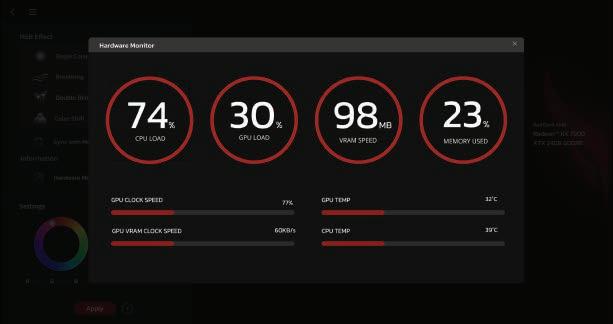
Every favorite mode will have different icons based on which effect and color were chosen
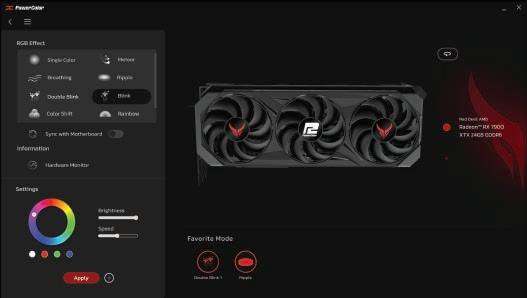
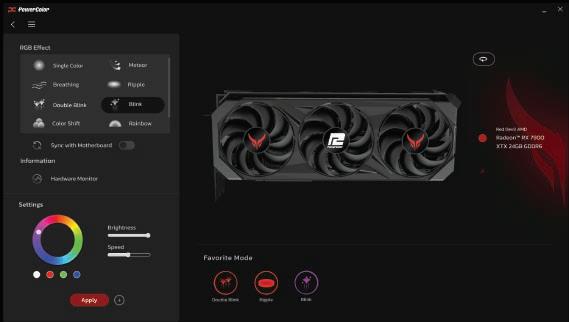
For better experience, there is an option on right of the GPU image, to see the GPU from other angles, and a roll-over menu button to change into another connected models

VR
Role : User Interaction, Environment Design, Story Timeline
In this project we tried to convey the story of people with alzheimer; the confusion they suffer, and how the sickness affects family relationship
This VR narrative will bring users through four distinct environments, each presenting unique scenarios. Additionally, it features two interactive scenes requiring user participation.
In this immersive story, users not only witness the unfolding narrative but also gain a firsthand experience of the confusion faced by Alzheimer's patients, by interacting with the story in a first-person perspective..
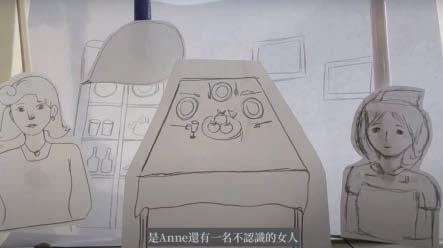
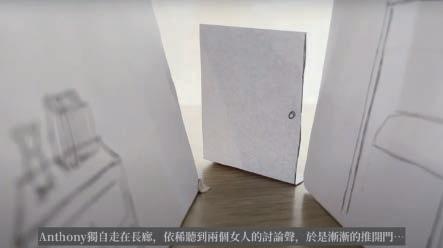
Before taking the development into Unity,we made paper storyboard to have better images on character design, the VR environments, and users perspective should be
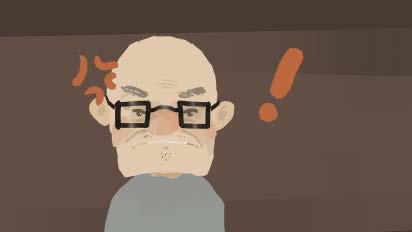
Our characters were all modeled with Quill and were added movements with Mixamo
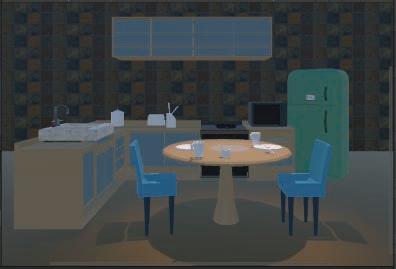
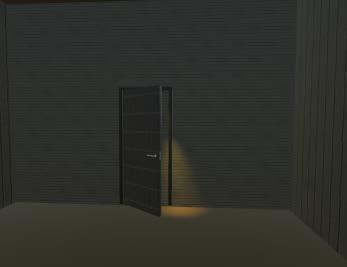
All our scenes were made in unity, we assemble free assets from library and modeled simple object in blender. After, we proceed to set lighting and cameras
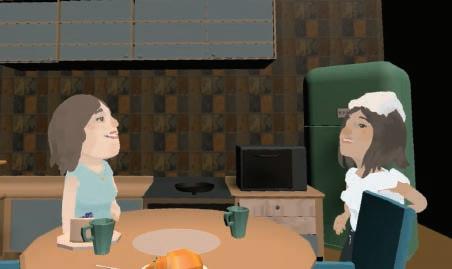
In these two scenes (walking in corridor and arriving at the kitchen), users will be given signs to interact with an object to trigger changes of scene
The last step was compiling every scenes into one timeline, and add more background music, bubble chat (works as subtitle for user), voice over for beter user experience
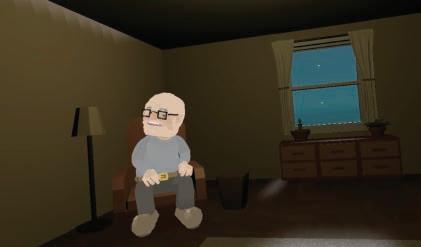
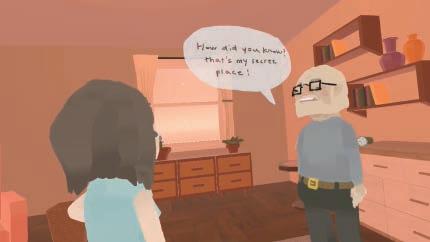
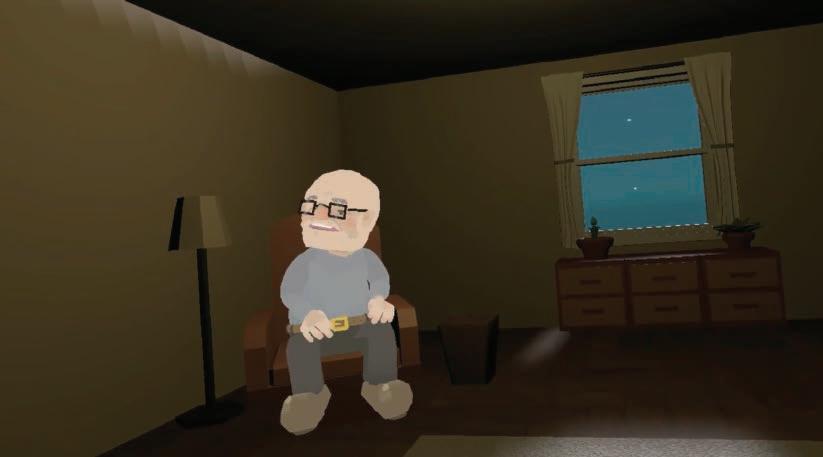
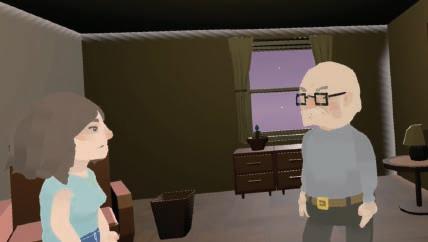 scenes from the VR content (from left to right) : 1. Animation of MC thinking to himself, 2. Animation of MC having conversation, 3. Animation of MC being mad
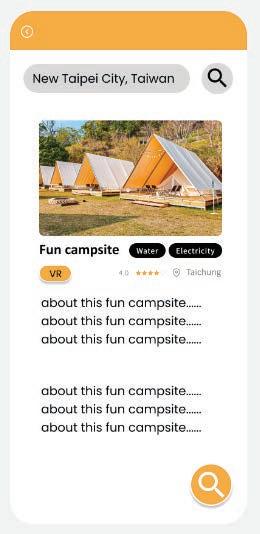
Beginners tend to feel unsure in camping as they don’t know what to prepare, where to go, and what kind of condition they’ll face in the camping ground. Camping GO is an APP to solve that frustation, encouraging more beginners to go camping.
An interview to get better insights of beginners‘ needs in camping was conducted. Then we analyze the interview result with KJ method.
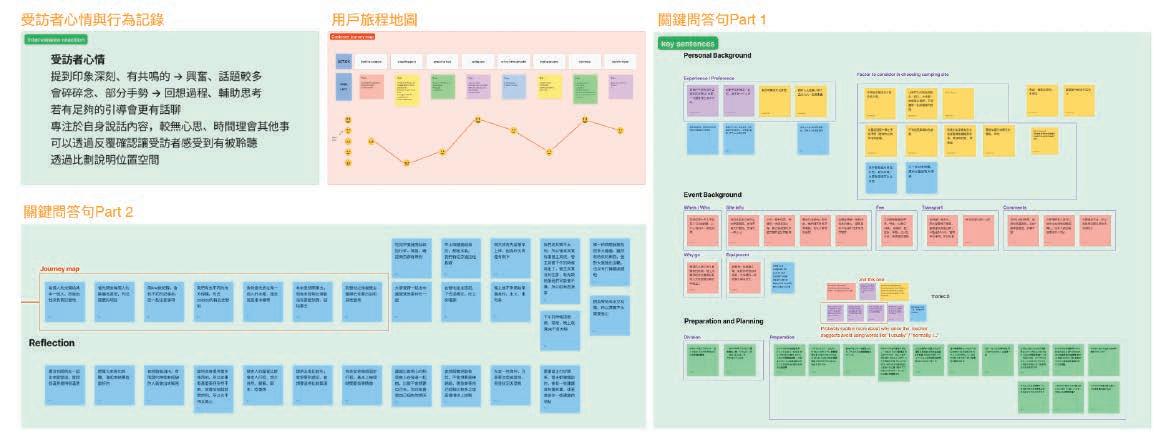
Setting a budget is really important
Doing weighted comparison for camping grounds
Most of the times, beginners don’t know what to prepare/bring
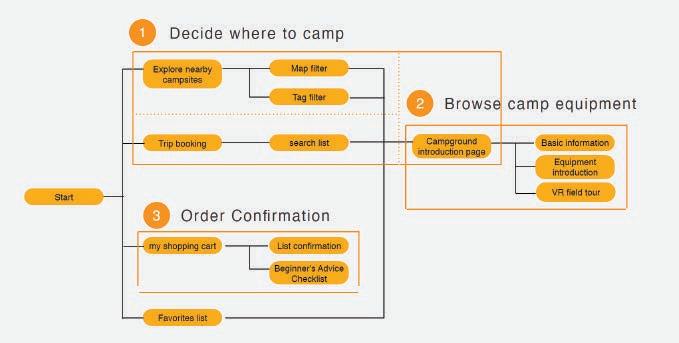
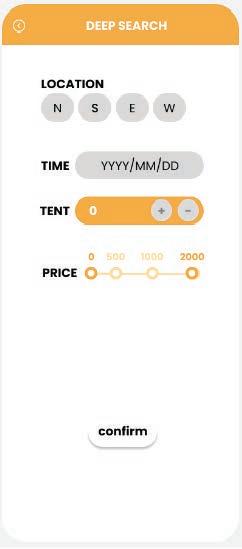
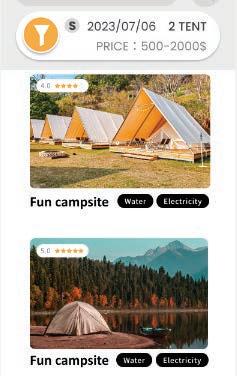
Search feature based on budget, time, amount of people
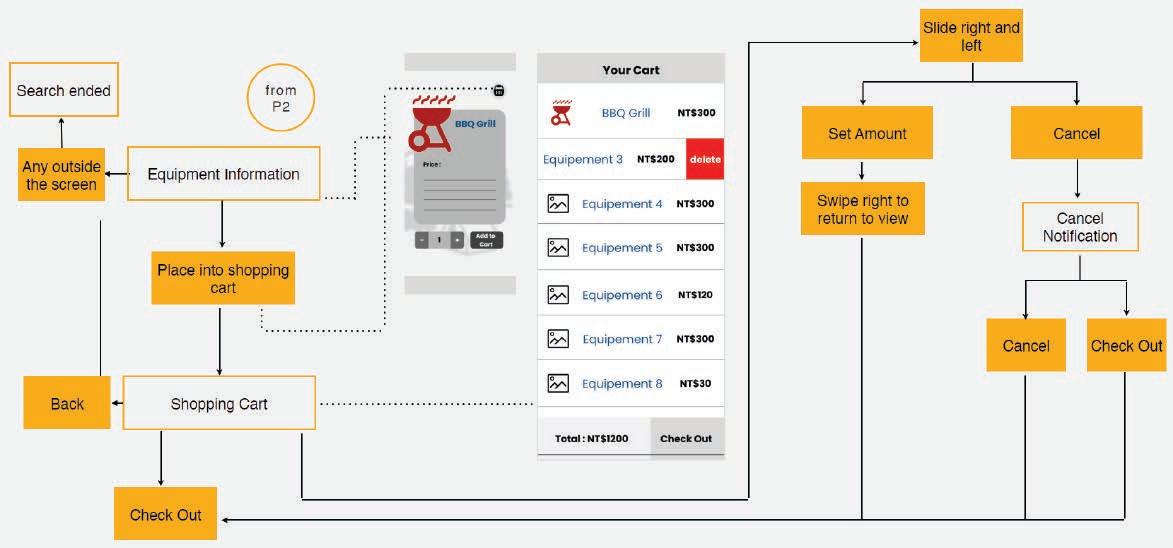
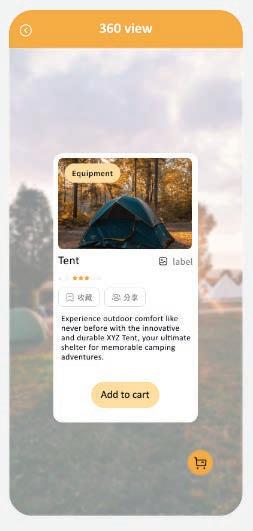
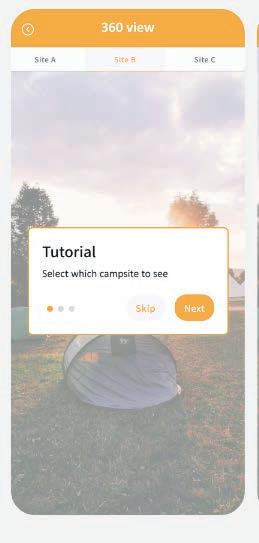
Interactive 360° image with clickable equipment image for each camping ground
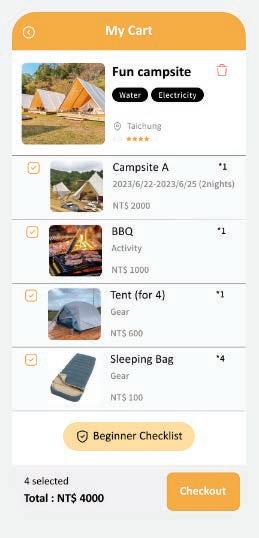
Buy/rent equipment to ease users in preparation
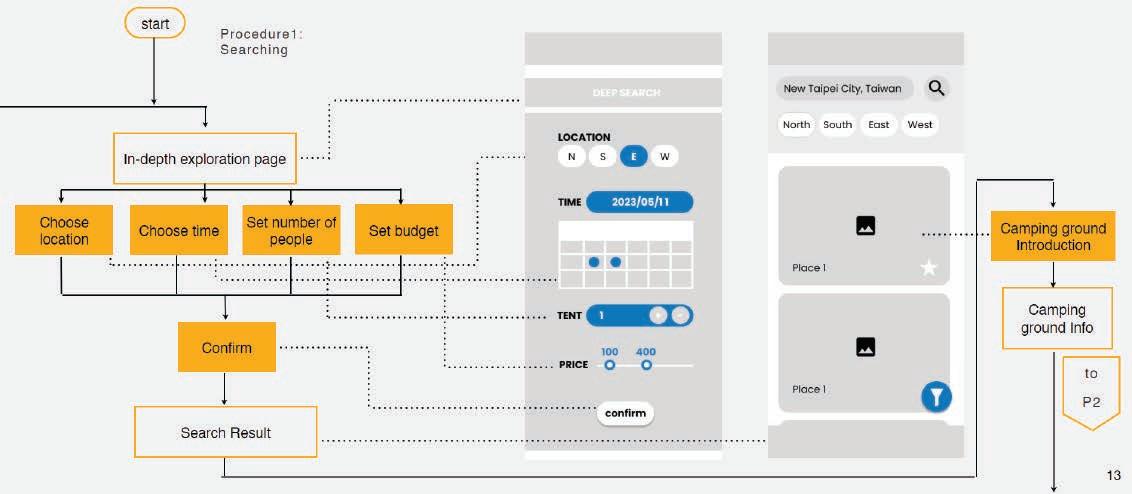
Search based on budget, time, amount of people
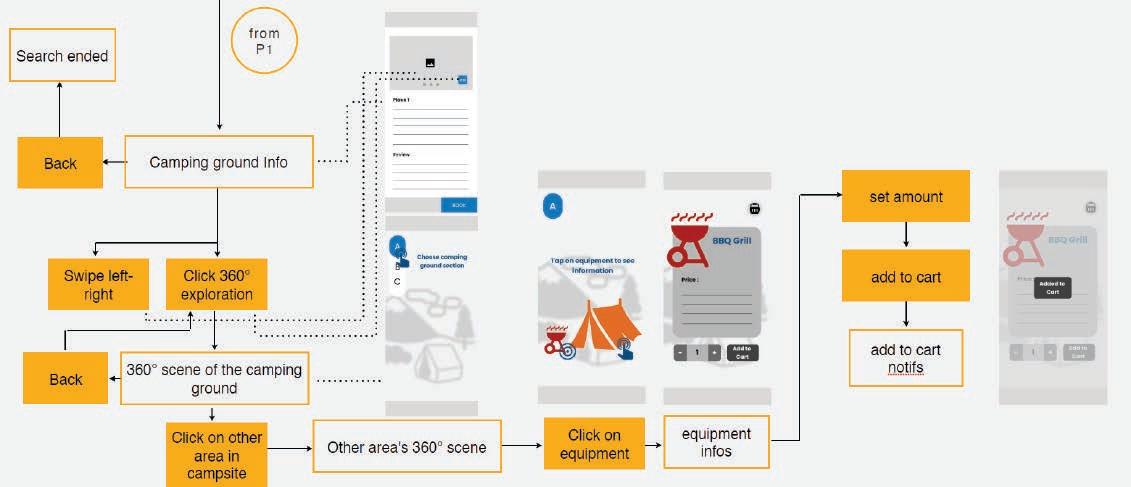
360° exploration scene of camping ground, and infromation about required/rentable equipments
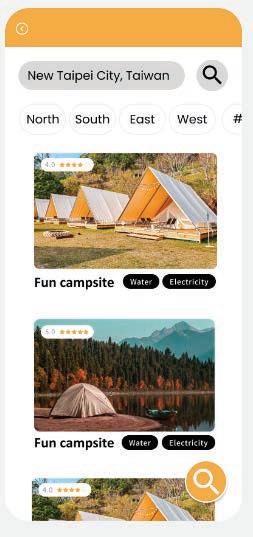

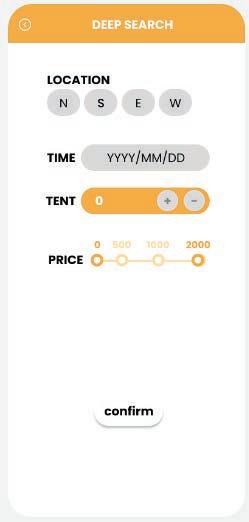

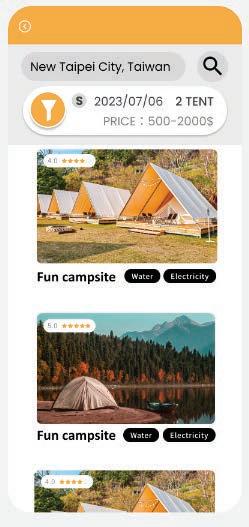

In-depth search feature based on requirements


Role :

- Generate low-fidelity design and wireflow chart,
- Conducted usability testing for high fidelity UI
 360° exploration scene of camping ground