VICTORIA’S SECRET - ILLUSTRATOR - HOW TO SKETCH STYLES IN MULTIPLE COLORWAYS
REMINDER: WHEN COLORING, SKETCH FILES MUST BE IN RGB COLOR File>Document Color Mode>RGB
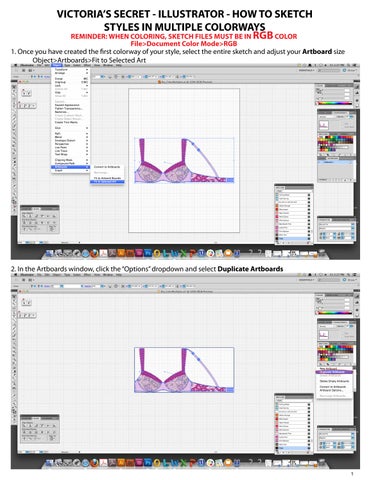
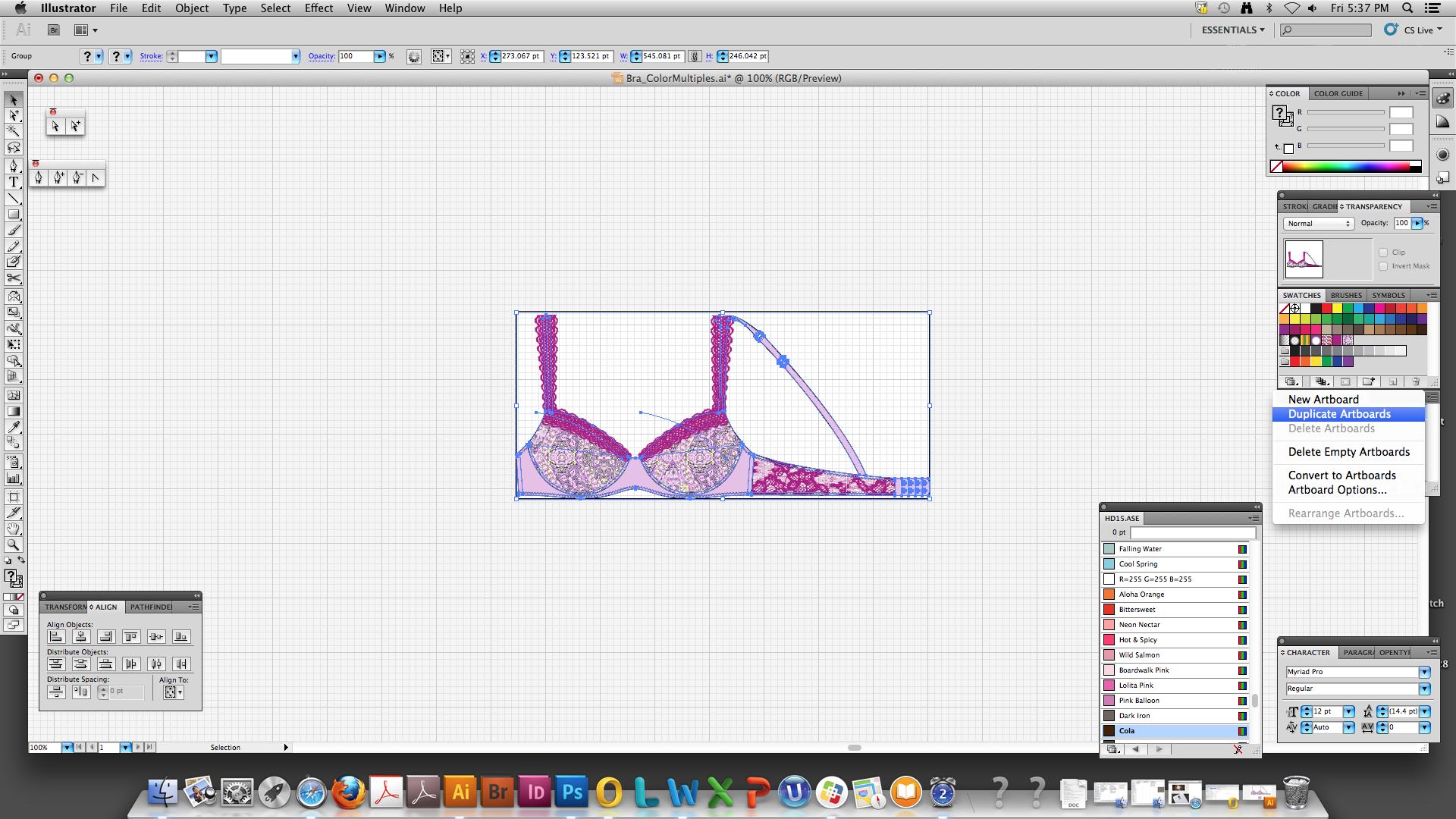
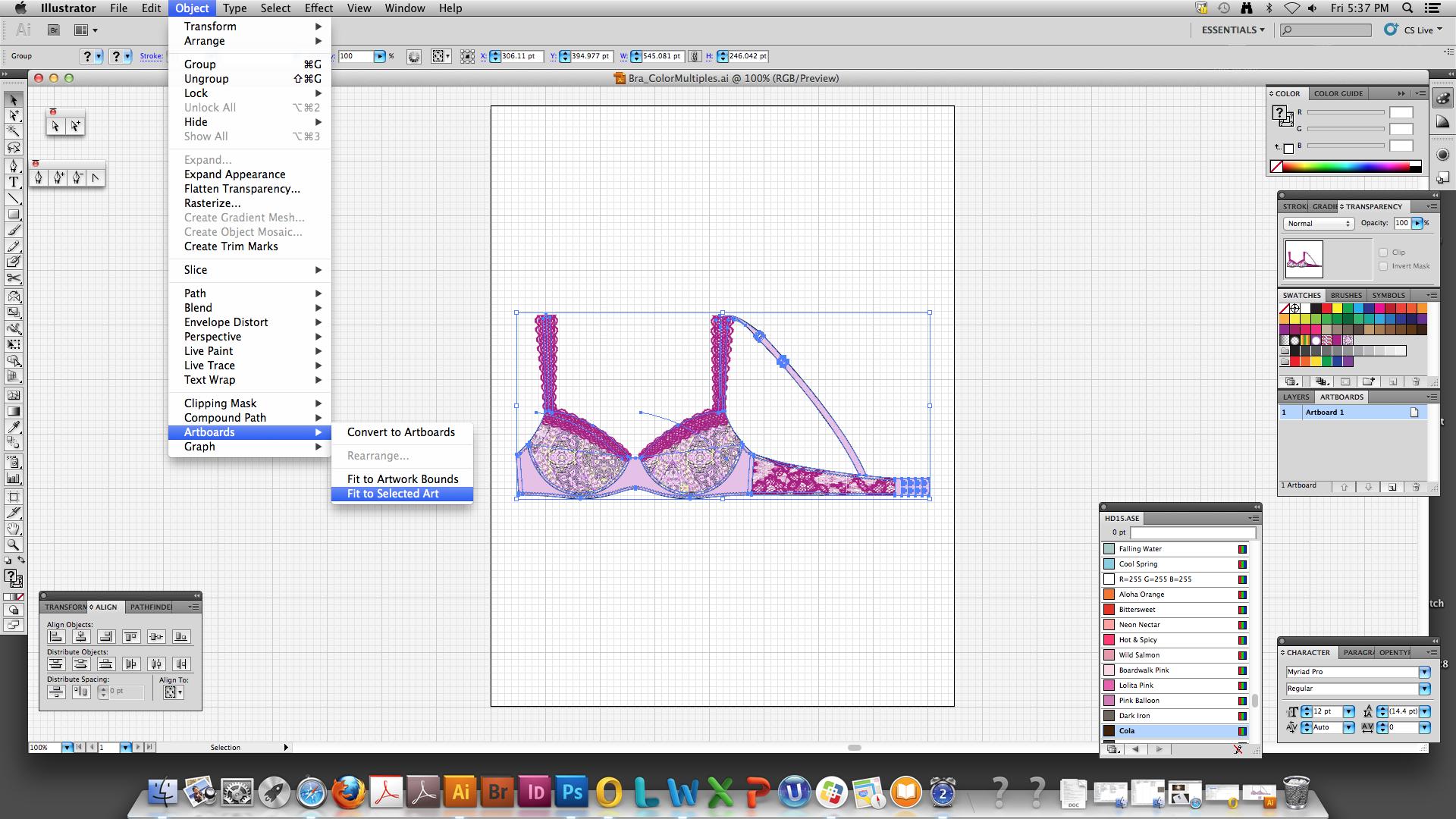
1. Once you have created the rst colorway of your style, select the entire sketch and adjust your Artboard size Object>Artboards>Fit to Selected Art
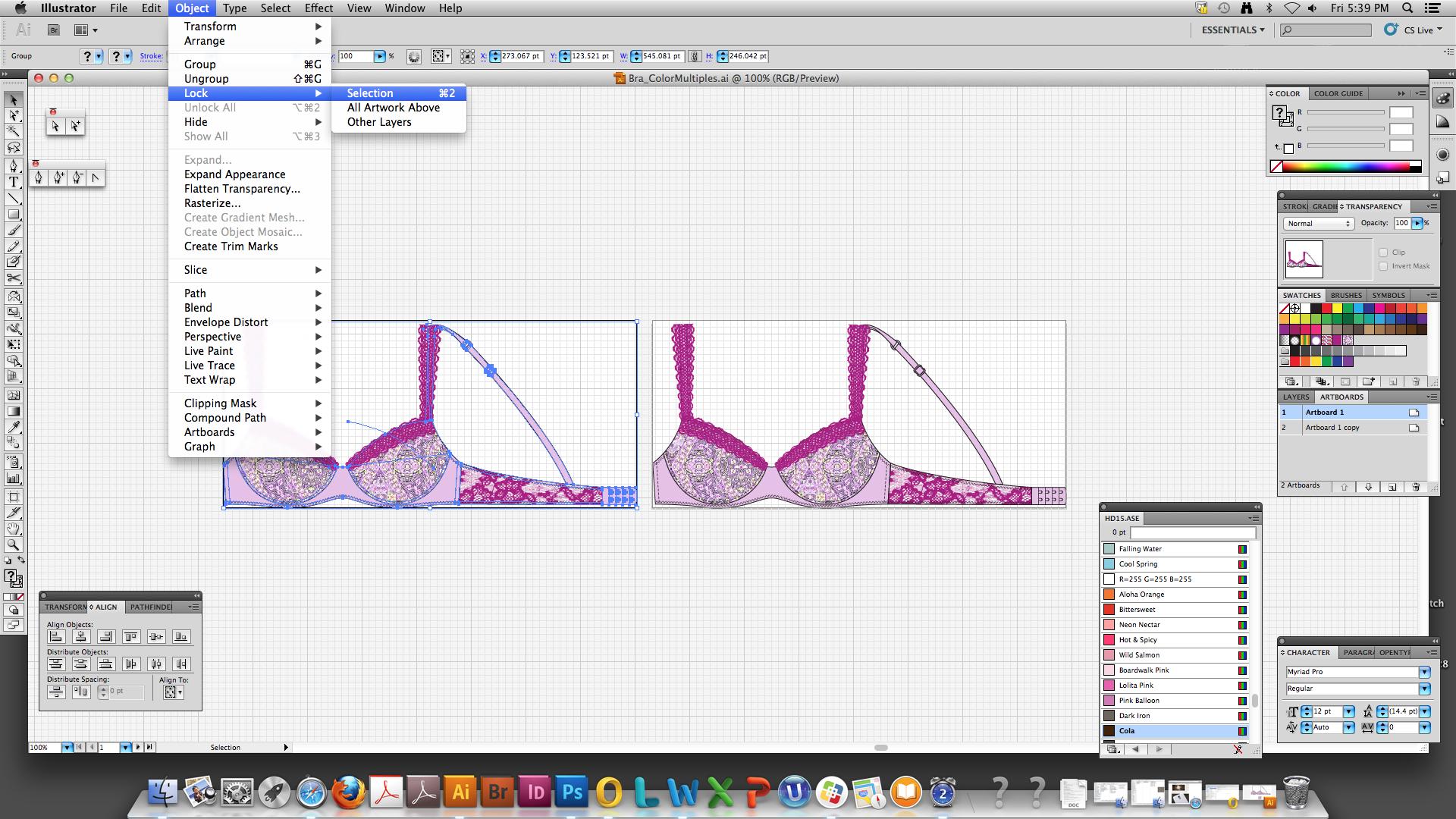
3. To preserve your original colorway, select the rst sketch and temporarily Lock it Object>Lock>Selection
4. Recolor the lace brush strokes (see cheat sheet “6_VS_HowToSketch_Color.pdf”)
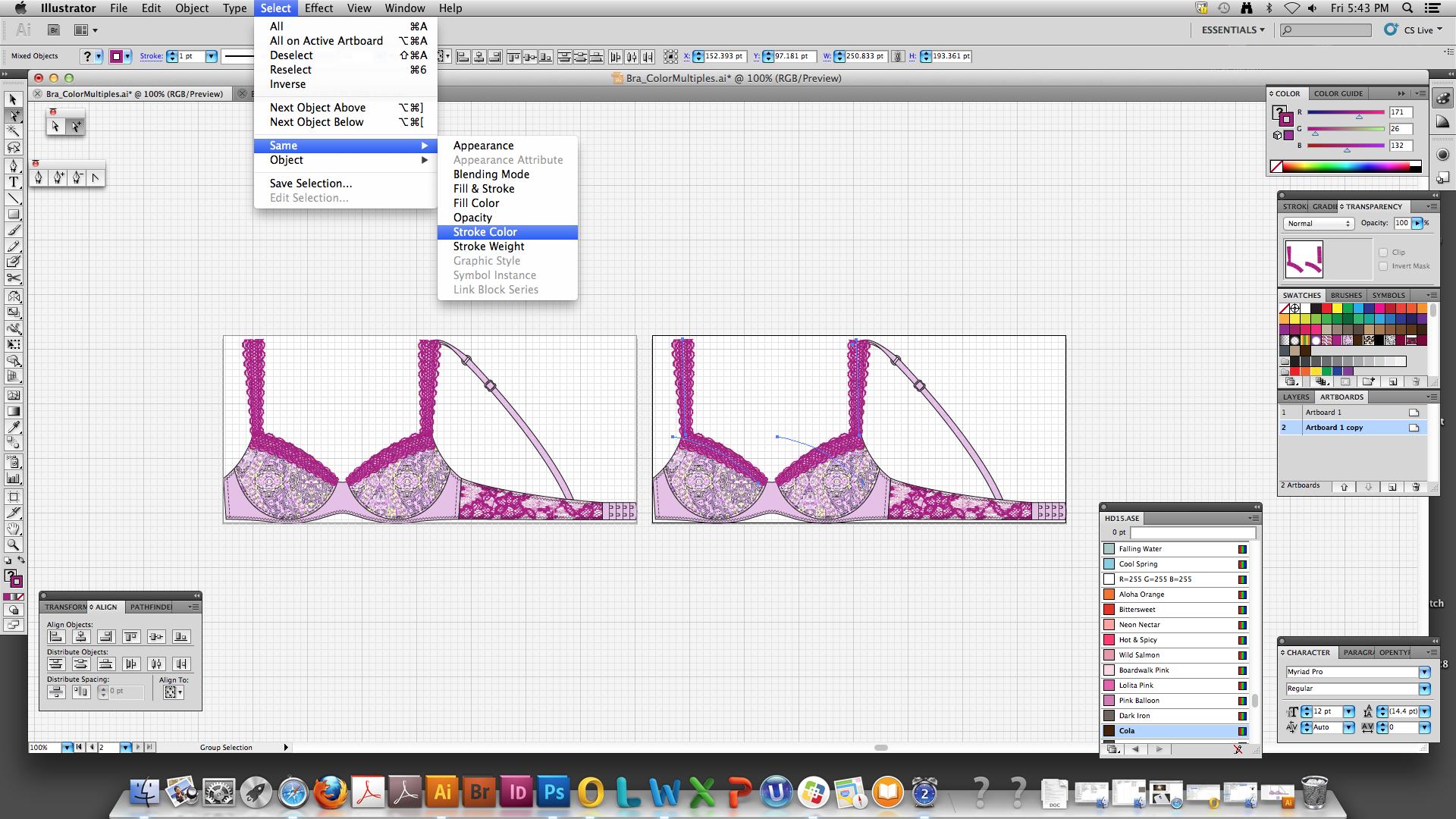
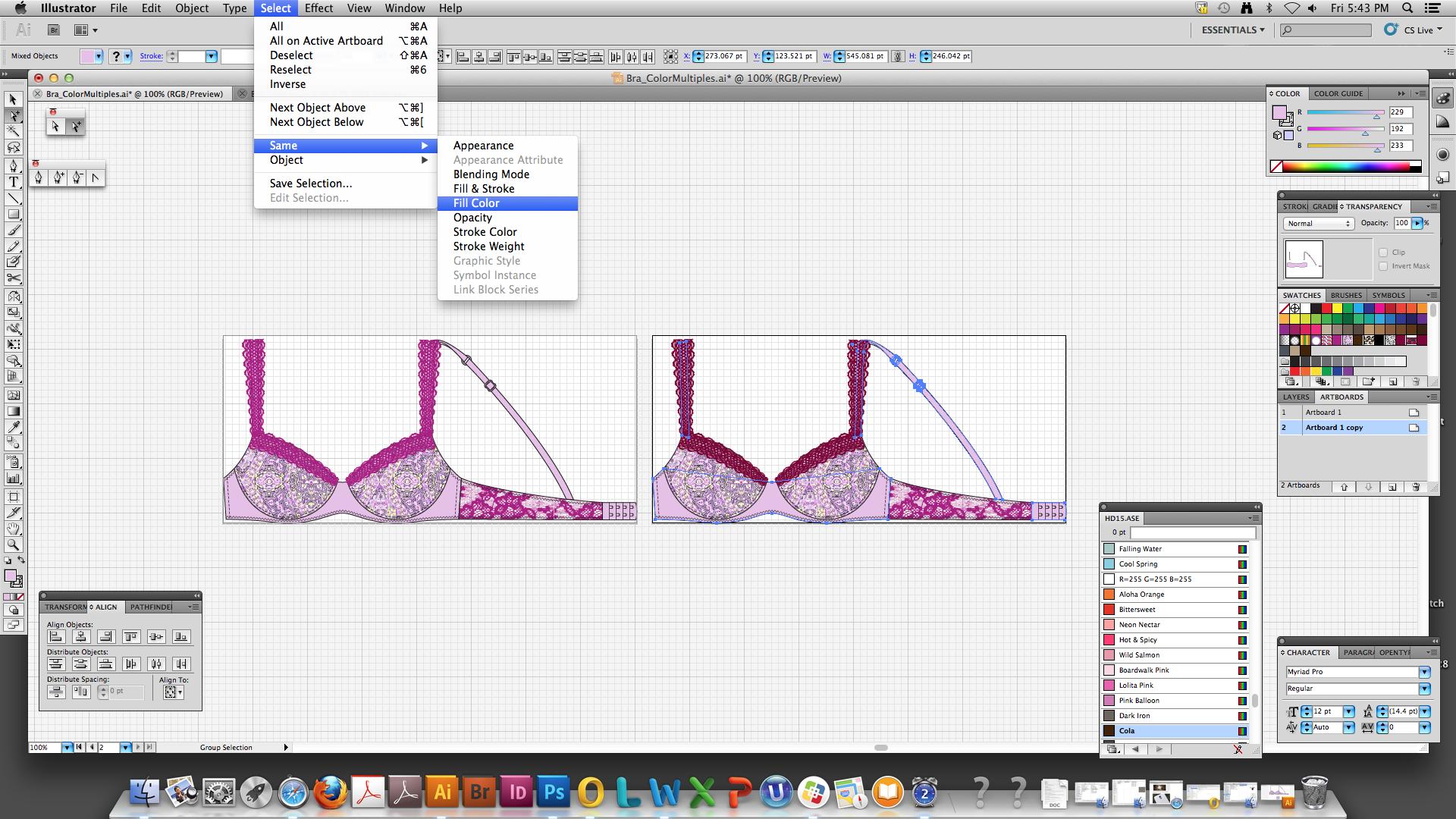
Select>Same>Stroke Color and recolor
Note: your original colorway doesn’t change because it was locked
5. Continue to recolor the sketch solid ll colors and print lls (see cheat sheet “6_VS_HowToSketch_Color.pdf”) Select>Same>Fill Color and recolor
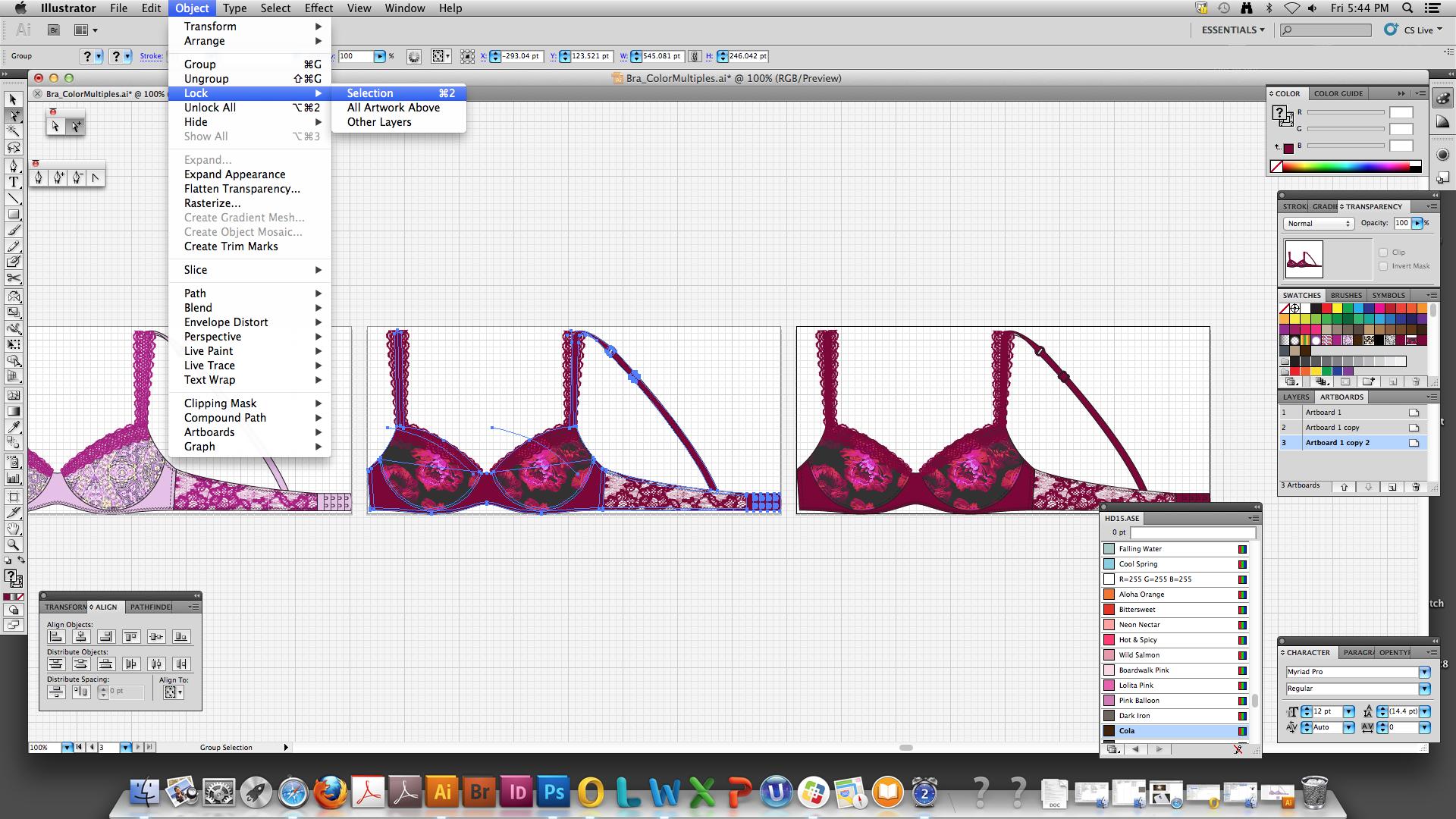
6. Once your second colorway is complete, continue to create new colorways, repeating steps 2 and 3, by creating Duplicate Artboards and locking each new colorway
7. When all colorways are complete, Unlock the sketches to make any nal adjustments necessary Select>Unlock All
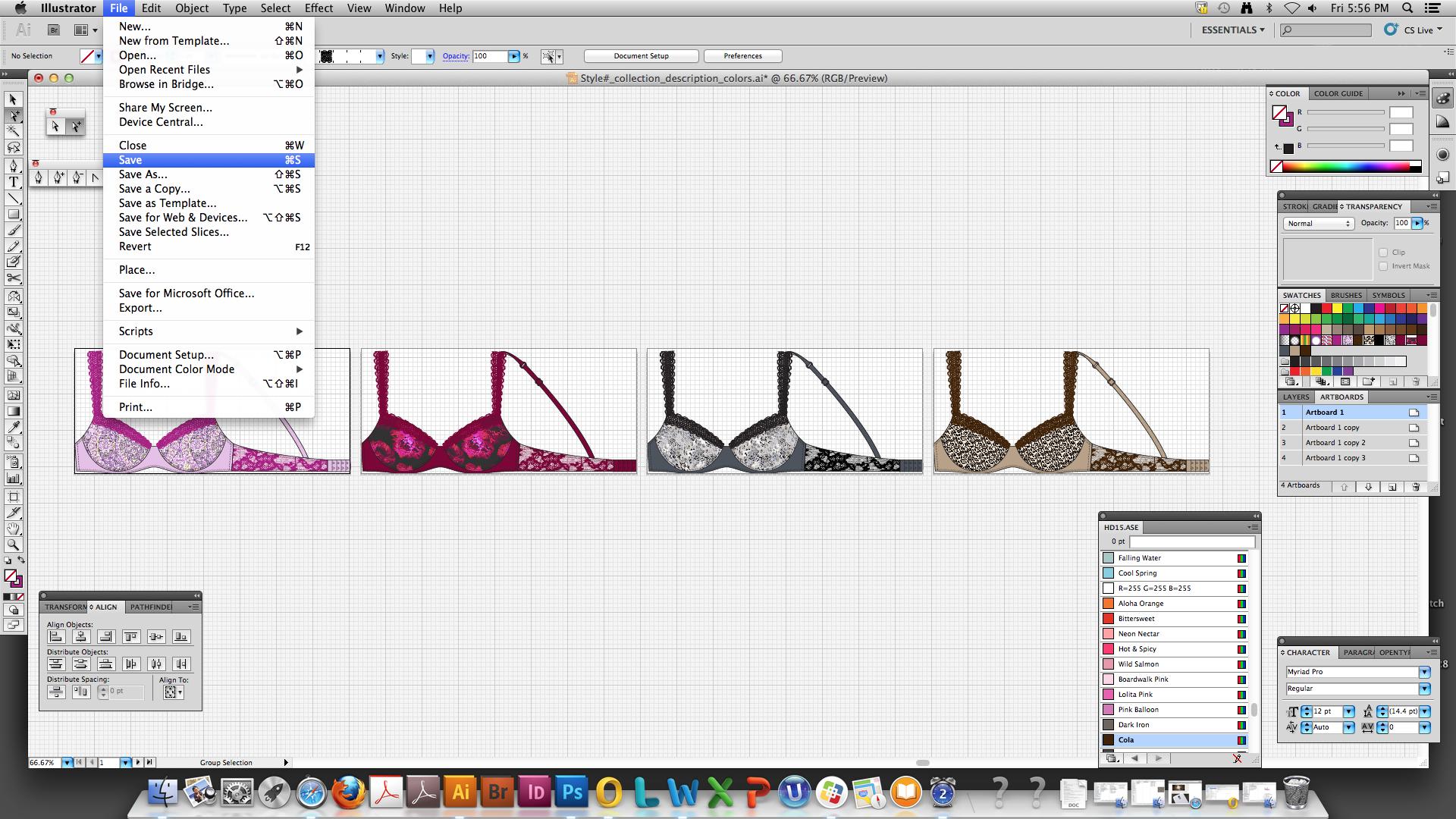
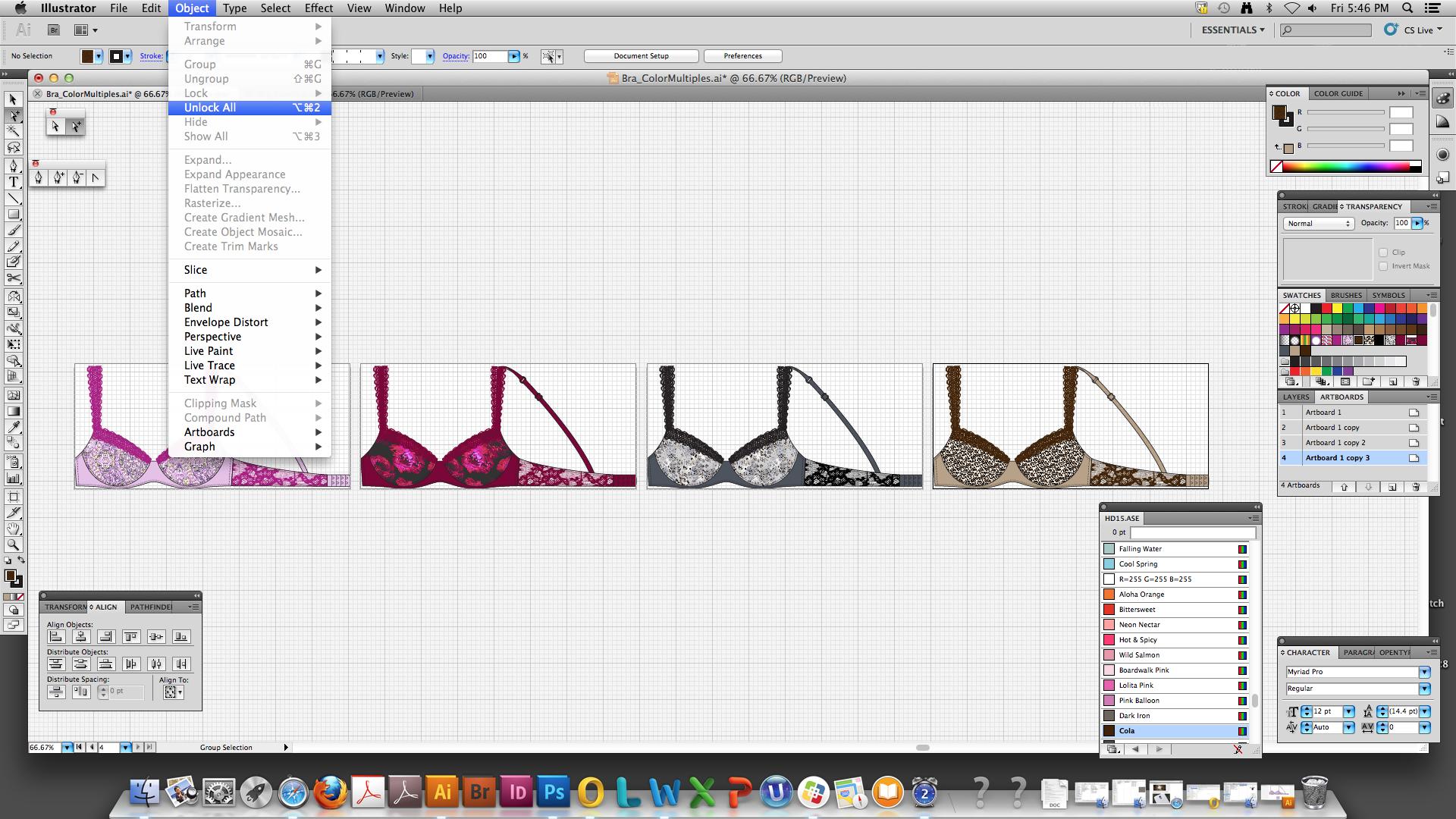
8. Save your le
It is recommended to NAME .ai sketches on your DESKTOP and copy to the VICTORIA Drive as: Style#_Collection_Description_colors.ai (e.g. 10123456_Romantic_UL Demi_colors.ai)
NAME
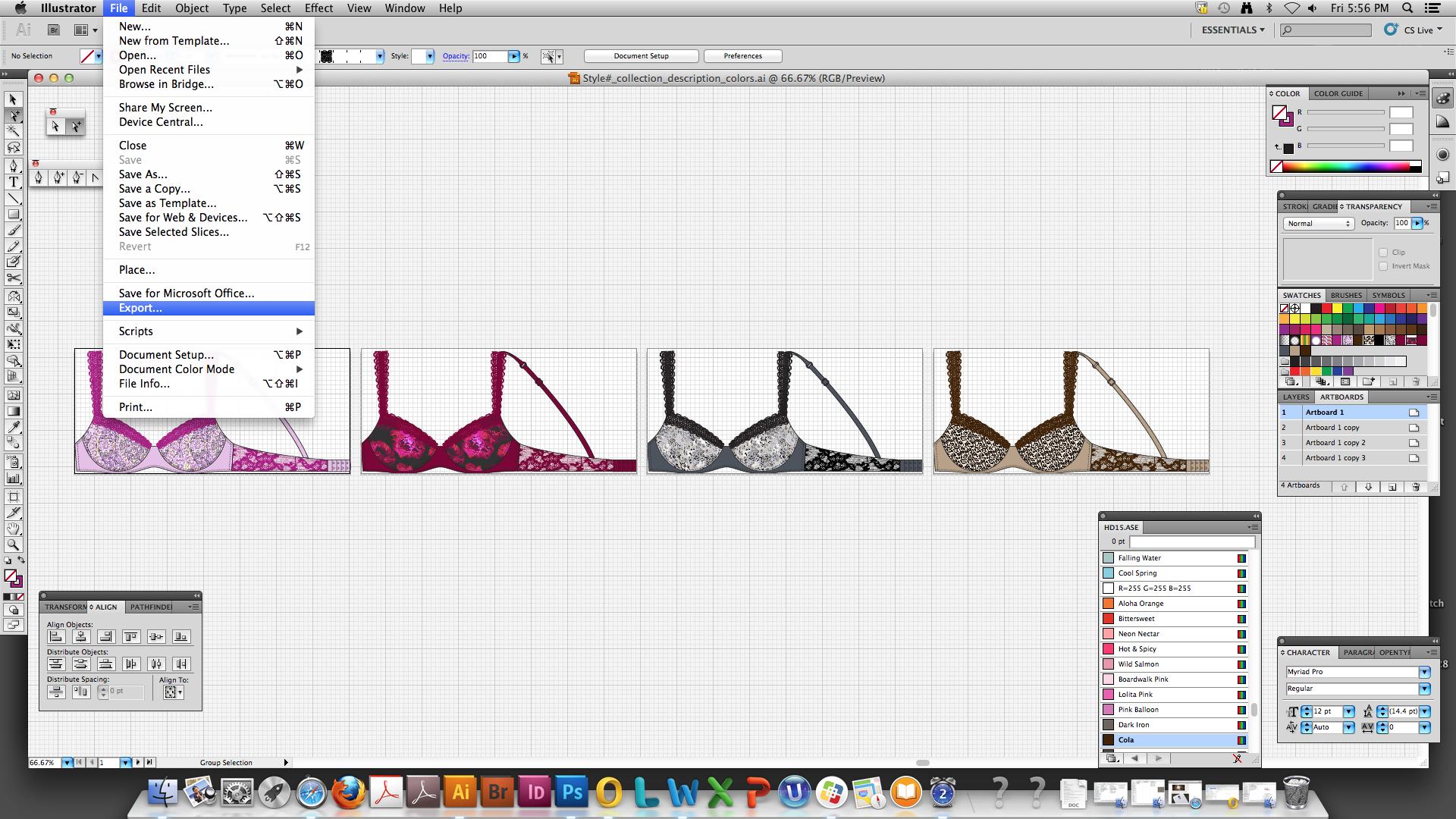
9. Once saved, Export it as multiple .png sketch les File>Export
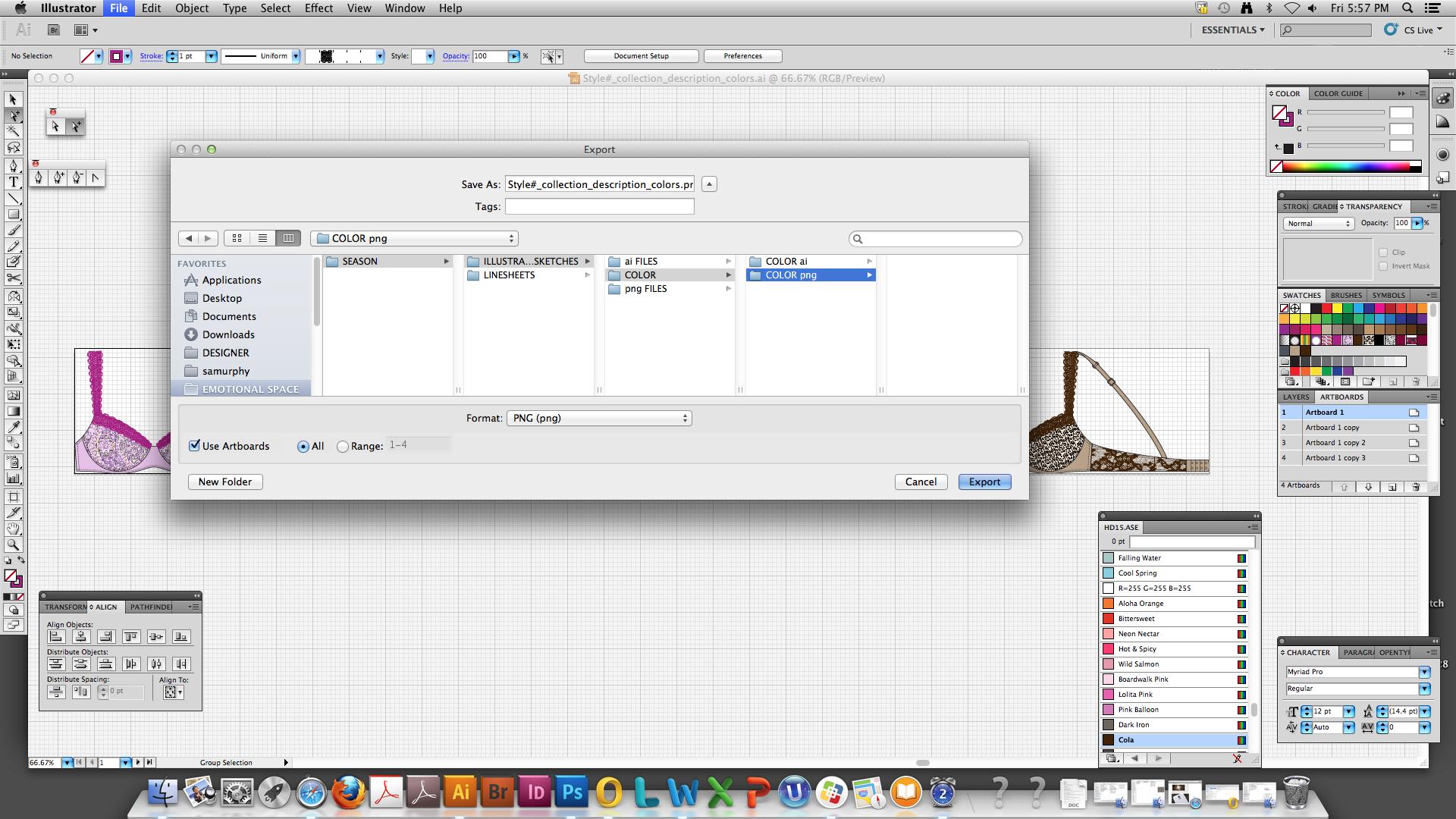
10. In the “Export” window, select Format: “PNG (png)”, check “Use Artboards” and click ”Export”
IMPORTANT
11. In the “PNG Options” window, select Resolution>High (300 ppi), Background>Color: Transparent and click “OK”
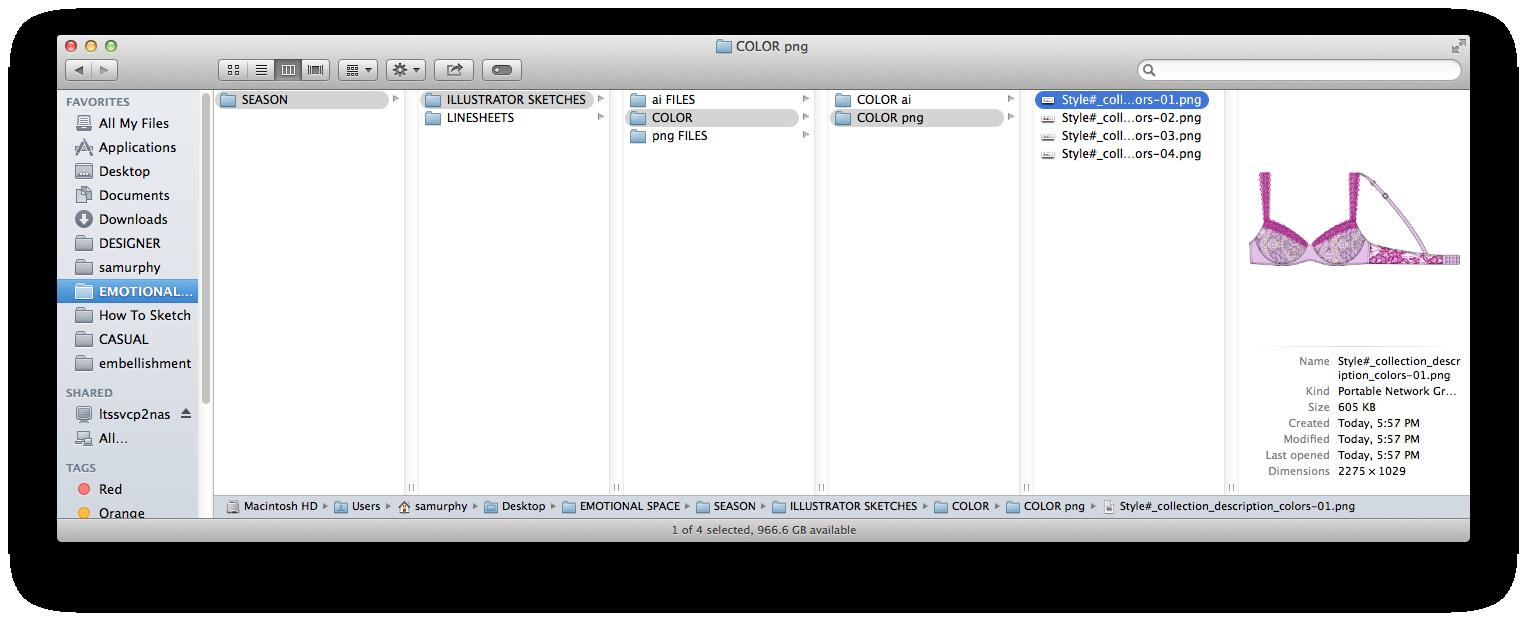
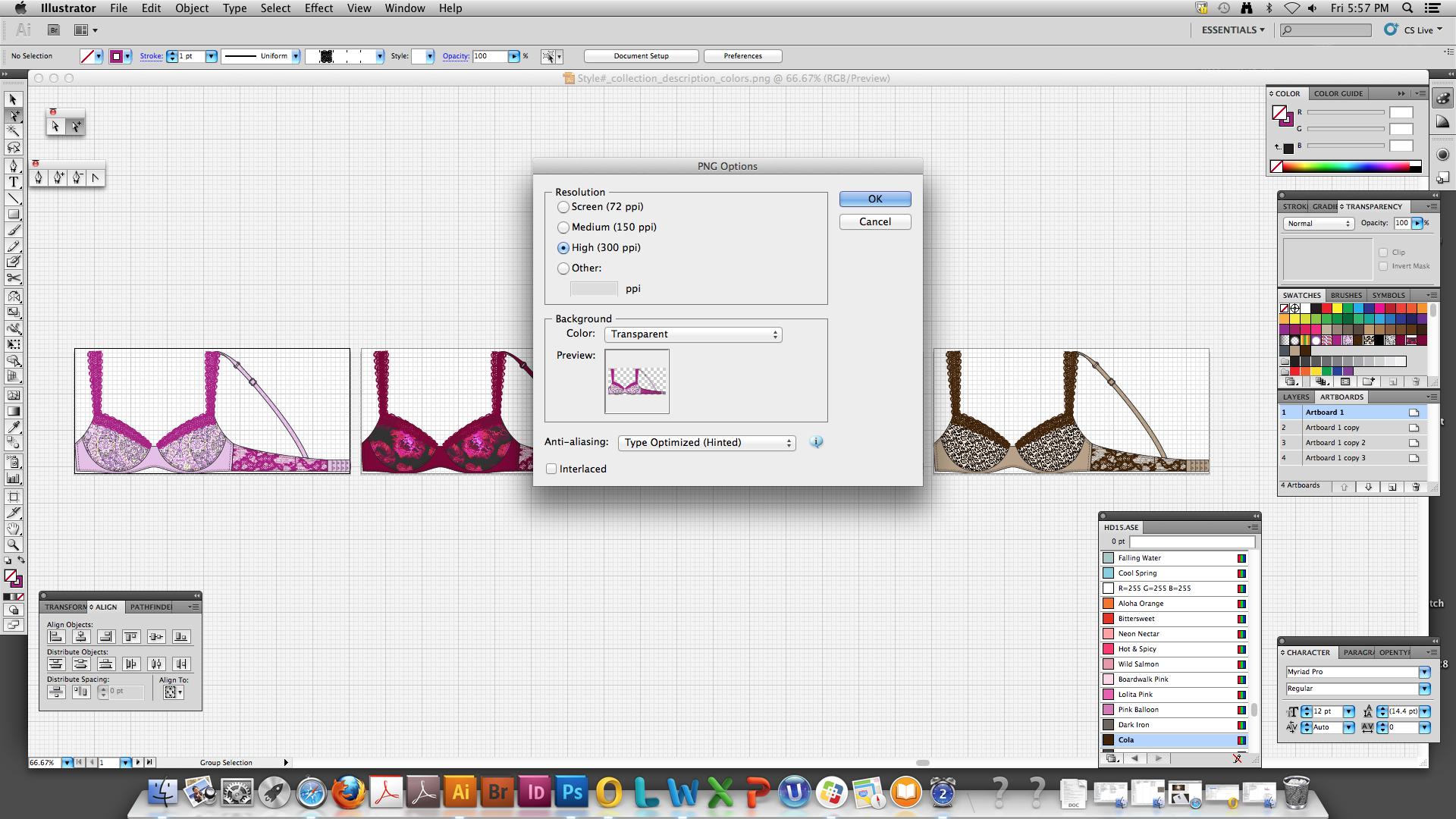
12. Your single .ai le has exported multiple .png les, one for each artboard/colorway you created
It is recommended to FILE .png sketches on your DESKTOP and copy to the VICTORIA Drive under: Emotional Space>Season>Illustrator Sketches>Color> Color png (e.g. Dream Angels>Fall 2015>Illustrator Sketches>Color>Color png)