Unless otherwise indicated, all images are from, and copyright of, the authors.
FROM THE CHAIR
I am writing this in 2024 but by the time you get to read this, dear readers, it will be 2025.
What is it about December 31st and January 1st that makes us look back and makes us look forward; remembering and hopeful. Any two days of the year are similarly connected but we don’t dwell on their significance. But I will indulge tradition and give you my view of DI in 2024 and evolving to 2025.
There have been many successes. The introduction of the two projects. Books & Zines and From Seed to Bloom both delivered an exciting mix of workshops, presentations, discussions and debate. Members eagerly engaged and learnt new skills or became inspired by trying something a little different. Whilst other successes weren’t perhaps quite so strongly marked the new DI Print Portfolio showcased the best of our members work in a keepsake book; our long term exhibition of photography in 2024. We saw the production of DIGIT 100. An amazing milestone in the history of the group and digital imaging in general. Accolade returned to celebrate our members Distinction successes. More latterly we have launched the LRPS Support Group to receive such an enthusiastic response from members that we quickly had to redesign our delivery.
We lost nothing of the staples of the previous years: our super webinar programme attracting hundreds
EDITORIAL
This issue of DIGIT should arrive with you shortly after the holiday season. After enjoying the holidays, our thoughts may turn to the year ahead and what it holds. We may make resolutions, or promise to take on that challenge that we’ve had in mind. I hope that this issue will contribute in some way to your plans for 2025 by providing inspiration for your photography.
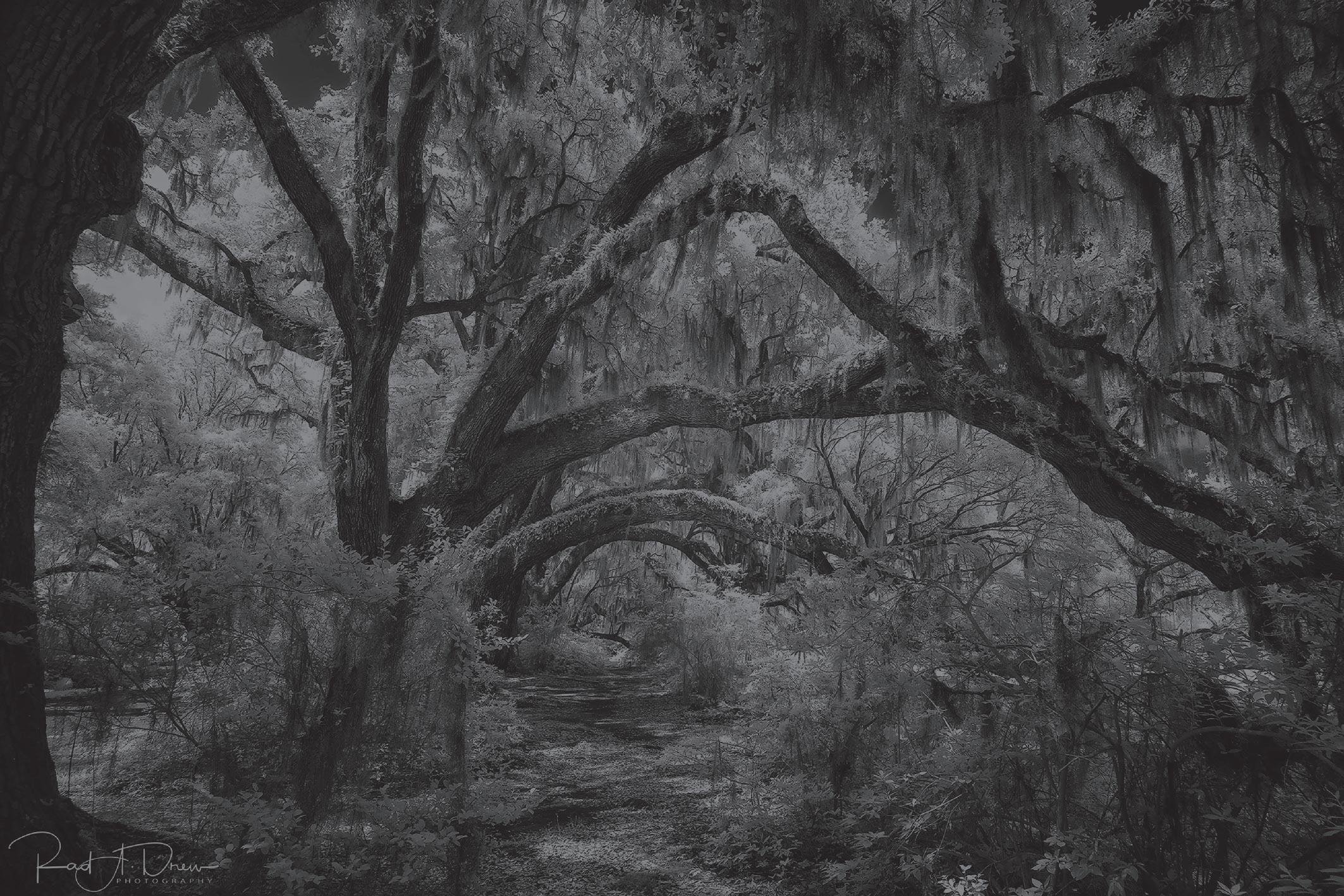
We have a varied selection of topics between the covers, ranging from how to capture, photographically, African wildlife by photo safari tour leaders Steve and Ann Toon. Rad A Drew explains how to make stunning infrared images, rivalling those that he used to make with a specialised camera, with his mobile phone and a few simple attachments. As many of us know, Photoshop has evolved over the years and now offers a huge range tools to tweak, or transform, our images. One of the earliest tools that was available enabled composite images to be
of participants for every session. And the widest variety of workshops from technical to highly creative topics. E-Circles and the Print Portfolio drove steadily on, with members able to share and discuss each other’s work. DIGIT and DI Online kept us inspired and informed. The web site was refreshed, and 5 rounds of the themed Digital Imaging competition challenged us to produce new work. Talk-Walk-Talk grew ever more successful with some 52 UK walks and 350+ walkers across each of the two themed rounds. Our international members and those living in UK islands were offered a variant of the T-W-T programme.
Moving in to 2025 we have already announced two new projects that seem to be extremely popular, with more being planned for the second half of the year. The LRPS Support Group meetings and forum will bed in and I am sure we will be seeing Distinction successes from our participants. The Digital Imaging competition has evolved as a result of the survey feedback, this also guiding us for other changes of direction. You tell us - we respond.
created from elements of two or more photographs. Lynda Haney shares some of her beautiful pictures created using these tools.
AI is undoubtedly an emotive subject for photographers, with concerns that it may make the photographer redundant. But just how good, or otherwise, are some of the AI tools that are available? Graham Whistler puts AI up against some of his own photographs so you can be the judge!
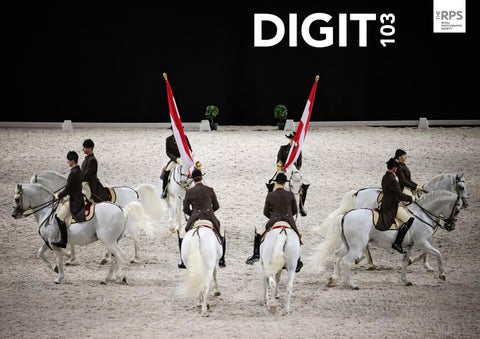
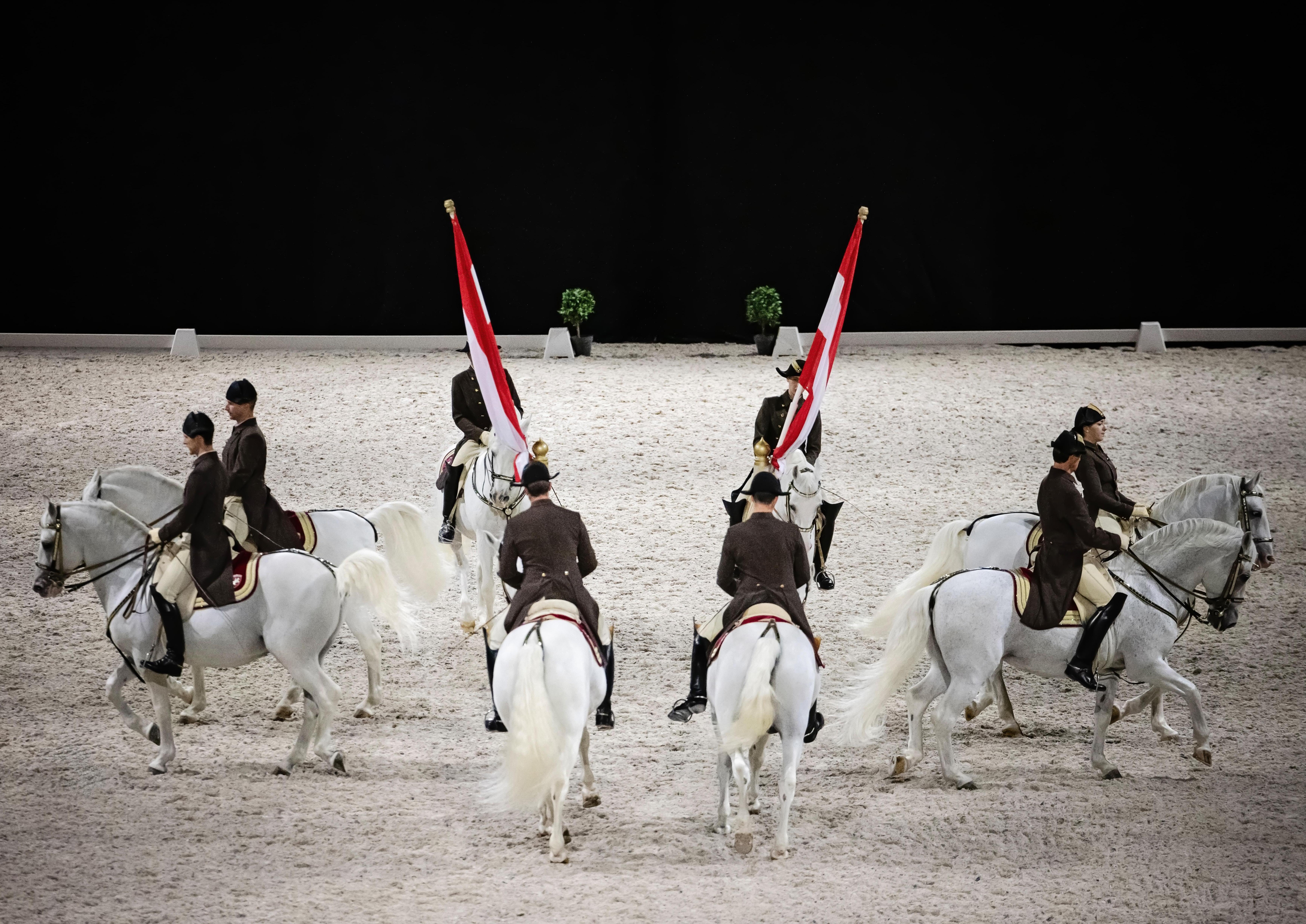
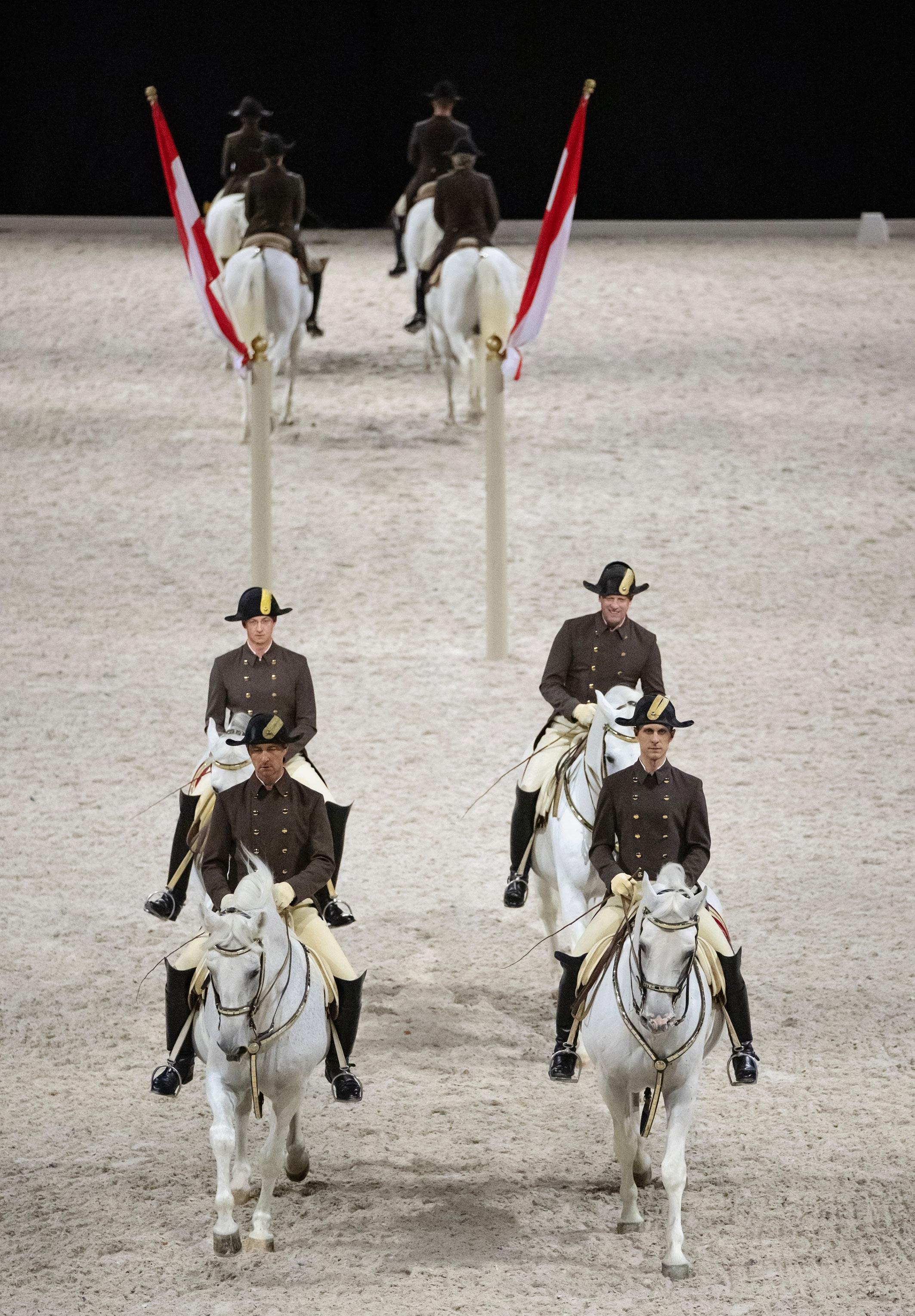
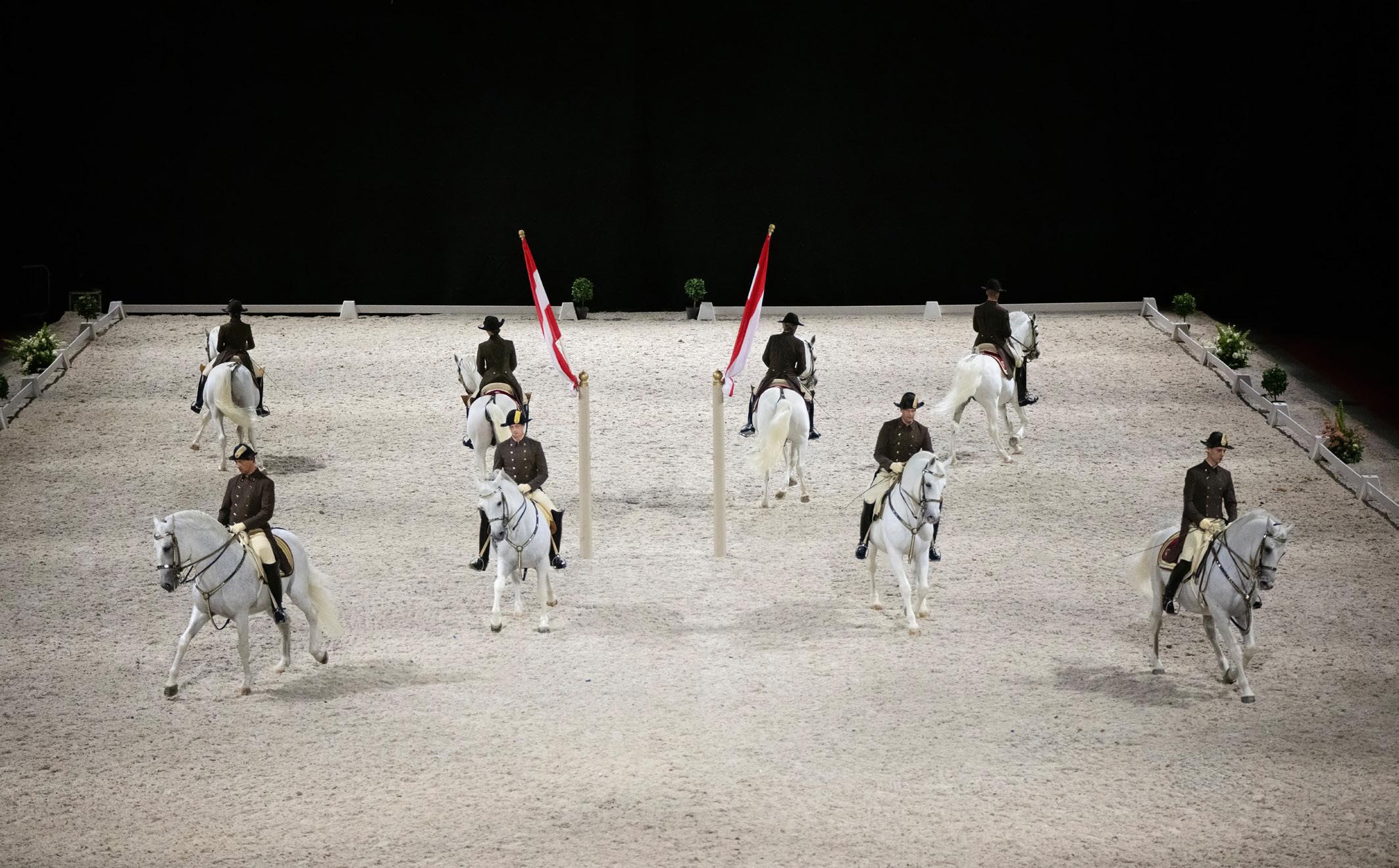
Emma Campbell’s day job is making portraits of horses and their owners. She recently had the opportunity to photograph Lipizzanas from the Spanish Riding School when they visited Scotland and she shares with us the results.
We round off this issue with Challenges from John Cavana and John Bull, who each show us the techniques they used to create one of their pictures.
I dare you not to feel inspired!
CLASS ACTION - WILDLIFE MOTION PICTURES
ANN AND STEVE TOON
With more than 20 years’ experience as professional photographers specialising in the wildlife and wild places of Africa, the challenge to get as much ‘life’ into a wildlife shot as possible underpins almost every creative and technical decision for husband and wife team, Steve and Ann Toon. Here the award-winning duo share their approach to creating dynamic wildlife action pictures.
We’re privileged to spend half each year photographing some of the planet’s most iconic, often endangered, creatures. They also just happen to be some of the world’s most photographed species. Given that we live in a world drenched in images and video clips, any still image we add to the mix has to punch above its weight to cut through.
The bar for blue-riband wildlife action shots is constantly being raised as modern cameras increasingly do all the heavy lifting - nailing pin-sharp action is now not always enough on its own to make the gold standard.
The constant challenge to capture action images that will grab, and hold, our audience’s attention, hopefully impacting on people enough to affect conservation changes, has made us focus more closely on why we take these shots and what we want to achieve with them. We’ve become more considered and more creative in our approach as a result.
Before we detail our personal approach it’s worth pointing out that there are some easy tweaks you can make immediately to help inject a greater sense of movement and immediacy into your pictures.
Everyone understands, for example, that when you’re photographing a wildlife subject you allow room when composing for it to move into and through the space in your frame. We suggest taking this one step further by ensuring your animal or bird is presented with its leading foot, claw or paw raised above the ground, or water, to drive home further this idea of motion. And then when you’re photographing a running animal, or a bird at take-off, say, try to make sure you get one frame with all limbs off the ground; again reinforcing the sense of action. And try to photograph active subjects at eye
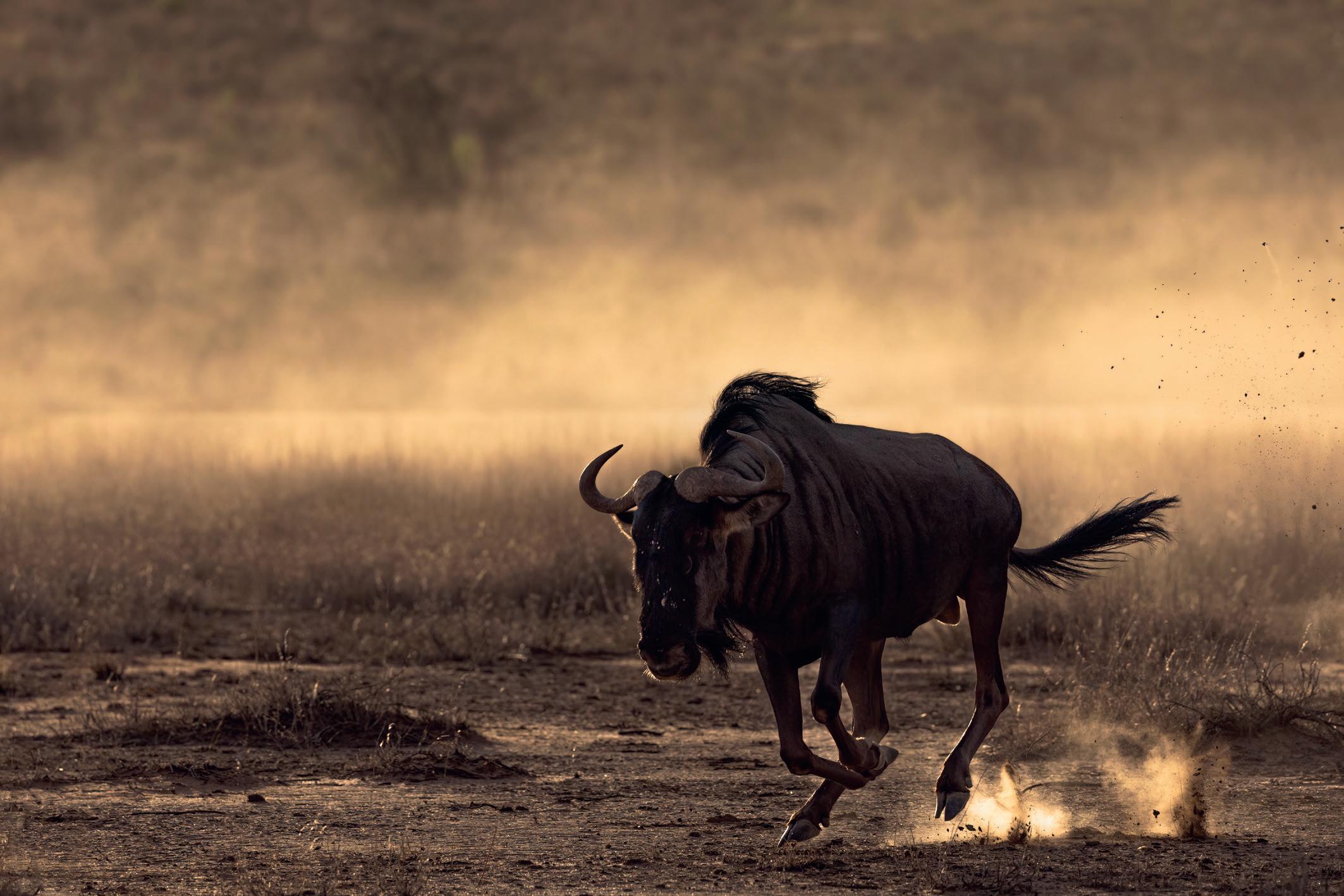
Blue wildebeest running
level. A low angle really helps give your shots a sense of dynamism.
But to get down to how we both shoot full-on action let’s start with some basic, but important, advice. Never compromise on speed. Apologies if the words ‘grandma’ and ‘eggs’ spring to mind, but animals and birds always move more quickly than you anticipate. As photographic guides we see many people underestimate how much they need. Which is why we stress the point on our safaris and recommend shooting at wide apertures, even in bright conditions, while issuing constant reminders to our guests as light levels fall.
We notice that even photographers who are more proficient - confident in their panning and tracking techniques - sometimes skimp on speed because they’re concerned about noise. There’s resistance to using the full ISO capabilities of their camera despite this being a feature they’ve paid handsomely for. Few action sequences have an encore so rather a sharp shot with a bit of noise
that you can deal with later than no shot at all.
The big question is how much speed is enough? Clearly, this depends on the subject and conditions. While it’s true you can sometimes nail a tack-sharp shot of some moving subjects at shutter speeds of around 1/500sec, we’d recommend speeds of at least 1/1000sec as a starting point.
For turbo-charged subjects, we’re thinking small birds with fast wingbeats for example, you’ll need to use in the region of 1/4000sec. As a rough working guide a shooting speed of around 1/2000sec to 1/2500sec can cover a lot of bases when doing action, but it’s always best to opt for the maximum you can achieve in the conditions.
It’s imperative to be constantly on alert for action when you’re out in the field. We tend to shoot wide open on aperture priority mode most of the time with our default ISO around 800 in bright light, 1600 in lower light (we then adjust it down, or up as required). It’s crucial
to have speed at your fingertips for wildlife because the most exciting flashpoints explode suddenly - out of nowhere.
We generally use just a few centreweighted focus points so we can keep better control where the camera locks focus on a moving subject. We’re mainly aiming for the head or eye. And we use backbutton focusing so we’re ready for a sudden burst of action even when shooting static subjects. We mainly hand-hold so we can pan smoothly.
Having prepared for the unexpected you’ll be more than ready for most animal action in the field, which tends to build from a developing situation or is clearly signalled. The key is predicting your subject’s next move. Research your subjects so you know behaviour traits and the ‘tells’ that provide the clue to their intentions. Obvious things to focus on include flight patterns, wing motion, hunting strategies, attack modes, aggression postures and running strides.
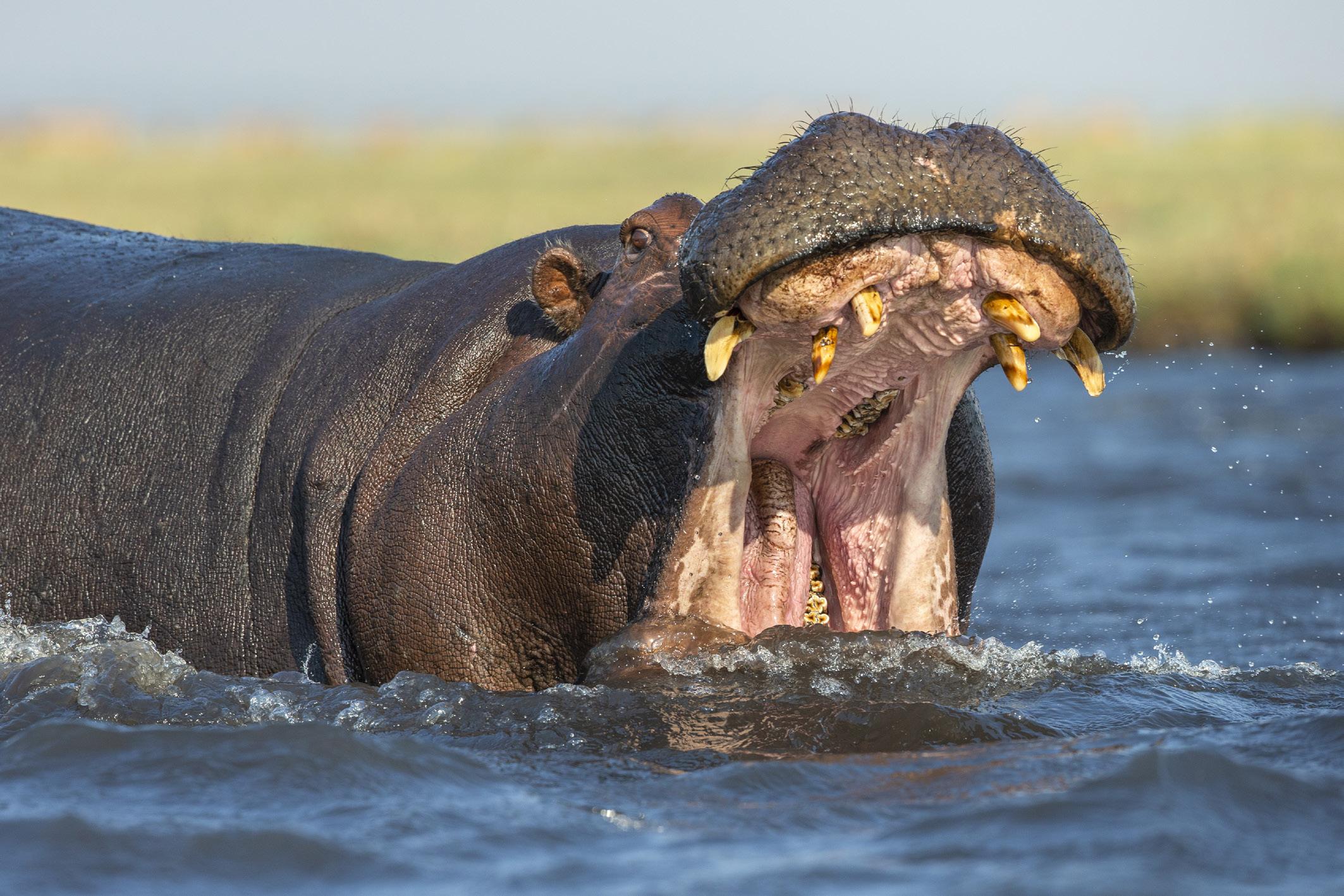
Hippo aggression
With lots of time in the African bush we know, for example, a male lion drenched in a summer thunderstorm will almost always shake out the droplets from its mane when the shower stops, or leap over small water courses and puddles rather than get its paws wet. Antelope species are active early morning, leaping, chasing and locking horns in tests of strength, hippos yawn more towards sunset, raptors fly midmorning on the thermals, but will often fly down to drink at waterholes in the middle of the day. The more you know the better prepared you’ll be.
Marry subject knowledge with a good read on available lighting and weather conditions as these also impact a subject’s behaviour significantly. An obvious example would be noting wind direction when photographing birds in flight. Birds generally take off and land into the wind giving you a helpful steer about the direction they’re likely to go. You can then lock focus faster.
Use the heads-up your subjects give you wisely. Be focused on them
ready to start firing on burst almost as soon as they’ve tipped you the wink. This will enable you to capture the full sequence of behaviour. Never take your eye off the ball, trust us, you’ll flunk it if you do.
Always give yourself plenty of space in the frame when composing action shots. The wingspan of large birds, for example, is massive and clipping the tips of wings a smidgeon can haunt you forever. The long tails of many species easily bust out of the frame as action plays out and there’s no replay in the wild if you crop too tight from the outset.
Put yourself in situations where animal action is plentiful and repeats on a loop if you want to up your hit rate with these shots. Breeding colonies and busy waterholes are two good examples, where jostling crowds of mammals or birds are likely to mass and come into direct contact are clearly places to target.
The aftermath of a lion kill on safari, for example, attracts a cast of characterful carrion-eaters once the big cats have departed. Each
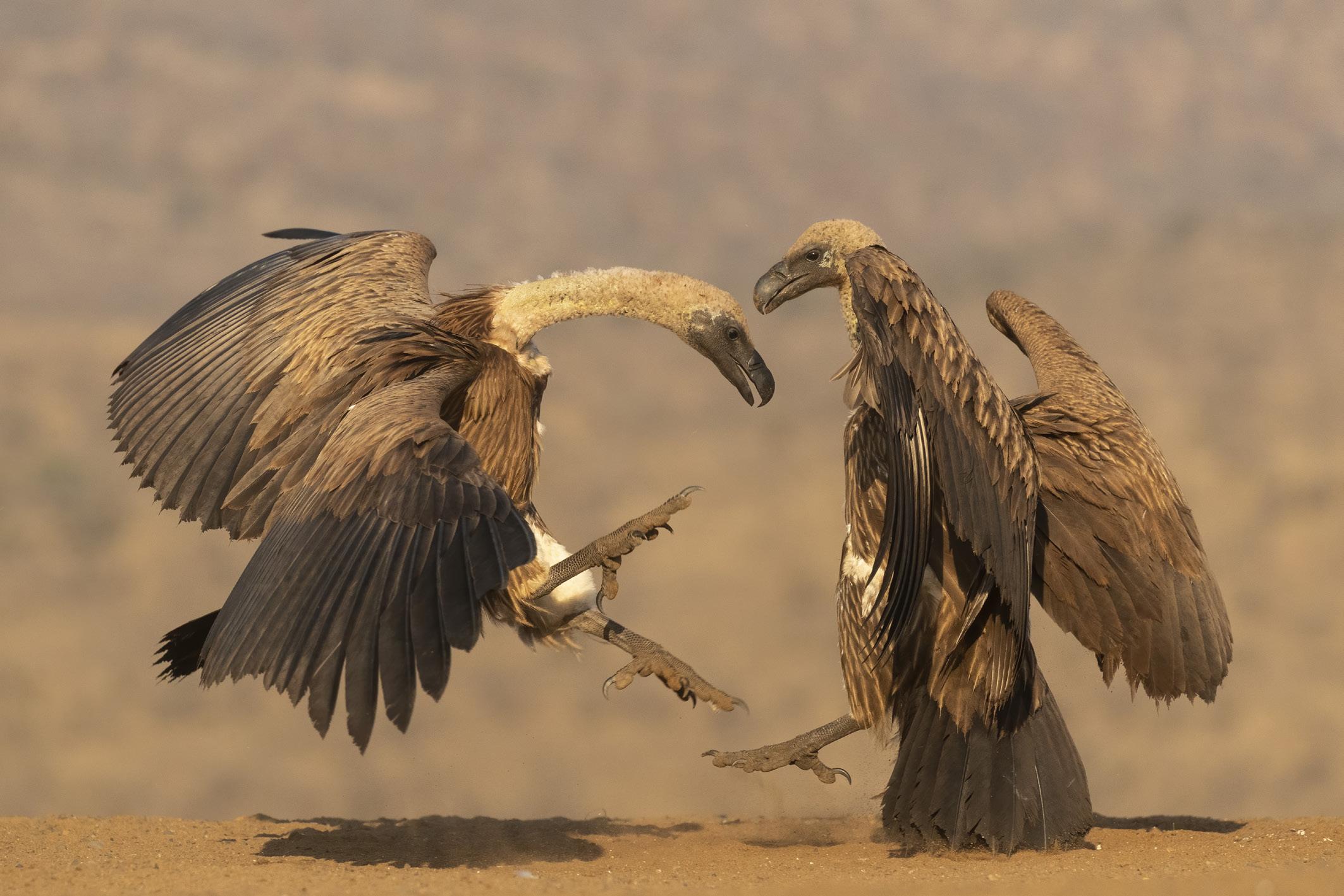
has its niche in the natural cycle of things and plays a role we’ve learned to recognise and be ready for. It might start out mild-mannered, but like many a bar-room brawl or playground food-fight it usually kicks off royally sooner or later. There’s a developing narrative to these scenarios that as former journalists and story tellers we like to exploit in our action shots. If you can tell a tale with an action shot – a chase, a pounce, a steal - your shot will be the better for it.
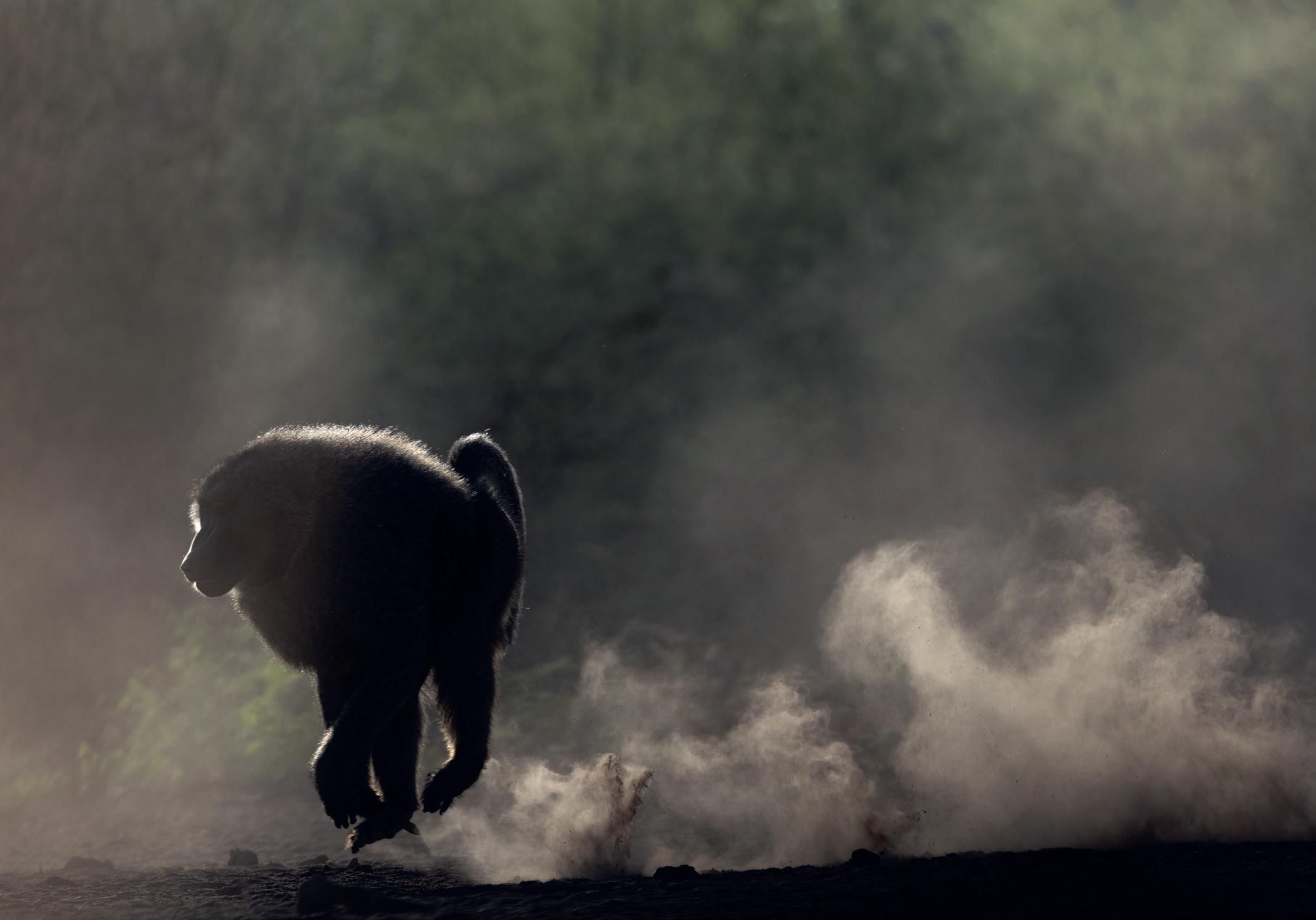
Look to exploit dramatic little extras for added value in shots. Think plumes of dust, backlit dust, trails of water droplets, splashes of white water, flying mud, rolling eyes, flared nostrils, flexed muscles, bared teeth, flying tails and expressions of terror or predatory aggression.
Don’t fret if you can’t always make clean compositions when photographing action. If you can’t isolate subjects or curate a piece of the action, bear in mind manic moments, photographed as experienced, can make high-octane, high-impact pictures because the
Whitebacked vultures squabbling
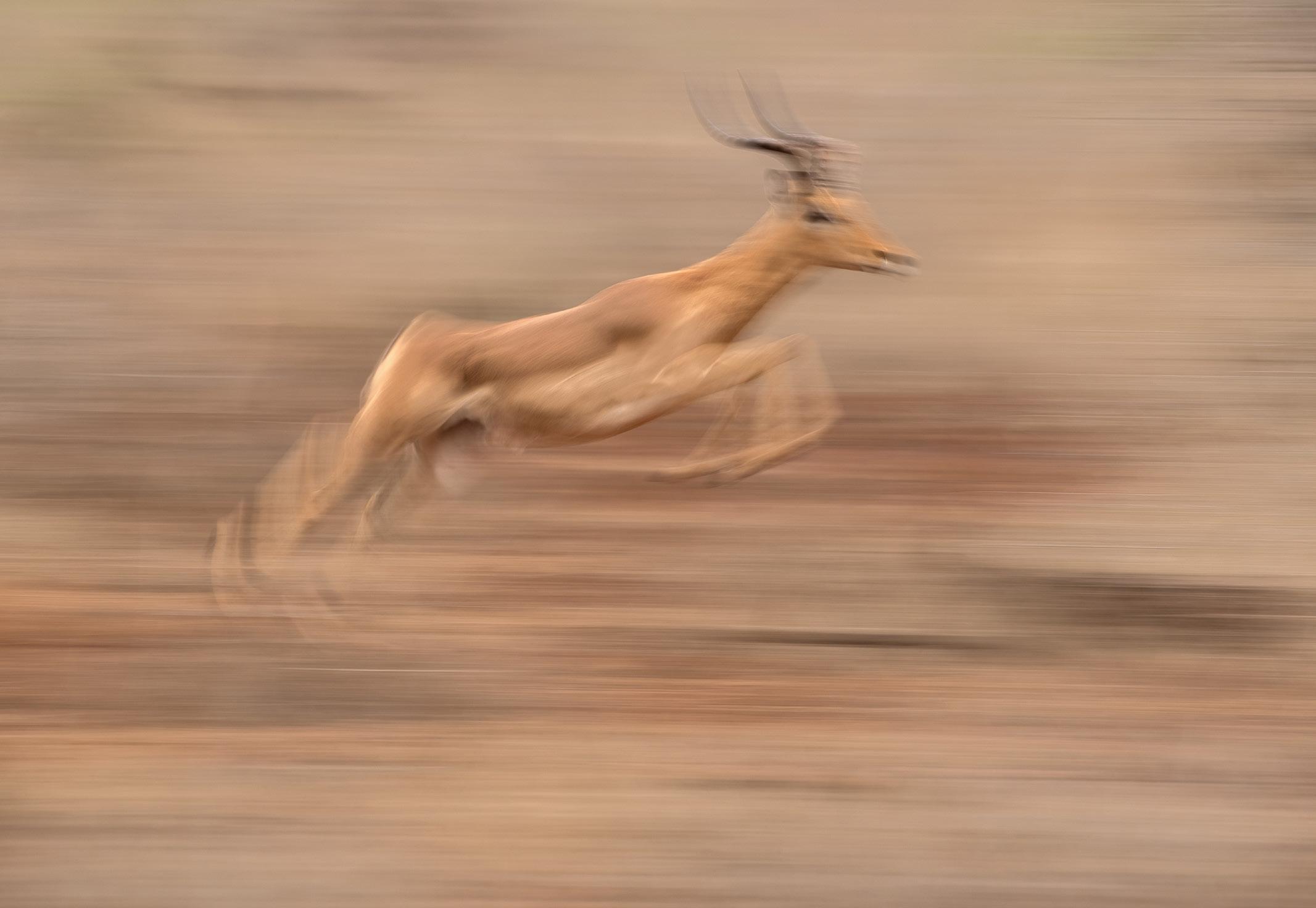
Impala at speed
Olive baboon
sense of total chaos is ‘real’ and charged with inherent energy.
Given that simply nailing the action is not always enough to win plaudits these days, how do you begin taking your action photography up a notch? We always start by asking ourselves what it is about a subject we want to showcase. Is it the aerial grace, acrobatic prowess or imposing menace of a species that’s inspiring or interesting us. Are we fascinated by the mood, the shapes, the quality of light or the context? Once you identify what you want to communicate it’s easier to make good decisions about how to convey both the fact and the feeling of that feature.
Positioning in the frame, wing or body shapes, light conditions, weather, mood, shooting style and techniques like creative exposure control – these are all things you can play with in-camera to enhance the viewer’s experience of your subject moving through the space in the frame.
Creative choices like these at the point of capture have a big impact on your results. Imagine, for example, an exotic bird flying through the lush green canopy of a tropical forest. A tight shot that freezes its flight and showcases its bright colour against a wash of green background would be the conventional way to go, but what if you pulled back and showed a huge swathe of the forest with the bird, much smaller, like a tiny jewel, hurtling through a vast jungle wilderness. Another approach might be to use a slow shutter speed and create blur to suggest both fast movement and the kaleidoscopic colour palette. Or you could shoot the bird glimpsed whizzing through out of focus foliage to suggest the complexity and confusion of a vibrant jungle habitat. Explore the possibilities.
Avoid the obvious. Most folk shoot birds in flight against a plain blue sky, but less commonly against intense grey storm-clouds, silhouetted against a sunset or
high-key against pale, almost white overcast skies.
Freeze animal action that’s moving towards you rather than across the frame. It’s as though it’s bursting out of the frame straight towards the viewer.
Rather than simply shooting a bird in flight set yourself a harder challenge and aim for a bird in flight carrying prey or nesting material for extra visual interest. Instead of a bird soaring across the sky shoot it at lift-off or landing. Try for more than just one bird and look for aerial combat, courtship, juveniles chasing a parent bird on the wing or a small bird mobbing a larger one, or photograph large flocks on the wing like murmurations. Try some action that’s backlit and experiment with converting some to black and white. And last, but by no means least, why not abandon sharpness totally or, at least, in part? Although freezing motion stops time and allows us to wonder at the detail in the decisive moment, it doesn’t really communicate the rush of speed and sense of exploding energy. Which is why panning shots, motion blur, and even ICM, have an increasingly important part to play as the antidote to the crisp, stop-motion action we’re all accustomed to seeing. Don’t be afraid to step outside your comfort and experiment a bit.
When the light’s going, on dull days when we can’t achieve the high shutter speeds we need for sharp action… or simply because it’s the way we elect to present active wildlife subjects more these days… we dial down our ISO and close the aperture to achieve shutter speeds of anywhere from around 1/15sec to about 1/50sec. The graceful swoosh of movement when you get it right is extremely rewarding.
Dramatically slowing your shutter speed and panning in parallel to and at the same speed as your subject allows you to differentiate a moving subject brilliantly from its background (which is rendered as a series of streaking colours).
The skill in pulling these shots off is to retain some sense of sharpness in the head or eyes of your subject, although we’d argue you’re perfectly free to push the limits for an even more expressive, abstract image where little or nothing at all is in sharp focus.
Portraying the natural world without clear definition and sharpness removes all helpful direction posts for a viewer. It’s a way of reframing things and looking at them anew in a world craving fresh ways of photographic expression. We’re very happy to be part of that.
About the authors
Former reporters and magazine editors, Steve and Ann Toon switched from journalism to professional wildlife photography following a life-changing visit to the Kalahari more than 25 years ago. They are both awardwinning wildlife photographers and to date have had three books published. They are represented by several leading photographic agencies and their work is extensively reproduced around the world. They live in Northumberland but spend six months a year in Southern and East Africa, where they regularly lead small group specialist photographic safaris.
You can see more of their work and find information about the photo tours they run at toonphotosafari.com.
CREATING INFRARED IMAGES WITH THE IPHONE
RAD A DREW
Infrared photography has captured my imagination since the 1970s when I created IR images with film, and in more recent years with assorted digital cameras converted to 720nm and 830nm.
But, as an avid iPhone photographer since my first iPhone 4 in 2010, I’ve dreamed of making IR images with my iPhone.
In 2018 with the iPhone 11 Pro Max, I began experimenting. With the
help of friends, and a lot of research and trial-and-error, that dream became a reality. In the beginning there were a few screaming pixels, but today, with all we’ve learned, we’re getting great results!
I say ‘we’ referring to the more than 1500 participants in the Facebook OPEN GROUP! Infrared on the iPhone group1 that I created in 2018. As the saying goes, the proof is in the pudding, or in this case,
the pixels! You’re welcome to join our group, or just stop by to see what people are creating with their iPhones and in some cases, Android phones.
Clearly, the phone’s technology is quite different from a traditional camera. With the iPhone, there’s no modification of the hardware, no cracking open the phone to remove the high pass filter or replace anything inside the phone itself.
A lover of infrared photography since film days and an iPhone photographer since 2010, Rad A Drew now creates infrared photos with his iPhone that rival those made with his traditional IR cameras.
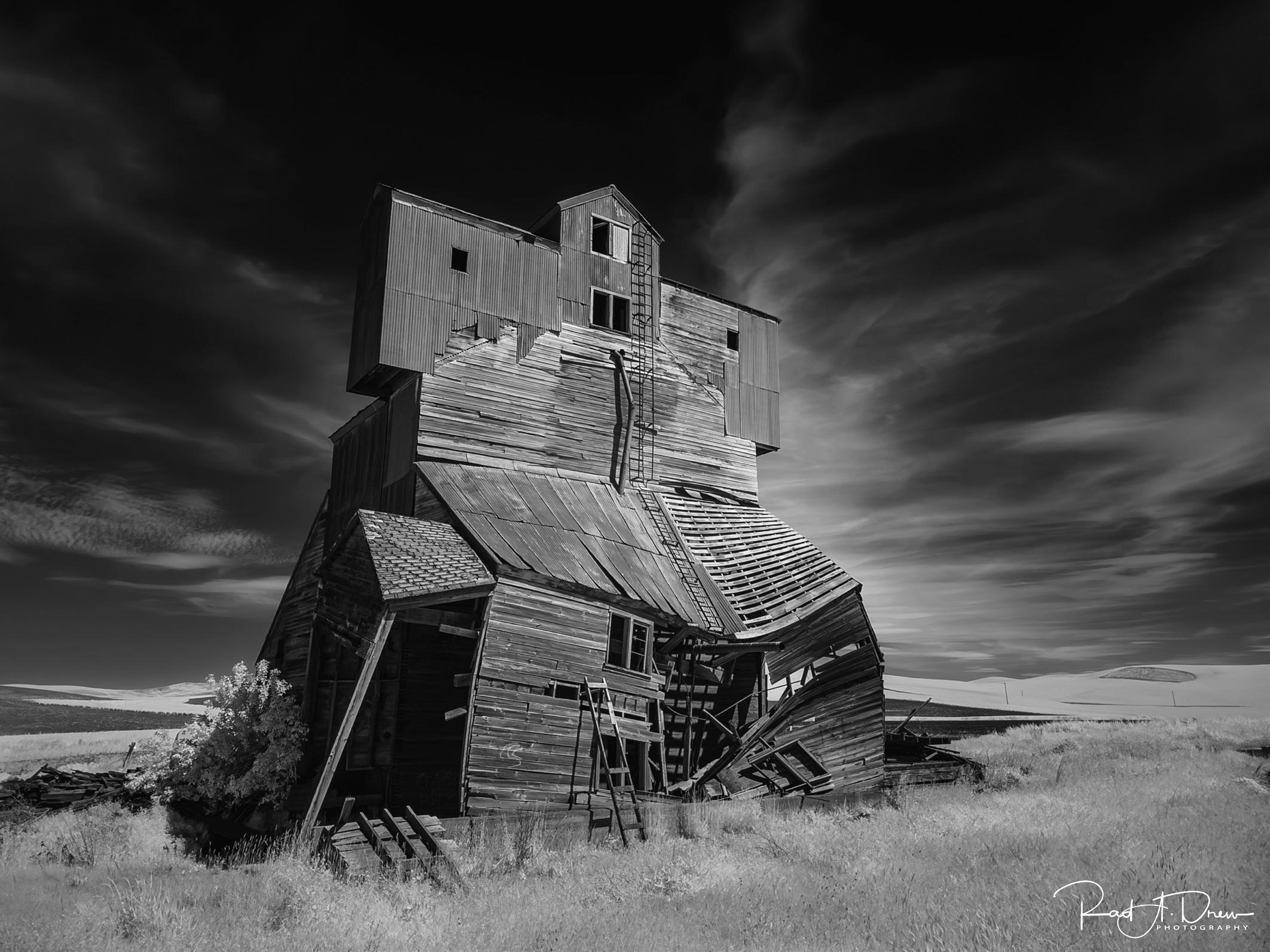
Collapsing Grain Elevator, The Palouse in eastern Washington, USA, iPhone 15 Pro Max, native camera with Night Mode, handheld
Sally Wolf Photography
Instead everything is done using select camera apps, specific photo settings, an infrared filter, RAW files (when it’s an option), and specific processing methods.
Why bother to shoot infrared with an iPhone?
In a nutshell: it’s such dang fun! (And it’s convenient, and the results are amazing.)
Here are a few other reasons I enjoy shooting infrared with my iPhone:
• The iPhone is small, lightweight, and most often doesn’t require a lot of equipment that I have to lug around.
• I can process, post, and share my images immediately without a desktop computer or desktop software.
• Today’s iPhones take advantage of machine learning and artificial intelligence to run sophisticated computational photography
algorithms to create images of very high quality. (As I write this today we’re awaiting Apple’s annual announcement about the iPhone 16 phones. By the time this is published, many of us will have these new devices in our hands. The rumours already hint at the inclusion of AI tools for enlarging and embellishing our photos, and there’s talk about a longer lens and other features.)
• The ability to create 48 megapixel ProRAW files and HEIF files for higher quality and more creative control during editing.
• The availability of desktop software from Topaz Labs that eliminates noise, sharpens, and enlarges images up to six times for printing larger with integrity. The Topaz tools, Photo AI and Gigapixel AI make it possible to achieve remarkable (and larger) results that often rival our
‘big’ camera images. For more information about Topaz Labs Photo AI and other tools, see their website2
These are just a few of the reasons I enjoy making IR images with my iPhone. But, for me, the bottom line, as I mentioned earlier, is that it’s so much fun!
To link these two passions - my passion for iPhone photography and my passion for infrared imagery - has been a dream come true! And it’s been great to see so many other mobile photographers become excited with this approach to IR.
So, how does it work?
This article provides a summary of the setup and process. For more specific details and demonstrations on creating and processing, consider my video tutorial, How I Did It!™; Create Infrared Images on Your iPhone!3 available on my learning site.
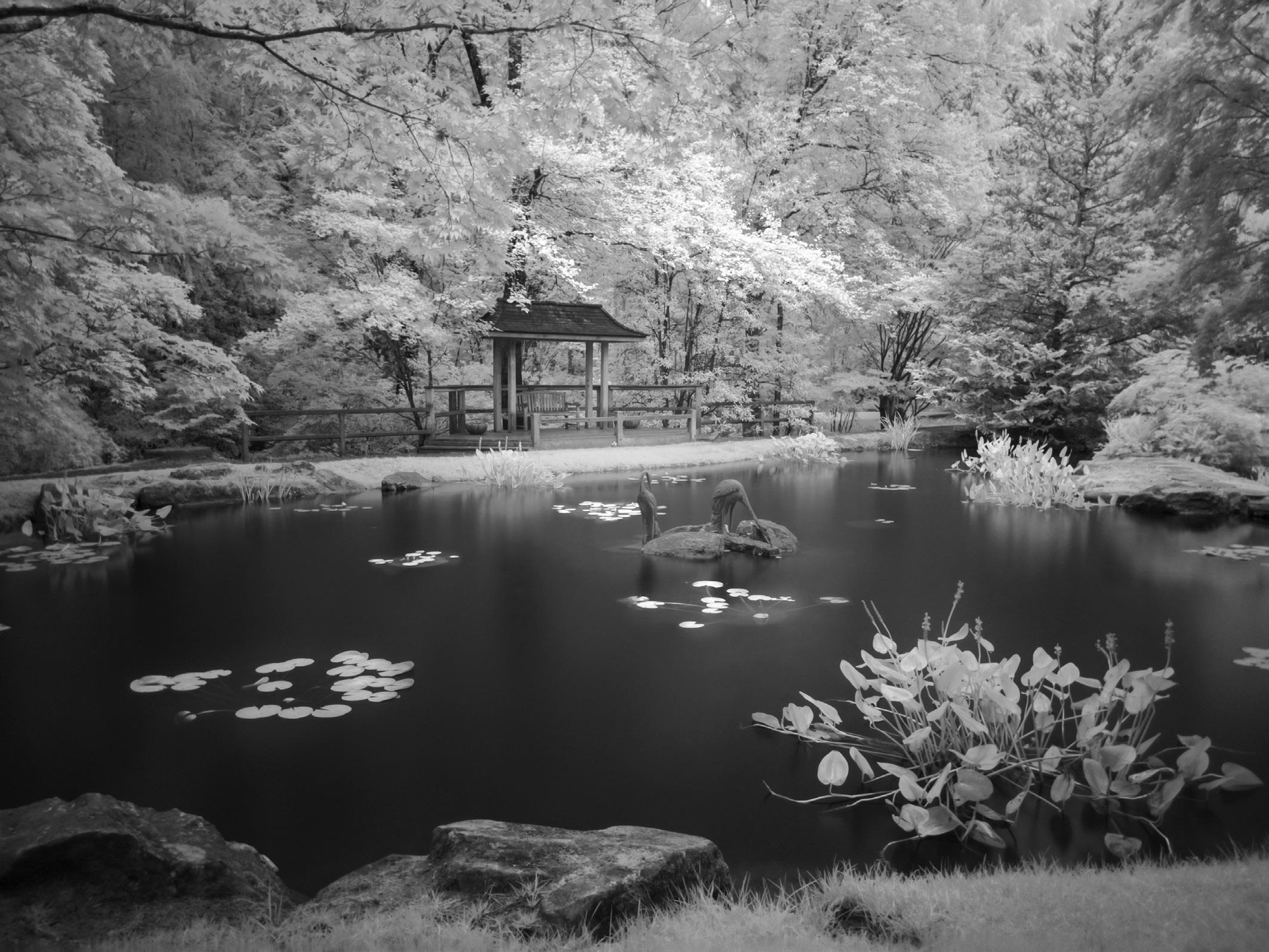
Gibbs Garden, Ball Ground, Georgia, USA, iPhone 12 Pro Max, native camera with Night Mode, handheld
Here’s what you’ll need:
• An iPhone or Android phone
The later the phone the more advanced the technology which offers certain benefits, but it’s not necessary to have the latest and greatest phone to be successful. I recommend the iPhone 12 Pro or later because these phones have ProRAW and Night Mode, both of which can be useful when making infrared photos.
• An infrared filter
I prefer 720nm IR filters for a black and white result. 720nm IR filters are available at your favourite camera store or online. Filters by Neewer, Spencer’s Camera, Hoya, and LifePixel have all done a great job.
• A method for attaching that filter to your camera
Before I get into the mounting accessories, here are a few tips to consider when selecting a filter
mount. First, think about your phone case. Not all filter mounts described below will work with every phone case. For those mounting systems that don’t require their proprietary case, I find that the Apple Silicone MagSafe Case accommodates most filter mounts listed below.
In my experience there are some iPhone cases to avoid such as clear cases because they allow light leaks that ruin your photo, bulky cases or cases with a credit card holder or anything attached to the back of the phone that can interfere with the mounting accessory.
Step-up/step-down rings - each filter mount is made to fit a specific size filter such as 49mm, 52mm, 58mm, or 67mm. If you already have an infrared filter that doesn’t match the size of the mount you want, you can purchase inexpensive step-up or
step-down rings to make your filter work.
When I began experimenting with infrared on the iPhone there were no reliable accessories for attaching a filter to the iPhone. In the beginning I manually held the filter in front of the camera’s lenses, which, while not optimal, did work.
As I write this today, listed here are the methods I’ve used that work with most iPhones up to the 15 Pro Max and some Androids.
It’s always possible that changes in the new iPhone’s size, lenses, etc., will make these current filter mounts obsolete. We never know until the next iPhone is in our hands.
These are the four methods I’ve used with a variety of iPhones. For more detail on each, see my blog4 post, Four Filter Mount Options for iPhone Infrared
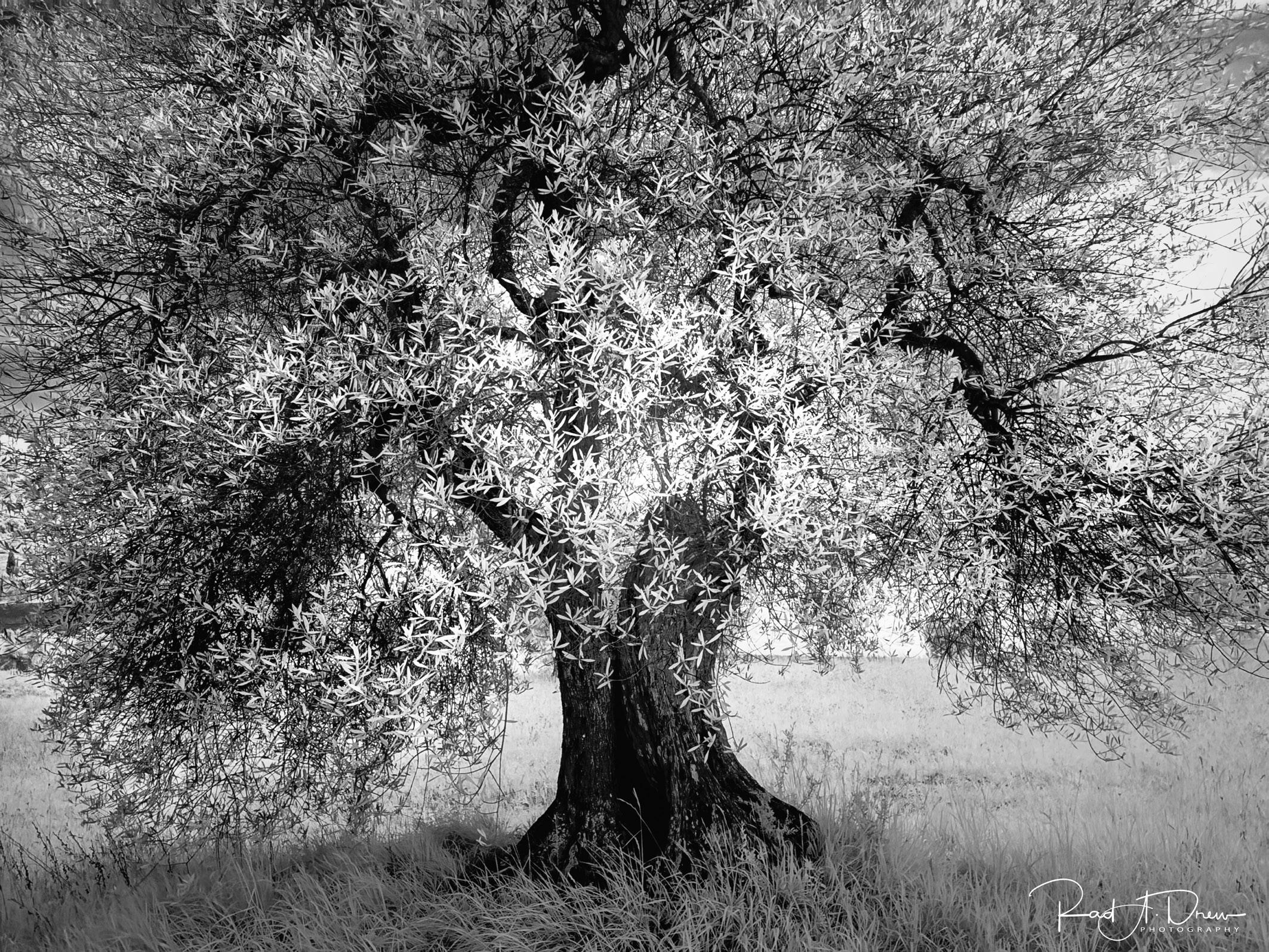
Ancient Olive Tree near Montalcino, Italy, iPhone 15 Pro Max, native camera with Night Mode, hand held
1 - Moment 67mm filter mount5 paired with the 67mm, 720nm Standard Colour Infrared Filter. This combination will work on every iPhone and also works on the small number of Androids on which I’ve tested it. The filter mount secures with a thumb screw, fits snugly against the camera’s body (or case) to prevent light leaks or lens flares, works with a variety of cases, and easily can be taken on and off.
Another benefit of this accessory is that, while there is no guarantee, it is the most likely method to work with future iPhones, so you may not need to replace it when you purchase the next generation.
2 - JJC 49mm Magnetic Lens Filter Mount 6 paired with a 49mm, 720nm infrared filter.
This is a new generation accessory that takes advantage of phones with the MagSafe magnetic system, making it a
very convenient easy on, easy off system.
3 - Tiffen Smart Phone 58mm Filter Mount7 paired with a 58mm, 720nm filter. Like the JJC mount mentioned above, it takes advantage of the MagSafe technology. It is a bit thinner than the JJC model and takes the larger 58mm filter.
4 - Reeflex G-Series – Step-Up Adapters and Camera Mount Set 67mm8. The Reeflex system consists of a magnetic disc with male threads that screws into a designated case with 17mm female threaded ports. The magnetic disc screws into this case over the 1x lens so that it will receive a 67mm LifePixel Magnetic External Mounted Infrared Filter9. This is a very secure system that includes other magnetic adapters that will allow you to experiment with infrared using a variety of quality lenses made by Reeflex. You will need the Reeflex Case10 (or other
brand case with 17mm threaded ports).
• Camera apps for making the photo
Next, we select apps for making the photo. For the iPhone 11 Pro to the 15 Pro Max, the native camera with Night Mode is one of the best camera options. You can use the iPhone’s native camera with earlier iPhones, but without Night Mode, the results are not as satisfying. For the iPhone 12 Pro and later iPhones, activating ProRAW provides another quality advance, and the 14 Pro and 15 Pro models allow us to create 48PM ProRaw files with the main (1x) lens in the native camera.
When shooting with the 11 Pro to the 15 Pro using the native camera in Night Mode, the camera may be handheld for up to 10 seconds. For longer than 10 seconds the camera must be on a tripod.
Other apps that I use regularly with any iPhone include
Magnolia Plantation Gardens, South Carolina, USA, iPhone 12 Pro Max, native camera with Night Mode, handheld
Camera+: Pro Camera and Editor and the cameras in the Lightroom Mobile app, which also works on android phones.
These camera apps allow the white balance, ISO, and exposure time to be set manually. I use the Camera+ SlowShutter option. It creates a High Efficiency Image File Format (HEIF) file instead of RAW, but because it takes scores of photos in 30 seconds then stacks them using computational photography, it produces a low noise, 12MP image that has a uniquely satisfying tone.
For best results with Camera+: Pro Camera and Editor a tripod is required due to the 30 second SlowShutter time period.
• Apps for processing the final result
Once the file has been created, the rest happens with post processing, which can be done on the iPhone or the desktop.
There are three apps and methods for post processing infrared RAW files with the iPhone that I’ve found to be effective:
• Apple’s iOS editor,
• SnapSeed, and
• Lightroom Mobile.
I also get great results using desktop processing software,
About Rad
Based in Indiana in the United States, Rad A. Drew is a professional photographer who photographs with Fuji, Infrared, and iPhone cameras. He regularly presents to camera clubs and at photo conferences, and is a frequent contributor to PhotoPXL.com, TheAppWhisperer, and the PSA Journal. Listed in PSA’s Who’s Who in Photography 2018, Rad’s workshops across the USA, Tuscany, Calabria, France, and Cuba are popular with both traditional and mobile photographers. Learn more about Rad on his website at raddrewphotography.com/
Lightroom Classic, Nik Silver Efex Pro, and Topaz Labs’ Photo AI for noise reduction and enlargement. Apple’s iOS editor is accessed from within the iPhone camera roll. In the past this editor was nothing to write home about, but with the release of iOS 13, the software got a face lift and today it’s one of the best options for editing RAW files (or any files) on the iPhone. And, the iOS editor is especially good for editing Apple’s ProRAW files. What I miss in this tool is a histogram and the ability to mask for selective editing. I often use the iOS editor to get the benefit of the RAW file, then fine tune in SnapSeed to take advantage of the app’s histogram and masking capability.
I don’t recommend SnapSeed for editing RAW files. It has a RAW editor but it can’t always handle large RAW files and often won’t load them or it crashes. Once a RAW file is edited in the iOS editor, though, SnapSeed can handle it fine and is great for adding finishing touches.
Hands down, my favourite tool for editing infrared files on the iPhone is the Lightroom Mobile app. This is a remarkably robust editor with a histogram and remarkable masking capability, which is often
All the details
Links to the products and websites mentioned can be found below:
desirable when editing sky and foliage in an iPhone infrared image. New noise reduction adjustments in Lightroom Mobile are also beneficial.
While the above processing methods on the iPhone yield great results, many images benefit from editing with desktop software. Noise can be a challenge with some iPhone infrared images. The best way I’ve found to reduce or eliminate undesirable noise is to transfer the iPhone image to the desktop and use Topaz Labs’ tool, Photo AI, which is excellent for noise reduction, sharpening, and enlarging all in one tool.
A word about Lightroom Mobile
If you already subscribe to Adobe’s Creative Cloud to get Lightroom and Photoshop on your desktop, the complete Lightroom Mobile app is included in your monthly subscription. Simply download it from the App Store or Play Store using your Creative Cloud credentials.
Special offer for DI members
Rad has kindly offered DI members 15% off all tutorials. Just go to his learning site (courses. raddrewphotography.com/) and use discount code RPS15. l
Learn more about Rad Newsletter bit.ly/2QMmCYa_RAD_News Video Tutorials courses.raddrewphotography.com/ collections Workshops raddrewphotography.com/ workshops
Cuba Workshops raddrewphotography.com/cubaworkshops
COMPOSITE MAGIC
LYNDA HANEY EPAGB, FBPE AND EFIAP
Lynda’s evocative images all start with one.....or more....straight shots. But then the magic starts.
I owe my love of photography to my granddad’s friend Frank Mottram who was a very keen hobby photographer. He always had his camera with him, and he documented my dad’s family so well from the early 1900s.
I quite clearly recall, when I was just a small child, asking him one day, what was in the box that he had. He told me it was a magic box; it was magic because inside it on special pieces of paper were pictures of my family. To my child’s mind I
wondered how this could be so, how could we be inside the box on special paper?
Throughout my early life my dad had a camera, a box Brownie, that he used to take photographs of the family, he would occasionally let me use the ‘magic box’ which I now knew was a camera, but it still held magic for me, I was intrigued with how it worked.
Moving on many years I found another piece of ‘magic’ in the form
of Photoshop. That was early in the digital era; I still used film, but I soon went out and bought a digital camera when I saw a colleague creating a composite image on a PC using Photoshop 3. That was 30 years ago.
I started playing with Photoshop by opening a digital image and trying things out with the different menus. I worked out how to use layers to create a composite and I saw a new artistic world opening before me.
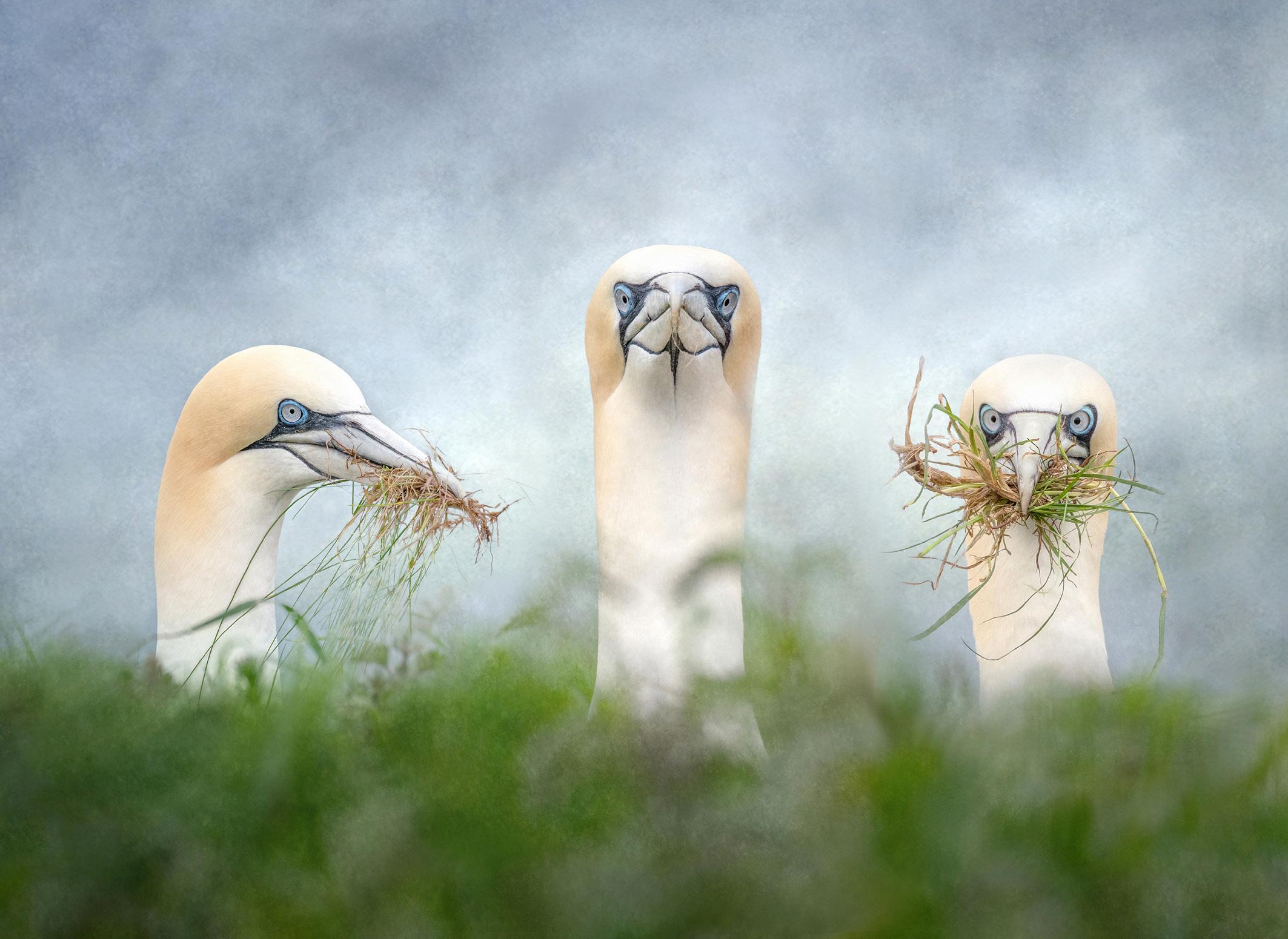
Gannets Gathering
My first ‘training’ in Photoshop came a few years later with Barrie Thomas, Barry Beckham, Gavin Hoey and a few others, from CDs that came with Digital FX magazine. The magazine was launched in 1988 and edited by Peter Bargh followed by Will Cheung in 2000. Will changed the name of the magazine to Digital Photo. Each CD included tutorials and all the images to practice with. I couldn’t wait for the magazine to drop through the letterbox each month.
It was at this time that I changed my job from teaching physics in
High School to become Assistant Director of a Learning Centre. This government-funded initiative saw City Learning Centres (CLCs) built mainly in inner cities on school sites. Its remit was to allow children and adults alike to further their IT knowledge at no cost to them. They provided ICT-based learning opportunities for the pupils at all the schools in the area and for the wider community. My role at the centre was to facilitate courses that would provide teachers with IT resources and training in a purposebuilt environment and provide IT courses for the wider community.
As we were open in the evenings, I decided to start a Photoshop class for photographers one evening a week and this was surprisingly well attended. I must admit that Digital FX came to my rescue as I was still very much learning Photoshop myself, so to teach it was a bit ambitious, but I learned along with my ‘pupils’. My ‘learners’ treated it more as a weekly social gathering where they got to play with Photoshop and chat about photography; I loved it. When I retired, I decided to do a foundation degree in Contemporary
u
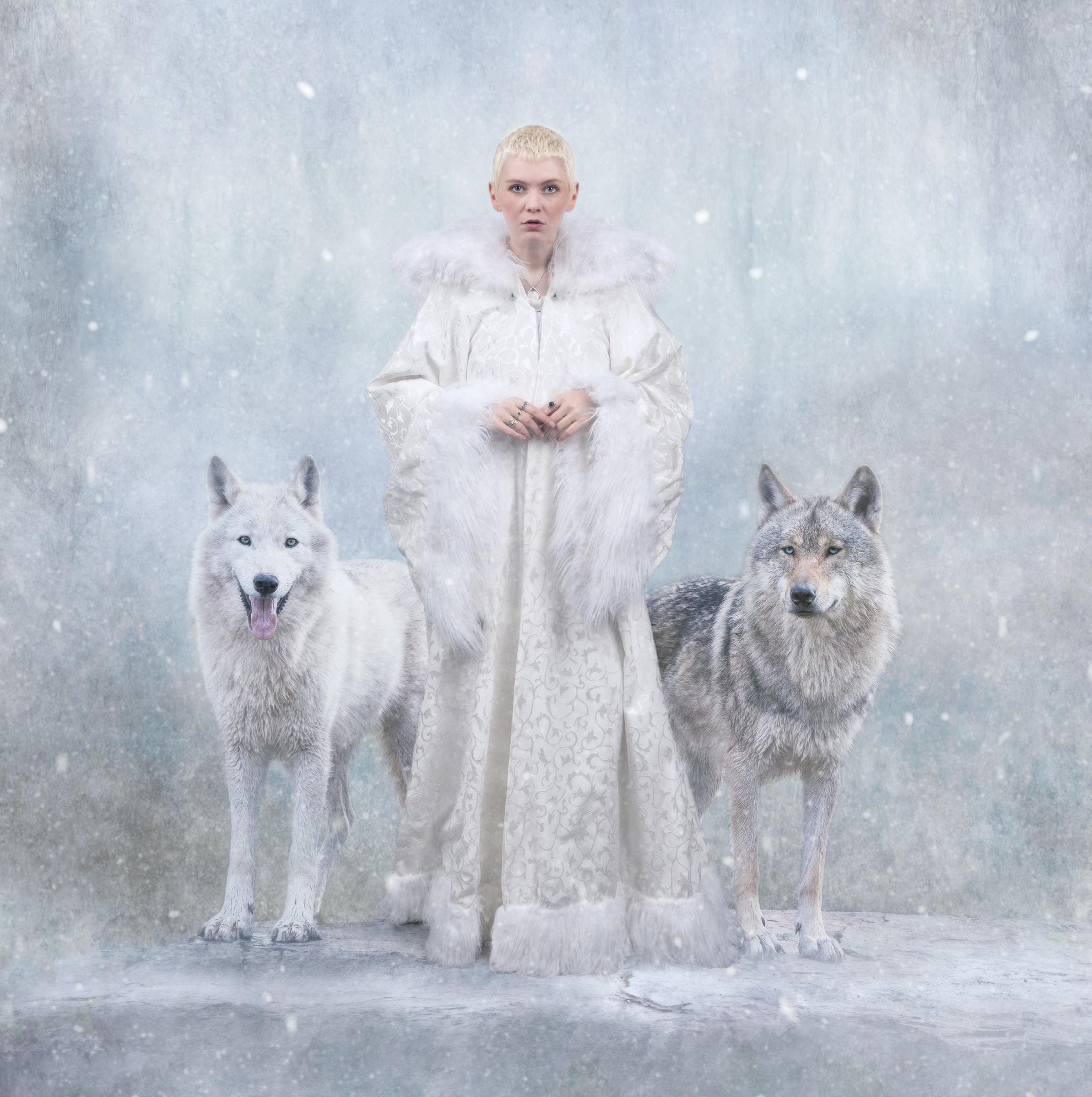
Ice Maiden
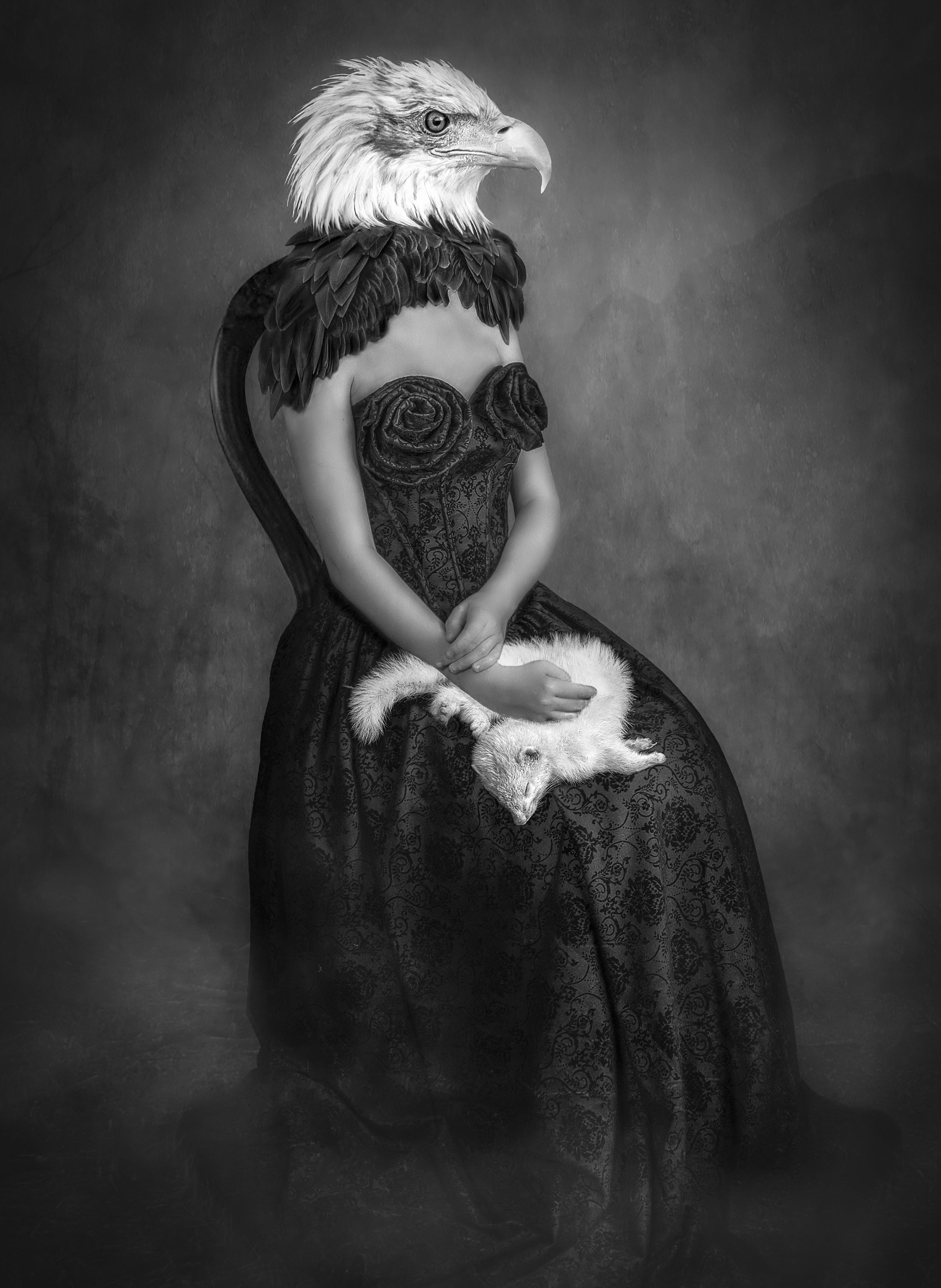
The Predator
Photography Practice at a local college, I saw it advertised and thought it would be fun, and it was. I was back in the classroom and in the darkroom, I now had an opportunity to go back to the question of how the ‘magic’ was made. I learned more of the theory of film photography and did more with my negatives but eventually I decided that I much preferred to create my ‘magic’ on the computer, I would leave the chemicals for the youngsters to whom it was all a new adventure.
On the course I was immersed in so much art, both painting and photography. I could spend hours looking at books about famous artists and their paintings and photographers who worked in the early 1900s. I saw art and artists that I really admired. Allegorical paintings by Rubens and Vermeer, the Romanticism of JMW Turner and Caspar David Friedrich, the Post Impressionism of Van Gogh
and Cezanne, and Surrealism of Klee, Dali, Magritte and Kahlo were just a few artists whose style of painting spoke to me and inspired me.
At the same time as starting this course I joined a Photographic Society, Frodsham and District PS. During the year they had monthly members competitions, something I was sure that I would never be brave enough to enter and certainly never be good enough to win. But as with all things if you don’t try you will never know if you will succeed. I entered and eventually won a couple of novice competitions with images that I look at now and wonder why I entered them, but we all have to start somewhere, so I carried on entering the competitions and listening to judges’ comments so that I could improve.
One thing I realised though was that club photography and contemporary photography practice
were different beasts; yes, they were both photography, but I would have been laughed out of the club with a college photograph and likewise my tutors wouldn’t think much of my competition images. But photography has so many directions, we can go down, so many paths with it, and we should be prepared to be open minded and try different genres and styles if we want to progress.
One photographer whose work I greatly admired whilst at college was Ernst Haas (if you don’t know him then look him up – the Ernst Haas Foundation). When shooting images for Time magazine at a bull fight, he got his ‘straight’ shots then he had a go at intentional camera movement. He photographed the bull charging and the matador with his red cape swirling and added ICM into the mix and he got ‘magic’. Well, I thought it was when I first saw his images and more importantly, so did Time
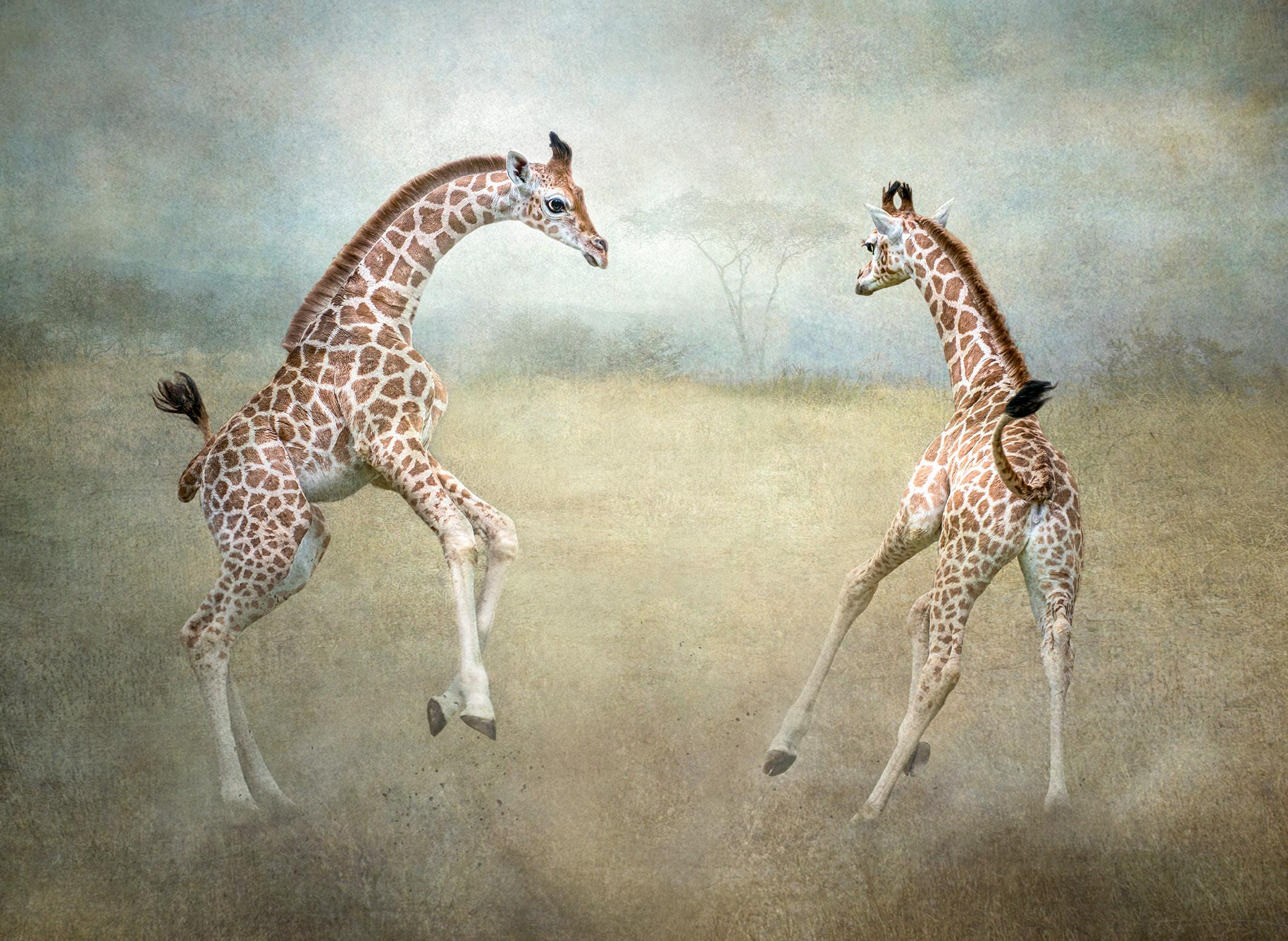
Young Giraffes Playing
magazine. It printed full colour, full page spreads of his images. And this was when colour photography was still in its infancy, when the traditionalists were saying that colour wasn’t real photography.
Photography + colour + ICM = a little bit of magic, something that I grabbed with both hands and started experimenting. I did ICM photography on anything and everything, I practised and found out what worked and what didn’t, I was having fun. The camera club didn’t like it, but college tutors did. But more importantly I could see that abstract movement and blurring of colour in my images had the look and feel of paintings.
When I finished my college course I was determined to continue to further my camera club and competition photography. I began to think about the direction in which I could take my images to become more successful in club competitions. I had seen amazing
composite images winning competitions but never thought that I could be as good as the people who did these images. But once again, if you don’t try you will never find out. So, I started looking at everything composite, I watched countless tutorials and YouTube videos on Photoshop in order to try to master the techniques.
Competition photography was something I enjoyed, so I started to enter my images into external competitions. I began with the BPE trail (British Photographic Exhibitions) in 2016 and after entering a few salons I started to gain acceptances and awards, and I started to believe that I could be almost as good as the people whose work I admired and who regularly won awards.
I have always been a photographer who photographs anything and everything except landscapes, but my greatest love is wildlife - any animal, wild or captive. I
photograph wildlife from the very largest, the elephant, to the tiniest, millimetre sized springtails. And it’s from these animal images that I get the most pleasure creating composites. As well as my ‘normal’ lenses I have some creative lenses: a few Lensbabies, a Helios, a 7 Artisans. I also have an infra-red converted camera and several different creative filters, just because I like to play with different creative ideas, and because it’s fun.
My photographic direction was greatly influenced by my husband John but in a sad way. He developed dementia which meant he increasingly needed me with him for longer periods. Previously, I would go out for several hours with my camera or away with friends on some photography project or workshop, but his illness caused me to think of other ways to continue my hobby. One thing I did was to join Chester Zoo, at only 20 minutes from home I could go to
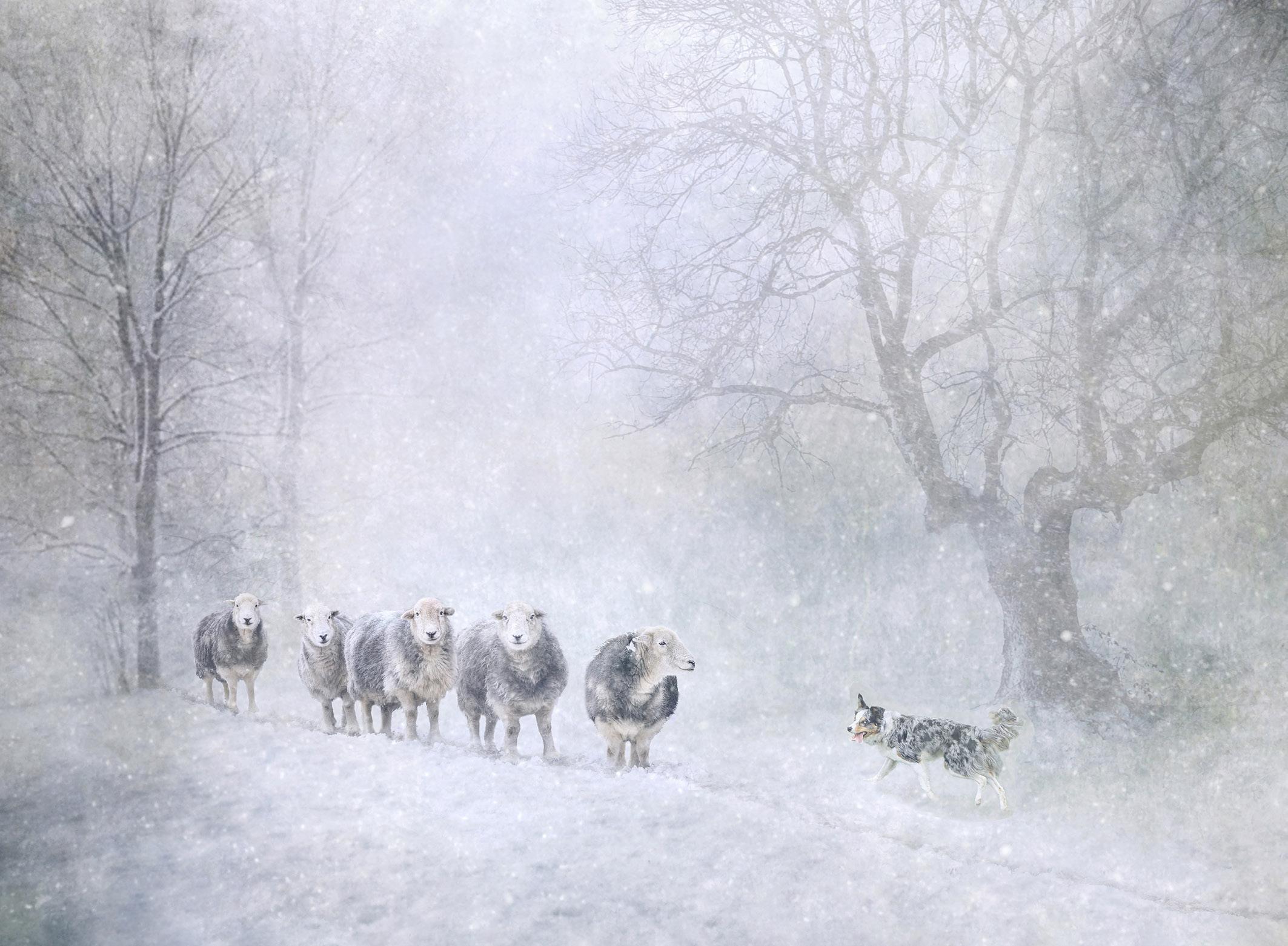
Bringing Home the Sheep
the zoo as a member, every day if I wanted to, and spend an hour to an hour and half there and then go home, where I would spend the rest of the day with John. Some of this time I spent playing with my images on my laptop; I could lose myself in creating images and also be with him when he needed me. I started creating backgrounds for my images with different textures that I had photographed. I learned different techniques from more online videos, and I could easily lose myself in the world of creativity.
I photographed zoo animals and digitally put them into a new background that I had created to resemble the animal’s natural habitat as closely as I could. I entered competitions with these images and the judges liked them, I started to gain more acceptances and awards. Last year saw me complete my BPE journey and gain my Fellowship, something I thought was out of reach a few years earlier.
I still do competitions and will do so for as long as I continue to enjoy creating images. My husband is now looked after in a care home so I can once again get out and about. I am trying to do more wildlife photography and have discovered the delights of Scotland and Ireland. But I also love being with my photography friends whether in a club situation or just out and about.
I’ve learned a lot over the years and have had a lot of help from people, so I now try to give back. I believe that how I create my images isn’t a secret and any knowledge I have I will gladly share with others.
Over the years photography has done several things for me. It has given me enjoyment and an outlet when life became stressful, but it has also given me a lot of friends, many of whom have become close friends. It has weaved its magic throughout my life so the words that Frank Mottram spoke to me all those decades ago were very true, there is magic in the box. Thank
you, Frank, throughout my life
I’ve had many enjoyable magical photographic experiences - and this will continue for as long as I can pick up a camera and as long as I remain excited to see what I have brought home today inside my magic box.
See more of Lynda’s work purpledaisy.uk
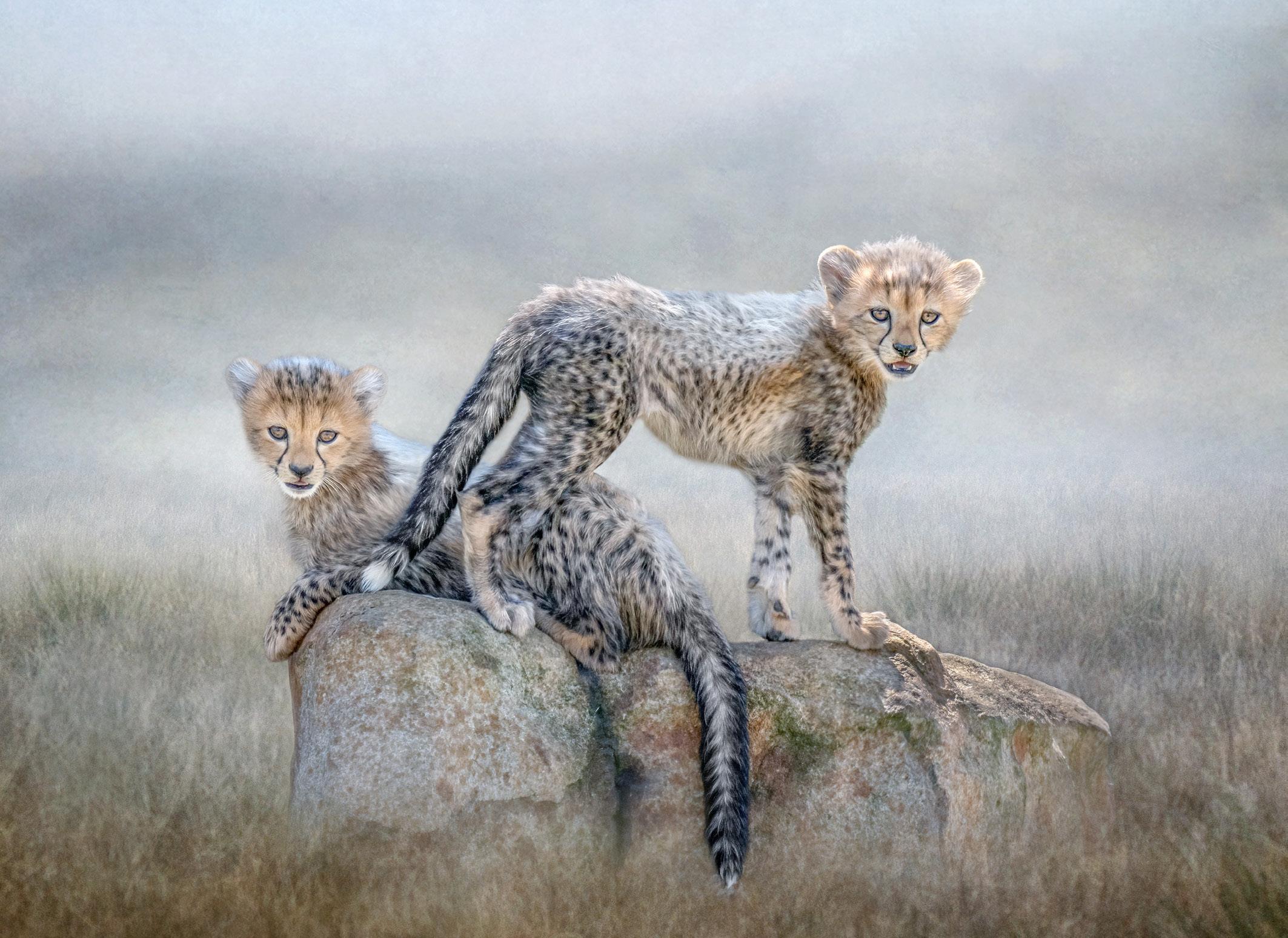
Cheetah Cubs
AI - HOW CLOSE IS IT TO PHOTOGRAPHY NOW?
GRAHAM WHISTLER FRPS
If you listen to the media, Artificial Intelligence may be about to take over the world. Graham Whistler investigates whether it is a threat to photographers.
I was greatly impressed in DIGIT 101 by the very creative images that Sally Sallett ARPS generated using Microsoft’s Bing AI image generation software. I was keen to see how Bing would stack up creating real photographic-like images. As a retired professional photographer, I now have time to enjoy bird photography as a hobby. I set out to generate photographic quality images of birds using Bing AI to see how realistic it was, and to compare with my own shots.
After my first few tests with Bing and Photoshop’s equivalent tool, Firefly, I talked to Sally, who gave me good advice on using the correct wording to generate
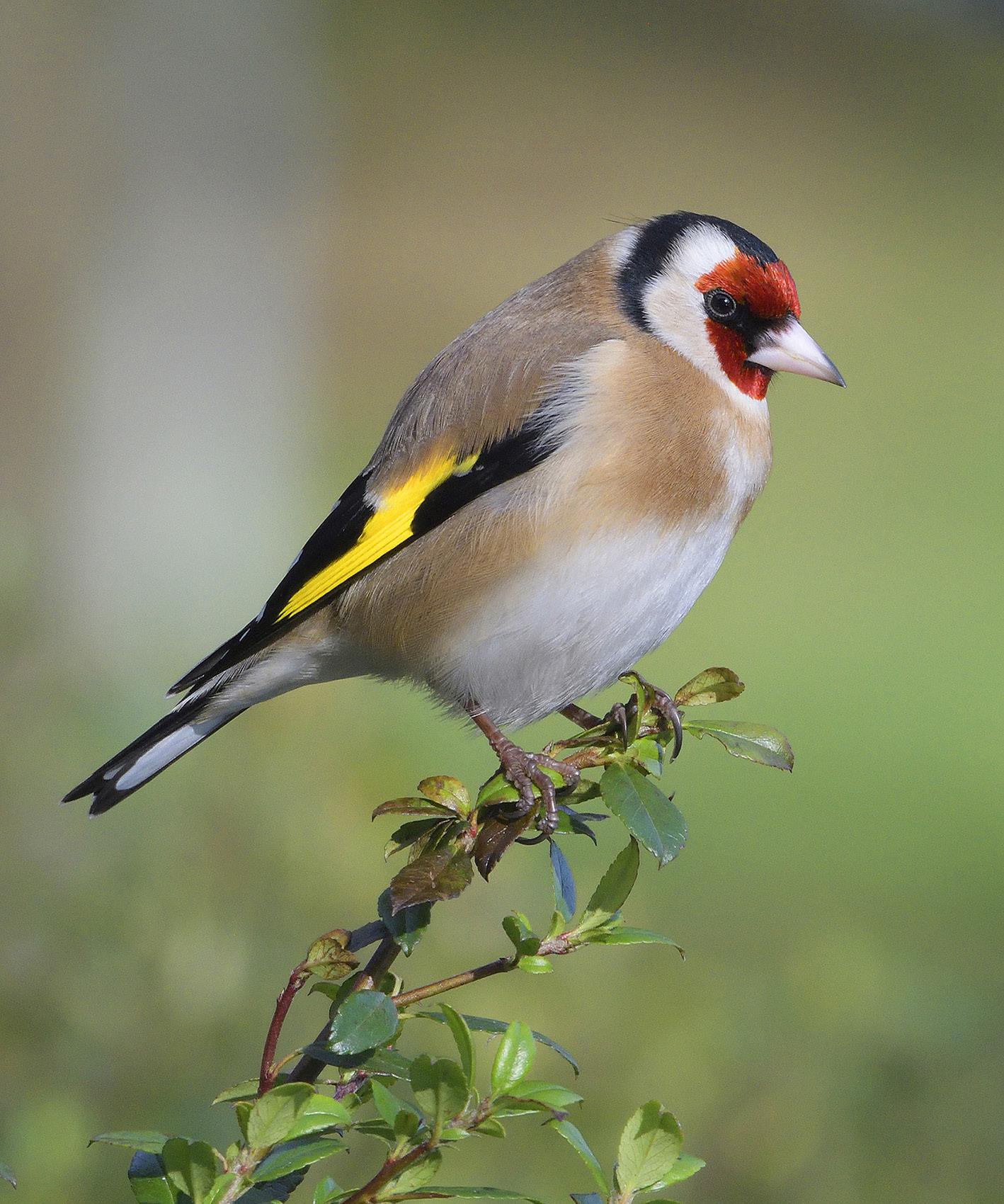
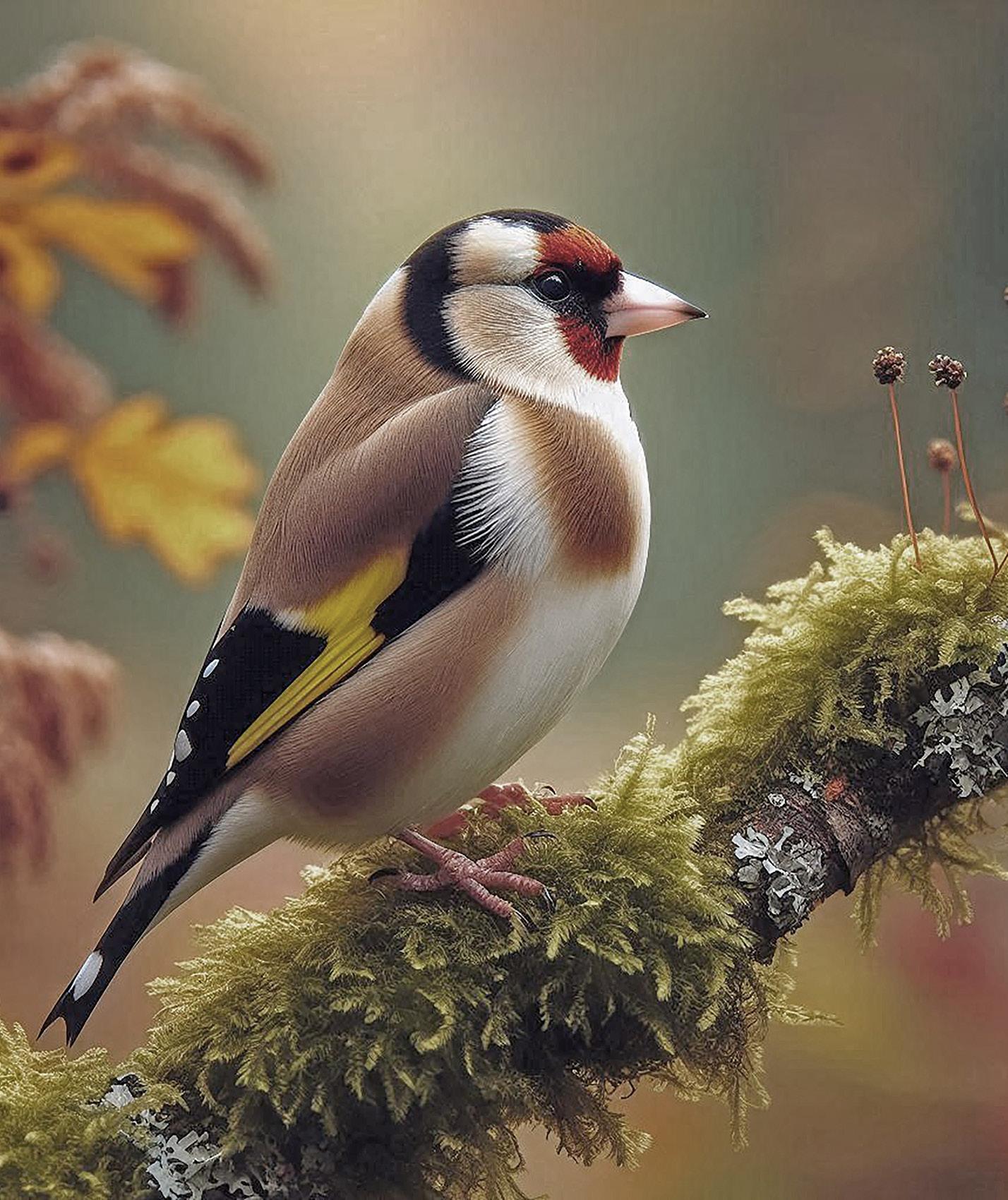
quality images. Next, I asked Bing to generate: ‘Goldfinch side view nearly full frame facing right on a moss covered thick branch sloping upwards with an out of focus autumnal coloured wood in photographic quality’. The generated image was almost too good to be true, although rather high contrast and with oversaturated reds. Using Photoshop I toned it down and matched it as near as possible to my shot of a real Goldfinch taken with a Sony DSLR (see above).
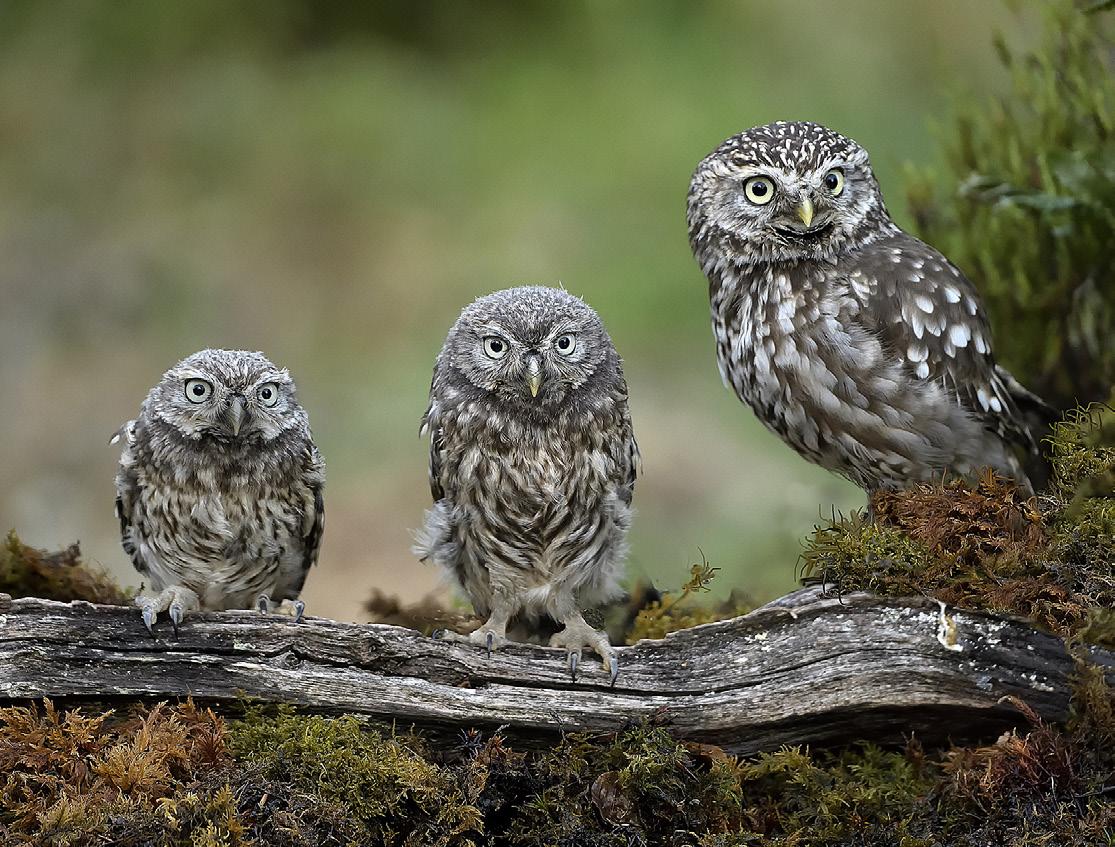
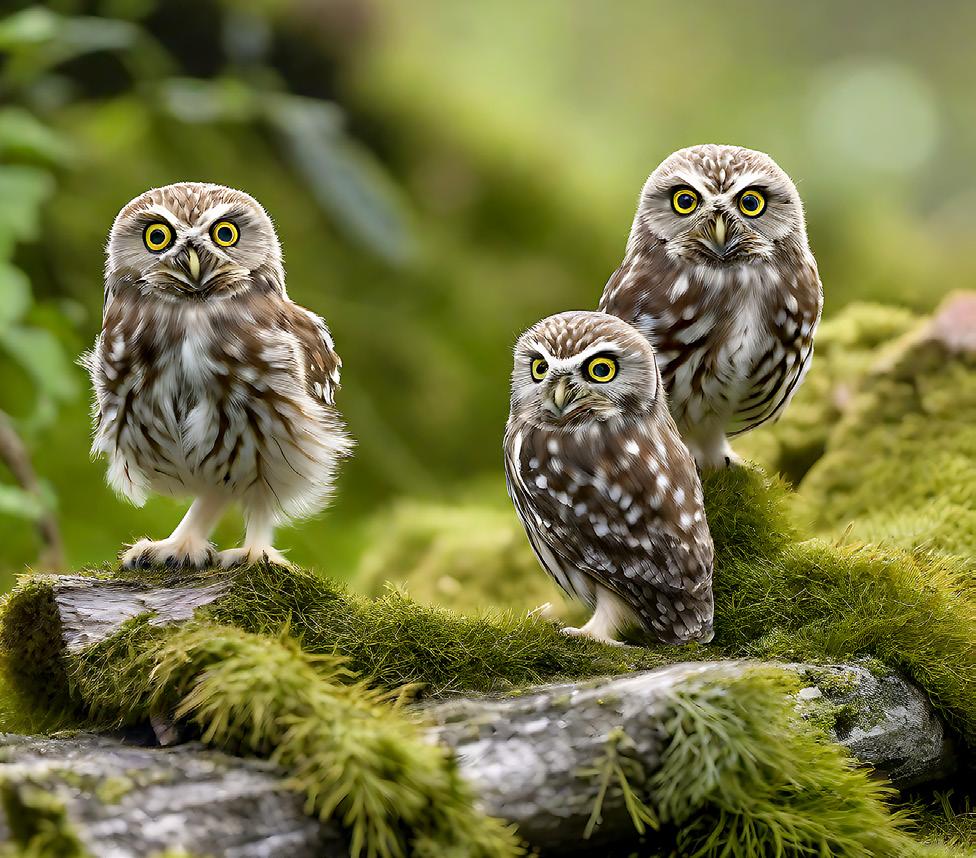
The three Little Owls (see page 23) came up almost as seen but needed de-saturating.
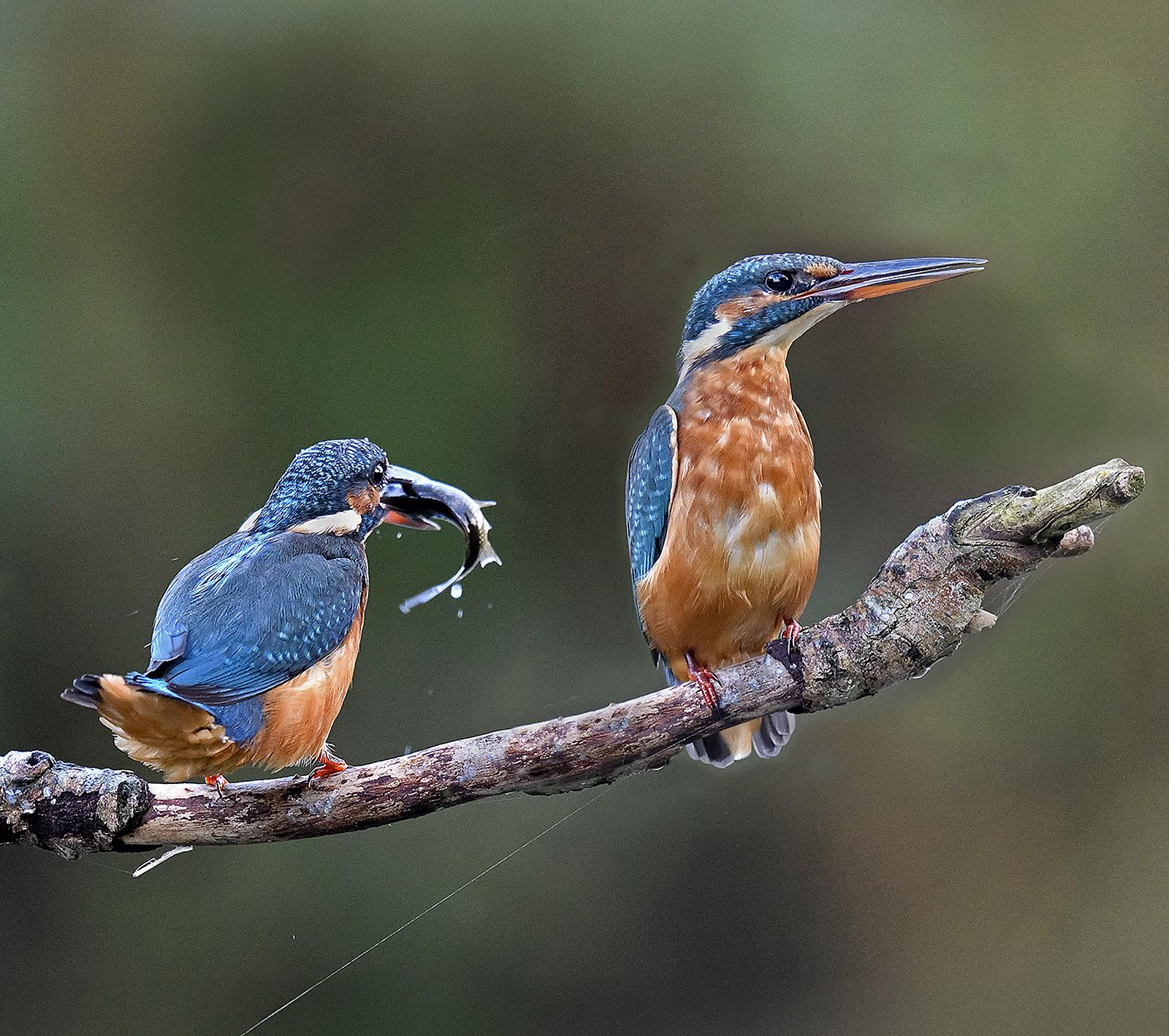
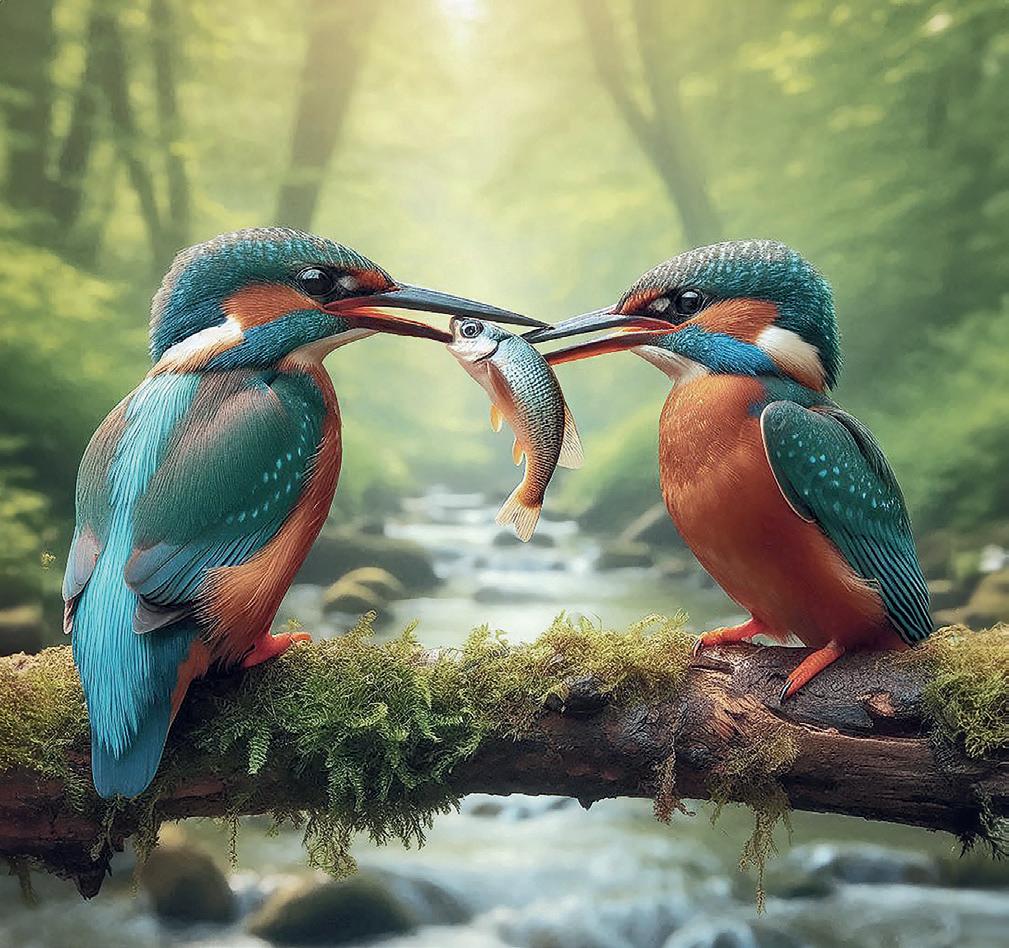
For the Kingfisher (see page 23), in my description I asked for: ‘A male British Kingfisher passes a small fish to a female Kingfisher facing the male both are on the same log in close-up over a stream in a wood with photographic high quality’. Again, the generated image was a bit too good to be true and needed toning down.
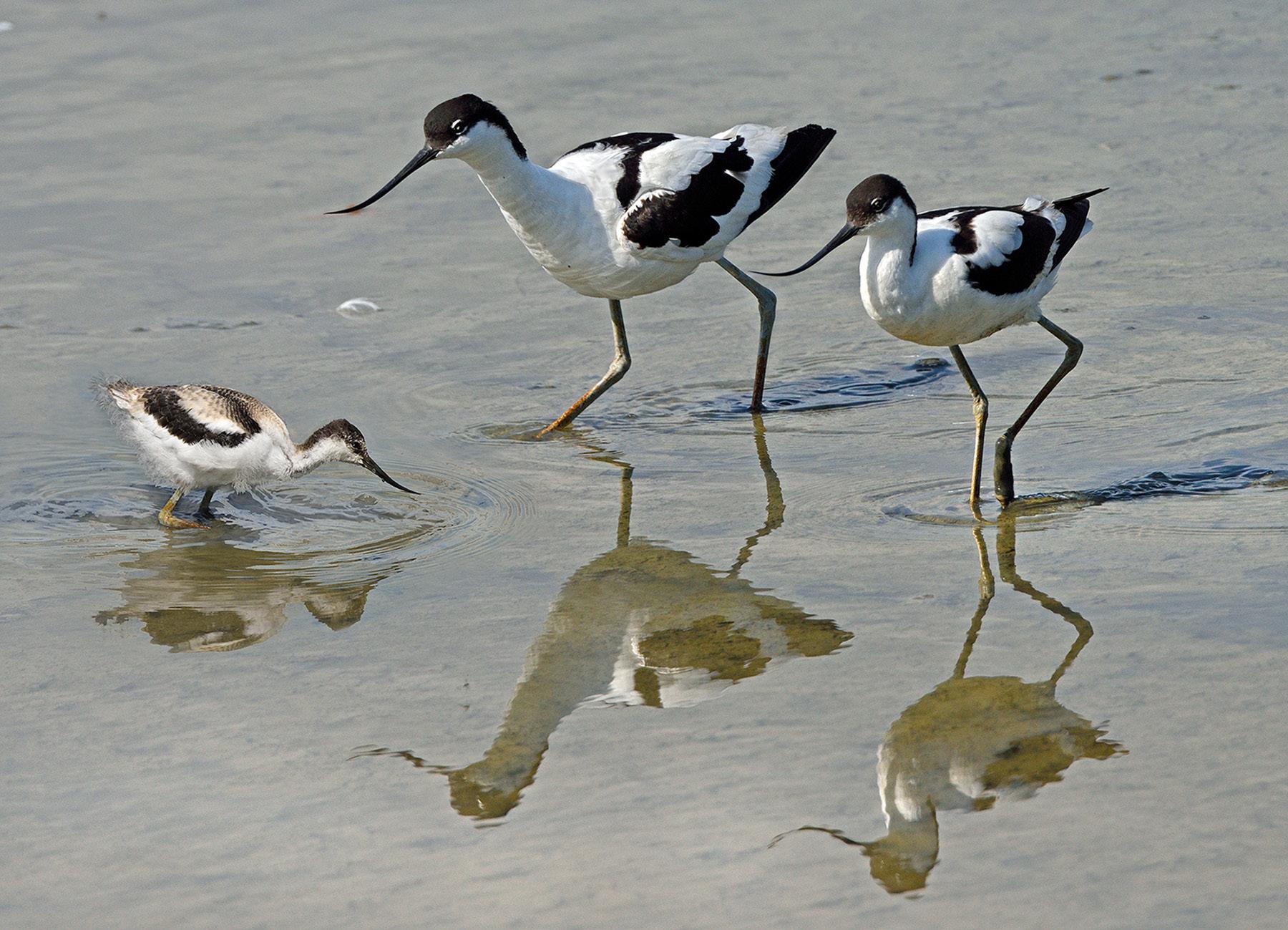
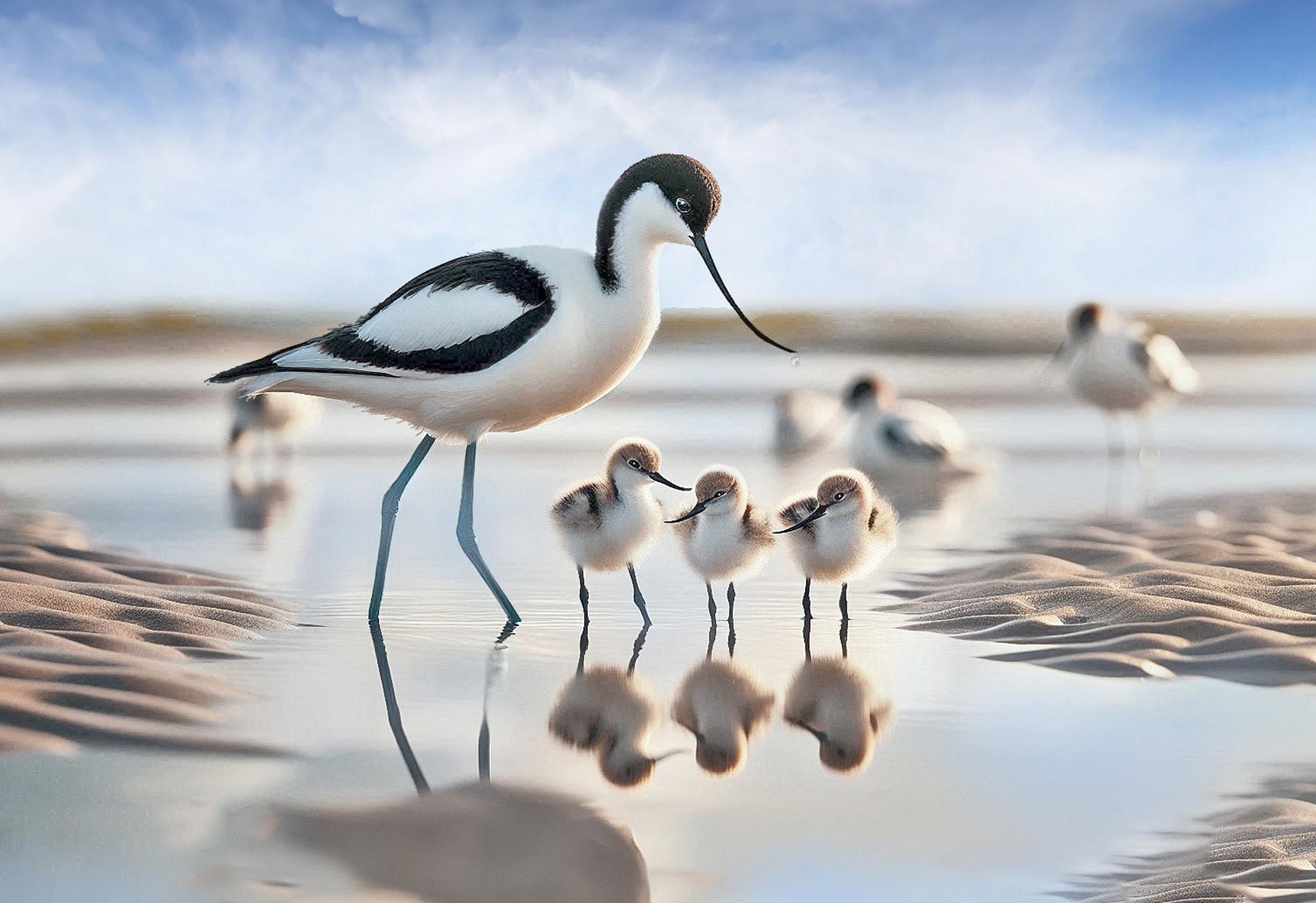
The Avocet with three young on an English river estuary was a bit of fun to do, but again the AI version was over the top. My Avocets with young, a Nikon DSLR photo, has done quite well.
Janet Haines tells me that she is worried about judges being fooled by images generated
Goldfinch - Sony DSLR
Goldfinch - AI
Avocets with young - Nikon DSLR
Avocets with three young - AI
by AI software and entered by dishonest photographers. It seems the RPS is still making up its mind about how to deal with this. After doing these tests and talking to several photographic judges, I can understand the problem. Many of the new AI features in Photoshop like Generative Fill, share fill and others are all first class in application and save time. I found Photoshop’s Firefly was not as good as Bing for generating bird images on a blank canvas for this test, but it may get a lot better soon and become a serious problem for judges in photographic competitions. One of my test images using Photoshop Firefly of the Goldfinch had incorrect feather colouring and a second beak
sticking out of the back of the bird’s head!
I think a good test of Bing and similar AI products is to take a wide-angle photograph of your house in good light to show all the fine detail. Now load the photo into your computer and look at your image. Next try to work out suitable wording to recreate the EXACT image that you have taken with all the fine detail, i.e., how many bricks and the right colour? I think even with 100 words it will never have the ability to create a 100% accurate generated AI image.
in real life (e.g., in the case of the birds, a displaced feather, marks on the plumage, dirt on the beak). Competition judges may need to look closer for ‘true to life’ imperfections and variations, when validating entries. If it’s too good to be true, it probably is.
Never was there a more relevant moment to recall the old adage ‘a picture paints a thousand words’. It may take a great deal more words than that for AI to be truly convincing.
AI is and perhaps, always will be, unable to capture reality; that is still firmly in the hands of the photographer.
AI faithfully reproduces the written command. It does so with perfect rendition that is largely devoid of the natural imperfections present l
Three Little Owls - a shot taken with a Nikon DSLR on the left and the Bing generated image on the right
Kingfishers - a shot taken with a Nikon DSLR on the left and the toned-down Bing generated image on the right
THE ART OF EQUINE PORTRAITURE
EMMA CAMPBELL
The key to creating beautiful and meaningful equine images is understanding the horse and its behaviour, says Emma Campbell.
In the early 1980s, during a halfterm break, my mother - a journalist - was assigned to interview the owner of Bowlers, a wellknown riding school in Formby, Merseyside. Luckily for me, despite coming from a non-horsey family, she took me along! As I sat on the tack room step, I became captivated by the yard’s activity. Little did I know then that this would lead to a lifelong passion for horses.
Bowlers was, and still is, a unique place. Now recognised as the
oldest continuously operating riding school in England, it serves as a livery yard, a riding school, a Riding for the Disabled Association venue, and a centre for student training. There was always a buzz of people of all ages sharing a passion and a common understanding of how incredible horses are.
The following two decades I ended up spending there, I started to recognise just how horses can play incredible roles in our lives. Today, they are often seen as extended members of the family (certainly in
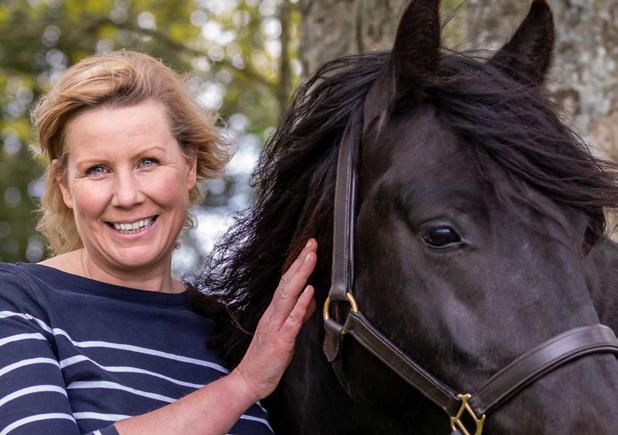
our household)! But they can also provide a wonderful distraction at the end of a busy working day, instil confidence and help build life skills in children and provide unconditional love during tough times. By understanding horses and how they connect with us, I fundamentally believe we have a greater ability to be able to photograph them at their best. My work today predominantly focuses on one-to-one private equine portrait sessions, but for the last 30 years, I’ve photographed
u
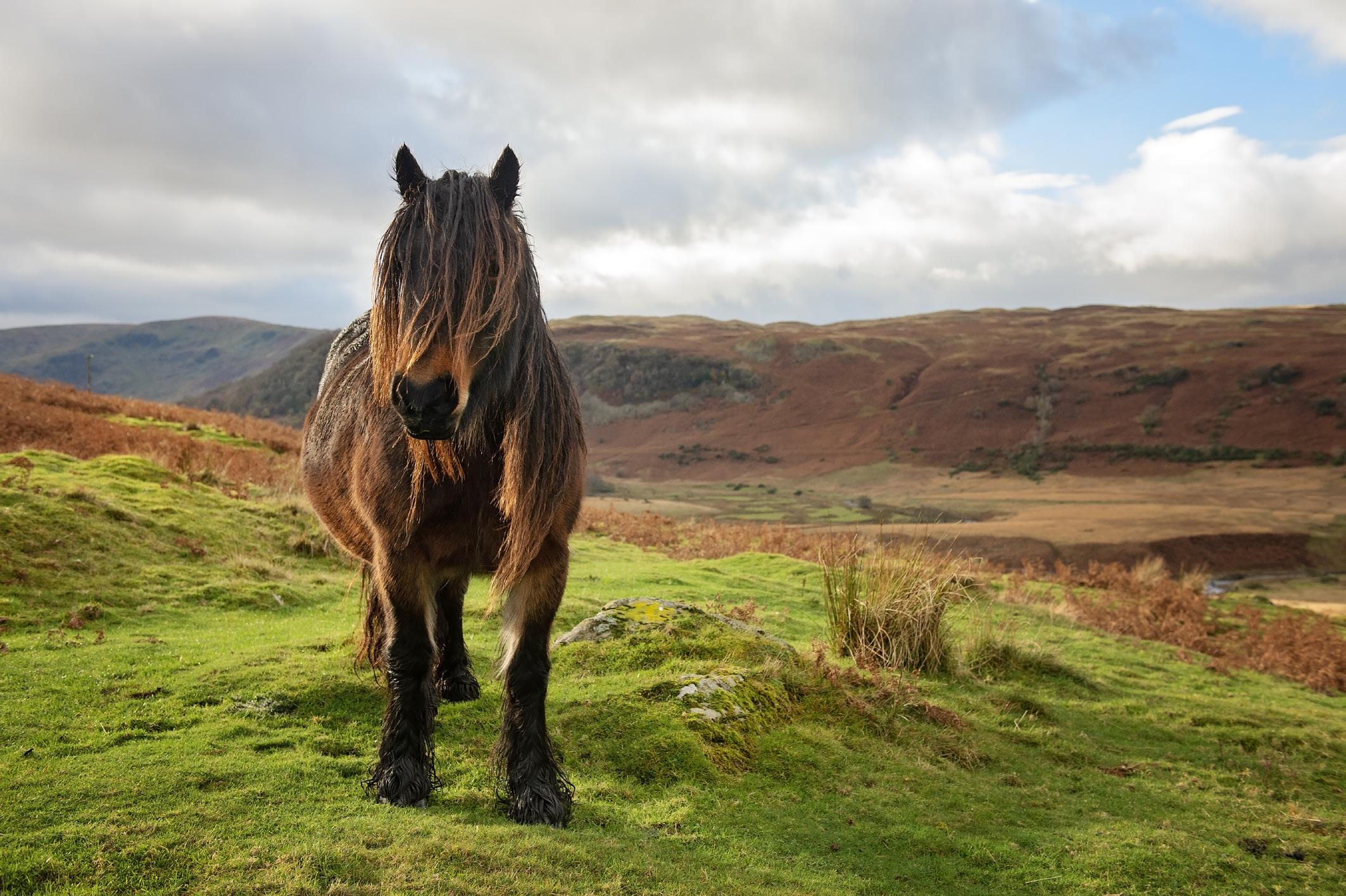
Fell pony
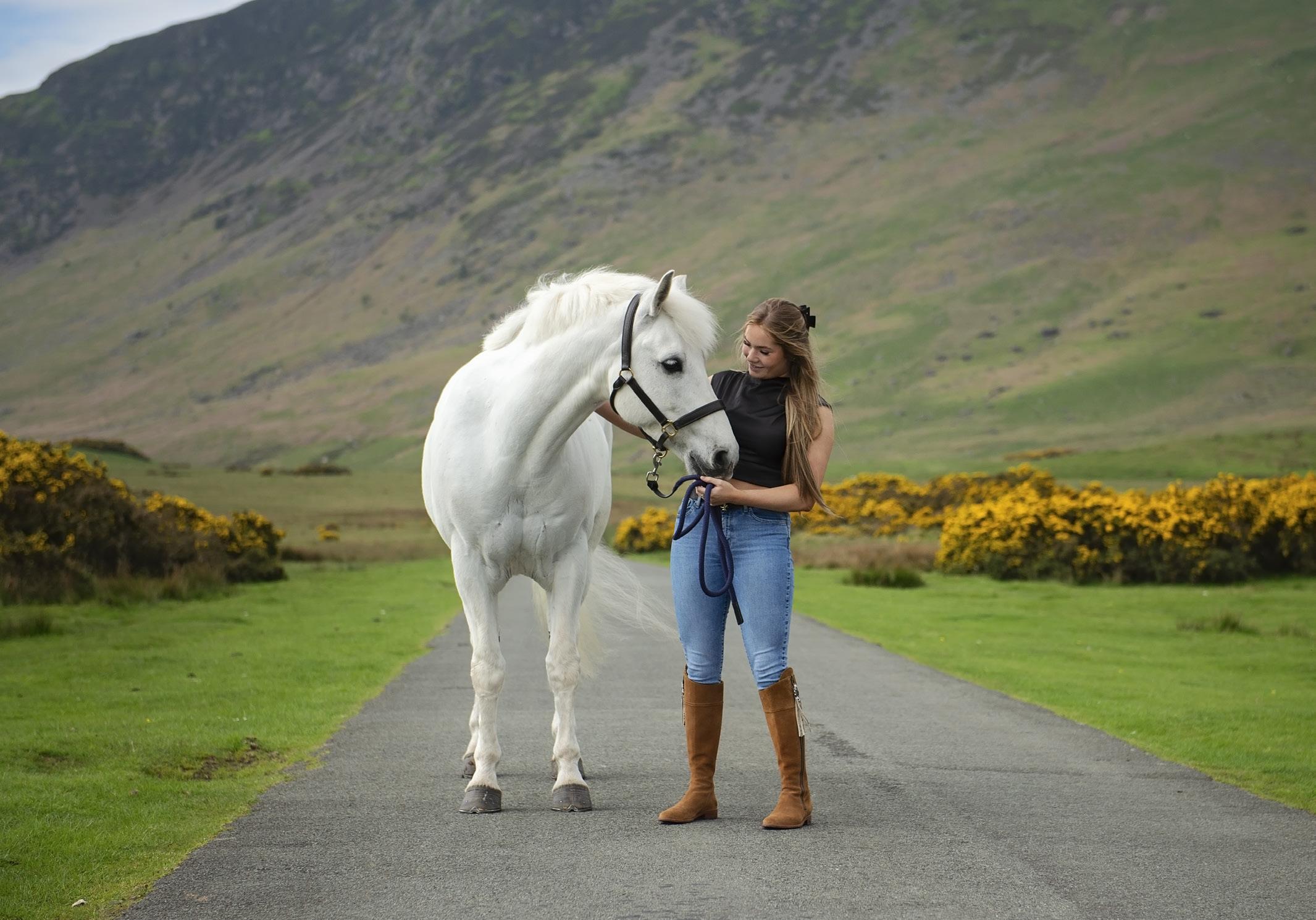
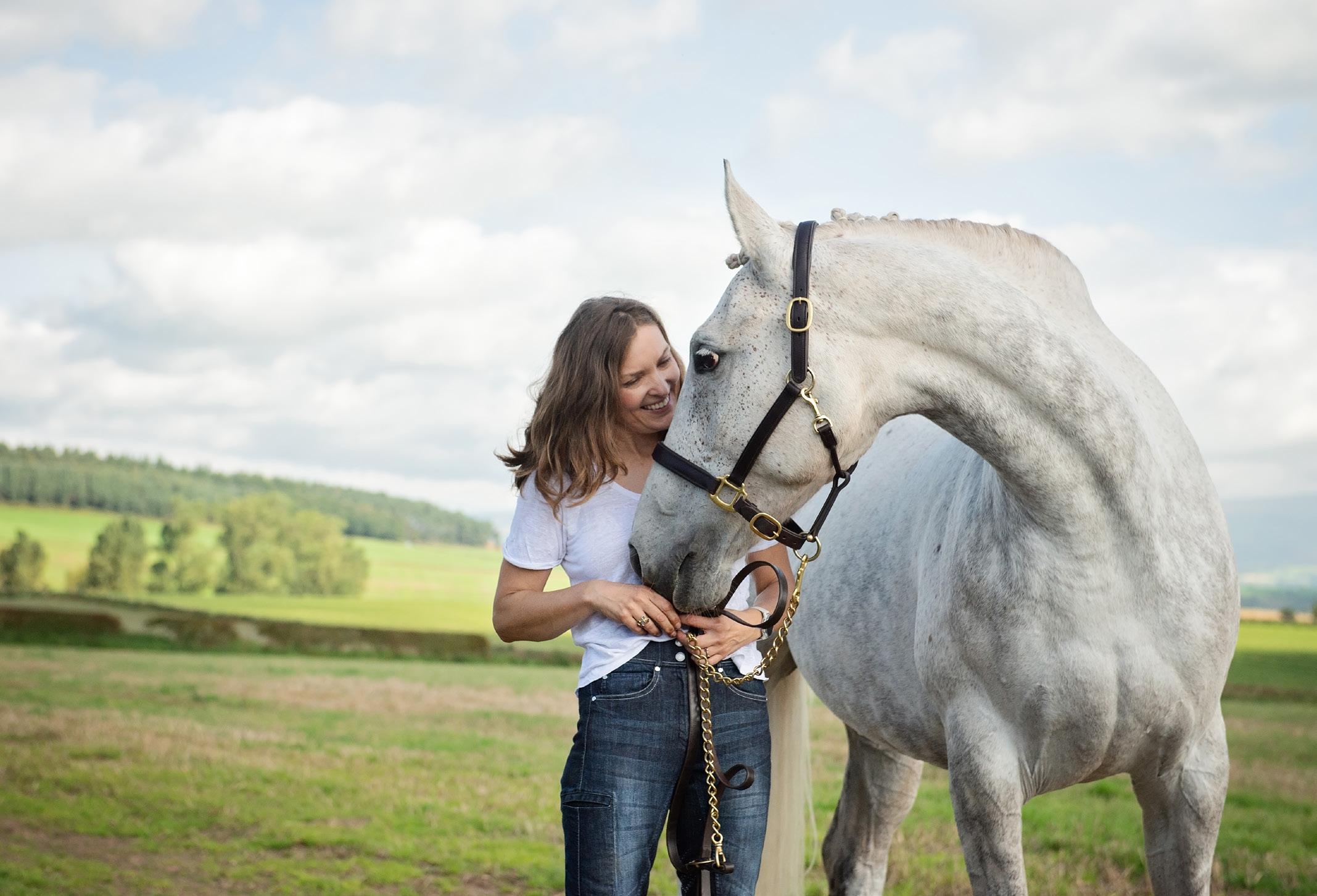
Capturing the unique connection and special bond between horse and its owner, a relationship that can take many years to form.
horses and riders from riding club level through to International competitions. I began learning my craft in the 1990s with two Pentax film cameras, a K100 and an ME Super. Back then, you’d process the film as quickly as possible and post the photographs to London for publications such as Horse and Hounds Thursday’s edition!
Photographing horses in a variety of environments requires slightly different preparation, though the camera equipment and many of the principles remain the same for me. In this piece, I hope to share some thoughts and ideas to encourage anyone interested in photographing horses to give it a try and, for those with equine experience, perhaps to explore something new. Here are a few tips for creating a successful portrait session.
The weather
Being based in the UK, before any session, I always check on the weather. Not just for rain but also
for breezy and gusty winds. Rain can be beautiful, but not always convincing for my clients - however, some horses particularly do not like wind. Sound is one of their senses, and if it’s too windy, they can find it hard to hear and become restless. Each horse is different and will react differently. Before your session, ask the owner how they think their horse will respond, then make a call on whether to reschedule.
A relaxed and happy horse
To capture the very best of any animal through photography, it’s important to understand how they behave and communicate. You can then react and change your shoot if necessary.
Ideally, you want to see the horse come out of their stable or box with a low, long neck and loose through the body. Ears can be floppy or swinging back and forth, to show they are attentive and aware. There are some fabulous books on the topic, which explain the intricacies of wrinkles on the muzzle and the
angle above the eye, that can all help explain to you, how the horse is feeling. I recommend becoming more familiar with horse communication, especially if you plan on doing private one-to-one sessions.
To help keep a horse relaxed, I always ask my clients to choose a location where they enjoy spending time together - their happy place. Not only does it make the session more meaningful for the client, but being in a familiar environment helps both feel at ease, giving me a greater opportunity to capture their unique connection.
Horse movement
Horse owners invest years developing their horse’s athleticism, not just for sport but for welfare, so it’s essential to capture them in their best light - literally and figuratively. When positioned side-on to the horse, focus on capturing all legs actively engaged; capturing a trailing leg mid-stride can make the
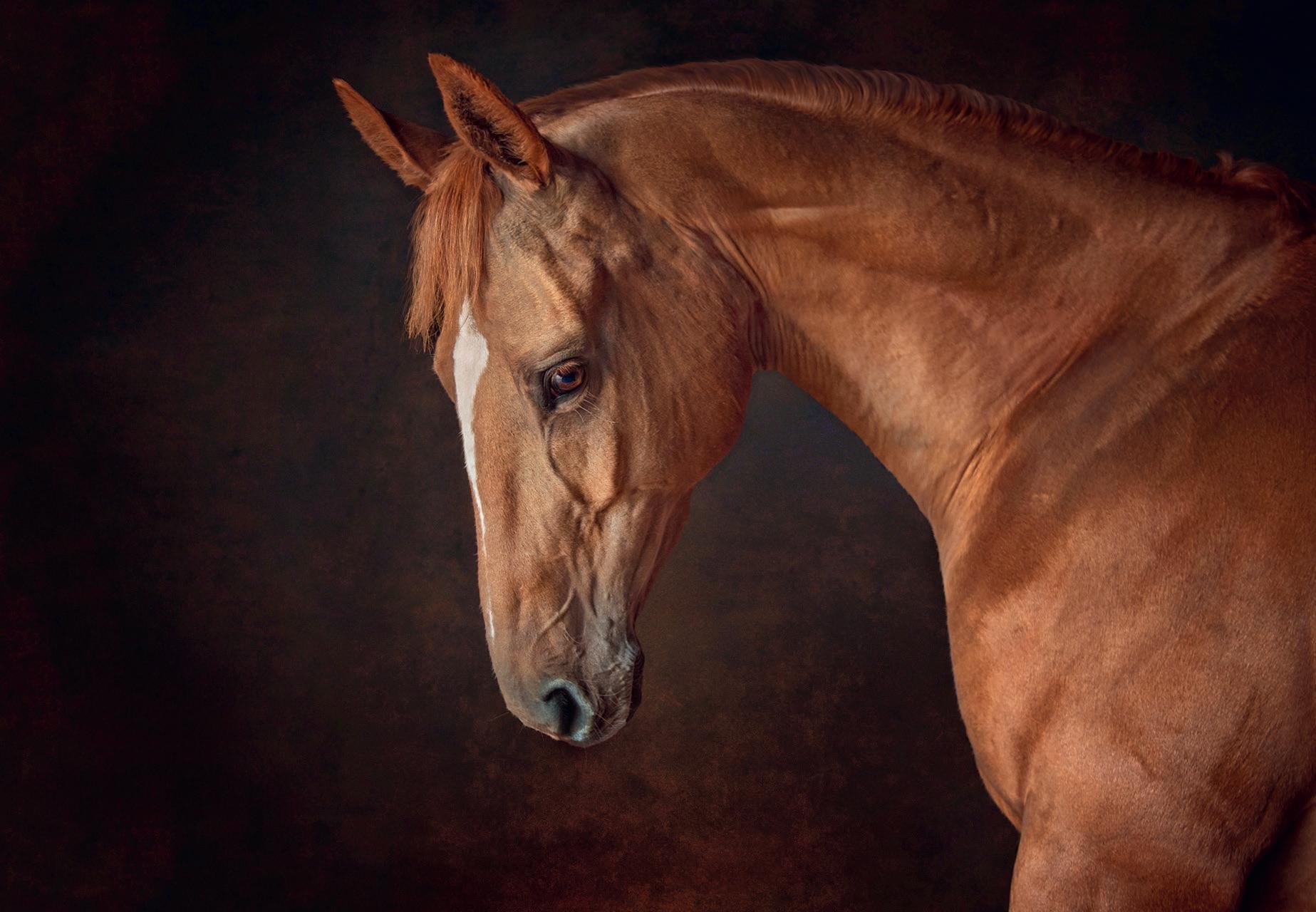
Horse portrait
horse appear unbalanced or less powerful.
Consider the height from which you shoot. I often find myself at ground level, so the horse’s stance looks larger and more powerful. For closer portrait work with the client and their horse, I tend to stand parallel and straight on to my subjects.
If a horse doesn’t want to stand still, especially at the start of a session, I often ask the owner to walk the horse away and then bring it back to me. This simple exercise can be repeated several times and helps in two ways. First, it gives the owner something to focus on, as clients can sometimes feel nervous at the start of a shoot - a feeling the horse can pick up on. Secondly, it loosens the horse and gives them a focus too.
When stationary, I like to see if the horse can stand in a square halt. This elongates the horse and makes them look smart. It doesn’t always happen, and that’s OK too, as every horse is different, but if they will stand square for you, capturing them from the front, can look fabulous. Again, try different heights to capture this pose, but I’m often kneeling and shooting slightly upwards.
The more you become aware of how the horse moves, the more you can capture them at their best. Watch how they walk - it has four beats; trot has two, canter three, and gallop four - observe the rhythm. If the horse is balanced and engaged, the rhythm will be consistent. Follow the leg pattern and rhythm, so you don’t have to keep clicking continuously.
When photographing a horse jumping, timing again is key. One millisecond either way can make the horse look awkward. Ask yourself if the horse looks strong, balanced, and proportional. Would the image have looked better if you’d captured it a split second later? What’s the position of the rider and horse relative to the jump? Are you in the best spot for composition?
Check your background
I’ve been so focused on positioning the horse and rider in the past, that I have sometimes forgotten to pause and check the background! It’s basic but important - ensure there’s no tree or pole behind the horse or owner’s head. When you’re focusing on a half-ton horse, it’s easy to overlook these details.
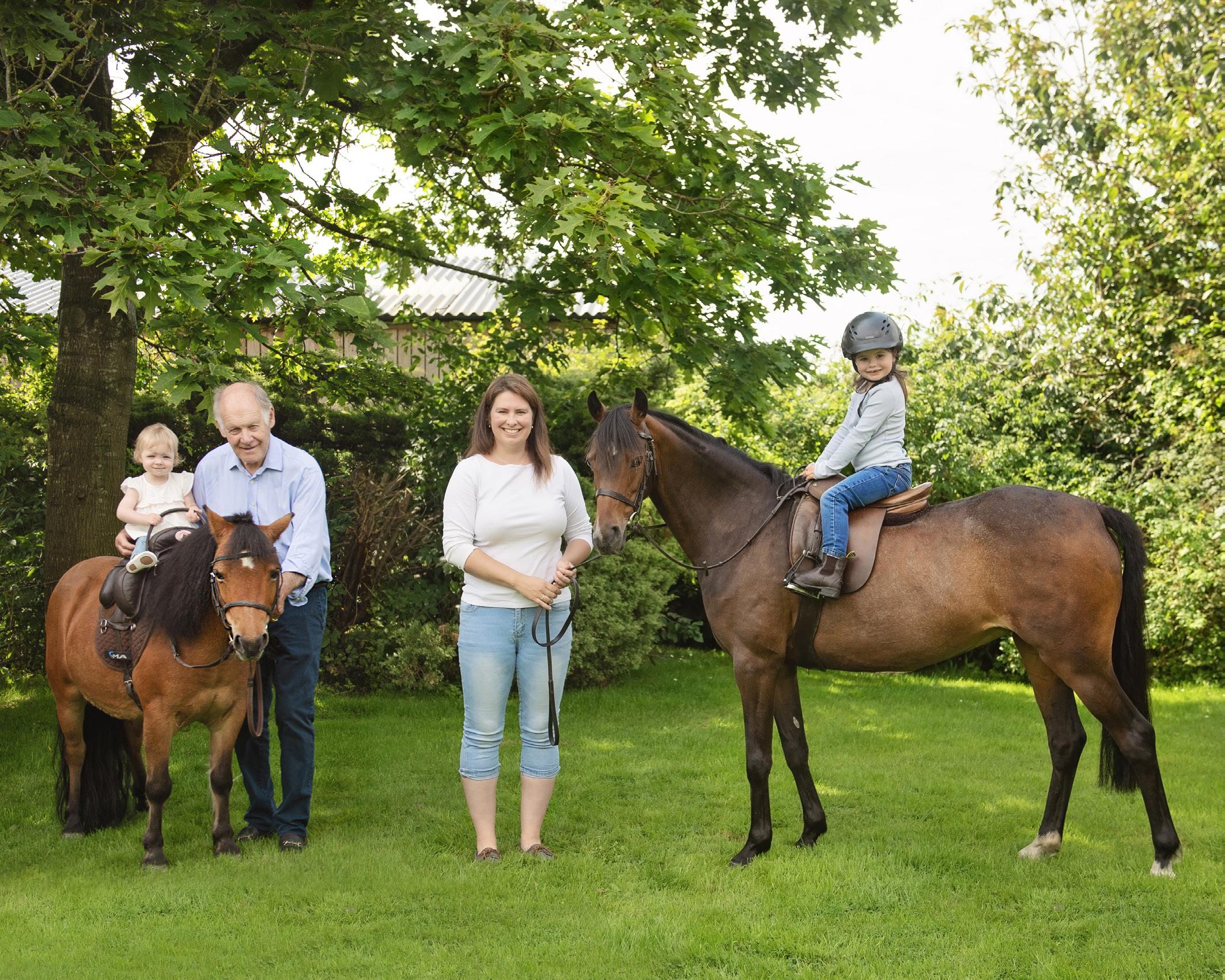
Family portrait session
Keep your equipment simple
For every session, I use a straightforward setup, relying on a full-frame DSLR and my Nikkor 2470mm f/2.8G ED lens with natural light. I don’t use accessories like reflectors or flash, which can distract or even frighten horses. Again, I suppose this also comes back to me wanting to keep everything natural and not to hinder capturing the horse’s personality. My spare camera and Sigma 70-200mm f/2.8 lens are kept in the car, for longdistance shots like beach scenes. With a fast-moving animal, for me, simplicity is key.
Photographing indoors
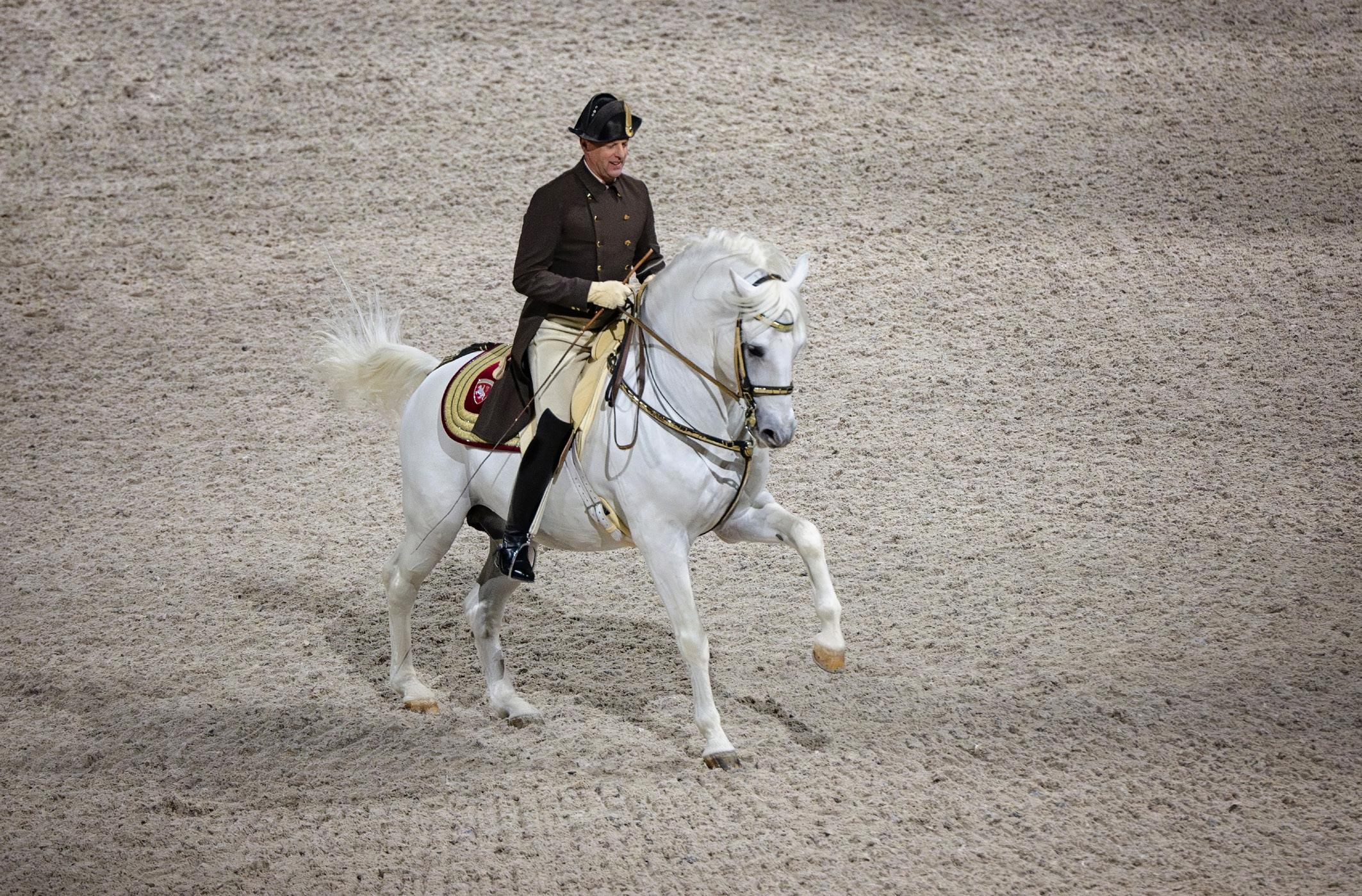
Often with equine event photography, you may find yourself indoors, especially over the winter months. Recently, I photographed the crème de la crème of horse and rider partnerships, the Spanish Riding School, when they visited Scotland for the first time and performed at Aberdeen’s P&J Live Arena
It was the perfect opportunity to photograph ‘classical riding’ at its best. To capture the beautiful Lipizzaner stallions, who have undergone years of kind training, built on trust and gentle communication. The horse’s strength and power come from its hind quarters, so to photograph the rider working in harmony with their horse and asking through very subtle commands to engage and display examples of power and elegance, was truly fabulous to see.
The challenge I had however for this particular shoot, was to capture the Lipizzaners at speed while balancing how much noise I was prepared to risk, while my ISO was stretched. That night, I was gifted a Nikon Z9, with a Nikkor f/2.8 70-180mm lens to use (thank you Nikon!) My ISO was pushing 6,400 a few times, for some of the images, but a slight adjustment for the noise and sharpness in Photoshop Camera RAW filter really helped. The camera worked very well for me in challenging circumstances. My position was at least 10 metres away
from the start of the arena and I was about 10 metres above it.
Photographing outdoors
I love visiting clients and their horses on location, and shooting in natural light is my favourite. For portraiture work, the camera is set to manual, and I adjust the ISO to the light of the day - if it’s very bright and sunny, it’s down to 100 or 200 and a small depth of field aperture f/3.5. I try not to shoot f/2.8 for portrait work as the depth of field created can be so shallow, it often doesn’t capture the whole of the horse’s head in sharpness.
For a cloudy day, my ISO can be set around 640/800 and I keep an aperture around f/3.5.
To capture a horse at speed, I set my camera to shutter speed priority around 1/1600sec or higher to ensure sharpness, and I keep the aperture between f/3.5 and f/4.5.
For one-to-one portrait sessions, I often go for the morning light. 10am starts work well for me and my clients and the session can be
A Lipizzaner from the Spanish Riding School performing in Aberdeen
Riders from the Spanish Riding School performing the School Quadrille
finished by the time the midday sun arrives. If the sun is harsh and bright and you have a large horse or pony, that is either black or white, the contrasts can make it hard to retain details - and flatter your client.
Accessing horses to photograph
If you can’t readily gain access to horses and their owners, or you prefer to photograph just horses in their natural environment, there are several places in the UK that you can go. In the Lake District, where I am based, we have semi-feral fell ponies roaming the Cumbrian hills, a rare, hardy native breed who live out all year. Their herds experience very limited human contact, so it’s amazing to just observe them. Dictated by their hierarchy, they communicate with each other through their body language, subtle facial expressions, smells and noises. I would often spend many days up on the fells, just watching them and absorbing the beautiful landscape which they call home.
Other areas in the UK include Dartmoor and the New Forest. To get started, I would contact the
breed association (in my case it was the Fell Pony Society) and from there you can build up connections with the breeders. This is handy, as I always like to get permission to access and photograph the herds, (all are privately owned) but also you get to find out where they hang out, which can be very useful when they roam large areas of land!
If you’d like to go for more active equine photographs, I recommend visiting a local Point to Point event. Unlike racing, it’s an amateur sport and the atmosphere is often incredible. The courses often don’t have safety fencing all the way around, so you need your wits about you, but as long as you stay a safe distance away from the course and competitors, you can capture the most incredible action shots.
Give it a go!
I hope this article has inspired some of you to get out and give equine photography a go or to try new things. They are such incredible, special animals, that come in lots of different shapes, heights and temperaments. Find
a pony or horse that works for you to experiment on and absolutely enjoy!
About the author
Emma Campbell is a panel member of The Guild of Photographers, judge and educator. She gained her Master Craftsman in Equine Portrait Photography in 2020.
Emma is available for mentoring and training - if you would like to know more, please visit: shorturl.at/zHWbA
Website: horse-portraitphotographer.uk
facebook: ejcampbellphotography
Instagram: emmacampbellphotos
LinkedIn: emma-campbellphotographer
Lipizzanas from the Spanish Riding School performing in Aberdeen l
SKY WALKERS
Every year members of the RPS Visual Art Group enjoy two residential weekends away for members to meet, see friends and share their appreciation of photography, at the same time new techniques and approaches are learned. This autumn the venue was Cardiff, where there was a rich variety of areas to explore, from the city centre to the bay area, and the countryside and coastline beyond.
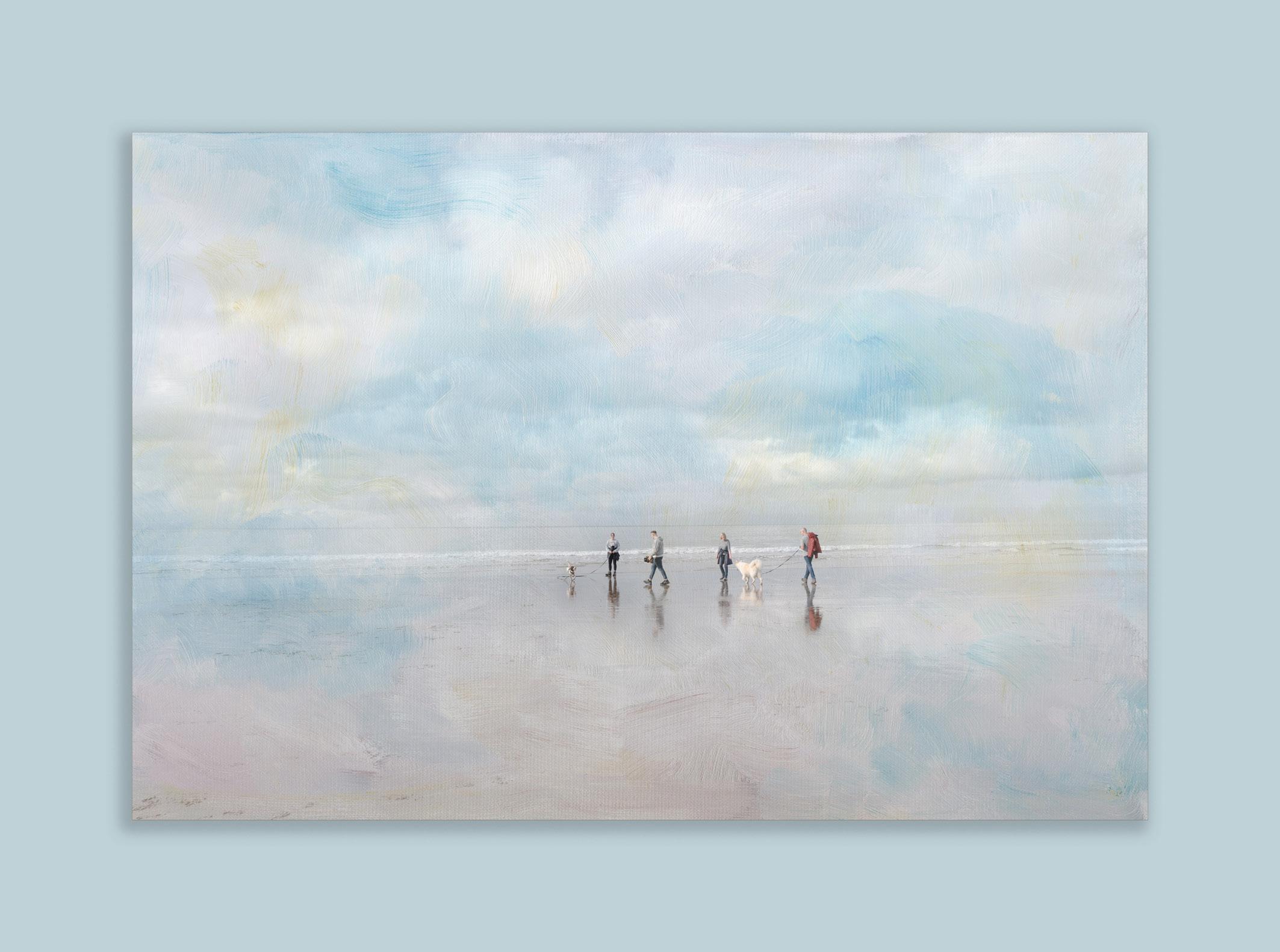
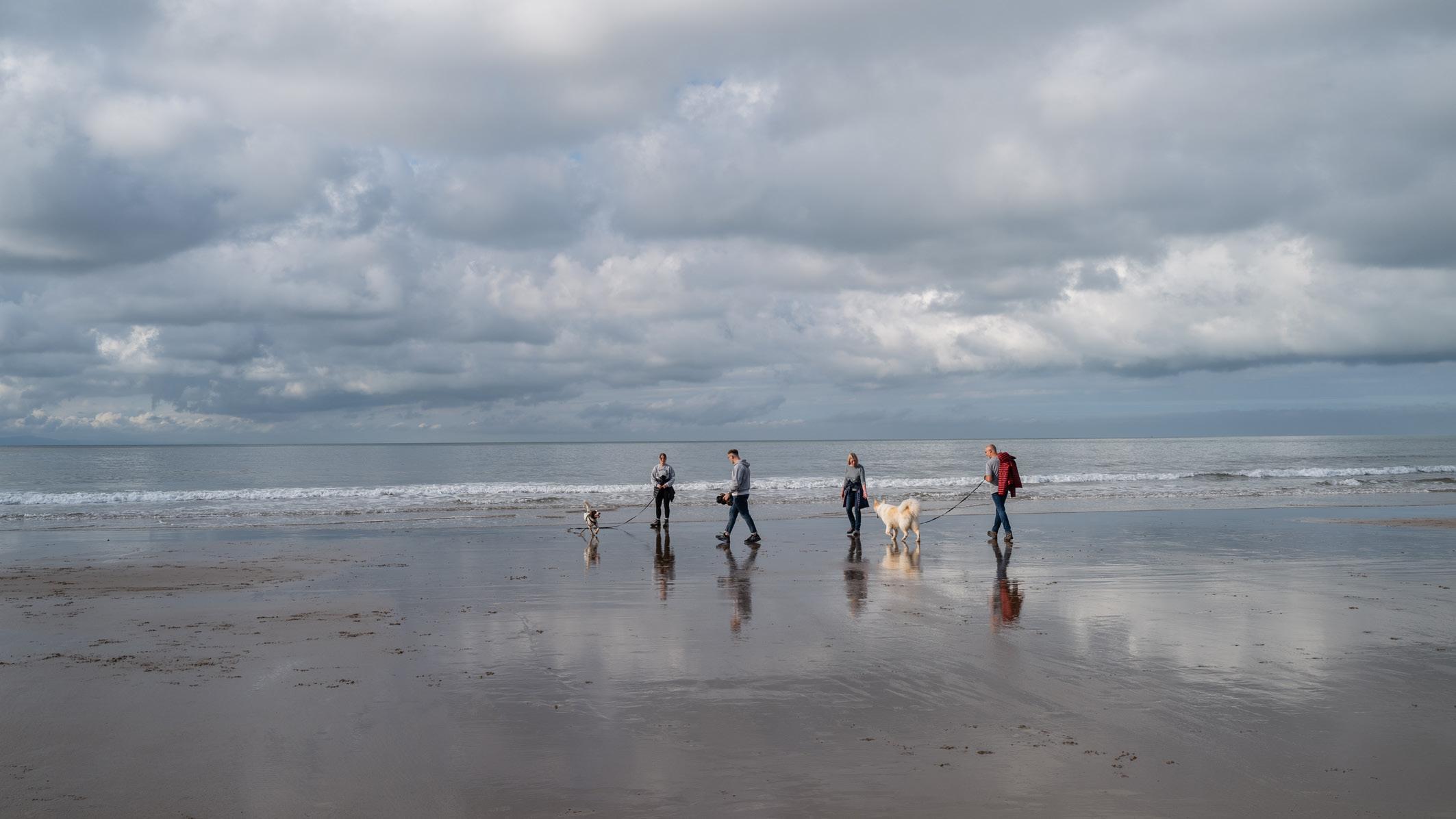
One of the workshop locations was at Dunraven Bay, where I saw the potential for making wide, expansive and restful images. At the time of our visit the tide had just turned and was quietly rising. The weather was perfect, with a little breeze, puffy clouds and lots of soft autumnal sunshine. There were very few people around but enough to make it interesting The beach is wide and sandy with wide anvil shaped rock formations to provide texture and contrast. As you would expect, the majority of visitors on that Saturday morning were dog walkers and it was to them that I turned my attention. From the beach I was able to isolate small groups of people and their dogs and the base image you see on the next page is the one I chose to work on.
My intention from the start was to produce a final image that reflected my feelings; I wanted to show a scene about lightness and tranquillity, rather than a picture of people with dogs on a beach.
I made some basic Lightroom adjustments to the DNG file; highlights and shadows were adjusted and I made a considerable crop of the original before taking the image into Photoshop for further work. Although I liked the composition and the spacing between dogs and people I felt that more could be done to reinforce my own enjoyment of the day, especially the pleasure I felt from just being there. A texture overlay was called for.
JOHN CAVANA ARPS
I have quite a collection of textures and the one I selected for this was liberté from Tableaux 2 of The French Kiss Collection (frenchkisscollections.com/ collections/textures)
Using the ‘file’ tab in Photoshop I brought the texture in as an embedded image. I positioned the texture as required and used a mask and the soft light blending mode and varying opacity levels until I achieved the result I wanted. My final act was to increase the canvas size with a sympathetic blue colour and then insert a drop shadow effect for completeness.
This was a simple editing process that took no more than about 10 minutes. The real pleasure for me was just being out there on such a day and having such great material to work with.
The original shot
The texture - liberté from The French Kiss Collection
WARPED
JOHN BULL
How I use the ‘Warp’ tool
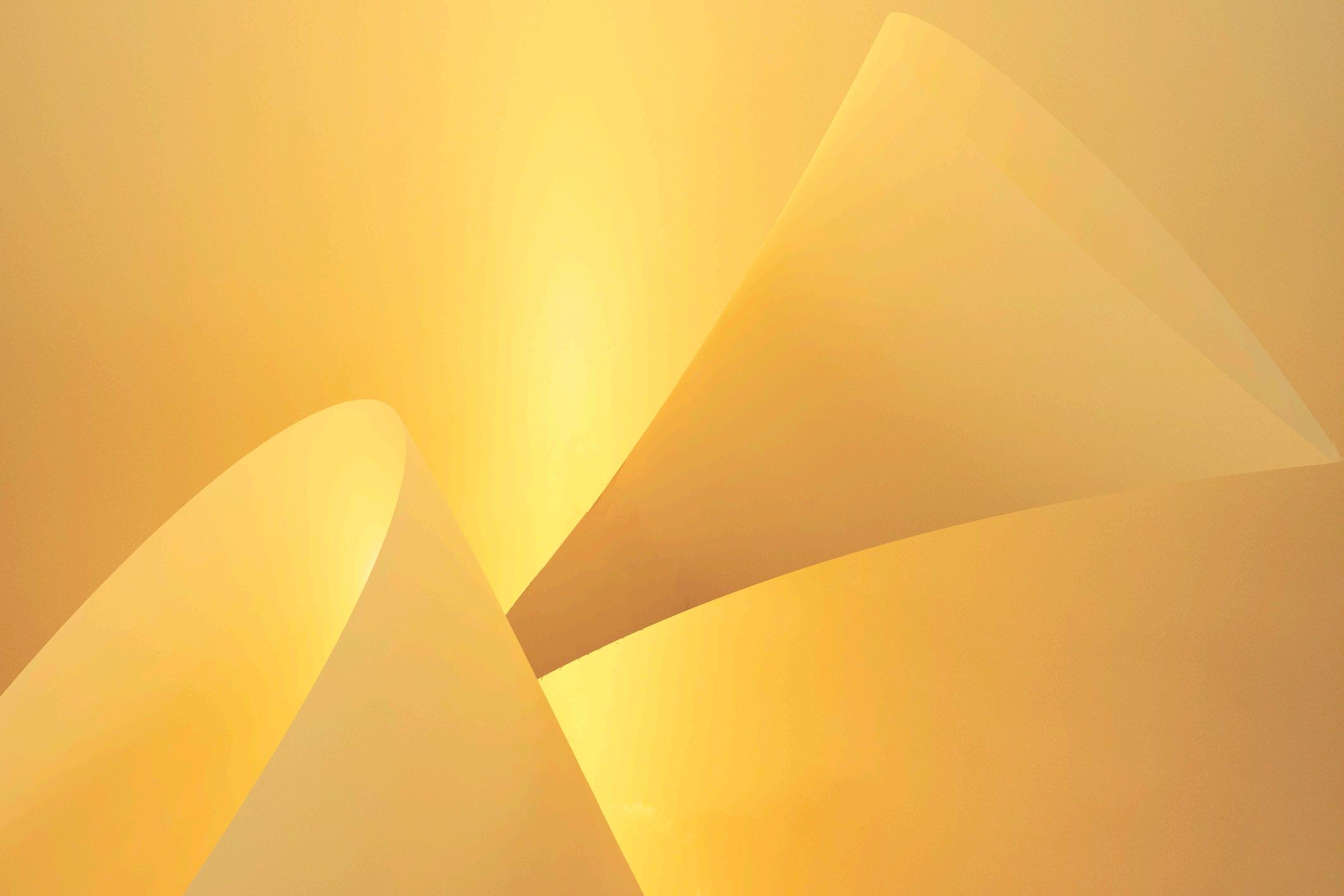
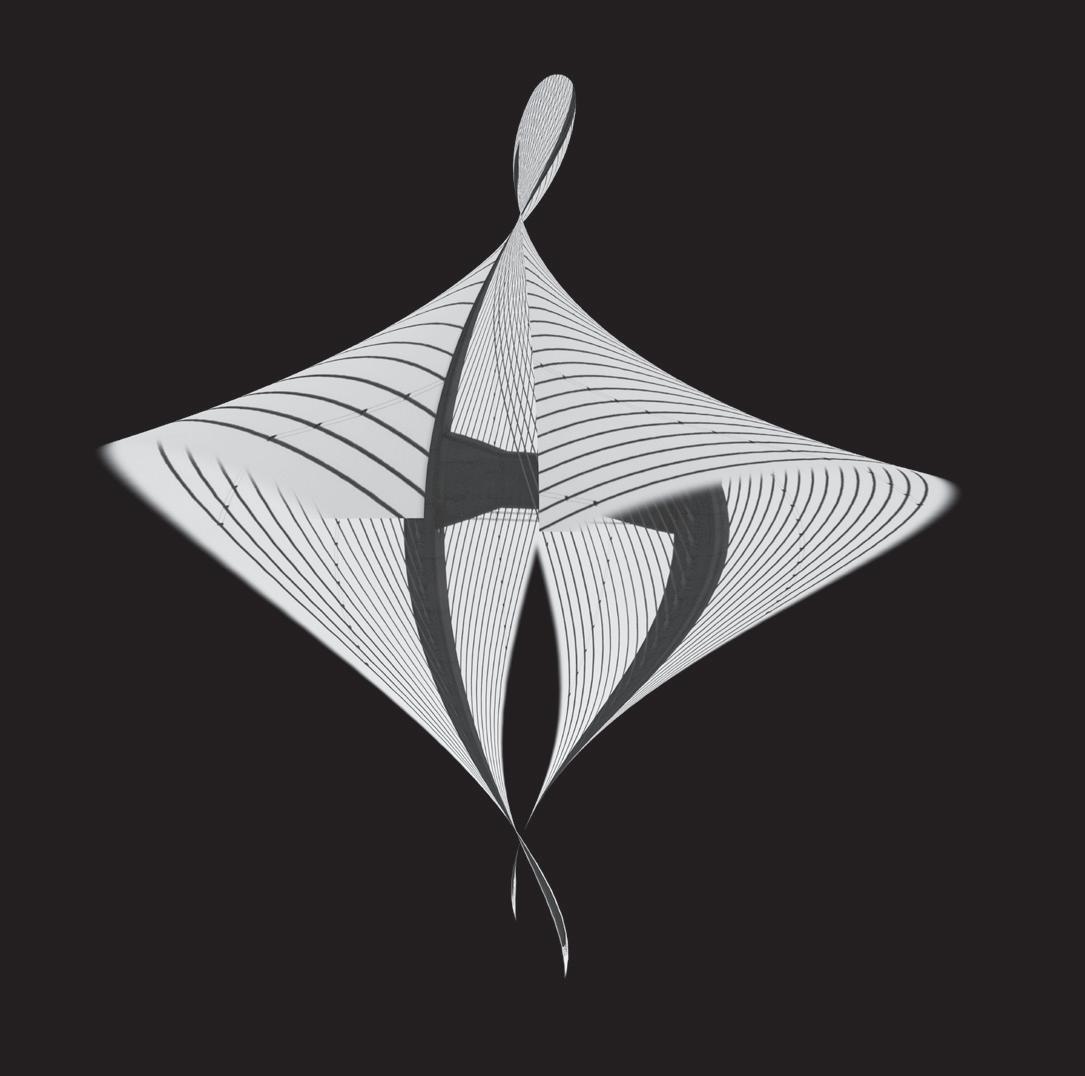
I was impressed by a striking abstract of cone shapes shown by Helen Otton in a zoom meeting of the DIG Critique e-circle. Helen had used Photoshop’s ‘Warp’ tool to produce the cones and this prompted me to experiment.
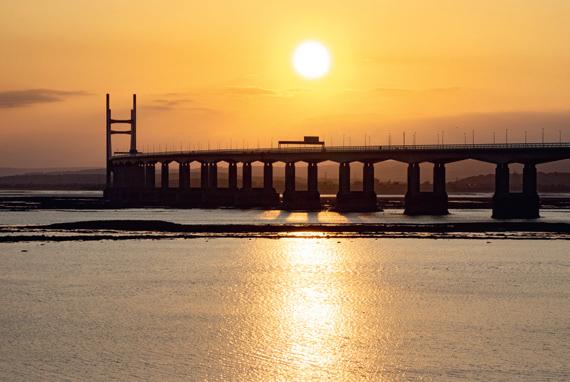
I started with a picture of the sky at sunset (see left). I used the Warp tool to create cone shapes against a section of the sky, resulting in the image above, which I call Yellow. I was delighted when this image was rated ‘Highly Commended’ in the 2024 Rushden National Exhibition.
Online tutorials describe the use of the warp tool to subtly make figures look slimmer, or to wrap text around objects like bottles. I use it to distort objects much more dramatically so that they bend back on themselves. These notes are for a PC, but equivalent instructions can be used on a Mac. Open an image in Photoshop and copy the section to be warped onto a new layer (the Warp tool doesn’t work on the background layer). Open the Warp tool using Edit/Free Transform (shortcut CTRL+T).
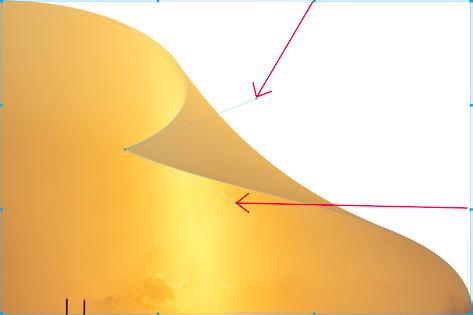
Switch to warp mode by clicking the Warp icon in the toolbar. A 3x3 grid will appear on the image.
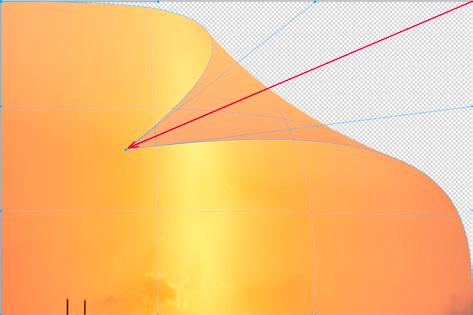
Grab one of the control points (blue dot in a corner) and drag it across the image. See figure 1.
Adjust the angle of the point by moving the Control Point Handles (the blue circles nearest to the warped corner). See figure 2.
Repeat the process with the top left corner to complete the cone.
Press ‘Enter’ to commit the transform.
Figure 1
Figure 2
Actions
The catch is that once you have ‘committed’ the transform it cannot be edited, so I found it useful to record my warps as ‘Actions’ (Photoshop macros). I can then apply the same transform to modified versions of the original image or to other photos. In some cases, I apply actions multiple times to the same image, often rotating it in between.
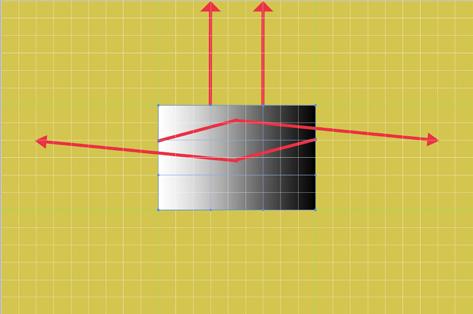
When recording actions, I use a grey rectangle with a linear gradient as a ‘dummy’ image. I place this on a layer in a much larger canvas, so that I can move the control points and control point handles to places outside the original shape.
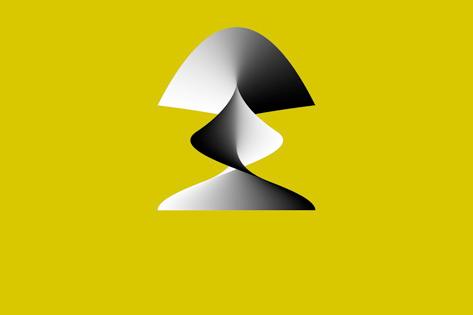
If I want to change the action, I have to re-record it, so it is useful to have a note of exactly how far the control points and control point handles were moved. I added layers containing a grid so that I could note the coordinates where the blue dots had been moved. Figure 3 shows my screenshot of how I moved control point handles to record an action. Figure 4 shows the grey rectangle after applying this warp action. If I want to make a slightly different warp, I record a new version with the control points and handles moved to slightly different positions on the grid.
Using Warp Actions
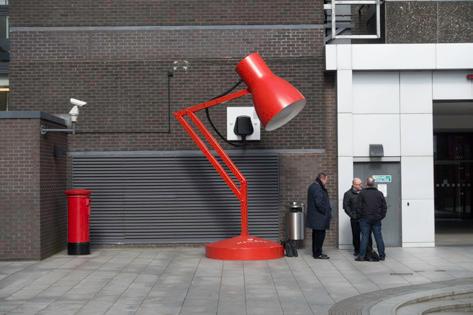
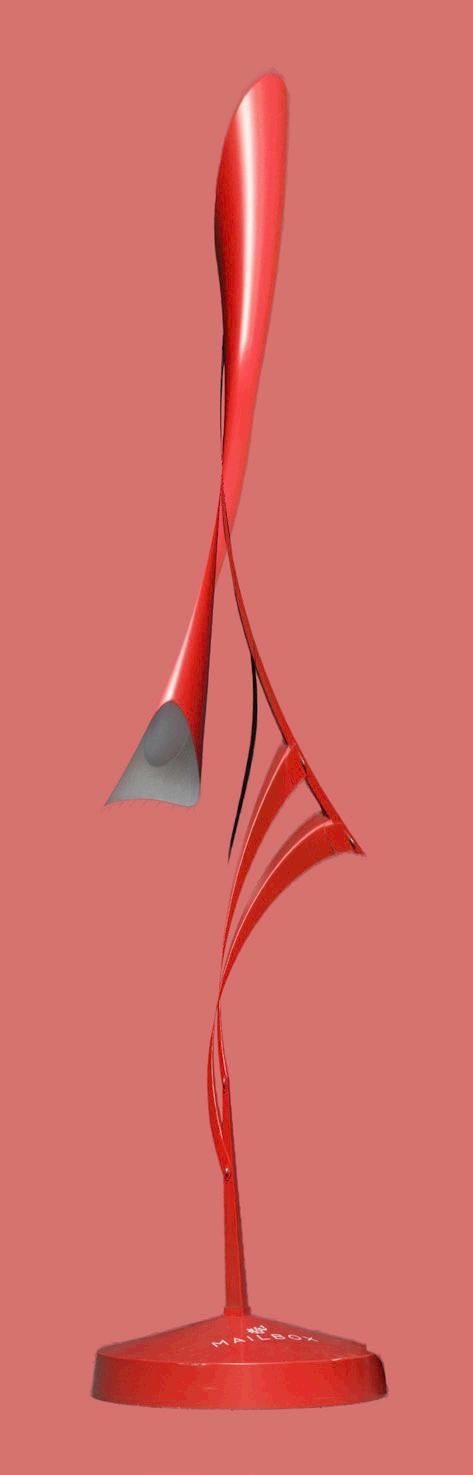
Once recorded, the action can be applied to other images or just to a selection from an image. Before warping this shot of a giant Anglepoise lamp at the side of the ‘Mailbox’ building in Birmingham (see figure 5), I selected just the lamp and applied warp described above. See figure 6.
This process can be very hit and miss. The more successful results tend to be ones where either the original image is still recognisable, or where the new image looks like something familiar. ‘Prince of Wales Bridge Dancing’, figure 7, is an example of the latter. I selected one of the vertical H-shaped bridge supports and some of the cables. I then applied two different warp actions (one of them twice), flipping the image in between.
The Background
Most of the warped images are irregular shapes. I sometimes fill the empty background space with plain black or white, or with a colour selected from the image. In other images I have filled backgrounds using the Photoshop radial gradient tool with two colours sampled from the image.
Conclusion
I have had a lot of fun warping my images. There is as much luck as skill in the process, but I am pleased that the results have been well received.
l
Figure
Figure
Figure 5
Figure 6
Figure 7
IN PREVIOUS ISSUES
All previous issues are available from the DIGIT Archive at rps.org/di/digit-archive/
5 From the very start
Hilary Roberts FRPS
11 The digital evolution
Panikos Hajistilly
17 A working life in photographic printing
Alan Hodgson ASIS HonFRPS
21 The end of the beginning …
Simon Hill HonFRPS
26 Colour management and how it has changed in the last 30 years
DATACOLOR
30 A photograph is not an image until it’s been printed for the world to see
Robin Whetton
33 Surviving the paradigm change FUJIFILM
36 100 and counting Janet Haines ARPS 38 A final thought
In previous issues
9 The allure of tintype
Clive Haynes FRPS
13 Panorama processing
Sean Goodhart ARPS
17 A frustrated artist
Bob Sanders
22 Medical Photography - A career of choice
Hoosain M Ebrahim ASIS FRPS
26 The Old Woman does AI
Sally Sallett ARPS
31 DIGIT Challenge: Ice Flowers
Marius Grose
33 DIGIT Challenge: Alchemy from Rusted Nail Heads
Heather Carslake LRPS 35 In previous issues
DIGIT
5 What is high key minimalist black and white photography?