Unless otherwise indicated, all images are from, and copyright of, the authors.
FROM THE CHAIR
Having produced DIGIT 100, looking back at our digital journey from 1996 to now, got me thinking about the parallel from then, when digital was the new kid on the block, to now with the emergence of AI. In the late 90s photographers were horrified at the thought of ‘digital’ and many resisted embracing it for many years. And yet now the vast majority use, and don’t even think it’s odd, digital cameras and computers to produce their work.
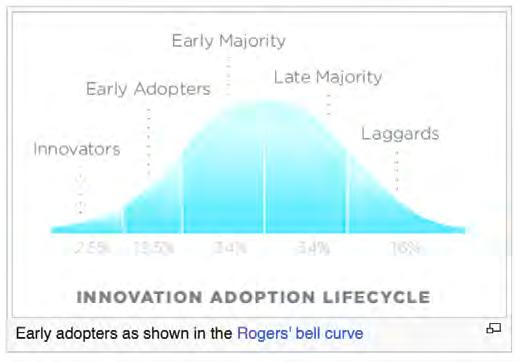
In marketing terms people who embrace new ideas and technologies ahead of the majority, are called ‘early adopters’. It is these very individuals who in 1996 saw the potential of digital and possibly spent a lot of money buying new cameras, scanners etc., and replacing them again quickly as the quality improved. We saw manufacturers take advantage of this new market; and noted that even the largest amongst them lost market share when they didn’t embrace mirrorless cameras quickly enough. Dinosaurs died, but crocodiles survived because they quickly learned to adapt to the changes in their situation.
As the past DIG Chair, Clive Haynes, said in a recent email to me, ‘Photographers continue to face challenges both technical and ethical. The dawn of accessible AI is reminding us about this responsibility. Like the digital revolution we will continue to accept and adapt.’ Then there is the prescient comment at the end of Sally Sallett’s AI article (page 26), ‘AI won’t be the death of photography; it’ll be a transformative force. Photographers who adapt and explore its potential will thrive, while those resistant to change might find themselves left behind. So, let’s have a bit of fun and embrace the future where AI and photography co-exist!’
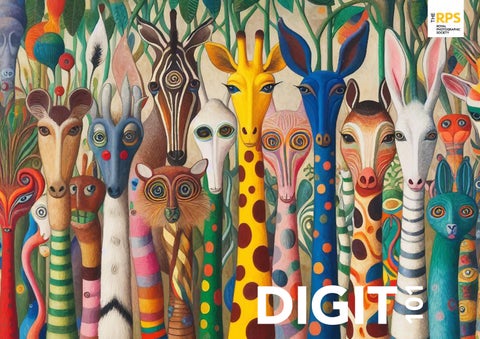
So for DIGIT 101 we are doing just that - embracing the future and enjoying the fun and vibrancy of Sally’s super AI illustrations alongside some, now, traditional digital photography. We will respect members’ rights to their own methods and ethics and will continue to publish interesting and inspiring articles in a variety of categories.
But I do wonder where our next 99 issues of DIGIT will take us - into the future......
EDITORIAL
In this issue we have a selection which, I am certain, will include something of interest for everyone. Paul Mitchell presents his beautiful portraits of trees; a scene and subject that almost all of can easily access, but perhaps fewer of us manage to capture in such splendour on camera. Sean Goodhart delves into the intricacies of processing panoramic images taken from a drone. Although, at first sight, this might appear to be straightforward, Sean shares with us some of the options available and the subtle differences in the end result. Changing topic completely, Hoosain M Ebrahim tells us about his career as a clinical photographer - from his earliest interest after picking up a second-hand anatomy textbook at a market, to winning awards for his work.
Both Sally Sallett and Bob Sanders tell us how they filled some of their spare photographic time, Sally by investigating what AI tools could offer, and Bob by setting up his home (well, garage) studio. And keeping one foot firmly in the past, Clive Haynes shows us how to reproduce the effects of an early and popular chemical photographic process using his phone.
Two creative Challenge images, from Marius Grose and Heather Carslake, will inspire you and round off this issue.
As ever, it’s been a pleasure to compile this issue and I wish you an enjoyable read.
PORTRAITS OF TIME
PAUL MITCHELL
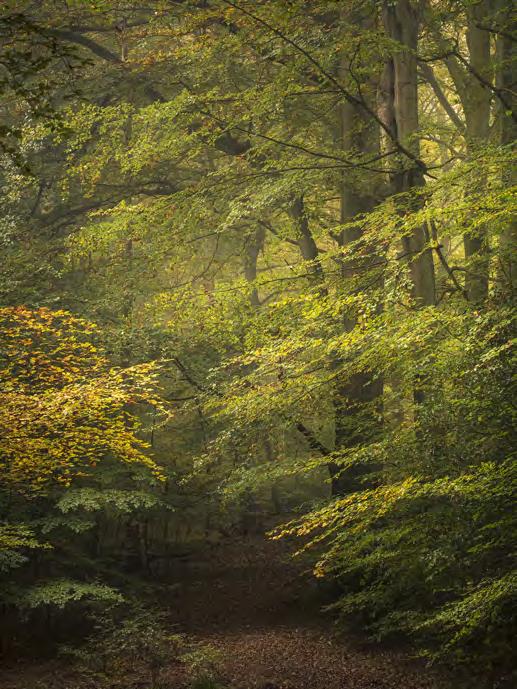
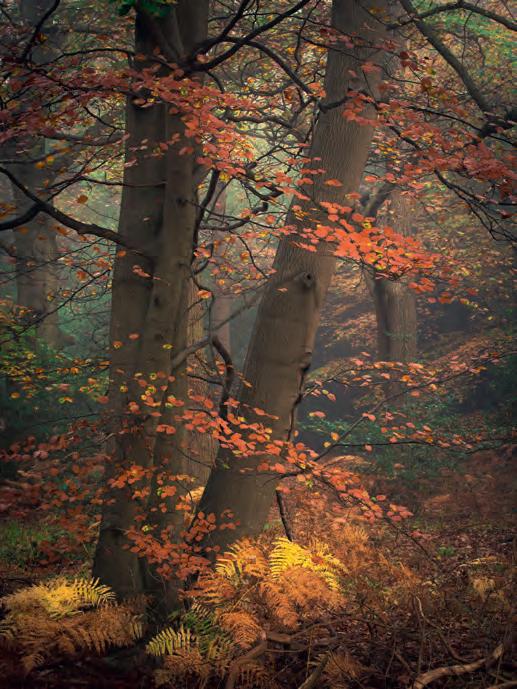
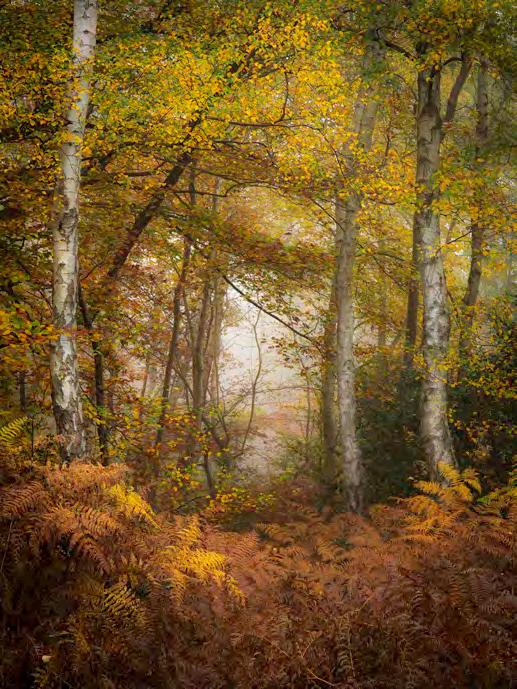
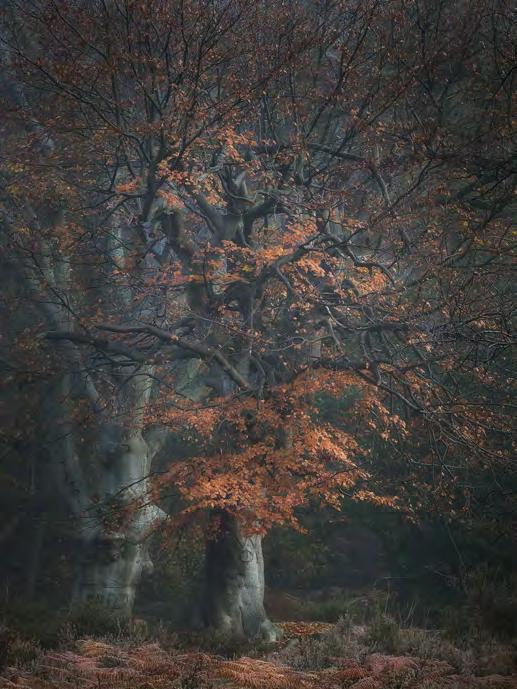
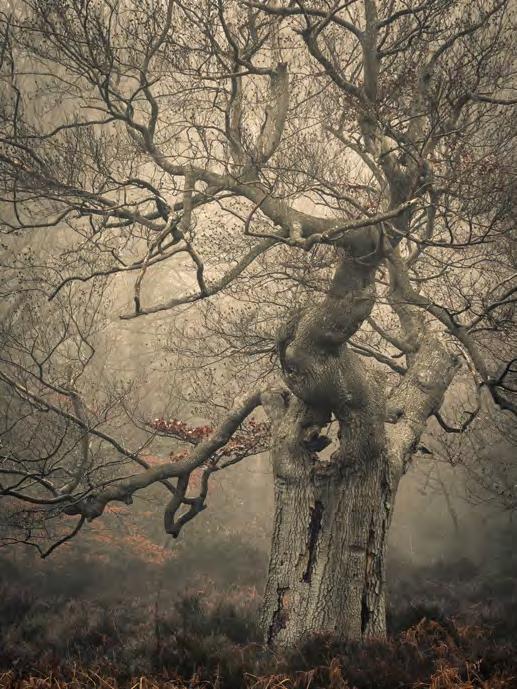
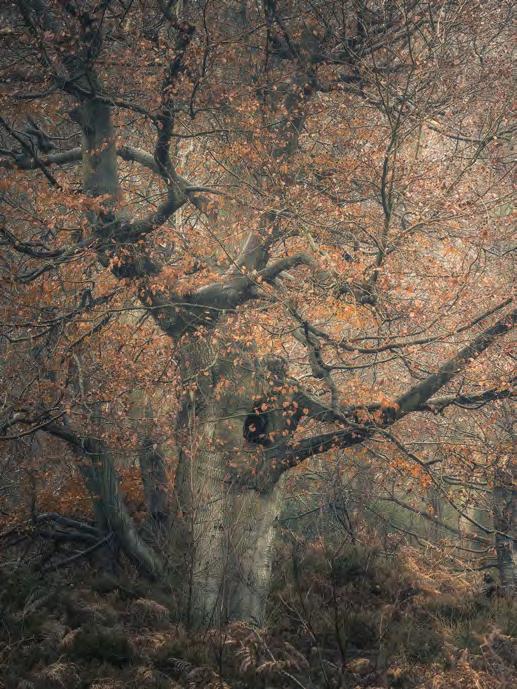
Walking in the woods is something that many of us do. As we might have found, capturing the beauty and grandeur of those woodlands photographically is rather challenging. Paul Mitchell explains his approach to showing the forests around him in all their glory.
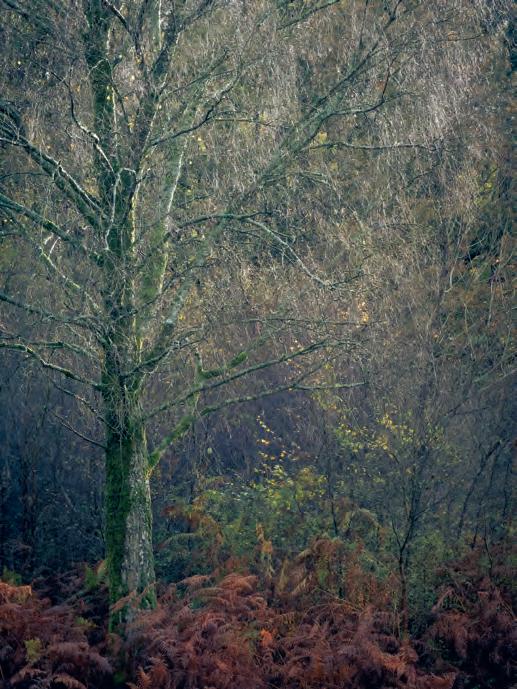
I cannot imagine a better way to celebrate the lives of trees, some ancient and others that help make up the rich tapestry of British woodlands. They often grow in anonymous locations, seemingly unaware of their surroundings. I quite often pause during my woodland walks and reflect on the passage of time and events since they began life as small saplings. In these cathartic moments I begin to develop a deeper relationship and understanding of the natural world. It will probably come as no surprise that some of my influences hark back to some of the traditional English landscape painters such as J W M Turner and John Constable. It was their absolute mastery and depiction of light that I admire
so much. A contemporary of Turner and Constable, and less well known, is Paul Sandby. His woodland scenes were not as well manicured and would often include fallen branches and other bits of woodland detritus, everything that one generally encounters amongst trees. I too am very much against re-arranging scenes in front of me just for the sake of aesthetics. Of the more recent photographers that have inspired me include; Peter Dombrovskis, Shinzo Maeda and Christopher Burkett.
Woodland itself can be a notoriously difficult location in which to compose meaningful images. This is hardly surprising when you realise how complicated groups of trees can become in
densely wooded areas. The phrase ‘can’t see the wood for the trees’ often comes to mind. Having photographed woodland for many years, together with my background in graphic design, has certainly aided me in making order out of chaos. A good analogy is that whenever I start a design project I always begin by sketching out ideas with pen and paper. In photography my camera viewfinder becomes my blank sheet of paper, ready to be populated with ideas.
I’ve often observed people walking straight into wooded areas expecting compositions to come to them. Unfortunately, trees cannot just uproot themselves and gather into aesthetically pleasing groups. Sometimes even I find it very
difficult to see compositions. I very often look for a small clearing where I can detach myself from my bag and tripod. For five to ten minutes I just stand in complete silence. Slowly you begin to notice; small movements in the undergrowth, a bird flitting from branch to branch or identify the sound of a particular songbird. Gradually I begin to attune myself to my surroundings. It may sound clichéd but I do try and adopt a state of mindfulness, more importantly though, you are relaxed. It is then that I begin to see and understand what it is I am looking at and identify compositions which I would otherwise have walked past or disregarded as being too busy. Peripheral vision can play an important part too, just by being observant your eye can be guided towards shapes or light falling on a particular area or object.
Again, most people’s response to woodland photography is to use a wide angle lens. You will certainly include trees, but invariably, excessive amounts of sky and foreground. Looking back through my Lightroom catalogue I can filter by focal length used; surprisingly this reveals my most used focal
length is approximately 135mm. It will probably come as no surprise that my 70-200mm lens is attached to my camera a good 90% of the time. I often describe this technique as - ‘reaching into the woodland’. I am also an advocate of using wider apertures in my woodland photography. Focussing on an area I feel is quite important and letting the background, or foreground, to soften and become subdued. I find this often adds a pleasant feeling of perceived depth to an image.
It is certainly true that woodlands have the most visual impact during the autumn months, however I prefer to visit woodlands throughout the whole year as each season has its very own characteristics. Springtime see’s the woodland awakening from winter slumber, patches of fresh green begin to permeate woodlands, slowly banishing the cold grey and muted mauves, the typical colour palette of winter. The daylight hours are still relatively short with the sun at a low angle; this bathes the woodland in a warm raking light, reminiscent of late autumn. It is also a very tactile time of the year and I often encourage people to stop
and feel the newly emerging leaves which are soft and supple to the touch, unlike in the autumn where they become leathery and brittle.
As spring progresses into April and May, we are greeted with a crescendo of lime green and blossom. Woodland paths become avenues of newly emerging foliage creating feathery boughs, whilst the woodland floor becomes full of unfurling bracken and ferns. Here in the UK our ancient woodlands are also awash with the much-loved, nodding heads of the bluebell. Millions of bulbs can exist in just one wood, giving rise to the ‘blue carpets’ that are a springtime joy. It also heralds the onset of longer and warmer days.
Woodland photography during the summer months is definitely a challenge. The dawn chorus is a joy to behold, as is cool, fresh air and dew bejewelled foliage. Warm days and cool evenings can also be a good recipe for atmospheric, low lying mist and fog. Unfortunately, it all means that alarm clocks have to be set earlier and earlier to appreciate the dawn. Trees, once stark and bare, are now fully clothed
in swathes of green, so much so that the woodland colour palette can become very limited, one then has to rely on bright, overcast days for subtle variations of light and
varying shades of green.
Towards the end of September we are still subject to warm days but cool evenings giving rise to misty or even foggy conditions. This invariably coincides with bracken turning a beautiful yellow gold hue and means only one thing… autumn is just around the corner.
Autumn is all part of nature’s ‘body clock’, time to re-absorb and store energy, time to shed foliage in preparation for the colder months. During late October there begins a subtle transition within the woodland canopy.
Trees such as beech, oak and birch are still in full leaf but, gradually, a few begin to turn yellow; this mixture of colour I often refer to as ‘lemon-and-lime’ time. I tend to visit on dull, ‘quiet light’ days and look for dense areas of trees or on a slope where one can exclude any bright areas of sky.
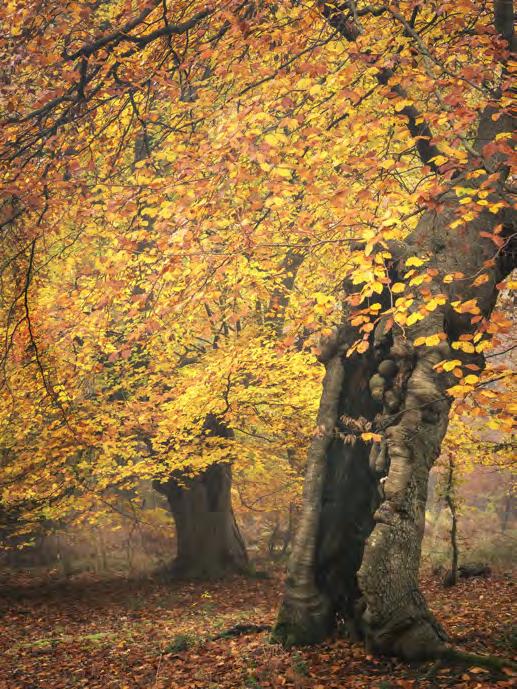
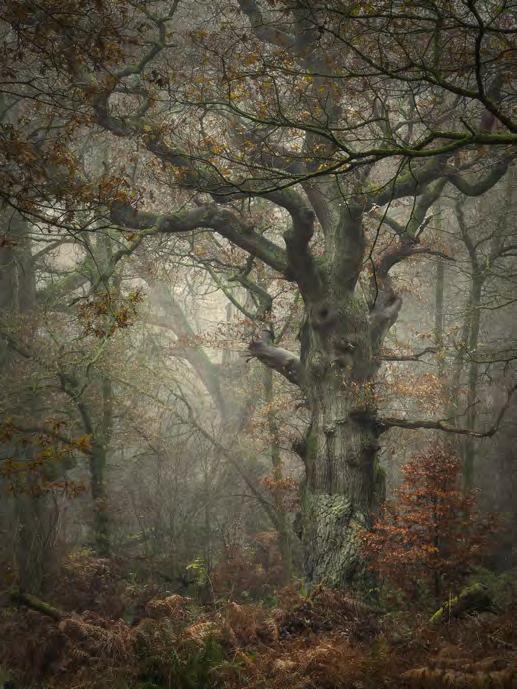
One can certainly expect frosts in early November, which accelerate the colour change. It will certainly differ depending on which part of the country you are in. In southern areas of the UK it is usually the second or third week in November that is the best time for the honeydripped glory that most people think of as autumn. I much prefer overcast days, avoiding any harsh contrast. If we are fortunate enough, it is fog and mist that certainly produce the most atmospheric images.
By the beginning of December the
firework display of autumn colour is nearly over but opportunities to make images are still plentiful as one can often be rewarded with one final tableau of rich colour. Autumn may now be over for another year but woodlands always have something more to offer… even when it’s deep and crisp and even!
Winter in southern UK can often be a dull, dreary affair which can prove problematic in a wider landscape. Woodland, however, can be surprisingly colourful with hues of blue and purple with perhaps a smattering of autumnal colour hanging on by its fingernails.
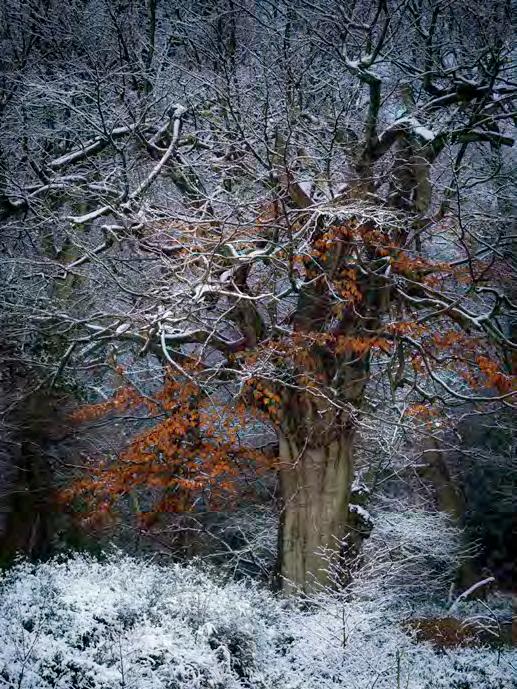
It is quite noticeable during the wintertime that some young deciduous trees, beech especially, often retain brown leaves throughout the season; this happens through a process called ‘marcescence’. The evolutionary reasons for marcescence are not quite clear. Theories include protection of leaf buds from winter desiccation, and as a delayed source of nutrients or moistureconserving mulch when the leaves finally fall and decompose in spring. Whatever the reason, these pockets
of colour certainly add an extra touch of colour during the cold winter months, especially when set against frost and snow.
One of the big advantages of winter time photography is that dawn occurs at a much more civilised time, negating the need to set the alarm for silly o’clock! The low angle of the sun also means you can retain that warm, raking light throughout the day. As with all the other seasons though, we are at the beck and call of the weather gods, so predicting when snow may fall or when hoar frosts occur is a matter of keeping a close eye on the weather forecast and keeping one’s fingers crossed.
Finally, it doesn’t matter how much experience you have making images in woodlands - just enjoy exploring, the fresh air, the exercise and above all, retain a childlike wonderment at our natural world
See more of Paul’s work
If you would like to see more of Paul’s work, take a look at his website at paulmitchellphotography.co.uk
THE ALLURE OF TINTYPE
CLIVE HAYNES FRPS
Modern digital cameras are capable of capturing incredibly detailed images that photographers of the past could only dream of. But some of quirks of historic photographic processes can have an aesthetic appeal. Clive Haynes shows how easy it is to reproduce the unique feel of a tintype image.
A little bit of history
Let’s begin with a little bit of photographic history to give some context.....
Tintypes or rather more accurately, ferrotypes, have their origin in the 1852, the invention of Parisian college professor and amateur photographer, Adolphe-Alexandre Martin.
Since 1839 the dominant form of photography had been the
daguerreotype. Unlike the expensive and time-consuming daguerreotype, rival processes with surfaces coated in a wet collodion solution such as the ambrotype (on glass plates) and the tintype/ ferrotype (also sometimes known as the melainotype) upon a thin sheet of iron were much quicker. The metal plate with its tiny appearance - and as reference to its relative cheapness, became colloquially known as a ‘tintype’.
Daguerreotypes and collodion processes made direct positiveview images, however there was one major disadvantage; each photograph was a one-off lacking the ability for direct copies to be made. In an attempt to overcome this shortcoming, multi-lens large format cameras evolved to produce several images simultaneously. In comparison, William Henry FoxTalbot’s ‘Calotype’ which was also announced in 1839, very differently
and very importantly, produced a photographic negative. Although at first the images were less sharp than the daguerreotype, Talbot’s ‘photographic negative’ process, with scientific advances and
subsequent improvements by other leading exponents, eventually became the predominant method, enabling an infinite number of high quality prints to be made from a single negative.
Quite surprisingly tintypes continued to be a popular and inexpensive form of ‘quick snapshot’ and the medium of choice for itinerant photographers, particularly at seaside resorts, into the early 1950s. Indeed, many dedicated enthusiasts continue to make real collodion-based tintypes today in the 21st century.
Digital Tintypes
With the historical background very briefly outlined and as much as I once enjoyed the world of the darkroom and ‘alternative processes’, from here on it’s about tintypes in the digital world.
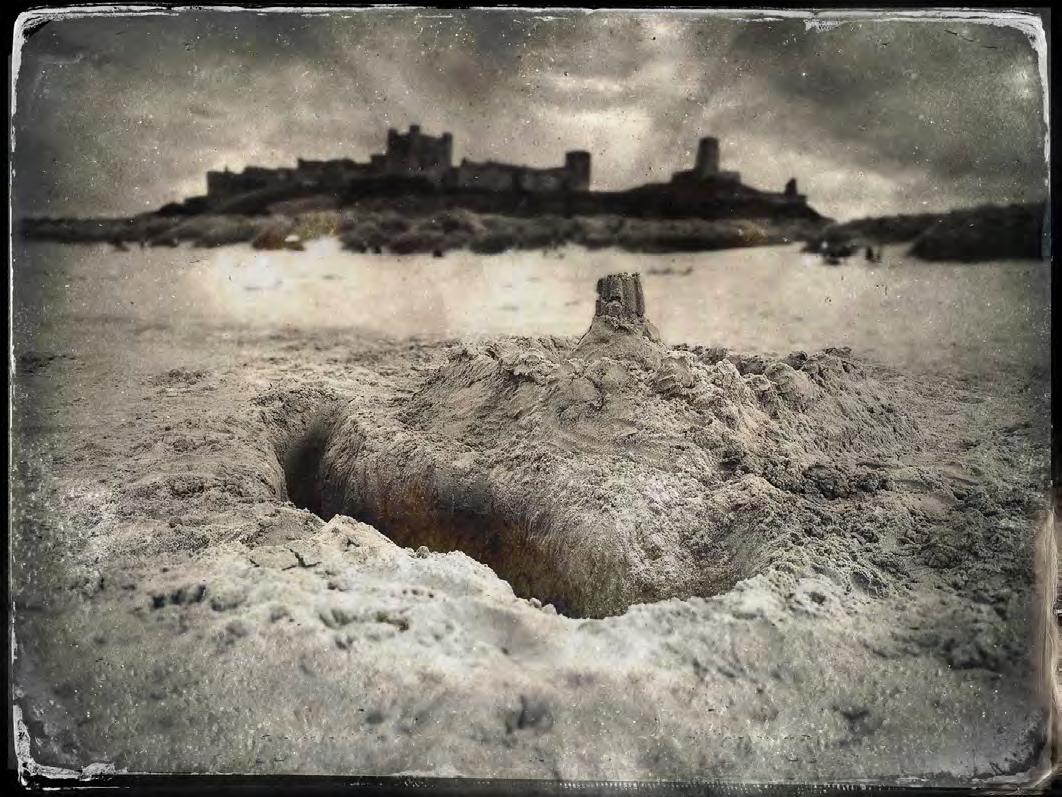
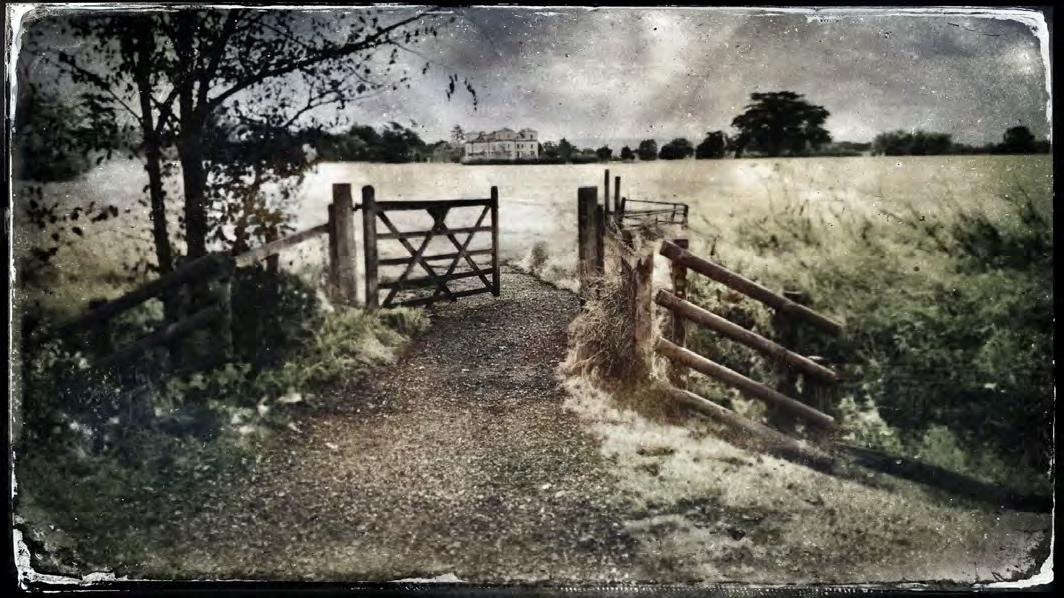
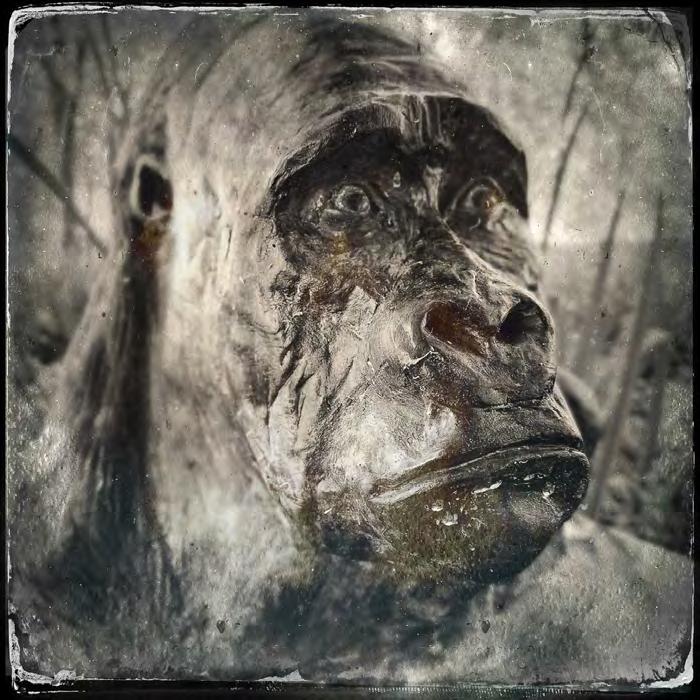
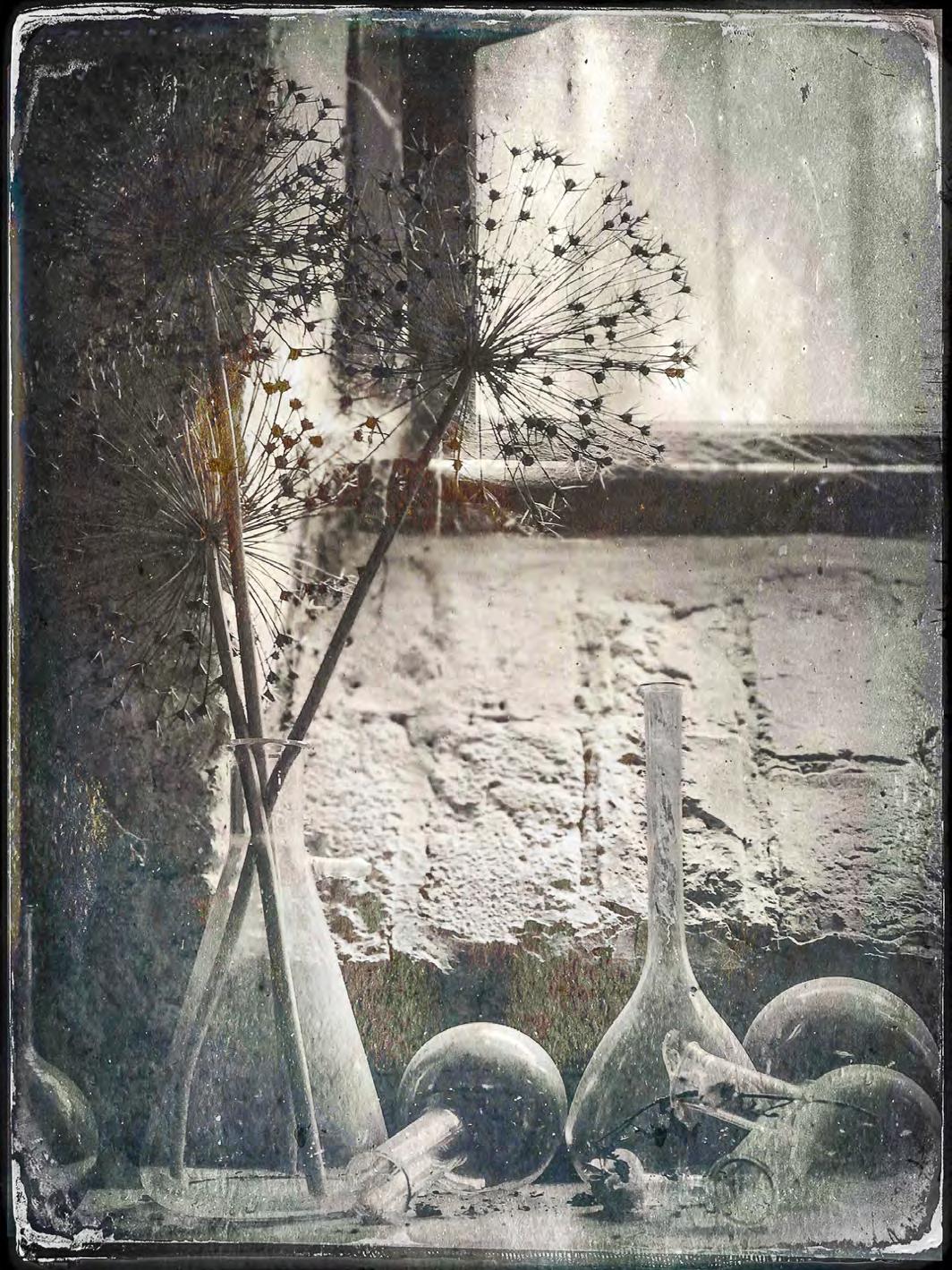
Look-alike digital tintypes are easily-made and they’re more environmentally friendly than their wet chemical ancestors. I find they have a great attraction. In particular their unique quality imbues an image with what I like to call ‘the patina of antiquity’. The resulting images, complete with their scratchy imperfections, are frequently eerie and sometimes strangely ambiguous, placing the subject in a space just slightly removed from reality. They’re more like echoes of the moment rather than a crystallised ‘snapshot’.
Frequently I use tintypes to explore what the subject is ‘about’ rather than to simply present what my eyes see and what the ‘straight shot’ would merely record. Naturally the process doesn’t suit every subject any more than, say, sepia-toning or using a Lensbaby lens would. However, having said that, my experiments combining tintypes with multiple-exposure, blending modes and a range of image-altering methods show how the once humble and utilitarian tintype can be extended to produce distinctly different images.
Where to start?
I use an iPhone and an iPad. My principal app for making tintypes is Tintype by Hipstamatic. Several other apps do similar things (though many don’t access the camera, only allowing existing images to be edited). I also use Antiqgraph (which also has camera access) and Vintage Scene (no camera access, edits existing images). For Android users, Antique Scene is available but it would appear that Hipstamatic Tintype and Antiqgraph sadly are not.
Here’s an outline about Tintype app by Hipstamatic
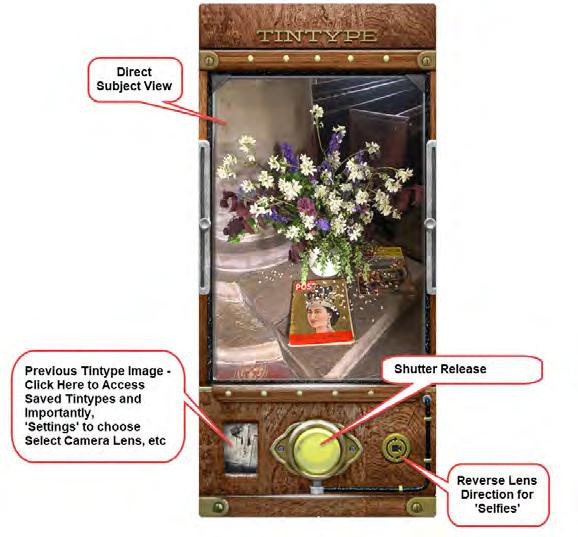
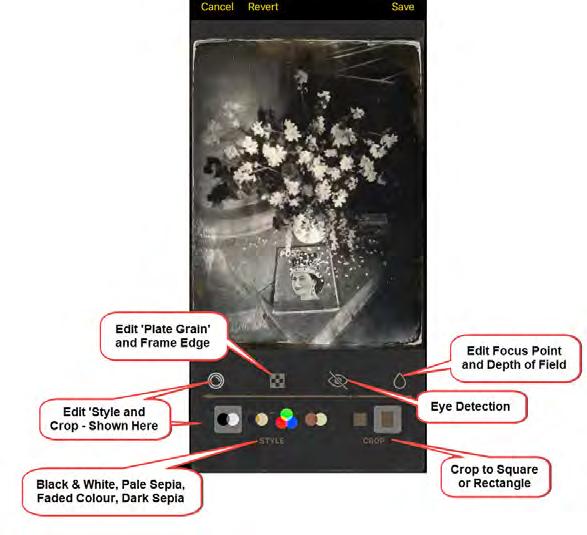
Tintype images can be made ‘live’ using the ‘phone or iPad inbuilt camera. There’s greater immediacy making the tintype this way but existing images can be imported for tintype treatment. Editing an imported image gives a little less control. For example, the focal point for depth of field can’t be adjusted, they remain as the original. Note: following quite recent updates to software, older iPhones fitted with both standard and wide-angle lenses (e.g. iPhone 8), the wide-angle option may not work.
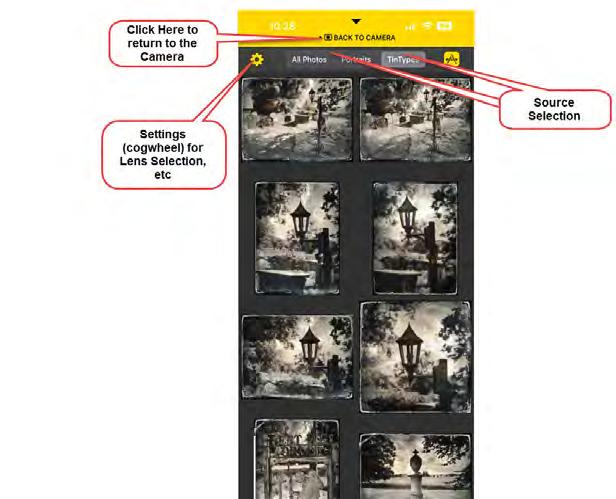
Upon opening the Tintype app the back view of an antique mahogany and brass camera is presented. The screenshots to the right provide an overview to the settings and controls
PANORAMA PROCESSING
SEAN GOODHART ARPS
Most phones and photo processing apps offer the opportunity to ‘stitch’ separate images together into a panorama. Sean Goodhart delves into the options and explains that there’s more to panorama processing than meets the eye.
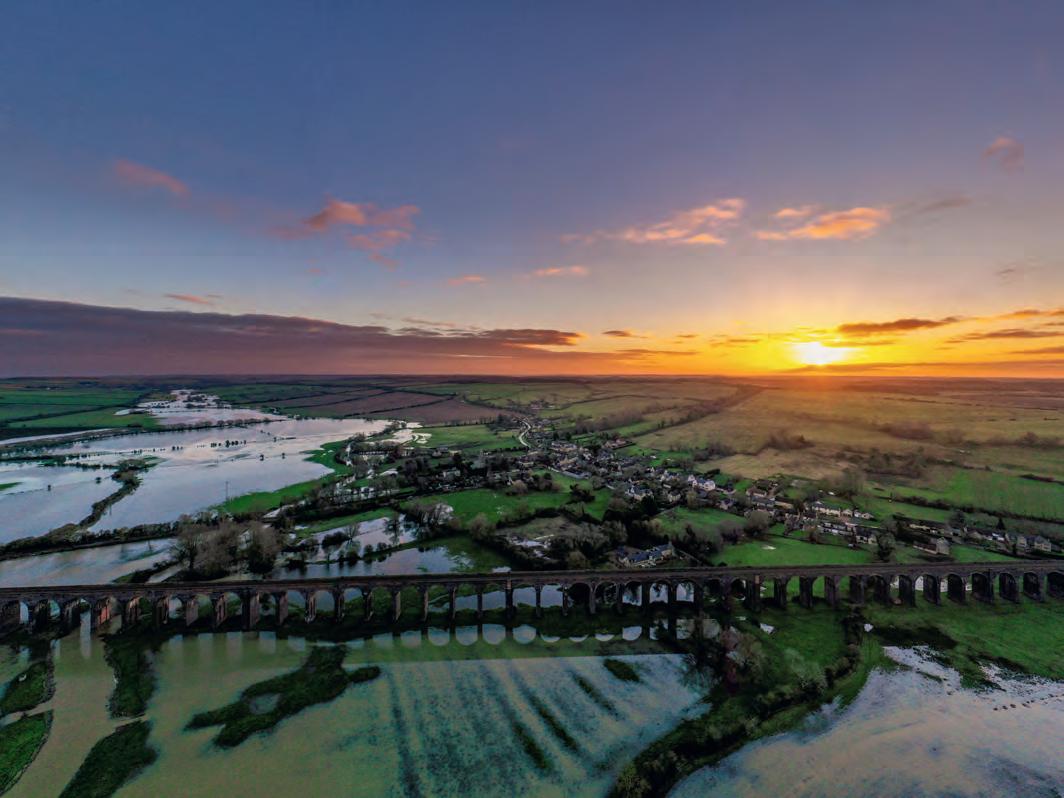
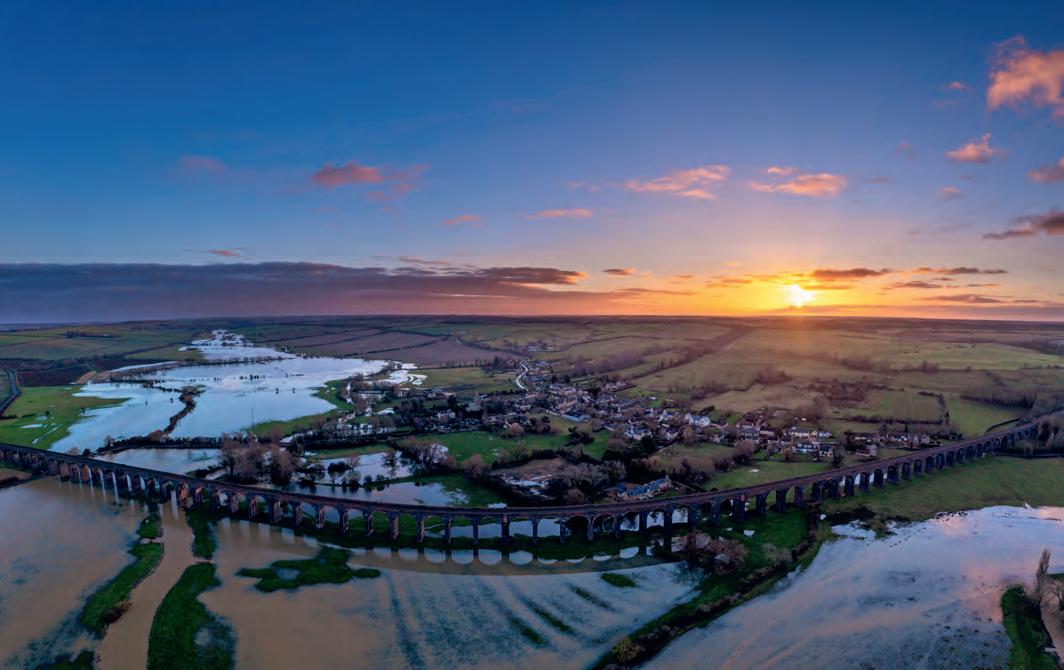
Back in 2022, I wrote an article in DIGIT magazine (issue 95), Droning On about making panorama images with drones. I’ve prepared this follow-up note based on an unusual (for me) need where an element in the scene was not processed properly using my usual panorama recipe. I thought Lightroom was doing a great job with cylindrical and spherical projections until I began processing images I took of floods in the Welland Valley, about 20 miles northeast of my home. The scene includes the Harringworth viaduct, the longest masonry
viaduct in Britain - completed in 1878, it has 82 arches cutting a spectacular straight-line across the valley.
In this follow-up article I add some thoughts about the photo merge projections available in Lightroom Classic (LrC) and highlight an alternative merge tool which offers more insights on the mathematical manipulations required to get a correct field of view.
A quick reminder of the panorama tool in LrC. When selecting multiple images in LrC and using the
right-click ‘merge to panorama’ menu we get three options for the ‘projection’; i.e., the method used to turn a 3-dimensional scene into a 2-dimensional medium (for example, for map making). There are many projections, each with different properties and limitations (see https://wiki.panotools.org/ Projections for a library of options). The projections in LrC are Spherical, Cylindrical and Perspective; I rarely use the last of these, finding the first two usually giving good results for landscapes. The Perspective projection is normally too weird
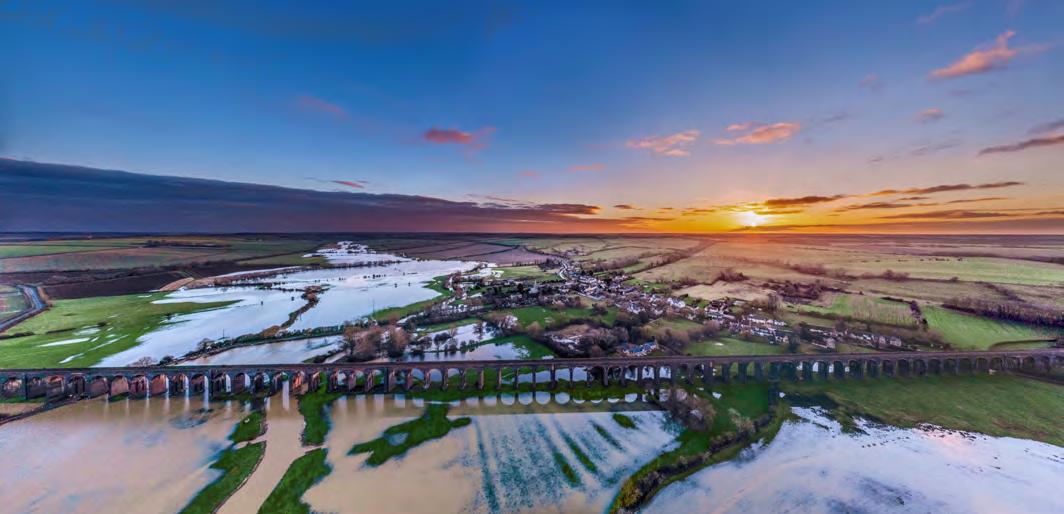
Figure 1: Welland Valley, Mavic 2 Pro, drone stitched panorama, f/5.6, 1/200, ISO 100
but in this example it actually looks appropriate after cropping. I wondered why - this article describes what I learned.
Automatic panorama
Following publication of the article in DIGIT 95 I was asked “Do I ever use the automatic panorama option on the drone?”, which prompted me to investigate this feature. The
DJI drone takes nine single images and stitches them together into a single JPEG. It also keeps the nine original DNG files, which gives the opportunity to process in LrC for a potentially better resulting image. Figure 1 (see page 13) shows an example JPEG of the scene created by the drone with some minor processing in LrC.
A different process
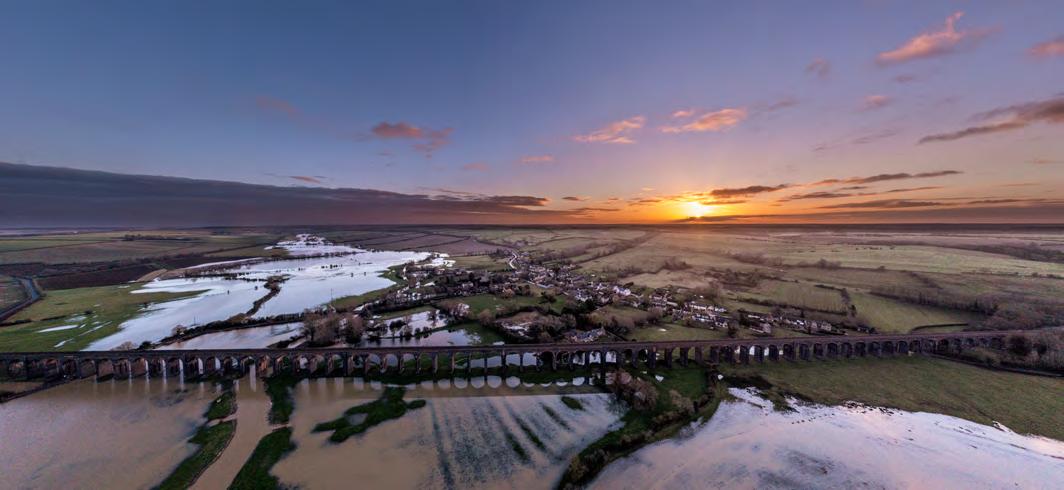
Contrast Figure 1 above with the cropped and edited version of Lightroom’s spherical panorama merge of the nine DNG files with Figure 2 (above), and we begin to see why there’s a problem. This is of course exaggerated by my proximity to the viaduct and would be less of an issue if I was shooting the scene from further away.
Figure2: Welland Valley, Mavic 2 Pro, spherical panorama merge of 9 exposures, f5.6, 1/200, ISO 100
Figure 3: Welland Valley, Mavic 2 Pro, perspective panorama merge of 9 exposures, f5.6, 1/200, ISO 100
Other photomerge projections
Looking at a crop of the LrC ‘Perspective’ projection in Figure 3 (previous page, bottom), we see that the viaduct is actually more or less straight as desired. It turns out that this is an azimuthal projection known as ‘rectilinear projection’ which yields images where straight features, such as the edges of walls of buildings, appear as straight lines rather than appearing to be curved. ‘Perspective’ appears to be the right tool for the job, but I’m finding that many times I try and use this projection LrC complains ‘Unable to merge the photos. Please try a different Projection option’.
Alternative tools - Hugin
An internet search reveals there are many tools to merge photos. The Hugin - Panorama photo stitcher is an open source project which is available at hugin.sourceforge.io/ for Windows, Mac and Linux.
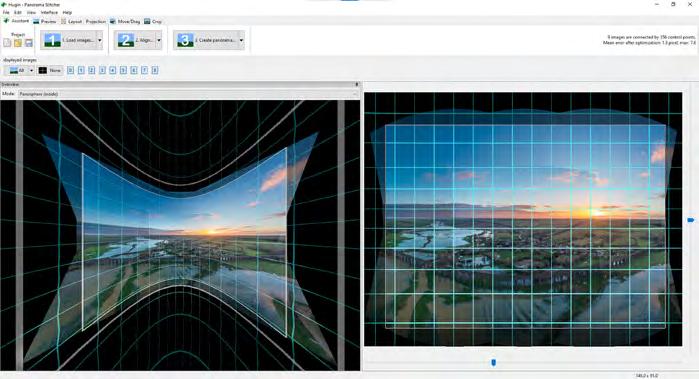
Hugin has ‘Load’, ‘Align’ and ‘Create Panorama’ buttons to guide the user. We first need to convert original DNG files to TIFF using LrC (or with 3rd party RAW conversion tools which one can embed in Hugin), then load. Next, we align images; the ‘Align’ button creates ‘control points’ which are then used to align the image files; in the example we have 356 control points representing identifiable features in the images. In the landscape we could imagine these could be arches in the viaduct, buildings in the village, trees, islands in the river… but this is not AI, it is algorithmically determined by ‘keypoints’ which are found by considering pixel brightness around a pixel location in the image. Keypoints have applications in face recognition, motion and object tracking as well as in image stitching (for more on image feature recognition see medium.com/ analytics-vidhya/understandingkeypoints-and-orb-algorithmf260e6fb640c). With images with deliberate overlaps it is possible to locate the same object in multiple images - then these pairs of control
points can be used to align images. Alignment is carried out using ‘geometric optimisation’ which adjusts the image orientation of
source photos until the control points line-up. After running the alignment, see figure 4, we see a projection of the individual image
Figure 4: Hugin Panorama Creator, images aligned using control points
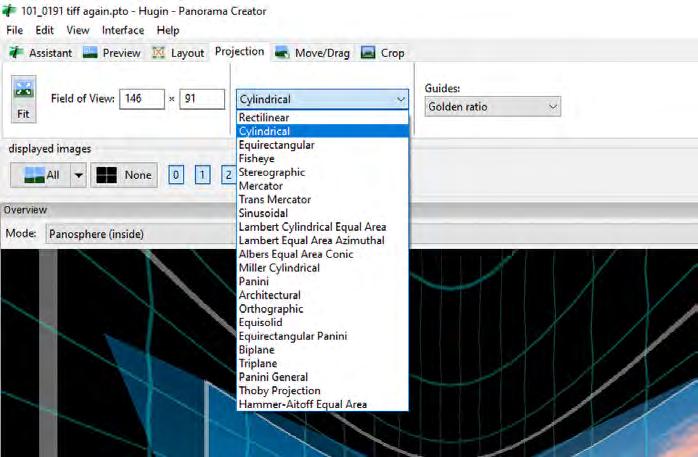
Figure 6: Hugin Panorama Creator, projection tab with options for projection method and desired field of view
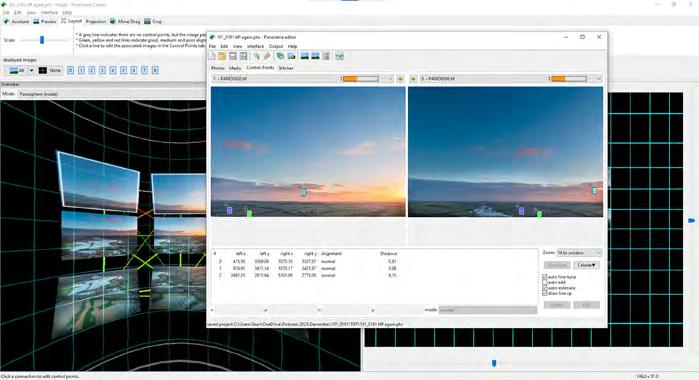
Figure 5: Hugin Panorama Creator, manual adjustment of control points between pairs of images
files as they might appear in the final merged image. The left window represents the required orientation changes in 3-dimensions to get the 2-dimensional view on the right window. The grey boxes in the left window in Figure 4 show the bounds of a possible 2-dimensional view; the inner grey box shows the cropped region which is then presented on the right. In Figure 4 the result in the right window shows we have an incorrect projection because the viaduct is bending.
Before considering the projection problem it is worthwhile taking a look at how the image files are combined - viewing the control points and their links by selecting the Layout tab, see Figure 5. The graphic (left) shows the quality of the alignment between control points; green=good, yellow=medium, red=poor. Remembering previous failures to Perspective merge when using LrC I now understand this is likely a failure to find and optimise the control points.
Hugin allows us to manually adjust control points; Figure 5 shows us that after the optimisation one pair is six pixels apart whereas the others are less than 1 pixel apart. The pair with the large error represents a feature in the cloud - likely some movement there during the time it took to make the panorama images
is the issue. When images are visibly misaligned it is possible to manually pick out features such as hedgerow corners in the image pairs, ensuring proper alignment when re-running the optimiser.
From the manual interface
Projection tab, Figure 6, we can set the desired projection to get a straight viaduct in the image. The tool has more than 20 options, it just takes a minute to click through and find one that gives the best (personal choice) result in the right window.
Finally create panorama output
TIFF file by going to the Assistant tab and clicking ‘Create Panorama’. Figure 7 shows the result of the nine panorama DNGs processed in LrC, exported to TIFF then stitched with Hugin - with a little further post processing in LrC.
Comparing the Hugin rectilinear projection of Figure 7 with the LrC perspective projection of figure 3 they are very similar, both have arrived at an acceptable result – the viaduct is now straight in the image and matches reality. Both images show extremes of distortion as we get to the left and right edges. It’s not so clear looking at the small images in this article but on the large screen there’s a little fuzziness in the blended images in the Hugin
TIFF which has been avoided in the LrC DNG file. Cropping left/right will sort out these problems and bring the image field of view similar to that obtained by the DJI drone’s internal merge software which we saw in Figure 1.
Concluding remarks
Looking at what I’ve learned my personal preference is to keep using the LrC photo merge options as much as possible – particularly now I’ve learned it is possible to get straight-lines when “big architecture” is a feature in the panorama. I really like that LrC does the image pre-processing for me and does not require me to export the intermediate files as TIFF. A downside on the LrC perspective merge is that the resulting DNG is such a large size that my old computer has a hard time doing the subsequent edits.
I do now, for those occasions where LrC does not align perfectly or renders straight lines as curves, have Hugin as a second free toolkit that will let me manually fix the problems
Figure 7: Hugin rectilinear projection
A FRUSTRATED ARTIST BOB
SANDERS
The COVID-19 pandemic was a strange time, but there were a few silver linings amongst the clouds of gloom. One such benefit for Bob Sanders started by tidying his garage and led to a whole new photographic discipline to discover.
COVID-19 hit us all to some extent. And I know I was a grump already, but COVID made me far worse. By choice, I’m an outdoor person. Walking, climbing hills and taking photographs of landscapes and nature are my way to peace and well-being.
So lockdowns and travel restrictions really grated on me. Short walks, repeats of local routes done many times before didn’t have the desired effect. Of course, like everyone else, I had to make the best of it. I had jobs to do around the house and
garden that I’d been putting off for years and one of those was to clear out and re-organise my garage. I had accumulated ‘stuff’ over more than thirty years and I had avoided doing anything about it by convincing myself, though probably no-one else, that I would find a use for it all one day.
In one conversation on the subject my wife suggested that if we sorted the garage I could probably make enough space for a photographic studio. I’m sure she simply hoped that I would get that garage mess
tidied and stop wrecking the dining room and getting under her feet every time I had a bright idea. But I was hooked. After painting the floor, racking the walls and altering electrical wiring I now have a small but workable studio and storage for equipment, props and items I intend to include in my sometimes wacky images.
My thoughtful wife gave me a speed-light and a single C-stand for a present, and I dabbled with using a torch for light painting. I had no experience of using these
Relight My Fire
things and at first my efforts failed miserably. I’m used to ISO100, f/11 and auto-white balance. Flash synch speed? Daylight temperature? What’s all that about? But I do know the answer to all this.; it’s called YouTube.
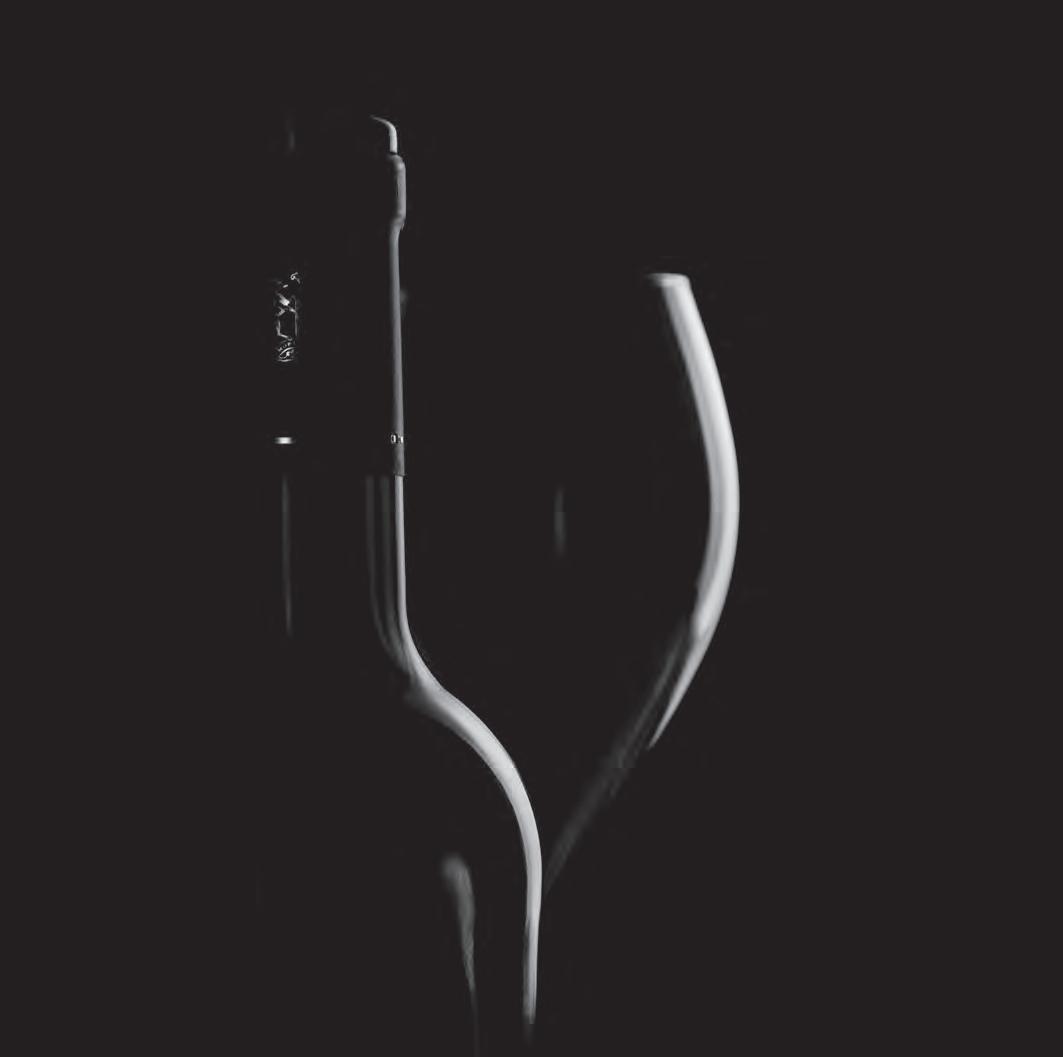
Now I’ve been a bit of a ‘techy’ all my life but I thought knowledge still resided in books. Until, that is, I needed help with shooting a wine bottle and a glass. I was overwhelmed with the information I found on-line. And I use those resources now as my primary source of entertainment, inspiration and
solutions to thorny photographic problems. No matter what idea I may have, it seems, it certainly isn’t new. Someone, more likely several people, have done it before and at least one has recorded a YouTube video showing how they did it. You probably didn’t need me to tell you that and I probably shouldn’t be quite so surprised by it either. It’s just my age I guess.
Since that beginning I have also acquired some old studio lighting equipment. I’m not talking about modern studio flash heads. I don’t have money to burn. But through
a contact at my local camera club I was given a set of light fittings with metal reflectors and several stands, boom arms and assorted fittings. All I had to do was buy a couple of daylight temperature bulbs and I had extra light sources. In addition, I also have a couple of small LED lights, and I have a light box too though I haven’t used that to any extent.
Why am I telling you all this? Well, mostly because of what follows. And that’s about why I take photographs at all. Let’s face it, everyone is a photographer today
Bottle and Glass
- right? With a smart-phone in the pocket it’s easy. I don’t think so.
I started taking photographs in the 1960s with a Kodak. There. You know now. I started taking landscape photographs in the 1970s with a Pentax S1000 and I digitised many of the resulting slides in the 1980s. I still have boxes of black and white prints in the loft.
More recently I became a member of the Maidenhead Camera Club, one of the oldest photographic clubs in the country. And I discovered very quickly that I knew next to nothing about digital photography and my idea of a good photograph was sadly short of the mark. Back to YouTube, I think! Even if I were not a club member;
even if I hadn’t had the experience in my youth; even if I didn’t have a technical background I would still want to make photographs. I can’t play a musical instrument, I certainly can’t draw or paint, and I couldn’t possibly write a poem. But something in me wants to create. And I want to create something beautiful, captivating and meaningful. A digital camera and a
Torus
laptop with some serious software is a match made in heaven as far as I’m concerned.
Photography just suits my nature. I respond to the technical challenges of the process - both camera craft and post-processing craft. I do still get great enjoyment outdoors even before dawn, alone and freezing cold. But COVID-19 opened another opportunity for me: the joy of creating images in my own garage under my own control. I love learning new things too and I found I needed to learn a whole lot more than I expected in order to get good results in those circumstances. I’ve become quite obsessive about it in fact.
And here’s something that might surprise you. You can make a captivating image from almost anything you can think of. You don’t have to buy expensive Calla Lilies! You can make a meaningful, exciting, colourful picture with
nothing more than three screws. I’m serious. Or some folded coloured paper. And as you may have noticed I haven’t mentioned what camera and lenses I currently use have I? It’s really not important. I will tell you this: I use a cropped-sensor DSLR and all but one of my lenses is second-hand.
What is important is that I get such great satisfaction out of the whole chain of events that take place before anyone else sees what I have created. And with these images, even more than with a landscape shot, I do feel that they are my creation. Clearly, they are not all unique to me. I have no hesitation in copying someone else’s idea. Doing so is usually a revelation to me when I discover it isn’t as easy as I thought. Doing so also often leads to ideas for variation that will make my shot different. And I would also point out that landscape photographs are rarely unique. If you see one landscape photograph
of a waterfall in Iceland, I guarantee you will see hundreds more of the same waterfall and even from the same spot. I shot dawn in the Derbyshire Peak District some time ago when there must have been over 500 tripods set up in less than an acre of land. And there were as many more people just with their smartphones! So my studio work is often the equivalent of going to an iconic landscape location.
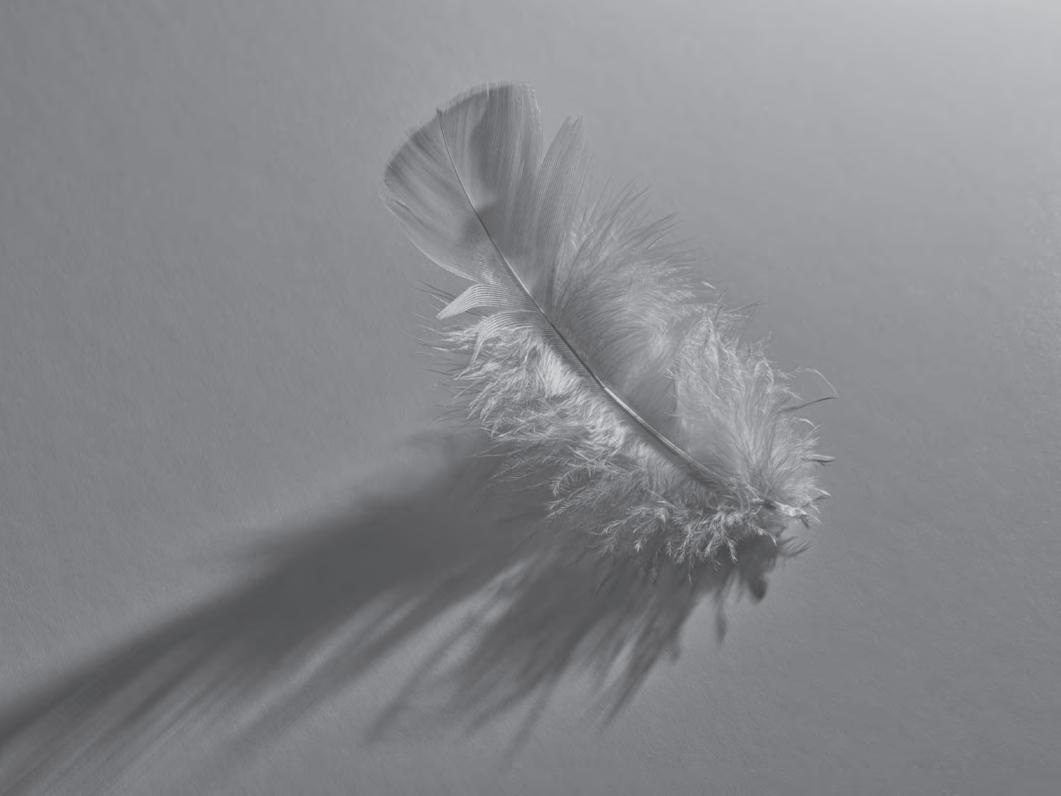
When it comes to table-top, stilllife, food or product photography first of all we need to have an idea just to get started. I’m not working to a client brief so the only specified direction I might want to follow is a club competition on a special theme. Otherwise I’m wide open to my own imagination. My ‘ideas’ usually come from the internet. Surprise, surprise. I do have an input myself, however. Early on I decided I wanted to capture something in a pool or shaft of light. That is to say with strong shadows either side or
Feather Light
all around the subject so that the subject was highlighted in the light and cast it’s own shadow across the field of the image. I learned a lot doing it.
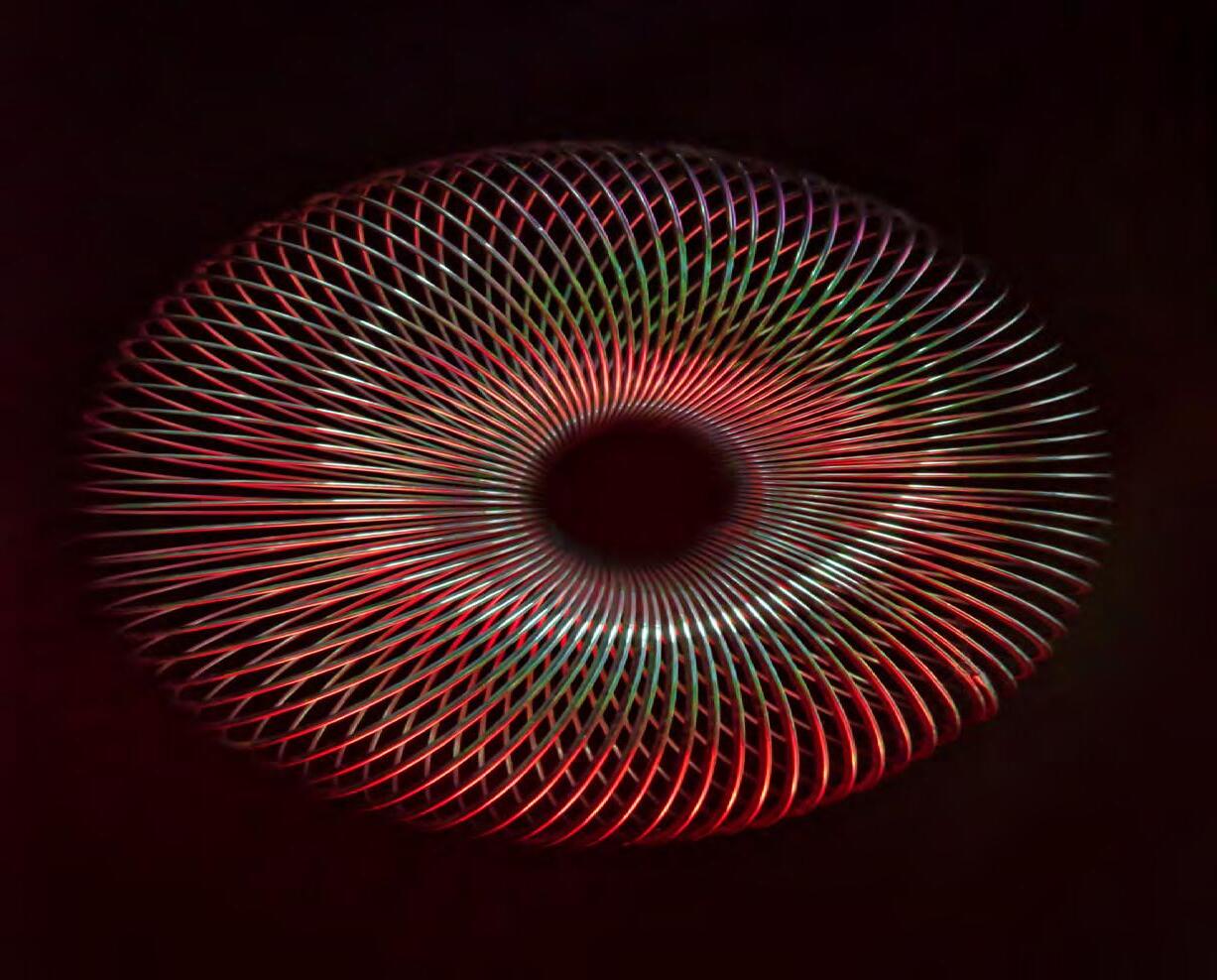
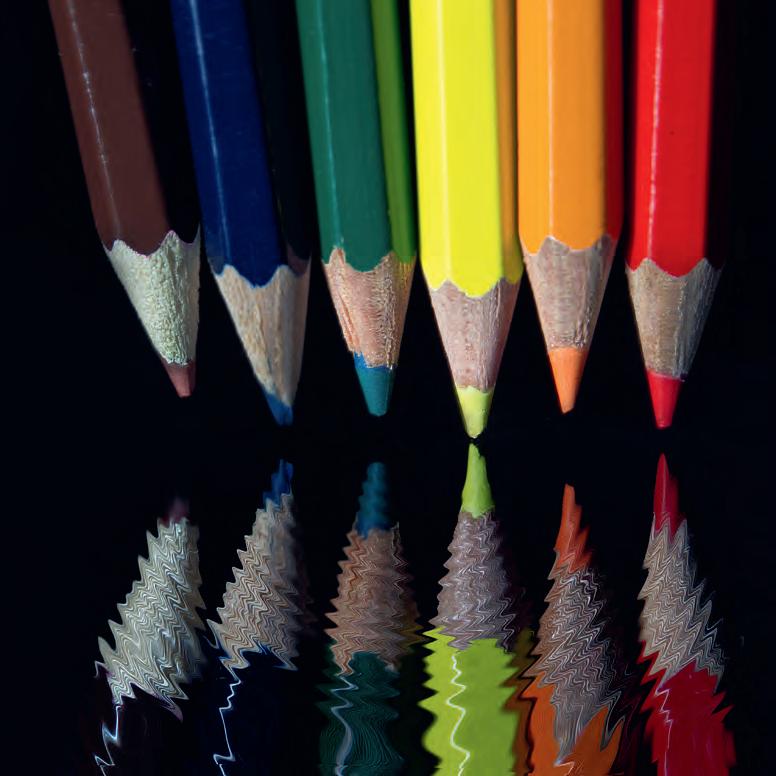
Later, I decided I wanted to create reflections of things, and more recently I’ve worked on items floating in mid-air, especially things that are not expected to be doing so. All these lead to a particular staging and I have white and black foam-core boards, reels of wallpaper or similar, a bit of black perspex and lots of other items to help me create that stage set. Once again I would stress that none of this is expensive equipment. I don’t pay lots of money for vinyl backdrops.
Next I think about how I’m going to light the scene. I usually get that wrong. Maybe one day I will know enough to get it right in the planning stage but right now I have to experiment whilst I’m in the studio. Camera settings are also
adjusted ‘on the fly’ where that is possible and necessary.
I almost always use a tripod, and mostly I use a remote shutter release. Whilst I would love to have my camera tethered into my laptop software the cost of an application to do it is not within my means. So I shoot a variety of possibilities with my subject and take it all back to my office to review and edit.
Unlike some photographers I do not expect to get finished images straight out of the camera. If I did I would be disappointed. One of my greatest pleasures is postprocessing and I’ve learned that in this area of the craft almost anything is possible. With patience and skill, RAW files can be turned from dull to sparkling. Multiple exposures can be successfully merged. Colours and tones can be changed dramatically and backgrounds, textures and so on can add mood and ambience to the final photograph. I enjoy every bit
of this process too.
Sometimes I have a clear idea of what I want to achieve and at other times I allow myself to experiment freely. Either way it’s fun and absorbing. Creativity is often allowing things to just happen and recognising success when you see it. Sometimes one thing fails but triggers an idea that will work with a re-process. I go with my gut feeling and often end up throwing out more than I keep. But if I can get one shot from my session that gets a good reaction from my audience then I am a very happy man.
It seems that I am less of a grump now than I was before and the cloud of COVID-19 had a silver lining after all
l
See more of Bob’s work
If you would like to see more of Bob’s work, take a look at his website at 100asa.com/ photographer/grumpyoldbob
Water Colours
MEDICAL PHOTOGRAPHY – A CAREER OF CHOICE
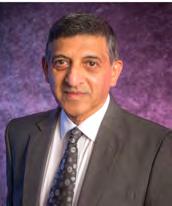
HOOSAIN M EBRAHIM ASIS FRPS
Hoosain Ebrahim offers a glimpse into a varied field of photography which is rarely seen outside the medical profession.
It’s been a fascinating journey from wandering the streets looking for inspiration as a young man to an internationally recognised, awardwinning medical photographer. Let me tell you more...
As a youngster, at least twice a month, I would visit the Grand Parade opposite the City Hall in Cape Town, where second-hand books, tools, electronic items and old cameras would be sold. In 1965
whilst perusing the books, I came across an anatomy text book and Synopsis of Pathology by W.A.D. Anderson, Professor of Pathology at the University of Miami School of Medicine, Jackson Memorial
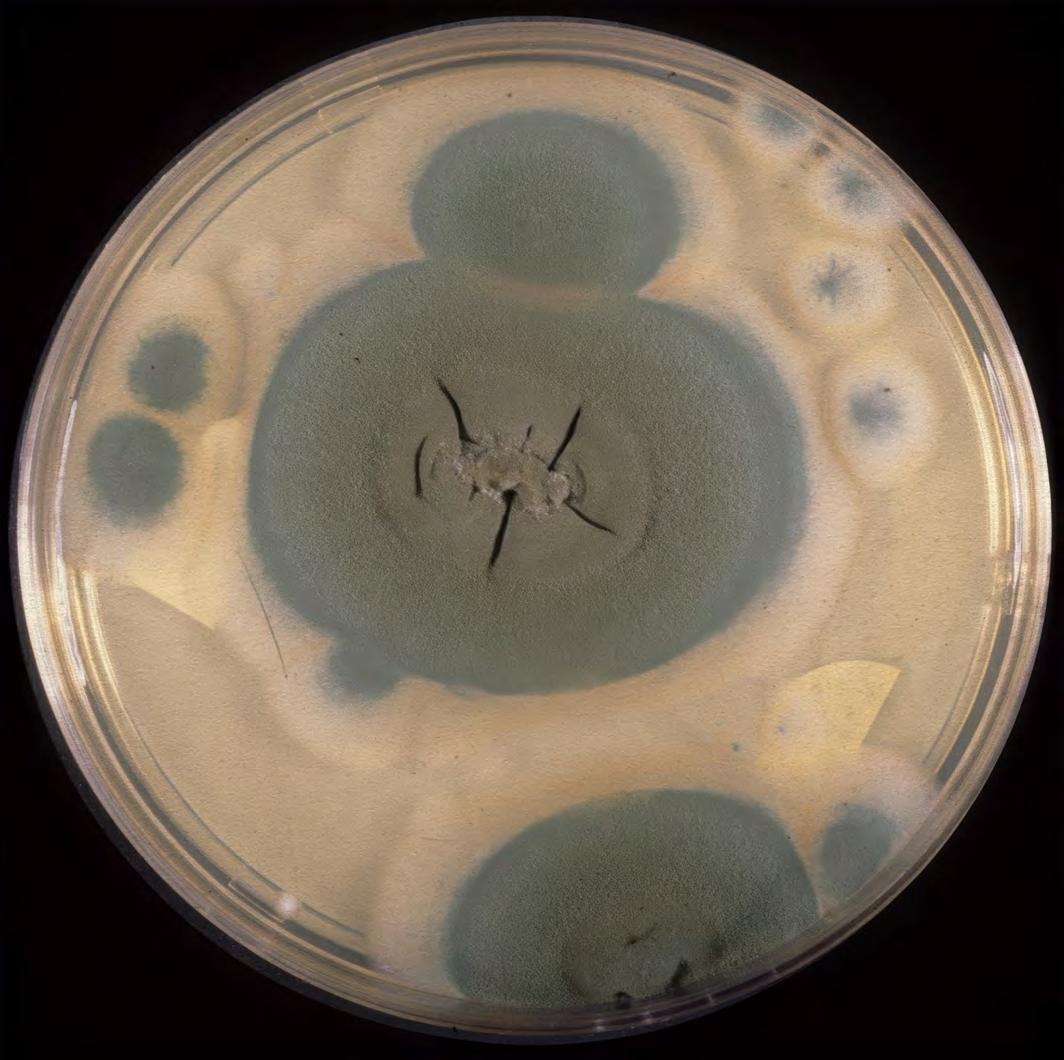
Penicillin Culture Plate
Hospital, Florida, USA. These prompted my interest and led me to take the first steps down my career path.
I initially attended the London Film School in Covent Garden, London in 1971 to study a twoyear programme in Motion Picture and Television Production. During my time at the Film School, I did further fact-finding related to the anatomy and pathology books I came across. I eventually contacted Mr David Tredinnick, who was Head of Medical Illustration at St Bartholomew’s Hospital. Mr Tredinnick allowed me to be an observer during my vacation and it was at this point I then decided that I was to pursue a career as a Medical Photographer.
In 1973 I returned to Cape Town and was fortunate enough to be employed as a part-time (4 hours a day) Clinical Photographer at
Somerset Hospital. I returned to London in 1975 to obtain a qualification in Scientific Photography, Photographic Science and Technology. I was accepted for a three year course at the Polytechnic of Central London, now the University of Westminster, where I completed my studies. This prepared me for the challenges that medical photography demanded. Whilst at the Polytechnic, I made enquiries regarding courses in Medical Photography and with the assistance of two of my lecturers, I applied for the Trainee Medical Photographer’s post which was advertised in the British Journal of Photography at Charing Cross Hospital Medical School, two months before I completed my course! I was shortlisted and interviewed by the late Ms Patricia Turnbull who was the Head of Medical Illustration and a few
weeks later I was appointed to the position, before I had even received my final results from the Polytechnic.
When Ms Turnbull retired, Dr A R Williams was appointed as the Director of Medical Illustration, and my career blossomed in directions I never knew existed. Dr Williams made sure that I completed both the BIPP Basic Medical Photography Examination and the Higher Certificate in Medical Photography.
In 1982, I was approached to start the first ever Medical Photography Unit at the Medical University of Southern Africa (MEDUNSA), near Pretoria. Dr Williams encouraged me to accept the offer. What was most frightening was the career leap from a Basic Grade Medical Photographer’s position to Chief Medical Photographer. But I managed to survive and, a few years later, was appointed as Director of
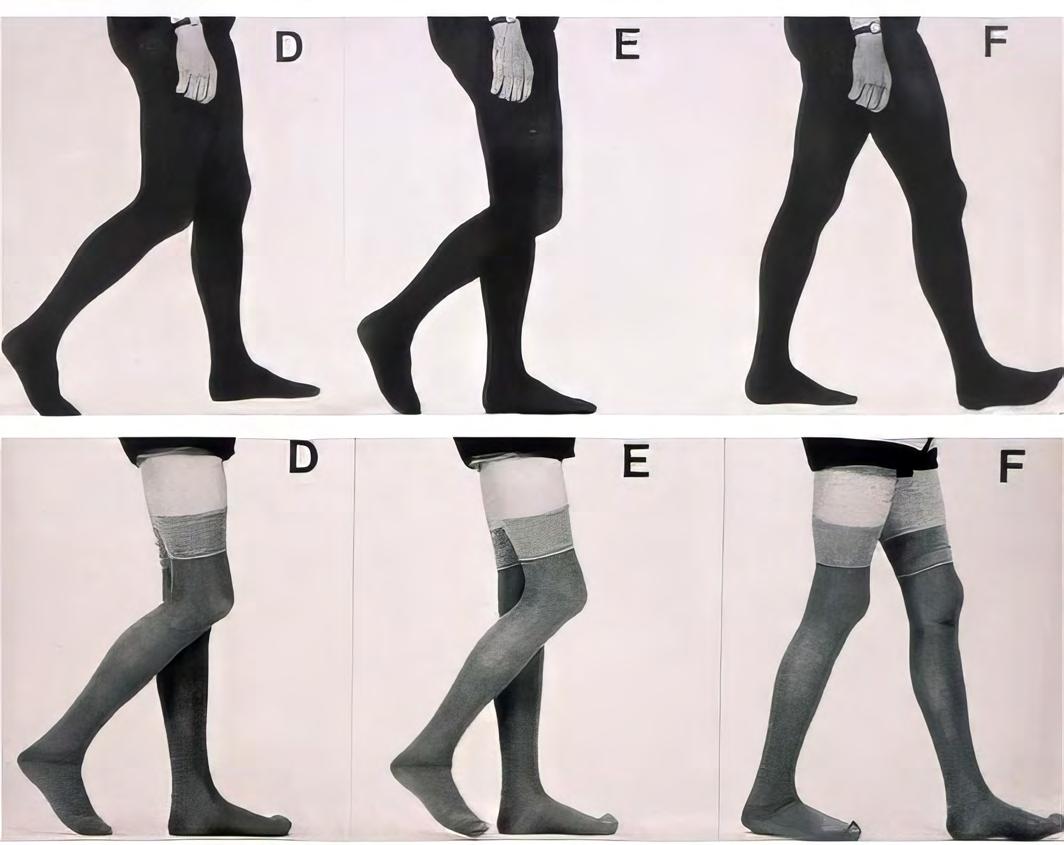
Gait Recording - top row, normal control subject, bottom row, patient with Parkinson’s Disease
Medical Illustration and AV Services.
It was the first and only centralised department in South Africa and was the birth of the discipline of medical photography in South Africa. I was able to train four staff members who obtained their Basic Certificate in Medical Photography through the Institute of Incorporated Photographers (BIPP) in the UK. Professor Ralph Marshall, who pioneered the clinical application of infrared and ultraviolet photography in medicine, was visiting South Africa at the time and spent two days visiting the department as a representative of the Institute of Incorporated Photographers.
On 1st January 2005, MEDUNSA merged with the University of the North to become the University of Limpopo (UL). Exactly ten years later the Department of Higher Education ‘unbundled’ (demerged) the MEDUNSA Campus into the now newly established
Sefako Makgatho Health Sciences University (SMU). I occupied the same workspace for 35 years and 6 months!
During this time I was involved with financial administration, staff/ departmental management, AV and technical services, equipment selection and testing, training and instruction, amongst many other day-to day tasks. And all of this in addition to practicing the art and science of medical photography, be that through imaging in both visible and invisible ranges, as well as supporting the University and sitting on Faculty Boards and teaching.
I participated in curriculum development for the medical students and would lecture to the MBChB 3 medical students who were registered to do the one year Medical Selective which I introduced, designed to give the students an insight as to the value of medical photography. This was a
very successful programme, it was also the only offering of its kind in South Africa’s medical curriculum. Similarly, I taught the post-graduate students how basic medical and dental photography can be used to assist them in their case studies.
The day would be incomplete if there was not an urgent request from the operating theatres whether to photograph patients, assist the video section with recordings or to handle a problem associated with the operating microscope. On occasions, much time was spent in various clinics assisting staff to resolve technical issues or accompanying them to the operating theatre to solve imaging difficulties.
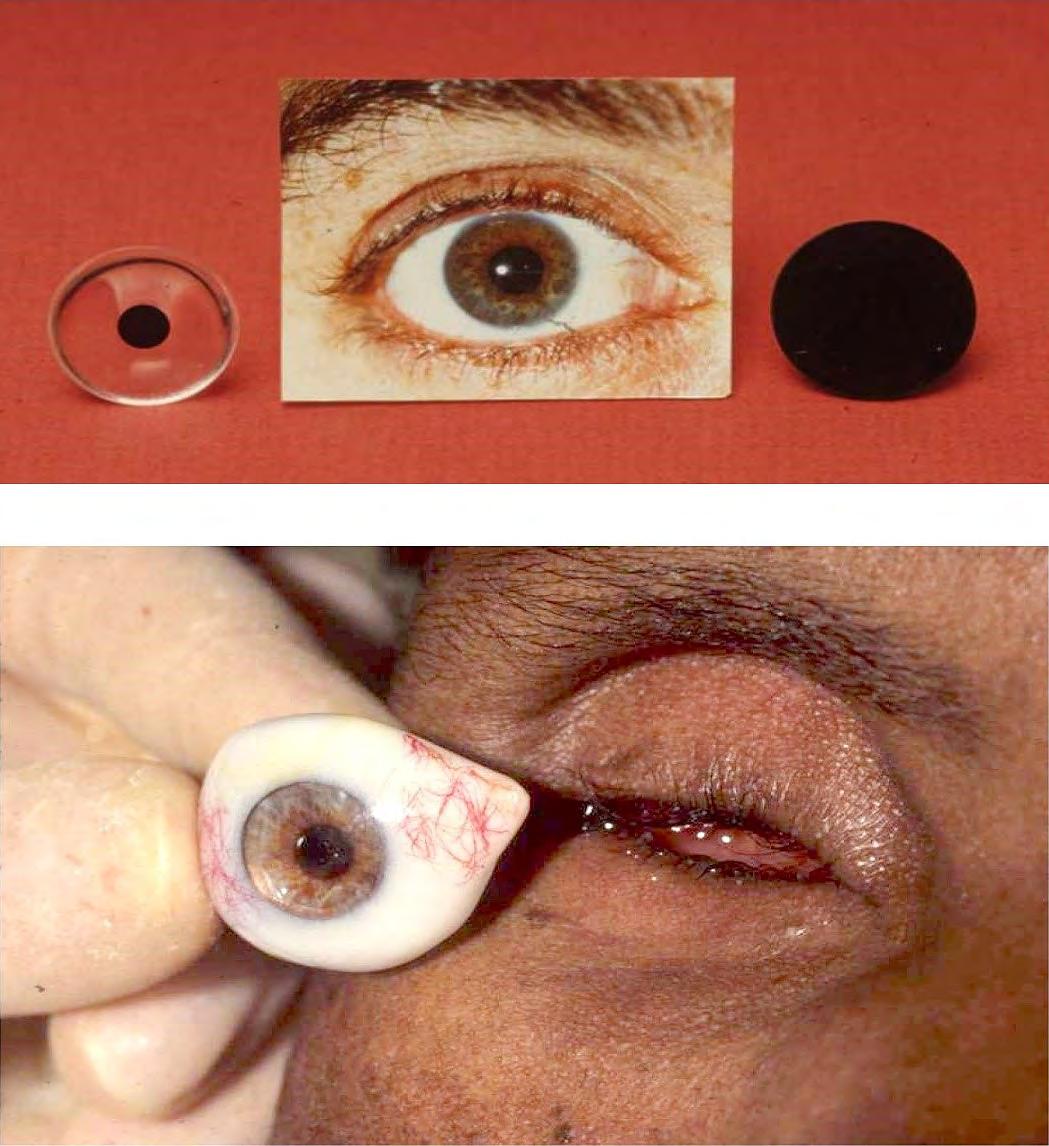
During 1988 I devised a method utilizing colour photography where accurate iris disks were reproduced and successfully used in the construction of ocular prostheses. The entire procedure took a day so patients would arrive early morning for the photographic procedure and the Cibachrome prints would be sent to the laboratory where the In-dwelling technique was used in the production of these Ilfochrome Photo Eyes. The patients would leave for home with their new eyes. As a result of the socioeconomic problems in South Africa and patients having limited funds for transport it was imperative that the whole procedure was completed in a day. The late Jack Vetter RBP, FBPA commented in his report about my presentation Eyedentical Production of Irises for Ocular Prostheses delivered at the 4th EFSI International Conference held in Goteborg, Sweden, in 1994 ‘that it was one of the few times photography directly benefits the patient (BPA News Spring 1994 No. 191). This was a unique service.
One other highlight that I remember well occurred in 1998. I was involved in photographing and providing a live video feed to about a hundred medical staff during an operation. This particular operation lasted 27-hours and focused on the separation of the Zambian Banda
Eyedentical production of irises for ocular prostheses using colour photography
Clinical photography contributes to patient care, medical records, research, publication, teaching and is based on a system of standardization which quite frankly helps as the foundation for most medical imaging including forensic photography. The standardised lighting arrangements save time and effort for routine photography for example of culture plates, thus, many other such arrangements were permanently set up.
Imaginative views were also taken where necessary. Gross-specimen photography whether in-house or on location dictates around the size and type of specimens most frequently encountered.
Technique must be mastered in order to communicate what one sees. It is important to use a system of standardization for repeatability to assess progress or regression of a patient’s condition.
When we made the change to digital technology, we invested in Nikon D700 cameras. It was the first Nikon DSLR available in South Africa to feature the Nikon FXformat sensor that is, for all intents and purposes, full-frame.
Some of our existing Nikon lenses could also be used with the D700 camera. We were also able to use the D700 on multiple pieces of equipment for example the Nikon Multiphot system, which is dedicated to macrophotography.
We standardized on the Elinchrom lighting system and also used the Sinar 5x4 camera for medical, scientific and conventional imaging.
Anyone starting a career in medical photography/illustration will find that there are no shortcuts or set formulae for success. It is important to possess the right kind of temperament in terms of qualities of independence, drive, perseverance, resilience, empathy, sympathy and the ability to work in a team. But it is hugely rewarding and you will find that you remain a life-long student!
And it can be the beginning of an amazing journey!
More about the author
In addition to a multitude of professional achievements, Hoosain M Ebrahim has been awarded the Accredited Senior Imaging Scientist qualification of the Royal Photographic Society. He is the Honorary Secretary for the RPS Medical Group and has received the Society’s Member’s Award and Honorary Life membership.
He has received awards from the Medical Group and the British Medical Journal for his academic work.
His special interests outside work include the building of miniature (1:12 scale) Victorian Dolls houses and HO Scale (1:87) Marklin trains.
conjoint twins who were joined at the head .
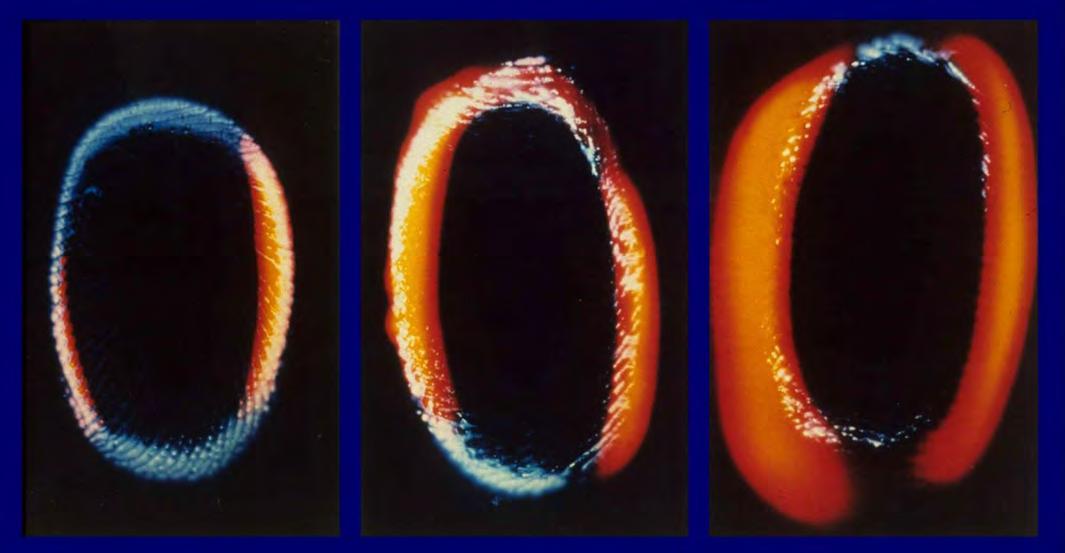
Kirlian photography showing the effect of alcohol on the human aura - left = normal, centre = one hour later, right = two hours later
THE OLD WOMAN DOES AI SALLY SALLETT ARPS
Finding herself with a bit of spare time, Sally Sallett decided to investigate the artistic capabilities of Artificial Intelligence systems and considers the implications for photographers.
Summer had disappeared, taking with it my photographic mojo. What was I going to fill my time with, over the winter, apart from knitting socks and family history research?
In the past I’d had a brief dabble with a few AI programs, Midjourney, Tengrai, etc. When I returned to dabble further, it seemed they all now required a subscription
to continue, and I’ve lived up in Yorkshire long enough to become frugal!
One day, when scrolling through social media, I saw a post about BING image creator, Microsoft’s free AI generator, and thereby my fate was sealed. The instructions were fairly simple…describe what you want and push the button! Ah, but
it’s not quite that straightforward, as I was about to discover.
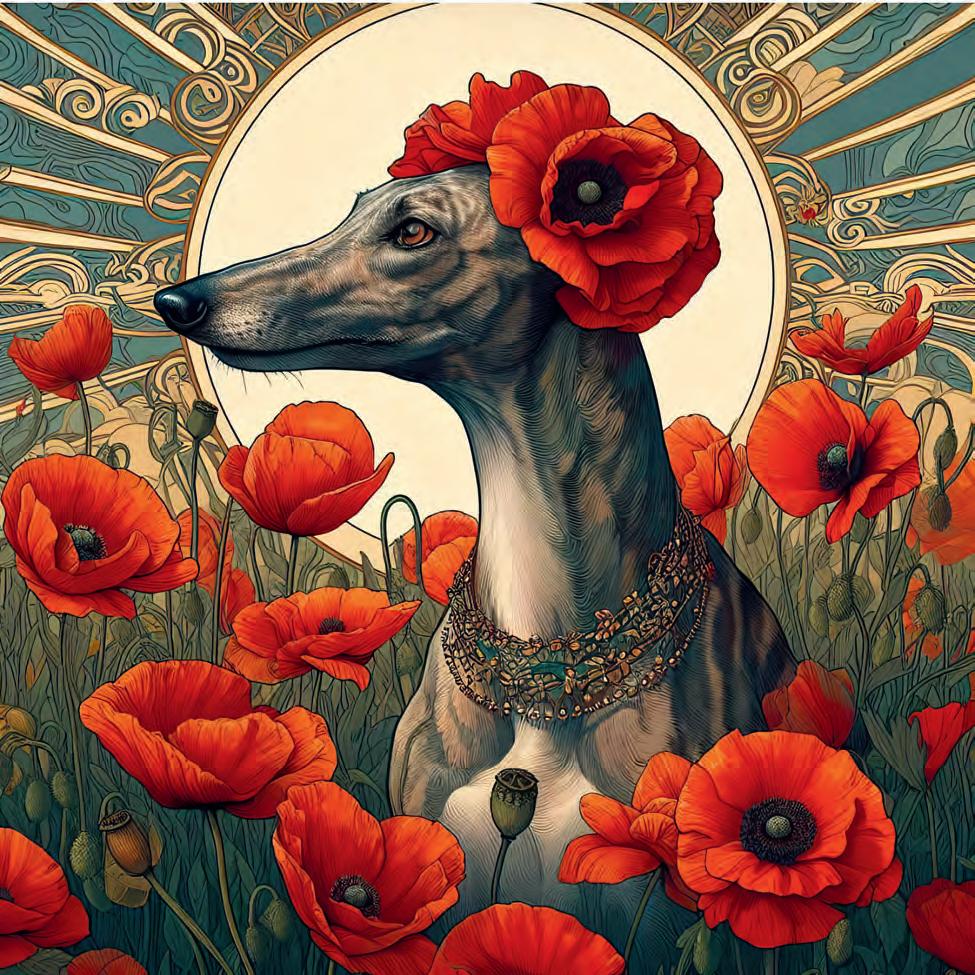
As it was early November, I thought I’d create a ‘Remembrance’ image of our Lurcher, Kelly. The input had to be text only and it took a while to refine the description of our hound. I ended up with ‘a skinny, smooth haired, brindle Lurcher’, which gave me pretty much the result I
was after. Then a background was needed so I added ‘adorned with poppies, in a field of poppies’. Finally, a style was added; ‘Art nouveau’ is a style I’ve always liked, so I added that and pushed the ‘Create’ button. The image above is one of the four that it came up with.
I was quite pleased with this first attempt so I joined a few Facebook AI groups in search of help and inspiration. Some groups are really helpful and post their prompts for others to adapt and use.
There are a few constraints with BING, but if one enters anything offensive or sexist, etc., a warning appears and the prompt is declined. I also found it wasn’t keen on living people or well
known company logos, but there are work-arounds when you get to know what to do! The site gives you 15 fast prompts per day but more can be ‘purchased’ with Microsoft points. When you use more than 15 prompts or you run out of points, it just take a little longer to process. Whichever, after entering your prompt it only takes a minute or two to give you four versions from which to select. The images produced are all square format and fairly small, 1024px, but can successfully be upsized, with something like Topaz Gigapixel AI. This, as the name suggests, is an AI plug-in, and I’ve been using it for years! I also found it was worth saving prompts in a folder, for reuse at a later date, no point in having to type it all out
again when one can cut and paste. I tried creating with my smartphone as well as PC and there was no difference in the results. I found this handy for randomly creating while watching TV or I suddenly got a great prompt idea or spotte one from someone else!
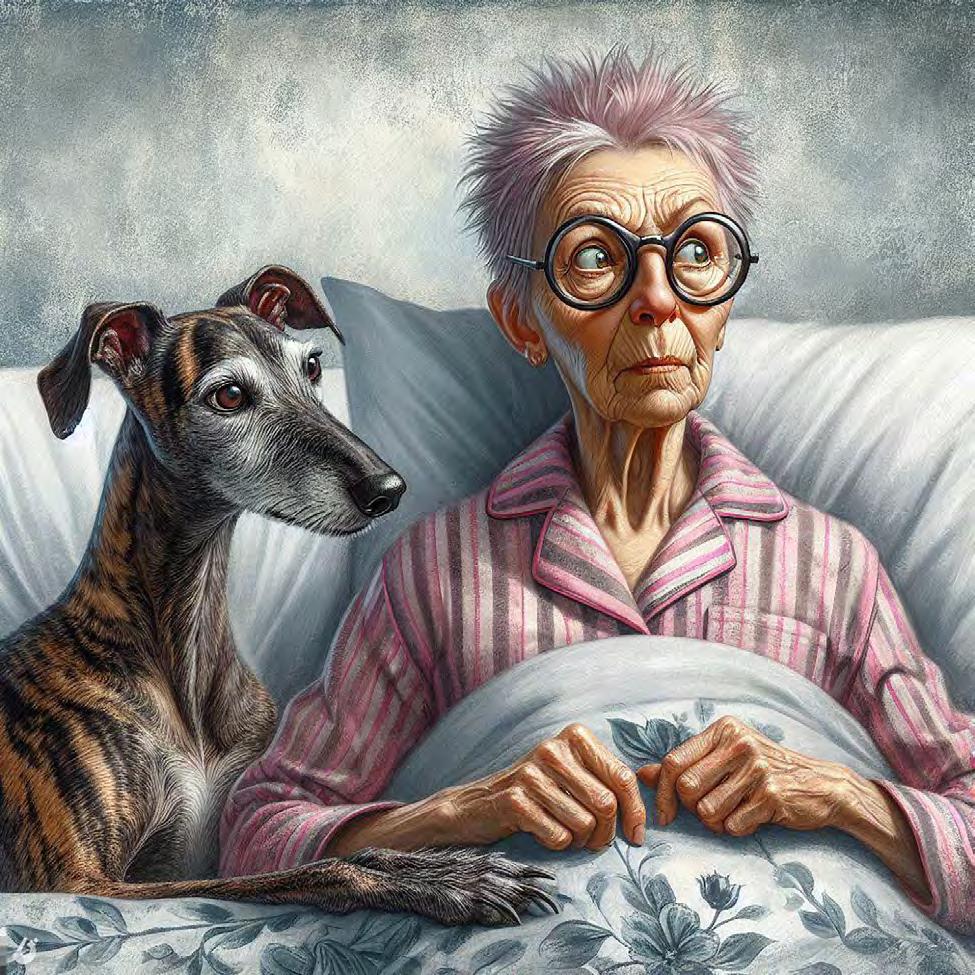
My next series was based on my daily adventures with Kelly. Describing myself was harder than I expected. Aged 74, I started with ‘old woman’ - got a crone! Next ‘middle-aged’ - wishfully too youthful. Finally ‘older’ seemed to produce a credible likeness!
This is the complete prompt for the image below:-
‘Older lady with short spiky pink hair, grey eyes, round glasses in
bed wearing a nightshirt , the skinny smooth haired, brindle Lurcher dog, white face, white paws, white chest is lying on top of the bed taking up most of space. Textured painterly fantasy artistic Cartoon Charcoal sketch’
The last part of the prompt describes the style desired. This could be the style of a particular artist, alive or dead, a school of art e.g., Art Deco, Renaissance, Old master, Cartoon, stained glass, paint splash, etc., or a mixture of styles. The more you mix it up, the more interesting/weird the results can be! It’s really a case of trial and error, and they can get really complex!
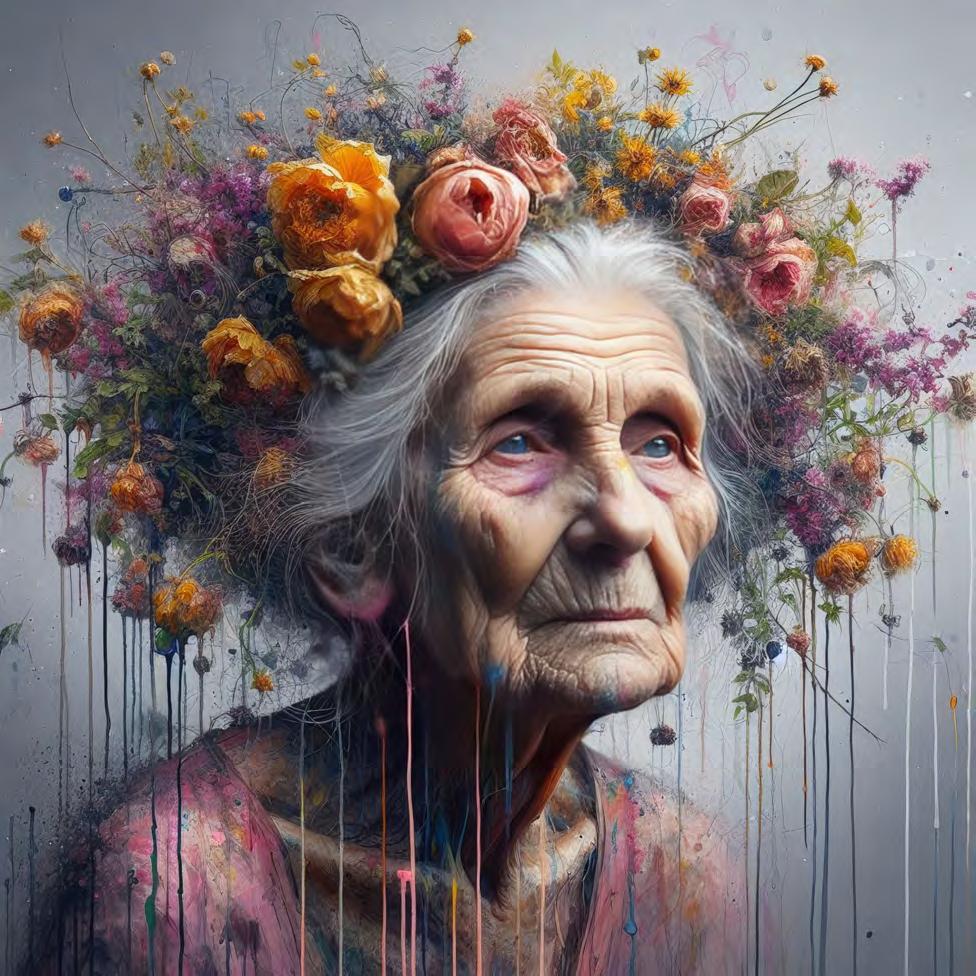
For instance:-
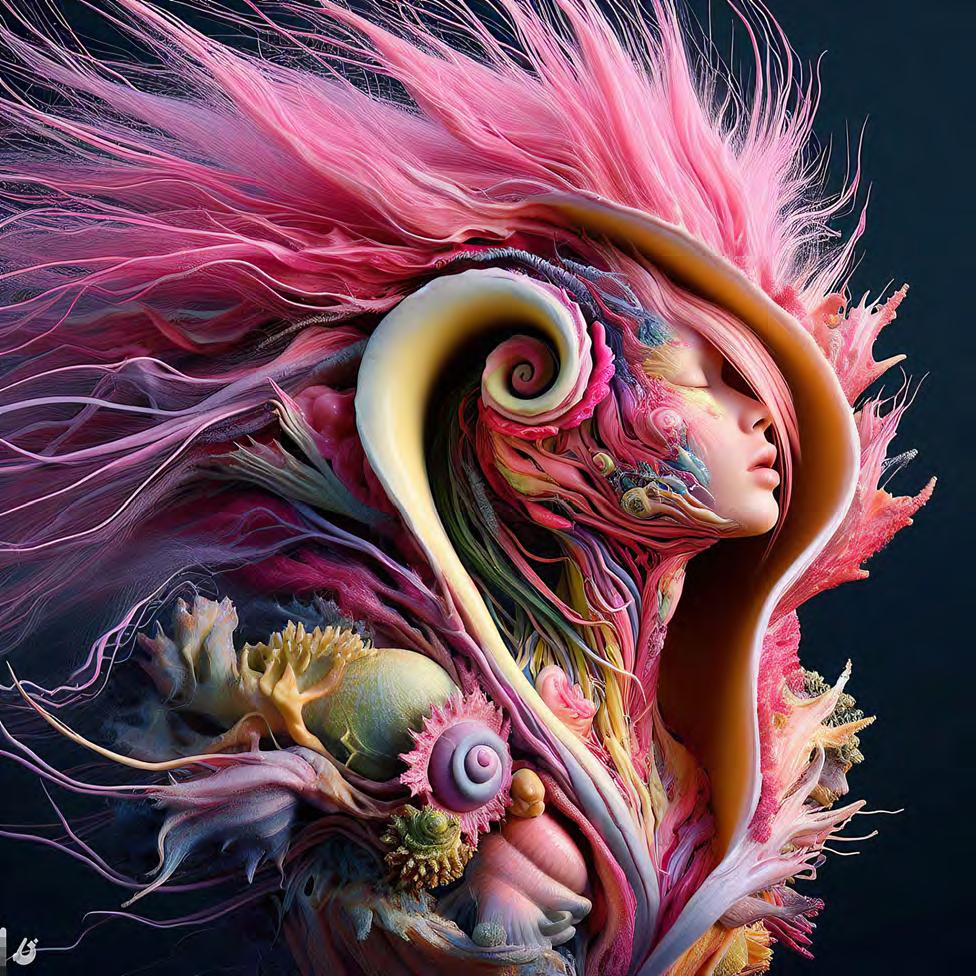
‘Create hyper-realistic image of “A surreal glass twisted shell revealing inside, an enigma within an enigma” anatomical human female, morphing dancer by basquiat and anton corbijn, a morphing body that is dressed in flowers, in the style of butoh, bright swaths of color,twisted poses, serge marshennikov, fantastic creatures” German/danish influences’ produced the image above.
As in photography, I have to admit to favouring certain styles - Steampunk, Art Deco/Nouveau, hyperreal etc. Looking through online groups I can see an obvious ‘gender gap’, men going for the shiny, PVC clad females and superhero scenarios, whereas the girls seem to lean towards a more
cute or whimsical styles reminiscent of greetings cards! I really don’t care for either but that’ll come as no surprise to those who know me!
As I have mentioned, each ‘go’, using Bing, creates up to four results. It’s unlikely you’ll be thrilled with the first attempt and will tweak the prompt to change the things with which you’re unsatisfied - it all depends on how detailed the prompt was. I have, very occasionally, had to resort to Photoshop to correct anomalies, as AI does struggle with limbs and digits! Three-legged ballerinas and 6 fingered pianists are not a good look! On the whole, though, I have to say the results are usually impressive and no doubt will get even better as the computers
continue to learn.
I’ve used the images created to produce calendars, greetings cards etc., but have no copyright over them, indeed Microsoft does not guarantee that any material created by its image creator does not infringe the rights of a third party, nor that it doesn’t create exactly the same image for someone else who used a similar prompt! In my view, the images created should not be used for financial gain, although the internet selling sites are swamped with obvious AI art.
After posting my creations on social media, I received a fair amount of interest from friends and fellow photographers asking how I created the images. That was followed
by an invitation to give a talk and demonstration at RPS Yorkshire’s AGM, and a presentation to a local camera club. I hastily got a talk together, including some friends’ images, for variety, an AV and finishing up with a live creation… always a risky business! Since then I’ve given more camera club talks, but am always at great pains to emphasize that this is NOT photography!
So, there are many questions…..is it art; how does it work; is it theft; will it ruin photography; how can one tell if it’s AI?
Photography is the art or process of producing images by the action of light on a sensitive surface, such as film or an optical sensor.
Whether it’s a photo taken on a film camera, digital SLR, mirrorless camera, or even an iPhone, it falls under the category of photography. The boundary between genuine artistry and AI-driven manipulation is increasingly blurred. Tools like Photoshop offer features to extend or add elements to photos, providing endless possibilities.
AI is not going to kill photography. In fact, AI has the potential to enhance and revolutionize photography by providing new tools and techniques that can help photographers take better photos and improve their workflow. AI editing tools use machine learning models to assist photographers in editing existing photos. They can perform tasks like noise reduction,
enhancing details, and adjusting colours. Many photographers incorporate these tools into their editing process to achieve better results, I know I do!
When AI generates an image, it doesn’t directly copy existing works. Instead, it learns patterns and relationships from training data. For example, if I asked you to draw a picture of a cat on a bike, you would be able to, with out looking anything up, because you have images of cats and bikes in your brain, so imagine what the mega brain of Microsoft and the like can source.
As AI-generated images become more prevalent, legal frameworks may need to evolve
to protect original photography. Ensuring proper attribution and distinguishing between real and AIgenerated work will be crucial.
AI image generators are getting better at producing realistic images. Soon it might be challenging to tell whether an image is real or generated, which will provide a challenge for many, including camera club judges like myself. In the end we will have to rely on the honesty of the entrant, and there will always be cheats.
In summary, AI won’t be the death of photography; it’ll be a transformative force. Photographers who adapt and explore its potential will thrive, while those resistant to change might find themselves left
behind. So, let’s have a bit of fun and embrace the future where AI and photography co-exist!
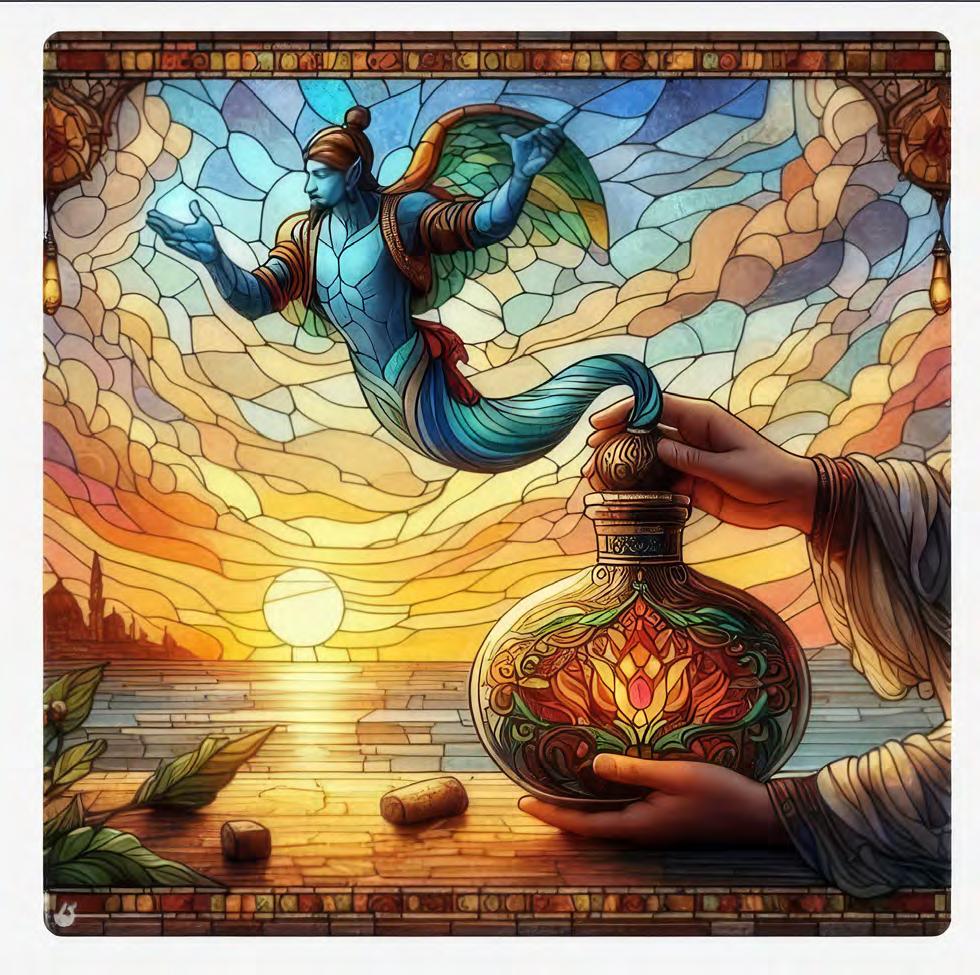
You can’t put the Genie back in the bottle
l
Learn more
If you would like to see more results of Sally’s experiments with AI and the prompts which generated them, take a look at her Instagram at instagram.com/ pineapple_pix/
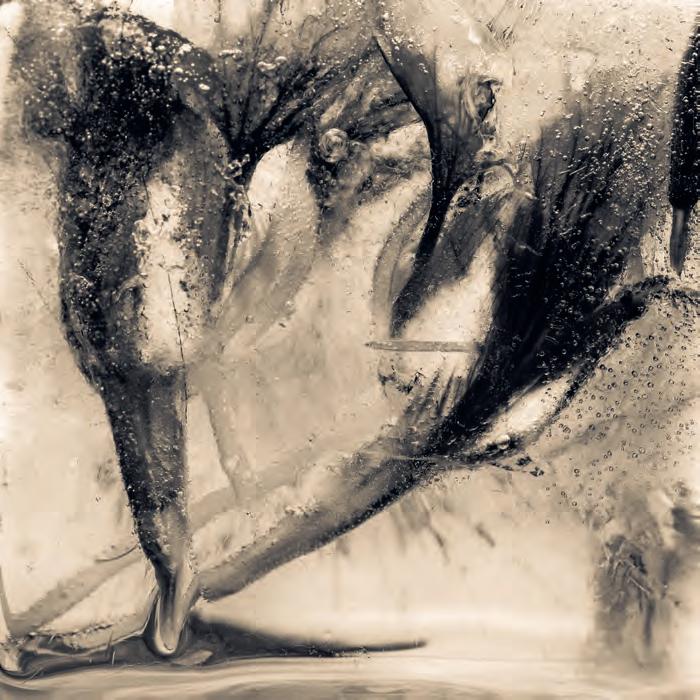
ICE FLOWERS
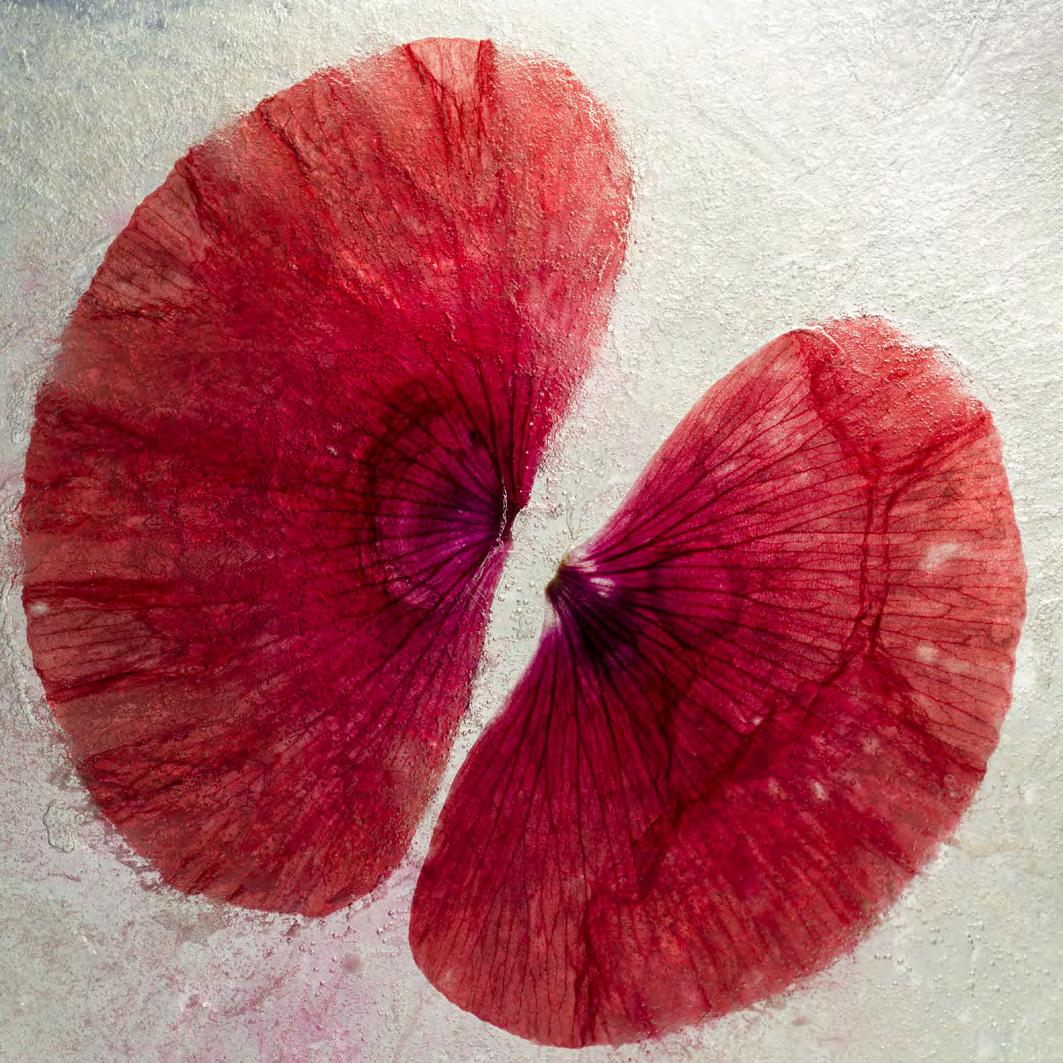
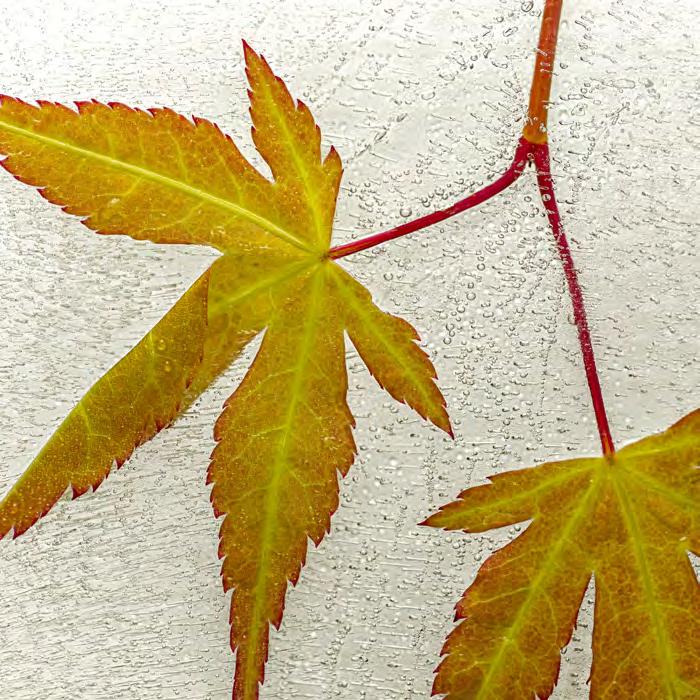
I first came across the idea of freezing plant material in water through the flower photography of Fleur Olby. I was fascinated by the fragile otherworldly look of petals under layers of ice. The way the pigments in flowers can leach into the water as it freezes creating clouds of colour. That is how my journey into ice flowers began.
There are no text books to tell the photographer how to go about this image creating method; I had to work out the process for myself. Practical issues such as how to get the leaf or flower under the water and keep it in position had to be solved. With relatively flat subjects I use Petri dishes which have many advantages, for instance it is possible to build up layers of ice. If the petal or leaf has drifted out of position during the freezing process breaking the ice sheet allows me to move the petal or leaf to the position I want. More water can then be added
MARIUS GROSE
and the composition refrozen. In other instances I have used BluTack, surgical tape or attached a small clip to a flower to weight it down.
Tap water can be used, but when frozen the minerals in the water will make the ice milky. This can be interesting but I prefer clear ice so I use de-ionised water which can be purchased from places like Halfords.
Petri dishes are fine for leaves and petals but more three dimensional subjects needed another approach. I was visiting a friend who made us both G&Ts and added very large ice cubes, a light bulb moment.
My set up for shooting if fairly simple, I use either a Pentax K5 or K1 mkii with a macro lens. A tripod is a must, I use a remote shutter release to prevent camera shake and have the shutter set to mirror up delay. The frozen subject is mounted on a scissor lift that sits in a tray to catch the melting water. An angle poise lamp with a daylight balanced bulb is the main light source, supplemented by a light tablet and LED lights, occasionally I will use an off camera flash.
Each session is about exploring how the leaf or flower and the ice are working together. Finding the best angle, changing the position of the lamp. Every shoot is an adventure with no set approach to lighting. The one thing that is consistent is the need to be organised before taking the frozen specimen out of the freezer.
I use Lightroom Classic for post production, and Affinity Photo now and then. Most subjects require very little manipulation beyond the basics.
My equipment consists of deionised water, large ice cube tray, Petri dish, deep freeze, scissor lift, tripod, remote shutter release, clamp/crocodile clip, a tray to catch melting water, lamp, BluTack, clips.
If you’d like to see more ice flowers my website address is photography. mariusgrose.co.uk l
ALCHEMY FROM RUSTED NAIL HEADS
HEATHER CARSLAKE LRPS
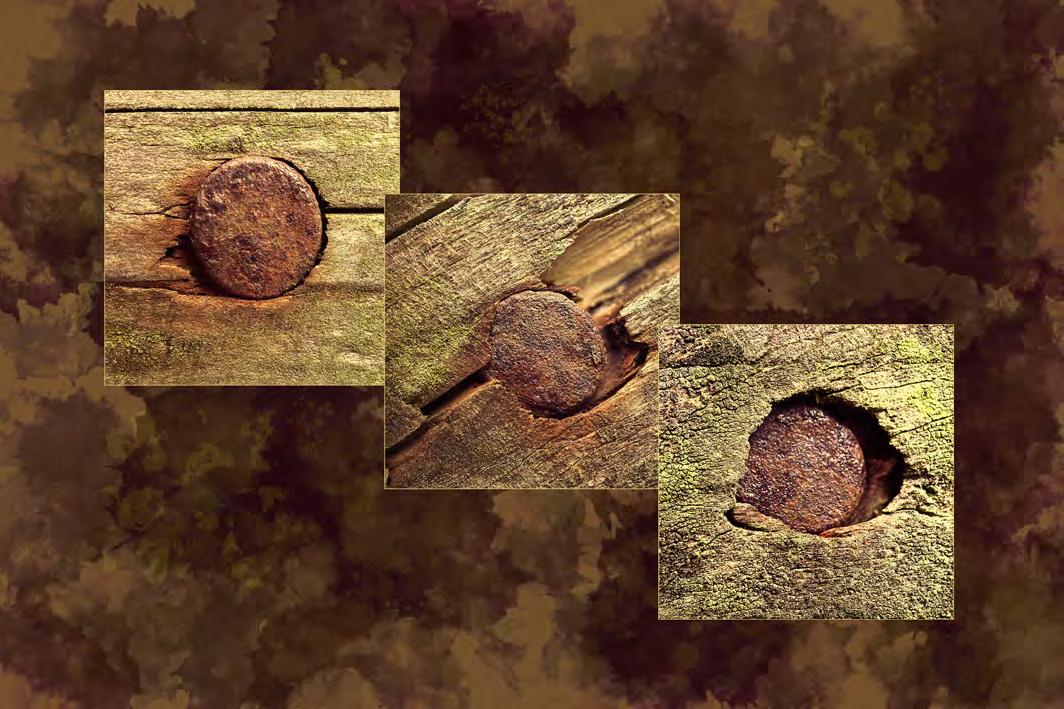
I love doing panels and triptychs, partly I believe due to my Virgo characteristics! I enjoy the detailed planning and hopefully perfectionism! I have a lot to learn yet, but thoroughly enjoying practicing learned techniques from Celia Henderson and Jane Lazenby.
This particular triptych started off from a point of having some pre-cut apertures (re-cycling past competition mount boards! (Practicality is another Virgo trait!)
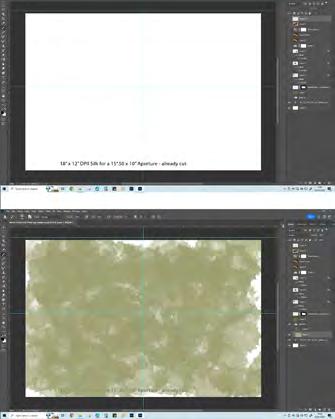
Therefore, I worked with an 18” x 12” (DSColour print size) and a working area of 15½” x 10” (aperture size).
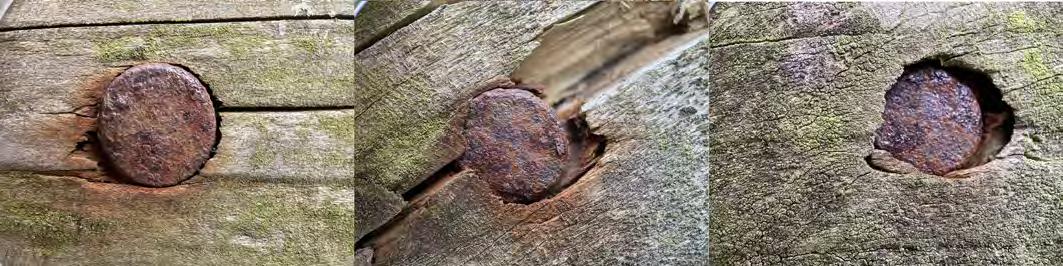
My first job was to square crop, straighten and edit my three images, and to sharpen. I wish I had taken more than three images because it annoys me that I have a little ‘fall off’ on the focus on the centre image.
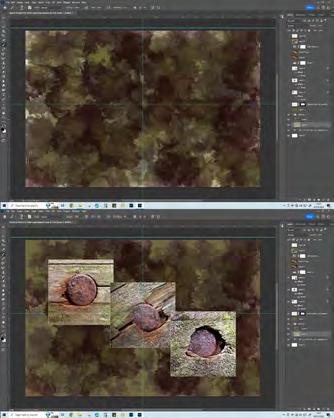
Above my white base layer I placed my three separate ‘nail heads on fence posts’ images. These, I turned on and off whilst colour picking from them, to make a background.
First brush shade was a shade of green from the wood and using a ‘splat’ brush at a low opacity partially covered the paper. Shades of gold, yellow and browns were then used, with the same brush at a low opacity. At this stage, I realised I should have used a base layer colour fill, so belatedly made a colour fill layer of a kind of olive shade above this painted layer and used darken blend mode. This filled in the spaces missing on the painted background layer.
I have since learned an easier way to colour pick - make a folder in the Swatches Panel, name it the same as your image, and save colours from the images which make up the triptych. I am only on the beginning of this learning curve regarding colour, helped again by Celia Henderson and Jane Lazenby, as mentioned above
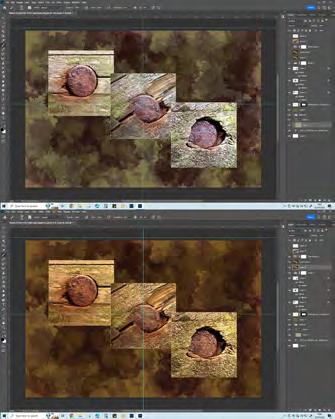
A Levels adjustment layer lifted the overall brightness a little.
The thing which seemed to make this ‘sing’ was an Edgy Amber Look up table (LUT) applied above a stamp layer (Ctrl+Alt+Cmd/Shift E).
On a final layer, I felt the top right and lower left were a bit too dark so tried to ‘lift’ these by adding a few more low opacity granola (spring 2020 update brushes) with a gold colour (colour picked from a photograph of a gold vase). There must be an exact colour choice for the best ‘gold’ but this was the best I could manage, but it did add a lightness to those two darker areas. Gold leaf wasn’t an option, but that would really make it sing!
I named the final result Alchemy from Rusted Nail Heads
Building up the background
The final background and placing the three nail images
Applying the final touches
The starting images
IN PREVIOUS ISSUES
All previous issues are available from the DIGIT Archive at rps.org/di/digit-archive/
David Keep FRPS
10 Abstract photography - a personal view
Lois Wakeman LRPS
16 How To Make Cyanotypes
Alan O’Brien ARPS
20 Astro-landscape photography
Dave Lynch
25 Travel photography close to home
Kath Phillips ARPS
29 Project: The Huskar pit tradgedy 1838
Wendy North
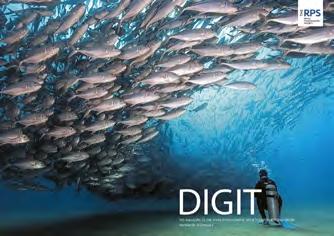
32 DIGIT Challenge: 2/10,000th of a league under the sea
Evelyne Peten
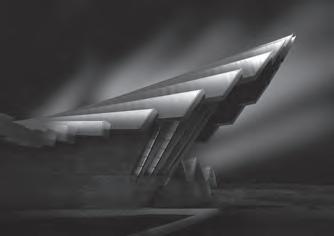
33 DIGIT Challenge: A Tower
Reading
Neil W ittman
The cover image
DIGIT
5 From the very start
Hilary Roberts FRPS
11 The digital evolution Panikos Hajistilly
17 A working life in photographic printing
Alan Hodgson ASIS HonFRPS
14 What comes fi rst the book or the project?
Wendy North
17 Behind the scenes at the Second Edinburgh International Salon
Joe Houghton and David Greer
22 The RHS Botanical Art and Photography Show
26 Digital Imaging workshops
Melanie Chalk ARPS
29 DIGIT Challenge: The banana leaf project
Ashok Viswanathan
31 DIGIT Challenge: My holiday experiment
John Moore
33 DIGIT Challenge: Nightmares and visions
Janet Lee
35 In previous issues DIGIT 99 2023 Issue 4
21 The end of the beginning … Simon Hill HonFRPS
26 Colour management and how it has changed in the last 30 years
DATACOLOR
30 A photograph is not an image until it’s been printed for the world to see Robin Whetton 33 Surviving the paradigm change FUJIFILM 36 100 and counting Janet Haines ARPS 38 A final thought 39 In previous issues
The cover image was generated by the Microsoft Image Creator, part of the Copilot functionality available in Edge and other Microsoft products. Sally Sallett ARPS produced the original image using the prompt ‘Assorted elongated colourful animals facing us in a jungle setting, gustav Klimpt style. surreal fantasy’. The original bitmap image was too small to be used as a cover image and could not be adequately enlarged. The bitmap image was converted to a vector format (rather ironically, to an Adobe Illustrator .ai file) and then scaled to fit the cover. Some of the finer detail contained in the original image was lost during this conversion.