16-2
Instrument Level StepUps
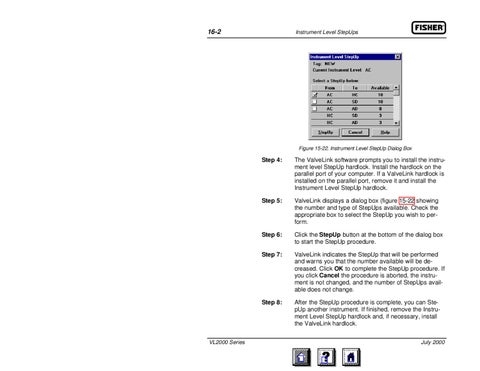
Figure 15-22. Instrument Level StepUp Dialog Box
VL2000 Series
Step 4:
The ValveLink software prompts you to install the instrument level StepUp hardlock. Install the hardlock on the parallel port of your computer. If a ValveLink hardlock is installed on the parallel port, remove it and install the Instrument Level StepUp hardlock.
Step 5:
ValveLink displays a dialog box (figure 15-22 showing the number and type of StepUps available. Check the appropriate box to select the StepUp you wish to perform.
Step 6:
Click the StepUp button at the bottom of the dialog box to start the StepUp procedure.
Step 7:
ValveLink indicates the StepUp that will be performed and warns you that the number available will be decreased. Click OK to complete the StepUp procedure. If you click Cancel the procedure is aborted, the instrument is not changed, and the number of StepUps available does not change.
Step 8:
After the StepUp procedure is complete, you can StepUp another instrument. If finished, remove the Instrument Level StepUp hardlock and, if necessary, install the ValveLink hardlock. July 2000