13-48
Detailed Setup
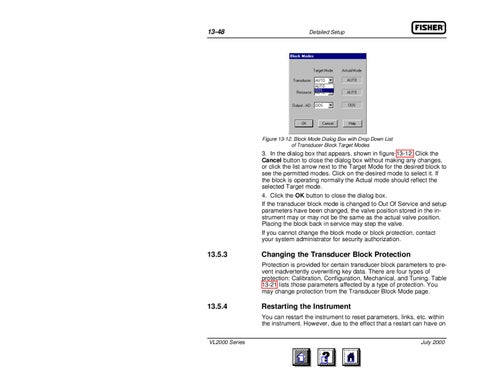
Figure 13-12. Block Mode Dialog Box with Drop Down List of Transducer Block Target Modes
3. In the dialog box that appears, shown in figure 13-12. Click the Cancel button to close the dialog box without making any changes, or click the list arrow next to the Target Mode for the desired block to see the permitted modes. Click on the desired mode to select it. If the block is operating normally the Actual mode should reflect the selected Target mode. 4. Click the OK button to close the dialog box. If the transducer block mode is changed to Out Of Service and setup parameters have been changed, the valve position stored in the instrument may or may not be the same as the actual valve position. Placing the block back in service may step the valve. If you cannot change the block mode or block protection, contact your system administrator for security authorization.
13.5.3
Changing the Transducer Block Protection Protection is provided for certain transducer block parameters to prevent inadvertently overwriting key data. There are four types of protection: Calibration, Configuration, Mechanical, and Tuning. Table 13-21 lists those parameters affected by a type of protection. You may change protection from the Transducer Block Mode page.
13.5.4
Restarting the Instrument You can restart the instrument to reset parameters, links, etc. within the instrument. However, due to the effect that a restart can have on
VL2000 Series
July 2000