8-6
Automation Tools
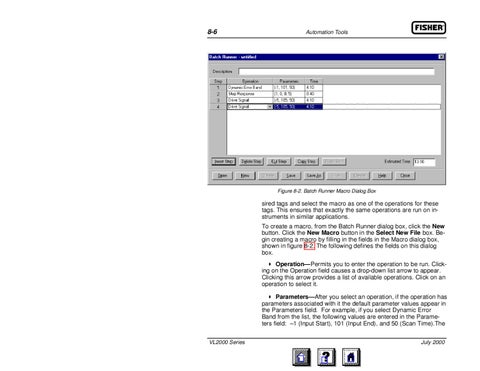
Figure 8-2. Batch Runner Macro Dialog Box
sired tags and select the macro as one of the operations for these tags. This ensures that exactly the same operations are run on instruments in similar applications. To create a macro, from the Batch Runner dialog box, click the New button. Click the New Macro button in the Select New File box. Begin creating a macro by filling in the fields in the Macro dialog box, shown in figure 8-2. The following defines the fields on this dialog box. Operation—Permits you to enter the operation to be run. Clicking on the Operation field causes a drop-down list arrow to appear. Clicking this arrow provides a list of available operations. Click on an operation to select it. Parameters—After you select an operation, if the operation has parameters associated with it the default parameter values appear in the Parameters field. For example, if you select Dynamic Error Band from the list, the following values are entered in the Parameters field: –1 (Input Start), 101 (Input End), and 50 (Scan Time).The VL2000 Series
July 2000