Instruction Manual
4195KA, KB, KC, and KS Controllers
Form 5207 April 2007
Capsular Element Controllers for Vacuum Pressure
D For direct control action: An increasing sensed vacuum increases output pressure. D For reverse control action: An increasing sensed vacuum decreases output pressure. After changing the action, tighten the screws on the proportional band indicator cover.
W3439 / IL
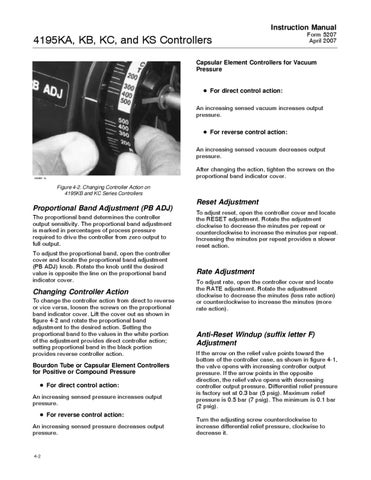
Figure 4-2. Changing Controller Action on 4195KB and KC Series Controllers
Proportional Band Adjustment (PB ADJ) The proportional band determines the controller output sensitivity. The proportional band adjustment is marked in percentages of process pressure required to drive the controller from zero output to full output. To adjust the proportional band, open the controller cover and locate the proportional band adjustment (PB ADJ) knob. Rotate the knob until the desired value is opposite the line on the proportional band indicator cover.
Changing Controller Action To change the controller action from direct to reverse or vice versa, loosen the screws on the proportional band indicator cover. Lift the cover out as shown in figure 4-2 and rotate the proportional band adjustment to the desired action. Setting the proportional band to the values in the white portion of the adjustment provides direct controller action; setting proportional band in the black portion provides reverse controller action. Bourdon Tube or Capsular Element Controllers for Positive or Compound Pressure D For direct control action: An increasing sensed pressure increases output pressure. D For reverse control action: An increasing sensed pressure decreases output pressure.
4-2
Reset Adjustment To adjust reset, open the controller cover and locate the RESET adjustment. Rotate the adjustment clockwise to decrease the minutes per repeat or counterclockwise to increase the minutes per repeat. Increasing the minutes per repeat provides a slower reset action.
Rate Adjustment To adjust rate, open the controller cover and locate the RATE adjustment. Rotate the adjustment clockwise to decrease the minutes (less rate action) or counterclockwise to increase the minutes (more rate action).
Anti-Reset Windup (suffix letter F) Adjustment If the arrow on the relief valve points toward the bottom of the controller case, as shown in figure 4-1, the valve opens with increasing controller output pressure. If the arrow points in the opposite direction, the relief valve opens with decreasing controller output pressure. Differential relief pressure is factory set at 0.3 bar (5 psig). Maximum relief pressure is 0.5 bar (7 psig). The minimum is 0.1 bar (2 psig). Turn the adjusting screw counterclockwise to increase differential relief pressure, clockwise to decrease it.