
Every Door Direct Mail® (EDDM) is a USPS® program that allows you to mail marketing pieces to every home on a selected postal route—without needing a mailing list or individual addresses.
This makes it a cost-effective and efficient way to reach entire neighborhoods with consistent, professional messaging.
EDDM is especially effective for real estate professionals because it allows you to focus your marketing on the neighborhoods that matter most to your business.
Whether you’re promoting a new listing, recent sales, open houses, or your personal brand, EDDM helps keep you visible where homeowners live.
With EDDM, you can:
• Target specific neighborhoods or ZIP Codes
• Reach hundreds of homes at once
• Avoid the cost and hassle of purchasing mailing lists
• Build brand recognition through repeated exposure
The first step in using Every Door Direct Mail® is identifying the postal routes that best align with your target audience.
This tool allows you to select neighborhoods based on location, delivery count, and demographics.
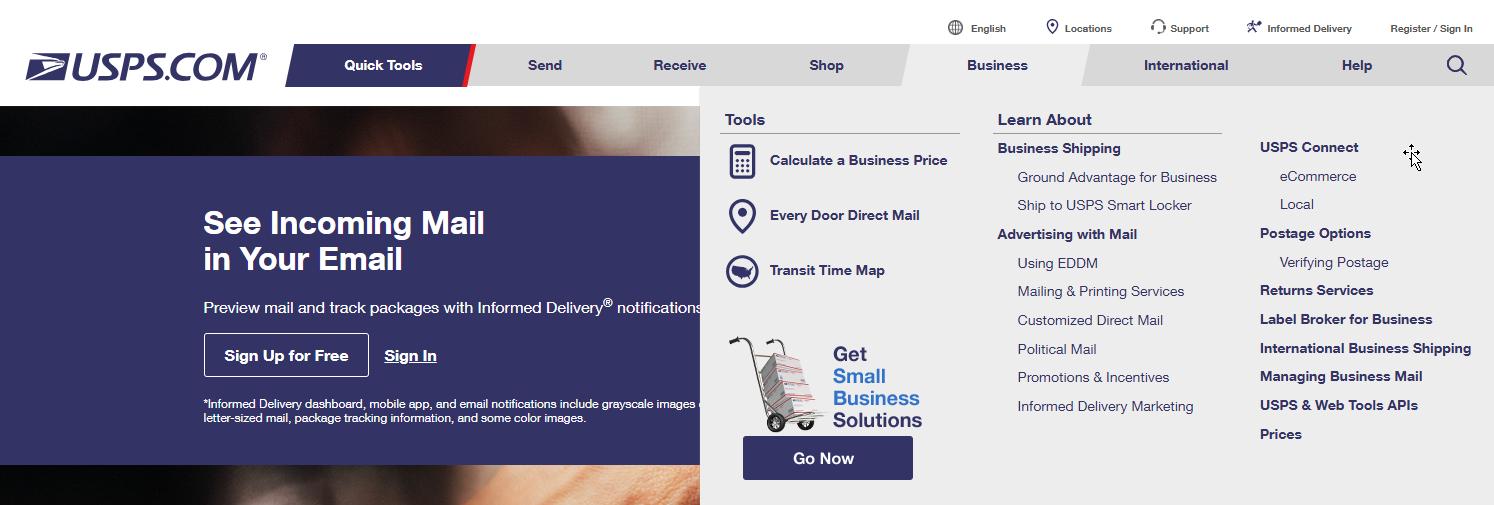
1. Visit USPS.com
Navigate to Business and select Every Door Direct Mail® from the menu.
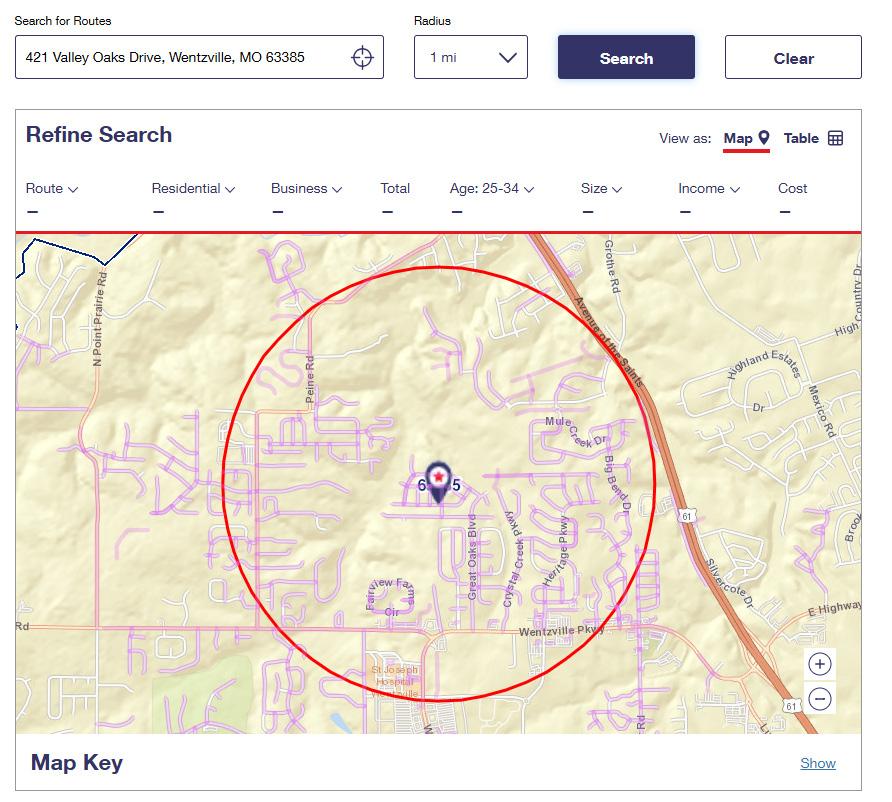
2. Enter a Location
Type an address, city and state, or ZIP Code into the search field, then click Search.

3. Locate the Address on the Map
A star icon will appear on the map, indicating the selected address location.
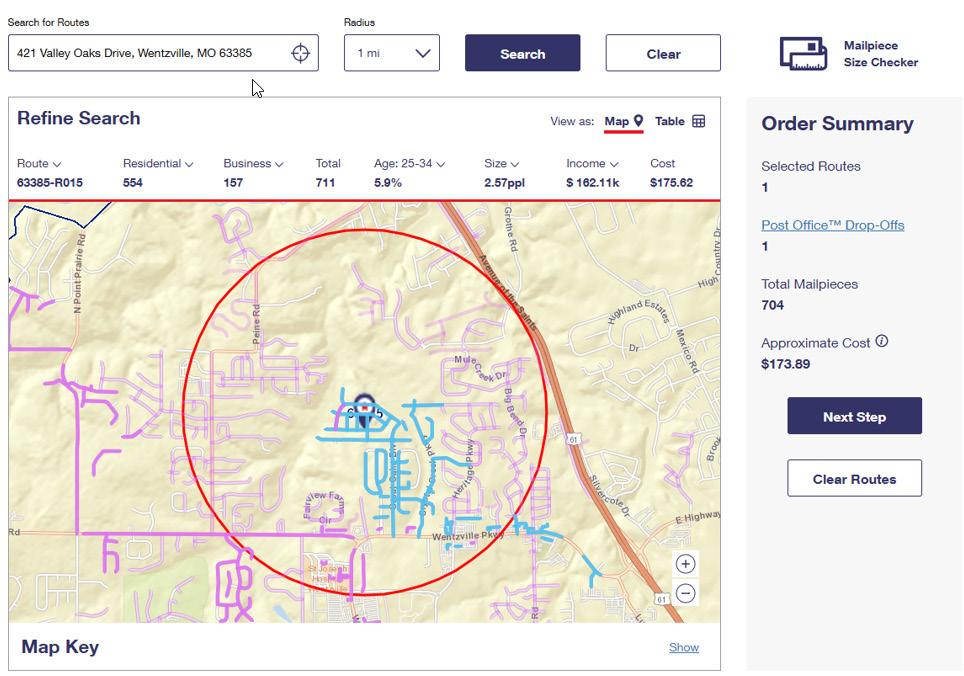
4. Select Available Routes
Once highlighted you will see route information including Demographics, Total Mail Pieces and Cost of Postage.
To complete your Every Door Direct Mail® mailing, USPS® requires postage to be paid online through your USPS® account.
If you already have an account, you can log in and proceed with payment. If not, follow the steps below to create one.
Don’t Have a USPS® Account? Register and Create a Personal Account
1. Go to USPS.com
Click Sign In / Register in the top-right corner of the page.
2. Select “Create an Account”
Choose the option to create a new USPS® account.
3. Choose a Personal Account
When prompted, select Personal as the account type.
4. Enter Your Information
Complete the required fields, including:
• First and last name
• Email address
• Phone number
• Mailing address
5. Create Login Credentials
Set up your username, password, and security questions.
6. Verify Your Email Address
USPS® will send a verification email. Click the link provided to activate your account.
7. Log In to Continue
Once verified, sign in to access Every Door Direct Mail®, submit your mailing, and pay for postage online.
Tip: Save your login information—you’ll use this account for future EDDM® mailings and payment confirmations.
Once you have selected your mailing route(s) and created or logged into your USPS® account, follow the steps below to submit and pay for your EDDM® postage.
Step-by-Step: Submitting and Paying for EDDM® Postage
1. Log In to Your USPS® Account
Visit USPS.com and sign in using your personal account credentials.
2. Access Every Door Direct Mail®
From the USPS® website, navigate to Business and select Every Door Direct Mail®.
3. Review Your Selected Routes
Confirm the mailing route(s) you previously selected. Review the number of deliveries and total postage cost.
4. Choose Mailing Options
Select your mailing date and confirm whether you are mailing Retail EDDM®
5. Proceed to Checkout
Click Checkout to move to the payment screen.
6. Enter Payment Information
Provide your payment details using a credit or debit card.
7. Submit Payment
Review your order summary, then click Submit Payment to complete the transaction.
8. Receive Confirmation
After payment is processed, you will receive a confirmation screen and email receipt from USPS®.
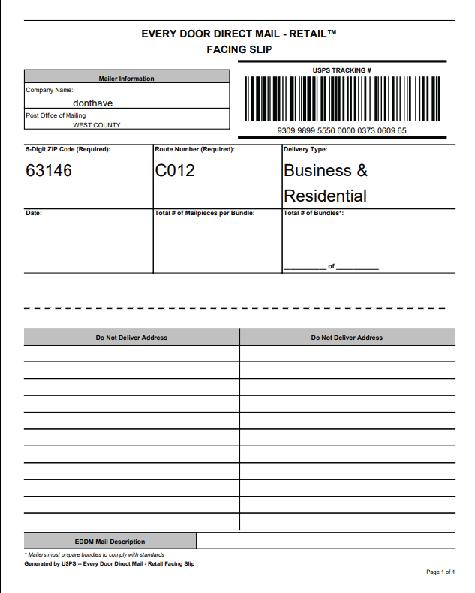
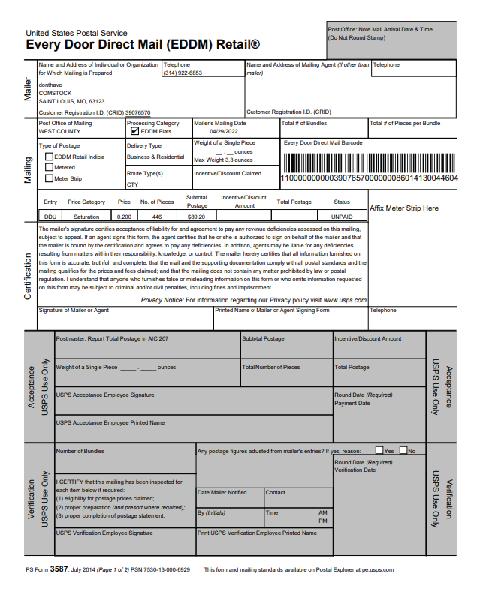
After payment is complete, USPS® will generate the required EDDM® paperwork, including a Mailing Statement and Facing Slips for each selected route.
Both of these documents must be downloaded and sent to the Midwest Marketing Team. Our team will use them to properly bundle, label, and complete your mailer in accordance with USPS® requirements.
Once we receive these documents, we’ll take care of the remaining preparation so your mailer is ready for post office drop-off.