BLUEBEAM REVU


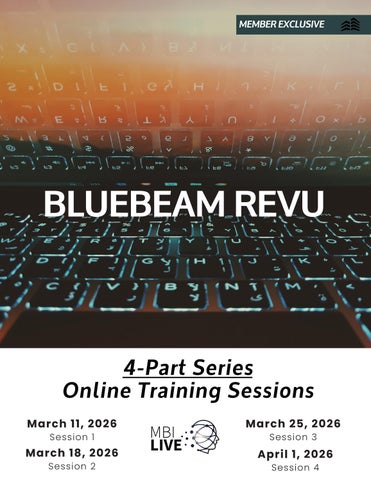
March 11, 2026
Session 1
March 18, 2026
Session 2
March 25, 2026
Session 3
April 1, 2026
Session 4

Bluebeam Revu is among the most widely used platforms in the construction industry, and the more familiar your teams are at utilizing and navigating the features of this powerful software, the better they will perform and stay on track. In this four-part series, we will learn about Digital Dashboard Creation, Revu eXtreme, and Forms and Digital Signatures to provide you with all the tips, tricks and capabilities of Bluebeam Revu.
BLUEBEAM: Quantity Takeoff & Estimation
March 11, 2026 | 9:00 am - 11:00 am
PROJECT MANAGEMENT - 2 CREDITS
Estimation is an important part of any building project, and accurate quantity takeoffs are critical for creating competitive bids. Revu makes both taking and using measurements to complete takeoffs extremely easy, once you learn how to use the tools they supply you with. In this course, you will learn how to take accurate measurements through calibrating a scale and using a wide variety of measurement tools. You will also learn how to track takeoffs and perform estimation using the Markups List and custom column creation.
LEARNING OBJECTIVES
• Understand setting a scale via custom/preset scale input and calibration
• Use and adjust the properties of each measurement tool, including Counts and Dynamic Fill
• Gain familiarity with the Markups List
• Create custom formula columns for estimation
BLUEBEAM: Digital Dashboard Creation
March 18, 2026| 9:00 am - 11:00 am
PROJECT MANAGEMENT - 2 CREDITS
When managing large projects, you may have thousands of files that you need to access daily. To help team members access the documents they need, you may want to create digital project dashboards. Digital dashboards keep track of all documents and revisions within one interactive PDF. This comprehensive course will cover how to use Bluebeam Revu’s powerful hyperlinking and design features to create efficient, customized dashboards that cater to your specific project needs.
LEARNING OBJECTIVES
• Understand what dashboards are and how they work
• Create graphics using Revu’s markup tools
• Manage PDF pages for navigational access
• Understand how to link PDFs to additional pages and documents
• Link dashboards to files uploaded to a Studio Project
• Tips and tricks for quick dashboard creation
The Master Builder Designation program will offer the credit hours for completion of this course. For more information on becoming a ‘Master Builder’, please visit MBI’s website at www.MBI.Build/MBD

For questions regarding this event, please contact Tara Rinehart at TRinehart@MBI.Build or 515-374-6029.
March 25, 2026| 9:00 am - 11:00 am
Construction projects generally require the use of a variety of forms sent between parties, such as RFIs or Submittals. In Bluebeam Revu eXtreme, you can create fillable PDF forms using a variety of common form elements, such as radio buttons and signature fields. Along with forms, Revu allows you to create Digital IDs and Signatures for the certification and validation of documents. This course will cover how to use Bluebeam Revu’s form creation and digital signature tools to quickly create, manage, and validate project forms.
LEARNING OBJECTIVES
• Use the Automatically Detect Form Fields tool to quickly create form fields from vector elements
• Understand how different form fields work
• Create a custom fillable form with a variety of form fields
• Understand electronic vs. digital signatures
• Create a ‘self-signed’ digital ID
• Create Digital Signature appearances
• Sign, validate, and certify digitally signed documents
April 1, 2026| 9:00 am - 11:00 am
Once a project has started, tracking progress and identifying field issues is incredibly important for both quality assurance and quality control. In this course, we will cover how to use Bluebeam Revu to identify any issues that arise, manage their associated data, and ensure that the entire team has access to this information. Here, you will learn how to create and place custom punch keys, embed associated images and videos, assign statuses and responsibilities, and create summary reports to highlight each issue individually.
• Create and edit custom punch symbols
• Add images and videos to a PDF as a markup
• Understand and use the Status column to assign statuses
• Create a custom Choice column for responsibility
• Create a Markups List Summary Report to track all identified issues

| San Luis Obispo, CA
Lauren Hecker is an instructor with years of experience delivering clear, concise, and highly effective software training. She is adept at teaching both in person and virtually, with experience leading webinars, demonstrations, and hands-on training courses to participants both privately and company wide. As a Bluebeam Certified Instructor and CPM scheduler, she has worked with countless organizations to leverage their work at each stage of the construction process - from drafting plans to creating and tracking project schedules. Lauren is the lead trainer at Taradigm, with expertise in training AEC-based software applications, including Bluebeam Revu, Primavera P6, Oracle Primavera Cloud, and Microsoft Project.
Please copy for additional participants
Contact Name:
Title:
Email: Company:
Address: City: State: Zip: Phone: Cell:
The sessions below are scheduled for a la carte registration allowing attendees to participate in the sessions that provide the most value.
Please mark which online session(s) you would like to connect to:
Quantity Takeoff & Estimation
March 11, 2026 | 9:00 am - 11:00 am
Digital Dashboard Creation
March 18, 2026 | 9:00 am - 11:00 am
Forms & Digital Signatures
March 25, 2026 | 9:00 am - 11:00 am
Managing Field Issues
April 1, 2026 | 9:00 am - 11:00 am
Only the individual whose email address is used to register and is attached to the Zoom connection is eligible to receive Master Builder Designation credits.
FEE: No Charge - MBI Members
$160 / Per Person/Per Session - Non MBI Members
METHOD OF PAYMENT:
Credit card Check enclosed Please invoice
Credit Card Type: Master Card Visa Discover American Express
Card number: Expiration date:
CVC: Zip:
Name on card:
Card address:
Total enclosed: $
A 3% processing fee will be charged on all credit card transactions.
Cancellation Policy: Registration cancellations must be submitted to Master Builders of Iowa via email to NFry@MBI.Build. Cancellation requests submitted at least 14 days prior to the start of this program will be refunded 100%. Cancellations received between 7 and 14 days prior to the start of this program will be refunded 50%. No refund for cancellations less than 7 days prior to the start of this program. No refund for no-shows.
Please send registration and payment to:
MASTER BUILDERS OF IOWA
4100 Westown Pkwy | West Des Moines, Iowa 50266
Attn: Nichole Fry NFry@MBI.Build
Further information and instructions for the online sessions will be forwarded to participants upon receipt of registration.
For more information, please contact Tara Rinehart at (515) 657- 4395 or TRinehart@MBI.Build