

NAPLAN 2026
Wednesday 11th –Monday 23rd March

INTRODUCTION
INTRODUCTION
What is NAPLAN?
The National Assessment Program – Literacy and Numeracy (NAPLAN) is an annual national assessment for all students in Years 3, 5, 7 and 9, and is the only nationwide assessment that all Australian children undertake. It’s a measure to see whether young Australians are developing the literacy and numeracy skills that provide the critical foundation for other learning, and for their productive and rewarding participation in the community.
Why do students participate in the tests?
NAPLAN helps governments, education authorities and schools to see whether young Australians are reaching important literacy and numeracy goals. It provides information about how education programs are working, areas for improvement, and which schools need support in the teaching and learning of literacy and numeracy. It can support school improvement by enabling teachers to monitor their students’ progress against the national measure, to identify strengths and areas to improve in teaching programs. It provides additional information to support teacher judgement about progress in a child’s level of literacy and numeracy attainment.
NAPLAN also allows parents to see how their child is progressing against national standards in literacy and numeracy. As students’ progress through their school years, it’s important that checks are made along the way to see how well they are learning the essential skills of reading, writing and mathematics – skills that will set them upon the path to success as adults.
NAPLAN offers students an insight into where they are at on their learning journey. By sitting NAPLAN and trying their best, students help to make sure teachers and schools have the right information to help every student in Australia get the support they need to reach their full potential.
NAPLAN SCHEDULE
TESTING SCHEDULE
Wednesday 11th – Monday 23rd March 2026
Day
Year 7 (Periods 1-2)
Year 9 (Periods 3-4)
Catch-Up tests
Wednesday 11th March Writing (42 minutes) Writing (42 minutes) No catch-up tests
Thursday 12th March Reading (65 minutes) Reading (65 minutes)
Friday 13th March Conventions of Language (45 minutes) Conventions of Language (45 minutes)
Monday 16th March
Periods 5-6 Writing
Periods 5-6 Writing & Reading
Athletics Day- No testing to occur
Tuesday 17th March Numeracy (65 minutes) Numeracy (65 minutes)
Wednesday 18th March
Periods 5-6 Writing, Reading & Conventions of Language
Three test sessions Periods 1-2, 3-4 & 5-6
Thursday 19th March Three test sessions Periods 1-2, 3-4 & 5-6
Friday 20th March Three test sessions Periods 1-2, 3-4 & 5-6
Monday 23rd March Three test sessions Periods 1-2, 3-4 & 5-6
TEST LOCATIONS
YEAR 7 Class:
YEAR 9
9J
STUDENT MATERIALS
MATERIALS REQUIRED:
Students are required to bring along to each of their tests the following materials…
- Water bottles
- Pen or pencil.
- Headphones: Headphones must be used for the conventions of languages tests and are optional for the writing and numeracy tests. They are not allowed during the reading test.
HEADPHONE REQUIREMENTS:
All students will need access to the platform’s audio player. Headphones, earphones and earbuds are all supported. There will be extra headphones available as part of the administrator pack. These should be returned at the conclusion of the test.
ITEMS NOT PERMITTED:
- Books, including dictionaries
- Rulers
- Mobile phones / Smart watches
- Protractors/mathematics templates
- Calculators
- Smart pens
GENERAL INFORMATION
- The NAPLAN schedule as well as this booklet will be published on teams in the General channel on the 'JPC Teachers' page.
- It is the teachers’ responsibility to check this schedule to see when classes will be completing their tests.
- Allocation of supervisors will be outlined in the Daily Bulletin.
- The NAPLAN Coordinators will drop into every test session. If you need to contact them, they will be on email throughout the test.
ICT REQUIREMENTS:
- ICT team members will be present at the start of every test to assist with any challenges.
- There will be spare devices in the AR and SM1, if a student does not have a device they need to go to the AR or SM1 and work there for the test. They will need to take their test slip. If there are no spare devices, they will be sent back to your room and booked into a catch-up session by the NAPLAN Coordinators.
ADMINISTRATOR PACKS:
- Administrator packs will be in pigeonholes by 8am on the day of the test.
- Administrator packs need to be returned to the FCJ center at the end of the test (please do this straight after the test).
- The NAPLAN Coordinators will drop into every test session. If you need to contact them, they will be on email throughout the test.
- ICT team members will be present at the start of every test to assist with any challenges.
ROLE - Pastoral Teachers and Supervisors
ROLE OF THE PASTORAL CARE TEACHER
-Communicate and discuss the testing period in class.
-Remind students during pastoral on room locations and equipment to bring- this will also be communicated via email and in the daily notices.
-Encourage all students to complete the tests.
ROLE OF THE SUPERVISOR
-Allocation of supervisors & room locations will be on the daily bulletin each morning.
-If you are a period 1 or 3 supervisor, you will need to…
o Stay with the students outside of the testing room until the administrator is ready for the students to come in (The administrators do not need help setting up the room).
o Ensure students are lined up and waiting quietly so other classes are not impacted.
o Support students in getting onto the NAPLAN platform. IT will be in each location, but the supervisor will need to be the go between.
o Actively supervise the students by walking around the room.
-If you are a period 2 or 4 supervisor, you will need to…
o Try and turn up on time so you can take over from the previous teacher.
o Actively supervise the students by walking around the room.
o Collect all test papers, push in chairs and ensure the room is clean at the end of the session.
-All supervisors cannot take work to complete or be on their devices while supervising these sessions.
ADMINISTRATOR SCHEDULE
WEDNESDAY THE 11TH OF MARCH
Year 7 Writing
Classes Administrator Coordinator
AR 7A, B, C, D KIMT
SM1 7E, F, G, H SANS
AUD 7I, J TANC
SCIL
Lauren Moore
Year 9 Writing
Classes Administrator Coordinator
AR 9A, B, C, D MASS
SM1 9E, F, G, H SANS
AUD 9I, J CLAC
SCIL
THURSDAY THE 12TH OF MARCH
Year 7 Reading
Lauren Moore
Classes Administrator Coordinator
AR 7A, B, C, D CLAC
SM1 7E, F, G, H SANS
AUD 7I, J NOAS
SCIL
Lauren Moore
Year 9 Reading
Classes Administrator Coordinator
AR 9A, B, C, D GRCS
SM1 9E, F, G, H SANS
AUD 9I, J BICC
SCIL
Anthony Bucca
ADMINISTRATOR SCHEDULE
FRIDAY THE 13TH OF MARCH
Year 7 Conventions of Language
Classes Administrator Coordinator
AR 7A, B, C, D HAYL
SM1 7E, F, G, H SANS
AUD 7I, J MCGA
SCIL
Lauren Moore
Year 9 Conventions of Language
Classes Administrator Coordinator
AR 9A, B, C, D GRCS
SM1 9E, F, G, H SANS
AUD 9I, J HAWS
SCIL
TUESDAY THE 17TH OF MARCH
Year 7 Numeracy
Anthony Bucca
Classes Administrator Coordinator
AR 7A, B, C, D BUSC
SM1 7E, F, G, H SANS
AUD 7I, J NOAS
SCIL
Year 9 Numeracy
Lauren Moore
Classes Administrator Coordinator
AR 9A, B, C, D CHAA
SM1 9E, F, G, H SANS
AUD 9I, J FEAT
SCIL
Anthony Bucca
TEST ADMINISTRATOR SCHEDULE
TEST ADMINISTRATORS
Test administrators play a vital role in ensuring that all students can complete the online tests under secure and standardised conditions.
This includes proactive supervision of students, encouraging test participation, and notifying the NAPLAN coordinators of any test incidents.
Test administrators will complete the following tasks:
1. Set up the room with student session scripts prior to the start of the session.
2. Read the test session script.
3. Commence tests sessions.
4. Monitor the progress of the tests.
5. Pause individual students or the whole class as required.
6. Finalising tests sessions.
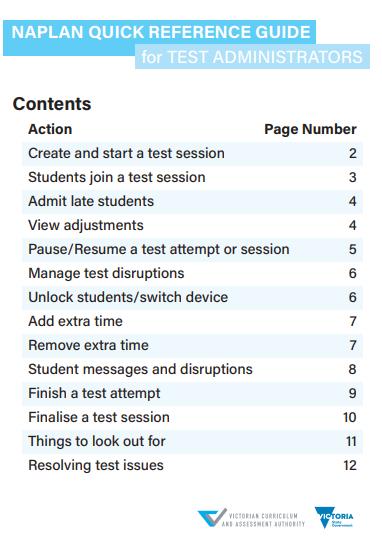
You will receive an Administrator Handbook and there will be a quick reference guide for test administrators available for each session (please return these with your packs at the conclusion of the test).
BEFORE THE TESTS
Prior to commencing a NAPLAN test session, you will need to:
- Check the setup of the test room; this includes arranging devices, desks, displays, whiteboards, and student materials. You must take down, cover, or reverse any teaching materials displayed in the room. You must also have a clock, watch, or other timing device available for the duration of the test session.
- Assess technical readiness: student devices should have been prepared by the technical support officer in advance of the test day(s); however, you may need to check on the setup of computers (including the availability of backup devices and peripherals such as headphones) prior to the start of the test session(s)
- You should check that your own device is fully charged and connected to a power supply (test administrators should use a desktop computer or laptop with a power supply).
- Review the 'Test Administrators handbook' for the applicable year level(s). These provide all the instructions you need to run a test session, including the standard scripts to read to students for each domain.
- Collect your 'Test Administrator Pack' for each test session. This pack will be prepared by your NAPLAN coordinator and should contain all of the materials and login details you will need to administer the test. The pack should include the NAPLAN Quick Reference Guide for Test Administrators 2025, which covers the key issues and disruptions you may experience during testing and how to manage them with confidence.
- Review disruption plans and emergency management procedures; test administrators should be aware of and rehearse (if necessary) the test disruption plans put in place by the NAPLAN coordinator.
- Check in on test day support; make sure you have the contact details for your NAPLAN coordinator and test day technical support officer (if applicable), as well as for the VCAA NAPLAN Helpdesk and backup test administrators.
DURING THE TESTS
To oversee a NAPLAN test session, you will need to:
- Create and commence a test session on the Online National Assessment Platform using the login details in your 'Test Administrator Pack'; this will allow students to access the tests.
- Display the 'test session code' for students on the board at the front of the room.
- Assist students in logging into the tests; each test domain (e.g., reading, numeracy) will have its own unique student session code.
- Start the test session and actively monitor students’ progress through the 'test administrator dashboard' on your dedicated device.
- Assist students with the guidelines set forth in the 'National protocols for test administration (the protocols)' and the 'Code of conduct'.
- Manage reasonable adjustments and testing for students with disabilities on test days, as determined by your NAPLAN coordinator. This may involve additional room set-up, equipment, and test scheduling requirements (e.g., allowing for extra test time).
- Manage participation during the test session, including allowing late students to enter the tests, unlocking and allowing students to switch test devices, pausing and resuming test sessions, reopening tests, adding extra time, and finalising test attempts, if required.
- Manage student absence, illness, refusal to sit the tests, or test abandonment, if required.
- Manage and resolve disruptions and incidents where possible, escalating issues to the NAPLAN coordinator or principal if needed.
AFTER THE TESTS
To conclude a NAPLAN test session, you will need to:
- Submit tests for students (if required).
- If there are no issues, finalise the test session.
- If there were issues or disruptions resulting in students not being able to complete their tests, refer the matter to the NAPLAN coordinator, who has the ability to postpone their test attempts (this action cannot be performed by a test administrator).
- Prepare your test session report (in the format agreed upon with your NAPLAN coordinator), noting any issues experienced by students during testing. Note any test incidents and provide details of potential test security or protocol breaches in your report.
- Collect and return all materials to the NAPLAN coordinator for secure destruction or management.
TEST MATERIALSADMINISTRATORS Administrators
You will receive the following materials in your pigeonhole at 8am on the day of the test that you are scheduled for.
These materials include...
1. A unique (single use) test administrator session login slip. This enables you to create the test session.
2. Corresponding students’ session slips. These will be arranged in class groups. If you are rostered on in the AR, AUD or D Block you will receive multiple classes. Please arrange these in class groups when setting up the room.
3. An attendance list of participating students that reflects the students scheduled to sit the test. It is important to note that some students will complete their tests in SCIL, or their parents have withdrawn them from the testing period.
4. Details of approved disability adjustments available for students in that session. This is pre-loaded onto the system, you do not need to do anything, students with extra time will already have that calculated.
5. A quick reference guide- Please return at the conclusion of the test.