Instructor Development Workshop 2021 Interactive and Creative Training for a Virtual Classroom
OVERVIEW
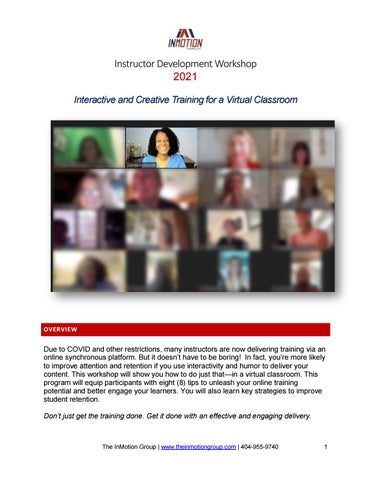
Due to COVID and other restrictions, many instructors are now delivering training via an online synchronous platform. But it doesn’t have to be boring! In fact, you’re more likely to improve attention and retention if you use interactivity and humor to deliver your content. This workshop will show you how to do just that—in a virtual classroom. This program will equip participants with eight (8) tips to unleash your online training potential and better engage your learners. You will also learn key strategies to improve student retention. Don’t just get the training done. Get it done with an effective and engaging delivery.
The InMotion Group | www.theinmotiongroup.com | 404-955-9740
1
THIS PROGRAM IS IDEAL FOR: ➢ Seasoned practitioners who need to know the best strategies for delivering powerful and highly persuasive online presentations with the best and latest tools ➢ Novice trainers who seek valuable education on creating and delivering interactive and engaging content to adult learners ➢ Individuals who often present to important audiences OBJECTIVES ➢ Learn the #1 mistake to avoid when moving your in-person class to a virtual environment ➢ Identify three strategies to engage your learners ➢ State at least one technique to keep the attention of your students ➢ Discover the most important equipment you need to deliver “quality” online training ➢ Learn what backup systems you need should you experience an Internet or power outage
OUTLINE Introduction ➢ Free Resources to Participants of this Class ➢ The Foundation of all Virtual Training ➢ Zoom Settings for this IDW Module 1 – Engagement Strategies ➢ ➢ ➢ ➢
The First 5 Minutes Creative Class Openers Engagement Ideas - If not lecture, then what? Use 3rd Party Interactive Tools
Module 2 – Content Design and Delivery ➢ Delivery Times – Revisit Your Couse Map ➢ Slide Design – What’s Needed for Virtual Training ➢ ZOOM – Using Core Software Features Versus Extended Functionality
The InMotion Group | www.theinmotiongroup.com | 404-955-9740
2
Module 3A – Facilitation ➢ Group Activity Ideas ➢ How to Use Team Reporters ➢ Virtual Training Success Factors ➢ Using Humor in Training ➢ Proper Posture and Position Module 3B – Tech Tools ➢ ➢ ➢ ➢ ➢ ➢
How to Retool Your Training Microphone Options Webcam and External Monitors Juanita’s Virtual Training Setup Be Careful with Virtual Backgrounds Backup Options – Internet, Power, Computer
MARKETING TOPICS FOR FLYER/PROMOTION
➢ ➢ ➢ ➢ ➢ ➢ ➢
The Instructor’s Toolbox: Awesome 3rd Party Tools for Virtual Training Interactive Exercises to Involve Your Students Online Powerful PowerPoint® Slide Design Tips Low-tech game elements to boost engagement and make learning impactful Embracing Mobile Devices in your Virtual Classroom Engagement Strategies for Student Retention Internet and Power Back-up Options for Virtual Training
INMOTION INSTRUCTOR
Juanita McDowell Juanita is the President of InMotion Consulting, a training firm in Atlanta, GA. Each year her firm delivers over 200 workshops and seminars to agents and entrepreneurs in the US and Canada. She is a REBAC Certified e-Pro Instructor and a member of the GRI Faculty in multiple states. An avid writer and video blogger, her tech articles have been published in REALTOR® magazine and her YouTube videos have received over 2.5 million views. She is a member of the faculty for the U.S. Chamber of Commerce and a member of the Association of Talent and Development and the National Speaker’s Association.
The InMotion Group | www.theinmotiongroup.com | 404-955-9740
3