

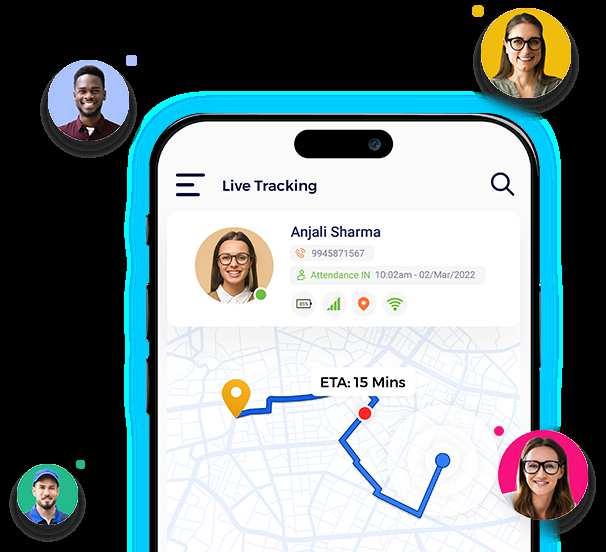
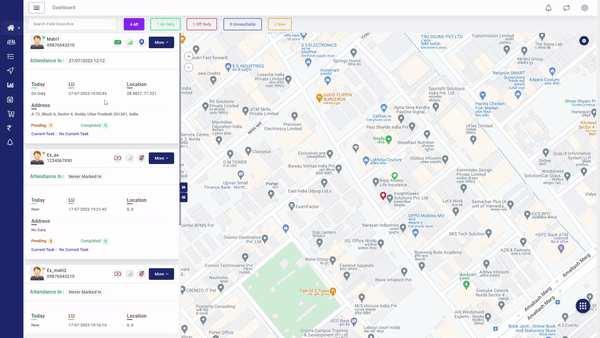

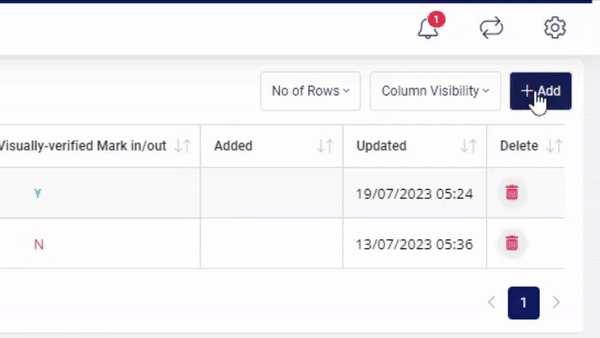

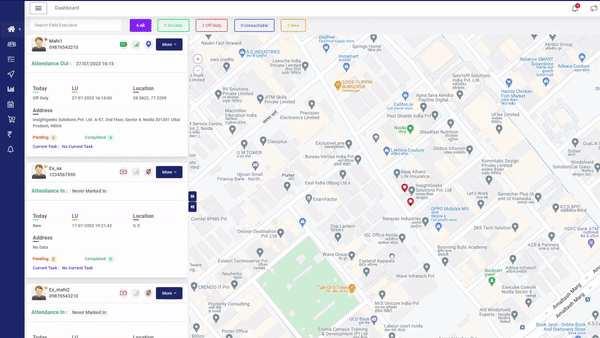
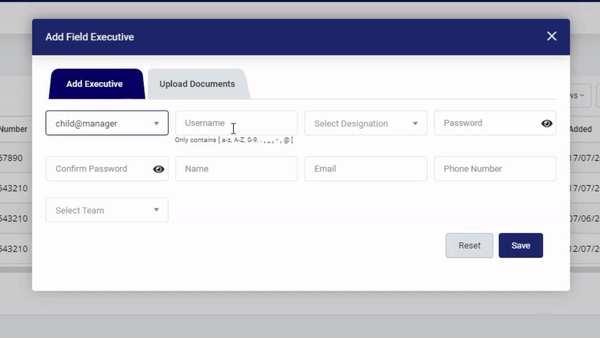

Free Mobile GPS Location Tracker App – TrackoField No Credit Card Required Getting Started With TrackoField How To Set A Team in Your Free Cell Phone Tracker App Want to start tracking your field employees for free Sign up here to generate your manager panel credentials. Keep tabs on field activities when the network goes off! ld! Empower your field employees to keep going even when the internet stops! Adding field executives on TrackoField How To Add Executives On Your Free GPS Phone Tracker App Now that your team is ready, let’s start adding fiel a) To create managers in your team click on 'icon' -> manager and follow the same procedure as above. b) Executives sign-in on the portal/app using the username and password generated in Steps 4 and 5. Start-up Plan Enterprise Plan Visit TrackoField Sign-up Enter your manager panel credentials to log in. Click on 'Team' from the drop-down menu. A pop-up window will appear. Click on the ‘Add’ button in the top right corner Step 1: Step 2: Step 3: Step 4: Free Sign-up for Up to 10 Users To build a hierarchy, Select a Manager from the drop-down menu. (You’ll automatically have one admin manager. You can create more later) Add other details for your team (such as name, forms, update interval, and attendance format, etc.) From the bottom right corner, click ‘Save’ Congratulations, you’ve successfully created a team on TrackoField! Step 5: Step 6: Step 7: TrackoField Gets Results Rise in Efficiency Increase in Profitability Increase in Sales On the live.trackofield.com site’s menu bar, click on the ‘Manage’ option Click on ‘Field Executive’ A pop-up window will appear. Click on the ‘Add’ button in the top right corner From the ‘Select Owner’ option, select the manager you want the new executive to be assigned to. Step 1: Step 2: Step 3: Step 4: Navigate smartly operate smoothly in the field and Start with ZERO investment! Sign up with up to for free. What are you waiting for? Enter the executive ID details (username and designation) Create a password for the executive from the password field. Enter the field executive’s details. Choose the team from the 'Select Team' dropdown. Click on ‘Save’ Congratulations, you’ve successfully created a field executive user ID. Start Free Trial Step 5: Step 6: Step 7: Step 8: Step 7: Track up to 10 executives No Tech Support Free subscription Go For the Start-up Plan 24*7 Tech Support Paid subscription Go For the Enterprise Plan Which is the best mobile tracker app for field operations? What makes the best phone tracking app? Should get a paid or free mobile location tracker app? How can a mobile location tracker app improve field operations? How is TrackoField different from other top mobile location tracker apps? Get in touch! You Are Just One Step Away Submit Now See our glowing reviews Medical and Healthcare Medical Representatives Waste Management Public Transport Route Planning Software Driver Behaviour Monitoring GPS Tracking Software Driver Monitoring System Fuel Monitoring System Vehicle Safety Tyre Pressure Driver App TrackoField Solutions OrderManagement FreeMobileGPSLocationTrackerApp Cookie Consent We use cookies to enhance and personalize your website, you agree to our Privacy Policy. Accept





Resources Blog Glossary White Paper Pricing Plans & Pricing Address Follow Us Privacy PolicyTerms of UseRefund Policy All rights reserved © 2022 InsightGeeks Solutions Pvt Ltd. Corporate Office 506, Bayswater Tower, Business Bay, Dubai, UAE +91 7042531712 +91 9310402056 Cookie Consent We use cookies to enhance and personalize your website, you agree to our Privacy Policy. Accept