
2025-2026 Girl Scout Cookie Program
Troop Cookie Manager Manual






With each new cookie season, Girl Scout entrepereneurs know it’s about more than just the cookies - it’s about being BRAVE enough to make their pitch, FIERCE enough to smash their biggest goals, and having loads of cookie FUN while doing it!
The information in this guide is crafted to help you empower each and every Girl Scout to reach their goals - from newcomers planning their first cookie booth to seasoned pros upgrading their digital strategies.
While planning a cookie season can seem daunting, the Troop Cookie Manager Manual will help you conquer cookie season with helpful tips for Digital Cookie, using the eBudde app, digital marketing, meeting important deadlines, and ensuring boothing success! Plus, we have ready-made resources that keep it simple and help volunteers and entrepreneurs have the most successful and fun cookie season ever.
There’s no limit to what Girl Scouts can achieve. With your support, this cookie season promises to be BRAVE, FIERCE, and oh-so FUN!
Troop volunteers model leadership!
It’s a fact: Cookie season couldn’t happen without the hard work of our volunteers. You serve as a model for Girl Scouts developing important leadership skills.
Thank you for serving as a cookie program volunteer!

Table of Contents
Cookies 101: The Basics
What’s New in 2026 (5)
Meet the Cookies (6)
Why Cookies? (7)
Cookie Basics (8)
How to Participate (9)
Marketing—In Person (10-11)
Marketing—Online (12)
Cookie Resources (13)
Cookie Support (14)
TCM Resources and Training
Before the Sale (16)
Cookie Financials (17-19)
Digital Cookie (20-21)
eBudde Basics (22-23)
Initial Order (24-25)
Cookie Delivery (26-27)
Cookie Booths (28-29)
Cookie Cupboards (30)
Allocation (31-33)
Cookie Inventory (34)
Rewards (35)
Volunteer Action Plan (36)
Cookie Season Checklist (37)


Cookies 101: The Basics

What’s New in 2026
Troop Site Links
New this year! Troop Site Links can be launched on the opening day of the Cookie Program. This means that when your troop launches their site, you will be live on Cookie Finder to help customers find opportunities to purchase shipped or girl delivered cookies.
Membership Rewards
We know how important the membership reward is to our entrepreneurs! This year, the membership reward looks a little different. Membership is now an individual entrepreneur reward rather than a troop PGA reward. Every selling entrepreneur can earn their 2027 Girl Scout membership by reaching the 600+ sales level. Even if a troop or entrepreneur chooses to opt out of cookie rewards, they will still receive this free membership! Troops also have the opportunity to earn up to two free adult memberships—one during the Fall Product Program and one during the Cookie Program—by placing an Initial Order of 10 or more cases. Have questions? Please don’t hesitate to reach out!
Year of the Exploremores

Spread Kindness Like Crumbs
As adults, we set the tone for our troop and lead by example. Our Girl Scouts are always watching and learning from us—so let’s show them that kindness and empathy matter!
When you spot another volunteer sprinkling kindness during the cookie program, nominate them for our Spread Kindness Award! Just scan the QR code and fill out the nomination JotForm.
Let’s make this cookie season even sweeter by spreading kindness everywhere we go—one crumb at a time!




Building Skills
Why Cookies?
The Girl Scout Cookie Program helps Girl Scouts develop real-world skills in five essential areas:
Goal Setting: Girl Scouts learn how to set goals and create a plan to reach them. How you can help: Encourage them to set incremental, achievable goals. Work with them to break down their goals into small, frequent wins like weekly challenges.
Decision Making: Girl Scouts learn to make decisions on their own and as a team. How you can help: Talk about how they plan to spend the troop’s cookie earnings.
Money Management: Girl Scouts learn to create a budget and handle money. How you can help: Build on their interest in learning to manage all facets of the cookie business, like creating a budget to fund a troop experience or figuring out the percentage of customers who chose the donation option.
People Skills: Girl Scouts find their voices and build confidence through customer interactions. How you can help: Ask them about new marketing ideas they want to try. They can discuss how to tailor their cookie pitch to achieve their goals.
Business Ethics: Girl Scouts learn to act ethically, both in business and life. How you can help: Talk to them about the importance of delivering on their promise to customers. They can also consider offering a cookie donation option.


Cookies for a Cause
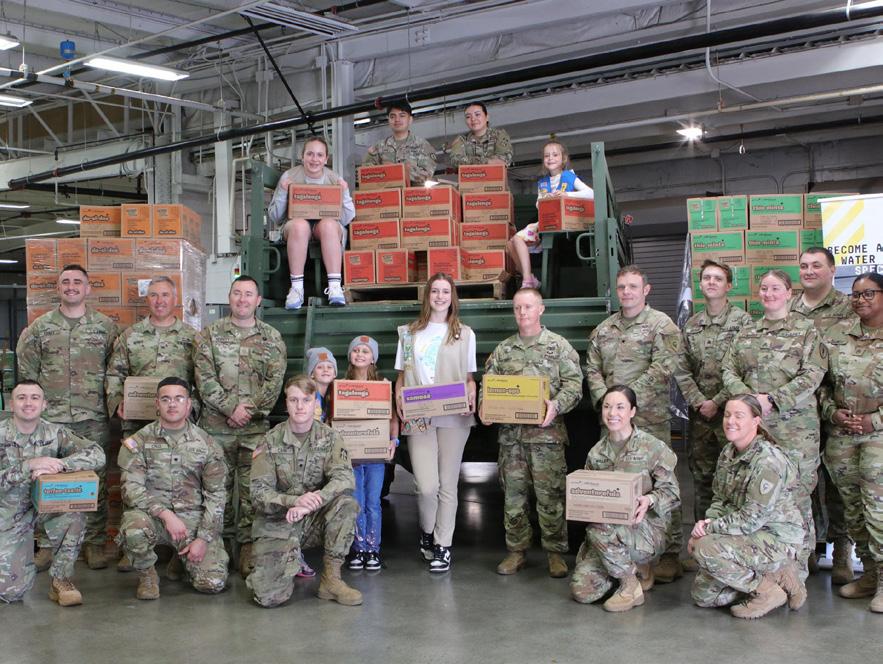
The Cookies for a Cause program gives Girl Scouts the opportunity to make a sweet difference! Through this program, cookies are donated directly to food pantries, first responders, and military service members.
In 2025, Girl Scouts of Central Indiana troops donated over 443,744 packages of cookies - spreading joy and gratitude throughout our community!
How the Cookie Crumbles
Did You Know?
All proceeds from Girl Scout Cookies stay right here in our local communities!
In 2025, Girl Scouts of Central Indiana troops earned an incredible $2,007,466.36 in troop proceeds to fund their adventures, buy supplies, and give back through community service projects.
The Girl Scout Cookie Program is more than just delicious—it’s an amazing way for girls to build skills, fund their goals, and make the world a better place!
Who Can Participate
Who Can Participate?
All registered Girl Scouts with a signed Caregiver Agreement can participate in the cookie program. If a Girl Scout is a member of a troop that is not participating in the cookie program, they can still participate in the cookie program as a Product Program Juliette.
All registered troops with a rostered Troop Cookie Manager and a Girl Scouts of Central Indiana bank account can participate in the cookie program. Troops must be clear of any debt due to the council in order to participate. Any Girl Scout who has unpaid family cookie debt from previous seasons may not participate in order card sales. The troop may allow participation in Digital Cookie or booth sales at their discretion. Please note that if a troop does not participate in the cookie program, they are unable to participate in other money-earning activities.
Cookie Print Material
Every troop that was rostered on October 24, will receive one pack of print materials in the mail. Your print material packet will contain one of each of the following: Welcome Flyer, Intro Sheet, Quick Bites, Ingredients Flyer, Receipt Books, How the Cookie Crumbles, and Booth Tracking Forms. Your print material packet will contain one for each Girl Scout in your troop of the following: Cookie Program for Entrepreneurs, Order Cards, Goal Getter Cards, Money Envelopes, and Caregiver Info Sheets. Copies of print materials can also be found on the GSCI website and in Rallyhood. Depending on your rostered volunteers this may have been sent to your Troop Cookie Manager, Troop Leader, or Troop Co-Leader. If you do not see your packet arrive by December 8, please check with all volunteers in your troop to ensure they have not arrived and then call Customer Care to request replacements. If you are a new troop, starting after October 24, please call Customer Care to request materials.
Troop Cookie Manager Responsibilities
• Complete the Troop Cookie Manager training and agreement.
• Follow all dates set by council.
• Distribute materials to Girl Scouts and caregivers.
• Add bank account information into eBudde.
• Deposit payments into troop bank account frequently.
• Record payments made by Girl Scouts in eBudde.
• Collect paper orders and enter them into eBudde.
• Allocate cookies to Girl Scouts.
• Place orders with cupboards for more cookies in eBudde.
• Distribute cookies and rewards to Girl Scouts promptly.
• Ensure you are completing receipts when cookies or money exchanges hands.
• Enter troop booth requests for review/select council booths in eBudde.
How to Participate

There’s no one-size-fits-all approach to the Girl Scout Cookie Program! Each way to sell helps Girl Scout entrepreneurs build different skills—from goal setting and decision making to people skills and business ethics.
Every troop can decide how they want to participate, so be sure to discuss your plan at your troop cookie meeting and let the entrepreneurs take the lead in designing their cookie business.
Remember: You don’t have to do it all! New troops might find it easiest to start with online sales through Digital Cookie, while others may enjoy hosting cookie booths or selling directly to friends and family. Pick what works best for your troop.




Order Card (In Person): Each entrepreneur will receive a paper order card from their Troop Cookie Manager. This card allows them to collect in-person orders and payments. Orders placed on the order card will need to be submitted to the Troop Cookie Manager for fulfillment. Once the entrepreneur receives the cookies, they should be promptly delivered to customers.
Digital Cookie (Online): Each entrepreneur can launch their own online storefront where customers can: order cookies for direct shipment, donate cookies through Cookies for a Cause, or place an order for cookies to be girl delivered. Digital Cookie is a safe and secure platform that helps entrepreneurs reach customers near and far! Entrepreneurs can email friends and family, create fun videos, and share links on social media to promote their personal Cookie Business. All payments are made online—no need for caregivers to collect cash or checks.
Cookie Booths (In Person): Cookie pop-up sales in high-traffic areas are a fun, hands-on way for entrepreneurs to connect with their community and practice their sales pitch. Booths must be approved by the council and take place within council boundaries. Entrepreneurs can even use the Digital Cookie app at booths to accept online payments!
Direct Sales (In Person): Once an entrepreneur has cookies on hand, they can visit with family, friends, and neighbors to sell cookies directly—no waiting, no order forms! Payment and delivery happen at the same time, making it quick and convenient.
No matter which selling methods your troop chooses there are resources available for entrepreneurs to market their cookie business. Check out the next few pages to see all the free options Little Brownie Bakers offers to our entrepreneurs.
Market Their Business in Person
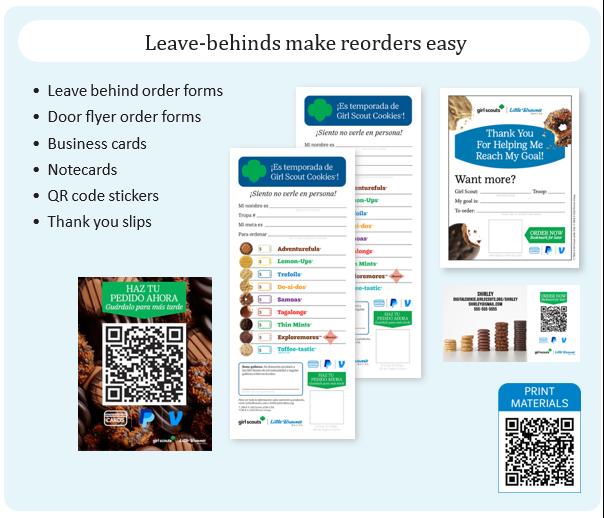
Ordering Made Easy
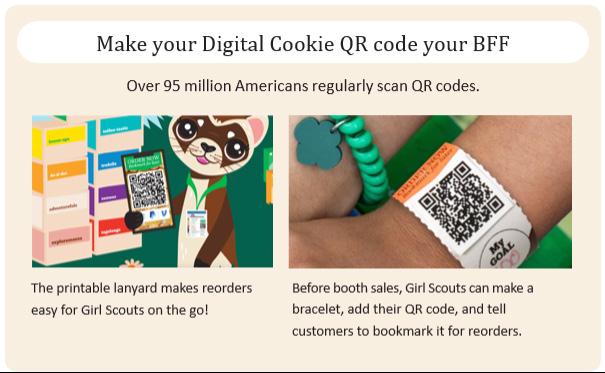
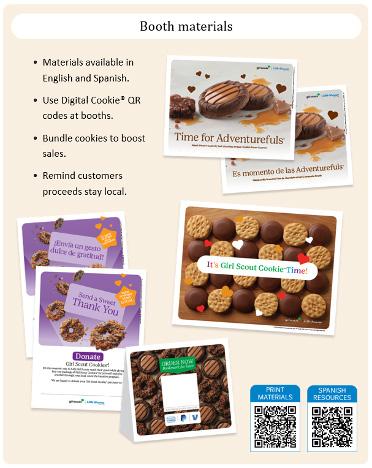
Order materials can help increase sales. Entrepreneurs can use order materials at booths and encourage customers to scan their QR code to visit their Digital Cookie site. Customers make a purchase and bookmark their site for future purchases. It’s especially handy if booth inventory in a certain variety is running low!
• Fun to personalize.
• Add QR codes for easy online purchasing. Bookmark for later messaging. Encourage customers to bookmark for reorders.
• Order forms available in English and Spanish.
• Order materials are useful and engaging.
Market Their Business in Person
Create Booth Buzz

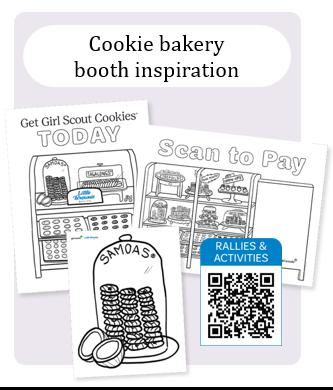
Having a cookie booth or neighborhood stand? Any way your troop does it, we have lots of resources to entice cookie lovers! Find resources like mouthwatering cookie photography, fun clip art, and attention-getting booth signage all in one place.

Market Their Business Online
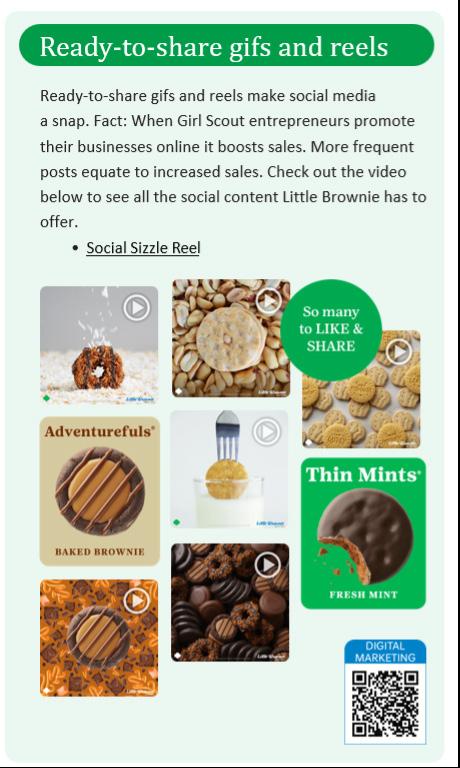
Digital Marketing Basics


Safety Resources
Girl Scouts and their caregivers will be prompted when launching their Digital Cookie site to read, agree to and abide by the guidelines linked below before engaging in online marketing and sales efforts through the cookie program. Additional safety guidelines can be found on the GSCI website under Volunteer Essentials and Safety Activity Checkpoints. These include basic facts, forms, tips and more!
Resources at a Glance
Planning Tools and Resources
There are so many great ideas and resources to help you plan your troop’s cookie season! Visit the websites below for tips, tools, and inspiration to make your cookie program a success.
Here you will find:
· Cookie Program Booklets and Handouts
· Direct-to-Troop Resources
· Pins and Badges
· Safety
· More Tips and Tools
Here you will find:
· Printable Marketing Materials
· Rally and Activity Guides
· Theme Graphics
· Girl Scout Cookie Recipes



Here you will find:
· Council Forms and Tools
· Cookie Programming Resources
· Resources for Entrepreneurs
· Links to Digital Cookie and eBudde


GSUSA Website
Little Brownie Website
GSCI Website
Cookie Support
You’re Not in This Alone
As the Troop Cookie Manager, you have the special privilege of inspiring Girl Scouts to dream big and achieve their cookie business goals. But remember—you don’t have to do it all yourself! Ask caregivers in your troop to volunteer and lend a hand during the cookie program. Your troop leaders and Service Unit Cookie Managers are also great resources and are always happy to help. Teamwork makes the cookie season even sweeter— so don’t hesitate to reach out and ask for support!
Cookie Chats
Throughout the cookie program, the Product Program Team offers live Zoom calls on Tuesday evenings from 7-8 p.m. The team will discuss current hot topics and allow you to ask any questions that you have. Links for Cookie Chats will be sent out each week in your eBudde newsletters and can be found on the Rallyhood calendars. We hope to see you there!
Stay Connected and Informed!
It’s important to stay up to date on the latest cookie program information! The Product Program team will communicate with you through eBudde (baker’s software) and Rallyhood (GSCI communication app) to keep you informed every step of the way.
• Weekly Updates: Every Monday, you’ll receive an eBudde newsletter with key reminders, deadlines, and important program updates.
• Urgent Announcements: Time-sensitive information will be shared through eBudde Blasts and Rallyhood posts.
To make sure you never miss an update, please stay subscribed to the eBudde mailing list and join the Troop Cookie Manager Rally on Rallyhood. Staying connected ensures your troop has the most current information for a smooth and successful cookie season!
Cookie Program Contact Information
While Customer Care is your first point of contact for all cookie questions. We know that sometimes you need to reach us directly. Below is the contact information for each team member and their specialty areas. Customer Care 317-924-6800 customercare@girlscoutsindiana.org
Elaine Gill
Product Program Manager
317-924-6826
egill@girlscoutsindiana.org
• Cookie Print Materials
• Cookie Cupboards & Inventory
• Cookie Delivery
• Cookie Financials
• Cookie Reward Trips
Chandra Kemp
Product Program Manager
317-924-6827
cdroke@girlscoutsindiana.org
• Cookie Communication
• Cookie Trainings
• Product Program Juliettes
• Cookie Software: eBudde and Digital Cookie
• SUCM Conference and Rallies
Dulce Santiago
Product Program Manager
317-924-6019
dsantiago@girlscoutsindiana.org
• Cookie Booths
• Cookie Rewards
• Spanish Cookie Materials
TCM Resources & Training
Before the Sale
IMPORTANT DATES
1.2.26 Trained troop cookie managers receive eBudde and Digital Cookie access 5 p.m.
Troop Cookie Manager Training
This year we have simplified the training process for our troop cookie managers. We wanted to create an all in one training guide to give you a good start to the cookie program and also serve as a helpful resource through out the cookie program. By reading this Troop Cookie Manager Training Manual, you are completing the necessary training. Once you have read the manual, there is one final step that you will need to complete. Please scan the QR code and fill out the Troop Cookie Manager JotForm Agreement. This agreement will have you acknowledge that you completed the training and take financial responsibility for your troop. Once we receive your completed JotForm, you will gain eBudde access.
Troop Cookie Meeting

It is important to hold a meeting with your troop and caregivers to kick off the cookie program. Cookie Program Meeting Guides can be found on the GSCI website under cookie resources for volunteers. No matter if your troop is brand new or a season cookie troop, it is important to start the cookie program off on the right path. Here are a few topics you will want to cover at your cookie meeting.
• Cookie Program Caregiver Agreement: Remind each caregiver that they need to complete this online form prior to the start of the Cookie Program. Ensure that each caregiver has your correct email address to put on the form so that you receive a copy of their completed agreement.
• Goals: help each entrepreneur set their own personal goal, set an overall troop goal, determine a plan to use troop proceeds, and look ways to track progress towards the goals.
• Important Sales Dates: make sure caregivers are aware of deadlines for your troop.
• Money & Financial Responsibility: set expectations for collecting money, ordering cookies, and picking up cookies.
• Rewards: determine if your entrepreneurs want to work towards earning rewards or additional proceeds. Remember it is up to the entrepreneurs in your troop to decide if they want to opt out of rewards for additional proceeds and it must be a unanimous decision.
• Volunteers: ask for caregivers to help to work cookie booths, pick up cookies, or other tasks through out the cookie program.
Cookie Financials
1.16.26 Returning troops: troop banking information due in eBudde
1.30.26 New troops: troop banking information due in eBudde
2.13.26 50% ACH withdraw
3.24.26 Past due cookie account form due 3.26.26 100% ACH withdraw
Troop Bank Account
In order to participate in the cookie program, your troop must have a council approved bank account set up. This process can take a few weeks, so please do not wait until the last minute. Once your bank account is set up, you will need to enter your troop bank account information into eBudde.
1. Click on the “Settings” Tab on the top dashboard
2. Scroll to the bottom right corner to “Bank Info”
3. Enter bank name, routing number, and account number Troop bank account information must be entered in eBudde by January 16. Troops that have participated in previous cookie and fall product programs may see their account information has already been populated. Please check to ensure the account is correct and make any needed changes. All cookie payments made to the Girl Scouts of Central Indiana are collected via scheduled automatic withdrawals from the troop bank account. This is why it is vital that your troop bank account information is entered into eBudde. It is essential that you make note of pull dates to ensure cookie money is available in your account.
2026 Cookie Payment Schedule
First withdrawal: Feb. 13 - at this time 50% of amount owed to council (what the troop has picked up at initial order and additional orders placed at cupborads) minus monies already collected via Digital Cookie as of February __ at 11:59 p.m.
FUND ISSUES: Troop cookie manager removed from eBudde and troop not able to order/pickup cookies untill resolved (NSF -nonsufficient funds and account not found)

Understanding Your Sales Report
Final withdrawl: March 27– 100% of amount owed to council on Sales Report tab less any additional troop cookie rewards)
Proceeds push back: End of April 2026 (For troops who need proceeds returned to them when Digital Cookie payments are more than what the troop collected themselves)
Check your eBudde Sales Report to view your total boxes sold, Digital Cookie payments, the troop’s balance due as well as the amount of troop proceeds that will remain in your troop’s bank account.
Cookie Financials
Financial Responsibility
The troop is financially responsible for:
• All cookies picked up at initial delivery and cookie cupboards.
• The total number of cookies ordered. Check orders for unusual quantities before hitting the submit button in eBudde.
• Counting and signing for all cookies at delivery and from cookie cupboards. The signed receipt is final. There are no exchanges/returns.
• All payments received for cookies and all money collected at booth sales.
• Providing parents/guardians with receipts for cookies received and money collected. Make sure to complete a receipt anytime there is money or cookies exchanged between the troop and a caregiver or another troop. Failure to keep accurate receipts will result in troop allocation issues that the Product Program Team will not be able to correct.
• Making timely deposits of all money into the troop bank account (required to participate in the Cookie Program).
• Any lost or stolen money.
• Distributing all rewards. Rewards for any Girl Scout with outstanding debt should be held until the balance is paid in full.
The family is financially responsible for:
• All cookies ordered by their Girl Scout. The troop should give receipts for all transactions.
• All money collected from customers.
• Turning in payments to the troop by given deadlines. Turning in money often is recommended.
• Any lost or stolen money. The guardian who signed the product permission slip will be held liable.
• Signing receipts anytime they pick up cookies and/or make payments. Troops may not return excess cookie inventory to council. If a package is damaged (crushed box or sealed but empty), the package can be exchanged at any cookie cupboard for a non-damaged package of the same cookie flavor.
Cookie Financials
Troop Cookie Proceeds
Every troop that participates in the cookie program has the opportunity to earn base troop proceeds at a rate of $1 per package. Junior, Cadette, Senior, and Ambassador (JCSA) troops may choose to opt out of the reward program and earn an additional 10 cents per package. Opting out of rewards must be an entrepreneur’s decision where ALL of the entrepreneurs in the troop come to a unanimous decision. Caregivers must be notified of the troop’s decision to opt out of rewards. Troops opting out of rewards are eligible to earn the theme patch, Cookie Techie patch, Gift of Caring patch, and any troop rewards if they achieve the required milestone.
Unpaid Funds Consequences
Girl Restrictions
• Any Girl Scout whose parent/ guardian has an outstanding balance may only participate in Digital Cookie sales.
• The Girl Scout should not receive high-end rewards, and council staff will hold until payment in full.
• The Girl Scout should still be allowed to participate in troop activities.
Caregiver Restrictions
• Parent/guardian should not receive any additional product.
• Parent/guardian should not assist at cookie booths unless agreed upon by the troop and efforts are in place to recoup the unpaid balance.
• Troop volunteer should complete the Unpaid Parent Account Form by March 24, 2026 for any parent with a balance due to the troop.
Troop proceeds will be forfeited if banking info is not entered by April 20, 2026. Need help setting up a bank account? Contact customer care at 317.924.6800 or customercare@girlscoutsindiana.org.
Volunteer Restrictions
• A past due balance email/letter will be sent with final options to pay.
• Volunteer will be dismissed, placed on financial restrictions from serving as a volunteer and/or may be sent for resolution through a collection agency.

Best Practices
• Make sure to complete a receipt anytime there are money or cookies exchanged between the troop and a caregiver or another troop. Failure to keep accurate receipts will result in troop allocation issues that the Product Program team will not be able to correct.
• Deposit cookie money into your troop bank account weekly.
• Make sure all money and cookie transactions with caregivers include a receipt. Don’t wait till the end of the program to collect money from caregivers.
Digital Cookie
1.2.26 Trained troop cookie managers receive Digital Cookie access 5 p.m. 1.6.26 Caregiver access to Digital Cookie
1.6.26 Troop site links can be launched
What is Digital Cookie?
Support Girl Scouts in your troop and
STEP 1
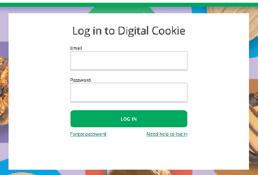
Register for Digital Cookie
Look for the Digital Cookie registration email in your inbox. If you can’t nd it, contact your council or visit digitalcookie.girlscouts.org and click the “Need help” link.



STEP 2
Set Up Your Troop’s Site
Have the troop decide what message they want to share with customers and add it to their site.
The troop site must be set up before you can share your shipped-only link on the Cookie Finder or use the mobile app for booth sales.
STEP 3
Monitor Girl Scout’s Activity
On the My Troop page, you can see which Girl Scouts have set their goal and published their site. Then track to see which Girl Scouts have orders to approve and what cookies they will need.

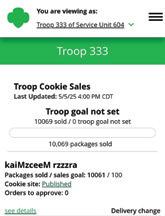
Download the Digital Cookie app to help Girl Scouts process payments at cookie booths. Your troop’s site must be published before girls can use the mobile app for troop sales.



Monitor your troop’s online activity
Depending on your council’s settings you can: View/approve orders placed on the troop site. Run reports for orders and rewards.
View speci c order details.
Send Cheers
Send encouraging messages to the Girl Scouts in your troop to keep them motivated and working together to reach your troop’s goals.
NEED HELP?
Look for the Digital Cookie Support button for step-by-step instructions, tutorials, videos, tip sheets, and more.
Need 1:1 help? Call Customer Care for assistance.

Digital Cookie is a unified online selling platform that allows Girl Scouts to supercharge their cookie business! On Digital Cookie:
• Girl Scouts create their own sites and send marketing emails to customers.
• Girl Scouts and caregiver can manage their online sales, inventory, and financials.
• Girl Scouts take orders and track packages.
• Troop cookie managers support Girl Scouts and families with visibility to their online activities.
• Troop cookie managers use it to set up and manage sales for their troop specific online sales site.
Digital Cookie Tips
• Download the new Digital Cookie App.
• Only one caregiver can receive access per entrepreneur. The caregiver will default to their primary caregiver in Salesforce. Ensure proper caregiver is listed before the program begins.
Digital Cookie Success!
Digital Cookie
Digital Cookie Tips and Resources
We know that Digital Cookie can be a source for stress and confusion for our volunteers. In order to help make Digital Cookie a little bit easier, we are including QR codes to tip sheets to a few topics that we think you might find helpful this cookie season. Don’t forget to check out the help section on the Digital Cookie website for lots more tip sheets and videos.





Volunteer Login Tip Sheet
Troop Dashboard Tip Sheet
Mobile App Tip Sheet
Troop Site Link Tip Sheet
eBudde Basics
1.2.26 Trained troop cookie managers receive eBudde access 5 p.m.
A Must Have
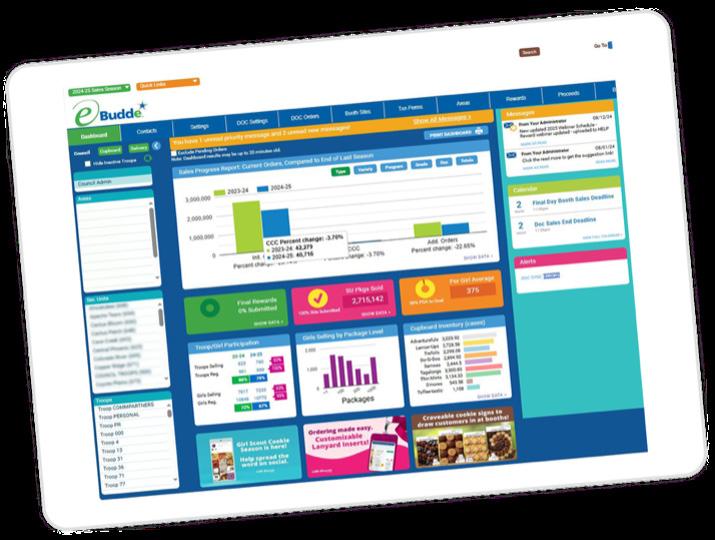
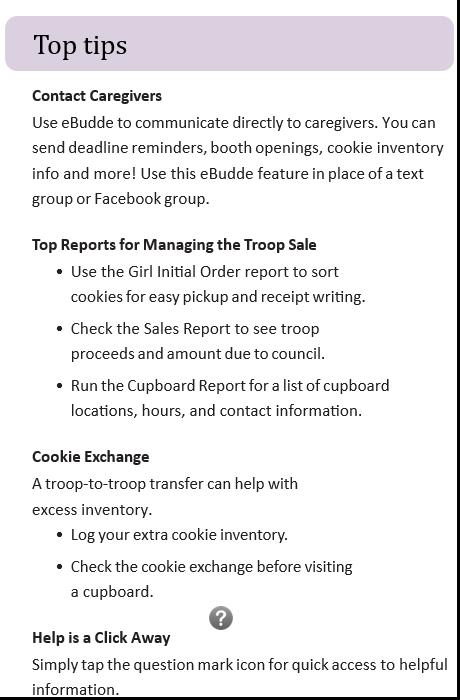
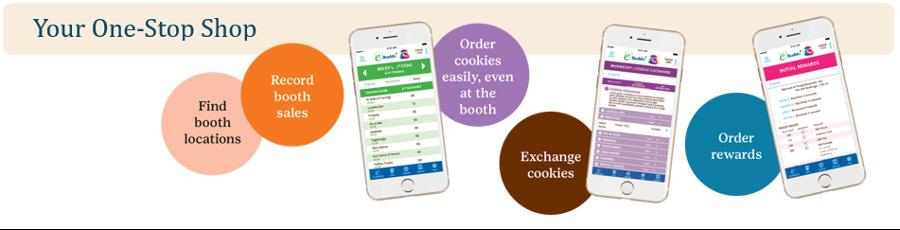
Use eBudde to manage your entire cookie program! The eBudde cookie management system offers calendar reminders, reports, training and much more — on either your desktop or mobile device. It’s also where sales are recorded so Girl Scouts get full credit for their hard-earned rewards.
eBudde Access
The Product Program team will add you to eBudde when you have met the following requirements:
• Currently rostered as the troop cookie manager
• Completed and submitted the Troop Cookie Manager Agreement JotForm
When you have been granted access into eBudde, you will be sent an email with a link and login information from do_not_reply@ littlebrowniebakers.com.log. Click the link in the email and following the prompt to set your password. If you have been in eBudde before, you may not receive an email. Your previous log in information will work.
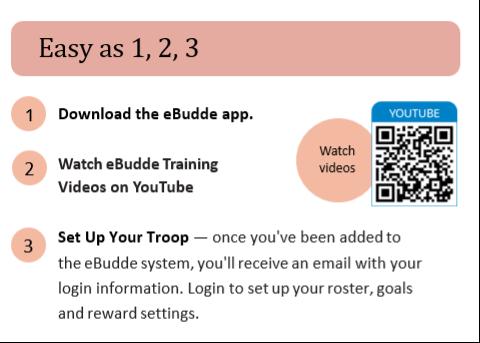
1. Download the eBudde app.
eBudde Basics
Quick Tips to Get Started
2. Explore the dashboard on both the desktop and app versions, where you’ll find important messages, links to tools and resources you’ll need throughout the season.
3. Check the top left corner to ensure you are in the proper cookie season. If you have served as a Troop Cookie Manager in the past, you will be able to toggle through all of your seasons.
4. Click the Settings Tab—enter your troop’s package goal, check level of your troop, and select reward opt out if your troop is eligible and made a unanimous decision to do so.
5. Click the Girl Tab—check the accuracy of each Girl Scout’s name, member ID, grade and t-shirt size. If a Girl Scout is missing, please reach out to Customer Care to get them added as soon as possible.
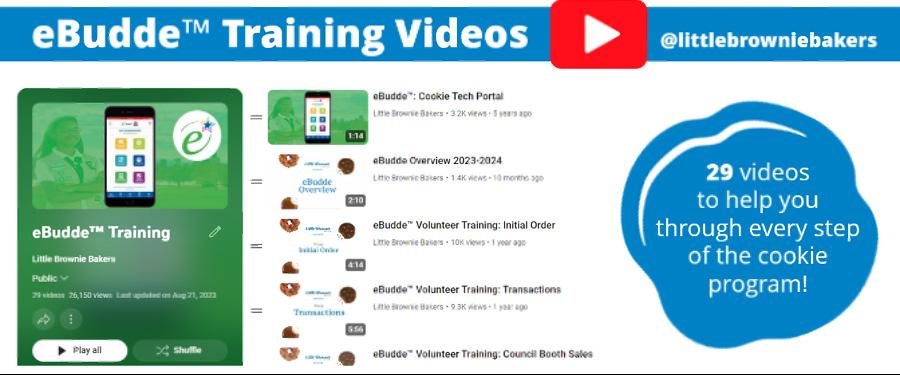
6. Visit eBudde Help Center for any questions related to tech and training. Visual learner? Check out this playlist for step-by-step training videos.
Initial Order
1.15.26 Initial Order due in eBudde by 8 p.m.
What is Initial Order?
At the beginning of the Cookie Program, troops can place an initial order (IO) for cookie inventory. Cookies ordered at IO, will be available to pick up during Cookie Delivery week. The cookies ordered at IO will allow you to fulfill paper order cards, online girl delivered orders, and have inventory for future sales and upcoming cookie booths. Cookies are ordered by the case (12 packages per case) during IO. Troops are financial responsible for all cookies ordered. Your troop is not required to place an Initial Order. If your troop chooses not to place an Initial Order, you will not be able to get cookies until the Cookie Cupboards open.
How Much to Order?
In order to have the necessary inventory on hand, it is imperative that troops order enough cookies in the Initial Order (IO). Cookies will not be available for troops again until Cookie Cupboards open. When determining your IO, keep these things in mind:
• Consider the goals for each entrepreneur as well as the total troop goal.
• Council will provide you with a Starting Inventory Tool. This tool uses historical cookie data to help make recommendations on an IO for a troop. Troops that have sold in the past will see their prior sales data and IOs. New troops will be able to see what a troop of your level and size has historically ordered and sold. The SIO tool will break down by variety. This tool is only a recommendation and troops must order what feels right for them.
• You are ordering in full cases. If the orders do not reach a full case, you will be ordering extra packages.
• Enough cookies will need to be ordered to fulfill all paper order cards, online girl delivered orders, and troop site link girl delivered orders.
• Remind caregivers of the financial liability if an order feels to big. You can go to a cupboard for more cookies if needed.
• If you are planning on having cookie booths, make sure you have enough cookies to stock your booth. Reminder you cannot get more cookies until cupboards open.
• Troop’s wanting to earn the IO Reward, must order at least 10 cases of cookie at Initial Order.
Initial Order
Initial Order Entry
Your IO will need to be entered in eBudde on January 15 by 8 p.m. In order to enter your IO, please use the following steps:
1. Log in to eBudde and click on the Init. Order tab.
2. For each entrepreneur, you will see a line for Order Card and one for DOC Girl Deliv. Click on the entrepreneur’s name to open up their ordering screen.
3. Under the Order Card column, you will see a breakdown of cookies by variety. If the caregiver entered this information in DOC, you will see that the numbers flowed over to eBudde. You are required to approve this order. You will see red wording next to Order Card line until you approve this order. Failure to approve an order will result in no cookie being ordered for that entrepreneur. If the caregiver did not enter the information, you will need to contact the caregiver to get a copy of their order card and manually enter the package number. Don’t forget to click save.
4. If an entrepreneur sold on Digital Cookie, the package information will flow over from Digital Cookie into eBudde.
5. Repeat this process for each selling entrepreneur.
6. If your troop is ordering extra cookies to have as inventory for reorders and cookie booths, click on the Other line and enter the number of packages by variety. If you have launched your Troop Site link, you will also need to add any cookies needed for your approved Troop Site Girl Delivered orders here. Don’t forget to click save.
7. At the bottom of the IO tab, you will see lines that break down the total number of packages you are ordering, the number of cases that translates to, and the number of extra packages you will be ordering. Confirm the number and then click the Submit button. Remember your troop will be financial responsible for all cookies ordered.
8. If your troop does not want to place an Initial Order, you still need to submit the order in eBudde and then select “No Pickup” on the delivery site location tab. This will let council know that you do not want any cookies at this time.
Initial Order Reward
New this year, we are offering a Troop Initial Order Reward. Every troop that orders at least 10 cases of cookies during Initial Order and picks up these cookie during Cookie Delivery week, will earn 1 free adult membership for 2027. You will be required to fill out a JotForm to designate your chosen adult to earn a free membership. An email will be sent out to the primary Troop Cookie Manager in March to determine your selection.
Cookie Delivery
1.15.26 Delivery location selection due in eBudde by 9:30 p.m.
1.21.26-1.28.26 Cookie Delivery Week
Cookie Delivery Selection
Once you enter your Initial Order, you will need to select the date and time for picking up your troop’s order. In order to sign up for you location, please use the following steps:
1. Click on the Delivery tab.
2. On the left side, you will see a break down of the cases of cookies you have ordered. Under the cookie total, you will need to select who is picking up the cookies.
3. On the right side, you will see a the deliver stations. Click on the blue drop down menu to select the location and date that you want to pick up at. You will see a highlighted box showing how many time slots you are required to pick for the amount of cookies that you ordered. Click on the time slot you would like and your troop number will populate. Once you have selected the required number of slots, click the submit button in the top right corner.
4. You will be directed to a summary page. Please print or save a copy for your records. Delivery selections cannot be changed after submission.
5. If your troop does not want to plan an Initial Order, you still need to submit the order in eBudde and then select “No Pickup” on the delivery site location tab. This will let council know that you do not want any cookies at this time.
Cookie Pick Up Tips
• Know exactly how many cases you ordered of each variety.
• Arrive at your scheduled pickup time.
• Make sure you have enough vehicles to load your order. Vehicle estimation assumes one driver and one passenger.
• Line up your vehicles at the same time.
• Check in and receive your pickup ticket.
• Give your pickup ticket to the loader and count cases as they’re loaded in. You are responsible for ensuring you get the correct number of cookies. It is ok to ask for the loader to slow down or to recount.
• Sign for your order and take your receipt.
Number of Cases My Car Can Carry


Cookie Delivery
Distributing Cookies to Girl Scouts
Once you have picked up your Initial Order, you will need to plan to distribute cookies to Girl Scouts and their caregivers. Cookie distribution will also occur after each cupboard order. Here are some helpful guidelines:
• As soon as possible, arrange to have each Girl Scout/caregiver pick up their cookies.
• Make sure entrepreneurs and caregivers know when, who, and how to contact the troop if they need additional cookies or assistance.
• Determine your troops plan for placing additional orders and money collection. Each troop can develop their own plan for this. Some troops will require new orders to be turned in on Monday via a spreadsheet so that the TCM has time to place a cupboard order. Other troops might prefer a text message as soon as more cookies are needed. As far as money collection, we recommend that you take frequent payments to limit troop financial responsibility. It is ok to required a caregiver to turn in payment for checked out cookies before issuing additional cookies. Experienced troops can be a helpful source of information when determining your troops plan.
• Determine if your troop will allow entrepreneurs to return their unsold cookies. This is up to the individual troop but it should be a clear and set prior to the sale starting.
At Cookie Pick Up
• Prior to the entrepreneur and caregiver arriving, count out and separate all cookies that they are picking up.
• Prepare a receipt showing the cookies broken down by case, package and variety. Make sure to include the date and cost for the cookies. Receipt books are provided by council. A receipt must be used each time you distribute cookie or collect money.
• When the entrepreneur and caregiver arrive, have the caregiver verify that the quantities are correct and match the receipt. If the caregiver is making a payment to the troop, add the payment amount to the receipt.
• Have the caregiver sign the receipt. By signing the receipt, the caregiver is taking financial responsibility for the cookies.
• The troop should keep the original receipt and the caregiver should receive the copy.
• Keep all receipts for the troops records. As soon as possible, add the transaction (allocation of cookies and payments) into eBudde.
Cookie Booths
1.20.26 First round Hot Spot Cookie Booth sign-up 6 p.m. (Limit 4 booths, 2 per chain)
1.21.26 Second round Hot Spot Cookie Booth sign-up 6 p.m. (Limit 8 booths, 4 per chain)
1.22.26 Final round Hot Spot Cookie Booth sign-up 6 p.m. (unlimited)
What is a Cookie Booth?
A Cookie Booth is a public sale of cookies at a local business. There are two types of cookie booths, hot spot and not hot spot. Hot spot cookie booths are location secured and entered into eBudde by council. Hot spot booth locations have contracts with either the council or GSUSA. To avoid conflict, volunteer may not contact these locations. Non-hot spot booths are community locations that a troop secures on their own. Examples are restaurants, churches, community events, etc. All non-hot spots must be approved by council and entered into eBudde at least 72 hours in advance. All approved booths will be uploaded into the Cookie Finder app for customers to find.
Cookie Booth Policies and Etiquette
• All cookie booths are to remain withing the jurisdiction of Girl Scout and Central Indiana and our 45 counties.
• Punctuality matters. Make sure you are arrive on time as customers will be expecting you. Make sure to be ready to go at the end of your time slot so the next troop can start their booth on time.
• Put your best foot forward. Make sure you are wearing your Girl Scout uniform or Girl Scout attire, weather permitting.
• Make sure you come to your booth prepared with all the items you need to set up your booth (table, table cloth, marketing signs) and sell cookies (cash box, change, cookie inventory, phone for taking digital payment).
• You are only allowed to sell Little Brownie Baker cookies at your booth at $6.00 per package.
• Make sure you are meeting adult to Girl Scout ratios while at the cookie booth. Girl Scouts may not be left alone at a booth. Daisies, Brownies, and Juniors must have at least two Girl Scouts and two unrelated adults with background checks. Cadettes, Seniors, Ambassadors, and Juliettes must have at least one Girl Scout and one adult with a background check.
• Siblings, friends, and pets are not allowed to participate or be present at your cookie booth.
• Leave the booth area cleaner than you found it. You are responsible for taking all empty cookie cases home with you.
• Do not engage in conflict with other troops or customers. The location manager has the right to ask you to leave at any time. If you need immediate assistance while at a booth, please call Dulce at 317-924-6019 or dsantiago@girlscoutsindiana.org.

Cookie Booths
1.30.26 Hot Spot Cookie Booths begin
Hot Spot Cookie Booth Sign Up
In order to ensure that each troop has an opportunity to sign up for booths, we hold hot spot cookie booth sign up in several rounds. Round information can be found to the right. In order to sign up for a hot spot booth, follow these steps:
1. Log into eBudde and click on the Booth Sales tab.
2. Click on the Sign Up for a Council Booth button.
3. Scroll through cities, click the down arrow, and look at all location options. Click on the arrow to the right of your chosen hot spot.
4. You will see available time periods in green. Click on your chosen date. A new screen will pop up, click in the time slots your troop would like to sign up for. Then click submit in the upper righthand corner.
You will see available time periods in green. Click on your chosen date. A new screen will pop up, click in the time slots your troop would like to sign up for. Then click submit in the upper righthand corner.
Cookie Booth Cancellations
In the event your troop cannot make your scheduled cookie booth time, please release it as soon as possible so that another troop has the opportunity to sign up. Releasing the booth will also allow it to be remove from the cookie finder so customers are not upset when they cannot locate the booth. In order to release a cookie booth, visit your Booth Sales tab and edit your selection. If you need to release a booth within 24 hours, please reach out to Dulce Santiago at 317-924-6019.
Non-Hot Spot Cookie Booth Sign Up
Troops can also enter a cookie booth location that they have secured. Non-hot spot cookie booths can start as soon as a troop has picked up their initial order cookies. In order to sign up for a non-hot spot booth, follow these steps:
1. Log into eBudde and click on the Booth Sales tab.
2. Click on the Add/Edit a Troop Booth button and then the +Add button.
3. Enter all required information and then click save.
4. Your requested booth will show as pending until it is reviewed and approved by council. Please note that if a booth is denied, you may not hold your cookie booth and will be contacted by council.
Cookie Cupboards
1.30.26 Cookie Cupboards Open
What is a Cookie Cupboard?
A Cookie Cupboard is a council run location where troops can order and pickup additional cookies throughout the cookie program. Cookie Cupboards are strategically located through out the 45 counties in our council.
Cupboard Tips
• All cookie cupboards are closed on Mondays for inventory.
• You must place your cupboard order at least 48 hours in advance of your chosen pick up date and time. For example, if you want to pick up at 6pm on Thursday, your order must be place no later that 5:59 p.m. on Tuesday.
• Have the eBudde app downloaded and make sure you can log in prior to arriving to the cupboard. You will be asked to sign for your pick up using the app.
• Only troop cookie managers and approved pick up users in eBudde may pick up a cookie order.
• You are responsible for counting cookies prior to leaving the cupboard.
• Last minute changes to your order cannot always be accommodated. Contact your cupboard manager for changes.
• Please remember that most of our cookie cupboard are ran by volunteers. Please be respectful of their time and show kindness when picking up cookies.
Placing a Cupboard Order
Cupboard orders are placed in eBudde. Use the following steps to enter your order:
1. Log into eBudde and click on the Transactions tab.
2. Click the +add button to open the order screen.
3. On the light blue box on left side, select cupboard. Then use the dark blue drop down menu to select your chosen cupboard location. You will now be able to select a date and time for pick up.
4. On the right hand side, select add product. Enter the number of cases and packages that you would like for each variety.
5. Click the save button to process your order. Your order will show as pending until it is picked up.
If you need to make any changes or cancel your order, you must reach out to the cupboard manager.
Please remember that your troop is financially responsible for all cookies ordered and picked up at a cookie cupboard.
Cookie Allocation
*Allocation should be an ongoing throughtout the cookie program after Initial Order 3.10.26 All allocation must be completed. Rewards cannot be selected until allocation is completed.
What is Cookie Allocation?
Allocation is the process of giving credit to an entrepreneur for packages of cookies sold. Allocation will transfer cookie inventory from the troop to the individual entrepreneur. This can be one of the most challenging parts of the cookie program for volunteers but it is vital to ensure entrepreneurs receive the correct rewards and caregivers pay the troop for all cookies. The Product Program team will offer specific live trainings on this topic and LBB offers some great video trainings. Do not hesitate to reach out if you need assistance with allocation.
Anytime cookies or money are transferred between caregiver and the troop, you must document it with a receipt. The receipts will allow you to have documentation to enter transactions into eBudde and will allow the troop to track caregiver debt.
Allocation begins after Initial Order. The cookies ordered prior to are included on the Initial Order will all ready be allocated to each entrepreneur. When distributing the Initial Order cookies, as long as you match the numbers in eBudde, you will not need to allocate. Every cookie order after IO that is girl delivered (Digital Cookie Orders and paper order cards), as well as all troop site link sales, and booth sales, will need to be allocated.
There are three main ways that we will use to allocate cookie packages and payments, the Girl Orders tab, the Troop Site, and the Booth Sale Recorder. We will walk through the allocation process on the next few pages. Please check out the LBB video trainings below for step by step instructions.

LBB Cookie Allocation Videos
Cookie Allocation
Girl Orders Tab
Use To: Give credit for all additional boxes sold after IO (order card, Digital Cookie girl delivered) and to log payments received from the entrepreneur/caregiver.
How To Enter a New Order:
• Click on the Girl Orders tab
• Click on the entrepreneur’s name
• Click +Order button. Fill in the comment section at the top. Best practice is to be as descriptive as possible. You might want to include the receipt date or DOC order number. Leave the three check mark boxes blank.
• Under the packages, enter the number of each variety that is to be credited to the entrepreneur.
• You will see the number of packages automatically calculates the total cost. If the caregiver made a payment on this receipt, enter the amount paid. If no payment was made, leave this box blank.
• Click save.
• You will see the new order now be reflected on the entrepreneurs Girl Order page.
• Don’t worry if you make a mistake. Just click on the order and then make an needed edits.
How To Enter a Payment:
• Click on the Girl Orders tab
• Click on the entrepreneur’s name
• Click +Pay button. Fill in the comment section at the top. Best practice is to be as descriptive as possible. You might want to include the receipt date.
• Enter the amount that was paid by the caregiver.
• Click save.
Cookie Allocation
Troop Site Link Distribution
Use To: Give credit for all boxes sold at a cookie booth and payments received at the cookie booth using the Digital Cookie app. Booth sales cannot be recorded till after the booth sale ends.
How Record Booth Sales:
• Click on the Booth Sales tab.
• Chose the booth that you would like to record the sale for and click Record Sale.
• Enter the total number of packages sold by variety at the booth and the number of packages donated to Cookie For a Cause.
• Enter the amount of money that was collected via Digital Cookie during the booth.
• Click Save.
• Click the Go to Distribute button. For each entrepreneur that should received credit, check the box next to their name. Click Distribute to equally distribute packages amongst all checked entrepreneurs.
• If the packages were not sold equally, you can manually adjust package totals. Use the dropdown to make edits to each entrepreneurs record and click Distribute again to update the totals. Note that the total manually entered must mast the totals from the previous screen (all boxes sold).
• Click Save. Packages and the corresponding payment will post to the Girl Orders tab.
• Don’t worry if you make a mistake. Just revisit the Booth Sales tab and click the Record Sales button for the booth. DOC Shipped Orders, you will need to do another distribution.
Troop Site Link Distribution
Use To: Give credit for all packages of cookies that were sold through the Troop Site Link. This can include donated, shipped, and girl delivered cookies.
• Click on the Girl Order Tab. Locate the Girl Scout named “Troop Site” at the bottom of your list and click on it. This will open up a new screen with all of your Troop Site orders.
• If there are orders that need to be distributed, you will see the Distribution button in the upper right hand corner. This will not appear if there is nothing to distribute/allocate at this time. Click this button to open up the distribution screen.
• All packages from this distribution will be listed at the top of the page by quantity. All Girl Scouts will be selected by default. eBudde will assign packages evenly (as near as possible if the amount sold is an odd number) based on the number of Girl Scouts selected. You can see the number of packages distributed to individual Girl Scouts next to their check boxes. Click on Distribute and eBudde will distribute the packages as evenly as possible. If you want to manually edit individual distribution to Girl Scouts, you can uncheck the (De)select All Girls box and select the girls you want to Distribute to.
• Once all selections have been made you click Save at the top and the packages will be distributed to the Girl Scouts in the quantities selected. Package quantity may not exceed the packages sold amount Once Save has been selected, eBudde will create an EDITABLE row for the distribution so you can see that the distribution was completed. You will also see that the +Distribution button disappeared. That is because you do not have any more packages to distribute. If you get more DOC Shipped Orders, you will need to do another distribution.
Cookie Inventory
* Do not wait till the end of the sale to try to reduce excess inventory.
How to Handle Extra Inventory
While the goal for each troop is to sell all packages of cookies that they order during Initial Order and pick up from a cupboard, sometimes they will be left with extra inventory. Troops are financially responsible for all packages of cookies that they ordered. If towards the end of the sale you find that your troop will have extra inventory, you can use the cookie exchange in eBudde. Under the Cookie Exch tab in eBudde, you can list any extra cookies that you troop would like to get rid of. Troops looking for cookies can use the exchange list to contact you to pick up cookies and transfer financial responsibility. You can also reach out to other troops in your service unit to help potentially reduce your inventory. If you still have unsold cookies at the end of the cookie program, the troop will need to work on selling cookies in their community but will not have the option to take digital payments.
Troop to Troop Transactions
Cookie Return Program
Cases of cookies checked out March 3-8, 2026, may be returned no later than March 11, 2026. Here is how the return process will work:
• Return only what was picked up, in case number and variety during the time period between March 3-8
• Example: If 2 Thin Mint and 2 Tagalongs were checked out, up to 2 Thin Mint and 2 Tagalongs will be accepted (can return 1 Thin Mint and 1 Tagalong)
• Cases must be sealed
• Cases must be returned to original pickup cupboard
Troop to Troop Transactions
Troop-to-troop transfers are entered in eBudde by the troop who is “transferring away” the cookies. When cookies are moved from one troop to another, no money changes hands between troops; cookies are moved in eBudde exactly like cupboards. The inventory and financial responsibility moves to the receiving troop. An agreement must be made between the two troops prior to the cookie transfer. The council will not be responsible for any discrepancies between troops regarding troop transfers.
How to Enter a Troop to Troop Transaction:
• Click on the TRANSACTIONS tab in eBudde to get started.
• Click +ADD.
• Date: No entry. Pick up: No entry. Type: Select “Normal”. Second Party: Select “Troop”. Troop Number: Enter the five-digit troop number of the troop receiving the cookies being transferred.
• Product Movement: Select “Remove Product”.
• Cases/Packages: Enter the number of cases and/or packages you are transferring for each variety.
• Save.
This transaction will move cookies from the dispensing troop to the receiving troop’s sales report and adjust their debt to council. If an error is made in posting, simply click the transaction on the listing. Make corrections and resave the correction.
Cookie Rewards
3.10.26 Final reward selections due in eBudde 11:59 p.m.
Cookie Reward Selection
As the troop cookie manager, you are responsible for entering all reward selections for each selling entrepreneur and the troop by the deadline. While caregivers can select reward options in Digital Cookie, they do not flow over into eBudde. Make sure to talk with entrepreneurs and caregivers to ensure you have selected the correct rewards.
Before you begin reward selection, it is imperative that you have completed all cookie allocation in eBudde. Cookie rewards are based on the number of packages sold by each entrepreneur, if they have not been given credit for their packages, they will not receive the correct rewards. We will be unable to correct allocation issues and change rewards after the reward deadline. Failure to enter entrepreneur or troop rewards by the deadline will result in the all rewards being forfeited.
How to Enter Cookie Reward Selections
Cookie Reward orders are placed in eBudde. Use the following steps to enter your order:
1. Log into eBudde and click on the Girl Order tab. Ensure that each entrepreneur is showing the correct number of packages. This must be done first!
2. Click on the Rewards tab and then select the edit reward option.
3. You will see a list of each entrepreneur, click the first entrepreneur. This will open a reward selection screen. At the top you will see a summary of their sales. Below you will see the reward levels they hit. For each reward level, select the item they would like to receive. Click save. Repeat for each entrepreneur.
4. If your troop earned any troop PGA rewards, you will also need to select those on the edit reward screen.
5. Double check that all rewards have been selected correctly. Changes are unable to be made after final submission.

Volunteer Action Plan
Embrace a new Girl Scout Cookie Season by making a plan! Mapping out the information you need in advance will help keep volunteers and entrepreneurs organized every step of the way.
Primary Contacts Key Dates
Cookie Season Checklist
December 2025
Read Troop Cookie Manager Manual and complete TCM Agreement JotForm
Ensure all Girl Scouts are listed in your troop correctly
January 2026
2 - TCM access to eBudde and Digital Cookie (JotForm must be completed prior)
6 - Cookie program starts
6 - Troop site links open to be launched in Digital Cookie/Cookie Finder is live
15 - Troop starting Initial Order due in eBudde by 8 p.m. & delivery station due by 9:30 p.m.
16 - Troop banking information due in eBudde (New troops due 1/30)
20 - Hot Spot Booth sign up—1st round @ 6 p.m. (4 booths, 2 per chain)
21-28 - Cookie delivery week
21 - Hot Spot Booth sign up—2nd round @ 6 p.m. (8 booths, 4 per chain)
22 - Hot Spot Booth sign up—final round @ 6 p.m. (unlimited)
30 - Cookie Cupboards open
30 - Hot Spot Cookie Booths begin
February 2026
13 - ACH pull—50% of “Amount you owe council”
21-22 - National Girl Scout Cookie Weekend
March 2026
8 - Cookie program ends
10 - Ensure all final allocations have been completed
10 - Final rewards due in eBudde by 11:59 p.m.
24 - Past due Cookie Account form due by 11:59 p.m.
27 - Final ACH Pull—100% of “Amount you owe council”