Supplementary Learning Material in 2-DIMENSIONAL ANIMATION FOR
SENIOR HIGH SCHOOL STUDENTS
 Prepared By: Emeterio, Ryan
Gonzales, Regine Rae Henson, Erianne Leigh
Montenejo, Ian
Prepared By: Emeterio, Ryan
Gonzales, Regine Rae Henson, Erianne Leigh
Montenejo, Ian
ST. DOMINIC COLLEGE OF ASIA
Trinidad, Kristine Mae
TEC HNI CAL
-TRIVIA -TIME MANAGEMENT
04 05 06 14 15 17 10 11 TAKE CONSTRUCTIVE CRITICISM 14
HOW TO SOLVE TECHNICAL PROBLEMS
EXPORTING FILE FORMAT
-PUT BEST WORKS ONLY -BEST UPDATED
ADVANTAGE OF SVG ANIMATION
TABLE OF CONTENTS
07
ADOBE SOFTWARES (ADOBE ANIMATE, AFTER EFFECTS)
08 09
SYSTEM REQUIREMENTS -SOFTWARE PROFICIENCY -INDUSTRY QUALIFICATION
17 20 21
TRIVIA
Animation and technology are emerging. Therefore, computer animation development is rapidly expanding through films, video games, and over the internet. The industry is creating more and more realistic production, whereas animators really do their research and technology improves their work with the softwares and computer hardware.
Note that, Artificial Intelligence or AI cannot produce work without human intelligence. But it is essential to keep updated to constant trend in the industry and be practical.
TIME MANAGEMENT
Time management is the process of consciously planning and controlling the time spent on specific tasks in order to improve efficiency. It may be familiar with setting deadlines, making to-do lists, and rewarding oneself for completing certain tasks.
Motivating is an essential component of time management—and it takes some effort not only to motivate oneself, but also to cultivate good habits for working and living more efficiently.
Always consider the project’s time frame so that you can complete the tasks with the earliest deadline first. Consider how difficult and time-consuming it will be to complete and identify the tasks that are critical to the project’s overall success and prioritize accordingly.
4

TAKE CONSTRUCTIVE CRITICISM
Constructive criticism is a type of helpful feedback that includes specific suggestions for improvement. When someone receives constructive criticism, they should have a clear plan for the next steps, which could include working with a dialect coach to perfect an accent, learning to smize, or delving deeper into the character’s motivations.
Constructive criticism is delivered with a positive intention. This type of critique is intended to improve performance and serve as a catalyst for learning while avoiding personal offense. Although any type of criticism can feel like a personal attack on the highly sensitive soul, the ability to listen and respond to feedback is required to succeed in the industry. Taking constructive criticism in a productive manner entails recognizing what is and is not constructive, knowing who to accept criticism from, and learning how to use feedback to improve your skills.
Remember that the quality of your animation is always determined by the person’s preference and taste; if they don’t like it, simply revise it until they are satisfied with your work.
5
PUT BEST WORKS ONLY
As we all know, the purpose of a portfolio is to highlight the best work in your career in order to distinguish yourself from competitors and support your overall profile. However, a portfolio can also be a collection of works related to concepts that students must learn. This collection of work is frequently gathered over time to reflect both what the teacher has been taught and what the students have learned. Each piece in the portfolio must be an authentic reflection of what students have learned and is intended to reflect students’ current knowledge and abilities. Their choices define them as both students and learners. Students’ selections demonstrate what they believe is important about their learning, as well as what they value and want to show others.
Students should select types of items to include in their portfolio of best works, such as a favorite drawing, a list of books read, or a difficult problem solved. Simply showcase your best and most polished pieces to demonstrate your technical expertise, creativity, and attention to detail. We recommend creating two portfolios: one with all of your digital artworks and one with all of your traditional artworks.
BEST UPDATED
The computer animation industry is expanding quickly. It is no longer limited to television cartoons. Everyone can now watch animation in movies, video games, commercials, and websites. Animators can now create more realistic and creative animations thanks to advancements in technology. As everyone looks ahead to the future of the animation industry, several tech trends stand out, promising to shape the creation, distribution, and consumption of animated content.
6
Just remember to keep up with 2D animation trends. Experiment with new software and tools to improve your 2D animation skills and workflow. These may include animation software, drawing software, editing software, plugins, scripts, and hardware. Experimenting with these software and tools allows you to broaden your creative horizons, improve your efficiency and quality, and adapt to changing demands and standards.
ADOBE SOFTWARES (ADOBE ANIMATE, AFTER EFFECTS)
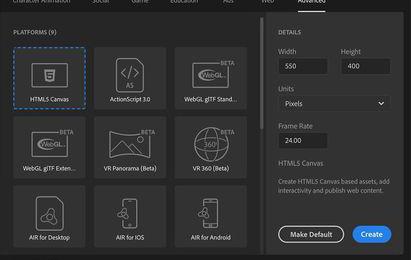
Adobe Animate enables a wide variety of templates (or “presets”) for setting stages for layouts and animations. The layouts are set on a two-dimensional plane, with x and y coordinates. The x and y axes are in the conventional spaces, with x on the horizontal and y on the vertical, but the 0,0 is at the top left. (In traditional data graphs, 0,0 is at the bottom left.)
Animate is designed to work with other Adobe® applications to enable a broad range of creative workflows. You can import Illustrator® and Photoshop® files directly into Animate. You can also create video from Animate and edit it in Adobe® Premiere® Pro or After Effects®, or import video from either of those applications into Animate. When publishing your SWF files, you can use Dreamweaver® to embed the content in your web pages and launch Animate directly from within Dreamweaver to edit the content.

7
SOFTWARE PROFICIENCY
Adobe skills are vital in today’s digital age, as they allow individuals and professionals to create and edit digital content in various fields. Here are some reasons why Adobe skills are necessary; it enhances creativity with wide range of tools and features, it is highly valued by the creative industry, it is designed to work across different platforms including, desktop, laptop, tablets, and mobile devices. Adobe software is the industry standard, and is widely used by the professionals in a competitive job market.
Many businesses and organizations rely on Adobe’s software applications for creating visually engaging content, developing marketing materials, producing multimedia projects, and enhancing their online presence. Digital content has been increasing, making Adobe skills more relevant to create and edit digital content. Adobe software proficiency is considered as crucial asset who are into graphic design, video editing, digital marketing, and content creation.
INDUSTRY QUALIFICATION
It is critical to have industry knowledge because it allows you to stay current and informed about constant trends and changes that may occur in your professional life. This is often because you can use your industry knowledge to create and submit high-quality tasks that improve performance. If you work closely with clients, they may expect you to be up to date on industry developments so that you can provide guidance, support, and project ideas that enhance their ideas.
The most important aspect of industry qualification is staying up to date on what the industry is currently using. Be updated on emerging software and tools to learn and adapt to new technologies, as this will help you qualify in any industry that emerges.
8
SYSTEM REQUIREMENTS
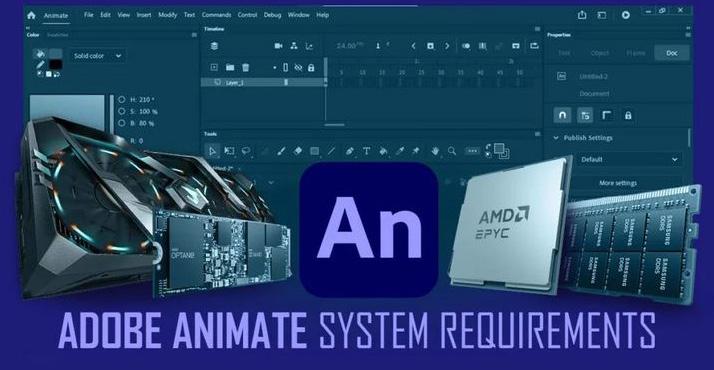
Everyone should consider what animation software they intend to use or learn. Different software has unique system requirements and compatibility issues that everyone should be aware of. For example, some software may only run on Windows or Mac, whereas others may support both. Some software may require specific amounts of RAM, CPU, GPU, or disk space to function properly, whereas others may be more adaptable or lightweight. Some software may also make specific recommendations for monitors, tablets, or input devices that are most compatible with it. Everyone should research the software they intend to use and visit their official websites or forums for the most recent information on hardware requirements and recommendations.
It’s always about the compatibility between the animation software and your computer. Artists typically recommend that in order to run smoothly and be compatible with most types of animation software, you should have a graphics card in the 2000-5000 series. As for RAM, it should be at least 16GB. If a student’s computer tried to download and not met the requirements, it can lead to performance issues, crashes or slow rendering times.
9
HOW TO SOLVE TECHNICAL PROBLEMS IN COMPUTER ANIMATION
Back up you work
One of the foremost critical and fundamental steps to avoid losing your work is to reinforce your records frequently and in different areas. You’ll utilize outside difficult drives, cloud capacity, or online stages to spare duplicates of your venture records, resources, and settings. You ought to moreover utilize adaptation control frameworks, such as Git, to track and oversee changes in your code and scripts. By backing up your work, you’ll reestablish your records in case of equipment disappointment, computer program crash, or human mistake.
Test your animation
Another way to maintain a strategic distance from specialized issues and glitches is to test your activitys as often as possible and completely. You ought to check your activitys for mistakes, irregularities, and bugs in numerous stages of your handle, such as modeling, rigging, texturing, lighting, rendering, and compositing. You’ll be able utilize different apparatuses and strategies to test your livelinesss, such as preview render, playblast, investigate mode, or quality confirmation. By testing your livelinesss, you’ll be able recognize and settle issues some time recently they gotten to be greater and harder to unravel.
Update your software and hardware
In other cases, glitches and technical problems are caused by incompatible or outdated hardware and software. Always keep your software updated to the latest versions and drivers to avoid lag, especially if you are
10
How to Solve Technical Problems in Computer Animation
using multiple applications and software for your computer animation and process. Remember to always check the compatibility and system requirements of your software in animation and hardware before installing and upgrading them. Your performance, stability, and security can all be enhanced by updating your hardware and software.
Seek help and feedback
If you encounter technical problems that you can’t solve don’t hesitate to seek and ask for help. You can ask for advice and feedback from your peers, mentors, instructors, and professionals, especially those who encountered the same problems and found a way to solve them. You can also try to search for some tutorials online and support channels of your software and hardware providers. You can benefit from the experiences, ideas, and solutions of others by asking for assistance and criticism.
Experiment and learn
Ultimately, doing new things and picking up new skills is one of the finest methods to handle technical problems and errors. It’s okay to take risks, experiment, and make errors when trying new things. To improve your computer animation process, you need also to be observant and open to learning new abilities, methods, and resources. You may transform technological problems and malfunctions into chances for development, creativity, and innovation by trying new things and learning from your mistakes.
EXPORTING FILE FORMAT
File formats define the specifics for storing data on data files. The data is organized practically for development and convenience of access. Animation file formats explain the elements of a scene that changes over time. The specification for an animation file format allows data structures and rules to
11
Exporting
convey the interactions between scene elements that result in scene changes as well as to describe the contents of the scene.
Most of the animation software creates their own file formats that are limited to using their data structures and animation techniques. They must keep separate translators for every file format that other apps support to share data with other applications.
PNG
The Portable Network Graphic (PNG) format was developed to support picture files. The Portable Network Graphics, or PNG, file format is a lossless image format that was initially intended to remove and replace the GIF format. GIF files can only accommodate 256 colours whereas PNG files can handle up to 16 million colours. However, PNG format is not recommended for huge images because of how the enormous size would affect.


Graphics Interchange Format or GIF files are large because they contain numerous frames, which allows for animation. The primary drawback of this format is its large file sizes, which are typically larger than those of SVG, PNG, or JPEG files. The outdated GIF image format is compatible with all modern browsers as well as older ones like Internet Explorer. Its support for a maximum of 256 colours and a single index-based colour for transparency, however, severely restricts its quality, when a transparent backdrop image is required.
12
File
Format
GIF

Scalable Vector Graphics or SVG is a vector-based picture format with a small file size that works well with a variety of screen sizes. As opposed to GIF or APNG, SVG animation is driven descriptively by SMIL (Synchronised Multimedia Integration Language) or CSS animation; browsers are instructed on when and how to animate forms within an SVG file.
Although this greatly reduces the file size when compared to other formats, employing SVG animation becomes more CPU-intensive because it adds extra overhead to the browser through additional computation tasks. Basically, if your file has too many elements, we won’t advise you to use SVG since it could cause your website to load more slowly.
Exporting File Format 13
SVG
ADVANTAGE OF SVG ANIMATION
Scalable
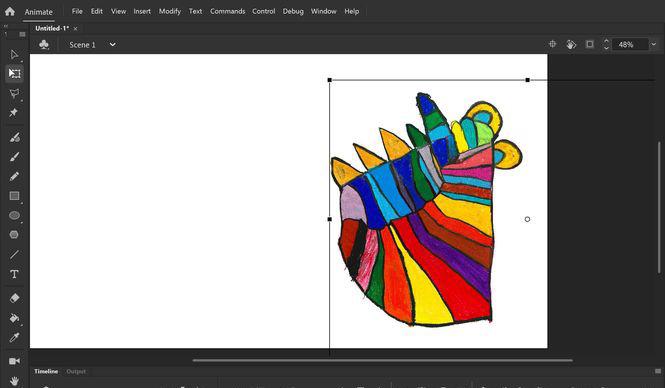
SVG readily expands in size without sacrificing accuracy or quality. This is because connect points displayed on x-y axis are used to build a variety of pathways, shapes, and other objects, all of which are described by vectors.
14
File Size and Quality
Your SVG-animated file’s dimensions are determined by the colours, layers, effects, gradients, and other coding elements it contains. It is simple to compress any SVG-animated file without losing its animation. SVG files are usually smaller. For instance, a small PNG logo might weigh 30 KB, yet the same SVG picture would only weigh 6 KB. Significant savings, particularly for a website that needs to operate on a tight budget.
Text-Based Format
You can quickly change SVGs with CSS and JavaScript. This makes it easy to take a basic SVG file and use it with a different action towards different parts of the website.
15 Advantage of SVG Animation
VIDEO


Kindly watch the video about the technical animation skills

for
16
Scan QR
video
REFERENCES
Adobe Animate CC Help. (2018, Nov 15). Adobe Help Center. https://helpx.adobe.com/pdf/ animate_reference.pdf
Animation Semester Exam. (2023, Mar 20). Proprofs Quizzes. https://www.proprofs.com/ quiz-school/story.php?title=flash-cs3-drawing-tools-and-basic-animation
Adobe Skills. (n.d.) hipCV. https://hipcv.com/resume-skills/adobe-skills
Animation Tools Lesson. (2017, Dec 17). Slide Share. https://www.slideshare.net/conniemariemagno/tools-and-equipment-for-hand-drawn-animation
Asraf, S. & Idrus, S. (2019). Hybrid Animation: Implementation of Two-Dimensional (2D) Animation. Journal of Physics: Conference Series. https://iopscience.iop.org/article/10.1088/1742-6596/1529/2/022093/pdf
Best Practices in Animation. (2021, Feb 17). Medium. https://seattlewebsitedesign.medium.com/best-practices-in-animation-858fbbe38a55
D.M. 4.01 Test. (n.d.). Quizlet. https://quizlet.com/7455261/dm-401-test-flash-cards/
Digital Image File Formats Trivia Quiz. (2023, June 3). Proprofs. https://www.proprofs.com/ quiz-school/story.php?title=jpeg-tif-gif-png
Farid, R. (2018). The Significance of Portfolio Assessment in EFL Classroom. Jurnal Ilmiah Kependidikan, Vol. 13 No. 1 (2018) 53 – 62. https://jurnal.stkipbjm.ac.id/index.php/jpl/article/ download/346/149/
How do you deal with technical issues during your computer animation process? (2024, Jan 31). LinkedIn. https://www.linkedin.com/advice/1/how-do-you-deal-technical-issuesduring-your
Indeed Editorial Team. (2022, June 15). Industry Knowledge: Why It’s Important and How To Develop It. https://www.indeed.com/career-advice/career-development/industry-knowledge
Intro to Adobe Animate. (2023, Jun). Kansas State University. https://idme-test.ome.ksu. edu/AdobeAnimateHandout.pdf
Lee, G. (n.d.). A Classi cation of File Formats for Animation. https://citeseerx.ist.psu.edu/ document?repid=rep1&type=pdf&doi=e339b2efc38b2bdec34504a6a8273f578dd991bb
17
Line quality, (2021). University of Delaware. https://www1.udel.edu/artfoundations/drawing/ linequality.html
Medvedeva, O. (2020). Different Types of Animation Formats: Why SVG Is the Best One? | UX, Digital Marketing & Web Development Agency. Whale Agency. https://www.whaleagency.com/stories/different-types-of-animation-formats-why-svg-is-the-best-one
Staff, C. (2023, November 29). What is Time management? 6 Strategies to Better Manage your time. Coursera. https://www.coursera.org/articles/time-management
Tziritas, P. & Simantiris, G. (2018). CS474 MULTIMEDIA TECHNOLOGY SVG -Animation Tutorial. https://www.csd.uoc.gr/~hy474/lectures/tutorials/SVG-Animation.pdf
What should you consider when choosing animation hardware?. (2024, Feb 3). LinkedIn. https://www.linkedin.com/advice/3/what-should-you-consider-when-choosing-animation-hardware-tyocf
Video Production Process. (2017). Lonestar College. https://www.lonestar.edu/33315.html
Woldmann, S. (2023). How to Take Constructive Criticism. Backstage. https://www.backstage.com/magazine/article/constructive-criticism-acting-13357/
18