Company Paid Benefit
All Egger UK employees are automatically enrolled to the Westfield Health Plan, allowing you to claim money back (up to set limits) for the cost of essential healthcare, as well as providing access to valuable health and wellbeing services.
The cost of the membership is funded by EGGER. It will cover employees and, in some instances, dependent children.
Employees can upgrade their plan, but this is at their own cost and will be paid via direct debit to Westfield Health.
The benefit is taxable/P11d reportable.
It is recommended that employees set up a personal tax account (HMRC) online to track their own tax status.
What is included within the benefit?
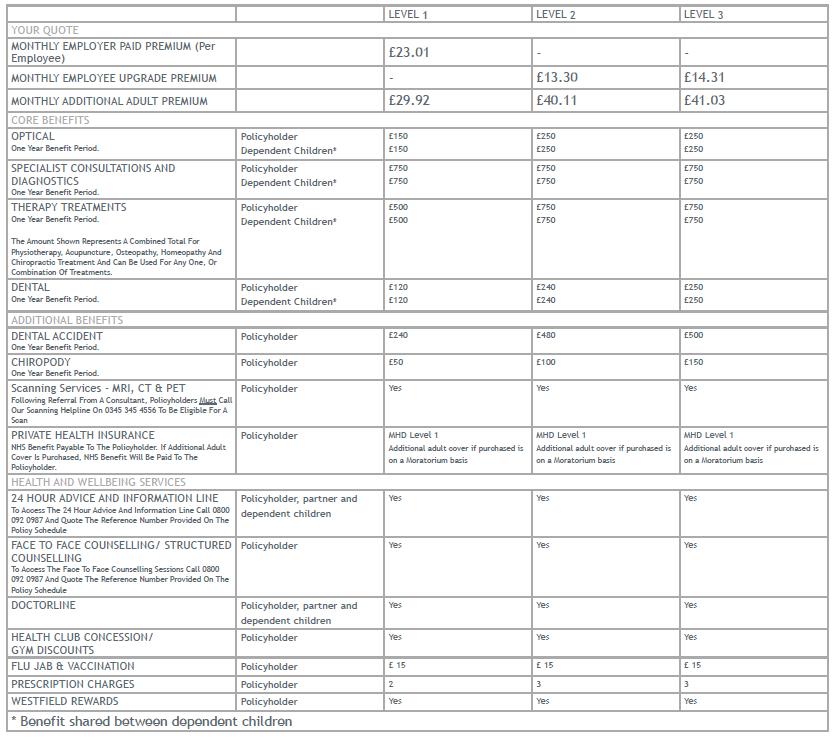
You will be able to claim 100% of your healthcare expenses, with no limit to the number of claims you can make during each one-year benefit period, up to the maximum benefit allowances. The benefit period starts on 1 November 2025 which includes:
How to register for Westfield Health
• Visit westfieldhealth.com
• Go to sign in
• Select register now
• Complete the register an account screen
• Select register
• Ensure the details you enter match your welcome letter
• A validation link will be sent to your email address with the subject ‘Westfield Health Account Verification’ (you may need to check your junk/spam folder)
• Copy the verification code from your email to the registration screen (the code expires after 15 minutes)
• Select next
• You will need to enter your account number (this can be found on your welcome letter), last name and date of birth, before selecting submit to login to your account (this is unique to yourself and is not held by Egger UK)
My verification code does not work, what should I do?
• Email Westfield Health direct at: Enquiries@westfieldhealth.com
• Phone Westfield Health direct on 0114 250 2000 (Monday to Friday 08:30 to 17:30)
• You will need to quote your account number
My policy has started but I am getting an error message when trying to register/login, what should I do?
• Email Westfield Health direct at: Enquiries@westfieldhealth.com
• Phone Westfield Health direct on 0114 250 2000 (Monday to Friday 08:30 to 17:30)
• You will need to quote your account number
How to add your bank details
To make claiming your cash back quicker and more convenient, please add your bank details to your Westfield account.
• Login to your Westfield account via the app or by going to their website
• Click on:
• Click on: Your reimbursement bank details: Direct Credit Details update
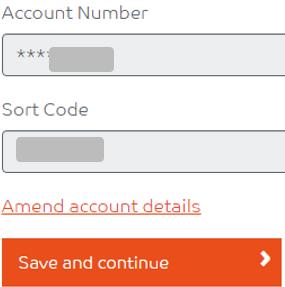
• Add the bank details you would like your cash back paid in to
How do I make a cash back claim?
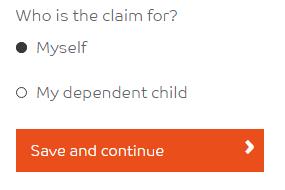
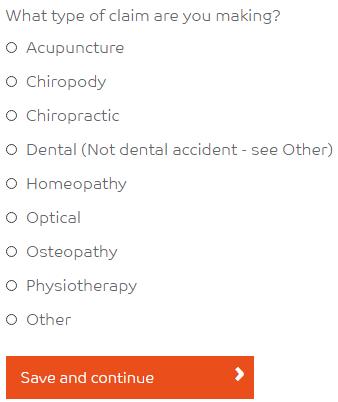
Attend your appointment; when paying for your treatment, ask the service provider for a receipt which includes both your name and address and their name and address.
Logon to your Westfield Health Cash Plan Account
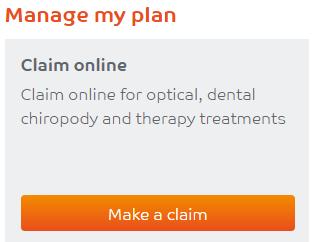
Click on:
Go to:
Click on:
Select as applicable:
Select as applicable:
Then add your receipt:
You can do this by uploading already taken photographs, or you can upload a photo that you are about to take.
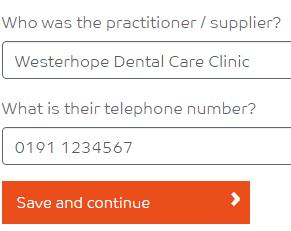
Select: Add your service provider details, for example:
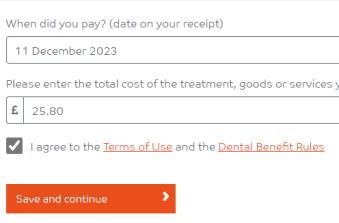
Add the payment amount and date incurred:
Confirm your bank details:
Then:
Westfield Rewards
Being a member of the Westfield benefit gives you the opportunity to save money via Westfield Rewards.
What do you get?
• Access to the exclusive discounts site
• Special offers at hundreds of leading retailers
• Savings from big brands, for example, M&S, Sainsburys, Boots, B&Q plus many more
• Save £100s a year
• Save with one off vouchers, reloadable discount cards or receive cashback
• Many offers are in addition to sale prices. Money off vouchers and online promotions
• Offers are subject to change
From your app store you can download the Smart Spending app:
• Add your email address
• You will then receive a smart code to confirm registration
• You will need to set up a four-digit passcode
I am experiencing issues trying to register/login?
• Phone Westfield direct on; 0114 250 2317 (Monday to Friday 08:30 to 17:30)
I need help on the app/website, who can help me?
• Within the Westfield Rewards website tap the menu button at the top left then tap ‘Help’, where you can get help via a chat service
• Phone Westfield Rewards on; 0203 583 7020, 24 hours a day, 7 days a week
How to register for Westfield Rewards
Visit westfieldrewards.co.uk
You will need to follow the on-screen prompts adding:
• First Name and Last Name
• Email address (as used for Westfield Health Benefit)
• Password (as used for Westfield Health Benefit)
• Policy Number (your Westfield Health Benefit policy number which can be found on your Westfield Health Benefit welcome letter)
• Gender
• Post Code
• Mobile telephone number
• Click on register
Westfield is a Taxable Benefit
A taxable benefit is a benefit provided by EGGER UK that has a cash value attached to it. The cash equivalent of the Hybrid Private Health/Cash Plan Is £22.01 per month for the period April 2025 to October 2025, then £23.01 per month from November 2025. As an employee the cash value of the benefit is subject to PAYE.
How do HMRC find out about my taxable benefits?
• EGGER UK must inform HMRC the cash value of all taxable benefits paid in a tax year by 6 July
• This means that your Hybrid Private Health/Cash Plan will be reported to HMRC by 6 July 2026 for the year to 5 April 2026
• You will receive a P11D from EGGER UK by 6 July 2026 which will list all taxable benefits you have received including the cash value
What will HMRC do with this information?
HMRC will use this information to determine what tax code you should be on. They will then instruct the payroll team to change your tax code to take in to account the taxable benefits you received.
20% taxpayer example:
• You received taxable benefits in the tax year ending 5 April 2026 to the value of £269.12
• Your tax code was 1257L before this was submitted to HMRC
• Your tax code would be changed to 1231L by HMRC
• You would pay tax on an extra £269.12 of income during the tax year 2025/2026
• You would pay an extra £53.82 tax across the year
• This would increase your tax by £4.49 per month ** Please note this is an example **
40% taxpayer example:
• You received taxable benefits in the tax year ending 5 April 2026 to the value of £269.12
• Your tax code was 1257L before this was submitted to HMRC
• Your tax code would be changed to 1231L by HMRC
• You would pay tax on an extra £269.12 of income during the tax year
• You would pay an extra £107.65 tax across the year
• This would increase your tax by £8.97 per month
** Please note this is an example **
When Egger complete your P11d in July 2026, we will notify HMRC of your taxable benefits. They will then amend your tax code before sending an instruction to payroll.
At any time, you can review the information HMRC hold for you, to ensure your tax code is correct.
• Go to: Sign in using Government Gateway - GOV.UK (access.service.gov.uk) sign in using your Government Gateway ID or create an account following the onscreen prompts
• Go to: Pay As You Earn (PAYE)
• Go to: Check Current Tax Year
• In here you can update or remove employment details, company benefits and company cars as applicable. If anything gets updated, HMRC may instruct us to change your tax code, please note that we cannot take this instruction from you. Any tax code changes will be applied to the next available payroll following receipt of this instruction from HMRC.
If you do not have access to the online portal, you can contact HMRC by telephone on 0300 200 3300 for all PAYE queries.
Please note that Payroll cannot offer you tax advice.
Frequently Asked Questions
I don’t want this benefit; how can I opt out?
You will need to decline this benefit by emailing Payroll.UK@Egger.com advising us you would like to stop the benefit. The benefit will stop at the end of the calendar month following the payroll cut off that we received your request.
For example:
• You email payroll on 28 October 2025
• The next payroll cut off is 15 November 2025
• Your benefit will stop on 30 November 2025
I have just started to work at Egger, when will I join the benefit?
You will join the benefit on 1st of the month after your first payroll payment.
For example:
• You joined Egger on 25 October 2025
• You will receive your first payroll payment in November 2025
• You will join the benefit on 1 December 2025
When will I receive my benefits pack from Westfields?
Within the first week to 10 days of the calendar month, after you join the scheme
Where can I find the policy schedule?
This can be found on your welcome letter, which advises you to keep this in a safe place
Please can you advise what Westfield’s definition of a dependent child is?
A dependent child must be under 22 years old and can be your child, your partner’ s child, or a child that you have adopted or are the legal guardian for. They must be unmarried & living at home with the parents and be financially dependant on you.
If the child is disabled, the child dependant definition still applies as Westfield do not differentiate based on disability, the primary factor is their age.
If a dependant child lives between two homes, you can still claim. The ratio of how much time is spent with each parent or guardian is not considered, the primary factor is their age.
If the dependent child is away at university, you can still claim, the primary factor is their age.
I would like to add an additional adult and/or upgrade my cover, what do I do?
• Complete Westfield's form to upgrade your cover and/or add an additional adult
• You will need to complete the form, print it out and use a pen to sign it
• Scan the signed form to membership@westfield.com
• The form includes a direct debit mandate, as you will need to pay Westfield directly for the additional benefit (this is not administered by Egger)
When can I add an additional adult and/or upgrade my cover?
You can add an additional adult and/or upgrade your cover in the renewal month, which is November. You can do this be following the previous FAQ I would like to add an additional adult and/or upgrade my cover, what do I do?
If you have an operation via Surgery Choices and there are complications during surgery, will you be billed for the additional costs?
• From a Private Health Insurance (PHI) perspective, if there are any complications during surgery resulting in additional fees, cover would be subject to the maximum contribution limit and the amount already paid towards the claim
For example, if the maximum contribution is £7,000.00 and Westfield had already paid £5,900.00, this would leave £1,100.00 available to cover any additional charges. If the maximum contribution has already been reached, the policyholder would be liable for any shortfall or excess costs incurred.
If you have an operation via Surgery Choices and follow up care is needed, is this covered by Westfield or do you have to go to the NHS?
Westfield typically confirm directly with the hospital what is included within the package price, including any follow-up consultations or aftercare. If they are notified that post-operative care is not included in the initial package, the policyholder may wish to look at their HCP to explore potential cover under the consultation benefit of their policy.