
Group
Production
Senior




Group
Production
Senior
By Lisa Nielsen
Responsible use of AI in schools does not begin with tools. It begins with clarity.
Before students ever open an AI-powered app, innovative educators ask a foundational question: What is the learning goal? From there, decisions about whether, when, and how students use AI become far more intentional and far less controversial. This goal-driven approach is something strong teachers have been modeling long before AI entered
classrooms. The difference now is that AI gives educators new opportunities to personalize feedback, extend creativity, and support learning.
If the goal is for students to learn and gain experience in how to write an “About Me” story, including understanding structure, voice, and clarity, then AI is not part of the initial drafting process. Students begin by writing on their own because the skill
they are developing is writing. They also end up with a class set of stories that helps classmates get to know each other better, which is part of the purpose, too.
Once that learning goal is met, AI becomes a support rather than a shortcut.
Students can paste their completed drafts into an AI tool and ask targeted questions such as:
• Are there places in which the story is unclear?
• What questions does a reader still have?
• Is anything missing that would help a reader understand me better?
• Are there grammar or structural issues I should fix?
At this stage, AI functions like a personalized writing tutor, offering feedback that helps students revise with intention. From there, students might push their work further by asking AI to help them transform the story into a poem, a song, or another format. This is not about replacing student thinking. It is about extending student work.
Across subjects, what separates responsible AI use from misuse is not the sophistication of the technology, it is the conversation educators have with students.
Students become far more thoughtful users of the technology when they understand:
• What they are learning
• Why they are learning it
• How AI can support that learning without replacing it
Read the full article here
By Ray Bendici
In August 2025, Ohio became the first state in the U.S. to require traditional public school districts, community schools, and STEM schools to adopt an official policy on the use of artificial intelligence. The policy has to be in place by July 1.
The Ohio Department of Education and Workforce has shared a model AI policy, which is a good starting template for districts, schools, and institutions in other states as it features a purpose statement and AI definitions in addition to guidelines around literacy, ethical use, data privacy, and other concerns.
“The Ohio Department of Education and Workforce has been very forward in AI for the last couple of years, including providing some good resources,” says Christopher Lockhart, Chief Information Officer for Columbus City Schools, who is leading the effort to comply in the state’s largest district (46,000 students). “There’s just never really been that push to say, ‘Okay, now schools, we need you to do something. Either say you’re going to do it or say you’re not going to do it, but you have to do something.’”
In addition to creating a diverse AI working group that features an array of leaders and voices from across your district, Lockhart offers other practical considerations for any district drafting formal AI policies:
1. Secure district-wide leadership support beyond the IT department, especially getting buy-in from the superintendent.
2. Do not make the policy overly restrictive.
3. Ensure the work continues beyond the initial drafting to include ongoing professional development and curriculum development
With AI continuing its exponential growth, it is most likely only a matter of time before every state legislates such a requirement, Lockhart says.
“Any school district that does not yet have a policy should take a hard look at developing one,” suggests Lockhart. “And I would take that work on now just so it’s not a strain to get it done if a mandate comes down. It’s going to benefit your staff and your students so they have that clarity of how to operate within the AI framework at the district.”
Read the full article here
By Erik Ofgang
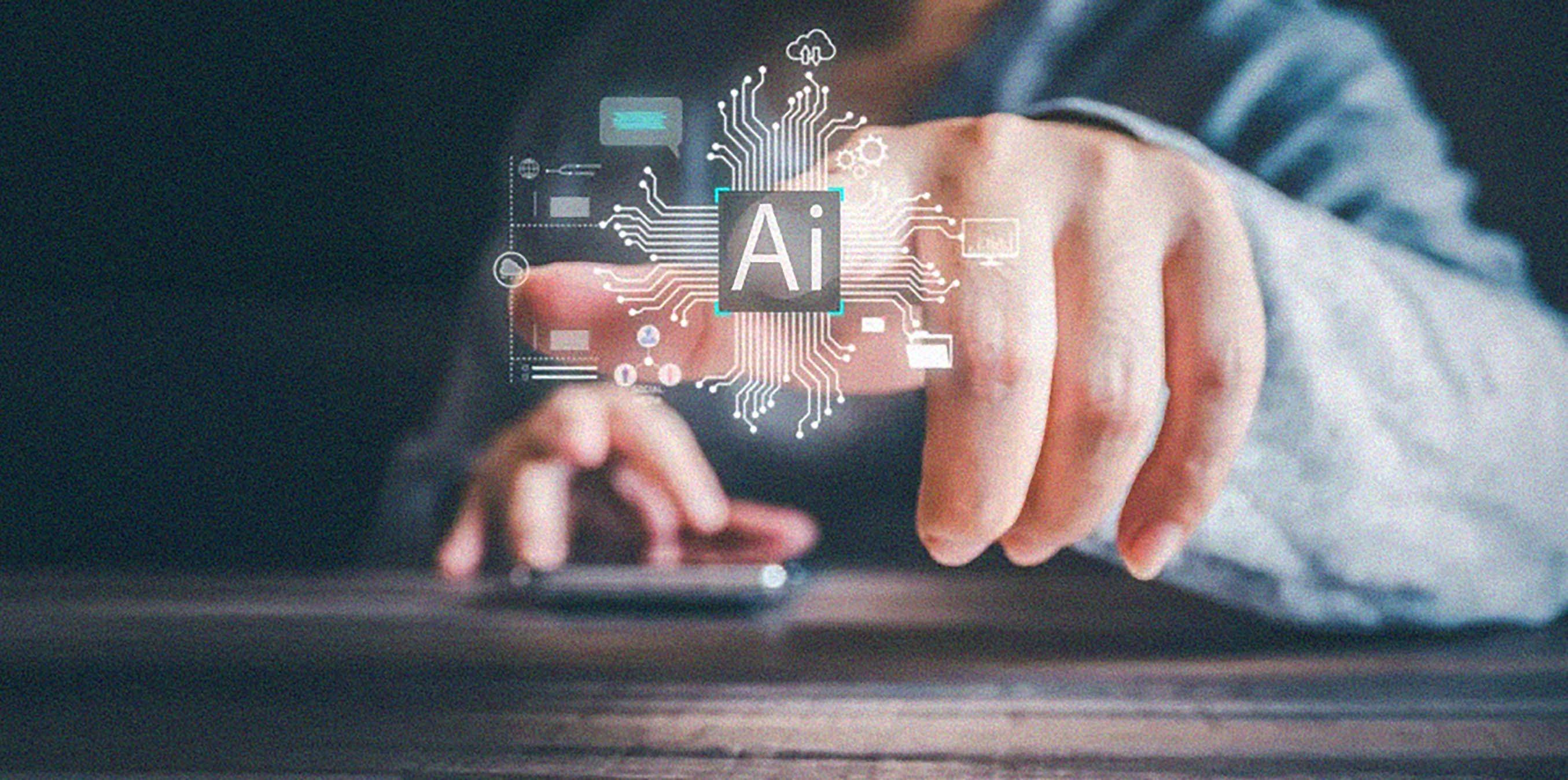
ack in 2007 Jon Bergmann and Aaron Sams pioneered what is now known as flipped learning. Today, Bergmann, who remains a high school science teacher in addition to being a recognized education expert, says a new teaching paradigm is underway because of the emergence of AI.
To that, Bergmann has developed a new teaching framework that combines flipped learning and mastery learning models with the modern realities of AI. He calls it The Mastery Flip, and its three pillars are designed to maximize the beneficial impact of AI while minimizing its harms and preparing students to harness this technology for the future.
AI can help students when they’re working at home in what flipped educators often refer to as the independent space. Ultimately, Bergmann would like to see teacher-controlled AI tutors that are trained to ask students questions rather than provide answers, and can be programmed to reflect a teacher’s voice, style, and preferences.
The availability of AI and the way it can be used to generate student work makes the teacher’s work with students
during class time even more important than ever before. That’s why Bergmann’s current approach is to encourage more tech outside of class to support learning but less during class so students can focus on cognitive work and learning from the teacher.
Many teachers seem unaware of the way in which AI has fundamentally changed what effective assessment should look like, but Bergmann does not have any such illusions. Traditional research papers, for instance, no longer work. “You can’t do that anymore,” he says. “The game’s over. In two seconds, I can prompt ChatGPT to write the best research paper.”
“My terrible prediction is I think it’s going to be very bifurcated. Those students who use AI as a cheat code are going to really struggle in life,” he says. “This is an electricity-level event right now that’s happening in our lives. The vast majority of candlemakers went out of business when electricity came along.”
Bergmann hopes his new model can help educators guide students to avoid the fate of candlemakers and use AI to supercharge learning.
Read the full article here
By Michael Gaskell
Artificial Intelligence (AI) stands as both a remarkable tool for efficiency and a complex legal and ethical minefield. As educators, we look at a future in which AI has the potential to act as an assistant—analyzing student data to create personalized learning paths and automating administrative minutiae. However, it is important to understand the “traps” that accompany these benefits. For schools and students, the intersection of AI and the law matters.
One of the most alarming ethical concerns is that AI is not a neutral arbiter of truth. While the technology itself is not inherently biased, the broad internet ecosystems it is trained on are, leading to “Algorithmic
A stark example of this is found in AI detection platforms. While often marketed to protect academic integrity, evidence has shown these tools are “near perfect” for native English speakers, yet falsely flag 61% of essays written by non-native speakers as AI-generated. For schools, relying blindly on such tools risks unfairly accusing multilingual learners of cheating, and highlights the need for good, old-fashioned analog interpretation by teachers rather than automated judgment.
The legal risks of AI extend to student conduct, particularly regarding bullying and the rise of deepfakes. Data suggests that nearly half of students and more than a third of teachers are
aware of instances of school-related deepfakes.
The legal precedent is already apparent. In the 2024 New Jersey case K.W. and S.W. o/b/o A.W. v. BOE of the School District of the Chathams, a student was held responsible for using AI prompts to generate racially charged slurs. This ruling clarifies that hiding behind an algorithm does not absolve a student of liability. The federal Take It Down Act (2025) mandates that platforms remove non-consensual deepfakes within 48 hours, and introduces federal criminal penalties for those who share these. Schools must inform within their digital citizenship curriculums to ensure students understand the permanent risks of their online interactions.
To navigate these challenges, the U.S. Department of Education and legal experts advocate for a “human in the loop” approach. Before adopting AI tools, school leaders should ask critical questions:
• Does the system have inherent biases?
• Is student data being used to train third-party models?
• Are we protecting student privacy with tools that minimize data collection?
The processes for taking on AI legal implications are grounded in these questions, and as importantly, educating school communities, educators, parents, and students about proper use of AI. Likewise, enforcing consequences aided by legal protections such as the Take It Down Act are important ways to inform and inhibit bad actors.
Read the full article here

By Erik Ofgang
Researchers from various universities recently set out to understand how students are utilizing AI to help them understand assigned readings. The study, Self-Regulated Reading with AI Support: An EightWeek Study with Students, looked at how 15 undergraduate students used AI to help them understand various texts over an eight-week period.
Chris Yue Fu, the study’s lead author and a doctoral candidate at the University of Washington, recently spoke with me via Zoom and a follow-up email to explain the key takeaways from this research.
Two things in particular stood out about these results to Fu, the first of which is the attention behavior gap.
“Students could clearly articulate what good AI engagement looked like as they told us things like, ‘the better your questions are, the more helpful AI can be,’” Fu says.
But even when they were taught good prompting strategies, only 4.3% of their prompts actually employed these strategies. Fu says. “They knew better but didn’t do better, and that gap didn’t close over eight weeks, even
though the course was literally about AI.”
The second major takeaway was what the researchers termed “reading through AI” rather than “with it.”
“Students weren’t just using AI to help them understand a text. They were using AI-generated summaries as the primary thing they read, and then selectively dipping back into the original text,” Fu says. “The AI output became the text, and the actual reading became a background resource. That was genuinely unexpected.”
In addition to continuing the conversation and going deeper with questions, Fu and his fellow researchers also called for more teacher control in the ways in which AI chatbots and tutors work in the classroom.
“We envision a system in which the instructor can set learning goals and requirements for specific readings in advance,” Fu says. “For example, an instructor assigning a dense methodology paper might tell the system: ‘Make sure students engage with the limitations section,’ or ‘Prompt students to compare this framework to last week’s reading.’”
Read the full article here
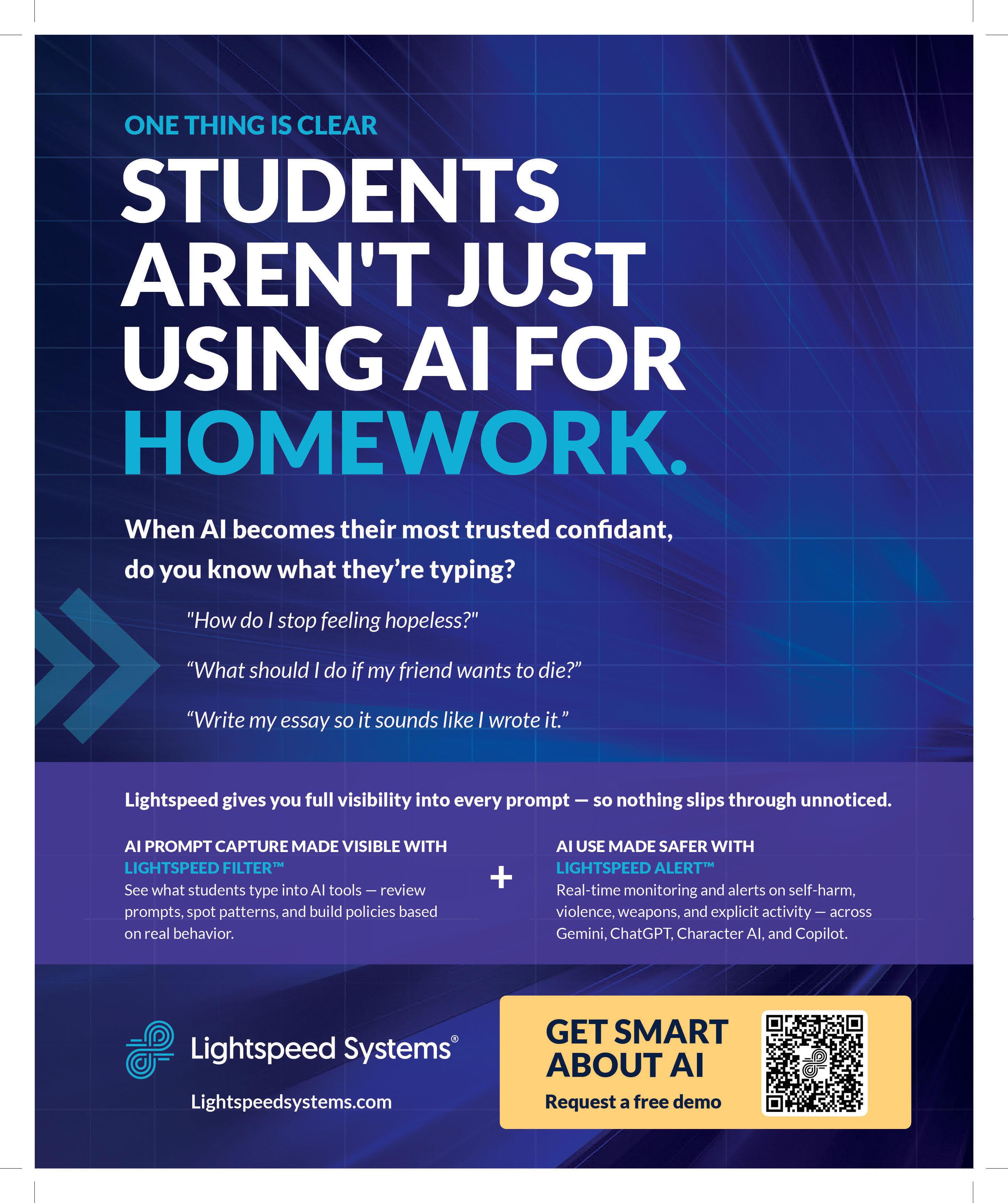
The pace of technological change has shifted from a steady walk to a breakneck sprint. In the world of Artificial Intelligence, models that used to double in power every eight months are now doing so every three to four. For school administrators, this superexponential growth presents a daunting paradox: a world of unprecedented educational opportunity shadowed by significant safety risks.
Dr. Donal McMahon, Chief AI Officer at Lightspeed Systems, has spent the last decade at tech giants such as Google and Indeed. Now, he is helping school districts navigate this new frontier.
“There’s opportunity and there’s risk,” Dr. McMahon explains. “The opportunity is for schools and districts to be able to do more, especially at a time where there are more and more restrictions on budget.”
As schools grapple with dwindling staff and increasing pressure, AI offers a lifeline. However, bringing this technology into the classroom requires more than just a login. It requires a strategic, safetyfirst framework.
AI’s greatest potential in education lies in its ability to scale personalized support. Teachers, often stretched thin by large class sizes, can use AI to tailor lesson plans for individual students— particularly those with special needs or learning disabilities who require extra attention.
“For students, there is an opportunity to learn about technology and be given access to technology that was more restricted in days gone by,” says Dr. McMahon. From self-paced learning to advanced computer science, AI democratizes access to high-level instruction that was once the province of only the most well-funded districts.
Despite the benefits, the rapid evolution of AI has
outpaced many traditional safety measures. Dr. McMahon notes that super-exponential growth brings exposure. Tragic instances have occurred globally in which students, seeking mental health support from AI chatbots, received harmful or even life-threatening instructions.
To help schools navigate these waters, Dr. McMahon and his team advocate for a “SMART” approach to AI implementation. This acronym serves as a checklist for districts looking to move beyond “burying their head in the sand.”
• S – Safety: This must be the No. 1 priority. Every tool, whether built in-house or purchased from a vendor, must be evaluated through a safety-first lens.
Dr. McMahon warns that this is often an exercise in futility. Students frequently find workarounds on personal devices or through new, unblocked services. Instead, he points to Northwest ISD in Texas as a gold standard for proactive adoption. Rather than waiting for the “perfect” policy, their leadership group started conversations early—with parents, students, and staff—before AI was even allowed in the district.
“They took the perspective that they would explain their thoughts and start to evolve their policy through these discussions,” Dr. McMahon says. What began as a single-page document has evolved into a nuanced, multipage policy published openly on their website. “They treat that as a living and evolving document because the technology is changing.”
• M – Monitoring: “It all begins with awareness,” says Dr. McMahon. Schools need visibility into their network to understand what teachers and students are accessing.
• A – Appropriate: AI tools are not one-size-fitsall. What is appropriate for a high school senior may be entirely unsuitable for a second grader. Districts must differentiate access based on age and educational goals.
• R – Reporting: Districts need clear, actionable data. Visibility into how AI is being used—and the ability to report on it to parents—is essential for building trust.
• T – Transparency: Policies must be consistent and well-understood. “What are the policies with the use of AI? Make sure that they’re consistent and well understood by the teachers and administrative staff, but by the students and parents as well,” Dr. McMahon advises.
While some districts choose to block AI entirely,
To counter these risks, technology solutions must evolve as quickly as the AI itself. Lightspeed Systems has adapted its core offerings to provide the granular oversight districts now require. Their flagship filtering product has scaled to include live classification of websites. This ensures that even if a site adds a chatbot or changes its content after the initial filter, it remains compliant with school policy.
Furthermore, their Insight product now provides a comprehensive view of a district’s digital footprint, including monitoring screen time usage for students and staff alike. Perhaps most groundbreaking is a new feature currently in early release that provides visibility into every individual AI prompt and response.
That’s unique, Dr. McMahon says. This goes far beyond simple keyword flagging. By using AI to analyze the context of interactions, the system can categorize content and alert administrators to high-risk behaviors like bullying, self-harm, or gun violence. “AI allows us to look at more than ever before, take all of that context into account, and then to use human judgment to make sure it is in line with policy.”
For more information about Lightspeed System solutions, visit www.lightspeedsystems.com



By Erik Ofgang
NotebookLM does all the things we normally associate with good education-focused AI use. It puts teachers in the driver seat, allowing them to decide which sources the tool draws upon for all the materials it creates.

sources, and only these sources, as the basis for its responses to you. This can be a fun way to delve into a topic and, literally or figuratively, interrogate a text.

Even more significantly, NotebookLM is, at its heart, a research assistant, and is fundamentally designed to help users organize and learn from various sources they gather rather than do their thinking for them. In other words, it truly works as a notebook for the AI age.
These days, NotebookLM is a good starting point when you begin researching any topic. It gives you the option of choosing “fast research” or “deep research.” Deep research takes more time but goes more in-depth. Regardless of which option you select, you are then given a series of sources that you can choose to keep or discard.
Once you get research results or add your own documents and materials, which is also a great option within NotebookLM, you get a whole bunch of AI-enhanced ways to organize and learn from this research.
First, you can interact with a chatbot that uses these
You can also then use these documents to do many of the tasks AI is already helping teachers with, such as generating quizzes, flashcards, mind clouds, and even slides. This can be either a tool for organizing your own thoughts and research, or the first step to creating some class materials. None of the materials I’ve used NotebookLM to create are perfect, but it is generally better than other programs I’ve tried. Since it is based on specific materials I had approved, I also feel much better about using this as a starting point than I would working with a more general AI tool.
Creating on-demand podcasts and videos that summarize documents and readings you select is one of the features for which NotebookLM is known. The podcast feature, in particular, drew the lion’s share of press after the tool launched, and from a purely technical standpoint, it’s amazing.
You put in a few documents and, soon after, you can listen to a casual podcast with multiple hosts, breaking down the topic for you in the manner of a modern laidback podcast. The video is somewhat similar but offers visuals and graphics along with narration.
Read the full article here
By Ray Bendici
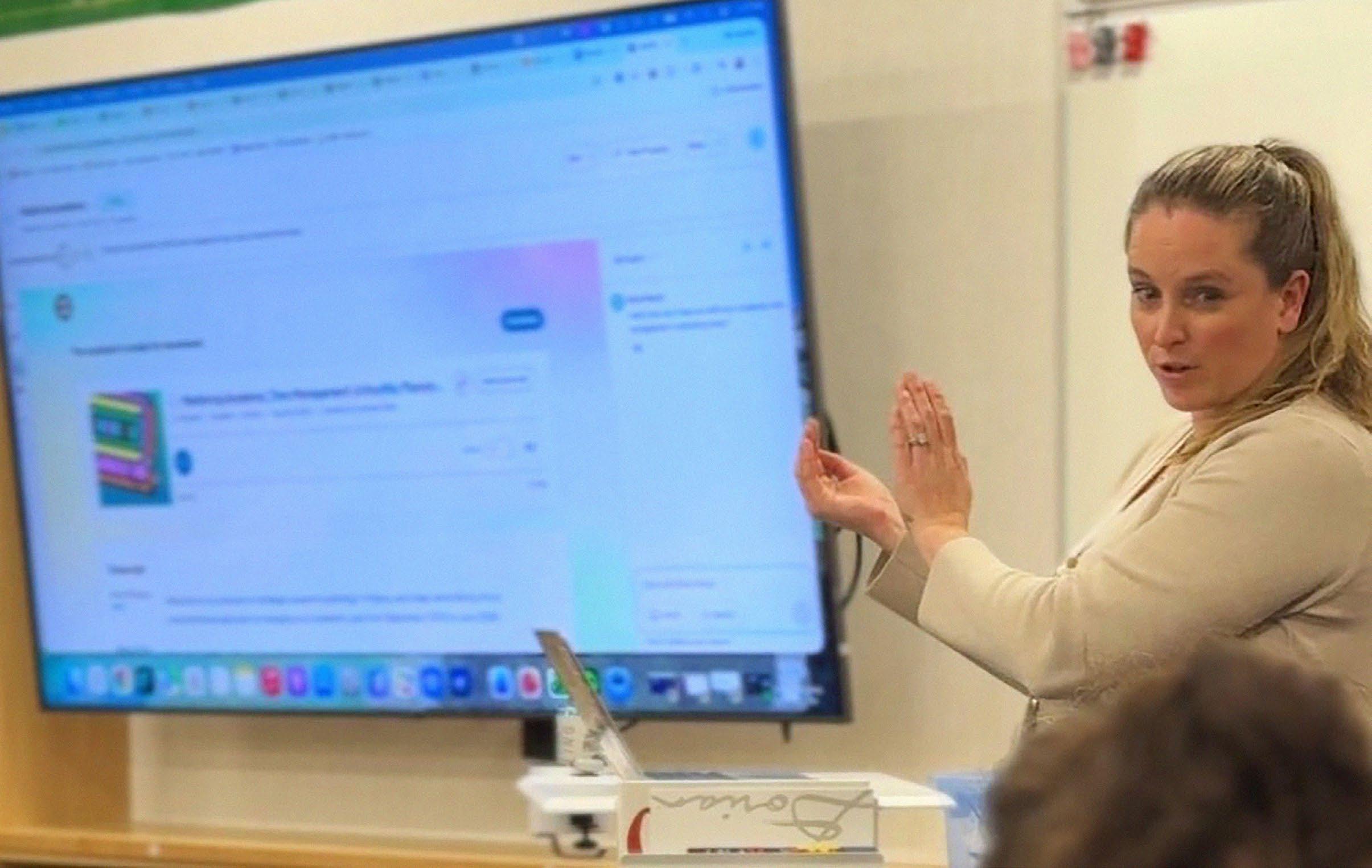
To help support the teachers who might be anxious about using artificial intelligence in their classrooms or in their work, Courtney Bock, AI Implementation and Library Media & Technology Specialist for Mead School District in Washington State, has implemented a four-part AI professional development series in her district.
“It can be pretty isolating sometimes as an educator when they’re thinking, ‘Am I the only one that is not getting this?’” says Bock, who was recently honored with a Tech & Learning Innovative Leader Award. “And then they go to the PD, see other teachers, and realize, ‘Oh, no, you’re struggling, too. Okay, great. We can struggle together.’”
The good news is that Bock’s program has been turning that struggle into success.
Each session in Bock’s after-school program is 90 minutes and offers STEM clock hours for certificate maintenance in Washington State. Each cohort of the program has averaged 25 teachers.
• Session 1 is “AI 101,” providing foundational knowledge, vocabulary (such as “LLM”), how AI works,
and its capabilities and limitations, remaining toolagnostic.
• Session 2 focuses on cheating and AI, helping teachers to redesign assignments and integrate AI into assessments, acknowledging that students are using it regardless.
• Session 3 dives into using AI with students, featuring a more tool-specific approach.
• Session 4 concentrates on using AI to improve teacher workflow, increase efficiency, and save time.
“It’s harder to learn things in isolation,” Bock says. “And I’m not saying you can’t, you absolutely can. But when you have that community around you to support you, ask questions, look at what they’re doing as different examples–that’s really powerful.”
Tools They Use - Claude, MagicSchool, CanvaAI, Wispr Flow, Gemini/Studio, NotebookLM, Gamma
Read the full article here

By Ray Bendici
Jeremy Sullivan, Director of Innovative Learning and Student Supports for North Kitsap School District in Washington State, has worked to implement the district’s technology integration effort into its multitiered system of supports (MTSS). Using AI to boost MTSS has helped to bridge distances and differences, and for staff to work smarter, not harder, in supporting students.
“AI has let us work in a way we’ve never been able to do, like quickly taking 10- to 20-page plans and analyzing outlier interventions, synthesizing action steps that certain buildings are taking so we can connect them so they have partners to help them understand the work that they’re doing,” says Sullivan.
Sullivan says the district started small with this effort, initially gathering school leaders over a few years to determine what an MTSS blueprint would look like. All the district’s elementary schools now have one, with the secondary schools close behind.
Sullivan and his team of 13 have been working with Tier 2 and 3 intervention teams across 10 buildings to use AI to sort through the large swaths of data they have, including student well-being surveys, academic records, attendance
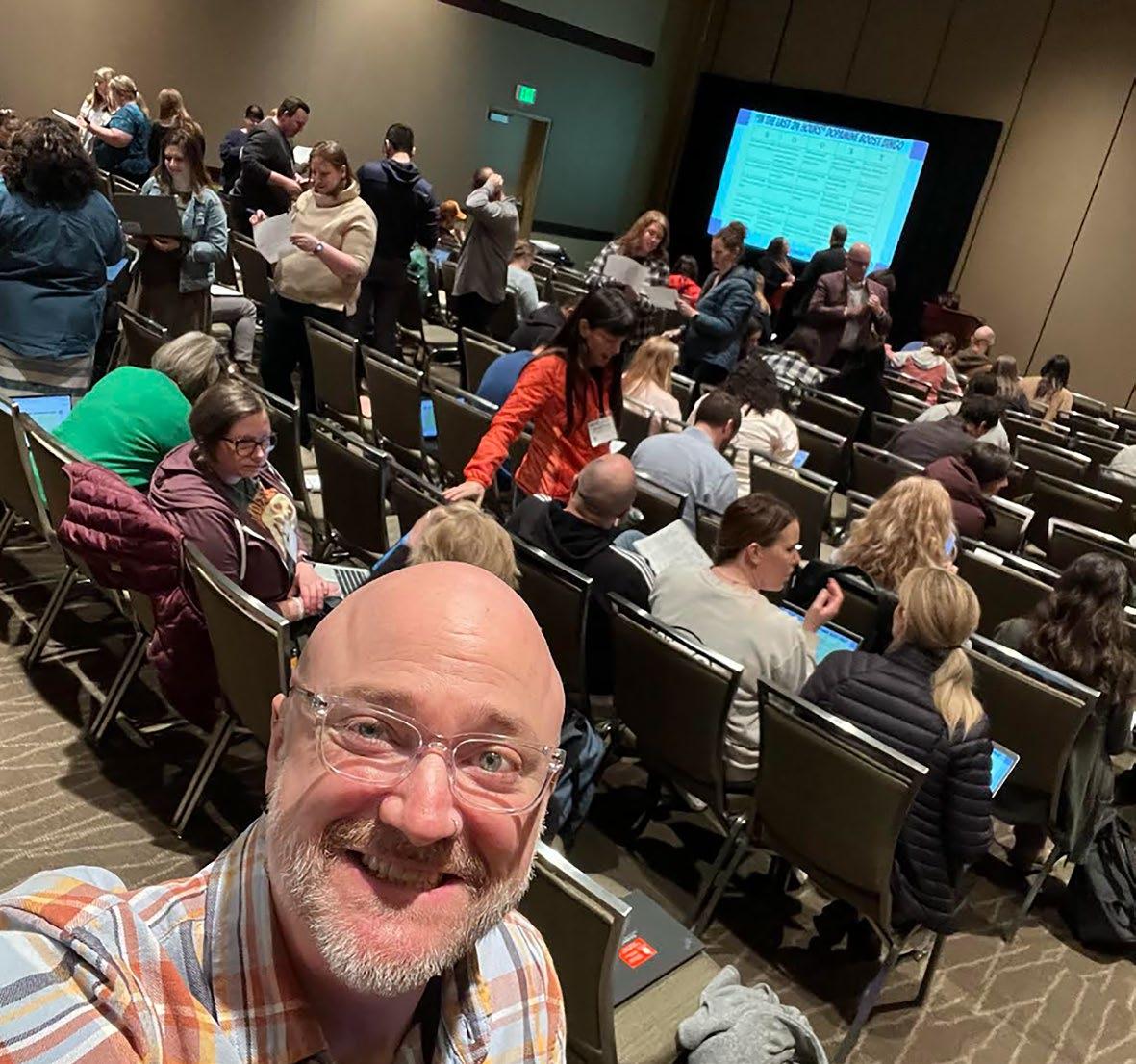
and behavior data, and other critical information. The district has partnered with Panorama, which offers a student success dashboard.
Appropriately, the initiative’s support structure for staff follows a three-tiered model, mirroring the MTSS concept:
• Tier One includes district-wide professional development and staff meeting access for everyone.
• Tier Two involves 27 AI “lighthouse” teachers, early adopters working with smaller groups of teachers, following a shared leadership approach.
• Tier Three focuses on individualized support, during which Sullivan and another instructional specialist are deployed to work with specific teachers or student support teams as needed.
Tools They Use - NotebookLM, Google Gemini, Panorama Student Success, Panorama Solara, MagicSchool, Dotstorming, ChatGPT, Canva
Read the full article here

By Steve Baule

One of the first concerns for leaders is to have a working knowledge of the technology tools being used. Just as the principal historically has been the primary or master teacher whose goal was to provide instructional leadership to other teachers, school leaders today need to have a similar understanding of both instructional and administrative technologies to be fully effective.
Once school leaders understand the technology footprint within their school or district, they must set clear expectations for how technology is integrated into classrooms, ensuring that it aligns with clear educational objectives and ethical standards. Ethical technology use in schools encompasses responsible, fair, and transparent practices that prioritize students’ well-being, academic integrity, and digital citizenship.
The collection, storage, and use of both student and staff data have become increasingly complex in educational settings. With learning management systems, cloudbased platforms, and AI-driven analytics, vast amounts of sensitive data are generated daily. School leaders are responsible for protecting this information from unauthorized access and misuse.
Technology use and data security policies should be transparent, easily accessible, and regularly updated to reflect evolving technological trends and threats. Technology policies can include a number of established guidelines and best practices, or be rolled into one larger overall tech policy.
Key components of effective policies include:
• Acceptable Use Policies (AUPs): Clearly define how students and staff can use school-provided devices, networks, and software. These policies need to be written in accessible language and, when possible, explain why the guidelines are in place.
• Data Security Protocols: Establish guidelines for password protection, multifactor authentication, and incident response plans in case of data breaches. One key consideration is that these protocols balance usability with security. Creating security protocols that inhibit usability are counter productive as users will look to work around those that frustrate normal use.
• Data Collection and Sharing Policies: Ensure that only essential data is collected and that any sharing with third parties complies with legal and ethical standards. Only data that is necessary should be collected and maintained.
• Parental Consent and Communication: Keep parents informed about how their children’s data is used and obtain consent for data collection when necessary. School leaders need to ensure that parents can understand how data is managed. Some ability for two-way conversations is essential so parents can ask questions.
Read the full article here


Serving a diverse student population, Torrance USD delivers a comprehensive and enriching educational experience from kindergarten through high school. The school district comprises 17 elementary, eight middle, and five high schools, one continuation high school, and one alternative high school. Like many districts, it had a mashup of different technologies and vendor solutions across its schools regarding the ability to broadcast announcements and alerts. There was no central management of these systems, and the school district couldn’t create pre-recorded messages for emergencies.
Torrance USD began planning districtwide communication improvements in 2020, with the overarching goal of deploying one uniform system through all 32 campuses, with one dashboard to manage communications. The school district achieved its goal by deploying Cisco Call Manager coupled with Singlewire’s InformaCast communications software and hundreds of IPX endpoints from AtlasIED. Vetted integration technology partners like Cisco, Singlewire, and AtlasIED ensure that interoperability, reliability, and
usability have all been verified and validated through extensive testing.
“This project was part of a larger strategic plan to secure each campus — improve perimeter security, add surveillance cameras, allow for emergency alerting, consolidate the speaker systems, and standardize the bells,” said Gil Mara, Chief EdTech and Information Services Officer at Torrance USD. “For example, when you went from one campus to another, campuses had different bell sequences for scenarios like lockdowns. So, there was no consistency of the alerting mechanisms, and we wanted to ensure it was consistent across all the schools.”
“Many stakeholders were involved in this project,” said Nilkanth Radadia, Senior Account Manager at NIC Partners. ”Given the project’s scope and requirements, there were a lot of conversations beforehand to get the district comfortable with understanding how the system would work. Some key elements were customizability, two-way talk, multicolor visual message capabilities, and ADA compliance for the visual and hearing impaired. When AtlasIED came out with their full LCD screen speaker, that was a game changer.”
NIC Partners installed nearly 1700 IP-SDMF speakers throughout the schools to ensure messages were audible, visible, and intelligible.
Leveraging standard WAN or LAN network architecture, each speaker is equipped with an integrated talkback microphone, LCD, and LED flasher, supporting both visual text and audio broadcast to enhance physical security while improving day-to-day communications through advanced alerting, bell schedules, and pre-recorded and scheduled announcements.
For campus exteriors, NIC Partners
chose the IP-HVP speaker from AtlasIED. The IP-HVP is a vandalproof, IP45 weather-resistant, wall-mount IP speaker well-suited for environments where networkwide communication is desired, and high output is required to overcome excessive ambient noise or large spaces.
Additionally, the Power over Ethernet (PoE+)-enabled IPX endpoints connect through the same IT network the school uses to deliver Internet access. The platform
simplifies the installation process for integrators and reduces the need to introduce multiple cable types to a project. The IPX platform also offers scalability benefits, allowing schools the flexibility to expand their systems as the district’s communications evolve.
The IPX Series also helped Torrance USD incorporate new and expanded campus safety capabilities with the help of InformaCast mass communications software. Using InformaCast, designated school
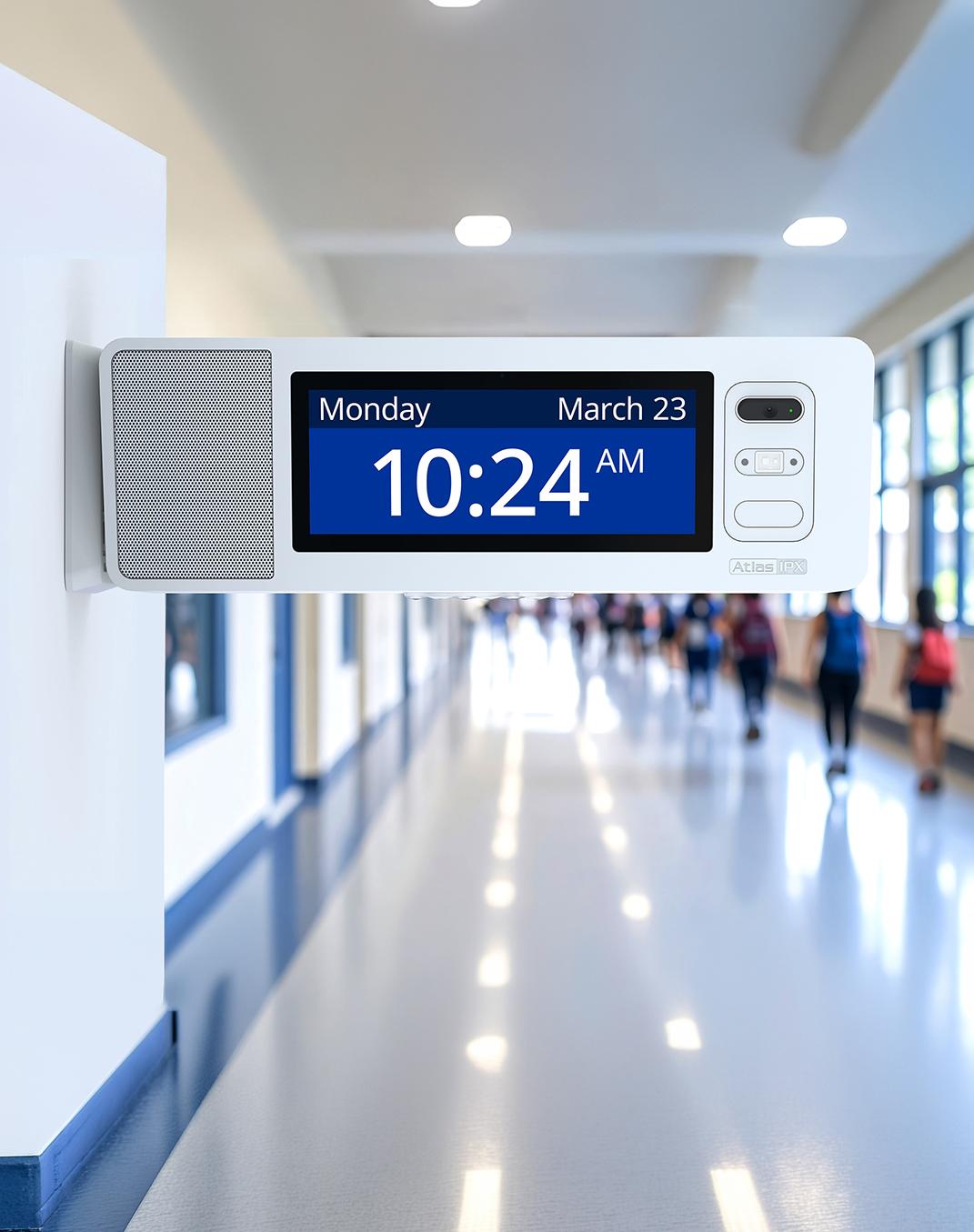
personnel can initiate an alert from a mobile device wherever they are. The software then sends text messages to faculty, students, and parents’ mobile devices, alerts law enforcement, and activates attention-grabbing audio alarms and LCD text messages on the installed IPX devices throughout the school or district. Currently, Torrance USD is trying out various color combinations on the IPX LCD screens to indicate different kinds of alerts, including earthquakes, shelter-inplace, and all-clear messages.
Staff and students appreciate the audio upgrades, albeit for different reasons. Teachers are relieved by the improved audio clarity, as they can finally hear things “loud and clear,” and emergency alerts include visual messaging. Students love the music played at the end of each period to indicate a class transition.
Read the full article here
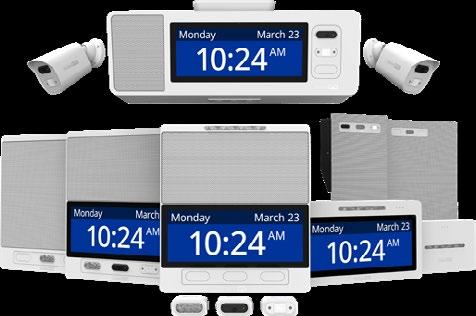

We asked our Advisors for a list of their favorite AI apps. Here’s what they told us they love, along with a bit about why they love them:
Adobe Express – Noted for its visual capabilities, though some users find its AI features (Firefly) are evolving more slowly than competitors.
Canva – Widely considered “best in class” for the classroom. Its visual AI tools are praised for being reliably satisfying and successful when creating professional documents and presentations within a design-first platform.
ChatGPT – A staple for brainstorming, strategic planning, and organizing ideas. It is frequently used as a “think partner” and IT support for both professional and personal tasks.
Claude – A “go-to” for troubleshooting code and formatting responses. It is also highly effective at simplifying complex procedural instructions for staff and students, such as setting up Single Sign-On (SSO) for various platforms.
Diffit – Included as a valuable resource for educators to help differentiate instructional materials.
Evernote – Used to streamline personal organization, note-taking, and overall productivity.
Formative (by Newsela) – Its Luna AI is a favorite for making the creation
of student activities and classroom assessments much easier.
Gamma / Gamma.app – High praise for its ability to create presentation decks, infographics, and websites in seconds based purely on a prompt or an uploaded document.
Gemini (including NotebookLM & Canvas) – Favored for its Google Workspace integration and strong privacy terms. NotebookLM is specifically highlighted for its ability to simplify medical and instructional materials into posters, presentations, and podcasts for commuting students. The Canvas feature within Gemini is used to generate editable apps and slideshows on the fly.
Google Vids – Utilized to support modern research, collaboration, and video-based knowledge management.
HeyGen – Leveraged for dynamic content creation and high-end visual storytelling.
Latimer.ai – Noted as a specialized AI tool being used by education advisors.
Inkwire – Used for various tasks around competency-based learning.
MagicSchool – Specifically relied upon for student activities because it allows for greater teacher supervision compared to general-purpose AI bots.
Microsoft Copilot – A daily tool used to analyze large datasets (like Excel spreadsheets) to create unbiased executive summaries and follow-up questions.
MinutesAI – Streamlines organization and increases the efficiency of capturing meeting notes.
Otter.ai – A favorite for automated transcription and meeting note management.
Playlab – Highly valued for allowing teachers and leaders to build custom AI apps targeted to specific classroom needs, even with minimal programming experience. It provides a creative alternative to standard tutoring products and allows creators to track how students interact with their tools.
SchoolAI – Highlighted as a tool specifically designed to bring AI into the school environment safely and effectively.
Snorkl – Praised for gauging student understanding through video responses and providing immediate, meaningful feedback.
Suno – Used to create catchy, highquality songs in any style or genre to make topics more engaging.
Here are a few key AI tools, with each linked to the Tech & Learning overview.
Amira Learning - Amira Learning is a research-backed AI reading tutor that incorporates the science of reading into its features.
Brisk - Brisk is an AI teaching assistant that works with the curriculum intelligently.
ChatGPT - The first name in chatbots can be used in myriad ways by teachers, from creating lesson plans to providing student feedback. Its Study Mode is designed for tutoring college students. It’s a big step in the right direction for AI.For help with administrative tasks, Agent Mode can browse the internet, complete spreadsheets, and even answer emails.
Claude AI - Features that make Claude AI appealing to educators include a focus on privacy and conversational style.
Colleague AI - Colleague AI offers bot buddies to assist teachers and students in class and beyond.
DeepSeek - DeepSeek R1 is a new reasoning AI model that has made the next generation of AI tools more readily available to students and teachers.
Diffit - Diffit helps teachers generate materials for lessons differentiated by grade.
Eduaide.AI - Eduaide.Ai makes lesson planning and assessment easier using smart machine learning.
Gemini - Gemini, Google’s flagship generative AI model, can help educators with lesson planning and more, though it’s not as effective as platforms specifically designed for education. Its Guided Learning Mode is built on educational science, and that helps set it apart from some of the competition in our tests.
Incident IQ - Incident IQ offers the next evolution of school management and help desk software, built with AI automation to resolve issues 30% faster and keep learning on track.
Khanmigo - Khanmigo, from Khan Academy, utilizes the advanced capabilities of GPT-4 to assist a limited group of teachers and learners.
Kira Learning - Kira Learning is an AI learning toolkit designed for teachers and students for 24/7 use.
Lincoln Learning - Lincoln AI now provides students with their very own 24/7 learning assistant via text or voice.
MagicSchool - MagicSchool uses AI to help with teaching across a range of areas for an all-round offering.
Meta AI - The Meta AI chatbot is fast and easy to use. It’s also designed to integrate with Meta’s social media apps, which isn’t always a strength.
Microsoft Copilot - Microsoft Copilot is the AI teaching assistant of the future.
NotebookLM - Google’s NotebookLM is an AI powerhouse that can supercharge lessons, engage students and even help to create podcasts.
Poe AI - Poe AI is the one-stop spot for AI that can be a powerful education tool.
PowerSchool - PowerBuddy for Assessment brings AI workflows to Performance Matters to improve assessments throughout educational institutions.
Perplexity - Perplexity is an AI that makes traditional search engines look archaic.
SchoolAI - SchoolAI supports teachers and students in bespoke learning using artificial intelligence.
For more tools, as well as news, best practices, tips, and more Click here
Edtech Show & Tell features the new edtech products that have caught our attention this month.
By Diana Restifo and Ray Bendici
Acer | TravelMate P4 & P2 Copilot+
PCs - The Acer TravelMate P4 14 AI, TravelMate P4 Spin 14 AI, TravelMate P2 16 AI, and TravelMate P2 14 AI business laptops offer AI-ready performance and more.
Brain Pop & Digital Promise | AI Literacy Framework - A researchbacked approach designed to help K-12 educators teach and navigate AI in the classroom.
Bundl - Bundl Kits are all-in-one technology packages designed to transform any room into a highperformance, connected experience.
ClassDojo | PaymentsLaunching in late 2026, ClassDojo Payments enables schools to collect field trip fees, manage fundraisers, process technology fees, and accept payments.
Discovery Education | Connected Ecosystem - A unified K-12 framework that embeds AI, instructional resources, adaptive learning, and professional readiness.
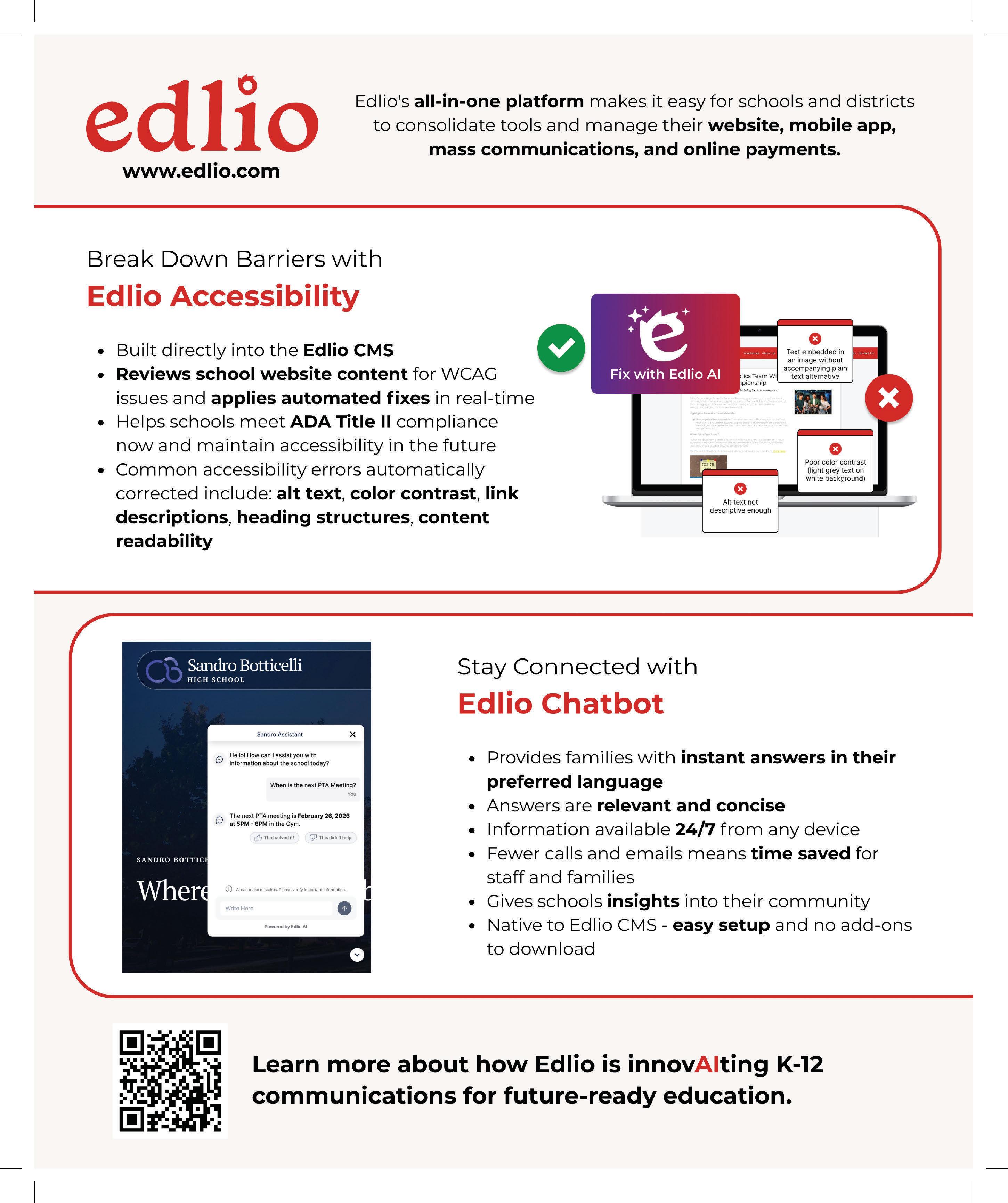
Edlio | Edlio Chatbot - The new chatbot is a native AI-powered assistant built directly into the Edlio CMS.
Edthena | AI Coach By Edthena On-Demand Coaching - AI Coach by Edthena now offers on-demand coaching for instructional coaches and teacher mentors.
Epic | Expanded Library - Epic is adding books and reading experiences inspired by Nickelodeon, including SpongeBob SquarePants and PAW Patrol.
Extron | DTP3 CrossPoint 42 USB - A compact 4x2 matrix switcher that
supports 10 Gbps data at the local USB-C host port and four-port hub
IPC | One Connect One Link - One Link delivers electro-acoustical echo cancellation and ultra-loudspeakers and supports Point to Points, Party Lines, Fixed Groups, and IFBs.
Magewell | Pro Convert IP to AIO 4K - Pro Convert IP to AIO 4K builds on the features of the recently released Pro Convert IP to HDMI.
McGraw Hill & Renaissance - A new collaboration to enhance data-driven, personalized learning experiences and improve learning outcomes.
Pearson | Foundations of AI for PK-12 Educators - A self-paced online course now available to help teachers use AI confidently and responsibly.
Photon Education & MidwichMidwich is bringing Photo Education’s two flagship product lines, Classwise and the Photon Robot, to U.S. schools.
Red Rover | Records - Available within Red Rover’s K-12 HCM platform, this is designed to help HR and administrators attract, retain, and develop the best educator talent.
Summit K12 | Summit 360 - A comprehensive platform that collects, stores, and securely manages data across every stage of the English Learner journey.
Xthings | X Tower - An autonomous, solar-powered security tower designed for rapid deployment in environments where traditional wired systems are impractical.
Read the full article here