These designs can be taken from the list of options already available or can be created in Paint. You may also use photographs stored in the computer as a desktop background. These backgrounds are also called Wallpapers. Steps to create a desktop background If you wish to create a new desktop background, you may create a file in Paint. 1. Select Start
All Programs
Accessories
Paint.
SA M
PL E
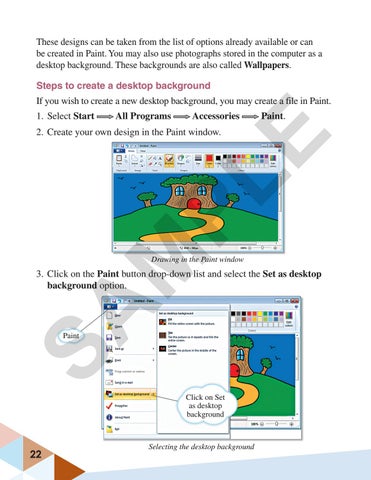
2. Create your own design in the Paint window.
Drawing in the Paint window
3. Click on the Paint button drop-down list and select the Set as desktop background option.
Paint
Click on Set as desktop background
22
Selecting the desktop background