We are working with Cambridge Assessment International Education towards endorsement of this title. Any references or material related to answers, grades, papers or examinations are based on the opinion of the author(s).
LE
1 Visual Studio Community
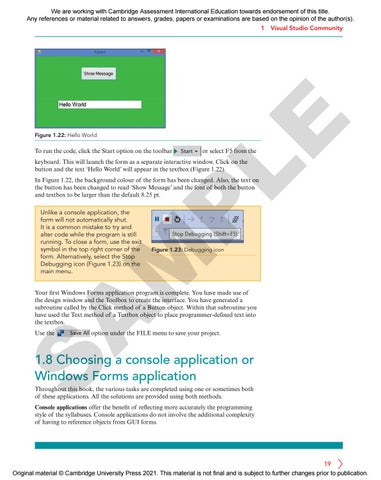
Figure 1.22: Hello World
To run the code, click the Start option on the toolbar
Start
or select F5 from the
keyboard. This will launch the form as a separate interactive window. Click on the button and the text ‘Hello World’ will appear in the textbox (Figure 1.22).
P
In Figure 1.22, the background colour of the form has been changed. Also, the text on the button has been changed to read ‘Show Message’ and the font of both the button and textbox to be larger than the default 8.25 pt.
Figure 1.23: Debugging icon
M
Unlike a console application, the form will not automatically shut. It is a common mistake to try and alter code while the program is still running. To close a form, use the exit symbol in the top right corner of the form. Alternatively, select the Stop Debugging icon (Figure 1.23) on the main menu.
A
Your first Windows Forms application program is complete. You have made use of the design window and the Toolbox to create the interface. You have generated a subroutine called by the Click method of a Button object. Within that subroutine you have used the Text method of a Textbox object to place programmer-defined text into the textbox. Use the
Save All option under the FILE menu to save your project.
S
1.8 Choosing a console application or Windows Forms application Throughout this book, the various tasks are completed using one or sometimes both of these applications. All the solutions are provided using both methods. Console applications offer the benefit of reflecting more accurately the programming style of the syllabuses. Console applications do not involve the additional complexity of having to reference objects from GUI forms.
19 Original material © Cambridge University Press 2021. This material is not final and is subject to further changes prior to publication.