We are working with Cambridge Assessment International Education towards endorsement of this title. Any references or material related to answers, grades, papers or examinations are based on the opinion of the author(s).
LE
CAMBRIDGE IGCSE™ & O LEVEL COMPUTER SCIENCE: PROGRAMMING BOOK
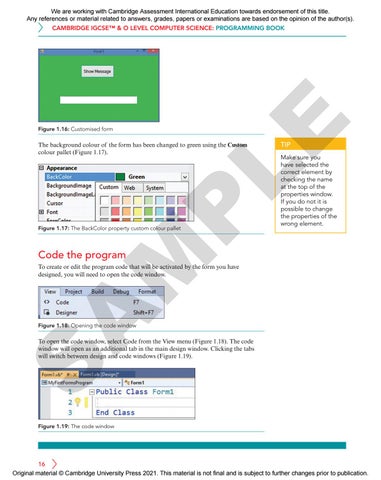
Figure 1.16: Customised form
P
The background colour of the form has been changed to green using the Custom colour pallet (Figure 1.17).
Figure 1.17: The BackColor property custom colour pallet
Make sure you have selected the correct element by checking the name at the top of the properties window. If you do not it is possible to change the properties of the wrong element.
M
Code the program
TIP
A
To create or edit the program code that will be activated by the form you have designed, you will need to open the code window.
Figure 1.18: Opening the code window
S
To open the code window, select Code from the View menu (Figure 1.18). The code window will open as an additional tab in the main design window. Clicking the tabs will switch between design and code windows (Figure 1.19).
Figure 1.19: The code window
16 Original material © Cambridge University Press 2021. This material is not final and is subject to further changes prior to publication.