We are working with Cambridge Assessment International Education towards endorsement of this title. Any references or material related to answers, grades, papers or examinations are based on the opinion of the author(s).
S
A
M
P
LE
1 Characteristics & classification of living organisms
i Original material © Cambridge University Press 2021. This material is not final and is subject to further changes prior to publication.
S
A
M
P
LE
We are working with Cambridge Assessment International Education towards endorsement of this title. Any references or material related to answers, grades, papers or examinations are based on the opinion of the author(s).
Original material © Cambridge University Press 2021. This material is not final and is subject to further changes prior to publication.
We are working with Cambridge Assessment International Education towards endorsement of this title. Any references or material related to answers, grades, papers or examinations are based on the opinion of the author(s).
LE
Computer Science for Cambridge IGCSE™ & O Level
P
PROGRAMMING BOOK FOR PYTHON
S
A
M
Chris Roffey
Original material © Cambridge University Press 2021. This material is not final and is subject to further changes prior to publication.
We are working with Cambridge Assessment International Education towards endorsement of this title. Any references or material related to answers, grades, papers or examinations are based on the opinion of the author(s).
University Printing House, Cambridge CB2 8BS, United Kingdom One Liberty Plaza, 20th Floor, New York, NY 10006, USA 477 Williamstown Road, Port Melbourne, VIC 3207, Australia 314–321, 3rd Floor, Plot 3, Splendor Forum, Jasola District Centre, New Delhi – 110025, India
LE
79 Anson Road, #06–04/06, Singapore 079906 Cambridge University Press is part of the University of Cambridge.
It furthers the University’s mission by disseminating knowledge in the pursuit of education, learning and research at the highest international levels of excellence. www.cambridge.org Information on this title: www.cambridge.org/9781108951562 © Cambridge University Press 2021
First published 2017 Second edition 2021
P
This publication is in copyright. Subject to statutory exception and to the provisions of relevant collective licensing agreements, no reproduction of any part may take place without the written permission of Cambridge University Press.
20 19 18 17 16 15 14 13 12 11 10 9 8 7 6 5 4 3 2 1 Printed in Malaysia by Vivar Printing
A catalogue record for this publication is available from the British Library
M
ISBN 978-1-108-95156-2 Programming Book Paperback with Digital Access (2 Years) ISBN 978-1-108-94828-9 Digital Programming Book (2 Years)
Additional resources for this publication at www.cambridge.org/go
A
Cambridge University Press has no responsibility for the persistence or accuracy of URLs for external or third-party internet websites referred to in this publication, and does not guarantee that any content on such websites is, or will remain, accurate or appropriate. Information regarding prices, travel timetables, and other factual information given in this work is correct at the time of first printing but Cambridge University Press does not guarantee the accuracy of such information thereafter. Third-party websites and resources referred to in this publication have not been endorsed by Cambridge Assessment International Education. Exam-style questions and sample answers have been written by the authors. In examinations, the way marks are awarded may be different. References to assessment and/or assessment preparation are the publisher’s interpretation of the syllabus requirements and may not fully reflect the approach of Cambridge Assessment International Education.
S
The information in Chapter 14 is based on the Cambridge IGCSE, IGCSE (9-1) and O Level Computer Science syllabuses (0478/0984/2210) for examination from 2023. You should always refer to the appropriate syllabus document for the year of your examination to confirm the details and for more information. The syllabus documents are available on the Cambridge International website at www.cambridgeinternational.org
NOTICE TO TEACHERS IN THE UK It is illegal to reproduce any part of this work in material form (including photocopying and electronic storage) except under the following circumstances: (i) where you are abiding by a licence granted to your school or institution by the Copyright Licensing Agency; (ii) where no such licence exists, or where you wish to exceed the terms of a licence, and you have gained the written permission of Cambridge University Press; (iii) where you are allowed to reproduce without permission under the provisions of Chapter 3 of the Copyright, Designs and Patents Act 1988, which covers, for example, the reproduction of short passages within certain types of educational anthology and reproduction for the purposes of setting examination questions.
Original material © Cambridge University Press 2021. This material is not final and is subject to further changes prior to publication.
S
A
M
P
LE
We are working with Cambridge Assessment International Education towards endorsement of this title. Any references or material related to answers, grades, papers or examinations are based on the opinion of the author(s).
Original material © Cambridge University Press 2021. This material is not final and is subject to further changes prior to publication.
We are working with Cambridge Assessment International Education towards endorsement of this title. Any references or material related to answers, grades, papers or examinations are based on the opinion of the author(s). CAMBRIDGE IGCSE™ & O LEVEL COMPUTER SCIENCE: PROGRAMMING BOOK
Contents The items in orange are available on the digital edition that accompanies this book.
vi
How to use this book
viii
How to use this series
x
1.5
Getting Python 3 and IDLE 2 Other Integrated Development Environments (IDEs) 5 Turtle graphics 8 Graphical user interface (GUI) applications 12 Additional support 12
2 Variables and arithmetic operators
15 15 17 17 18 20 22 24
3 Algorithm design tools
Programming constructs 27 Design tools 27 Flowcharts 28 Pseudocode 29 Effective use of flowcharts and pseudocode 31
S
3.1 3.2 3.3 3.4 3.5
4 Subroutines 4.1 4.2 4.3
44 46 49
6 Sequence and strings 6.1 6.2 6.3 6.4
M
Variables and constants Types of data Pseudo numbers Naming conventions in Python Arithmetic operators Programming tasks Python modules Random and Round
A
2.1 2.2 2.3 2.4 2.5 2.6 2.7 2.8
5.3
Make your first application in a window with a button Other tkinter widgets you can use in your applications Choosing a text-based or GUI application
Flowcharts and sequence Pseudocode and sequence Use of flowcharts and pseudocode in programming String manipulation in Python
P
1.3 1.4
5.1 5.2
1 Python 3 1.1 1.2
Note: GUI applications are optional. They are not covered in the syllabuses.
LE
Introduction
5 GUI applications
52 54 56 56
7 Selection 7.1 7.2 7.3 7.4 7.5 7.6 7.7 7.8
IF statements Logical operators Coding IF statements in Python Multiple IF statements Nested IF statements CASE statements Drawing flowcharts for CASE statements Boolean operators
63 64 65 69 70 71 73 75
8 Iteration 8.1 8.2 8.3 8.4 8.5
Types of iteration FOR loops WHILE loops REPEAT...UNTIL loops Gathering experimental data
80 80 87 93 96
Subroutines 34 Programming a function 37 Programming a procedure 41
vi Original material © Cambridge University Press 2021. This material is not final and is subject to further changes prior to publication.
We are working with Cambridge Assessment International Education towards endorsement of this title. Any references or material related to answers, grades, papers or examinations are based on the opinion of the author(s). Contents
9 System design Top-down design Structure diagrams Design steps The complete design process
10 Arrays Declaring an array Initialising arrays Using arrays Groups of arrays Two-dimensional arrays Array reference for implementation in Python
11 Checking inputs
113 114 114 126 128 131
Validation 136 Verification 137 Programming validation into your systems 137
M
11.1 11.2 11.3
12 Testing
When to test 152 Debugging 152 IDE debugging tools and diagnostics 154 Identifying logical errors 156 Dry running 156
A
12.1 12.2 12.3
161 164
13 Files and databases 13.1 13.2 13.3 13.4 13.5
Files 168 Databases 171 Querying databases 173 Python and SQL 178 More advanced SQL 179
14 Programming scenario task 14.1 14.2 14.3 14.4 14.5
Reading the question Constructing a skeleton answer Filling in the details Putting it all together Final thoughts
184 185 186 188 189
15 Examination practice
194
Appendix 1: Turtle reference
205
Appendix 2: Tkinter reference
207
Glossary 211 Acknowledgements 214 Solutions
S
12.4 12.5
12.7
P
10.1 10.2 10.3 10.4 10.5 10.6
102 102 105 109
Breakpoints, variable tracing and stepping through code Beta testing
LE
9.1 9.2 9.3 9.4
12.6
vii Original material © Cambridge University Press 2021. This material is not final and is subject to further changes prior to publication.
We are working with Cambridge Assessment International Education towards endorsement of this title. Any references or material related to answers, grades, papers or examinations are based on the opinion of the author(s). CAMBRIDGE IGCSE™ & O LEVEL COMPUTER SCIENCE: PROGRAMMING BOOK
Introduction
LE
This fully revised edition reflects the new Cambridge IGCSE™, IGCSE (9–1) and O Level Computer Science syllabuses (0478/0984/2210). It includes all new tasks and challenges based on feedback from readers and teachers. But the aim of this edition remains true to the original: to provide a programming book that specifically covers the material relevant to the syllabuses. This book will also provide you with a starting point in the exciting and rewarding process of being able to create your own computer programs. I hope you find the book a helpful step into the world of computer science.
Language
The syntax and structures used to implement programming techniques vary across different languages. This book is entirely based around Python 3, one of the three recommended languages for the syllabuses. Similar books are also available which focus on Microsoft® Visual Basic and Java programming languages.
M
P
Python has, at its core, the principle that code should be easy to read. This means that in many ways it is very close to pseudocode. The pseudocode structure used in the examination papers uses a language-neutral style. You will need to become familiar with this, and be able to read and follow the logic easily. When writing your own pseudocode the most important thing is to ensure your logic is clear. Pseudocode is meant to be a way of expressing clearly the logic of a program, free from the worries of syntax.
A
Python also has a recommended style guide that can be found at the python.org website. Here, for example, it is recommended that Python programmers name functions and variables with descriptive all lower case characters separated by underscores, for example, my_variable. As it could be very confusing to keep swapping naming conventions, this book assumes that you are going to stick, wherever possible, to the correct Python style but be a flexible enough thinker to be able to read other pseudocode styles. It is recommended that when preparing for examinations, you ensure you are aware of the exam board variable naming style.
Support
S
As you work your way through the exercises in this book you will develop your computational thinking skills, independent of any specific programming language. You will do this through the use of program design tools such as structure diagrams and flowcharts. You will also make use of pseudocode, a structured method for describing the logic of computer programs. It is crucial that you become familiar with these techniques. Throughout this book, all the programming techniques are demonstrated in the non-language-specific format required, with the exception of variable and function naming.
viii Original material © Cambridge University Press 2021. This material is not final and is subject to further changes prior to publication.
We are working with Cambridge Assessment International Education towards endorsement of this title. Any references or material related to answers, grades, papers or examinations are based on the opinion of the author(s). Introduction
LE
To support learning, many of the chapters include exam-style tasks. Solutions to all the chapter tasks can be found on the digital part of this resource. There are examples of appropriate solutions that show how to turn logical ideas into actual programs. There is also a series of exam-style questions in Chapter 15.
Developing programming skills
One of the advantages of Python is that it provides a language that encourages you to program solutions making use of the basic programming constructs: sequence, selection and iteration. Although the language does have access to many powerful pre-written code libraries, they are not generally used in this book.
P
Computational thinking is the ability to break down a problem into its constituent parts and to provide a logical and efficient coded solution. Experience shows that knowing how to think computationally relies much more on an understanding of the underlying programming concepts than on the ability to learn a few shortcut library routines.
S
A
M
This book is aimed at teaching those underlying skills which can be applied to the languages of the future. It is without doubt that programming languages will develop over the coming years, but the ability to think computationally will remain a constant. As technology increasingly impacts on society, people with computation thinking skills will be able to help shape the way that technology impacts on our future.
ix Original material © Cambridge University Press 2021. This material is not final and is subject to further changes prior to publication.
We are working with Cambridge Assessment International Education towards endorsement of this title. Any references or material related to answers, grades, papers or examinations are based on the opinion of the author(s). CAMBRIDGE IGCSE™ & O LEVEL COMPUTER SCIENCE: PROGRAMMING BOOK
How to use this book Throughout this book, you will notice lots of different features that will help your learning. These are explained below.
LE
LEARNING INTENTIONS These set the scene for each chapter, help with navigation through the Python programming process and indicate the important concepts in each topic.
SKILLS FOCUS
KEY WORDS
This feature supports your computational thinking, mathematical and programming skills. They include useful explanations, step-by-step examples and questions for you to try out yourselves.
P
Pseudocode and Code snippets
Python code is presented with syntax highlighting in the same way that IDEs present different programming terms in different colours.
M
number1 = int(input('Enter first number: ')) number2 = int(input('Enter second number: ')) if number2 == number1: print('Same') else: if number2 > number1: print('Second') else: print('First')
A
Code snippet 7.3
Pseudocode is shown in text like this:
S
INPUT number1 INPUT number2 answer number1 + number2 OUTPUT answer
Key vocabulary is highlighted in the text when it is first introduced. Definitions are then given in the margin, which explain the meanings of these words and phrases. You will also find definitions of these words in the glossary at the back of this book.
TIPS These are short suggestions to remind you about important learning points. For example, a tip to help clear up misunderstandings between pseudocode and Python.
Code snippet 3.1
Further Information: This feature highlights the advanced aspects in this book that go beyond the immediate scope of the syllabuses.
x Original material © Cambridge University Press 2021. This material is not final and is subject to further changes prior to publication.
We are working with Cambridge Assessment International Education towards endorsement of this title. Any references or material related to answers, grades, papers or examinations are based on the opinion of the author(s). How to use this book
Programming tasks
LE
Programming tasks give you the opportunity to develop your programming and problem-solving skills. Answers to these questions can be found in the solutions chapter, on the digital part of this resource. There are three different types of programming tasks:
DEMO TASKS
You will be presented with a task and a step-by-step solution will be provided to help familiarise you with the techniques required.
PRACTICE TASKS
CHALLENGE TASKS
P
Questions provide opportunities for developing skills that you have learnt about in the demo tasks.
Challenge tasks will stretch and challenge you even further.
M
INTERACTIVE SESSION
Interactive sessions are used to illustrate simple concepts or to show the correct use of some new syntax. You can copy these directly into your online Python environment to follow along with the book. You may then want to experiment further to deepen your understanding.
A
SUMMARY
There is a summary of key points at the end of each chapter.
S
END-OF-CHAPTER TASKS
Questions at the end of each chapter provide more demanding programming tasks, some of which may require use of knowledge from previous chapters. Answers to these questions can be found in the solutions chapter, on the digital part of this resource.
NOTE: As there are some differences in the way programming statements are structured between languages, you should always refer back to the syllabus pseudocode guide to see how algorithms will be presented in your exam.
xi Original material © Cambridge University Press 2021. This material is not final and is subject to further changes prior to publication.
We are working with Cambridge Assessment International Education towards endorsement of this title. Any references or material related to answers, grades, papers or examinations are based on the opinion of the author(s). CAMBRIDGE IGCSE™ & O LEVEL COMPUTER SCIENCE: PROGRAMMING BOOK
How to use this series
P
LE
The coursebook provides coverage of the full Cambridge IGCSE, IGCSE (9–1) and O Level Computer Science syllabuses (0478/0984/2210) for first examination from 2023. Each chapter explains facts and concepts and uses relevant real-world contexts to bring topics to life, including two case studies from Microsoft® Research. There is a skills focus feature containing worked examples and questions to develop learners’ mathematical, computational thinking and programming skills, as well as a programming tasks feature to build learners’ problem-solving skills. The programming tasks include ‘getting started’ skills development questions and ‘challenge’ tasks to ensure support is provided for every learner. Questions and exam-style questions in every chapter help learners to consolidate their understanding.
M
The digital teacher’s resource contains detailed guidance for all topics of the syllabuses, including common misconceptions to elicit the areas where learners might need extra support, as well as an engaging bank of lesson ideas for each syllabus topic. Differentiation is emphasised with advice for identification of different learner needs and suggestions of appropriate interventions to support and stretch learners.
S
A
The digital teacher’s resource also contains scaffolded worksheets for each chapter, as well as practice exam-style papers. Answers are freely accessible to teachers on the ‘supporting resources’ area of the Cambridge GO platform.
There are three programming books: one for each of the recommended languages in the syllabuses – Python, Microsoft Visual Basic and Java. Each of the books are made up of programming tasks that follow a scaffolded approach to skills development. This allows learners to gradually progress through ‘demo’, ‘practice’ and ‘challenge’ tasks to ensure that every learner is supported. There is also a chapter dedicated to programming scenario tasks to provide support for this area of the syllabuses. The digital part of each book contains a comprehensive solutions chapter, giving step-by-step answers to the tasks in the book.
xii Original material © Cambridge University Press 2021. This material is not final and is subject to further changes prior to publication.
We are working with Cambridge Assessment International Education towards endorsement of this title. Any references or material related to answers, grades, papers or examinations are based on the opinion of the author(s).
Chapter 1
S
A
M
P
LE
Python 3
IN THIS CHAPTER YOU WILL: •
obtain a simple Interactive Development Environment (IDE) to support your programming
•
use both interactive mode and script mode in Python
•
program and save a text-based application in script mode
•
learn how to use the built-in turtle module.
Original material © Cambridge University Press 2021. This material is not final and is subject to further changes prior to publication.
We are working with Cambridge Assessment International Education towards endorsement of this title. Any references or material related to answers, grades, papers or examinations are based on the opinion of the author(s). CAMBRIDGE IGCSE™ & O LEVEL COMPUTER SCIENCE: PROGRAMMING BOOK
Introduction Python is a modern, powerful programming language used by many organisations such as YouTube, Wikipedia, Google, Dropbox, CERN and NASA. At the time of writing, Python is listed as the third most popular programming language in the world.
KEY WORD loosely typed: programming languages, such as Python, where the programmer does not have to declare the variable type when initialising or declaring variables.
LE
Python 3 is the latest version of the Python programming language. It is a loosely typed script language. Loosely typed means that it is usually not necessary to declare variable types; the interpreter looks after this. A compiler converts instructions into machine code that can be read and executed by a computer. Script languages do not have a compiler. This means that, in general, Python programs cannot run as quickly as compiled languages. However, this brings numerous advantages such as fast and agile development.
1.1 Getting Python 3 and IDLE
P
There are Python 3 installers for most types of computer available on the python.org website. You should choose the latest stable version of Python 3 (Python 3.8.1 at time of writing). When downloaded and installed, you will find Python comes with a perfectly good IDE called IDLE. Starting up IDLE will enable you to run a program straight away.
Integrated Development Environment (IDE): software that helps programmers to design, create and test program code. IDLE: the IDE provided when Python is installed.
S
A
M
An Integrated Development Environment (IDE) is a piece of software that is similar to a word processor but for writing programs. IDEs provide special tools that help programmers do their jobs more efficiently. They usually have an easy way of running the programs during the development stage – such as a Run button. There are many IDEs that can be used with Python. Some of them are very complicated to use, with many specialist tools for teams of developers that work on very large projects. IDLE is an IDE that has all the tools a learner requires and very little to get in your way. Everything that you are asked to do in this book can be done with IDLE. Figure 1.1 shows what you are presented with when you first open IDLE.
KEY WORDS
Figure 1.1: IDLE’s Python shell on an Apple computer
2 Original material © Cambridge University Press 2021. This material is not final and is subject to further changes prior to publication.
We are working with Cambridge Assessment International Education towards endorsement of this title. Any references or material related to answers, grades, papers or examinations are based on the opinion of the author(s). 1 Python 3
INTERACTIVE SESSION
Open a Python shell and type in the following code after the >>> prompt: >>> print('Hello world!') Press return.
P
You have now run your first interactive mode program. Your code told the computer to print the text ‘Hello world!’ to the screen. It executed your code when you pressed the return key on your keyboard. You can also use interactive mode as a simple calculator. Try entering this sum and press return: >>> 3*4
M
TIP
Interactive sessions are used to illustrate simple concepts or to show the correct use of some new syntax. It is a good idea to start your own interactive session and follow along with the book. You may then want to experiment further to deepen your understanding.
A
Sometimes we want to save our programs; this is not possible in the Python shell. To do this we open a file, type in our code and then save the file with a .py extension. In this book, we refer to this as working in script mode. In Python we can have the Python shell open at the same time as a script window. This means that while writing a program, you can still swap into the Python shell to try out something before continuing to write your program. The Python shell serves another purpose. It is where you can type any input a program asks for and it is where any output appears. In IDLE the two windows are separate and you are free to arrange your desktop as you wish. To open a new file for programming in script mode you click on File and then New File as shown in Figure 1.2 on the following page.
S
KEY WORDS Python shell: a window that allows Python programmers to write and run code a line at a time without having to save the code in a file. It is also where users can provide input and where output is sent.
LE
Figure 1.1 shows the Python shell, which is the first thing that opens when you start IDLE. This is an unusual feature in Python. In the shell, we can write Python commands and code snippets and run them without having to save a file. In this book, we will refer to typing code into the shell as an ‘interactive session’. Interactive sessions are great for experimenting and trying out new things that you learn about Python. When you are presented with an interactive session, it is expected that you will open a Python shell and type in what is shown. When you have done this, you are encouraged to then try out your own ideas until you feel confident with the new feature. Open IDLE from your Python install folder now and follow the instructions in the interactive session below.
interactive mode: when writing and running code in the Python shell window, interactive mode allows us to try out snippets of code without saving.
execute: another word for run. Programmers tend to prefer to talk about a program executing rather than running, but they mean the same thing. script mode: Python scripts are written in a text editor or IDE and saved with the .py extension. Script mode enables programmers to write longer programs that can be edited or run at any time in the future.
3 Original material © Cambridge University Press 2021. This material is not final and is subject to further changes prior to publication.
We are working with Cambridge Assessment International Education towards endorsement of this title. Any references or material related to answers, grades, papers or examinations are based on the opinion of the author(s).
P
LE
CAMBRIDGE IGCSE™ & O LEVEL COMPUTER SCIENCE: PROGRAMMING BOOK
M
Figure 1.2: IDLE open on an Apple computer
In the top window in Figure 1.2, you can see that a very small program has been written and then saved with the name hello.py. Once the file is saved, the program can be run by choosing Run Module from the Run menu. Notice how the output appears in the Python shell window underneath.
PRACTICE TASK 1.1
A
Hello world
Using IDLE in script mode, open a new file and write the following program: # hello.py print('Hello world!')
S
Then, save it to your Documents folder and run your program by selecting Run Module from the Run menu or pressing F5 on your keyboard.
4 Original material © Cambridge University Press 2021. This material is not final and is subject to further changes prior to publication.
We are working with Cambridge Assessment International Education towards endorsement of this title. Any references or material related to answers, grades, papers or examinations are based on the opinion of the author(s). 1 Python 3
1.2 Other Integrated Development Environments (IDEs) As mentioned in Section 1.1, there are many other IDEs available. If you have a Raspberry Pi, Python is already installed and so is another IDE called Thonny. This again is a relatively simple tool that is similar to IDLE. Thonny has some extra features to help learners understand what is happening in their more complicated programs.
A
M
P
LE
On the Raspberry Pi, you can start Thonny by selecting Thonny Python IDE from Programming in the main Menu in the task bar (Figure 1.3).
Figure 1.3: Starting Python 3 on a Raspberry Pi
S
This opens Thonny, which contains both a Python shell and a script area in a single window, as shown in Figure 1.4.
5 Original material © Cambridge University Press 2021. This material is not final and is subject to further changes prior to publication.
We are working with Cambridge Assessment International Education towards endorsement of this title. Any references or material related to answers, grades, papers or examinations are based on the opinion of the author(s).
P
LE
CAMBRIDGE IGCSE™ & O LEVEL COMPUTER SCIENCE: PROGRAMMING BOOK
M
Figure 1.4: Thonny on a Raspberry Pi; the script area is on the top and the Python shell underneath
You can carry out interactive sessions by typing directly into Thonny’s Python shell area. Script mode is started by selecting New from the File menu. Thonny is available for all major computers, not just the Raspberry Pi. IDLE and Thonny are perfectly adequate for performing all the tasks required in this book. However, if you have been programming with IDLE for a little while, you might like to try one of the many other IDEs available.
S
A
The one that is used for the remainder of the screenshots in this chapter, and occasionally later in the book, is Wing IDE 101 (Figure 1.5). This is a free version of a commercial IDE that provides a carefully selected set of facilities that are useful for students. It can be downloaded from the Wingware website, where brief introductory videos and installation instructions are also available. Wing IDE 101 is available for Windows, Apple and Linux computers.
6 Original material © Cambridge University Press 2021. This material is not final and is subject to further changes prior to publication.
We are working with Cambridge Assessment International Education towards endorsement of this title. Any references or material related to answers, grades, papers or examinations are based on the opinion of the author(s).
LE
1 Python 3
P
Figure 1.5: Wing IDE 101 Integrated Development Environment
The large panel in the middle of the application is where you write your scripts. Interactive sessions can be run in the Python shell tab below this window.
S
A
M
There are two ways to run a program in Wing IDE. Clicking the run button will access the Python shell as shown in Figure 1.5. An alternative – and recommended – way of running your scripts is to click on the bug to the right of the run button (Figure 1.6). This opens the Debug I/O panel and now provides error messages in the Exceptions tab on the right.
Figure 1.6: Wing IDE 101 showing input and output after pressing the bug button
7 Original material © Cambridge University Press 2021. This material is not final and is subject to further changes prior to publication.
We are working with Cambridge Assessment International Education towards endorsement of this title. Any references or material related to answers, grades, papers or examinations are based on the opinion of the author(s). CAMBRIDGE IGCSE™ & O LEVEL COMPUTER SCIENCE: PROGRAMMING BOOK
PRACTICE TASK 1.2
TIP
Input and output
There are many excellent IDEs available to choose from but, if you are new to programming, you will not go wrong choosing IDLE, Thonny or Wing IDE 101.
CHALLENGE TASK 1.1 Two inputs and an output
LE
Using your chosen IDE in script mode, open a new file and write, save and run the hello.py program shown in Figure 1.6. Note that when it is running, the program will print out ‘What is your name?’ in the Python shell. The program will then wait for you to type in your name and press the return key on your keyboard before finishing.
Using your chosen IDE in script mode, open a new file and write, save and run a program that asks users for their first name and then their last name. It should then output a greeting that includes their full name.
P
1.3 Turtle graphics
M
Python has a special built-in module that we can use to create programs that draw patterns. This is an implementation of the turtle graphics part of the Logo programming language. The great thing about this module is that the simple turtle commands can be combined with Python code. This means that, as we learn more about Python, we will be able to make more sophisticated and interesting turtle programs. Many of the chapters in this book will have one or two turtle tasks for you to try.
built-in: when programming, we can write our own commands. Python comes with some readymade commands and modules. The print() function is a built-in function and turtle is an example of a built-in module.
S
A
A turtle is a robot (see Figure 1.7) that can be programmed to draw a line by following a path and placing a pen on the floor to create a line.
KEY WORD
Figure 1.7: A floor turtle
8 Original material © Cambridge University Press 2021. This material is not final and is subject to further changes prior to publication.
We are working with Cambridge Assessment International Education towards endorsement of this title. Any references or material related to answers, grades, papers or examinations are based on the opinion of the author(s). 1 Python 3
The language that is used to control the robot consists of simple directional commands and is based on the Logo programming language. There are many online sites and applications that allow users to control an onscreen turtle by using the Logo programming language. The language and syntax have developed a long way from the early Logo language. Some modern implementations provide multiple turtles and complex 3D graphics. A few commands for a floor turtle are shown in Table 1.1: Meaning distances in pixels (1 cm ≈ 20 pixels ) forward(d)
Move d pixels forwards
backward(d)
Move d pixels backwards
left(t)
Turn left t degrees
right(t)
Turn right t degrees
penup()
Raise the pen (stop drawing)
pendown()
Lower the pen (start drawing)
P
Table 1.1: Commands for a floor turtle
syntax: the specific words, symbols and constructs defined for use by a particular language. It is the equivalent of grammar in creative writing.
LE
Turtle command
KEY WORD
Using just these few commands, we can create simple line drawings on our computer screen.
DEMO TASK 1.1
M
Draw a square
Using Python’s turtle module, write a program that draws a square. Solution
S
A
First write a line of code (line 3 in Figure 1.8) that imports the turtle module into our program. This gives us access to the turtle commands. Then write some turtle commands that draw a square. You can see the complete program in Figure 1.8.
Figure 1.8: A turtle program written in script mode using IDLE
TIP Any Python code preceded by a hash symbol (#) is called a comment. This is ignored by the computer when executing the script and is purely for the programmer. It can be useful to include the file name in its own comment at the top of a script.
9 Original material © Cambridge University Press 2021. This material is not final and is subject to further changes prior to publication.
We are working with Cambridge Assessment International Education towards endorsement of this title. Any references or material related to answers, grades, papers or examinations are based on the opinion of the author(s). CAMBRIDGE IGCSE™ & O LEVEL COMPUTER SCIENCE: PROGRAMMING BOOK
CONTINUED
P
LE
This program will work well in IDLE and Thonny. However, in Wing IDE 101, the window with the square in will disappear as soon as the program has finished. In Wing IDE, two more lines of code are required: we need to import another module (see line 4 in Figure 1.9) and then add another line of code to keep the window that contains the ‘turtle’ open (see line 14 in Figure 1.9).
M
Figure 1.9: A turtle program written in script mode using Wing IDE 101
PRACTICE TASK 1.3 Draw a square
A
Open your preferred IDE and write, save and run the square.py program shown in Figure 1.8 and Figure 1.9.
CHALLENGE TASK 1.2 Draw a triangle
S
Open your preferred IDE and write, save and run a turtle program that draws an equilateral triangle.
SKILLS FOCUS 1.1 Python 3 is an industry standard programming language. It comes with many commands that are ready to use – for example, print() and input(). However, there is also a large library of other commands we can use if we import one of the many built-in modules that come with the standard install. Two modules that you have already seen in this chapter are the turtle and tkinter modules.
KEY WORD tkinter: a module that is provided as part of the standard library in Python. It provides tools to help the programmer build applications that have buttons, textboxes, etc.
10 Original material © Cambridge University Press 2021. This material is not final and is subject to further changes prior to publication.
We are working with Cambridge Assessment International Education towards endorsement of this title. Any references or material related to answers, grades, papers or examinations are based on the opinion of the author(s). 1 Python 3
CONTINUED There are different ways of importing these modules. How you import them affects the way you have to write your commands. In Figure 1.9, you can see two different ways of importing these modules on lines 3 and 4. In line 3, the turtle module is imported with the following line of code: from turtle import *
LE
When you realise that * stands for everything, the line of code makes sense. It means, ‘import every command available in the turtle module’. As long as we know what the commands are, doing things this way means we can then use all of the turtle commands in a straightforward way (as illustrated in Figure 1.9, lines 6 to 12). Syntax is the term used to refer to a program’s grammar. The syntax used on line 4, in Figure 1.9, shows another way to import a module: import tkinter
tkinter.mainloop() Question 1
P
The tkinter module gives us access to a lot of graphical programming tools, but what is important here is how, when importing a module with this syntax, we have to use different syntax to call the turtle commands. When we import tkinter like this, we have to precede the tkinter commands with the name of the module and a dot like this:
It is considered good practice, when importing more than one module, to only import one module with the from <module> import * syntax. This is what we did in the program shown in Figure 1.9.
A
M
Rewrite lines 6–12 from Figure 1.9 so that the program will run correctly when we import turtle with import turtle. You may be wondering why we would ever do this because it results in far more typing for the programmer. In larger programs, there may be several modules imported. It can then become confusing which commands are from the standard library and which are from the various modules. This becomes much clearer when they are all preceded by the module’s name. Also, because the programmer might not know the complete set of commands available in a module, they might name one of their own commands with a name that is available in the module. This would cause their program to fail to run.
TIP
There is another way of importing a module that is a kind of compromise between the previous two systems. Study the following program to see how this third system works:
S
import turtle as t t.forward(100) t.right(90) t.forward(100) t.right(90) t.forward(100) t.right(90) t.forward(100)
Code snippet 1.1
11 Original material © Cambridge University Press 2021. This material is not final and is subject to further changes prior to publication.
We are working with Cambridge Assessment International Education towards endorsement of this title. Any references or material related to answers, grades, papers or examinations are based on the opinion of the author(s). CAMBRIDGE IGCSE™ & O LEVEL COMPUTER SCIENCE: PROGRAMMING BOOK
CONTINUED For the most part, in this book, we are going to use the original form of import (from turtle import *) where we can just type the commands from the turtle module on their own. Nevertheless, it is important to understand that there are other ways of importing modules for when you start to read other people’s programs.
LE
There are more turtle commands available than those shown in Table 1.1. To help you answer the turtle tasks that are found in later chapters, there is a list of the most useful turtle commands in Appendix 1 at the end of the book. You may wish to have a look now and experiment with what you can do with turtle.
1.4 Graphical user interface (GUI) applications
P
Note: GUI applications are optional. They are not covered in the syllabuses.
Although not required by the syllabuses, your Python scripts are not limited to textbased applications. By importing the tkinter module, it is easy to produce visually rich graphical user interfaces (GUIs) and attach your algorithms to buttons in windows.
M
Chapter 5, GUI applications, is an optional chapter included in this book. In it, you will learn how to build your own GUIs and how to repurpose your algorithm solutions to work with them. From Chapter 5 onwards, there will be some tasks provided that include making GUIs. Although these are not required by the syllabuses, repurposing your solutions to work with GUIs will make you a more flexible programmer and allow you to produce more professional looking applications.
1.5 Additional support
A
The intention of this book is to introduce programming concepts that make use of the non-language-specific formats included in the syllabuses. Python 3 provides you with the opportunity to use a real programming language to develop your understanding of these concepts. The official documentation for the Python programming language can be accessed through the python.org website.
KEY WORDS graphical user interface (GUI): an interface that includes graphical elements, such as windows, icons and buttons. algorithm: a process, instructions or set of rules to be followed during the execution of a program.
S
A simple syntax reference guide that can be printed out and fits in your pocket is available from the Coding Club website. You can find the link to the website in the digital part of the book.
12 Original material © Cambridge University Press 2021. This material is not final and is subject to further changes prior to publication.
We are working with Cambridge Assessment International Education towards endorsement of this title. Any references or material related to answers, grades, papers or examinations are based on the opinion of the author(s). 1 Python 3
SUMMARY Python 3 is a loosely typed programming language that is designed to encourage easily read code. Python 3 comes with a simple Integrated Development Environment called IDLE. There are many other IDEs available, such as Thonny and Wing IDE 101, both of which are specifically designed for students.
LE
There are three main styles of programming in Python 3: •
interactive mode: quick tests and trials that can be programmed in the Python shell
•
script mode: text-based scripts that can be saved so that your applications can be reused
•
GUI applications: full, visually rich applications that can be produced in script mode.
As well as the basic programming commands available in Python, there is a large library of specialist modules that come with Python and can be imported into your programs such as the turtle and tkinter modules.
END-OF-CHAPTER TASKS
P
1 In your preferred IDE, write a text-based program that asks users to input their age and then their name. Your program should then output a phrase similar to: ‘Hi Vipul. You are 16.’
M
2 Write a turtle program that draws the house shown here:
TIP Don’t forget the main turtle commands are all listed in Appendix 1 at the end of the book.
S
A
3 Write a turtle program that draws a regular pentagon with sides of length 100 pixels.
13 Original material © Cambridge University Press 2021. This material is not final and is subject to further changes prior to publication.
We are working with Cambridge Assessment International Education towards endorsement of this title. Any references or material related to answers, grades, papers or examinations are based on the opinion of the author(s).
Chapter 2
A
M
P
LE
Variables and arithmetic operators
S
IN THIS CHAPTER YOU WILL: •
declare and use variables and constants
•
use the data types Integer, Real, Char, String and Boolean
•
use basic mathematical operators to process input values
•
design and represent simple programs using flowcharts and pseudocode
•
write simple Python programs that can be run and debugged
•
learn how to generate random numbers and round decimals.
Original material © Cambridge University Press 2021. This material is not final and is subject to further changes prior to publication.
We are working with Cambridge Assessment International Education towards endorsement of this title. Any references or material related to answers, grades, papers or examinations are based on the opinion of the author(s). 2 Variables and arithmetic operators
Introduction
KEY WORDS variable: a memory location used to store a value; the value of the data can be changed during program execution. constant: a named memory location used to store a value; the value can be used but not changed during program execution. (However, in Python, we use normal variables but indicate that the value of the data should not be changed by giving it a name in all capitals, e.g. PI = 3.14).
LE
Programs need to store information. This information is stored in variables. The information stored can be numbers, for example, the cost of an item in an online store or the experience points gained by a character in a video game. However, the information could just as easily be some text, such as the name of a person or item. The values stored in variables may need to be updated as a program is run or used to calculate new data. To do this you can use simple mathematical operators. You will be familiar with most of the mathematical operators, such as addition and subtraction, from your maths lessons. This chapter explains how to use variables and mathematical operators when designing and writing Python programs.
2.1 Variables and constants
P
Programs are normally designed to accept and input data. They also process the data to produce the required output. There are different data types: a calculator will process numerical data; a program that checks email addresses will process text data. When writing programs, you will use variables or constants to refer to these data values. A variable identifies data that can be changed during the execution of a program. A constant is used for data values that remain fixed. In many computer languages, the data type must be provided when declaring or initialising variables. The data type is used by the computer to allocate a suitable location in memory. These languages, such as Java, are said to be strongly typed.
M
Python is an example of a loosely typed programming language. The computer decides on a variable’s data type from the context you provide. Compare these two variable declarations, first in Visual Basic then in Python. In Visual Basic:
Dim Score As Integer = 0 In Python:
A
score = 0
The same declaration, in pseudocode: Score 0
declaring variables: setting up a variable or constant. It is important to declare or initialise global variables. initialising variables: giving a variable a start (initial) value when it is first declared.
S
Although loosely typed languages are easy for the programmer to write, it is still important to be aware what data type your variables contain.
data type: a specification of the kind of value that a variable will store.
2.2 Types of data How can we know what data type has been allocated by Python in our programs? To find out the data type of a variable or constant being used in a Python program, use the built-in type() function. Study this interactive session in the Python shell to see how to use this function:
15 Original material © Cambridge University Press 2021. This material is not final and is subject to further changes prior to publication.
We are working with Cambridge Assessment International Education towards endorsement of this title. Any references or material related to answers, grades, papers or examinations are based on the opinion of the author(s). CAMBRIDGE IGCSE™ & O LEVEL COMPUTER SCIENCE: PROGRAMMING BOOK
INTERACTIVE SESSION
LE
>>> my_integer = 3 >>> type(my_integer) <class 'int'> >>> my_string = 'hello' >>> type(my_string) <class 'str'> The most important data types you need to know are shown in Table 2.1: Data type
Description and Use
Integer
Whole numbers, either positive or negative.
Python type(variable) query returns:
'int'
Used with quantities such as the number of students at a school – you cannot have half a student. Positive or negative fractional values.
'float'
Used with numerical values that require decimal parts, such as currency.
Python does not use the term Real. The equivalent data type in Python is called 'floating point'.
P
Real
Real is the data type used by many programming languages and is also referred to in the syllabuses. Char
A single character or symbol (for example, A, z, $, 6).
More than one character (a string of characters).
A
String
M
A Char variable that holds a digit; it cannot be used in calculations.
S
Used to hold words, names or sentences but also punctuation, numbers as text, etc.
Boolean
One of two values, either TRUE or FALSE. Used to indicate the result of a condition. For example, in a computer game, a Boolean variable might be used to store whether a player has chosen to have the sound effects on.
'str'
Python treats characters as small strings. Note:
>>> my_var = '3' >>> type(my_var) <class 'str'> >>> my_var = 3 >>> type(my_var) <class 'int'> 'str' e.g. >>> my_string = 'yellow' >>> type(my_var) <class 'str'> >>> mobile = '0774 333 333' >>> type(my_var) <class 'str'> 'bool' e.g. >>> sfx = False >>> type(sfx) <class 'bool'>
Table 2.1: Data types
16 Original material © Cambridge University Press 2021. This material is not final and is subject to further changes prior to publication.
We are working with Cambridge Assessment International Education towards endorsement of this title. Any references or material related to answers, grades, papers or examinations are based on the opinion of the author(s). 2 Variables and arithmetic operators
2.3 Pseudo numbers
LE
Telephone numbers and ISBN numbers are not really numbers. They are a collection of digits used to uniquely identify an item. Sometimes they contain spaces or start with a zero. They are not intended to be used in calculations. These are known as pseudo numbers and it is normal to store them in a String variable. If you store a mobile phone number as an integer, any leading zeroes will be removed, while spaces and symbols are not permitted.
2.4 Naming conventions in Python
There are a variety of naming conventions in Python. Here are a few of them.
Variable names
For example: ✓ ✕ ✕
M
score_total = 56 Total = 56 t = 56
P
Use all lower case, starting with a letter and joining words with underscores. It is considered good practice to use descriptive names. This aids readability and reduces the need for so much commenting. Commenting is where the programmer writes notes in the program that the computer ignores. In Python these start with the # symbol. In pseudocode, comments are preceded with two slashes (//). You can see examples of commented code in Demo Task 2.1 in Section 2.6, later in this chapter.
A
Further Information: There are 31 reserved words that have a defined function in the Python programming language. These words cannot be used as your own variable names: and as assert break class continue def del elif else except finally for from global if import in is lambda nonlocal not or pass print raise return try while with yield.
KEY WORD
commenting: adding human readable notes to a program. The comments are intended to help explain how the code works. Comments are ignored by the computer when the code is executed. In pseudocode, comments are preceded with two forward slashes // and in Python by a hash symbol #.
S
Constants
Constants are values that do not vary. Constants keep the same value throughout our programs. Use all upper case characters to indicate constants. In Python:
PI = 3.1415 In pseudocode:
CONSTANT PI 3.1415
17 Original material © Cambridge University Press 2021. This material is not final and is subject to further changes prior to publication.
We are working with Cambridge Assessment International Education towards endorsement of this title. Any references or material related to answers, grades, papers or examinations are based on the opinion of the author(s). CAMBRIDGE IGCSE™ & O LEVEL COMPUTER SCIENCE: PROGRAMMING BOOK
2.5 Arithmetic operators There are a number of operations that can be performed on numerical data in your programs. The most important operators used in Python 3 and their equivalent in pseudocode are shown in Table 2.2: Example of use
Description
Addition
Python:
Adds the values held in the variables num1 and num2 and stores the result in the variable result.
result = num1 + num2 Pseudocode: result num1 + num2 Subtraction
Python: result = num1 - num2 Pseudocode:
Multiplication
Python:
result = num1 * num2 Pseudocode:
Subtracts the value held in num2 from the value in num1 and stores the result in the variable result.
Multiplies the values held in the variables num1 and num2 and stores the result in the variable result.
P
result num1 - num2
LE
Operation
result num1 * num2 Python:
result = num1 ** num2 Pseudocode:
result num1 ^ num2
Division
Python:
A
result = num1 / num2 Pseudocode:
result num1 / num2 Python:
result = num1 // num2
S
Integer Division
Raises the value held in num1 to the power of num2. e.g. result = 3 ** 2 is the Python version of 32 and is written 3 ^ 2 in pseudocode.
M
Power of
Pseudocode: result num1 DIV num2
Divides the value held in the variable num1 by the value held in num2 and stores the result in the variable result. Finds the number of times num2 can go into num1 completely, discards the remainder, and stores the result in the variable result. (continued)
18 Original material © Cambridge University Press 2021. This material is not final and is subject to further changes prior to publication.
We are working with Cambridge Assessment International Education towards endorsement of this title. Any references or material related to answers, grades, papers or examinations are based on the opinion of the author(s). 2 Variables and arithmetic operators
Operation
Example of use
Description
Modulus
Python:
Finds the number of times num2 can go into num1 completely, discards this value, and stores the remainder in the variable result.
result = num1 % num2 Pseudocode: result num1 MOD num2
LE
Table 2.2: Operators used in Python 3 and pseudocode
TIP
M
INTERACTIVE SESSION
P
In your maths lessons you may have been taught the acronym BIDMAS (sometimes BODMAS or BOMDAS). The order of mathematical operations in programming languages is the same as that taught in maths lessons. e.g. 3 × 4 + 7 ÷ 4 = 13.75 However, this is very difficult to read and many errors can creep into programs if we rely on doing this correctly. This is why programmers prefer to use plenty of brackets, and you should too. e.g. >>> (3*4) + (7/4) 13.75
Now is a good time to open up a Python shell and have an interactive session to try out some of these operators yourself. To get you started, try entering the code shown below into the Python shell, pressing return after each line.
A
>>> a = 7 >>> b = 3 >>> c = a/b >>> type(c) >>> print(c)
PRACTICE TASK 2.1
S
Data type
Find out what value is stored in c after completing the interactive session.
19 Original material © Cambridge University Press 2021. This material is not final and is subject to further changes prior to publication.
We are working with Cambridge Assessment International Education towards endorsement of this title. Any references or material related to answers, grades, papers or examinations are based on the opinion of the author(s). CAMBRIDGE IGCSE™ & O LEVEL COMPUTER SCIENCE: PROGRAMMING BOOK
2.6 Programming tasks DEMO TASK 2.1 Multiply machine Produce a program called ‘Multiply machine’ that takes two numbers input by the user. It then multiplies them together and outputs the result.
For this demo task, first we need to design the algorithm. Flowchart 2.1 shows one solution and Code snippet 2.1 shows a pseudocode solution. The next chapter will explain how you can make your own flowcharts and write your own pseudocode. result 0
START
INPUT number1
result ← 0
result number1 * number2 OUTPUT result Code snippet 2.1
M
result ← number1 * number2
INPUT number2
P
INPUT number1 number2
Whenever you are provided with a programming demo task, it is a good idea to open a new file in script mode and copy in the code provided. Think about what each line of code is doing as you type. Then save the script and try it out.
LE
Solution
TIP
OUTPUT result
A
STOP
S
Flowchart 2.1
20 Original material © Cambridge University Press 2021. This material is not final and is subject to further changes prior to publication.
We are working with Cambridge Assessment International Education towards endorsement of this title. Any references or material related to answers, grades, papers or examinations are based on the opinion of the author(s). 2 Variables and arithmetic operators
CONTINUED In Python, assignment is indicated by the use of the = symbol. In pseudocode, the is used.
TIP
KEY WORD
LE
We need to use Python’s input() function to send a message to the user and collect their keyboard input. You will find you need to remember that input() only returns string data types, so if we need to do calculations on numbers supplied by the user, we will have to cast the string into an integer by using the int()function. For example.: age = int(input('How old are you?'))
Here is a Python implementation of the solution shown in Flowchart 2.1 and the pseudocode: # multiply_demo.py
P
# Initialise a variable to keep track of the result result = 0
cast: the process of changing the data type of a given variable into another data type. For example, a variable that holds the string value ‘2’ could be cast into an integer variable storing the value 2.
# Request and store user input number1 = int(input('Please insert first number: ')) number2 = int(input('Please insert second number: '))
M
result = number1 * number2
# Display the value held in the variable result print('The answer is ', result) # End nicely by waiting for the user to press the return key. input('\n\nPress RETURN to finish.') Code snippet 2.2
A
It is worth noting that initialisation of result is not necessary in this program. It is used here to illustrate the initialisation process.
PRACTICE TASK 2.2
S
Remainder machine
Produce a program called ‘Remainder machine’ that takes two numbers input by the user. It then outputs the remainder after dividing the first number by the second.
21 Original material © Cambridge University Press 2021. This material is not final and is subject to further changes prior to publication.
We are working with Cambridge Assessment International Education towards endorsement of this title. Any references or material related to answers, grades, papers or examinations are based on the opinion of the author(s). CAMBRIDGE IGCSE™ & O LEVEL COMPUTER SCIENCE: PROGRAMMING BOOK
CHALLENGE TASKS 2.1–2.2 2.1 Volume of a sphere Design a program where the input is the diameter of a sphere (in metres) and the output is the volume of the sphere (in cubic metres). The formula you will need is V = 4/3 * π * r3. 2.2 Grass seed calculator
2.7 Python modules
LE
A gardener sows grass seed at 50 g/m2. She works for many people in a week. She wants a calculator where she can estimate lawns as rectangles and find out how much grass seed is required. Write a program that takes the length and width of a lawn in metres and outputs the amount of grass seed required in grams.
P
You may recall from earlier in the chapter that there are 31 reserved words in Python that you cannot use as identifiers in your programs. This only applies when using the core features of the language. Python also has lots of libraries of other code you can use in your programs. These are called modules. There are many built-in modules. There are also many more that have been made by other programmers around the world that you can use and, of course, you can make your own.
M
In the end-of-chapter tasks, we are going to use two built-in modules: random and turtle. In Chapter 5, we will introduce another built-in module that will enable you to add a GUI to your programs. To access the tools in these modules, we first have to import them. A complex program might import several different modules. This means that we are considerably increasing the number of reserved words that we cannot use as our own identifiers. It is tempting to import everything in a module with code like this: from turtle import *
// import everything from the turtle library
A
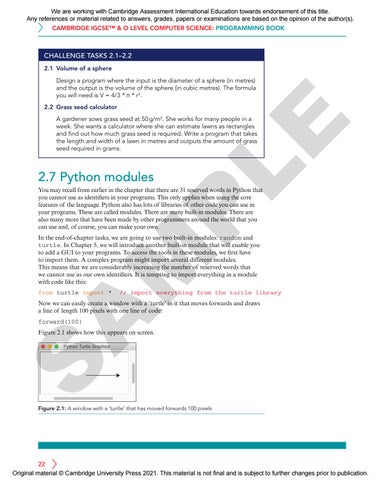
Now we can easily create a window with a ‘turtle’ in it that moves forwards and draws a line of length 100 pixels with one line of code: forward(100)
S
Figure 2.1 shows how this appears on screen.
Figure 2.1: A window with a ‘turtle’ that has moved forwards 100 pixels
22 Original material © Cambridge University Press 2021. This material is not final and is subject to further changes prior to publication.
We are working with Cambridge Assessment International Education towards endorsement of this title. Any references or material related to answers, grades, papers or examinations are based on the opinion of the author(s). 2 Variables and arithmetic operators
However, there are now lots of new words we have to be careful about using in our programs. It is safer to import your modules in the following way: import turtle This still gives your programs access to all the tools in this module but it now requires you to add turtle. to all your commands. For example, to move the turtle forwards, we now need to write: turtle.forward(100)
LE
By importing modules in this way, we no longer need to worry about confusing keywords from the turtle module with words we choose to use as identifiers elsewhere in our programs. Equally important, it is now very clear where the forward() command is coming from.
As you become more experienced, you will meet many programs that import modules in a variety of ways. Generally speaking, if your programs import only one module, it is usually fine to use the from turtle import * syntax and save yourself the extra typing.
PRACTICE TASK 2.3
P
Drawing squares
Write a program that inputs the side-length of a square (in pixels). As output, the turtle should draw a square on the screen with the required dimensions.
For this task you need to import Python’s turtle module in the first line of your program like this:
M
from turtle import *
To move the turtle forwards, drawing a line behind it, use this code: forward(d)
where d is the distance in pixels you want to move.
A
To turn the turtle to the right, use this code: right(a)
where a is the angle in degrees you want to turn.
S
CHALLENGE TASK 2.3 Drawing hexagons
Write a program that inputs the side-length of a hexagon (in pixels). As output, the turtle should draw a regular hexagon on the screen with the required dimensions.
23 Original material © Cambridge University Press 2021. This material is not final and is subject to further changes prior to publication.
We are working with Cambridge Assessment International Education towards endorsement of this title. Any references or material related to answers, grades, papers or examinations are based on the opinion of the author(s). CAMBRIDGE IGCSE™ & O LEVEL COMPUTER SCIENCE: PROGRAMMING BOOK
2.8 Random and Round It is easy to generate a random number when we require one in our programs. In pseudocode, or in a flowchart, this is achieved by calling RANDOM(). This generates a random decimal number between 0 and 1. We can assign it to a variable in the usual way: my_random_number RANDOM()
my_dice_role ROUND(RANDOM()*10, 0)
LE
This may not be what we want though. For example, we may want a random integer from 1 to 10. This can be achieved by combining RANDOM() with ROUND(). ROUND() takes two arguments: the identifier of the number we want to be rounded, and the number of decimal places to round to (0 = integers). Putting these two functions together we can write: The corresponding random function works differently in Python. First we need to import the random module at the start of our program and then call the randint() function. randint() returns a random integer. It takes two integers as arguments, the first one is the lowest integer it might return, and the second integer is the highest. To produce a random number from 1 to 10, in Python, we would write code like this:
P
from random import * my_dice_role randint(1, 10)
Python can also round decimal numbers by calling the round() function. It works the same way as the corresponding pseudocode function: >>> round(8.6234, 1) >>> 8.6
M
You may be surprised how often programmers require random numbers.
SUMMARY
Programs use variables and constants to hold values.
A
Variables and constants have identifiers (names) that are used to refer to them in the program. Variables are able to have the value they contain changed during the execution of a program. The values within constants remain the same while the program is running. In Python, variable names should be descriptive and consist of lower case words joined by underscores.
S
In Python, constant names should contain all capital letters. In Cambridge IGCSE and O Level Computer Science pseudocode, they should be preceded with the CONSTANT keyword. It is important to know what data types your variables are using (Integer, Real, Char, String and Boolean). This can be checked by using the type() function in Python. The input() function returns values from the user as String data types. If number inputs are required, the values returned must be cast into Integers or Floats using the int() or float() functions. Mathematical operators can be used with values held in numeric variables. Random numbers can be generated with randint() and decimals rounded with the round() function.
24 Original material © Cambridge University Press 2021. This material is not final and is subject to further changes prior to publication.
We are working with Cambridge Assessment International Education towards endorsement of this title. Any references or material related to answers, grades, papers or examinations are based on the opinion of the author(s). 2 Variables and arithmetic operators
END-OF-CHAPTER TASKS 1 Program a system that outputs a random number from 1 to 6 inclusive. You will need to import Python’s random module in the first line of your program like this: import random To obtain a random number and store it in a variable called my_random_number, use this code:
LE
my_random_number = random.randint(a,b)
where a is the first possible random number and b is the highest possible random number.
2 Complete the program below that inputs the time from a 24-hour clock in the format hrs.mins (e.g. 18.25) and outputs the time in 12-hour format (e.g. 6.25). You do not need to add ‘am’ or ‘pm’ to the output.
The function round(num, a) takes a float num and the number of decimal places to round it to.
P
time24 = float(input('Provide the time in the form 18.25: ')) if time24 < 13.0: print(time24) # The input is in the correct format else: # Your code goes here
TIP
s
A
s
M
3 a Write a program that inputs the side-length of a triangle (in pixels). As output, the turtle should draw an equilateral triangle on the screen with the required dimensions. The input should be the length of the similar sides, s, and the similar angles, a. The length of the base, b, is not required.
a
a
b
S
b Now try to produce a new version of your program that can draw isosceles triangles.
25 Original material © Cambridge University Press 2021. This material is not final and is subject to further changes prior to publication.