Cambridge IGCSE Computer Science
Mark-up language The transmission a client computer receives from a web server is often in the form of a hypertext mark-up language (HTML) document. An HTML document consists of two parts: the content to be displayed and instructions on how to interpret that content. The language used to convey these instructions consists of mark-ups. Mark-ups are instructions on how content is to be formatted, structured and displayed by the browser. The term originates from the publishing industry where editors would mark-up paper documents from authors with corrections or suggestions. The mark-ups are read and interpreted by the browser, but not displayed. Mark-ups in HTML take the form of tags. Content that requires formatting in some way is tagged. Tags enclose the content, with an opening tag <> at the beginning of the content and a closing tag </> at the end. Example formatting tags are shown in Table 2.02. Table 2.02
Opening tag <h1>
<p> 34
Tag contents
Closing tag
Output
emboldens the text
</b>
emboldens the text
sets the text as a heading </h1> in a large font
sets the text as a heading in a large font
defines a hyperlink
</a>
defines a hyperlink
sets a new paragraph
</p>
sets a new paragraph
Hypertext is text that conveys information and also contains a link to other information, such as another webpage, website, picture, video or sound file. Contained within the hypertext is a hyperlink that is the URL of the additional content. Hyperlinks are named as such because they allow the user to go directly to the linked resource, simply by clicking on the hypertext.
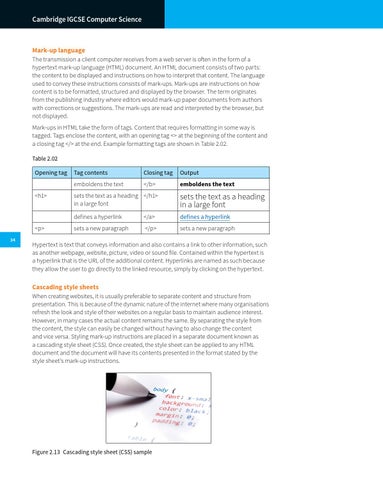
Cascading style sheets When creating websites, it is usually preferable to separate content and structure from presentation. This is because of the dynamic nature of the internet where many organisations refresh the look and style of their websites on a regular basis to maintain audience interest. However, in many cases the actual content remains the same. By separating the style from the content, the style can easily be changed without having to also change the content and vice versa. Styling mark-up instructions are placed in a separate document known as a cascading style sheet (CSS). Once created, the style sheet can be applied to any HTML document and the document will have its contents presented in the format stated by the style sheetâ&#x20AC;&#x2122;s mark-up instructions.
Figure 2.13â&#x20AC;&#x201A; Cascading style sheet (CSS) sample