2. Key Performance Indicators for Scanning
1. What Is a Scanner?
A scanner is a device designed to capture visual information and convert it into a digital format. As an essential computer peripheral—alongside the mouse and keyboard—it serves as a major input device in modern workflows. By transforming physical documents or images into files that can be viewed, edited, stored, and shared on a computer, scanners play a vital role in document management and digital archiving.
2. How a Scanner Works
Scanners operate by using photosensitive components to capture reflected light from a document. The light signal is converted into an electrical signal, which is then processed through an analog-to-digital (A/D) converter to produce digital data that can be transmitted to and interpreted by a computer.
3. Photosensitive Components: The Core of Image Conversion
The heart of a scanner is its photosensitive element—the component responsible for converting light into electrical signals. Its performance characteristics, such as spectral response, stability, sensitivity, and noise level, play a critical role in determining image quality. The most common types of image sensors used in scanners are Contact Image Sensors (CIS) and Charge-Coupled Devices (CCD).
1. CCD (Charge-Coupled Device)
A CCD, or Charge-Coupled Device, is an image sensor similar in structure to semiconductor integrated circuits. It contains thousands of photodiodes fabricated on a single silicon substrate. These photodiodes are typically arranged into three rows, each covered with a red, green, or blue color filter, enabling full-color scanning. When exposed to light, the photodiodes generate electrical charges, which are amplified and then converted into output signals. After many years of development, CCD technology has become highly mature and remains the primary imaging sensor used in mainstream scanners.
Advantages of CCD sensors:
Scanners that use CCD sensors generally produce higher image quality and offer greater depth of field, allowing them to capture uneven or textured surfaces. CCDs
also have low temperature sensitivity, meaning changes in ambient temperature have minimal impact on their performance during typical operation.
Limitations of CCD Sensors:
Because the thousands of photodiodes in a CCD are positioned extremely close to one another (on the micrometer scale), noticeable leakage can occur between adjacent cells. This signal crosstalk reduces the scanner’s effective sharpness. In addition, CCD-based systems rely on mirrors and lenses, which can introduce color shifts and optical aberrations that must be corrected through software. The need for a precise and relatively complex optical assembly also makes it difficult to reduce the physical size of CCD scanners.
CIS (Contact Image Sensor)
A CIS, or Contact Image Sensor, uses touch-based photosensitive elements (lightsensitive sensors) to capture images. Positioned just 1–2 mm below the scanning surface, 300–600 red, green, and blue LEDs are arranged closely together to produce a white light source. This design replaces the complex optical system of a CCD scanner—including the CCD array, lenses, fluorescent lamps, and cold cathode tubes —simplifying the scanner’s construction. In contrast to a CCD scanner’s combined optical–mechanical–electrical system, a CIS scanner integrates mainly the mechanical and electrical components.
Advantages of CIS:
Scanners built with CIS technology are compact, lightweight, and cost-effective to manufacture.
Limitations of CIS:
CIS scanners generally cannot achieve very high resolutions, and their scanning speed tends to be slower compared with CCD-based devices.
4. Scanner Light Source
The light source is a critical component of a scanner, as all light received by the photosensitive element originates from the scanner’s own lamp. Any impurities or color deviations in the light can directly affect the accuracy and quality of the scanned image.
5. Scanner Mainboard
The scanner’s mainboard is a circuit board with integrated chips that coordinate the operation of all scanner components. Its primary functions include converting image
data, transmitting digital information to the computer, controlling the scanner’s coordinated movements, and processing the captured data.
6. Mechanical Drive Components
The mechanical drive components control the movement of the scanner head and its supporting platform. When the mainboard sends commands to the stepper motor, these components ensure the scanner head moves along the designated path to complete the scanning process accurately.
7. Key Performance Indicators of a Scanner
The main performance indicators of a scanner include resolution, grayscale levels, color depth, scanning speed, and scanning area.
1. Resolution
Resolution indicates a scanner’s ability to capture image details. DPI (dots per inch) is a common unit used to measure resolution in raster images, representing the number of sample points or output dots per inch. According to the Standards for the Digitization of Paper Archives, the scanning resolution should be no less than 200 DPI, while a resolution of 300 DPI is generally recommended in practical digitization projects.
2. Grayscale Levels
Grayscale levels represent the range of brightness in a grayscale image. A higher number of levels indicates a greater range of brightness and more detailed tonal variation.
3. Color Depth
Color depth refers to the range of colors a color scanner can produce, typically expressed in bits per pixel. A higher color depth allows for more accurate and vivid color reproduction.
4. Scanning Speed
Scanning speed is usually measured as the time required to scan an image at a given resolution and size.
5. Scanning Area
The scanning area indicates the maximum size of the document that can be scanned. Common formats include A4, with larger formats such as A3 or A0 also available.
3. Common Types of Scanning Equipment on the Market
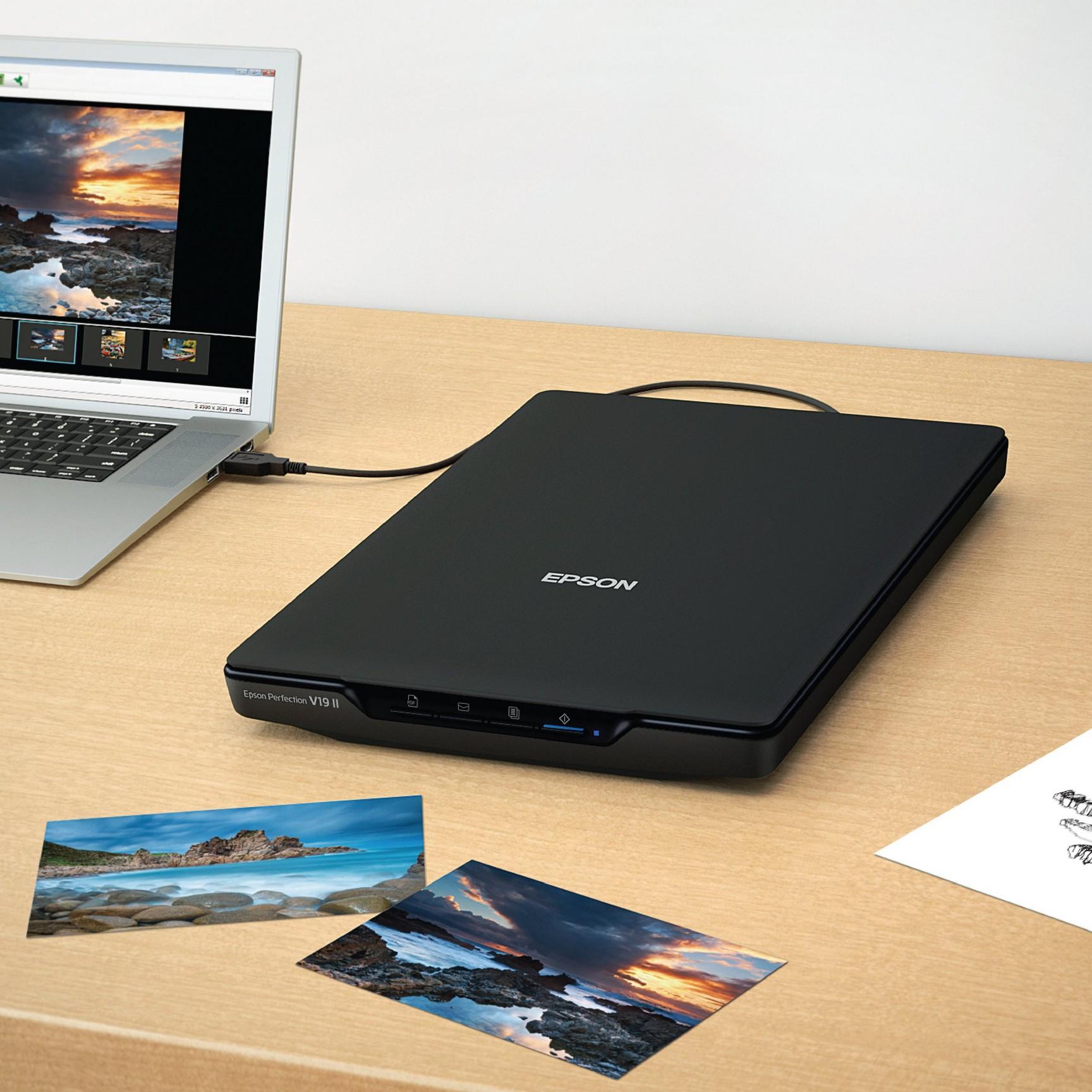
1. Flatbed Scanners
A flatbed scanner—also called a desktop or platform scanner—typically features a hinged cover above a glass scanning surface, with the photosensitive element located underneath the glass. To scan a document, the cover is lifted, the paper is placed flat on the glass, and the cover is closed. During operation, the photosensitive element moves beneath the glass to capture the image, producing a digital version of the original document. Common flatbed scanners support A4 and A3 paper sizes.
Scanner Model
Sensor Type Optical
Epson Perfection V39 II CIS
Canon CanoScan LiDE 400 CIS
4800 × 4800
48-bit internal, 24-bit external A4 / Letter (216 × 297 mm) ~10 sec
4800 × 4800
Canon CanoScan LiDE 300 CIS 2400 × 2400
Canon imageFORMULA DR-F120
48-bit internal, 24-bit external A4 / Letter (216 × 297 mm) ~8 sec
48-bit internal, 24-bit external A4 / Letter (216 × 297 mm) ~10 sec
CIS (1line ADF + flatbed) Flatbed: 600 × 600, Output up to 2400 × 2400 24-bit Flatbed max 216 × 356 mm Color: 10 ppm (simplex ADF)
HP Scanjet 6200Cse CIS ~4800 × 480048-bit A4 / Letter ~8–10 sec
Perfection V39 II - image from Epson
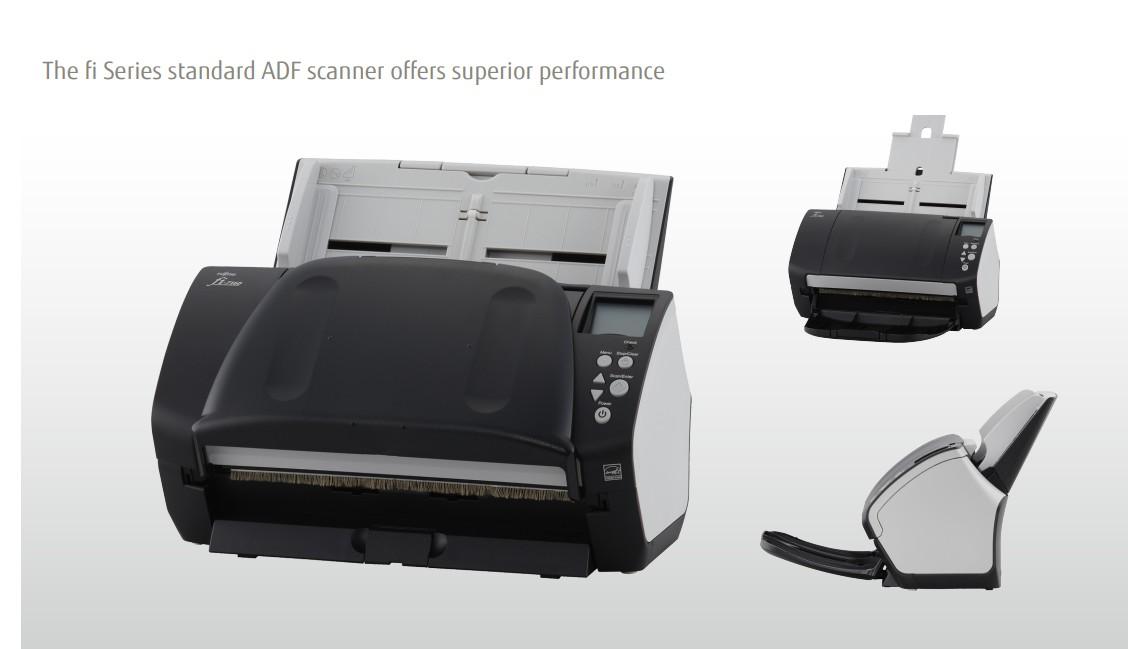
2. High-Speed Scanners
High-speed scanners use a roller-fed mechanism to quickly transport documents through the scanning area, producing digital images efficiently. The main advantages of this type of scanner are fast scanning speed and generally good image quality. However, they are prone to paper jams, which can damage the documents. Highspeed scanners are recommended for well-preserved, sturdy paper, but are not suitable for thin, fragile, or damaged archival materials.
Model
Fujitsu fi-7160
Dual CCD 600 dpi optical; 50–600 dpi 24-bit color, 8-bit grayscale )
Up to 216 × 355.6 mm; long paper up to 60 ppm (simplex), 120 ipm
Epson
Model Sensor Type Resolution (DPI)
Scan Speed output (up to 1200 via driver) 5,588 mm (duplex) (
Fujitsu fi-7260
3 × CCD (ADF + flatbed)
600 dpi optical; 50–600 dpi (driver up to 1200)
Kodak Alaris S2050
Dual CIS
600 × 600 dpi optical )
24-bit color, 8-bit grayscale
30-bit capture, 24bit output, 8-bit grayscale
ADF: 216 × 355.6 mm; long scan up to 5,588 mm; Flatbed: 216 × 297 mm 60 ppm (simplex), 120 ipm (duplex)
Up to 216 mm × 3000 mm length (longbatch) 50 ppm (simplex), 100 ipm (duplex) )
3. Specialized Scanners
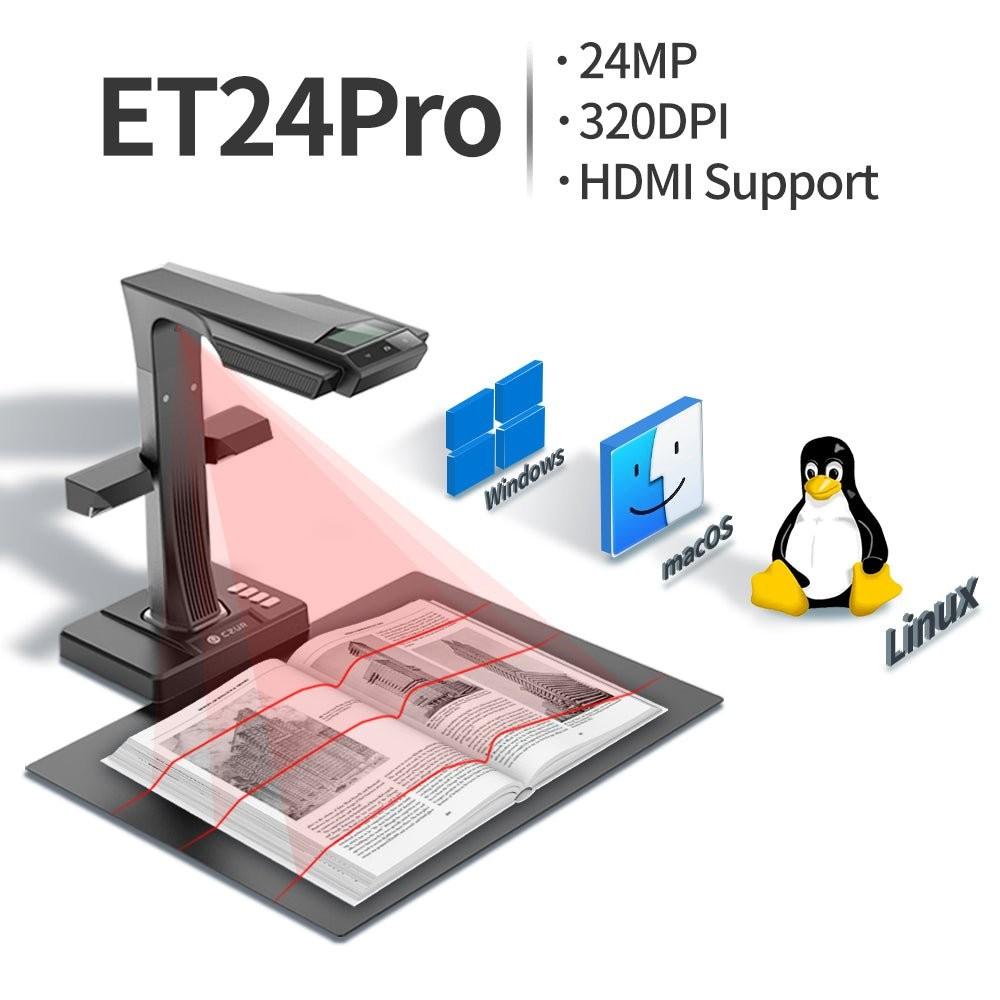
1. Overhead / Book Cameras
These scanners capture images by photographing documents, providing a fast and flexible scanning method.
2. Zero-Edge (Non-Contact) Scanners
Zero-edge scanners allow scanning of bound documents or delicate materials
without unbinding or pressing the pages against a glass surface. The resulting images remain undistorted and faithful to the original.
3. Large-Format Scanners
Large-format scanners are designed for oversized materials such as A0 or A1 engineering drawings, ensuring complete image capture while maintaining fidelity.
4. Book Scanners
Book scanners can digitize bound documents and books while applying intelligent image processing, such as automatic page flattening, finger mark removal, smart page separation, and background removal.
Book scanner-image from: czur
5. 3D Scanners
3D scanners capture the physical structure of objects, producing digital images or video representations of the scanned item.
4. How to Choose the Right Scanner
Match the Scanner to Your Needs: For archival digitization, choose a scanner with a reasonable price, high-quality imaging, and fast scanning speed.
Resolution: The scanner should support at least 300 DPI.
Scan Area: High-speed scanners should handle at least A4 size, while flatbed scanners should accommodate A3 size.
Scan Speed: High-speed scanners should produce no fewer than 50 pages per minute, and flatbed scanners should scan each page in under 4 seconds.
Color Support: The scanner must support full-color scanning.
Additional Features: Check for OCR capabilities, and ensure the scanning software is fast and feature-rich.