Catholic Health Employee Orientation




9:30 – HR 10:30 – Privacy 11:05 – Corporate Employees Dismissed/ 5 Minute Break 11:10 – CHPP Leadership 11:25 – Safety 12:00 – 5:00PM – MA/MOA Sessions
Patrick O'Shaughnessy, DO, MBA President and CEO of Catholic Health

• Joined Catholic Health in 2006 as Director of Emergency Medicine at St. Charles Hospital, later served as Chief Medical Officer and Chief Clinical Officer for the Catholic Health System.
• Champion for Community Health initiatives including food insecurity and Health Equity
• Recognized as Healthcare Innovator by Long Island Business News
• Message From Our CEO

We, at Catholic Health, humbly join together to bring Christ’s healing mission and the mission of mercy of the Catholic Church expressed in Catholic health care to our communities.

To be the preferred health care system on Long Island for patients, doctors and staff.

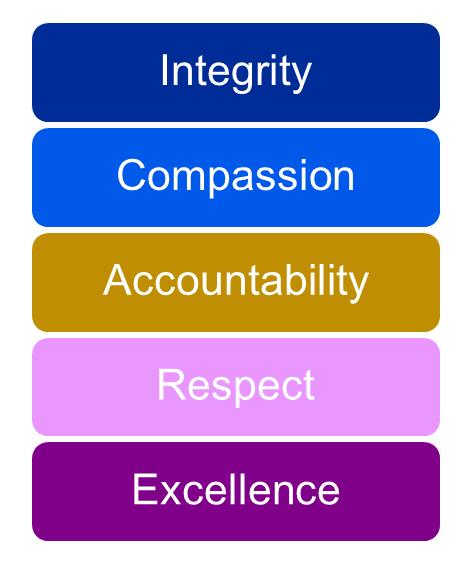
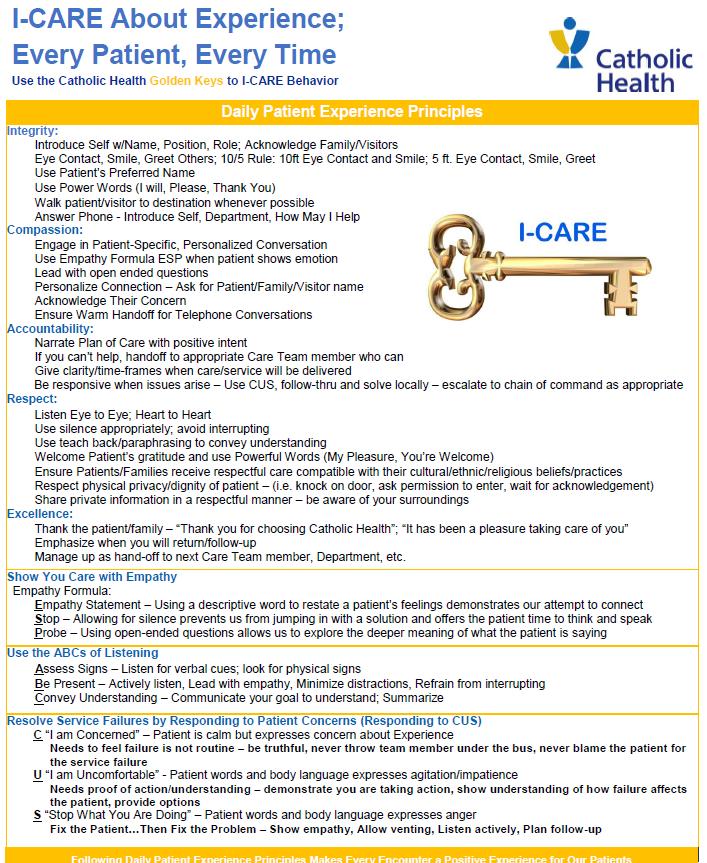
Integrity: We are who we say we are and act in accordance with the splendor of truth of our Catholic moral teaching and our Catholic values.
Compassion: We have compassion for our patients, see the suffering Christ in them, strive to alleviate suffering and serve the spiritual, physical and emotional needs of our patients.
Accountability: We take responsibility for our actions and their consequences.
Respect: We honor the sanctity of life at every stage of life and the dignity of every person, and incorporate all the principles of Catholic social teaching in our relationships and advocacy.
Excellence: We seek the glory of God in the compassionate service of our patients, and we strive to do the best that can be done, whatever our role.
• Welcome Message from the President
• Mission Orientation
• Sexual Harassment
• Diversity and Inclusion
• HIPAA
• Compliance
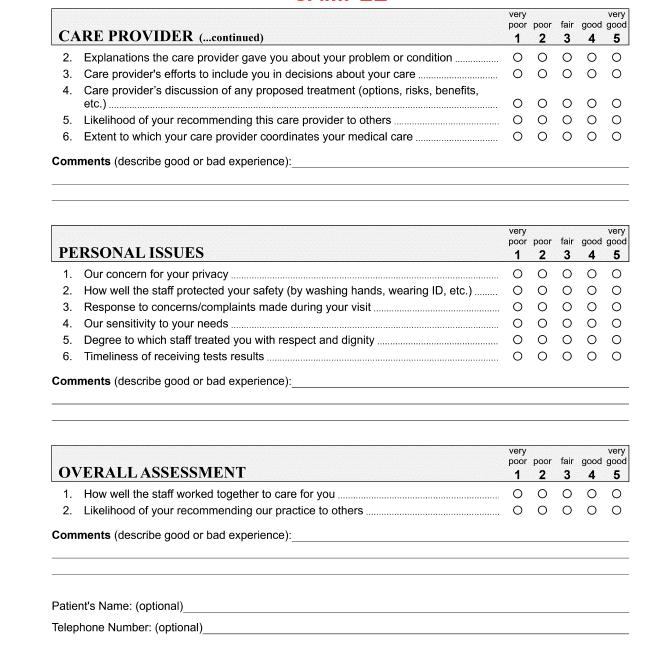
• Patient Experience
• Internal Communications Channels
• Information Security Offered Online Via Catholic Health Academy

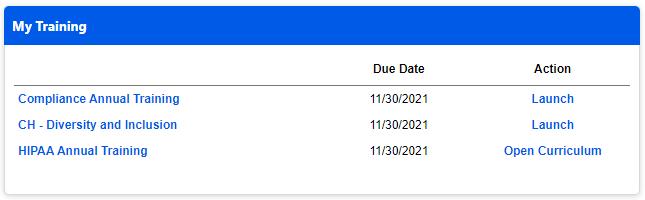
• Introductory Period - Any employee hired on a full-time or part-time basis is considered an Introductory Employee until the employee has successfully completed six months of continuous employment with satisfactory service.
• Annual Reviews - Employees will receive annual constructive work reviews designed to address performance and skill and developmental needs and interests.
• Self Appraisal - Employee is given the opportunity to rate their own performance to facilitate a two way conversation during performance reviews
Runs/Walks (CBIZ Workplace Challenge, Suffolk County Marathon, Empire Ride)
Employee Service Award Dinner
Volunteer Events & Many More!

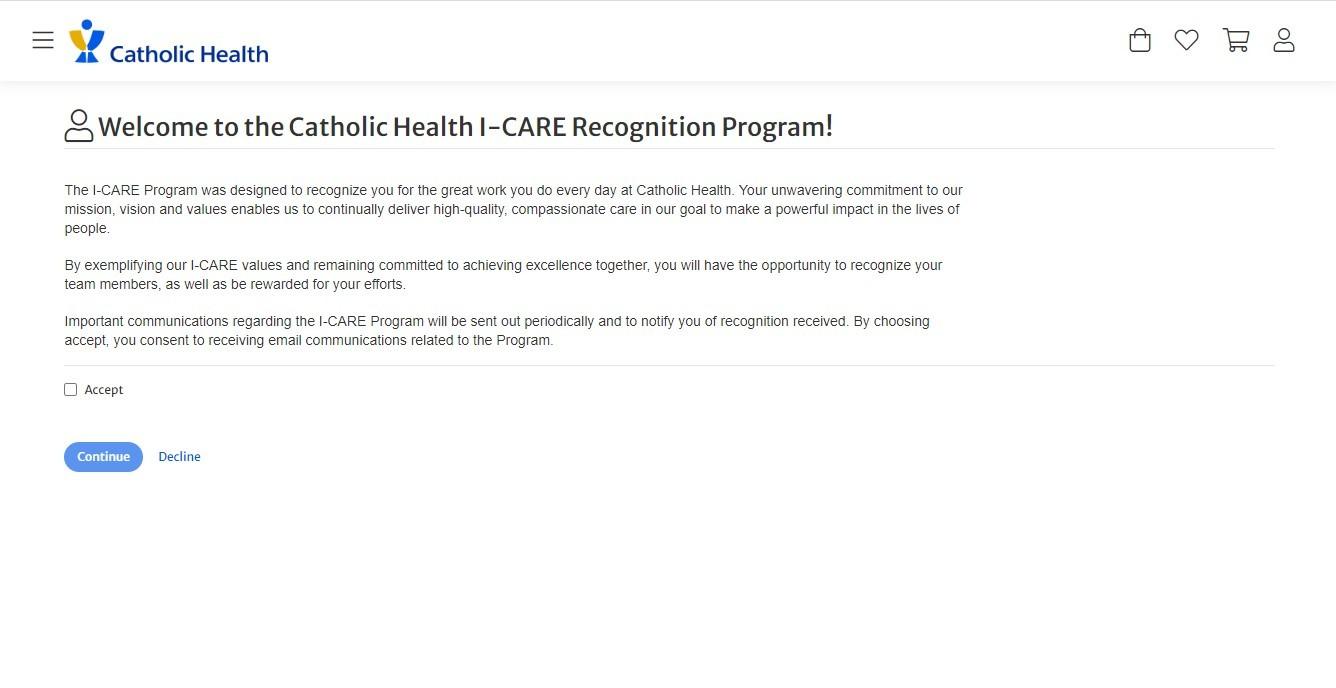
Give an Inspire Award
Recognize a team member with 1000 points award for demonstrating our values and making a significant impact in our workplace.
Give Kudos
Send Kudos to a team member to recognize them for their efforts
Send an eCard
Celebrate and thank team Members with an eCard
New Employees will receive a survey after 30 days of employment and an acclimation survey after 90 days. A unique survey link will be sent to your work email from noreply@surveys.pressganey.com and can only be accessed through that link. The link will remain active for 30 days.


Medical & Prescriptions
• Catholic Health Select Plan
• Anthem PPO
• Anthem EPO
• Anthem POS
• MyCHSRX
Dental
• Cigna PPO Core
• Cigna PPO Buy-Up
• Cigna DHMO Vision
• Basic Vision (Included with Medical Coverage)
• Davis Enhanced Vision Plan
Life Insurance
• Basic Employee Life Insurance and AD&D
• Supplemental Employee Life Insurance
• Spouse Life Insurance
• Child Life Insurance
Flexible Spending Accounts
• Healthcare FSA
• Dependent Care FSA
• Parking & Transit FSA
Disability Insurance
• Short Term Disability
• Supplemental Short Term Disability
• Long Term Disability
Voluntary Benefits
• Critical Illness Insurance
• Accident Insurance
• Hospital Indemnity Insurance
• Identity Theft Insurance
• Legal Plan Retirement Benefits
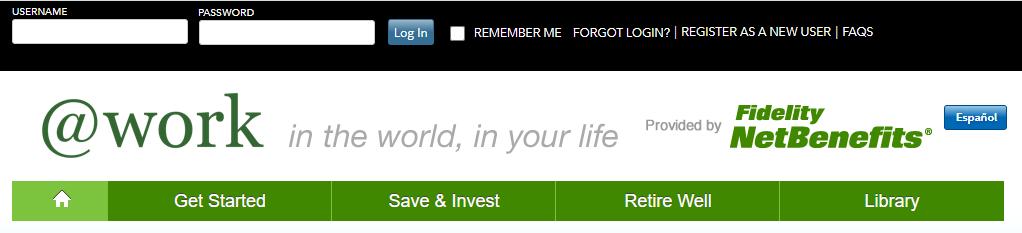
• 403(b) Plans
• Pension Other Benefits
• Tuition Assistance
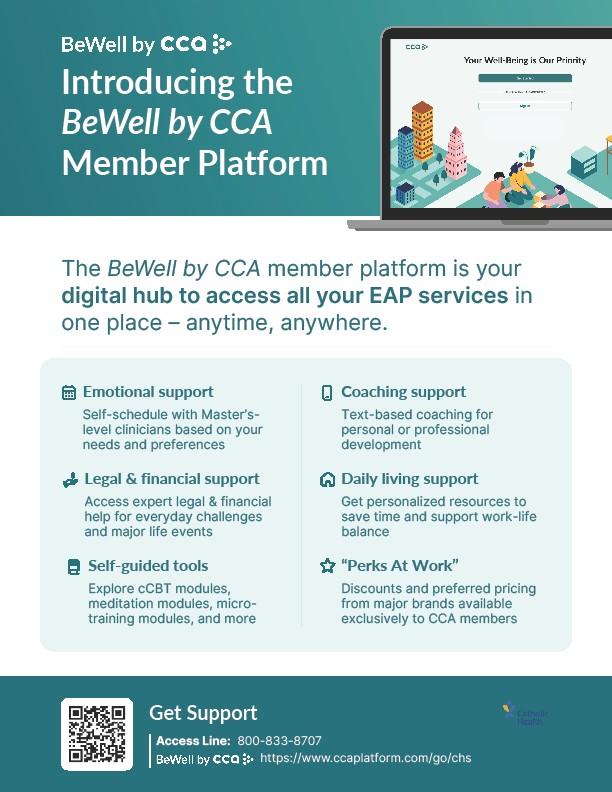
• CCA Employee Assistance Program
• PerkSpot Employee Discount Program
• MyStrength
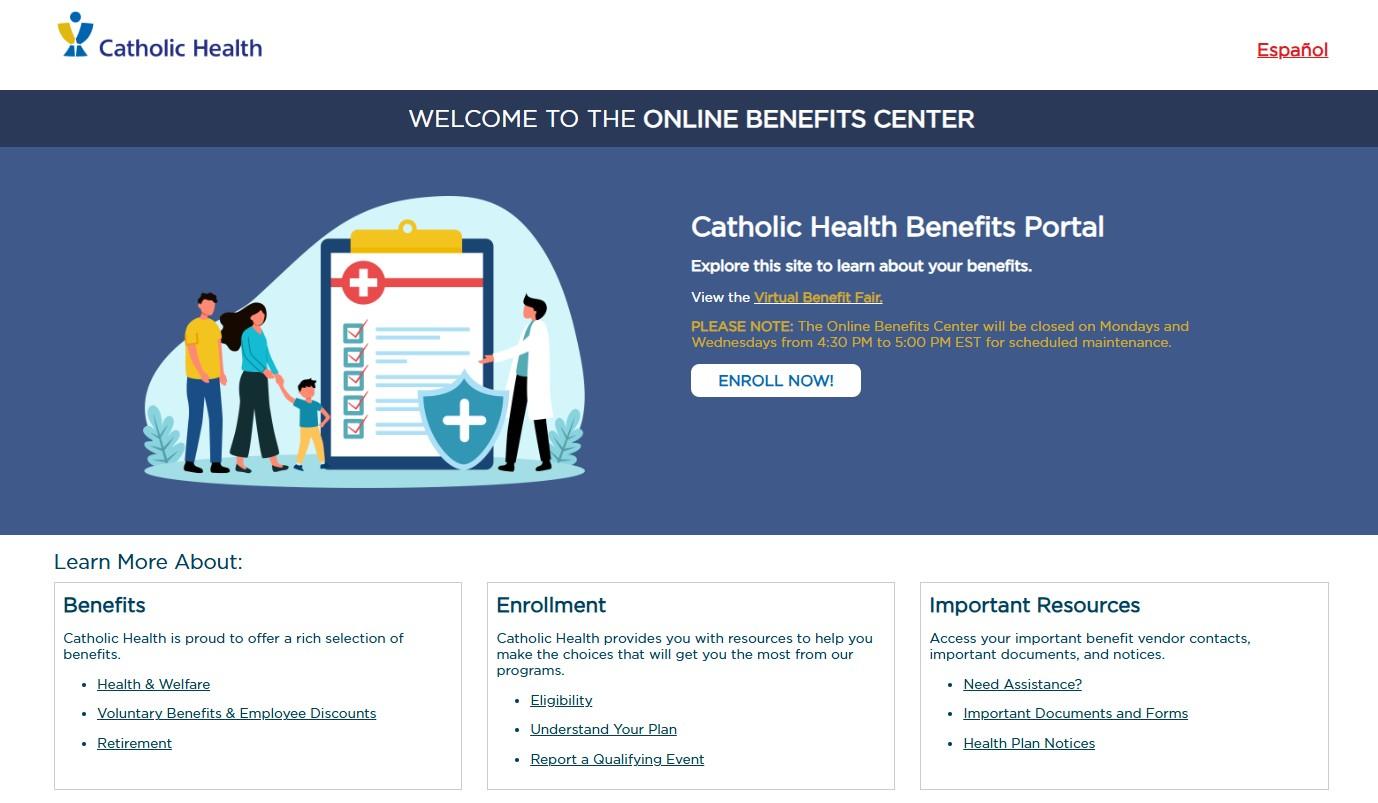
Catholic Health Benefits of Caring Program – New Hire Benefits Checklist
Refer to the email you received from your Onboarding Specialist for details on how and when to enroll
• Helpful tip! – take action now to put a reminder on your calendar or in your mobile phone for a date in advance of your deadline to enroll to make sure you’ve taken action. Don’t miss your deadline to enroll in benefits!
• Benefit eligible new hires may enroll in the Benefits of Caring Program effective 1st of the month following 60 days of continuous employment (date of hire is day #1) and must submit elections no later than this date
Be on the lookout for an email from CHSBenefits, which will advise you that your benefit record is open
Ready to enroll? – once your benefit record is open, you can submit your benefit elections either:
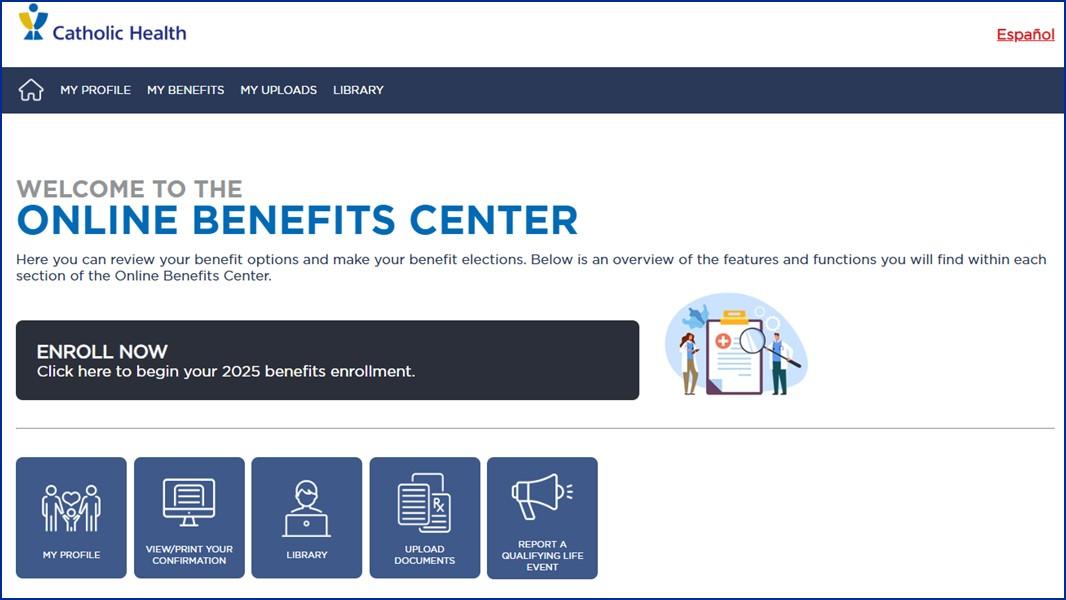
• Online by clicking on the “Enroll Now” button on the benefit portal ( www.MyCHBenefits.org) home screen, OR
• Over the phone by calling the Enrollment Center at 1-877-87-MYBEN
• Through Email by contacting employeebenefits@Bakertilly.com
Catholic Health Benefits of Caring Program
Once you have made your enrollment choices, you generally cannot make any changes until Annual Open Enrollment, or if you experience a Qualified Status Change (QSC).
– Log into the Benefit Portal ( www.mychbenefits.org) and click Report a Qualifying Life Event
– Please remember – you have 31 days from the date of the event to make your benefit election changes, and upload the necessary supporting documentation
Examples of a QSC Event:
• Birth/Adoption of a Child
• Marriage/Divorce
• Gain/Loss of Other Insurance Coverage
• Death of a Dependent
• Employment Status Change
Catholic Health 403(b) Retirement Savings Plan & Pension Plan
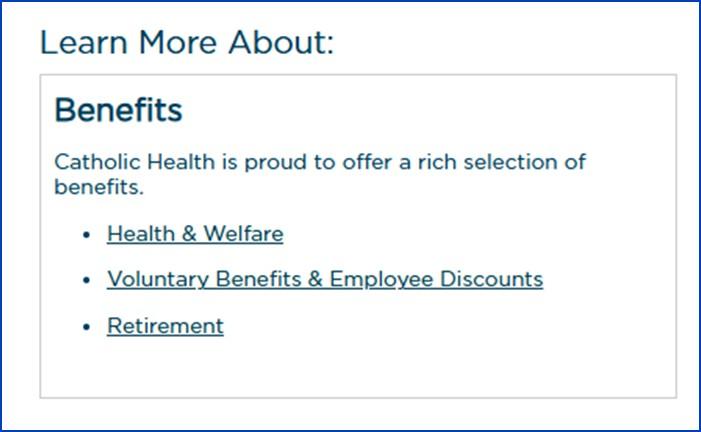
All employees are eligible to contribute towards a 403(b) Retirement Savings Plan with Fidelity
– Please visit www.NetBenefits.com/AtWork to enroll
– Questions? Please contact Fidelity at 1-800343-0860
The Pension Plan, which is managed by the Diocese of Rockville Centre, is fully funded by Catholic Health.
– Questions? Please contact the Diocese of Rockville Center via email (hr@drvc.org) or phone (1-833-377-7572)
Catholic Health encourages you to develop yourself personally and professionally, which is why we have established our Educational Assistance Program.
• Eligible after 12 months of employment
• Can receive up to $5,250 each year based on FTE
• Courses must be pre-approved
• For more information, please visit the MyHR Page on the intranet or contact our MyHR Department at 516-705-6947 Educational Partnerships:






Full-time and eligible part-time employees will accrue sick leave at a rate of one (1) hour for every 20 hours worked up to a maximum of ninety (90) hours per year (12 days). Sick leave which exceeds five (5) business days may be considered a disability
All eligible newly hired employees must complete three (3) months of continuous employment in order to be eligible for the next accrued personal day. At any one time, an employee can carry a maximum of four (4) personal days. (Jan 1, April 1, July 1, Oct 1)
Employees must complete six (6) months of continuous service before they are eligible to use vacation time. At any one time, an employee can carry a maximum of 1.5x their annual allowance. An employee must have accrued vacation time prior to submitting a request.
Employees will begin to accrue holiday time upon date of hire and will accrue the holiday the pay period before the date of the holiday. Holiday accruals are prorated for part-time employees.
New Year’s Day
Martin Luther King Jr. Day
President’s Day
Good Friday
Memorial Day
Independence Day Labor Day
Thanksgiving
• Be sure to set up your Direct Deposit through the MyHR site.
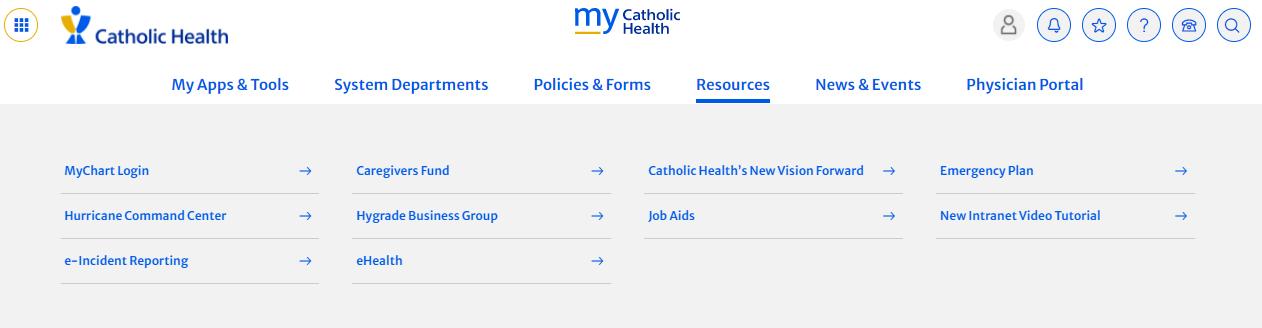
• To navigate to the Direct Deposit form: Intranet Home Page > System Departments > MyHR > Scroll Down to My Employment > Update Direct Deposit.
• Be advised that 1st paycheck employees receive will be a paper check in the mail
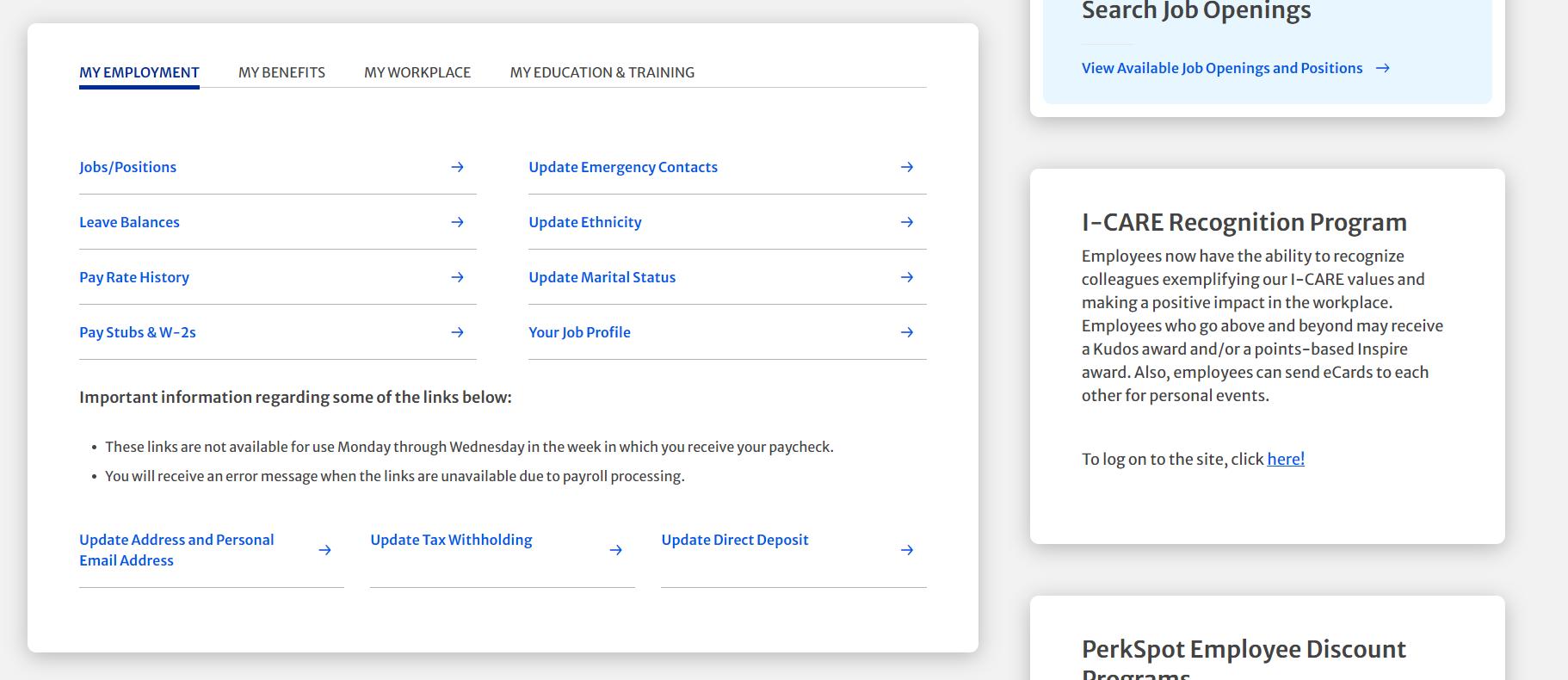
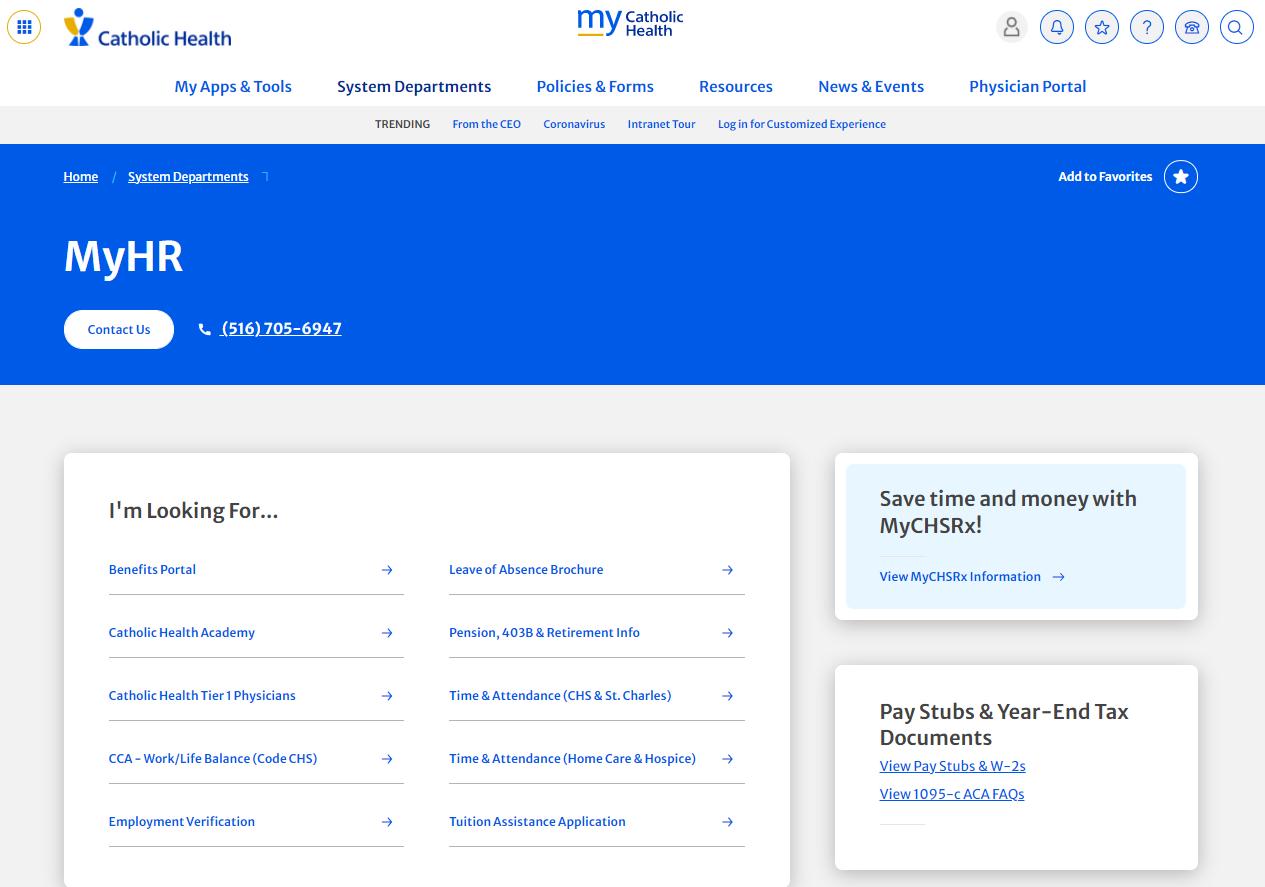
System wide HR Department
– AKA “Shared Service Center”
– 516-705-MYHR (6947) or
– via email at MyHR@chsli.org
– Visit MyHR on the Intranet for more information
Time Clock Punch In
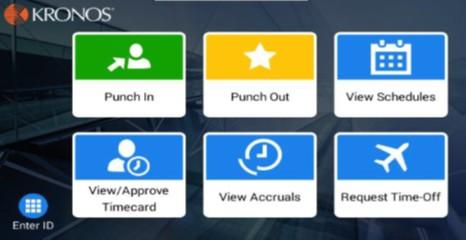
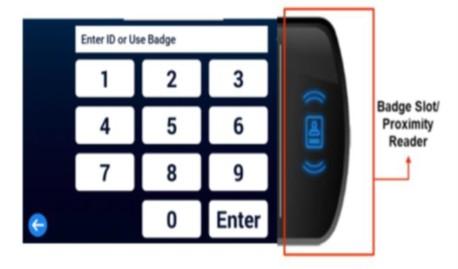
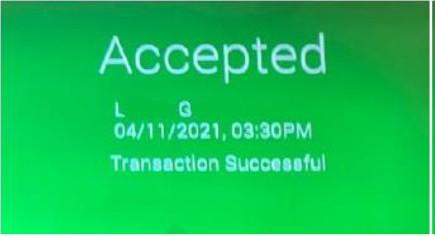
Step 1: Use the "Punch In” Soft key at the beginning of your shift.
Step 2: Touch the Proximity Reader with the badge on the right side of the clock
Step 3: Clock will Accept the punch.
Time Clock Punch Out*
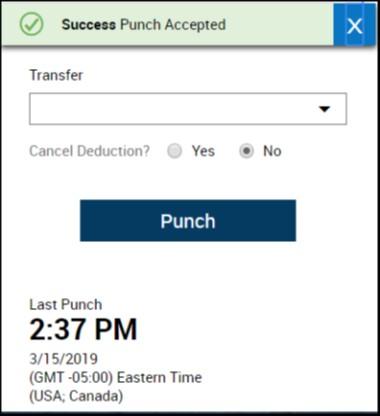
Step 1: To Punch Out use the “Punch Out” soft Key
Step 2: Touch the Proximity Reader with the badge on the right side of the clock
Step 3: Attest if you took the meal break “Yes” or “No” Selecting “Yes” will automatically calculate the 30 min break
Step 4: Clock will Accept the punch.
Only Non-Exempt, Hourly Employees are Required to Punch Out*
PLEASE NOTE: Once the timecard is approved, no additional changes can be made. Please ensure you do not approve days that have not happened yet.
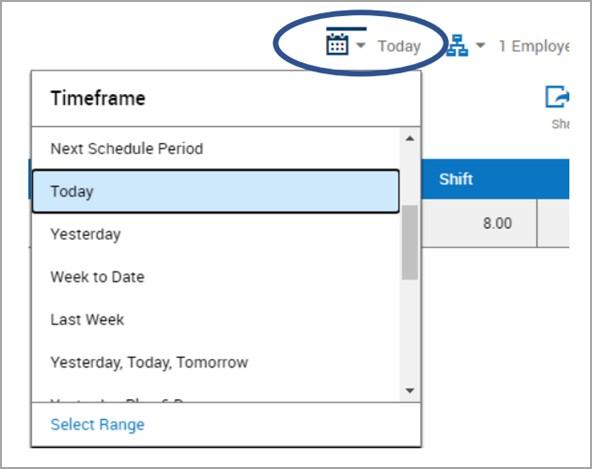

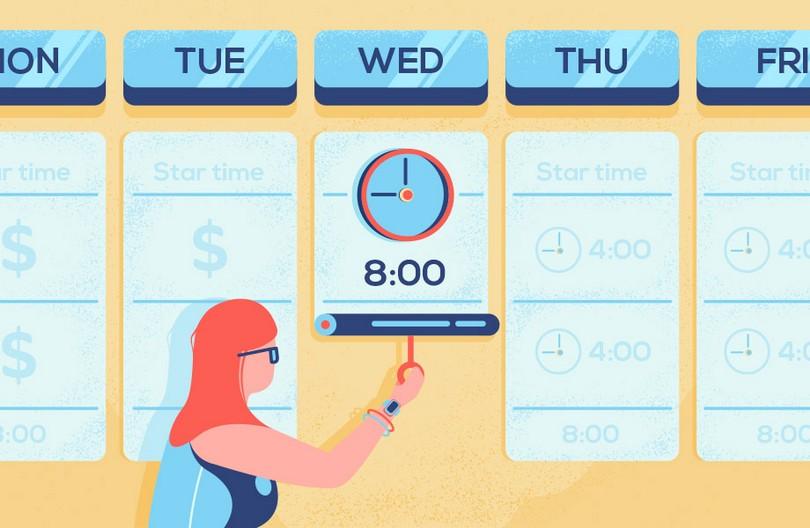
At the end of each pay period, employees are asked to review and approve their timecard.
To do this, ensure the correct dates are listed on the left side of the timecard and then click “Approve”.
Before approving, please ensure:
• All exceptions are corrected
• Total Hours are accurate
• Time off requests are accurate


• The responsibility of Catholic Health’s Privacy Office is to, among other things:
1. Ensure the confidentiality of protected health information (“PHI”) as well as ensuring access to your health information is provided, both in accordance with various federal and state laws including HIPAA;
2. Investigate and respond to privacy related concerns, questions or violations;
3. Provide initial and ongoing training and education on privacy related topics and issues; and
4. Report all breaches protected health and private information to the appropriate regulatory entities.

Catholic Health’s Chief Privacy Officer is Lesli Giglio
Catholic Health’s Deputy Privacy Officer is Frank Caria
Catholic Health’s Physician Practice Privacy Officer is Michael Withus
• Never disclose PHI with anyone unless you have verified the person’s identity and relationship/right or authorization to disclose the PHI;
• Do not disclose more PHI than is necessary to accomplish the task;
• Quickly check the names on documents before mailing them or handing them to a patient;
• Do not use or access PHI even if you think it’s harmless (such as accessing a record to see the room number of a colleague or home address);
• Ensure that any posts to social media do not contain PHI or other confidential business information; and
• Only access PHI for reasons necessary for your role or function and do not access your own medical records or those of your co-workers, family members, friends or high profile patients for any reason, unless it is part of your role.
To access your own health information, use the MyChart App
Texting other providers with PHI must be done so only through Catholic Health’s secure platform known as – Epic Secure Chat.
“WhatsApp”, “Facebook Messenger”, “Google Messages” and other communication methods are not approved, authorized or compliant.
All “Apps” used which contain, transmit or store PHI, must be approved by Information Security and Privacy.
Patients may choose to use Apps on their own, however, providers should not communicate with them via these Apps.
All email containing PHI must be sent securely by adding “[secure]” to the Subject Line and Subject Lines should not contain PHI or PI or identifiers.
Use only your CHSLI e-mail account and address to conduct Catholic Health business, especially when sharing PHI or other private information.
Double check fax telephone number and before you hit “Send”.

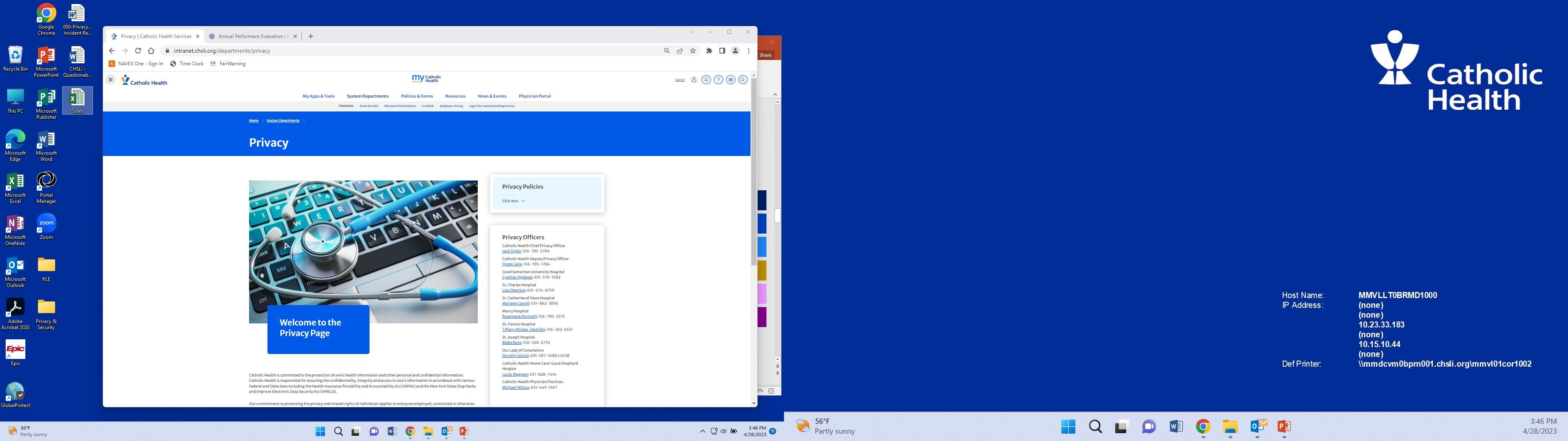
• The policies of the CH Privacy Program and the Entity Privacy Officer Contact Information can be found on the CH Intranet.
• Policies that govern PHI include:
*Reminder to complete your assignment of online Privacy Awareness training*
–
• Physician Practice employees may be tasked with scanning documents such as external medical records, insurance information, demographic information into a patient’s chart.
• Errors in scanning have resulted in numerous instances of PHI being scanned into another patient’s chart erroneously. This could lead to a HIPAA Breach if this information remains in the chart and is sent to the patient or another entity via a records request.
• Additionally, a patient may view their MyChart account and see PHI that belongs to another patient possibly resulting in a breach.
–
• Always use 2 patient identifiers to confirm the correct chart prior to scanning any document into a medical chart (Name and Date of Birth).
• Do not scan documents into patient’s charts while talking to a patient either in person or on the phone.
Today, the U.S. Department of Health and Human Services’ Office for Civil Rights (OCR) announced a settlement with Yakima Valley Memorial Hospital, a not-for-profit community hospital located in Yakima, Washington resolving an investigation under the Health Insurance Portability and Accountability Act of 1996 (HIPAA). OCR investigated allegations that several security guards from Yakima Valley Memorial Hospital impermissibly accessed the medical records of 419 individuals. HIPAA is a federal law that protects the privacy and security of protected health information. The HIPAA Privacy, Security, and Breach Notification Rules apply to most health care organizations and set the requirements that HIPAA-regulated entities must follow to protect the privacy and security of health information. To voluntarily resolve this matter, Yakima Valley Memorial Hospital agreed to pay $240,000 and implement a plan to update its policies and procedures to safeguard protected health information and train its workforce members to prevent this type of snooping behavior in the future.
In May 2018, OCR initiated an investigation of Yakima Valley Memorial Hospital following the receipt of a breach notification report, stating that 23 security guards working in the hospital’s emergency department used their login credentials to access patient medical records maintained in Yakima Valley Memorial Hospital’s electronic medical record system without a job-related purpose. The information accessed included names, dates of birth, medical record numbers, addresses, certain notes related to treatment, and insurance information.
“Data breaches caused by current and former workforce members impermissibly accessing patient records are a recurring issue across the healthcare industry. Health care organizations must ensure that workforce members can only access the patient information needed to do their jobs,” said OCR Director Melanie Fontes Rainer. “HIPAA covered entities must have robust policies and procedures in place to ensure patient health information is protected from identify theft and fraud.”
Privacy issues or concerns can be reported as follows:

Via the Privacy Office’s 24/7 Confidential & Anonymous Privacy Web Reporting System at https://chsli.ethicspoint.com;
By email at privacy@chsli.org;
By visiting, emailing or calling your respective Privacy Officer;

By visiting, emailing or calling Catholic Health’s Chief Privacy Officer or Deputy Privacy Officer; or
By mail at Catholic Health, 992 North Village Avenue, Rockville Centre, NY 11570. Attn: Privacy Office.
*Privacy Officer contact information and links to the Web Reporting system can be found on the Intranet under “Systems & Departments” – “Privacy”.
Thank You
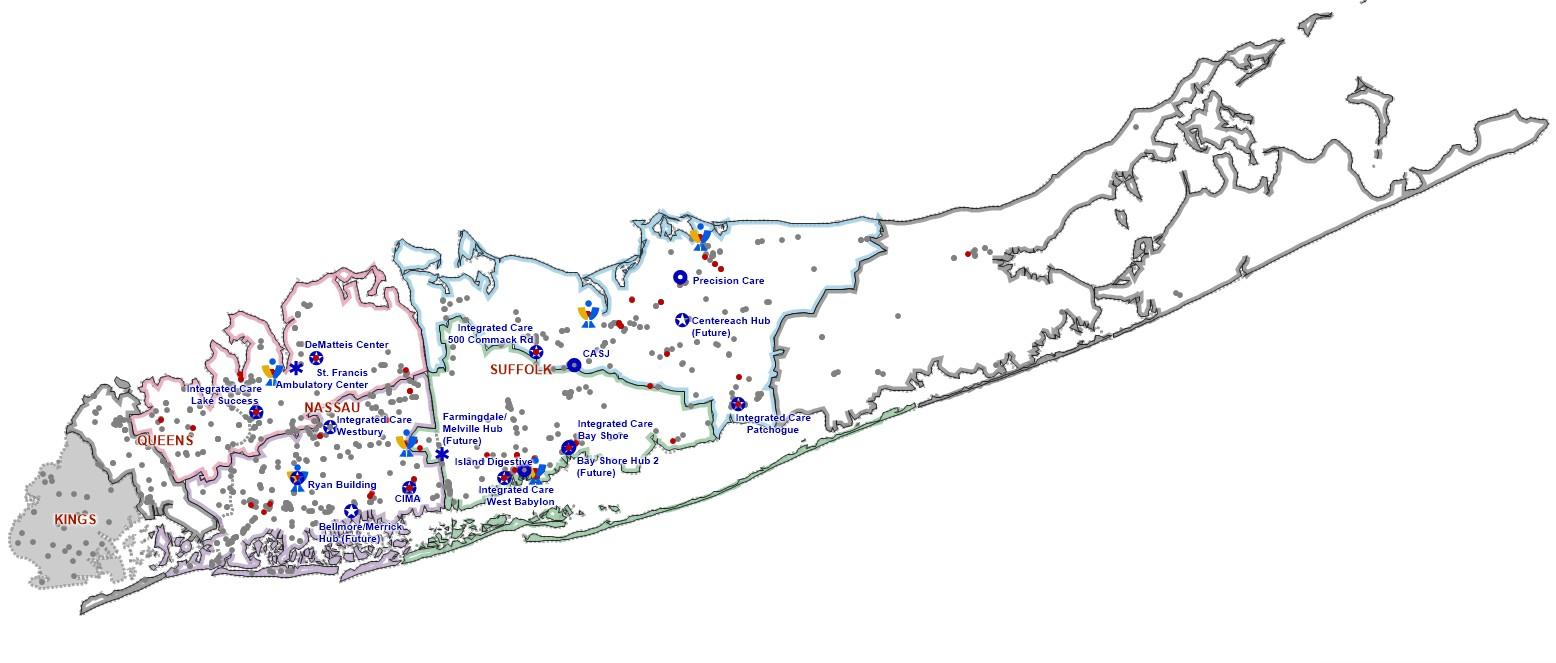
• Group of employed practices with varied specialties across Long Island, from Montauk to Manhattan.
• Leadership team located in Melville.
• We have just over 1,000 employees, with about 400 physicians/PAs/NPs.
• We work closely with our voluntary physicians that participate in the IPA (Independent Physician Association).
• The IPA and the Medical Group:
- Work together to improve network integrity (keeping referrals in network).
- Participate in Managed Care contracts and track and report quality together as a group.
Physician & Voluntary Practices (as of June 2023)



Cardiology
Surgery

Gastroenterology






Women’s Health


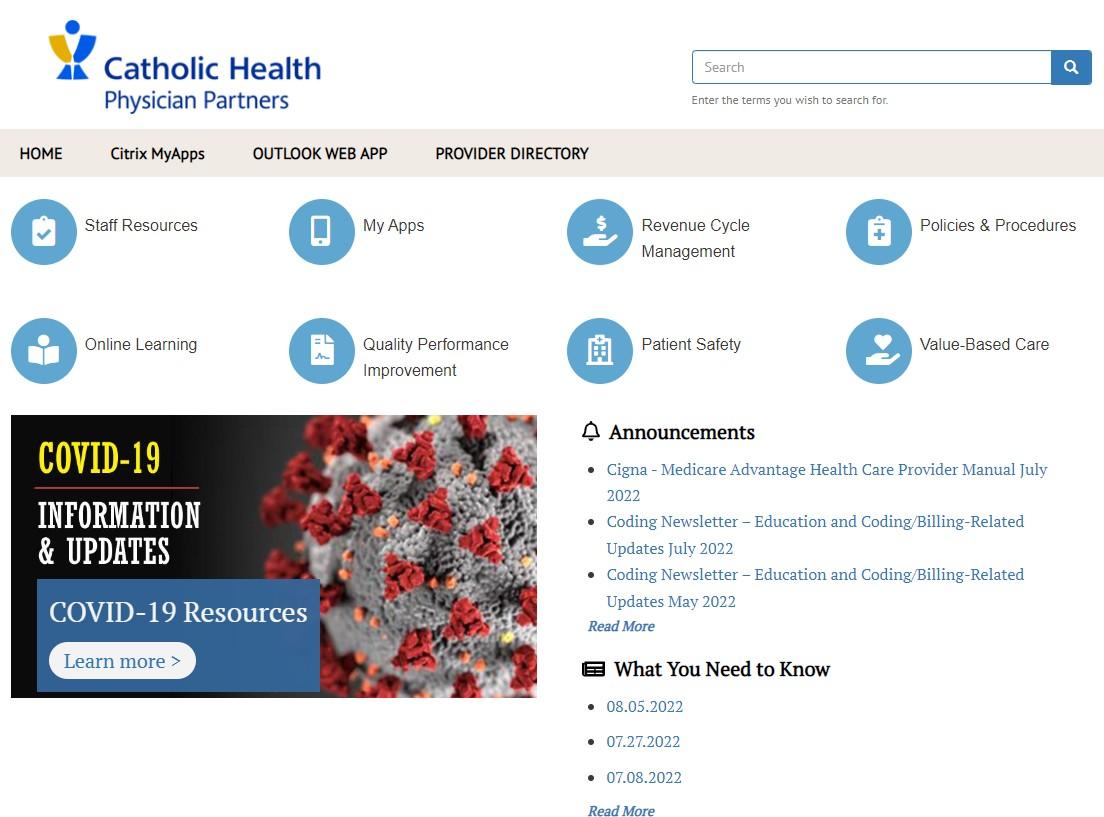
• Updates and maintains the Physician Portal, a gateway to information for physicians and staff.
• Keeps CHPP providers and employees informed with announcements and events.
• Liaisons between marketing and CHPP to ensure consistent and appropriate branding for communication/marketing material production and implementation.
• Essential in collaborating with the onboarding team in preparation for a physician’s transition to CHPP.

• Aligns with Catholic Health’s Mission and Values
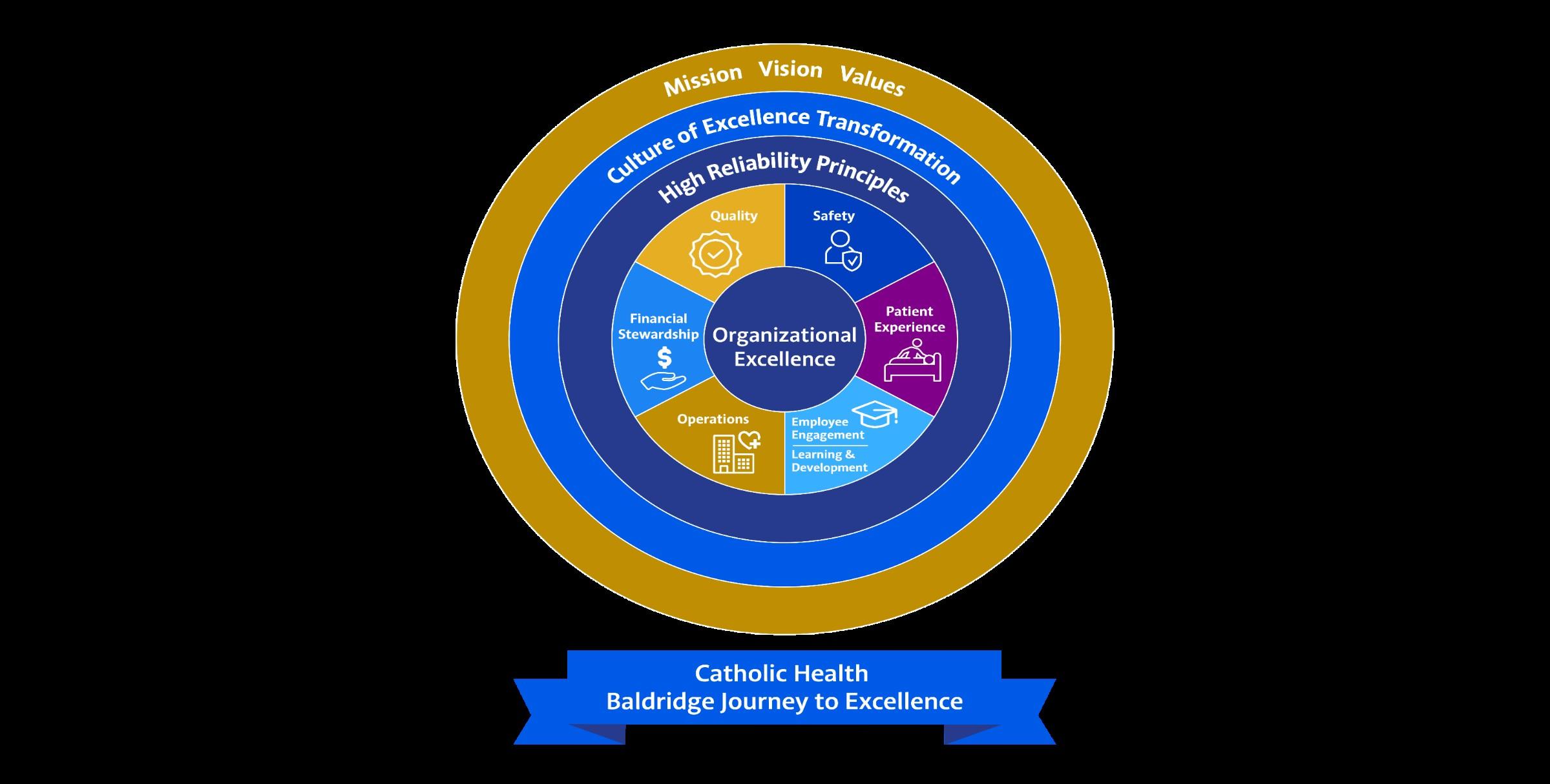
• Patients have a choice
• Transformational Journey to High Reliability
• New Vision Forward
Premier Health System
Compassionate Patient Centered Care
Most Trusted Health Partner
• It’s the right thing to do
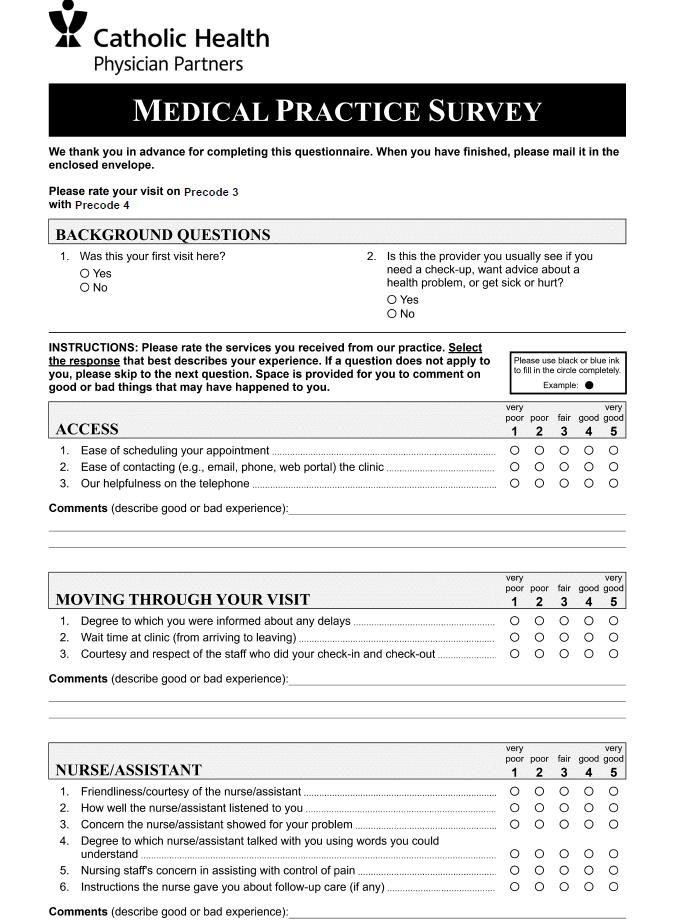

• This information includes, but is not limited to, topics such as:
• OSHA requirements i.e. fire safety, infection prevention precautions, etc.
• Emergency Equipment (location, scheduled daily check).
• Practice specific workflows i.e. breast biopsy setup.
• Practice specific goals i.e. financial, operational, and patient experience goals.
• Buddy system/in-office mentor.
• This will also depend on whether the employee is clinical versus non-clinical.
• Employee will receive periodic check-ins (60-Day, 90-Day).
Sonia Barolette, RN-BC, NIS, CPPS, CPHQ, MSN, MBA
New Hire Orientation
Catholic Health (CH) mission is:
“to reduce patient suffering, with a zero harm events goal”
CH is dedicated to build and sustain a culture of safety and high reliability
Quality of care and patient safety are the core values of CH
– As healthcare professionals and CH employees our ultimate goals are to:
• Incorporate and support a culture of safety
- encourage our colleagues to speak up - be a safety partner
• Encourage our multidisciplinary care team members to share best practices
• Increase Safety Awareness
• Be proactive in identifying safety issues
• Have a plan to address these identified safety issues
• Increase patient centered care and quality of care
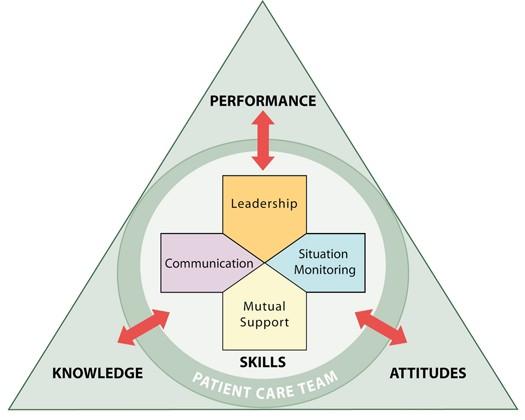
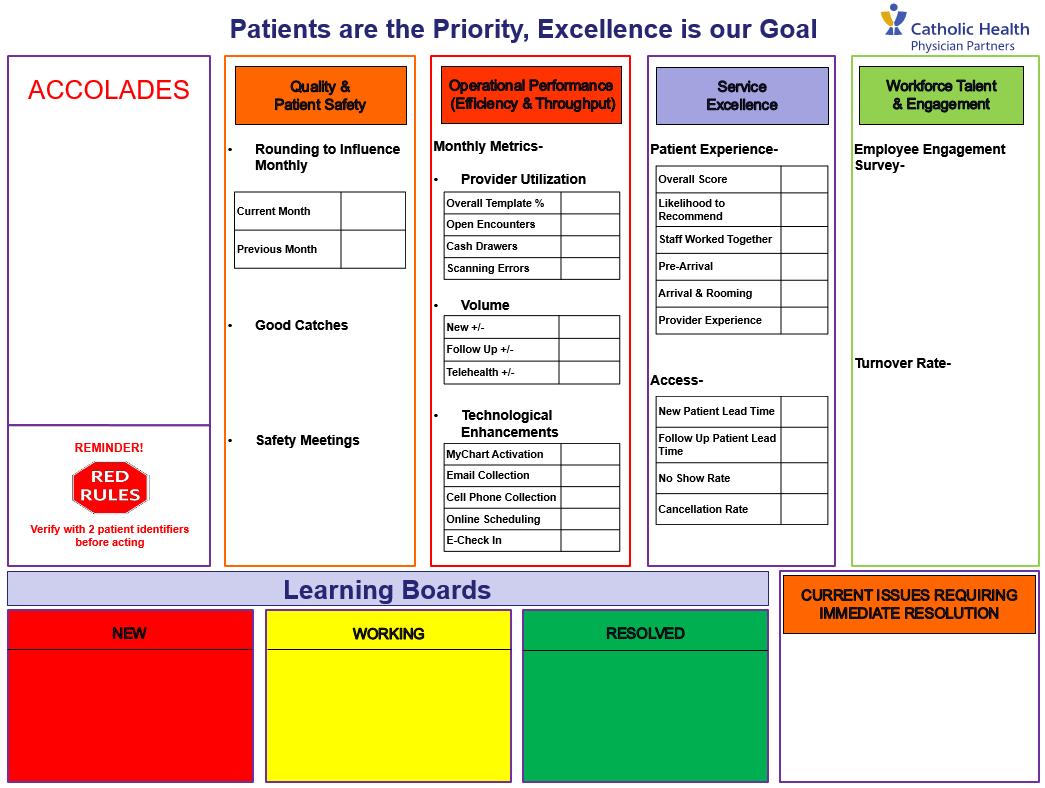
– Good Catch – TeamSTEPPS – Just culture – Safety huddles – Active listening – Build on relationships – Be present & available (management by walking around) – Learning Boards – Monthly Safety Tips & Rounding to Influence (RTI) Scripts – Safety Champions & Safety Coaches
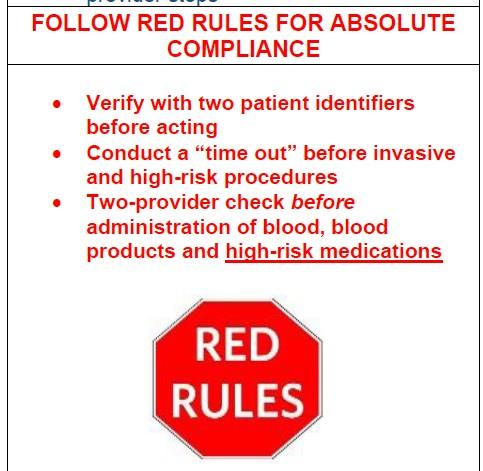
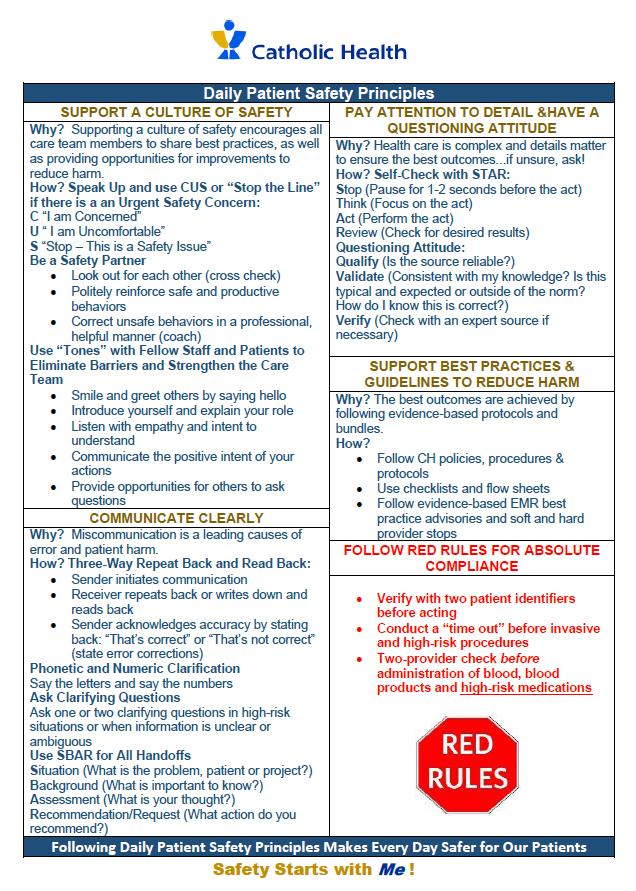
• CUS or “Stop the Line” (Concerned, Uncomfortable, Stop)
• Be a Safety Partner (Cross Check / Coach)
• Use “Tones” to Eliminate Barriers and Strengthen the Care Team
• Three-Way Repeat Back and Read Back
• Ask Clarifying Questions
• S.T.A.R. (Stop Think Act Review)
• Have a Questioning Attitude
• Support Best Practice
Thank You!
1. Introduction- meet/greet.
2. Discuss Job expectations.
• MA/MOA scope of practice.
• Review and sign job description.
• Review and sign professional conduct attestation.


“The best way to find yourself is to lose yourself in the service of others”
Mahatma Gandhi


Welcome and thank you for choosing Catholic Health!